
Best LinkedIn Sales Navigator Companies Scrapers of 2026 [No-Code]
Turns out the real problem wasn’t the testing… It was the lack of scrapers and the lack of any clear comparison online.
Most options recommended by search engines or AI don’t even scrape Sales Navigator companies, they just let you search their own outdated databases.

So I did the work myself. I found the tools that actually support Sales Navigator companies export, tested them, and put together the detailed comparison you needed.
| Criteria | Lobstr.io | PhantomBuster | Scrupp | Apify |
|---|---|---|---|---|
| Data points | 19 company data points | 28 company data points | 29 data points, inconsistent | 25 company data points |
| Pricing at scale 💰 | ~$0.5 per 1k companies | ~$12.2 per 1k companies | ~$6 per 1k companies | Unpredictable |
| Speed ⚡ | Very fast 🚀 | Very slow 🐢 | Medium ⏳ | Slow 🐌 |
| Account safety 🔒 | Strong 🛡️ | Medium ⚠️ | Weak 🚨 | Weak 🚨 |
| Scalability | High | Medium | Medium | Medium |
| Enrichment | Validated email and phone | Limited validated email only | Non validated email and phone | Non validated email |
| Integrations | 3000+ via Make.com | Some native + Zapier and Make | API only | Many native |
| Ease of use 🧩 | Very easy 💯 | Medium 👍 | Easy 💯 | Hard 👎 |
But before we start the actual review, let’s answer an important question… Why do you even need a Sales Navigator companies scraper?
Why do you need a Sales Navigator companies scraper?
Sales Navigator gives you direct access to company data on LinkedIn, and companies usually keep this information updated, so you get the freshest and most accurate company info.
But here’s the funny part… Sales Navigator doesn’t let you export company data to CSV or Excel, and there’s no working API either.
Sounds like an NFT… visible, not usable.
The only export option is CRM sync, and even that sits behind the highest tier. Pay more just to export the data you already pay to access. Makes perfect sense, right?
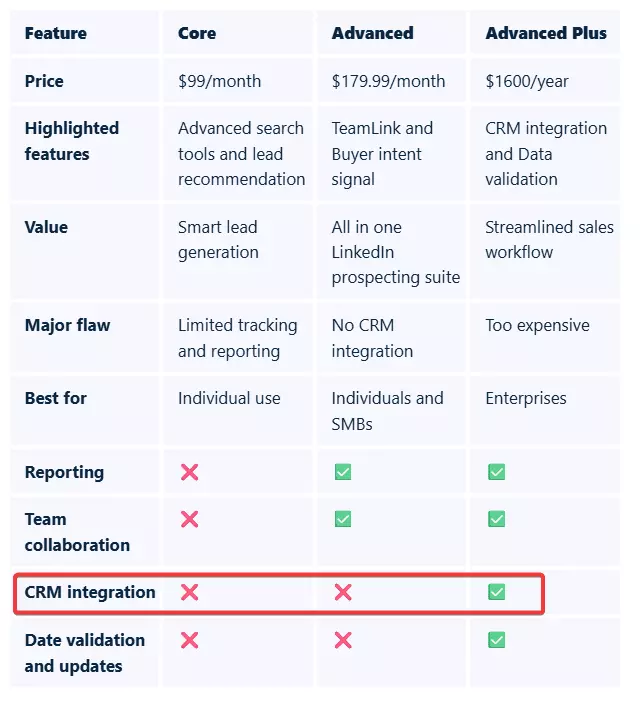
Because of these limitations, most people end up using B2B data vendors like ZoomInfo, Cognism, Apollo and others.
But these tools rely on their own databases, and the most common complaint about those databases is… “outdated data”.
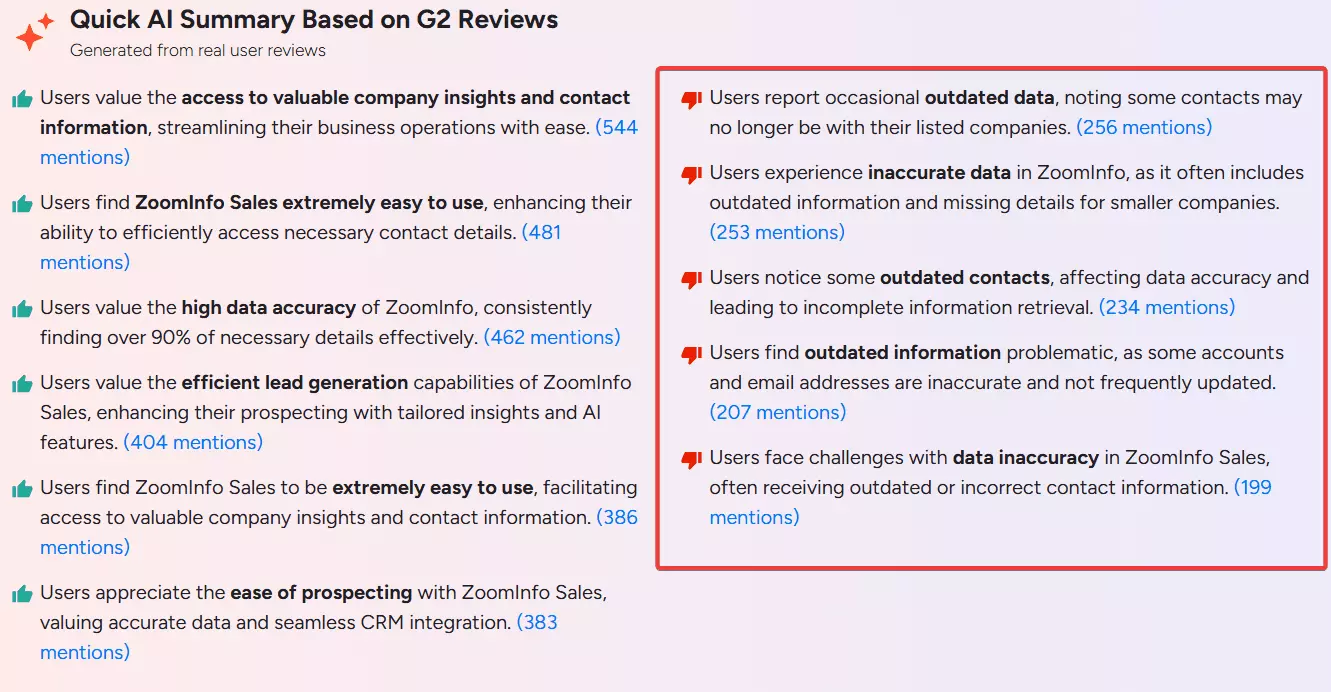
So you’re practically left with scraping.
And that leads to the next question… should I build my own Sales Nav companies scraper?
Well, building your own scraper sounds interesting until you actually maintain one at scale.
With DIY scrapers, maintenance becomes the biggest headache, scalability is another problem, if you can deal with that too, account blocking is the final boss.
Which brings us to the final resort… you need a reliable, scalable, and affordable Sales Navigator companies scraper.
But before I jump into the criteria of choosing a scraper, I know what you're thinking... Is it even legal to scrape LinkedIn data?
Is scraping LinkedIn Sales Navigator legal?
Disclaimer: This opinion is based on publicly available information and my interpretation of it. It is not legal advice.
Laws can change and vary by region, so consult a qualified legal professional if you need guidance for your specific use case.
Yes… as long as you do it responsibly. Scraping Sales Navigator is generally considered legal if you:
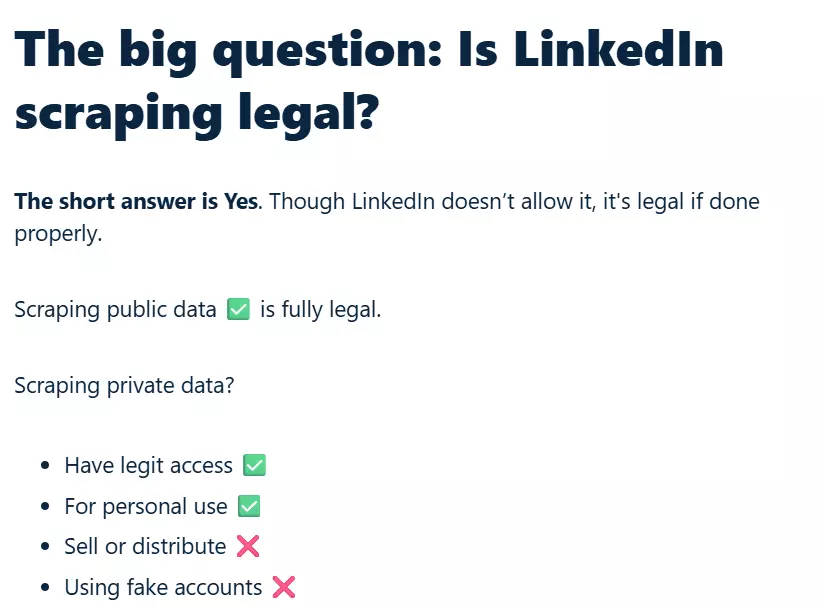
- Maintain legit access to data, no fake accounts
- Don’t sell or distribute data without permission
- Respect the platform’s rate limits
- Comply with your local privacy and data protection laws
I covered the full legal breakdown in my detailed legality guide, including LinkedIn’s terms of service, key cases, and best practices.
Now the real question is… how do you choose the right Sales Navigator companies scraper?
How to choose the best Sales Navigator companies scraper?
Before comparing tools, I first needed to understand what people actually struggle with.
So I started by reviewing Reddit threads, social media discussions, and user reviews. I looked at real user complaints and what people were running into.
This helped me identify the most common pain points when collecting company data from Sales Navigator.
- Limited data points or incomplete company profiles
- High pricing, especially at scale
- Account ban risks
- Lack of scalability
- Poor ease of use
- Slow speed
- Limited or no integrations
Once I had a clear picture of the real problems, I built my evaluation criteria around these pain points.
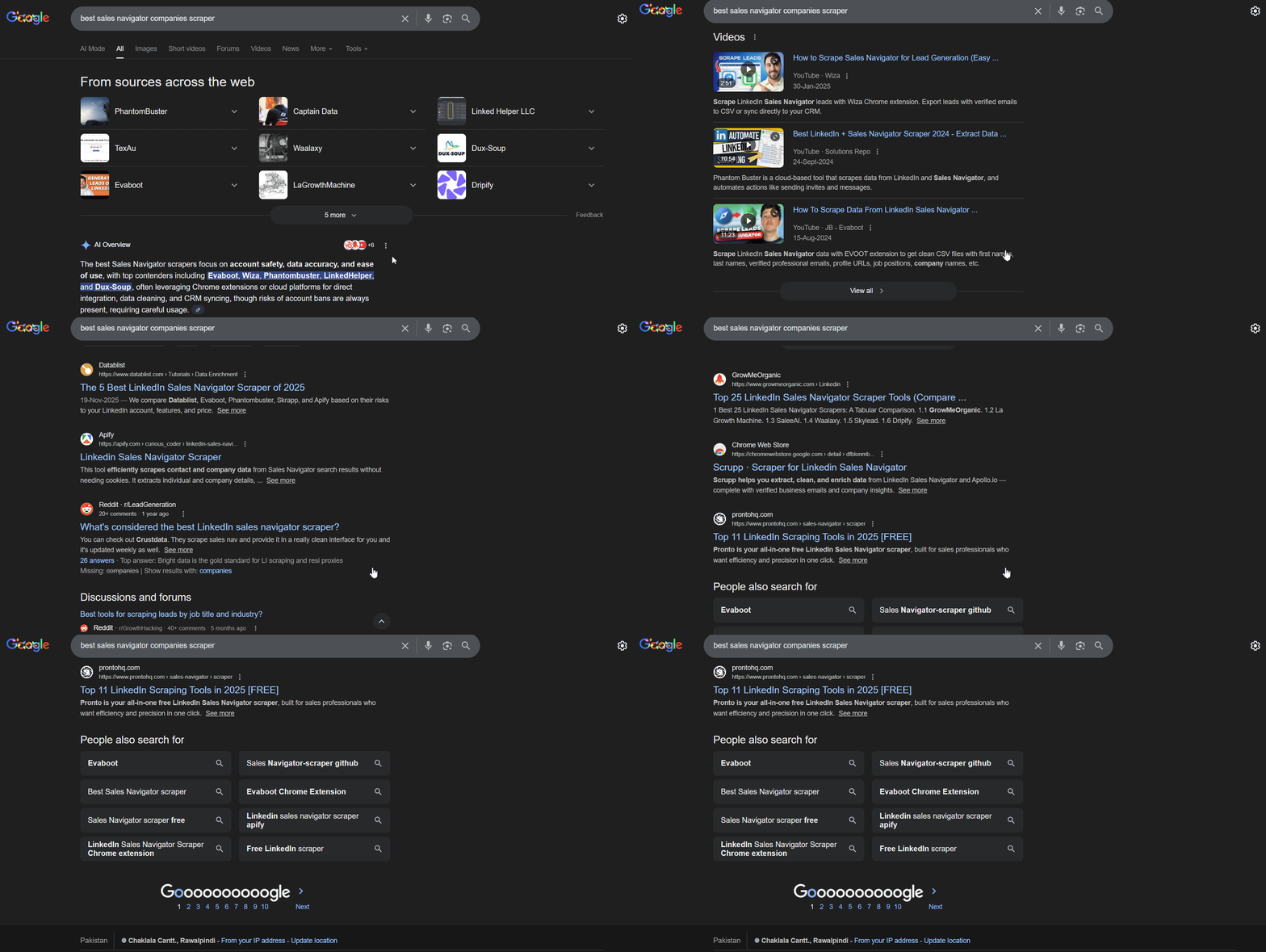
I searched across Google, Reddit, communities, and AI tools to find every product that claimed to scrape Sales Navigator companies data.
From there, I shortlisted the ones that actually offered a dedicated Sales Navigator companies scraper or template.
I checked long term user reviews, and did my own testing to shortlist tools that meet the following criteria:
- Data points
- Affordability
- Account ban safety
- Integrations
- Ease of use
- Speed
Data points
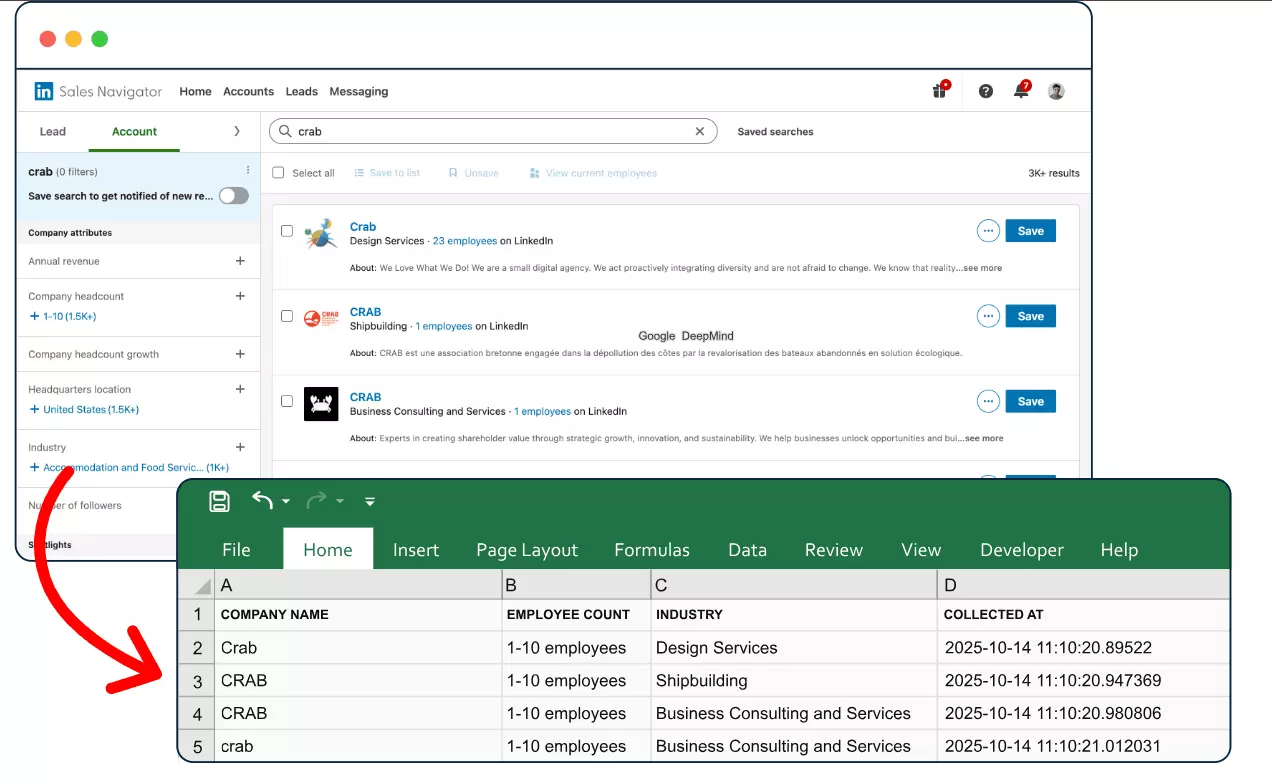
I checked what company data each scraper lets you export, and whether it can also collect employees and enrich them with valid contact information.
Affordability and scalability
I reviewed starting and scale plans, calculated the real cost per 1k companies export, and checked monthly limits, volume capacity, and availability of custom plans.
Account ban safety
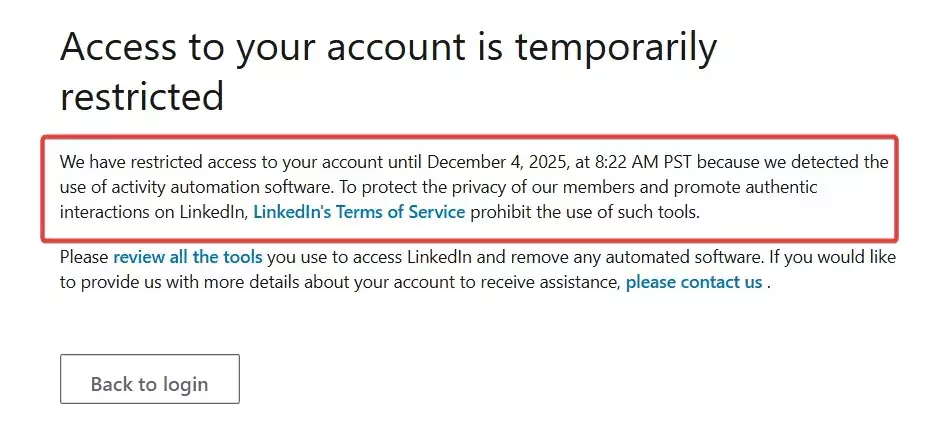
I looked at safety features like multiple account management, custom daily or monthly limits, auto pause and resume, rate limit controls, and proxy support.
Integrations, speed, and ease of use
I checked how many integrations each tool offers and what export formats are available.
Plus reviewed how easy the scraper is to set up and run, plus the availability of tutorials and support.
And tested how fast each tool collects data, specifically how many companies per minute it can extract.
And here’s my final list!!!
Best Sales Navigator Companies Scrapers of 2026
| Criteria | Lobstr.io | PhantomBuster | Scrupp | Apify |
|---|---|---|---|---|
| Data points | 19 company data points | 28 company data points | 29 data points, inconsistent | 25 company data points |
| Pricing at scale 💰 | ~$0.5 per 1k companies | ~$12.2 per 1k companies | ~$6 per 1k companies | Unpredictable |
| Speed ⚡ | Very fast 🚀 | Very slow 🐢 | Medium ⏳ | Slow 🐌 |
| Account safety 🔒 | Strong 🛡️ | Medium ⚠️ | Weak 🚨 | Weak 🚨 |
| Scalability | High | Medium | Medium | Medium |
| Enrichment | Validated email and phone | Limited validated email only | Non validated email and phone | Non validated email |
| Integrations | 3000+ via Make.com | Some native + Zapier and Make | API only | Many native |
| Ease of use 🧩 | Very easy 💯 | Medium 👍 | Easy 💯 | Hard 👎 |
After testing, I realized not all tools belong in the same tier. Some worked perfectly, while others had caveats that made me skeptical to include them in the “best” category.
So I split this list into two parts:
- My top 2 favorites
- 2 tools that do the job but have caveats
My top 2 favorite Sales Navigator Companies Scrapers
1. Lobstr.io
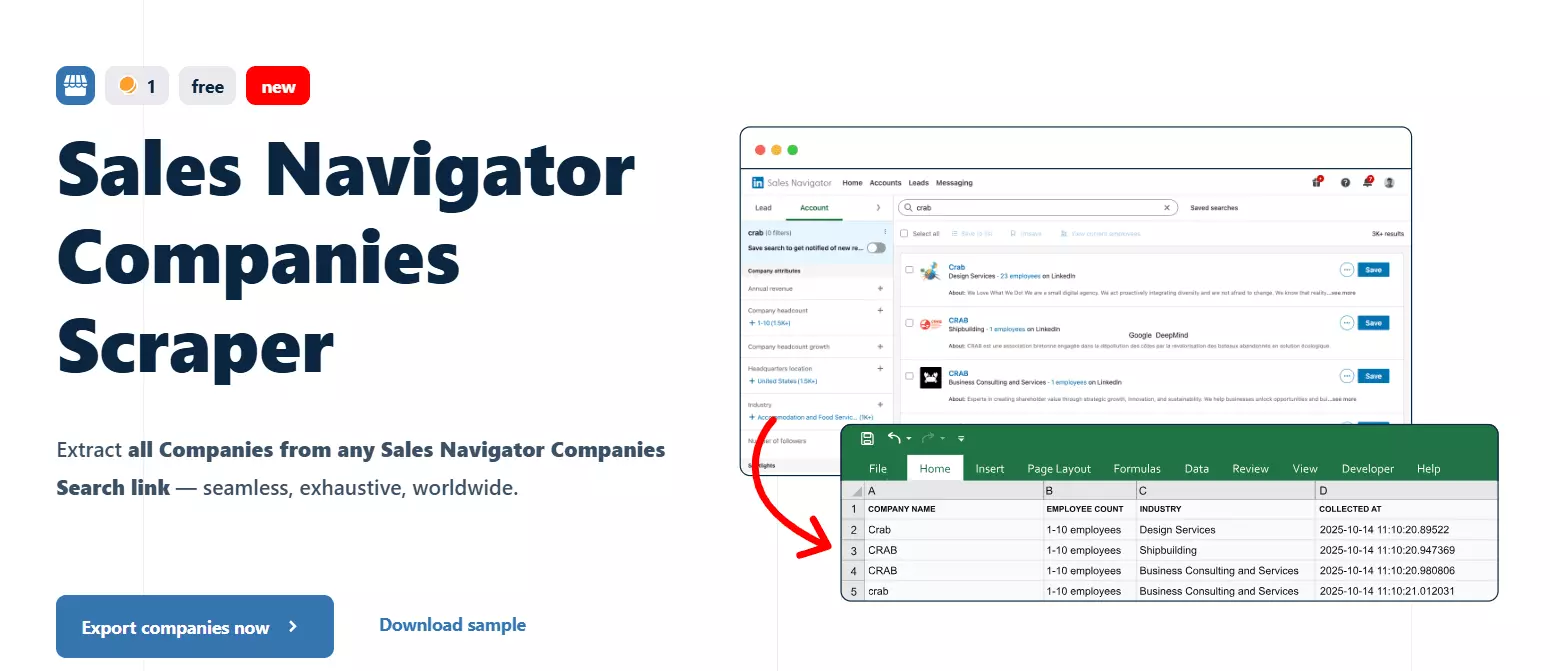
| Pros | Cons |
|---|---|
| Strong account safety | Limited company data points |
| Fast scraping speed | |
| Lead and contact enrichment | |
| Transparent and affordable pricing | |
| Easy to use no-code UI plus API access |
Key features
- Extract company data directly from Sales Navigator Account Search
- Export data to CSV, JSON, Google Sheets, or Amazon S3
- Dedicated Sales Navigator Leads Scraper
- Collect 40+ meaningful data points per company and lead
- Email and phone number enrichment
- Built in scheduling for monitoring and automated data collection
- Integrate with 3000+ apps using Make.com
- Developer friendly API
- Account ban protection using smart limits and account management
Data
Companies Scraper Data Points
| COMPANY NAME 🏢         | COMPANY ID 🆔               | COMPANY LINKEDIN URL 🔗       |
| COMPANY PICTURE 🖼️      | COMPANY DESCRIPTION 📝      | EMPLOYEE COUNT RANGE 👥       |
| EXACT EMPLOYEE COUNT 🔢 | COMPANY INDUSTRY 🏭         | SAVED IN SN ⭐                 |f
Leads + Company Enrichment Data Points
| FULL NAME 🧑💼 | FIRST NAME 🔤 | LAST NAME 🔤 | EMAIL 📧 | | EMAIL STATUS ✔️ | PHONE 📱 | LINKEDIN URL 🔗 | SALES NAV URL 🔗 | | CURRENT POSITION 💼 | HEADLINE 🗣️ | SENIORITY 🎖️ | IS OPEN PROFILE 🔓 | | TENURE IN ROLE ⏱️ | TENURE IN COMPANY ⏱️ | PREMIUM STATUS 💎 | LOCATION 📍 | | SUMMARY 📝 | CONNECTION DEGREE 1–3 🔗 | JOB START DATE 📅 | PROFILE PICTURE 🖼️ | | SAVED IN SN ⭐ | CURRENT JOB COUNT 🔢 | PERSON ID 🆔 | FILTER MATCH ✔️❌ | | NO MATCH REASON ⚠️ | COMPANY NAME 🏢 | COMPANY DESCRIPTION 📝 | COMPANY DOMAIN 🌐 | | COMPANY TYPE 🏷️ | COMPANY LOCATION 📍 | COMPANY INDUSTRY 🏭 | COMPANY SPECIALTIES 🧩 | | COMPANY REVENUE RANGE 💰 | COMPANY LINKEDIN URL 🔗 | EMPLOYEE COUNT 👥 | EMPLOYEE RANGE 🔢 | | FOUNDED YEAR 📆 | COMPANY PROFILE PIC 🖼️ | | |f
Pricing
Lobstr.io uses a monthly subscription model with plans ranging from $20 to $500 per month.
Below is a simplified cost per 1k results to make the comparison easier.
Companies export
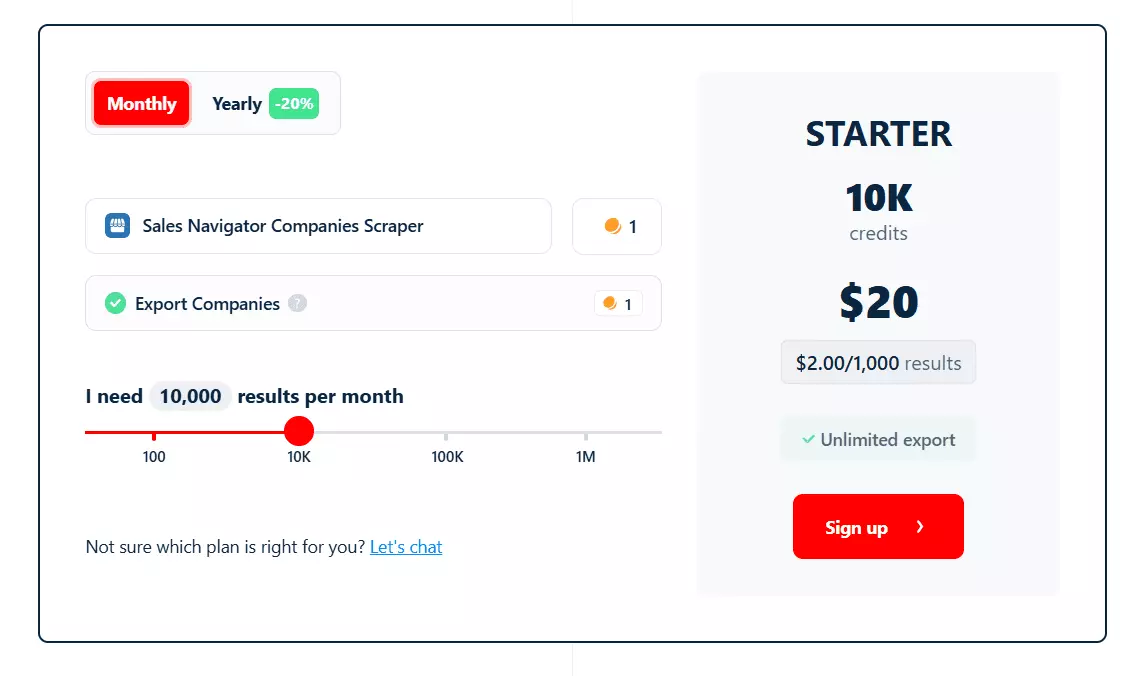
- Export 100 companies free every month
- Paid plans start at $2 per 1k companies
- At scale, pricing drops to $0.5 per 1k companies
You can export 1M+ companies per month from Sales Navigator using Lobstr.io.
Leads export
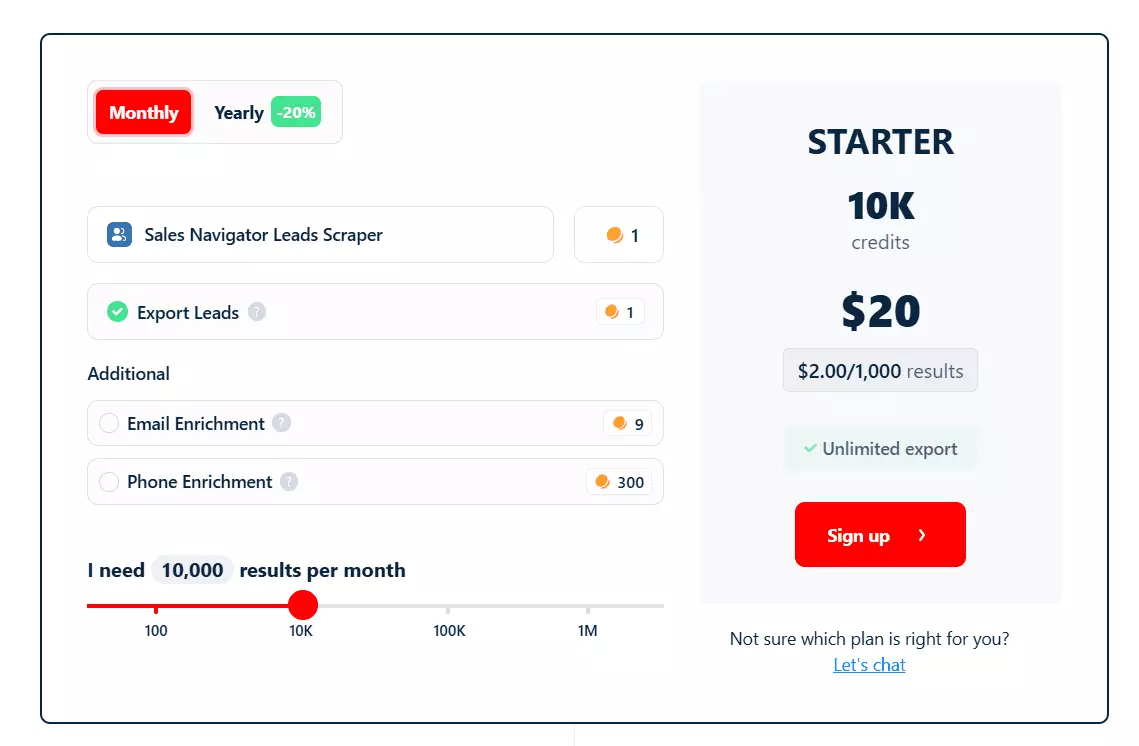
- $2 per 1k leads without emails or phone numbers
- $20 per 1k leads with verified emails
There are no hidden costs and no surprise proxy fees. You only pay for the data you actually collect.
What you’ll love about Lobstr.io
Account safety is where Lobstr.io clearly stands out.
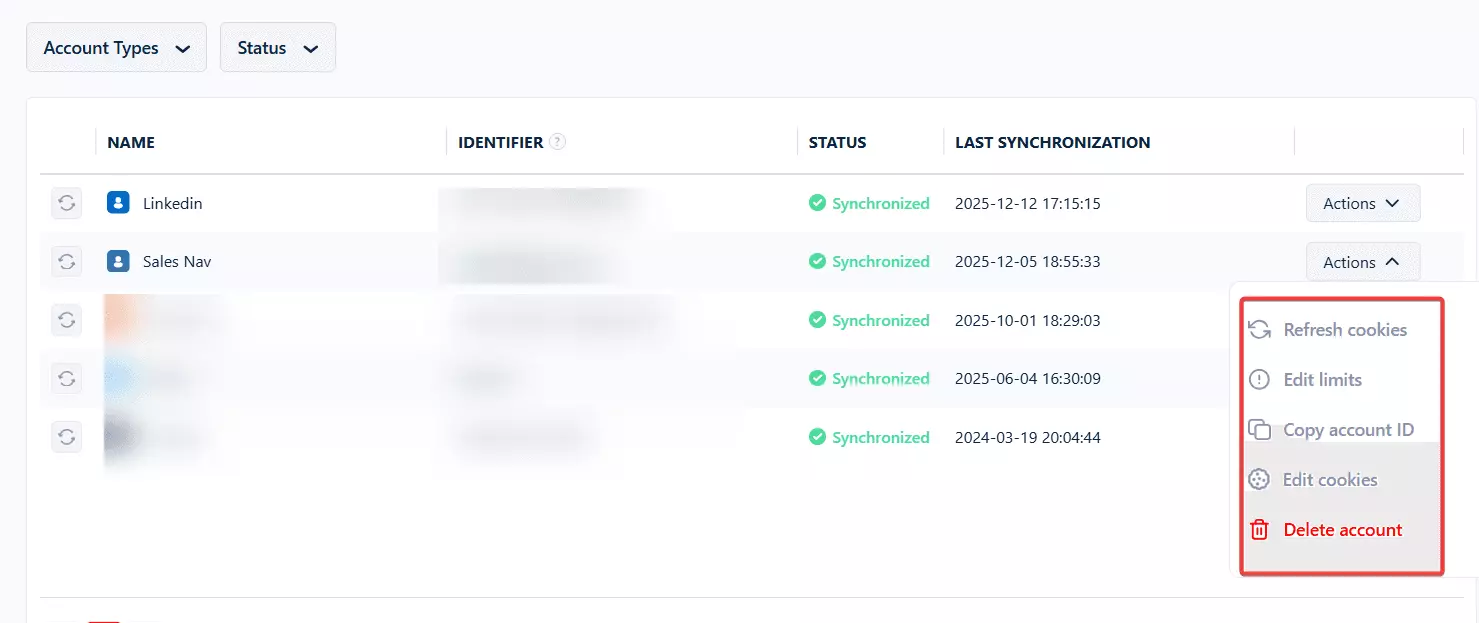
If you’re collecting data at scale, you can sync multiple LinkedIn accounts so you stay within limits while still exporting companies data in bulk.
Default limits already match what LinkedIn enforces, but you can go even safer by setting your own daily limits.
Plus you can resync accounts, delete them, or even manually add cookies from the dashboard.
The interface is clean and intuitive.
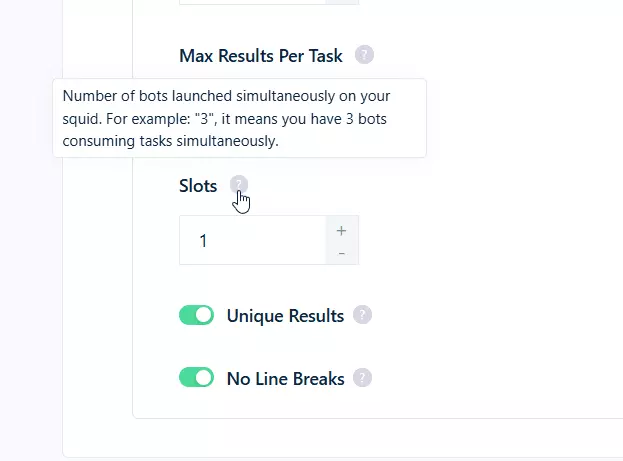
You can sign up in 2 easy steps and launch a crawler (we call it Squid), in 4 simple steps. And all important settings are one click away in the left sidebar.
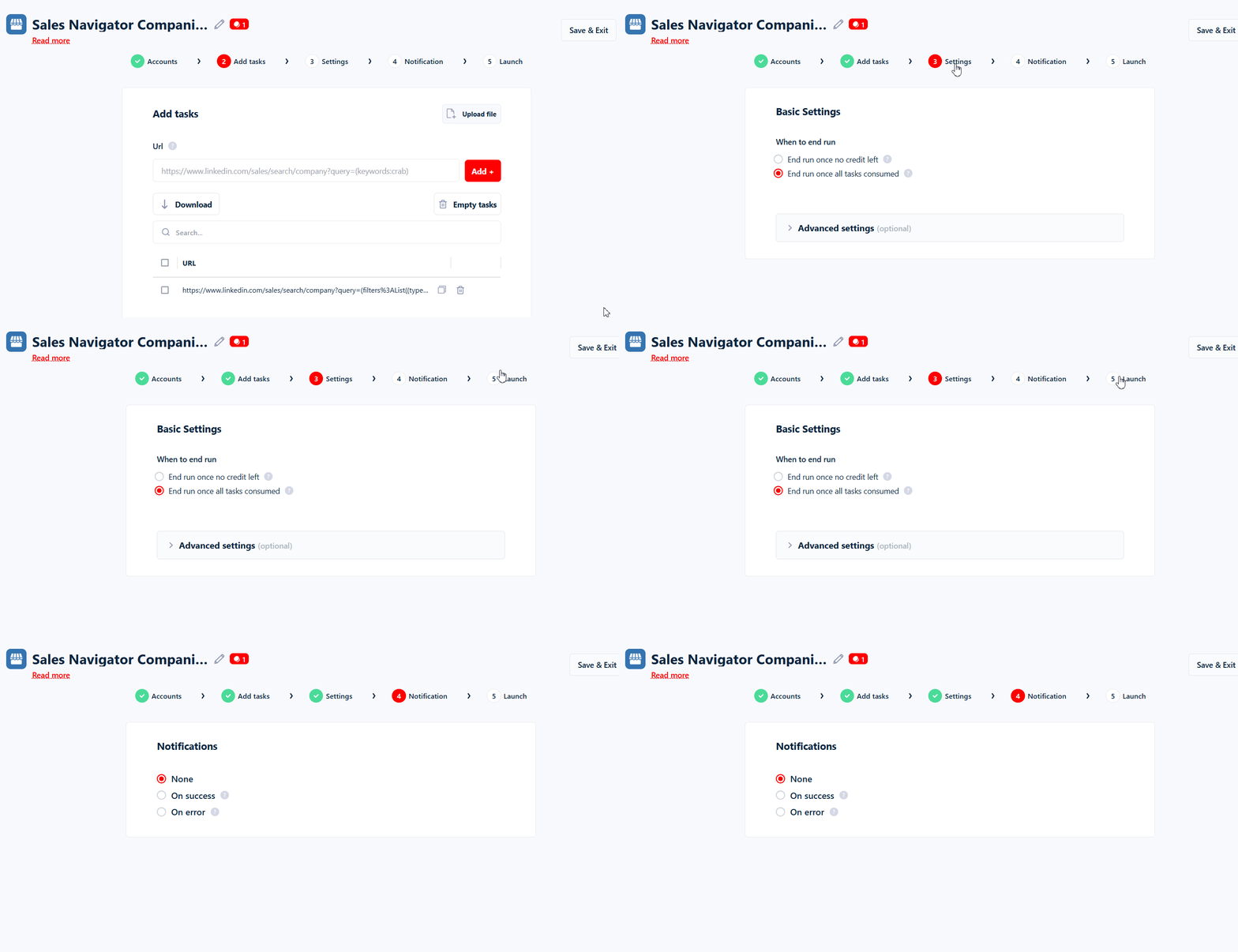
If you’re confused, there’s a proper knowledge base that explains every feature. There are also in depth blog guides for each scraper.
For API users, the documentation is developer friendly and vibe coder friendly, with clear examples.
And of course, there’s Live chat support, which is handled by technical people who really understand how the product works.
Lobstr.io is fast.
You can collect roughly 200 companies per minute, which means exporting 1,000 companies in under 5 minutes in most cases.
And you can increase the speed up to 40x by increasing the concurrency.
You can also export employees data with valid contact information.
Besides the Sales Navigator Companies Scraper, there’s also a dedicated Sales Navigator Leads Scraper.
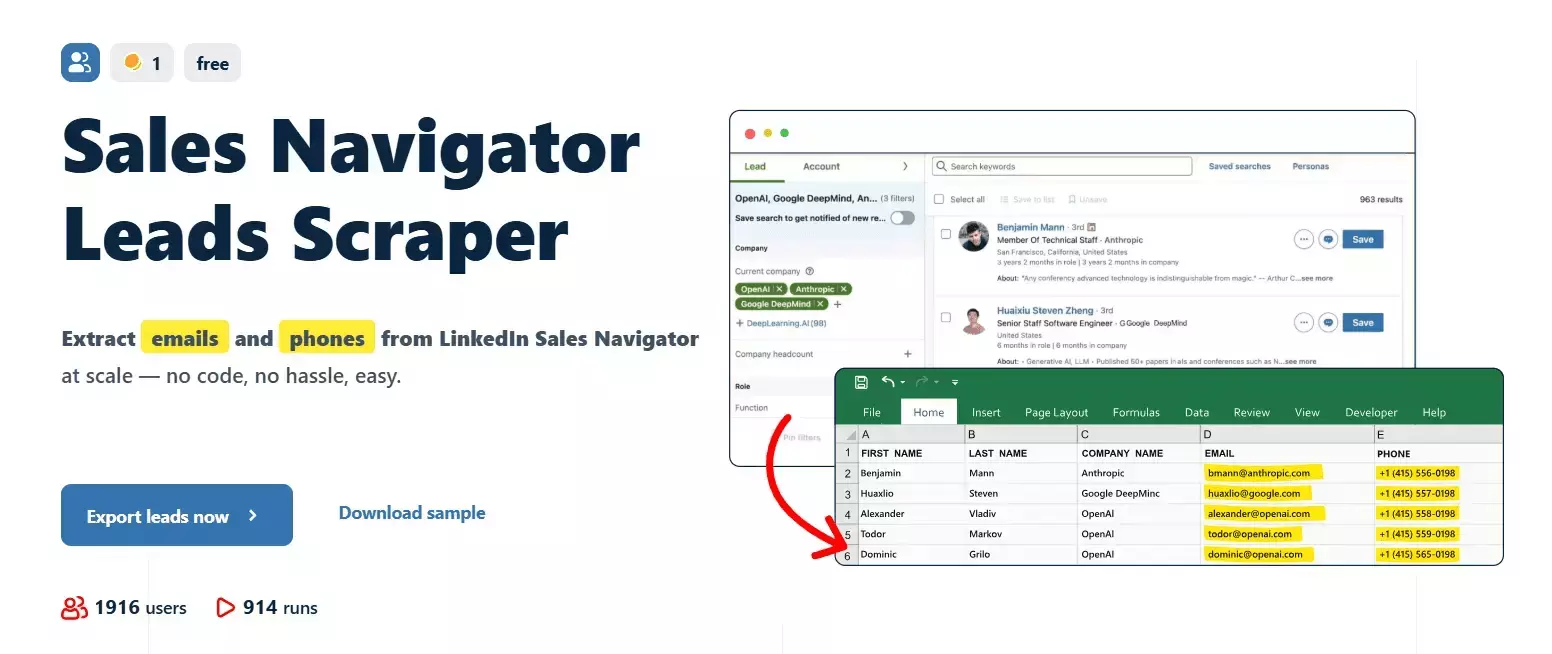
While it’s meant for leads search, you can use it to export all employees working at those companies, as long as they have a LinkedIn profile.
You can also enrich these leads with verified work emails and phone numbers.
Data can be exported as CSV or JSON, pushed automatically to Google Sheets, Amazon S3, or SFTP, or delivered via email.
And thanks to our Make.com partnership, you can connect Lobstr.io to 3,000+ tools, including CRMs, outreach tools, AI agents, and internal workflows.
What’s missing
The only limitation right now is company data depth.
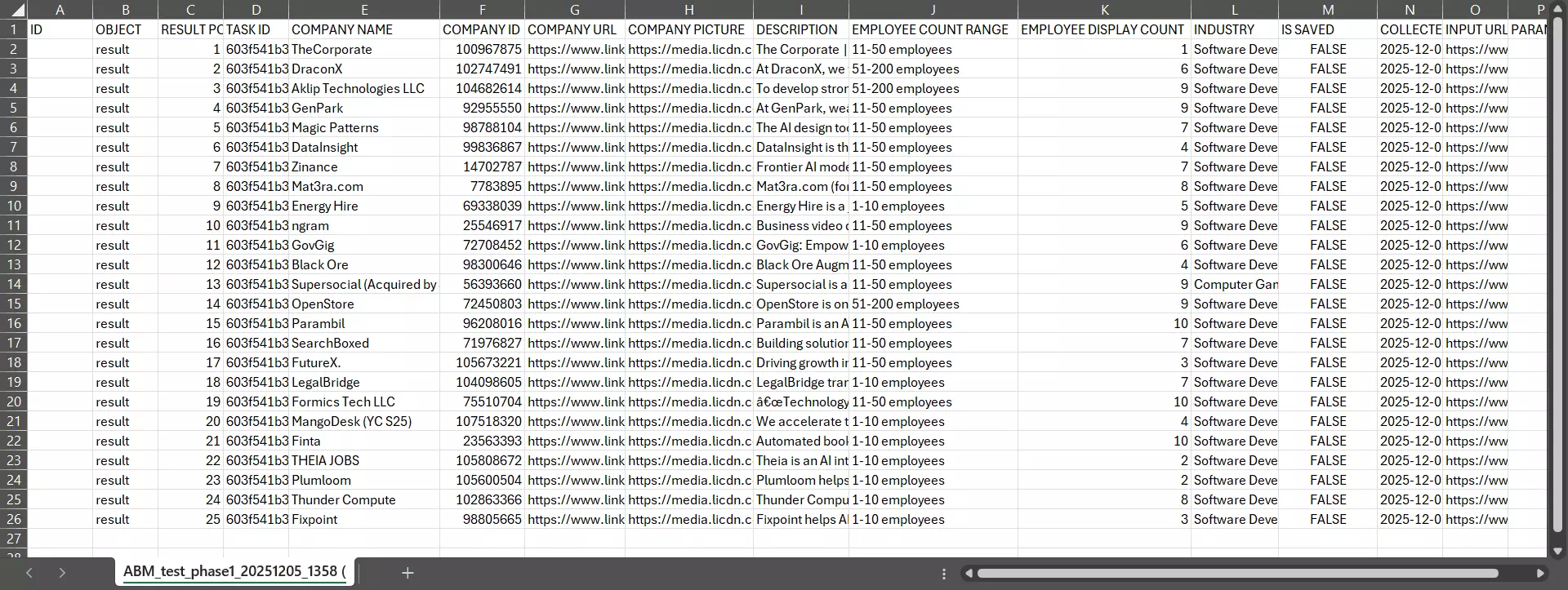
Lobstr.io currently collects company data directly from Sales Navigator Account Search, so the available data points are limited to what Sales Navigator exposes in that view.
You won’t get a full company profile beyond that scope yet.
That said, this is already work in progress.
There’s a high chance that by the time you’re reading this article, Lobstr.io supports more company level data, including complete company details.
So yes, this is a limitation today… but not a permanent one.
Best for
Best for SaaS, B2B services, and lead generation agencies that rely heavily on Sales Navigator for outbound or ABM.
Also ideal for people who want fresh data, strong account safety, and predictable pricing at scale.
2. Phantombuster
| Pros | Cons |
|---|---|
| Good company data coverage | Too expensive |
| Can collect employee data | Very slow data collection |
| Workflow feature to chain automations | Over complicated SN search export |
| Supports LinkedIn engagement and outreach | |
| Team access available |
Key features
- 60+ LinkedIn and Sales Navigator automations
- Automations for lead collection, enrichment, and engagement or outreach
- Built in workflow system to chain multiple automations together
- Export data to CSV, JSON, and Google Sheets
- Built in scheduling
- Multiple LinkedIn account management
- Team access
- Integrations with CRMs, outreach, and enrichment tools
Data
| 🏷️ Name | 📝 Description | 🏭 Industry | 👥 Employee Count |
| 📍 Location | 🌍 Country | 🏙️ City | 📮 Postal Code |
| 🏢 Address | 🆔 Company Id | 🔗 LinkedIn Company Url | 🧭 Sales Navigator Company Url |
| 🌐 Website | 🔍 Employee Search Url | 📊 Employee Count Range | 🧠 Decision Makers Count |
| 🎯 Decision Makers Search Url | 🖼️ Logo Url | 📅 Year Founded | 💰 Revenue |
| 💵 Min Revenue | 💸 Max Revenue | 💱 Currency | 📈 Growth 6 Mth |
| 📊 Growth 1 Yr | 📉 Growth 2 Yr | ⭐ Is Saved | 🗒️ Note Count |f
Pricing
PhantomBuster has a really strange and confusing pricing model. You’re not paying per result, but for the time it takes the scraper to collect the data.
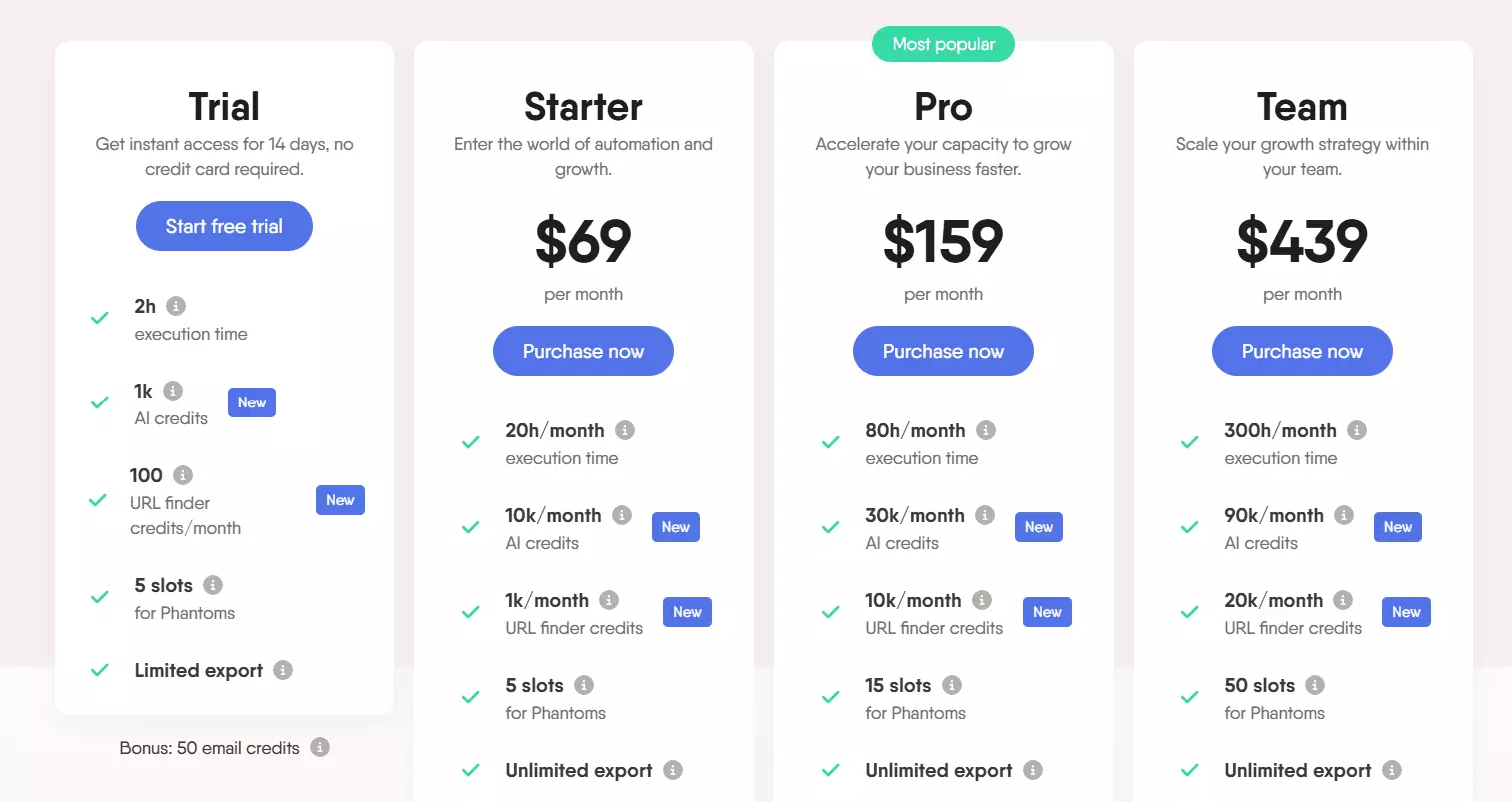
Because of this, it was a little tricky for me to calculate the actual cost per 1k results.
PhantomBuster offers 20 to 300 hours of runtime per month, with plans ranging from $69 to $439.
On average, it takes around 30 seconds to scrape a company profile from Sales Navigator using PhantomBuster.
That means it takes roughly 8.3 hours to collect data for 1,000 companies.
So in practical terms:
- You get around 240 companies free (1 time, 60 per month afterwards)
- The starting price for exporting 1,000 companies is about $28.75
- At scale, this drops to roughly $12.2 per 1k companies
The maximum volume you can realistically collect is around 30k companies per month, limited by available runtime.
What you’ll love
First things first… data.
PhantomBuster offers 28 key data points for each company, which practically covers all the basic company details.
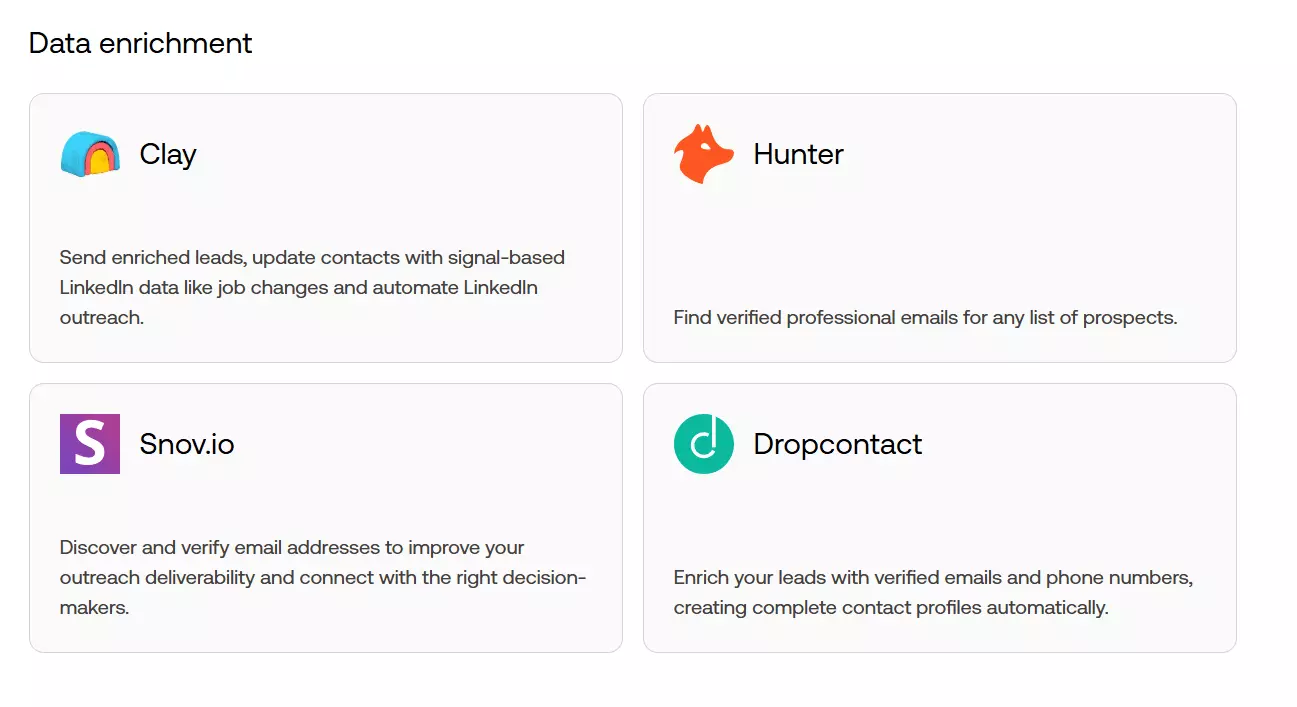
You can also collect employee data and, if you need more depth, integrate it with external data enrichment tools like Clay.
Then there’s automation. Beyond scraping and enrichment, PhantomBuster lets you run engagement automations on LinkedIn and even handle email outreach.
One thing I personally like is the workflow feature. You can chain multiple automations into a single workflow, which makes complex processes easier to manage.
Then the integrations. There’s support for CRM integrations like Hubspot, PipeDrive etc, outreach tools, AI tools, and workflow automation platforms like Zapier and Make.com.
PhantomBuster does support account management. You can sync multiple Sales Navigator accounts and choose which account to use for each scraping run.
But there’s no real limit management. You can’t set your own daily search limits. All limits are set to default LinkedIn limits.
So the risk stays on your side. If you’re not careful, this can put your account at risk at scale.
What sucks
PhantomBuster is terribly slow. Around 30 seconds per company export is just not acceptable at scale.
And this slow speed doesn’t just waste time, it also wastes money. Since PhantomBuster charges based on runtime, slower scraping means higher costs.
That’s what makes it expensive. Compared to Lobstr.io, it ends up being roughly 28x more expensive.
On top of that, there’s no native phone enrichment and only limited email enrichment credits.
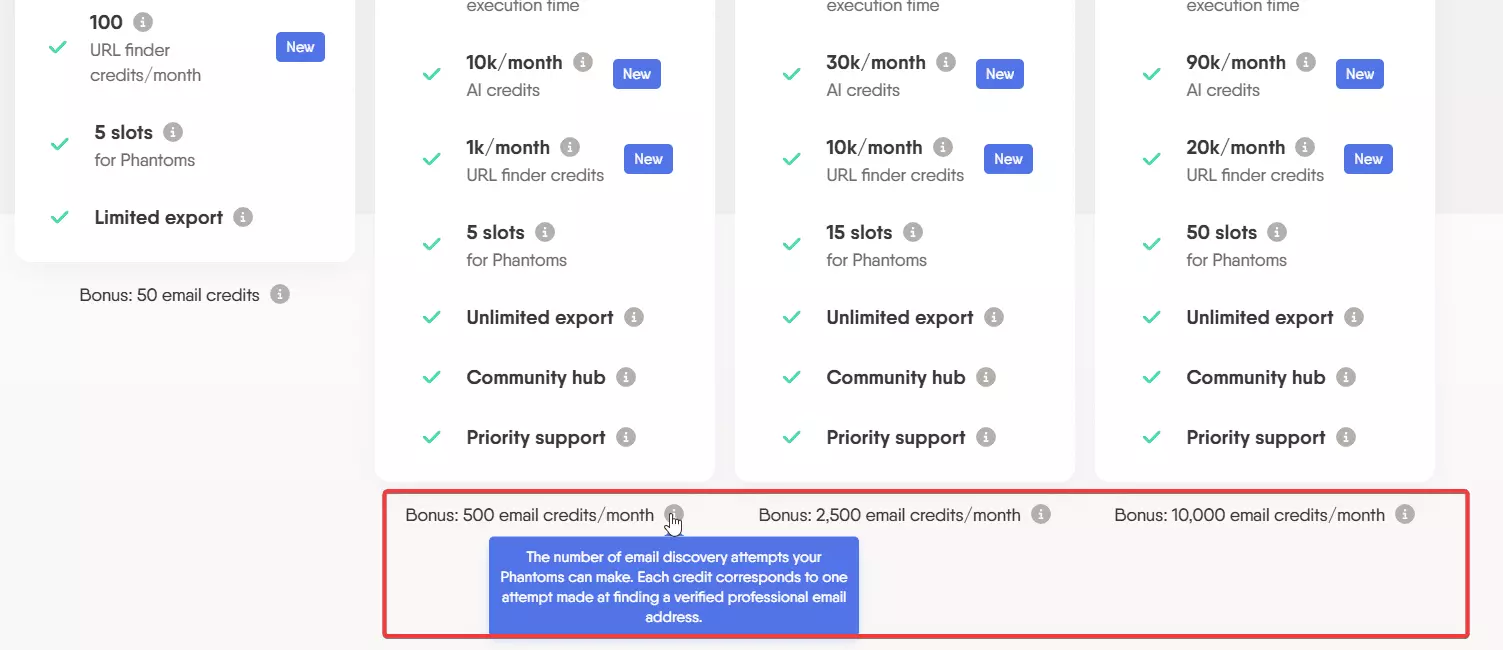
If you want emails or phone numbers at scale, you’ll need to pair PhantomBuster with an external enrichment tool.
The platform itself is easy to use, but the process of exporting companies from Sales Navigator is messy.
PhantomBuster accepts only company URLs, not Sales Navigator search URLs.
Even if you already have a list of accounts, you’ll need to chain another automation called Sales Navigator list export.
So in practice, you’ll have to do 5 additional steps before you can setup a Sales Navigator Account export automation:
- Search for companies
- Save them to a list
- Run a list export Phantom to get company URLs
- Copy those URLs
- Paste them into the Sales Navigator companies export Phantom
More steps. More time wasted.
Best for
Best for people who want LinkedIn automation, engagement, and scraping in one platform, not just pure data export.
Works well for automation heavy use cases where company export is just one step in a larger workflow. Not suitable for companies export at scale.
2 Sales Navigator companies scrapers that work but with caveats
These tools can get the job done, but they come with compromises.
They usually fall short on stability, safety, scalability, or ease of use. That’s why they didn’t make it into my top picks.
I’ll keep this section short and to the point.
3. Scrupp
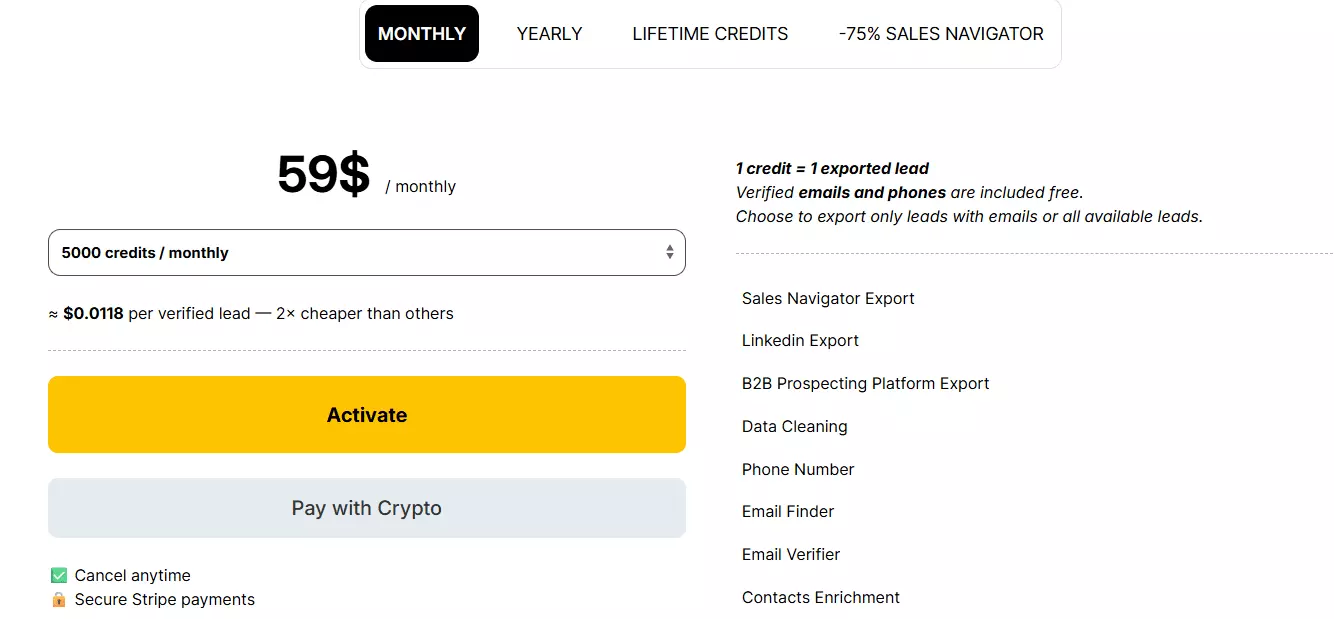
Pricing
- 50 companies free
- $11.8 per 1k companies
- Drops to $6 per 1k companies at scale
Data
| 🏢 Company Name | 🔗 Company Link | 🆔 Company ID | 🌐 Company Domain | 📝 Company About |
| 📅 Company Founded | 👥 Company Size | 📍 Company Location 1 | 📍 Company Location 2 | 📍 Company Location 3 |
| 🏙️ Company City 1 | 🏙️ Company City 2 | 🏙️ Company City 3 | 🏠 Company Address | 📮 Company Postal Code |
| 📞 Company Phone | 🏭 Company Industry 1 | 🏭 Company Industry 2 | 🏭 Company Industry 3 | 🔍 Domain Status |
| 🧩 Company Specialties | 📊 Company Size Category | 🌐 Social Fields | 🏷️ Keywords | 💰 Annual Revenue |
| 🛠️ Technologies | 🎯 Funding Events | 💵 Total Funding | 📆 Last Funding Round Date | 🏁 Last Funding Stage |
| 📉 Alexa Ranking | 🔗 Crunchbase URL | 💹 Market Cap | 🖼️ Company Logo | ✉️ Company Email |f
What works
It’s easy to use. You install the Chrome extension, open a Sales Navigator Account search, and start the export.
It offers 29 key company data attributes, which on paper is close to what PhantomBuster provides.
What sucks
There’s no proper limit or account management. During testing, I experienced a temporary account ban, which didn’t happen with any other tool I tested.
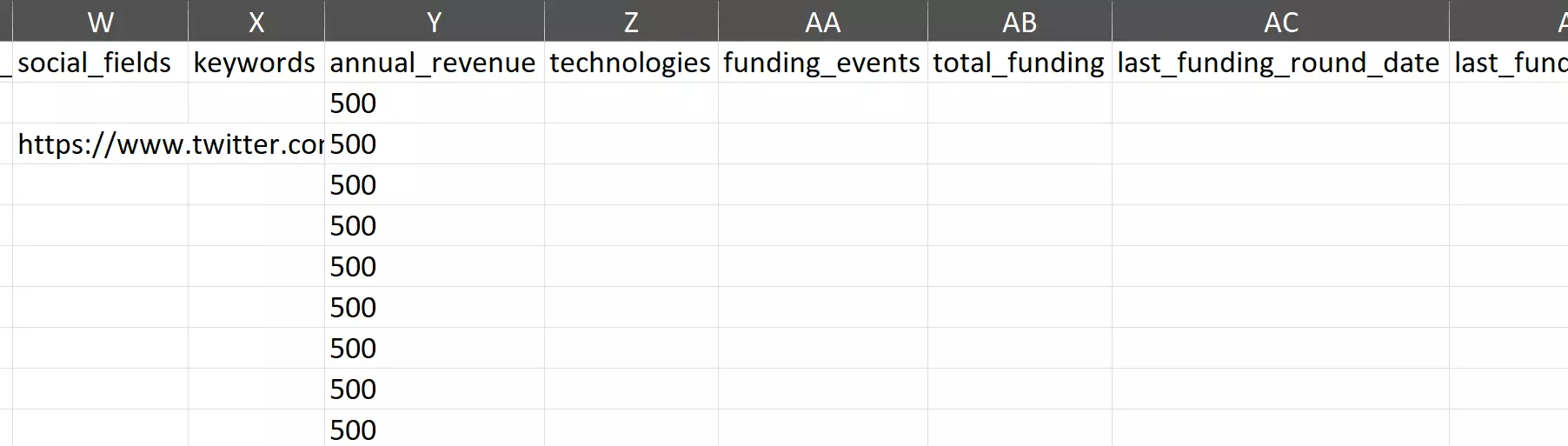
Data quality is another big issue. While the output includes 29 data columns, many important fields like tech stack, profile links, revenue, and Crunchbase often return empty.
And there are no native integrations. You only get an API, which means extra setup if you want to use it with workflow automation tools.
4. Apify
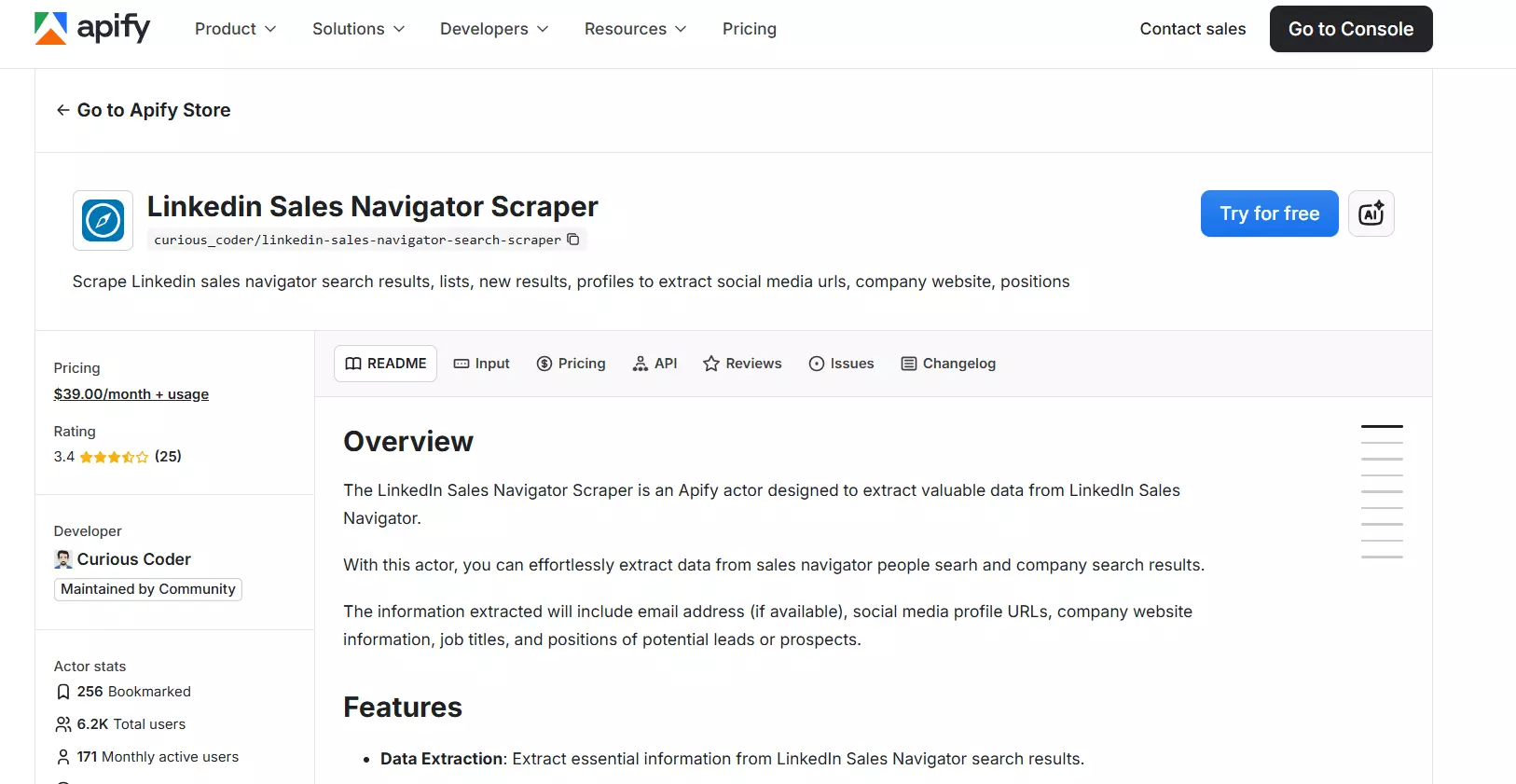
There’s no officially maintained Sales Navigator companies scraper by Apify. So this is based on the most popular community scraper available on their marketplace.
Pricing
- You pay a $39 monthly fee for the actor
- On top of that, you pay for Apify usage and proxies
Since you’re paying for the scraper, the infrastructure, and the proxies separately, the final cost is unpredictable and inconsistent.
Data
| 🏢 Company name | 📝 Company description | 🏭 Industry | 🏷️ Company type | 📅 Year founded | | 🌐 Website | 🔗 LinkedIn company URL | 🖼️ Company logo URL | 👥 Employee count | 📊 Employee count range | | 📈 Employee growth 6 months | 📈 Employee growth 1 year | 📈 Employee growth 2 years | 🔍 Hiring status on LinkedIn | 🌍 Headquarters country | | 🗺️ Headquarters state or region | 🏙️ Headquarters city | 📮 Headquarters postal code | 🏠 Headquarters address | 📍 Primary company location | | 💰 Estimated minimum revenue | 💰 Estimated maximum revenue | 💱 Revenue currency | 🧩 Company specialties | 🏷️ Company keywords or tags | | ⭐ Saved status | 🗒️ Notes count | 📂 List count | 👤 Employee full name | 🧑 Employee first name | | 🧑💼 Employee last name | 🔗 Employee LinkedIn profile URN | 🖼️ Employee profile picture URL | | |f
What works
It does the job.
You get 20+ company data points. It also supports employee data collection and email enrichment.
Speed depends on how many Apify resources you allocate. More resources means faster scraping. It also means higher cost.
Exports are flexible. CSV, JSON, Excel, and many other formats are supported. Integrations are solid, thanks to Apify.
What sucks
Stability is the biggest issue.
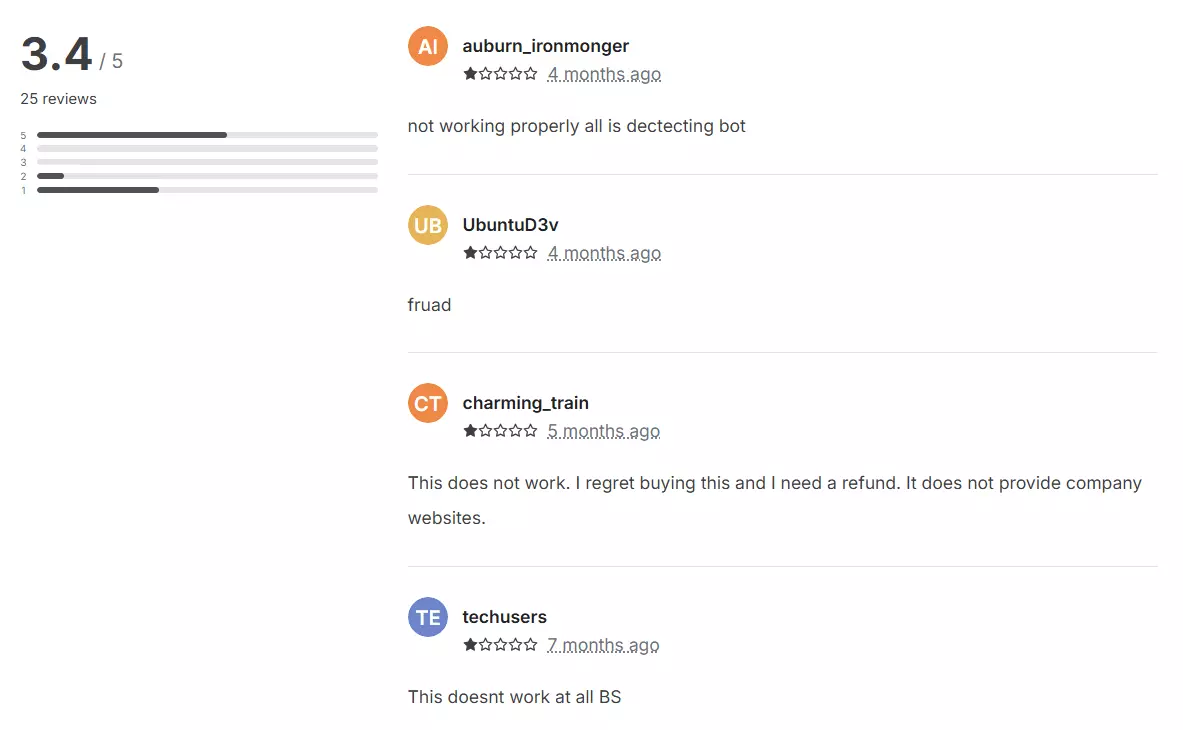
The scraper breaks often. It has an average rating of 3.4 on the Apify marketplace and frequent bugs. Since it’s not maintained by Apify, support is weak.
It’s expensive and completely unpredictable. Monthly actor fee, Apify compute, proxies… you’re paying for everything separately.
Account safety is risky. There’s no built in limit or account management. Everything depends on fixed delays and proxy setup. You also can’t sync or rotate multiple accounts.
And that's it. Before wrapping up, let me answer some questions.
FAQs
Why is Evaboot not in the list?
Evaboot is indeed a LinkedIn Sales Navigator scraper but it only collects profile data. It does not offer any Sales Navigator accounts export.
Why is Waalaxy not in the list?
Waalaxy offers lead data, not companies export from Sales Navigator. You can use it to build lead lists, run its email finder to professional email addresses.
Does Lobstr.io offer email verification for scraped data?
Yes, especially for LinkedIn, Lobstr.io offers built-in contact data validation and enrichment system.
You can find both leads and phone numbers with Lobstr.io for multi-channel outreach campaigns.