

1
Sales Navigator Companies Scraper
Extract all Companies from any Sales Navigator Companies Search link — seamless, exhaustive, worldwide.
 50 users
 1219 runs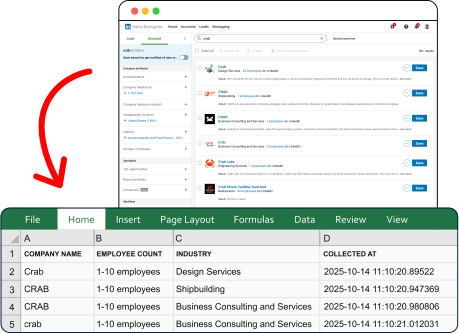
Trusted worldwide by the best
Export companies from Sales Navigator — right now
Extract
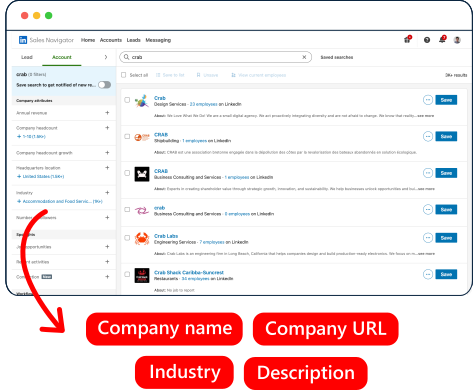
Capture companies details from any Sales Navigator Companies Search link.
Export
Export structured data to CSV, Google Sheets, or to your personal email.

Download
Download structured data in CSV, Excel or JSON format.

Built for Agents
Run it from your stack.
Or hand it to your agent.
Sales Navigator Companies Scraper ships with a Python SDK, a one-line CLI and a native MCP server your agents can plug into directly — no rate limits to dodge, no bot mitigation to bypass, no parsing errors to chase down.
# install once (Python 3.10+)
pip install lobstrio

# check your token
lobstr whoami

# find the scraper
lobstr crawlers search "sales navigator"

# one call — launch, wait, download
lobstr go sales-navigator-companies-scraper \
  "<any Sales Navigator URL>" \
  -o results.csv
18 data attributes per company
Every scrape returns structured data you can export as CSV, JSON, JSONL, XLSX, or via API.
Name of the company as listed on LinkedIn Sales Navigator
Unique LinkedIn identifier for the company
URL of the company's LinkedIn logo or profile image
Company description from the LinkedIn company page
Company size by number of employees (e.g. 51–200, 1001–5000)
Employee count as displayed on the LinkedIn company page
Industry the company operates in
Whether the company is saved as a lead in LinkedIn Sales Navigator
Clean apex domain of the company's own website, lowercased. Only with 'Get Company Details'.

Fast
100 companies per minute
Lightning-fast performance


Cost-competitive
$0.5 per 1000 companies
Top affordability worldwide
Built to run.
Most scrapers break in silence. This one doesn't — and we show it, openly.
incident-free runs · last 90 days
Tracked from every run. Incidents stay on the record even after they're fixed.