LinkedIn Limits: The Complete Overview (September 2026)
Every LinkedIn limit in one sourced table: connection requests, messages, InMails, searches, profile views — and how to get LinkedIn data without limits.

By Sasha Bouloudnine
Founder @ lobstr.io
Updated 22 Sept 2026
12 min read
Contents
LinkedIn caps almost everything you do: invites, messages, searches, even profile visits. And it publishes almost none of the numbers.
Most blogs fill that silence with folklore. We checked every figure instead.
In this post, you'll get:
- every known limit, labeled official or community-reported;
- what actually changed in 2025-2026 (a lot);
- how to collect LinkedIn data without spending a single quota.
All LinkedIn limits at a glance
One table, all the numbers. "Official" means LinkedIn documents it; "community" links to the practitioner reports we cross-checked. Every row re-verified for this update.
| Limit | Free account | Premium / Sales Nav | Source | Checked |
|---|---|---|---|---|
| Total connections | 30,000 | 30,000 | official | Sep 2026 |
| Connection requests / week | 100 | 100 (150-200 reported) | community | Sep 2026 |
| Pending invitations | around 700 | around 700 | community | Sep 2026 |
| Personalized notes / month | 5-10 | unlimited | community | Sep 2026 |
| Messages / week | 100 | 150 | community | Sep 2026 |
| InMail credits / month | 0 | 5 to 50 by tier | official (Sales Nav) | Sep 2026 |
| Profile views / day | around 80 | 150 (1,000 Sales Nav) | community | Sep 2026 |
| Searches / month | around 300, then commercial use limit | unlimited | mechanics official, number community | Sep 2026 |
| People-search results | 150 (page 15 × 10) | 2,500 (Sales Nav) | first-hand | Sep 2026 |
| Company Page invites / month | 50 | 300 | change official, numbers community | Sep 2026 |
| EasyApply applications / day | 50 | 50 | community | Sep 2026 |
Why so much secrecy around a few integers? Because the limits are a business model.
Why LinkedIn limits everything
LinkedIn counts more than 1.3 billion members. Keeping that feed human, and monetized, is the whole game.
Free usage that looks commercial gets throttled until you pay. That is not a conspiracy theory: LinkedIn says it openly in its commercial use limit policy.
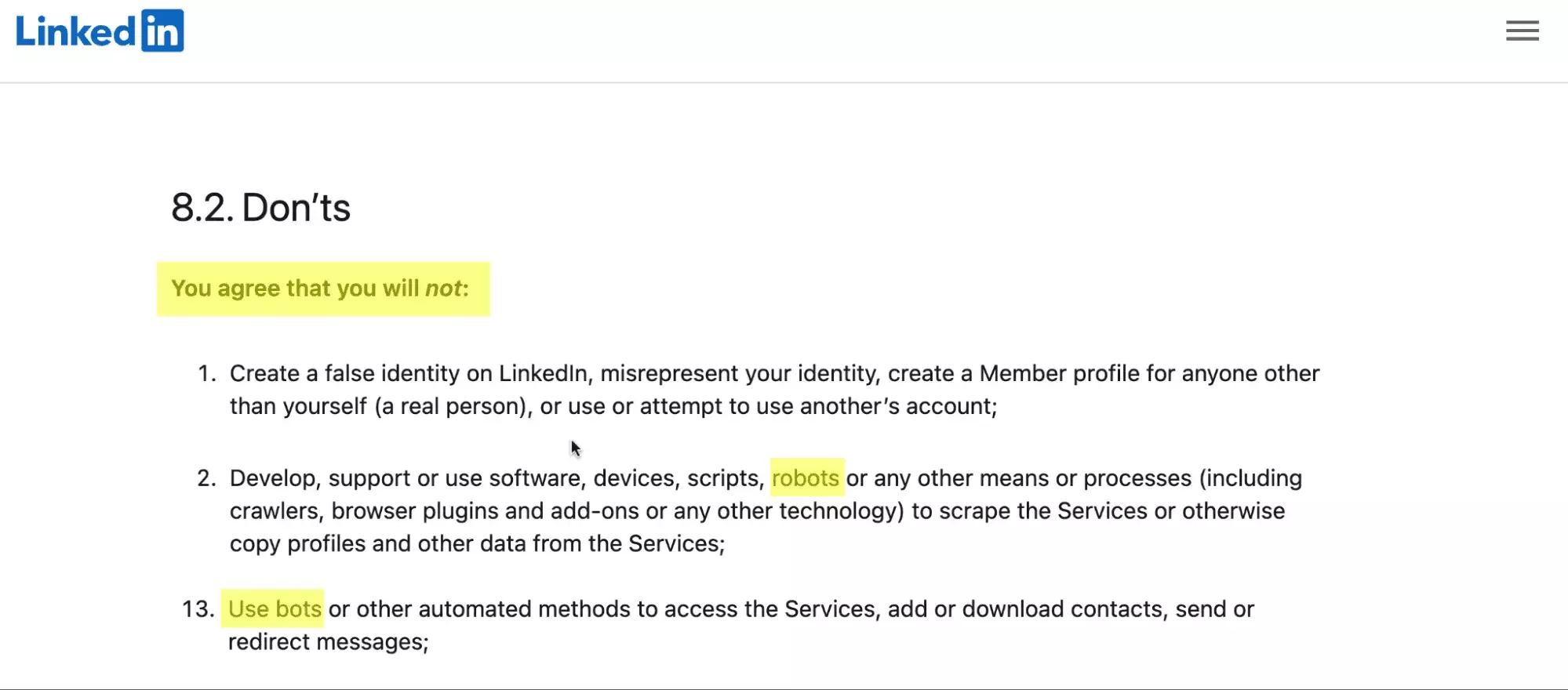
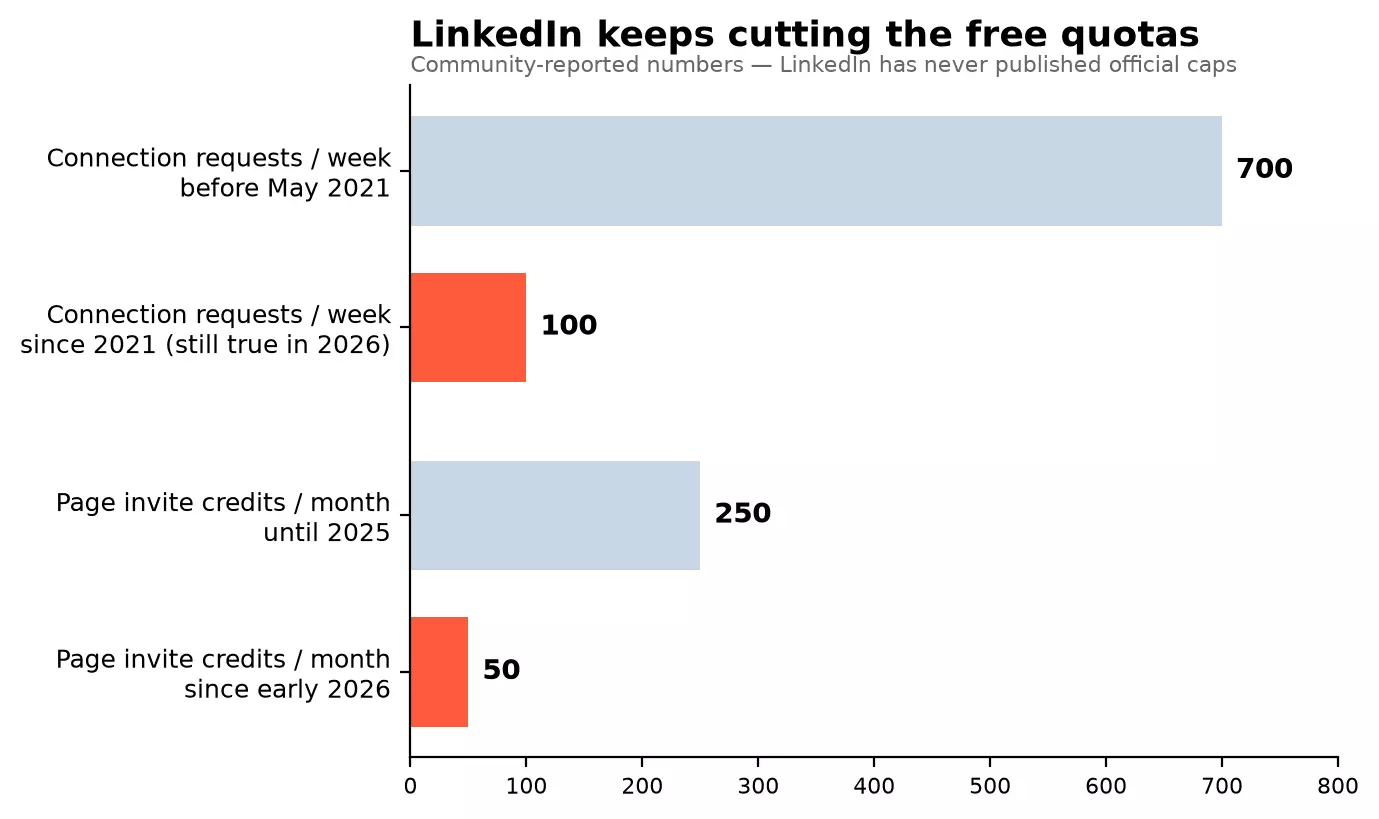
And the tap keeps tightening. Two quotas got cut hard in the last five years:
2025-2026 also turned enforcement up, hard. LinkedIn won a permanent injunction against Proxycurl, a scraping API whose founder says it had grown into a 10-million-dollar business; it shut down in July 2025.
In October 2025, LinkedIn sued ProAPIs over an alleged fake-account mill; the case is still pending.
Automation vendors got hit too: in March 2026, LinkedIn deleted HeyReach's company page and restricted its executives' profiles. New identity verification rules now gate recruiter and executive titles.
For regular users, enforcement looks like this instead:
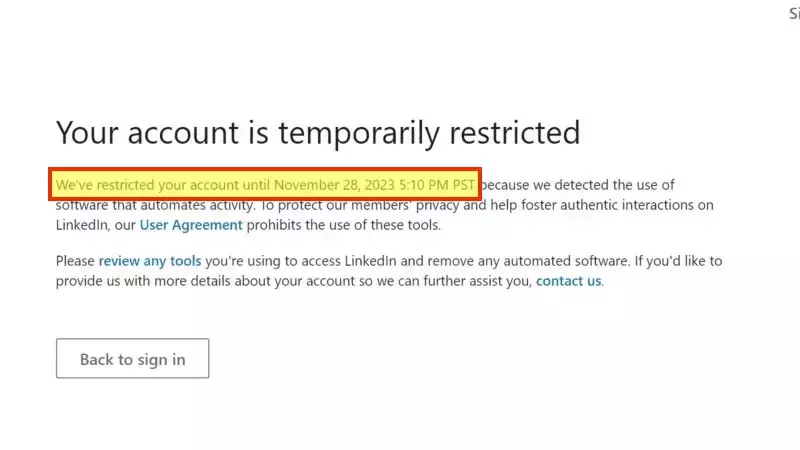
The message is clear: fake activity gets prosecuted, real activity gets metered. Here is the meter that matters most.
Connection limits: 30,000 friends, 100 invites a week
The only activity number LinkedIn publishes: 30,000 first-degree connections, maximum, on any account type.
Past that, people can only follow you. You see it on every influencer profile: the Connect button is gone.
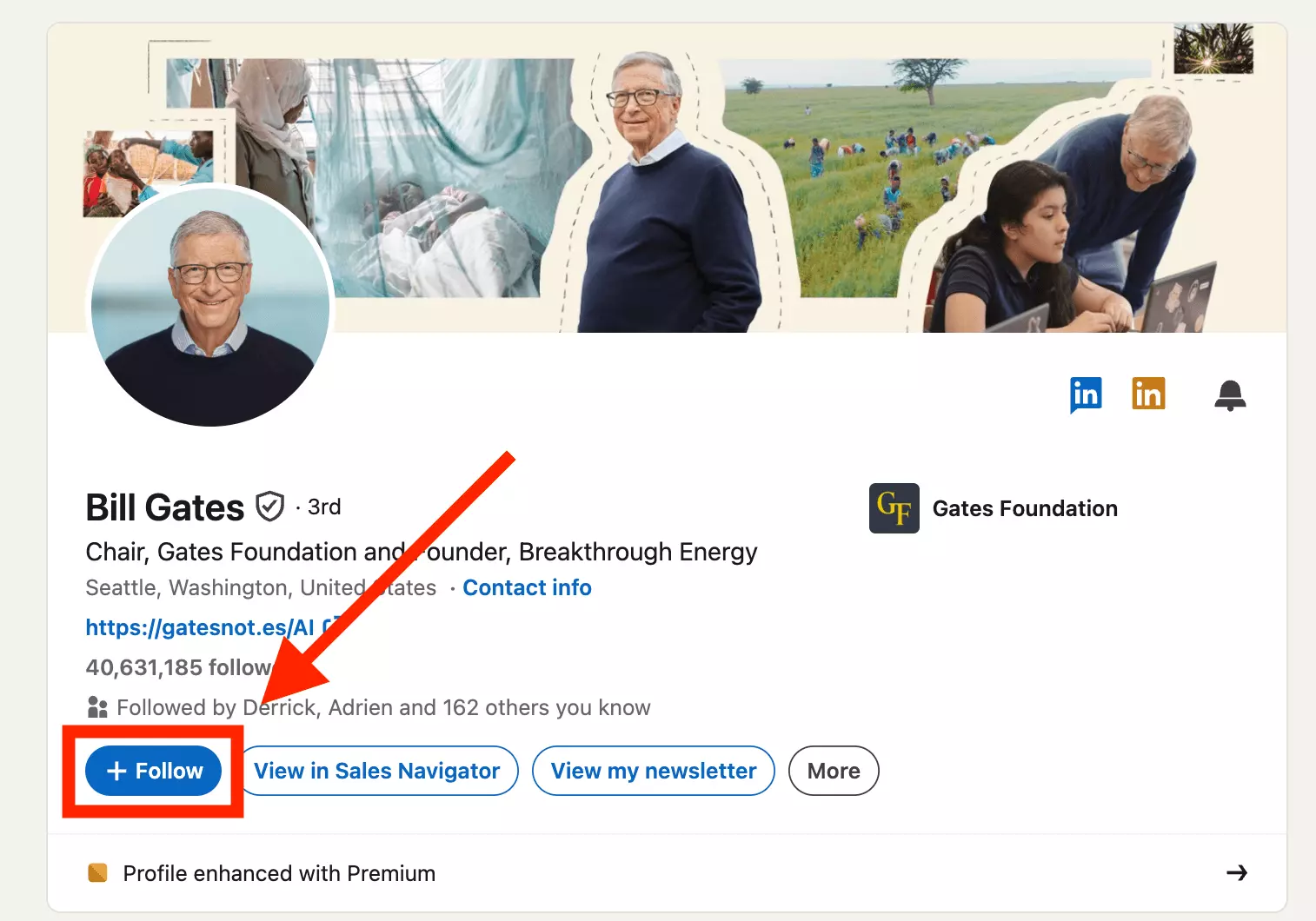
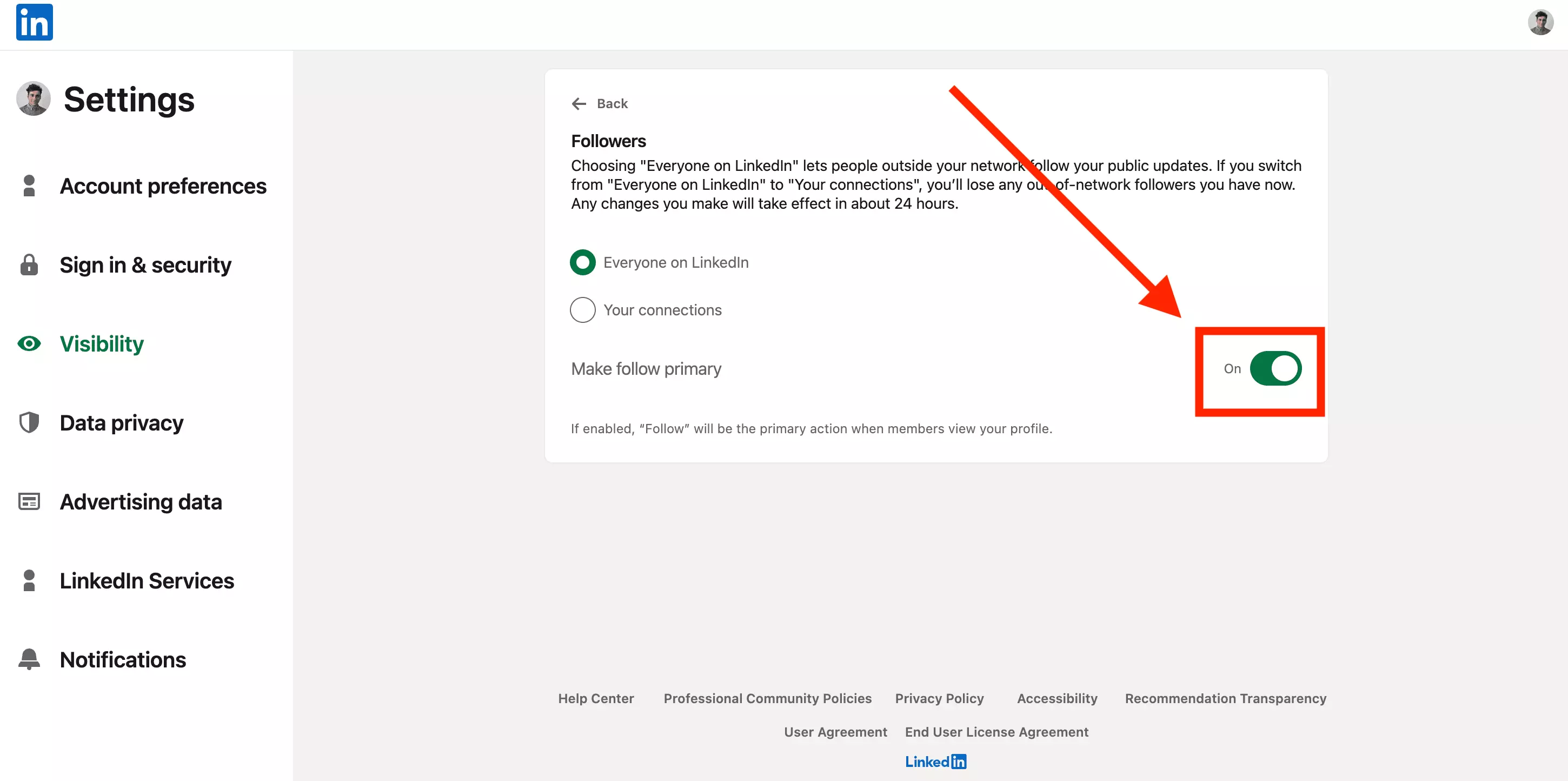
Getting close? Switch your own button to Follow before the wall: Settings & Privacy, Visibility, Followers, "Make follow primary". More on the trade-off in our follow vs connect guide.
Sending invites is where the real ceiling sits. Since May 2021, you can send about 100 connection requests a week, free or paid.
LinkedIn has never published that number. It only confirms that a weekly limit exists; the 100 is five years of consistent community reports.
Three fine-print rules from those same reports:
- the counter resets on a rolling 7 days from each invite, not on Mondays;
- around 700 pending invitations and LinkedIn stops you;
- personalized notes on a free account: community reports range from 5 to 10 a month.
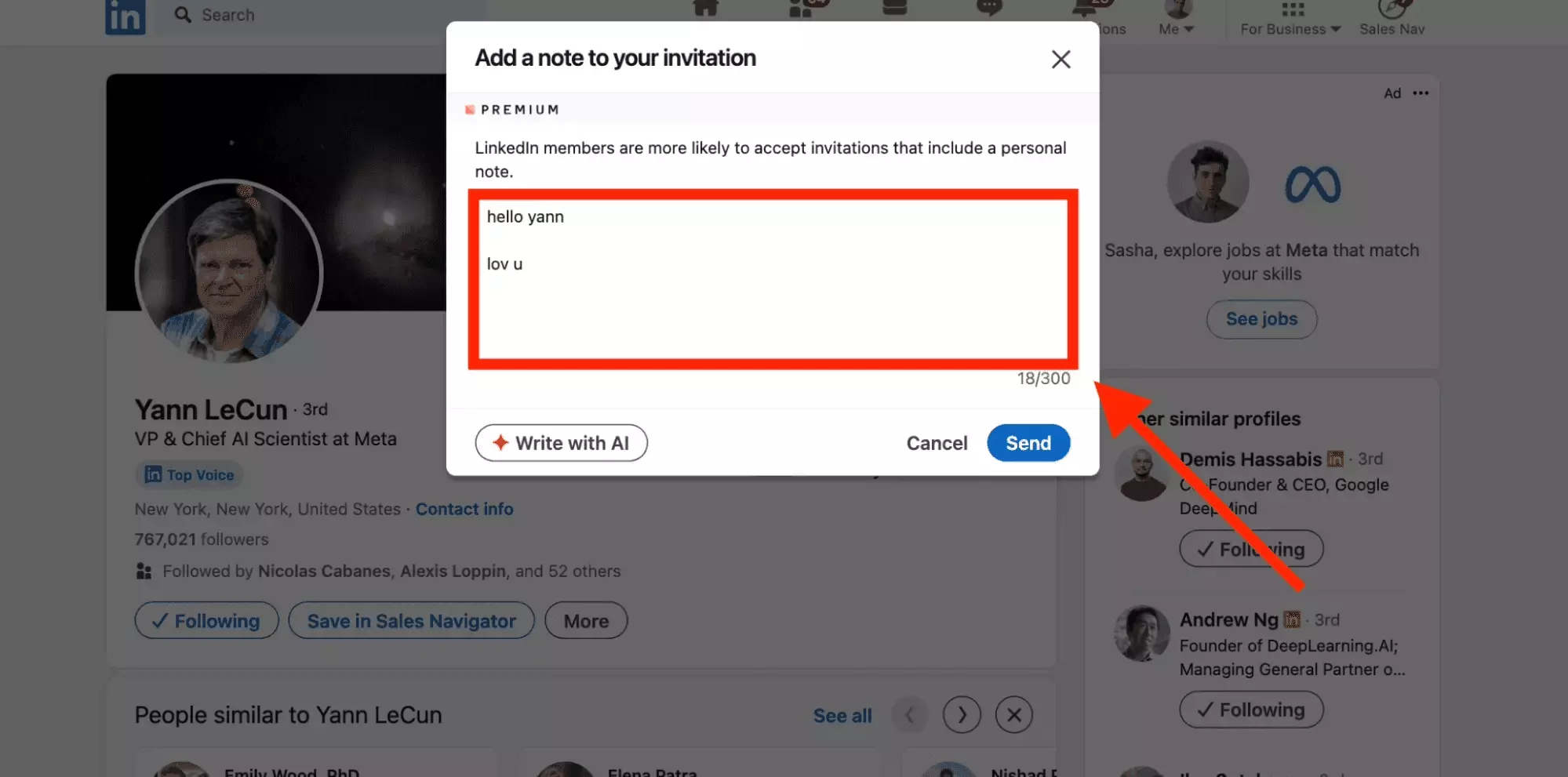
The rolling reset trips everyone up. Send 100 invites on Wednesday the 9th and you are not "free on Monday": you wait until Wednesday the 16th.
The pending pile has a silver lining: withdrawing an old invite frees the slot without counting against this week's quota. Purge anything unanswered for 3 weeks.
And 100 is the ceiling, not a guarantee. Plenty of users hit the wall far earlier:
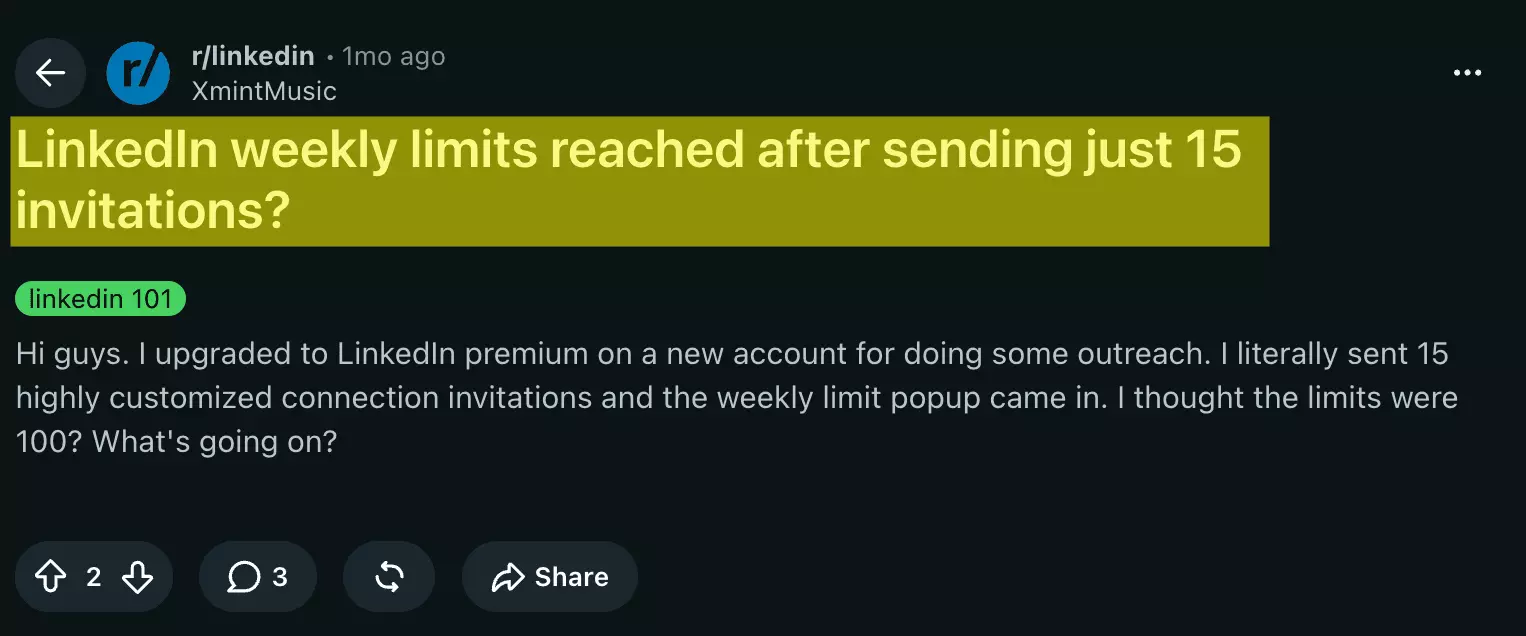
Fifteen invites, Premium account, blocked anyway. Because your real limit is not a number, it is a trust score.
How to raise your real limit
LinkedIn adjusts your cap to your behavior: account age, activity history, and how people receive your invites. The community even has a name for tripping it, the "fuse limit".
Here is what provably moves it, in order of impact.
Warm up new accounts
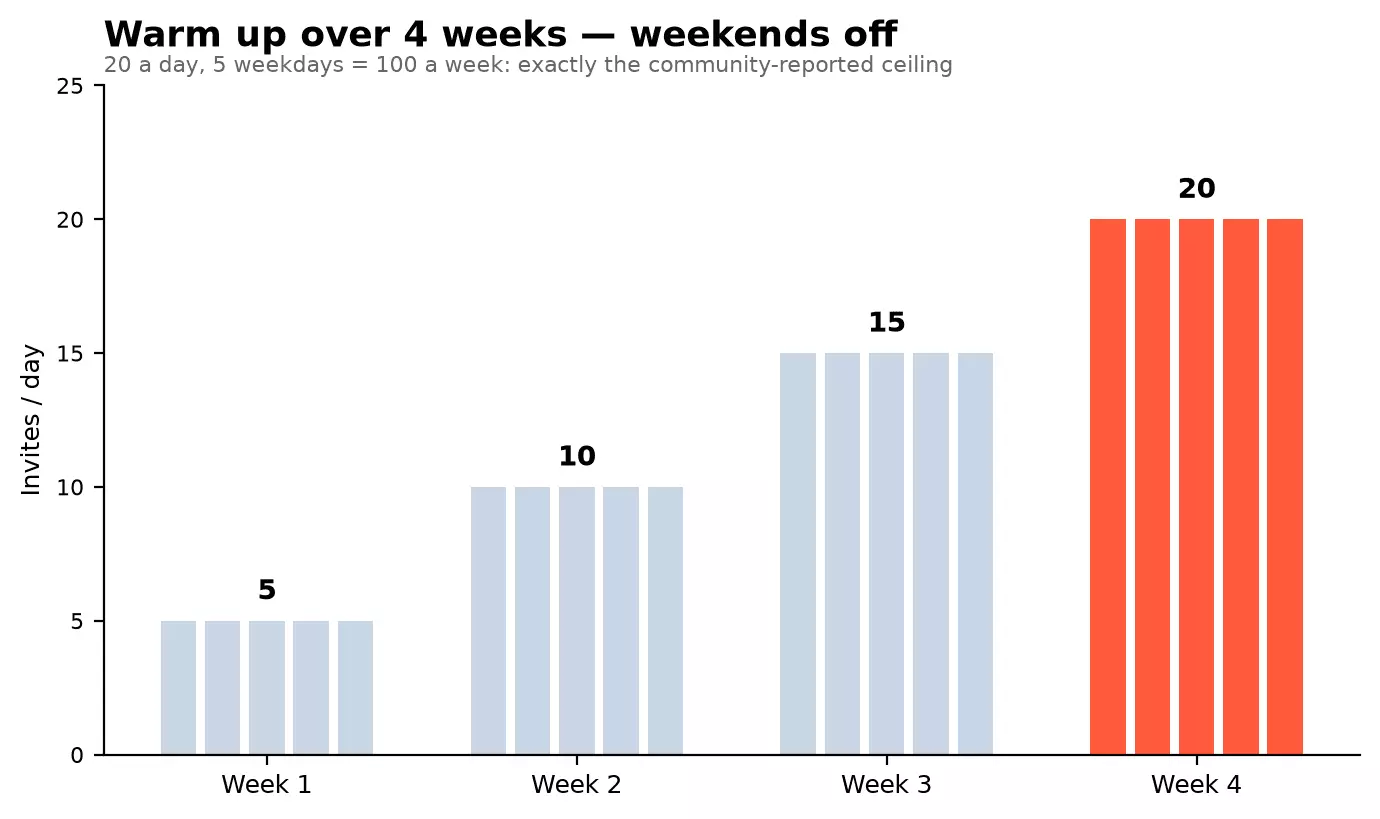
A fresh account blasting 100 invites gets flagged. Ramp instead: 5 a day in week one, add 5 each week, cruise at 20 — weekdays only. Week four lands exactly on the ceiling.
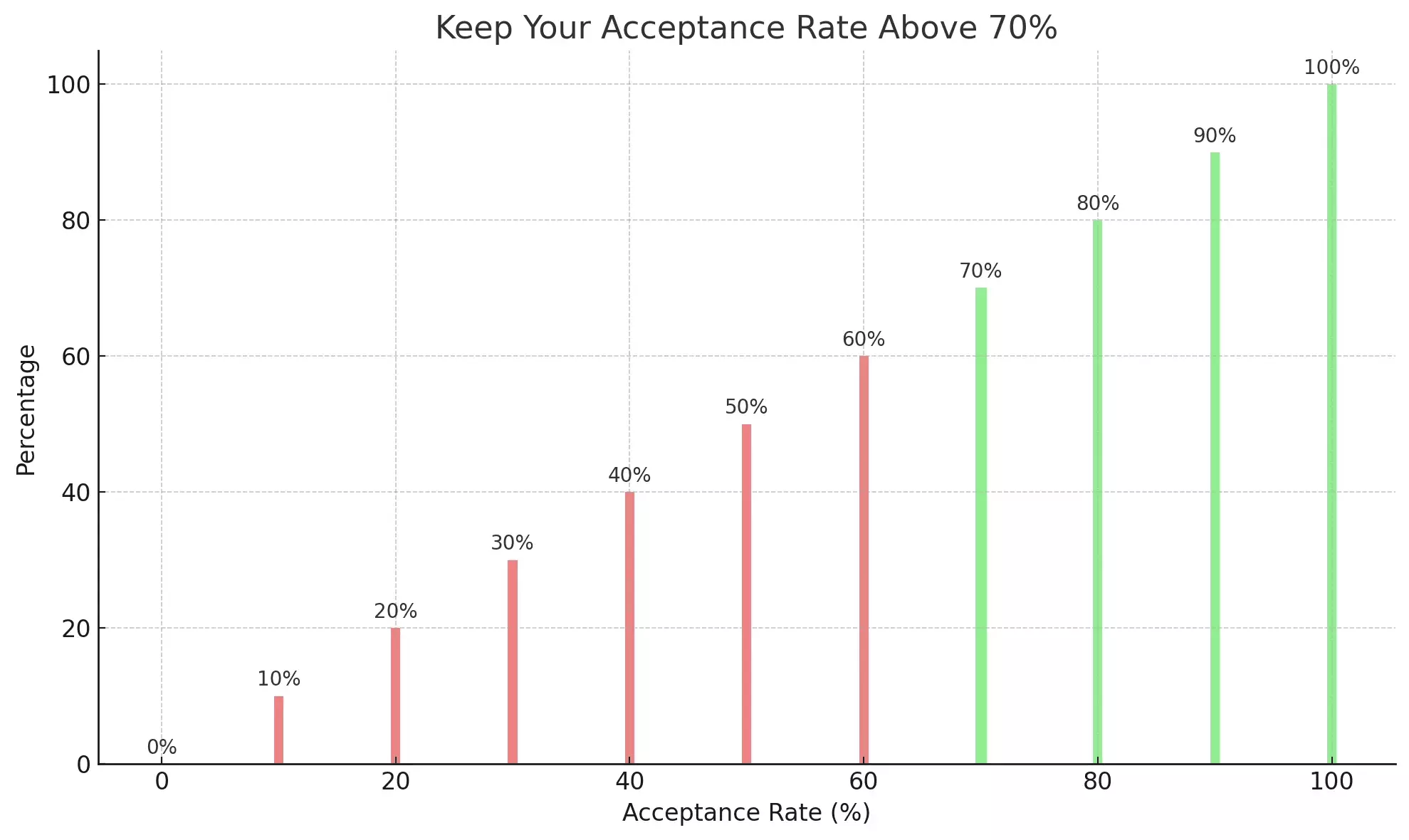
Keep acceptance above 70%
Ignored invites read as spam, and "I don't know this person" reports read even worse. The community consensus threshold: keep 70% of your invites accepted.
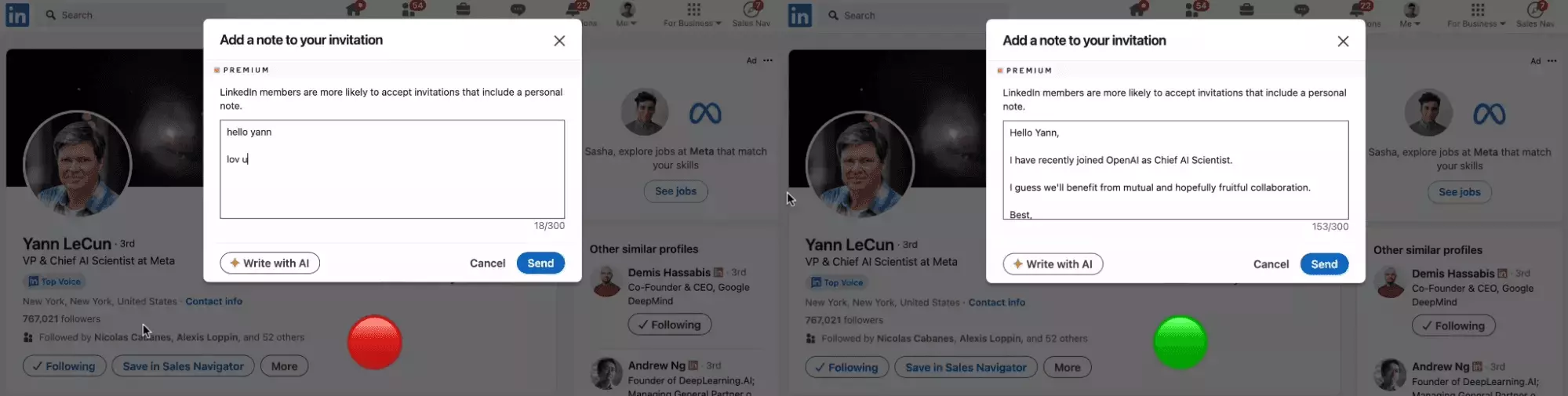
Three levers, in order: a clean profile (photo, headline, custom URL), the right targets, and a note that mentions real common ground. Our LinkedIn outreach guide covers the copywriting.
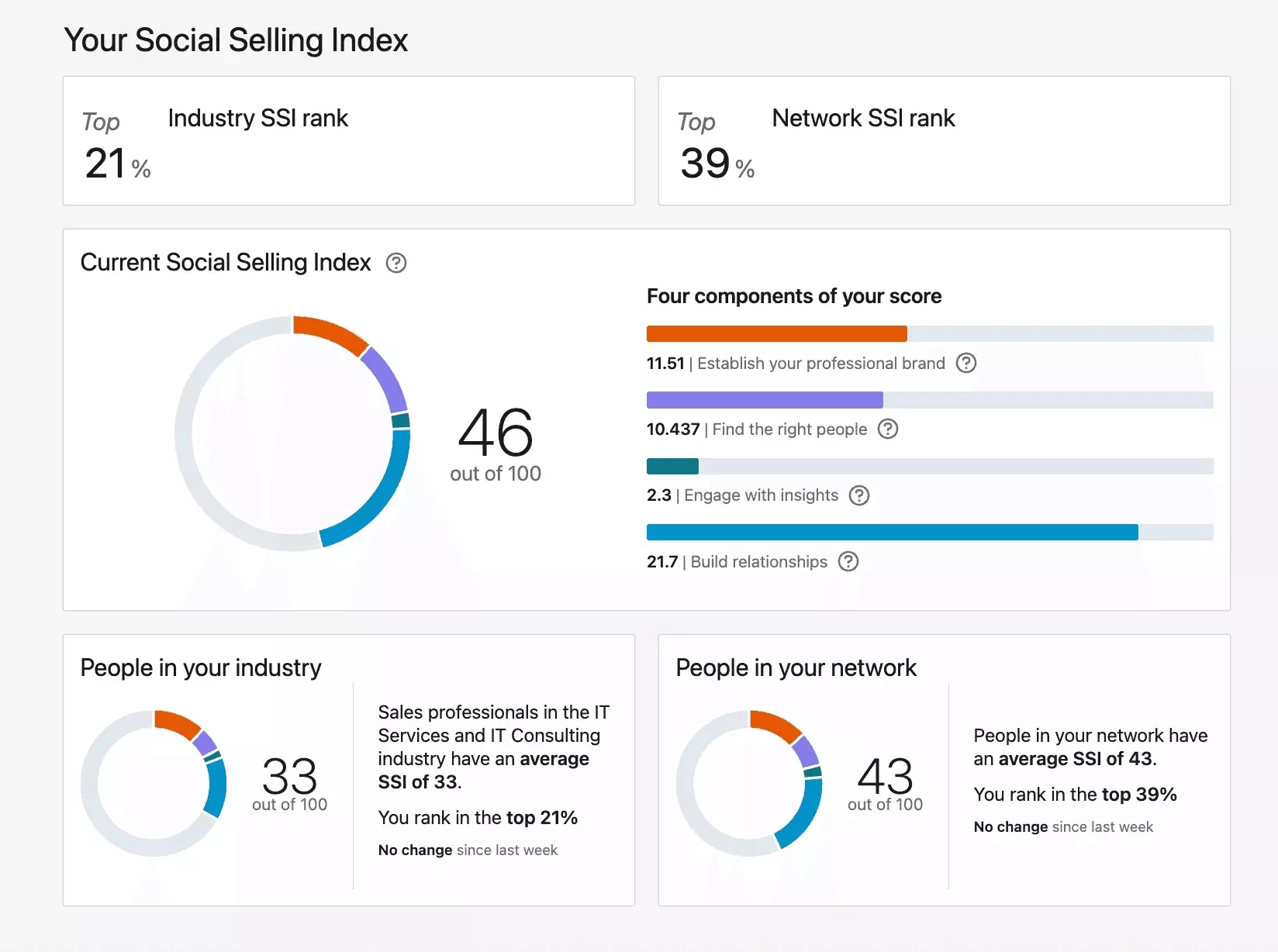
Grow your SSI score
The Social Selling Index measures how credibly you use the platform, from 0 to 100. Higher SSI accounts consistently report higher invite caps. Check yours, it's free.
Do the opposite and the cap moves the other way. This user watched theirs melt in real time:
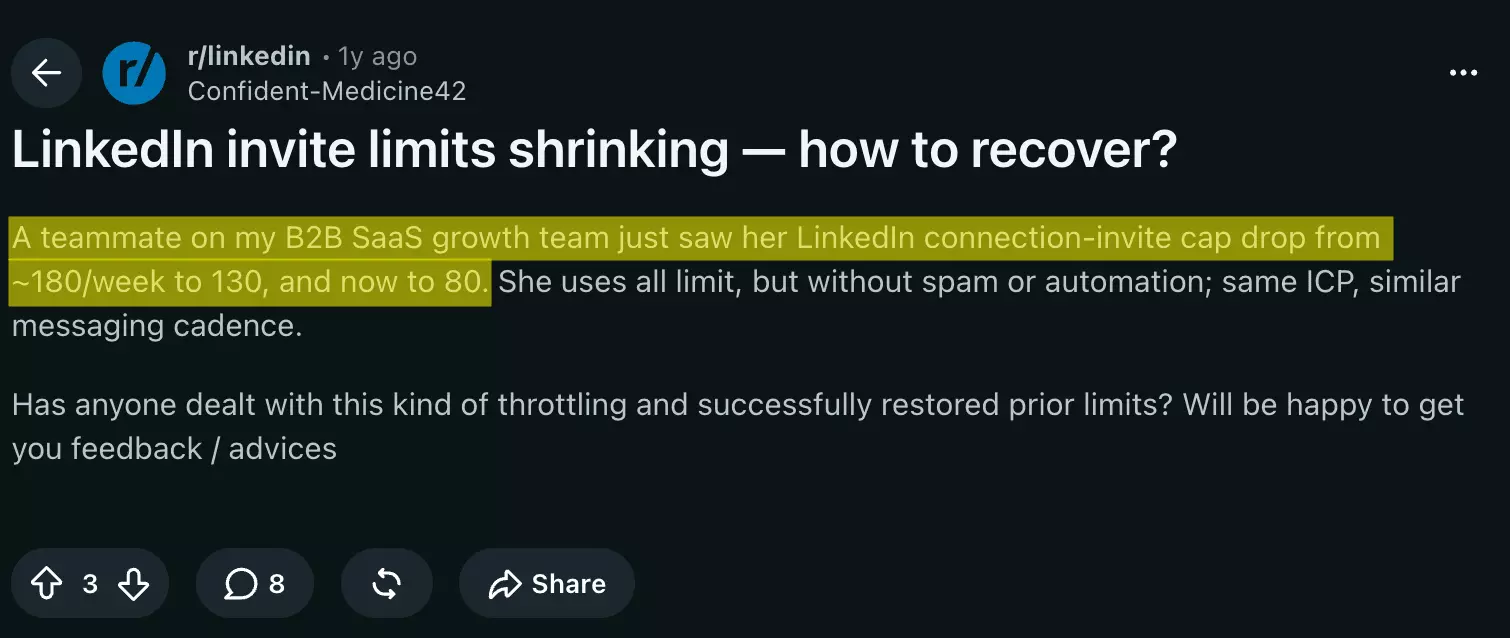
From 180 a week down to 80: the algorithm giveth, the algorithm taketh away.
Out of invites? Switch channels
The weekly quota only counts classic connection requests. Everything else is a side door:
- Open Profiles accept free messages from anyone, no connection needed;
- fellow group members and event attendees can be messaged directly;
- emails have no LinkedIn quota at all — extract them from profiles and go cross-channel.
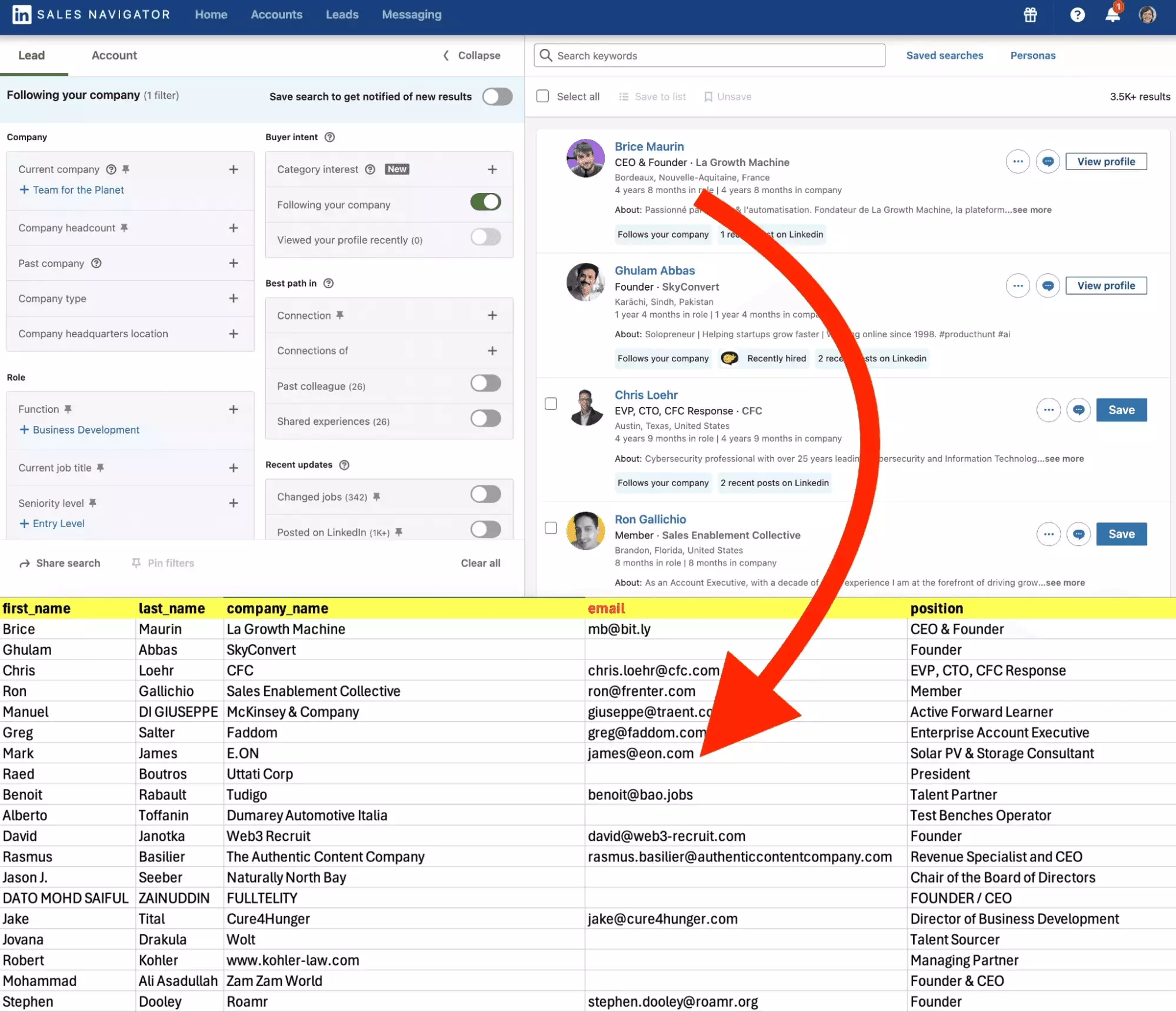
That last one is how outreach teams actually scale: 100 invites a week versus unlimited, enriched contact lists over email. Invites are rationed; so are the messages that follow them.
Message and InMail limits
Direct messages to your connections carry no official cap. Community practice: stay under 100 a week on a free account, 150 with Premium, and space them out.
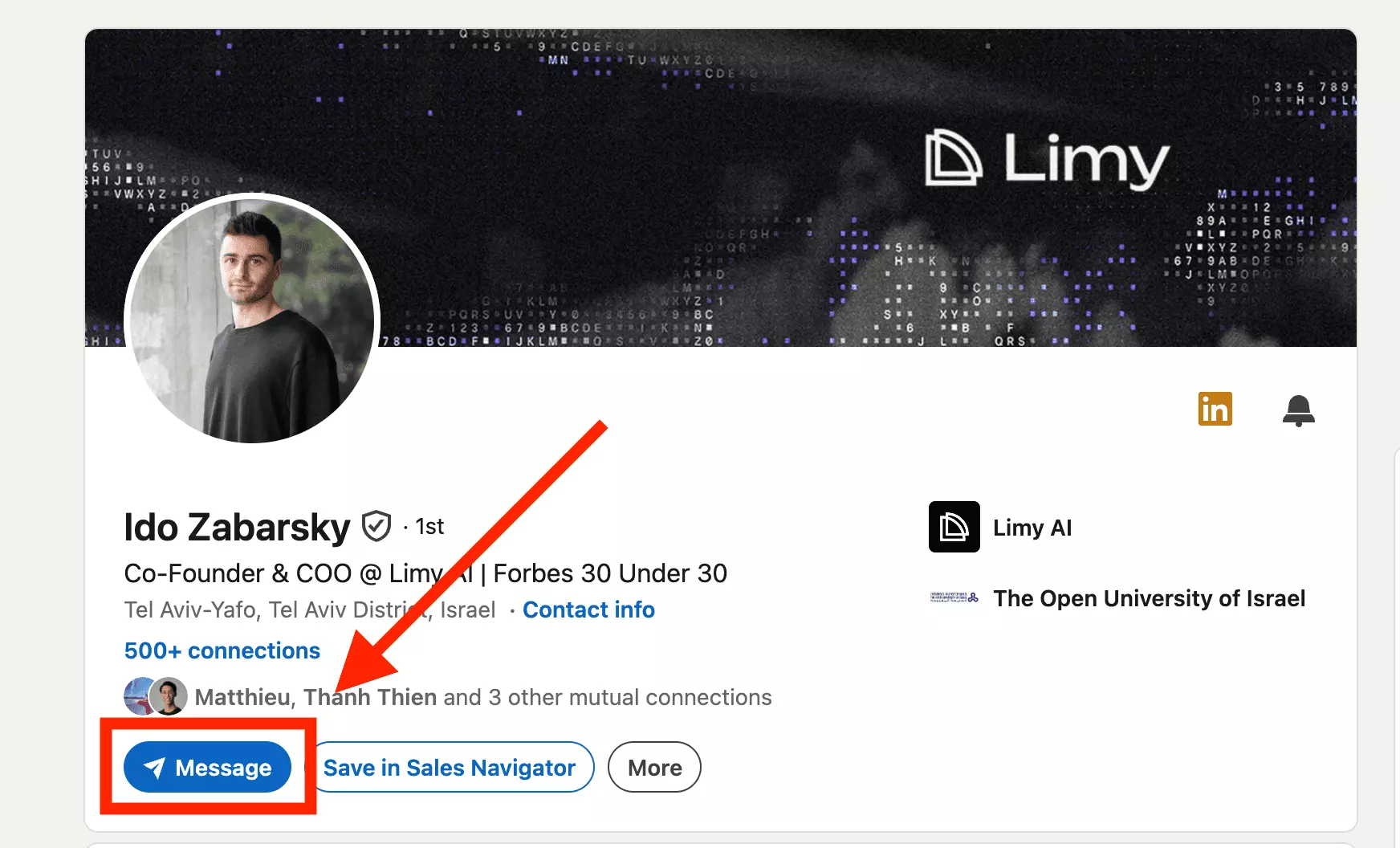
Message requests, the free hello to people outside your network, cap around 10 a week per community reports. For real volume you need InMails.
InMails, the paid messages to strangers, are the one limit LinkedIn documents precisely. Sales Navigator gets 50 credits a month, stacking up to 150.
Community-confirmed tiers for the rest: Premium Career 5, Premium Business 15, Recruiter up to 150. Full breakdown in our InMail guide.
Two InMail freebies: a credit is refunded when someone replies within 90 days, and messaging an Open Profile costs nothing. Filter for Open Profiles before spending credits.
Messages you can budget. The sneakiest limit is the one on simply looking around.
Search limits and the commercial use limit
Search too much on a free account and LinkedIn decides you are working, not networking. That is the commercial use limit: our page ranks for it, users rage about it, competitors barely explain it.
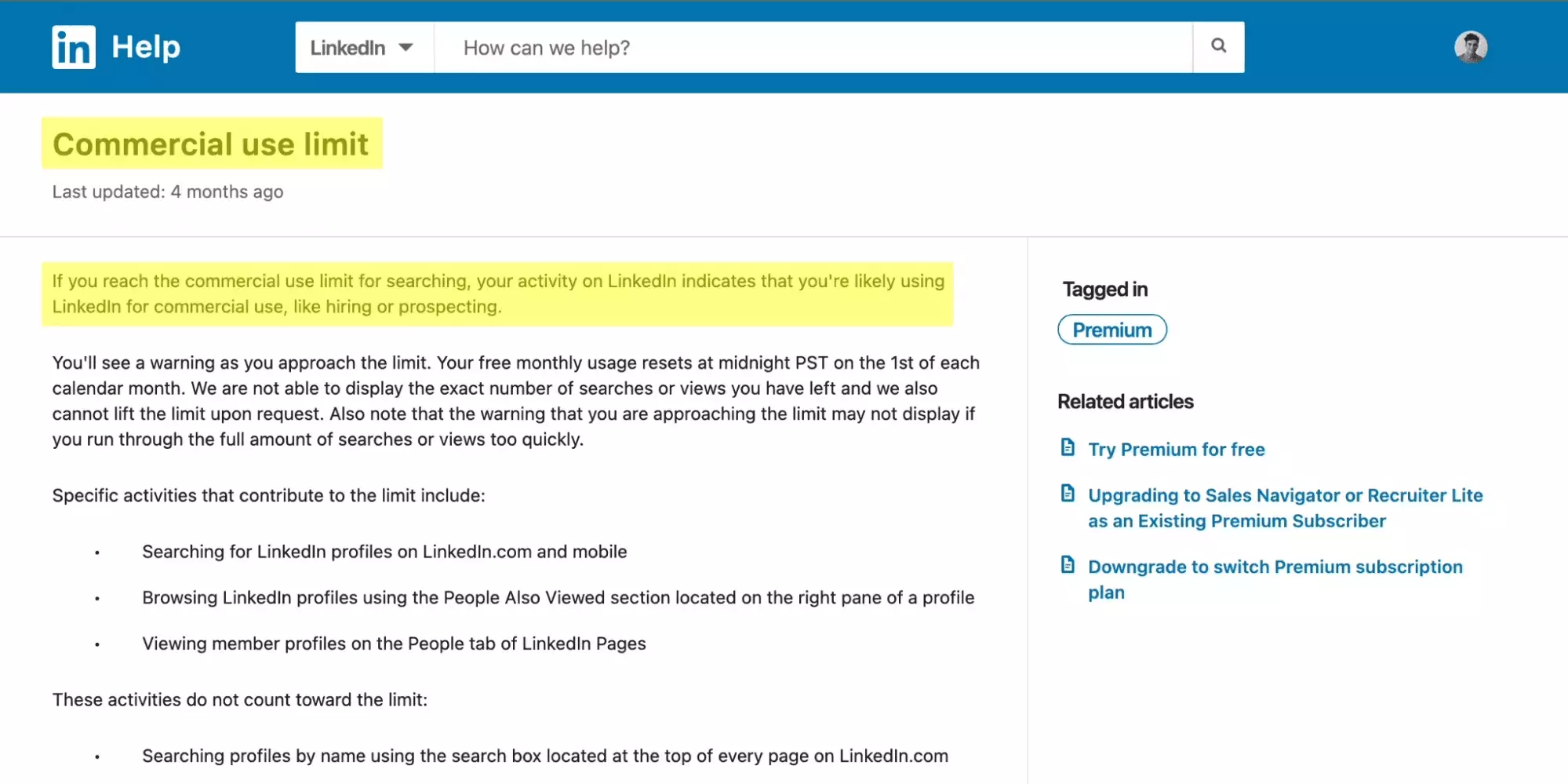
What LinkedIn confirms officially:
- it triggers on people-search volume and profile browsing "for commercial use";
- it resets at midnight PST on the 1st of each month, no early reset;
- LinkedIn will not show you how many searches you have left;
- Premium Business, Sales Navigator and Recruiter Lite remove it — except on Premium DACH Essentials plans, which keep it.
What LinkedIn never says: the threshold. Community consensus puts it around 300 searches a month, some report 250 to 350.
Not everything ticks the counter. Officially counted: people searches and profile browsing, including the "People Also Viewed" pane. Officially exempt: searching someone by name from the top search box.
Paid plans replace the counter with a feature LinkedIn literally calls "unlimited people browsing". It covers browsing, not exporting: free people-search hard-stops at 150 results (page 15 × 10, tested Sep 2026), and even Sales Navigator displays 2,500, community-reported.
LinkedIn warns you as you approach the limit — unless you burn through your searches too fast, in which case the warning "may not display" at all. Official words. Budget accordingly.
Hit it and every search returns three results and a paywall prompt. The month suddenly feels very long:
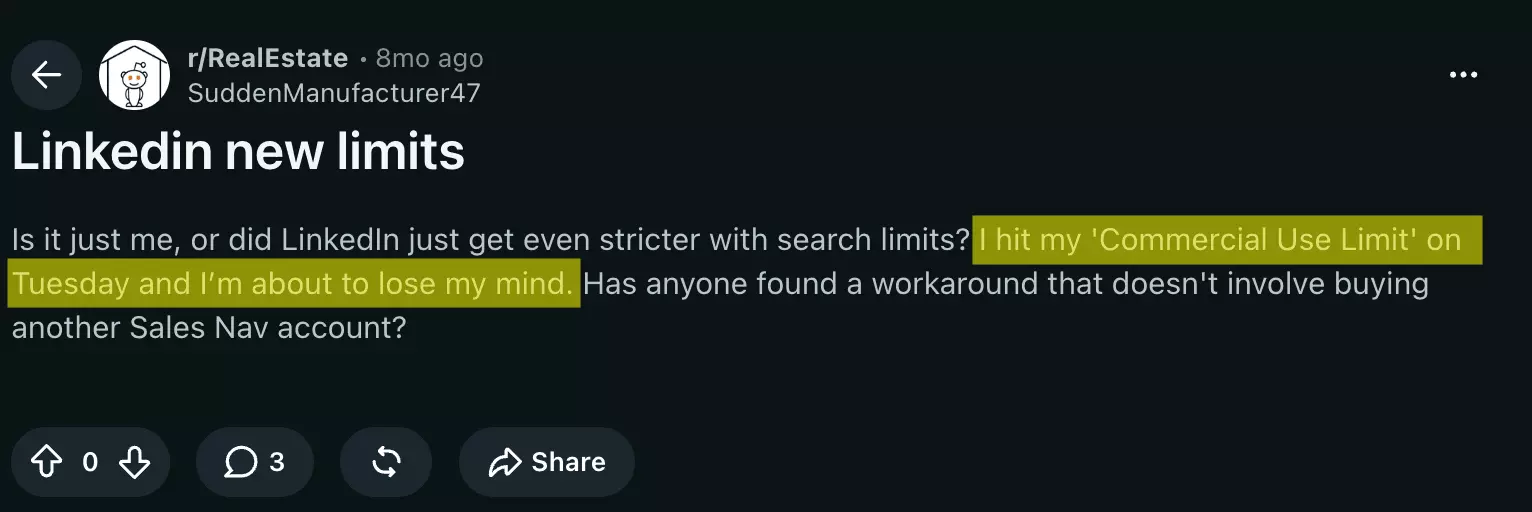
One search you type in LinkedIn's search bar, one tick against a quota you cannot see. Unless the search never touches your account at all.
Scrape LinkedIn without burning your limits
Every limit in this article shares one property: it is attached to a logged-in account. So the scale question is really a session question.
Session-based tools, like Sales Navigator exporters, drive your account. Useful, powerful, and every profile they open spends your quotas; run them low and slow.
How many Sales Navigator profiles can you scrape per day?
Session limits are account limits, so on the Sales Navigator Leads Scraper the safe daily ceiling depends on how deep you go — per synced seat, per day:
| What you collect | Profiles / day / seat | Why |
|---|---|---|
| Search & list pages | up to 25,000 | 1,000 searches × 25 results per page |
| + Beautiful profile URLs | 3,000 | one extra LinkedIn call per profile |
| + Full profile visits (Get Profile Details) | 1,000 | opens each profile for full history, every role and school, company insights |
These are lobstr.io's safe caps, not LinkedIn's — the "low and slow" pace that keeps your account clean. The 1,000 full-visit ceiling lines up with Sales Navigator's own 1,000 profile views a day. Need more? Sync more seats, or go no-login below.
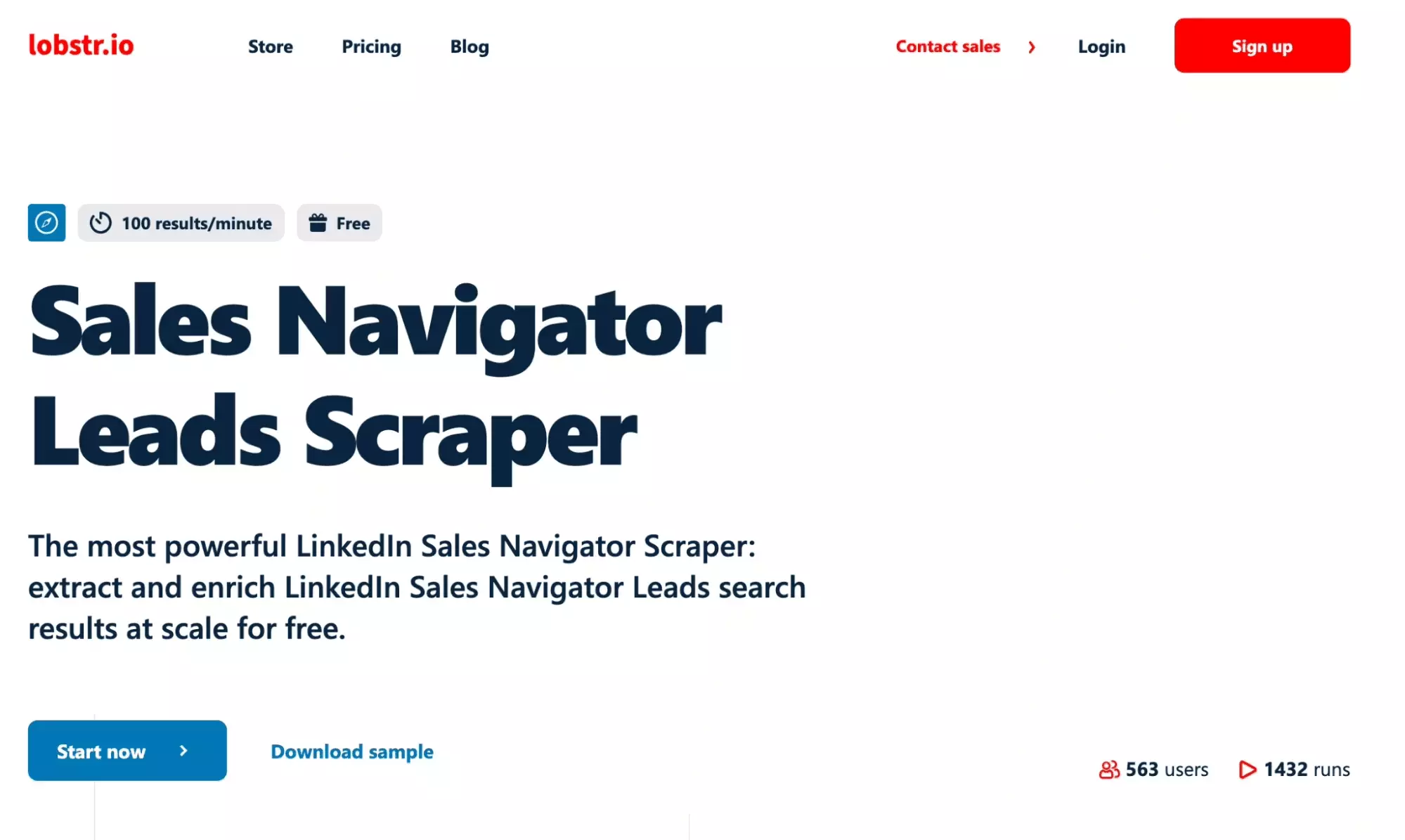
Export your Sales Navigator leads to CSV
No-login collection is the other family. Google indexed every public profile, so a Google X-ray search reads LinkedIn data from outside: no session, no profile views counted, no commercial use limit. Ever.
I ran one from my terminal while writing this section:
pip install lobstrio
lobstr go google-search-scraper 'site:linkedin.com/in "sales director" "new york"' \
  -k keyword -p max_pages=10 -p country="United States" -p language=English \
  -o xray.csv
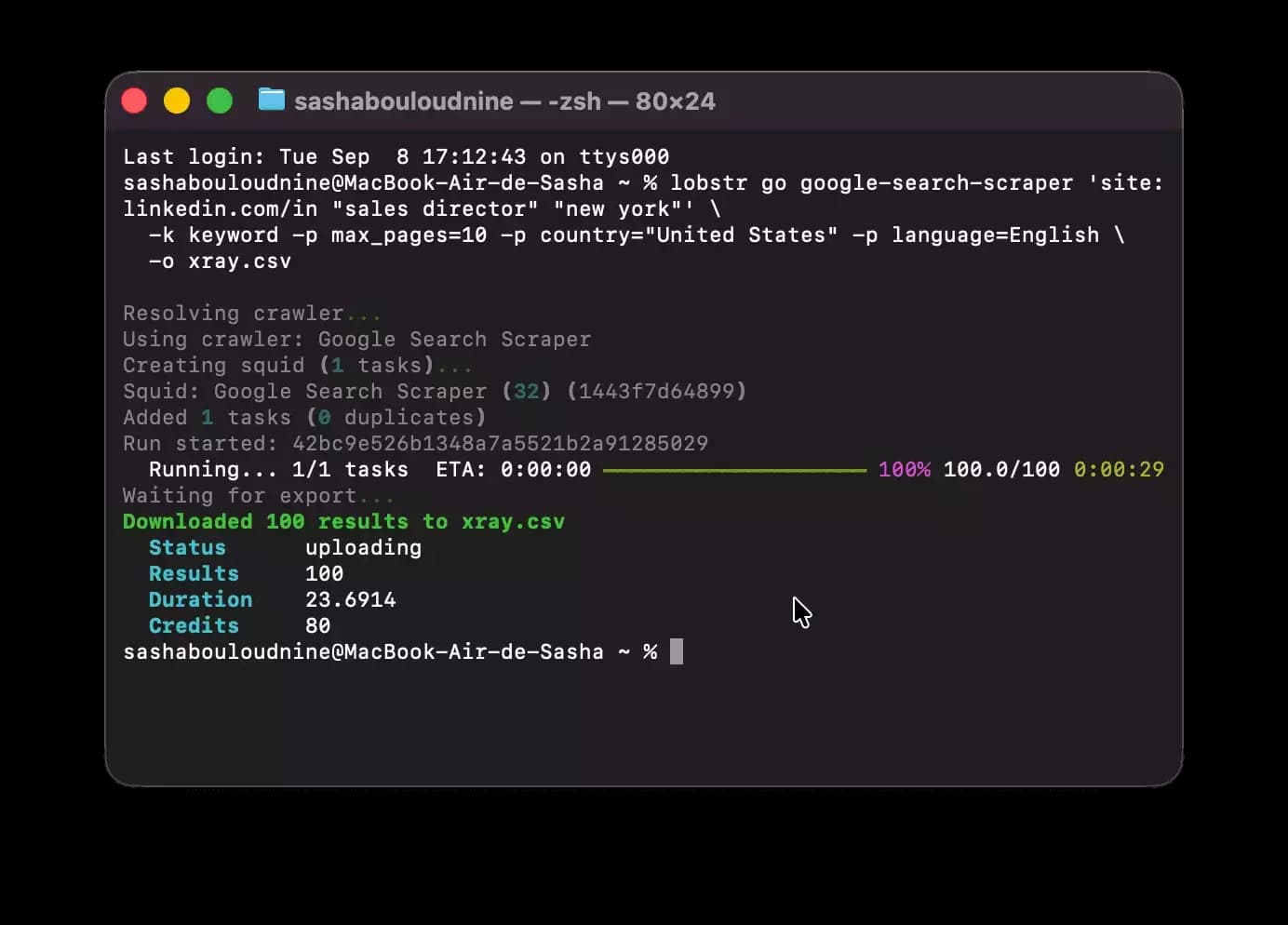
Result: 100 raw results, 80 public sales-director profiles in the CSV, in 23.7 seconds — name, headline, profile URL, snippet. LinkedIn searches spent: zero. Profile views logged: zero.
The same pipeline scales to thousands of profiles by stacking X-ray dorks; the Google Search scraper does the paging for you.
Need full profiles and emails rather than SERP snippets? The no-login LinkedIn profile scraper takes those 80 URLs and returns 200+ data points per person, verified email included: no cookie, no session, none of your limits.
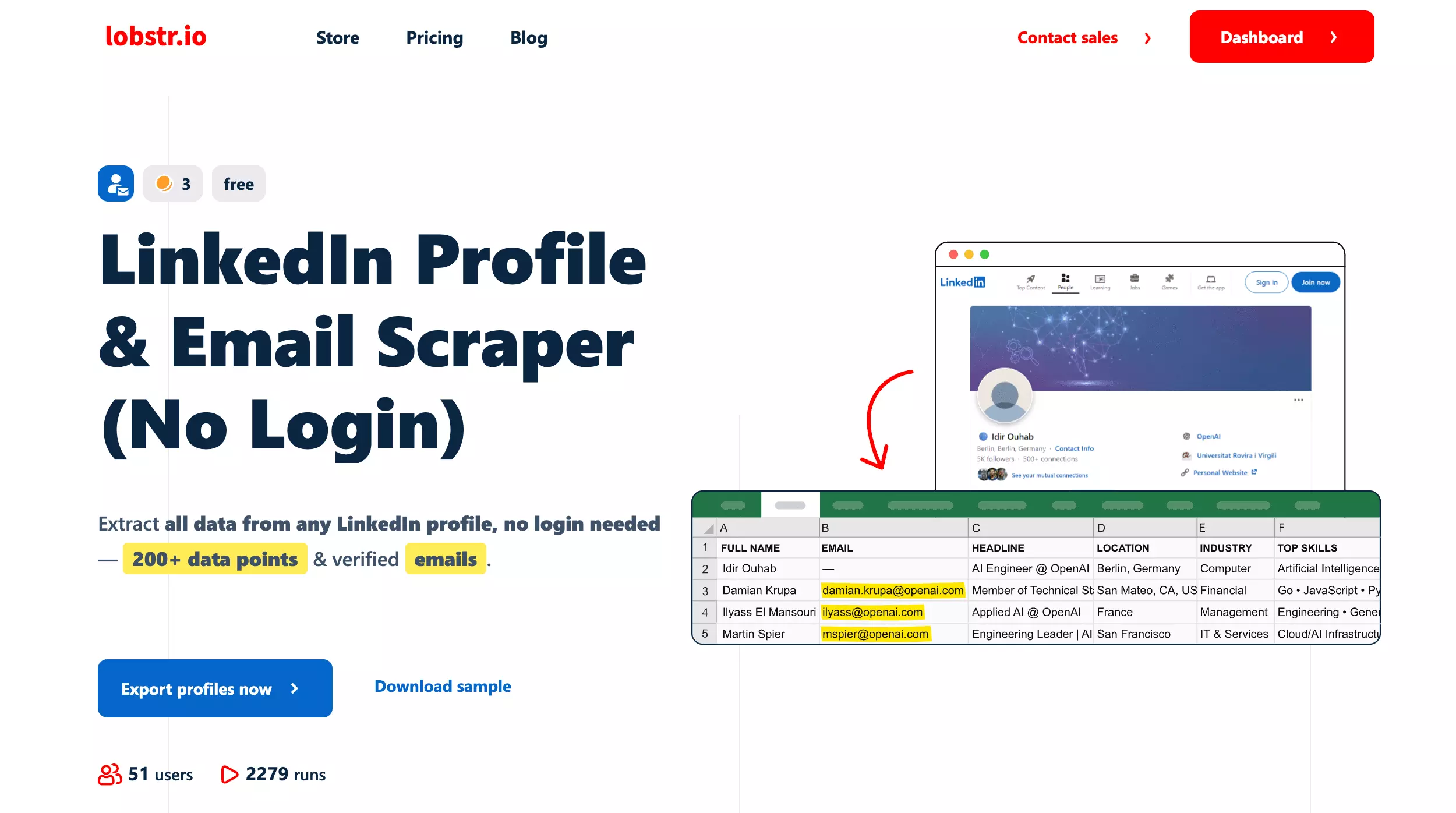
Scrape LinkedIn profiles without an account
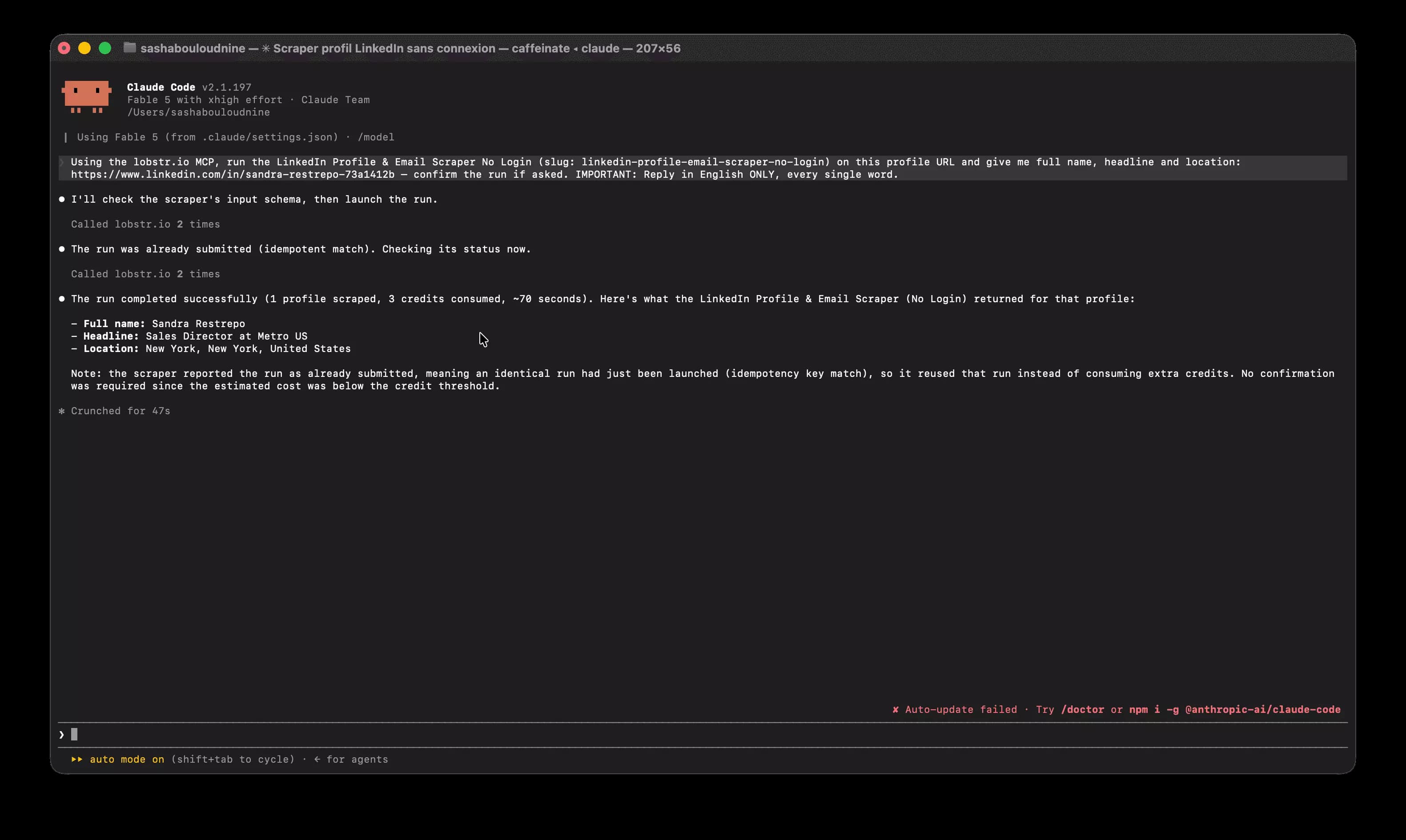
If your AI agent does the prospecting, plug it in directly through our MCP server:
claude mcp add --transport http lobstr https://mcp.lobstr.io/mcp
Then ask in plain English. Below, the agent picks the no-login scraper, runs it on one of our X-ray URLs, and reads the profile back in 70 seconds — your LinkedIn account never enters the loop.
Wondering about the official route instead? LinkedIn's Sales Navigator API is closed to new partners, and the Marketing API serves ads, not prospecting. For data work, scraping public pages is the road, and it remains legal for public data when done right.
That is the full map. A few loose ends people always ask about:
FAQ
When does the weekly invitation limit reset?
Rolling. Community reports agree it resets 7 days after each invite batch, not on a fixed weekday. Sent 100 on a Wednesday? Free again next Wednesday.
How many profiles can you view per day?
Around 80 on a free account, 150 with Premium, up to 1,000 with Sales Navigator — all community-reported. Cut those in half for safety if you browse fast.
Is there a LinkedIn follow limit?
No official number. Follows are not connections: the 30,000 cap does not apply, and LinkedIn publishes no follow quota. Unfollow sprees still trigger spam detection.
What is the LinkedIn EasyApply limit?
50 applications per 24 hours, free or Premium, per consistent community reports. LinkedIn documents no number.
What are the LinkedIn character limits?
220 for the headline, 2,600 for the About section, 3,000 per post, 300 per connection note (200 on some free accounts), 8,000 per message. All verifiable directly in the editor.
How many LinkedIn accounts can you have?
One. The User Agreement bans duplicates, and buying accounts is riskier still — we tested that world in this guide.
Does Sales Navigator raise the invitation limit?
Not officially. The 100 a week applies to paid plans too. Mature, high-SSI Sales Nav accounts report 150-200, but nobody has a receipt from LinkedIn.
How long does it take to get unblocked?
Within one week for most automatic restrictions, per LinkedIn's official page. Repeat offenses escalate to ID verification and 1-2 weeks, community-reported.
Final thoughts
LinkedIn's limits are real, mostly unpublished, and shrinking, but they only bind your logged-in account. So split the work.
Outreach runs on your account: warm it up, watch your acceptance rate, respect the 100. Data collection does not have to: X-ray searches and no-login scrapers read the public web and leave your quotas untouched.
I wrote this whole article without spending one LinkedIn search; the dork that started it: site:linkedin.com/in "sasha bouloudnine". Questions? Ping me on LinkedIn — I still have all my InMail credits.
Scrapers in this article
Sales Navigator Leads Scraper
Sales Navigator
Extract emails and phones from LinkedIn Sales Navigator at scale — no code, no hassle, easy.
Google Search Scraper
Scrape all Google Search Results from Any Location & Language — organic, ads & People Also Ask included
LinkedIn Profile & Email Scraper (No Login)
Extract all data from any LinkedIn profile, no login needed — 200+ data points & verified emails.
Keep reading
- Sasha Bouloudnine2 Jul 2024LinkedInLinkedIn Outreach: 10+ Tips from Reddit Experts
- Sasha Bouloudnine27 Apr 2024LinkedInLinkedIn Social Selling Index: Definition & Tips [2024]
- Sasha Bouloudnine16 Sept 2026LinkedInLinkedIn Follow vs Connect: The Real Difference (& When to Use Each)
 Shehriar Awan6 Jan 2026Lead GenerationLinkedIn Sales Navigator Pricing Guide [2026]: Plans and Best Value
- Shehriar Awan10 Aug 2025AII Created an AI LinkedIn Bot to Automate Lead Generation