
LinkedIn Search: The Complete Guide (25+ Operators & Filters)
(updated)
LinkedIn sits on the largest professional database ever assembled, and almost nobody searches it well.
The bar looks simple. Underneath, it is walled, capped, and, since late 2025, quietly rebuilt around AI.
In this guide you'll learn:
- whether LinkedIn is really a search engine (it is);
- every Boolean operator and filter that still works in 2026;
- the caps that stop you, and how to turn any search into a CSV.
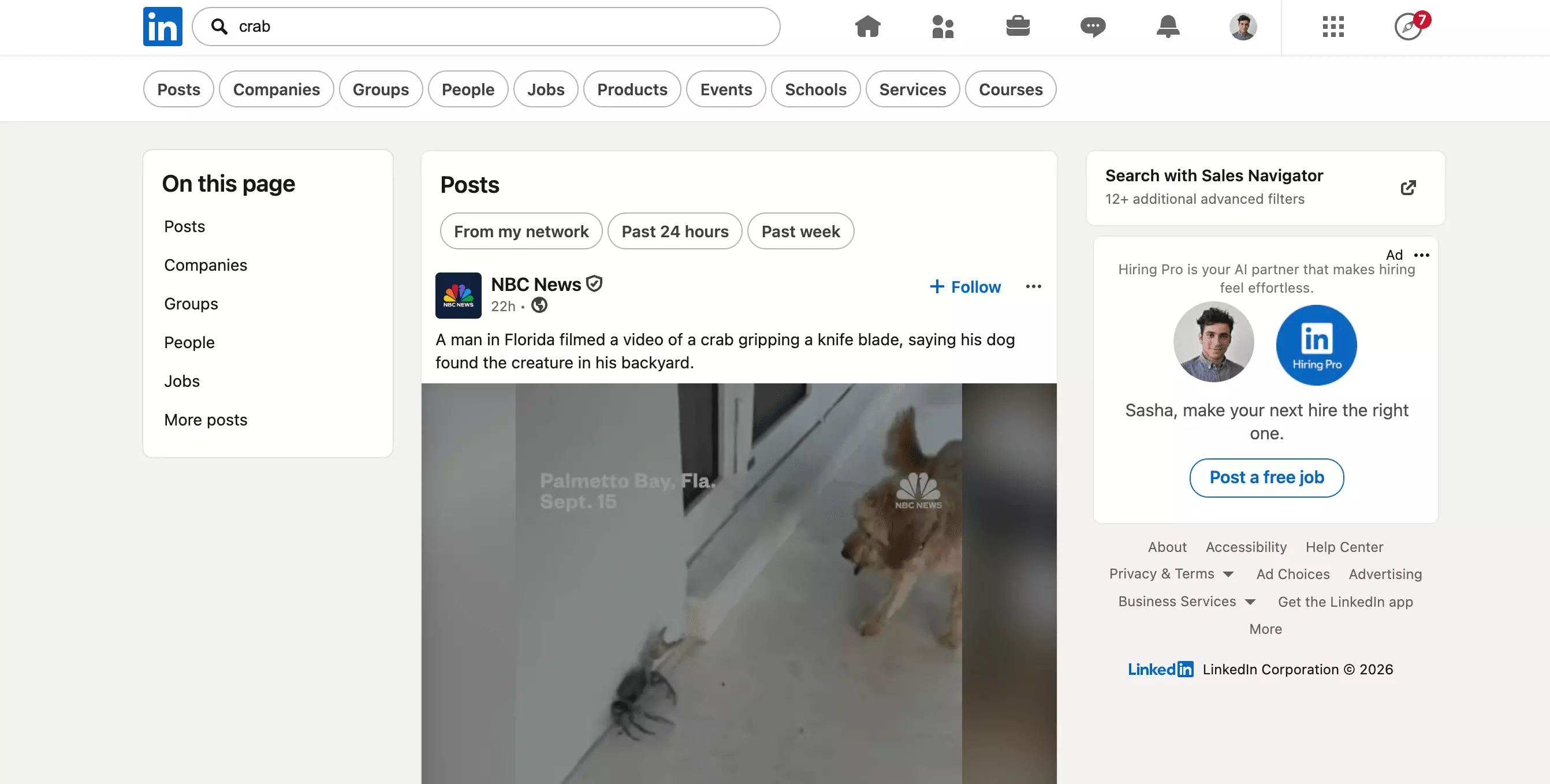
Is LinkedIn a search engine?
Yes, a walled one. LinkedIn indexes profiles, companies, posts, jobs and schools. It ranks them by relevance and gives you operators to query the index.
That is a search engine by any working definition. The difference is the wall.
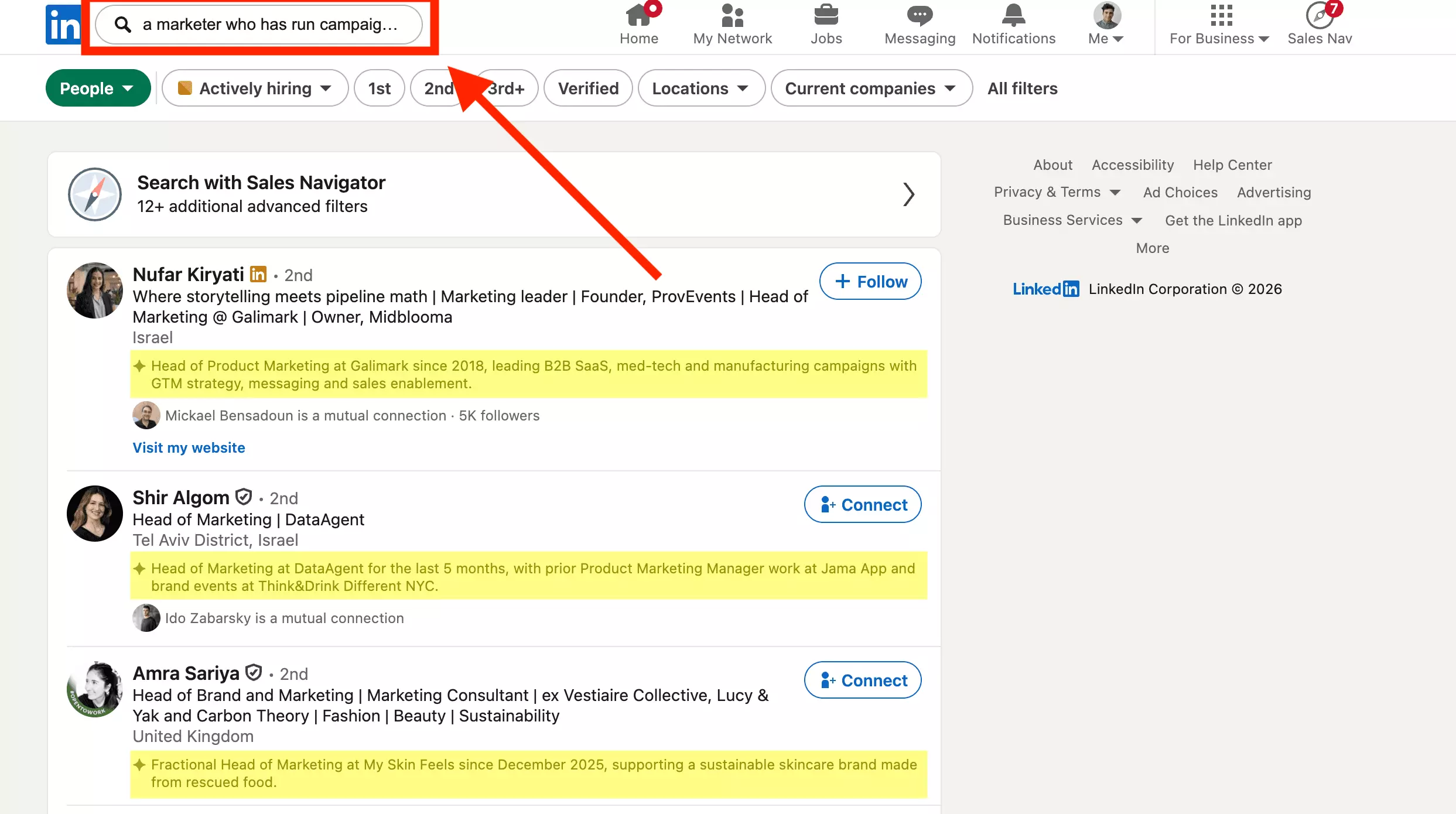
And under each result LinkedIn now writes a one-line summary of who the person is, an AI-overview moment for its own search engine.
So the honest 2026 answer is layered. LinkedIn is a keyword search engine with Boolean operators, and it is becoming a semantic one on top.
Recruiters noticed the shift the hard way. Strings that worked for years started returning fewer results.
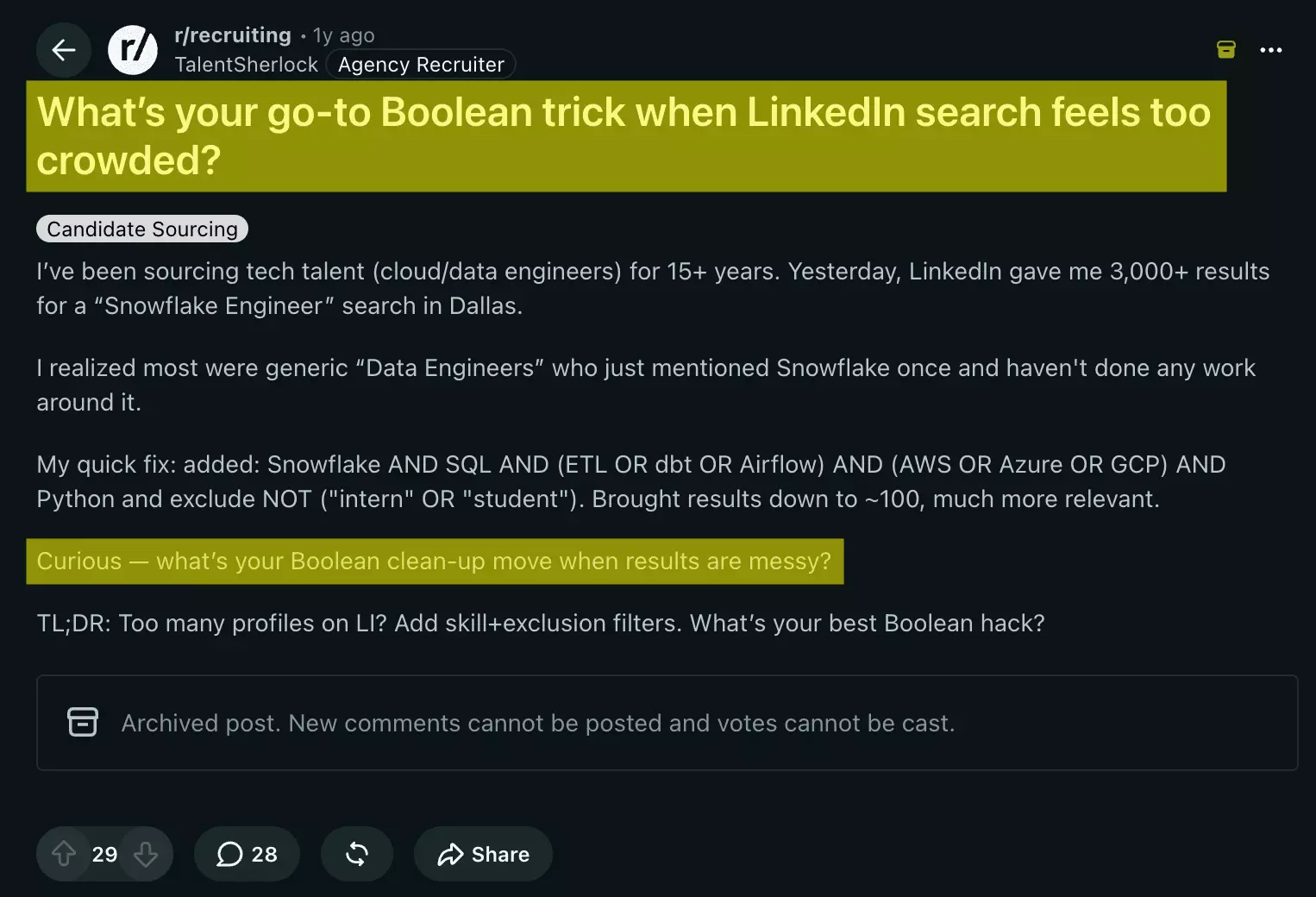
Both engines still run. You just need to know which one you are talking to. The rest of this guide is the practical map, starting with the bar.
LinkedIn search basics: the bar, the verticals, the URL
Every search starts in the bar at the top of every LinkedIn page. Type a name, a title or a company and hit enter.
LinkedIn drops you into results with a row of tabs, and each one is a separate index:
| Tab | What it searches |
|---|---|
| People | member profiles |
| Companies | company pages |
| Posts | content and updates |
| Jobs | open roles |
| Groups | communities |
| Events | online and in-person events |
| Schools | universities and programs |
| Products & Services | product pages and service providers |
| Courses | LinkedIn Learning courses |
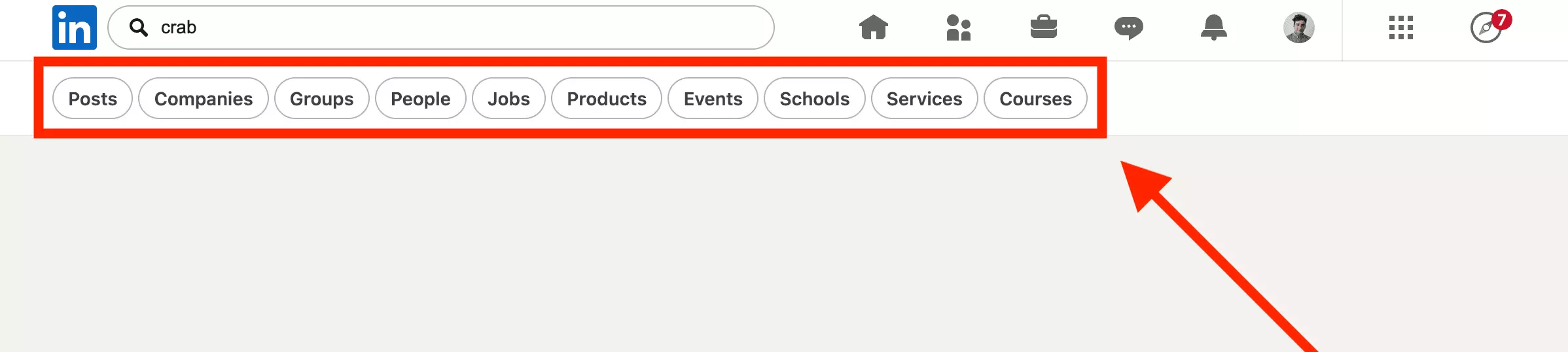
Notice what is missing above: a total result count. LinkedIn used to print an "About [N] results" line at the top of every search. In 2026 that number is gone.
On a free account you just page until it stops. LinkedIn moved the total-results counter behind Sales Navigator and Premium, and the old count API now returns a flat 404.
curl 'https://www.linkedin.com/voyager/api/search/blended?q=all&keywords=crab' \
  -H 'cookie: li_at=<your session>'

{"status":404}f
jane smith stripe, and open the People tab. Then narrow with the filters covered below.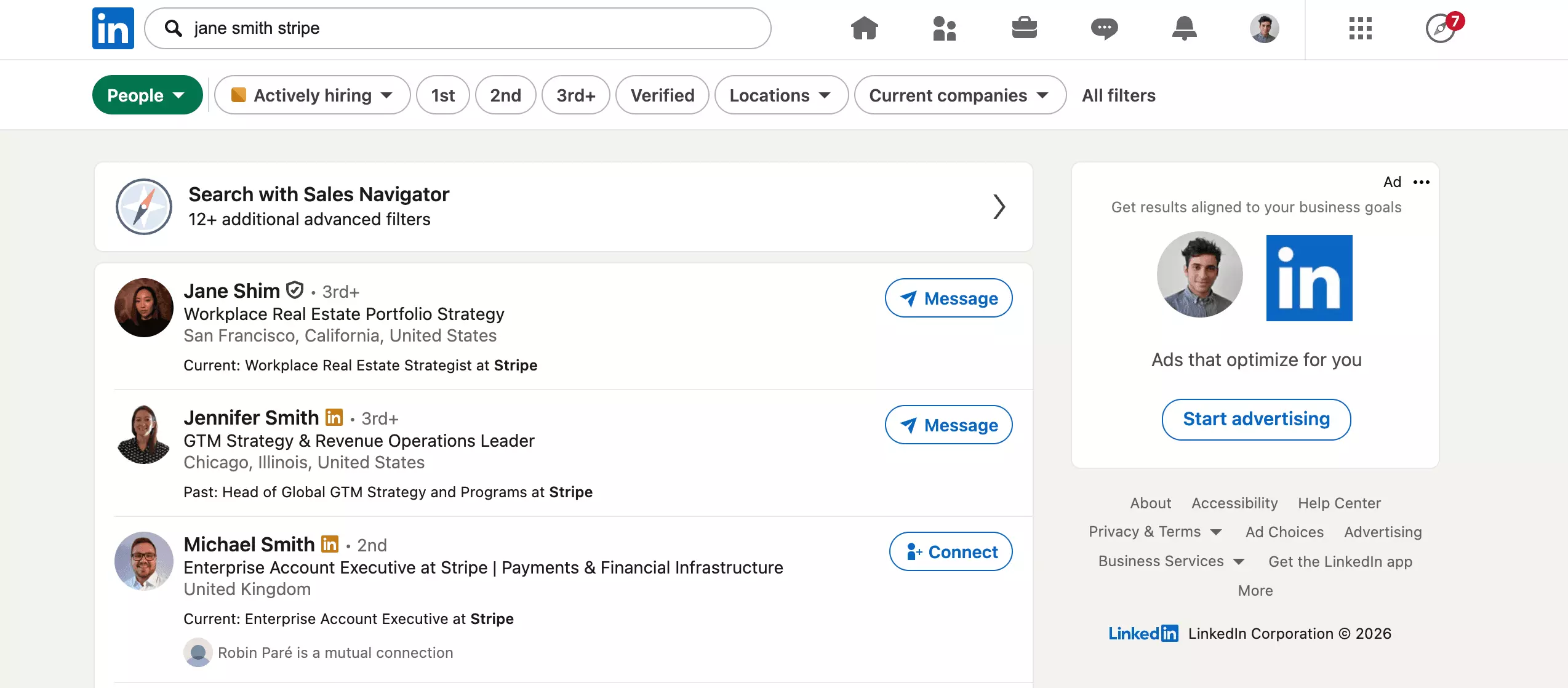
The search URL is a saved search
Here is the part almost no guide explains. Every LinkedIn search is encoded in its URL.
So the URL itself is a portable, re-runnable saved search. Copy it, bookmark it, share it, and it reloads the exact same results.
A people search looks like this:
https://www.linkedin.com/search/results/people/?keywords=crab&origin=FACETED_SEARCHf
/search/results/people/ is the vertical. Swap people for companies, content, groups or schools to change what you search.keywords= parameter holds your query, URL-encoded, and this is where Boolean strings live.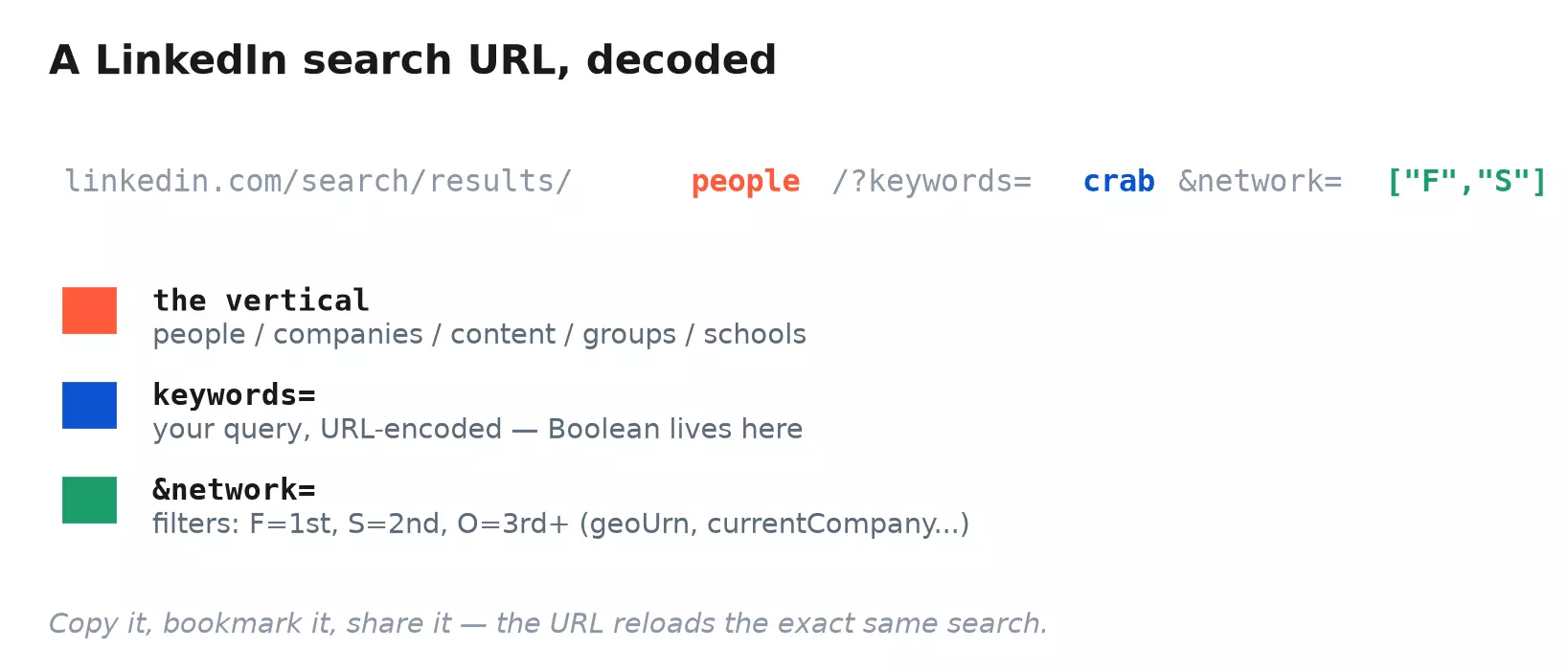
The filters are just more parameters bolted onto the same URL:
| Parameter | What it filters |
|---|---|
keywords= | the query (Boolean lives here) |
network=["F","S"] | connection degree: F=1st, S=2nd, O=3rd+ |
geoUrn= | location |
currentCompany= | current employer |
title= | job title |
school= | school and alumni |
firstName= / lastName= | search by name |
Boolean operators: the complete, tested list
Boolean operators are the difference between millions of near-matches and a clean shortlist.
keywords= box, not in the structured filters. Here is what each one does:| Operator | What it does | Example |
|---|---|---|
Quotes " " | exact phrase match | "forward deployed engineer" |
AND | both terms present | "forward deployed engineer" AND "OpenAI" |
OR | either term present | "OpenAI" OR "Anthropic" |
NOT | exclude a term | "engineer" NOT "intern" |
Parentheses ( ) | group logic | ("OpenAI" OR "Anthropic") AND "engineer" |
Recruiter and Sales Navigator add six field operators that pin a term to one part of the profile:
| Field operator | Matches only in |
|---|---|
title: | the current job title |
company: | the current company |
school: | schools attended |
firstname: / lastname: | the name |
spokenlanguage: | languages |
forward deployed engineer, the buzzy 2026 role born at Palantir and now copied by OpenAI and Anthropic.
Sales Navigator still prints a result total, unlike free search, so you can watch quotes work in real time.
forward deployed engineer without quotes and Sales Navigator returns a near-unfiltered 27M+, effectively everyone. The loose match barely reads your query, so a typo in the phrase returns the same flood."forward deployed engineer", and it collapses to 24K+, only the profiles carrying that exact title. Two quote marks, a thousand-to-one cut in noise.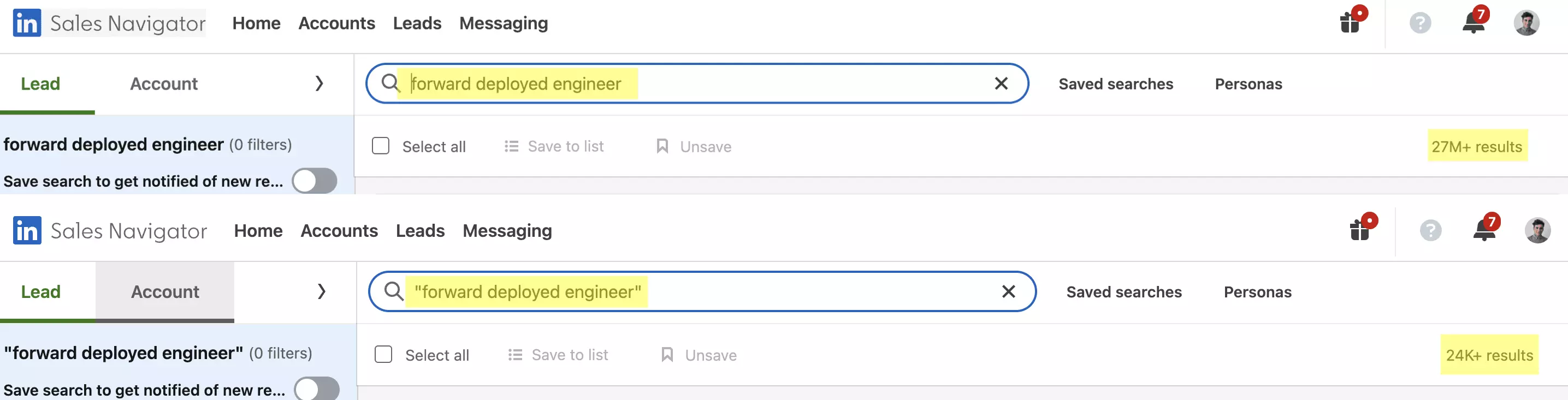
Combine operators with parentheses for real precision. Say you want a forward deployed engineer at OpenAI or Anthropic, but not an intern:
"forward deployed engineer" AND ("OpenAI" OR "Anthropic") NOT "intern"f
That single string narrows LinkedIn to profiles matching every clause at once. No paid tool required; this is native LinkedIn.
What LinkedIn silently ignores
Three things fail quietly, so you never get an error, just wrong results.
and, or and not are searched literally, per LinkedIn's Boolean help page. The + and - shortcuts are not supported either, so +OpenAI -intern quietly does nothing.market* and the semantic engine already returns Marketing Director, Head of marketing, even EMARKETER. The * does nothing; LinkedIn expands the stem on its own.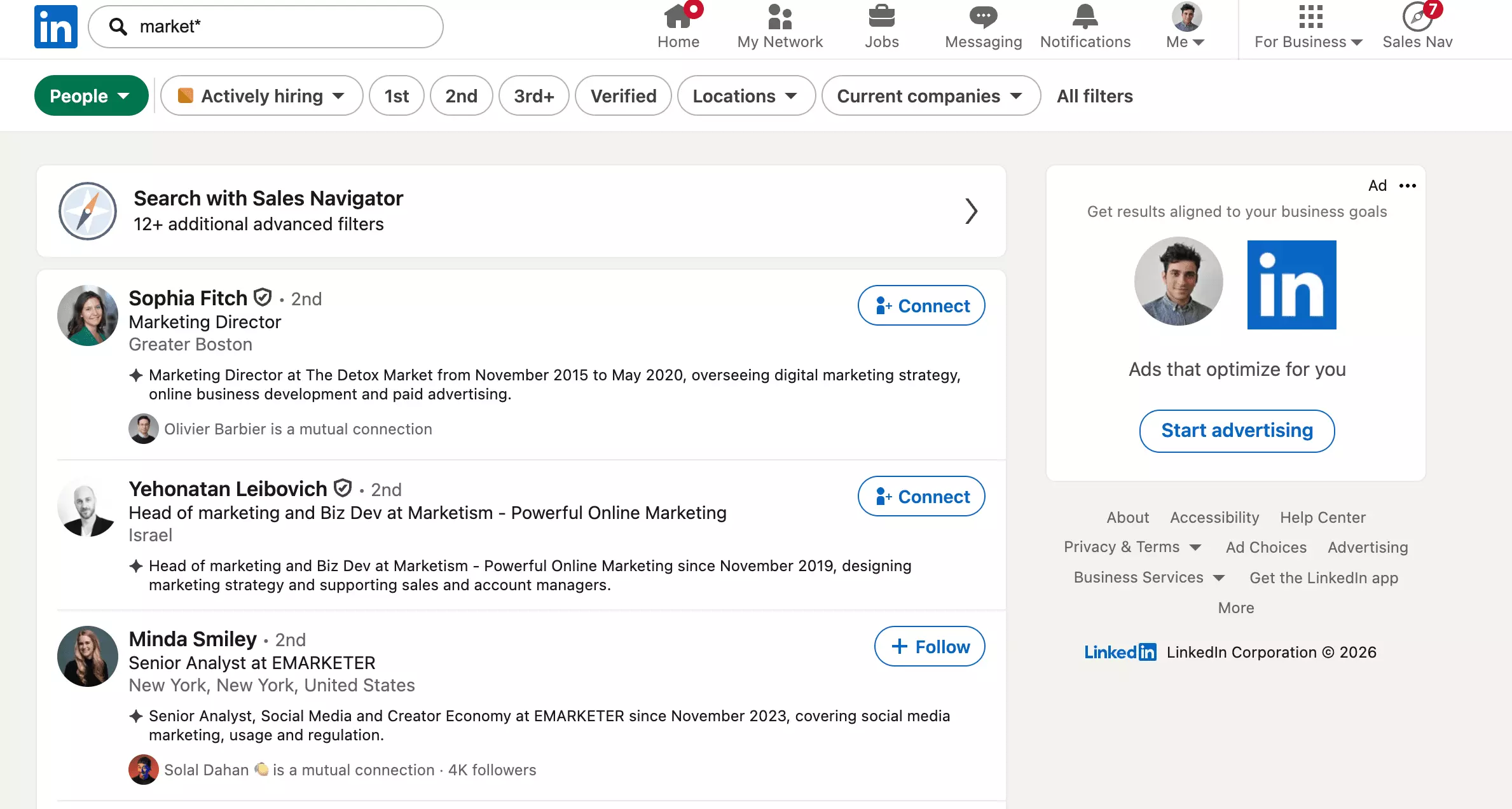
On free and Premium accounts, long or heavily nested strings can quietly thin out since the 2025 AI change. If a complex query looks empty, split it in two and merge the lists.
Advanced filters that actually matter
Every People search shows a quick-filter bar, and "All filters" opens the full wall of options. Most of it is noise.
The panel now opens with a nudge toward conversational search, then the filters that genuinely change your results:
| Filter | Use it to |
|---|---|
| Connections (1st / 2nd / 3rd+) | focus on who you can reach |
| Locations | scope to a city or country |
| Current & past companies | target an account, or its alumni |
| Connections of / Followers of | mine one person's or a creator's orbit |
| Schools | tap an alumni network |
| Industries | filter by sector |
| Profile languages | English, French, Spanish, German, Chinese |
| Service categories | find freelancers and providers |


Filters and operators tell LinkedIn what you want. They do not change how much it will show you, and that ceiling is lower than most people realise.
The walls: the 150-result cap and the commercial use limit
LinkedIn caps what search returns in two ways that catch everyone.
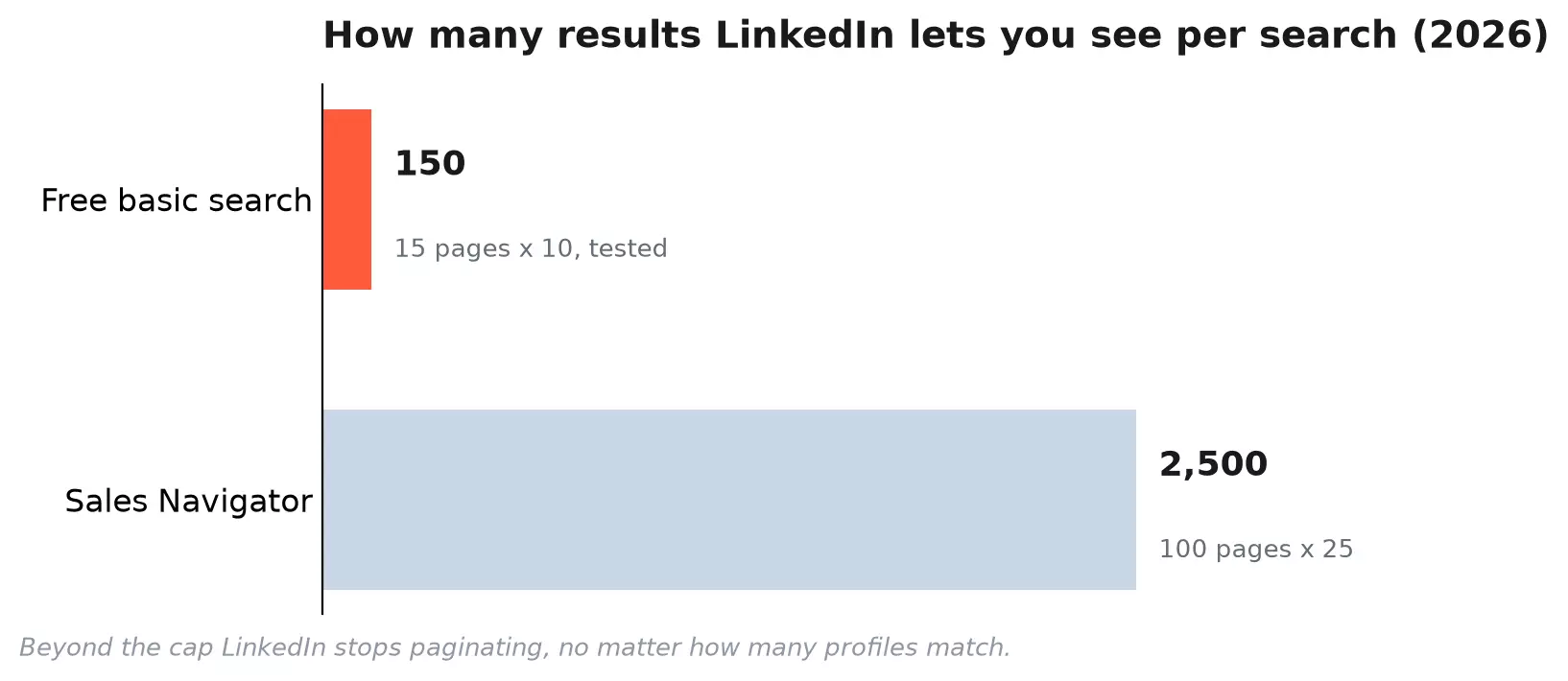
In 2026 I kept hitting a wall at page 15: just 150 profiles, no matter how many matched.
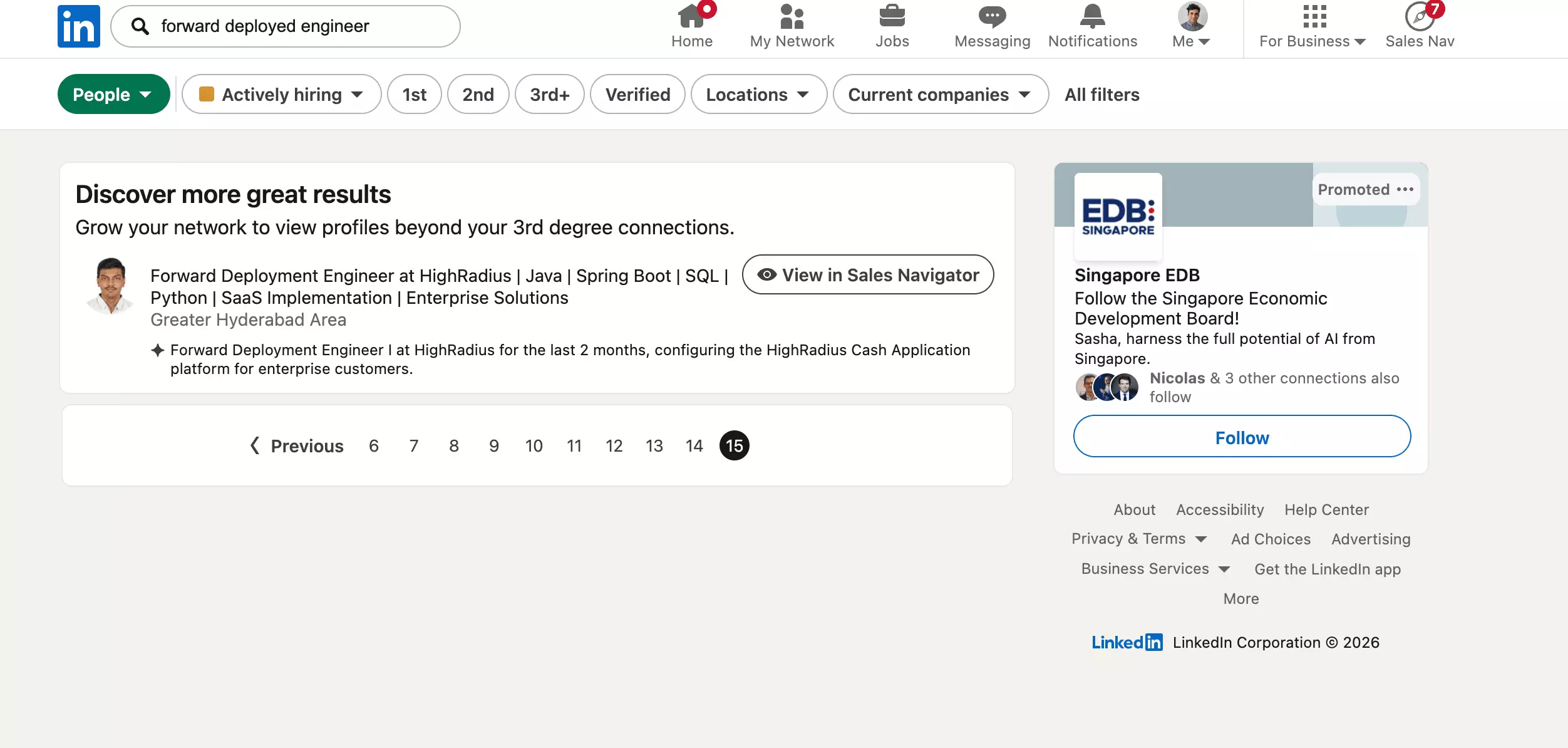
LinkedIn dresses it up as a network limit ("grow your network"), but the wall lands at the same page 15 whether the query is niche or huge: we hit it on an obscure title and on a school with tens of thousands of alumni alike.
Sales Navigator raises the ceiling to a documented 2,500 per search. Beyond that, LinkedIn simply stops paginating.
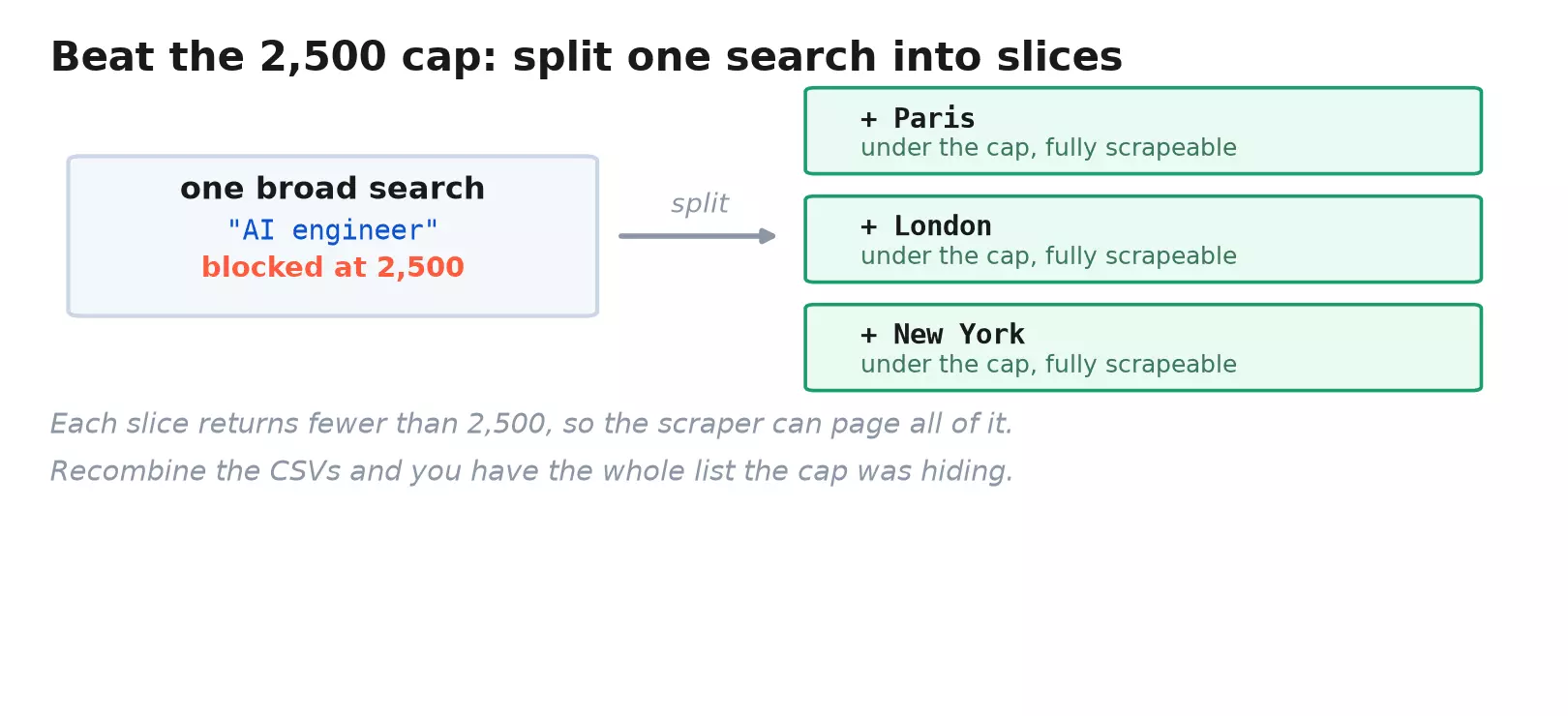
These walls are why serious prospecting splits one big search into many small ones. Slice a search by geography or headcount into chunks under the cap, then recombine.
Splitting gets you more URLs. It does not download anything, and for that you need to turn the search into data.
Beyond the walls: turn any search into a CSV
A LinkedIn search is a list you can look at but cannot download. There is no export button.
The whole point of finding 800 AI engineers is to email them, and for that the results have to become a spreadsheet.
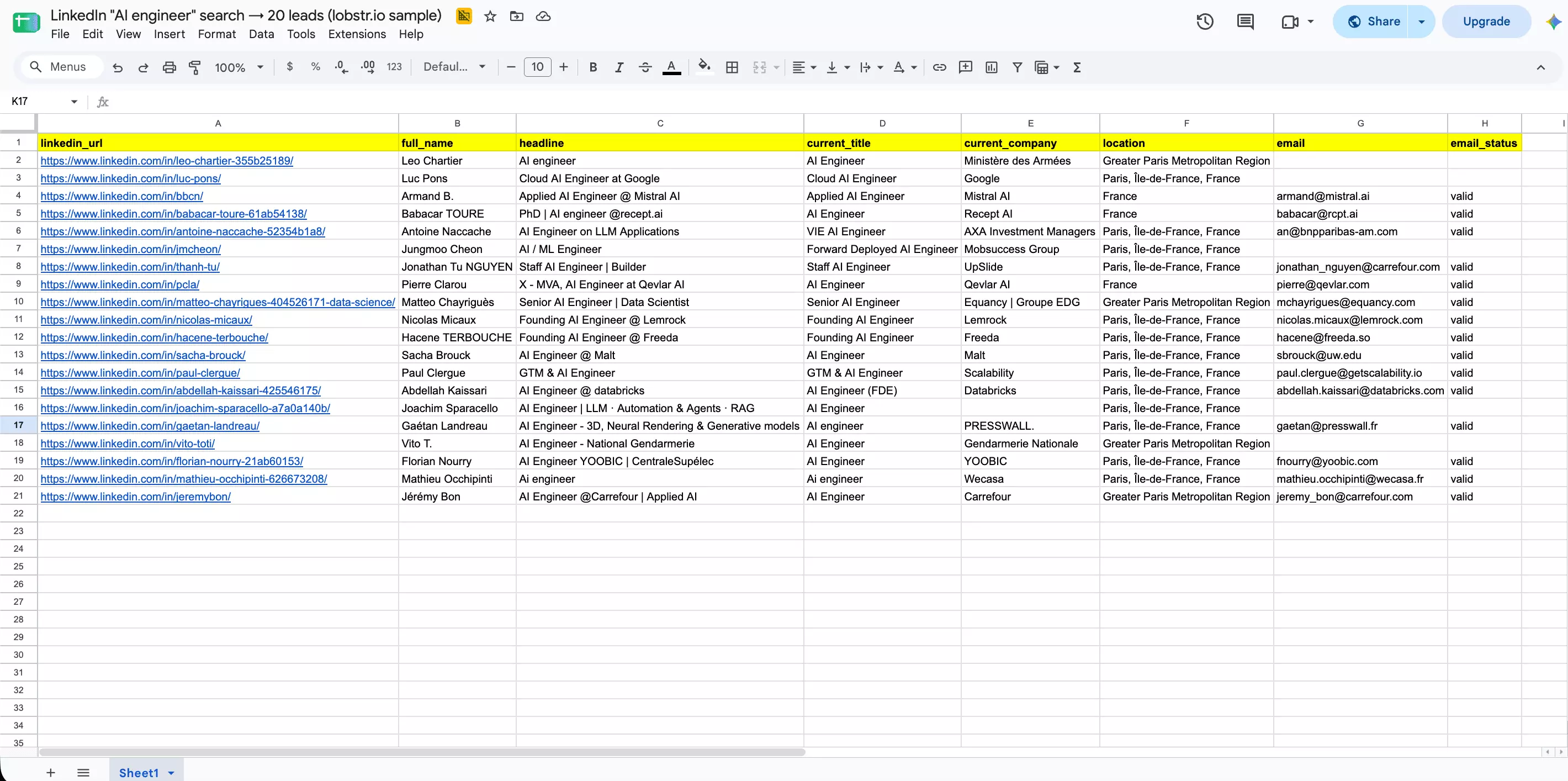
"AI engineer" through our LinkedIn Leads Scraper to see what one URL yields.The result: 20 enriched profiles from that single URL, and 15 of them came back with a valid email attached. Every row carries name, headline, current role, company and location.
You do not have to touch the dashboard. The same run works from your terminal:
pip install lobstrio
lobstr config set-token <YOUR_TOKEN>
lobstr go linkedin-leads-scraper "https://www.linkedin.com/search/results/people/?keywords=AI%20engineer" -k url -o leads.csv
# leads.csv: full_name, headline, current_company, location, email (my run: 20 rows, 15 with a valid email)f
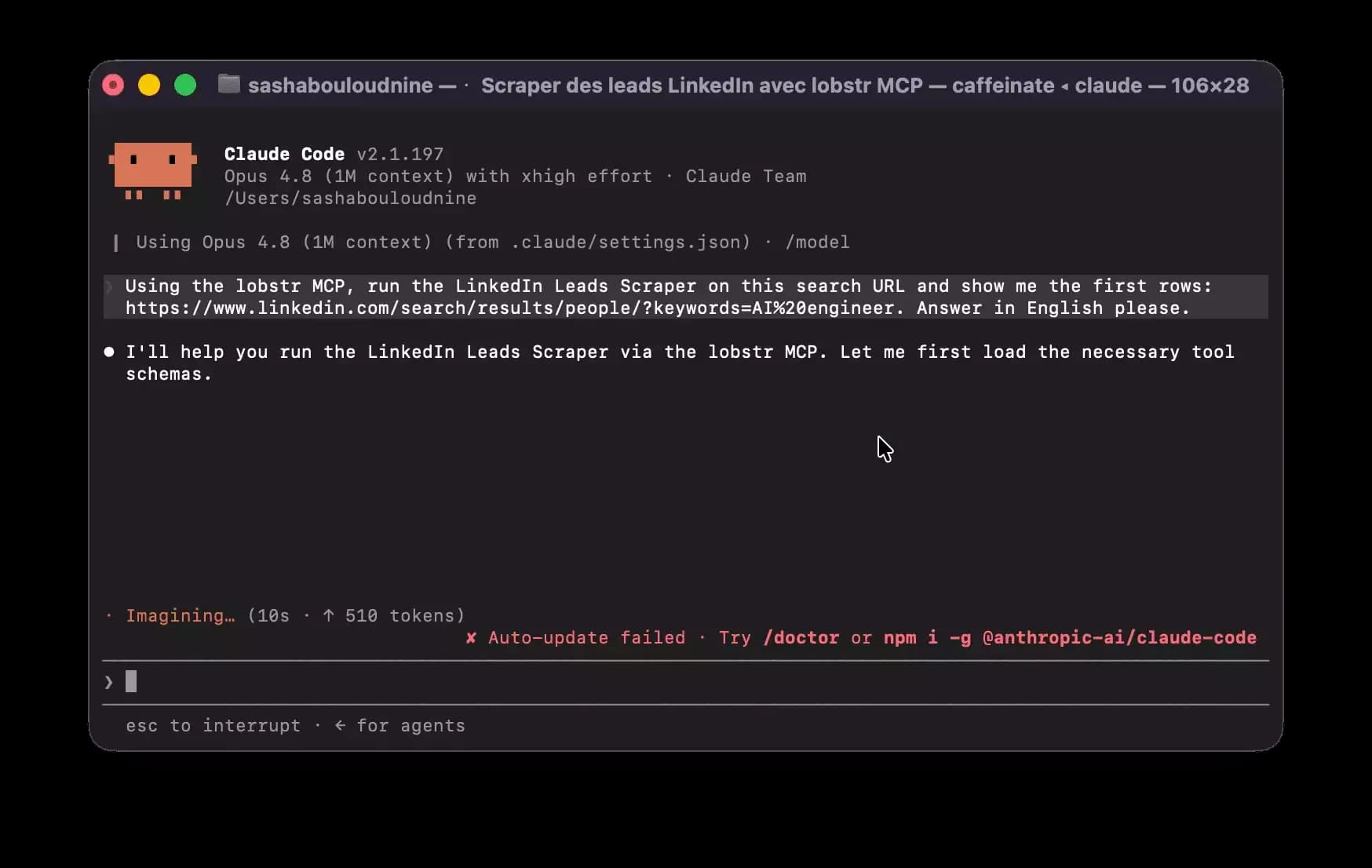
claude mcp add --transport http lobstr https://mcp.lobstr.io/mcpf
FAQ
Can you search LinkedIn without an account?
Can you search LinkedIn by phone number?
What does "appeared in searches" mean?
It counts how often your profile surfaced in other people's results that week. It is a visibility signal, not a list of who searched you. Premium shows more of it.
Is LinkedIn Premium's advanced search worth it?
Only for volume prospecting. Premium and Sales Navigator raise the result cap and add filters like seniority. The Boolean operators and core filters are identical on free.
Why is my Boolean search not working?
and, or, not must be uppercase. Wildcards and +/- are unsupported, and long strings can thin out since the 2025 AI change.How do you save a LinkedIn search?
Copy the URL, it is the saved search. It reloads the exact query and filters. Sales Navigator also has a built-in save that alerts you to new matches.
Can you get past the 150-result limit?
Yes, split the search. Break one query into slices by location or company size so each stays under the cap, then merge. A scraper automates the paging.
Does LinkedIn's AI search replace Boolean?
No, both run in parallel. The 2025 semantic search reads natural-language intent, but Boolean operators still work and stay more predictable for precise, repeatable queries.
Final thoughts
LinkedIn is a search engine wearing a network's clothes: a vast index, real operators, and walls in front of most of it.
Learn the five Boolean operators and the handful of filters that matter, and you already search better than most recruiters.
When the job is 800 profiles instead of 8, the manual search stops being the tool. The URL becomes the input, and a scraper does the paging.