
LinkedIn URL Examples: How to Find & Customize Yours (+ Free Sheet)
(updated)
Yet two things trip people up daily: they can't find their own, and the one they have looks like a cat walked across the keyboard.
This guide fixes both. You'll learn how to:
- find and copy your LinkedIn URL on desktop and mobile;
- turn the default gibberish into a clean, custom vanity URL;
- read real examples, good and bad, and see what makes one work;
- and turn any LinkedIn URL into a full profile, email included.
There's a free sheet of real data at the end. First, the basics.
What is a LinkedIn URL?
Your LinkedIn URL is the unique public web address of your profile. LinkedIn generates it automatically the day you sign up, and it identifies you across the whole platform.
It always has two parts — a fixed prefix and an editable slug — plus, by default, a disposable tail:
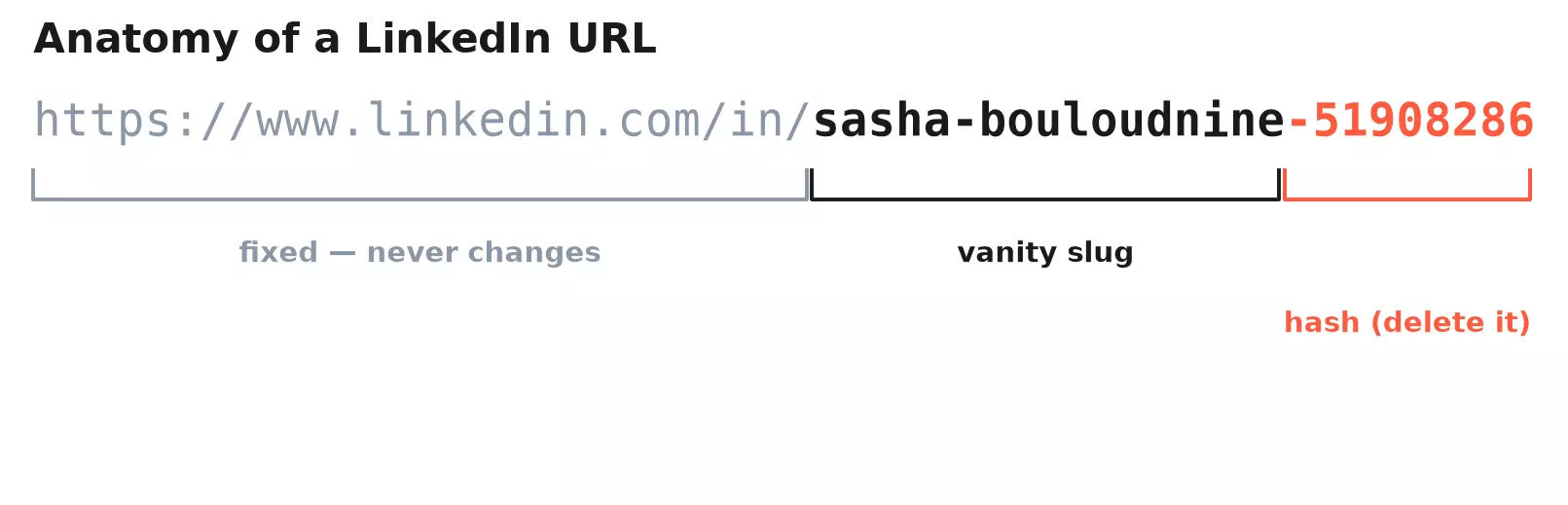
https://www.linkedin.com/in//in/ stands for an individual member, and it never changes.The editable part is where the personality lives. The default looks like this:
https://www.linkedin.com/in/sasha-bouloudnine-51908286f
People also call that editable slug your LinkedIn handle — same thing, shorter name.
/in/, /pub/, and the code after your name
That trailing string of digits is a uniqueness hash. Two Sasha Bouloudnines can't share a slug, so LinkedIn bolts on a random tail. It means nothing, and we'll learn how to delete it below.
/pub/ URLs in the wild — LinkedIn's pre-2014 public-directory format. They still forward to the modern pages: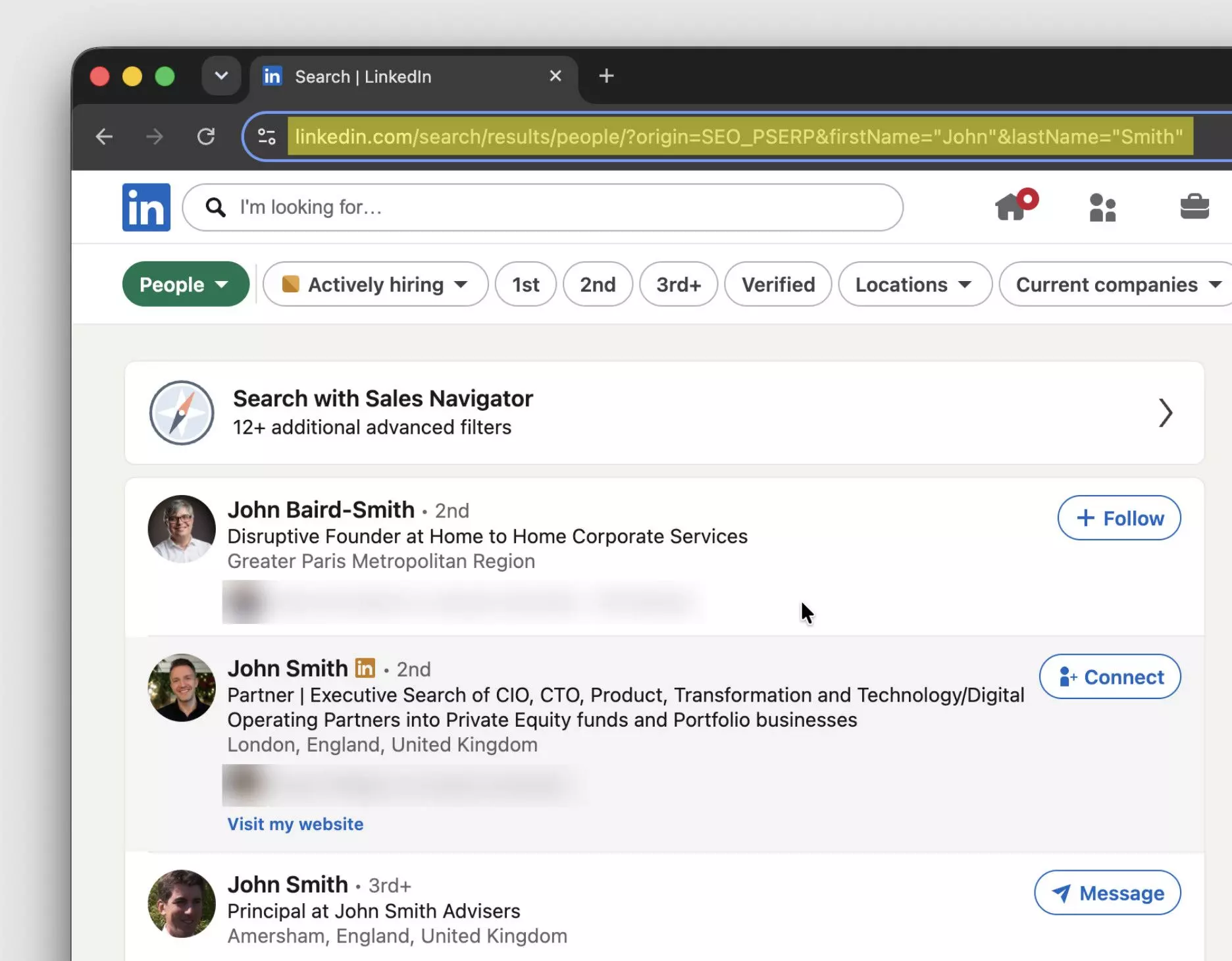
There's a second address most people never see: an opaque, coded one.
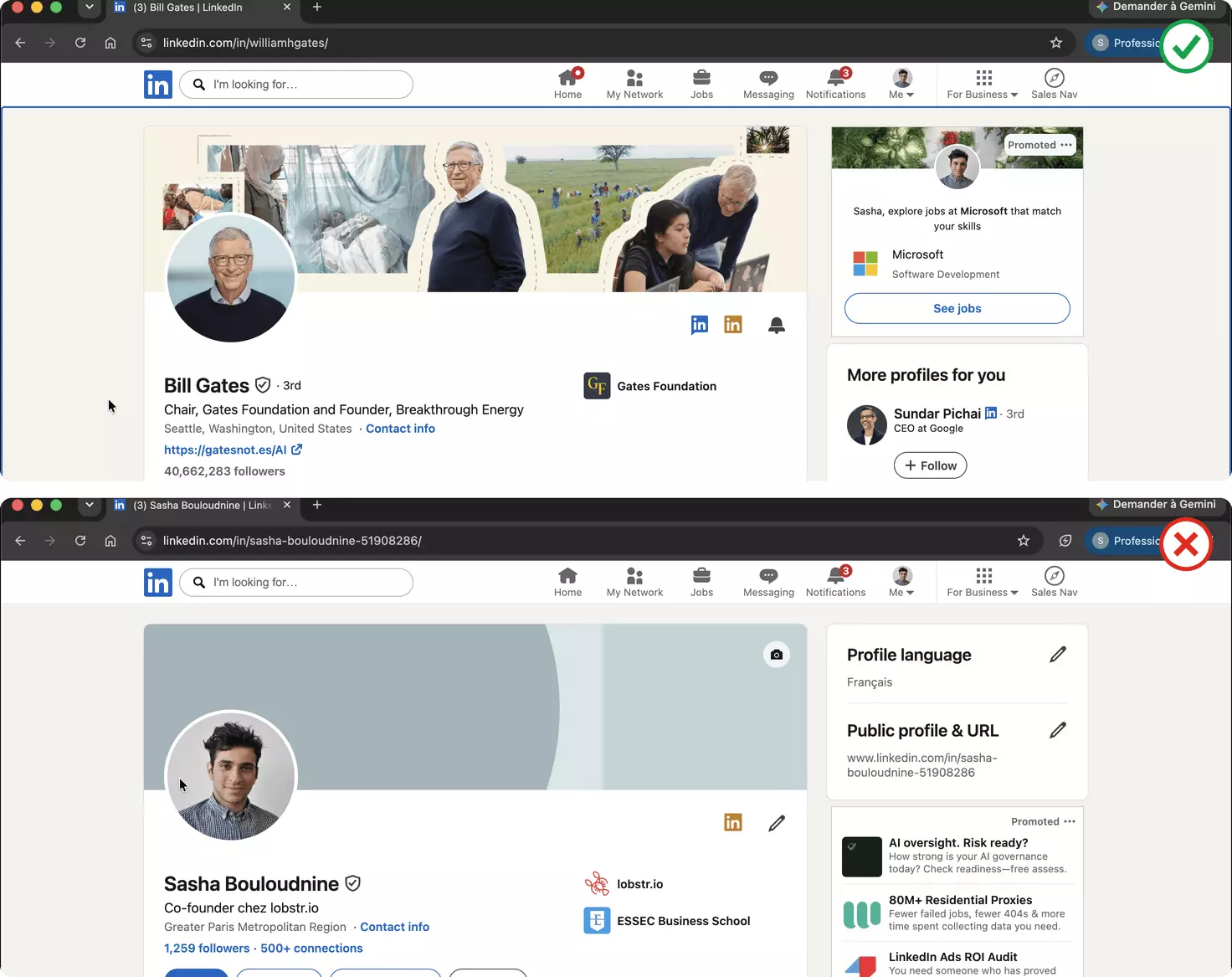
linkedin.com/in/williamhgates also carries a coded identifier, ACoAAA8BYqEBCGLg... — the form Sales Navigator and most tools return under the hood.Why two? The vanity slug is pretty but mortal — people rename it. The coded one sticks to the account, which is why CRMs and scrapers key on it.
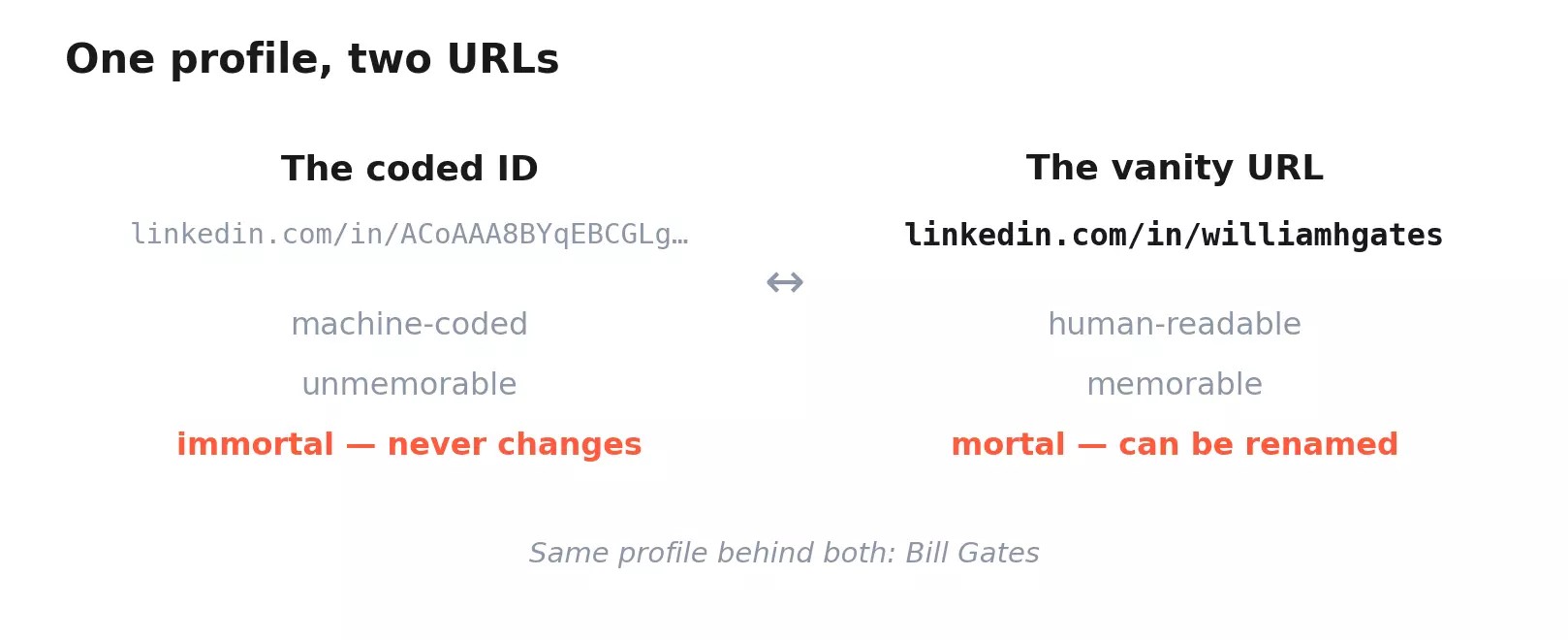
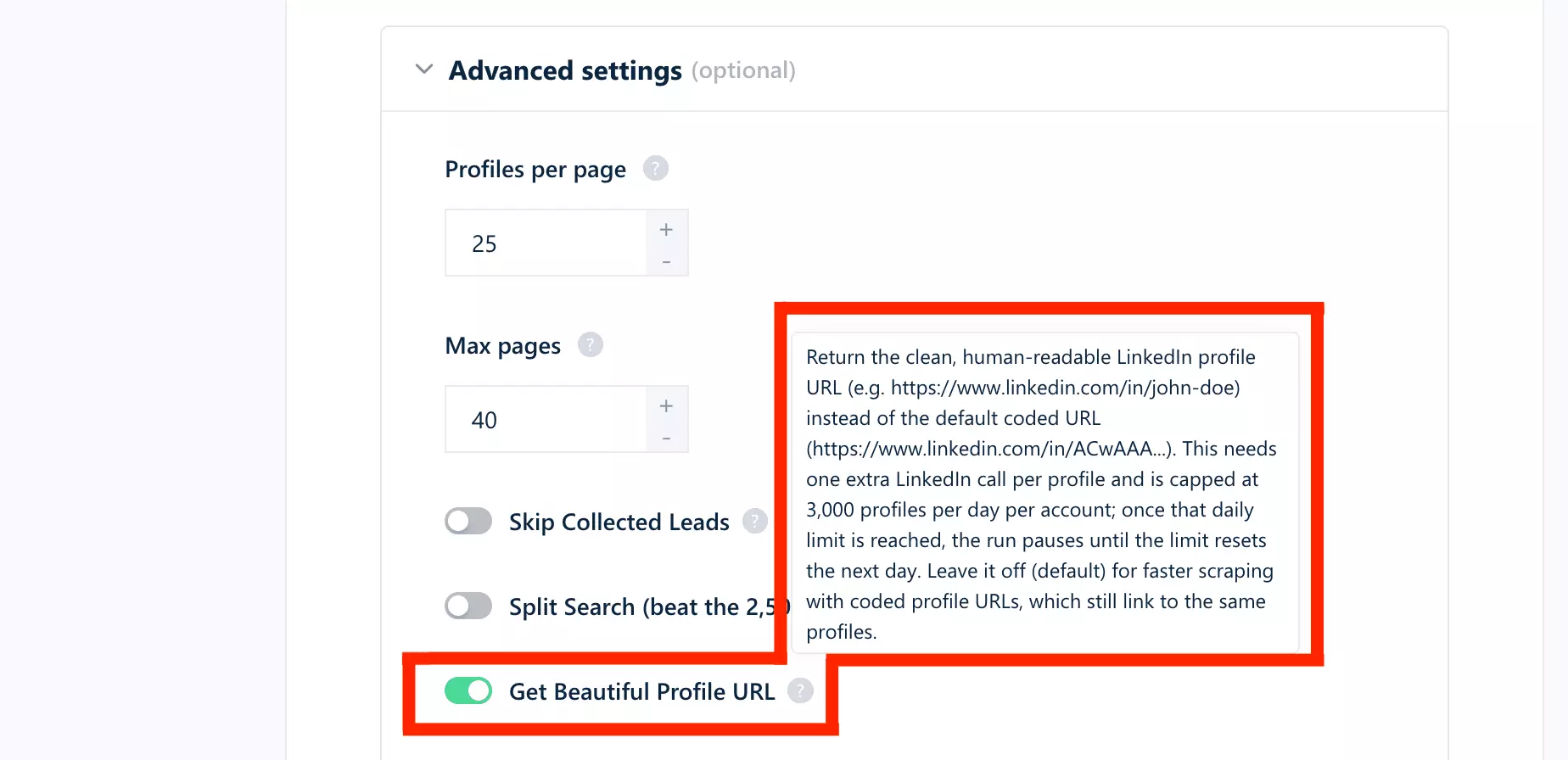
Same person, two doors, a converter each way.
/in/WilliamHGates and /in/williamhgates land on the same profile, so capitalization is a styling choice, not a different address.Enough theory. Before you can polish your URL, you have to find it.
How to find and copy your LinkedIn URL
Your LinkedIn URL hides in plain sight, and the exact path differs on desktop and mobile. You are not the only one who has hunted for it.
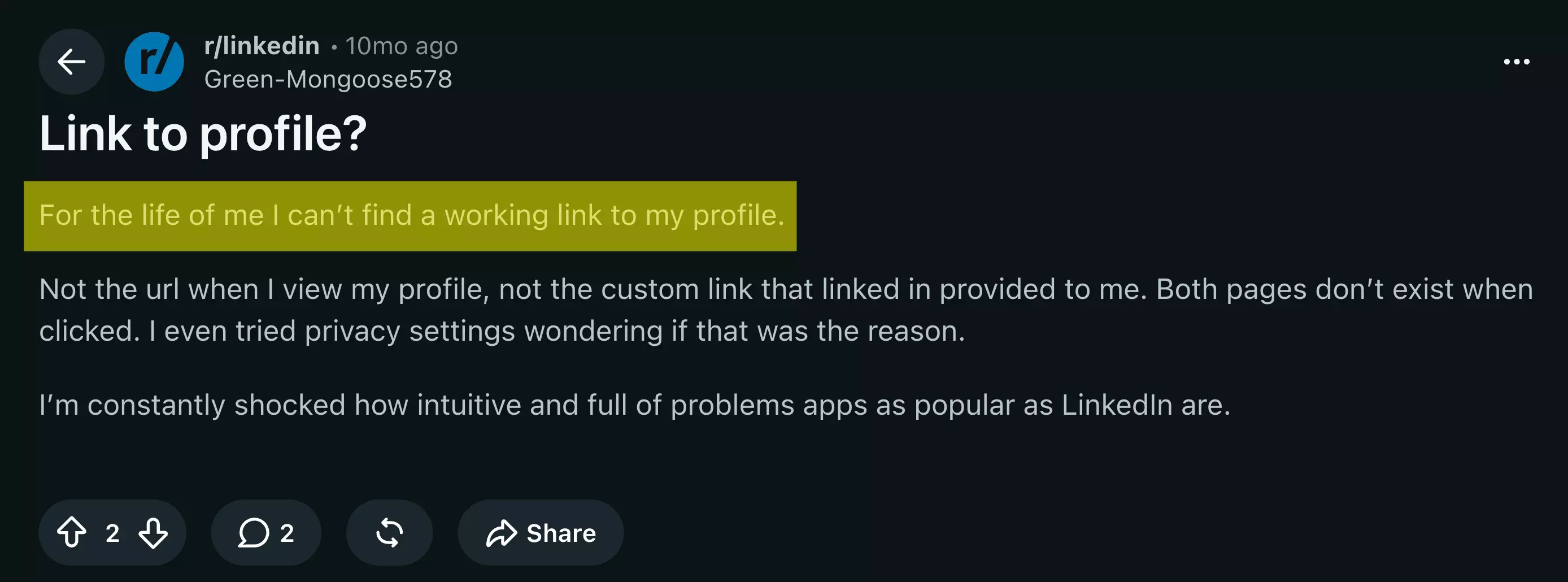
Here is the definitive version.
How do I find my LinkedIn URL? (desktop)
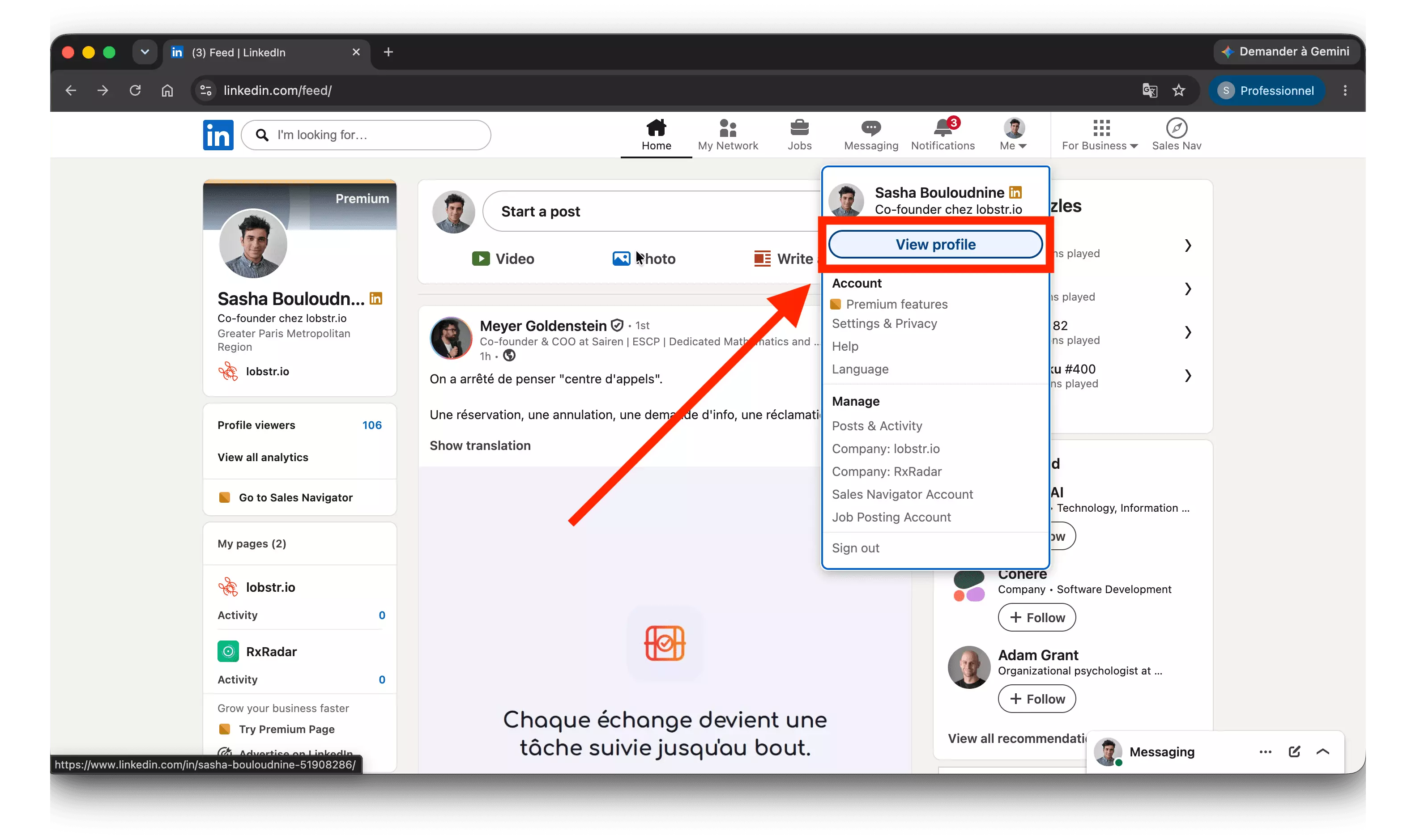
On a computer, sign in and open your profile: click your photo under Me in the top bar, then View Profile.
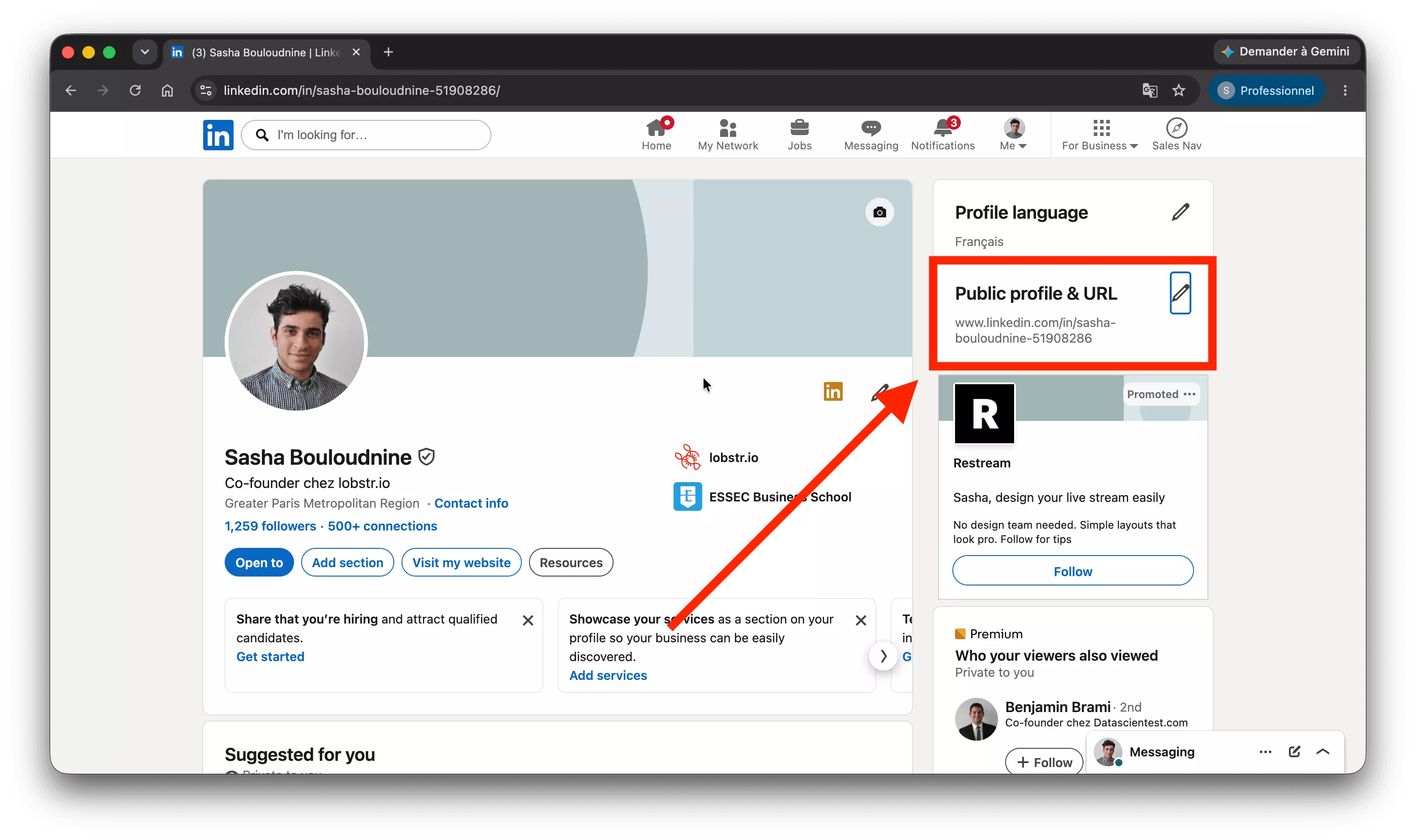
Your URL now sits in the browser's address bar. It also appears, ready to copy, in the Edit public profile & URL panel on the top right of your profile.
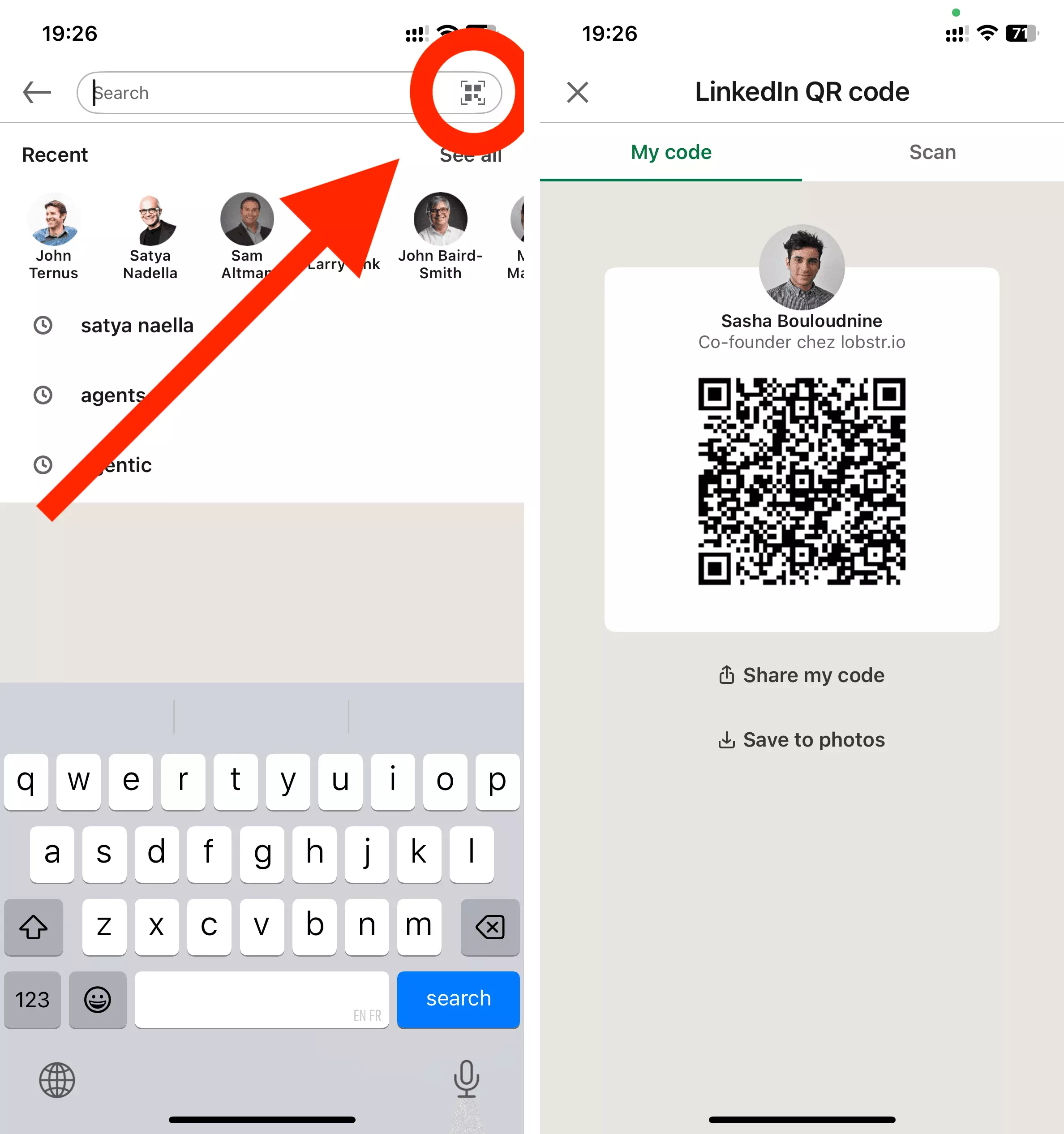
How to find your LinkedIn URL on the app (iPhone & Android)
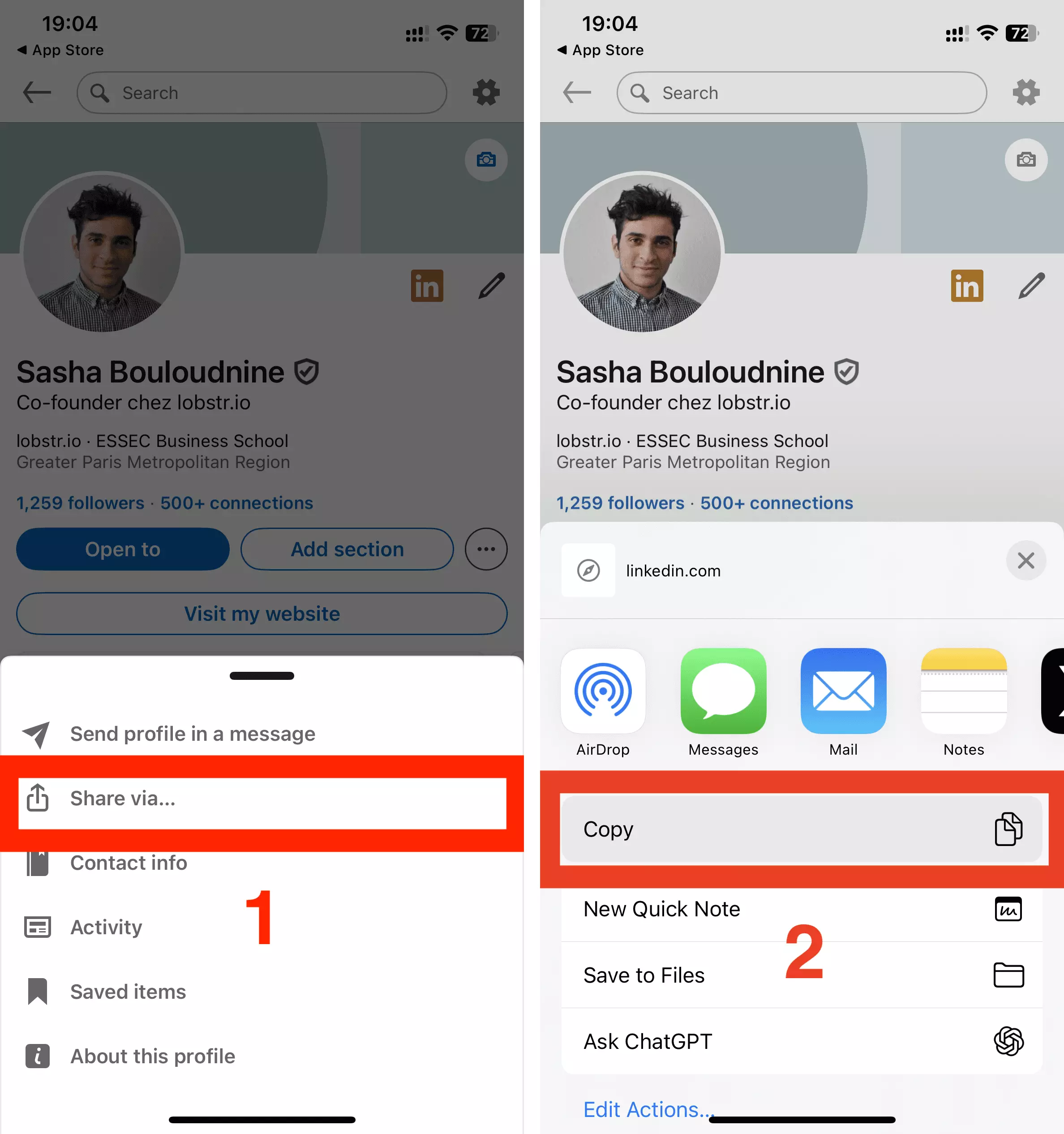
The steps are identical on iOS and Android. Open the app, tap your profile photo, then View Profile.
Once on your profile, tap the three-dot menu, choose Share via…, then Copy. The URL is now on your clipboard.
How to copy your LinkedIn URL in one move
On desktop, the fastest copy is the address bar — and it's the only one. The More menu on a profile offers Save to PDF, Connect, even Report Bill. No copy-link.
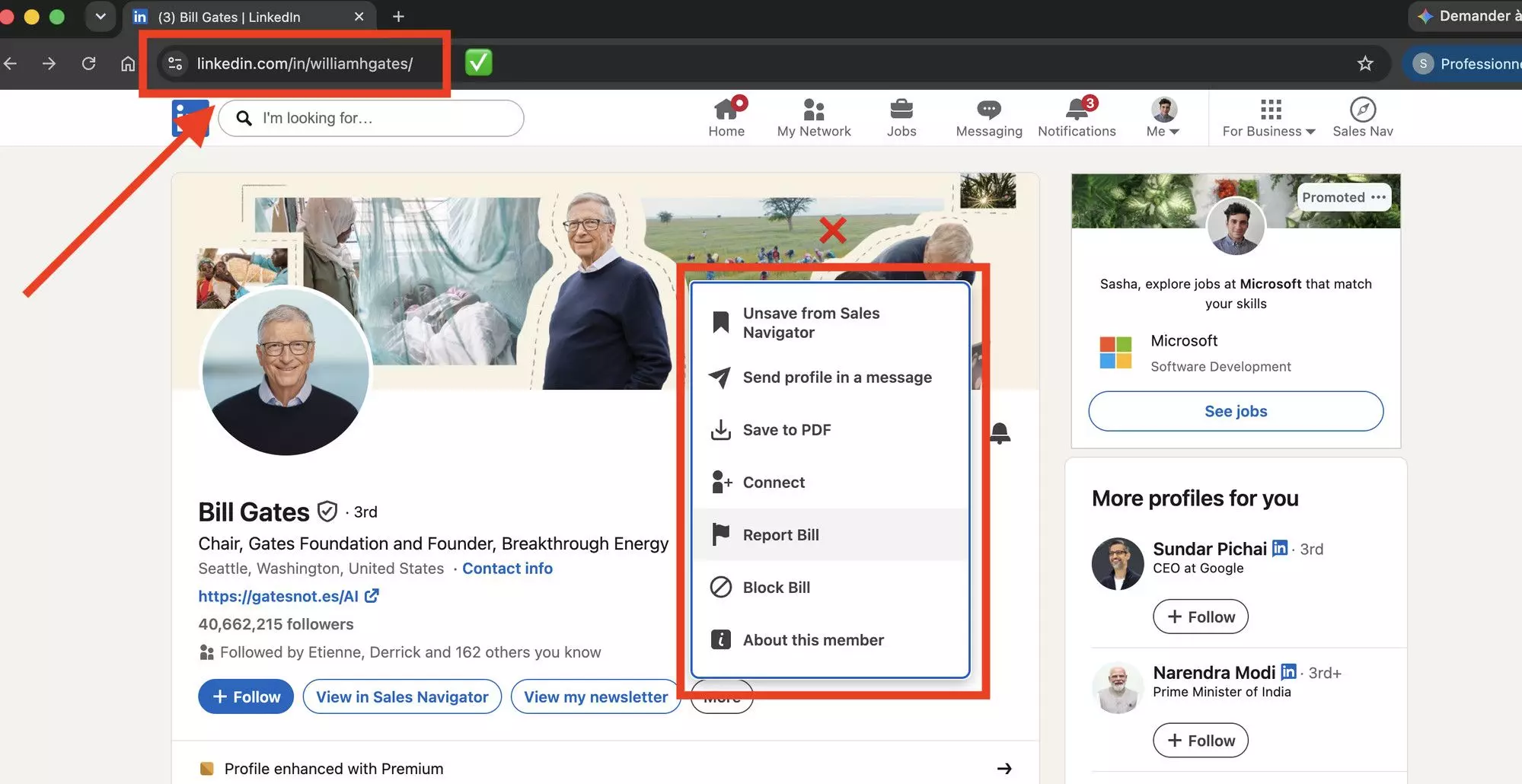
Found yours and it's a jumble of numbers? Fix that next.
How to customize your vanity URL
A custom URL — LinkedIn calls it a vanity URL — is cleaner, easier to remember, and reads better on a business card. It's the single fastest polish on your profile.
You can only change it on desktop. From your profile, click Edit public profile & URL (top right), then the pencil next to your URL, type the slug you want, and hit Save.
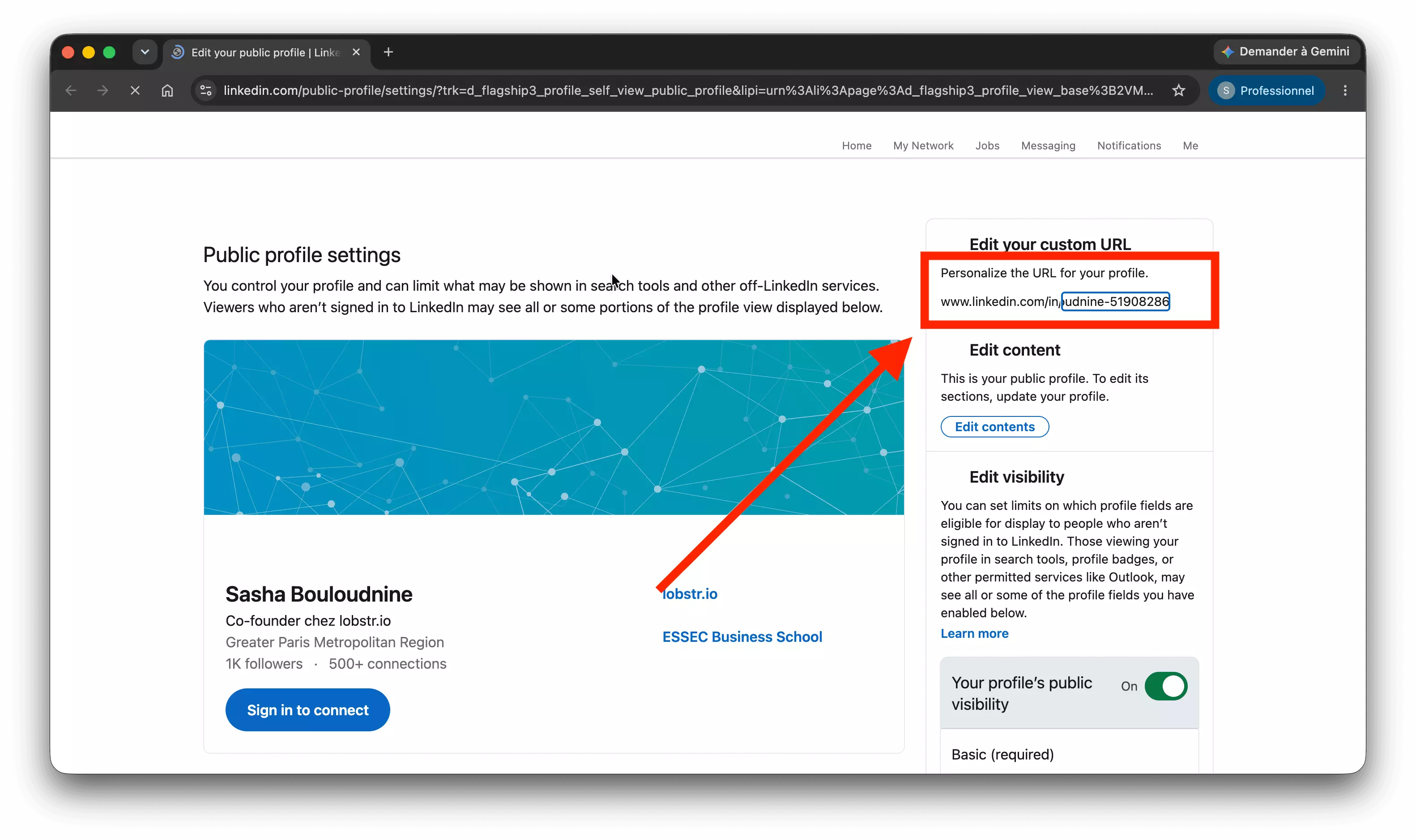
LinkedIn's vanity URL rules
- 3 to 100 characters, letters and numbers only;
- no spaces, symbols, or the word "LinkedIn";
- you can change it up to 5 times within 6 months.
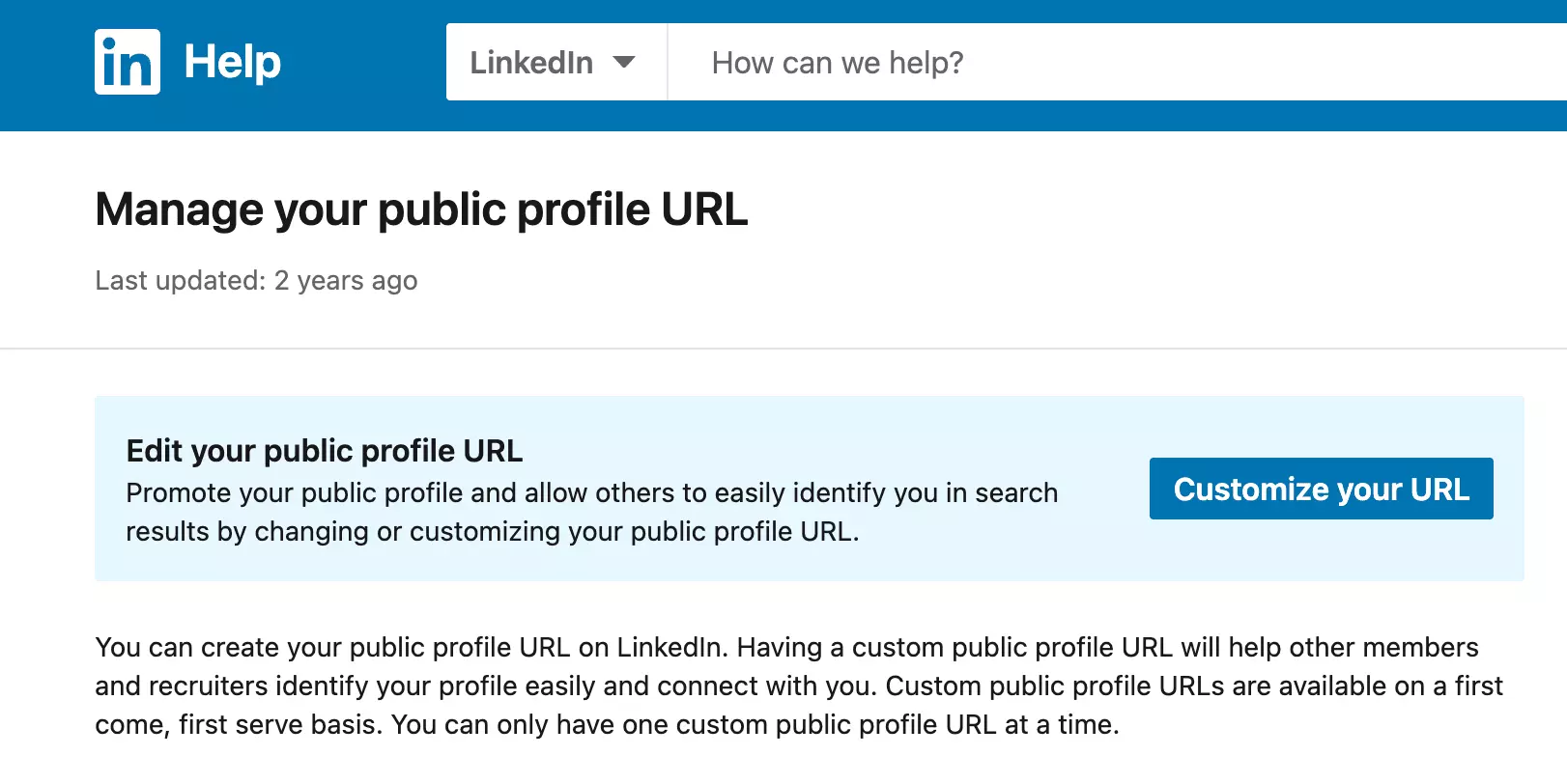
Note the fine print on that page: custom URLs are first come, first served — one each, and the good ones go fast. Even the greats sleep on it:
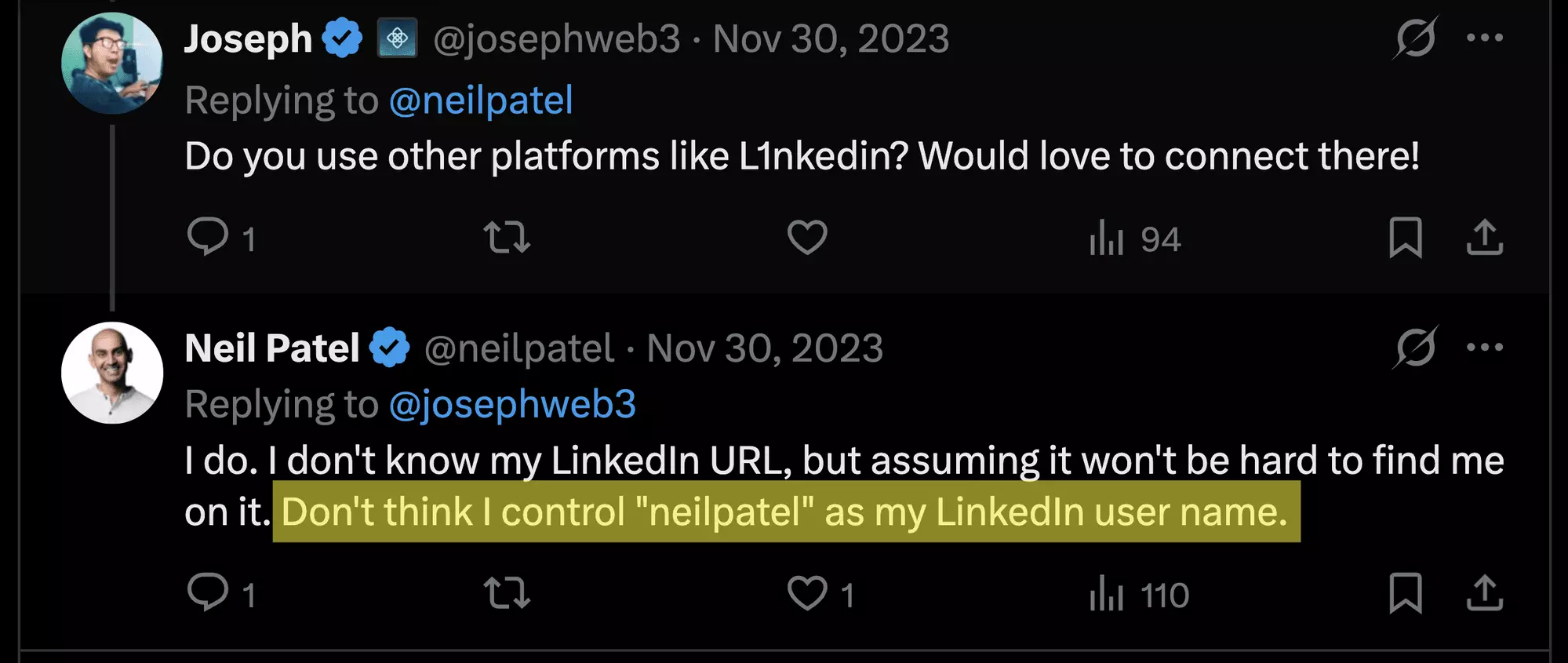
That's Neil Patel — one of the most famous marketers alive — unsure he even controls his own name. Claim yours.
A vanity URL is not a tattoo. People rename them, which is why a link you saved last year sometimes 404s.
What makes a good custom URL
The winning formula is boring and effective: your first and last name. If it's taken, add a middle initial, a role word, or your company rather than random digits.
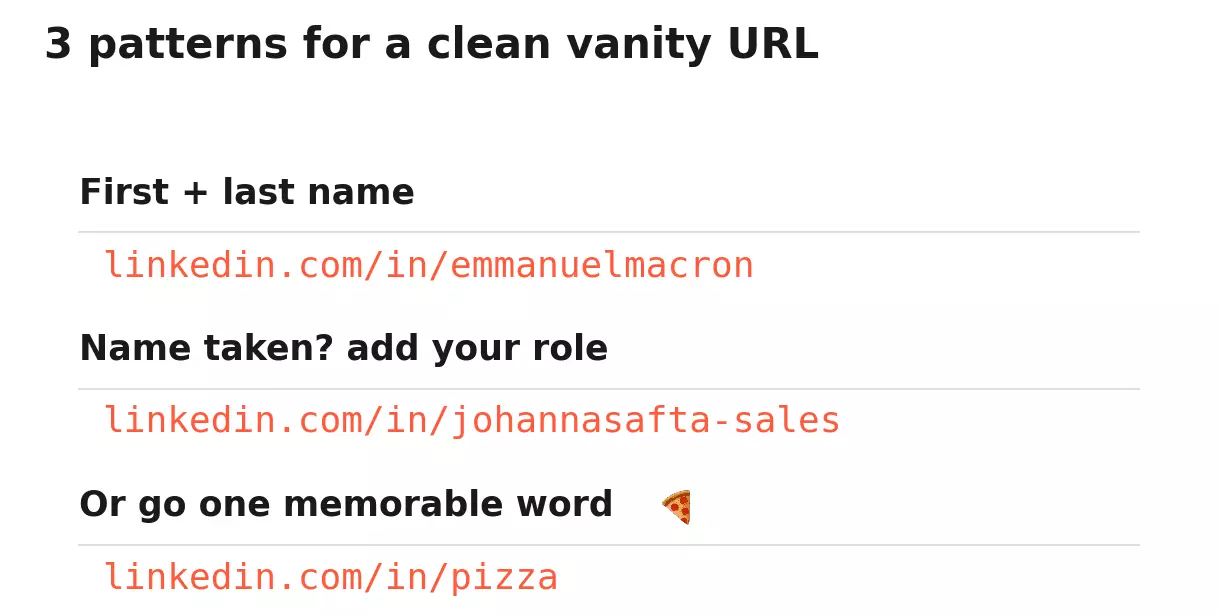
Keep it short, skip the birth year, and don't bury a keyword nobody searches. A clean name beats a clever pun that no one can spell back to you.
Rules in hand, here's what great, and not-so-great, URLs look like in the wild.
10 real LinkedIn URL examples (good vs bad)
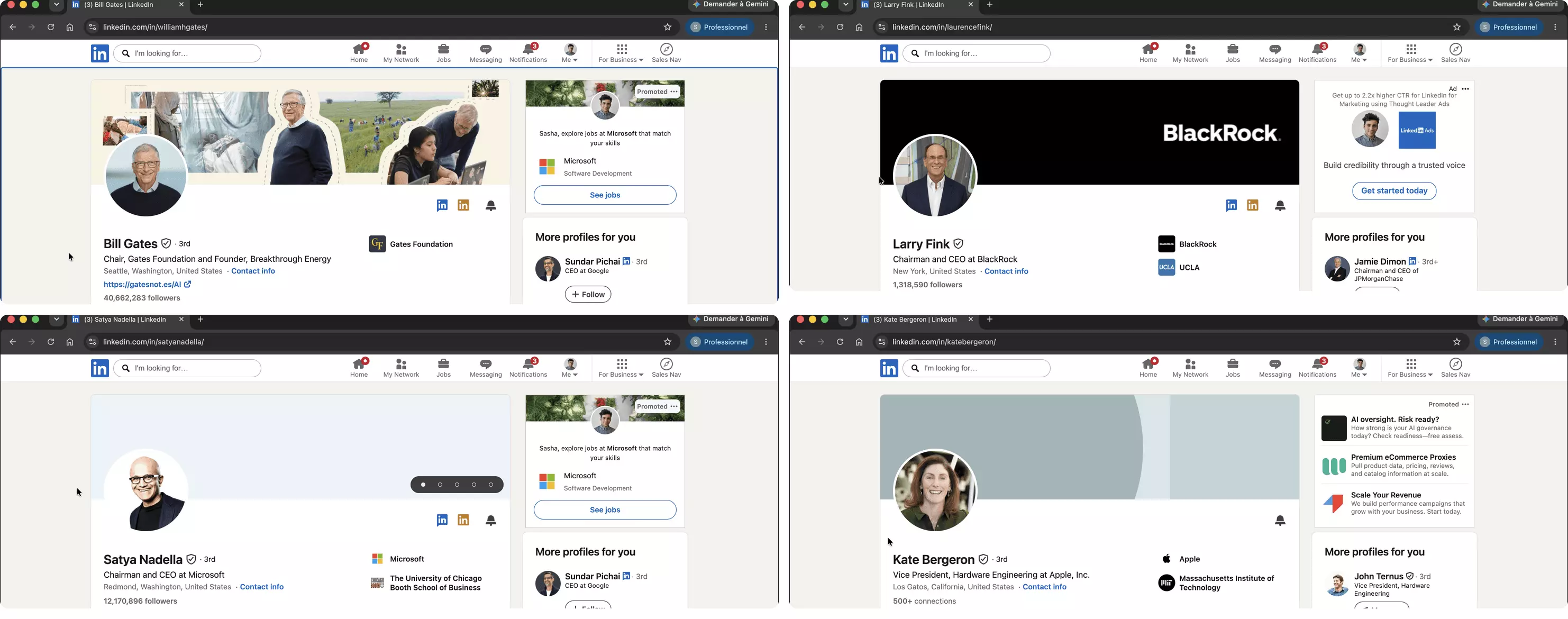
These are real, live profiles, not mockups. I pulled each one and grouped them by the pattern it uses. Eight work. Two are cautionary tales.
| LinkedIn URL | Who | The pattern | Verdict |
|---|---|---|---|
| linkedin.com/in/williamhgates | Bill Gates | Full name, no hyphen | ✅ the gold standard |
| linkedin.com/in/laurencefink | Larry Fink | Full name — the real one, Laurence | ✅ |
| linkedin.com/in/emmanuelmacron | Emmanuel Macron | Full name, no hyphen | ✅ |
| linkedin.com/in/satyanadella | Satya Nadella | Full name, no hyphen | ✅ |
| linkedin.com/in/rbranson | Richard Branson | First initial + last name | ✅ short, unmistakable |
| linkedin.com/in/pizza | Jitse Groen, Just Eat Takeaway founder | One memorable word | ✅ impossible to forget |
| linkedin.com/in/johannasafta-sales | Johanna Safta | Name + role keyword | ✅ found for the job she wants |
| linkedin.com/in/jlv97 | a Paris CTO | Initials + number | ✅ tidy for common names |
| linkedin.com/in/sasha-bouloudnine-51908286 | me | Default hash | ❌ looks unfinished |
| linkedin.com/in/patrickfarley2021 | a US consultant | Year baked in | ❌ ages every January |
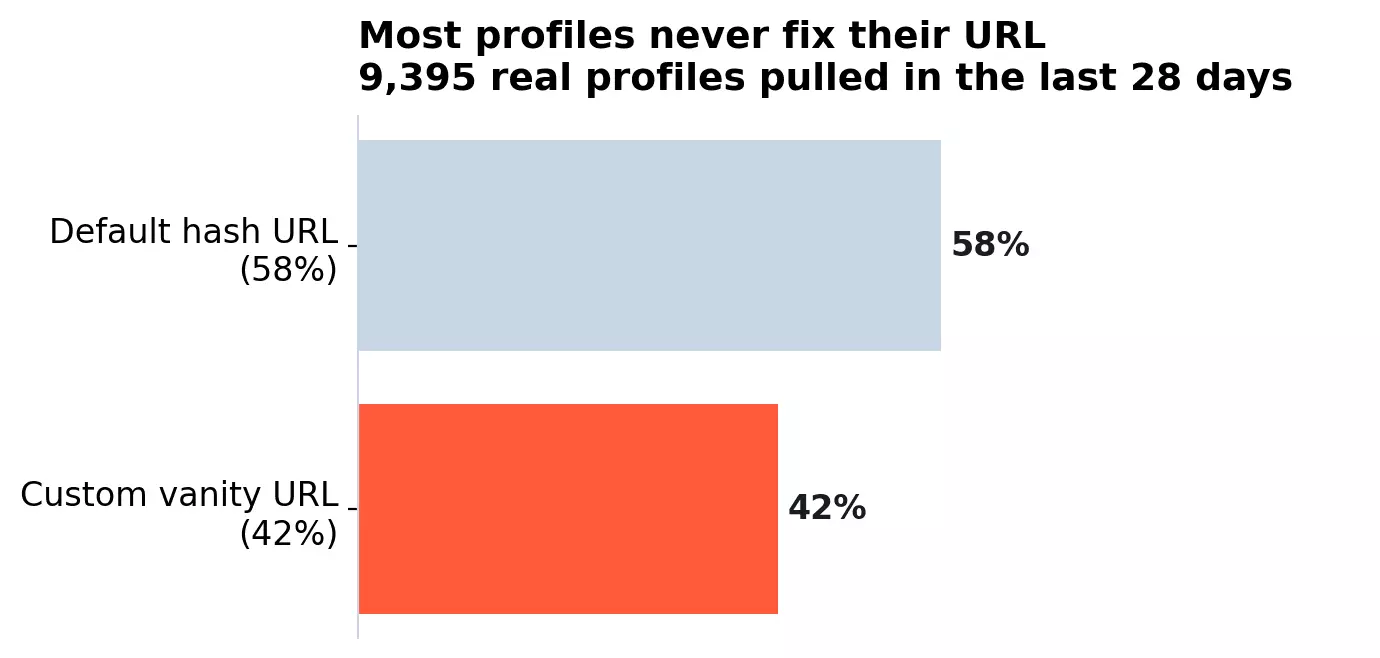
Most people never bother, either. In a sample of 9,395 profiles our No-Login scraper collected over the past 28 days, 58% still run the default hash URL — the clean vanity ones are the minority you are about to join.
The full-name rows are the power move of people who claimed their URL early. Name taken? Shorten it, own one word, or add the role you want to be found for.
linkedin.com/in/pizza.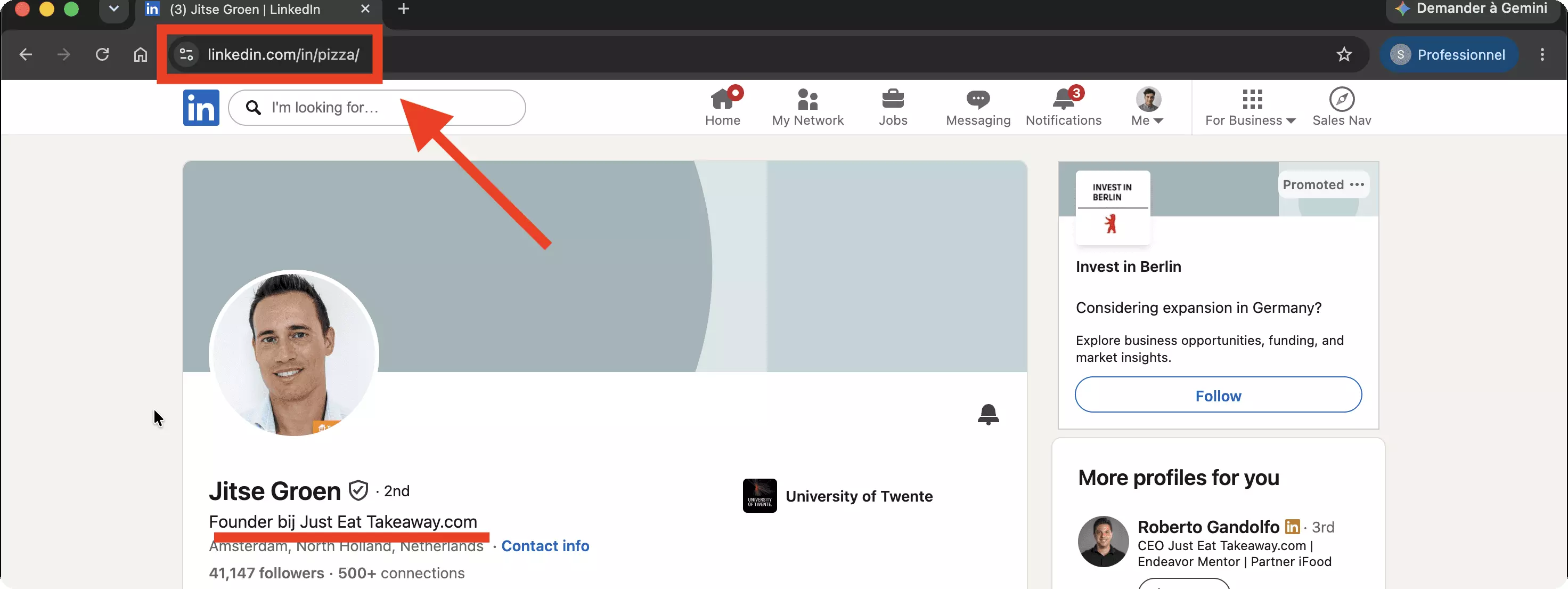
The two to avoid: the default hash — yes, I'm still guilty of it 👀 — and a baked-in year that ages the profile the moment the calendar turns.
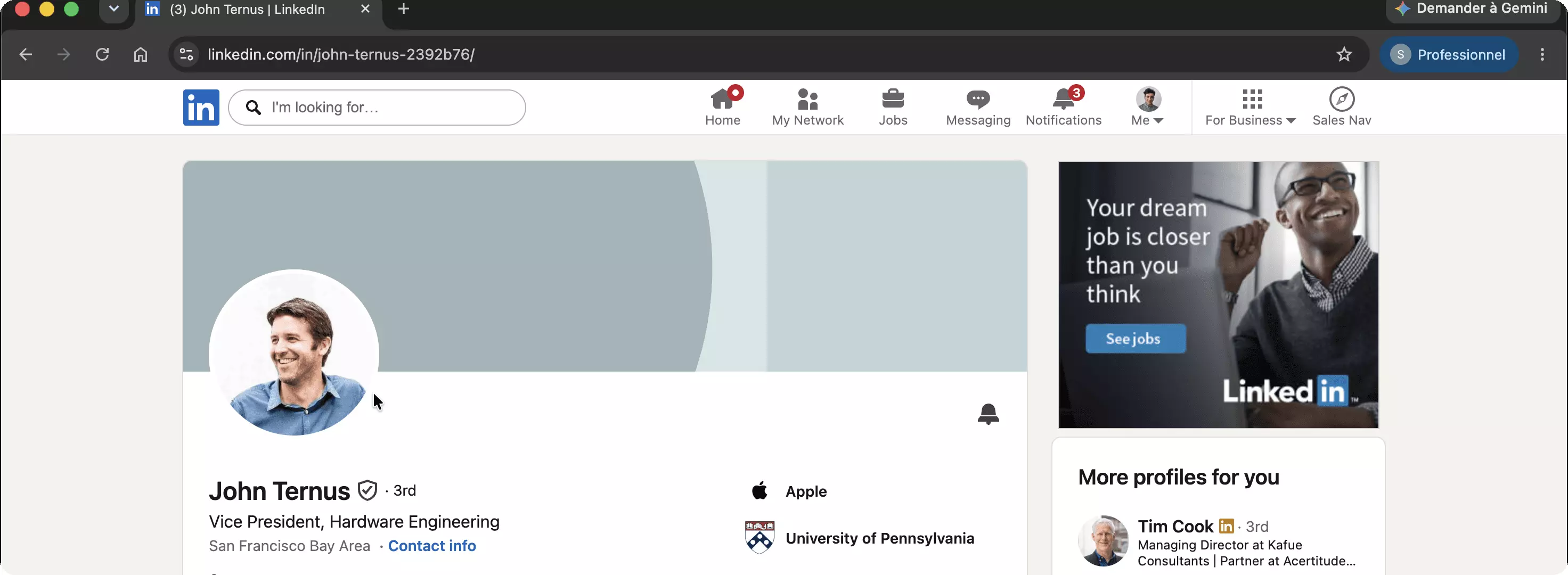
No shame, though — even Apple's hardware chief John Ternus, 58,411 followers, still runs the default hash.
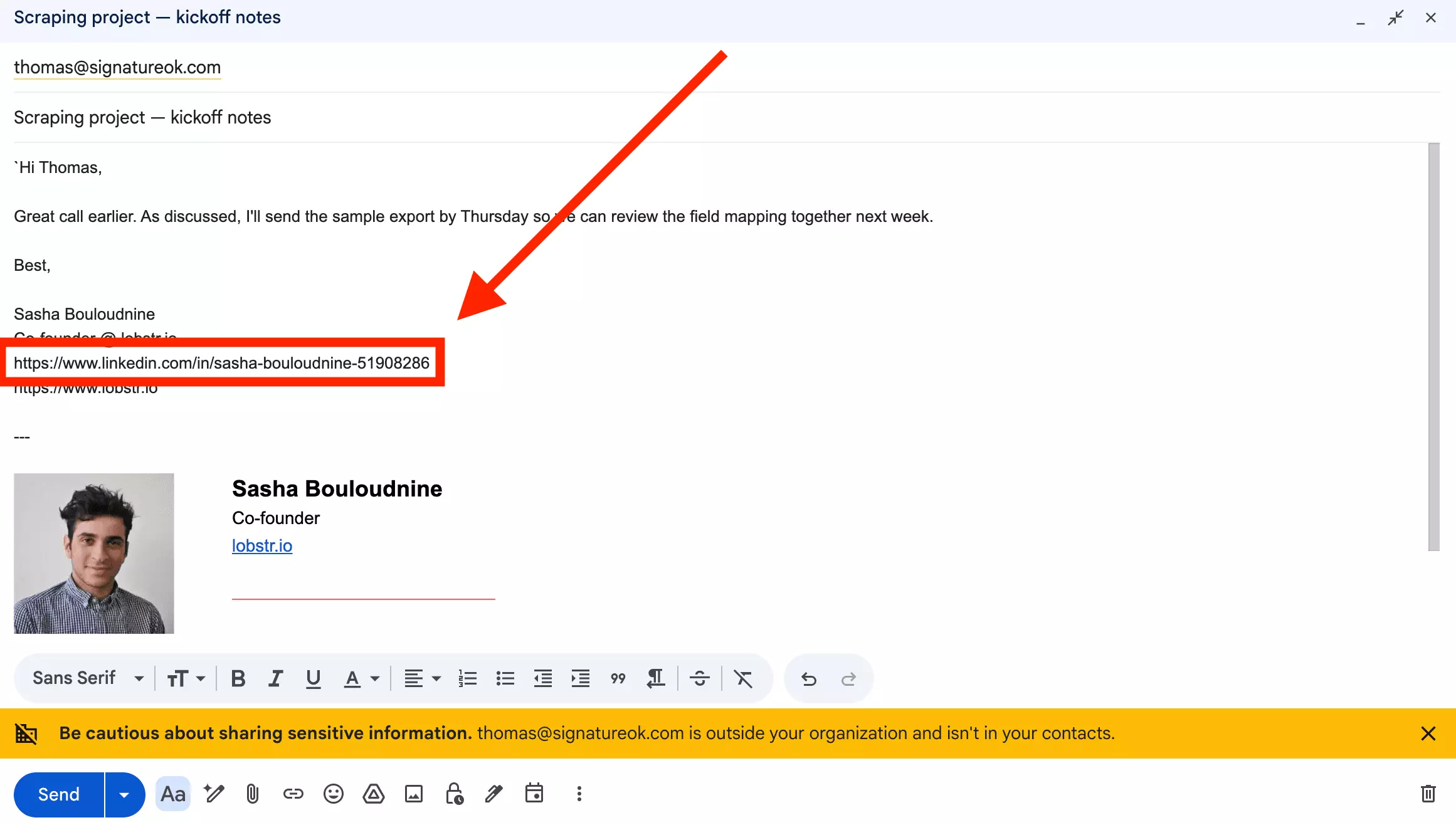
A clean URL is only worth it if people actually see it. Here's where to put it.
3 smart ways to share your LinkedIn URL
A vanity URL earns its keep when it travels. Three places do most of the work.
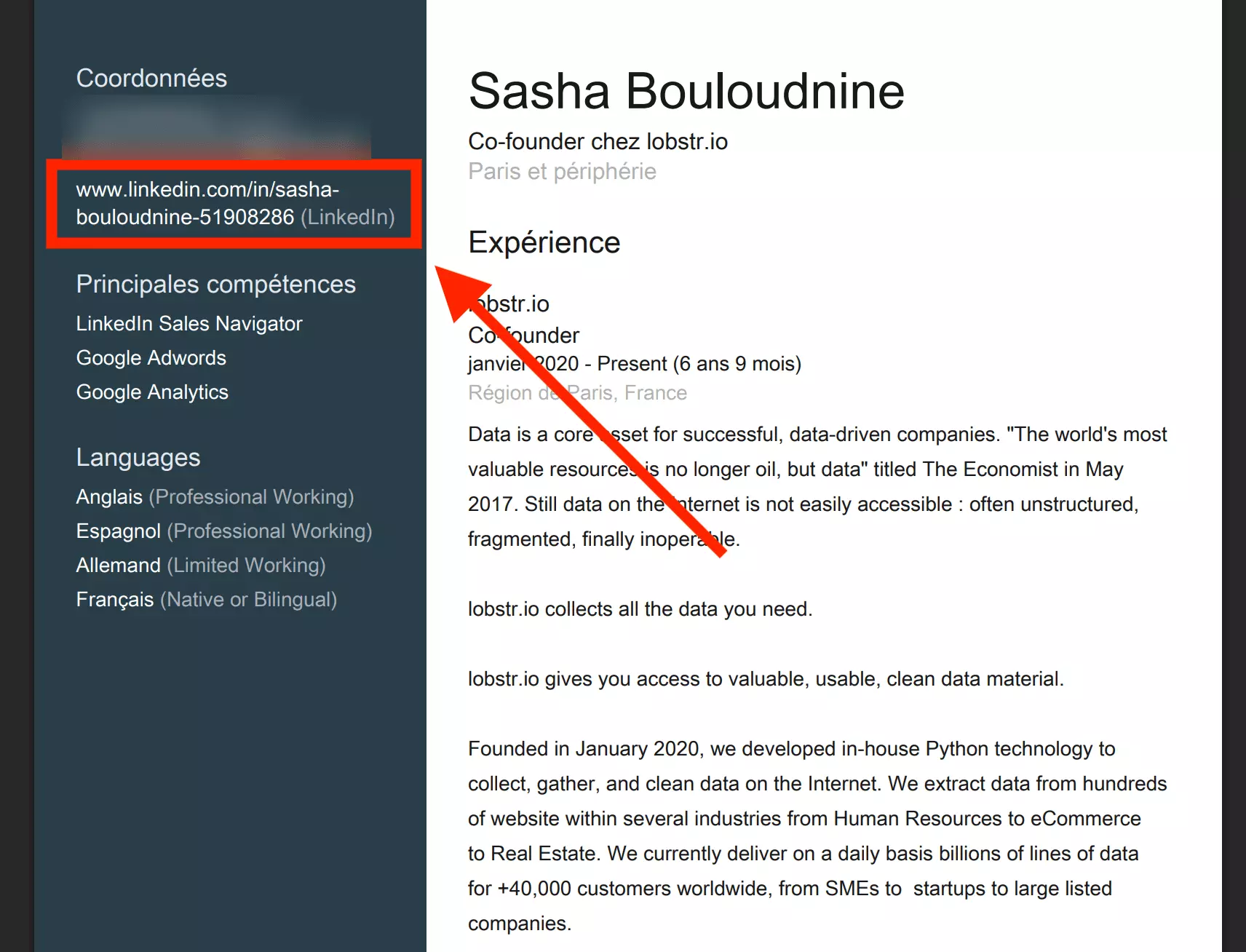
Your resume is second. Add the URL near your name as a real link — or let LinkedIn do it: the Save to PDF export from the More menu ships with your URL already in the contact column.
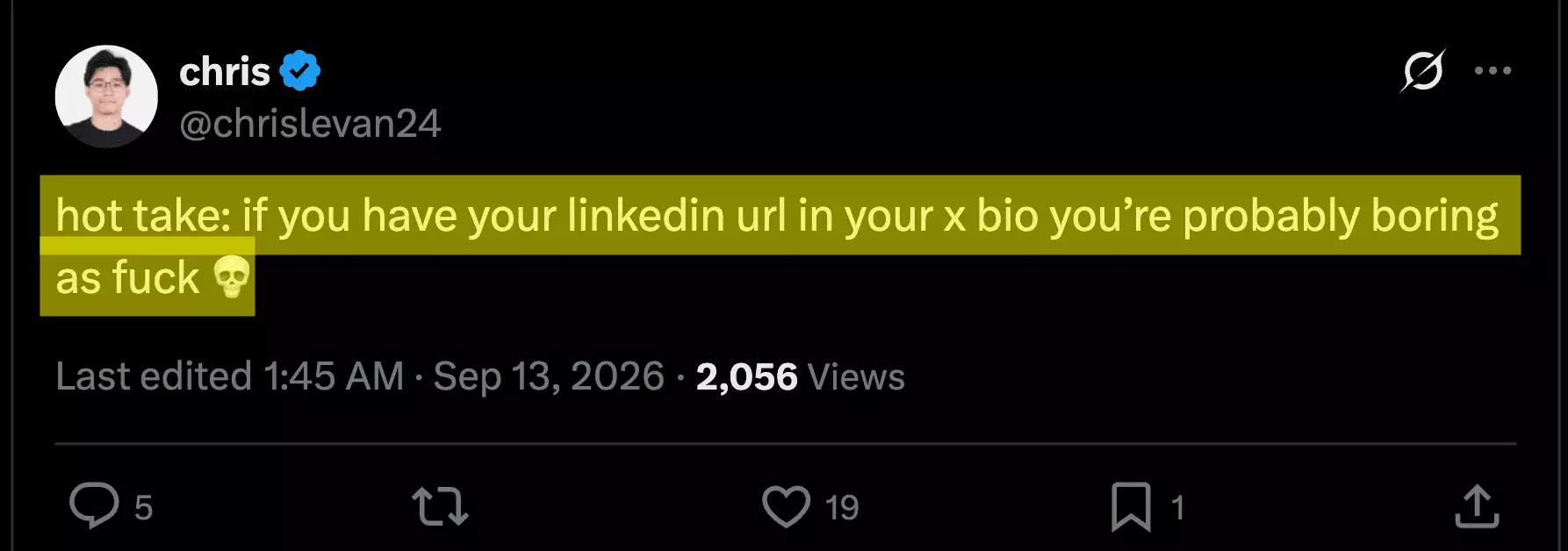
Your other bios are third: GitHub, your personal site — and yes, your X bio, where opinions differ.
Sharing your own URL is the easy half. The interesting half is what a URL unlocks when you point a tool at it.
From a URL to full data: profiles and emails at scale
A LinkedIn URL is not just an address. It's a key. Hand it to the right tool and the whole profile opens: name, headline, company, location, and often a verified email.
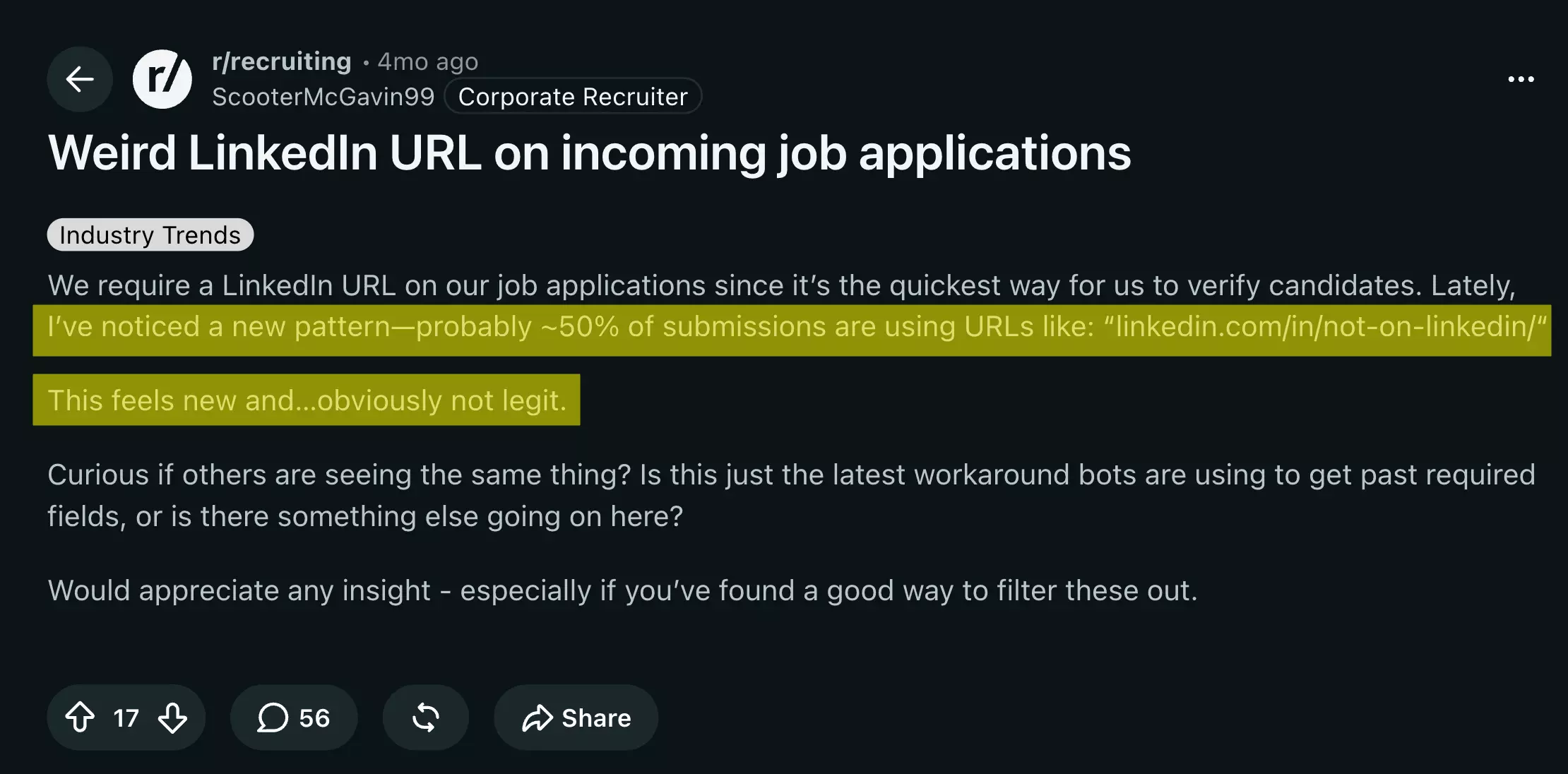
Recruiters already treat it that way: they require a URL on job applications to vet candidates — and applicants who'd rather dodge the check now paste fake ones.
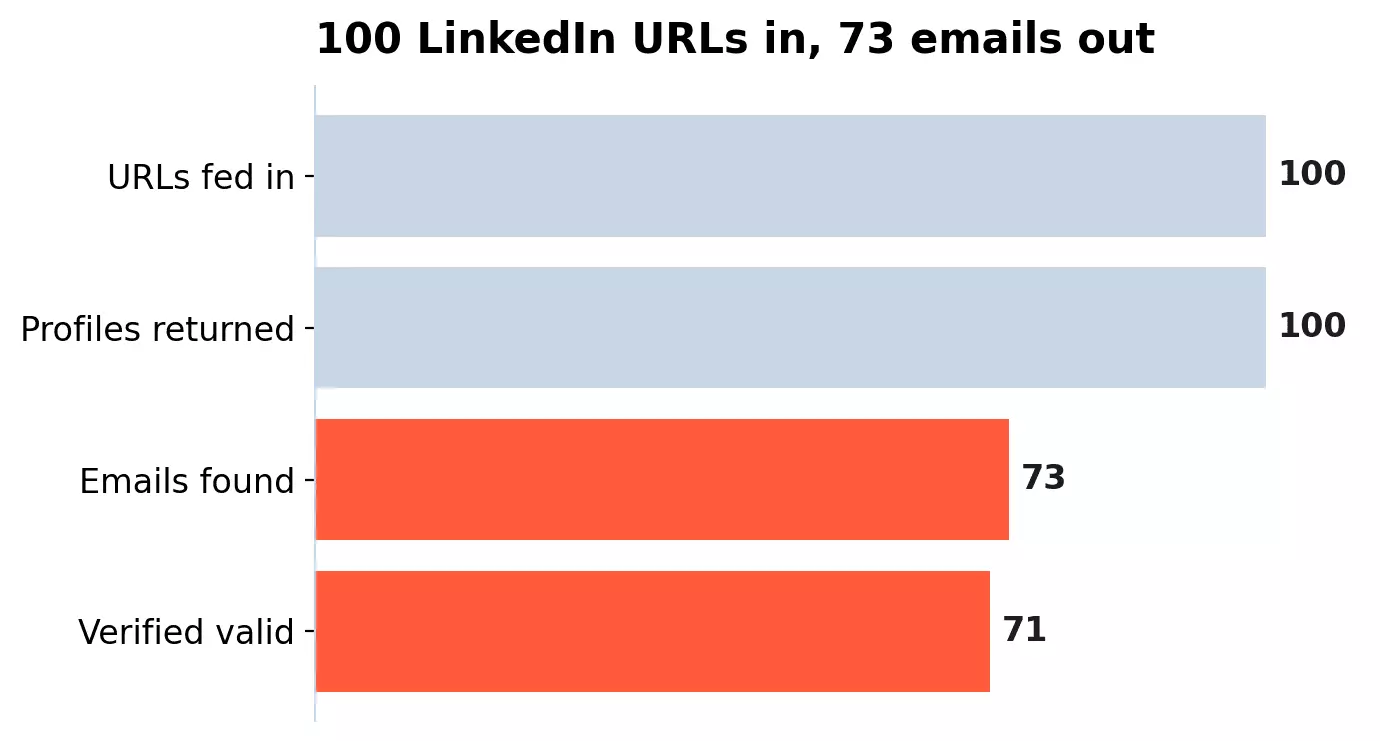
100 for 100. An email came back for 73, and 71 verified valid. Here's what it looks like, row by row:
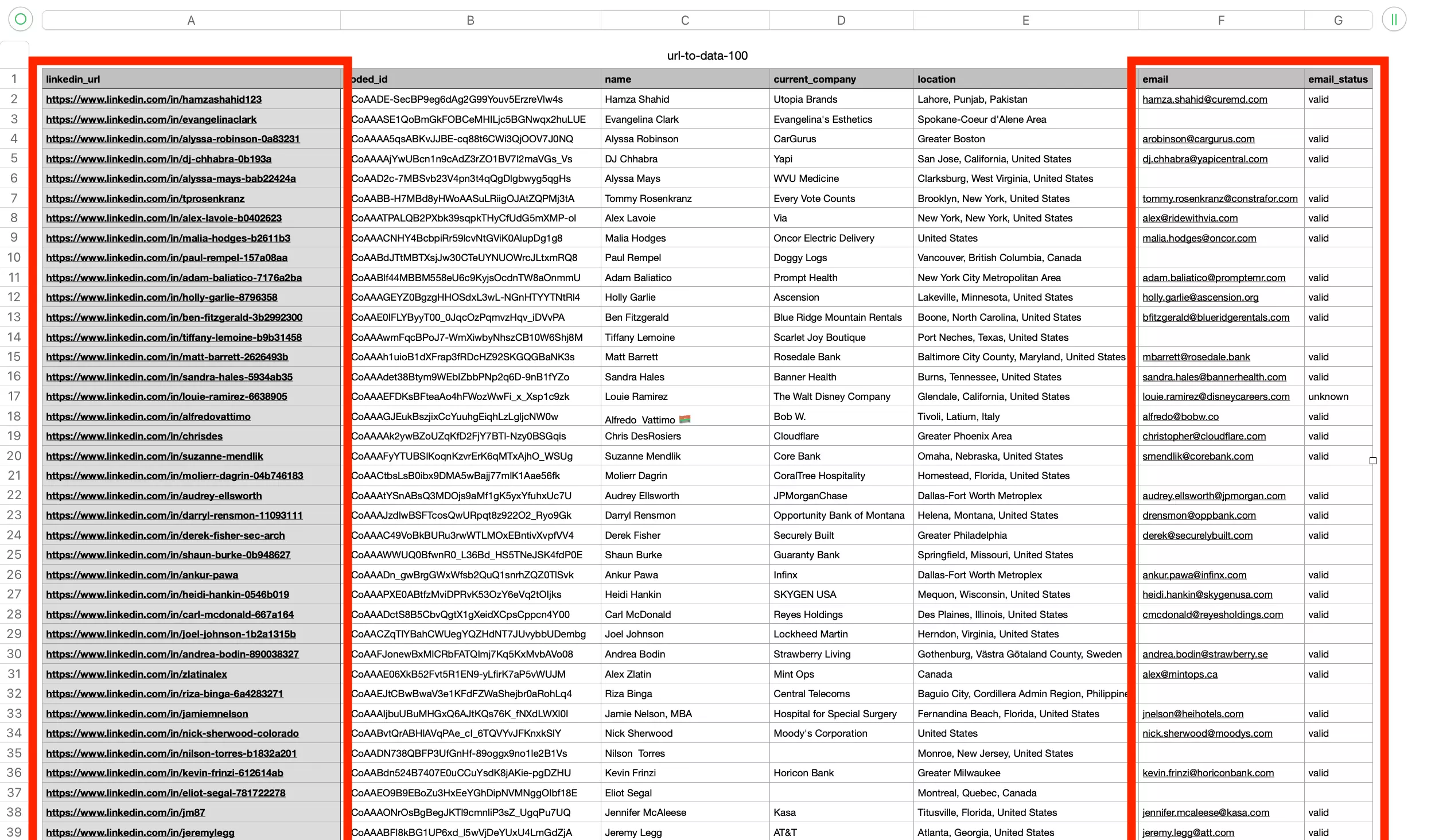
bill.gates@gatesfoundation.org, lfink@blackrock.com, snadella@microsoft.com.One URL is a copy-paste. A list is a job for automation — three ways to run it.
From your terminal, install the CLI and point it at a URL or a file of them:
pip install lobstrio
lobstr go linkedin-profile-email-scraper-no-login \
  "https://www.linkedin.com/in/williamhgates" \
  -k linkedin_url -p max_unique_results_per_run=1 -o profiles.csvf
-f urls.txt and raise the cap to run a whole list. I ran that exact command: 13 seconds, one row in profiles.csv, email included.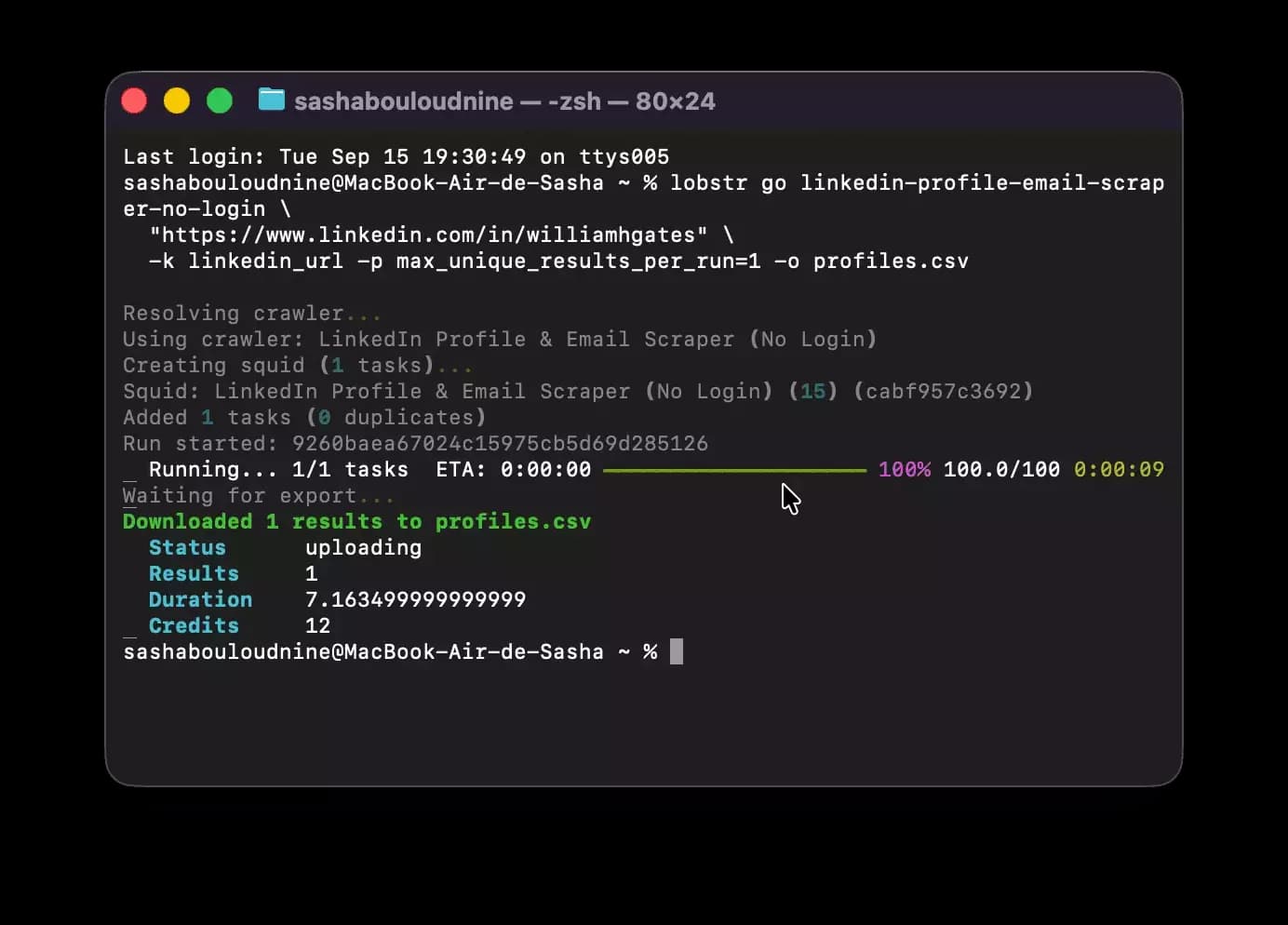
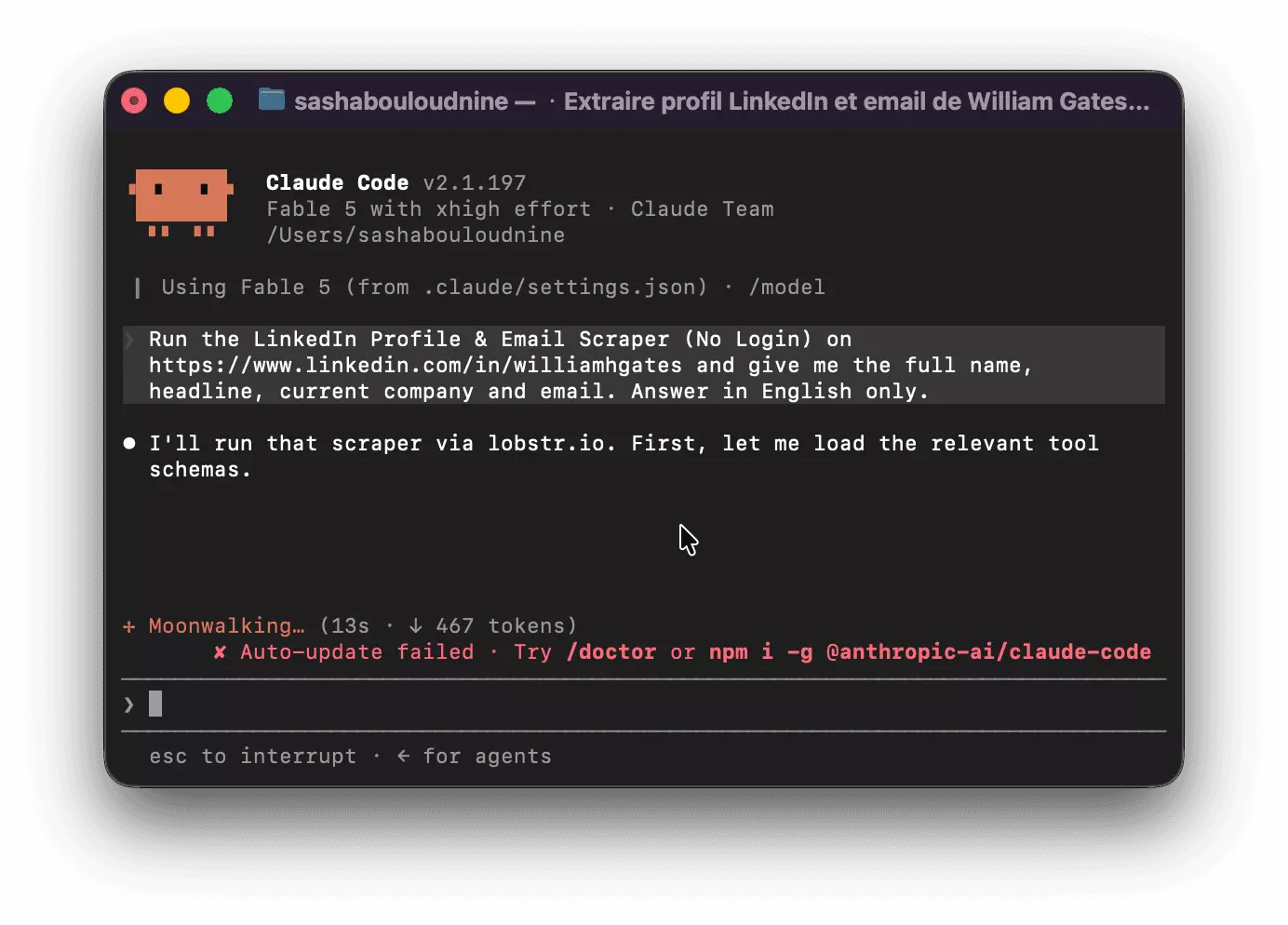
claude mcp add --transport http lobstr https://mcp.lobstr.io/mcpf
FAQ
How do I find my LinkedIn URL?
Open your profile on desktop and read the address bar, or click Edit public profile & URL to see and copy it. On the app, tap your photo, then View Profile, then the three-dot menu.
What is my LinkedIn URL?
linkedin.com/in/ followed by your slug — by default your name plus a random string, for example linkedin.com/in/sasha-bouloudnine-51908286.How do I copy my LinkedIn URL on the app?
Tap your profile photo, then View Profile, then the three-dot menu: Share via…, then Copy. It works the same on iPhone and Android.
How many times can I change my LinkedIn URL?
Five times within six months. After the fifth change, LinkedIn locks it for another six months, so choose deliberately.
What is a good LinkedIn URL?
Your first and last name, with no random digits. If the name is taken, add a role word, a middle initial, or your company rather than a birth year.
What's the difference between /in/ and /pub/?
/pub/ was the older public-directory format, retired around 2014, and those links now redirect to the modern /in/ page.What does a LinkedIn company page URL look like?
linkedin.com/company/ — the /company/ path is what separates an organization page from a personal /in/ profile.Why does my LinkedIn URL start with a country code?
ca.linkedin.com or fr.linkedin.com — the slug, and the profile behind it, never changes.Can I get a custom LinkedIn URL for free?
Yes — it costs nothing. Every account, free or premium, can set a custom vanity URL from Edit public profile & URL on desktop.
Can you get someone's email from their LinkedIn URL?
Final thoughts
A LinkedIn URL is a small thing that does three jobs: it finds you, it brands you, and it keys you to your data. Find it, clean the random tail off it, and put it where people look.
And remember the last part: the URL a recruiter uses to verify you is the same one a scraper uses to pull your details. It cuts both ways.