
LinkedIn Follow vs Connect: The Real Difference (& When to Use Each)
(updated)
Two buttons, one person. LinkedIn makes you pick between Follow and Connect, and most people click without knowing what they chose.
The difference decides who sees your posts, who can message you, and who becomes a lead. In this post, you'll learn:
- the core difference, in one table;
- why some profiles show Follow — or, in 2026, Message — instead of Connect;
- when to follow and when to connect, for networking and lead gen;
- and how to export both audiences into a spreadsheet.
Follow vs Connect: the core difference
Connecting is mutual, following is not. A connection request needs the other person to accept; once they do, you're 1st-degree: you see each other's posts and can message each other directly.
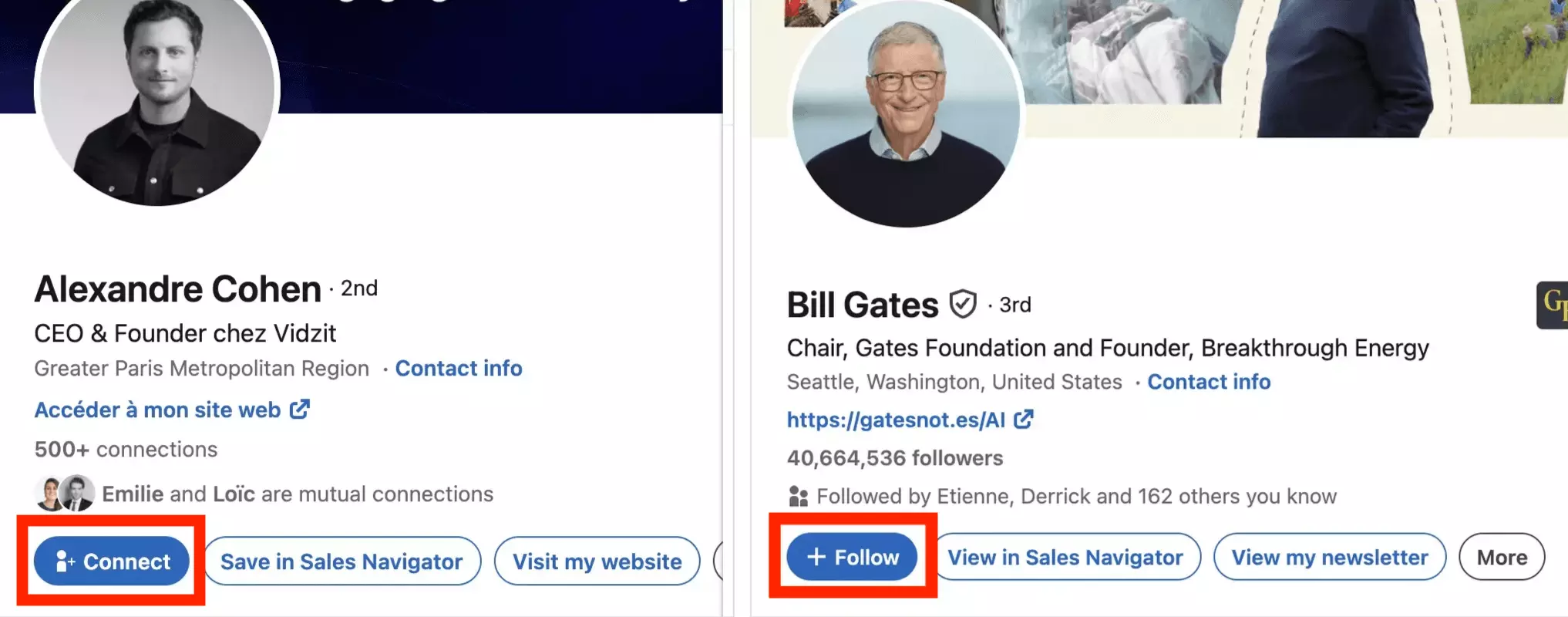
Here's the whole thing in one table:
| Follow | Connect | |
|---|---|---|
| Direction | One-way | Two-way (mutual) |
| Approval needed | ❌ | ✅ they accept your invite |
| You see their posts | ✅ | ✅ |
| They see your posts | ❌ | ✅ |
| Direct messaging | ❌ InMail / Open Profile | ✅ free |
| Network degree | Unchanged (2nd/3rd) | 1st degree |
| Limit | ♾️ unlimited | 30,000 connections |
People say "followers vs connections" for the same question — same answer, and the overlap runs one way: every new connection automatically follows you, but a follower isn't a connection until you both agree.
That's the principle. Now the details that actually change your daily LinkedIn life:
All the functional differences
The table above hides four practical consequences. They matter the moment you post, message, or prospect.
Who sees what in the feed
Your posts land in the feeds of your followers — which includes all your connections, since connections auto-follow. LinkedIn even pushes out-of-network posts into your feed, with an inline + Follow button next to the author's name:
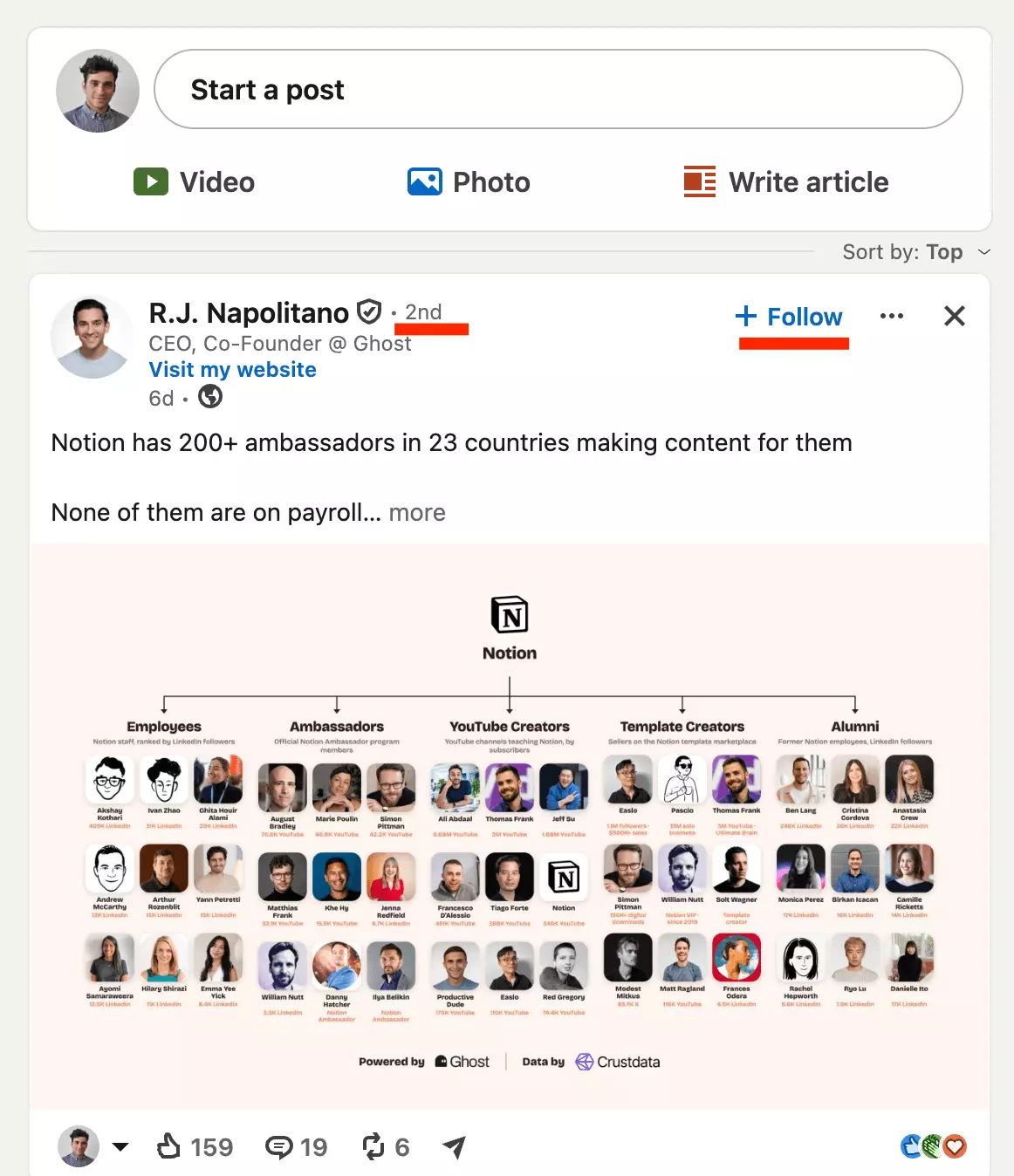
Follow someone without connecting and it stays asymmetric: their content reaches you, yours never reaches them.
Who can message whom
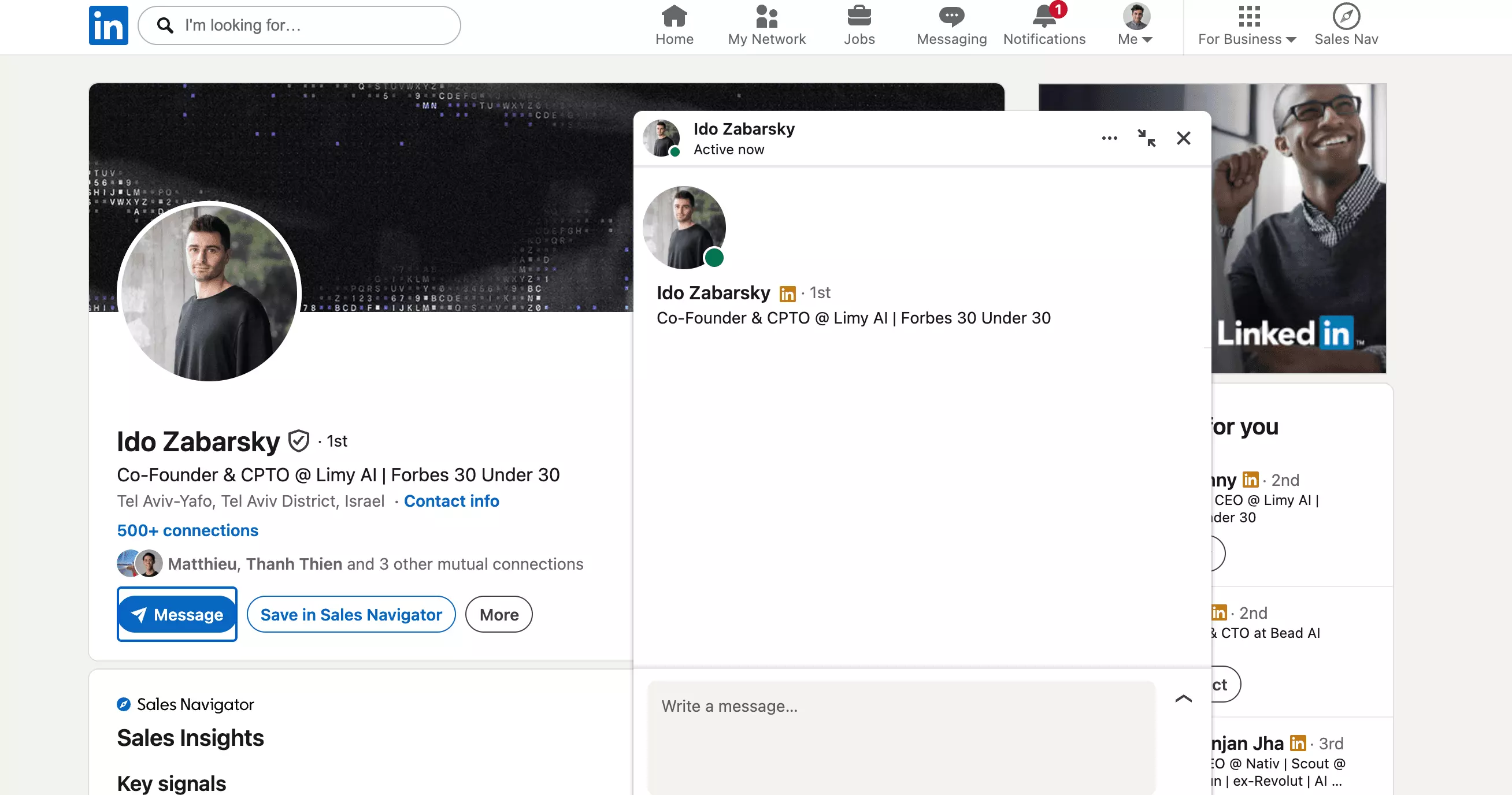
For a stranger, that same box costs money. Connect, and messaging is free in both directions — which is why outbound people spend their weekly invites on prospects instead of just following them.
Degrees, endorsements, and contact info
Followers get none of that. They're an audience, not a network.
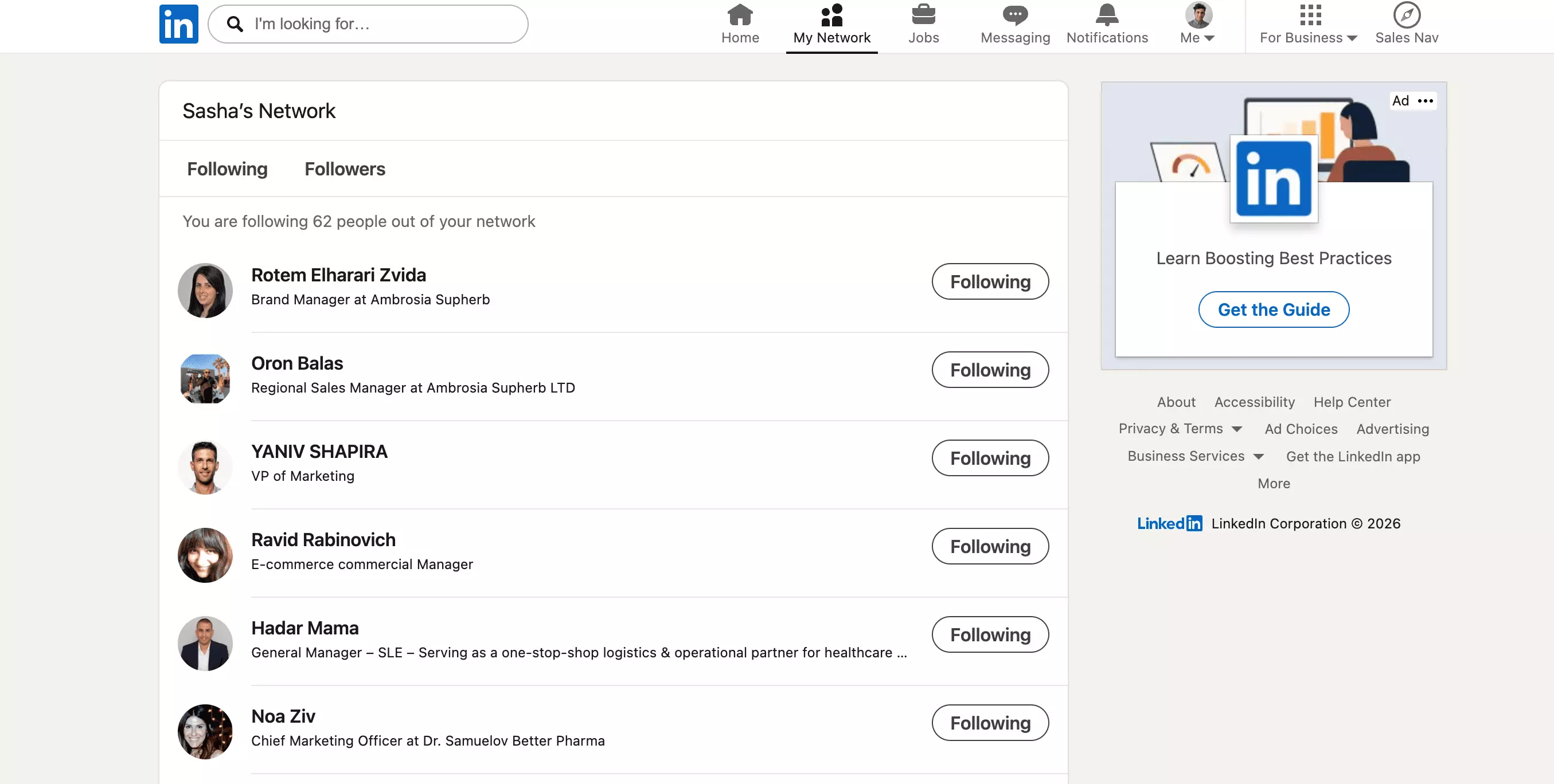
Both lists live in the same place, and it's worth knowing where:
The caps are wildly different
Connections auto-follow you, but the reverse move exists too: you can unfollow a connection to mute their posts and stay connected. They are not notified.
So why do some profiles not even offer you the choice? That's the question everyone actually googles:
Why some profiles show "Follow" instead of "Connect"
Three mechanisms flip that button — and two of the five top-ranking guides on this query still explain it with a feature LinkedIn killed in 2024.
1. They set Follow as their primary button
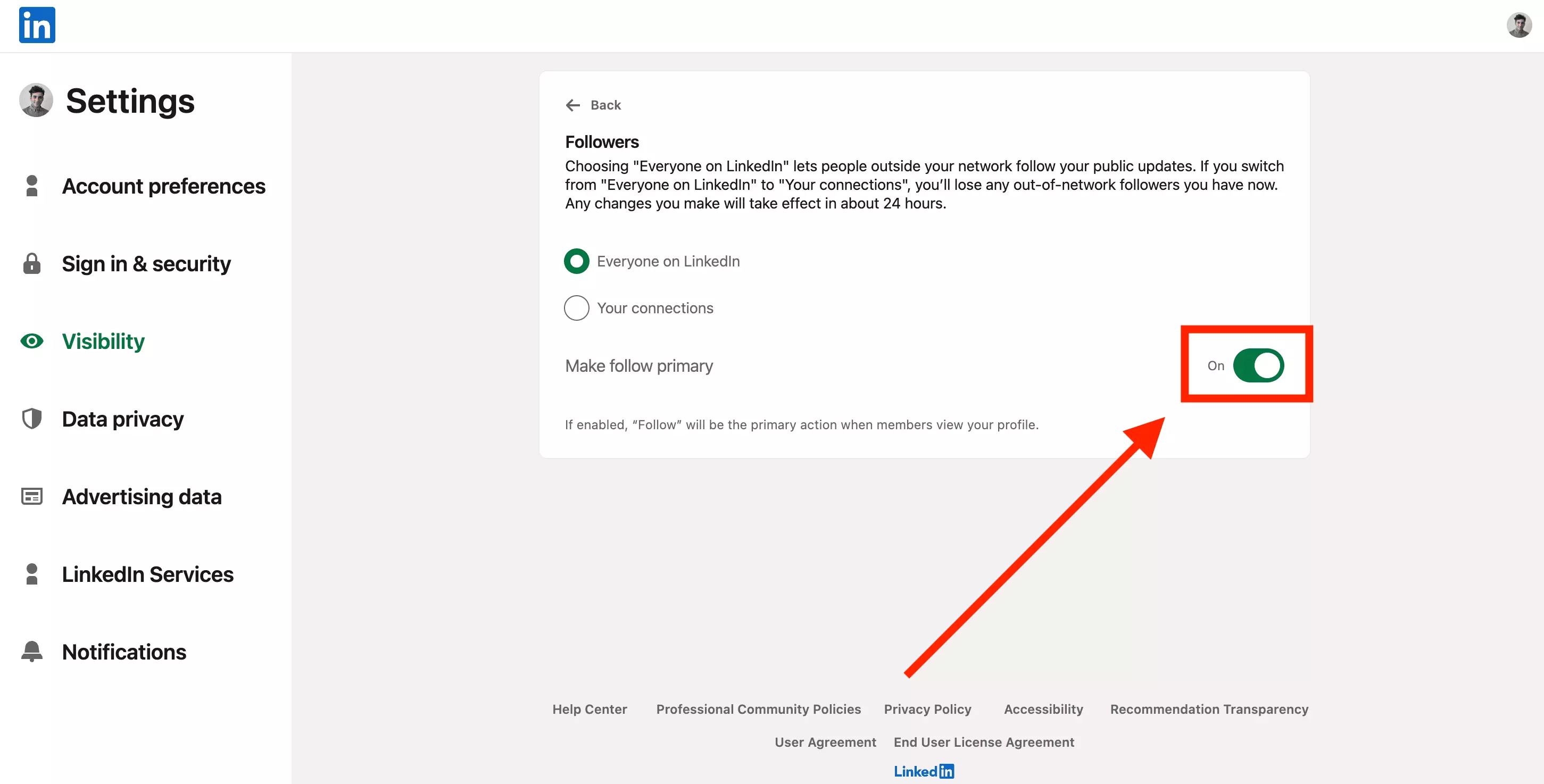
Any member can choose Follow as their profile's main action, in Settings & Privacy > Visibility > Followers > "Make follow primary".
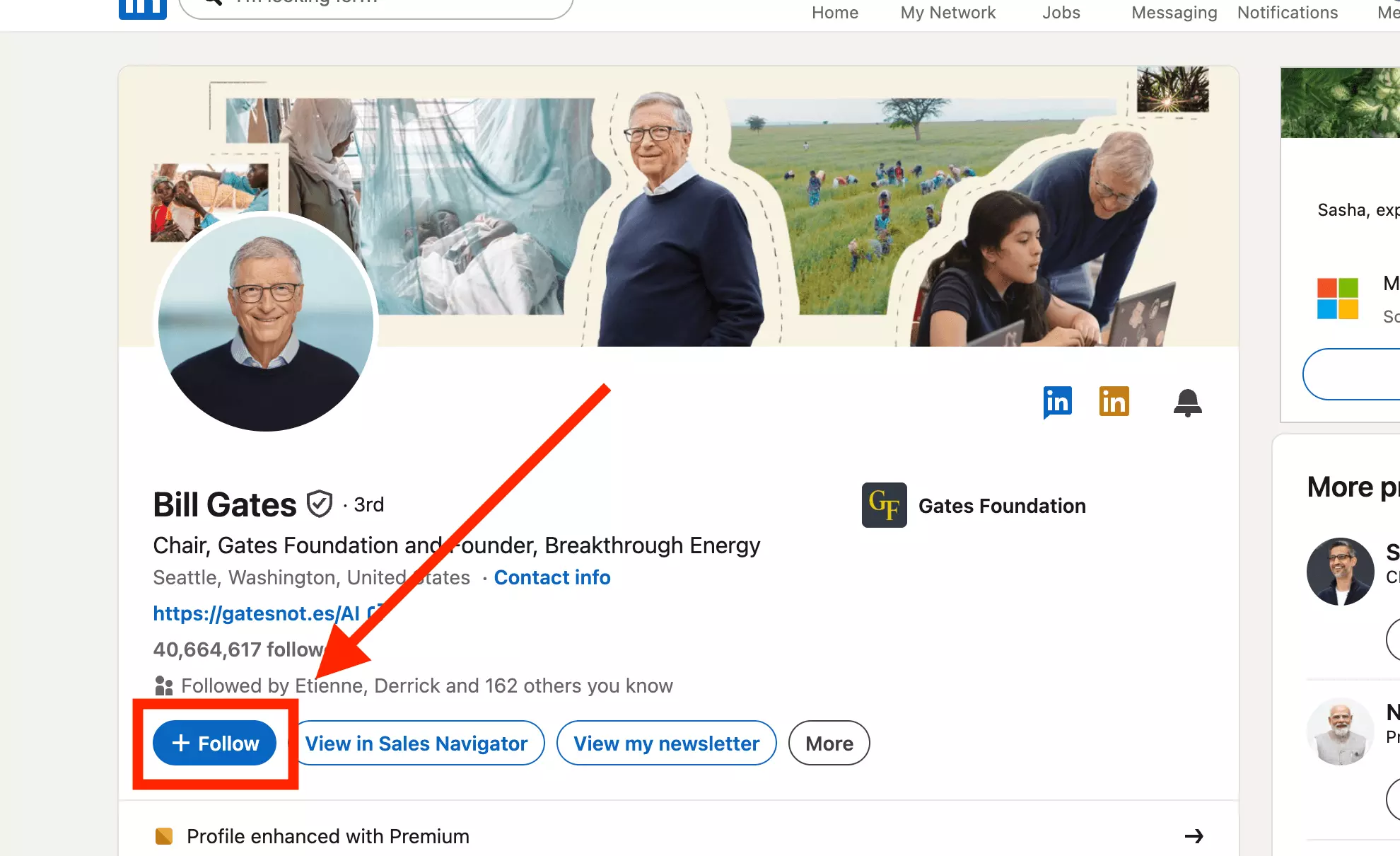
Creators use it because followers are unlimited and low-friction. Bill Gates shows Follow, and the counter under his name reads 40,664,617 followers.
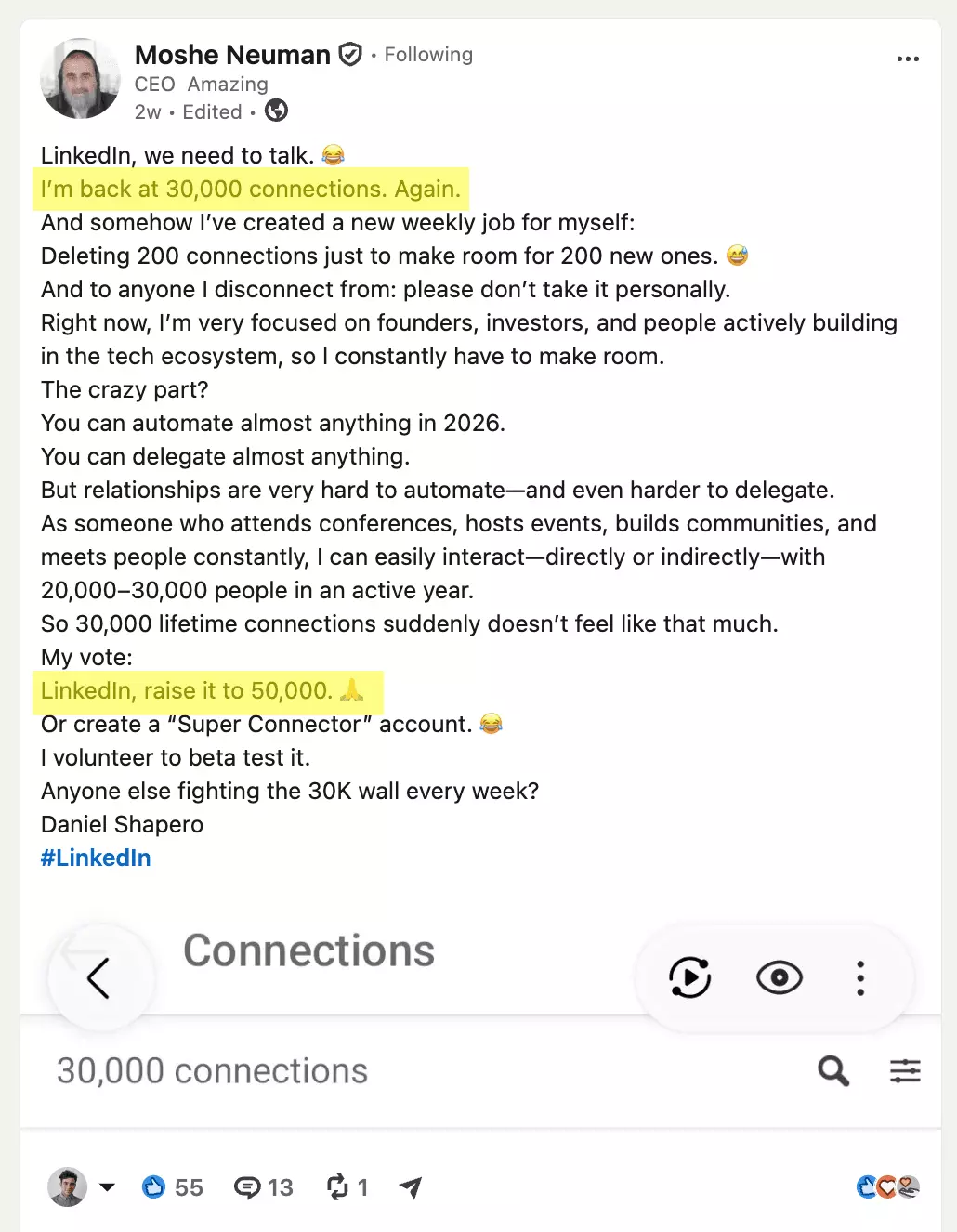
2. They hit the 30,000-connection cap
3. New in 2026: you might see "Message" instead of both
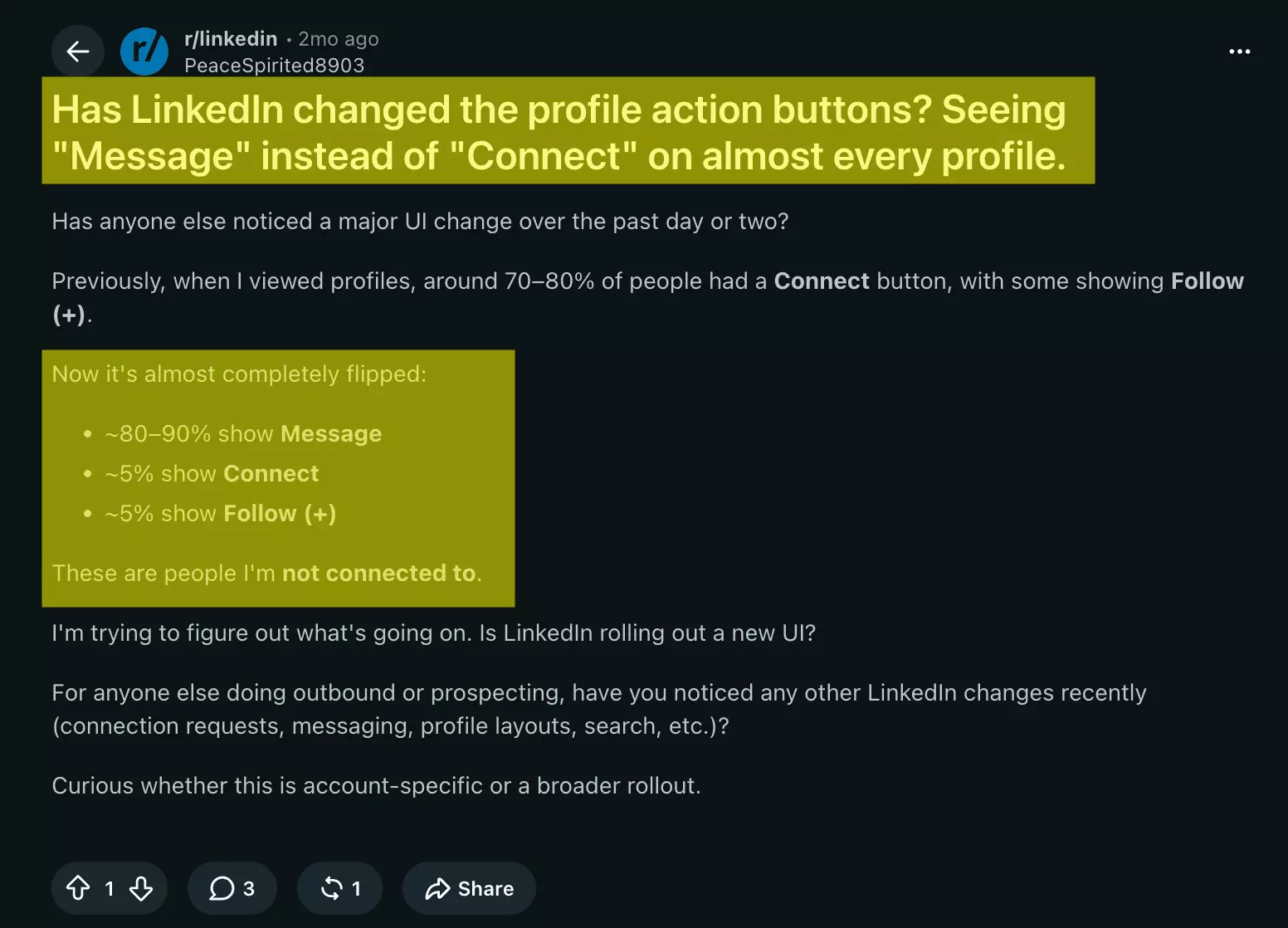
I checked this myself in September 2026, from my Sales Navigator account: I opened four out-of-network profiles, and all four led with Message as the big blue primary button. Connect wasn't gone — it was buried under "More".
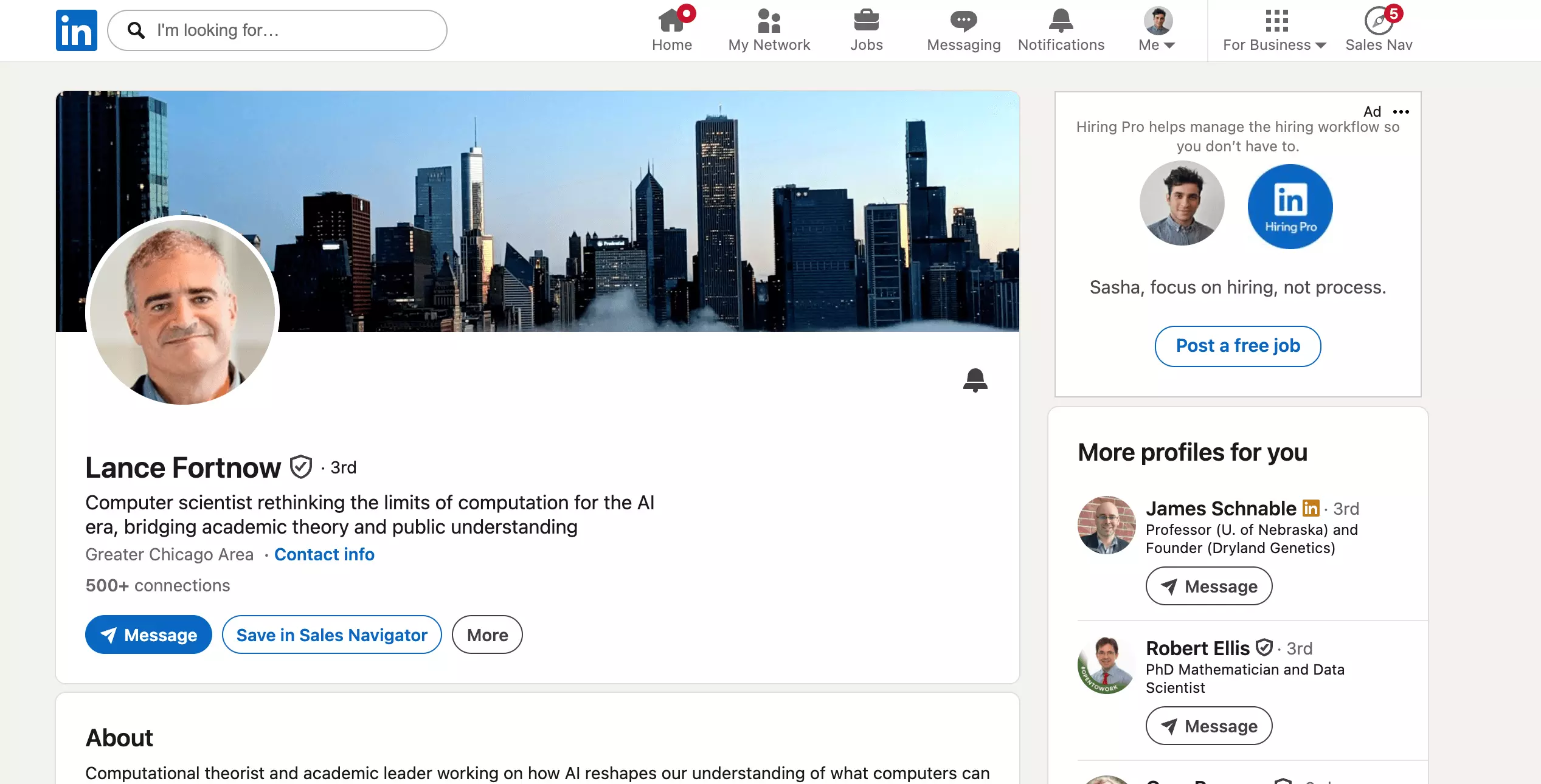
On Premium accounts, LinkedIn increasingly leads with its paid messaging on out-of-network profiles — not on every profile, but on enough that prospecting users noticed the shift:
Whatever the button says, you can still connect. But should you? Depends what the relationship is for:
When to follow vs when to connect
Real users land on the same split:
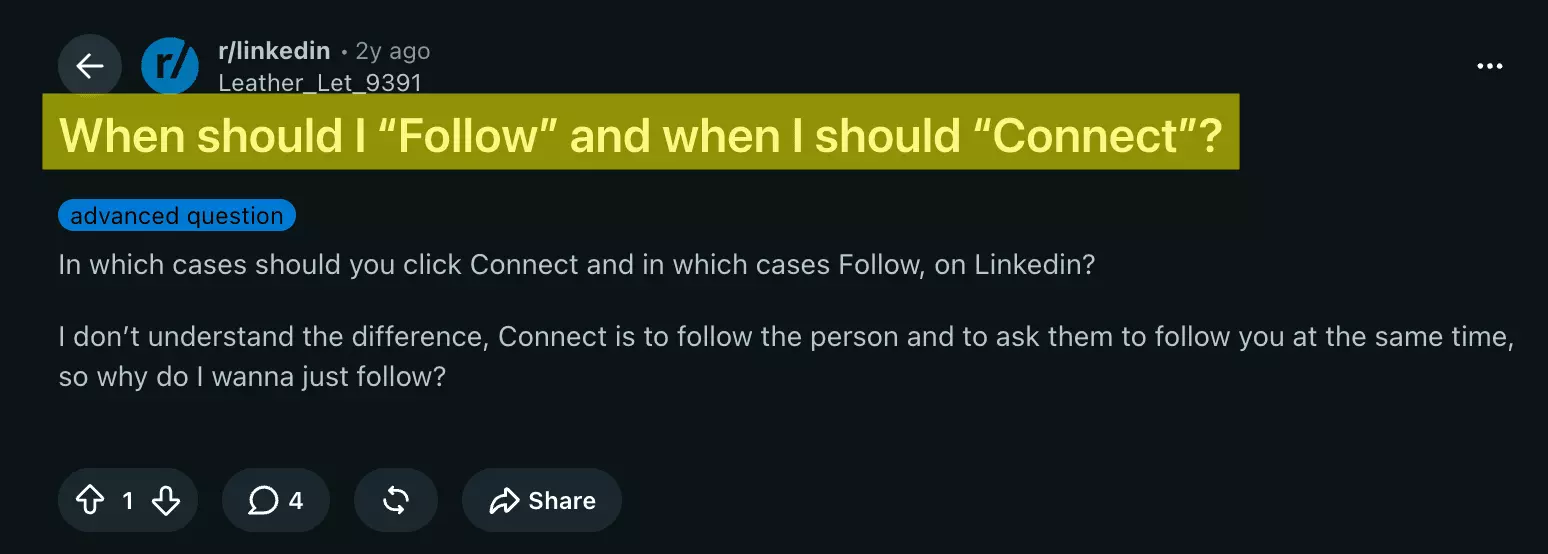
The top reply nails the mental model: "Follow is like X/Twitter. Connect is like Facebook." One is an async subscription, the other a mutual agreement.
| Follow when… | Connect when… |
|---|---|
| you want someone's insights, not their attention — thought leaders, competitors, ex-bosses | you actually know them — colleagues, clients, people you met at events |
| they're follow-primary or at the cap, and an invite would sit pending forever | you need the DM channel, their contact info, or an intro to their network |
| you're warming up a prospect: follow, comment for two weeks, then invite | they're a qualified lead: 1st degree is where search, messaging, and exports all get better |
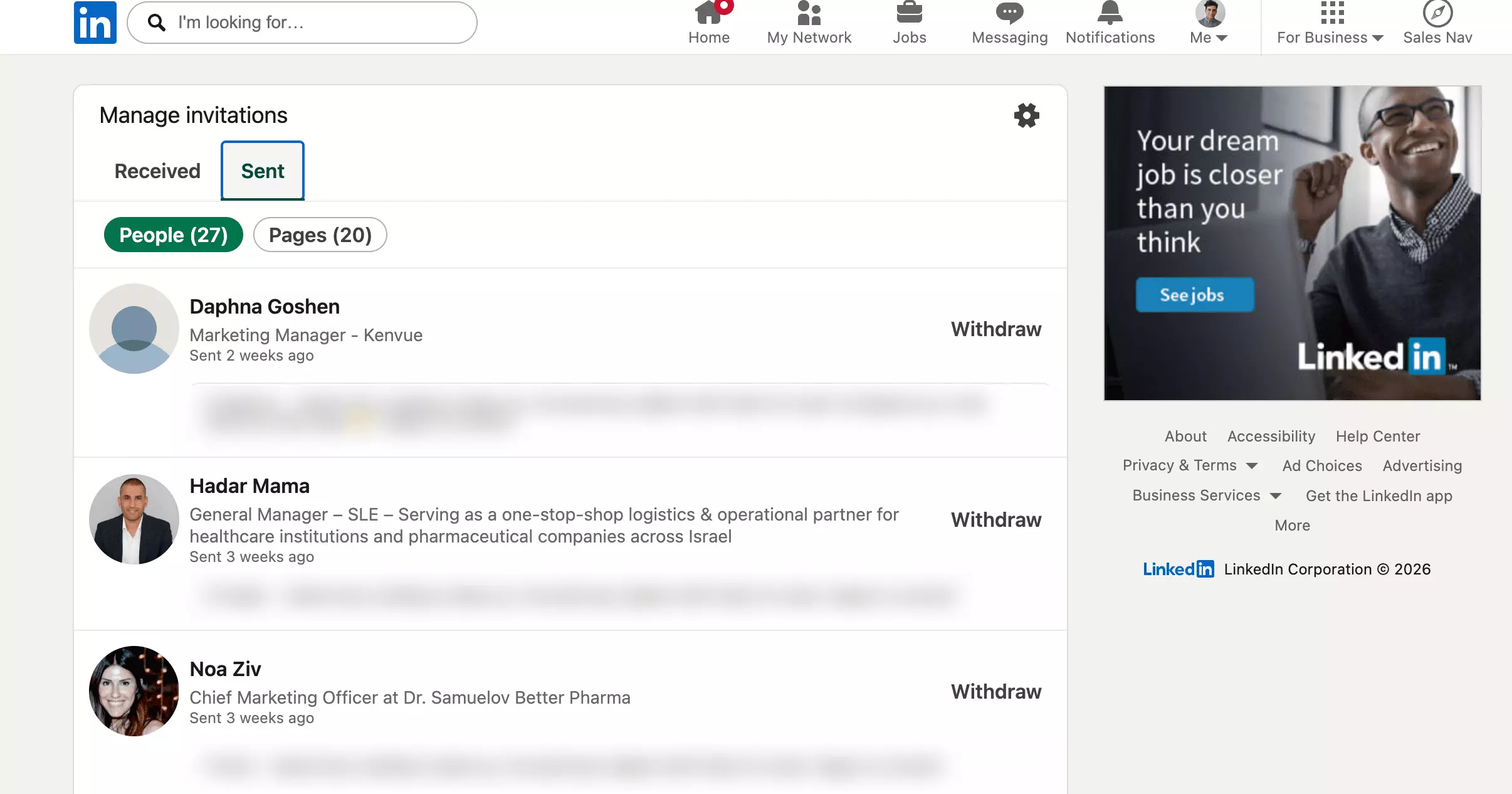
I'm guilty too: my own Sent tab currently holds 27 pending invitations, quietly aging.
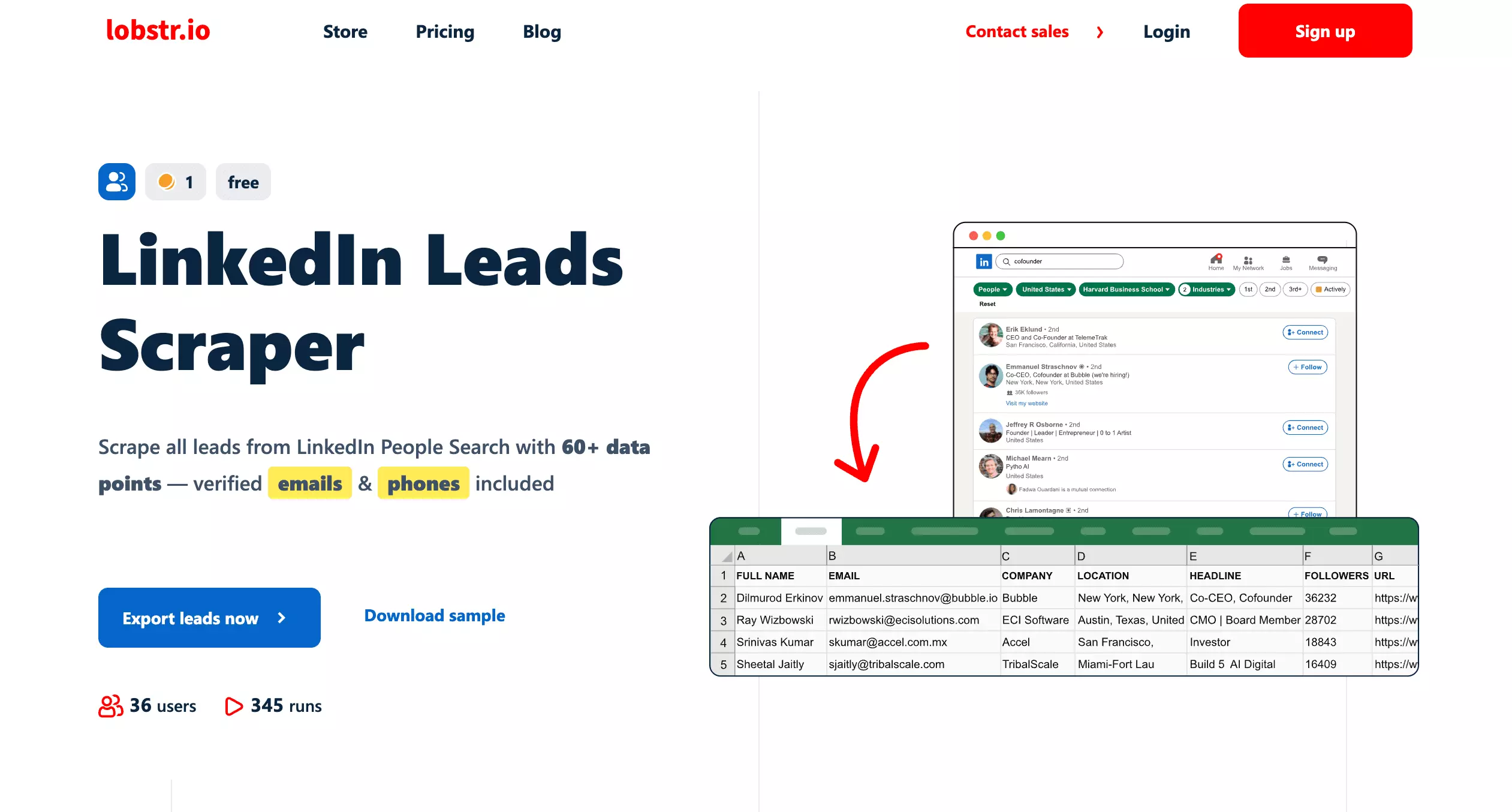
And if you're qualifying prospects at volume — deciding who's even worth one of those 100 invites — that's a scraping job, not a clicking job.
Decided to connect, but their profile only offers Follow? Two clicks fix it:
How to connect when it only shows Follow
- Open the member's profile;
- Click More in the introduction section;
- Select Connect from the dropdown;
- Add a note (or don't), and send.
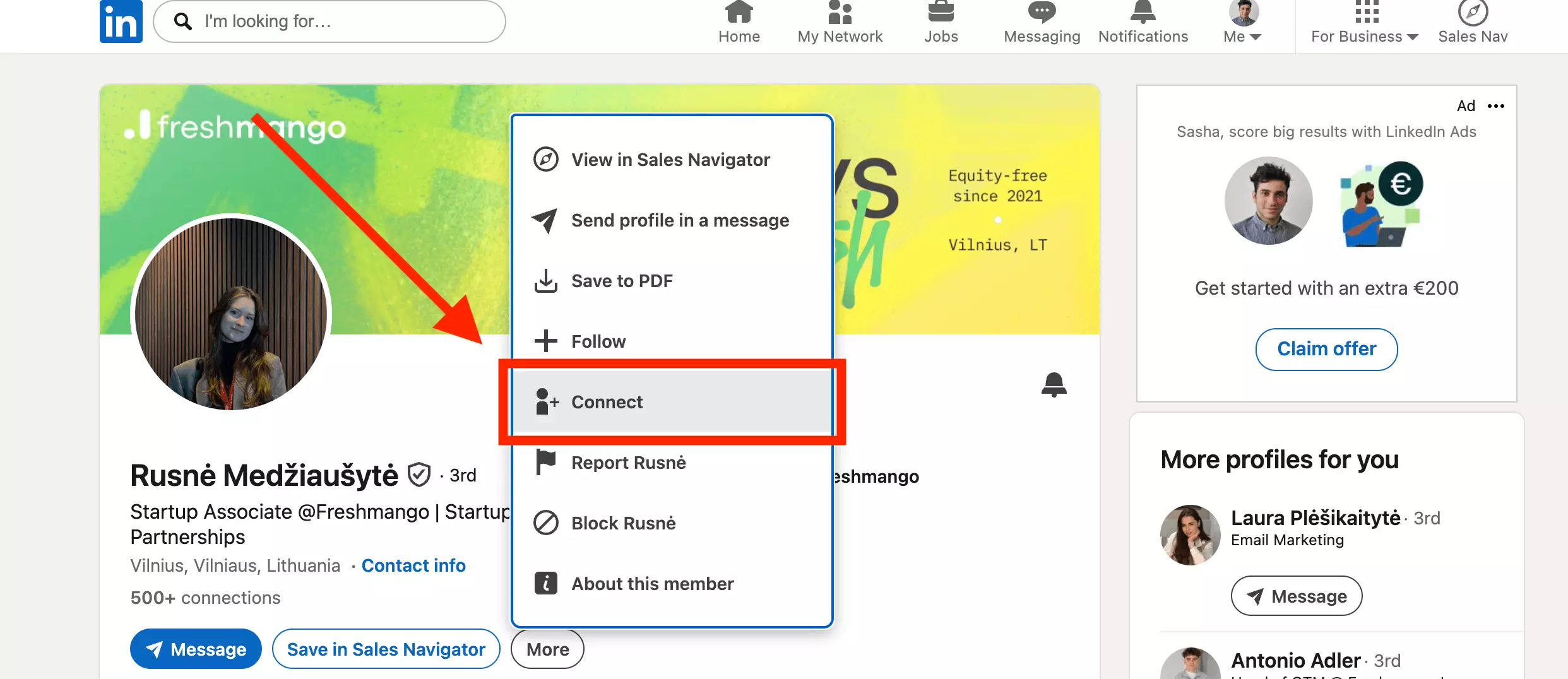
On mobile it's the same dance: More icon, then Connect, or "Personalize invite" if you want to add a message.
Two things happen silently when you do this. You start following them immediately, while the invite waits. And if they decline, you keep following unless you manually unfollow — LinkedIn never tells you it was declined.
Sometimes Connect is missing even under More. Usually your email isn't confirmed, they're outside your 3rd-degree network, or a cap was hit on either side.
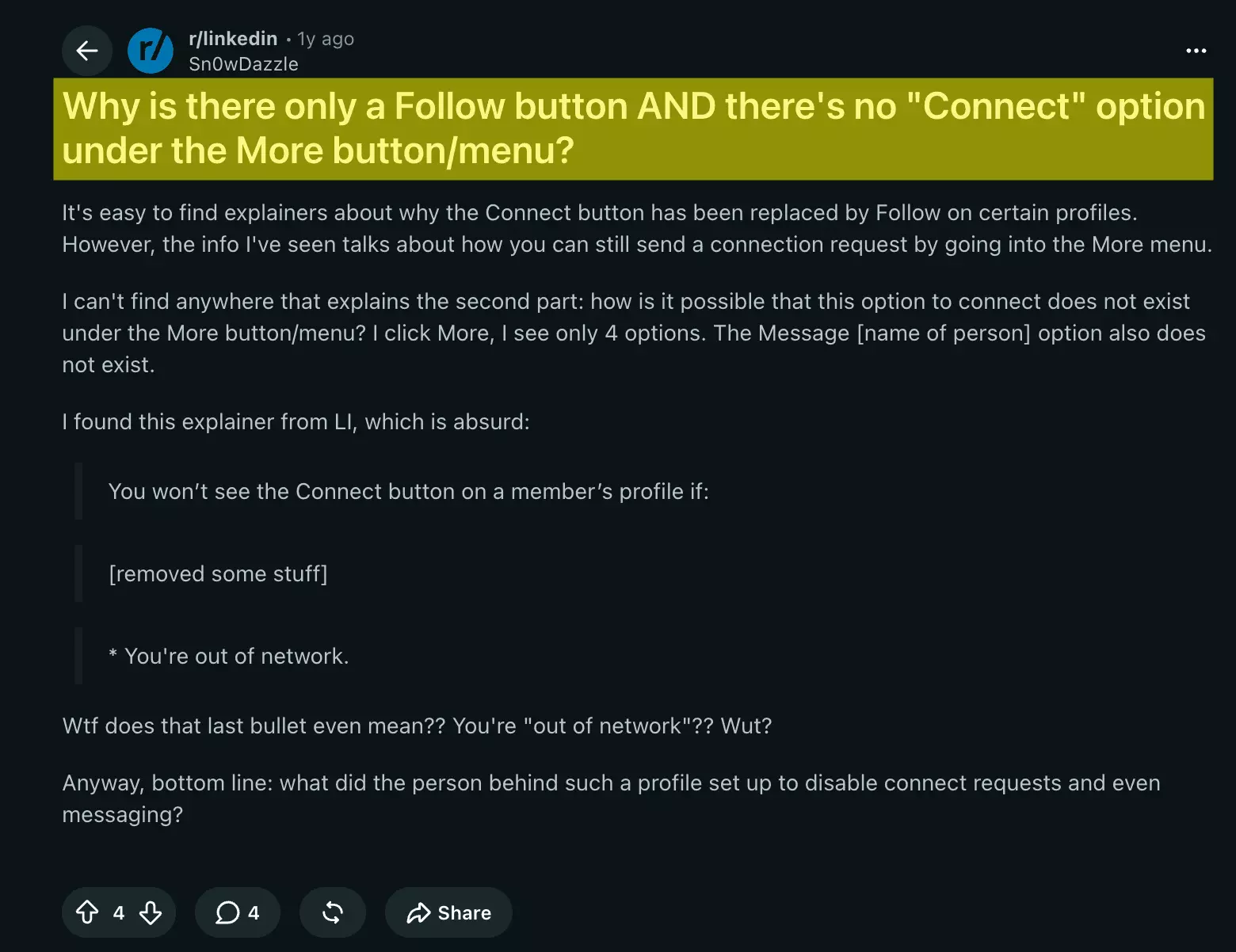
One more edge case: for some Follow-button members, LinkedIn asks you to enter their email address to prove you know them.
Want the flip side — people following YOU instead of flooding your invite tab? Turn on "Make follow primary" in Settings > Visibility > Followers. Creators and near-the-cap accounts do exactly this.
Follow or connect, you end up with the thing that actually matters: an audience. Here's the part most of these guides skip — getting it out of LinkedIn.
Followers & connections: an audience you can export
Followers and connections aren't trophies. They're a list of people who chose you — names, jobs, companies — and LinkedIn lets that list rot inside a tab nobody opens.
I exported both sides of ours, live, for this article.
Export a company page's followers
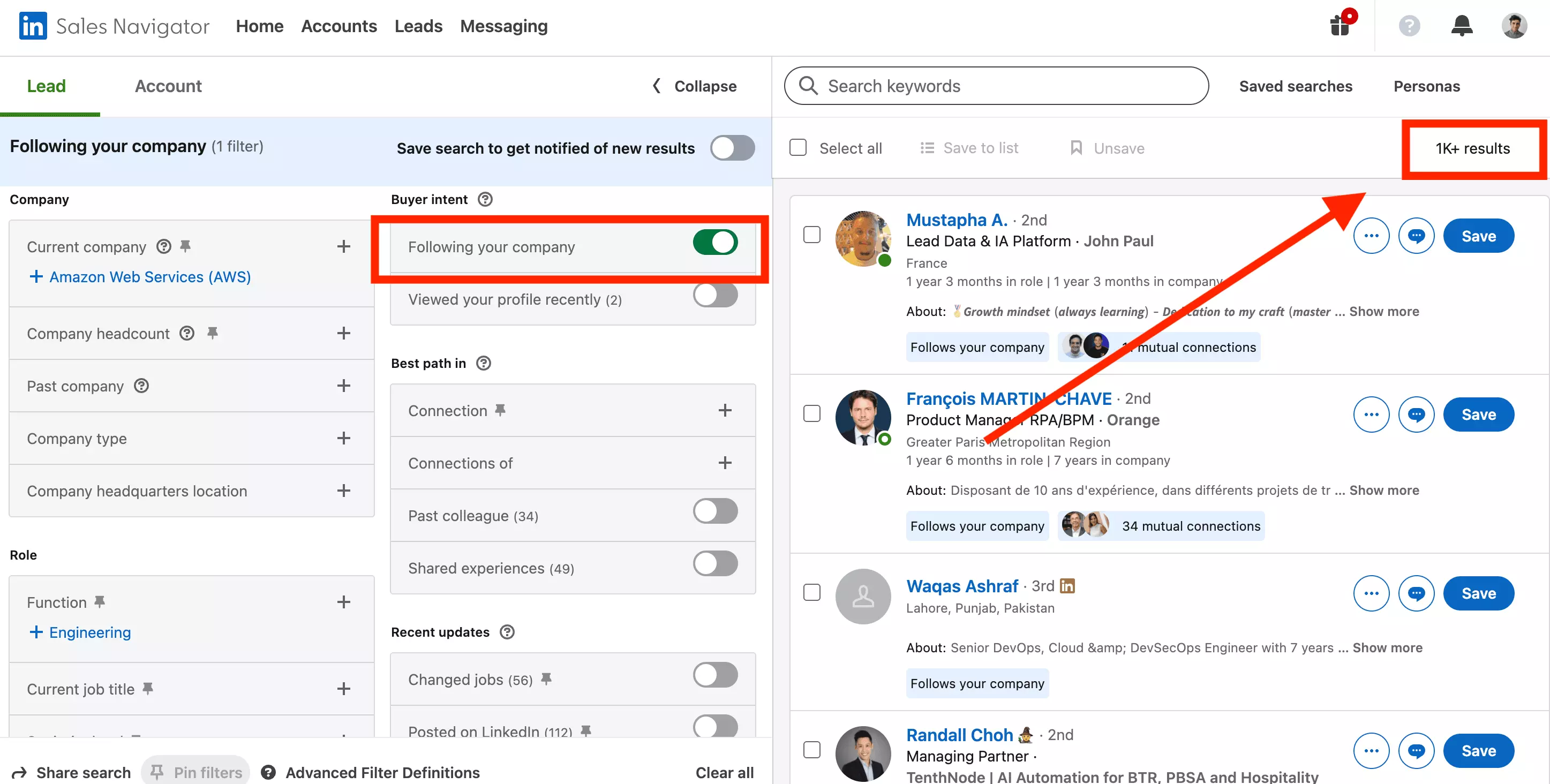
Our lobstr.io company page shows 1,113 followers as of September 16, 2026. LinkedIn only shows that list to page admins.
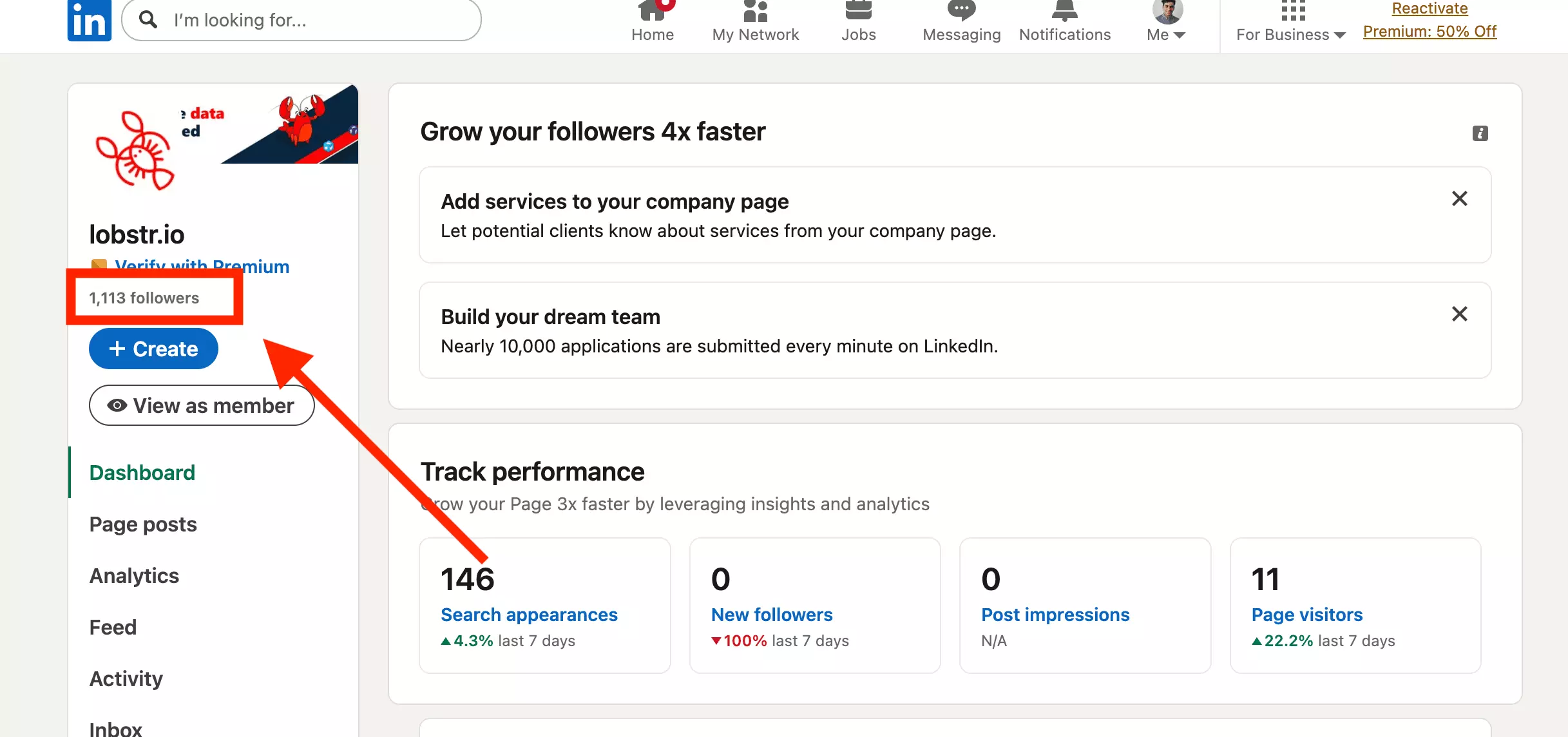
But Sales Navigator has a lead filter for it, under Buyer intent: "Following your company". The screen rounds the count to "1K+ results" — the underlying search API reports 1,102. That's 99% of the follower base, searchable as leads.
claude mcp add --transport http lobstr https://mcp.lobstr.io/mcpf
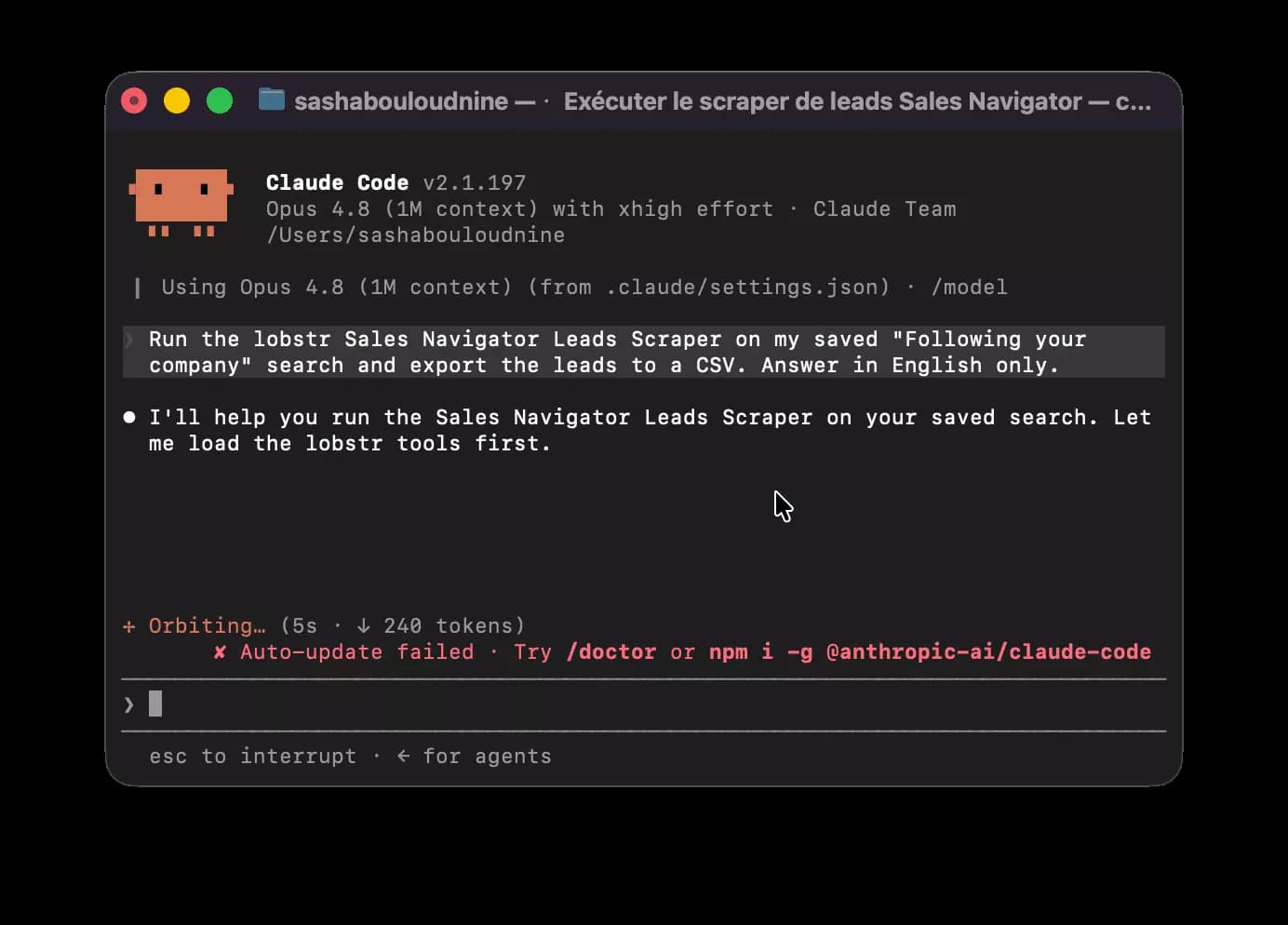
Prefer the terminal? Install the CLI, paste the same search URL from your browser, and the export lands in a CSV:
pip install lobstrio
lobstr go sales-navigator-leads-scraper \
  "<your Sales Navigator search URL>" \
  -k url -o followers.csvf
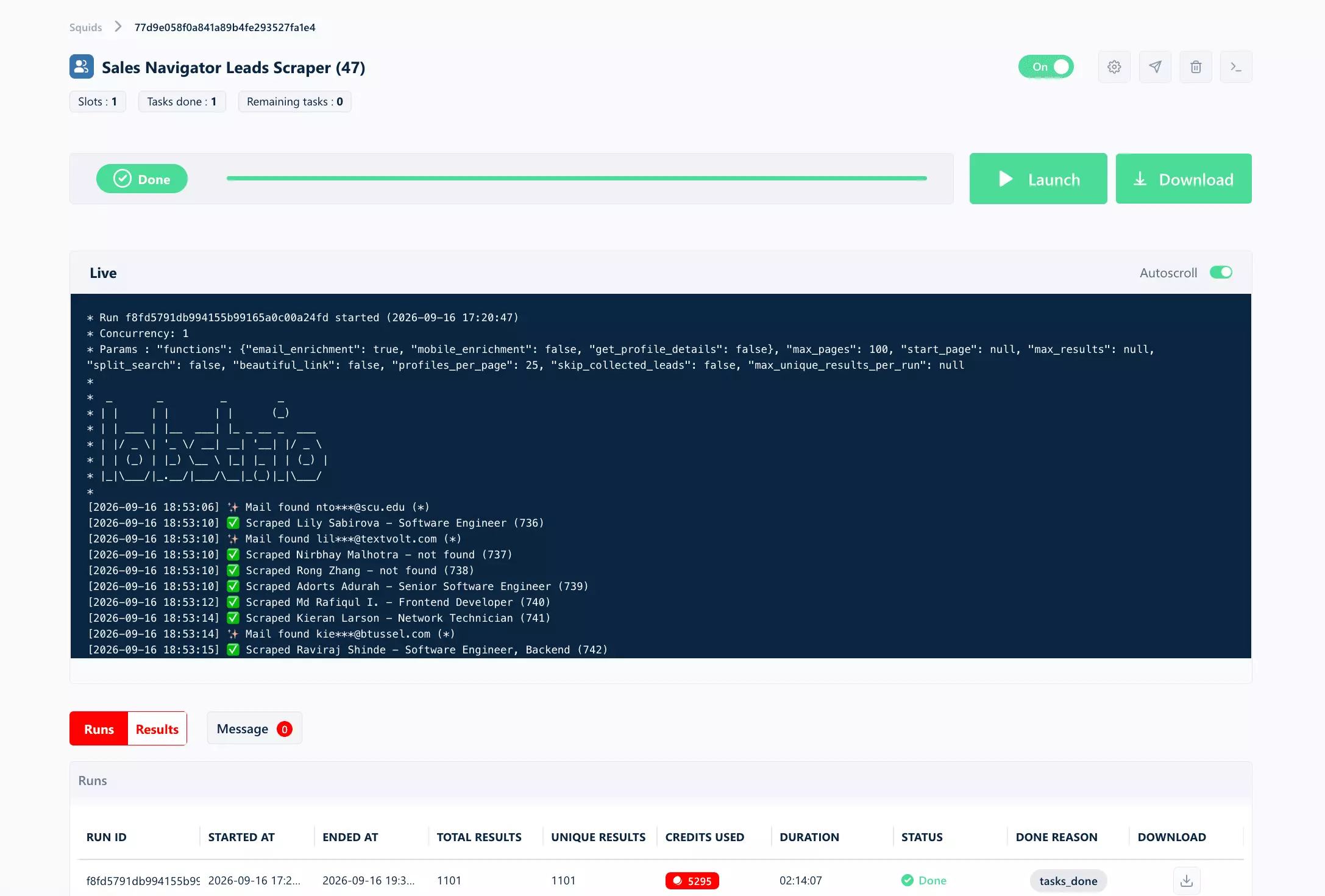
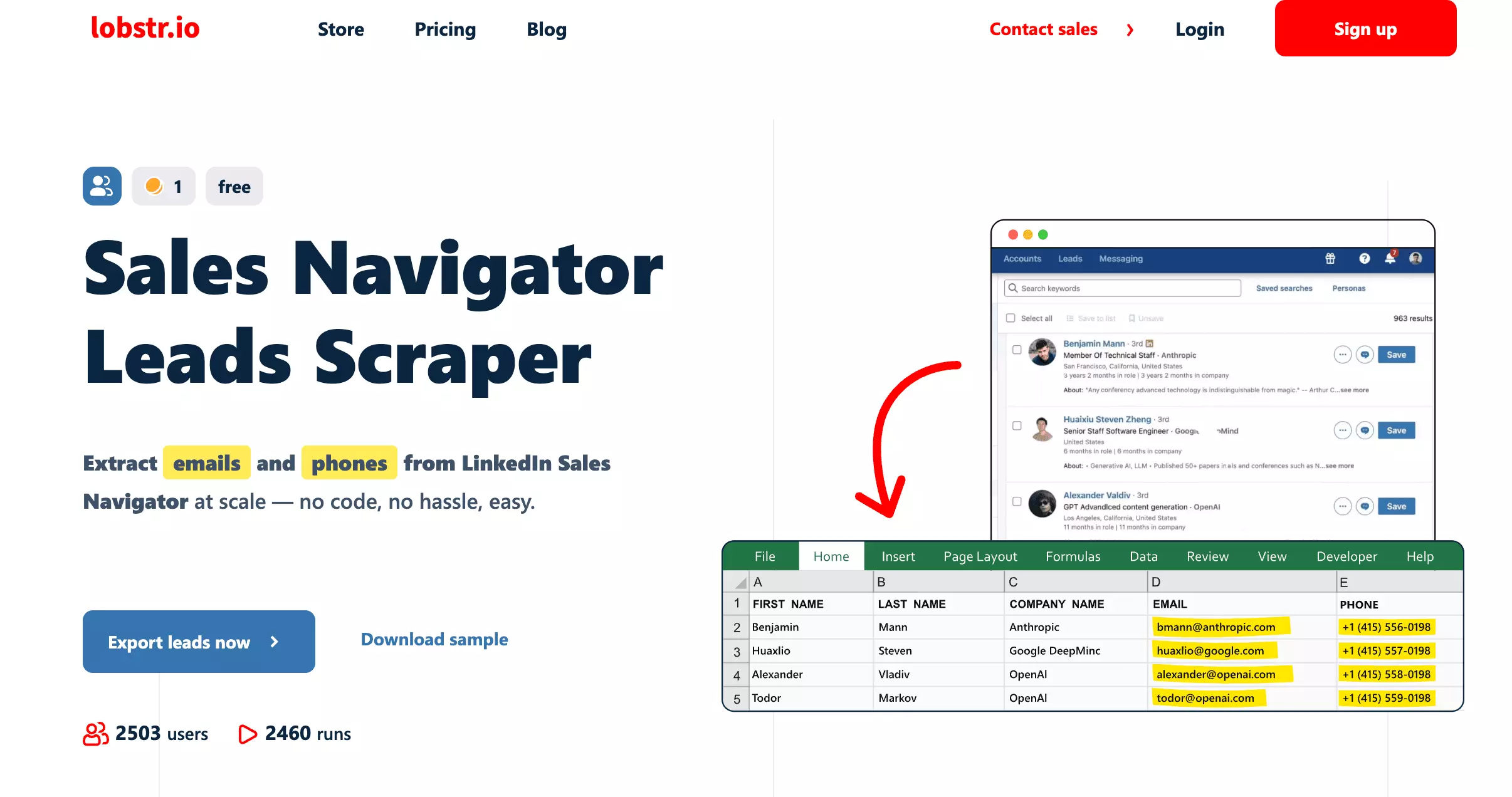
The run came back with 1,101 profiles in 2 hours 14 minutes — and 467 of them with an email, 455 flagged valid by the enrichment. That's 42% of a follower list turned into contactable leads.
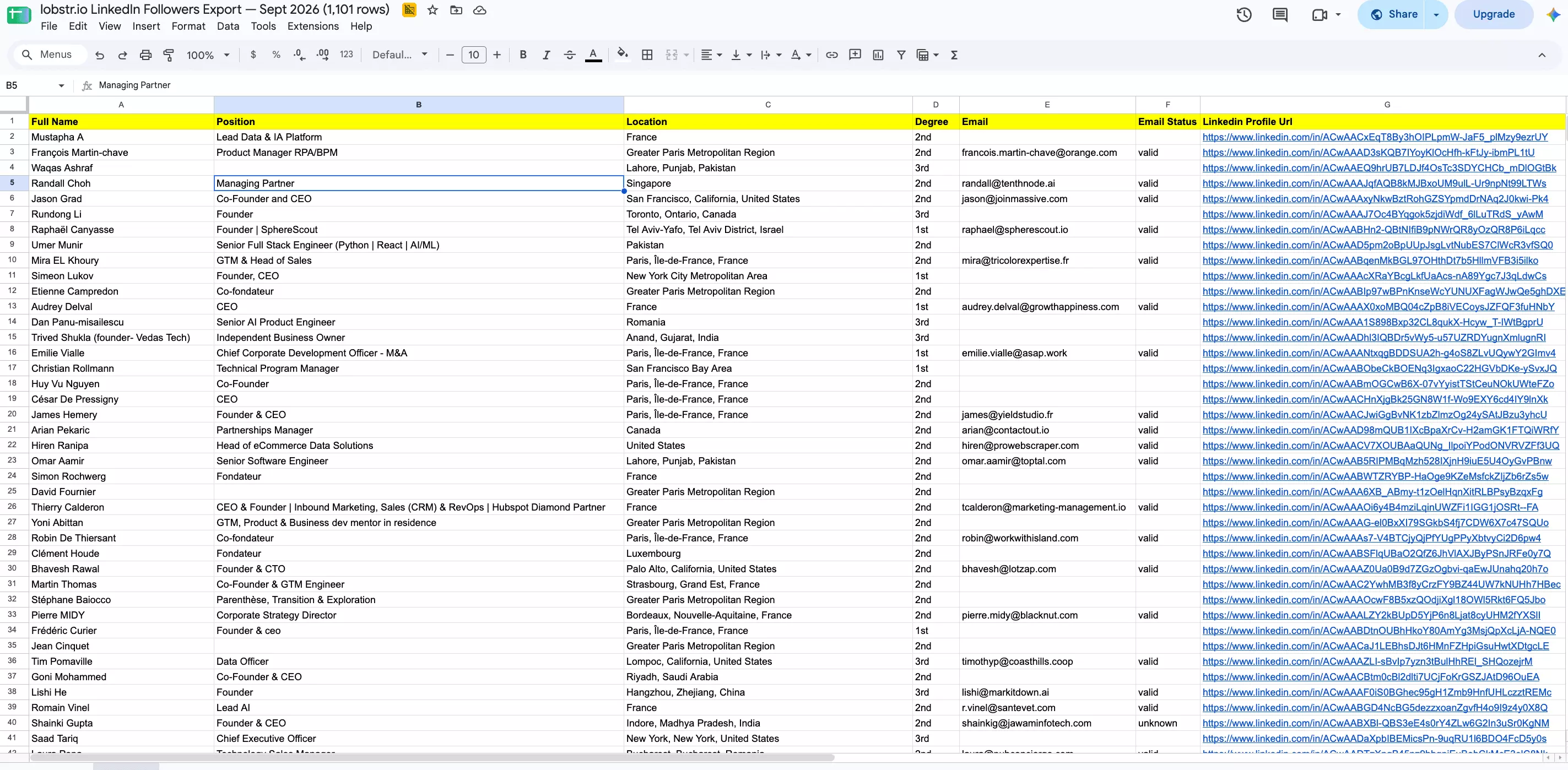
Open the file and the vanity metric becomes rows you can sort, filter, and mail:
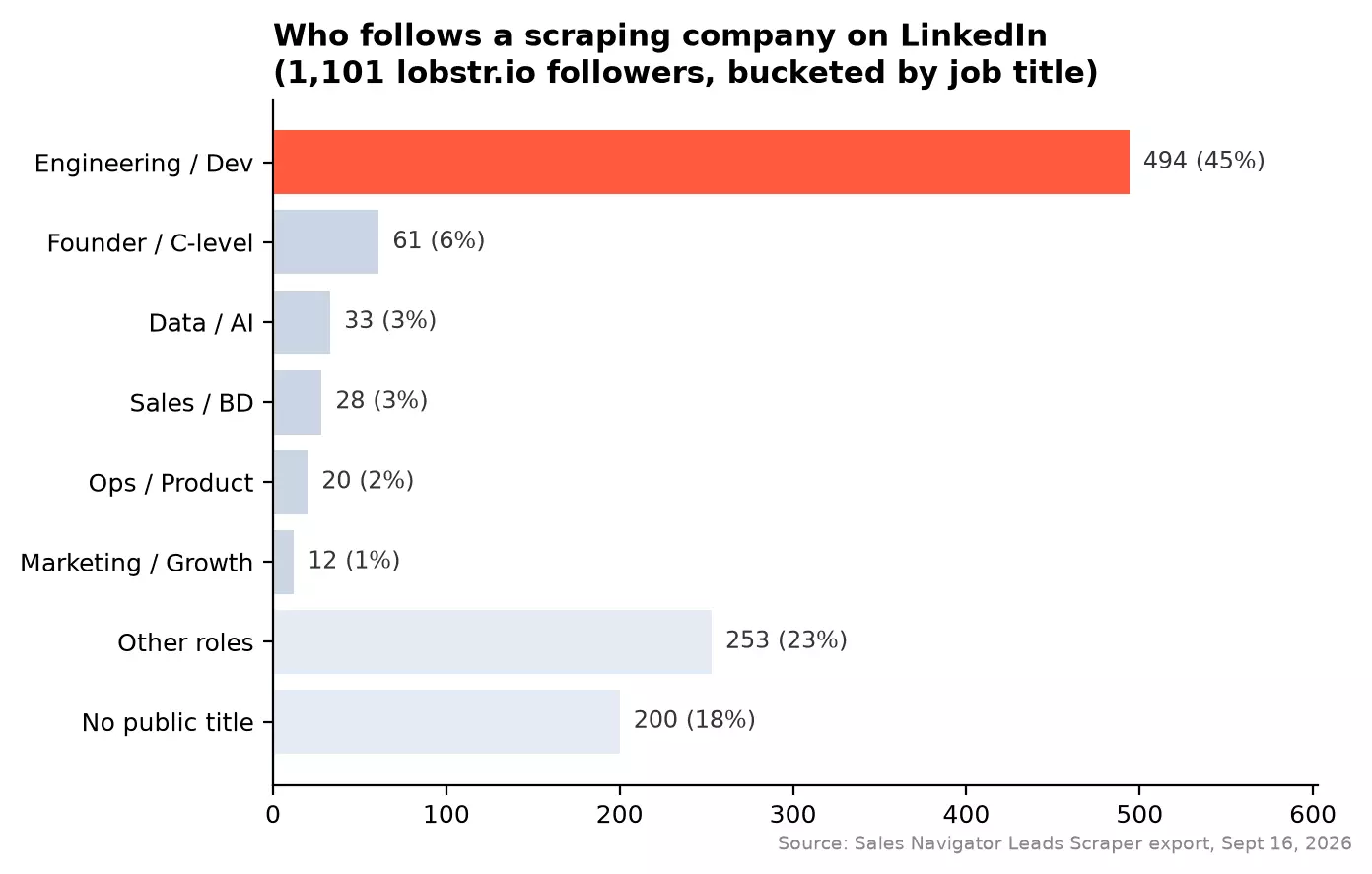
Bucketed by job title, here's who actually follows a scraping company:
Export your own connections
Your 1st-degree network exports the same way — same scraper, one filter change: set Relationship to "1st degree connections" and the search becomes your own network. I ran it on mine next: 803 connections, with an email for 497 of them — a 62% hit rate, versus 42% on the followers list.
That's the full loop: understand the buttons, use them deliberately, export the result. Questions people still ask:
FAQ
How can I see who I'm following and who I'm connected with?
My Network > Manage my network: "Connections" lists your 1st degree, "Following & followers" lists both follow directions. Direct URL: linkedin.com/mynetwork/network-manager/people-follow/followers.
Can someone follow me without me knowing?
Can I see who unfollowed me on LinkedIn?
No — LinkedIn never notifies unfollows and shows no history. The only reliable method: export your followers list on a schedule and diff the files — the exact workflow from the section above.
What's the difference between followers and connections?
Same as follow vs connect, seen from your side: connections are mutual, followers are one-way. Connections cap at 30,000, followers don't. Every connection is also a follower; most followers are not connections.
Do connections count as followers?
Yes — connections auto-follow, both ways, so your follower count always includes your connections. Unfollowing them later removes the feed subscription, not the connection.
Can I hide my follower count?
Not really — Follow primary shows the count on your profile. Keep Connect primary and LinkedIn displays your connection count instead, capped at "500+" no matter how far past 500 you are.
Is there a limit to how many people I can follow?
Why can't I connect with someone at all — no Connect even under More?
Final thoughts
Follow is for learning, connecting is for talking. Spend your 100 weekly invites on people you want answers from, follow the rest for free, and remember the button you see is a setting, a cap, or — since 2026 — a Premium upsell.
Then treat the result as data: 1,113 people chose to follow our page, and it took one scraper run to turn that vanity metric into a working lead list.