Best LinkedIn Leads Scrapers 2026 [No-Code + API Edition]
lobstr.io is the best LinkedIn leads scraper in this benchmark at 8.24/10. It combines fast search-result collection, low scale pricing for deep profile + email enrichment, and the best support... but its enrichment run was slow and only returned 280/1,000 profiles. Apify's HarvestAPI ranks second at 7.84/10 because it completed the full 1,000/1,000 search + profile + email workflow and needs no LinkedIn account. The trade-off is higher pricing and much slower search-result collection.
⚡ 30-Second Summary
- I tested the ranked tools against the same MEP / construction prospecting ICP, targeting up to 1,000 LinkedIn prospects, then scored them on data, cost, usability, speed, scalability, and support. Here's the short version.
- lobstr.io is the best overall. It had the fastest search-result collection at ~220.6/min, a 70.7% email hit rate, and scale pricing as low as $5.50/1K for search + profile + email. Pick it for deep LinkedIn profile + email enrichment at the best scale price. Trade-off: enrichment was slow at 1.36 profiles/min and returned only 280/1,000.
- Apify's HarvestAPI is the best for the most complete, hands-off workflow. It was the only tool to complete 1,000/1,000 search results and profile + email enrichment, returned the most emails at 548, and does not require your LinkedIn account. Pick it for getting the full workflow done with less account management. Trade-off: higher pricing at $10/1K on its best published tier and slower search-result collection at ~54.2/min.
- PhantomBuster is the best for cheap profile data. It returned profile-level data at ~34.2 profiles/min, supports up to four LinkedIn accounts per automation, and costs roughly $1.68–$0.71/1K for profile-level data. Pick it for low-cost LinkedIn profile enrichment. Trade-off: email runs as a separate step and 1K email capacity starts at $159/mo, plus 672/1,000 completion and runtime-based pricing.
- Apify's curious_coder is the best for simple LinkedIn search-result scraping. It ran at ~131.6 search results/min, accepts a LinkedIn search URL directly, and its flat $20/month rental gets cheaper with volume. Pick it for straightforward search-result collection. Trade-off: no profile or email enrichment, and 239/708 rows were identity-masked in my run.
- I also tested and reviewed several tools that did not fit the same workflow. Some start from profile URLs, some use Sales Navigator, and others search a stored people database instead of collecting LinkedIn search results live, so I kept them outside the main ranking.
1,000 prospects on LinkedIn... beautiful. Now you just need to do everything else.
You still need to get them out, check the job and company data, figure out who actually fits... and maybe find an email.
You could do it one by one... or you could also trust whatever a lead database remembers.
Both are excellent ways to lose a few days.

So I tested four LinkedIn leads scrapers on the same 1,000-prospect job to see which ones actually make that workflow easier.
I compared data, cost, usability, speed, scalability, and support... so you don't have to find out the annoying parts yourself.
Wait... already got the LinkedIn profile URLs and just need more options? There’s a separate LinkedIn profile scrapers guide for that.
How they compare
| Criteria | lobstr.io | Apify (HarvestAPI) | PhantomBuster | Apify (curious_coder) |
|---|---|---|---|---|
| User rating | 5.0/5 (33 reviews) | 4.4/5 (93 reviews) | 4.5/5 (64 reviews) | 4.7/5 (11 reviews) |
| Meaningful data points | 23 | 25 | 15 | 8 |
| Search input | LinkedIn search URL | Built-in filters | LinkedIn URL + keywords | LinkedIn search URL |
| Search results returned /1,000 | 320–352 | 1,000 | n/a | 708 |
| Enriched profiles returned /1,000 | 280 | 1,000 | 672 | ❌ |
| Profile enrichment | ✅ | ✅ | ✅ | ❌ |
| Email enrichment | ✅ | ✅ | ✅ Available | ❌ |
| Emails returned | 198 / 280... 70.7% | 548 / 1,000... 54.8% | n/a | ❌ |
| Company context | ✅ | ✅ | ✅ | ❌ |
| LinkedIn account required | Yes... synced account | No | Yes... connected account | Yes... cookies + user agent |
| Multi-account handling | ✅ Multiple accounts (no cap) in the same run | n/a | ✅ Up to 4 per automation | ❌ No built-in management |
| Search-result speed | ~220.6/min | ~54.2/min | n/a | ~131.6/min |
| Enrichment speed | 1.36/min... profile + email | 24.2/min... profile + email | 34.2/min... profile only | No enrichment |
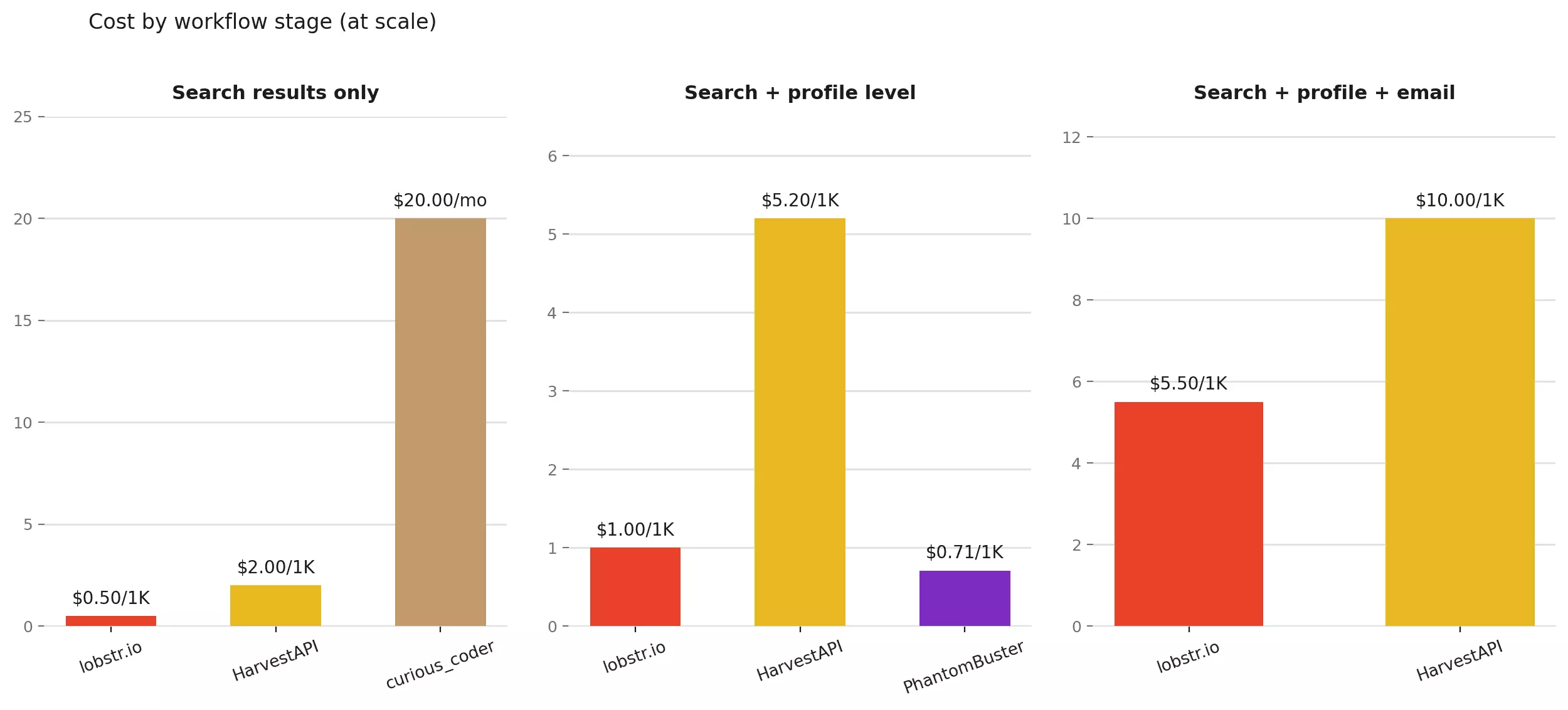
| Search-result pricing /1K | $2.00 → $0.50 | $4.00 → $2.00 | n/a | $20/mo flat + Apify compute |
| Profile-level pricing /1K | $4.00 → $1.00 | $8.00 → $5.20 | ~$1.68 → $0.71 | No profile enrichment |
| Profile + email pricing /1K | $22.00 → $5.50 | $14.00 → $10.00 | $63.60 → $43.90 | No email enrichment |
| Export formats | CSV, JSON, XLSX, JSONL | CSV, JSON, XLSX, XML, JSONL | CSV, JSON | CSV, JSON, XLSX, XML, JSONL |
| Programmatic access | API + SDK + CLI + MCP | API + SDK + CLI + MCP | API + SDK + MCP | API + SDK + CLI + MCP |
| Support | Live chat + email | Apify Issues + developer email | Apify Issues | |
| Overall | 8.24/10 | 7.84/10 | 6.88/10 | 6.40/10 |
Just tell me which one
| If you want... | Go with | Why |
|---|---|---|
| The best all-rounder | lobstr.io | Best overall balance of cost, speed, enrichment + support |
| The most complete lead workflow | Apify (HarvestAPI) | Completed 1,000/1,000 and returned 548 emails |
| The best price for profile + email at scale | lobstr.io | $5.50/1K |
| Cheap profile-level data | PhantomBuster | ~$1.68 → $0.71/1K profiles |
| No LinkedIn account to manage | Apify (HarvestAPI) | No cookie, no session |
| The fastest search-result collection | lobstr.io | ~220.6/min |
| High-volume search-result scraping only | Apify (curious_coder) | Fixed $20/mo rental gets cheaper with volume |
| The best support | lobstr.io | Live chat + email, with 5.0/5 customer service on Capterra |
Is it legal to scrape LinkedIn leads?
Yes, under the right conditions.
But there are two separate questions here that we need to answer.
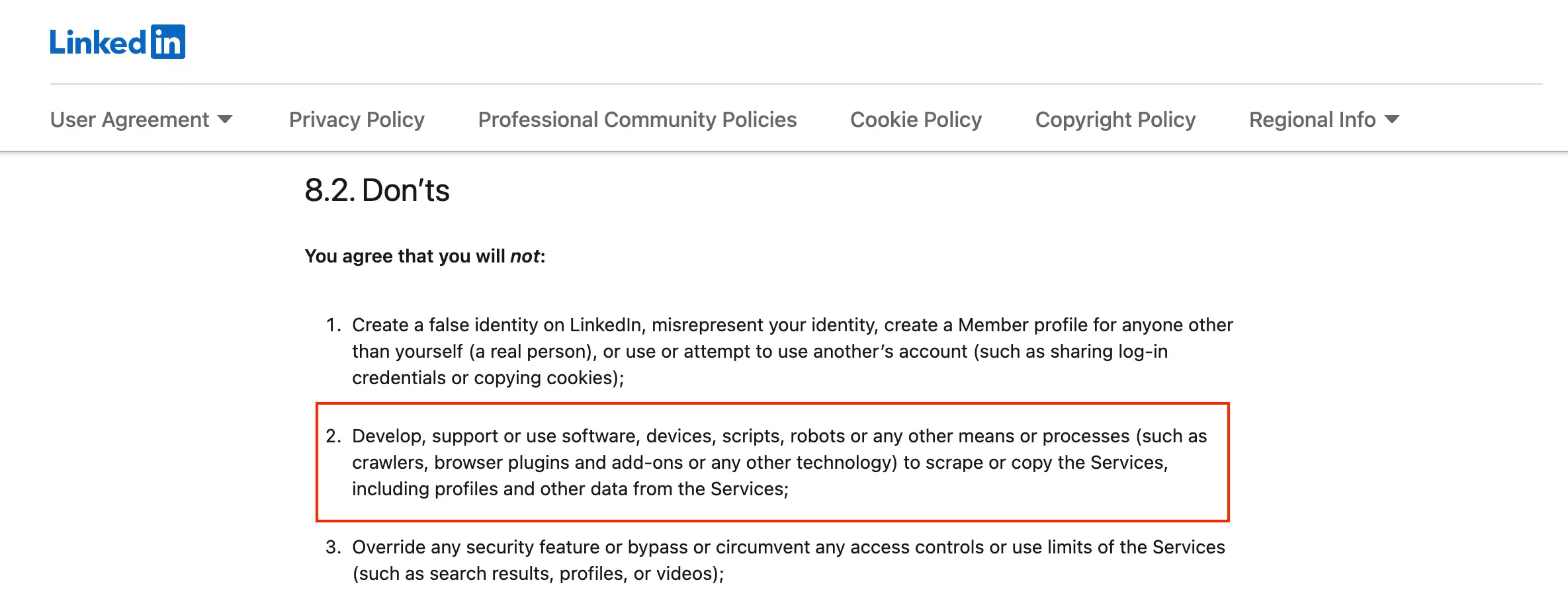
Does LinkedIn allow scraping?
Short answer... LinkedIn says no.
So, is it illegal?
Not necessarily.
The bigger legal risk is usually how the data is used.
Storing, republishing, reselling, or combining scraped data with personal information can create privacy, contract, or data-protection issues.
How to stay on the right side:
- Collect only public profile data, never anything behind a login you don't own
- Collect data internally... research and analysis
- Don't resell or publicly monetize the data without consent
- Follow the privacy laws like GDPR
- Respect rate limits... don't hammer the platform
How I chose the best LinkedIn leads scrapers
I started broad, using Google, Reddit, developer discussions, review sites, the Apify Store, and AI recommendations to build the longlist.
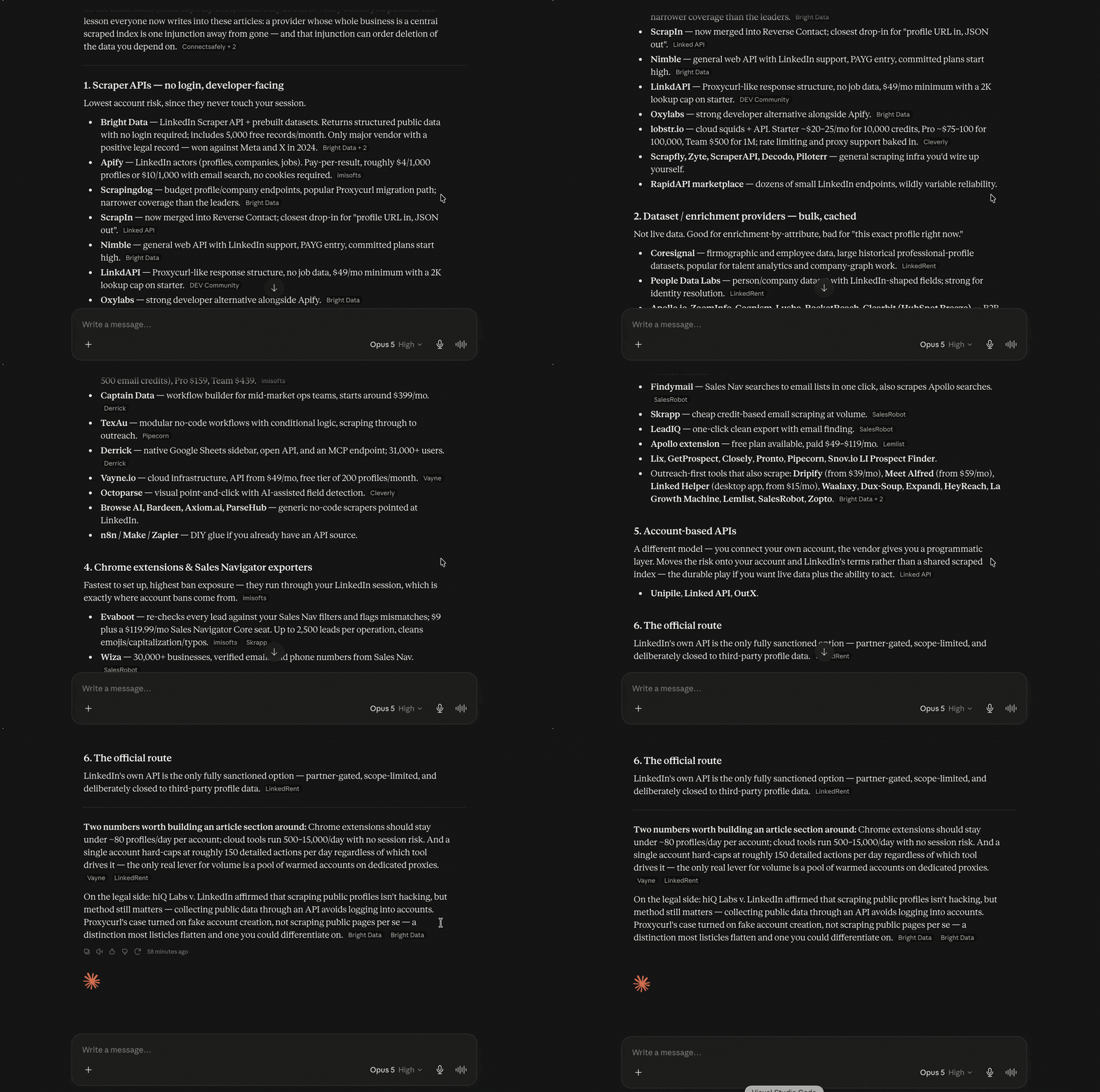
Then I narrowed it to tools that can collect LinkedIn people-search results in real time and make sense for recurring lead generation.
I excluded:
- B2B databases that primarily return previously collected records rather than scraping LinkedIn in real time
- Sales Navigator-only tools because this benchmark uses regular LinkedIn people search
- Abandoned or poorly maintained products that looked too fragile for a platform that changes as often as LinkedIn
- General-purpose scrapers when a dedicated LinkedIn workflow was available
Most of the tools I left out weren't necessarily bad... they were just solving a different problem.
If your workflow starts with Sales Navigator or a B2B database instead, these are the better comparisons:
The test
The target:
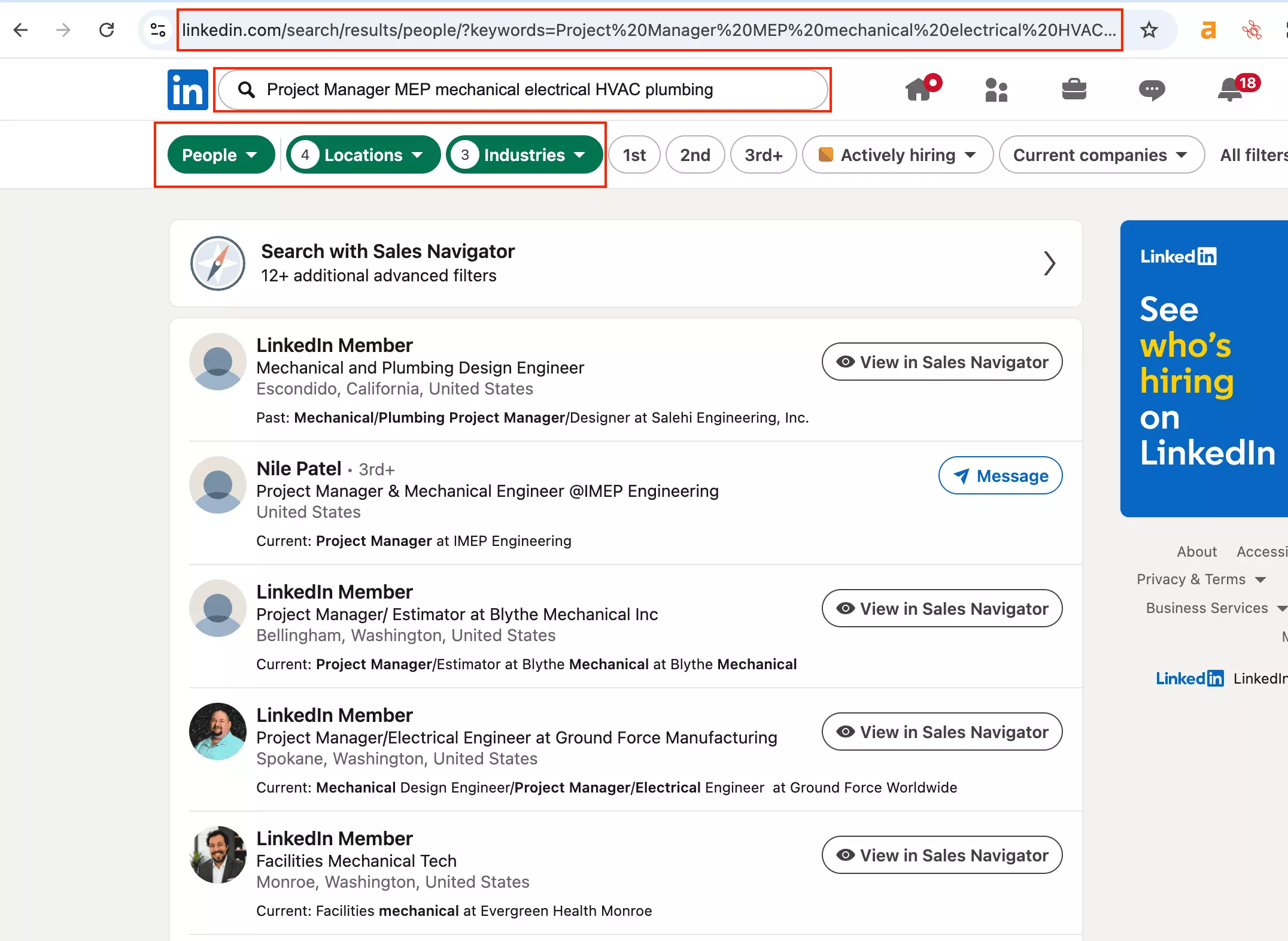
Find 1,000 project-management prospects at MEP, mechanical, electrical, HVAC, plumbing, and related construction companies across California, Nevada, Oregon, and Washington.
Every people-search scraper received the same search intent... either the same LinkedIn search URL or equivalent structured filters, with a target of 1,000 prospects.
What I scored
Each ranked tool is scored across six criteria:
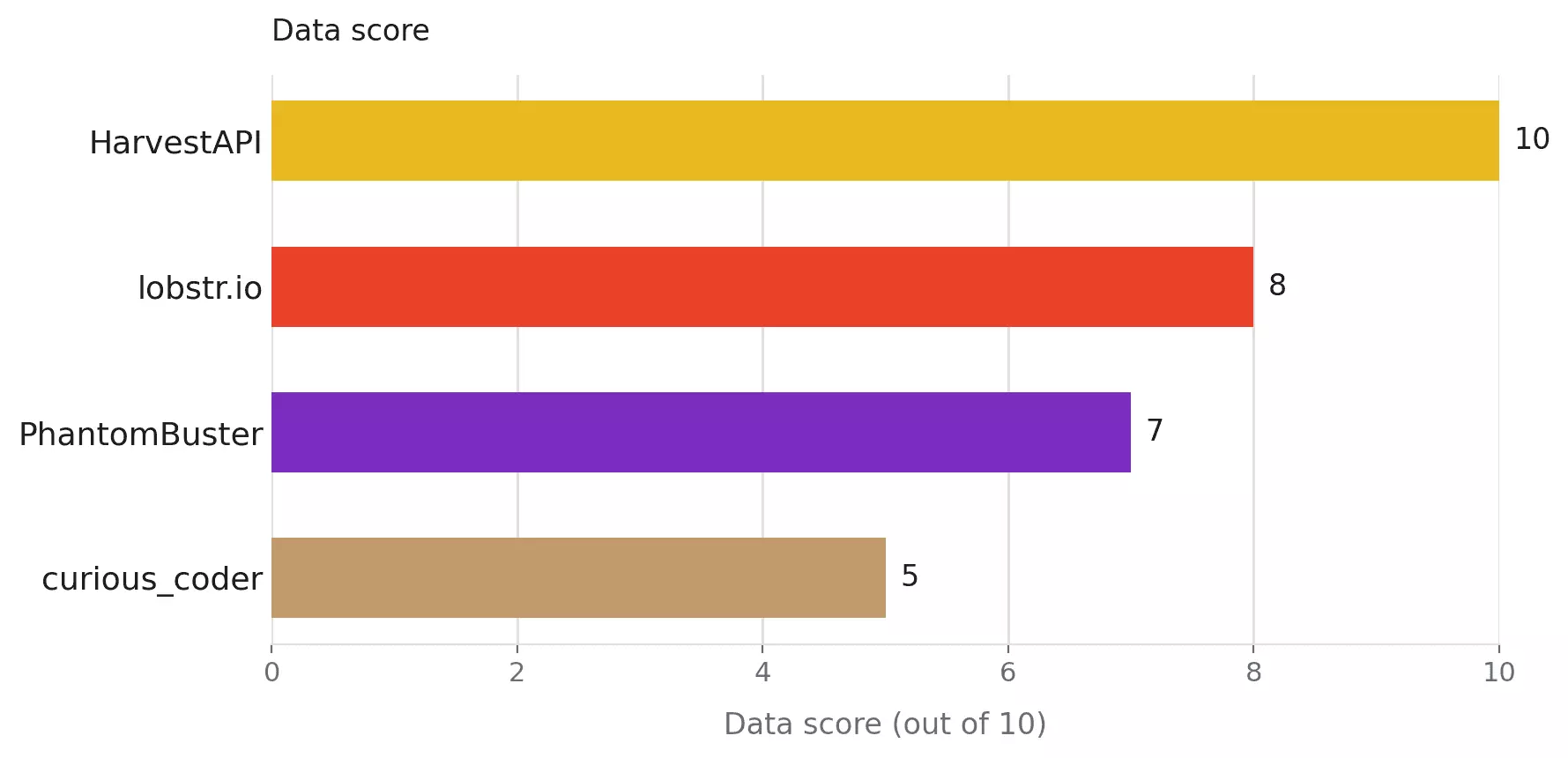
- Data... Did it find the right prospects, and how useful was the final lead record?
- Cost... What does the tested workflow actually cost?
- Usability... How much work sits between defining the ICP and getting usable leads out?
- Speed... How quickly does the tested workload finish?
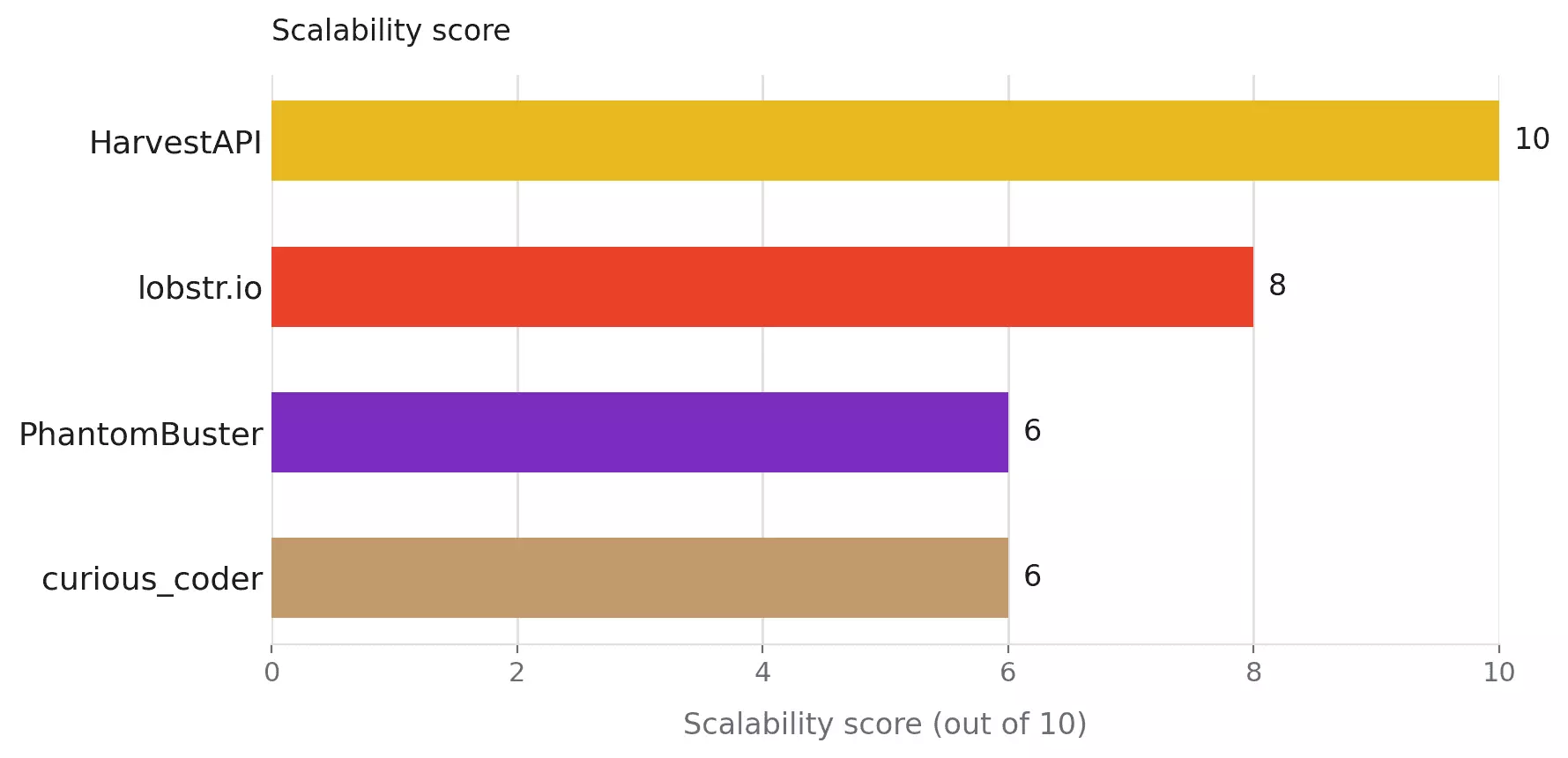
- Scalability... Does the workflow stay practical as volume and LinkedIn account requirements grow?
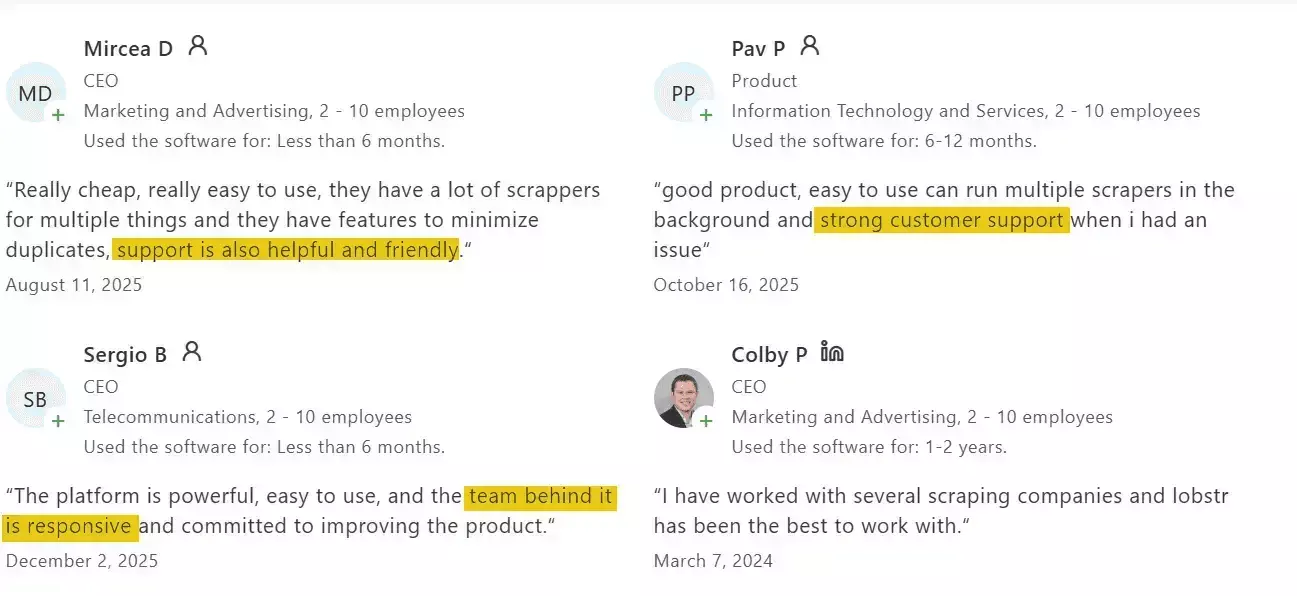
- Customer support... When something breaks, can you reach useful help, and is there evidence problems get resolved?
Data
Did it find the right people, and was the final lead actually useful?
Data combines:
- Relevance (35%)... role, location, and company/industry fit
- Effective lead data (65%)... depth of useful information + successful completion of the requested 1,000 profiles
For current title, company, and location, I also compared shared/overlapping records between tools and manually checked meaningful disagreements against live LinkedIn, to check freshness.
Cost
I compared published pricing at entry and scale, normalized to cost per 1,000 results.
I price three workflow stages separately... search-result collection, profile-level data, and profile + email enrichment. They are not equivalent outputs, so a rate from one stage never gets set against a rate from another.
Where a tool does not sell a stage, I say so rather than forcing it into the comparison.
I also considered pricing predictability... some billing models are simply easier to budget.
Usability
I looked at how much work sits between the search and usable output:
setup, account/session handling, enrichment controls, exports, integrations, and scheduling.
The fewer chores left for you, the better.
Speed
I timed each workflow stage separately, using each product's own start and finish timestamps.
Search-result collection, profile-level data, and profile + email enrichment are timed as different jobs. A tool that skips the email step will finish faster, and that is not the same as being faster at the same work.
Scalability
I looked at what actually limits recurring jobs:
account requirements, daily limits, multi-account support, concurrency, batching, and recovery.
If you want the full mess... there’s a separate breakdown of LinkedIn’s search, profile-view, connection, and messaging limits.
Support
I checked support access, public issue history, documentation, reviews, and evidence that problems were actually handled.
A closed ticket is useful evidence. It is not automatically a fixed problem.
How the scores landed
| Criterion (weight) | lobstr.io | HarvestAPI | PhantomBuster | curious_coder |
|---|---|---|---|---|
| Data (2.2) | 8 | 10 | 7 | 5 |
| Cost (2.2) | 9 | 6 | 7 | 8 |
| Usability (1.8) | 7 | 8 | 8 | 6 |
| Speed (1.8) | 8 | 6 | 7 | 7 |
| Scalability (1.0) | 8 | 10 | 6 | 6 |
| Support (1.0) | 10 | 8 | 5 | 6 |
| Weighted overall /10 | 8.24 | 7.84 | 6.88 | 6.40 |
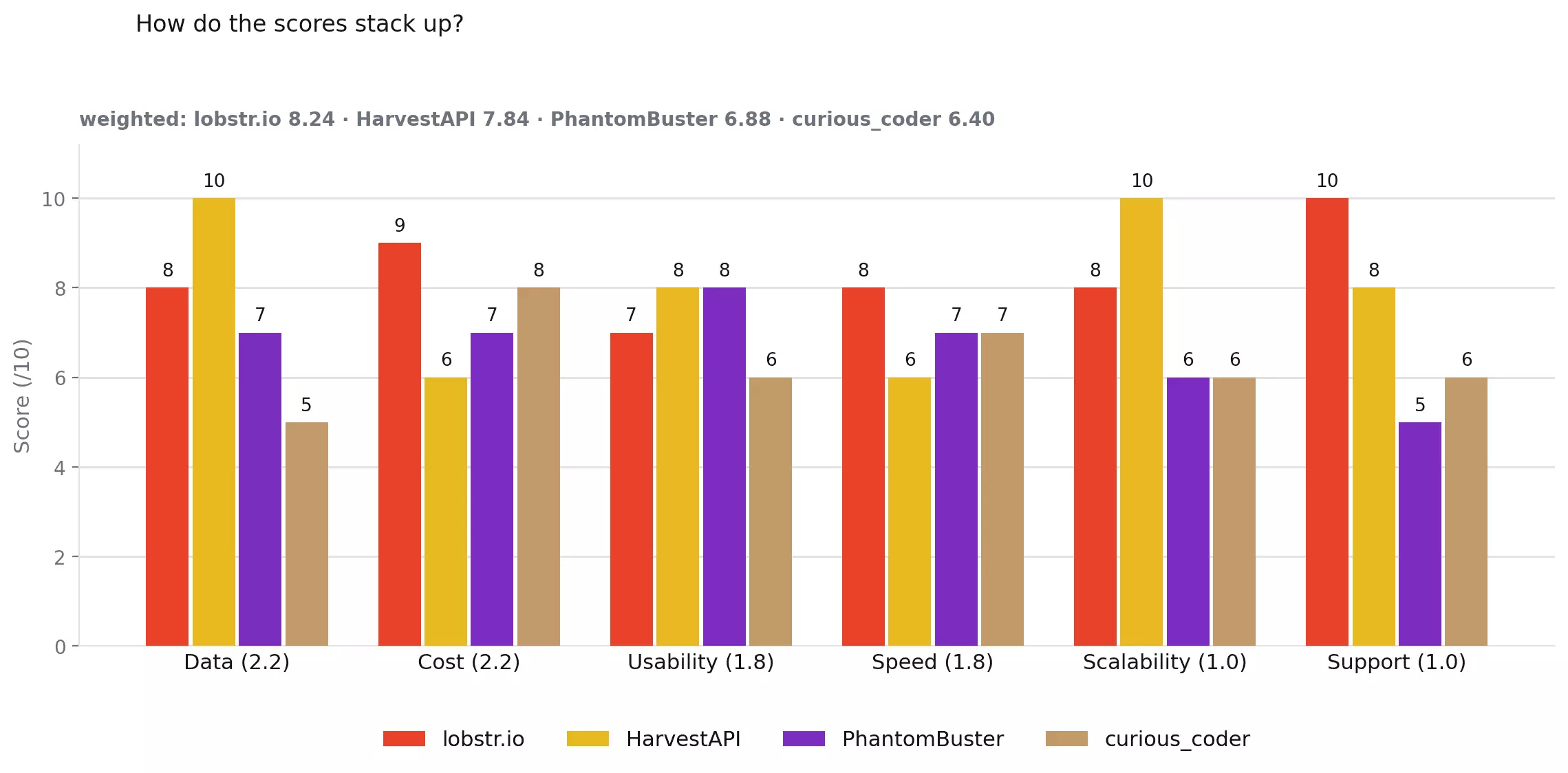
Each criterion is scored from 0 to 10, then weighted by how much it matters to the buying decision.
Data 2.2 · Cost 2.2 · Usability 1.8 · Speed 1.8 · Scalability 1.0 · Support 1.0
Overall = Σ(criterion score × weight) ÷ 10
For lobstr.io:
(8×2.2 + 9×2.2 + 7×1.8 + 8×1.8 + 8×1.0 + 10×1.0) ÷ 10 = 8.24
The scores are close... the trade-offs are not.
lobstr.io wins on the overall balance, HarvestAPI on completion, PhantomBuster on cheap profile data, and curious_coder on simple search-only scraping.
Here’s what each tool actually does well, and where it falls short.
The best LinkedIn leads scrapers
Why these Apify Actors? With no official LinkedIn Actor, I filtered the marketplace by relevance, popularity and monthly users, then tested the strongest candidates.
| Criteria | lobstr.io | Apify (HarvestAPI) | PhantomBuster | Apify (curious_coder) |
|---|---|---|---|---|
| User rating | 5.0/5 (33 reviews) | 4.4/5 (93 reviews) | 4.5/5 (64 reviews) | 4.7/5 (11 reviews) |
| Meaningful data points | 23 | 25 | 15 | 8 |
| Search input | LinkedIn search URL | Built-in filters | LinkedIn URL + keywords | LinkedIn search URL |
| Search results returned /1,000 | 320–352 | 1,000 | n/a | 708 |
| Enriched profiles returned /1,000 | 280 | 1,000 | 672 | ❌ |
| Profile enrichment | ✅ | ✅ | ✅ | ❌ |
| Email enrichment | ✅ | ✅ | ✅ Available | ❌ |
| Emails returned | 198 / 280... 70.7% | 548 / 1,000... 54.8% | n/a | ❌ |
| Company context | ✅ | ✅ | ✅ | ❌ |
| LinkedIn account required | Yes... synced account | No | Yes... connected account | Yes... cookies + user agent |
| Multi-account handling | ✅ Multiple accounts (no cap) in the same run | n/a | ✅ Up to 4 per automation | ❌ No built-in management |
| Search-result speed | ~220.6/min | ~54.2/min | n/a | ~131.6/min |
| Enrichment speed | 1.36/min... profile + email | 24.2/min... profile + email | 34.2/min... profile only | No enrichment |
| Search-result pricing /1K | $2.00 → $0.50 | $4.00 → $2.00 | n/a | $20/mo flat + Apify compute |
| Profile-level pricing /1K | $4.00 → $1.00 | $8.00 → $5.20 | ~$1.68 → $0.71 | No profile enrichment |
| Profile + email pricing /1K | $22.00 → $5.50 | $14.00 → $10.00 | $63.60 → $43.90 | No email enrichment |
| Export formats | CSV, JSON, XLSX, JSONL | CSV, JSON, XLSX, XML, JSONL | CSV, JSON | CSV, JSON, XLSX, XML, JSONL |
| Programmatic access | API + SDK + CLI + MCP | API + SDK + CLI + MCP | API + SDK + MCP | API + SDK + CLI + MCP |
| Support | Live chat + email | Apify Issues + developer email | Apify Issues | |
| Overall | 8.24/10 | 7.84/10 | 6.88/10 | 6.40/10 |
1. lobstr.io — LinkedIn Leads Scraper
- User rating: 5.0/5 from 33 Capterra reviews, as of Aug 31, 2026
- My rating: 8.24/10
- Type: No-code + API scraper
- Pricing: $2.00/1K search results, $22.00/1K profile + email
- Strongest at: deep profile and email data, with multi-account scaling
| Pillar | Score /10 |
|---|---|
| Data | 8 |
| Cost | 9 |
| Usability | 7 |
| Speed | 8 |
| Scalability | 8 |
| Support | 10 |
| Overall | 8.24 |
| Pros | Cons |
|---|---|
| Deep profile data + 70.7% email hit rate | Enrichment returned only 280/1,000 |
| Very cheap at scale... $5.50/1K with email | Enrichment was slow at 1.36 profiles/min |
| Fastest search-result collection at ~220.6/min | Search collection repeatedly stopped around 320–352/1,000 |
| Paste an existing LinkedIn search URL directly | Requires your own LinkedIn accounts |
| Strong multi-account setup with Slots | Entry profile + email pricing is expensive... $22/1K |
Data
lobstr.io returns 23 meaningful lead data points in total. Six arrive with the search results... profile and email enrichment add the other seventeen.
What a returned lead contains
| Category | Search results | Profile + email enrichment |
|---|---|---|
| 👤 Identity | LinkedIn URL, public identifier | — |
| 📇 Name | First, last, full name | — |
| 💼 Role | Headline | Current title, role dates, employment history |
| 🏢 Company | — | Company name, company LinkedIn URL |
| 📍 Location | Location | — |
| 🎓 Background | — | Education |
| 🧠 Skills | — | Skills |
| 📝 Profile | — | About / bio |
| 🖼️ Media | — | Profile picture |
| 🔗 Network | Connection degree | Total connections, followers, mutual-connections link, Sales Navigator link |
| 🎯 Interests | — | Followed companies, groups |
| 🚩 Signals | — | Open to work, creator |
| 📧 Contact | — | Email + validation status |
The search results were broadly on target, but lobstr.io did not return the full search.
Across repeated runs, lobstr.io stopped between 320 and 352 results against a target of 1,000. In the 320-row run I reviewed, I found 18 clear misses... mostly unrelated roles or people who were no longer current prospects.
The main schema gap is company-level context. lobstr.io does not return a company website/domain in this workflow... HarvestAPI does.
The bigger issue is completion.
The enrichment run returned 280 of the requested 1,000 profiles.
Among those 280 profiles:
| Field | Fill |
|---|---|
| Current title | 279 / 280 — 99.6% |
| Current company | 278 / 280 — 99.3% |
| Employment history | 279 / 280 — 99.6% |
| Current role start date | 279 / 280 — 99.6% |
| Skills | 274 / 280 — 97.9% |
| Education | 261 / 280 — 93.2% |
| Company LinkedIn URL | 242 / 280 — 86.4% |
| Email address | 198 / 280 — 70.7% |
| Email validation status | 193 / 280 — 68.9% |
| About / bio | 179 / 280 — 63.9% |
The records are genuinely deep.
Employment history averaged 8 positions per profile, education 2.1 entries, and skills 34.6 per profile.
That gives you enough structure to filter by tenure, seniority, experience, and skills without trying to reverse-engineer everything from a headline.
Email shows why completion matters.
lobstr.io returned 198 email addresses from 280 enriched profiles... a 70.7% hit rate, the highest in this comparison.
HarvestAPI had a lower 54.8% hit rate, but because it completed all 1,000 profiles, it returned 548 emails.
Freshness was mostly consistent, with one caveat.
Three profiles had genuine title or company conflicts. I checked those profiles against live LinkedIn, and all three matched HarvestAPI rather than lobstr.io.
That is too small a sample to call HarvestAPI universally more accurate. But where the two tools disagreed in this test, Harvest had the current value.
Verdict. lobstr.io returned the highest email hit rate in the test at 70.7%, and the best per-record depth. But only 280 of the requested 1,000 enriched profiles arrived. The depth is useful, but missing volume is harder to work around.
Cost
lobstr.io uses credits, and the effective rate drops quite a bit as you move to the Scale tier.
| Entry | Scale | |
|---|---|---|
| Search results | $2.00/1K | $0.50/1K |
| Search + profile details | $4.00/1K | $1.00/1K |
| Search + profile details + email | $22.00/1K | $5.50/1K |
Search-result collection is cheap, especially at scale... $0.50/1K is hard to argue with.
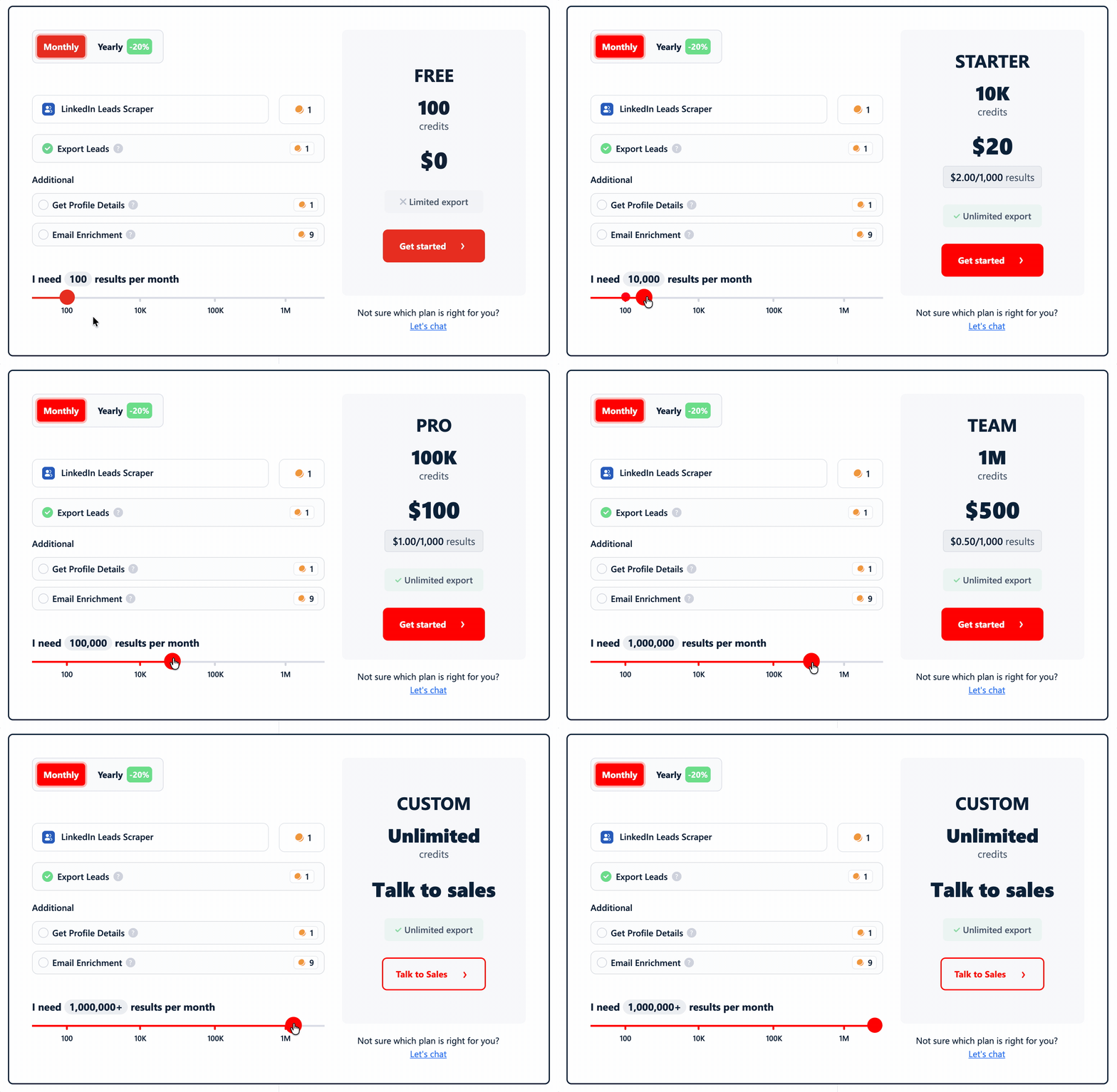
The catch is email.
At Entry pricing, the full search + profile + email workflow costs $22/1K profiles processed, because email enrichment carries most of the credit cost.
Once you reach Scale, that drops to $5.50/1K... almost half HarvestAPI's $10/1K rate for the comparable full workflow.
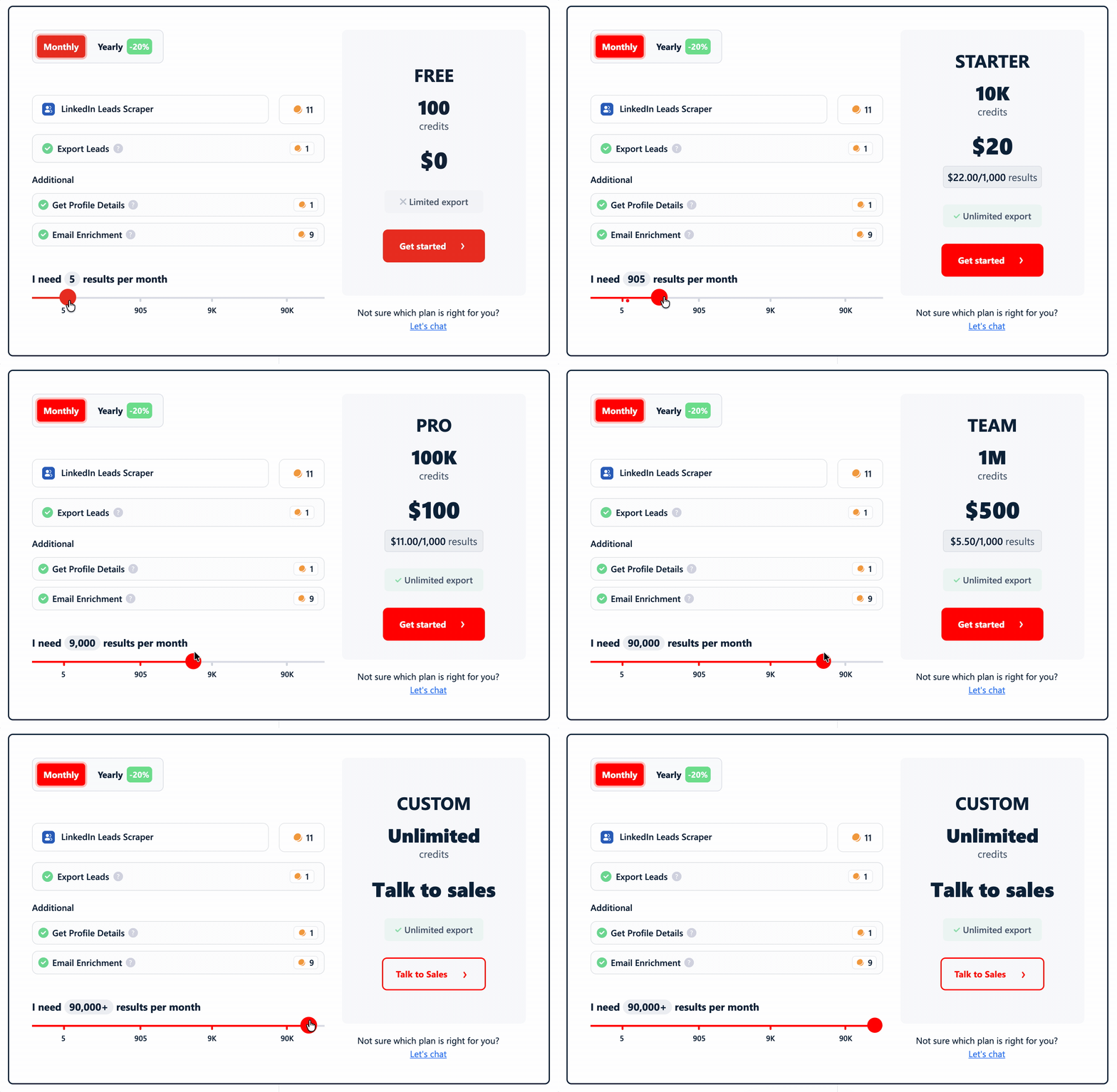
So lobstr.io has two very different cost stories: expensive to start with email, much cheaper once you reach volume pricing.
Verdict. lobstr.io has the cheapest search-result collection in the test at $0.50/1K at scale, plus strong scale pricing on enrichment. Small email-enriched runs are where its economics look much less friendly.
Usability
lobstr.io is straightforward once the LinkedIn account is connected.
The workflow is basically... connect account → paste search URL → choose enrichment → launch → get the leads out.
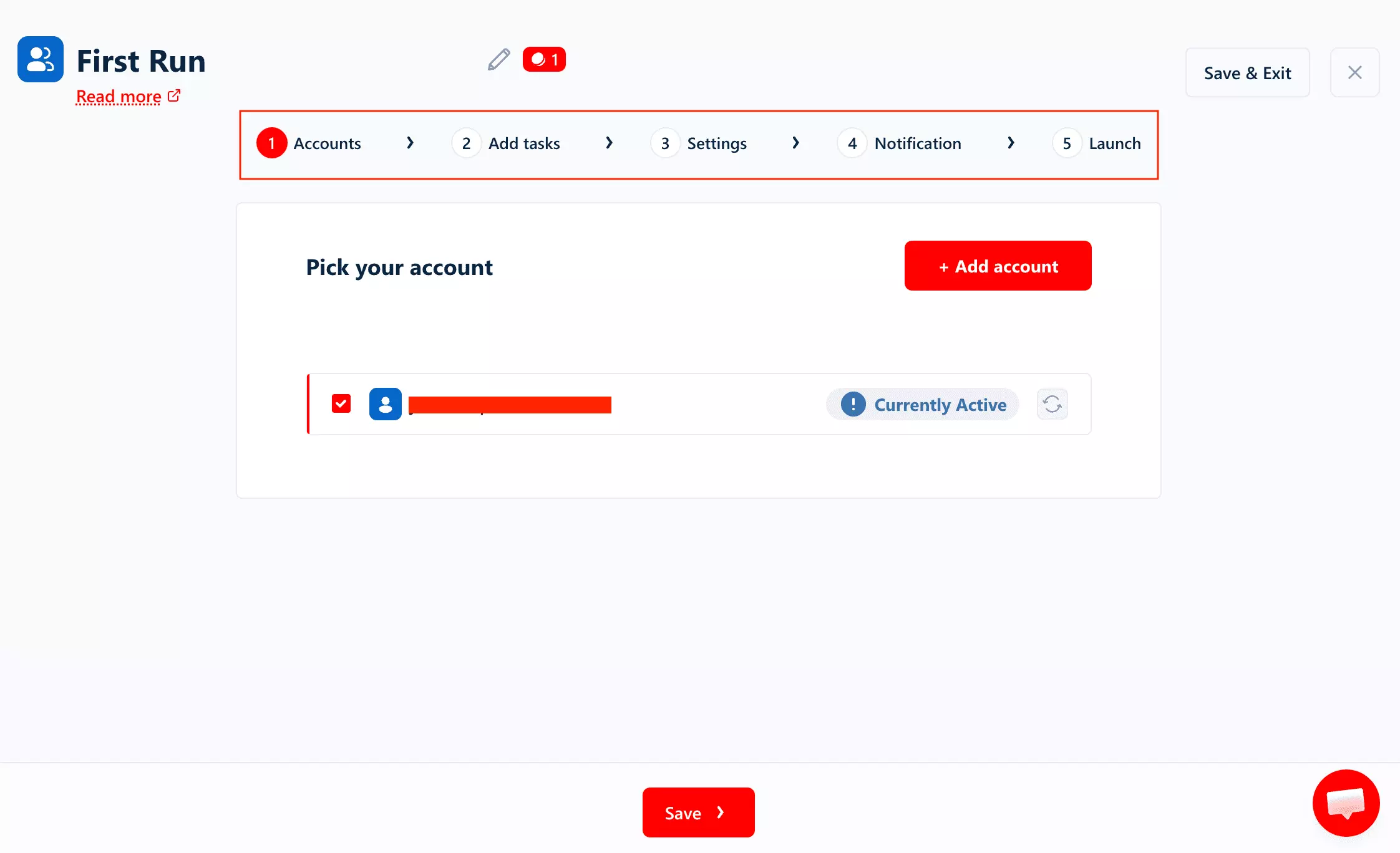
Account setup
The first step is connecting a LinkedIn account.
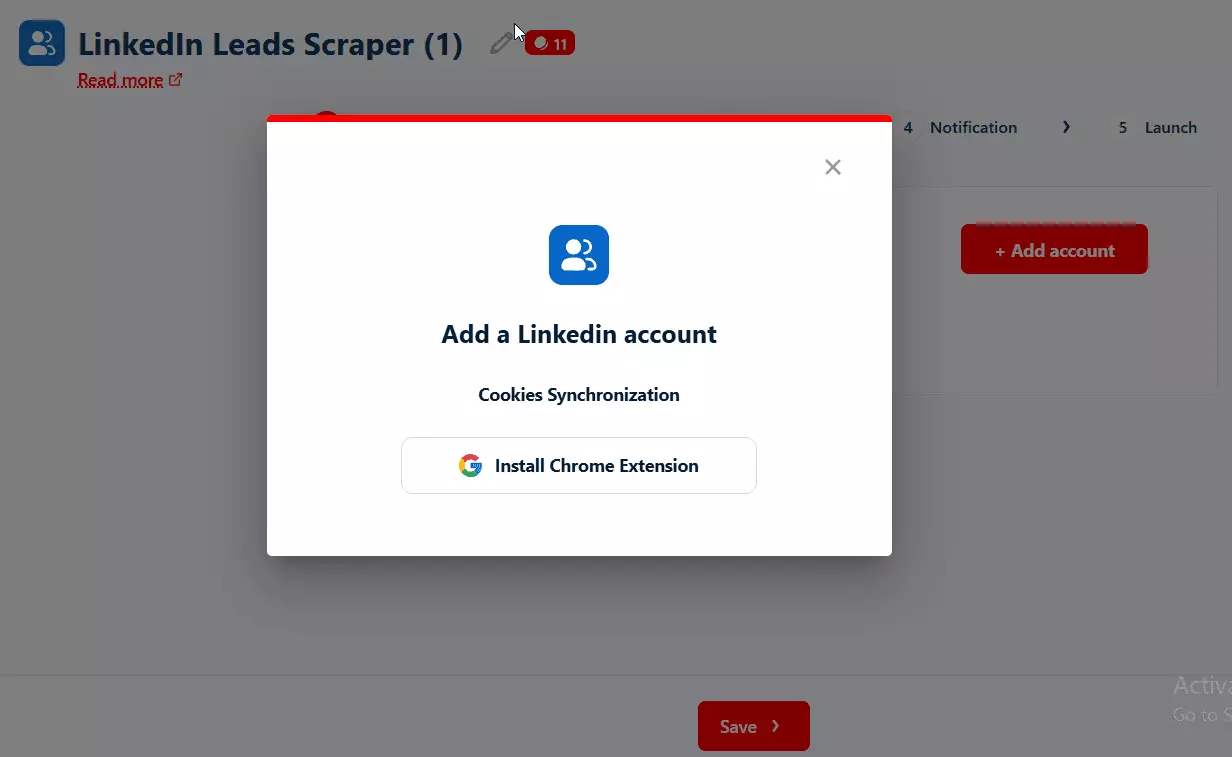
You can sync multiple LinkedIn accounts, choose which ones a scraper uses, and see the remaining usage allowance for each account.
That matters more once this becomes a recurring workflow.
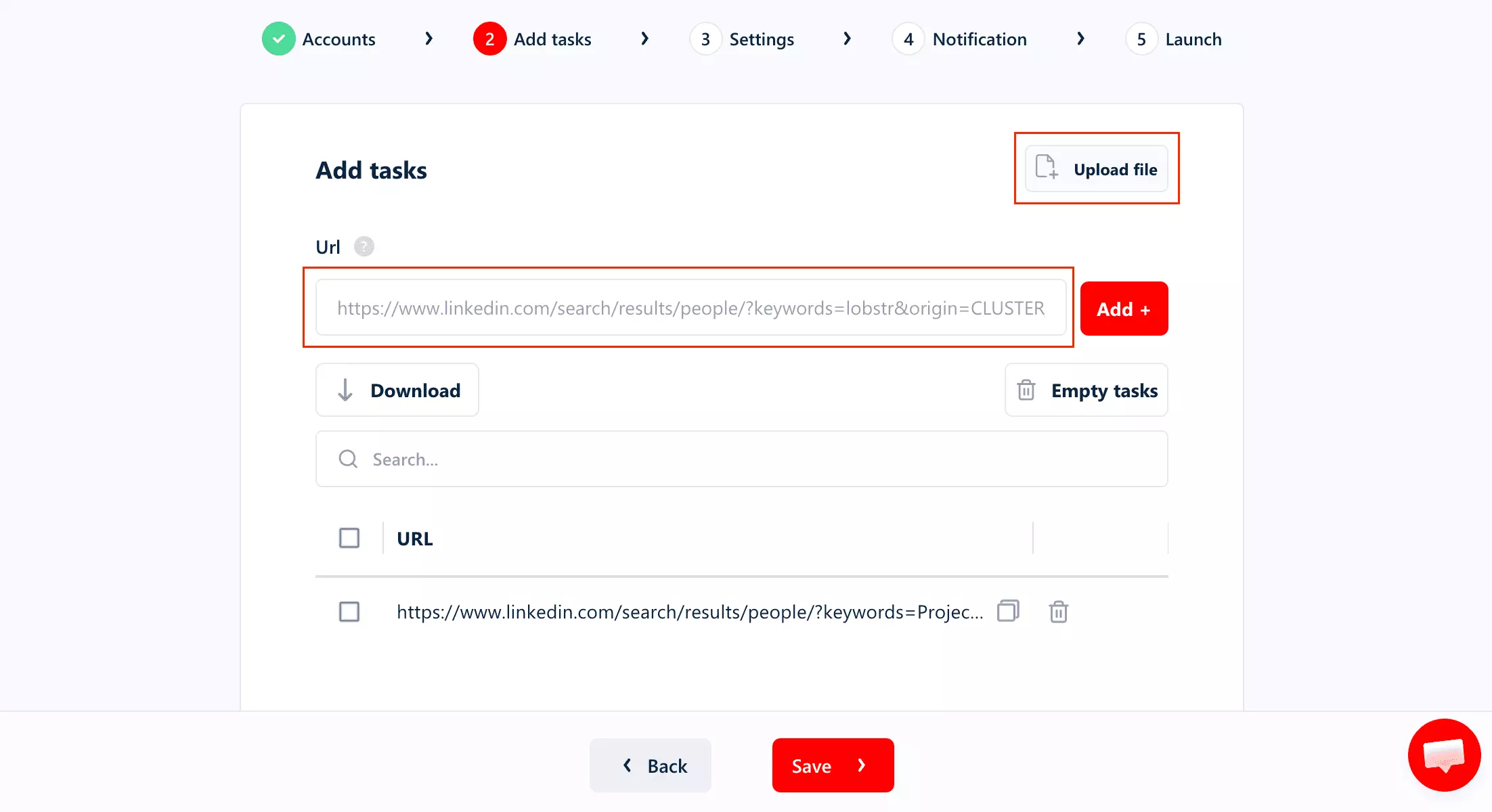
Input
The scraper accepts a LinkedIn people-search URL directly.
Paste the search you already built on LinkedIn and run it... no rebuilding the ICP in another filter system.
Tasks can also be uploaded in bulk via TXT/CSV.
Controls
The main controls sit in the same setup flow:
- Max Results Per Task
- Profile Detail Enrichment
- Email Enrichment
- Max Unique Results (cap per run)
- Slots / concurrency
- Unique Results (deduplicate the export)
- No Line Breaks
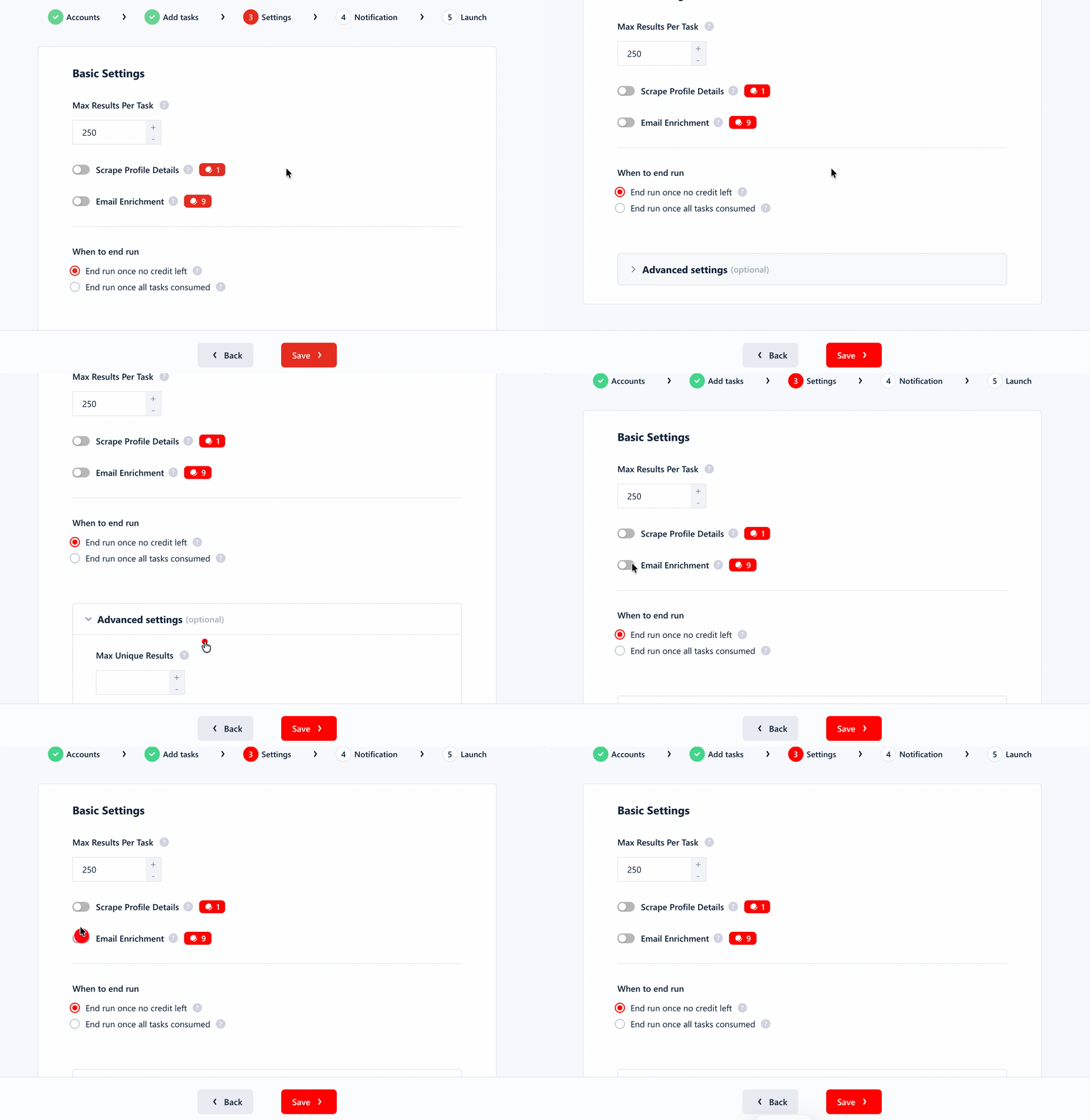
Profile and email enrichment are simple toggles, so you decide whether the run stops at the search results or continues into deeper lead data.
Workflow & delivery
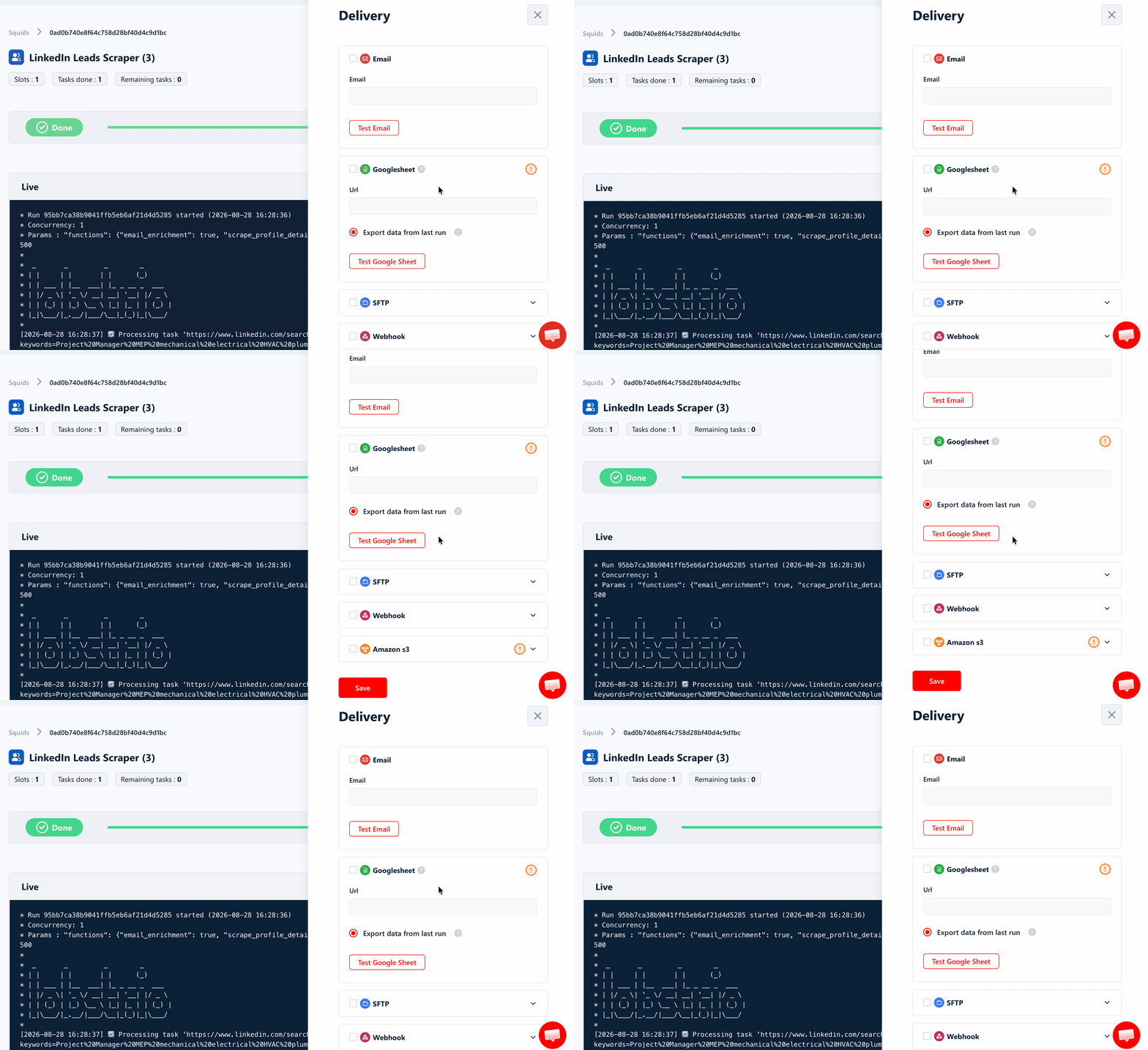
Results can be downloaded as CSV, Excel, JSON or JSONL, or delivered automatically to Google Sheets, Amazon S3, SFTP, email or a webhook.
Watch Runs trigger for run-status changes.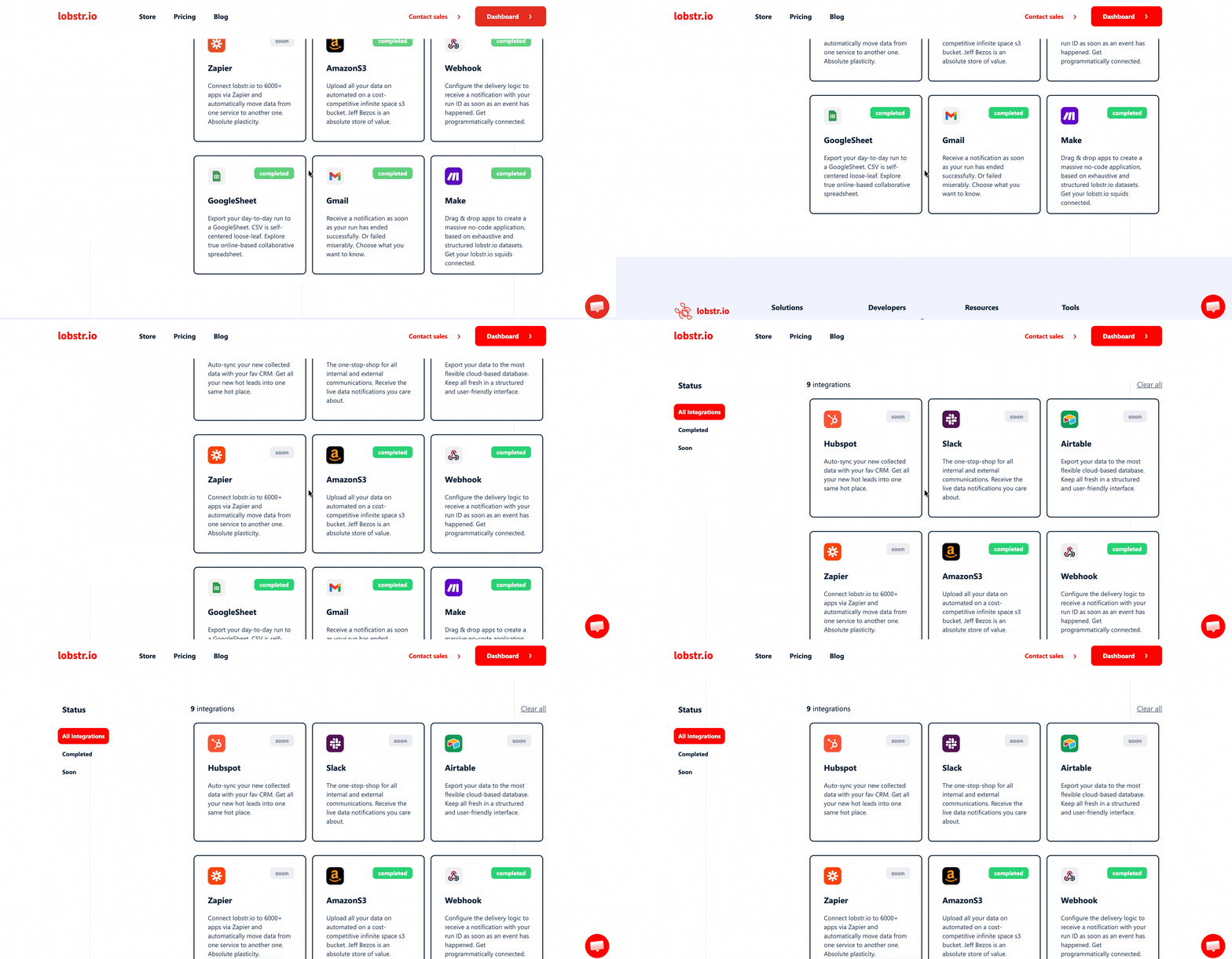
You can also select which columns are exported instead of cleaning a wide enriched file afterward. That matters here because enrichment adds a lot of fields, while search-only runs leave many of them empty.
Run management
For recurring jobs, lobstr.io gives you a live progress console, run timestamps, scheduling, completion alerts, and the ability to abort a run while it is running.
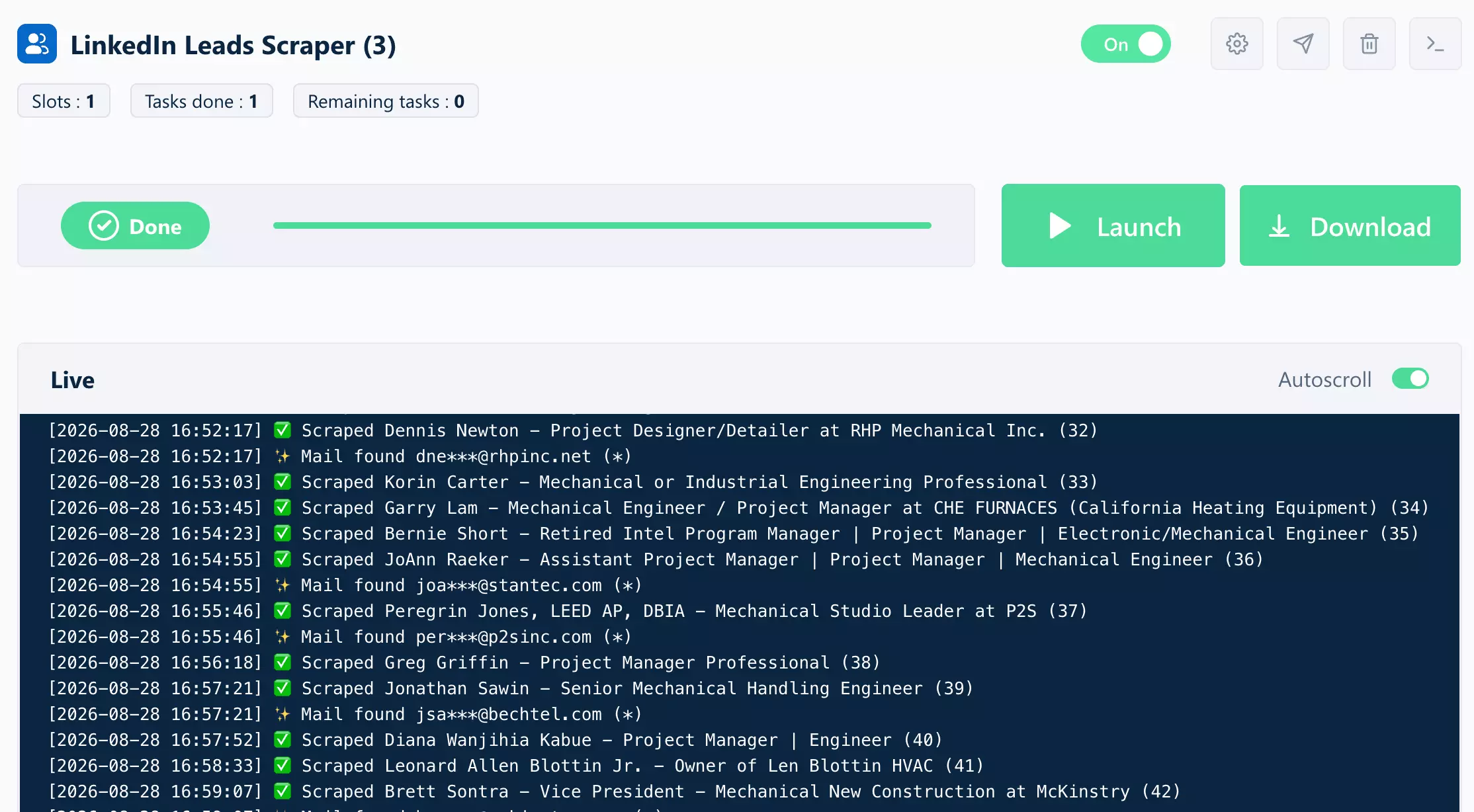
Verdict. Easy to operate once the LinkedIn account is connected. Direct search-URL input, managed accounts, built-in enrichment, flexible delivery, and recurring-run controls cover most of the workflow without much extra plumbing.
Speed
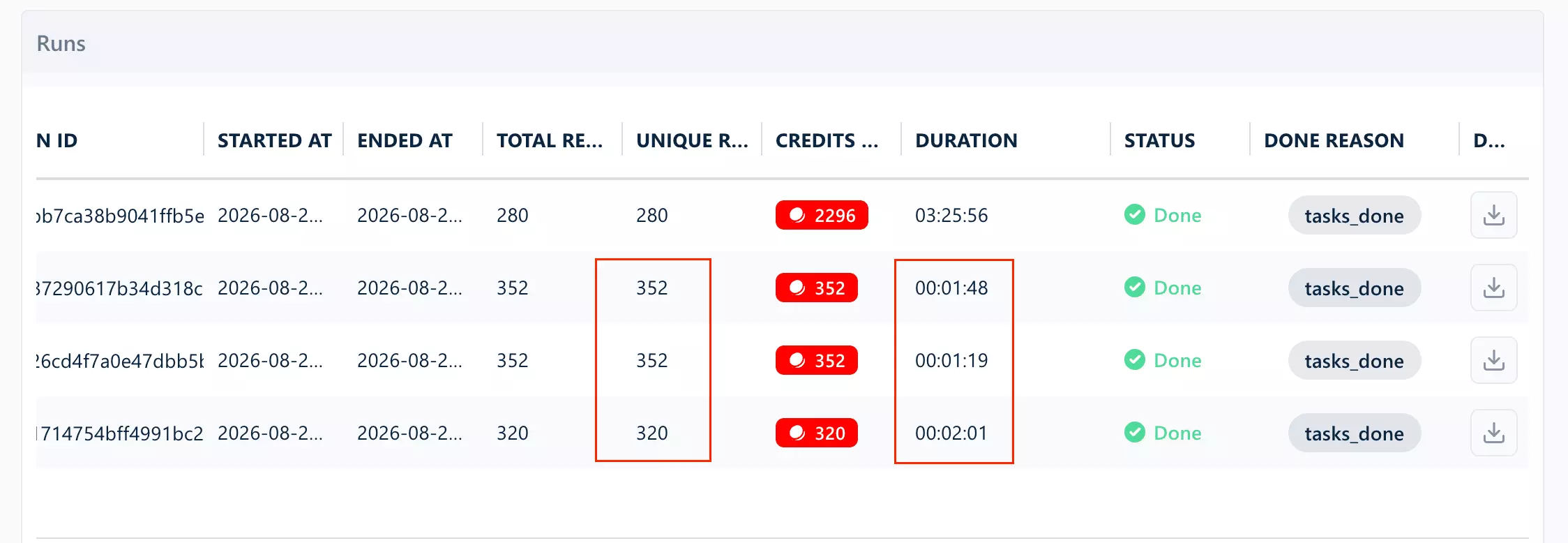
At search-result collection, lobstr.io was the fastest tool I tested... about 220.6 search results/min at the median.
There is a catch though.
Those runs stopped between 320 and 352 results against a target of 1,000, so that speed describes how quickly the returned rows arrived... not how quickly lobstr.io completed a 1,000-result search.
Turn on profile and email enrichment and the picture changes completely.
The enrichment run returned 280 profiles in 3 hours 26 minutes... about 1.36 enriched profiles/min.
That is lobstr.io's weakest speed number by a wide margin.
There is a concurrency lever... Slots.
More Slots let lobstr.io run account-gated work in parallel, but LinkedIn accounts matter here too.
One synced LinkedIn account effectively supported one concurrent worker. Scaling concurrency therefore means adding account capacity, not just moving a slider.
Verdict. lobstr.io had the fastest search-result collection in the test at ~220.6/min, but full profile + email enrichment was much slower at 1.36 profiles/min.
Scalability
lobstr.io works with regular LinkedIn search, so a single search exposes up to 1,000 results.
To scale beyond one search, you can run additional search URLs and spread the workload across multiple LinkedIn accounts.
lobstr.io lets you sync multiple accounts with no cap... and use them in the same run.
Slots control concurrency, while the connected accounts give that concurrency somewhere to run.
So the scaling model is basically... more searches + more accounts + more Slots.
Running several LinkedIn accounts at once? Worth knowing how the platform reacts before you scale up.
Verdict. You have a clear multi-account path to scale, but LinkedIn's search ceiling still means large audiences need to be split across searches.
Support
Support is available through live chat and email.
Its Capterra Customer Service rating is 5.0/5 across 33 reviews, and 21 of those 33 reviews mention support.
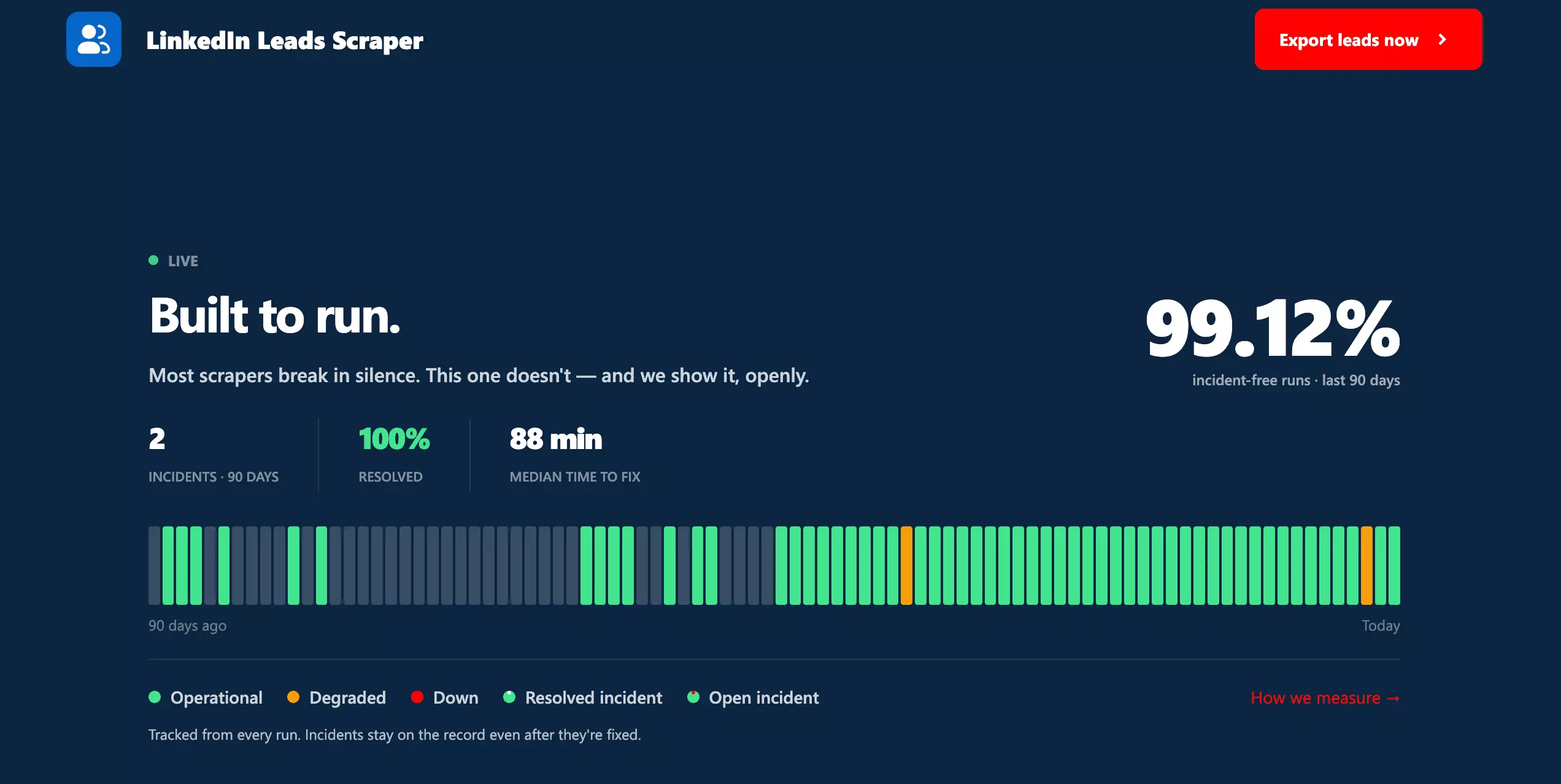
That is resolution evidence, not response-time evidence. I did not independently open and time a support ticket during this benchmark.
Still, it is stronger evidence than simply counting available support channels.
Verdict. The strongest support setup in the comparison: direct company support, strong customer-service reviews, and published product-resolution data.
Best for: If you already prospect on LinkedIn and want deep profile + email enrichment without paying much at scale... especially if you're comfortable using multiple LinkedIn accounts.
2. Apify — harvestapi/linkedin-profile-search
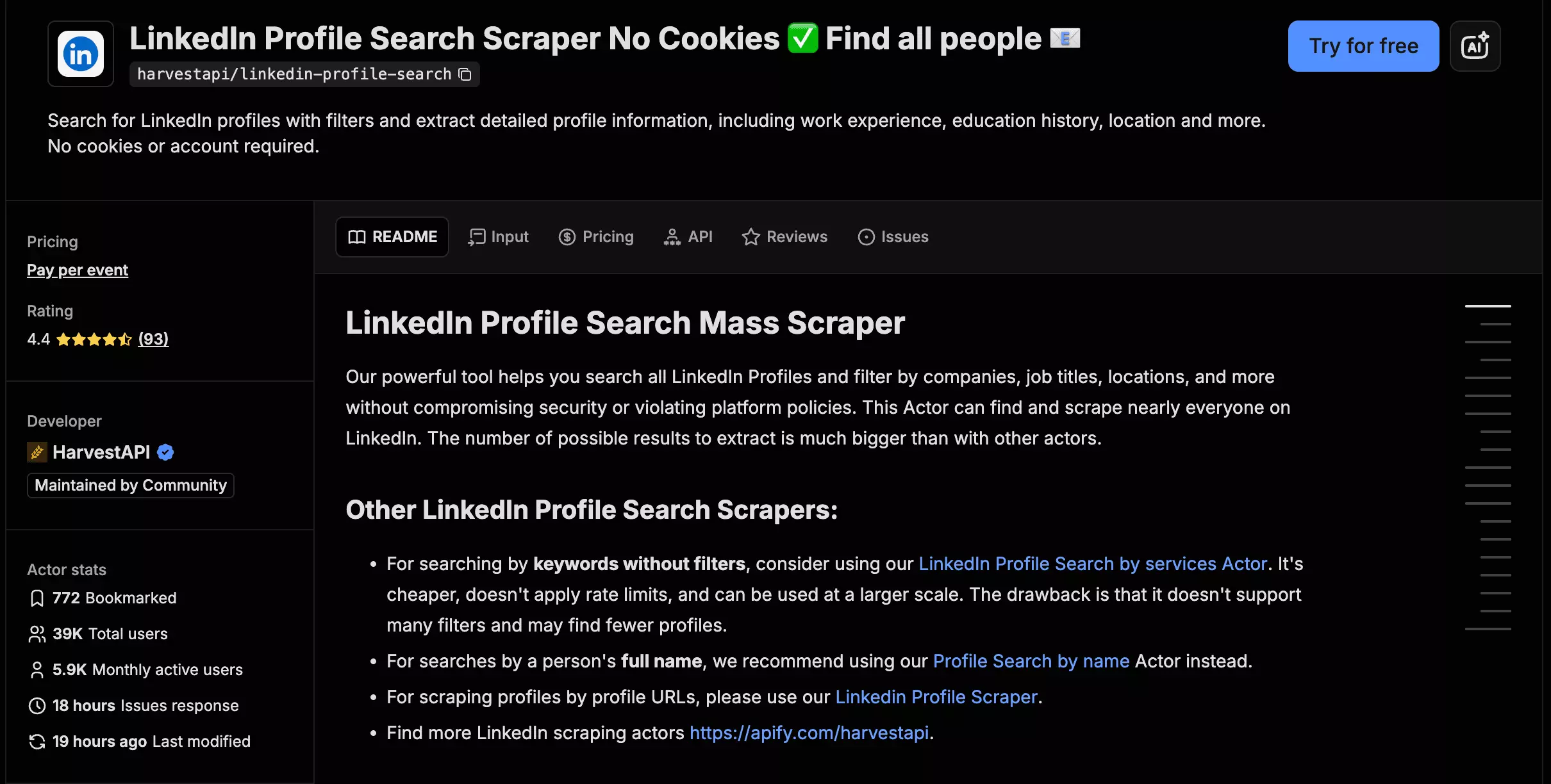
- User rating: 4.4/5 from 93 Apify Store reviews, as of Aug 31, 2026
- My rating: 7.84/10
- Type: Apify marketplace Actor
- Pricing: $4.00/1K search results, $14.00/1K profile + email
- Strongest at: completing the full workload without using your LinkedIn account
| Pillar | Score /10 |
|---|---|
| Data | 10 |
| Cost | 6 |
| Usability | 8 |
| Speed | 6 |
| Scalability | 10 |
| Support | 8 |
| Overall | 7.84 |
| Pros | Cons |
|---|---|
| Completed 1,000/1,000 at search and enrichment | Most expensive full workflow at scale... $10/1K |
| Returned the most emails... 548 | Slowest search-result collection at ~54.2/min |
| No LinkedIn account or session required | Cannot paste an existing LinkedIn search URL |
| Returned company website/domain on 749/1,000 profiles | |
| Can segment larger searches |
Data
HarvestAPI returns 25 meaningful lead data points in total. Nine arrive with the search results, then enrichment adds full profile, company, and contact data.
What a returned lead contains
| Category | Search results | Profile + email enrichment |
|---|---|---|
| 👤 Identity | LinkedIn URL, member ID | — |
| 📇 Name | First, last name | — |
| 💼 Role | Current title | Headline, role tenure, employment history |
| 🏢 Company | Company name | Company LinkedIn URL, website + domain |
| 📍 Location | LinkedIn location | — |
| 📝 Profile | About / bio | — |
| 🖼️ Media | Profile picture | — |
| 🎓 Background | — | Education |
| 🧠 Skills | — | Skills, certifications, languages |
| 🛠️ Projects | — | Projects |
| 🏅 Recognition | — | Recommendations received |
| 🤝 Volunteering | — | Volunteering, organizations, causes |
| 🎯 Interests | — | Interests |
| 🚩 Signals | Premium, open profile | Hiring, verified, influencer |
| 🔗 Network | — | Total connections, followers |
| 📧 Contact | — |
The returned search results were highly relevant.
Across 1,000 search results, I found 26 clear misses... mostly obviously unrelated roles. Only two were outside the target states.
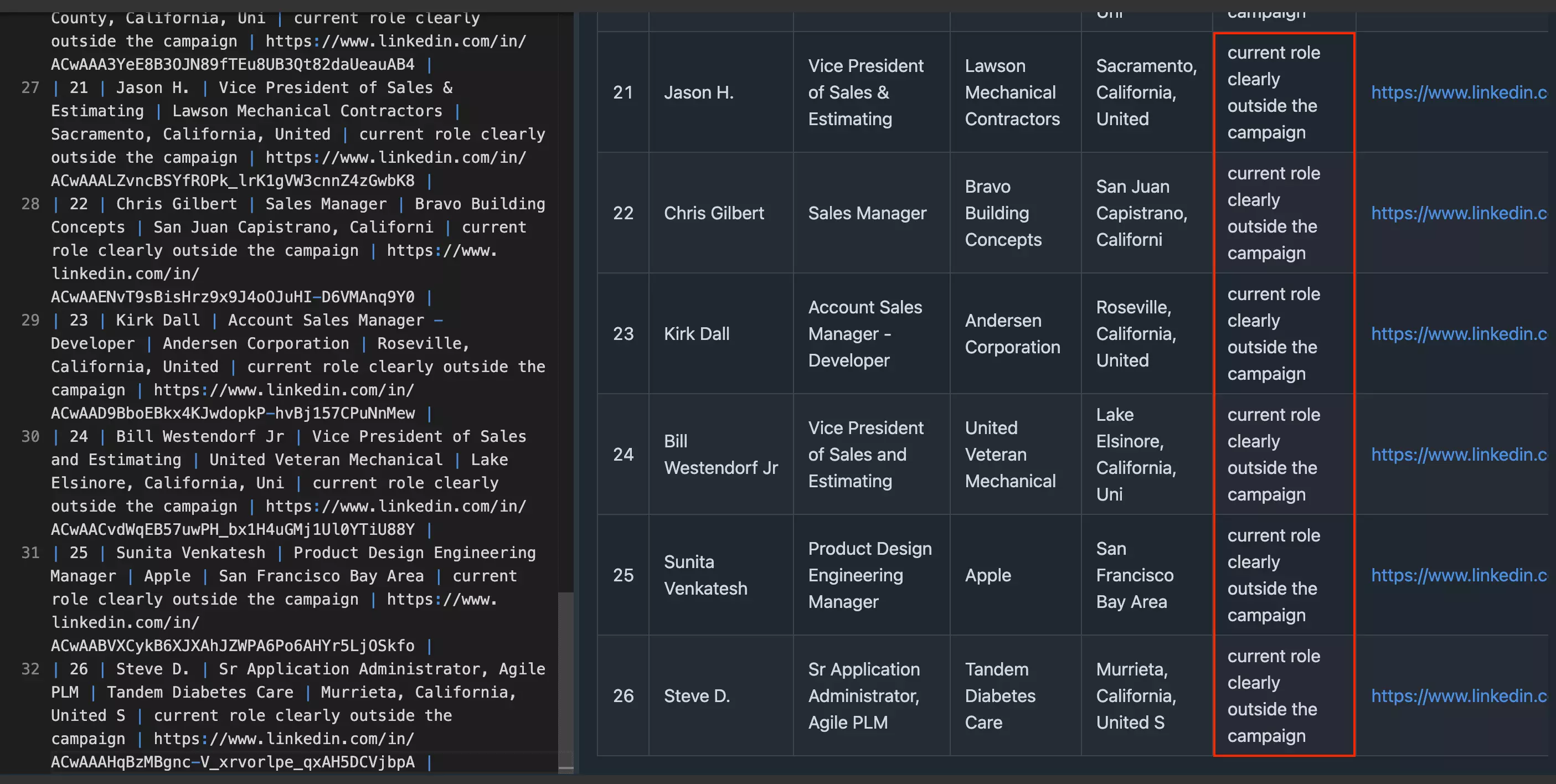
Its search output is more structured than a basic LinkedIn search row. Current title and company were already available on roughly 92% of records, so a lot of qualification can happen before enrichment.
Completion is the clearest advantage.
HarvestAPI was the only tool that returned the full workload at both stages: 1,000 search results and 1,000 enriched profiles.
Across those 1,000 enriched profiles:
| Field | Fill |
|---|---|
| Employment history | 1,000 / 1,000 — 100% |
| Name, location, profile URL | 1,000 / 1,000 — 100% |
| Skills | 957 / 1,000 — 95.7% |
| Education | 913 / 1,000 — 91.3% |
| Current title | 907 / 1,000 — 90.7% |
| Current role tenure | 907 / 1,000 — 90.7% |
| Current company | 905 / 1,000 — 90.5% |
| Company LinkedIn URL | 901 / 1,000 — 90.1% |
| Actual company LinkedIn page | 751 / 1,000 — 75.1% |
| Company website / domain | 749 / 1,000 — 74.9% |
| About / bio | 707 / 1,000 — 70.7% |
| Email address | 548 / 1,000 — 54.8% |
One caveat on company URLs... HarvestAPI populated that field on 901 profiles, but only 751 were direct LinkedIn company-page URLs. The other 150 were LinkedIn search links generated from the company name, so I would not treat 90.1% as true company-page coverage.
The profile depth is solid.
Employment history averaged 8.0 positions per profile, education 2.1 entries, and skills 24.0 per profile.
lobstr.io went deeper on skills, averaging 34.6 per profile, but HarvestAPI makes up ground elsewhere.
Company data is still one of HarvestAPI's stronger areas.
It returned an actual LinkedIn company page for 751/1,000 profiles and a company website/domain for 749/1,000.
That gives you useful account-level context instead of stopping at the employer name.
Company industry and headcount were absent, so this is not full company enrichment.
HarvestAPI also found 548 email addresses from 1,000 enriched profiles... a 54.8% hit rate.
That percentage is lower than lobstr.io's 70.7%, but the completed run produced far more emails overall.
Freshness held up too.
Three profiles had genuine title or company conflicts between the enrichment tools. I checked all three against live LinkedIn, and HarvestAPI matched the live profile in every disputed case.
That is a small sample, so I would not turn it into a universal accuracy claim. But every verified disagreement went the same way.
Verdict. HarvestAPI combined strong relevance with the most complete end-to-end output in the test.
Cost
HarvestAPI charges by usage, and the rate gets cheaper as you move up the Apify plans.
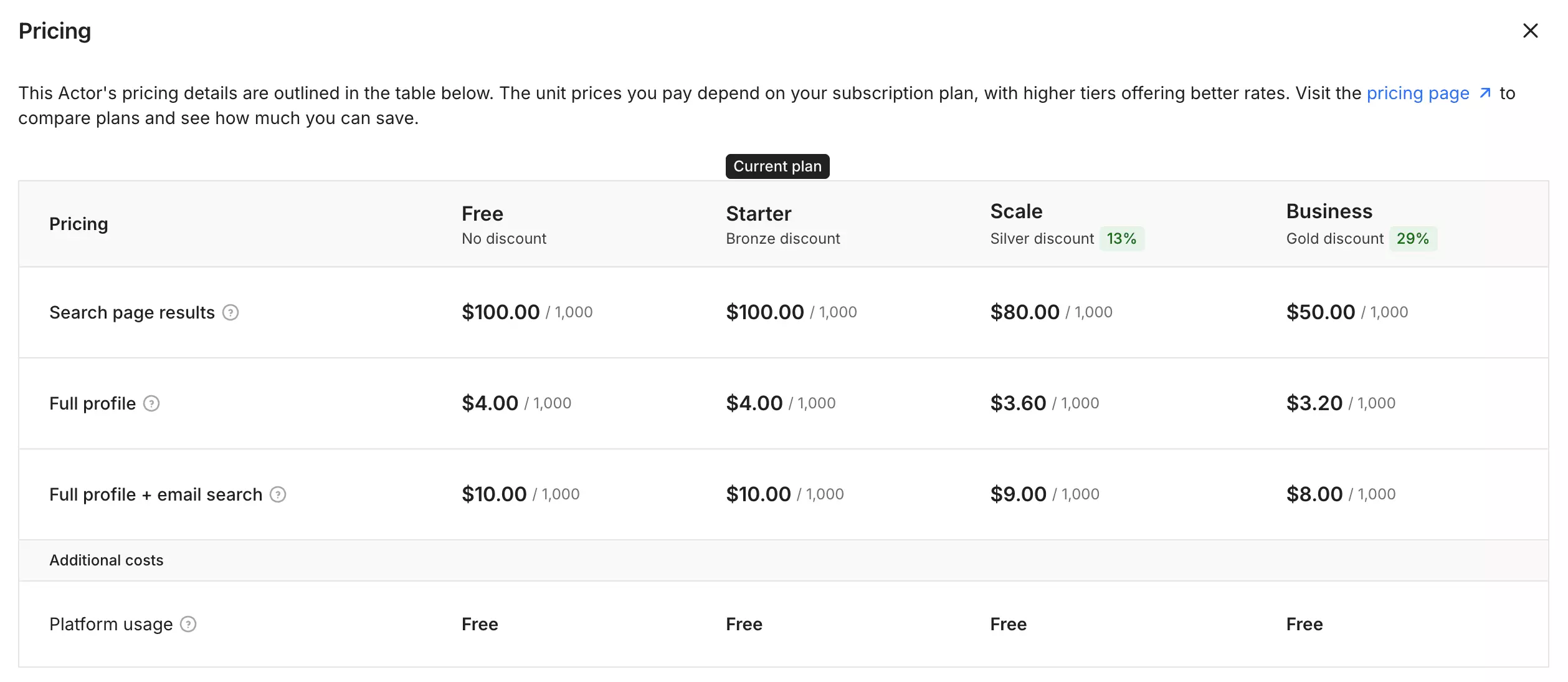
At full page utilization, the published base pricing works out to:
| Free / Starter | Scale | Business | |
|---|---|---|---|
| Search results | $4.00/1K | $3.20/1K | $2.00/1K |
| Search + full profile | $8.00/1K | $6.80/1K | $5.20/1K |
| Search + full profile + email | $14.00/1K | $12.20/1K | $10.00/1K |
So... even if you only need the search results, the pricing is expensive.
And once you add full profiles and email search... the cost climbs quickly. Even at the best published tier, you are still at $10/1K profiles processed through the full workflow.
That's almost double the cost of lobstr.io.
There is also one small catch with search-result pricing... you are billed by search page, with up to 25 profiles per page.
If a page comes back short, you still pay for the page.
Verdict. HarvestAPI's pricing is easy to understand and tied closely to usage, but enrichment is not cheap at $10/1K on its best published tier. Page-based billing can also push the real search-result cost slightly above the headline rate.
Usability
HarvestAPI removes the most annoying setup step entirely:
no LinkedIn account, cookie, or synced session required.
The workflow is basically... build search → choose profile depth → launch → export from Apify.
HarvestAPI runs without your LinkedIn credentials, so there is no account to connect, cookie to refresh, or session to keep alive.
That is the clearest usability advantage over the two session-based tools.
Input
Instead of taking a LinkedIn people-search URL, HarvestAPI makes you build the search inside the Actor.
You can start with a fuzzy keyword query, then narrow it with filters for:
- enrichment controls
- location
- current and past company
- current and past job title
- school
- years of experience
- years at current company
- seniority
- function
- industry
- profile language
- company headcount
- company HQ location
There are also filters for people who changed jobs in the last 90 days or posted on LinkedIn in the last 30 days.
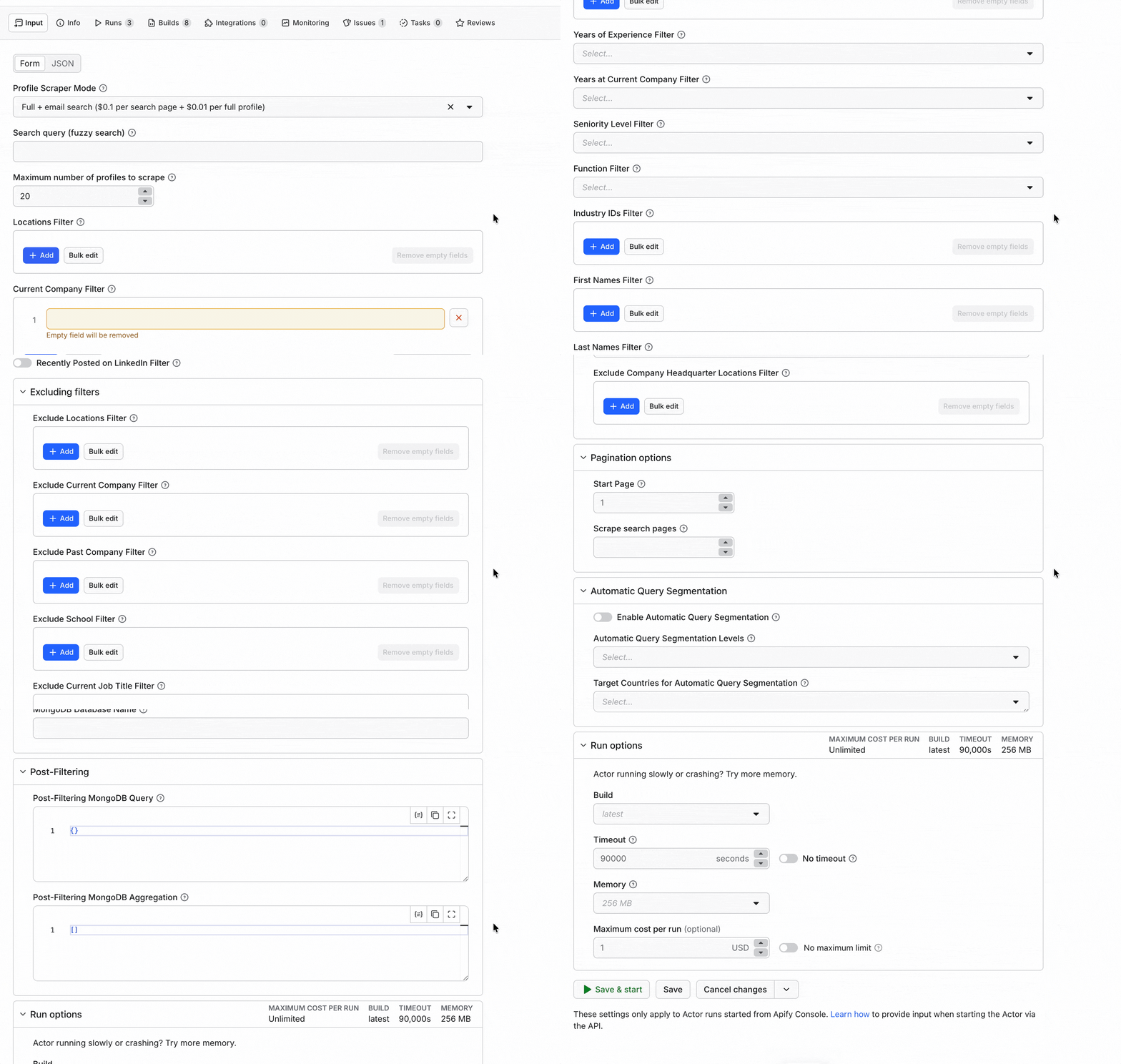
The controls are broad, but there is a trade-off... you cannot paste the LinkedIn search you already built.
If your ICP already lives in a tuned LinkedIn search URL, you have to recreate it with HarvestAPI's fields.
Beyond the search filters, the Actor also exposes:
- maximum profiles
- exclusion filters
- pagination options
- automatic query segmentation
- deduplication
- post-filtering
- run options
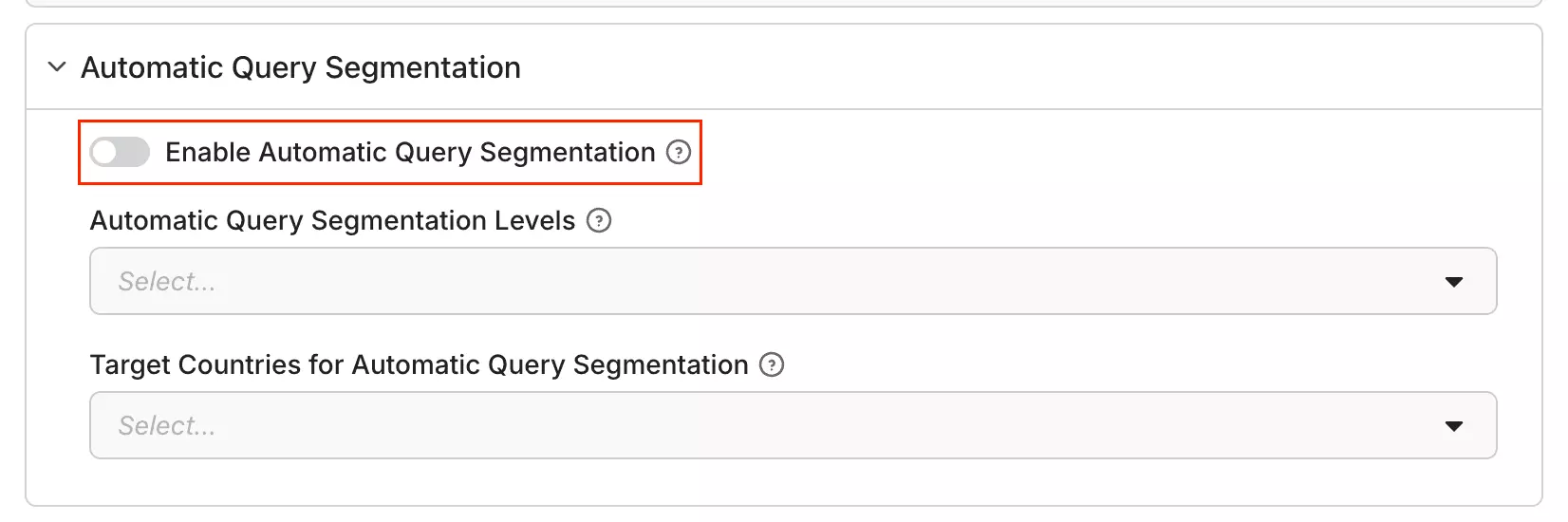
Automatic query segmentation is particularly relevant for larger searches.
LinkedIn limits a single query to 1,000 results, so the Actor can split larger searches into smaller queries by geography, experience, and other dimensions.
Workflow & delivery
It supports exports including CSV, Excel, JSON and JSONL, along with several other dataset formats. Its dataset API can also include or omit specific fields during export.
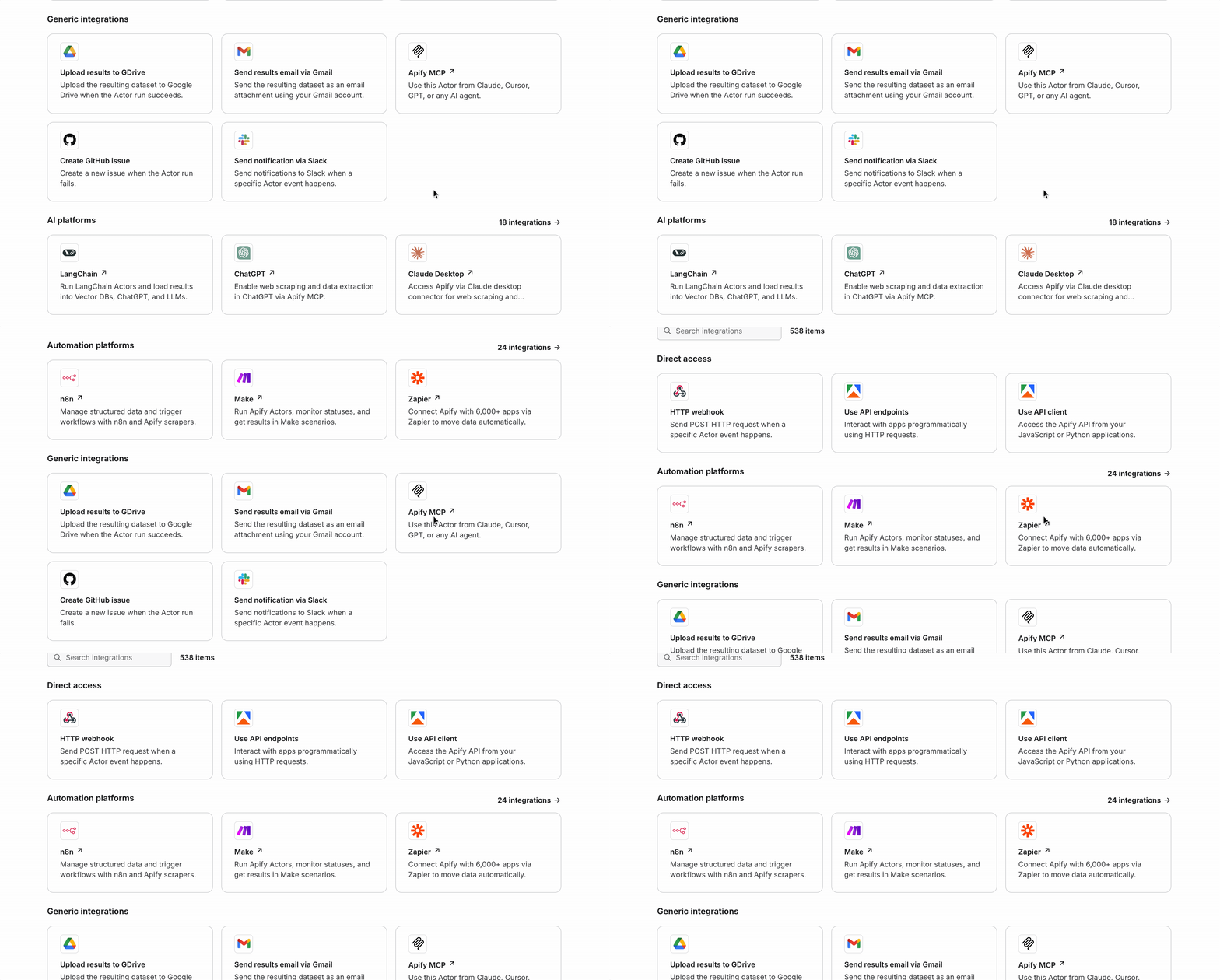
Apify adds the downstream plumbing... HTTP webhooks, API access, Make, Zapier and n8n are all available for pushing results into CRMs, spreadsheets, databases, or custom workflows.
Run management
Recurring jobs can be scheduled through Apify, including timezone-aware schedules. The platform also provides monitoring and run-status webhooks for succeeded, failed, aborted, and timed-out runs.
Verdict. No LinkedIn account maintenance and a very flexible search builder make HarvestAPI easy to keep running. The trade-off is that you have to rebuild an existing LinkedIn search, and most of the downstream workflow lives in Apify rather than the Actor itself.
Speed
HarvestAPI was the slowest at collecting search results.
The 1,000-result search run finished in 18 minutes 27 seconds... about 54.2 search results/min.
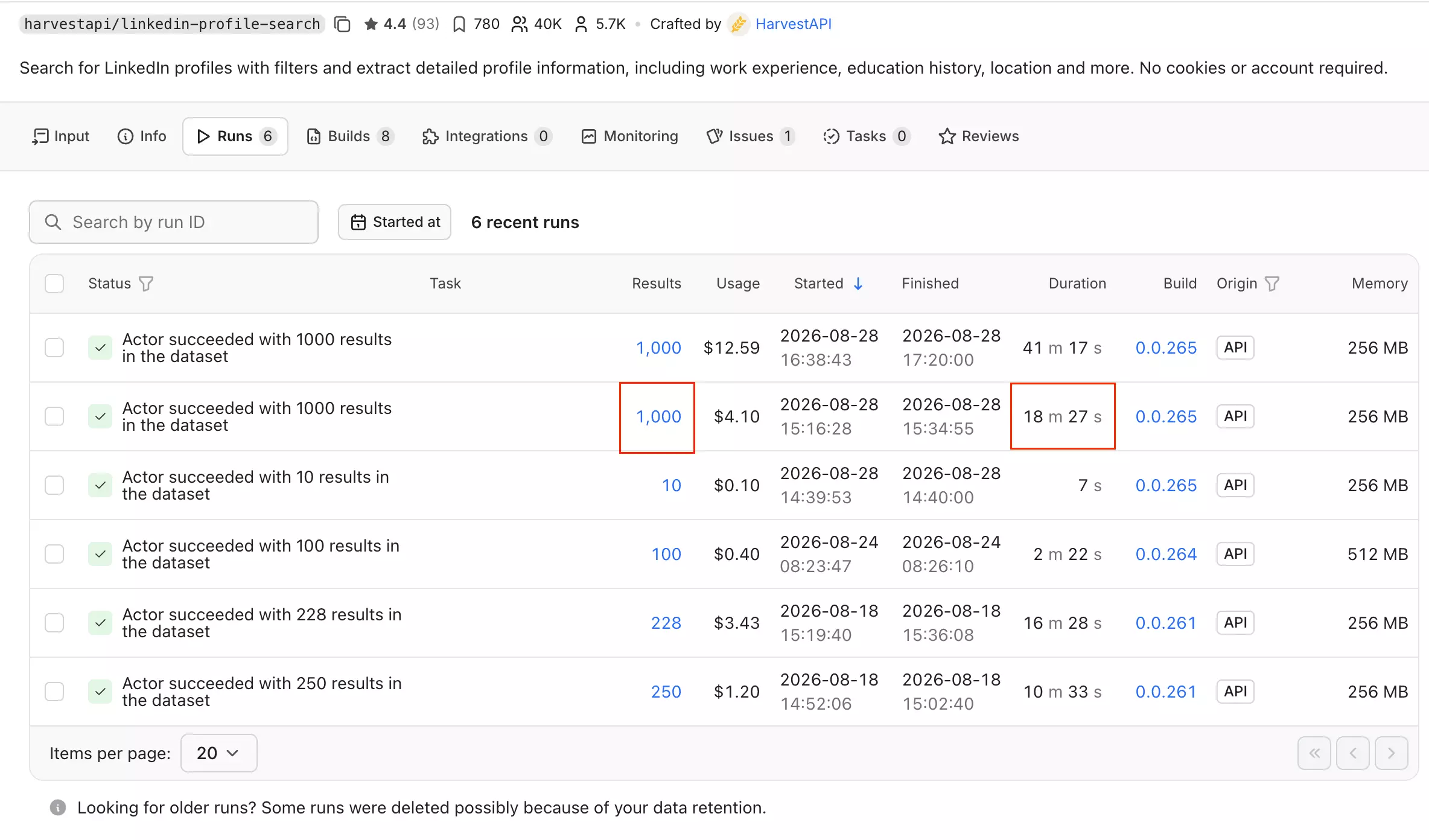
The full profile + email run took 41 minutes 17 seconds for all 1,000 profiles, or about 24.2 profiles/min.
For the full profile + email workflow, HarvestAPI was the fastest tool in this benchmark.
Both runs used 256MB of memory, while the Actor accepts up to 512MB, so there is some resource headroom.
A 100-result test at 512MB finished in 2m 22s (~42/min)... slower than the 256MB benchmark. So I would not assume more memory means more speed here.
Verdict. HarvestAPI's search-result collection is the weak spot at ~54.2/min. End-to-end enrichment is not: it returned 1,000 enriched profiles in about 41 minutes, making it the fastest full-profile workflow in the test.
Scalability
HarvestAPI scales differently because you do not manage the LinkedIn accounts behind it.
A normal query can return up to 1,000 profiles. If the audience is larger, the Actor can split the search into smaller sub-queries and combine the results for you.
That segmented workflow supports searches of up to 100,000 profiles.
I only tested 1,000, so I would treat 100,000 as published capacity rather than proven throughput.
If a segmented run stops, it can also continue from the last scraped page instead of restarting the whole search.
Verdict. The easiest scaling model here from the buyer's side. You split large searches, not account pools, and HarvestAPI handles the LinkedIn-side session management behind the scenes.
Support
Support comes directly from the HarvestAPI developer through email and Apify Issues.
The public record showed 111 of 112 issues closed.
That is a substantial maintenance history, and the developer is visibly active.
There is one caveat.
The public issues include billing and free-plan questions alongside technical problems, so 111/112 closed should not be read as a 99% technical-resolution rate.
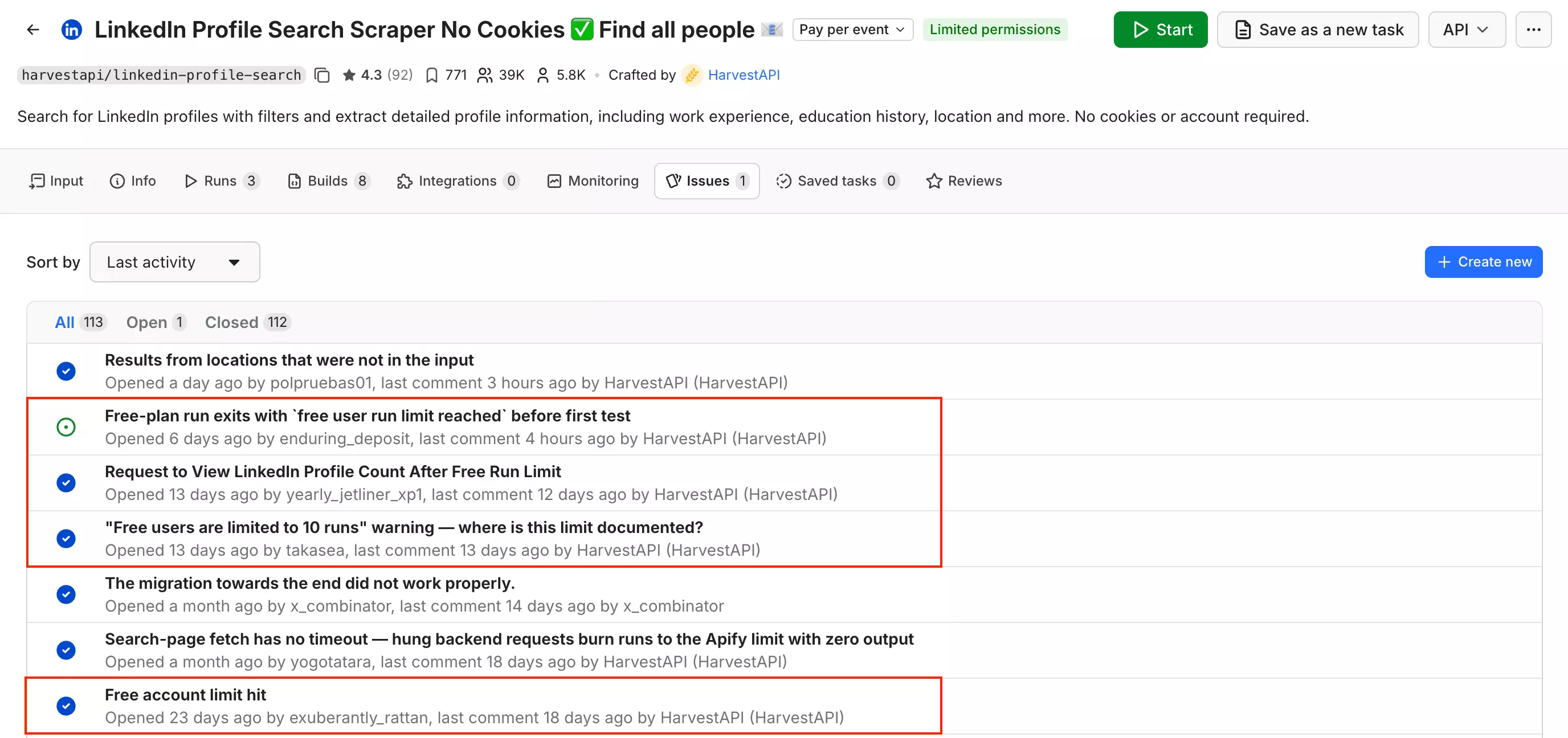
Still, the issue history gives buyers a clear escalation path and good evidence that the Actor is actively maintained.
Verdict. Strong developer support for a marketplace Actor, backed by a large public issue history. What is less clear is how quickly serious scraping failures get resolved.
Best for: If you want the most complete, hands-off workflow and would rather not deal with LinkedIn accounts, cookies, or session management.
3. PhantomBuster — LinkedIn Search Export
- User rating: 4.5/5 from 64 Capterra reviews, as of Aug 31, 2026
- My rating: 6.88/10
- Type: LinkedIn automation platform
- Pricing: ~$1.68/1K at entry, ~$0.71/1K at scale... profile-level data
- Strongest at: low-cost profile-level data with multi-account support
| Pillar | Score /10 |
|---|---|
| Data | 7 |
| Cost | 7 |
| Usability | 8 |
| Speed | 7 |
| Scalability | 6 |
| Support | 5 |
| Overall | 6.88 |
| Pros | Cons |
|---|---|
| Low-cost profile data... ~$1.68-0.71/1K on entry + scale | Email enrichment is too limited on lower plans and gets expensive at higher tiers |
| Returned profile data at ~34.2/min | Returned 672/1,000 |
Includes company industry | Requires your own LinkedIn accounts |
| Supports up to 4 LinkedIn accounts per automation | Pricing is tied to runtime, not profiles returned |
| Accepts an existing LinkedIn search URL + keyword search | |
Watcher mode for monitoring new leads |
Data
PhantomBuster returned 15 meaningful lead data points in the profile-level output I could inspect.
What a returned lead contains
| Category | Data points |
|---|---|
| 👤 Identity | Profile URL, slug |
| 📇 Name | First, last, full name |
| 💼 Role | Current title, headline, role dates |
| 🏢 Company | Company, LinkedIn URL, industry |
| 📍 Location | Location |
| 🕘 Previous role | Company, title, dates |
| 🎓 Background | School, degree, dates |
| 🔗 Network | Connection degree, mutual-connections link, Sales Navigator company link |
| 📧 Contact | — |
The full run returned 672/1,000 profiles.
That puts completion below HarvestAPI's 1,000, but well above lobstr.io's 280-profile enrichment run.
Among the 10 rows I could actually export:
| Field | Fill |
|---|---|
| Name + usable profile URL | 10 / 10 |
| Current title | 10 / 10 |
| Current role dates | 10 / 10 |
| Current company | 10 / 10 |
| Location | 10 / 10 |
| Previous company + title + dates | 10 / 10 |
| Connection degree | 10 / 10 |
| Education degree + dates | 9 / 10 |
| Company LinkedIn URL | 7 / 10 |
| Company industry | 7 / 10 |
The records themselves are fairly deep.
You get structured current-role data, previous employment, education, company information, and network context... enough to do more than filter people from a headline alone.
Company industry is the standout field. Neither lobstr.io nor HarvestAPI returned company industry in the workflows I tested.
PhantomBuster supports email enrichment too, with 500–10,000 email credits included depending on the plan.
Verdict. PhantomBuster returned 672/1,000 profiles, and the rows I could inspect were genuinely detailed, including company industry and structured employment history.
Cost
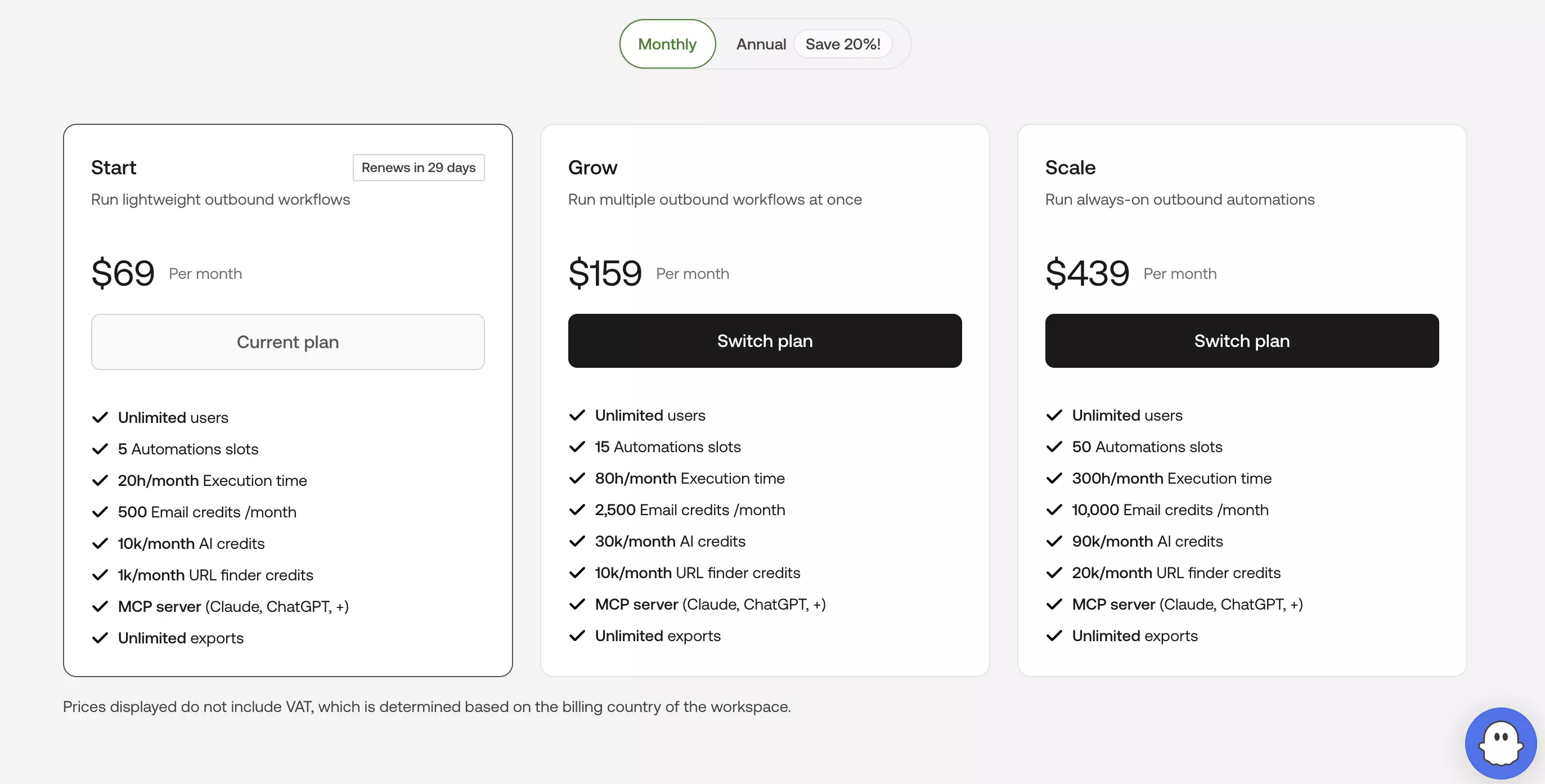
PhantomBuster uses a subscription with a fixed amount of execution time.
My run took 19 minutes 40 seconds for 672 profiles, which works out to roughly 29 minutes per 1,000 profiles at the measured rate.
| Plan | Monthly price | Execution time | Approx. cost /1K* |
|---|---|---|---|
| Start | $69/mo | 20 h | ~$1.68 |
| Grow | $159/mo | 80 h | ~$0.97 |
| Scale | $439/mo | 300 h | ~$0.71 |
*Based on the measured 34.2 profiles/min rate and assuming you use the included execution allowance.
Profile processing is cheap... roughly $1.68 → $0.71/1K at the measured rate.
Email changes the economics. Start includes 500 email credits, Grow includes 2,500, and Scale includes 10,000. That means Start cannot cover 1,000 email lookups; 1K email capacity starts with the $159/month Grow plan.
At full utilization, Grow works out to about $63.60/1K email lookups, falling to $43.90/1K on Scale.
Those are email-credit allowances, not guaranteed emails returned. Email enrichment also runs as a separate step from the profile workflow I benchmarked.
Verdict. PhantomBuster's profile data is cheap. Email is where it gets expensive.
Usability
PhantomBuster is fairly straightforward once your LinkedIn account is connected.
The workflow is basically... add search → connect account → configure enrichment → set limits → launch → export.
Account setup
PhantomBuster connects to your LinkedIn account through cookies.
You can add up to four LinkedIn accounts.
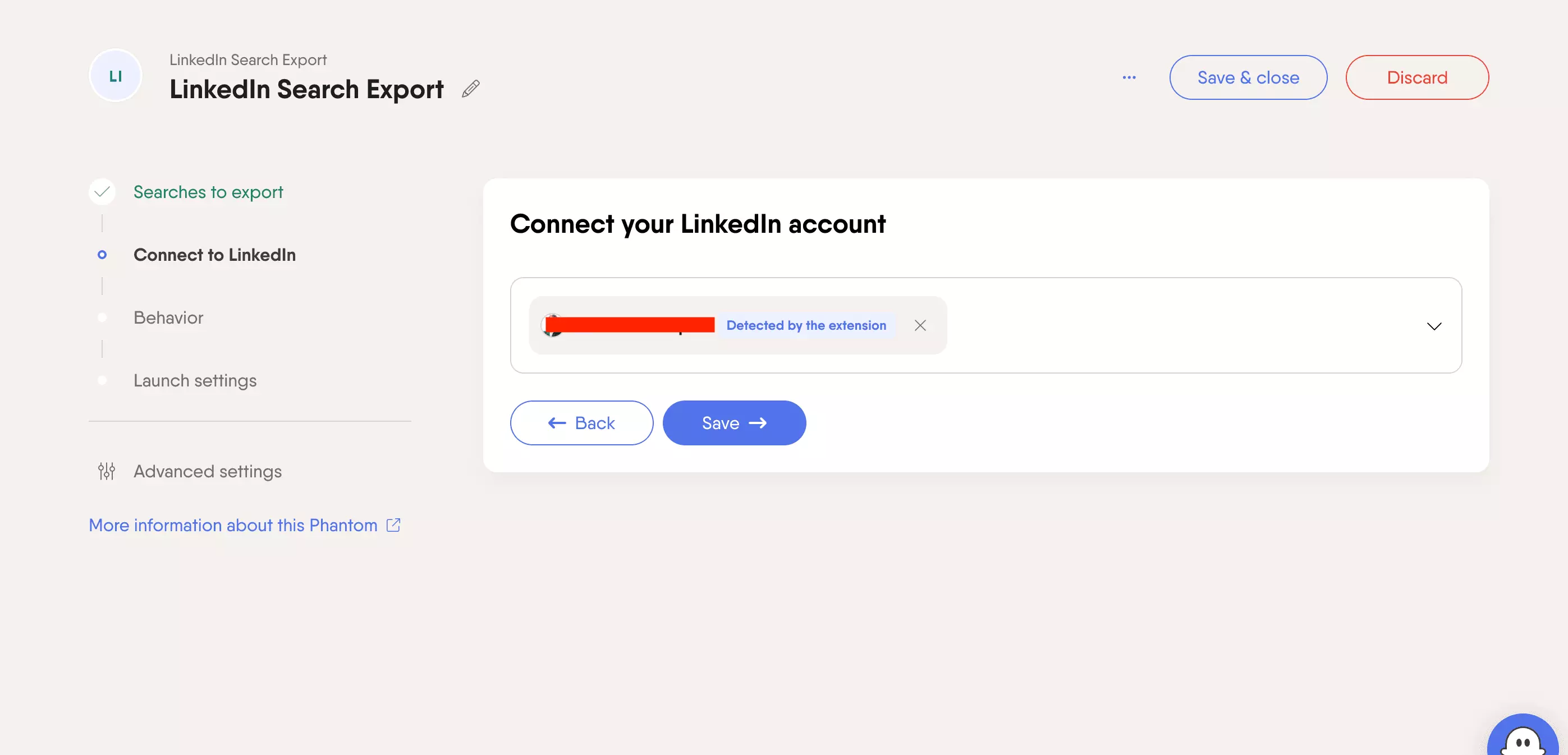
That makes the setup closer to lobstr.io than curious_coder.
Input
The LinkedIn Search Export Phantom gives you three ways to start:
- LinkedIn Search URL
- Keywords
- Spreadsheet URL
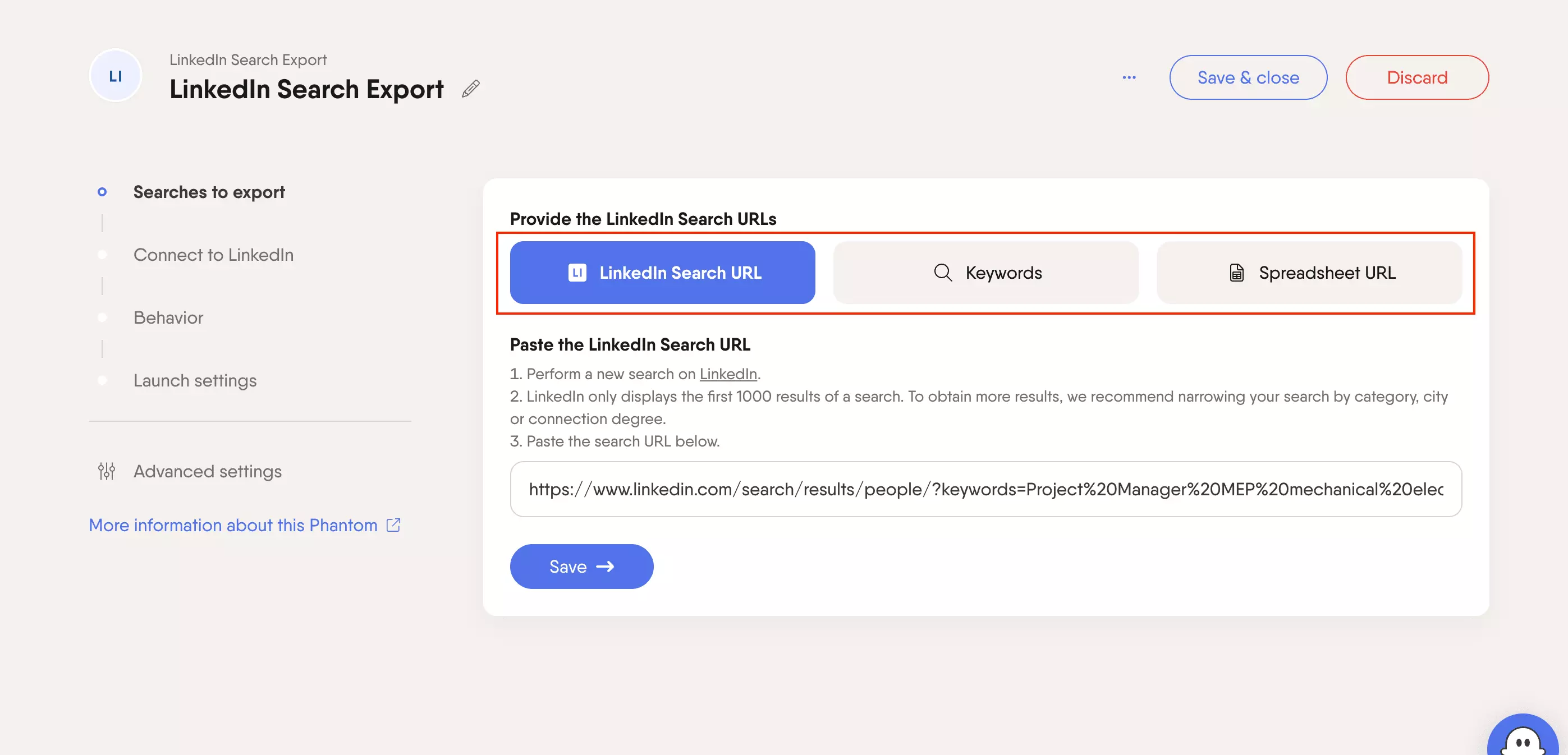
For this benchmark, I pasted the same LinkedIn people-search URL directly.
So if you already have the search built on LinkedIn, there is no need to recreate the ICP somewhere else.
Controls
There is quite a bit you can control before launch.
You can set:
- Results per launch
- Results per search URL
- Remove duplicates between searches
- Watcher mode
- Enrich leads
- Include reposts
- Fields to keep
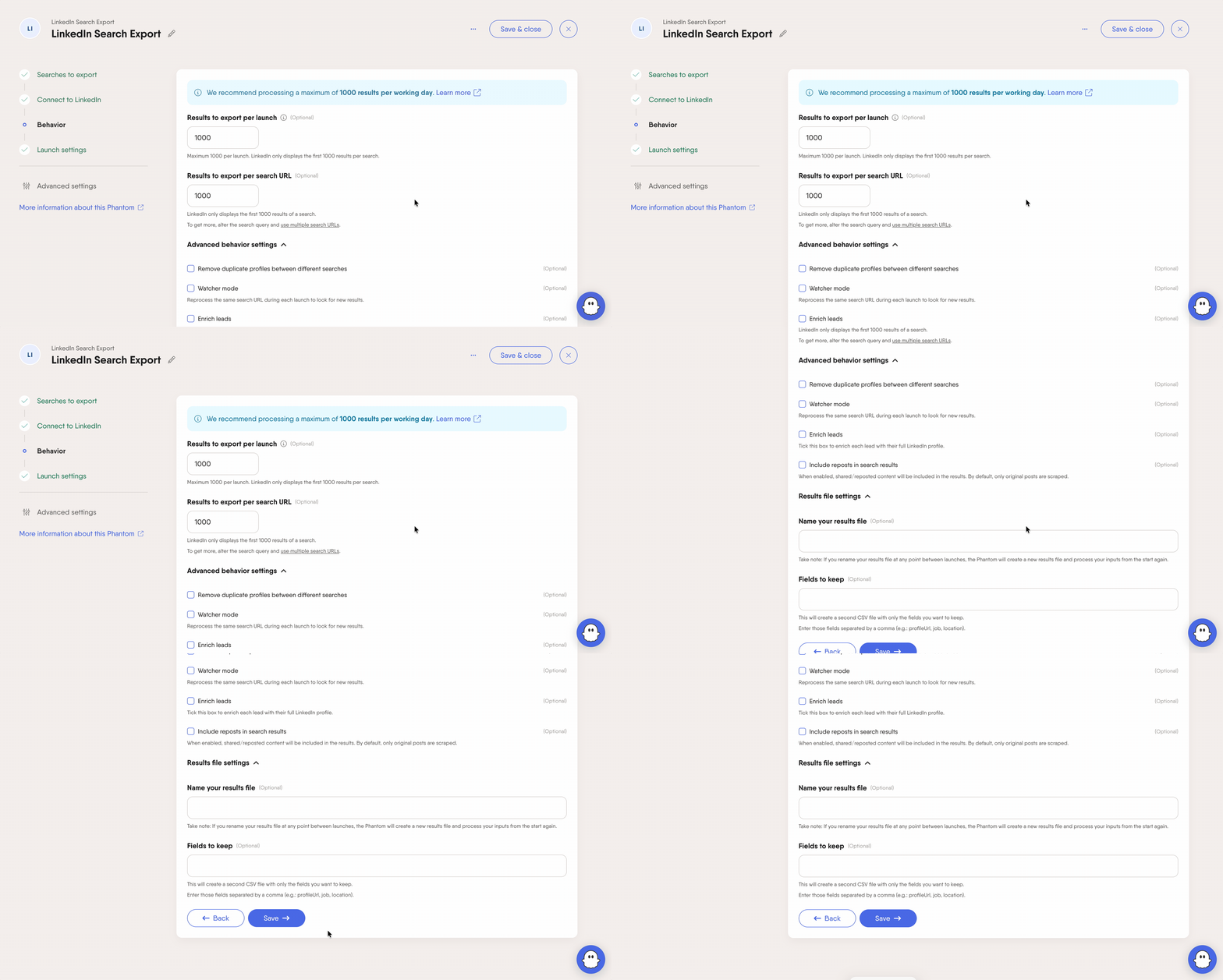
The Enrich leads toggle is important here. It tells PhantomBuster to visit each result and return the fuller LinkedIn profile data used in this benchmark.
Watcher mode can also rerun the same search and look for new profiles, which is useful for recurring lead lists.Workflow & delivery
Results are stored in PhantomBuster, and you can control the output file directly from the setup.
There are also webhooks, plus email notifications and file-management settings in the advanced controls.
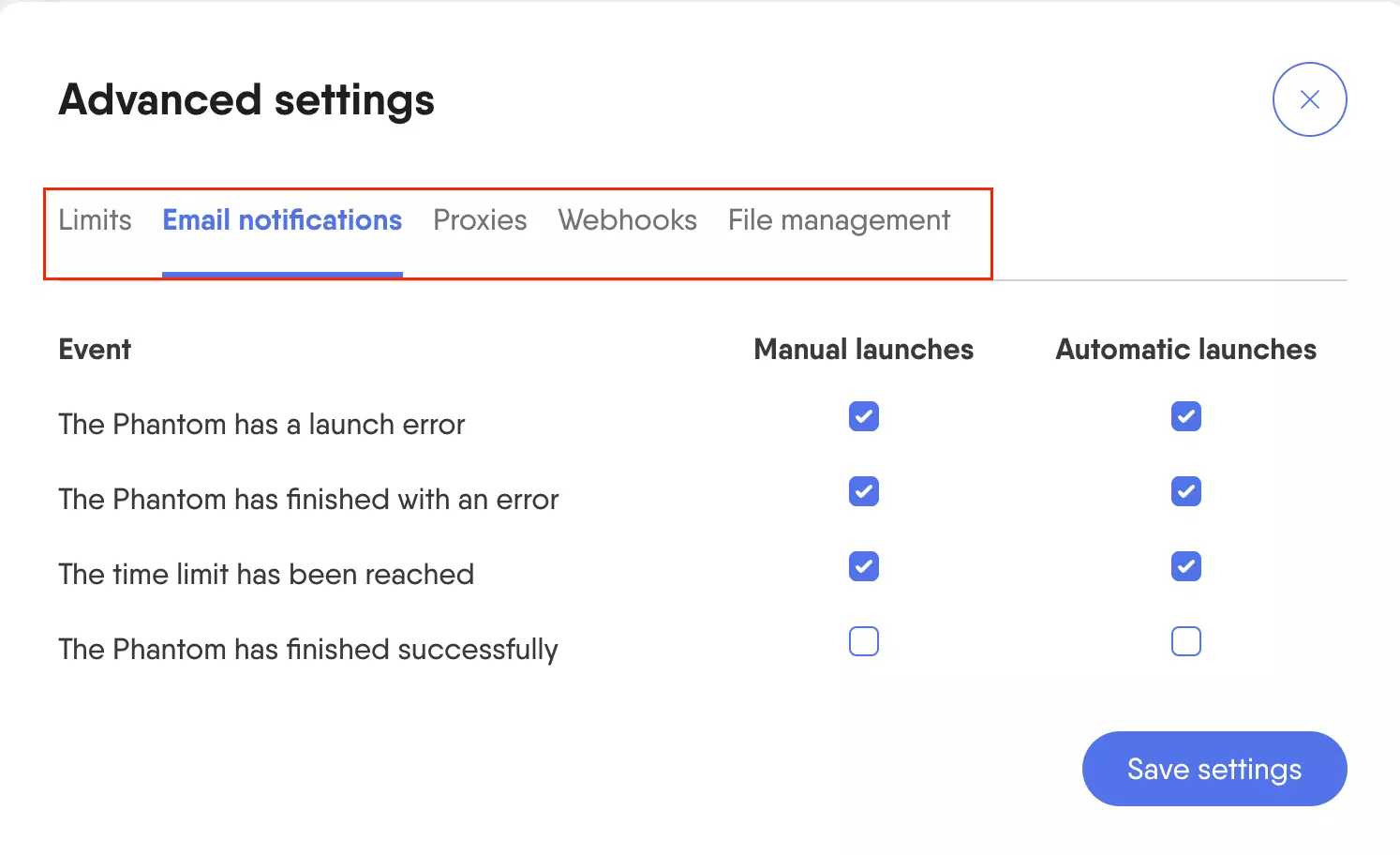
You can export results as CSV or JSON.
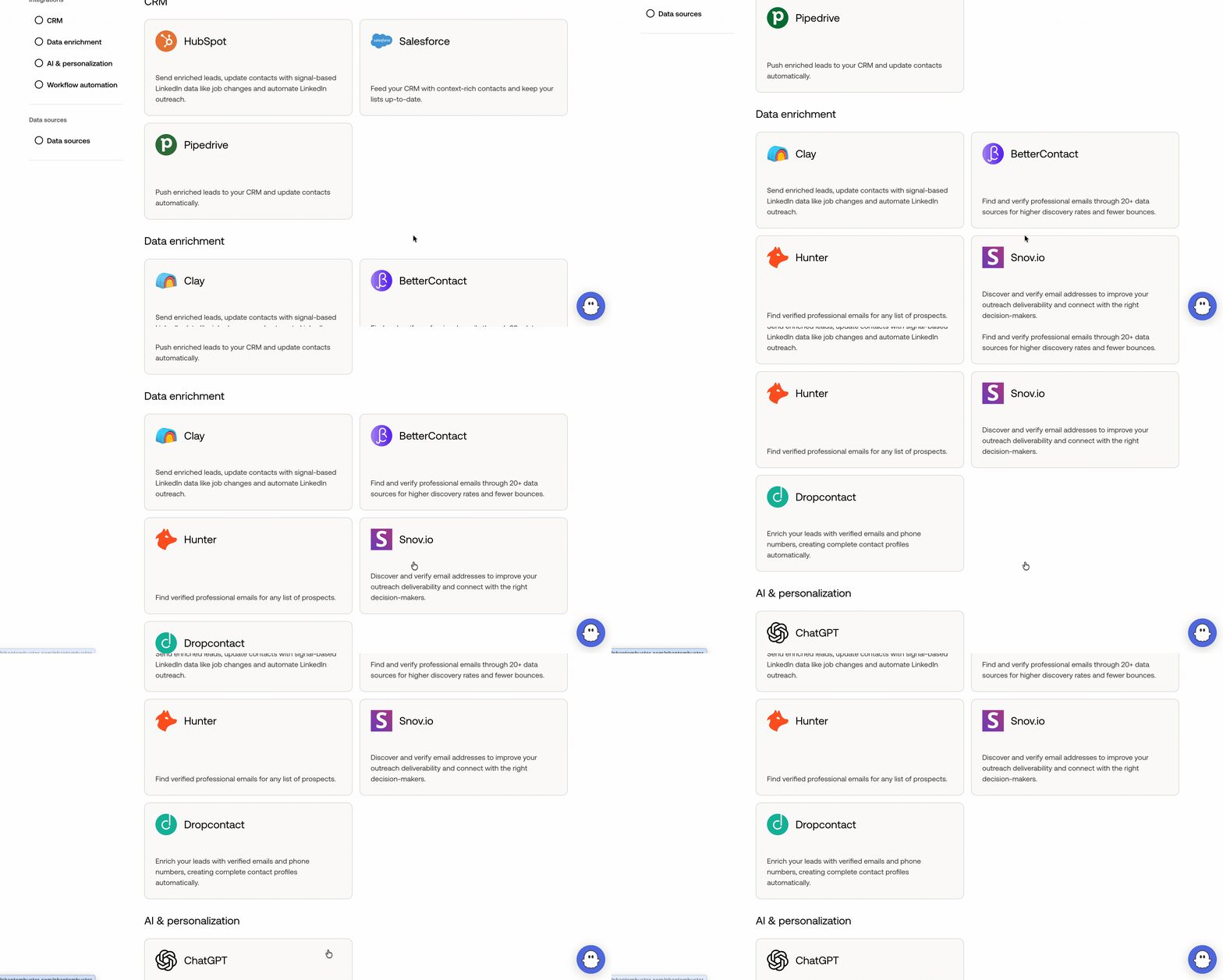
PhantomBuster also has direct integrations with tools like HubSpot, Salesforce, and Pipedrive, plus broader automation and enrichment integrations.
Run management
Scheduling is simple. You can run once, repeatedly, at a specific time, after another Phantom, or through an advanced schedule.
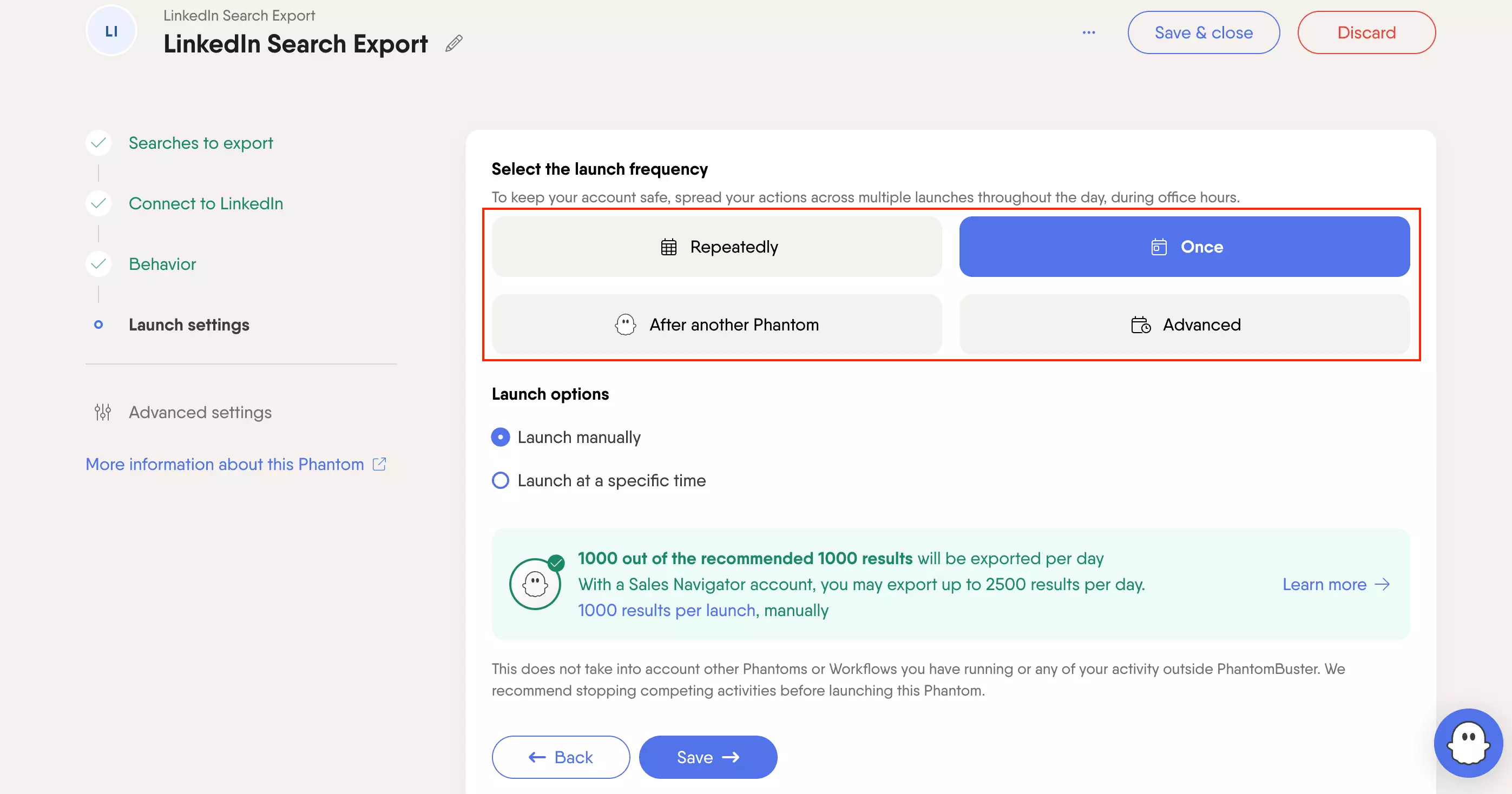
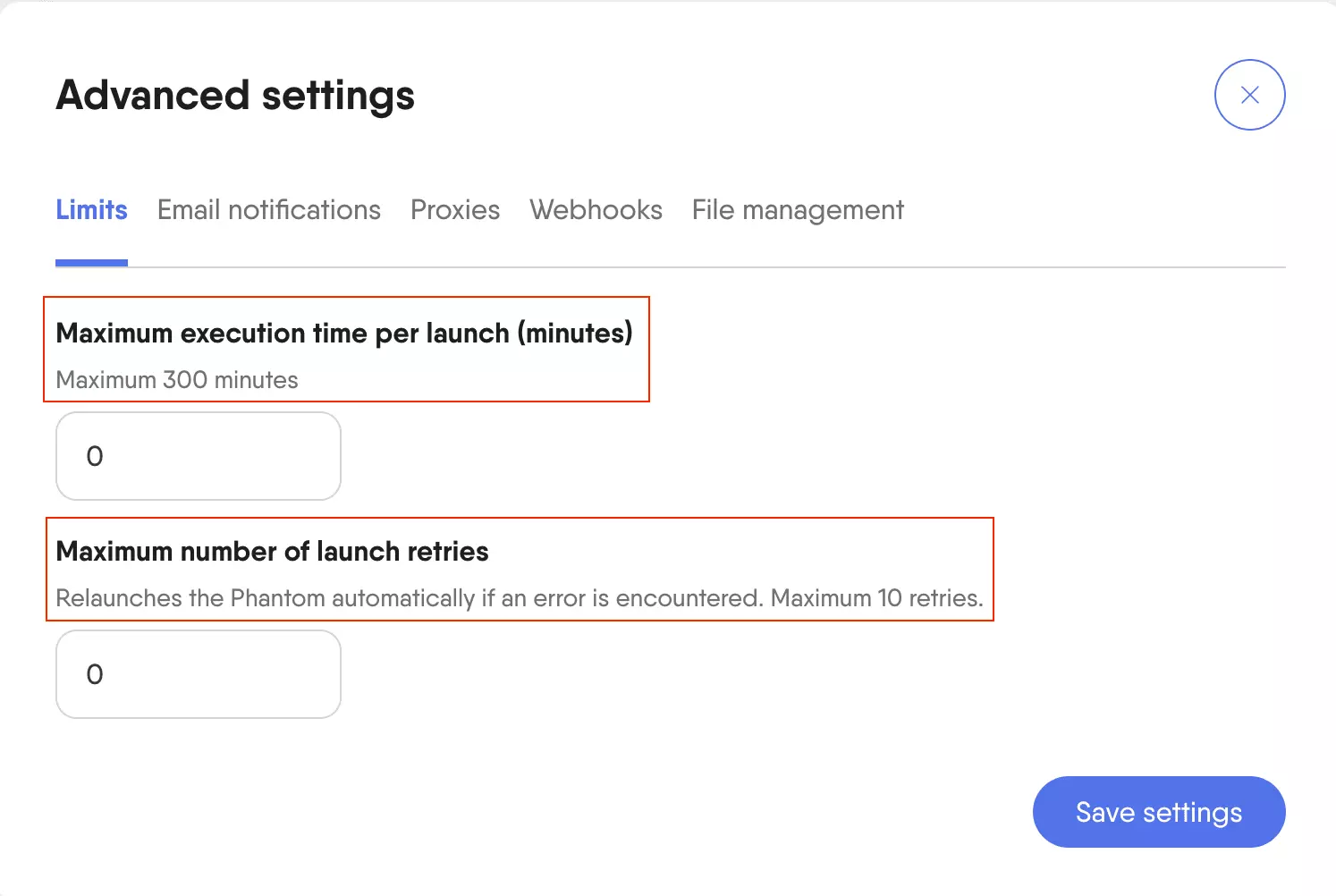
You can also set a maximum execution time per launch and configure up to 10 automatic retries when a run hits an error.
Verdict. Easy to point at an existing LinkedIn search, with built-in profile enrichment, field selection, scheduling, retries, and webhook support.
Speed
PhantomBuster returned 672 profiles in 19 minutes 40 seconds... about 34.2 profiles/min.
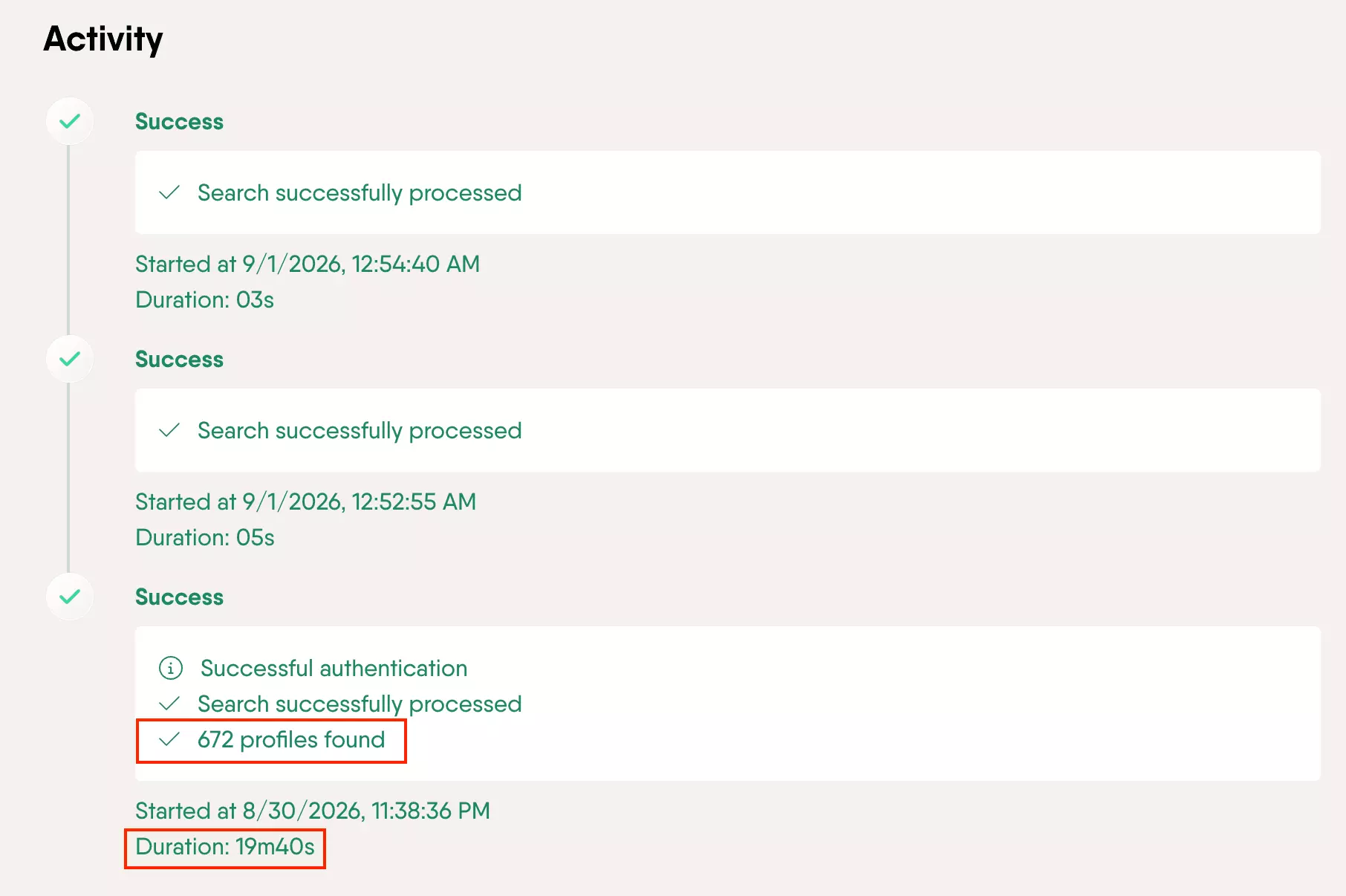
This is not directly comparable with search-result collection speed because PhantomBuster is returning profile-level data rather than just LinkedIn search rows.
Search successfully processed, and neither returned any rows.So there is no separate search speed to report here. The 34.2/min above covers the whole combined run.
For context:
| Tool | Rate | Workflow |
|---|---|---|
| PhantomBuster | 34.2/min | Search + profile data |
| HarvestAPI | 24.2/min | Search + full profile + email |
| lobstr.io | 1.36/min | Search + profile + email |
PhantomBuster was faster at producing profile-level data than the two full-enrichment workflows.
But the workflow is different. Its 34.2 profiles/min rate covers the LinkedIn profile-enrichment run only; email enrichment is a separate step. lobstr.io and HarvestAPI can return profile + email data in the same run.
Verdict. PhantomBuster is fast for profile-level output at 34.2 profiles/min, but reaching the same profile + email result requires an additional enrichment step.
Scalability
PhantomBuster can spread LinkedIn work across up to four accounts in one Search Export automation, which is useful on paper.
The problem is reliability once you actually try to push it.
During test, several launches authenticated successfully, then died after roughly 20–22 seconds with an error. I retried multiple times and got the same result.
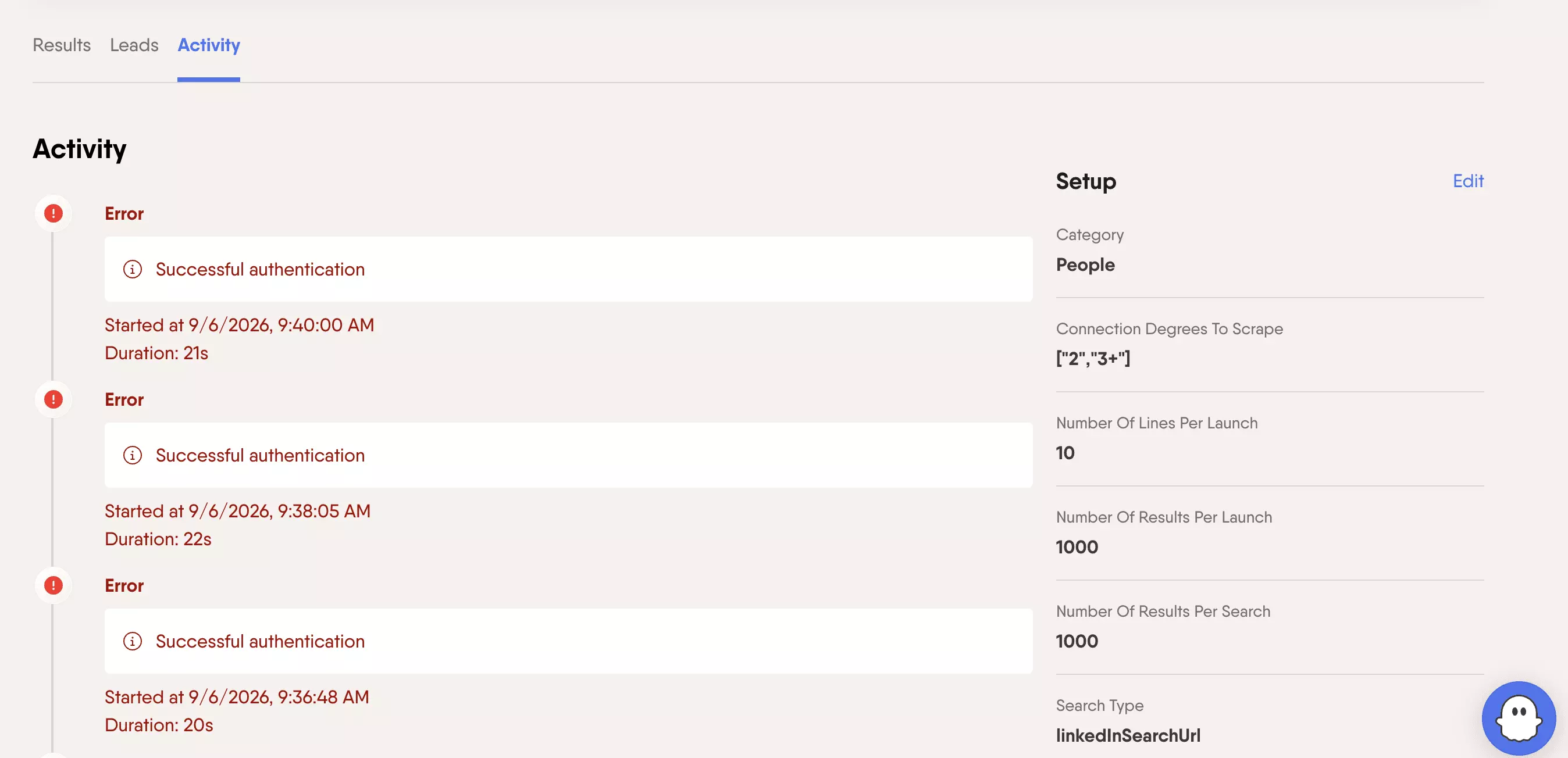
Later, PhantomBuster started blocking the run with a Monthly search limits reached warning. I switched LinkedIn accounts (clean account, allegedly) and still hit the same problem.
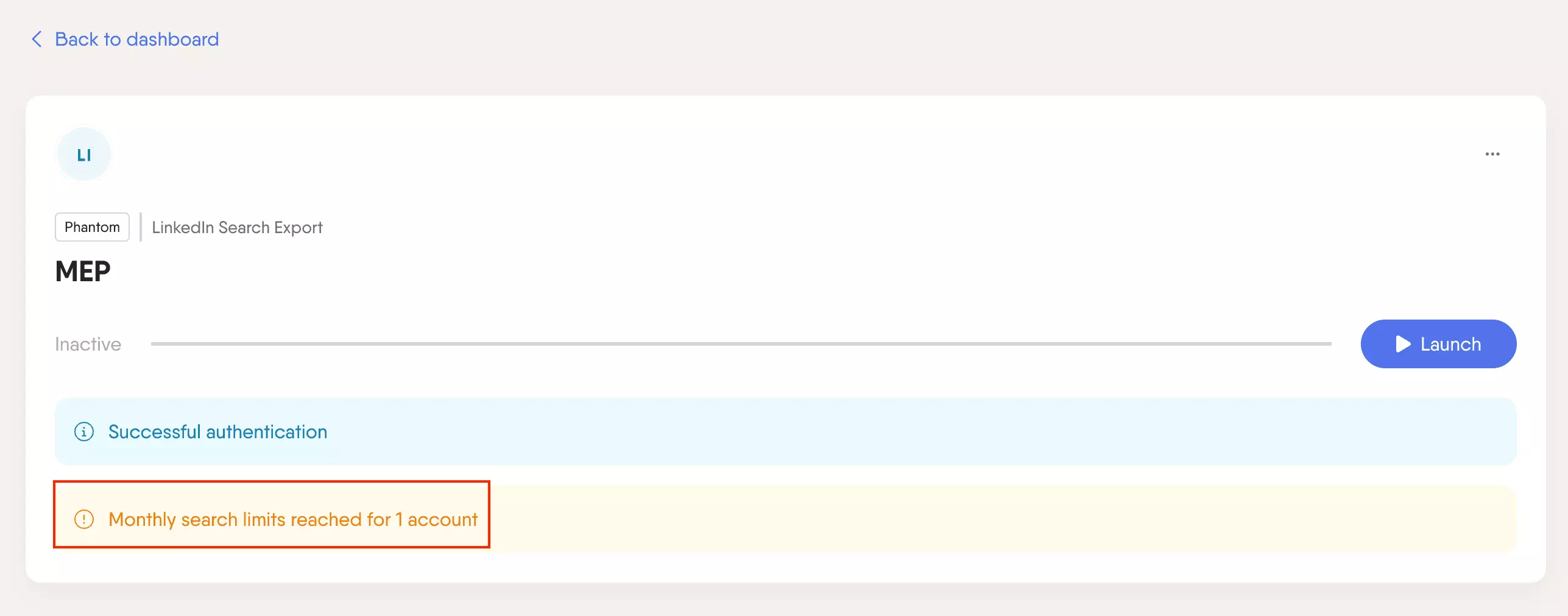
So yes, multi-account support exists... but in my test, adding another account did not magically make the workflow scalable.
A regular LinkedIn search still exposes around 1,000 results, so bigger audiences need multiple searches. Your PhantomBuster plan also comes with a fixed execution-time allowance, which adds another ceiling.
Verdict. PhantomBuster has decent multi-account controls, but the paid retest was messy: repeated 20-second failures, followed by search-limit blocking even after switching accounts. I would not call that reliable scaling.
Support
Support is available through email and an in-app AI assistant, which can escalate issues to the Customer Care team.
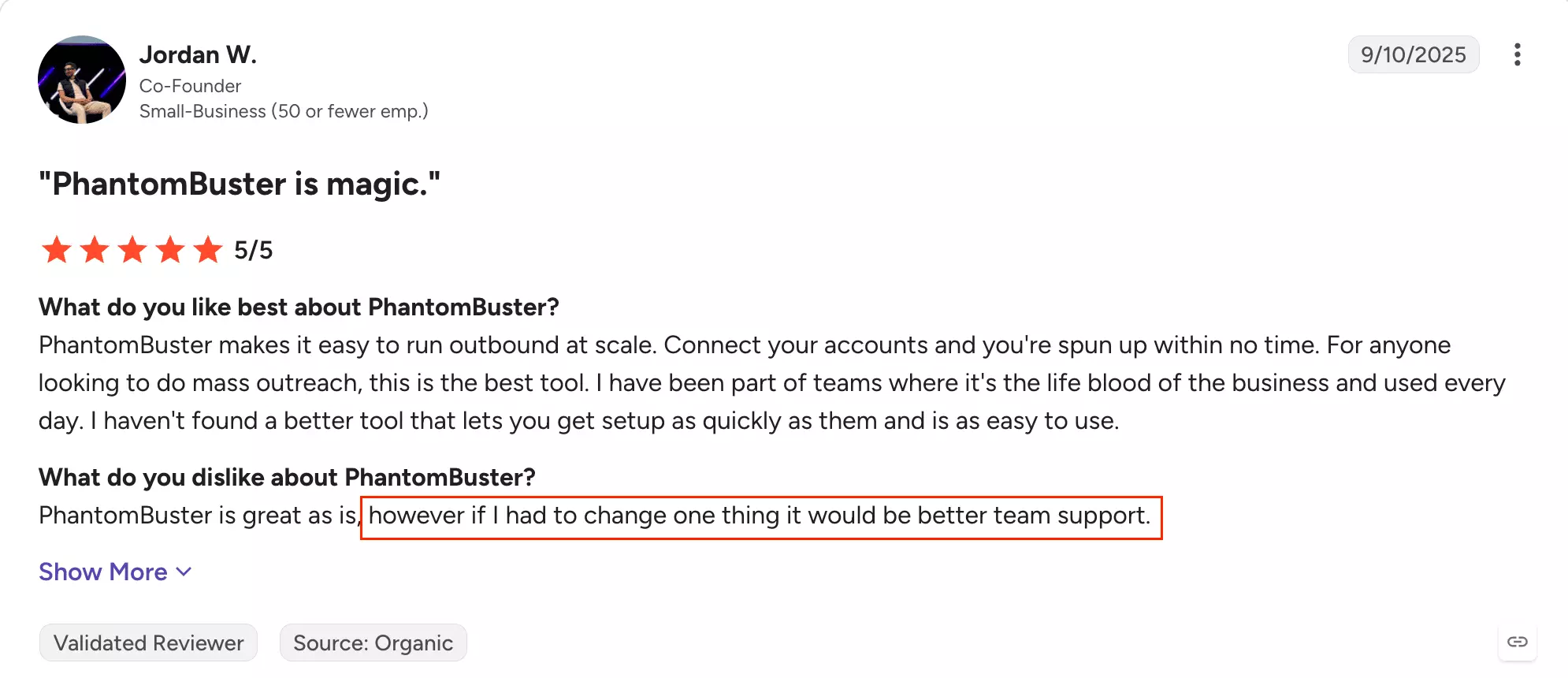
Customer feedback is decent, but not spotless. On Capterra, PhantomBuster has a 4.1/5 Customer Service rating across 64 reviews; G2 sits at 4.4/5 across 139 reviews, with some reviewers calling out slow support.
I also tested support myself this time.
After LinkedIn Search Export kept throwing a Monthly search limits reached error, I escalated it to Customer Care.
They said they'd get back to me "as soon as possible."
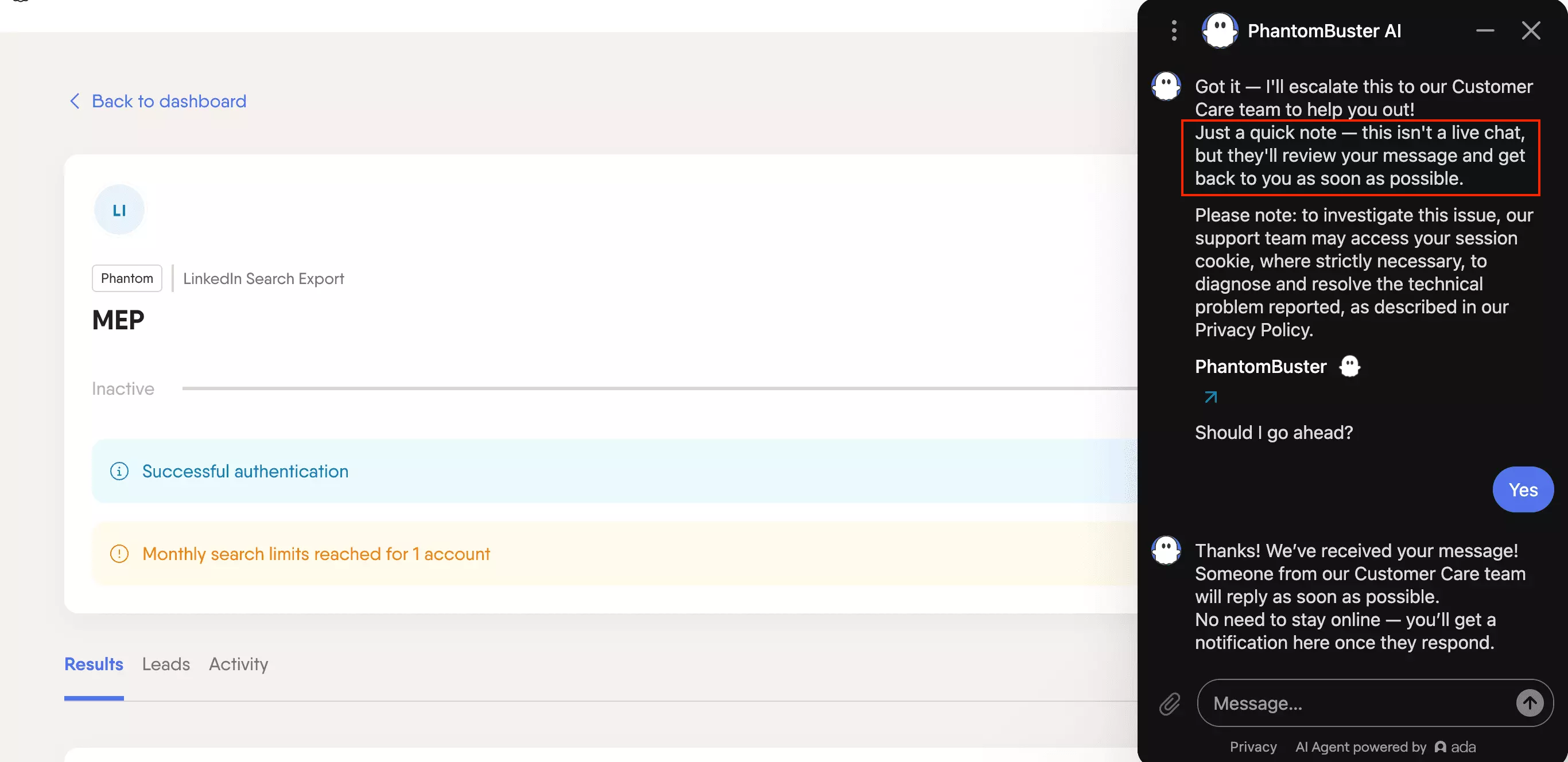
Several hours later... still nothing.
So if your workflow is blocked and you need an actual human, bring patience. Possibly snacks.
Verdict. The docs are useful. Human support was not. When the scraper actually blocked my test, the escalation disappeared into the queue and stayed there.
Best for: If you want cheap profile-level data from LinkedIn searches, plus multi-account support and recurring monitoring... and you're fine handling email enrichment somewhere else.
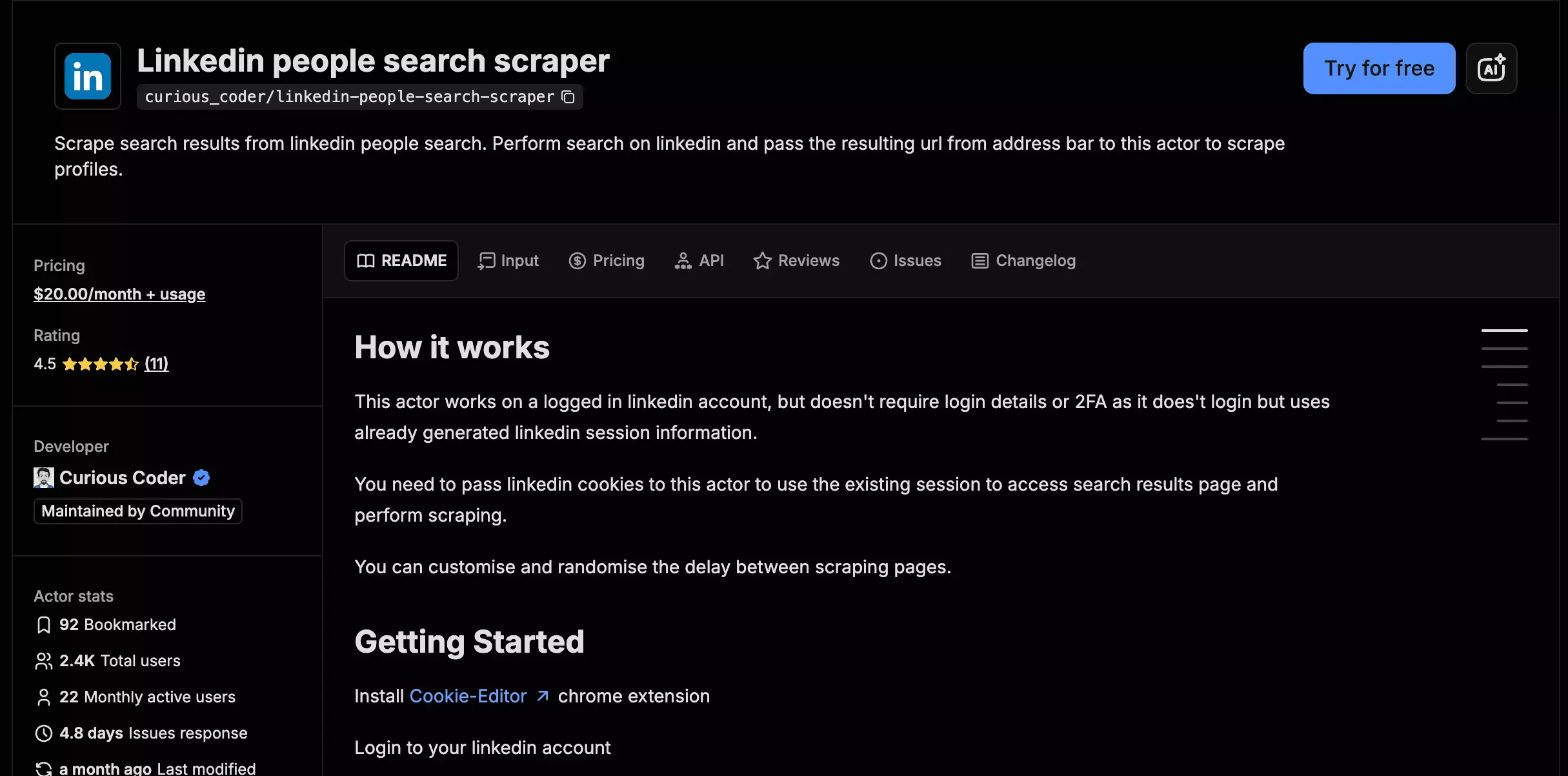
4. Apify — curious_coder/linkedin-people-search-scraper
- User rating: 4.7/5 from 11 Apify Store reviews, as of Aug 31, 2026
- My rating: 6.40/10
- Type: Apify marketplace Actor
- Pricing: $20/month flat rental
- Strongest at: fast search-result collection from an existing LinkedIn URL
| Pillar | Score /10 |
|---|---|
| Data | 5 |
| Cost | 8 |
| Usability | 6 |
| Speed | 7 |
| Scalability | 6 |
| Support | 6 |
| Overall | 6.40 |
| Pros | Cons |
|---|---|
| Accepts your LinkedIn search URL directly | No profile or email enrichment |
| Returned 708/1,000 search results | 239/708 rows were identity-masked |
| Flat $20/month can get cheap with heavy use | Requires cookies + matching browser user agent |
| No built-in multi-account management | |
| No structured current title/company or employment history | |
| At low volume, $20/month is expensive for search results only |
Data
curious_coder returns 8 meaningful lead data points from the LinkedIn search result. There is no profile or email enrichment layer.
What a returned lead contains
| Category | Data points |
|---|---|
| 👤 Identity | Profile URL, public identifier |
| 📇 Name | First, last, full name |
| 💼 Role | Headline |
| 📍 Location | Location |
| 🖼️ Media | Profile picture |
| 🔗 Network | Connection degree |
| 🚩 Signals | Profile badge |
curious_coder did a solid job at search-result collection, but this is a search-result scraper, not a full lead-enrichment workflow.
It returned 708 of the requested 1,000 results.
Relevance was solid. Across those 708 rows, I found 24 clear off-target results.
Across the 708 returned rows:
| Field | Fill |
|---|---|
| Headline | 708 / 708 — 100% |
| Location | 708 / 708 — 100% |
| Usable name | 469 / 708 — 66.2% |
| Real profile URL | 469 / 708 — 66.2% |
| Connection degree | 469 / 708 — 66.2% |
| Duplicate rows | 23 / 708 — 3.2% |
The bigger limitation was identity visibility.
Headline and location were present on every row, but only 469 of 708 had a usable name, normal profile URL, and connection degree.
LinkedIn Member, without a usable name and with a sales-web-view link instead of a normal profile URL.That masking is consistent with LinkedIn account and network visibility, and this benchmark did not isolate the scraper as the cause.
curious_coder runs through your LinkedIn session, so what comes back partly depends on what your account can see.
The other limitation is depth.
You get search-result fields such as headline and location, but no structured current title or company, employment history, education, skills, company context, or email.
If you need those, another enrichment step has to do the work.
Freshness was harder to compare for the same reason. curious_coder does not return structured current title and company fields equivalent to the enrichment tools, so I did not compare its free-text headline against them.
NV and Nevada, the matched locations were consistent across the tools.Verdict. curious_coder's search-result data is compact and mostly relevant, but 33.8% of returned rows were identity-masked, and the workflow stops at search-result data.
Cost
curious_coder costs $20/month, plus the underlying Apify compute.
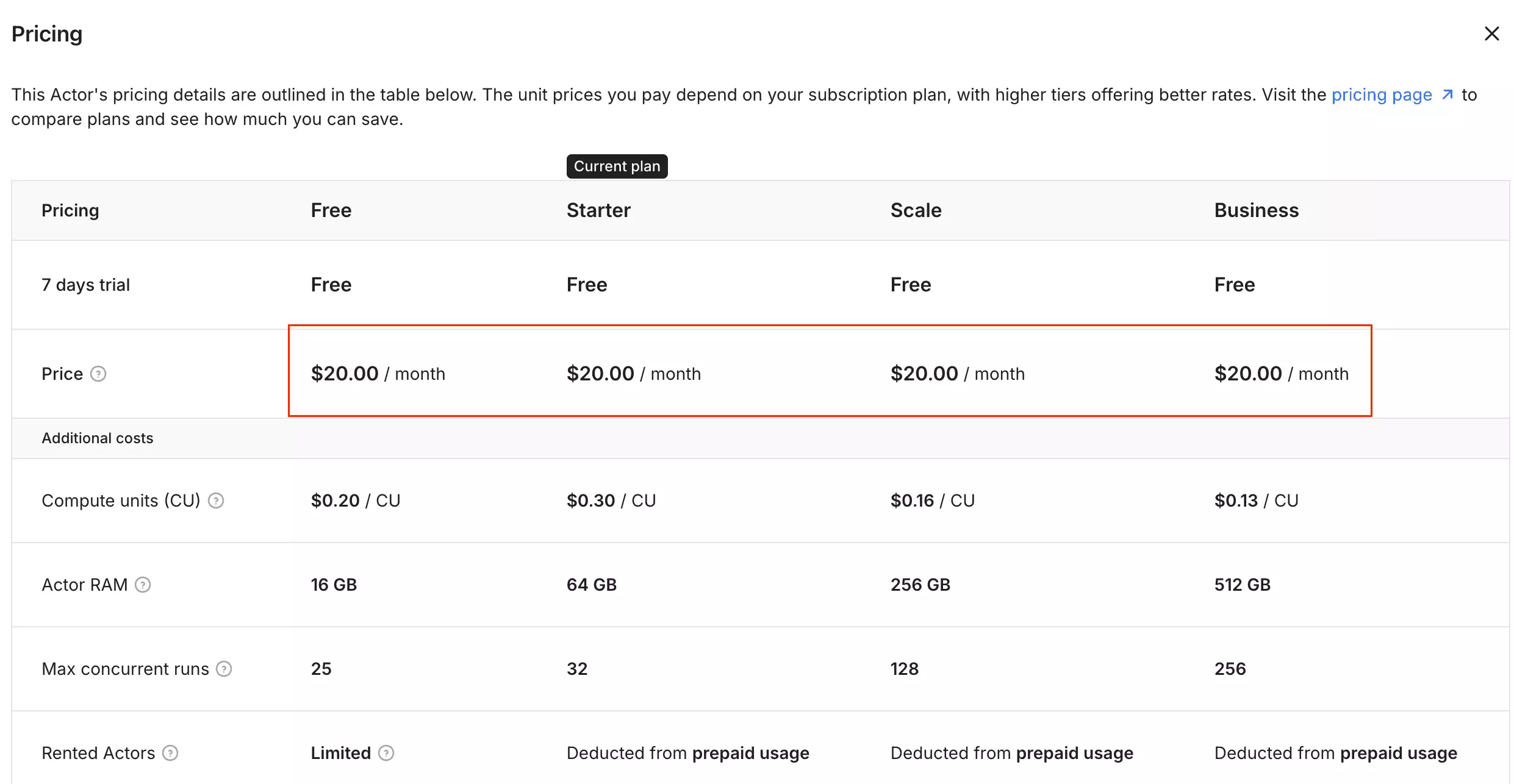
Because the rental stays fixed, what you effectively pay per 1,000 depends on how much you actually use it.
| Monthly volume | Effective rental cost /1K |
|---|---|
| 1,000 results | $20.00 |
| 10,000 results | $2.00 |
| 100,000 results | $0.20* |
*That last figure is just the rental math... I did not benchmark 100,000-result throughput.
So if you only need a few thousand leads, $20/month is expensive for search-result collection.
Use it heavily, though, and the fixed fee starts working in your favor. At 10,000 results, for example, the rental portion drops to $2/1K.
There is one important difference from the other two tools: there is no profile or email enrichment tier here. You are paying for search results only.
Verdict. curious_coder is expensive if you barely use it, much cheaper per result as volume grows. Just remember that the $20 covers the scraper rental, not a finished enriched-lead workflow.
Usability
curious_coder is simple once the LinkedIn session is connected.
The workflow is basically... export session → paste search URL → set result count → launch → export from Apify.
Account setup
Like lobstr.io, curious_coder runs through your LinkedIn account.
The difference is how the account is handled.
You have to export your LinkedIn cookies, then paste those cookies into the Actor along with the user agent from the same browser. Both are required.
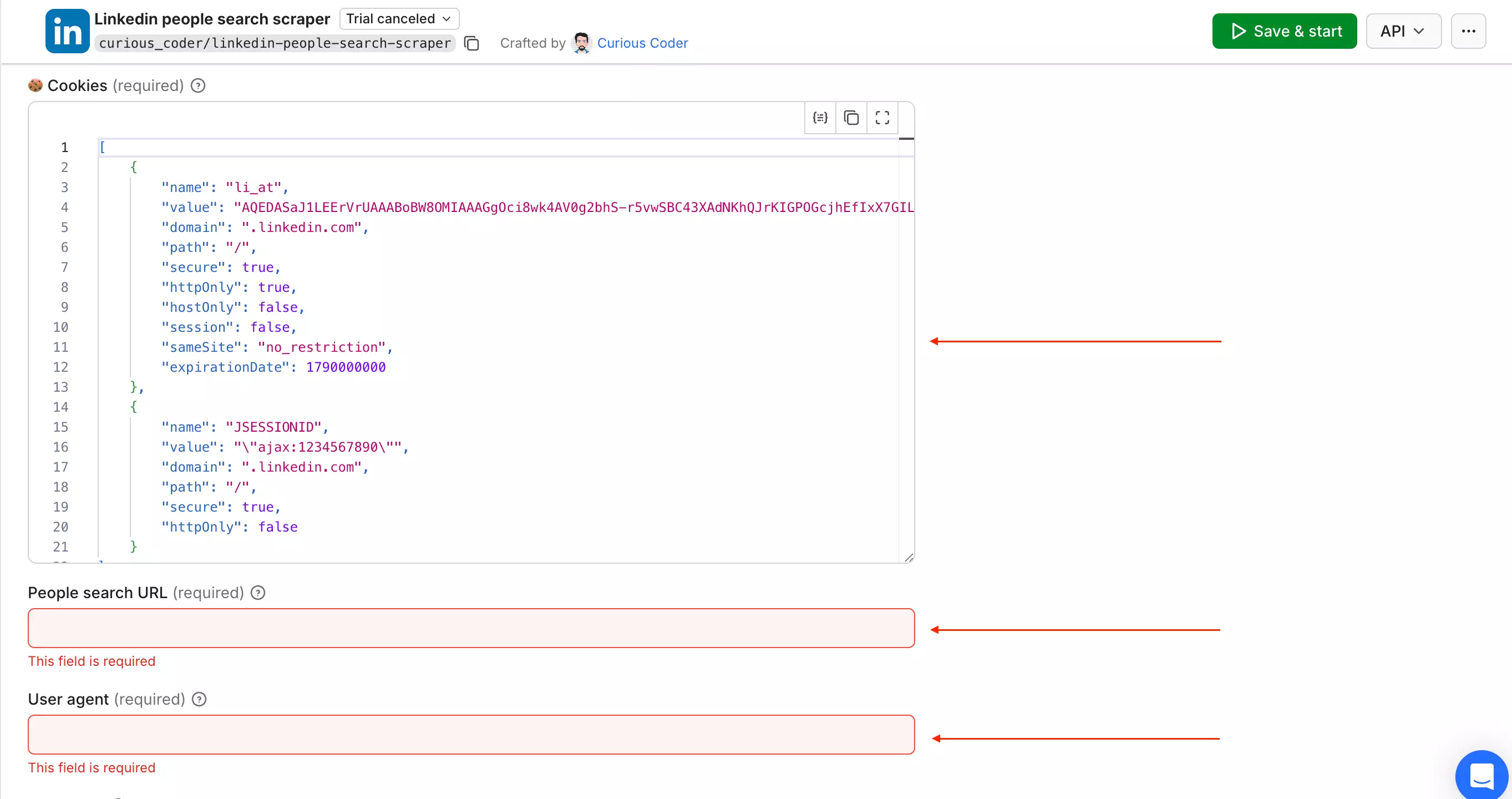
There is no synced-account layer here. The current input exposes one cookie set and user-agent pair, and there is no multi-account management.
Input
The nice part is the search itself.
curious_coder accepts a LinkedIn people-search URL directly, so there is nothing to rebuild in another filter system.
Controls
There is not much to configure:
- Start page
- Total number of records
- Proxy
- Minimum wait duration
- Maximum wait duration
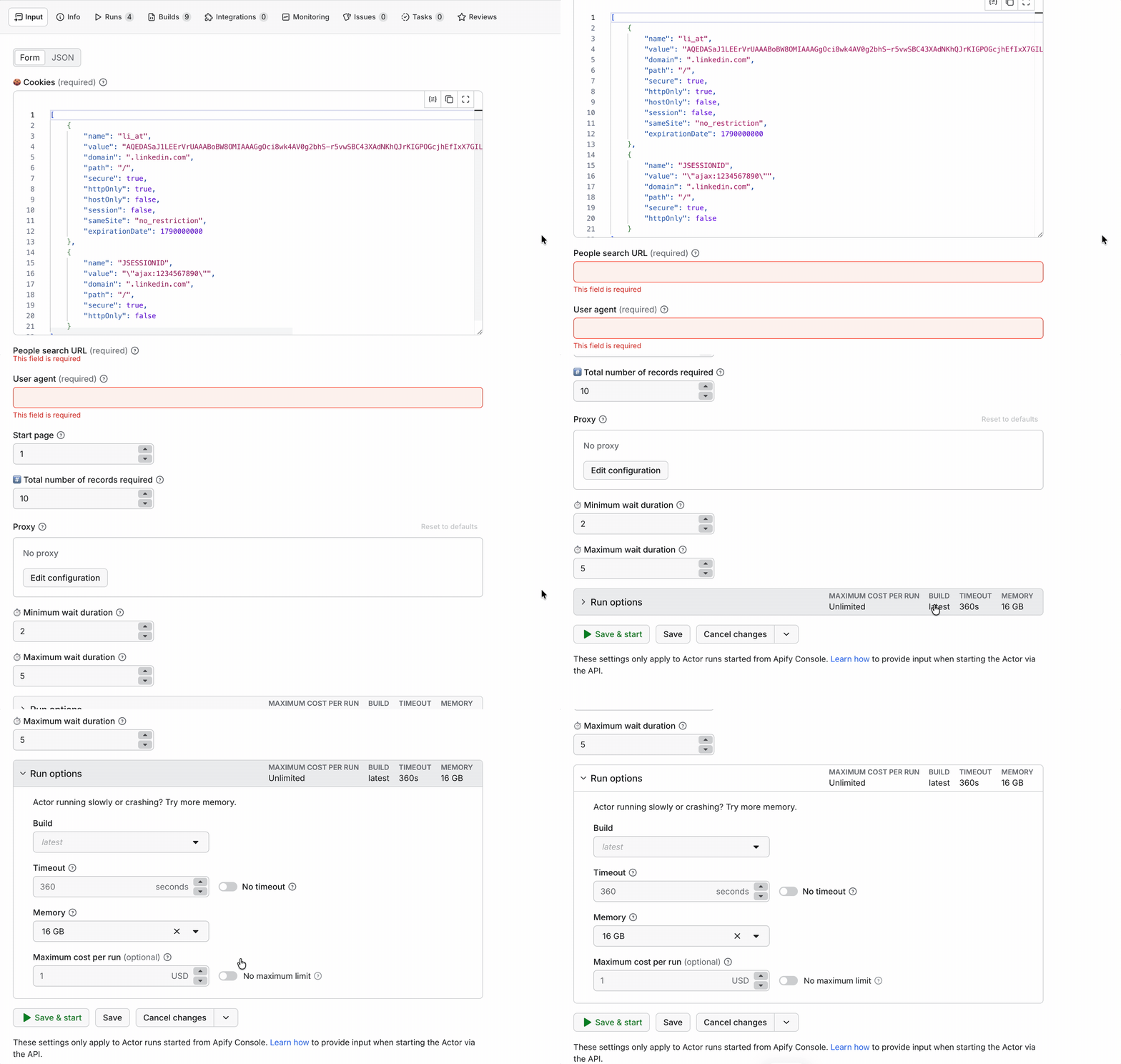
That's about it.
The Actor itself has no enrichment toggle, field-selection control, deduplication control, or account-management layer.
Workflow & delivery
Once the run finishes, it uses the same Apify platform layer as HarvestAPI.
Results land in an Apify dataset, with Apify handling exports, API access, webhooks, scheduling, and integrations such as Make, Zapier, and n8n.
Verdict. Easy to point at an existing LinkedIn search and simple once authenticated. The recurring friction is managing the LinkedIn session yourself.
Speed
curious_coder returned 708 results in about 5 minutes 23 seconds... roughly 131.6 search results/min.
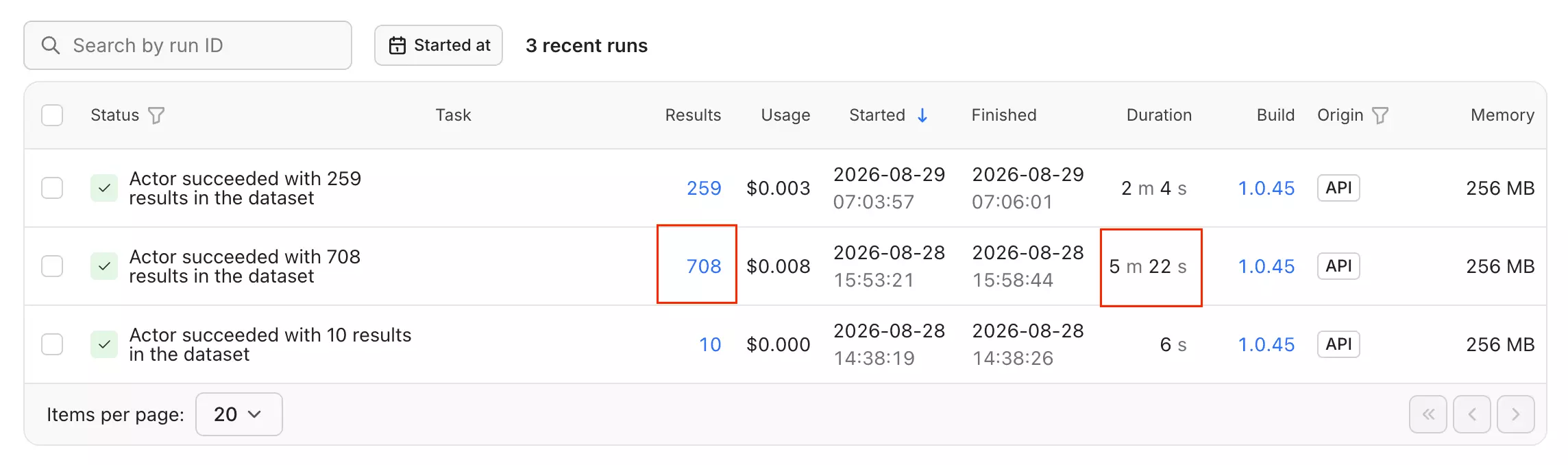
Apify lets you allocate up to 32GB of memory to the Actor, so there is plenty of resource headroom available. I did not find evidence that higher memory materially improved throughput in this benchmark.
There is no profile or email enrichment step here, so this speed only measures LinkedIn search-result collection.
Verdict. curious_coder is fast at search-result collection, 131.6 search results/min, but the workflow stops there. Any profile or contact enrichment happens somewhere else.
Scalability
curious_coder is much more single-session.
Each run uses one LinkedIn session, and a regular LinkedIn search tops out at 1,000 results.
There is no built-in account pool or session rotation, so moving past one search or one account means setting up more runs yourself.
Apify can resurrect stopped runs with the same storage, which gives you recovery.
Verdict. Fine at one-account scale. Once the workload gets bigger, most of the orchestration moves to your side.
Support
Support is handled by the developer through Apify Issues.
All 72 public issues I checked were closed.
That shows the Actor is being maintained, but a closed ticket does not tell you how quickly the underlying problem was fixed.
The published response time is roughly 4.8 days, and I did not independently retest it.
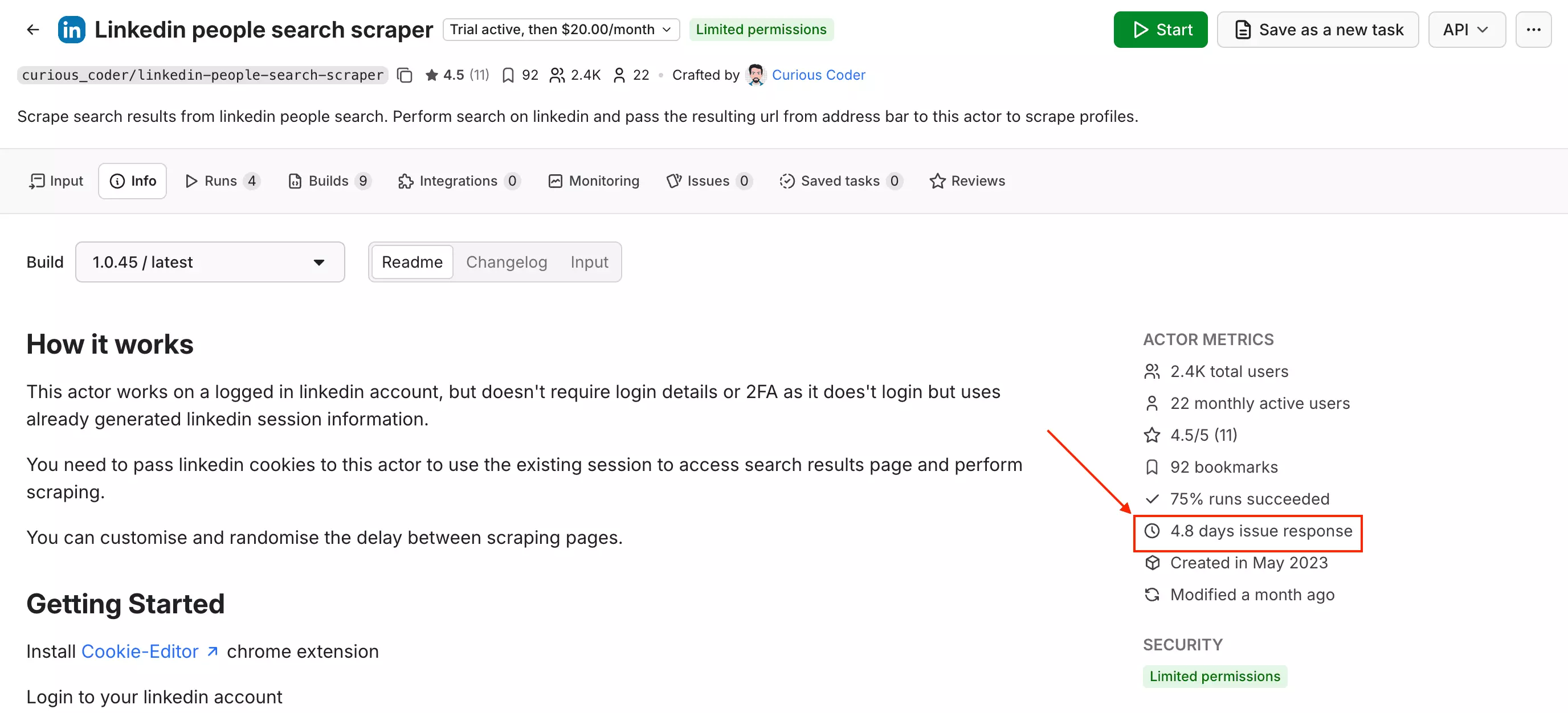
Nearly five days is still a long time if the scraper is blocking a production workflow.
Verdict. The developer appears active and issues do get closed. The weak point is speed of support, especially if you need help quickly.
Best for: If you just need fast LinkedIn search-result scraping from an existing URL and don't need full profile or email enrichment.
What other Apify LinkedIn leads Actors did I test?
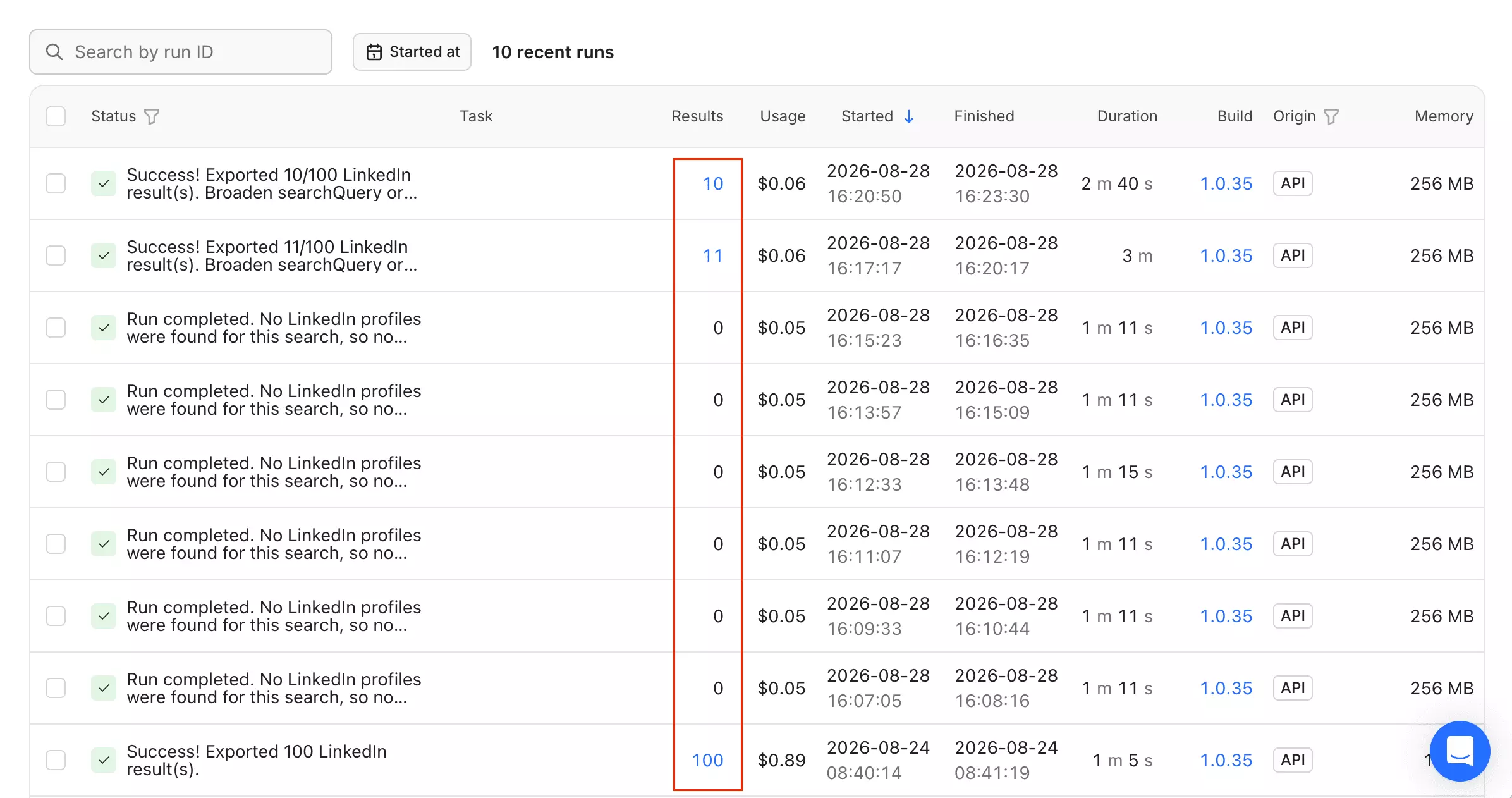
Apify - fabri-lab... cheap and account-free, but capped at 200 results per run with no pagination. It also does not query LinkedIn directly... its run log shows it building a public-web search instead. Reliability was the bigger problem: replaying a search that had returned 100 records produced 11, then 10 on a repeat.
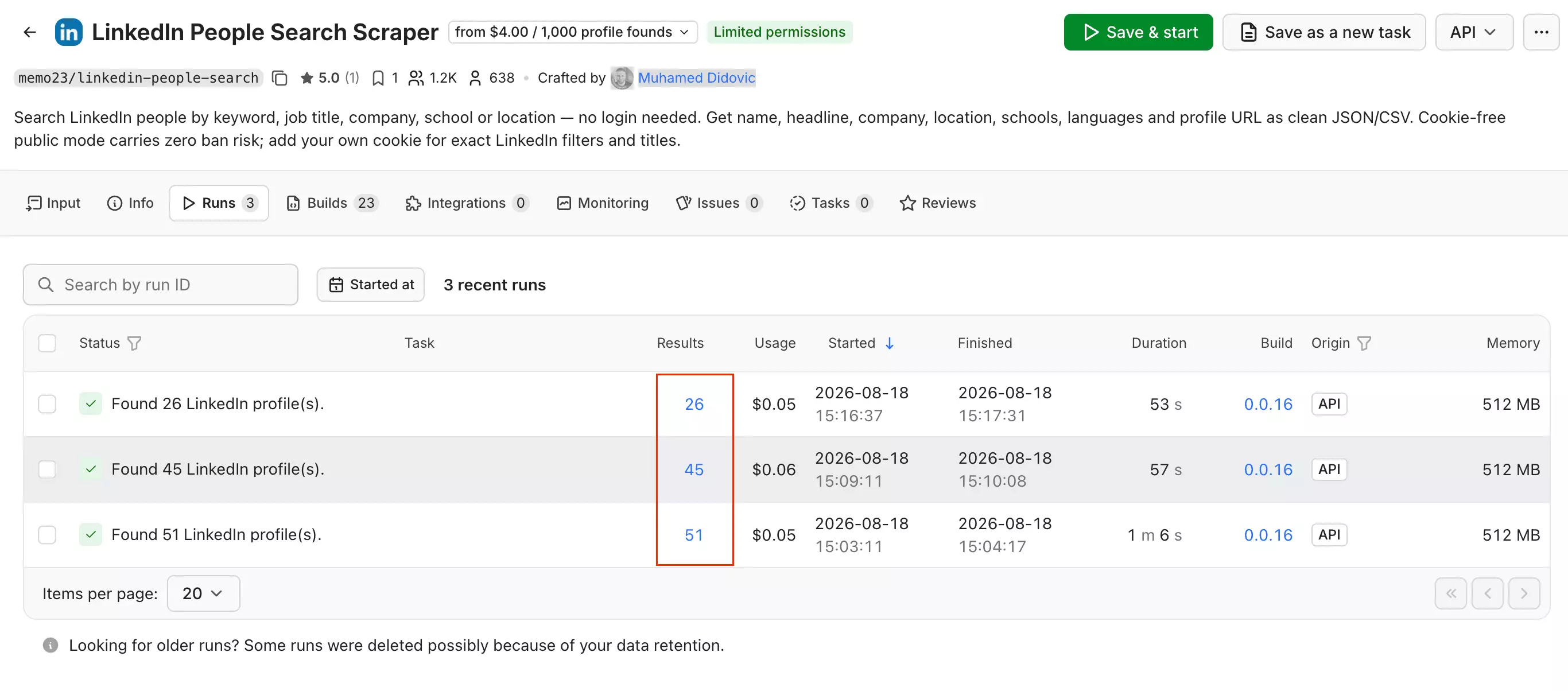
Apify - memo23... the billing is fair because you pay only for complete profiles, but the output was inconsistent. Two identical runs returned 45 and 26 leads, and across three runs only 10–14 rows contained substantive profile data.
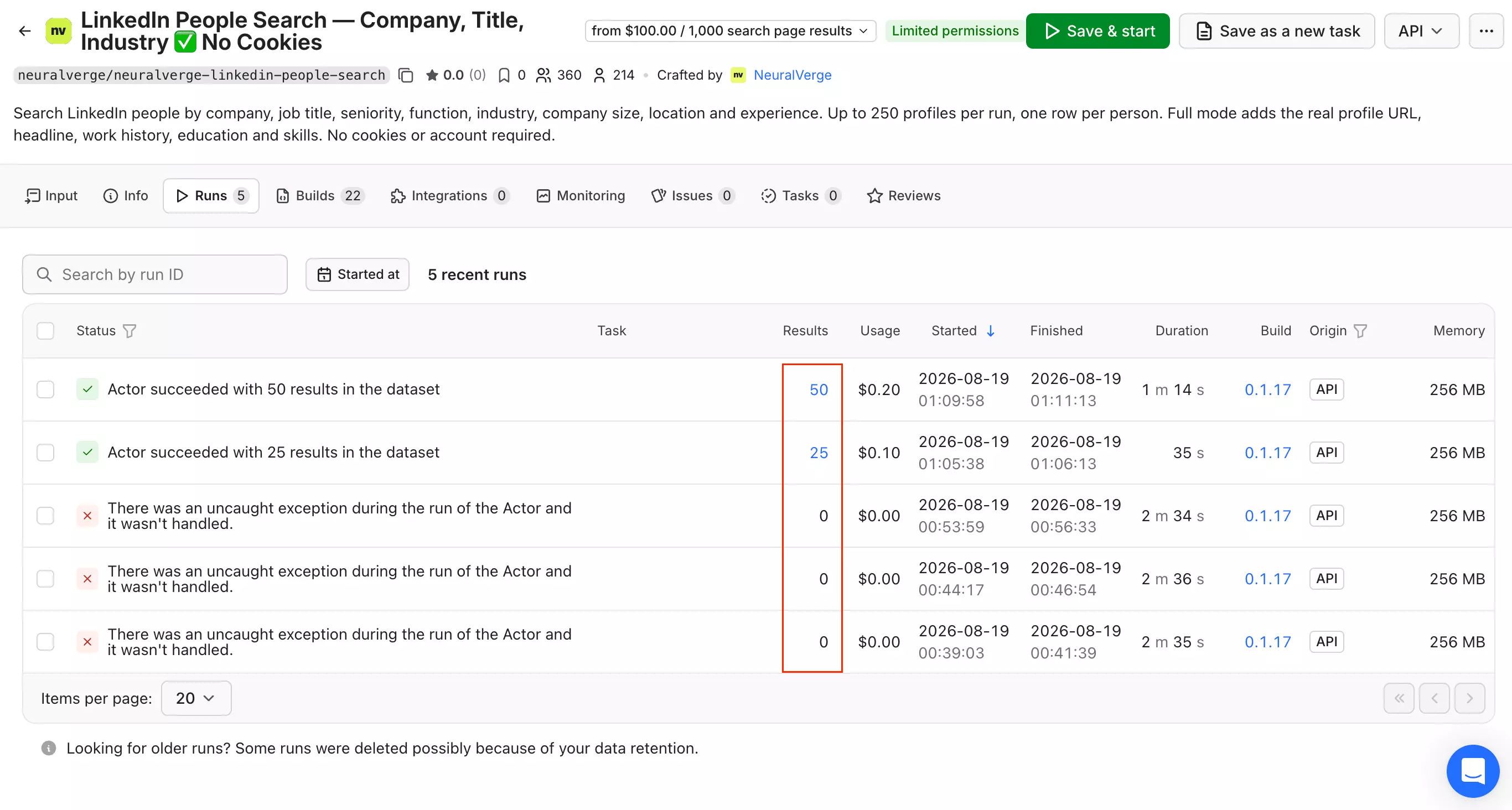
Apify - neuralverge... worked on smaller jobs, 25 and 50 profiles completed... but failed at larger sizes. It returned 0/100 and 0/250 twice, each time hitting the same 150-second gateway timeout.
FAQ
What is the difference between a LinkedIn scraper and a B2B database like Apollo?
A B2B database searches stored records, a LinkedIn scraper collects data when you run it, so the scraper is usually closer to the live source.
Neither is automatically fresher. It depends on how recently the database refreshed and how accurately the scraper collects current data.
Which tools support full profile enrichment?
lobstr.io and HarvestAPI go furthest... profile data plus email.
PhantomBuster supports email enrichment too... but it is not exactly generous with it. The $69/month Start plan includes just 500 email credits, rising to 2,500 on Grow and 10,000 on Scale.
curious_coder stops at LinkedIn search results.
Which tools found the most emails?
HarvestAPI, on volume. It returned 548 emails from 1,000 profiles (54.8%) against lobstr.io's 198 from 280 (70.7%).
lobstr.io had the higher hit rate, HarvestAPI delivered more actual emails.
If email is the whole job, this goes deeper on that step alone.
Which tools need my LinkedIn account?
lobstr.io, curious_coder and PhantomBuster all need your LinkedIn session.
lobstr.io and PhantomBuster manage connected accounts for you. curious_coder requires cookies and a matching browser user agent, refreshed by hand when they expire.
HarvestAPI needs no LinkedIn account at all.
Which tool supports multiple LinkedIn accounts?
lobstr.io supports multiple LinkedIn accounts in the same run with no cap, and distributes work between them.
PhantomBuster supports up to four accounts per automation.
curious_coder has no built-in multi-account management. HarvestAPI does not use your accounts at all.
Which tool returned the most complete profiles?
HarvestAPI, on volume. It enriched 1,000/1,000 profiles versus 280 for lobstr.io.
lobstr.io's records were deeper per profile, averaging 34.6 skills against 24.0, but it finished only 28% of the job.
Which tool returned the freshest data?
HarvestAPI had the strongest evidence in this benchmark.
I manually checked three profiles where it disagreed with lobstr.io on current job data, and all three matched HarvestAPI.
Do I need Sales Navigator?
No. All four ranked tools work with regular LinkedIn people search.
Sales Navigator scrapers belong in a separate comparison.
Why isn't Scrupp ranked?
Scrupp starts with profile URLs, while this benchmark starts with prospect discovery.
It can still be useful for enrichment, but it is solving a different part of the workflow.
Why isn't Evaboot included?
Evaboot is built around LinkedIn Sales Navigator.
This benchmark uses regular LinkedIn people search.
Why isn't Apollo included?
Apollo is a B2B database, so you are searching records that were collected and refreshed earlier rather than pulling LinkedIn live when you run the search.
That makes it fast and convenient, but the trade-off is freshness... stored records can drift between refreshes, especially when someone changes jobs or companies.
Why isn't ScrapeIn / ReverseContact ranked?
ScrapeIn works the same way at the search stage: it searches a stored people index instead of collecting LinkedIn search results live when you press run.
Why isn't Derrick ranked?
Derrick can discover leads from a prompt, but that workflow runs through Sales Navigator rather than regular LinkedIn search.
Why isn't Wiza ranked?
Wiza Prospect searches Wiza's own professional database, rather than collecting a LinkedIn people search live when you run it.
Conclusion
That's a wrap on the best LinkedIn leads scrapers.
Who owns what:
- lobstr.io owns price at volume, search speed and support. Cheapest profile + email leads at $5.50/1K, fastest search-result collection at 220.6/min, and the only company-run support in the test. The default pick if you already prospect on LinkedIn and want depth per lead.
- HarvestAPI owns completion. The only tool that returned 1,000 of 1,000 at both stages, the most emails at 548, and the only one that never touches your LinkedIn account. The pick when you need volume you can count on.
- PhantomBuster owns low-cost profile enrichment. It works out to roughly $1.68/1K profiles at entry, includes company industry, and supports up to four LinkedIn accounts per automation. Email enrichment exists too, but it runs as a separate step and comes with limited monthly credits.
- curious_coder owns flat-rate search volume. A $20/month rental that keeps getting cheaper the harder you run it. The pick for recurring searches where you only need the rows.
Pricing, schemas and scraper behaviour change... so I will update this comparison when the numbers do.
And once you have the leads, that is a different job again.