
Best LinkedIn Profile Scrapers of 2026 [No-Code edition]
(updated)
lobstr.io scores 8.82/10 and Apify's HarvestAPI scores 8.74/10. That's 0.08 apart, which is not a gap. lobstr.io wins on data, cost and support. HarvestAPI is 2.3x faster at 140 profiles per minute. Scrupp trails both at 5.97. Pick on need, not on rank.
⚡ 30-Second Summary
- I fed the same 50 LinkedIn profile URLs to every tool here, in the same 2-hour window, and scored them on six criteria... data, cost, usability, speed, scalability, and support
- lobstr.io is the best all-rounder (8.82/10). 250 meaningful data points, $600 to scrape 100,000 profiles with verified emails, and the deepest field set I measured. Pick it for volume work where cost per record matters. Trade-off: it's the slowest of the two leaders at 60 profiles/min, and it caps skills at 20
- Apify's HarvestAPI is best for speed (8.74/10). 140 profiles/min, 11.9 hours for 100,000 profiles, and it returns things nobody else does like patents and recommendation text. Pick it for deadlines and smaller jobs. Trade-off: $10 per 1,000 that never drops, so it's the most expensive way to scale
- These two are effectively tied. 0.08 on a /10 scale is noise. They split cleanly by need, and most of this article is about which need is yours
- Scrupp is the specialty pick (5.97/10). It's a B2B enrichment tool that also does profiles, and it's the only one returning phone numbers, postal addresses and job-change signals. Pick it for lead enrichment. Trade-off: no scheduling, CSV-only input, and 23 days to scrape 1M profiles
- Didn't make the cut: PhantomBuster and ScrapIn. Reasons at the end
I've already shown you how to scrape LinkedIn profiles, with code and without.
But those guides missed one thing... choice.
And picking the right one is harder than it should be.
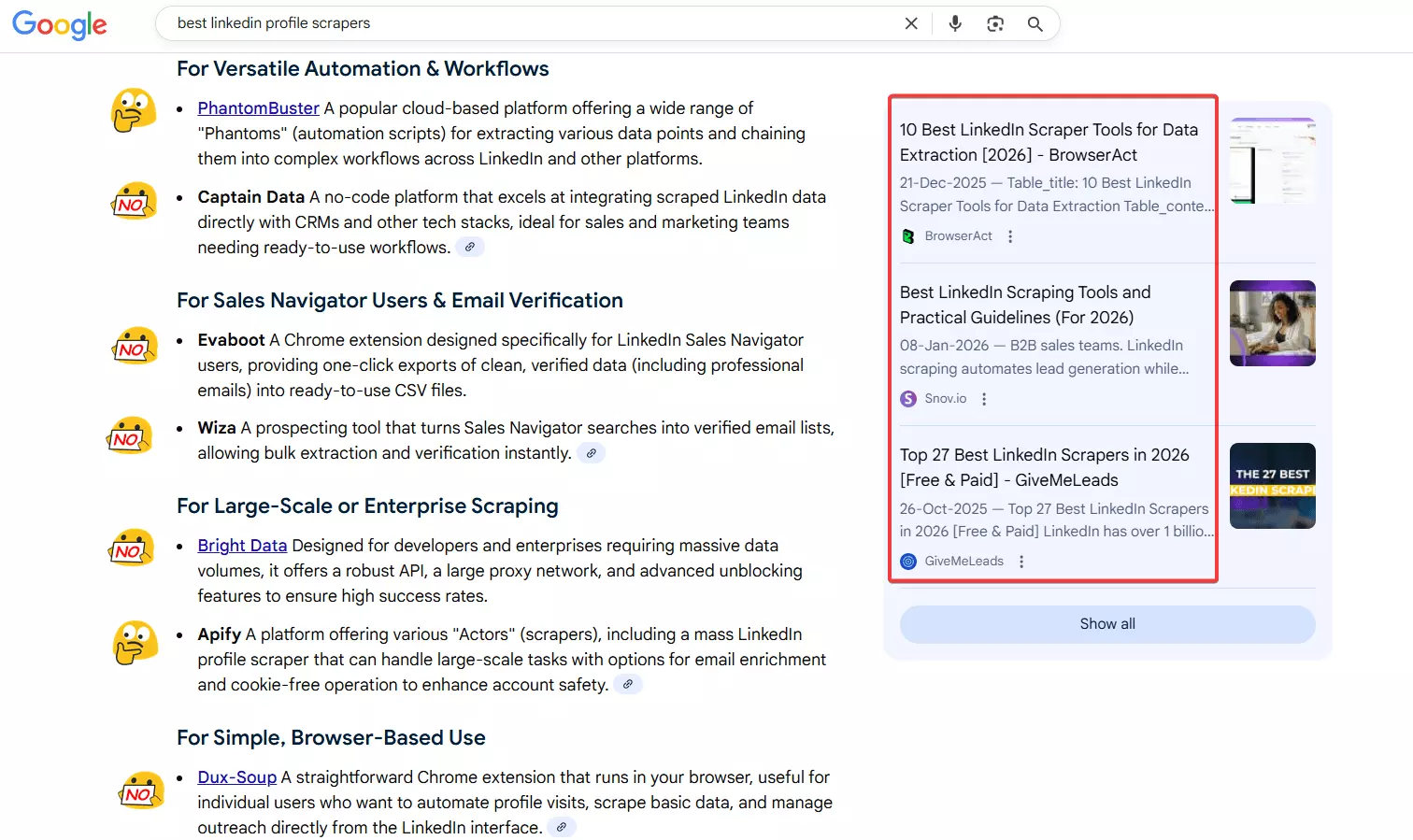
Search Google or ask any AI, and you get generic scrapers that aren't built for profiles, confusing APIs, and Chrome extensions that die after a hundred rows.
And most scrapers out there want you to sync your LinkedIn profile.
That puts your account at risk and caps how much you can pull. So I only considered tools that don't ask for it.
OK enough intro... let me give you a quick overview, scoring, and then we move to the detailed comparison.
Just tell me which one
| If you want... | Go with | Why |
|---|---|---|
| The best all-rounder | lobstr.io | Best in data, cost, support |
| The most data per profile | lobstr.io | Most data, 250 meaningful fields |
| Raw speed | Apify (HarvestAPI) | Fastest, 140 profiles/min |
| The cheapest start | Apify (HarvestAPI) | $10 per 1k with emails |
| The cheapest at volume | lobstr.io | $6 per 1k with emails |
| Phone numbers and firmographics | Scrupp | 76 fields incl. phone + address |
| The best-rated support | lobstr.io | 5.0 (33) on Capterra |
Confused? Here's a bigger table 😂
Best LinkedIn Profile Scrapers of 2026
| Criteria | lobstr.io | Apify (HarvestAPI) | Scrupp |
|---|---|---|---|
| Meaningful data points | 250 | 175 | 76 |
| Data quality score | 9.67/10 | 9.45/10 | 7.19/10 |
| Fill rate | 8.6/10 | 7.8/10 | 3.3/10 |
| Needs a LinkedIn account | ❌ No | ❌ No | ❌ No |
| Email enrichment | ✅ (paid toggle) | ✅ (paid toggle) | ✅ (always on) |
| Connections + followers count | ❌ | ✅ | ⚠️ connections only |
| Phone numbers | ❌ | ❌ | ✅ |
| Speed (profiles/min, 1 instance at max) | 60 | 140 | 30 |
| 100K profiles with emails | 27.8 h · $600 | 11.9 h · $1,000 | 2.3 days · $600 |
| 1M profiles with emails | 11.6 days · $6,000 | 5.0 days · $10,000 | 23.1 days · $6,000 |
| Cost /1k with emails (entry → scale) | $24 → $6 | $10 flat | $29 → $6 |
| Cost /1k base (entry → scale) | $6 → $1.50 | $4 flat | No base tier |
| Concurrency | ✅ 5 Slots/Squid, multiple Squids | ⚠️ memory only (256 → 512 MB) | ❌ None |
| Bulk input | ✅ CSV, TSV, TXT | ⚠️ Paste only | ⚠️ CSV only |
| Scheduling | ✅ | ✅ | ❌ |
| Export formats | CSV, Excel, JSON, JSONL | CSV, JSON, Excel, XML, RSS, HTML | CSV, XLSX |
| User rating | 5.0 (33, Capterra) | 4.4 (77, Apify store) | 4.7 (110, Trustpilot) |
| Overall | 8.82/10 | 8.74/10 | 5.97/10 |
But wait... is scraping LinkedIn profiles even legal? 🤔
Is it legal to scrape LinkedIn profiles?
Legal disclaimer: This content is for informational purposes only and reflects publicly available information and the author's interpretation. It does not constitute legal advice. Laws and regulations vary by jurisdiction. Consult a qualified legal professional before scraping LinkedIn data or using scraped data for commercial purposes.
Short answer... yes, if you don't do stupid things.
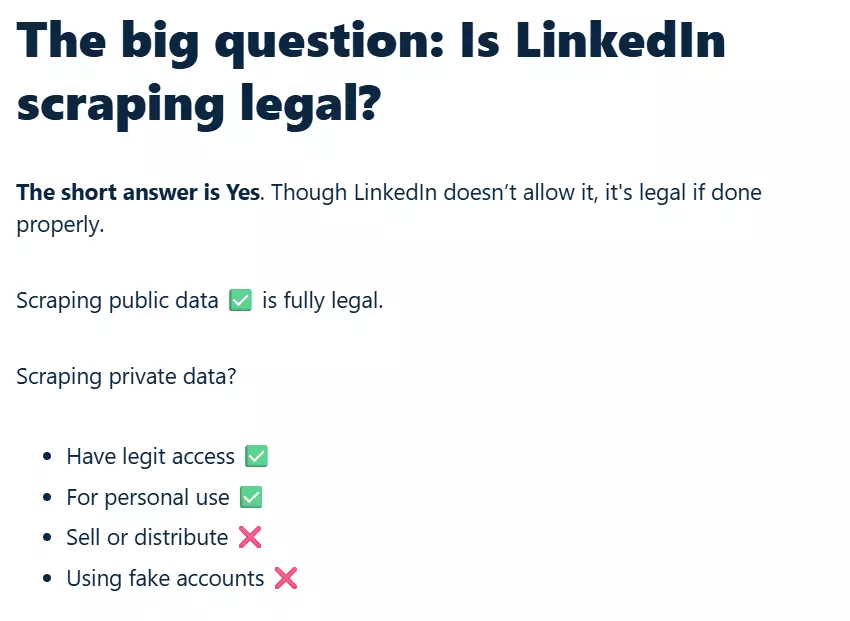
LinkedIn's terms don't allow scraping, but that's a platform rule, not a criminal law. Scraping publicly available LinkedIn profile data is generally considered legal.
You get into trouble when you scrape recklessly, use shady practices, or break data privacy laws.
I've covered the legality of LinkedIn scraping in detail elsewhere, including laws, lawsuits, verdicts, and best practices.
In practical terms, you're on safe ground as long as you:
- Respect rate limits
- Avoid fake or compromised accounts
- Skip private or sensitive information
- Don't resell or publicly monetize the data without consent
- Store the data responsibly and follow local privacy laws like GDPR
Nobody's going to jail. Onward.
How I chose the best LinkedIn profile scrapers
I went where the complaints live... community posts, user reviews, and threads from people who'd already tried three tools and given up.
I also texted some of my fellas who do it as an important part of their job.
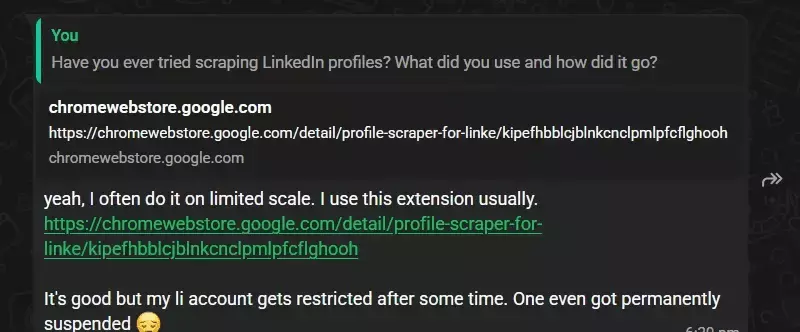
The same problems keep coming up. Shallow data. Pricing that pretends to be cheap until you hit volume. Tools that want your LinkedIn login and then get your account restricted. Runs that die halfway.
And then I decided to test every tool I could find on the following criteria (I call em my golden 6) and score them to find the best one.
- Data
- Cost
- Usability
- Speed
- Scalability
- Support
Data
I fed all 50 profiles to every tool and counted what came back, field by field.
Raw column counts lie, so I stripped run metadata, echoed input, and duplicate views of the same data before counting anything.
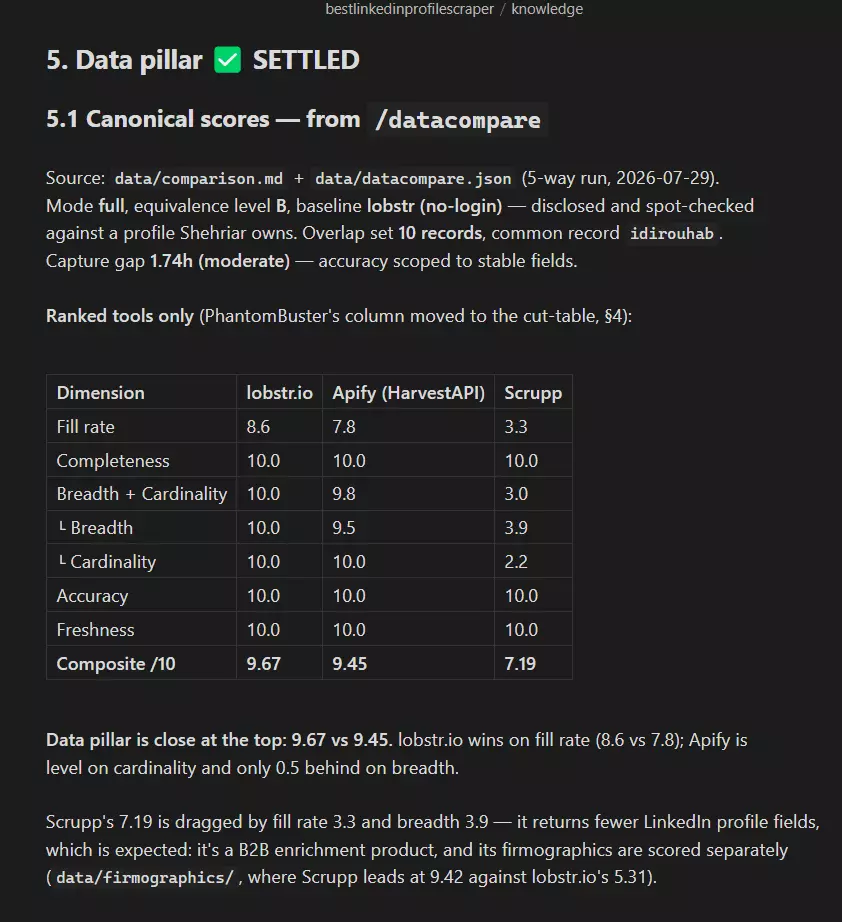
Then I scored fill rate (how often a declared field actually holds a value), breadth (how many field types), and accuracy (whether the values agree across tools).
Cost
Everything normalized to cost per 1,000 profiles, at entry and at volume, priced twice... once with email enrichment and once without.
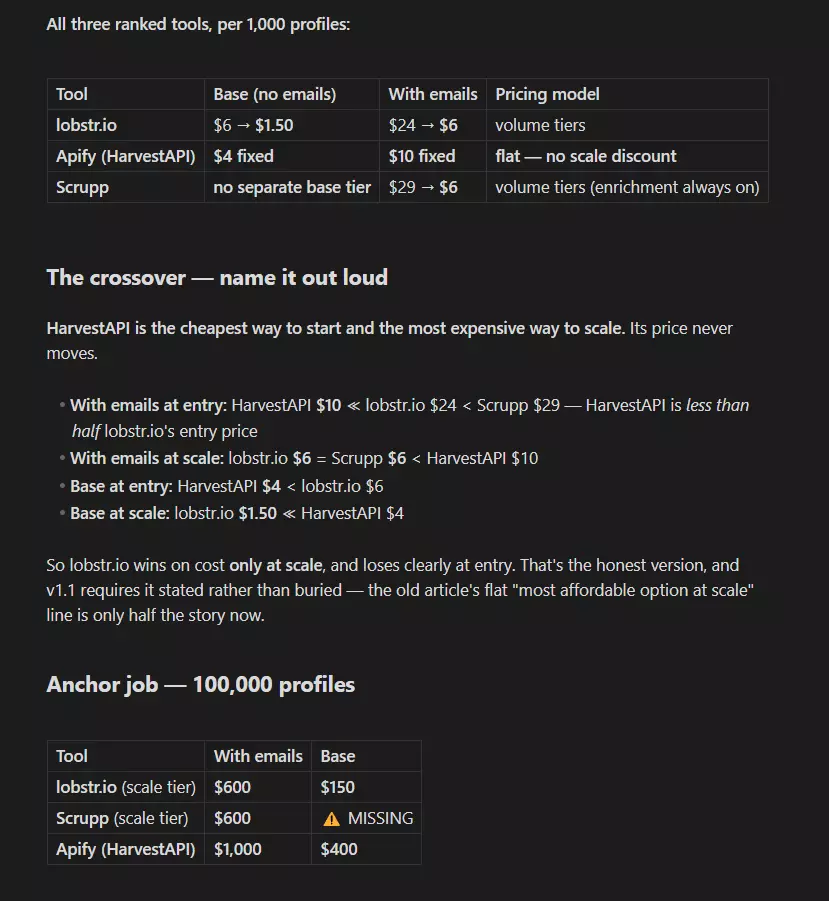
Then I stated the total for a real job so you can plug in your own volume.
Usability
How you feed it a job, how many clicks to launch, whether the paid toggles do what they claim, and what comes out the other end.
In short, how seamless, flexible, and easy to use the tool is from input to final output.
I tested every documented toggle with and without. None of them silently did nothing, which is worth saying since that's not always true.
Speed
Profiles per minute. To keep it fair I ran an instance of each tool at its own default, minimum and maximum concurrency, so nothing gets compared at a default setting against a rival's ceiling.
Scalability
That's the whole point of web scarping. I'm not writing for hobbyists, I'm writing for peeps who need data at scale.
So I checked how scalable a tool is. How many profiles it can realistically scrape a month, at what cost (100k and 1M profiles cost). And is it well maintained?
Support
I used published response stats and review sentiment rather than sending tickets. Each tool is rated on the platform where it has the most and freshest reviews, not one platform forced across all three. A 4.4 from 25 reviews and a 4.7 from 110 aren't the same signal.
For marketplace tools I scoped support to the specific actor tested, never the platform. Apify's company-wide support is not what you get on someone's actor.
How they scored
| Pillar | Weight | lobstr.io | Apify (HarvestAPI) | Scrupp |
|---|---|---|---|---|
| Data | 2.2 | 9.7 | 9.5 | 7.2 |
| Cost | 2.2 | 9.0 | 7.5 | 7.0 |
| Usability | 1.8 | 9.0 | 9.0 | 4.5 |
| Speed | 1.8 | 7.0 | 10.0 | 5.5 |
| Scalability | 1.0 | 9.3 | 8.8 | 5.5 |
| Support | 1.0 | 9.0 | 7.0 | 5.0 |
| Weighted total | 8.82 | 8.74 | 5.97 |
Two things jump out. lobstr.io takes four of the six pillars and still only finishes 0.08 ahead, because the one it loses badly is Speed, and Speed carries a 1.8. And Scrupp doesn't win a single pillar, which is what a 5.97 looks like.
What I left out and why
- GitHub repos break the week LinkedIn ships a layout change
- Generic Chrome extensions return inconsistent data and choke past a few hundred rows
- General-purpose and visual scrapers aren't profile-tuned, so you do the parsing yourself
- B2B databases serve you their own cached records instead of scraping the live profile
- Sales Navigator tools need a paid Sales Navigator seat on top, which stops being affordable fast
- Profile scraper APIs are a different article... this list is strictly no-code
The ranked tools
You've seen the scorecard. Here's the story behind the numbers.
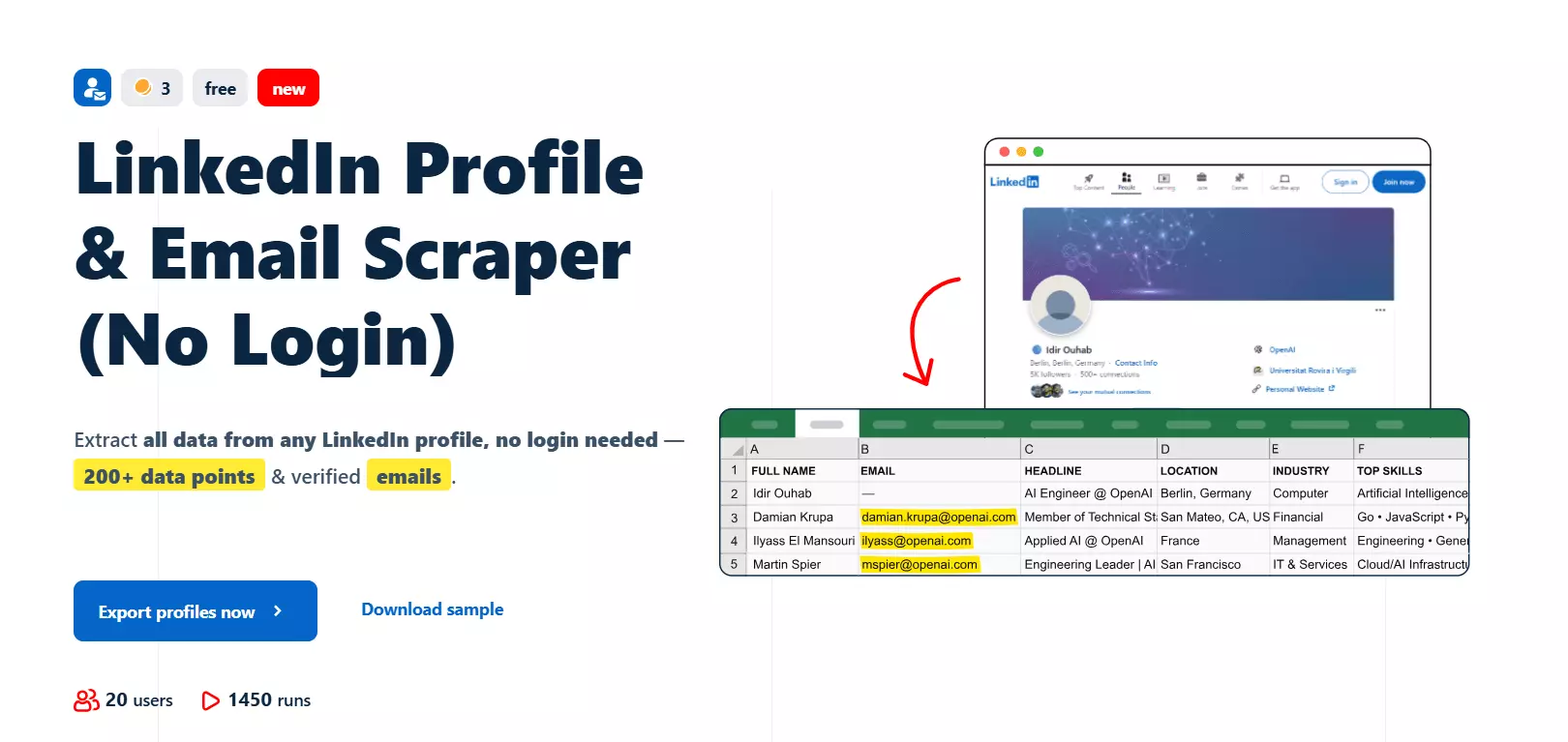
1. lobstr.io LinkedIn Profile & Email Scraper (No Login)
| Pillar | Score |
|---|---|
| Data | 9.7/10 |
| Cost | 9.0/10 |
| Usability | 9.0/10 |
| Speed | 7.0/10 |
| Scalability | 9.3/10 |
| Support | 9.0/10 |
| Overall | 8.82/10 |
| Pros | Cons |
|---|---|
| Deepest data of the three (250 meaningful fields) | Not the fastest... 60/min against HarvestAPI's 140 |
| Cheapest at volume ($6 per 1k with emails) | No connections count, followers or open-to-work |
| Only tool that takes CSV, TSV and TXT uploads | |
| Scales past one instance, unlike either rival | |
| Best-rated support in the category | |
| Exports to CSV, Excel, JSON and JSONL |
Data
It returned 250 meaningful data points, the most of any tool here, and scored 9.67/10 on data quality with a fill rate of 8.6/10.
Here's what it actually gives you:
| Category | Data points |
|---|---|
| 👤 Identity | first_name, last_name, full_name, headline, summary, location_name, country_code, industry_name, slug |
| 💼 Work history | positions[] with title, company_name, company_url, company_size, company_industries, employment_type, geo_location_name, description, full date ranges |
| 🎓 Education | educations[] with school_name, degree_name, field_of_study, grade, activities, date ranges |
| 📜 Credentials | certifications[] 🎁 with license_number and authority, courses[], languages[] + proficiency, test_scores[] 🎁 |
| 🏆 Achievements | publications[] 🎁 with authors[], projects[] 🎁 with contributors[], honors_and_awards[], organizations[] |
| ❤️ Community | volunteer_experiences[], volunteer_causes[], more_profiles[] |
| 📎 Media | 🎁 positions[].media[] and educations[].media[], the attachments on jobs and schools |
| 🌍 Locale | 🎁 multi_locale_summary[], the About section in every language the profile publishes |
| ✉️ Contact | email, email_status |
test_scores[] has no equivalent anywhere. Neither do the media attachments or the localized About text.Now the honest part.
Skills cap at 20. Across all 50 profiles it never returned more than 20 skills, and 30 of them sat at exactly 20. HarvestAPI reaches 55 and adds endorsement counts. That's truncation, not absence.
Job history caps at 13 positions, where HarvestAPI's goes 17 deep.
It doesn't return connections count, followers count, or open-to-work. Every other tool here does. If your workflow filters on follower count, this scraper can't feed it.
positions[] comes back in arbitrary order, so working out which job is current means sorting by date first. HarvestAPI returns experience newest-first and saves you the step.Verdict. The deepest data here, and the widest by a real margin on the long tail of certifications, publications and projects. But not a clean sweep, as the four above make clear.
Usability
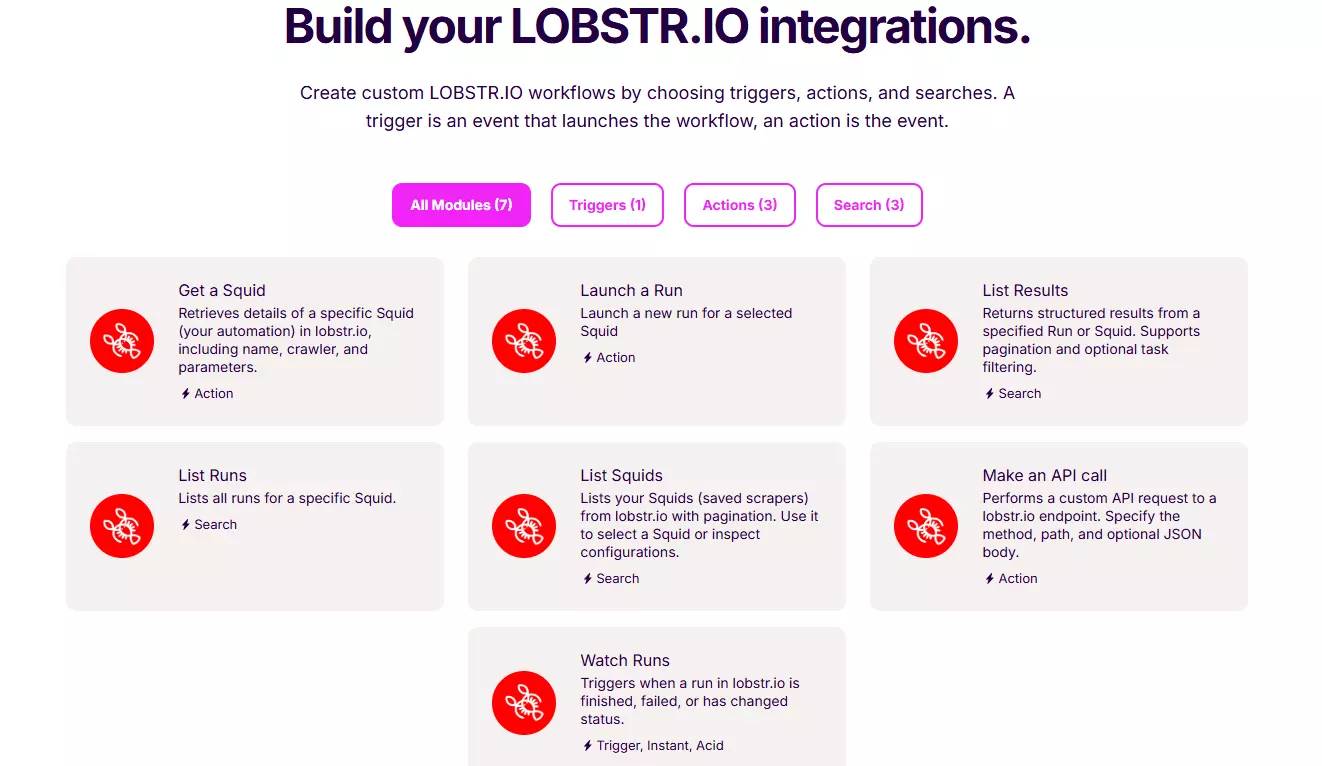
williamhgates works as well as the full URL. For bulk work you upload CSV, TSV or TXT, and it's the only tool here that takes a file at all.The flow is create a Squid, add your tasks, set your options, launch. Email enrichment is a toggle, Slots are a dropdown.
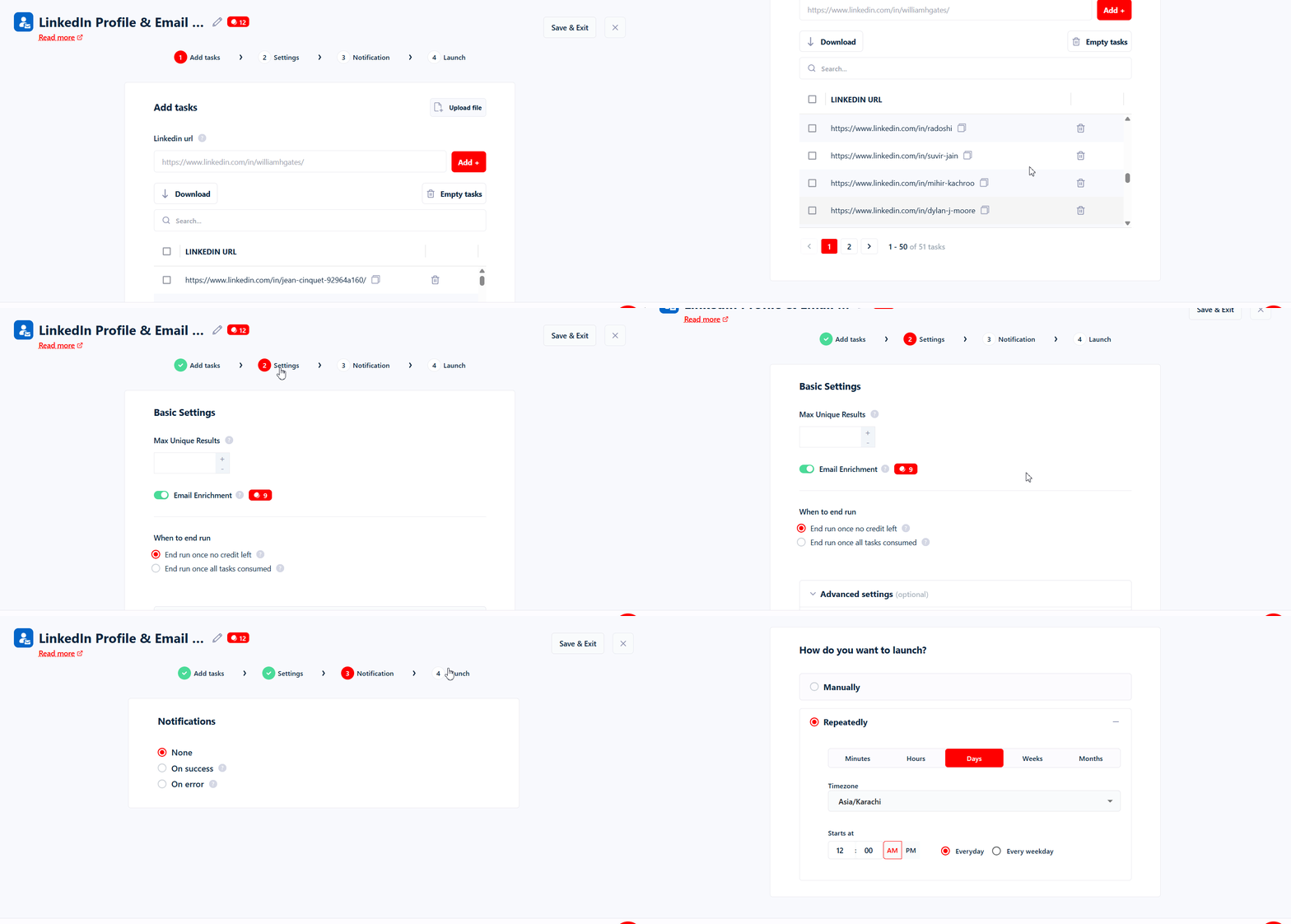
Scheduling is built in, and it's aimed at re-running the same profiles to catch changes over time.
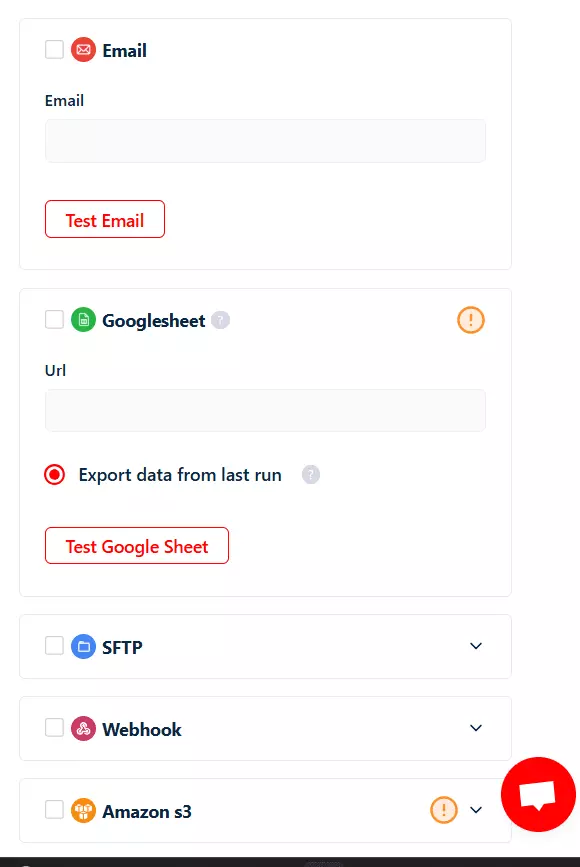
Exports go to CSV, Excel, JSON and JSONL, with delivery to Google Sheets, Amazon S3, SFTP, email or a webhook.
Verdict. Nothing here is clever, and that's the point. The one thing it does better than HarvestAPI is bulk input... uploading a file beats pasting 50,000 URLs into a text box.
Speed
On one Squid, at a single Slot and then at 5 Slots, which is this scraper's ceiling:
| Configuration | Rate |
|---|---|
| 1 Slot, email enrichment on | 8-10 profiles/min |
| 1 Slot, no enrichment | 15-20 profiles/min |
| 5 Slots, email enrichment on | 60 profiles/min |
Verdict. It's not the fastest, and at one instance it can't catch HarvestAPI's 140/min no matter how many Slots you add.
Cost
| Configuration | Entry | At volume |
|---|---|---|
| Without emails | $6 per 1k | $1.50 per 1k |
| With verified emails | $24 per 1k | $6 per 1k |
Plans run Starter $20 (2 Slots) · Pro $100 (10 Slots) · Team $500 (50 Slots) · Business $1,000 (100 Slots).
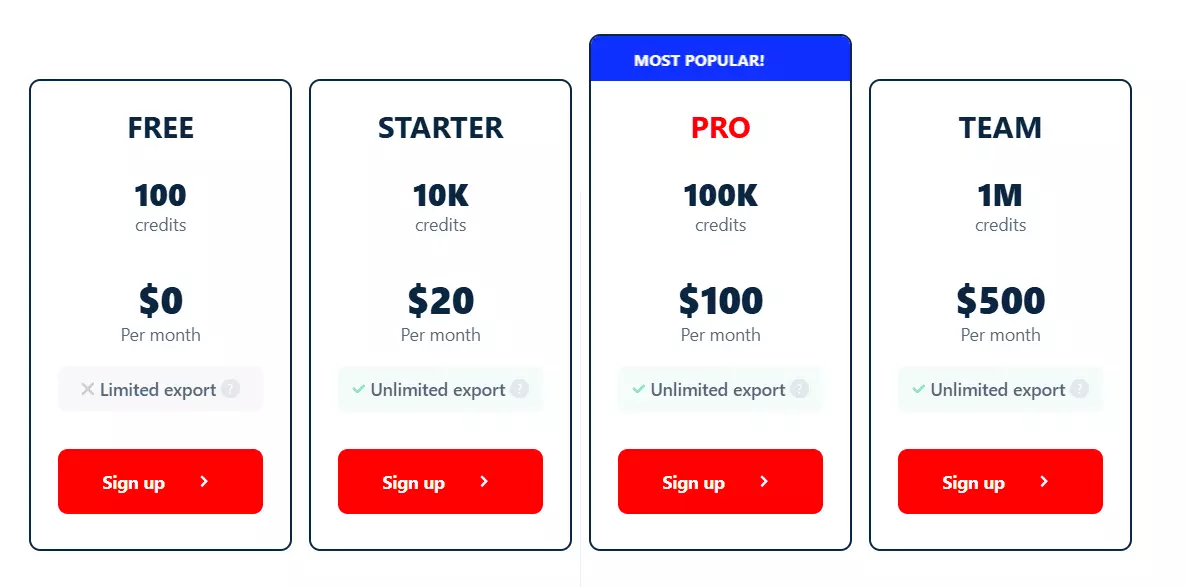
100,000 profiles with verified emails costs $600. Without emails, $150.
The honest catch: it's the second most expensive way to start. At $24 per 1,000, entry pricing is more than double HarvestAPI's $10 flat rate. lobstr.io only wins on cost once you're buying volume.
Verdict. The cheapest tool here at volume by a distance, and a poor choice for a 2,000-profile test run.
Scalability
A single Squid caps at 5 Slots and 60 profiles/min. But Slots stack across multiple Squids, bounded by your plan:
| Plan | Slots | Layout | 1M profiles |
|---|---|---|---|
| Pro $100 | 10 | 2 Squids × 5 Slots | 5.8 days |
| Team $500 | 50 | 10 Squids × 5 Slots | 27.8 hours |
| Business $1,000 | 100 | 20 Squids × 5 Slots | 13.9 hours |
For comparison, a single HarvestAPI actor at its maximum does 1M in 5.0 days, and Scrupp takes 23.1 days.
I kept the headline number at one Squid on purpose, to give you the most modest figure. The multi-Squid rows are calculated from the measured 5-Slot rate, not separately clocked.
Verdict. This is the pillar lobstr.io wins, and it's the one that matters once a job stops fitting in a single run.
Support
5.0 out of 5 across 33 reviews on Capterra, the highest score of any tool here.
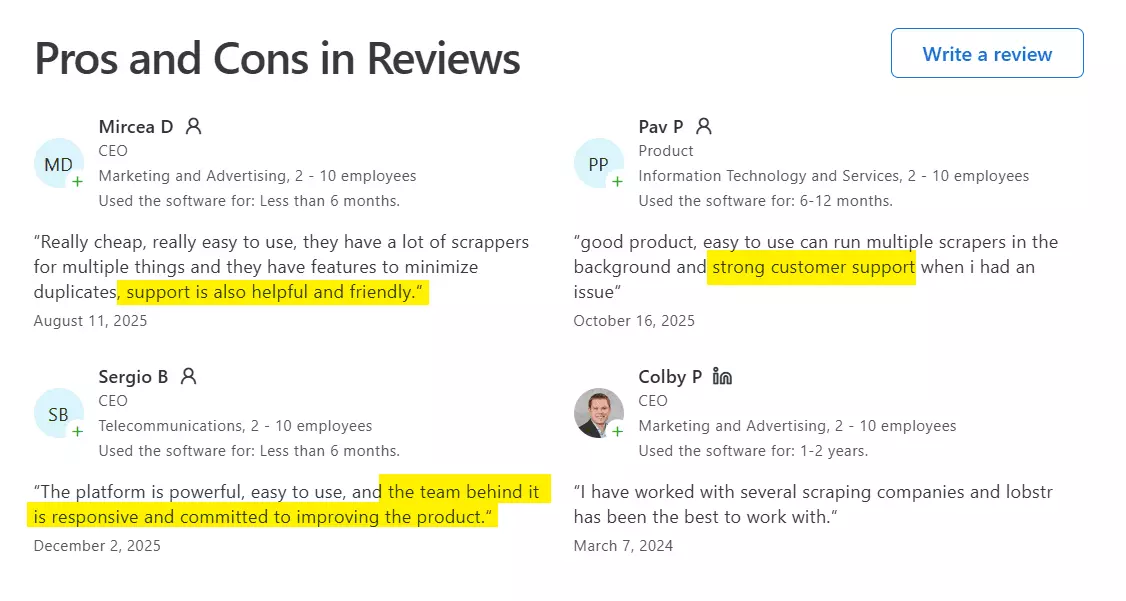
Verdict. The strongest support signal of the three, and the reviews are consistent about why... you get technical people who know the product.
Best for: Anyone pulling LinkedIn profiles in volume, where cost per record and depth of data matter more than finishing today.
If you need 5,000 profiles by tonight, the tool below is the better call.
2. Apify ... HarvestAPI LinkedIn Profile Scraper
| Pillar | Score |
|---|---|
| Data | 9.5/10 |
| Cost | 7.5/10 |
| Usability | 9.0/10 |
| Speed | 10.0/10 |
| Scalability | 8.8/10 |
| Support | 7.0/10 |
| Overall | 8.74/10 |
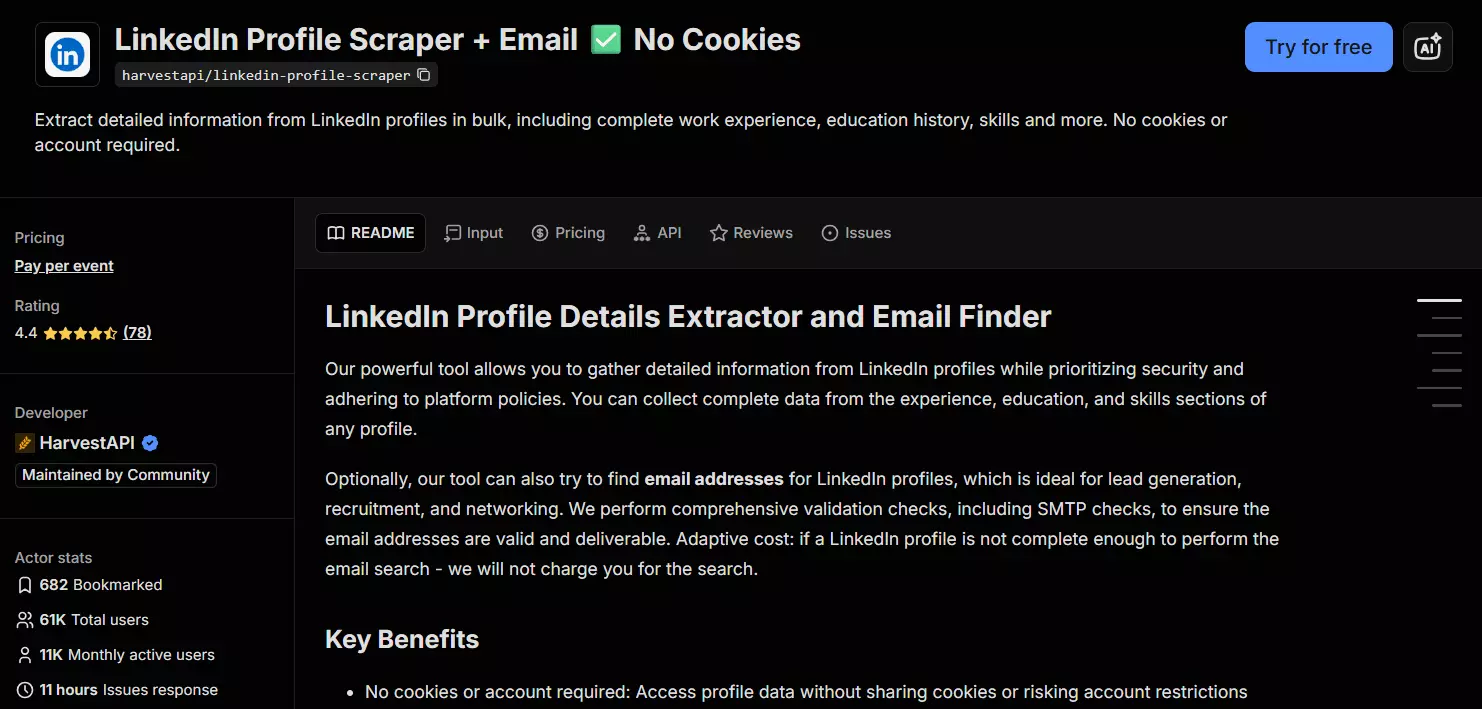
I chose Harvest API because it had the highest monthly active users on Apify store and pretty solid run success rate and response time.
| Pros | Cons |
|---|---|
| Fastest tool tested (140 profiles/min) | $10 per 1k that never drops with volume |
| Cheapest entry price ($10 per 1k with emails) | Support closes issues without resolving them |
| Returns patents and recommendation text | No bulk upload of profiles |
| Skill endorsement counts, and skills per job | |
| Email deliverability scoring, not just an address | |
| Takes profile URLs, slugs and profile IDs |
Data
certifications/0/issuedAt all the way to skills/54/name.Collapse those and you get 251 real field names, which is the only count worth quoting. Budget time for that if you're pointing a pipeline at it.
On that basis: 175 meaningful data points and a data quality score of 9.45/10, only 0.22 behind lobstr.io. Fill rate is 7.8/10.
experience, the depth is uneven. companyName reaches 16 jobs deep, but the full company object and the parsed dates stop at 6. For jobs 8 through 17 you get a company name and not much else.What it returns that nobody else here does:
| Category | Exclusive data points |
|---|---|
| 🎁 Patents | patents[] with title, number, description, issue date |
| 🎁 Recommendations | receivedRecommendations[] with the full text and who wrote it |
| 🎁 Skill depth | skills[].endorsements and .assessments, plus skills attached to individual jobs and schools |
| 🎁 Work mode | experience[].workplaceType ... remote, hybrid or on-site |
| 🎁 Email quality | emails[].qualityScore, .deliverable, .catchAllDomain, .free |
| 🎁 Account age | registeredAt, when the LinkedIn account was created |
email_status, HarvestAPI hands you a deliverability score, whether the domain is catch-all, and whether it's a free provider. If you're feeding a cold outreach sequence, that's more useful.It also returns connections count, followers count and open-to-work, which lobstr.io's no-login scraper doesn't.
Verdict. Genuinely close to lobstr.io on data, and ahead on the things a sales workflow cares about. The gap is in the long tail... it has no test scores, no media attachments, no localized About text.
Usability
It's the most flexible on input types... profile URLs, bare slugs, and profile IDs, which is unique to it. You paste them in bulk directly in the interface.
But it takes no file upload at all, which is the one place lobstr.io's CSV, TSV and TXT clearly beat it.
Setup is create an actor instance, add your input and the email toggle, launch. Three steps, same as lobstr.io. Scheduling exists but needs more configuration than lobstr.io's.
Exports cover JSON, CSV, Excel, XML, RSS and HTML tables, and it plugs into Apify's integration ecosystem with MCP support for agent workflows.
Verdict. A tie with lobstr.io, and the two get there differently. HarvestAPI wins on input types and exports, lobstr.io wins on bulk ergonomics and simpler scheduling.
Speed
| Memory | Rate |
|---|---|
| 256 MB (default, 0.063 CPU cores) | 100 profiles/min |
| 512 MB (maximum) | 140 profiles/min |
140 profiles/min is the fastest number in this test, against lobstr.io's 60/min at its 5-Slot maximum and Scrupp's 30/min. 100,000 profiles takes 11.9 hours.
Worth noting the lever is weaker than it looks... doubling the memory buys 1.4x the speed, not 2x.
Verdict. Best in class, and it isn't close. If speed is what you're buying, this is the tool.
Cost
$4 per 1,000 profiles base, $10 per 1,000 with emails. Flat. No volume discount at any tier.
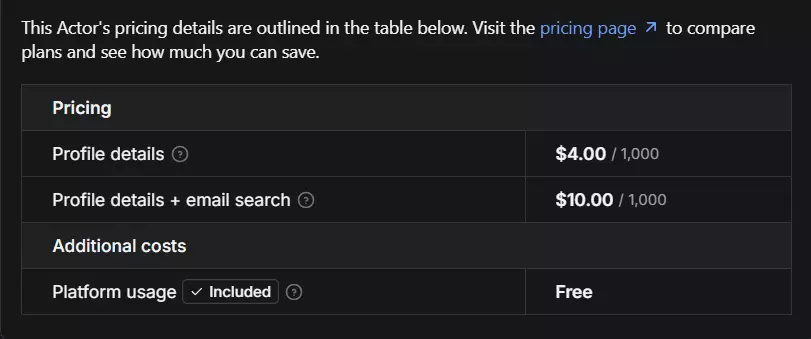
That makes it the cheapest way to start and the most expensive way to scale, which is the single most important pricing fact in this article.
| With emails | HarvestAPI | lobstr.io | Scrupp |
|---|---|---|---|
| Per 1k at entry | $10 | $24 | $29 |
| Per 1k at volume | $10 | $6 | $6 |
| 100,000 profiles | $1,000 | $600 | $600 |
| 1M profiles | $10,000 | $6,000 | $6,000 |
Verdict. Under a few thousand profiles it's the obvious value pick. Past that, the flat rate stops being a feature.
Scalability
Its lever is memory, not workers. You raise the actor from 256 MB to 512 MB and get 1.4x the throughput. Then you're done, because 512 MB is the cap.
One actor at maximum does 1M profiles in 5.0 days. That beats a single lobstr.io Squid, which takes 11.6 days. It loses to lobstr.io the moment you add a second Squid.
Maintenance signals are good. The actor was created in April 2025 and last updated 10 days before I published this. This is not an abandoned community actor.
Verdict. Strong for a single-instance tool, and honestly credited for having a lever at all. But one doubling of memory is a shorter runway than stacking workers.
Support
It's not Apify-maintained actor so you don't get any dedicated support from Apify itself.
But HarvestAPI does offer support via email and issues tab inside Apify store.
By the actor's own published stats, 98% of runs succeeded and issue response time is around 11 hours.
Though this doesn't look realistic. The most recent issue got a response after 3 working days and it didn't resolve the issue:
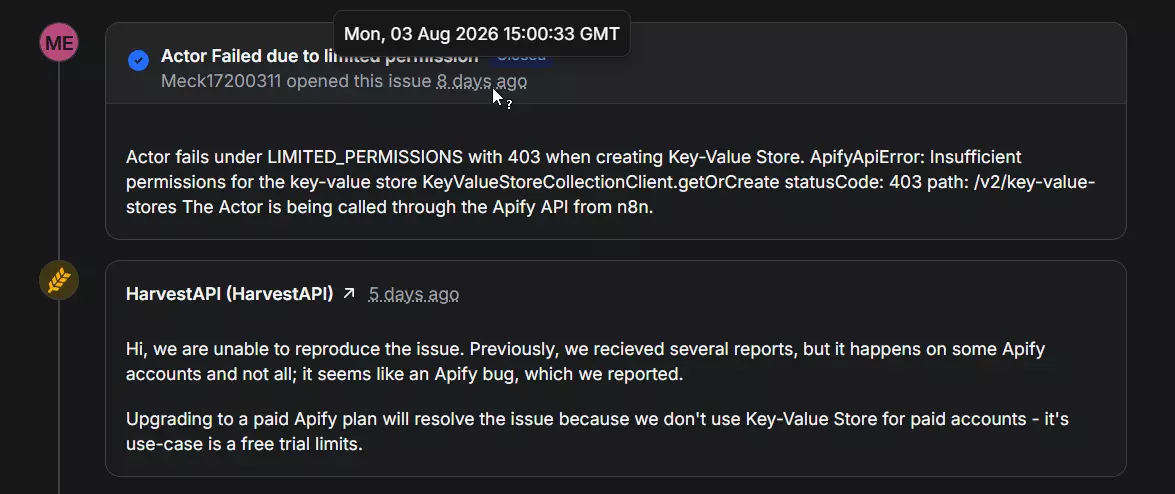
Verdict. Less consistently conclusive. And it's the only support you get here... Apify's own team doesn't troubleshoot a third-party actor.
Best for: Anyone with a deadline or a job under about 20,000 profiles, where finishing in 12 hours instead of 28 is worth $400. Also the better pick if you need email deliverability scoring rather than a yes/no.
3. Scrupp
User rating: 4.7 (110 reviews) on Trustpilot · My score: 5.97/10 · Web app · From $29 per 1k · Best for lead enrichment rather than profile scraping
| Pillar | Score |
|---|---|
| Data | 7.2/10 |
| Cost | 7.0/10 |
| Usability | 4.5/10 |
| Speed | 5.5/10 |
| Scalability | 5.5/10 |
| Support | 5.0/10 |
| Overall | 5.97/10 |
Scrupp is a B2B enrichment product that also scrapes LinkedIn profiles.
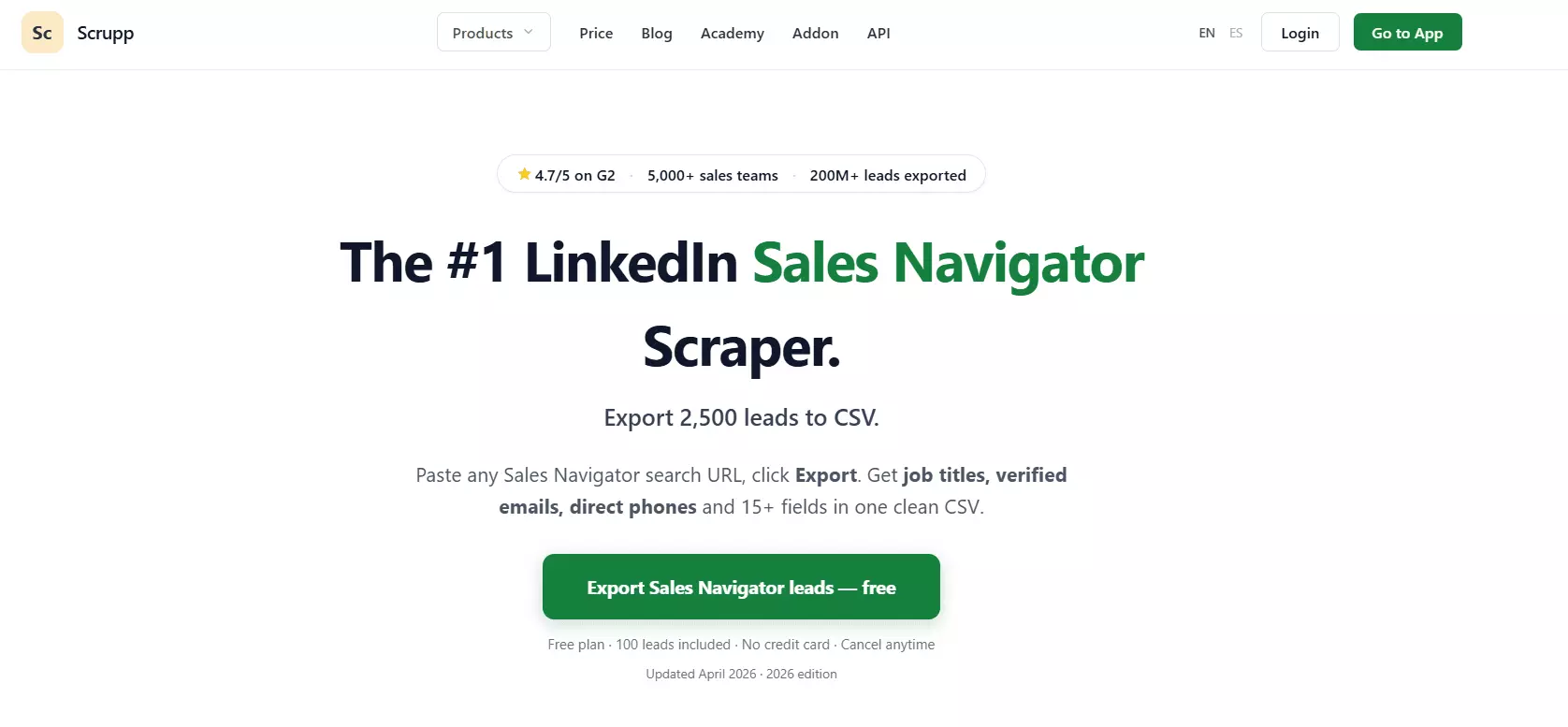
You don't need the Chrome extension for profile work, and you don't need a LinkedIn login... you upload a CSV of profile links into its CSV enrichment tool.
| Pros | Cons |
|---|---|
| Only tool returning phone numbers | Shallowest LinkedIn profile data (76 fields) |
| Postal address, Twitter, Facebook, Crunchbase | No scheduling at all |
| Job-change signals and computed tenure | CSV upload only, no single-profile input |
| Company financials and tech stack | Several columns barely populated |
| Ties lobstr.io on cost at volume ($6 per 1k) | Most expensive entry price ($29 per 1k) |
| Highest headline rating (4.7 on Trustpilot) | Support is its weakest-reviewed area |
Data
76 data points and a data quality score of 7.19/10, dragged down by a fill rate of 3.3/10 and breadth of 3.9.
On pure LinkedIn profile data it's the shallowest here. Its exclusives sit somewhere else entirely:
| Category | Exclusive data points |
|---|---|
| 📞 Contact | Phone Number, All Phone Numbers, Company Phone, plus Address and Postal Code |
| 🔗 Other profiles | Twitter, Facebook, Crunchbase URL |
| 🎯 Intent | Changed Job ... a job-change signal |
| ⏱️ Computed tenure | Years of Experience, Time in Company, Time in Position |
| 🏢 Firmographics | Annual Revenue, Market Cap, Total Funding, funding stage and date |
| 🧩 Normalized values | Standardized Title, Normalized Company, Size Category |
No other tool here returns a phone number. For a sales team, that alone can justify it.
Funding Events and Social Fields were populated on 0 of 53 rows, and Technologies on 1 of 53. The column exists; the data usually doesn't.All Positions, Skills, Education and Position Dates arrive as pipe or comma-joined strings in a single cell, so you're splitting them yourself.Verdict. Judge it as an enrichment tool and it's strong. Judge it as a LinkedIn profile scraper and it's clearly third.
Usability
This is where it loses hardest. It takes profile URLs only, in a CSV file only, and there's no single-input box... you can't scrape one profile without building a file first.
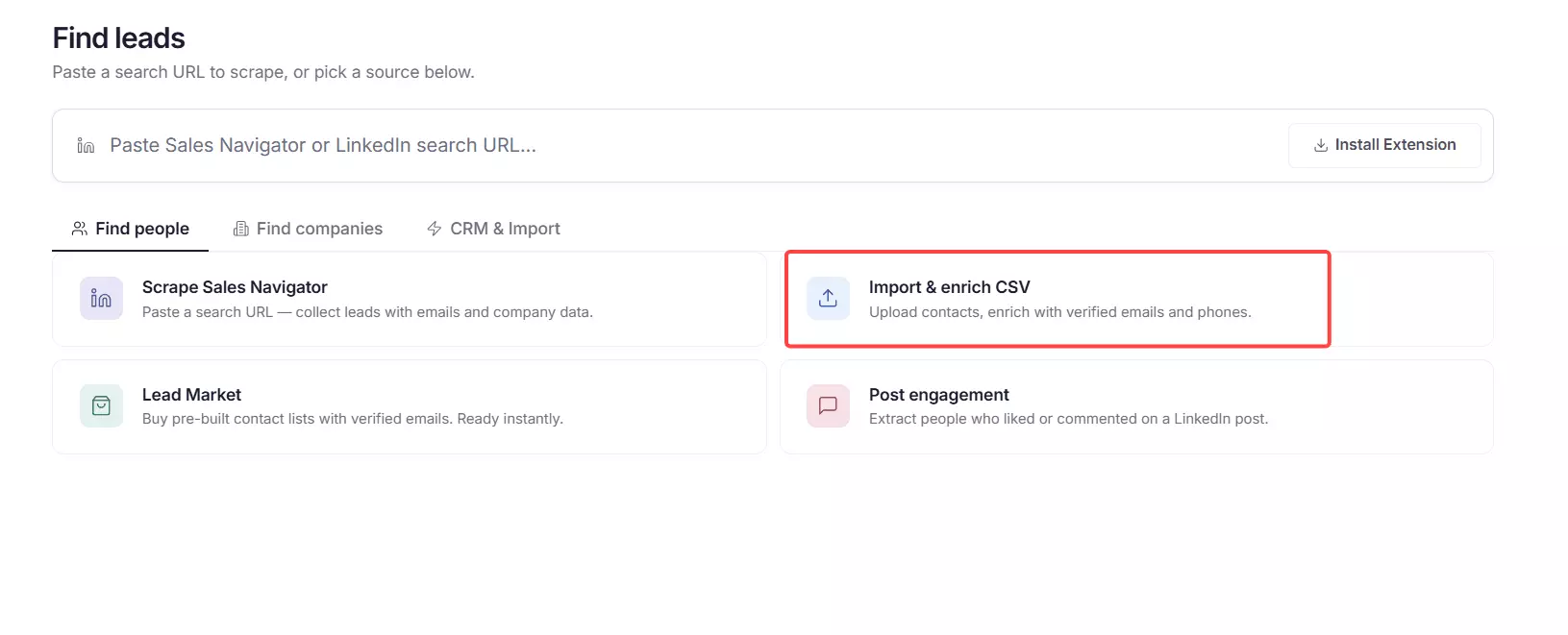
Exports are CSV and XLSX, with integrations to HubSpot, Pipedrive and Google Sheets.
There's no scheduling. Upload and wait. That rules it out for any monitoring workflow.
Verdict. The most restrictive tool here on every axis of input and automation.
Speed
Scrupp publishes no speed figure and its export carries no timestamps, so I had to measure this off the API response directly.
30 profiles per minute with enrichment on, based on this run. 100,000 profiles takes 2.3 days.
Verdict. Half of lobstr.io's rate and under a quarter of HarvestAPI's.
Cost
$29 per 1,000 at entry, dropping to $6 per 1,000 at volume.
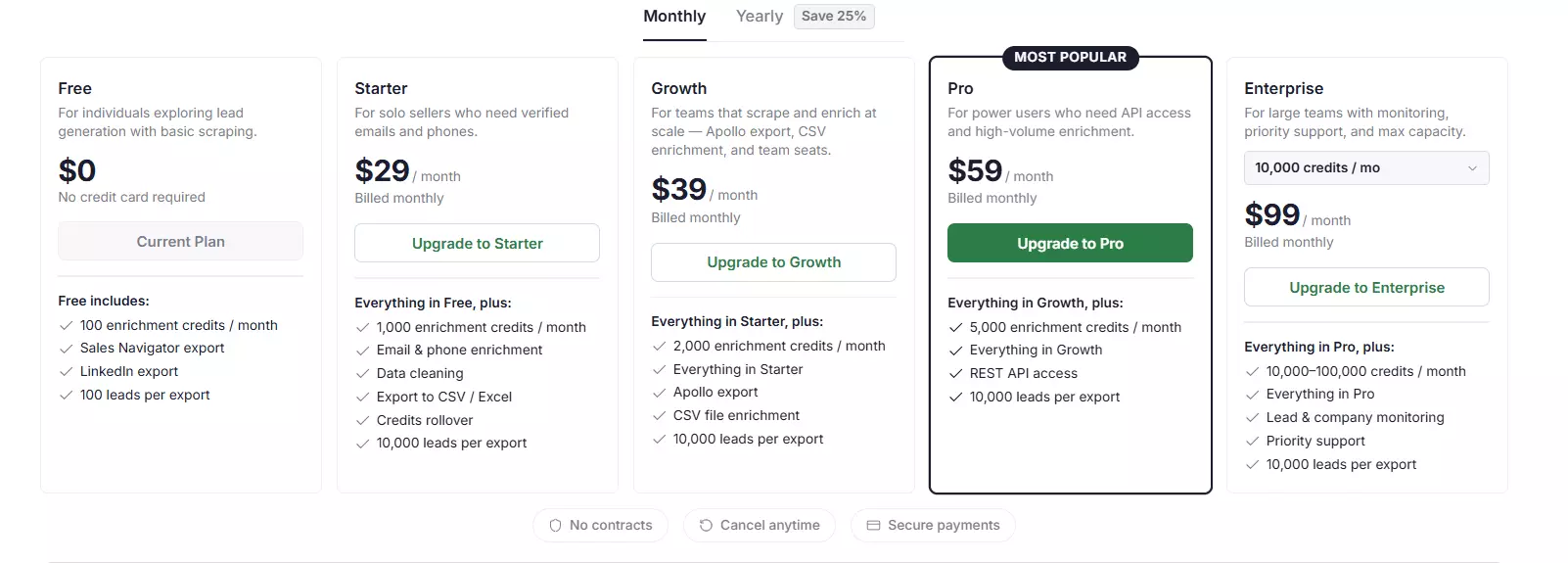
There's no cheaper tier without enrichment, because enrichment is what the product is... it always returns an email if it finds one.
So $29 is both its base and its total price at entry, and that's the most expensive starting point on this page.
At volume it ties lobstr.io at $6. 100,000 profiles costs $600.
Verdict. Fine at volume, painful to trial.
Scalability
There is no concurrency control of any kind. 30 profiles/min is the floor and the ceiling. 1M profiles takes 23.1 days and no amount of money shortens it.
Verdict. The weakest of the three, and the gap widens the bigger your job.
Support
4.7 out of 5 across 110 reviews on Trustpilot. But support specifically is the weak spot... those reviews are mixed and lean negative.
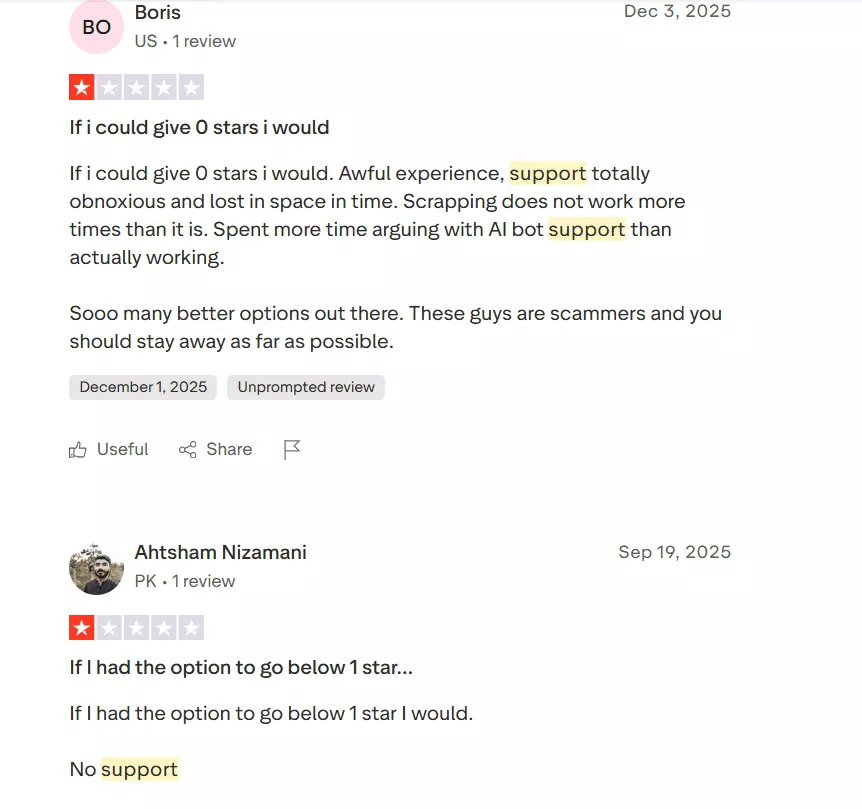
Verdict. Worth stating plainly, because the headline number hides it... the best-rated tool overall has the worst-reviewed support of the three.
Best for: Sales teams who want a phone number, a postal address and a job-change signal attached to a list they already have. If what you need is deep LinkedIn profile data, the two tools above do it better, faster and cheaper.
The scrapers that didn't make the list
These aren't bad tools. They lost on the things this article measures.
| Tool | Fields | Delivered | Speed | Why it's out |
|---|---|---|---|---|
| PhantomBuster | 60 | 10 of 50 (20%) | Not measured | Run failure... free-plan export cap, plus repeated account desyncing |
| ScrapIn | ~40 | Never run | 10 requests/min limit | It's a B2B database, not a live scraper, and a $100 minimum blocked a test |
PhantomBuster
It returned 10 of the 50 profiles I asked for. That's 20%, and it's out on that alone.
Two things caused it. Its free plan caps the export at 10 rows no matter how many profiles it actually scrapes.
And it repeatedly desynced my LinkedIn account during testing, which is the specific failure this whole article was built to avoid.
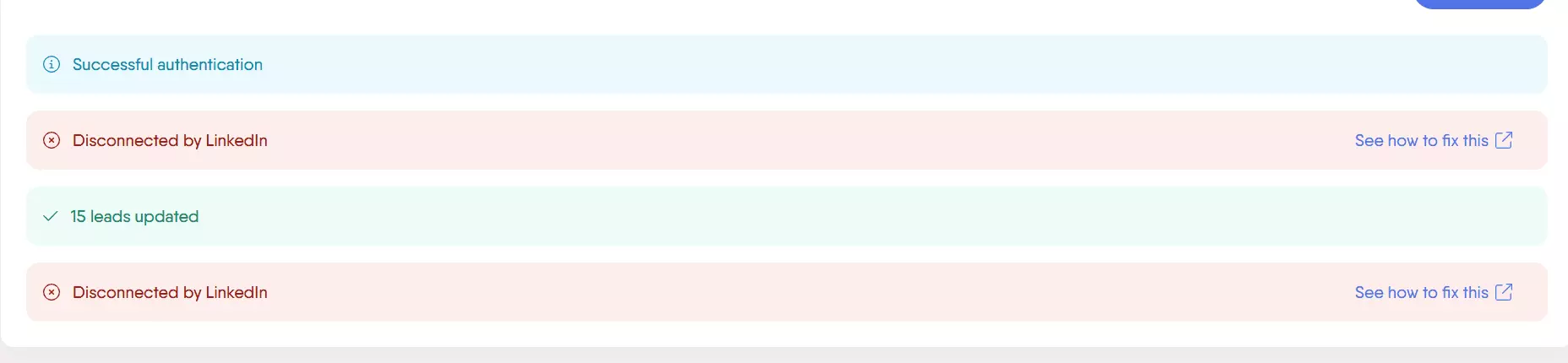
That second one is structural, not bad luck.
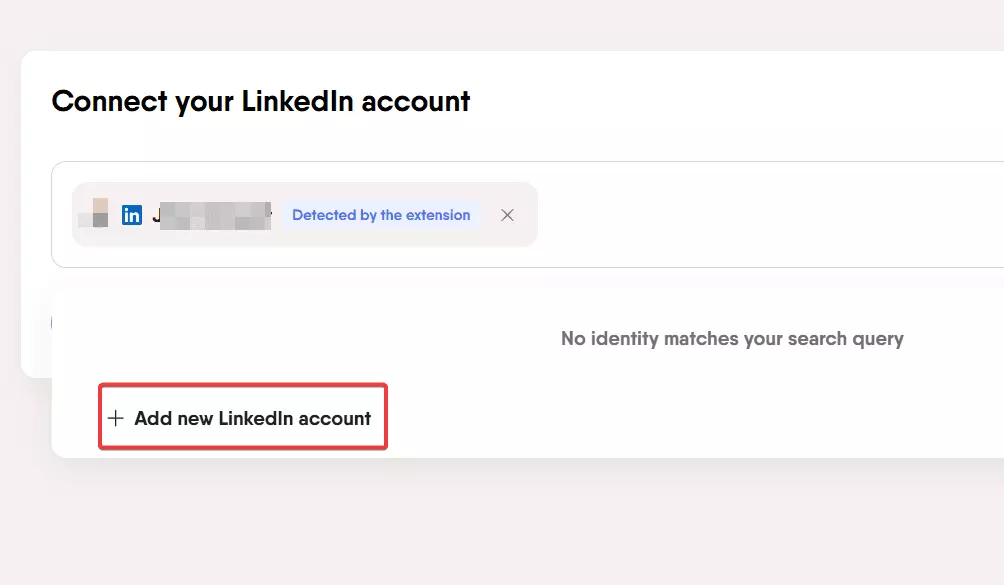
PhantomBuster runs as your logged-in self, so every Phantom starts by connecting a LinkedIn identity through its extension. That connection is the thing that kept breaking.
Three of its 13 exported rows carried no profile at all... a single populated field with no name and no person attached.
Worth knowing if you use it anyway: scraperFullName and scraperProfileId hold the scraping account, not the person scraped. They were identical across 10 of 13 rows. Map those to a name field and you'll silently attach the wrong human to every record.
Its real ceiling is the shape of the export. You get one current job, one previous job, one school and one previous school. No arrays at all. No positions list, no education list, no certifications, and no email field in this export.
Credit where it's due... it returns higher-resolution profile photos than lobstr.io, 800x800 against 400x400, and it's the only tool that gives you connection degree and a mutual-connections link.
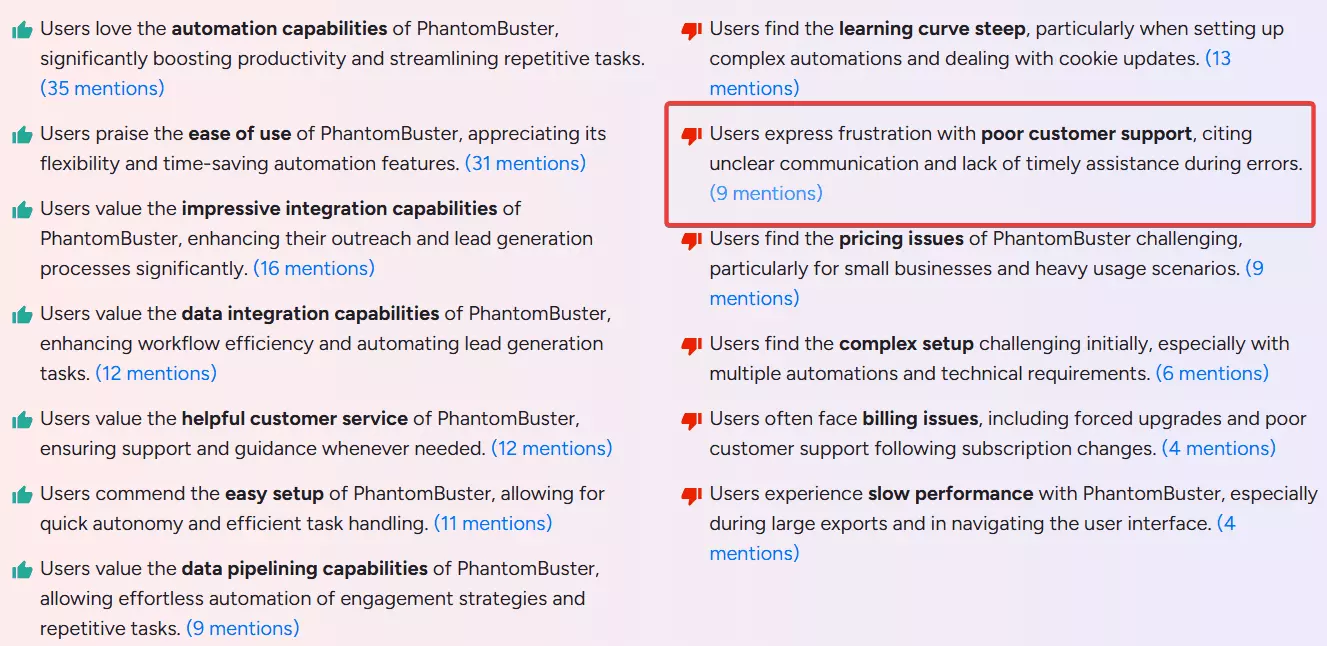
One more thing the reviews agree on. Across its G2 sentiment breakdown, customer support is the single consistent complaint, and it's essentially the only one... automation, ease of use and integrations all draw praise.
Who it's right for: PhantomBuster makes sense if scraping isn't really the job. Its strength is chaining LinkedIn actions together... collect a list, enrich it, then connect and message from the same place, with CRM integrations to hand it off. If you want an outreach engine that gathers data along the way, it earns its place. If you want 50,000 profiles, the free plan will hand you ten rows to prove it can't.
ScrapIn
ScrapIn (now part of Reverse Contact) is primarily a B2B database, not a live scraper. It serves profile data from its own store.
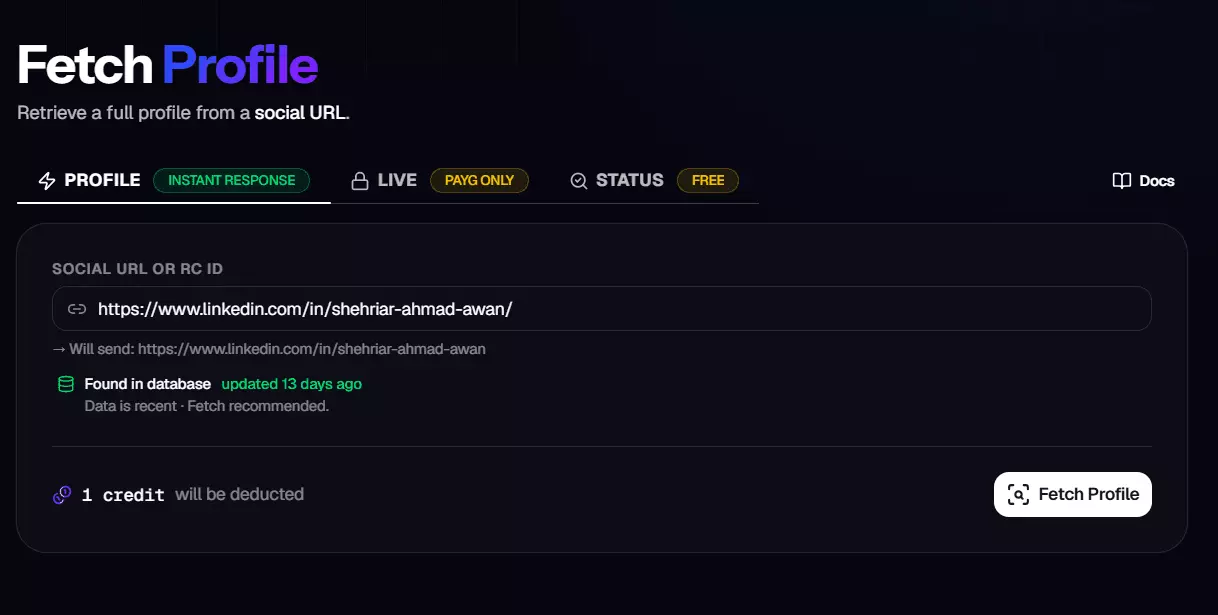
It does have a live endpoint, but its own documentation says fresh collection can take tens of minutes, so it isn't real-time.
And its pay-as-you-go pricing for live profile data starts at a $100 minimum, which I couldn't justify for a benchmark run. So I never ran it. It didn't fail a test... it never took one.
updatedAt timestamp, and the quota block exposes a 10 requests per minute rate limit with credits consumed per lookup. That's a database read.The data itself is genuinely good. It's the tidiest output in this whole comparison. Real ISO 8601 dates, which no ranked tool manages.
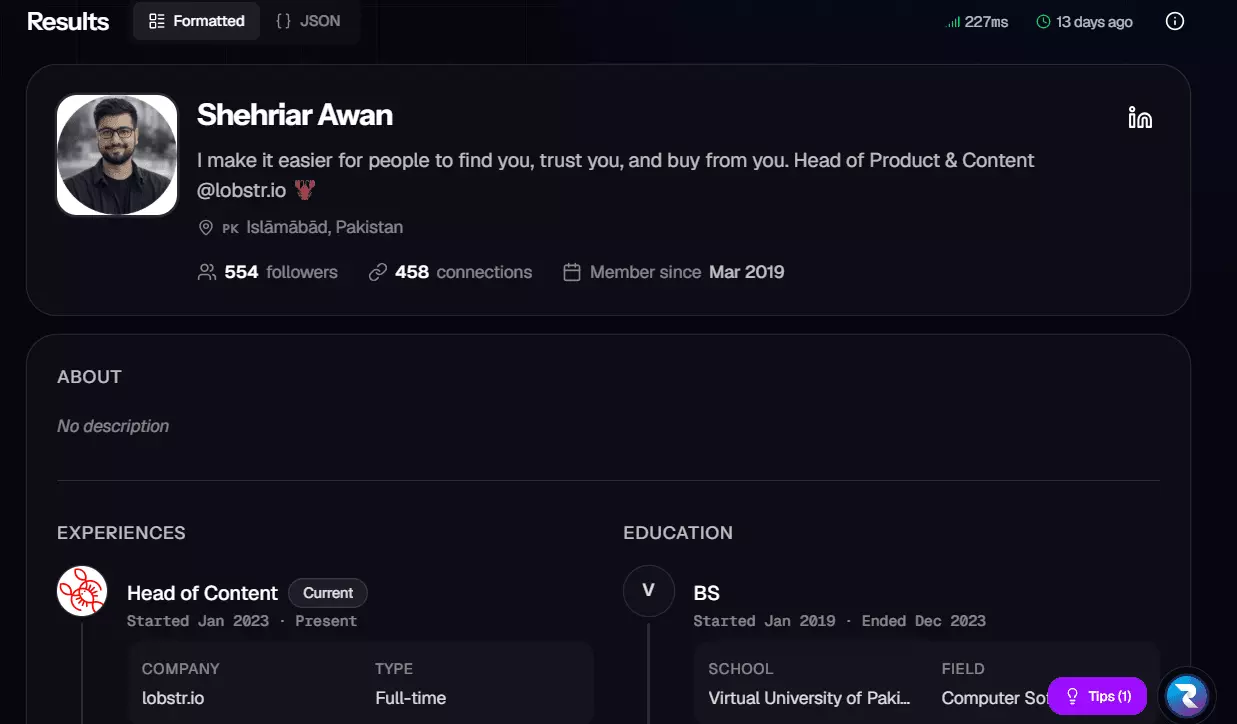
connectionsCount, followersCount and isOpenToWork, the exact three lobstr.io's no-login scraper misses.Who it's right for: ScrapIn suits you if you want clean records more than fresh ones. If your pipeline needs well-formed profile data and can tolerate values that were true last week, it's a good fit. If you need what the profile says right now, it isn't.
FAQs
Which LinkedIn profile scraper returns the most data?
lobstr.io, with 250 meaningful data points, against HarvestAPI's 175 and Scrupp's 76.
The quality gap is narrower than the count suggests though... 9.67 against 9.45. HarvestAPI matches lobstr.io on collection depth and returns things it doesn't, including patents, recommendation text and skill endorsement counts.
Which is the fastest LinkedIn profile scraper?
Apify's HarvestAPI, at 140 profiles per minute running at its 512 MB maximum. lobstr.io does 60/min at its 5-Slot maximum, and Scrupp does 30/min with no way to speed it up.
For 100,000 profiles that's 11.9 hours, 27.8 hours and 2.3 days respectively.
What's the cheapest LinkedIn profile scraper?
It depends entirely on your volume, and the answer flips.
At entry, HarvestAPI is cheapest at $10 per 1,000 with emails, against lobstr.io's $24 and Scrupp's $29.
At volume, lobstr.io and Scrupp are cheapest at $6 per 1,000, while HarvestAPI stays at $10 forever.
What does it cost to scrape 100,000 LinkedIn profiles?
$600 with verified emails on lobstr.io or Scrupp, and $1,000 on HarvestAPI. Without emails, lobstr.io is $150 and HarvestAPI is $400. Scrupp has no email-free tier.
Which scales best for large jobs?
lobstr.io, once one instance isn't enough. A single HarvestAPI actor tops out at 140/min, so 1M profiles takes 5.0 days. lobstr.io runs multiple Squids on one plan, bringing 1M down to 5.8 days on the $100 plan and 13.9 hours on the $1,000 plan.
Scrupp has no concurrency at all, which is why the same job takes it 23.1 days.
Do I need a LinkedIn account to scrape profiles?
No. None of the three tools here needs one. That was a selection criterion, not a coincidence.
The one tool I tested that did need your session, PhantomBuster, kept desyncing the account and returned 10 of 50 profiles.
Is scraping LinkedIn profiles legal?
Why isn't Evaboot in the list?
Because Evaboot isn't a LinkedIn profile scraper. It works on Sales Navigator search results and scrapes Sales Navigator profiles, which means it needs a paid Sales Navigator subscription on top of its own cost.
If you're scraping plain LinkedIn profile URLs, it doesn't fit the job.
Can I verify these numbers?
Same 50 profiles, same window, nothing cleaned up.
Conclusion
That's a wrap on the best LinkedIn profile scrapers for 2026.
lobstr.io and HarvestAPI finished 0.08 apart, and I'm not going to dress that up as a win for either. They're two good tools answering different questions.
lobstr.io owns data depth, cost at volume, and the ability to scale past one instance. The pick when you're pulling profiles by the tens of thousands.
Apify's HarvestAPI owns speed and entry pricing, and returns better email intelligence. The pick when you have a deadline or a smaller job.
Scrupp owns phone numbers, addresses and firmographics. The pick when you're enriching a list rather than building one.
This list changes as tools ship updates. I'll keep it current.