
How to scrape LinkedIn Profiles using Python in 2026 [Full Code]
⚡ 30-Second Summary
LinkedIn is the most valuable source of B2B leads and talent data available today but extracting LinkedIn profile data at scale is difficult by design.
- LinkedIn does not provide any official API for bulk profile exports, even on paid plans
- HTML parsing with tools like BeautifulSoup or lxml breaks frequently due to markup changes and anti-scraping measures
- Browser automation using Selenium, Playwright, or Puppeteer is slow, resource-heavy, and easy for LinkedIn to detect at scale
- Using LinkedIn’s internal Voyager API is highly risky, requires constant reverse engineering, and often leads to permanent account bans
- Maintaining custom Python scrapers becomes costly and unreliable as volume increases
- The most practical approach is using a dedicated third-party LinkedIn Profile Scraper API
- In this guide I used Python with requests library and Lobstr.io LinkedIn Profile Scraper API to scrape LinkedIn profiles safely and at scale
- The tutorial shows how to collect profile data, manage multiple accounts, control concurrency, and enrich profiles with verified work emails
- Scroll down to get the full Python script and a step-by-step walkthrough you can adapt for your own workflows
I kept my promise. Here is the full Python tutorial I mentioned in my last article.
In that piece, I explained why scraping LinkedIn profiles eventually becomes unavoidable.
I also pointed out the most common and dangerous mistake people make with custom scrapers, the extreme risk of account bans, and promised to follow up with a safe, practical method.
So here we are.
This is a complete, hands-on guide to scraping LinkedIn profiles using Python, safely and at scale, without getting accounts banned, and with verified work emails.
But before we get into the how… you may ask, why not just use LinkedIn’s official API?
Is there any official LinkedIn API for collecting public profile data?
The short answer is no. LinkedIn does offer multiple official APIs, but none of them are built for exporting profile data at scale.
There is no official API that lets you pull LinkedIn profiles into your own dataset, spreadsheet, or system.
The only API that comes close is part of the Sales Navigator Application Platform, specifically the Display Services API.
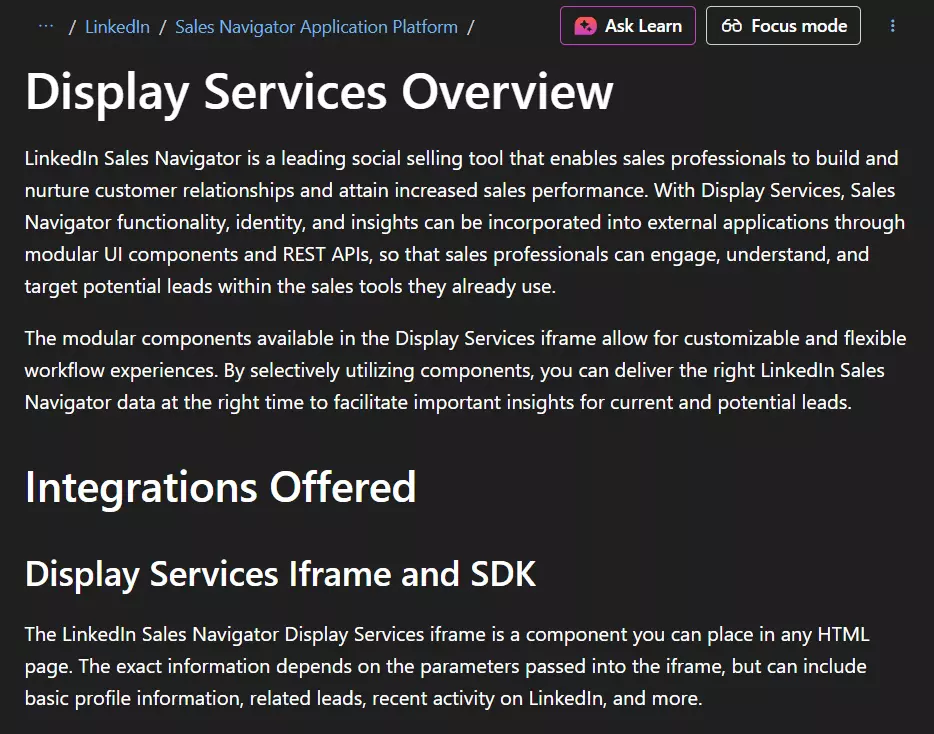
Even that option is heavily constrained.
You need Sales Navigator Advanced Plus, access is limited to approved partners only, and you must apply to the partner program.
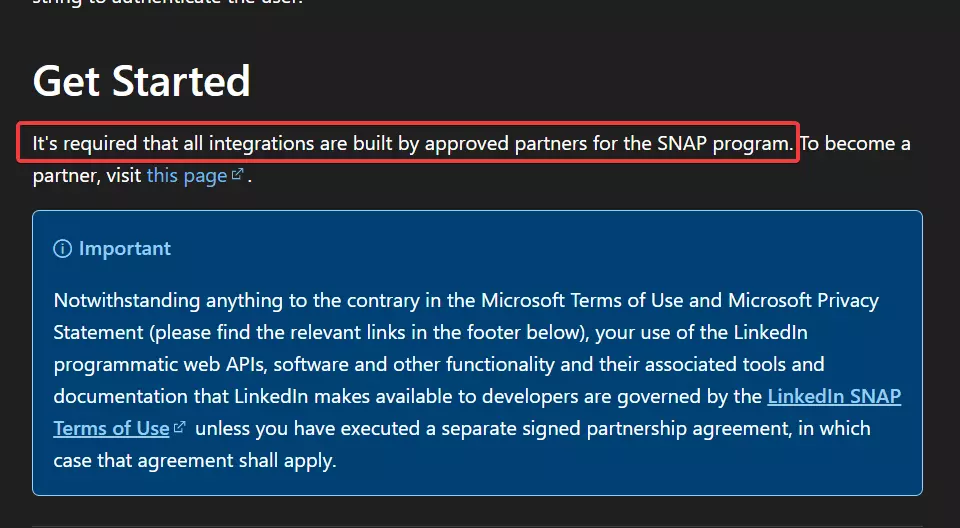
More importantly, this API is not designed for data ownership. It’s purely for CRM integrations, meaning profile data can only be synced into supported CRMs.
You cannot export it freely, store it independently, or use it to build your own lead database.
I’ve broken this down in detail in a separate article covering the Sales Navigator API limitations, which you can read here
So in practice, official APIs are not a real solution.
If you need LinkedIn profile data outside LinkedIn, you are left with exactly one option… scraping profiles.
But is it even legal?
Is scraping LinkedIn legal?
Disclaimer:
This is based on publicly available information and my interpretation of it. It is not legal advice. Laws vary by region, so consult a qualified legal professional for your specific use case.
Short answer… Yes, scraping LinkedIn is legal if you do it responsibly.
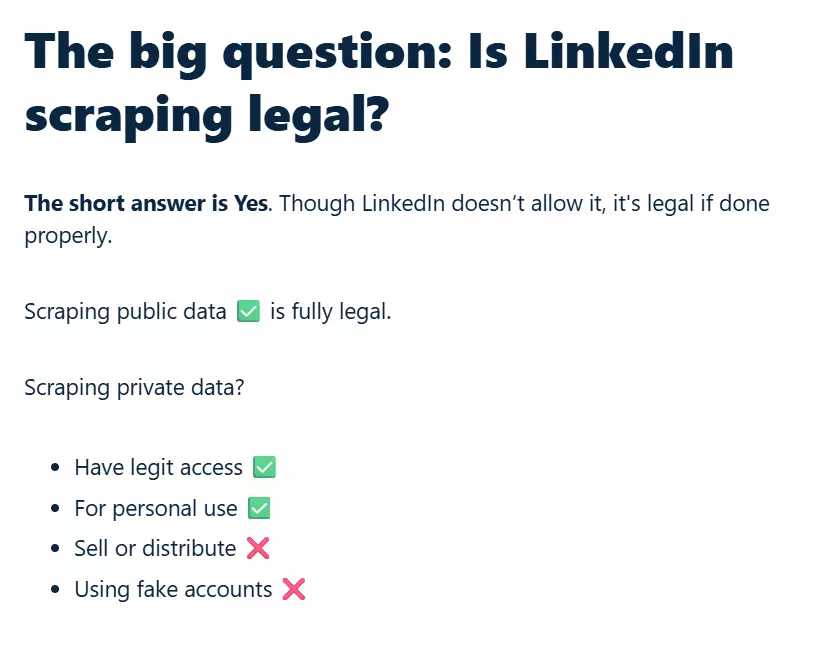
In practice, scraping LinkedIn data is generally considered acceptable when you:
- Use legitimate access to the platform, not fake or compromised accounts
- Respect LinkedIn’s technical and rate limits
- Avoid selling or redistributing personal data without proper consent
- Follow applicable data protection and privacy laws, such as GDPR
Most problems don’t come from data extraction itself. They come from abuse, unsafe scraping tools, and ignoring platform limits.
I’ve covered this in much more detail in a separate guide, including LinkedIn’s terms of service, relevant court cases, and practical best practices.
Which brings us to the real question… how do you scrape LinkedIn profiles safely and at scale using Python?
How to scrape LinkedIn profiles using Python at scale
In my previous article, I briefly mentioned different ways people scrape LinkedIn profiles. One of those methods was building your own scraper.
On paper, that sounds reasonable. In practice, it rarely is.
There are 3 common DIY approaches people take.
- HTML parsing
- Browser automation
- LinkedIn Voyager API
The first is HTML parsing.
This works until LinkedIn changes something, or starts returning incomplete pages, and boom. You’re back to square one.
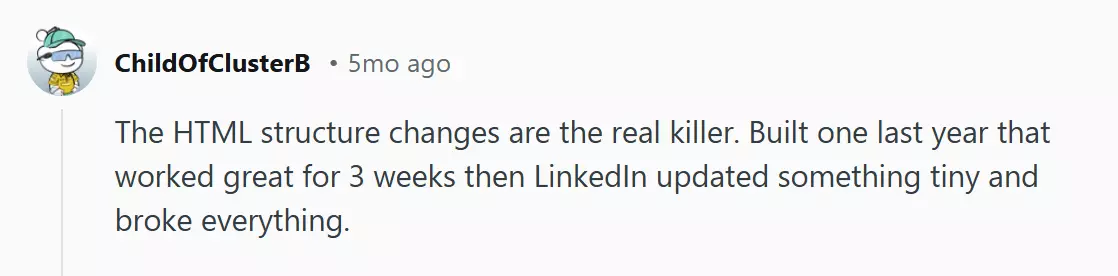
Browser automation is too easy for LinkedIn to detect if you can’t mimic a real user behavior. Headless browsing never works, no matter how sophisticated your solution is.
And non-headless mode would make the process slower than a snail, which makes it useless at scale.
The third option is using LinkedIn’s internal Voyager API.
This is LinkedIn’s private API used by their own frontend. It’s undocumented, unstable, and aggressively protected.
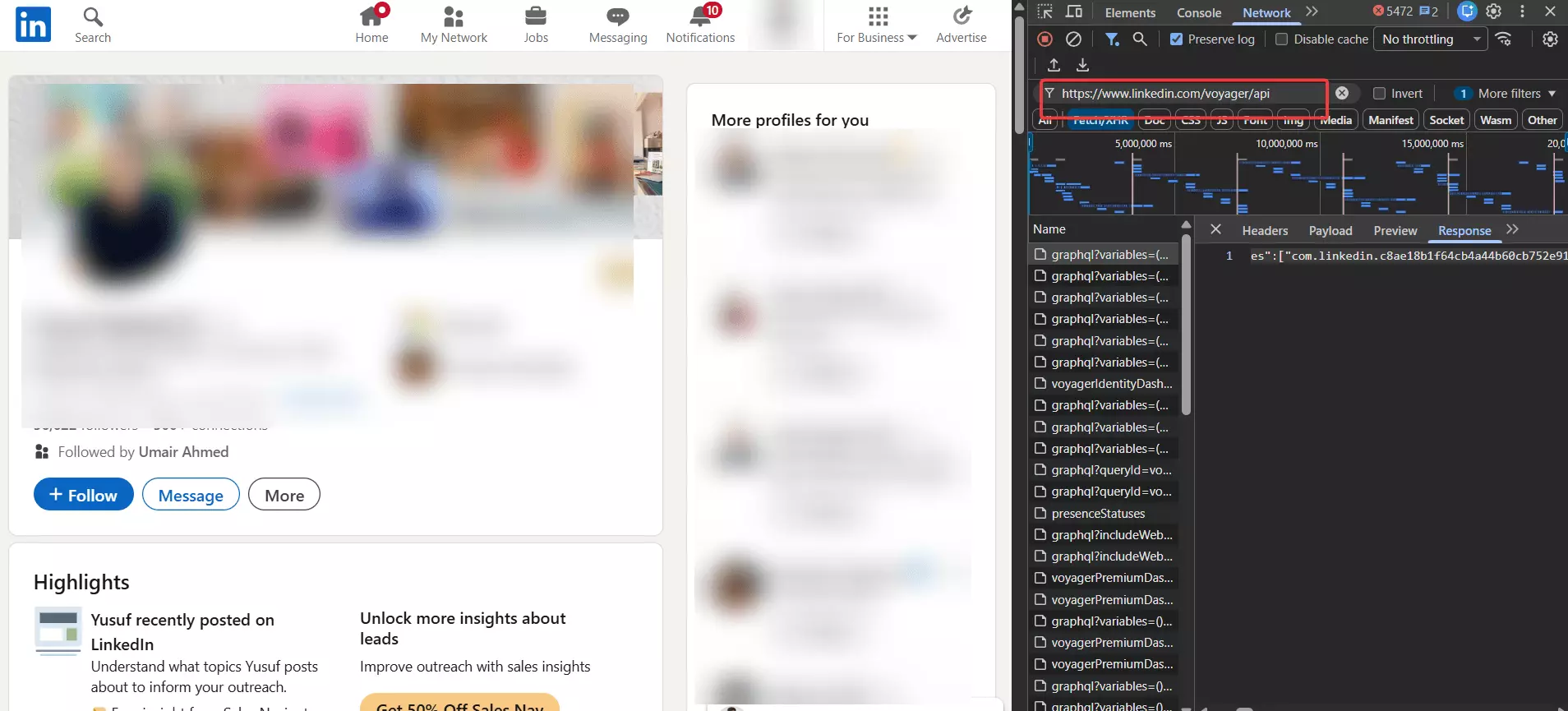
If you go down this path, you’re signing up for constant reverse engineering as it’s a headache to understand and use it. Plus you’d eventually end up getting your account banned.
I originally planned to explain all three approaches in detail. But doing that would only increase word count, not value. The outcome is the same every time.
- High risk of account bans
- Ongoing maintenance costs
- And a need for strong reverse engineering skills
LinkedIn has spent years making scraping harder. Fighting that directly with custom code is rarely worth it.
That’s why I’m focusing on the one approach that’s safe, cost-effective, and scalable… Using a dedicated 3rd-party LinkedIn Profile Scraper API.
I’ll cover and compare the best options, and how to choose the right one, in an upcoming review article.
For this guide, I’m using the safest and most affordable option I’ve tested so far… Lobstr.io.
Best LinkedIn Profiles Scraper API: Lobstr.io
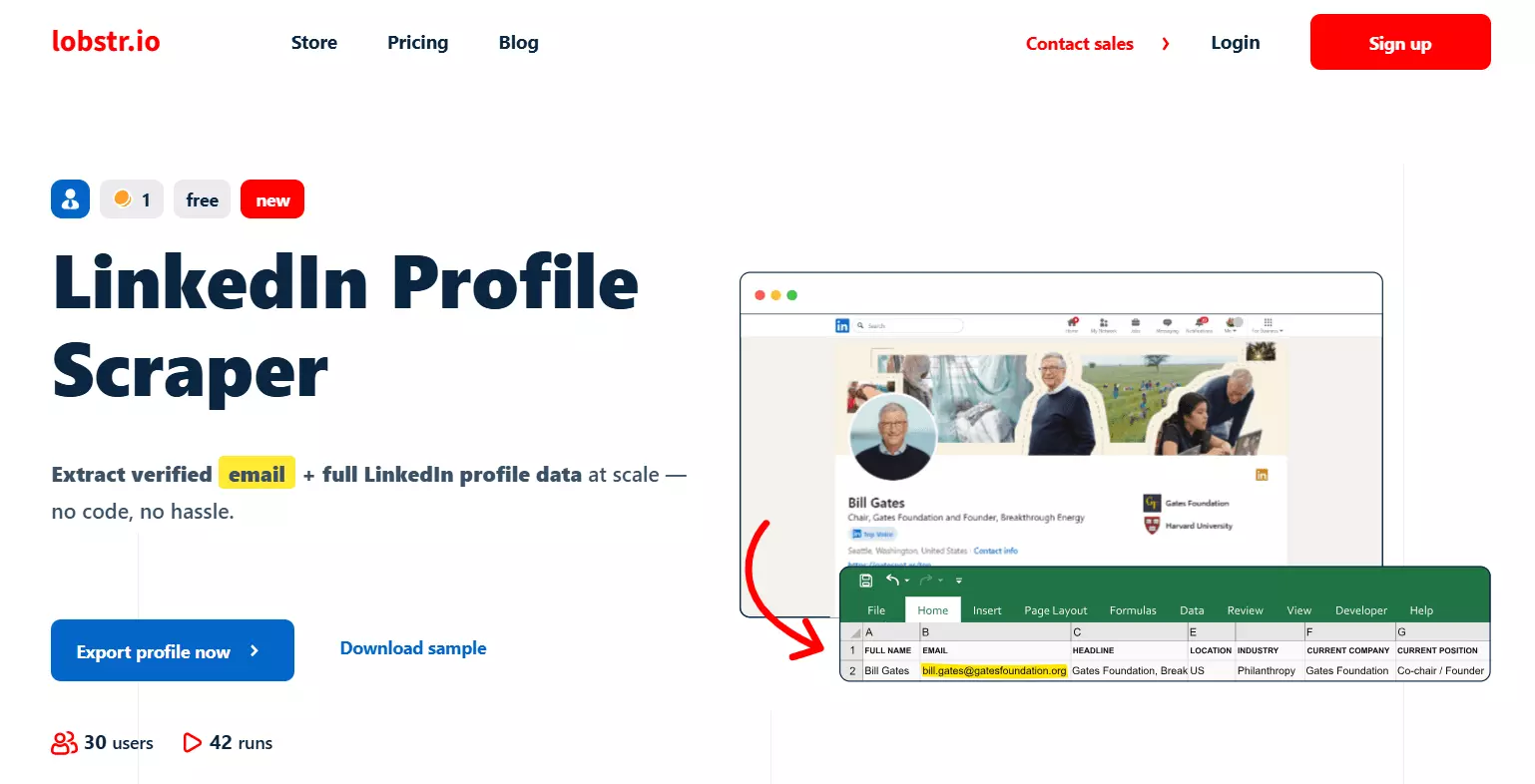
Lobstr.io offers 20+ ready-made scrapers for different data collection use cases, all accessible via an async API and a no-code web app.
One of them is our dedicated LinkedIn Profiles Scraper API, built specifically for safe, large-scale LinkedIn profile extraction.
Key features
- 50+ meaningful data points per LinkedIn profile
- Full profile coverage including education, work history, skills, and interests
- Enrichment with verified work emails
- Multi-account management for safer scaling
- Built-in rate limit and cookie management
- Parallel data collection using multiple LinkedIn accounts
- Scheduling to monitor profile changes over time
- Export data as CSV, JSON, Google Sheets, Amazon S3, or SFTP
- API access with developer and vibe-coder friendly documentation
Data
Lobstr.io’s LinkedIn Profiles Scraper collects 50+ meaningful data points per profile. Here’s an overview of what you can extract.
| 👤 First Name | 👤 Last Name | 🧾 Full Name |
| 🧠 Headline | 📝 Description | 🏭 Industry |
| 📍 Location | 🆔 Public Identifier | 🔗 Profile URL |
| 🧭 Sales Navigator URL | 🖼️ Background Picture URL | 📸 Profile Picture URL |
| ✍️ Is Creator | 🟢 Open to Work | 📧 Email |
| 📬 Email Status | 👥 Subscribers | 🔢 Number of Connections |
| ⭐ Number of Followers | 🤝 Connection Degree | 🔗 Connections URL |
| 👥 Mutual Connections Text | 🔗 Mutual Connections URL | 🎓 School Name |
| 🎓 School URN | 🎓 School Logo | 🎓 Field of Study |
| 🎓 Grade | 🎓 Start Year | 🎓 End Year |
| 🎓 Activities | 🎓 Description | 💼 Job Title |
| 💼 Company Name | 💼 Company URL | 💼 Company Logo |
| 💼 Job Location | 💼 Job Description | 💼 Start Month |
| 💼 Start Year | 💼 End Month | 💼 End Year |
| 🌟 Featured Item | 🧠 Skill | 🏢 Interested Company ID |
| 🏢 Interested Company URL | 🏢 Interested Company Logo | 🏢 Is Following Company |
| 🏢 Company Follower Count | 👥 Interested Group ID | 👥 Group Name |
| 👥 Group URL | 👥 Group Logo | ⚙️ Functions |f
Pricing
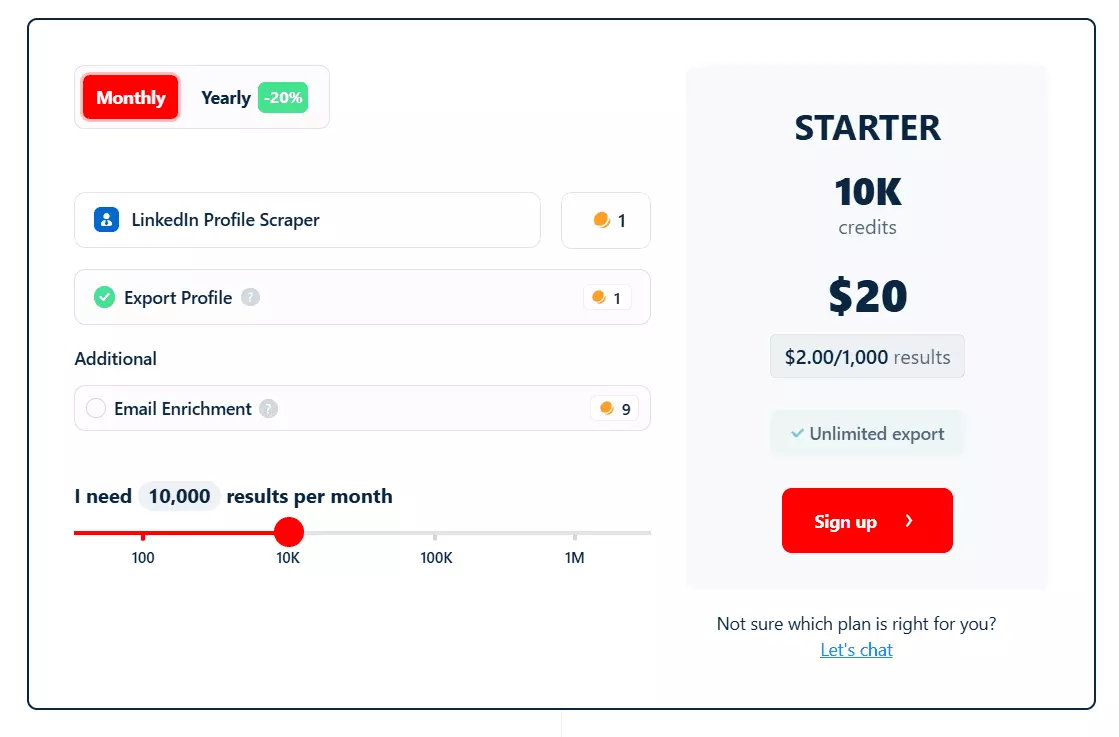
- Starts at $2 per 1,000 profiles without email enrichment
- At scale, pricing drops further to $0.5 per 1,000 profiles
- $5 per 1,000 profiles with verified work emails
Email finding attempts are free. You only pay when an email is actually found and verified, with roughly 97% deliverability.
Since this tutorial is for nerd bros, I’m gonna use Lobstr.io API.
You can check out our developer and vibe-coders friendly API documentation for all endpoints, rate limits, and tailor-made examples for each scraper.
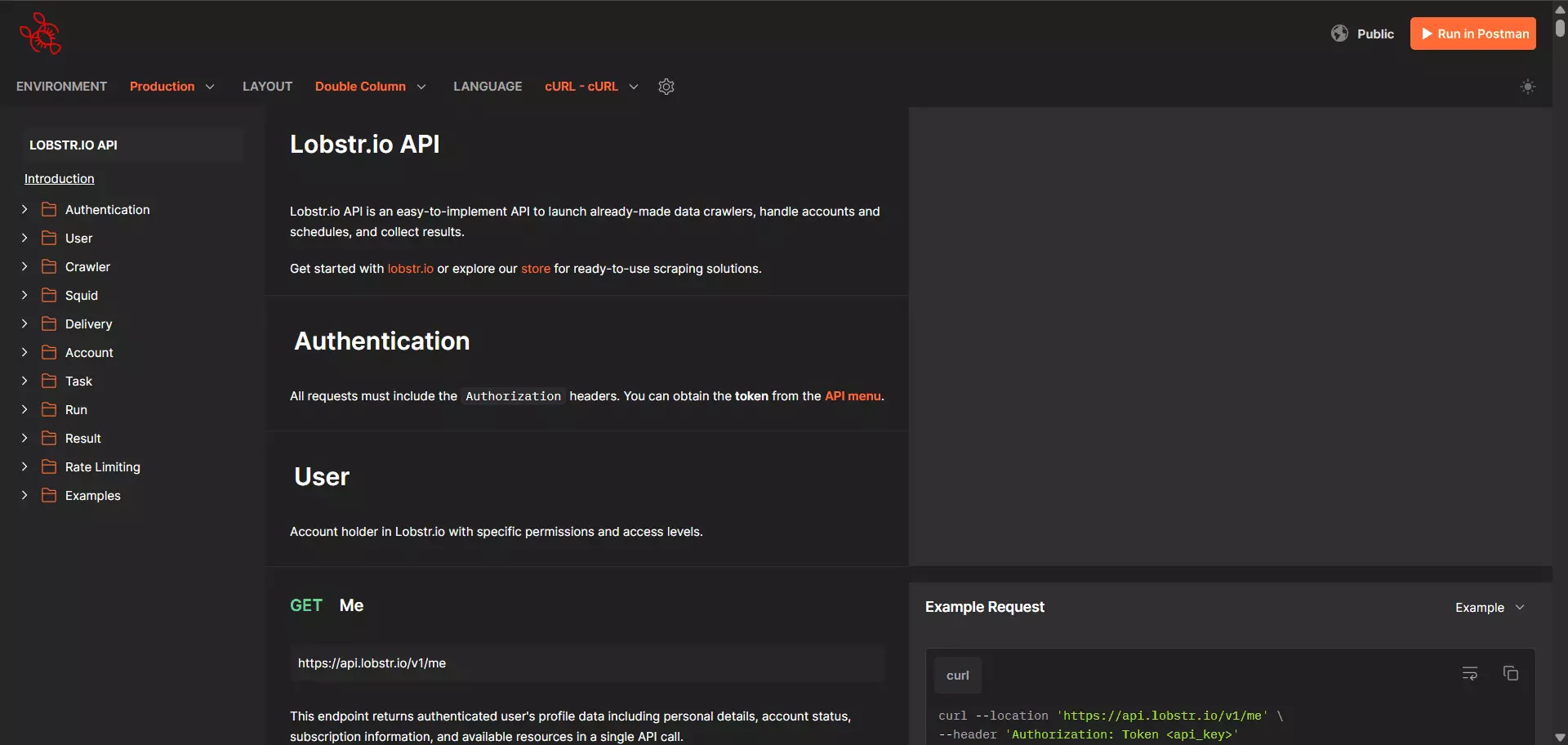
Lemme first share the script I personally use for scraping LinkedIn profiles using Lobstr.io API.
Complete Script to Safely Scrape LinkedIn Profiles with Verified Emails at Scale
import os
import time
import json
import logging
import requests
import re
import sys
import argparse
from datetime import datetime
from dotenv import load_dotenv

# Determine script directory for robust path handling
SCRIPT_DIR = os.path.dirname(os.path.abspath(__file__))
LOG_FILE = os.path.join(SCRIPT_DIR, "scraper.log")

# Configure logging
logging.basicConfig(
    level=logging.INFO,
    format='%(asctime)s - %(name)s - %(levelname)s - %(message)s',
    handlers=[
        logging.FileHandler(LOG_FILE),
        logging.StreamHandler()
    ]
)
logger = logging.getLogger("LiProfileScraper")

class LiProfileScraper:
    """
    A class to interact with the Lobstr.io API for LinkedIn profile scraping.
    """
    # Class constants
    LINKEDIN_PROFILE_CRAWLER_ID = "5c11752d8687df2332c08247c4fb655a"
    DEFAULT_INPUT_FILE = "urls.txt"
    CACHE_FILE_NAME = ".squid_id"
    DEFAULT_POLL_INTERVAL = 10  # seconds
    CSV_GENERATION_WAIT = 5  # seconds

    def __init__(self):
        # Load environment variables
        load_dotenv()
        self.api_key = os.getenv('API_KEY')
        self.base_url = "https://api.lobstr.io/v1"

        # Cache file path
        self.squid_cache_file = os.path.join(SCRIPT_DIR, self.CACHE_FILE_NAME)

        # Centralized configuration check
        if not self.api_key:
            logger.error("Missing API_KEY in environment variables.")
            raise ValueError("Configuration error: Check your .env file for API_KEY.")

        self.headers = {
            "Authorization": f"Token {self.api_key}",
            "Content-Type": "application/json"
        }

    # ====================
    # SQUID MANAGEMENT
    # ====================

    def create_squid(self):
        """Creates a new squid for the specified crawler."""
        logger.info(f"Creating new squid for crawler {self.LINKEDIN_PROFILE_CRAWLER_ID}...")
        url = f"{self.base_url}/squids"
        try:
            response = requests.post(url, headers=self.headers, json={"crawler": self.LINKEDIN_PROFILE_CRAWLER_ID})
            response.raise_for_status()
            squid_id = response.json().get('id')
            logger.info(f"Squid created successfully: {squid_id}")
            return squid_id
        except requests.exceptions.RequestException as e:
            logger.error(f"Failed to create squid: {e}")
            raise

    def update_squid(self, squid_hash, account_id, enrich_email=False):
        """Updates squid settings with required parameters."""
        logger.info(f"Updating squid {squid_hash} settings with account {account_id} (Email: {enrich_email})...")
        url = f"{self.base_url}/squids/{squid_hash}"
        payload = {
            "accounts": [account_id],
            "no_line_breaks": True,
            "params": {"functions": {"email": enrich_email}}
        }
        try:
            response = requests.post(url, headers=self.headers, json=payload)
            response.raise_for_status()
            logger.info(f"Squid {squid_hash} updated successfully.")
        except requests.exceptions.RequestException as e:
            logger.error(f"Failed to update squid {squid_hash}: {e}")
            raise

    def empty_squid(self, squid_hash):
        """Empties the squid of all URLs."""
        logger.info(f"Emptying squid {squid_hash}...")
        url = f"{self.base_url}/squids/{squid_hash}/empty"
        try:
            response = requests.post(url, headers=self.headers, json={"type": "url"})
            response.raise_for_status()
            logger.info(f"Squid {squid_hash} emptied successfully.")
            return response.json()
        except requests.exceptions.RequestException as e:
            logger.error(f"Failed to empty squid {squid_hash}: {e}")
            raise

    def delete_squid(self, squid_hash):
        """Deletes a squid."""
        logger.info(f"Deleting squid {squid_hash}...")
        url = f"{self.base_url}/squids/{squid_hash}"
        try:
            response = requests.delete(url, headers=self.headers)
            response.raise_for_status()
            logger.info(f"Squid {squid_hash} deleted successfully.")
            return response.json()
        except requests.exceptions.RequestException as e:
            logger.error(f"Failed to delete squid {squid_hash}: {e}")
            raise

    def list_squids(self):
        """Lists all squids."""
        logger.info("Listing squids...")
        url = f"{self.base_url}/squids"
        try:
            response = requests.get(url, headers=self.headers)
            response.raise_for_status()
            data = response.json()
            logger.info(f"Fetched {len(data.get('data', []))} squids.")
            return data
        except requests.exceptions.RequestException as e:
            logger.error(f"Failed to list squids: {e}")
            raise

    def get_linkedin_squids(self):
        """Returns only LinkedIn Profile Scraper squids."""
        squids_data = self.list_squids()
        all_squids = squids_data.get('data', [])
        return [s for s in all_squids if s.get('crawler') == self.LINKEDIN_PROFILE_CRAWLER_ID]

    # ====================
    # ACCOUNT MANAGEMENT
    # ====================

    def list_accounts(self):
        """Lists available accounts."""
        logger.info("Listing accounts...")
        url = f"{self.base_url}/accounts"
        try:
            response = requests.get(url, headers=self.headers)
            response.raise_for_status()
            data = response.json()
            logger.info(f"Fetched {len(data.get('data', []))} accounts.")
            return data
        except requests.exceptions.RequestException as e:
            logger.error(f"Failed to list accounts: {e}")
            raise

    def get_linkedin_accounts(self):
        """Returns only LinkedIn sync accounts."""
        accounts_data = self.list_accounts()
        all_accounts = accounts_data.get('data', [])
        return [a for a in all_accounts if a.get('type') == 'linkedin-sync']

    # ====================
    # TASK MANAGEMENT
    # ====================

    def add_tasks(self, squid_hash, input_source, is_file=True):
        """Reads URLs from file OR uses single URL, and adds them to the squid."""
        urls = []
        if is_file:
            # Handle file input (absolute path)
            file_path = os.path.join(SCRIPT_DIR, input_source)
            if not os.path.exists(file_path):
                logger.error(f"Task file not found: {file_path}")
                raise FileNotFoundError(f"File {file_path} not found.")

            try:
                with open(file_path, 'r', encoding='utf-8') as f:
                    urls = [line.strip() for line in f if line.strip()]
            except IOError as e:
                logger.error(f"Error reading {file_path}: {e}")
                raise
        else:
            # Handle single URL input
            if input_source and input_source.strip():
                urls = [input_source.strip()]

        if not urls:
            logger.warning("No URLs found to process.")
            return 0

        logger.info(f"Adding {len(urls)} tasks to squid {squid_hash}...")
        url = f"{self.base_url}/tasks"
        payload = {"tasks": [{"url": u} for u in urls], "squid": squid_hash}
        try:
            response = requests.post(url, headers=self.headers, json=payload)
            response.raise_for_status()
            logger.info(f"Successfully added {len(urls)} tasks.")
            return len(urls)
        except requests.exceptions.RequestException as e:
            logger.error(f"Failed to add tasks: {e}")
            raise

    # ====================
    # RUN MANAGEMENT
    # ====================

    def abort_run(self, run_hash):
        """Aborts a running squid execution."""
        logger.info(f"Aborting run {run_hash}...")
        url = f"{self.base_url}/runs/{run_hash}/abort"
        try:
            response = requests.post(url, headers=self.headers)
            response.raise_for_status()
            logger.info(f"Run {run_hash} aborted successfully.")
            return response.json()
        except requests.exceptions.RequestException as e:
            logger.error(f"Failed to abort run {run_hash}: {e}")
            raise

    def run_and_poll(self, squid_hash):
        """Starts a run and polls for completion."""
        logger.info(f"Starting run for squid {squid_hash}...")
        url = f"{self.base_url}/runs"
        try:
            response = requests.post(url, headers=self.headers, json={"squid": squid_hash})
            response.raise_for_status()
            run_hash = response.json().get('id')
            logger.info(f"Run started: {run_hash}")

            stats_url = f"{self.base_url}/runs/{run_hash}/stats"
            while True:
                try:
                    res = requests.get(stats_url, headers=self.headers)
                    res.raise_for_status()
                    stats = res.json()
                    percent = stats.get('percent_done', 0)
                    logger.info(f"Progress: {percent}% done...")

                    if stats.get('is_done'):
                        logger.info("Run completed.")
                        break
                    time.sleep(self.DEFAULT_POLL_INTERVAL)
                except KeyboardInterrupt:
                    print("\n[!] Execution interrupted by user.")
                    choice = input("Abort the remote run as well? (y/N): ").strip().lower()
                    if choice == 'y':
                        self.abort_run(run_hash)
                    else:
                        logger.info("Exiting script without aborting run.")
                    raise  # Re-raise to exit script
            return run_hash
        except requests.exceptions.RequestException as e:
            logger.error(f"Error during run or polling: {e}")
            raise

    # ====================
    # RESULTS MANAGEMENT
    # ====================

    def fetch_results(self, run_hash):
        """Retrieves and returns the results of a run."""
        logger.info(f"Fetching results for run {run_hash}...")
        url = f"{self.base_url}/results"
        try:
            response = requests.get(url, headers=self.headers, params={"run": run_hash})
            response.raise_for_status()
            data = response.json()
            logger.info(f"Fetched {len(data)} results.")
            return data
        except requests.exceptions.RequestException as e:
            logger.error(f"Failed to fetch results: {e}")
            raise

    def save_to_json(self, data, filename=None):
        """Saves data to a JSON file with an optional timestamped name."""
        if not filename:
            timestamp = datetime.now().strftime("%Y%m%d_%H%M%S")
            filename = f"results_{timestamp}.json"

        # Ensure path is absolute
        file_path = os.path.join(SCRIPT_DIR, filename)

        try:
            with open(file_path, 'w', encoding='utf-8') as f:
                json.dump(data, f, indent=4, ensure_ascii=False)
            logger.info(f"Successfully saved {len(data)} profiles to {file_path}")
        except IOError as e:
            logger.error(f"Failed to save data to {file_path}: {e}")
            raise

    def download_csv(self, run_hash, filename=None):
        """Downloads the results as CSV."""
        logger.info(f"Initiating CSV download for run {run_hash}...")
        url = f"{self.base_url}/runs/{run_hash}/download"
        try:
            response = requests.get(url, headers=self.headers)
            response.raise_for_status()
            s3_url = response.json().get('s3')

            if not s3_url:
                logger.error("No S3 URL returned for CSV download.")
                return

            logger.info(f"Waiting {self.CSV_GENERATION_WAIT} seconds for CSV generation...")
            time.sleep(self.CSV_GENERATION_WAIT)

            # Download file content
            csv_response = requests.get(s3_url)
            csv_response.raise_for_status()

            if not filename:
                timestamp = datetime.now().strftime("%Y%m%d_%H%M%S")
                filename = f"results_{timestamp}.csv"

            # Ensure path is absolute
            file_path = os.path.join(SCRIPT_DIR, filename)

            with open(file_path, 'wb') as f:
                f.write(csv_response.content)
            logger.info(f"Successfully downloaded CSV to {file_path}")

        except requests.exceptions.RequestException as e:
            logger.error(f"Failed to download CSV: {e}")
            raise
        except IOError as e:
            logger.error(f"Failed to save CSV file: {e}")
            raise

    # ====================
    # UTILITY METHODS
    # ====================

    def _cache_squid_id(self, squid_id):
        """Helper to write squid ID to cache."""
        try:
            with open(self.squid_cache_file, 'w') as f:
                f.write(squid_id)
        except IOError as e:
            logger.warning(f"Failed to write squid cache: {e}")


# ====================
# CLI INTERFACE
# ====================

class CLIInterface:
    """Handles all interactive command-line prompts and user interaction."""

    def __init__(self, scraper):
        self.scraper = scraper

    def prompt_squid_selection(self):
        """Interactively allows the user to choose an existing squid or create a new one."""
        squids = self.scraper.get_linkedin_squids()

        if not squids:
            logger.info("No existing LinkedIn squids found. Creating a new one.")
            new_id = self.scraper.create_squid()
            self.scraper._cache_squid_id(new_id)
            return new_id, True

        print("\n--- Available LinkedIn Squids ---")
        for idx, squid in enumerate(squids):
            print(f"[{idx + 1}] ID: {squid.get('id')} | Name: {squid.get('name')} | Created: {squid.get('created_at')}")
        print("[N] Create New Squid")
        print("---------------------------------")

        choice = input("Select a Squid (number) or 'N' for new: ").strip().lower()

        if choice == 'n':
            new_id = self.scraper.create_squid()
            self.scraper._cache_squid_id(new_id)
            return new_id, True

        try:
            selection_idx = int(choice) - 1
            if 0 <= selection_idx < len(squids):
                selected_id = squids[selection_idx].get('id')
                logger.info(f"Selected existing squid: {selected_id}")
                self.scraper._cache_squid_id(selected_id)
                return selected_id, False
            else:
                print("Invalid selection. Creating new squid.")
                new_id = self.scraper.create_squid()
                self.scraper._cache_squid_id(new_id)
                return new_id, True
        except ValueError:
            print("Invalid input. Creating new squid.")
            new_id = self.scraper.create_squid()
            self.scraper._cache_squid_id(new_id)
            return new_id, True

    def prompt_account_selection(self):
        """Interactively allows the user to choose an account."""
        accounts = self.scraper.get_linkedin_accounts()

        if not accounts:
            logger.error("No LinkedIn accounts found. Please add a LinkedIn account on Lobstr.io first.")
            raise ValueError("No LinkedIn accounts available.")

        # If only one account, auto-select it
        if len(accounts) == 1:
            acc = accounts[0]
            logger.info(f"Auto-selecting only available LinkedIn account: {acc.get('username')}")
            return acc.get('id')

        print("\n--- Available Accounts ---")
        for idx, acc in enumerate(accounts):
            print(f"[{idx + 1}] ID: {acc.get('id')} | Username: {acc.get('username')} | Type: {acc.get('type')}")
        print("--------------------------")

        while True:
            choice = input("Select an Account (number): ").strip()
            try:
                selection_idx = int(choice) - 1
                if 0 <= selection_idx < len(accounts):
                    selected_id = accounts[selection_idx].get('id')
                    logger.info(f"Selected account: {selected_id}")
                    return selected_id
                else:
                    print("Invalid selection. Try again.")
            except ValueError:
                print("Invalid input. Please enter a number.")

    def prompt_empty_squid(self, squid_hash):
        """Prompts user to empty an existing squid."""
        confirm = input("Empty existing tasks from this Squid? (y/N): ").lower()
        if confirm == 'y':
            self.scraper.empty_squid(squid_hash)

    def run_interactive_scrape(self, input_source, is_file, enrich_email):
        """Orchestrates the scraping process with interactive prompts."""
        try:
            # 1. Choose Squid (Reuse or New)
            s_hash, is_new = self.prompt_squid_selection()

            # 2. Choose Account
            account_id = self.prompt_account_selection()

            # 3. Update Squid with selected account
            self.scraper.update_squid(s_hash, account_id, enrich_email=enrich_email)

            # 4. Prompt to empty if reusing
            if not is_new:
                self.prompt_empty_squid(s_hash)

            # 5. Add Tasks
            count = self.scraper.add_tasks(s_hash, input_source, is_file=is_file)
            if count == 0:
                logger.info("Nothing to process. Exiting.")
                return

            # 6. Run & Export
            r_hash = self.scraper.run_and_poll(s_hash)
            final_data = self.scraper.fetch_results(r_hash)
            self.scraper.save_to_json(final_data)

            # 7. CSV Export
            self.scraper.download_csv(r_hash)

        except Exception as e:
            logger.critical(f"Scraper execution failed: {e}")


# ====================
# MAIN ENTRY POINT
# ====================

if __name__ == "__main__":
    parser = argparse.ArgumentParser(description="LinkedIn Profile Scraper using Lobstr.io")
    parser.add_argument('-u', '--url', type=str, help="Single LinkedIn profile URL to scrape")
    parser.add_argument('-l', '--list', type=str, default='urls.txt', help="File containing list of URLs (default: urls.txt)")
    parser.add_argument('-e', '--email', action='store_true', help="Enable email enrichment")

    args = parser.parse_args()

    # Determine input source
    if args.url:
        input_src = args.url
        is_file_input = False
    else:
        input_src = args.list
        is_file_input = True

    scraper = LiProfileScraper()
    cli = CLIInterface(scraper)

    try:
        cli.run_interactive_scrape(input_source=input_src, is_file=is_file_input, enrich_email=args.email)
    except KeyboardInterrupt:
        logger.info("Script execution interrupted by user (Exit).")
        sys.exit(0)f
- This script lets you scrape LinkedIn profiles at scale using Lobstr.io
- You can choose to create a new Squid or use existing one
- You can select the accounts to use during a run
- It returns the output in both JSON and CSV format
- You can enable or disable email enrichment
- You can abort the run using a simple shortcut
How to use this script
Before running the script, make sure you have a LinkedIn account synced to Lobstr.io.
The script automatically detects available LinkedIn sync accounts and lets you select one during execution.
git clone the script from the GitHub repository mentioned above or copy the code, save it as a .py file.git clone https://github.com/shehriarahmad/linkedin-profile-scraperf
Once done, do these simple steps:
- Install dependencies
- Set up your environment variables
- Add LinkedIn profile URLs
- Run the script
Install dependencies:
requests and python-dotenv.pip install requests python-dotenvf
Set up your environment variables
.env file in the same directory as the script and add your Lobstr API key.API_KEY=your_lobstr_api_key_heref
Add LinkedIn profile URLs
urls.txt. Each line should contain one LinkedIn profile URL.https://www.linkedin.com/in/example-profile-1/ https://www.linkedin.com/in/example-profile-2/f
Alternatively, you can pass a single profile URL directly from the command line.
Run the script
To scrape profiles from a file:
python linkedinprofilescraper.py -l urls.txtf
To scrape a single profile URL:
python scraper.py -u https://www.linkedin.com/in/shehriar-ahmad-awan/f
-e flag:python scraper.py -l urls.txt -ef
Once started, the script will prompt you to select or create a Squid and choose a synced LinkedIn account.
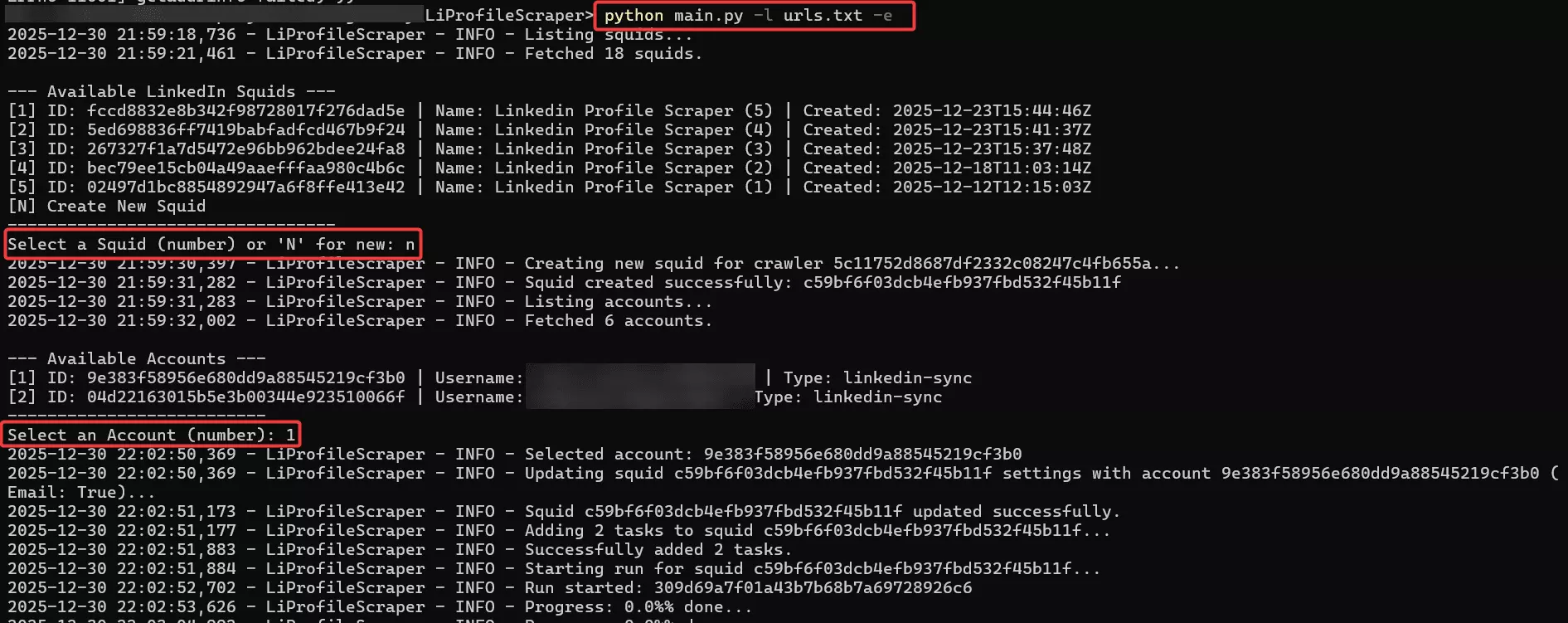
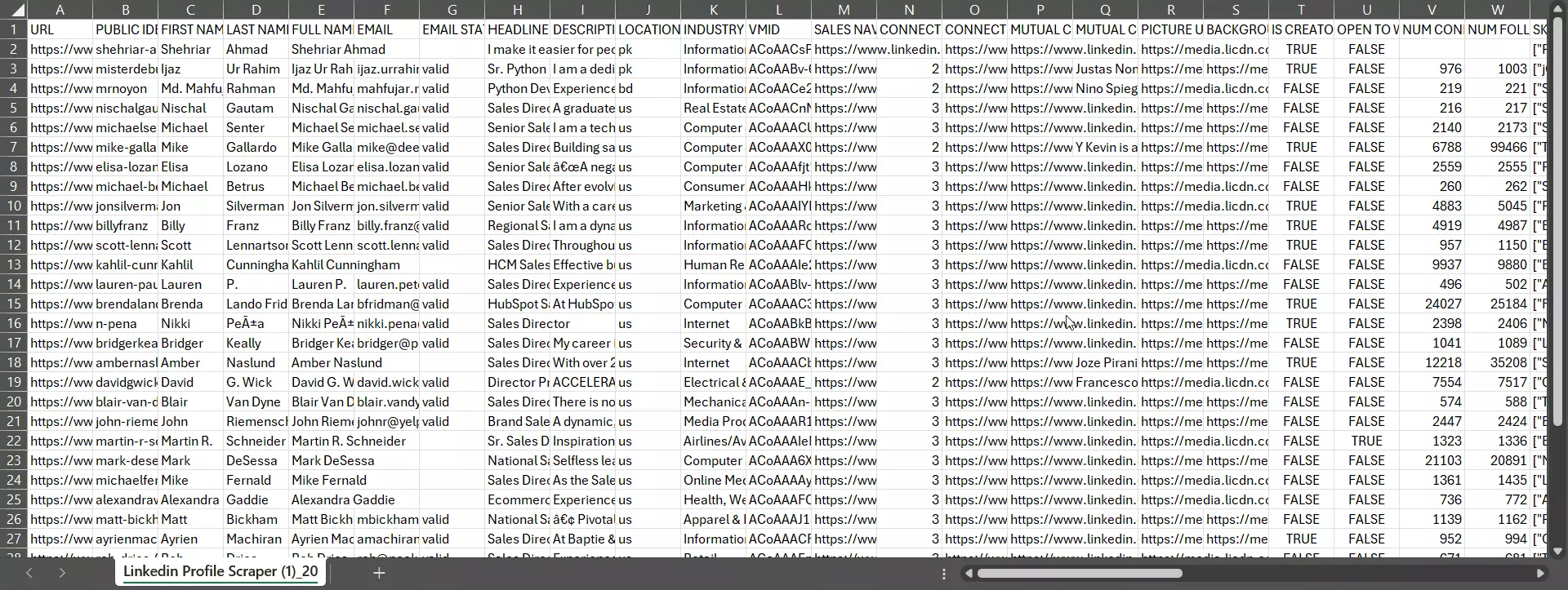
When the run completes, results are automatically saved locally as:
- A JSON file with all scraped profiles
- A CSV file ready for spreadsheets or CRMs
So, if you’re looking for a ready-made script, you’ve got it.
But if you want to build your own scraper using the Lobstr.io API, let me show you a quick, practical demo of how to use the LinkedIn Profiles Scraper API.
How to scrape LinkedIn profiles with Python using Lobstr.io’s API [Step by step tutorial]
Lobstr.io’s API is asynchronous. I’m not a huge fan of async APIs either, but the product is built this way.
![How to scrape LinkedIn profiles with Python using Lobstr.io’s API [Step by step tutorial]](/_next/image?url=https%3A%2F%2Fd37gzvgyugjozl.cloudfront.net%2Fimage1_b0cf9a7ae6.png&w=1920&q=75)
No other third-party API offers this level of scale, safety, and enrichment efficiency at this price point, so this small caveat is easy to ignore.
Scraping LinkedIn profiles using Lobstr.io is a 4 step process.
- Authenticate with the API
- Create a Squid
- Configure the Squid
- Run the Squid
- Get results
Let me walk you through each step with minimal examples, focusing only on the endpoints that actually matter.
Step 1: Authentication
Authorization header with every request.import requests API_KEY = "your_lobstr_api_key" BASE_URL = "https://api.lobstr.io/v1" headers = { "Authorization": f"Token {API_KEY}", "Content-Type": "application/json", }f
You should load the API key from environment variables instead of hardcoding it for security.
To get your API key, simply login to your Lobstr.io dashboard, to go API section from left sidebar, and copy your API key.
![How to scrape LinkedIn profiles with Python using Lobstr.io’s API [Step by step tutorial] - Step 1: Authentication](/_next/image?url=https%3A%2F%2Fd37gzvgyugjozl.cloudfront.net%2Fimage6_5176aafa42.png&w=1920&q=75)
Step 2: Create a Squid
Lobstr.io offers more than 2 dozen different scrapers, so every Squid must be created against a specific crawler, and you’ll need a crawler ID for that.
You can list all available scrapers along with their crawler IDs by sending a GET request to:
https://api.lobstr.io/v1/crawlersf
id of the crawler named LinkedIn Profile Scraper. To save you time, here’s the crawler ID you’ll need:5c11752d8687df2332c08247c4fb655af
Now you can create a Squid for the LinkedIn Profiles Scraper.
LINKEDIN_PROFILE_CRAWLER_ID = "5c11752d8687df2332c08247c4fb655a" response = requests.post( f"{BASE_URL}/squids", headers=headers, json={"crawler": LINKEDIN_PROFILE_CRAWLER_ID}, ) response.raise_for_status() squid_id = response.json()["id"] print("Squid created:", squid_id)f
squid_id represents your crawler instance. It’s important as you’ll reuse it across all next endpoints, updating settings, adding tasks, starting runs, and fetching results.Step 3: Configure the Squid
Configuring the Squid involves 3 things:
- Add tasks
- Add parameters
Step 3A: Add tasks, the profile URLs you want to scrape
tasks array if needed.url = "https://api.lobstr.io/v1/tasks" headers = { "Authorization": "Token <api_key>", "Content-Type": "application/json" } response = requests.post( url, headers=headers, json={ "tasks": [ {"url": "<linkedin_profile_url>"} ], "squid": "<squid_hash>" } ) response.raise_for_status() print(response.text)f
.txt or .csv file with LinkedIn profile URLs, you don’t need to write any custom upload logic. Just use Lobstr.io’s task upload endpoint and you’re good to go.url = "https://api.lobstr.io/v1/tasks/upload" headers = { "Authorization": "Token <api_key>" } payload = { "squid": "<squid_hash>" } files = { "file": ("urls.txt", open("urls.txt", "rb"), "text/plain") } response = requests.post( url, headers=headers, data=payload, files=files ) response.raise_for_status() print(response.text)f
Step 3B: Add crawler parameters
Each crawler in Lobstr.io has its own set of parameters. These parameters control things like optional features, enrichment functions, and scraper behavior.
To see which parameters are available for a specific crawler, you can query the crawler params endpoint.
https://api.lobstr.io/v1/crawlers/<crawler_hash>/paramsf
For the LinkedIn Profiles Scraper, the 3 parameters you’ll use most often are:
accounts, IDs of the LinkedIn accounts the scraper should usefunction.email, whether email enrichment should be enabledconcurrency, number of concurrent instances
Plus Lobstr.io supports concurrent scraping, allowing you to use multiple LinkedIn accounts in a single run.
concurrency parameter, set to the number of accounts you want to use for that run.url = "https://api.lobstr.io/v1/squids/<squid_hash>" headers = { "Authorization": "Token <api_key>", "Content-Type": "application/json" } payload = { "accounts": [ "<account_id_1>", "<account_id_2>", "<account_id_3>" ], "concurrency": 3, "params": { "functions": { "email": True } } } response = requests.post( url, headers=headers, json=payload ) response.raise_for_status() print(response.text)f
This configuration tells Lobstr.io to distribute scraping across multiple LinkedIn accounts in parallel, improving speed while keeping account usage balanced and safer.
But where can I find the account ID?
Before you can run the LinkedIn Profiles Scraper, you need at least one LinkedIn account synced in Lobstr.io.
The API will only accept account IDs of LinkedIn accounts synced to Lobstr.io.
Accounts tab in your dashboard.![How to scrape LinkedIn profiles with Python using Lobstr.io’s API [Step by step tutorial] - Step 3B: Add crawler parameters](/_next/image?url=https%3A%2F%2Fd37gzvgyugjozl.cloudfront.net%2Fimage11_7fd980a4e4.png&w=1920&q=75)
Or simply from response of this endpoint:
https://api.lobstr.io/v1/accountsf
Step 4: Run the Squid
Once your Squid has tasks, accounts, and parameters set, you can start a run.
url = "https://api.lobstr.io/v1/runs" headers = { "Authorization": "Token <api_key>", "Content-Type": "application/json" } payload = { "squid": "<squid_hash>" } response = requests.post( url, headers=headers, json=payload ) response.raise_for_status() run_id = response.json().get("id") print("Run started:", run_id)f
run_id returned here is important. You’ll need it in the next step to check run status and fetch the results.Since the API is asynchronous, the run will execute in the background. To track progress, poll the stats endpoint until the run is done.
url = f"https://api.lobstr.io/v1/runs/{run_id}/stats" headers = { "Authorization": "Token <api_key>" } while True: response = requests.get(url, headers=headers) response.raise_for_status() stats = response.json() print("Progress:", stats.get("percent_done"), "%") if stats.get("is_done"): breakf
is_done becomes true, your run is complete.Step 5: Get the Data
You can fetch the scraped data in JSON and CSV formats using the run ID.
To get data in CSV format, you can do a request to download run endpoint:
url = "https://api.lobstr.io/v1/runs/<run_hash>/download" headers = { "Authorization": "Token <api_key>" } response = requests.get(url, headers=headers) response.raise_for_status() download_info = response.json() print(download_info)f
This would give you an S3 link to a CSV file that you can download. Here’s how the output CSV file looks like:
![How to scrape LinkedIn profiles with Python using Lobstr.io’s API [Step by step tutorial] - Step 5: Get the Data](/_next/image?url=https%3A%2F%2Fd37gzvgyugjozl.cloudfront.net%2Fimage13_94858c4a47.png&w=1920&q=75)
/results endpoint like this:url = "https://api.lobstr.io/v1/results" headers = { "Authorization": "Token <api_key>" } response = requests.get( url, headers=headers, params={"run": run_id} ) response.raise_for_status() results = response.json() print(results)f
Here’s how the output JSON looks like:
{ "total_results": 1, "limit": 10, "page": 1, "total_pages": 1, "result_from": 1, "result_to": 1, "data": [ { "id": 23935, "object": "result", "run": "efff7826ba894abda26f6c15a17a3798", "background_picture_url": "https://media.licdn.com/dms/image/v2/D5616AQEB1WLWY8p1KA/profile-displaybackgroundimage-shrink_350_1400/profile-displaybackgroundimage-shrink_350_1400/0/1675399320229?e=1768435200&v=beta&t=J81iKg-qU1-qPBOnSzKZUpMMKQPl59OUQfnI_RYQ4rU", "connection_degree": "Out of Network", "connections_url": "https://www.linkedin.com/search/results/people/?facetConnectionOf=%5B%22ACoAACnM7LMBzUp5TuSOlwRs_Y3NASQfQGroApA%22%5D&facetNetwork=%5B%22F%22%2C%22S%22%5D&origin=MEMBER_PROFILE_CANNED_SEARCH", "description": "A graduate of the University of Northern Colorado with a Bachelor’s degree in Business Administration and Marketing, I am a driven professional with a strong foundation in sales, marketing, and real estate. My educational background has equipped me with the knowledge and skills to excel in dynamic business environments. \n\nAs a Sales Director at Spectrum Retirement Communities, I contributed to the growth and success of our communities by implementing effective sales and marketing strategies. I focused on connecting with potential residents and their families to deliver impactful results. My career is defined by a commitment to fostering relationships and driving value for both clients and organizations.", "education_1": { "grade": null, "end_year": 2017, "activities": "I was a 2017 DECA State Qualifier. \nMarketing, and Engineering & Tech were among my favorite classes. ", "school_urn": "urn:li:fsd_school:3210529", "start_year": 2013, "description": "This school taught me the process of learning, which is priceless. I absolutely loved my time at HHS.", "school_logo": "https://media.licdn.com/dms/image/v2/C4E0BAQFgtfHuJ1Ba8Q/company-logo_400_400/company-logo_400_400/0/1630573354504?e=1768435200&v=beta&t=dTRlTOfNj6A4JPDYY72fLqcHLNKpdgNQ3ez435-6iuw", "school_name": "Heritage High School", "field_of_study": "High School Diploma" }, "education_10": {}, "education_2": { "grade": "3.7 GPA Business: Marketing", "end_year": 2021, "activities": "NHLS | Investing Club", "school_urn": "urn:li:fsd_school:18017", "start_year": 2017, "description": "The Monfort College of Business at the University of Northern Colorado has earned a reputation as a leading business school in the nation, renowned for producing knowledgeable and skilled graduates. My education at UNC has been instrumental in shaping me into the professional I am today. The university instilled in me a strong work ethic characterized by efficiency, time management, and dedication.", "school_logo": "https://media.licdn.com/dms/image/v2/C560BAQGxynShWLq6JQ/company-logo_400_400/company-logo_400_400/0/1635436965318/university_of_northern_colorado_logo?e=1768435200&v=beta&t=E20nm-4POJJYfhwdKqqqYZ5QRA6vWpLWq2jyabPspjQ", "school_name": "University of Northern Colorado", "field_of_study": "Bachelor's degree, Business Administration and Marketing, General" }, "education_3": {}, "education_4": {}, "education_5": {}, "education_6": {}, "education_7": {}, "education_8": {}, "education_9": {}, "educations": [ { "grade": null, "end_year": 2017, "activities": "I was a 2017 DECA State Qualifier. \nMarketing, and Engineering & Tech were among my favorite classes. ", "school_urn": "urn:li:fsd_school:3210529", "start_year": 2013, "description": "This school taught me the process of learning, which is priceless. I absolutely loved my time at HHS.", "school_logo": "https://media.licdn.com/dms/image/v2/C4E0BAQFgtfHuJ1Ba8Q/company-logo_400_400/company-logo_400_400/0/1630573354504?e=1768435200&v=beta&t=dTRlTOfNj6A4JPDYY72fLqcHLNKpdgNQ3ez435-6iuw", "school_name": "Heritage High School", "field_of_study": "High School Diploma" }, { "grade": "3.7 GPA Business: Marketing", "end_year": 2021, "activities": "NHLS | Investing Club", "school_urn": "urn:li:fsd_school:18017", "start_year": 2017, "description": "The Monfort College of Business at the University of Northern Colorado has earned a reputation as a leading business school in the nation, renowned for producing knowledgeable and skilled graduates. My education at UNC has been instrumental in shaping me into the professional I am today. The university instilled in me a strong work ethic characterized by efficiency, time management, and dedication.", "school_logo": "https://media.licdn.com/dms/image/v2/C560BAQGxynShWLq6JQ/company-logo_400_400/company-logo_400_400/0/1635436965318/university_of_northern_colorado_logo?e=1768435200&v=beta&t=E20nm-4POJJYfhwdKqqqYZ5QRA6vWpLWq2jyabPspjQ", "school_name": "University of Northern Colorado", "field_of_study": "Bachelor's degree, Business Administration and Marketing, General" } ], "email": "nischal.gautam@spectrumretirement.com", "email_status": "valid", "featured_1": { "text": "Today, I was able to complete my Social Media Certification from HubSpotAcademy! First off, I have to thank my professor Denny McCorkle for always putting us onto things that will advance our careers. This marks my second HubSpot certification. Among many things, here are three things I took out of this achievement: ·· Not only is it important to have a crisis plan for your social media, it’s important to stop any kind of extra promotional efforts during that time, as it will not go over well. ·· It's best practice to leave negative comments in as it creates a realistic look of your brand and can help you improve products and services with that critical feedback. ·· People prefer brands that try to humanize themselves and have a stance on different subjects. Furthermore, customers like casual posts and not every post needs to be uptight and proper. For being a catalyst for my education, I want to thank @HubSpot Academy and UNC Monfort College of Business #HubSpot #SocialMediaMarketing #DigitalMarketing", "post_url": "https://www.linkedin.com/feed/update/urn:li:activity:6717206193720426496?updateEntityUrn=urn%3Ali%3Afs_feedUpdate%3A%28V2%2Curn%3Ali%3Aactivity%3A6717206193720426496%29", "post_urn": "urn:li:activity:6717206193720426496", "num_likes": 12, "num_comments": 5 }, "featured_2": { "text": "For my second blog post, I decided to write about my first hand experience with social media posts and the importance of having a website worthy enough to stay for. Check it out! Let me know what you would do to help people stay on your website. #socialmediamarketing #posts #ads #websitedesign", "post_url": "https://www.linkedin.com/feed/update/urn:li:activity:6730575334670004224?updateEntityUrn=urn%3Ali%3Afs_feedUpdate%3A%28V2%2Curn%3Ali%3Aactivity%3A6730575334670004224%29", "post_urn": "urn:li:activity:6730575334670004224", "num_likes": 5, "num_comments": 0 }, "featured_3": { "text": "Over spring break, I was able to finish my courses for my Inbound Certification from HubSpot, and I am now certified! There were some loose ends that I had learned at UNC that were tied up after taking the HubSpot course as it was able to capture things I had learned in class but also taught me things I did not know yet. Things I took away: • In my consumer behavior class at UNC, we learned about the process that buyers take that leads to a purchase. I then learned with the Inbound Certification how to create and identify a buyer’s persona, and I saw how these things were related. It came full circle. • As a business, having a strong social media presence, along with a consistent brand image, is advantageous because it enables word of mouth and overall awareness of your brand. Social media is a must have, no surprise. • As a consumer, I would be more inclined to do business with a company that has consistency, presence on the web, and is nurturing enough to provide ongoing personalized value for me. As always, thank you UNC Monfort College of Business and HubSpot Academy #InboundMarketing #Hubspot #DigitalMarketing", "post_url": "https://www.linkedin.com/feed/update/urn:li:activity:6646819257332088832?updateEntityUrn=urn%3Ali%3Afs_feedUpdate%3A%28V2%2Curn%3Ali%3Aactivity%3A6646819257332088832%29", "post_urn": "urn:li:activity:6646819257332088832", "num_likes": 12, "num_comments": 2 }, "featured_4": {}, "featured_5": {}, "first_name": "Nischal", "full_name": "Nischal Gautam", "functions": { "email": { "filling_date": "12/30/2025, 18:04:16 +0200" } }, "headline": "Sales Director focused on Sales Processes and Marketing Strategies", "industry": "Real Estate", "interests_companies": [ { "company_id": "8934", "company_url": "https://www.linkedin.com/company/8934/", "company_logo": "https://media.licdn.com/dms/image/v2/C510BAQH6J9gKnXGOdQ/company-logo_200_200/company-logo_200_200/0/1631314722099?e=1768435200&v=beta&t=3WGFjPhhqaW8xJQREvu3PVTRi_aFSxEOYVjcz_-1fvM", "is_following": false, "follower_count": 41297 }, { "company_id": "16489", "company_url": "https://www.linkedin.com/company/16489/", "company_logo": "https://media.licdn.com/dms/image/v2/C560BAQGxynShWLq6JQ/company-logo_200_200/company-logo_200_200/0/1635436965318/university_of_northern_colorado_logo?e=1768435200&v=beta&t=HO3sPfLSilkwNIEFRFswCB3-41miWVRHaYM-pL9L1as", "is_following": false, "follower_count": 86102 }, { "company_id": "15173356", "company_url": "https://www.linkedin.com/company/15173356/", "company_logo": "https://media.licdn.com/dms/image/v2/C4D0BAQHBXlUz5ILqRw/company-logo_200_200/company-logo_200_200/0/1630505568677/great_lakes_management_logo?e=1768435200&v=beta&t=vvFIoehLSa5CyR24Qd20X2spbgMgPgq60C8o1nscI3M", "is_following": false, "follower_count": 1465 }, { "company_id": "34214897", "company_url": "https://www.linkedin.com/company/34214897/", "company_logo": "https://media.licdn.com/dms/image/v2/C4E0BAQFgtfHuJ1Ba8Q/company-logo_200_200/company-logo_200_200/0/1630573354504?e=1768435200&v=beta&t=1fwFdgEfOTA44sD4vfxkiSKDsl29q_MWgtXo52E2VhE", "is_following": false, "follower_count": 176 }, { "company_id": "584471", "company_url": "https://www.linkedin.com/company/584471/", "company_logo": "https://media.licdn.com/dms/image/v2/D560BAQFyImlIhjYIAQ/company-logo_400_400/B56ZZKSNINHQAY-/0/1745003009357?e=1768435200&v=beta&t=1-rgKa_3X77_n-nf-Fi7lY_YyZtiTfbdJl7PsuSlpVw", "is_following": false, "follower_count": 10553 }, { "company_id": "1586", "company_url": "https://www.linkedin.com/company/1586/", "company_logo": "https://media.licdn.com/dms/image/v2/D560BAQGDLy4STCnHbg/company-logo_100_100/B56ZnZxDipI0AQ-/0/1760295142304/amazon_logo?e=1768435200&v=beta&t=Px4ZuhuSMu5lyr9FvdUCVEj83nLYHYG9OhDIDxI7Eiw", "is_following": false, "follower_count": 35967999 }, { "company_id": "2413577", "company_url": "https://www.linkedin.com/company/2413577/", "company_logo": "https://media.licdn.com/dms/image/v2/C4D0BAQFRdNwtcVwjhQ/company-logo_200_200/company-logo_200_200/0/1630495102094/adtheorent_logo?e=1768435200&v=beta&t=tdmKaQWyxqPKwpUk5QU5UkbMHiFwS9eUBK16TUvTWus", "is_following": false, "follower_count": 74417 }, { "company_id": "15564", "company_url": "https://www.linkedin.com/company/15564/", "company_logo": "https://media.licdn.com/dms/image/v2/C4D0BAQHUcu98SZ2TVw/company-logo_200_200/company-logo_200_200/0/1630576446368/tesla_motors_logo?e=1768435200&v=beta&t=-S_rRYwxJdL5vbVj6s_nKOLxJNAzMrgB0GMTgXD2z7A", "is_following": false, "follower_count": 12303921 }, { "company_id": "163837", "company_url": "https://www.linkedin.com/company/163837/", "company_logo": "https://media.licdn.com/dms/image/v2/C560BAQHbcb3hW9y0Zg/company-logo_200_200/company-logo_200_200/0/1658769435619/firstbank_logo?e=1768435200&v=beta&t=Ob70DI1KI59AdadxlZBlF_Y4LMmTgCAarP91FD-h71w", "is_following": false, "follower_count": 14435 }, { "company_id": "1235", "company_url": "https://www.linkedin.com/company/1235/", "company_logo": "https://media.licdn.com/dms/image/v2/C4D0BAQGLxWPpGqaVmw/company-logo_200_200/company-logo_200_200/0/1630471638964/wellsfargo_logo?e=1768435200&v=beta&t=_GiXhd1zjp_dxdhwrZy_L6nK_NzLl0tSt5AqjnrT9rw", "is_following": false, "follower_count": 3122691 }, { "company_id": "1035", "company_url": "https://www.linkedin.com/company/1035/", "company_logo": "https://media.licdn.com/dms/image/v2/D560BAQH32RJQCl3dDQ/company-logo_100_100/B56ZYQ0mrGGoAU-/0/1744038948046/microsoft_logo?e=1768435200&v=beta&t=soIT32k9wADzrO67jmY2a_NGqmls0BgTbYllNGbiPZo", "is_following": false, "follower_count": 27236447 }, { "company_id": "2003", "company_url": "https://www.linkedin.com/company/2003/", "company_logo": "https://media.licdn.com/dms/image/v2/C4D0BAQGRBHWCcaAqGg/company-logo_200_200/company-logo_200_200/0/1630507197379/nasa_logo?e=1768435200&v=beta&t=WBeAO9KRoDwvcf_L3A7dXCplKNDyYXlHm_WrXLf_pQg", "is_following": false, "follower_count": 6861845 }, { "company_id": "162479", "company_url": "https://www.linkedin.com/company/162479/", "company_logo": "https://media.licdn.com/dms/image/v2/C560BAQHdAaarsO-eyA/company-logo_200_200/company-logo_200_200/0/1630637844948/apple_logo?e=1768435200&v=beta&t=XB1OjhHsgfm4cs1HGE6UfOAjxabayMSR-ZGWB95bYFA", "is_following": false, "follower_count": 18033872 }, { "company_id": "8593", "company_url": "https://www.linkedin.com/company/8593/", "company_logo": "https://media.licdn.com/dms/image/v2/C4D0BAQF66jn2ng3Qlg/company-logo_200_200/company-logo_200_200/0/1630562771170/colonial_life_logo?e=1768435200&v=beta&t=6t9tmtcQBmQCdGvGgOJGP_rFkzhMHshSiqO3HHf9VHo", "is_following": false, "follower_count": 54114 }, { "company_id": "52197354", "company_url": "https://www.linkedin.com/company/52197354/", "company_logo": "https://media.licdn.com/dms/image/v2/C4E0BAQEc2phiVBzEIA/company-logo_200_200/company-logo_200_200/0/1630565767520?e=1768435200&v=beta&t=LbhmXFQ5Sh-y-0kZPxATOjNrrWNJQjxJDEsZbA3Lc1c", "is_following": false, "follower_count": 345 }, { "company_id": "1441", "company_url": "https://www.linkedin.com/company/1441/", "company_logo": "https://media.licdn.com/dms/image/v2/D4E0BAQGv3cqOuUMY7g/company-logo_100_100/B4EZmhegXHGcAU-/0/1759350753990/google_logo?e=1768435200&v=beta&t=F8B4ejNDVHQca5tPTYyq5vkiLLIchwneluo0vi0ozu8", "is_following": false, "follower_count": 40102020 }, { "company_id": "165158", "company_url": "https://www.linkedin.com/company/165158/", "company_logo": "https://media.licdn.com/dms/image/v2/D4E0BAQGMva5_E8pUjw/company-logo_200_200/company-logo_200_200/0/1736276678240/netflix_logo?e=1768435200&v=beta&t=6cMD2krYfsRSgCvt6D-Gsz7VRRBa5zEJQVRJ7XkVKeI", "is_following": false, "follower_count": 11530082 }, { "company_id": "166368", "company_url": "https://www.linkedin.com/company/166368/", "company_logo": "https://media.licdn.com/dms/image/v2/D560BAQFZUavdWG_s-g/company-logo_200_200/company-logo_200_200/0/1729261218803/the_economist_logo?e=1768435200&v=beta&t=bOkqzhCwvFymRz0serMgZ3GCxYeCbbMNFuM7UnM1OFc", "is_following": false, "follower_count": 13086055 }, { "company_id": "1337", "company_url": "https://www.linkedin.com/company/1337/", "company_logo": "https://media.licdn.com/dms/image/v2/C560BAQHaVYd13rRz3A/company-logo_200_200/company-logo_200_200/0/1638831590218/linkedin_logo?e=1768435200&v=beta&t=7_c9m4XXSF6USbRjy1bf8k1pWVeteMnJOkhasgNneaM", "is_following": false, "follower_count": 32649737 }, { "company_id": "40479", "company_url": "https://www.linkedin.com/company/40479/", "company_logo": "https://media.licdn.com/dms/image/v2/C4D0BAQGkhwnIeS8LRw/company-logo_200_200/company-logo_200_200/0/1630530728296/endurance_international_group_logo?e=1768435200&v=beta&t=bVKWAwMQ5gUTT3NorLb8LD66PUVytZi3ig89BO6CV5w", "is_following": false, "follower_count": 73931 } ], "interests_groups": [ { "group_id": "66325", "group_url": "https://www.linkedin.com/groups/66325/", "group_logo": "https://media.licdn.com/dms/image/v2/C5607AQG4NoJKTFOLPQ/group-logo_image-shrink_92x92/group-logo_image-shrink_92x92/0/1537306442230?e=1767722400&v=beta&t=0BhDw98sZ2E66umTimgihimCWUWaPDXDjh0DnzebiuA", "group_name": "The Social Media Marketing Group" }, { "group_id": "59008", "group_url": "https://www.linkedin.com/groups/59008/", "group_logo": "https://media.licdn.com/dms/image/v2/C4D07AQGOnvwCLDUrvQ/group-logo_image-shrink_200x200/group-logo_image-shrink_200x200/0/1631369648569?e=1767722400&v=beta&t=Z1cr0mtsgOOdYkoGWiEGxFIzknXT2aznaQHYO4NVMUM", "group_name": "Marketing Communication" }, { "group_id": "62352", "group_url": "https://www.linkedin.com/groups/62352/", "group_logo": "https://media.licdn.com/dms/image/v2/C4D07AQG_ojpd1_NxIw/group-logo_image-shrink_200x200/group-logo_image-shrink_200x200/0/1631007741746?e=1767722400&v=beta&t=4BOaTn3GBzNj_VjXxxvgEGIUDYsxauINUjNqgQouWQI", "group_name": "Digital Marketing" }, { "group_id": "2046019", "group_url": "https://www.linkedin.com/groups/2046019/", "group_logo": "https://media.licdn.com/dms/image/v2/D5607AQHyKQbrYSAR5w/group-logo_image-shrink_48x48/B56ZdF0fstH8AU-/0/1749223079337?e=1767722400&v=beta&t=Jdzp9xDjWT4eR-_5hRCGJGW5I0XlHuVkSoMgMs6FBDg", "group_name": "🔥Next Big Thing Club: founder, investor, CEO, CFO, doctor, executive & artificial intelligence pros" } ], "is_creator": "False", "job_1": { "title": "Management Trainee", "end_year": 2021, "location": "Parker, Colorado, United States", "end_month": 12, "start_year": 2021, "company_url": "https://www.linkedin.com/company/163837/", "description": null, "start_month": 6, "company_logo": "https://media.licdn.com/dms/image/v2/C560BAQHbcb3hW9y0Zg/company-logo_400_400/company-logo_400_400/0/1658769435619/firstbank_logo?e=1768435200&v=beta&t=boMUe9HE9IBvjsC1yHT_7b-5l2nCrBbTSYdPebziZ38", "company_name": "FirstBank" }, "job_10": {}, "job_2": { "title": "Banking Officer", "end_year": 2022, "location": "Denver Metropolitan Area", "end_month": 5, "start_year": 2021, "company_url": "https://www.linkedin.com/company/163837/", "description": "Committed to providing innovative financing solutions, I excel in evaluating credit applications, underwriting loans, and executing closing processes efficiently and effectively as a Banking Officer at FirstBank. My passion for finance and dedication to exceptional customer service drives my success in helping clients secure the financing they need.", "start_month": 6, "company_logo": "https://media.licdn.com/dms/image/v2/C560BAQHbcb3hW9y0Zg/company-logo_400_400/company-logo_400_400/0/1658769435619/firstbank_logo?e=1768435200&v=beta&t=boMUe9HE9IBvjsC1yHT_7b-5l2nCrBbTSYdPebziZ38", "company_name": "FirstBank" }, "job_3": { "title": "Sales Director", "end_year": 2025, "location": "Denver Metropolitan Area", "end_month": 10, "start_year": 2022, "company_url": "https://www.linkedin.com/company/584471/", "description": "As Sales Director, I am committed to driving the growth of our communities through various sales and marketing strategies. With a passion for connecting with potential residents and their loved ones, I work diligently during my discovery with families to attract and retain residents.", "start_month": 7, "company_logo": "https://media.licdn.com/dms/image/v2/D560BAQFyImlIhjYIAQ/company-logo_100_100/B56ZZKSNINHQAQ-/0/1745003009357?e=1768435200&v=beta&t=f9rqR3zgP-GRMiTuX4-dxemXAYkgHimqYWIaunlLlwE", "company_name": "Spectrum Retirement Communities, LLC." }, "job_4": { "title": "Board Member", "end_year": null, "location": "Parker, Colorado, United States", "end_month": null, "start_year": 2025, "company_url": "https://www.linkedin.com/company/52197354/", "description": "• Serve on the board of SECOR Cares, a nonprofit food bank dedicated to alleviating suburban hunger. \n• Collaborate with fellow board members to develop strategic initiatives that enhance community outreach. \n• Advocate for resources and partnerships to support SECOR's mission in Parker, Colorado.", "start_month": 6, "company_logo": "https://media.licdn.com/dms/image/v2/C4E0BAQEc2phiVBzEIA/company-logo_400_400/company-logo_400_400/0/1630565767520?e=1768435200&v=beta&t=TaMtkDHo6sofPbpDSYOiKGcy8K54tCy6pL0RVT5Dw_o", "company_name": "SECOR Cares" }, "job_5": { "title": "Consultant Agent", "end_year": 2021, "location": "Greeley, Colorado, United States", "end_month": 5, "start_year": 2019, "company_url": "https://www.linkedin.com/company/8934/", "description": "I negotiated client contracts, coached the team, generated high-quality leads, and resolved technical challenges. My contributions were pivotal to driving business growth, fostering a culture of trust, privacy, and a strong commitment to ethical practices.", "start_month": 8, "company_logo": "https://media.licdn.com/dms/image/v2/C510BAQH6J9gKnXGOdQ/company-logo_400_400/company-logo_400_400/0/1631314722099?e=1768435200&v=beta&t=eAlQmlO6n4ts1BIpPYOgOx3PT-ZrrDtMFx-N5UN8228", "company_name": "Geek Squad" }, "job_6": {}, "job_7": {}, "job_8": {}, "job_9": {}, "jobs": [ { "title": "Management Trainee", "end_year": 2021, "location": "Parker, Colorado, United States", "end_month": 12, "start_year": 2021, "company_url": "https://www.linkedin.com/company/163837/", "description": null, "start_month": 6, "company_logo": "https://media.licdn.com/dms/image/v2/C560BAQHbcb3hW9y0Zg/company-logo_400_400/company-logo_400_400/0/1658769435619/firstbank_logo?e=1768435200&v=beta&t=boMUe9HE9IBvjsC1yHT_7b-5l2nCrBbTSYdPebziZ38", "company_name": "FirstBank" }, { "title": "Banking Officer", "end_year": 2022, "location": "Denver Metropolitan Area", "end_month": 5, "start_year": 2021, "company_url": "https://www.linkedin.com/company/163837/", "description": "Committed to providing innovative financing solutions, I excel in evaluating credit applications, underwriting loans, and executing closing processes efficiently and effectively as a Banking Officer at FirstBank. My passion for finance and dedication to exceptional customer service drives my success in helping clients secure the financing they need.", "start_month": 6, "company_logo": "https://media.licdn.com/dms/image/v2/C560BAQHbcb3hW9y0Zg/company-logo_400_400/company-logo_400_400/0/1658769435619/firstbank_logo?e=1768435200&v=beta&t=boMUe9HE9IBvjsC1yHT_7b-5l2nCrBbTSYdPebziZ38", "company_name": "FirstBank" }, { "title": "Sales Director", "end_year": 2025, "location": "Denver Metropolitan Area", "end_month": 10, "start_year": 2022, "company_url": "https://www.linkedin.com/company/584471/", "description": "As Sales Director, I am committed to driving the growth of our communities through various sales and marketing strategies. With a passion for connecting with potential residents and their loved ones, I work diligently during my discovery with families to attract and retain residents.", "start_month": 7, "company_logo": "https://media.licdn.com/dms/image/v2/D560BAQFyImlIhjYIAQ/company-logo_100_100/B56ZZKSNINHQAQ-/0/1745003009357?e=1768435200&v=beta&t=f9rqR3zgP-GRMiTuX4-dxemXAYkgHimqYWIaunlLlwE", "company_name": "Spectrum Retirement Communities, LLC." }, { "title": "Board Member", "end_year": null, "location": "Parker, Colorado, United States", "end_month": null, "start_year": 2025, "company_url": "https://www.linkedin.com/company/52197354/", "description": "• Serve on the board of SECOR Cares, a nonprofit food bank dedicated to alleviating suburban hunger. \n• Collaborate with fellow board members to develop strategic initiatives that enhance community outreach. \n• Advocate for resources and partnerships to support SECOR's mission in Parker, Colorado.", "start_month": 6, "company_logo": "https://media.licdn.com/dms/image/v2/C4E0BAQEc2phiVBzEIA/company-logo_400_400/company-logo_400_400/0/1630565767520?e=1768435200&v=beta&t=TaMtkDHo6sofPbpDSYOiKGcy8K54tCy6pL0RVT5Dw_o", "company_name": "SECOR Cares" }, { "title": "Consultant Agent", "end_year": 2021, "location": "Greeley, Colorado, United States", "end_month": 5, "start_year": 2019, "company_url": "https://www.linkedin.com/company/8934/", "description": "I negotiated client contracts, coached the team, generated high-quality leads, and resolved technical challenges. My contributions were pivotal to driving business growth, fostering a culture of trust, privacy, and a strong commitment to ethical practices.", "start_month": 8, "company_logo": "https://media.licdn.com/dms/image/v2/C510BAQH6J9gKnXGOdQ/company-logo_400_400/company-logo_400_400/0/1631314722099?e=1768435200&v=beta&t=eAlQmlO6n4ts1BIpPYOgOx3PT-ZrrDtMFx-N5UN8228", "company_name": "Geek Squad" } ], "last_name": "Gautam", "location": "us", "mutual_connections_text": null, "mutual_connections_url": "https://www.linkedin.com/search/results/people/?facetNetwork=%5B%22F%22%5D&facetConnectionOf=%5B%22ACoAACnM7LMBzUp5TuSOlwRs_Y3NASQfQGroApA%22%5D&origin=MEMBER_PROFILE_CANNED_SEARCH&RESULT_TYPE=PEOPLE", "native_id": 23935, "num_connections": 220, "num_followers": 221, "open_to_work": false, "picture_url": "https://media.licdn.com/dms/image/v2/C5603AQHeXm49DtmZKg/profile-displayphoto-shrink_800_800/profile-displayphoto-shrink_800_800/0/1628895079351?e=1768435200&v=beta&t=7Npc4npoq8ZguqGz42mqAufAyKm_NRoJ6taYTo-12MA", "public_identifier": "nischalgautam", "sales_nav_url": "https://www.linkedin.com/sales/people/ACoAACnM7LMBzUp5TuSOlwRs_Y3NASQfQGroApA", "scraping_time": "2025-12-30T17:45:10.433Z", "skills": [ "Sales Processes", "Customer Satisfaction", "Customer Relationship Management (CRM)", "Hospitality Industry", "Real Estate", "Research", "Business Development", "Customer Support", "Business Planning", "Digital Marketing", "Analytical Skills", "Sales & Marketing", "Customer Experience", "New Business Development", "Marketing Strategy", "Retail", "Social Media", "Unified Communications", "Financial Analysis", "Sales" ], "subscribers": null, "url": "https://www.linkedin.com/in/nischalgautam", "vmid": "ACoAACnM7LMBzUp5TuSOlwRs_Y3NASQfQGroApA" } ], "next": null, "previous": null }f
You can also set up direct exports to Google Sheets, Amazon S3, SFTP, and other destinations using the Delivery endpoints.
And that’s it. Now before wrapping up, let’s talk about limits.
What are the LinkedIn scraping limits?
No matter which tool you use, LinkedIn’s platform limits still apply. These limits are enforced at the account level, not at the script or API level.
- With a free or basic LinkedIn account, you can scrape up to 80 profiles per day per account
- With a LinkedIn Premium activated account, the limit increases to around 150 profiles per day per account
- With a Sales Navigator activated account, the limit goes up to 1,000 profiles per day per account
Now before wrapping up, let me answer some FAQs.
FAQs
Do I need proxies or VPNs to use this LinkedIn scraper?
No. You don’t need to manage any proxies, IP rotation, or cookies manually. Plus you don’t need any VPN to extract data, as your IP address is not exposed at any point.
Lobstr.io handles everything internally and at no additional cost.
Can I also scrape LinkedIn Pages and job listings using this API?
No you can’t scrape LinkedIn company pages or job listings using this API, it’s solely designed to scrape public data from LinkedIn profiles.
Can I schedule my scraping job to monitor LinkedIn profile changes?
Yes, Lobstr.io not only supports web scraping at scale but also a robust scheduling functionality to monitor changes.
cron_expression parameter to your Squid parameters and the scraper would automatically start on your set schedule.Can I use this script to scrape leads from LinkedIn Sales Navigator?
No, this one works only on LinkedIn profiles. But Lobstr.io does have dedicated Sales Navigator Leads and Companies scrapers.
Conclusion
That’s a wrap on how to scrape LinkedIn profiles with verified emails safely and at scale using python.