Best Sales Navigator Leads Scrapers of 2026 [No-Code + API]
(updated)
⚡ 30-Second Summary
- I bought the paid plan of every Sales Navigator leads scraper and ran the same searches through each one, multiple times.
- I judged them on data, usability, speed, cost, and the one thing that actually breaks at scale: Sales Navigator account safety.
- lobstr.io is the best overall. 87 data fields, 100 leads/min, $0.5 per 1k at scale, and the only tool with safe unlimited multi-account scaling.
- It's also the only one returning a phone number plus email verification. Pick it for serious, high-volume lead gen. Trade-off: phone enrichment is pricey.
- Apify is the runner-up. Deepest raw data, unique "buzz" signals (recently hired, recent posts), 60 leads/min, $0.5 per 1k at scale.
- Pick Apify for data depth on a budget. Trade-offs: no email, risky DIY account handling, and a steep $39 entry.
- Evaboot is the specialty pick. The only tool that breaks headcount down by department (sales and BD team sizes) and gives you the full HQ address.
- Pick Evaboot for account-mapping and ease of use. Trade-offs: single account only (can't scale), slow, no max-results cap.
- Phantombuster is the multi-account alternative. Syncs multiple accounts like lobstr.io and finds emails.
- Pick it only if you're already in the PhantomBuster ecosystem. Trade-offs: highest logout rate, no resume, expensive capped email.
- Didn't make the cut: Scrupp, Datablist, Skrapp, Wiza, TexAu. Reasons at the end.
You found your leads in Sales Navigator. Now you need them in a spreadsheet.
Except Sales Navigator has no export button. 🙃 Copying thousands of leads by hand is not a plan.
So people write scripts or grab a random tool. Then their LinkedIn account gets flagged and permanently banned.
And it gets worse at scale. Sales Navigator hard-caps you at 5,000 leads per account per day.
So past that, you physically need multiple accounts synced together. Most tools can't do this.
Most "best Sales Navigator scraper" lists are recycled marketing. Nobody actually runs the same search through every tool.
So I did. I bought every paid plan and ran identical Sales Navigator lead searches through all of them.
If you don't love reading thousands of words, this table sums up everything for you.
| Criteria | lobstr.io | Apify | Evaboot | Phantombuster |
|---|---|---|---|---|
| Data fields | 87 | 73 | 54 | 34 |
| Email enrichment | ✅ | ❌ | ✅ | ✅ |
| Phone enrichment | ✅ | ❌ | ❌ | ❌ |
| Company firmographics | ✅ | ❌ | ✅ | ❌ |
| Company growth + headcount intel | ✅ | ❌ | ✅ dept-level | ❌ |
| Engagement / buzz signals | ✅ recently hired | ✅ | ⚠️ posting freq | ❌ |
| Skills / education / languages | ✅ | ✅ | ❌ | ❌ |
| Work history | ✅ (string + structured) | ✅ (structured) | ❌ | ⚠️ 1 past role |
| Input: SN search URL | ✅ | ✅ | ❌ extension only | ✅ |
| Input: bulk multiple URLs | ✅ | ❌ | ❌ | ✅ |
| Filter: keyword search | ❌ | ❌ | ❌ | ✅ |
| Filter: max results cap | ✅ | ✅ | ❌ | ✅ |
| Dedup across URLs | ✅ | ❌ single-URL | ❌ single-URL | ⚠️ optional |
| Multi-account sync | ✅ unlimited | ⚠️ manual | ❌ 1 account | ✅ |
| Built-in account safety | ✅ | ❌ | ✅ | ❌ high logout |
| Pause + resume on cookie expiry | ✅ | ❌ | ❌ | ❌ |
| Speed, basic (leads/min) | 100 | 60 | 10-20 | 20-25 |
| Speed, with enrichment (leads/min) | 20 | 2-5 | 2 | 10 |
| Max leads/month (5k/day/account cap) | Unlimited (150k × accounts) | 150k (manual) | 150k (hard cap) | 150k × accounts |
| Cost /1k leads only (entry → scale) | $2 → $0.5 | $39.22 → $0.5 | $25 → $8.5 | $3 → $1.2 |
| Cost /1k + email (entry → scale) | $22 → $5.5 | ❌ no email | $50 → $17 | ~$60 → ~$46 |
| Export formats | CSV, Excel, JSON | CSV, JSON, XML, Excel, HTML | CSV | CSV |
But before the tools, two quick questions.
Why not just use LinkedIn's official API?
Because there isn't one for this.
LinkedIn has no public API to export Sales Navigator search results. None.
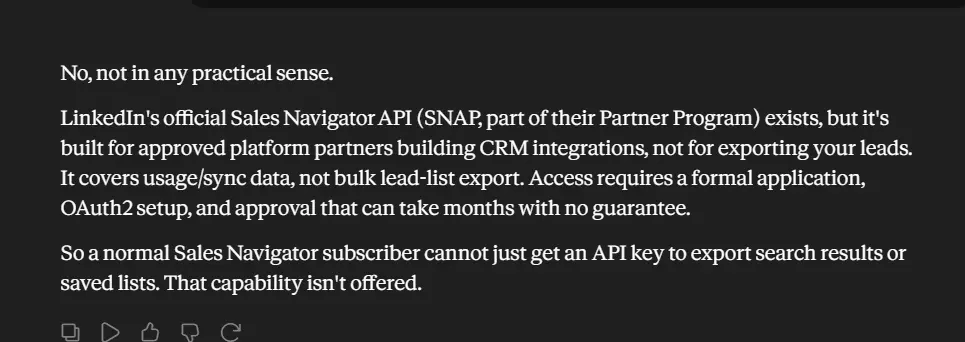
The partner APIs that exist are gated and approval-only. They're built for CRM sync, not bulk lead export.
So Sales Navigator itself gives you leads on screen, with no way to get them out. That's the whole problem.
So you need a scraper.
But before that... is scraping Sales Navigator even legal?
Is scraping Sales Navigator legal?
Disclaimer: I'm not a lawyer. None of this is legal advice. If you're running a serious operation, talk to one. What follows is the general lay of the land based on public court rulings and LinkedIn's own documents.
Does LinkedIn allow it? No.
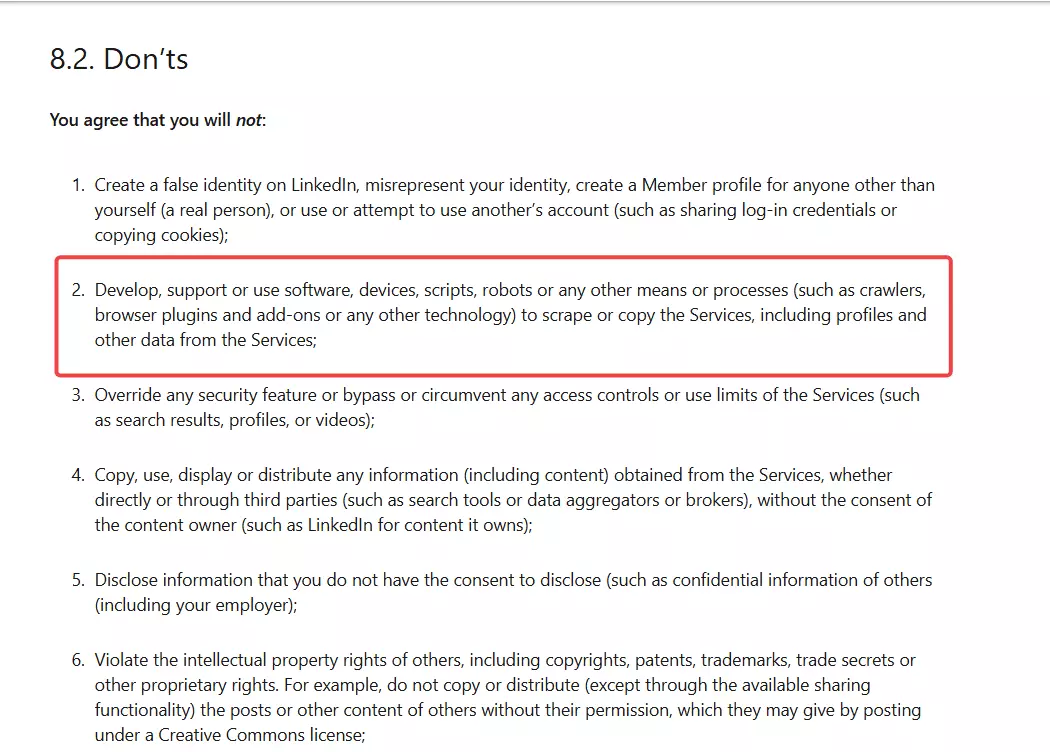
Breaking that is a private contract issue. It can get your account banned, but it isn't criminal.
So is it legal? For public data, US courts have leaned yes.
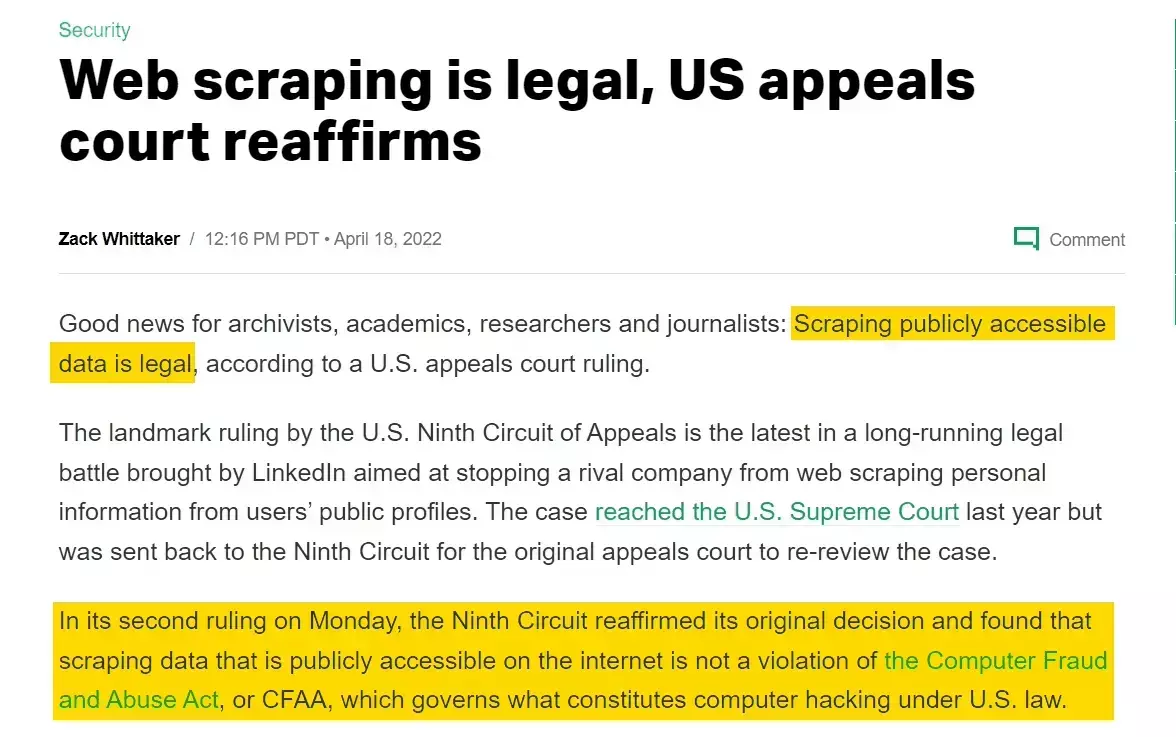
The key precedent is hiQ Labs v. LinkedIn (9th Circuit). It found that scraping public data isn't a CFAA violation.
Sales Navigator is grayer though, because the data sits behind a login. So the real risks are practical, not just legal.
What that means in practice:
- ✅ Use your own authorized Sales Navigator seat, don't share or borrow logins
- ⚠️ Respect the account limits, since aggressive scraping is what triggers bans
- ❌ Don't republish or resell the personal data wholesale
- ❌ Mind GDPR and CCPA, because leads are personal data with real compliance duties
OK, scraping is on the table. The question is which tool.
How did I choose the best Sales Navigator scrapers?
I started where the complaints live. Reddit threads, LinkedIn groups, and review sites.
The same problems came up again and again. Banned accounts, stale data, and pricing that bites at volume.
The biggest one was scale. People hit the 5k/day wall and had no safe way past it.
So I scored every tool on the same five things, the same five I break each one down on below:
- Data ... how many real fields you get per lead. I stripped the plumbing so no tool gets credit for noise.
- Usability ... how fast you get from a search to clean data, and whether the run management is sane.
- Speed ... leads pulled per minute, averaged across runs, at basic AND enrichment tiers.
- Cost ... normalized to cost per 1,000 leads, at entry and at scale, with hidden layers folded in.
- Scalability ... how many leads you can safely pull in a month, account limits included.
I bought every tool's plan and ran the same Sales Navigator searches through each, multiple times.
What I excluded and why:
- B2B databases pretending to be scrapers, like Datablist, Skrapp, Wiza, and TexAu. They serve cached records, so the data is stale
- Buggy or half-live tools, like Scrupp. It pulls search results live but serves profile details from a database
- General-purpose automation that isn't Sales Navigator tuned. You end up doing the parsing yourself
Four tools made the cut. Here they are.
Best Sales Navigator Leads Scrapers of 2026
| Criteria | lobstr.io | Apify | Evaboot | Phantombuster |
|---|---|---|---|---|
| Data fields | 87 | 73 | 54 | 34 |
| Email enrichment | ✅ | ❌ | ✅ | ✅ |
| Phone enrichment | ✅ | ❌ | ❌ | ❌ |
| Company firmographics | ✅ | ❌ | ✅ | ❌ |
| Company growth + headcount intel | ✅ | ❌ | ✅ dept-level | ❌ |
| Engagement / buzz signals | ✅ recently hired | ✅ | ⚠️ posting freq | ❌ |
| Skills / education / languages | ✅ | ✅ | ❌ | ❌ |
| Work history | ✅ (string + structured) | ✅ (structured) | ❌ | ⚠️ 1 past role |
| Input: SN search URL | ✅ | ✅ | ❌ extension only | ✅ |
| Input: bulk multiple URLs | ✅ | ❌ | ❌ | ✅ |
| Filter: keyword search | ❌ | ❌ | ❌ | ✅ |
| Filter: max results cap | ✅ | ✅ | ❌ | ✅ |
| Dedup across URLs | ✅ | ❌ single-URL | ❌ single-URL | ⚠️ optional |
| Multi-account sync | ✅ unlimited | ⚠️ manual | ❌ 1 account | ✅ |
| Built-in account safety | ✅ | ❌ | ✅ | ❌ high logout |
| Pause + resume on cookie expiry | ✅ | ❌ | ❌ | ❌ |
| Speed, basic (leads/min) | 100 | 60 | 10-20 | 20-25 |
| Speed, with enrichment (leads/min) | 20 | 2-5 | 2 | 10 |
| Max leads/month (5k/day/account cap) | 150k × accounts | 150k (manual) | 150k (hard cap) | 150k × accounts |
| Cost /1k leads only (entry → scale) | $2 → $0.5 | $39.22 → $0.5 | $25 → $8.5 | $3 → $1.2 |
| Cost /1k + email (entry → scale) | $22 → $5.5 | ❌ no email | $50 → $17 | ~$60 → ~$46 |
| Export formats | CSV, Excel, JSON | CSV, JSON, XML, Excel, HTML | CSV | CSV |
1. lobstr.io Sales Navigator Leads Scraper
| Pros | Cons |
|---|---|
| Widest data of the four (87 fields) | Phone enrichment is pricey |
| Only tool with phone + email verification | Needs a search URL, no keyword input |
| Safe, unlimited multi-account scaling | |
| Fastest at both tiers (100 leads/min) | |
| Splits searches past SN's 2,500-result cap | |
| Pauses and resumes on cookie expiry | |
| Built-in account-safety guardrails |
Data
lobstr.io returns 87 fields per lead, the widest set I tested.
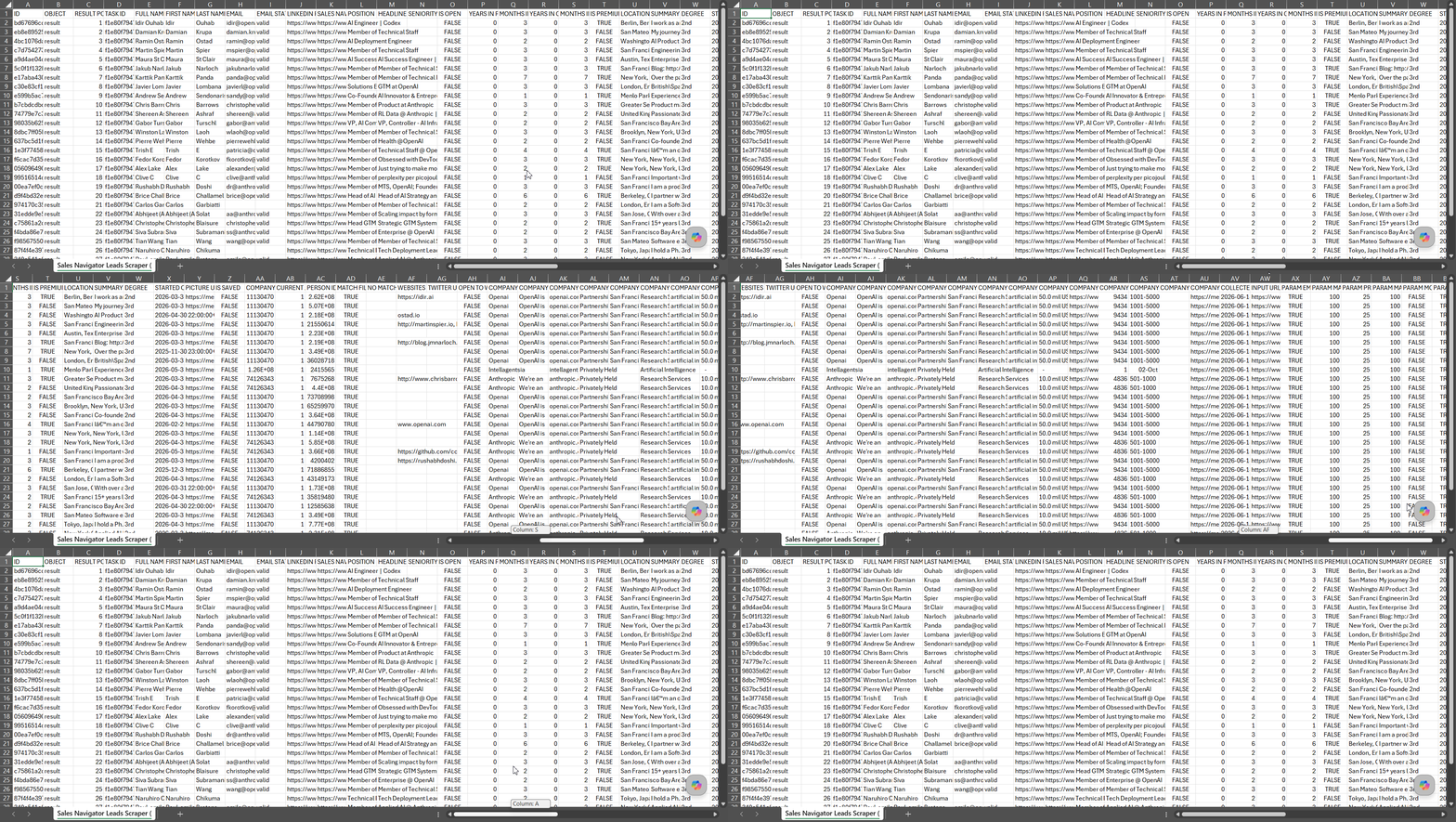
That's the full person, the full company, contact data, and profile depth nobody else matches. Here's the field set:
| Category | Data points |
|---|---|
| 👤 Person | first_name, last_name, full_name, headline, summary, industry, location, degree, connections, languages, is_premium, is_open, open_to_work, job_seeker, seniority |
| 💼 Role & history | position, current_role_description, recently_hired, current_job_numbers, started_on, months_in_position, years_in_position, months_in_company, years_in_company, positions, positions_structured |
| 🏢 Company | company_name, company_id, company_linkedin_url, company_domain, company_industry, company_location, company_employee_count, company_employee_count_range, company_employee_growth_6m, company_employee_growth_1y, company_employee_growth_2y, company_description, company_specialties, company_type, company_founded_year, company_revenue_range, company_phone |
| ✉️ Contact | email, email_status, email_bounce_rate, email_type, mobile_phone 🎁 |
| 🎓 Profile extras | educations, educations_structured, skills, certifications, awards, publications, projects, organizations, volunteerings, websites, twitter_url |
| 🎯 Filter match | match_filters, no_match_reason |
| 🔗 Links & IDs | linkedin_profile_url, sales_navigator_profile_url, person_id, picture_url, banner_url, is_saved, pending_invitation |
The raw count isn't the real edge though. Reach is.
mobile_phone, and the only one with real email verification (email_status, email_bounce_rate). 🎁certifications, awards, publications, and projects that every other tool drops.Two parts of that set do work the raw count hides.
positions is the flat readable string. positions_structured is the same history as an array, one object per role, with title, company_name, location, started_on, ended_on, is_current, and a per-role description. Education works the same way: educations as a string, educations_structured as an array with school_url, degree, fields_of_study, and start and end years.So you get the readable version for a spreadsheet and the parseable version for a CRM, without having to pick one.
company_employee_growth_6m, _1y, and _2y give you the headcount trend, not just today's count. Put those next to company_employee_count, company_revenue_range, and company_specialties and you can size and rank accounts out of the same export you're prospecting from.recently_hired, which flags people who just moved, and current_role_description, the actual text of what someone does now rather than only their job title.Usability
lobstr.io was the easiest of the four to drive. The flow is a simple wizard.
Ways to feed it a job:
- A single Sales Navigator leads-search URL
- Bulk-upload many URLs at once
- Its own URL generator for building hundreds of search URLs
- Its URL splitter, which takes one broad search and splits it by industry, function, or seniority. Upload the output file straight back as your task list
Enrichments, priced per result:
- Get profile details visits the profile for industry, websites, Twitter URL, open-to-work status and the rest. 1 credit per profile
- Email enrichment costs 9 credits, and only for an email that's found and verified
- Mobile enrichment costs 300 credits per valid number
You pay for results here, not attempts. Hold that thought until we get to Phantombuster.
Run controls:
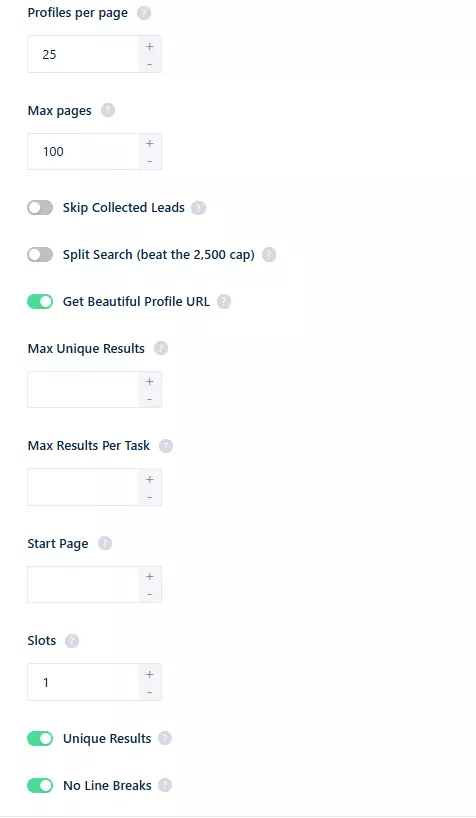
- Max pages, max results per URL, and max total leads
- Start page, to begin at a given page number and skip what you've already pulled
- Deduplication on by default, working across all your URLs
- Skip collected leads dedupes against everything the same Squid pulled on previous runs, so a repeat run returns only what's new. No extra credits
- Beautiful profile URL returns
linkedin.com/in/john-doeinstead of the codedlinkedin.com/in/ACwAAA.... No extra credits, but it costs one more LinkedIn call per profile and caps at 3,000 profiles per day per account, so leave it off when you want maximum speed. Both forms point at the same profile - Abort anytime, with pause-and-resume when credits run out
Then there's the ceiling nobody warns you about. Sales Navigator returns a maximum of 2,500 results per search, however many leads actually match.
A search with 40,000 matches hands you 2,500 and stops.
lobstr.io's answer is split search. Switch it on and it automatically breaks an oversized search into smaller facet sub-searches, by seniority, function, or industry, so the crawler reaches the leads sitting behind that ceiling. It works best up to roughly 50,000 results, very large or heavily skewed searches can still miss some, and it costs no extra credits.
That's the difference between a search you can partly harvest and one you can actually finish.
The platform shell is where it pulls clear of the pack. Runs live inside a Squid with proper instance management.
And when cookies expire mid-run, it pauses instead of dying. Refresh the cookie and it picks up where it stopped.
Speed
lobstr.io was the fastest I tested, at 100 leads per minute. That's a 5,000-lead day in under an hour.
With email enrichment and profile visits on, it drops to 20 leads/min. Still the fastest enrichment tier on this list.
Cost
lobstr.io runs on a credit-based subscription.
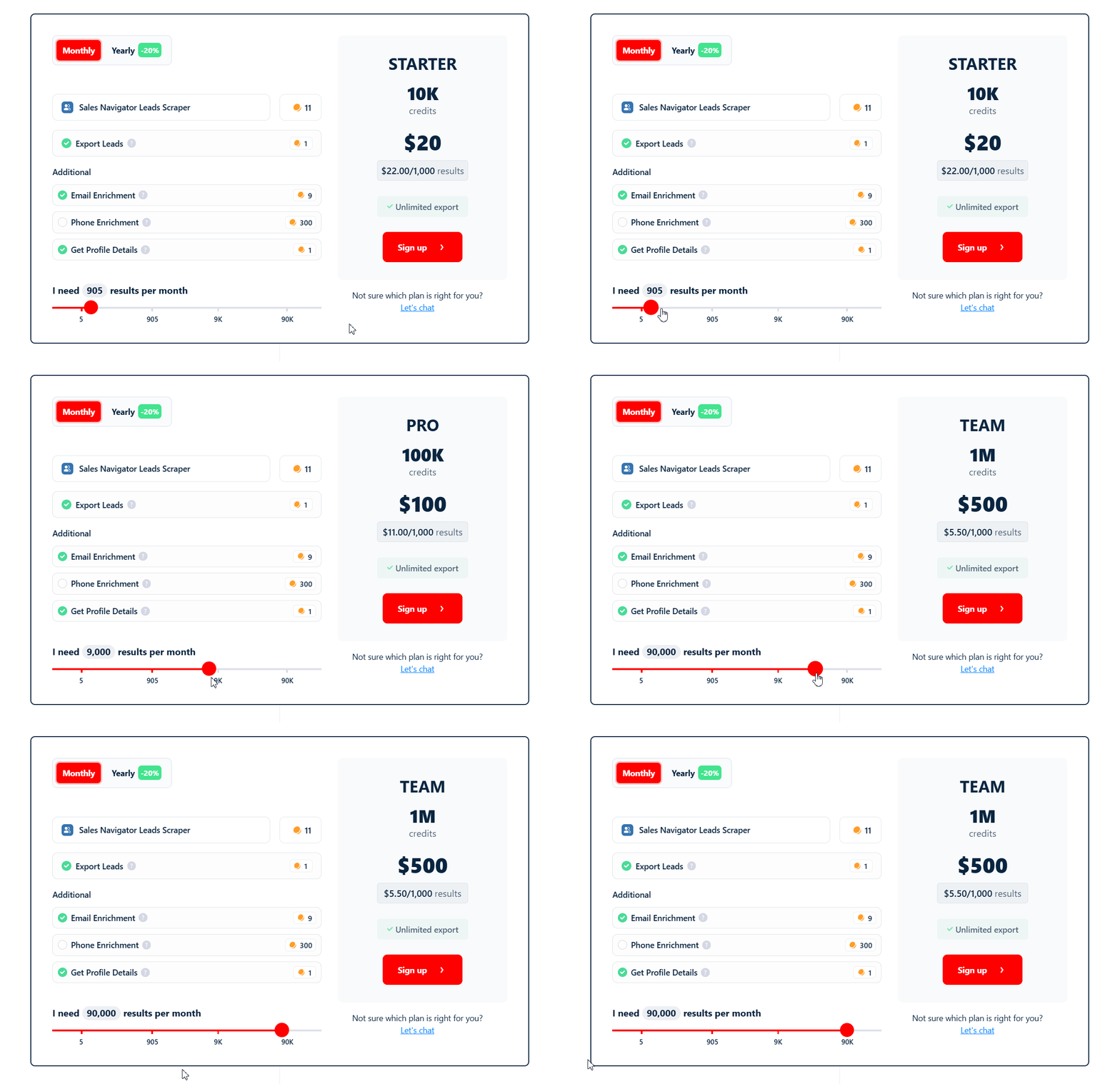
- Leads only: $2 / 1k, dropping to $0.5 / 1k at scale
- Leads + full profile: $4 / 1k, dropping to $1 / 1k
- Leads + email: $22 / 1k, dropping to $5.5 / 1k
So 10,000 leads with email costs about $55 at scale. Evaboot is $170, Phantombuster around $460.
Phone enrichment is the one pricey add-on, around $155 / 1k at scale. No other tool offers phone at all.
Scalability
This is lobstr.io's real moat, and it has nothing to do with raw speed.
Sales Navigator caps every account at 5,000 leads/day, or 150,000 leads/month. Speed alone can't beat that ceiling.
So the only way up is more accounts. lobstr.io lets you connect multiple accounts and use them in a single run.
It auto-switches accounts when one hits its daily limit. So your ceiling is 150k × however many accounts you run.
That's 1.5M leads/month on 10 accounts, 7.5M on 50. It scales linearly, and only lobstr.io does it safely.
In my testing it never pushed an account into a logout or suspension. It has built-in guardrails for exactly that.
Best for: anyone running high-volume lead gen who needs the deepest data, real contact enrichment, and safe scaling across many accounts.
2. Apify
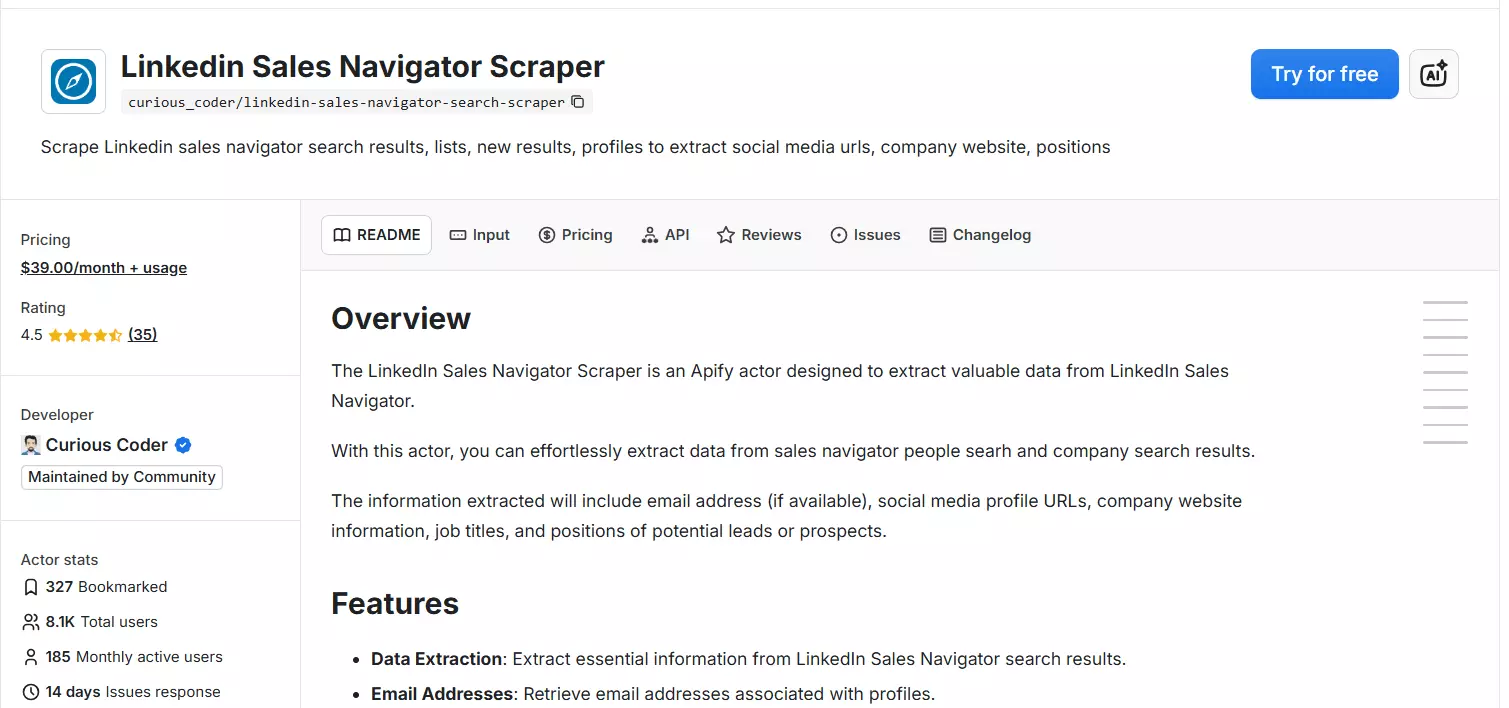
I chose the most used LinkedIn Sales Navigator Scraper, developed by Curious Coder (community maintained).
| Pros | Cons |
|---|---|
| Deepest raw data, with structured work history | No email or phone enrichment |
| Only tool with engagement / buzz signals | Worst account safety, you manage it by hand |
| Fast at 60 leads/min | Single account, single search at a time |
| Cheapest base cost at scale ($0.5 / 1k) | |
| Most export formats (5) |
Data
Apify returns 73 fields, and it's the richest on raw profile structure.
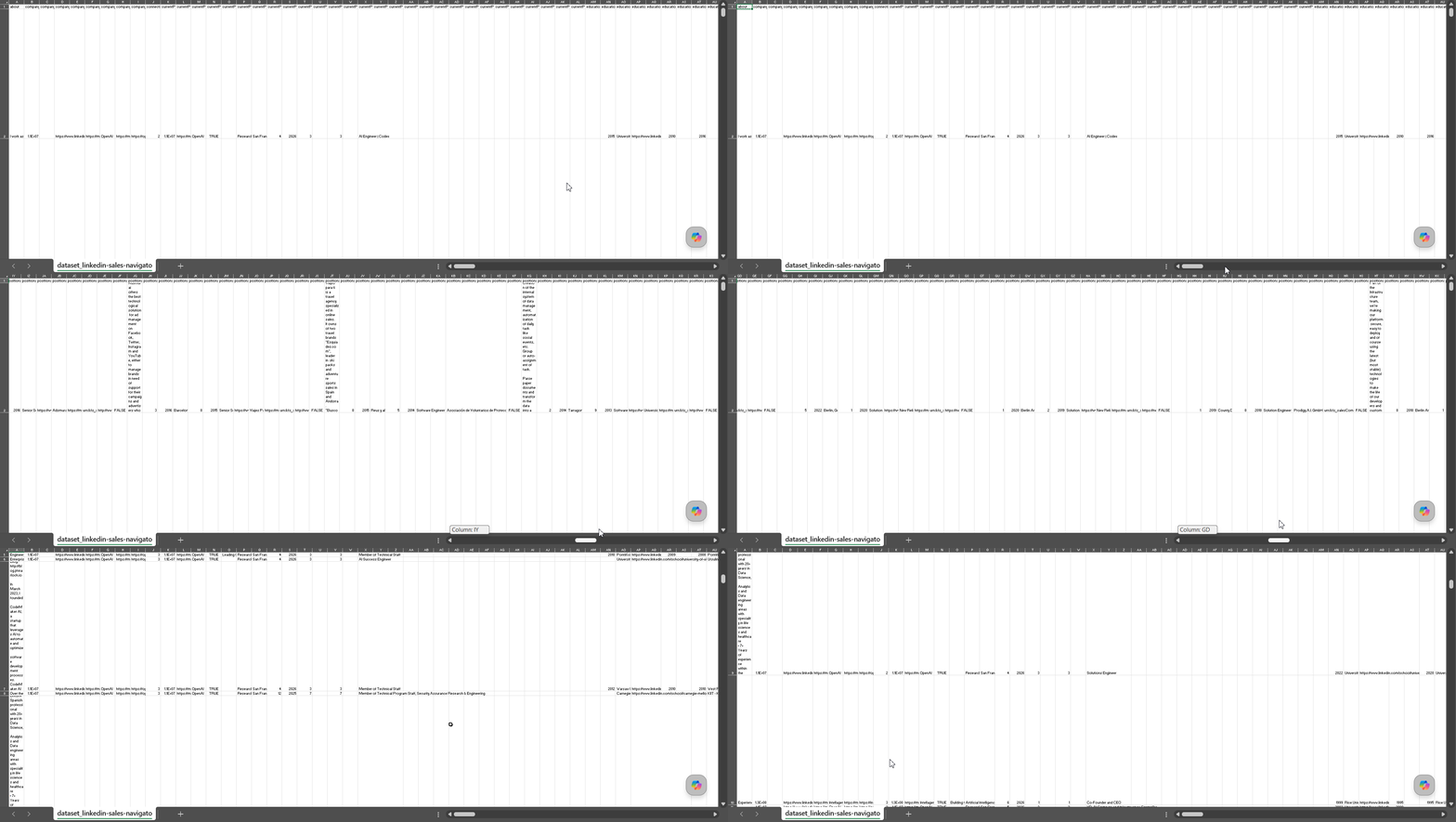
It's the only tool with engagement signals, and it keeps the full work history as structured objects. Here's the field set:
| Category | Data points |
|---|---|
| 👤 Person | firstName, lastName, fullName, headline, summary, location, connectionType, numOfConnections, premium, openLink, profilePictureUrl, profileBackgroundPictureUrl 🎁 |
| 💼 Role & history | jobTitle, jobDescription, currentPositions, positions.title, positions.description, positions.companyWebsite, positions.location |
| 🏢 Company | companyName, companyId, companyLinkedinUrl, companyWebsite, companyLogo |
| 🎓 Profile | skills.name, skills.numOfEndorsement, educations.schoolName, educations.schoolUrl 🎁, languages.name, languages.proficiency |
| ✨ Buzz signals 🎁 | highlights.id, highlights.name, highlights.description (recently hired, mutual connections, recent posts) |
| 🔁 Status | viewed, unlocked, saved, pendingInvitation |
| 🔗 Links & IDs | profileId, id, publicId, publicUrl, salesNavigatorUrl |
highlights field is the moat here. It flags who was recently hired or posted recently, which is gold for timing outreach. 🎁But the gaps are real. No email, no phone, and none of the company firmographics lobstr.io and Evaboot return.
Usability
This Sales Navigator actor is a fairly simple single-page setup.
Ways to feed it a job:
- A Sales Navigator leads-search URL
- Filters like "new results since date", start page, and total leads
The account setup is where it gets rough. You paste your account cookies in JSON plus a user agent.
Then you set wait times, retries, and limits yourself. There's no built-in safety, so the account risk is on you.
Dedup also only works within a single URL.
Speed
Apify ran at 60 leads per minute, second-fastest on basic data. A 5,000-lead day takes about 83 minutes.
But turn on profile data collection and it crawls to 2-5 leads/min. That's the slowest enrichment tier here.
Cost
Apify charges a $39 actor rental fee plus platform usage. That makes entry pricing brutal.
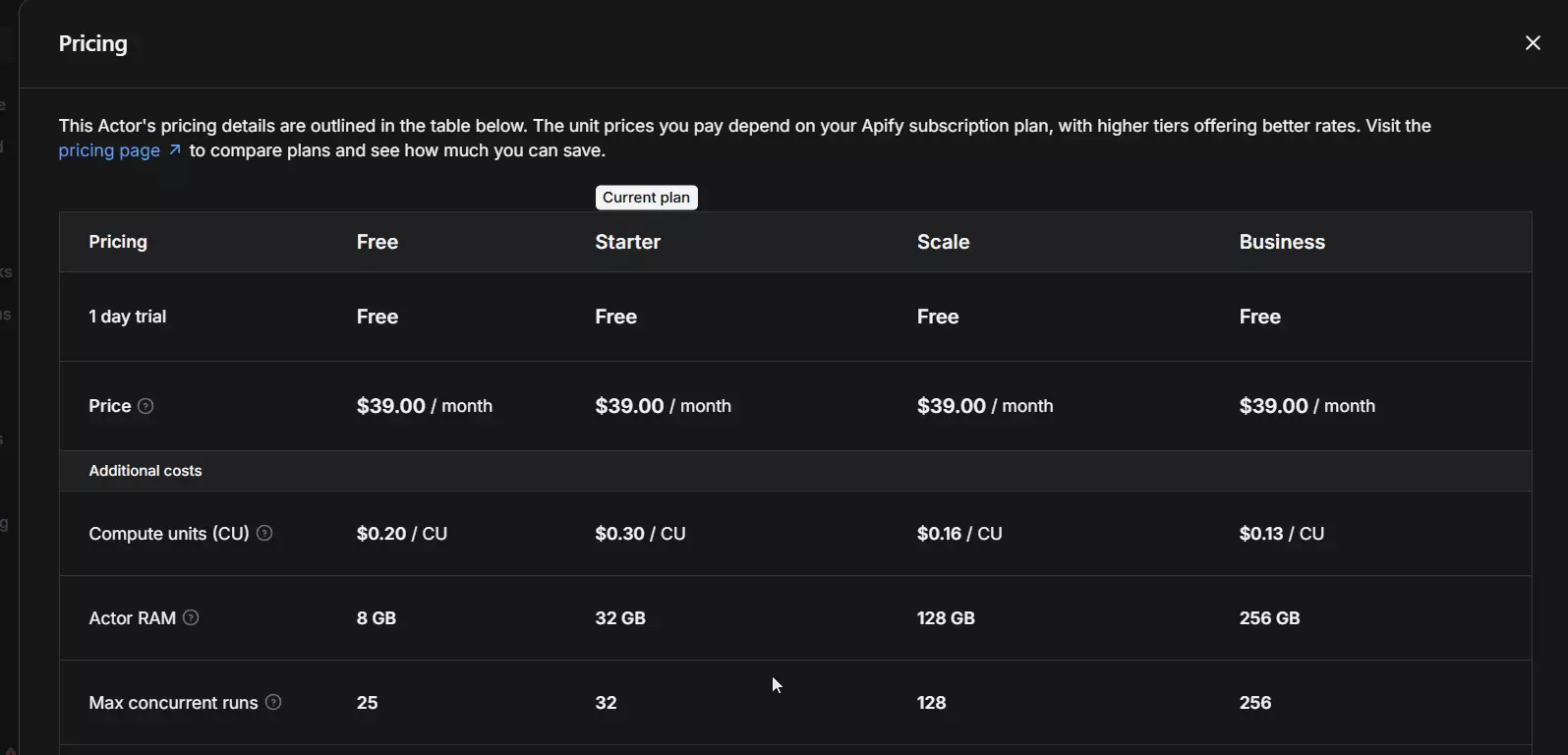
I had to do some math to find actual cost per 1k leads.
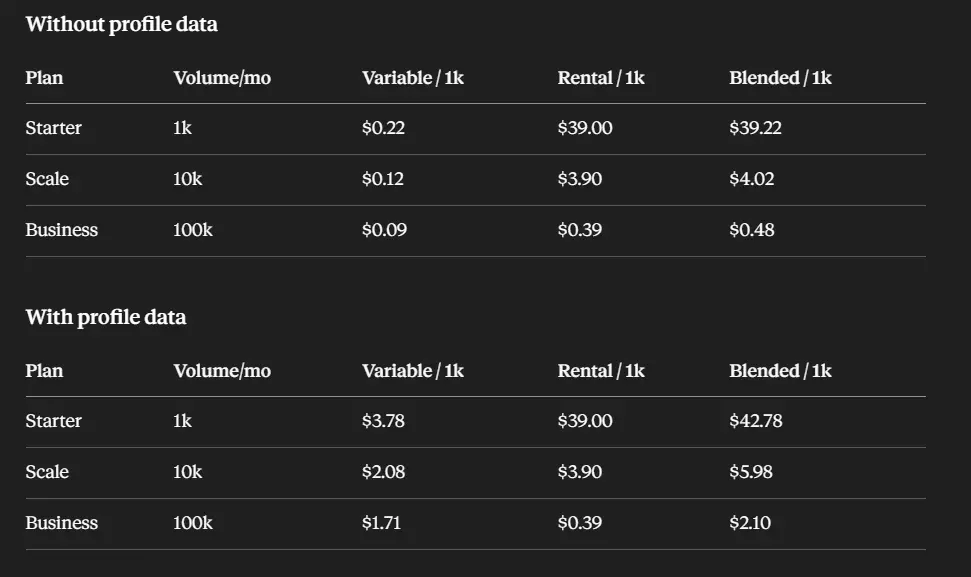
- Leads only: $39.22 / 1k at entry, dropping to $0.5 / 1k at scale (100k)
- Leads + profile: $42.78 / 1k, dropping to $2.1 / 1k at scale
It ties lobstr.io for the cheapest base cost at scale. But no email enrichment, so the B2B math stops there.
Scalability
Apify hits the same Sales Navigator wall: 5,000 leads/day, or 150,000/month per account.
You can technically run multiple accounts by adding more cookies. But there's no auto-switching and no built-in safety.
So stacking accounts is manual and risky. At volume, that's a babysitting job, not a scaling strategy.
Best for: developers who want the deepest raw data and buzz signals at scale-cost, and don't need email, phone, or hand-held account safety.
3. Evaboot
| Pros | Cons |
|---|---|
| Only tool with company growth + headcount intel | Single account, single search at a time |
| Clean filter-match flag, like lobstr.io | Slowest tool |
| Email enrichment included | No max-results cap, no abort |
| Dead-simple extension flow | |
| No logouts or bans in testing |
Data
Evaboot returns 54 columns, and it has one category nobody else touches.
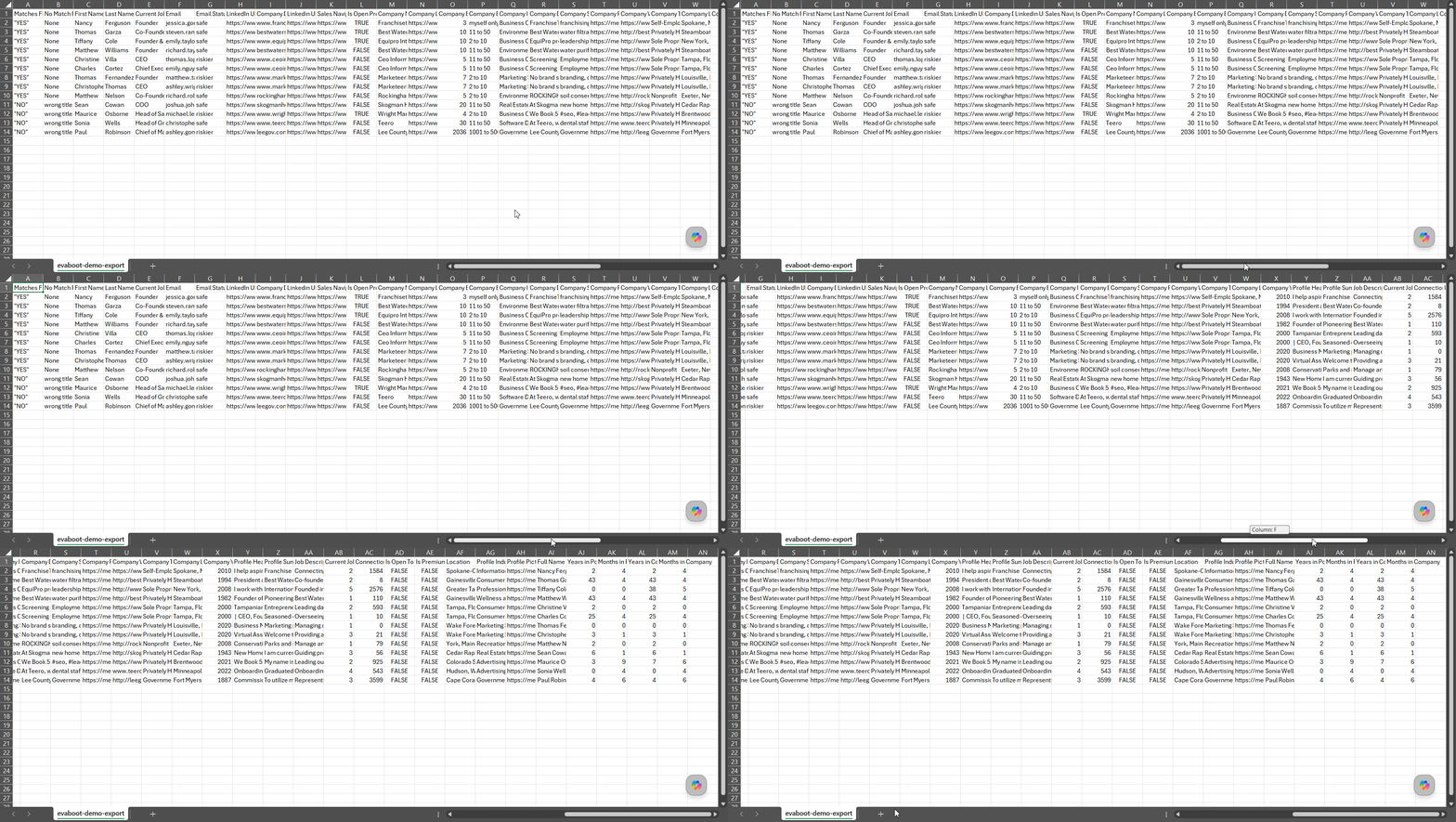
It's the only tool with company growth and headcount intelligence. Here's the field set:
| Category | Data points |
|---|---|
| 🎯 Filter match | Matches Filters, No Match Reasons |
| 👤 Person | First Name, Last Name, Full Name, Profile Headline, Profile Summary, Location, Profile Industry, Connections, Is Open Profile, Is Premium |
| 💼 Role | Current Job, Job Description, Current Jobs Number, Years in Position, Months in Position, Years in Company, Months in Company |
| ✉️ Contact | Email, Email Status |
| 🏢 Company | Company Name, Company Domain, Company Industry, Company Description, Company Specialities, Company Type, Company Location, Company Year Founded, Company Employee Exact Count, Company Employee Range |
| 📈 Company intel 🎁 | Department Headcounts, Sales Team Size, Business Development Size, Company Employee Growth 6 Months (%), Company Employee Growth 1 Year (%), Company Employee Growth 2 Years (%), Company Revenue Min (Millions USD), Company Revenue Max (Millions USD), Company Headquarters (Full Address) |
| ✨ Signals | Posting Frequency, InMail Restriction Status, Has New Position, Job Seeker Badge |
Department Headcounts, Sales Team Size, and employee growth percentages are perfect for account mapping.Matches Filters flag, which tells you which leads actually passed your search criteria.Usability
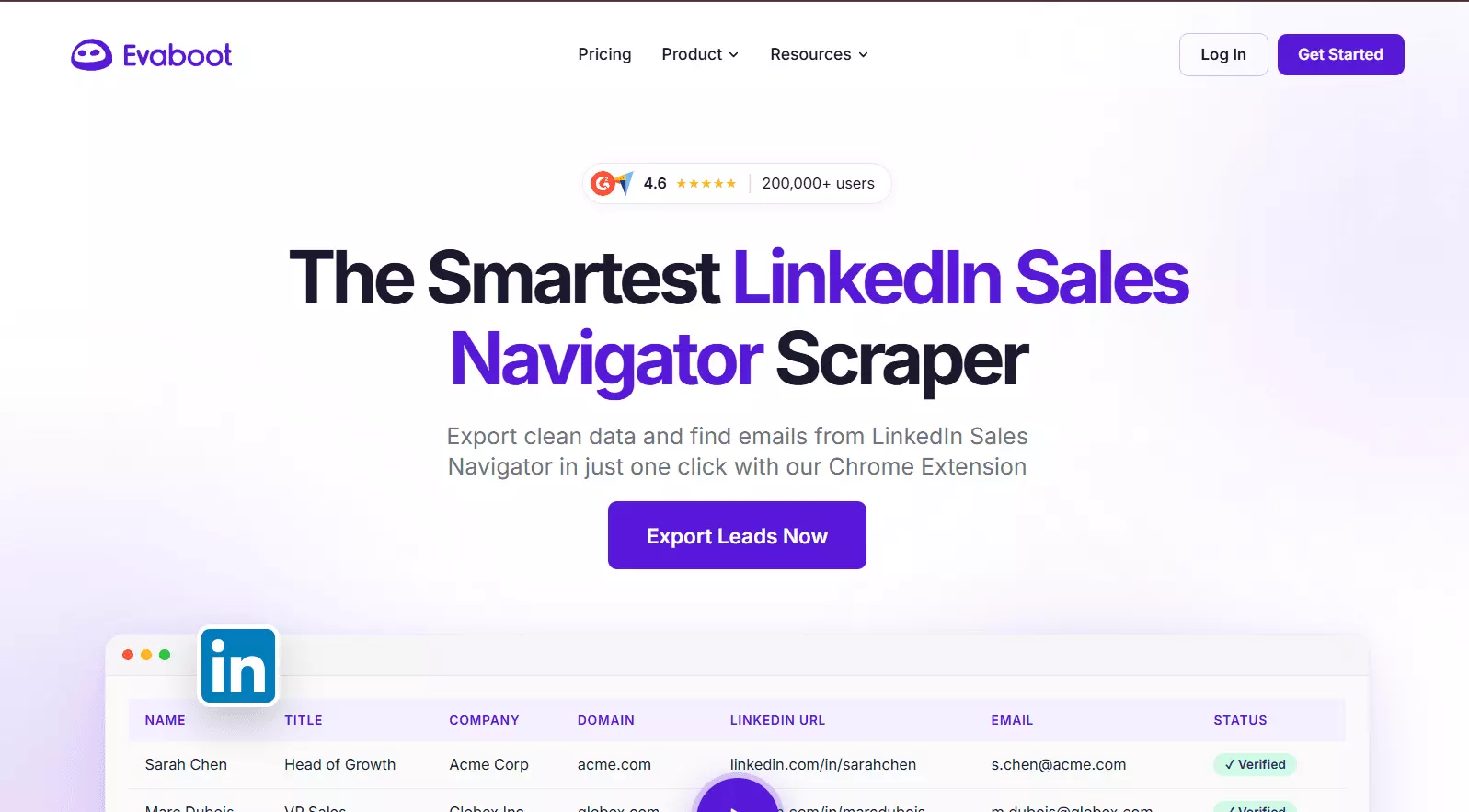
Evaboot is the simplest to start. Install the extension, open a search, click extract.
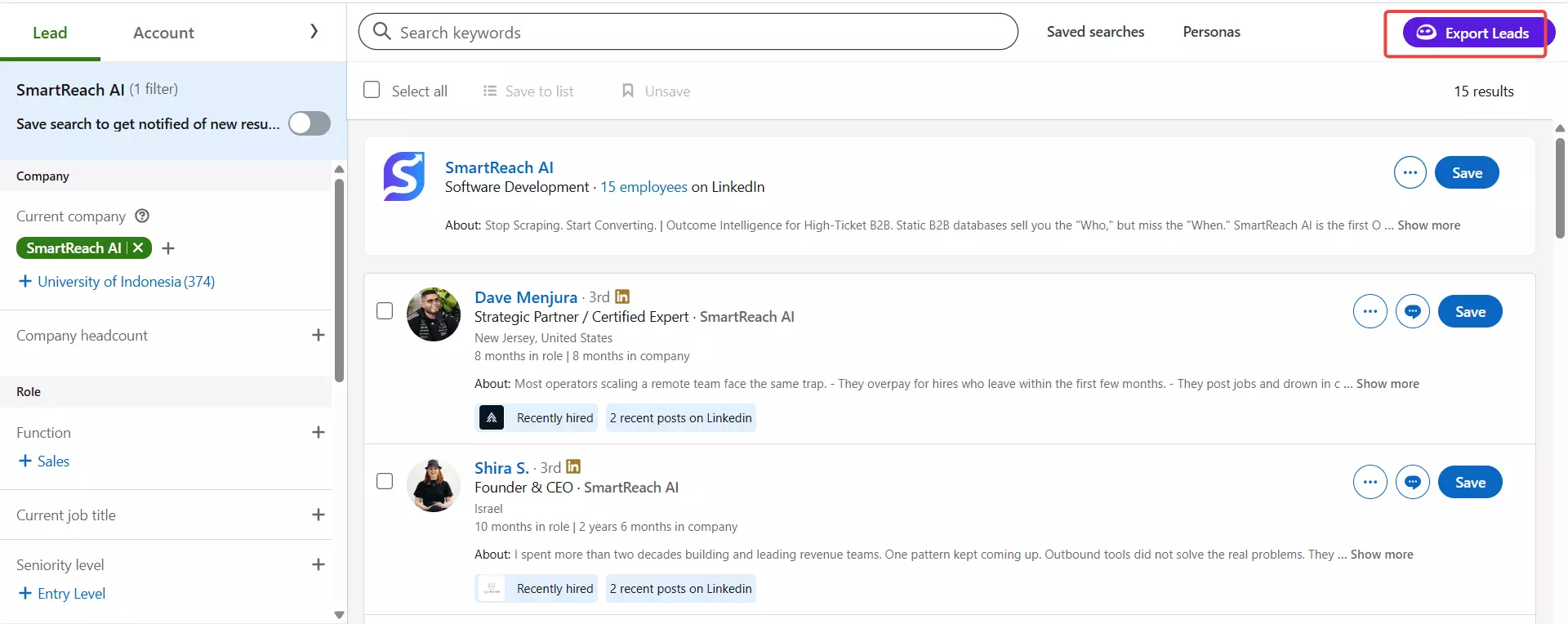
It then asks if you want emails or just leads, and the run begins. No URLs, no dashboard juggling.
But I hated two things. There's no max-results control, so it scrapes everything whether you want it or not.
And you can't abort a run. Once it starts, it runs until your credits drain.
It also works one account and one search at a time.
Speed
Evaboot was the slowest tool, around 10-20 leads per minute. There were no timestamps, so I clocked it with a stopwatch.
Turn on email enrichment and it crawls to ~2 leads/min. A 5,000-lead day can eat 4-8 hours.
Cost
Evaboot is pricey, especially at entry.
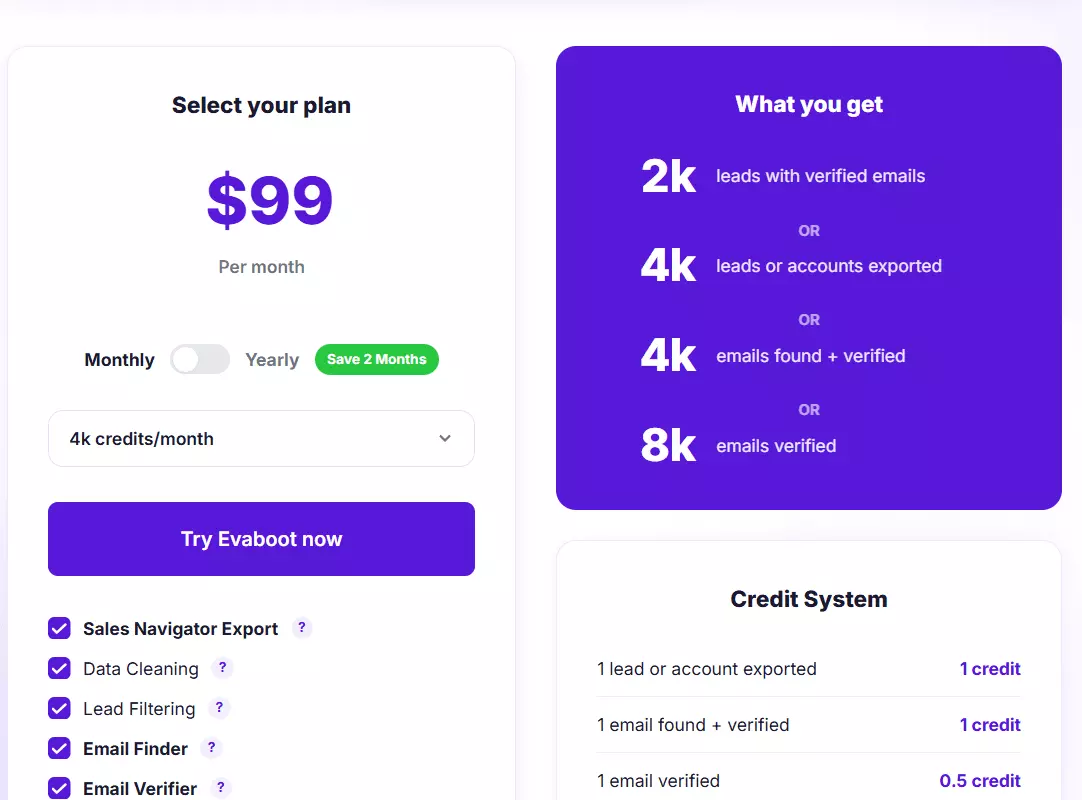
- Leads only: $25 / 1k, dropping to $8.5 / 1k at scale
- Leads + email: $50 / 1k, dropping to $17 / 1k at scale
So 10,000 leads with email runs $170 at scale. That's 3x lobstr.io's $55 for the same job.
Scalability
Here's where Evaboot hits a wall it can't climb. It supports one account only.
So your ceiling is a hard 150,000 leads/month, full stop. There's no multi-account path, no matter the plan.
For account mapping that's usually fine. For volume lead gen, it's a dead end.
Best for: sales teams doing account research and ICP mapping who want company-intel fields and a zero-setup extension.
4. Phantombuster
| Pros | Cons |
|---|---|
| Multi-account sync, like lobstr.io | Highest logout rate in testing |
| Email enrichment available | No pause, runs restart from scratch |
| Keyword search input | Email is expensive and capped at 10k/mo |
| Dedup works across URLs | Billed by runtime, not results |
| Lightest data set, no headline, no company depth | CSV-only export |
Data
Phantombuster returns 34 fields, the lightest set here.
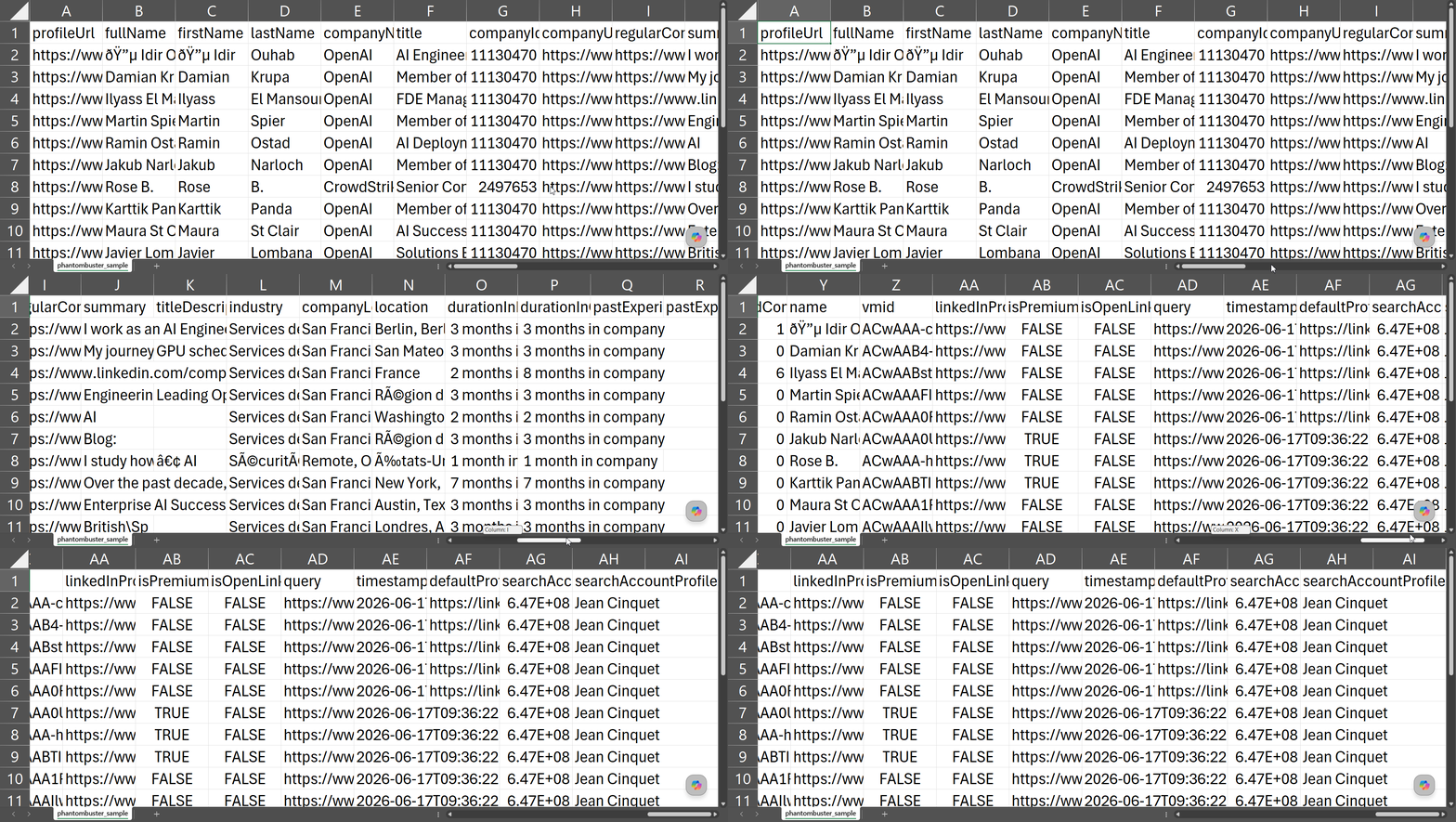
You get the core person and company basics, plus two things nobody else has. Here's the field set:
| Category | Data points |
|---|---|
| 👤 Person | firstName, lastName, fullName, summary, location, connectionDegree, isPremium, isOpenLink, profileImageUrl, sharedConnectionsCount 🎁 |
| 💼 Role | title, titleDescription, industry, durationInRole, durationInCompany, pastExperienceCompanyName, pastExperienceCompanyTitle |
| 🏢 Company | companyName, companyId, companyUrl, regularCompanyUrl, companyLocation |
| 🔗 Links & IDs | profileUrl, linkedInProfileUrl, defaultProfileUrl, vmid |
| ⚙️ Run provenance 🎁 | query, searchAccountProfileName, searchAccountProfileId, timestamp |
sharedConnectionsCount and the run provenance. The query field even saves the exact search URL used. 🎁headline at all.Usability
Phantombuster is easy to launch. Add an account, add URLs, and go.
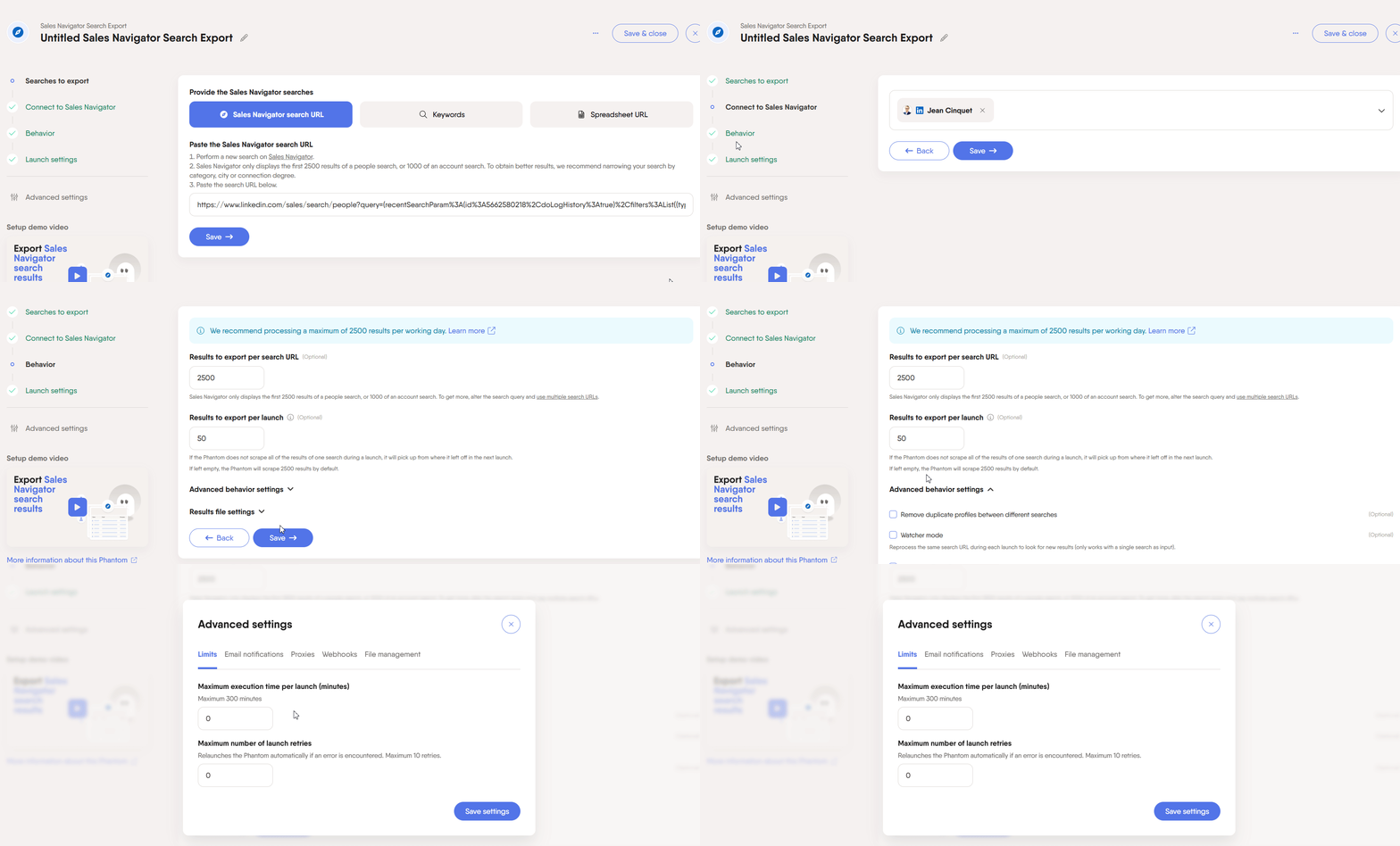
It accepts Sales Navigator search URLs, multiple URLs, and even keyword-plus-location queries. Dedup works across URLs when you enable it.
You can abort a run, but there's no pause. If something stops it, the run aborts and you start fresh.
Speed
Phantombuster ran at 20-25 leads per minute on basic data.
With email enrichment on, it holds at about 10 leads/min. A 5,000-lead day takes roughly 4 hours.
Cost
Phantombuster bills for execution time, not results. I had to convert runtime and plan price into a per-lead number.
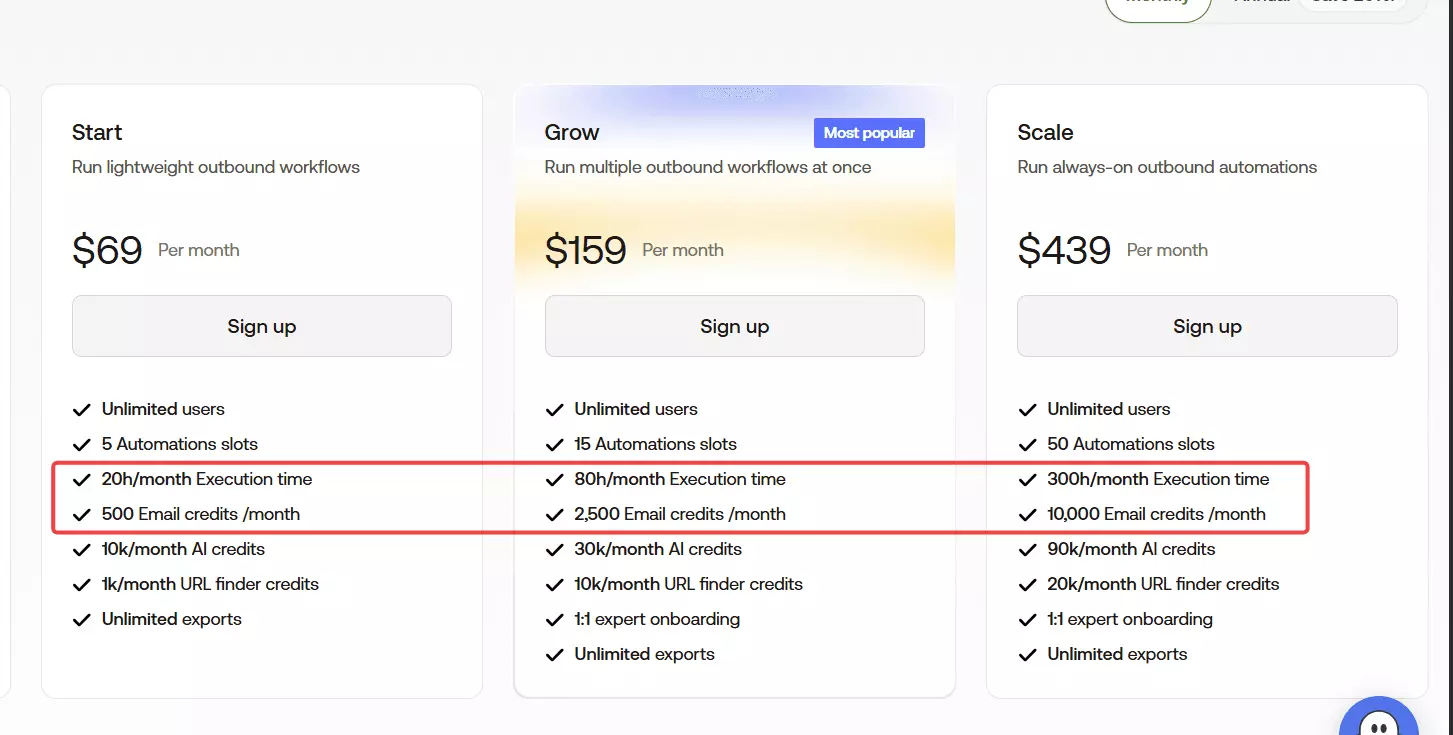
- Leads only: $3 / 1k, dropping to $1.2 / 1k at scale
- Leads + email: around $60 / 1k, dropping to ~$46 / 1k at scale
So email lead gen is brutal here. And it's the only tool that bills for email attempts, not hits.
Fire enrichment at 1,000 profiles, get 200 emails, and you still pay for 1,000.
There's also a hard cap of 10,000 emails/month, even on the top tier.
Scalability
Phantombuster can sync multiple accounts and use them in one run, just like lobstr.io. On paper, that's 150k × accounts.
But it had the highest logout rate I saw. My account kept logging out and runs kept stopping.
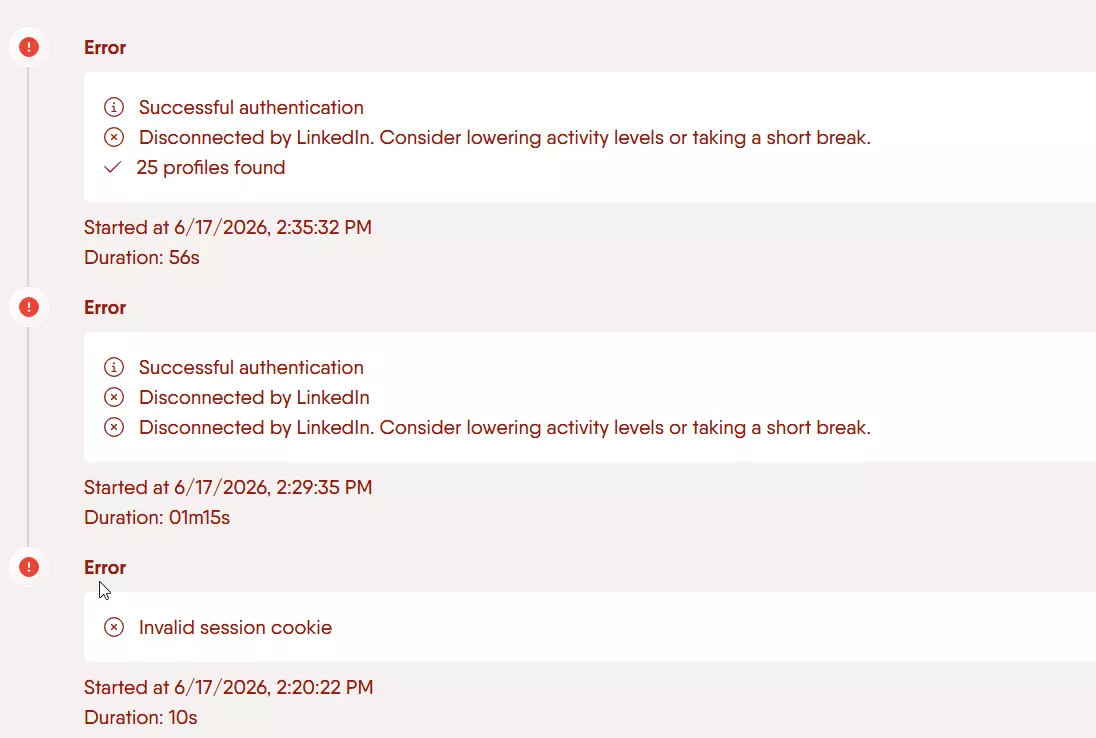
And when cookies expire, the run stops with no resume. So in practice, sustained scaling was unreliable.
Best for: teams already in the PhantomBuster ecosystem who need multi-account reach and can babysit the logouts.
The scrapers that didn't make the list
These aren't all bad tools. They just failed the one test that matters here: returning fresh, live Sales Navigator data.
| Tool | Why it's out |
|---|---|
| Scrupp | Profile details come from a database, not live, plus constant crashes |
| Datablist | A contact database, not a live scraper |
| Skrapp | A B2B database, not a live scraper |
| Wiza | A B2B database marketed as a scraper |
| TexAu | A B2B database, not a live scraper |
Scrupp
I almost included it, then I found the catch.
It scrapes Sales Navigator search results live. But the profile details come from a database, so that data is outdated.
It's also buggy. It crashed at login and during scraping, from sign-up onward.
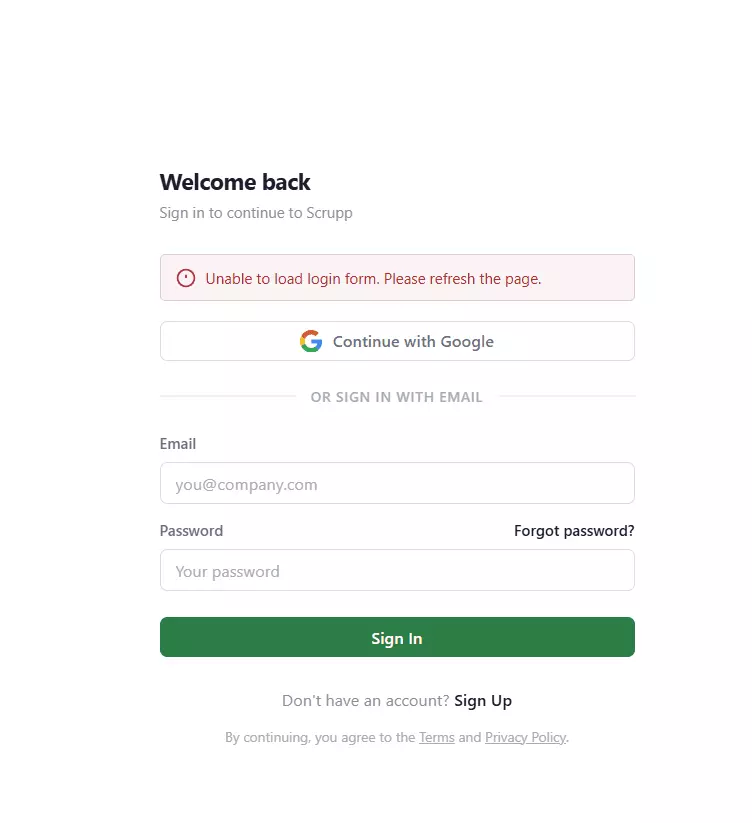
Who it's for: honestly, nobody, until the crashes and stale data are fixed.
Datablist, Skrapp, Wiza, and TexAu
These all sell themselves near "Sales Navigator scraping", but they're really B2B databases.
They serve cached records from their own stores, not live pulls from your search. So freshness is a guess.
Who they're for: teams that want a static contact database and don't care about live, current data.
FAQ
Which Sales Navigator scraper has the most data?
lobstr.io, at 87 fields. It's the only one returning a phone number and email verification, plus certifications, awards, and publications no competitor captures.
What's the cheapest Sales Navigator scraper?
lobstr.io at scale, $0.5 per 1k leads, tied with Apify on base cost but with cleaner billing. For email lead gen lobstr.io is far cheaper at $5.5 per 1k, versus Evaboot's $17 and Phantombuster's ~$46.
Can I scrape Sales Navigator without getting my account banned?
Yes, if the tool manages account safety and limits. lobstr.io has built-in guardrails and pauses on cookie expiry, while Phantombuster logged out constantly and Apify leaves safety entirely to you.
How do I scrape more than 5,000 leads a day?
You need multiple synced accounts, because that's Sales Navigator's hard per-account daily cap. lobstr.io connects unlimited accounts and auto-switches, Evaboot can't go past one account at all.
Which scraper is best for timing outreach to recent job changes?
recently_hired flag plus months_in_position and current_role_description, so you can spot the move and see what the new job actually involves. Apify's highlights also flag recent posters, which is the one timing signal lobstr.io doesn't carry.Which scraper is best for company and account mapping?
lobstr.io for most of it, Evaboot for the department-level detail. lobstr.io gives you employee growth over 6 months, 1 year, and 2 years alongside headcount, revenue range, industry, and specialties, in the same export as your leads. Evaboot goes one level deeper with per-department headcounts, sales and BD team sizes, and the full HQ address.
Does LinkedIn have an official API for Sales Navigator leads?
No. There's no public API to export Sales Navigator search results, and the partner APIs are gated and built for CRM sync, not bulk lead export.
Conclusion
That's a wrap on the best Sales Navigator leads scrapers for 2026.
Quick recap of who owns what:
- lobstr.io owns data depth, contact enrichment, speed, and the only safe path to scaling past 5k/day. The default pick for serious lead gen
- Apify owns raw data depth and buzz signals at scale-cost. Great if you don't need email or phone
- Evaboot owns department-level headcount detail, in a zero-setup extension. The account-mapping specialist
- Phantombuster owns multi-account reach if you're already there. Just be ready for the logouts
This list will keep evolving as these tools ship updates. I'll keep it current.