Best Trustpilot Reviews APIs: Only 2 Get Past 200 Reviews [Tested]
I tested 5 Trustpilot reviews APIs on the same 5 businesses for depth, cost, speed and data quality. Only 2 got past 200 reviews per business. Here's which.

By Adam Israil
Technical writer & developer @ lobstr.io
28 Sept 2026
24 min read
Contents
- ⚡ 15-Second Summary
- Does Trustpilot have an official reviews API?
- What about Trustpilot's internal API?
- How I picked and tested the APIs
- Best Trustpilot reviews API: lobstr.io
- Apify via memo23: the other API that clears 200
- DataForSEO: the cheapest Trustpilot reviews API
- Also tested: Outscraper and OpenWeb Ninja
- Which Trustpilot reviews API should you pick?
- FAQ
- Conclusion
lobstr.io is the best Trustpilot reviews API for collecting reviews at scale. I asked it for 1,000 reviews from each of 5 businesses and it returned all 5,000, with 0 duplicates and 0 errors. Apify's
memo23Actor is the only other API that cleared the 200-review wall in my tests.
⚡ 15-Second Summary
- The problem: Trustpilot locks anonymous visitors out after page 10 of reviews, 20 reviews a page. Most APIs stop at exactly 200 reviews per business because of it.
- How I tested: 5 APIs, 5 businesses, 200 reviews each as the baseline (1,000 total), then 1,000 per business (5,000 total) for the APIs that cleared the wall. Every raw run is in a public repo.
- lobstr.io: 5,000/5,000, 0 duplicates, 100% field coverage, 35 fields per review. $2.00 per 1K reviews on the $20 plan, $0.50 per 1K at volume. Async workflow, so expect five API calls before you see a review.
- Apify via
memo23: 5,000/5,000, 0 duplicates, $0.63 to $0.66 per 1K measured. Faster than lobstr.io in a single run, but no company-level fields and no filters. - DataForSEO: $0.038 per 1K, the cheapest by a mile, but hard-capped at 200 reviews per business with no way around it.
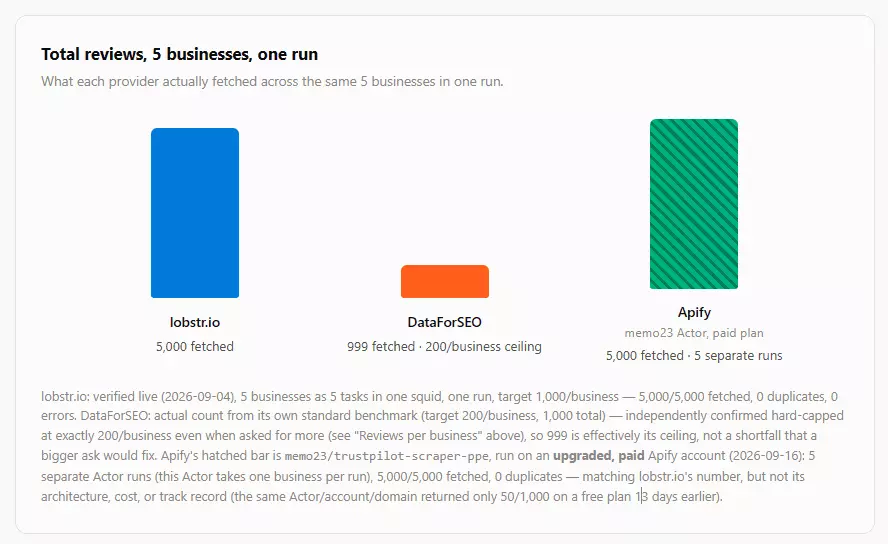
Every Trustpilot scraping project I've seen runs into the same wall. You ask for all the reviews and you get exactly 200. No error, no warning, just 200 and a SUCCEEDED status.
The official API is worse in a different way: you can't even start without a waitlist approval. And the third-party APIs that promise "all reviews" mostly don't deliver them.

So I tested the main Trustpilot reviews APIs side by side, same businesses, same request shape, same day where possible.
For reproducibility, everything is in a public repo, down to the raw responses and the credit snapshots.
Trustpilot review scraping APIs benchmark
But first, the question everyone asks... why not just use the official Trustpilot API?
Does Trustpilot have an official reviews API?
Yes. Trustpilot offers several APIs (Business Units, Product Reviews, Service Reviews, Data Solutions), but most of them only let you read and reply to your own reviews.
👉 Check Trustpilot API documentation
For collecting reviews of other businesses, the only relevant one is the Data Solutions API. It exposes business profiles and consumer reviews, with the key endpoints being Get Latest Reviews and Get Service Reviews, and the latter paginates with nextToken.
curl -X GET "https://datasolutions.trustpilot.com/v1/business-units/{businessUnitId}/reviews" \
  -H "apikey: YOUR-API-KEY"
A sample response from the official docs:
{
  "reviews": [
    {
      "id": "507f191e810c19729de860ea",
      "stars": 4,
      "title": "Great Service!",
      "text": "I had a wonderful experience.",
      "language": "en",
      "isVerified": true,
      "createdAt": "2023-12-31T12:00:00Z",
      "updatedAt": "2023-12-31T12:00:00Z",
      "experiencedAt": "2023-12-31T12:00:00Z",
      "source": "organic",
      "reviewedLocationName": "Pilestraede 58"
    }
  ],
  "nextToken": "..."
}
The catch is access. There is no sign-up and no self-serve API key.
You register your interest on a waitlist, Trustpilot decides whether your use case deserves approval, and there is no timeline for that decision.
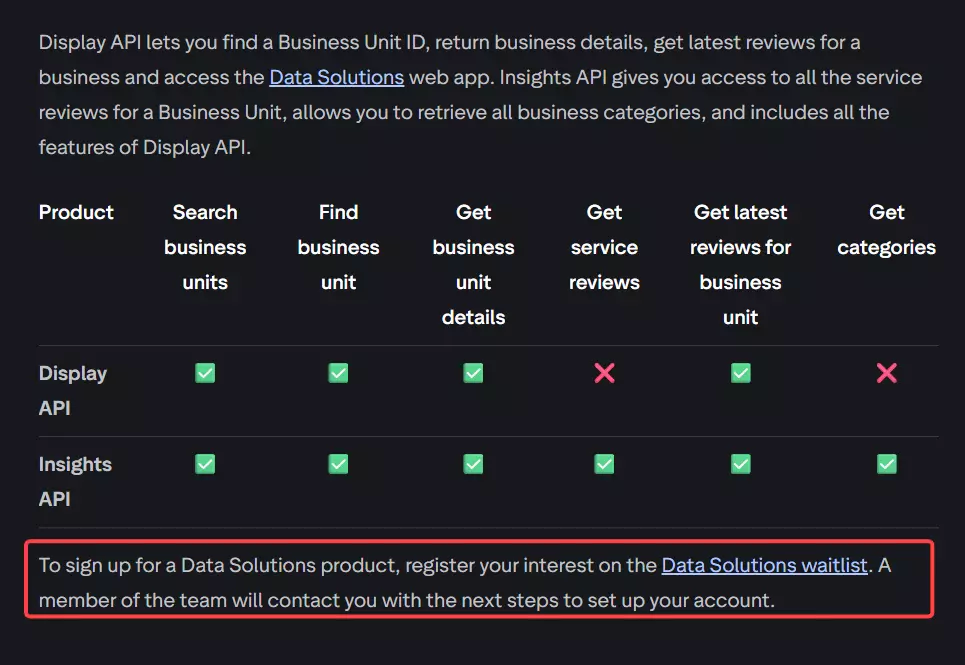
Unless you're an enterprise or a non-profit, your chances are thin. So I excluded it from the comparison on accessibility, not capability.
If you want the full breakdown of what the official API can and can't do, I covered it in the Trustpilot API guide.
What about Trustpilot's internal API?
Trustpilot's own review pages fetch their data from an internal Next.js endpoint.
Open DevTools, switch to the Network tab, click to page 2 of any listing, and you'll see a request like this one for The Pearl Source:
/_next/data/businessunitprofile-consumersite-2.7799.0/review/www.thepearlsource.com.json?page=2&businessUnit=www.thepearlsource.com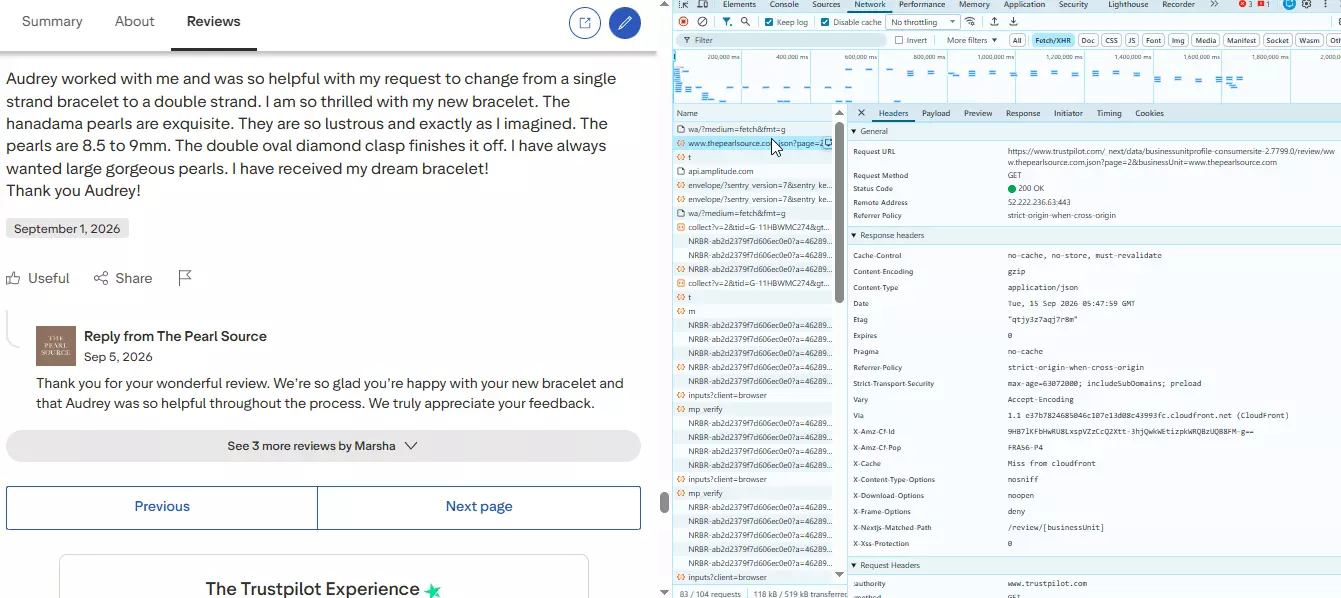
The response is clean JSON with everything the page renders.
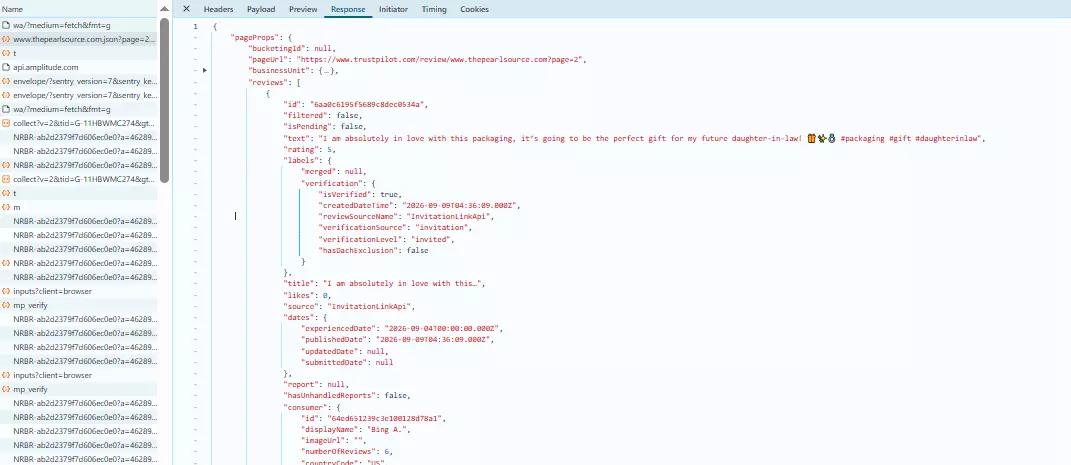
Tempting, but two problems.
It's an undocumented internal endpoint, so the build number in the path and the response shape can change without notice.
And it hits the same wall as your browser does: Trustpilot forces a login after page 10, so the internal API gives you a nicer JSON shape and the same 200 reviews.
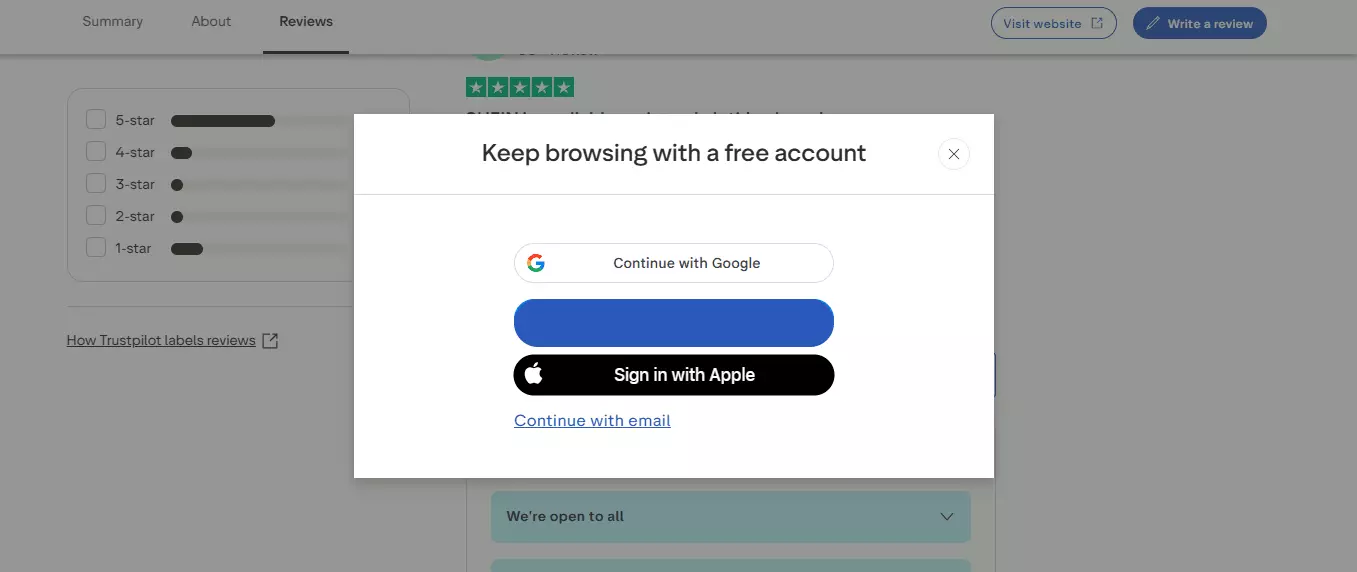
Good for understanding how Trustpilot loads reviews. Not something I'd build a production pipeline on.
That leaves two routes: build your own scraper, or use a third-party Trustpilot reviews API.
Building your own scraper sounds cool for the nerds, but keeping it alive against Trustpilot's page changes, anti-bot measures, and that login wall is where it turns into maintenance hell.
For this article I went with third-party APIs.
How I picked and tested the APIs
I went through vendor docs, developer forums, Reddit threads and GitHub issues to build the long list, then cut it with six elimination rules:
- No self-serve access: waitlist, sales call or no trial
- Run failure: below 50% success rate, or breaks mid-run
- No usable docs: you can't build a working request from the documentation alone
- Unclear pricing: cost per 1K reviews can't be calculated
- Wrong data: doesn't return review-level data
- Dead or abandoned: no response, broken infrastructure, no maintenance
👉 See the full elimination criteria
Five APIs survived: lobstr.io, Apify, DataForSEO, Outscraper and OpenWeb Ninja.
For Apify, the Actor in this comparison is memo23/trustpilot-scraper-ppe, not the Store's most popular Trustpilot Actor, automation-lab/trustpilot. I explain why in the Apify section.
How I tested the APIs
Every API got the same 5 businesses: The Pearl Source, SHEIN, Temu, AliExpress and Halara.
The baseline run asked for 200 reviews per business, 1,000 in total.
Any API that cleared the baseline without hitting a ceiling then got a depth run at 1,000 reviews per business, 5,000 in total.
I judged each API on six things:
- Reliability: did it return what I asked for, every time?
- Data quality: was the data accurate and complete?
- Cost: what did 1K reviews cost?
- Speed: how fast did the run complete?
- Scalability: could it collect more than 200 reviews from one business?
- Usability: how much work is the integration?
For data quality, I hand-checked a 20-review sample from The Pearl Source across 13 fields and used it as the ground truth for every API.
Here is how the five stacked up:
| lobstr.io | Apify (memo23) | DataForSEO | Outscraper | OpenWeb Ninja | |
|---|---|---|---|---|---|
| Reviews returned / requested | 5,000/5,000 | 5,000/5,000 | 999/1,000 | 1,000/1,000 | 0/1,000 (rate-limited) |
| Cost per 1K reviews | $0.50 | $0.63 | $0.038 | $2.70 | Not computable |
| Speed (reviews/min) | 272 to 753 at concurrency 1, 1,424 at concurrency 10 | 1,648 in a single 5-business run | 142 to 362 | 117 to 174 | No completed run |
| Past 200 reviews per business? | ✅ 1,000 per business confirmed | ✅ 1,000 per business confirmed | ❌ Hard cap at 200 | ❌ Hard cap at 200 | Never reached it |
| Data quality (13 ground-truth fields) | 13/13 | 12/13 | 11/13 | 12/13 | Not measurable |
| Input | Review URLs, filters on the Squid | startUrls array, per-URL maxItems | One domain per task, 100 tasks per request | Up to 1,000 domains per call | Company name or domain |
Best Trustpilot reviews API: lobstr.io
- User rating: 5/5 (Capterra, 33 reviews, as of August 13, 2026)
- API type: Async
- Best for: Collecting every review a business has, at scale
| Pros | Cons |
|---|---|
| Clears the 200-review wall: 5,000/5,000 in my depth test, 0 duplicates | Async only: Squid → Task → Run → poll → results before you see a review |
| 35 fields per review, the most of any API tested | |
| 100% ground-truth match, 13/13 fields | |
Filters on stars, language, verified, replies, keyword, topics and date (fetch_since) | |
| Built-in scheduling, no cron on your side | |
| Exports to JSON, JSONL, XLSX, CSV | |
| Direct integrations: Google Sheets, S3, n8n, Make, MCP, webhooks, Claude, ChatGPT | |
| Python SDK, CLI, docs MCP and worked examples |
What is lobstr.io?
lobstr.io is a no-code cloud scraping platform with 50+ ready-made scrapers, all of them available over a REST API. The one that matters here is the Trustpilot Reviews Scraper.
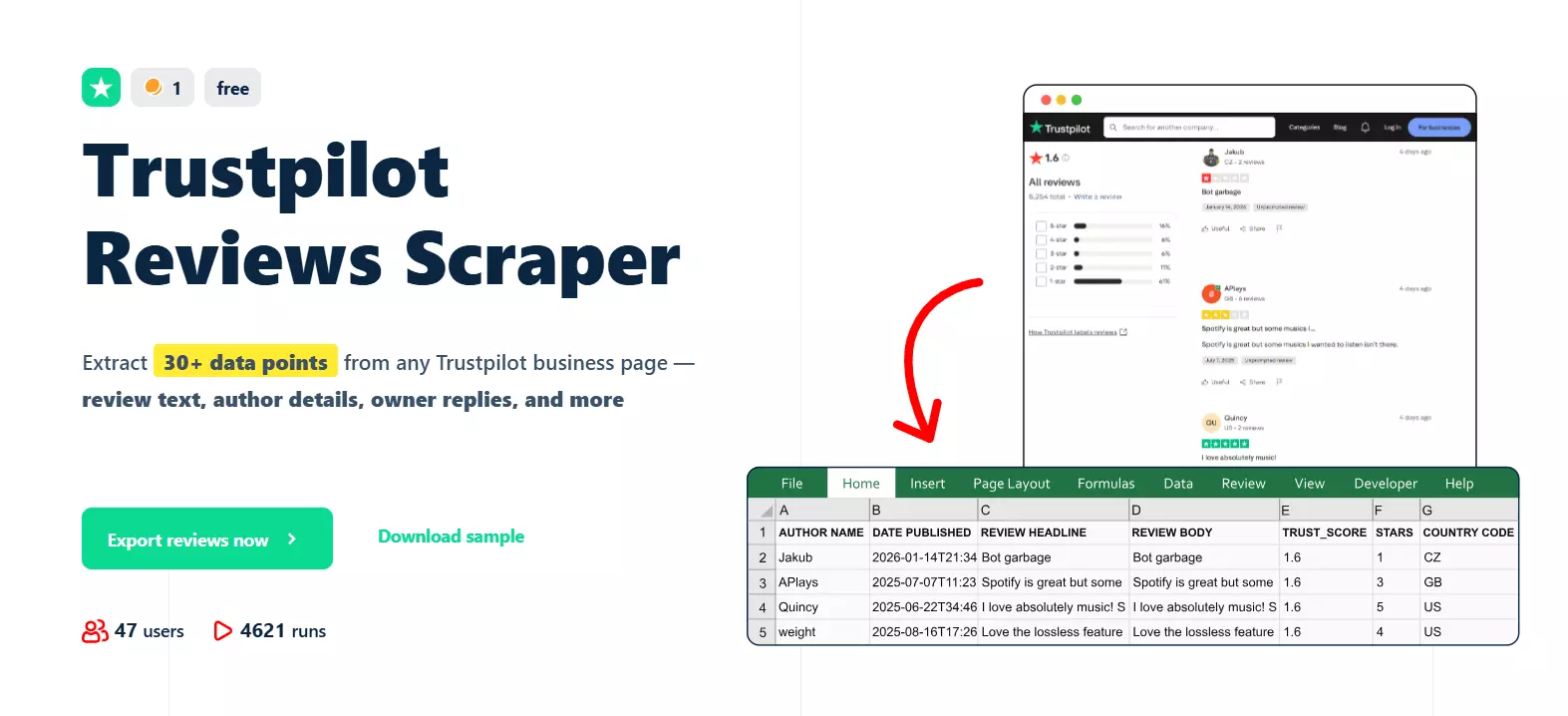
Scrape all Trustpilot reviews from any business
Pricing
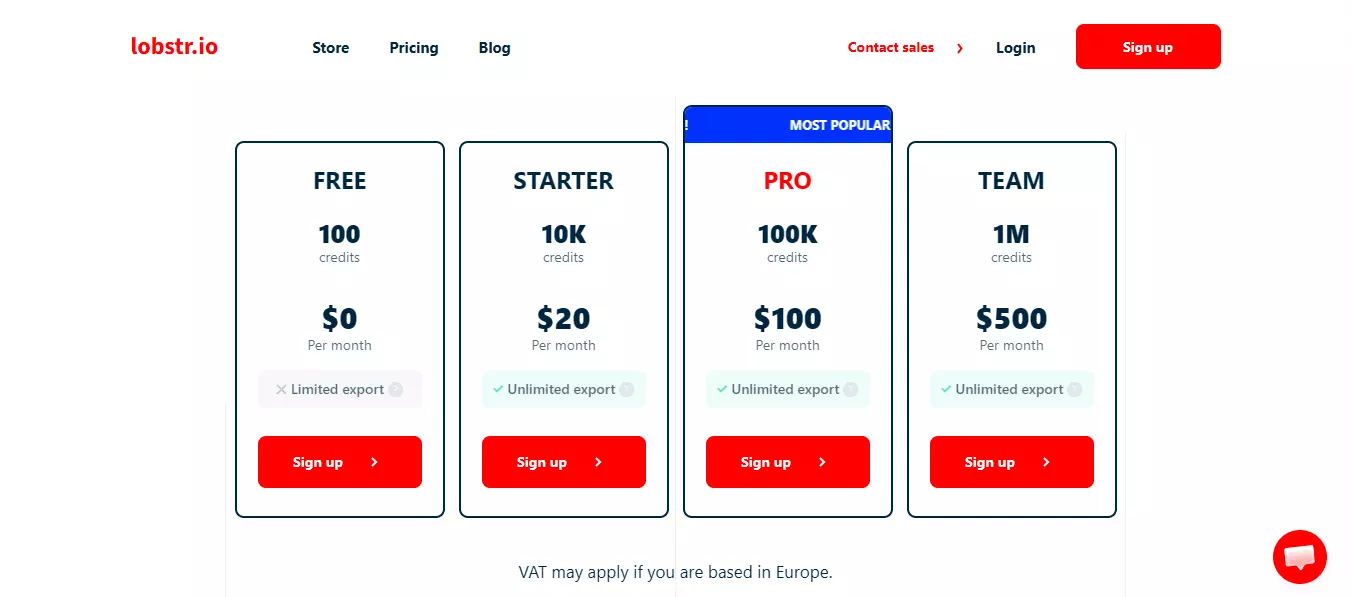
lobstr.io is a monthly subscription with plans from $20 to $1,000.
Each plan gives you credits, and 1 credit = 1 unique Trustpilot review. I confirmed the ratio myself: 1,000 credits, 1,000 reviews.
Cost per 1K reviews
- $2.00 per 1K on the $20 Starter plan
- $0.50 per 1K at volume
Data
One review object from a live run:
{
  "id": 11313,
  "object": "result",
  "run": "4c2e07bd3b9b4c9386661edb8ef58174",
  "author_id": "5cf2ae01d0f74610485343de",
  "author_image": null,
  "author_name": "customer",
  "business_unit_id": "4be2ffa600006400050873c2",
  "company_category": "Jewelry Store",
  "company_name": "The Pearl Source",
  "company_page_url": "https://www.trustpilot.com/review/www.thepearlsource.com",
  "consumer_country_code": "GB",
  "consumer_reviews_on_domain": 1,
  "date_published": "2026-07-22T08:44:49Z",
  "experience_date": "2026-07-21T22:00:00Z",
  "functions": null,
  "is_author_verified": false,
  "is_review_verified": true,
  "likes": 0,
  "native_id": 11313,
  "number_of_reviews": 7,
  "owner_reply": "Knowing you're happy with your pearl earrings truly means a lot to us. Thank you for your feedback.",
  "owner_reply_date": "2026-07-23T01:22:26Z",
  "owner_reply_updated_date": null,
  "page_number": 2,
  "rating_value": 5,
  "report": null,
  "review_body": "Very nice and delicate pearl earrings. Looks amazing. I like it.",
  "review_headline": "Very nice and delicate pearl earrings",
  "review_language": "en",
  "review_link": "https://www.trustpilot.com/reviews/6a6083012bbe4c893e5ec3d3",
  "review_sentiment": null,
  "review_source": "InvitationLinkApi",
  "review_url": "6a6083012bbe4c893e5ec3d3",
  "review_verification_source": "self-invited",
  "reviews_count": 17586,
  "scraping_time": "2026-07-29T10:56:25.056Z",
  "stars": 5.0,
  "trust_score": 4.8,
  "updated_date": null,
  "verification_level": "invited"
}
It gives you 35 meaningful data points per review: the review itself, the reviewer, the company, verification status and Trustpilot metadata, all in one object.
Three of those weren't available in every API I tested: experience_date, verification_level and the company trust_score.
Data quality
- Field coverage: 13/13 ground-truth fields
- Accuracy: 20/20 reviews matched
- Schema consistency: 0 missing fields across 1,000 reviews
- Freshness: live data. The only differences against the ground truth were reviewer counts and reply status that changed on Trustpilot during the 8 days between the two captures
Speed
Four runs, same Squid, concurrency 1:
| Run | Reviews collected | Completion time | Reviews/min |
|---|---|---|---|
| Run 1 | 1,000/1,000 | 1 min 39 s | 604 |
| Run 2 | 1,000/1,000 | 3 min 41 s | 272 |
| Run 3 | 2,000/2,000 | 5 min 34 s | 359 |
| Run 4 | 5,000/5,000 | 6 min 39 s | 753 |
That's a range of 272 to 753 reviews per minute, averaging about 497.
Concurrency 1 is the default, not the limit.
Each Squid can run several tasks in parallel, one per Slot, so I re-ran the 5-business, 1,000-review job at concurrency 10 to see what Slots buy you.
| Concurrency | Reviews | Wall clock | Reviews/min | Per-request latency (median / p95) |
|---|---|---|---|---|
| 1 | 1,000/1,000 | 1 min 34 s | 641 | 547 / 1,969 ms |
| 10 | 1,000/1,000 | 42 s | 1,424 | 562 / 2,109 ms |
Usability
lobstr.io runs on an async model: Squid → Task → Run → Results.
A Squid is the scraper instance, Tasks are the Trustpilot URLs, a Run executes them, and you fetch results by polling the Run ID.
The base URL is https://api.lobstr.io/v1 and every request carries Authorization: Token $LOBSTR_API_KEY. Static token from your API dashboard (here's where to find it), no OAuth.
Here's the walkthrough, with the requests I actually ran.
1. Create or reuse a Squid
A Squid is a reusable scraper instance tied to one crawler. The crawler value is the Trustpilot Reviews Scraper's ID from the list crawlers endpoint.
Create the Squid once, then reuse it for future runs.
curl --request POST \
  --url "https://api.lobstr.io/v1/squids" \
  --header "Authorization: Token $LOBSTR_API_KEY" \
  --header "Content-Type: application/json" \
  --data '{
    "crawler": "b3362ab52c6fab3d8897af79cbba380e",
    "name": "Trustpilot Reviews Job"
  }'
Response, trimmed to the fields that matter:
{
  "id": "0f6ac4ffea6b4b5d89b4093ffc51ef55",
  "crawler": "b3362ab52c6fab3d8897af79cbba380e",
  "concurrency": 1,
  "is_active": true,
  "to_complete": false,
  "params": {
    "max_results": null,
    "max_unique_results_per_run": null,
    "stars": "all",
    "language": "All languages",
    "replies": false,
    "verified": false,
    "topics": null,
    "search": null,
    "fetch_since": null,
    "fetch_since_timezone": null,
    "hours_back": null,
    "start_page": 1
  }
}
The id is what every later call references. concurrency is how many tasks the Squid runs at once, and params comes pre-filled with defaults, so you only override what you care about.
2. Add tasks and settings
A task is a Trustpilot review URL. Filters and limits live on the Squid, so every task in it shares the same configuration.
curl --request POST \
  --url "https://api.lobstr.io/v1/tasks" \
  --header "Authorization: Token $LOBSTR_API_KEY" \
  --header "Content-Type: application/json" \
  --data '{
    "squid": "0f6ac4ffea6b4b5d89b4093ffc51ef55",
    "tasks": [
      {
        "url": "https://www.trustpilot.com/review/www.thepearlsource.com"
      }
    ]
  }'
Response:
{
  "duplicated_count": 0,
  "tasks": [
    {
      "id": "b31de96590d88c602f73bc973570aa76",
      "created_at": "2026-09-04T12:25:56.433371",
      "is_active": true,
      "params": {
        "url": "https://www.trustpilot.com/review/www.thepearlsource.com"
      },
      "module": 217,
      "object": "task"
    }
  ]
}
duplicated_count tells you whether a task URL already existed on the Squid, which saves you from accidental double submissions.
The Squid's params are where the flexibility is:
"params": {
  "stars": "",                       // Star rating to filter reviews by (e.g. 1-5)
  "search": "",                      // Keyword to search for within Trustpilot review text
  "topics": "",                      // Trustpilot review topic/category to filter by
  "replies": "",                     // Whether to include business replies to reviews
  "language": "",                    // Language to filter reviews by
  "verified": "",                    // Whether to include only verified reviews
  "start_page": "",                  // Page number to start fetching results from
  "fetch_since": "",                 // Relative time window to fetch reviews from (e.g. "4w" = last 4 weeks)
  "max_results": "",                 // Maximum number of results to return
  "fetch_since_timezone": "",        // Timezone used to interpret the fetch_since window
  "max_unique_results_per_run": ""   // Cap on unique results returned per scraper run
}
fetch_since is the one I'd point out. Set it to 7d and a scheduled run only collects the reviews a business got in the last week, which is review monitoring in one parameter.
3. Launch the run
curl --request POST \
  --url "https://api.lobstr.io/v1/runs" \
  --header "Authorization: Token $LOBSTR_API_KEY" \
  --header "Content-Type: application/json" \
  --data '{
    "squid": "0f6ac4ffea6b4b5d89b4093ffc51ef55"
  }'
Response:
{
  "id": "48d40927b5bf4437b5a9591e7c9bf210",
  "object": "run",
  "squid": "0f6ac4ffea6b4b5d89b4093ffc51ef55",
  "status": "pending",
  "is_done": false,
  "total_results": 0,
  "total_unique_results": 0,
  "credit_used": 0,
  "started_at": "2026-09-04T12:25:56Z",
  "ended_at": null
}
The id here is the Run ID. Polling and results use it, not the Squid ID, so results stay tied to the specific run.
4. Poll the run status
curl --request GET \
  --url "https://api.lobstr.io/v1/runs/48d40927b5bf4437b5a9591e7c9bf210" \
  --header "Authorization: Token $LOBSTR_API_KEY"
The final response includes done_reason: "tasks_done", which confirms the run completed normally.
If you'd rather not poll, configure a webhook on the
run.doneevent instead.
5. Retrieve results
curl --request GET \
  --url "https://api.lobstr.io/v1/results?run=48d40927b5bf4437b5a9591e7c9bf210&page=1&page_size=1000" \
  --header "Authorization: Token $LOBSTR_API_KEY"
Response:
{
  "total_results": 1000,
  "limit": 1000,
  "page": 1,
  "total_pages": 1,
  "result_from": 1,
  "result_to": 1000,
  "next": "https://api.lobstr.io/v1/results?page=2&page_size=1000&run=48d40927b5bf4437b5a9591e7c9bf210",
  "previous": null,
  "data": [
    "1000 review objects"
  ]
}
page_size controls how many reviews come back per page, and each item in data is the review object from the Data section above.
For the long version of this walkthrough, with filters and delivery set up, see the lobstr.io Trustpilot Reviews API guide.
Verdict
lobstr.io is the pick when review depth matters. It was one of only two APIs to get past 200 reviews per business, and the only one to do it with a perfect ground-truth match, the widest schema, and fully managed customer support.
Apify via memo23: the other API that clears 200
- User rating: 4.8/5 (Capterra, 563 reviews, as of August 26, 2026), for the Apify platform, not the Actor
- API type: Async (Actor run)
- Best for: Full-depth collection if you already run on Apify
| Pros | Cons |
|---|---|
| Matched lobstr.io's depth: 5,000/5,000 in a single run, 0 duplicates | No company-level fields: no Trust Score, category or total review count in the output |
| Fastest single run in the test: 5,000 reviews in 3 min 2 s | No filters on stars, language, verification or keywords |
startUrls takes all your businesses in one run, maxItems applies per URL | Thinner Actor-specific docs than the rest of the Apify ecosystem |
| 12/13 ground-truth fields, 19/20 reviews matched | |
| Apify's SDKs, CLI and MCP server all apply |
What is Apify?
Apify is an Actor-based automation platform. You pick a pre-built Actor from its Store and run it through one unified run-and-dataset API.
Search the Store for Trustpilot and the most popular result is automation-lab/trustpilot, a community-maintained Actor like every other one there. It's not the Actor in this comparison.
In my runs it capped at exactly 200 reviews per business no matter what I requested, and one of the five businesses came back with 0 reviews and a SUCCEEDED status every time. Fine for a sample, useless for depth.
The Actor that delivers is memo23/trustpilot-scraper-ppe, an Actor built specifically to get past Trustpilot's 200-review limit.
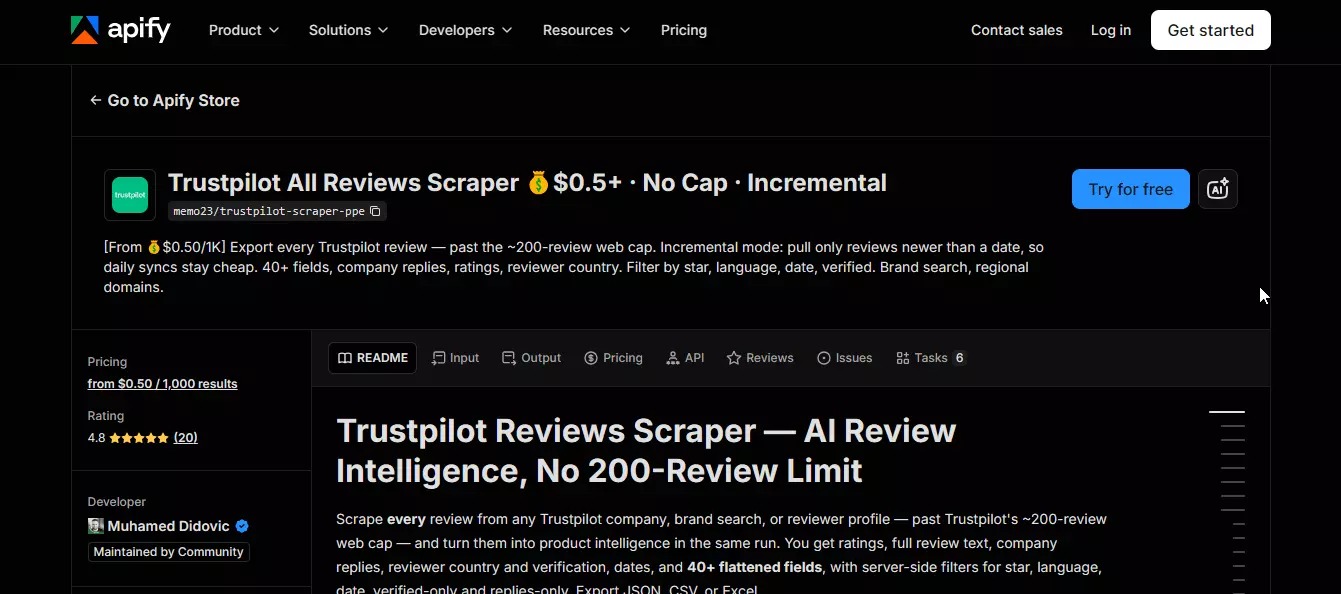
It does. It returned 1,000 reviews from each of the 5 businesses, 5,000 in total, 0 duplicates, every review attributed to the right business.
Pricing
Apify is subscription plus pay-as-you-go, with plans from $19/month to $999/month.
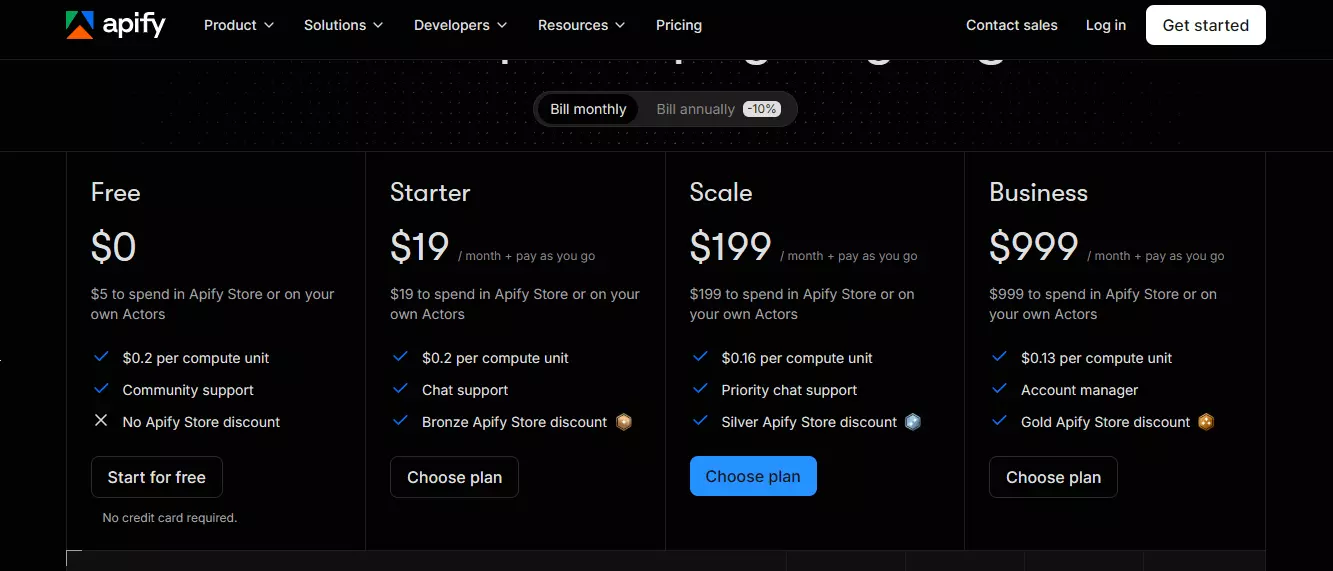
Cost per 1K reviews (memo23):
- Published rate: from $0.50 per 1K reviews
- Measured: $0.66 per 1K for the single 5,000-review run ($3.29 total), $0.63 per 1K when I split the same job into 5 runs ($3.14 total)
Data
One review object from the live response:
{
  "id": "6aa89d332cc378fe839d6ab8",
  "title": "Very quick shipping",
  "text": "Very quick shipping. Pearls came boxed excellent and looked fantastic.",
  "rating": 5,
  "language": "en",
  "source": "InvitationLinkApi",
  "isVerified": true,
  "verificationLevel": "invited",
  "publishedDate": "2026-09-15T03:19:47.000Z",
  "experiencedDate": "2026-09-06T00:00:00.000Z",
  "consumer": {
    "id": "588637d50000ff000a6f7bd9",
    "displayName": "Justme",
    "countryCode": "US",
    "numberOfReviews": 3
  },
  "reviewerName": "Justme",
  "reviewerCountry": "US",
  "reviewerNumberOfReviews": 3,
  "companyReply": {
    "text": "We're glad to hear that you were pleased with both the quick shipping and the presentation of your pearls. Thank you for sharing your feedback with us.",
    "publishedDate": "2026-09-15T19:26:32.000Z"
  },
  "url": "https://www.trustpilot.com/reviews/6aa89d332cc378fe839d6ab8",
  "businessUrl": "https://www.trustpilot.com/review/www.thepearlsource.com",
  "businessName": "The Pearl Source"
}
Reviewer detail is nested under consumer (and duplicated flat as reviewerName, reviewerCountry, reviewerNumberOfReviews), and companyReply carries the reply text and its publish date whenever a business responded. businessUrl on every item means you can run 5 businesses in one dataset and still attribute each review without a join.
What's missing is the company level: no Trust Score, no category, no total review count. If you need those, you'll pull them from a separate source.
Data quality
- Field coverage: 12/13 ground-truth fields. The missing one is the invited-vs-organic review type, which
verificationLevelandsourcelet you reconstruct - Accuracy: 19/20 reviews matched, with perfect matches on author name, country, rating, title, review text and reply text
Speed
Two configurations, same 5 businesses, 1,000 reviews each:
| Config | Reviews collected | Completion time | Measured cost |
|---|---|---|---|
Single run, all 5 businesses in startUrls | 5,000/5,000 | 3 min 2 s | $3.29 |
| 5 separate runs, one business each | 5,000/5,000 | 9 min 55 s | $3.14 |
The single run works out to about 1,648 reviews per minute, and it beat lobstr.io's 5,000-review run (6 min 39 s). The fair comparison is against lobstr.io at concurrency 10, where the two land in the same ballpark: memo23 processes the 5 URLs in parallel by default, lobstr.io does it when you give the Squid the Slots.
Usability
Apify's model is Actor → Run → Dataset. You start the Actor with an input object, poll the run until it succeeds, then read the dataset it wrote to.
The base URL is https://api.apify.com/v2 and every request carries a Bearer token. No OAuth here either.
1. Start the Actor run
One request covers all 5 businesses because startUrls accepts an array.
curl --request POST \
  --url "https://api.apify.com/v2/acts/memo23~trustpilot-scraper-ppe/runs" \
  --header "Authorization: Bearer $APIFY_API_TOKEN" \
  --header "Content-Type: application/json" \
  --data '{
    "startUrls": [
      "https://www.trustpilot.com/review/www.thepearlsource.com",
      "https://www.trustpilot.com/review/www.shein.com",
      "https://www.trustpilot.com/review/temu.com",
      "https://www.trustpilot.com/review/www.aliexpress.com",
      "https://www.trustpilot.com/review/thehalara.com"
    ],
    "maxItems": 1000,
    "filterDateRange": "all"
  }'
Response:
{
  "data": {
    "id": "4B9wLdy2hWaJvjto8",
    "status": "READY",
    "startedAt": "2026-09-16T07:31:46.656Z",
    "finishedAt": null,
    "defaultDatasetId": "H7poAv9kK9jiXwCKH",
    "usageTotalUsd": 0
  }
}
Save both id (the Run ID, for polling) and defaultDatasetId (where the results land).
maxItems is a per-URL cap, not a shared pool: 5 URLs at maxItems: 1000 returned exactly 1,000 per business. filterDateRange takes date-window presets, or "all" for the full history.
2. Poll the run status
curl --request GET \
  --url "https://api.apify.com/v2/actor-runs/4B9wLdy2hWaJvjto8" \
  --header "Authorization: Bearer $APIFY_API_TOKEN"
The run moves READY → RUNNING → SUCCEEDED. Other terminal statuses are FAILED, ABORTED and TIMED-OUT. The 5,000-review run spent 142 seconds inside the Actor; the 3 min 2 s above includes my polling interval.
3. Retrieve the dataset
curl --request GET \
  --url "https://api.apify.com/v2/datasets/H7poAv9kK9jiXwCKH/items?format=json&clean=true&offset=0&limit=1000" \
  --header "Authorization: Bearer $APIFY_API_TOKEN"
You get a flat JSON array of review objects. Pagination is offset and limit, and the X-Apify-Pagination-Total response header gives you the total count.
The Apify docs cover endpoints, auth, run states and datasets well. memo23 ships API examples and an OpenAPI spec, but its Actor-specific documentation is thinner than Apify's own, so expect to confirm a parameter or two by running it. Authentication worked first try, and Apify's official SDKs, CLI and MCP server all work with this Actor.
Verdict
If you're already on Apify, memo23 gets you the same depth as lobstr.io, faster in a single run and at a lower per-1K price. You trade away company-level fields and lobstr.io's filters.
DataForSEO: the cheapest Trustpilot reviews API
- User rating: 4.8/5 (Capterra, 15 reviews, as of August 26, 2026)
- API type: Async (task-based)
- Best for: Lowest-cost collection when 200 reviews per business is enough
| Pros | Cons |
|---|---|
| $0.038 per 1K reviews measured, 50x cheaper than lobstr.io's entry rate | Hard 200-review cap per business, no pagination past it |
Simplest input: one domain string plus depth | One domain per task, no array input |
| Docs matched live behavior with no surprises | Missing the review type and helpful-vote count |
| Official MCP server |
What is DataForSEO?
DataForSEO sells SEO and business data over APIs, and one of them is a dedicated Trustpilot Reviews API.

Pricing
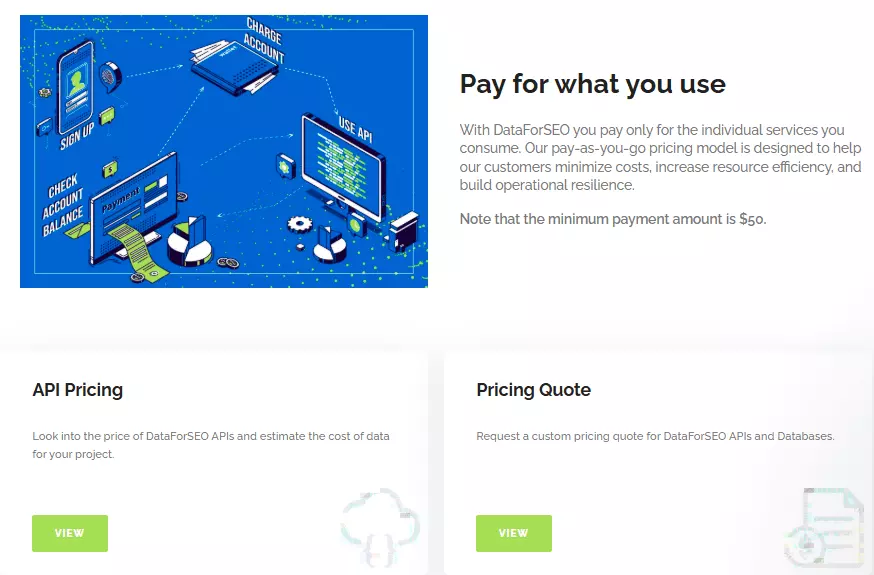
Pay-as-you-go with a $50 minimum account funding. The published rate is $0.00075 per 20 reviews, which is $0.0375 per 1K. I measured $0.038 per 1K on the actual runs.
Data
One review object from the live response:
{
  "type": "trustpilot_review_search",
  "rank_group": 5,
  "rank_absolute": 5,
  "position": "left",
  "url": "https://www.trustpilot.com/reviews/6a5cbee7d15cfd51e3c65e6b",
  "rating": {
    "rating_type": "Max5",
    "value": 5,
    "votes_count": null,
    "rating_max": 5
  },
  "verified": true,
  "language": "en",
  "timestamp": "2026-07-19 14:11:19 +00:00",
  "title": "Excellent service from ordering to delivery ",
  "review_text": "Superb service delivery from LA USA to UK in less than a week. Brilliant\nThe product is perfect and will make an ideal birthday present to match the pearl neclace I bought in May 2026 for our 30th wedding anniversary.\n\nThank you ",
  "review_images": null,
  "user_profile": {
    "name": "Stephen B",
    "url": "https://www.trustpilot.com/users/5e978a5aa222f44164634d22",
    "image_url": null,
    "location": "GB",
    "reviews_count": 14
  },
  "responses": [
    {
      "title": "Reply from The Pearl Source",
      "text": "Thank you for taking the time to share your experience. We're delighted to hear your order arrived in the UK so quickly and that your new piece is the perfect match for the pearl necklace you purchased for your 30th wedding anniversary. We truly appreciate your continued support.",
      "timestamp": "2026-07-19 22:58:42 +00:00"
    }
  ]
}
DataForSEO adds rank_absolute and rank_group (the review's position in the listing) and timestamps the owner reply in responses[].timestamp. It also exposes rating.votes_count and review_images, but both were null across all 1,000 reviews.
Data quality
- Field coverage: 11/13 ground-truth fields, the narrowest of the five. Missing: the invited-vs-organic review type and the helpful-vote count
- Accuracy: 20/20 reviews matched on the fields it does return
- Schema consistency: 0 missing fields across 1,000 items
Speed
| Run | Reviews collected | Completion time | Reviews/min |
|---|---|---|---|
| Run 1 | 1,000 raw / 999 unique | 2 min 46 s | 362 |
| Run 2 | 1,000/1,000 | 7 min 1 s | 142 |
A range of 142 to 362 reviews per minute. Same five task_post/task_get calls, same priority tier both times, so the gap is DataForSEO's queue on the day, not anything you control. There's no concurrency setting to tune, and both runs sat well inside the documented 45-minute worst-case for standard priority.
Usability
DataForSEO's model is task_post → task_get. One call creates and launches the task, a second one fetches the results when they're ready.
Check DataForSEO Documentation
The base URL is https://api.dataforseo.com/v3/business_data/trustpilot/reviews and auth is HTTP Basic with your login and password. There's no official SDK, so these are raw HTTP calls.
1. Create the task
task_post creates and launches the job. Domain, depth, sort order and priority all go in the same request.
curl --request POST \
  --url "https://api.dataforseo.com/v3/business_data/trustpilot/reviews/task_post" \
  --user "$DATAFORSEO_LOGIN:$DATAFORSEO_PASSWORD" \
  --header "Content-Type: application/json" \
  --data '[
    {
      "domain": "www.thepearlsource.com",
      "depth": 200,
      "sort_by": "recency",
      "priority": 1
    }
  ]'
Response:
{
  "version": "0.1.20260717",
  "status_code": 20000,
  "status_message": "Ok.",
  "cost": 0.0075,
  "tasks_count": 1,
  "tasks_error": 0,
  "tasks": [
    {
      "id": "07211450-2117-0358-0000-be4f52a532ca",
      "status_code": 20100,
      "status_message": "Task Created.",
      "cost": 0.0075,
      "result_count": 0,
      "result": null
    }
  ]
}
20100 means created and queued, not done. Keep the id for task_get.
Inputs are depth (default 20, max 200), sort_by (recency or relevance), priority (1 normal, 2 high), an optional tag, and postback_url/pingback_url if you'd rather be called back than poll. That's volume and sorting only. There are no filters on stars, verification or keywords the way lobstr.io has.
2. Poll for completion
curl --request GET \
  --url "https://api.dataforseo.com/v3/business_data/trustpilot/reviews/task_get/07211450-2117-0358-0000-be4f52a532ca" \
  --user "$DATAFORSEO_LOGIN:$DATAFORSEO_PASSWORD"
Keep calling task_get until tasks[0].result stops being null. DataForSEO also offers a tasks_ready endpoint that lists finished tasks, if you're running many at once.
3. Retrieve results
Once ready, the same task_get response carries the reviews:
{
  "status_code": 20000,
  "status_message": "Ok.",
  "tasks": [
    {
      "id": "07211450-2117-0358-0000-be4f52a532ca",
      "status_code": 20000,
      "status_message": "Ok.",
      "cost": 0,
      "result_count": 1,
      "result": [
        {
          "domain": "www.thepearlsource.com",
          "reviews_count": 17558,
          "rating": {
            "rating_type": "Max5",
            "value": 4.8,
            "votes_count": null,
            "rating_max": 5
          },
          "items_count": 200,
          "items": [ /* 200 review objects */ ]
        }
      ]
    }
  ]
}
reviews_count is the business's total on Trustpilot (17,558 here). items_count is what you got: 200. That gap is the whole story of this API.
Each task takes one domain, but you can submit up to 100 tasks in a single task_post request, and DataForSEO ships an official MCP server for Claude, Cursor or ChatGPT workflows.
Verdict
DataForSEO is the pick when cost and simplicity matter more than depth. At $0.038 per 1K it's the cheapest API here by a wide margin, and the workflow is two calls. But 200 reviews per business is a hard ceiling, so it's a sampling tool, not a collection tool.
Also tested: Outscraper and OpenWeb Ninja
Both made the shortlist. Neither made the recommendations.
Outscraper
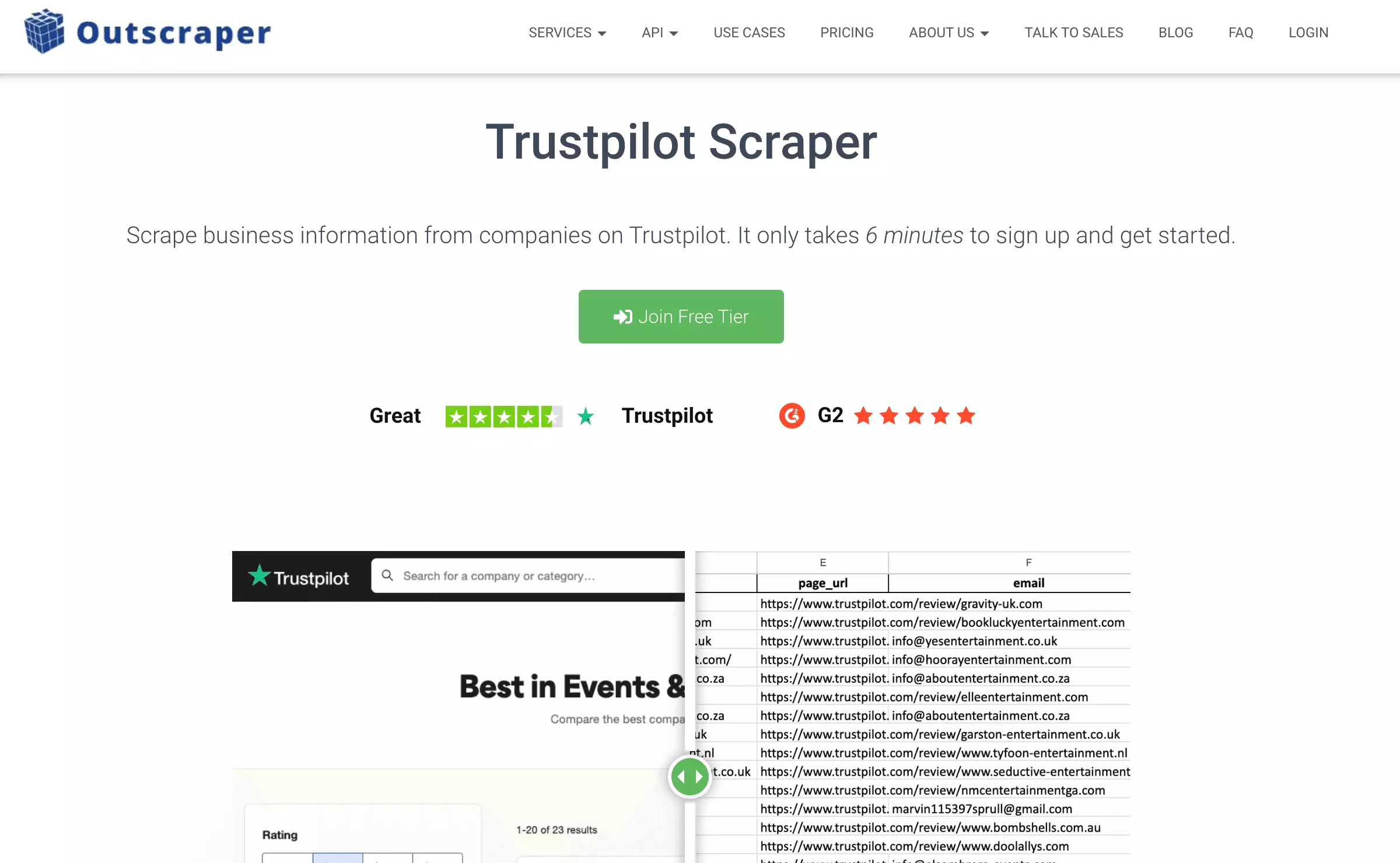
Outscraper was reliable: 1,000/1,000 reviews, 0 errors, 12/13 ground-truth fields, 20/20 matched, and it accepts up to 1,000 domains in one call, the widest batch input of the five.
Its docs even warn you about gotchas like skip needing to be a multiple of 20 before you hit them.
The problem is the price: $2.70 to $3.00 per 1K reviews (estimated from the rate card, since there's no billing endpoint) for the same 200-review cap DataForSEO gives you at $0.038. You're paying 70x for batch input.
OpenWeb Ninja
OpenWeb Ninja has the broadest SDK coverage of the five (Shell, Ruby, Node.js, PHP, Python) and its first run returned 1,000/1,000.
A later run on the same account returned 0/1,000 across all 5 businesses with 75 HTTP 429 errors over about 37 minutes.
An API that works once and then rate-limits you into nothing isn't one I can recommend.
Which Trustpilot reviews API should you pick?
lobstr.io: every review, every business
You need all of a business's reviews, not the latest 200. lobstr.io returned 5,000/5,000 with 35 fields per review and a perfect ground-truth match. $2.00 per 1K on the $20 plan, $0.50 per 1K at volume. Start here if depth is the requirement.
Apify via memo23: depth, if you already live on Apify
Same 5,000/5,000 result, faster in a single run, $0.63 to $0.66 per 1K measured. Worth it if your pipeline already runs on Apify Actors. Not worth adopting Apify for.
DataForSEO: cheap samples
$0.038 per 1K and a two-call workflow. If 200 reviews per business tells you what you need to know, nothing else comes close on price.
If you'd rather not touch an API at all, the no-code Trustpilot scrapers roundup covers the same ground for the dashboard crowd.
FAQ
Why do most Trustpilot APIs stop at 200 reviews?
Because Trustpilot does. Listings show 20 reviews a page and anonymous access ends at page 10, after which Trustpilot redirects to a login screen. Any API built on the public pages inherits that limit. lobstr.io and memo23 were the only two APIs in my test that got past it.
Is scraping Trustpilot reviews legal?
There's no universal yes or no. Trustpilot's terms prohibit unauthorized scraping, and legality depends on your jurisdiction and what you do with the data. This article tested whether APIs can technically collect Trustpilot reviews; whether your use is permitted is a separate question. Check Trustpilot's terms and applicable law before using the data commercially, and read the legal series on scraping for the background. This is not legal advice.
Is the Trustpilot API free?
No. For your own reviews, Trustpilot's Free, Starter and Plus business plans don't include API access; Premium and Enterprise can add the API Module as a paid add-on, priced on request. For other businesses' reviews, the Data Solutions API sits behind a waitlist with no published pricing.
Why isn't Outscraper recommended?
Cost. It delivered 1,000/1,000 with zero errors and excellent docs, but at $2.70 to $3.00 per 1K it's the most expensive API I tested, and it's capped at 200 reviews per business like DataForSEO, which does the same job for $0.038.
Can I reproduce these results?
Yes. Every run, with raw requests, responses, timings, cost and error reports, is in the research repository under DATA/ and SCRIPTS/. Swap in your own API keys and run the provider script you want to check, for example SCRIPTS/lobstr/benchmark.py. The 5,000-review, 5-business lobstr.io run lives under DATA/lobstr/five-domain-multi-task-test-2026-09-04/.
Conclusion
I tested 5 Trustpilot reviews APIs under the same conditions. Two got past 200 reviews per business: lobstr.io and Apify's memo23 Actor.
lobstr.io is my recommendation for a Trustpilot reviews API. It's purpose-built for this, it returned every review I asked for with the widest schema and a perfect ground-truth match, and it did it on a $20 plan with no tier surprises.
If you're already on Apify, memo23 is a legitimate alternative. If 200 reviews per business is all you need, DataForSEO at $0.038 per 1K is the obvious choice.
Want to check the depth claim yourself? Try the Trustpilot Reviews API
Have you tested any of these APIs? What was your experience? Connect with me on LinkedIn.
Scrapers in this article
Keep reading
 Nathan Eshetu28 Sept 2026ReviewsBest Trustpilot Reviews Scrapers 2026 [No-Code Edition]
 Shehriar Awan25 Aug 2026No CodeHow to Scrape All Trustpilot Reviews at scale [no 200-Review Cap]
- Shehriar Awan1 Sept 2026ReviewsTrustpilot Reviews API Guide 2026
- Shehriar Awan6 Oct 2026Google MapsGoogle Maps Scraper API: 8 Benchmarked on Data, Cost & Speed
- Shehriar Awan6 Aug 2026LeboncoinBest Leboncoin API for Scraping Data at Scale in 2026