
Best Leboncoin API for Scraping Data at Scale in 2026
Leboncoin publishes a real, documented REST API... and it prices vehicles. It returns no listings. For listing data you need a third-party API. lobstr.io is the one that holds up at scale, 6 Leboncoin endpoints deep. Piloterr is cheaper and synchronous, but listing data only.
⚡ 30-second summary
- The official API is the API Argus®, on the leboncoin auto side. It values vehicles by licence plate. No search endpoint, no ad endpoint, nothing outside auto... and even a test account needs an annual contract
- Rolling your own dies fast. One of the strictest anti-bot setups in Europe, actively maintained. Get past it and you still pay for residential proxies forever
- lobstr.io (best overall) ... holds up at volume: 6 endpoints for scraping and automation, published per-scraper reliability, $2 per 1,000 at scale. Trade-off: async, and slow per worker
- Piloterr (best sync option) ... listing data only, but one GET returns it, 20 listings/min, from $5.44 per 1,000. Trade-off: no phone numbers, no seller reputation
Just tell me which one
| Official API Argus® | lobstr.io | Piloterr | |
|---|---|---|---|
| Returns listings data | ❌ | ✅ | ✅ |
| Type | REST, OAuth 2.0 | REST, async | REST, sync |
| Access | Sales call + annual contract | Self-serve, $20/mo | Self-serve, $49/mo |
| Free trial | ❌ | ❌ no free tier | ✅ 500 credits, no card |
| Cost per 1k listings | Not published | $8 → $2 | $5.44 → $3.76 |
| Seller phone numbers | ❌ | ✅ only source | ❌ |
| Seller reputation | ❌ | ✅ | ❌ |
| Endpoints for Leboncoin | Vehicle valuation only | 6 crawlers | 3 endpoints |
| Automation (messaging) | ❌ | ✅ | ❌ |
| Speed, single worker | n/a | 3-4 listings/min | 20 listings/min |
| Data retention | n/a | 28 days | None |
| Resume after failure | n/a | ✅ pauses, keeps partials | ❌ stops abruptly |
| User rating | n/a | Capterra 5.0 (33) | Capterra 4.8 (33) |
| Main limitation | Doesn't do listings | Async, slow per worker | No phone, no reputation |
Two of those three columns are real options. Here's why the first one isn't, and what to do instead.
Does Leboncoin offer an API?
leboncoin.fr, find nothing, and stop.api.leboncoin.auto, with public documentation at developer.leboncoin.auto.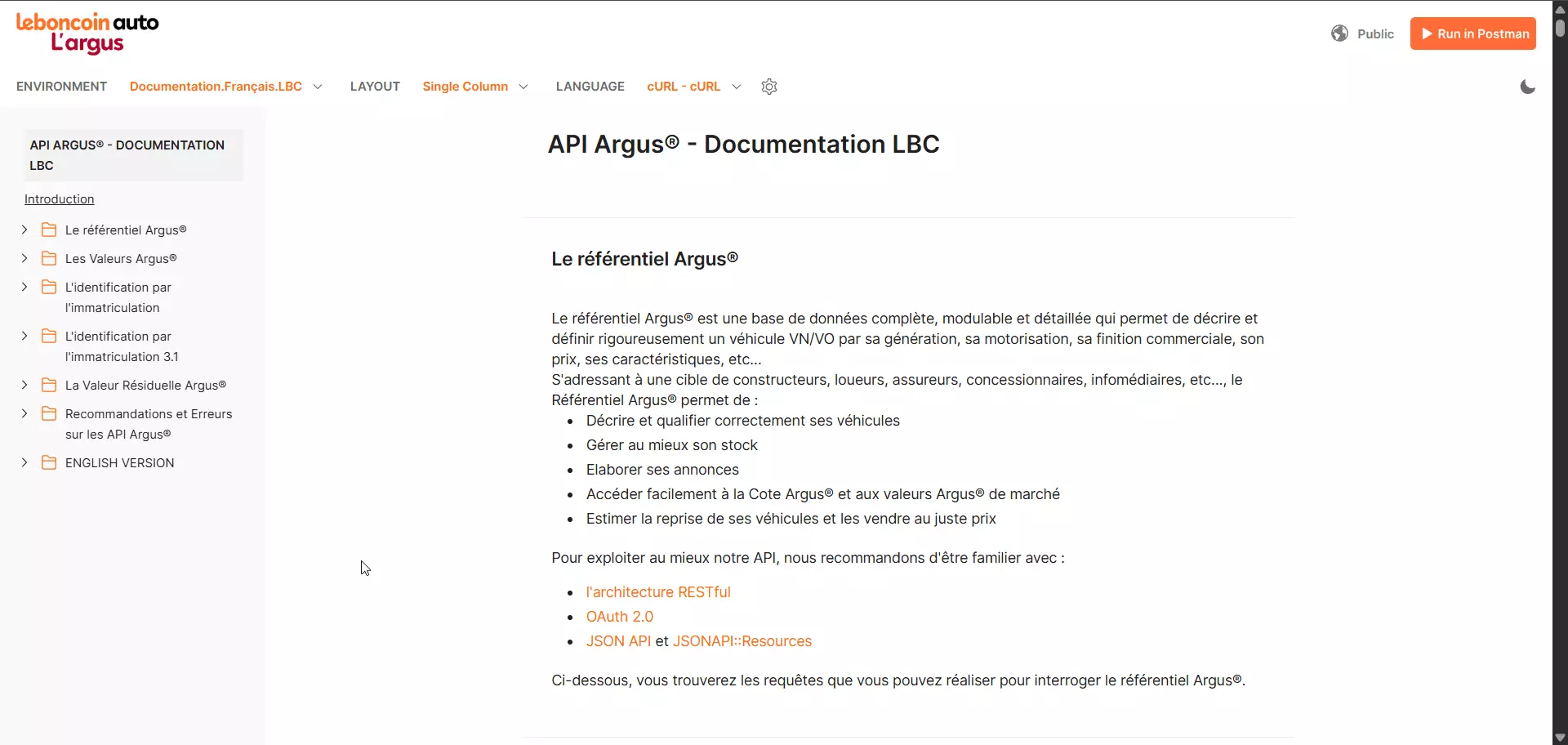
It's a proper piece of engineering: RESTful, OAuth 2.0, JSON:API, versioned at 3.0 and 3.1, with an error catalogue, a YAML spec, and a migration guide from their old webservice.
It's also completely useless for what you want.
What it actually does
The Argus® référentiel is a vehicle database.
In Leboncoin's own words, it exists to "décrire et définir rigoureusement un véhicule VN/VO par sa génération, sa motorisation, sa finition commerciale, son prix, ses caractéristiques", and it's aimed at "constructeurs, loueurs, assureurs, concessionnaires, infomédiaires".
You give it a French licence plate. It gives you back the vehicle.
| Area | Endpoints |
|---|---|
| Auth | POST /oauth/token |
| Plate identification | POST /checkout/3.1/matchings · GET /checkout/3.1/matchings/{id} · /vehicle · /registration-card · /candidates · /order |
| Valeurs Argus® (cote) | Current quote, past-date quote, stock quote, custom quote, quotes with professional fees |
| Residual value | POST /api/public/v1/residual-value |
Getting access is the first wall
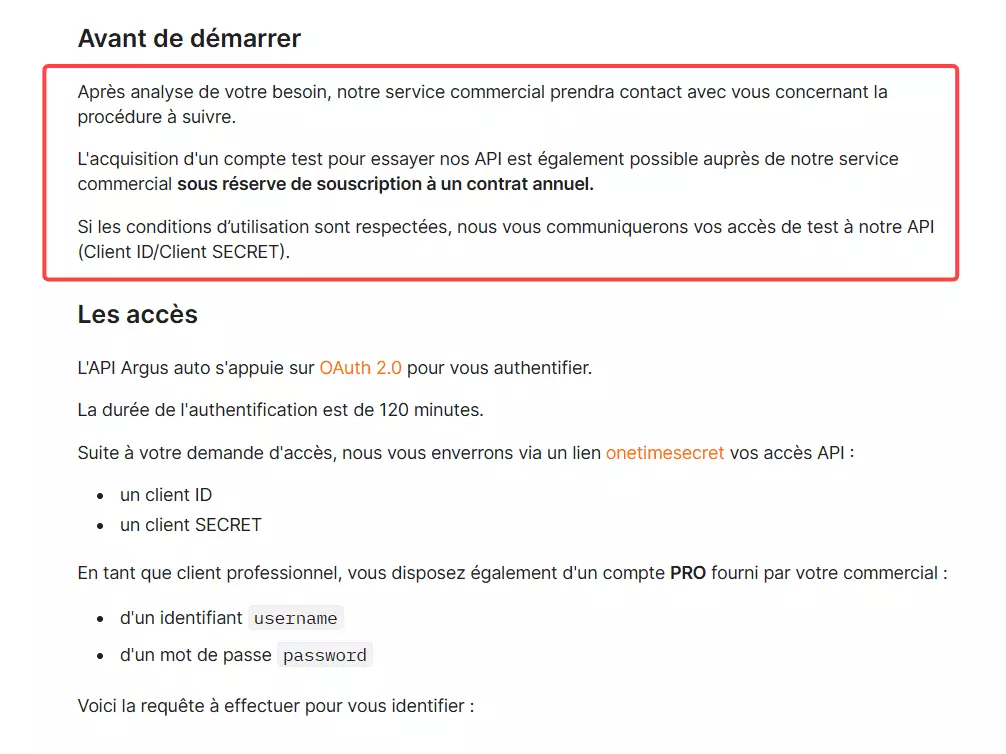
"Après analyse de votre besoin, notre service commercial prendra contact avec vous concernant la procédure à suivre. L'acquisition d'un compte test pour essayer nos API est également possible auprès de notre service commercial sous réserve de souscription à un contrat annuel."
Read that last clause again. Even a test account requires signing an annual contract. An annual contract... to try it. 🙃
client_id and a client_secret. Professional customers also get a compte cote username and password.Authentication
OAuth 2.0, tokens valid for 120 minutes. Two grant types, depending on whether you have a cote account.
Request
curl --location 'https://api.leboncoin.auto/oauth/token' \
--header 'Content-Type: application/x-www-form-urlencoded' \
--data-urlencode 'grant_type=client_credentials' \
--data-urlencode 'client_id=VOTRE_CLIENT_ID_ICI' \
--data-urlencode 'client_secret=<client_secret>' \
--data-urlencode 'type=part'f
Response
{
  "access_token": "VOTRE_TOKEN",
  "token_type": "bearer",
  "expires_in": 7200,
  "created_at": 1495476696
}f
expires_in: 7200 seconds is exactly the 120 minutes the docs promise. The professional flow swaps grant_type=password, adds username and password, and sets type=pro.A real request
application/vnd.api+json.Request
curl --location 'https://api.leboncoin.auto/checkout/3.1/matchings' \
--header 'Authorization: Bearer VOTRE_TOKEN' \
--header 'Content-Type: application/vnd.api+json' \
--data '{
  "data": {
    "type": "matchings",
    "attributes": {
      "offer": "identification-by-registration",
      "registration": "dn386yt"
    }
  }
}'f
201 Created and a matchings resource whose relationships link on to the carte grise, the vehicle, and candidates... the probable models, ranked by a quote-ratio popularity score.Then you fetch the detail.
Request
GET /checkout/3.1/matchings/{id}?include=candidates,registration-card
include implique des requêtes complexes et donc plus lentes".Where it stops
If you're a dealer, an insurer, or a leasing company pricing vehicles, this is genuinely the right tool and you should use it. It's well designed and it does its job.
But it cannot tell you what is listed on Leboncoin right now. No search endpoint. No ad endpoint. No seller data.
No real estate, no furniture, no jobs, nothing outside auto. And no published rate limits or pricing anywhere, because both are contract-dependent and only surface once their sales team engages.
So the official door is real, it's locked, and it opens onto a different room.
What other options do we have?
Here's the thought every developer has next. No API? Fine. I'll open DevTools, find the internal endpoints, and talk to those directly. Or I'll just write a scraper... some HTML parsing, a headless browser, done by Friday.
It doesn't work.
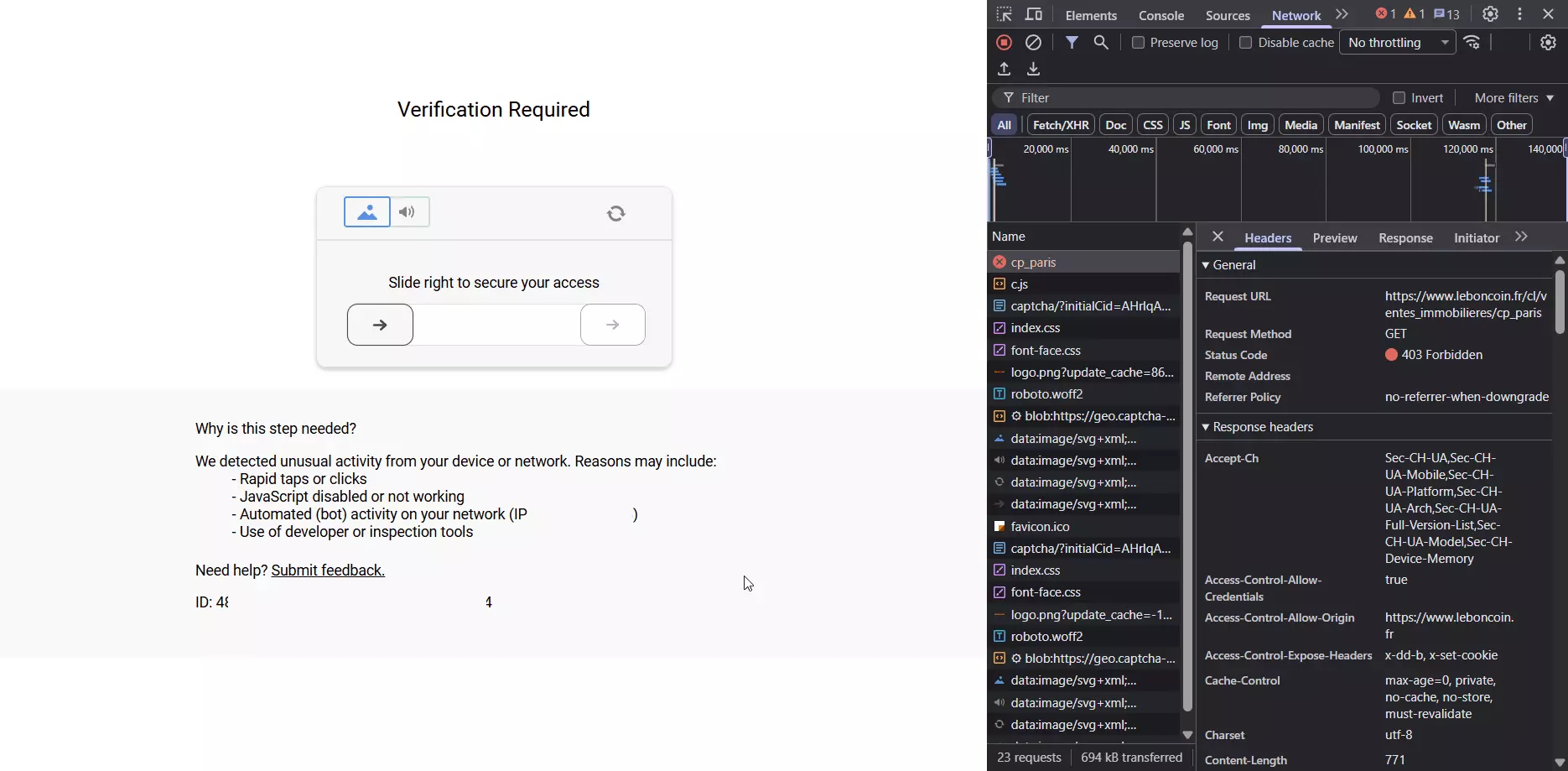
403 Forbidden on a plain category-page request, and a slide-to-verify challenge. Leboncoin lists its own triggers on that screen, and the last one is my favourite: "Use of developer or inspection tools".Having DevTools open is enough to get you flagged.
And suppose you get past it. You've now signed up for three costs that never go away:
- Residential proxies, continuously. Datacenter IPs get screened harder, and French traffic is expected
- Constant maintenance. Leboncoin ships changes without warning and keeps hardening its anti-bot layer. Your scraper doesn't break when you're ready for it to break
- Difficulty that compounds with volume. The techniques that survive 100 listings a day fall over at 100,000, so the fix is never finished
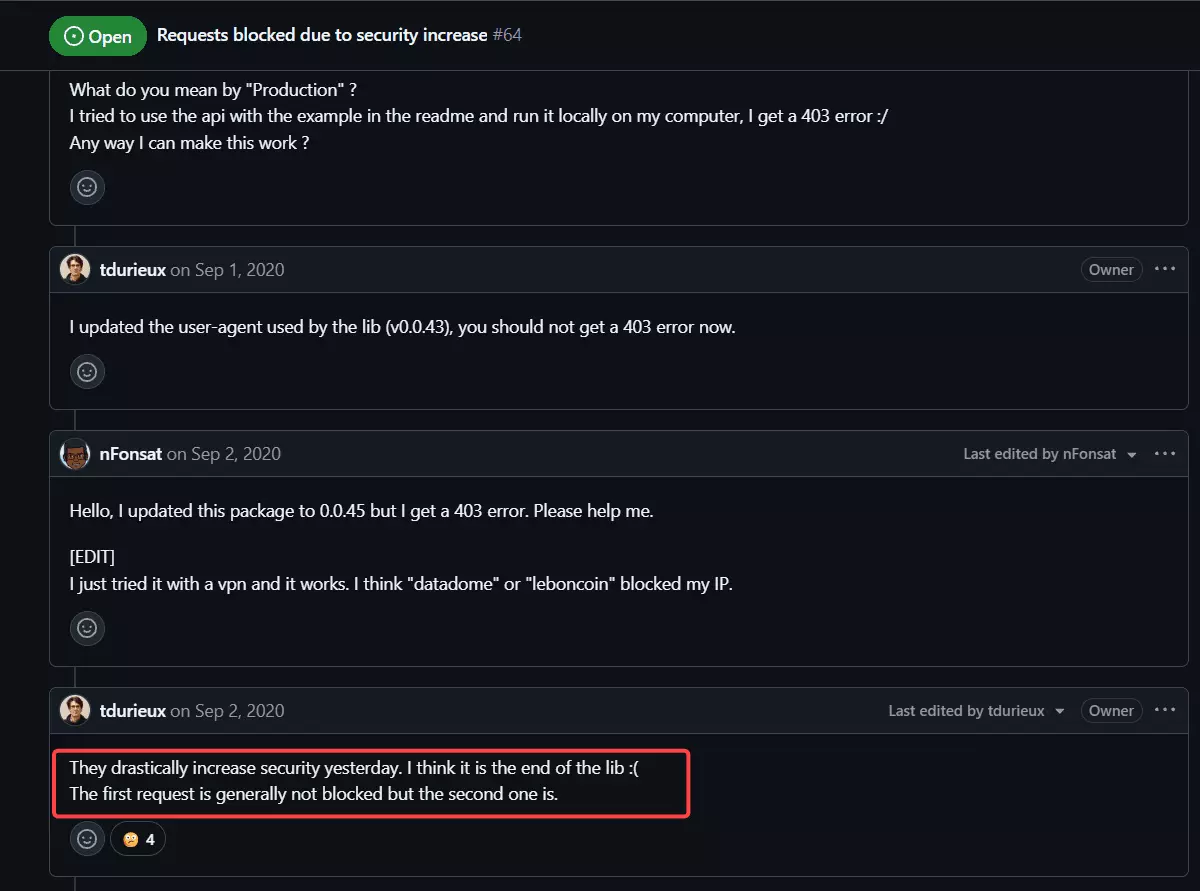
There's one more wall behind that one. The data most people actually want, the seller's phone number, sits behind a login.
And Leboncoin logs accounts out aggressively the moment you start pulling phone numbers in volume.
Which is why purpose-built third-party APIs exist. Not as a shortcut, but because the maintenance is the product.
But which one is best for scraping data at scale?
Best Leboncoin API: lobstr.io
What it offers
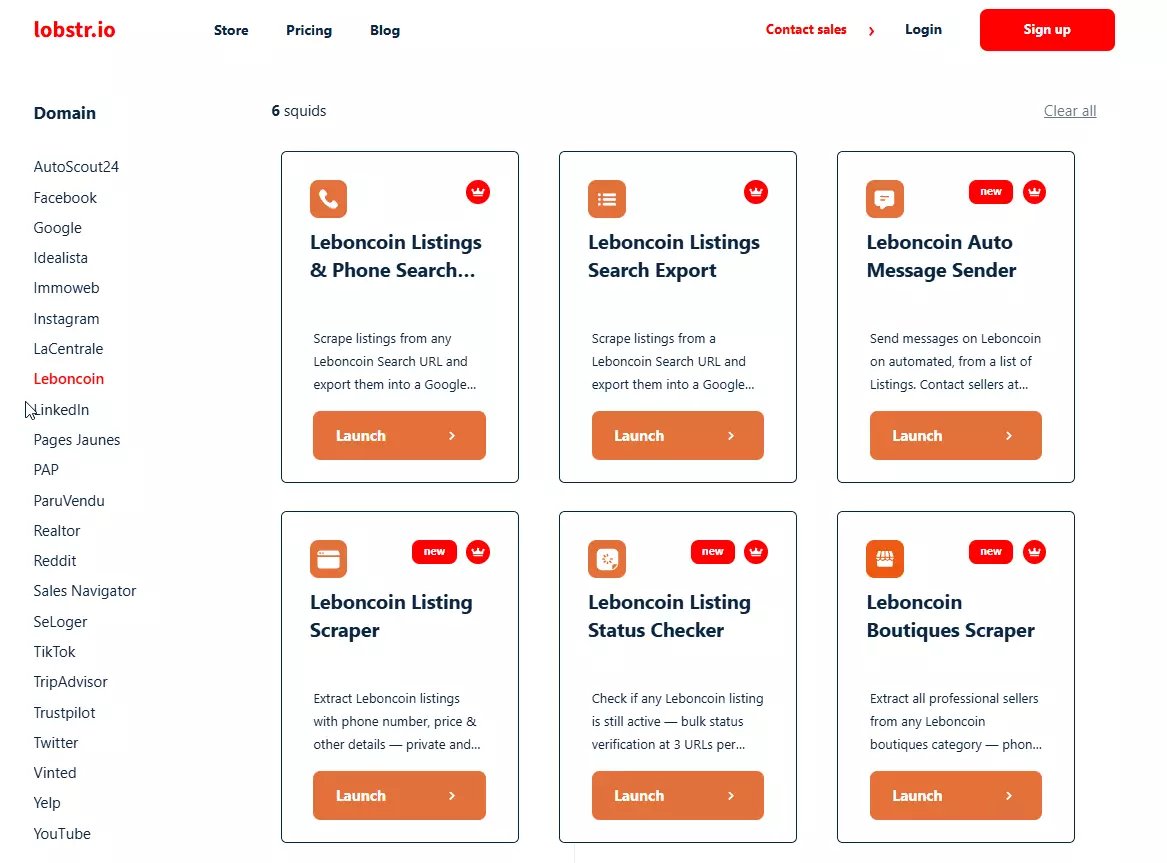
Six Leboncoin crawlers, each its own endpoint, covering both data collection and automation.
| # | Crawler | What it does |
|---|---|---|
| 1 | Listings Search Export | Every listing from a search or category URL |
| 2 | Listings & Phone Search Export | Same, plus the actual seller phone number and full profile |
| 3 | Listing Scraper | Specific listing URLs you already have |
| 4 | Boutiques Scraper | Pro seller shops, with SIREN, SIRET, address, opening hours |
| 5 | Listing Status Checker | Is this ad still live? |
| 6 | Auto Message Sender | Messages sellers through Leboncoin's own messaging |
No other provider covers more than search and ad detail. This is the only one where monitoring, B2B company data, and outreach are endpoints rather than projects.
Features
- The only Leboncoin API that returns the actual seller phone number
- Multi-account handling, with built-in limits and cooldowns
- Published per-scraper reliability record
- A no-code dashboard wired to the same API
- Built-in scheduling, so there are no crons to maintain
- Exports to CSV, Excel, JSON, JSONL, Google Sheets, or S3
- Developer docs with runnable examples, plus an SDK, a CLI, and an MCP server
has_phone boolean... the number itself, in the same run as the listing, alongside registration date, reply rate, response time, total ads, verification badges, and a feedback breakdown.Multi-account handling. Connect as many Leboncoin accounts as you need to a single run, and when one gets logged out it auto-switches to the next.
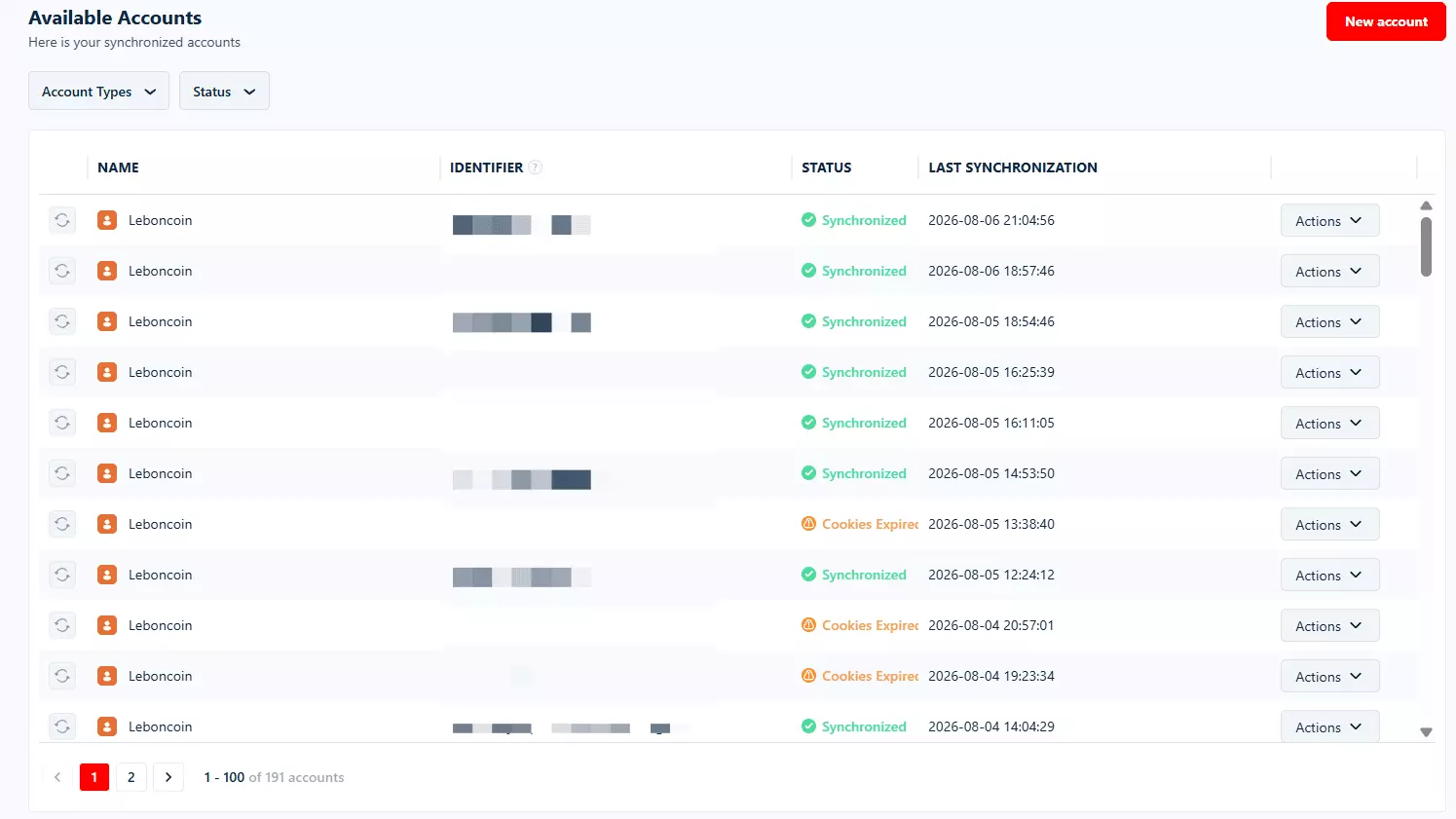
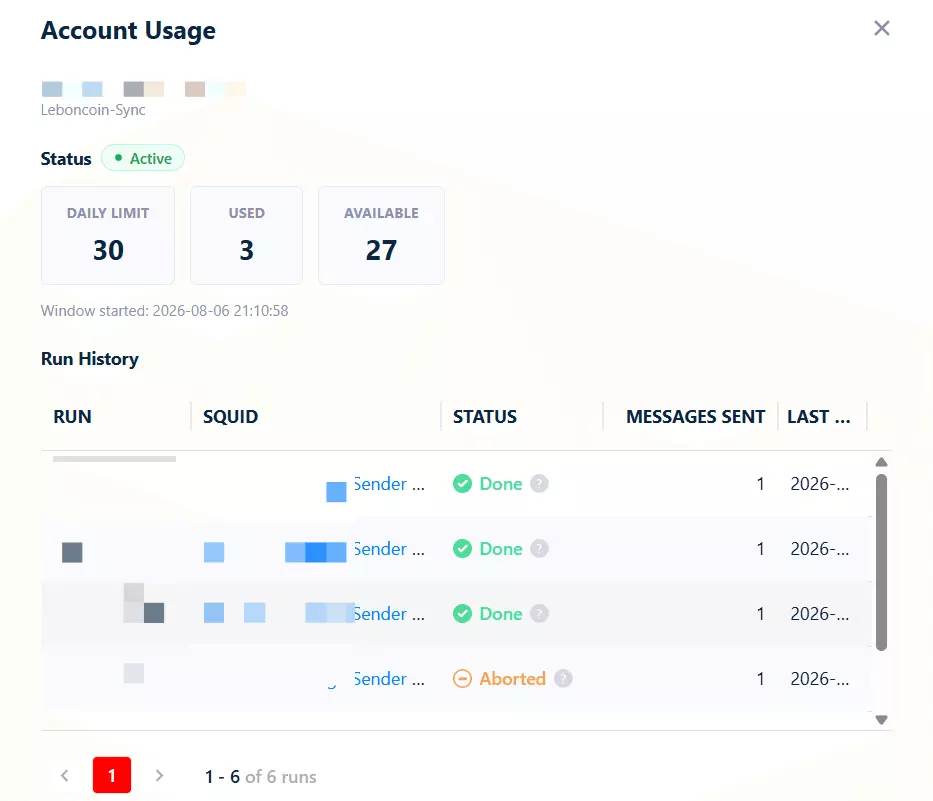
Smart limits and cooldowns keep accounts off the ban list, and if every account drops the run pauses instead of dying.
Stability is published, not claimed. Every scraper's store page carries a Built to run. section with a live 90-day record.
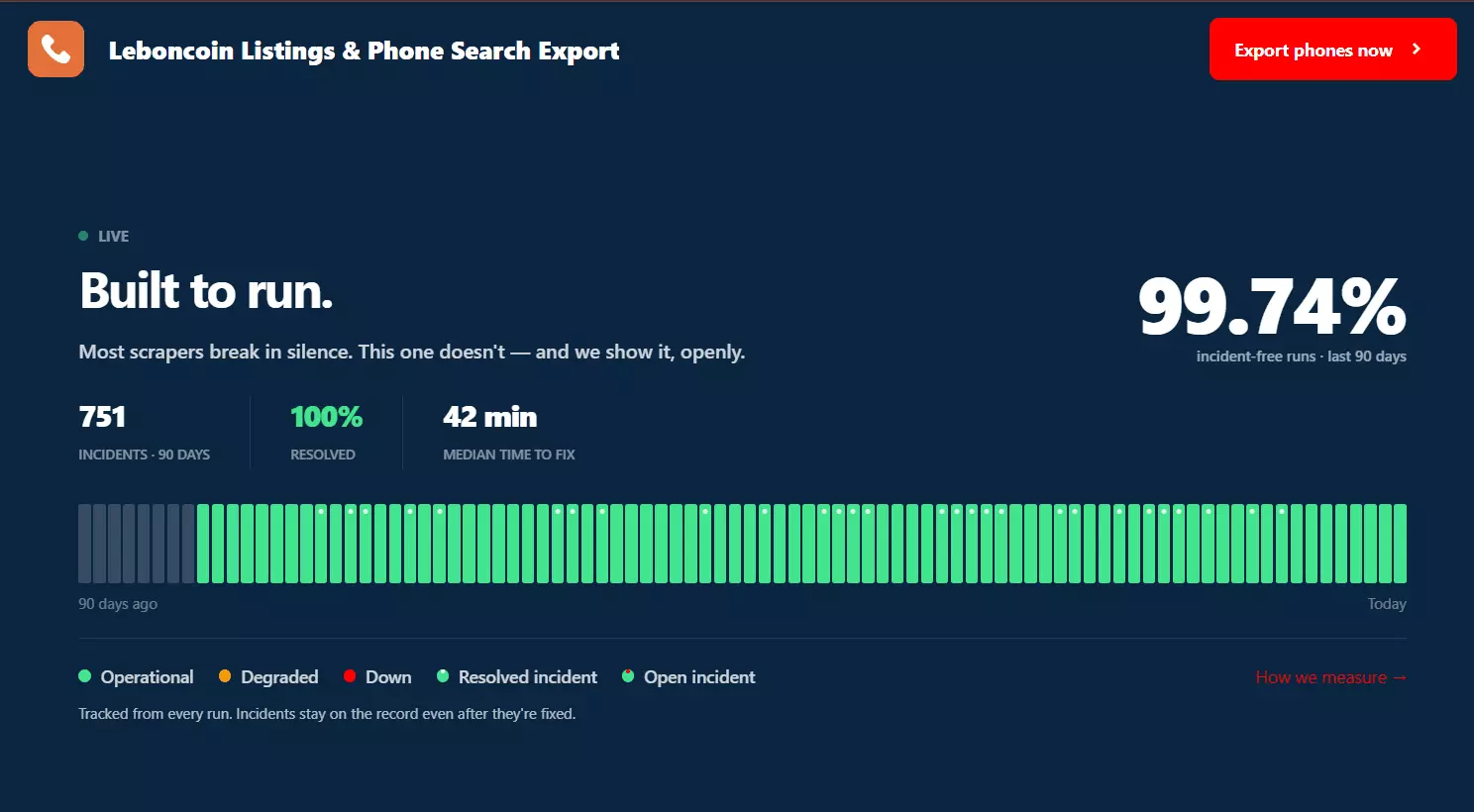
The number I'd point at isn't the percentage, it's the 100% resolved column across all six. Anyone can publish an uptime figure.
Publishing your incident count and median fix time per scraper is rare.
| Crawler | Incident-free runs (90d) | Incidents | Resolved | Median time to fix |
|---|---|---|---|---|
| Listing Status Checker | 99.78% | 60 | 100% | 19 min |
| Listings & Phone Search Export | 99.74% | 751 | 100% | 42 min |
| Listing Scraper | 99.73% | 3 | 100% | 100 min |
| Boutiques Scraper | 99.64% | 5 | 100% | 133 min |
| Auto Message Sender | 99.63% | 42 | 100% | 3,671 min |
| Listings Search Export | 98.77% | 41 | 100% | 80 min |
That record is also what the throughput math rests on.
A single Slot running 24/7 pulls around 130,000 listings a month without phone, or 43,000 with, and Slots stack: 20 per Squid, up to 100 per account on the top plan. That takes one Squid past 2.6M listings a month.
The no-code dashboard. It isn't a separate product, it's the same API with a UI on top. A Squid you create over HTTP shows up in the dashboard, and a run you launch from the dashboard is readable, editable and stoppable over the API.
Scheduling. Set a Squid to run hourly, daily or weekly and it handles the cadence itself. No cron, no worker of your own sitting there waiting to fire a request.
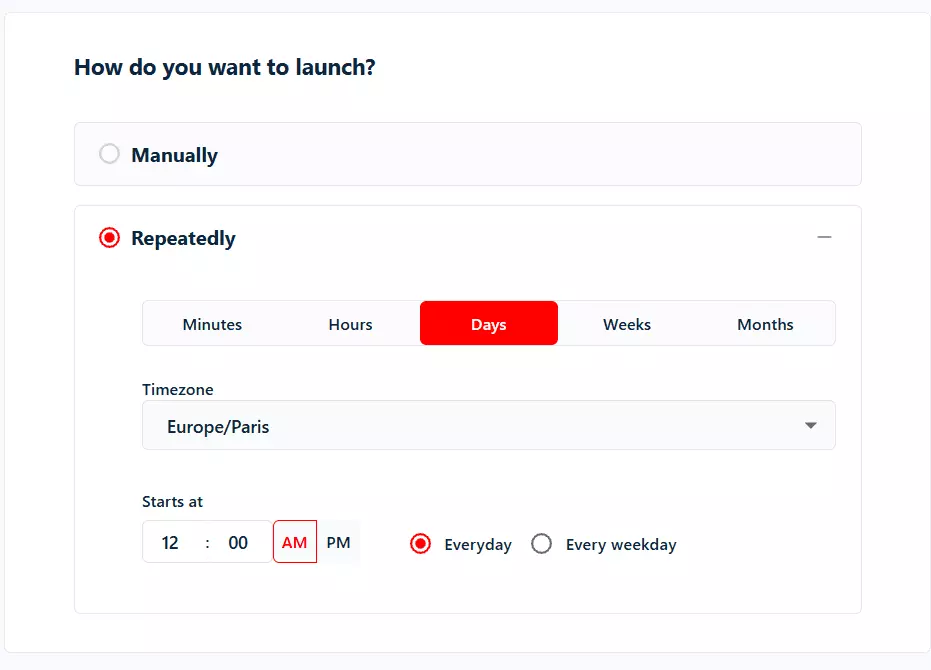
Exports. Results come back as CSV, Excel, JSON or JSONL, and can be pushed straight to Google Sheets, S3, SFTP, email, or a webhook.
pip install lobstrio-sdk) with sync and async clients, typed models and auto-pagination; a CLI (pip install lobstrio); a docs MCP server; and per-scraper example pages with runnable code for all 50+ scrapers.llms.txt and llms-full.txt that you can feed your AI coding agent directly to interact with the API.Cost
Credit-based monthly subscription, no overage charges, and no free tier. Every Leboncoin crawler is paid, so the entry point is $20 a month.
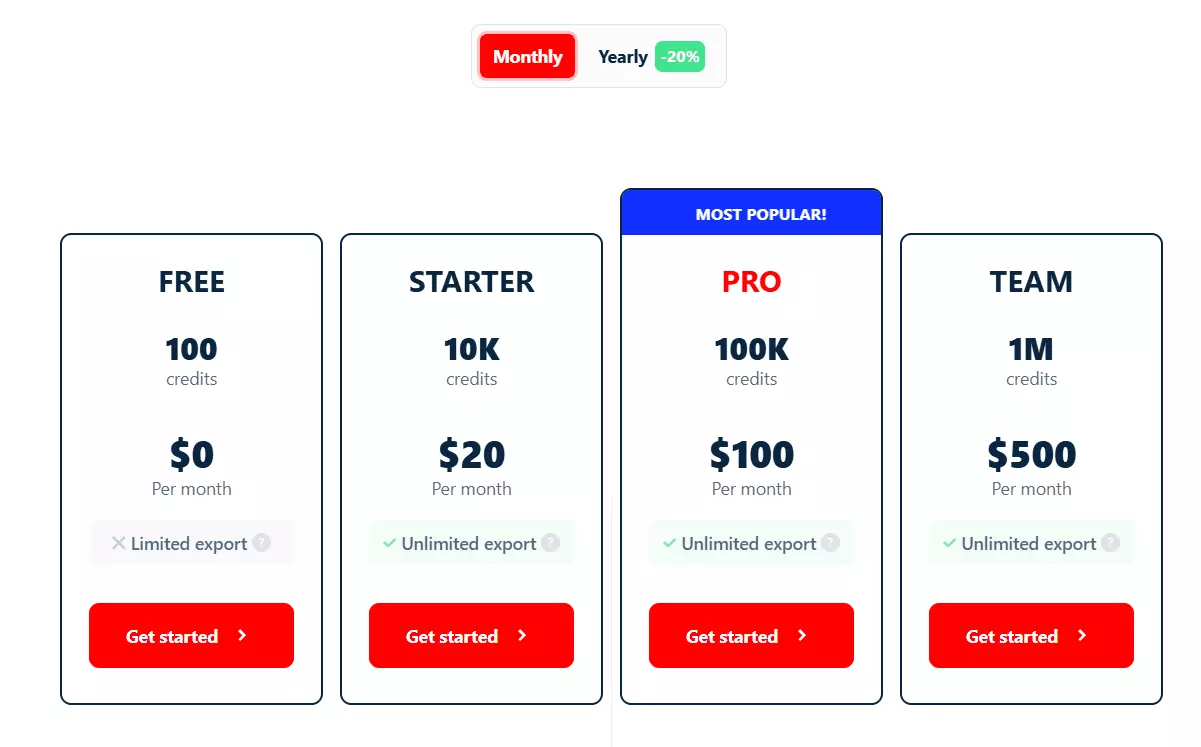
| Plan | Price / mo | Credits | Per 1k credits |
|---|---|---|---|
| Starter | $20 | 10,000 | $2.00 |
| Pro | $100 | 100,000 | $1.00 |
| Team | $500 | 1,000,000 | $0.50 |
| Business | $1,000 | 2,000,000 | $0.50 |
Each crawler spends those credits at its own rate, and the exact figure sits in that crawler's section below.
Two things about the billing matter more than the sticker price.
200 carrying a thin ad still costs a credit there.Optional functions bill on success too. If a listing has no phone number, you aren't charged the 6 credits for looking. Same for seller profile, same for every add-on.
Pros and cons
| Pros | Cons |
|---|---|
| Only API returning the actual seller phone number, with a full seller profile alongside it | Expensive at entry ($8/1k against Piloterr's $5.44) |
| Multi-account auto-switch survives Leboncoin logouts | Slow per worker: 3-4 listings/min, 1/min with phone |
| 6 endpoints, covering scraping and automation | Async only: no answer inside a single request |
| Cheapest at scale, $2/1k without phone | No free tier, so evaluating costs $20 |
| Billed only on returned data, functions on success only | |
| Published per-scraper reliability record | |
| Python SDK, CLI, MCP, and 5 delivery targets |
On the speed one: it's deliberate. lobstr.io pauses 30 to 60 seconds between pages to stay under Leboncoin's radar.
How to use lobstr.io Leboncoin API
lobstr.io is async, so before the endpoints make sense you need its shape. Six steps, in order.
Crawler → Squid → Account → Task → Run → Result
A crawler is a scraper template. A Squid is your configured instance of one. Tasks are the URLs you feed it. A run executes them. Then you pull results.
Step 1: Crawler
Creating a Squid needs the crawler hash, not its slug, and nothing tells you that until it fails. Resolve it once.
Request
curl -X GET "https://api.lobstr.io/v1/crawlers" \
  -H "Authorization: Token YOUR_API_KEY"f
Or skip the round-trip. Here are all six.
| Crawler | Crawler slug | Crawler ID |
|---|---|---|
| Listings Search Export | leboncoin-iter-listings | 33db1ca85160105eeb84d5aa51cfad10 |
| Listings & Phone Search Export | leboncoin-iter-listings-with-phone | 7bc4acdb18f2b90fdd5eb42b8e8251e9 |
| Listing Scraper | leboncoin-listing-scraper | 9eade2d2a693bd871851806650e7fb4e |
| Boutiques Scraper | leboncoin-boutique | c6e88128aef71c079e58f0518687e10c |
| Listing Status Checker | leboncoin-listing-status-checker | 0c60c33b95db65c86d5c9fc127b7b2aa |
| Auto Message Sender | leboncoin-auto-message-sender | fa9c988768a3d61f358916400f3c4b65 |
params.Request
curl -X GET "https://api.lobstr.io/v1/crawlers/33db1ca85160105eeb84d5aa51cfad10/params" \
  -H "Authorization: Token YOUR_API_KEY"f
That returns the accepted input format with its validation regex, every setting the crawler takes, and the credit cost of each optional function. Every parameter table in this article came from it.
Step 2: Squid
Create, then configure.
Request
curl -X POST "https://api.lobstr.io/v1/squids" \
  -H "Authorization: Token YOUR_API_KEY" \
  -H "Content-Type: application/json" \
  -d '{
    "crawler": "33db1ca85160105eeb84d5aa51cfad10",
    "name": "Leboncoin Paris apartments"
  }'f
Response
{
  "id": "b6c56d18cb0046949461ba9ca278e8ad",
  "object": "squid",
  "name": "Leboncoin Paris apartments"
}f
id is what every later call uses. Now configure it.Request
curl -X POST "https://api.lobstr.io/v1/squids/b6c56d18cb0046949461ba9ca278e8ad" \
  -H "Authorization: Token YOUR_API_KEY" \
  -H "Content-Type: application/json" \
  -d '{
    "concurrency": 1,
    "export_unique_results": true,
    "no_line_breaks": true,
    "params": {
      "max_pages": 5,
      "max_results": 500,
      "fetch_since": "7d"
    }
  }'f
params object.Step 3: Account, but only for three of the six
Skip this entirely for Listings Search Export, Boutiques, and Status Checker. It's required for Listings & Phone Search Export, Listing Scraper, and Auto Message Sender.
accounts array. One account or fifty, the flow is the same.Through the API, start by asking what's needed.
Request
curl -X GET "https://api.lobstr.io/v1/account_types" \
  -H "Authorization: Token YOUR_API_KEY"f
Response
{
  "name": "leboncoin-sync",
  "domain": "Leboncoin",
  "baseurl": "https://auth.leboncoin.fr",
  "cookies": [
    { "name": "__Secure-Login", "required": true }
  ],
  "params": {
    "messages":    { "default": 5, "max": 30, "display": "Messages per day" },
    "batch":       { "default": 8, "max": 8,  "display": "Messages per batch" },
    "batch_hours": { "default": 1, "max": 2,  "display": "Pause hours between batches" }
  }
}f
One required cookie. Then sync it.
Request
curl -X POST "https://api.lobstr.io/v1/accounts/cookies" \
  -H "Authorization: Token YOUR_API_KEY" \
  -H "Content-Type: application/json" \
  -d '{
    "type": "leboncoin-sync",
    "cookies": { "__Secure-Login": "YOUR_COOKIE_VALUE" }
  }'f
100 created, 120 synchronizing, 200 synchronized, and the final response hands back an account_hash you pass to the Squid.Account limits
params block is the account-protection layer, and it governs the Auto Message Sender specifically. Leboncoin caps how much messaging one account can do, so lobstr.io caps it for you.| Limit | Default | Max |
|---|---|---|
| Messages per day | 5 | 30 |
| Messages per batch | 8 | 8 |
| Pause hours between batches | 1 | 2 |
So the ceiling is 30 messages a day, sent in batches of 8, with up to 2 hours of cooldown between batches.
messages is a rolling 24-hour window rather than a daily reset: "each message frees its slot exactly 24 hours after it was sent, so the run pauses only while the limit is reached and resumes automatically as earlier messages age out."You can dial those down. You cannot dial them past the max, and you shouldn't want to.
Request
curl -X POST "https://api.lobstr.io/v1/accounts" \
  -H "Authorization: Token YOUR_API_KEY" \
  -H "Content-Type: application/json" \
  -d '{
    "account": "YOUR_ACCOUNT_HASH",
    "type": "leboncoin-sync",
    "params": {
      "messages": 20,
      "batch": 8,
      "batch_hours": 2
    }
  }'f
Step 4: Task
A task is one URL, and a Squid takes as many as you want to give it. Ten search URLs, ten tasks, one run.
Request
curl -X POST "https://api.lobstr.io/v1/tasks" \
  -H "Authorization: Token YOUR_API_KEY" \
  -H "Content-Type: application/json" \
  -d '{
    "squid": "b6c56d18cb0046949461ba9ca278e8ad",
    "tasks": [
      { "url": "https://www.leboncoin.fr/recherche?category=9&locations=Paris_75001" },
      { "url": "https://www.leboncoin.fr/recherche?category=9&locations=Lyon_69002" },
      { "url": "https://www.leboncoin.fr/recherche?category=9&locations=Bordeaux_33000" }
    ]
  }'f
url column is enough.Request
curl -X POST "https://api.lobstr.io/v1/tasks/upload" \
  -H "Authorization: Token YOUR_API_KEY" \
  -F "file=@tasks.csv" \
  -F "squid=b6c56d18cb0046949461ba9ca278e8ad"f
TSV works too, and it's the safer choice for Leboncoin URLs, since search URLs are full of commas.
Every crawler validates its input against a regex, so a wrong URL shape fails here rather than mid-run.
| Crawler | Accepted URL |
|---|---|
| Listings Search Export | .*leboncoin.fr.* |
| Listings & Phone Search Export | .*leboncoin.fr.* |
| Listing Scraper | ^https://www.leboncoin.fr/ad/.* |
| Boutiques Scraper | .*leboncoin.fr/boutique.* |
| Listing Status Checker | .*leboncoin.fr/ad/.* |
| Auto Message Sender | ^http(.*)leboncoin(.*) |
https://www.Filter on Leboncoin itself first, then copy the URL. Every filter parameter is preserved.
Step 5: Run
Launching is one call.
Request
curl -X POST "https://api.lobstr.io/v1/runs" \
  -H "Authorization: Token YOUR_API_KEY" \
  -H "Content-Type: application/json" \
  -d '{ "squid": "b6c56d18cb0046949461ba9ca278e8ad" }'f
Since lobstr.io is async, your job is basically queued. Knowing when it's finished is the part that matters. To do that, you can poll the run stats endpoint.
Request
curl -X GET "https://api.lobstr.io/v1/runs/300e9c5c127d421c90f431478d9a2cfb/stats" \
  -H "Authorization: Token YOUR_API_KEY"f
Response
{
  "id": "300e9c5c127d421c90f431478d9a2cfb",
  "object": "run",
  "is_done": true,
  "percent_done": "100%",
  "eta": "∞",
  "duration": "0:00:15.175532",
  "total_tasks": 10,
  "total_tasks_done": 10,
  "total_tasks_left": 0,
  "total_results": 6
}f
is_done: true is your green light for the scrape. That's the flag your loop watches, and percent_done, eta and total_tasks_left are what you show a user while they wait.is_done and export_done flip at different times. is_done means the scraping finished; export_done means the results file is built, and it lands later. Break your wait loop on is_done alone and you'll fetch a page of nothing.GET /v1/runs/{id} carries both flags, plus credit_used so you can reconcile the spend in the same call.Step 6: Result
Two ways to collect. Page through the JSON, or download the whole run as a file.
results endpoint. It even collects the partial data for you, you can keep polling it for new results.Request
curl -X GET "https://api.lobstr.io/v1/results?squid=b6c56d18cb0046949461ba9ca278e8ad&page=1&limit=50" \
  -H "Authorization: Token YOUR_API_KEY"f
Response
{
  "total_results": 3,
  "limit": 50,
  "page": 1,
  "total_pages": 1,
  "data": [ { "...": "crawler-specific result objects" } ],
  "next": null,
  "previous": null
}f
data[] changes shape.file_format switches it to xlxs, json, jsonl.Request
curl -X GET "https://api.lobstr.io/v1/runs/300e9c5c127d421c90f431478d9a2cfb/download?file_format=xlsx" \
  -H "Authorization: Token YOUR_API_KEY"f
Response
{
  "s3": "https://s3.eu-west-1.amazonaws.com/api.lobstr.io/temporary/..."
}f
xlsx for csv, json or jsonl. The URL expires quickly, so fetch it and move on.Results are retained 28 days. Which means they stay on lobstr.io's server for 28 days from the day of the run. You can download them any time during this period.
You can also automate data export to Amazon S3, Google Sheets, or receive them as csv file via email.
POST to /v1/delivery and results land wherever you want them the moment a run finishes.Request
curl -X POST "https://api.lobstr.io/v1/delivery?squid=b6c56d18cb0046949461ba9ca278e8ad" \
  -H "Authorization: Token YOUR_API_KEY" \
  -H "Content-Type: application/json" \
  -d '{
    "email": "you@example.com",
    "notifications": true
  }'f
Skip the polling entirely
run.done and the polling loop disappears from your code.Request
curl -X POST "https://api.lobstr.io/v1/delivery?squid=b6c56d18cb0046949461ba9ca278e8ad" \
  -H "Authorization: Token YOUR_API_KEY" \
  -H "Content-Type: application/json" \
  -d '{
    "webhook_fields": {
      "url": "https://your-endpoint.com/lobstr",
      "is_active": true,
      "retry": true,
      "events": {
        "run.running": false,
        "run.paused": true,
        "run.done": true,
        "run.error": true
      }
    }
  }'f
run.paused is the one worth subscribing to on Leboncoin. That's the event that fires when every synced account has been logged out.Rate limits
| Endpoint | Limit |
|---|---|
/v1/squids | 120 req/min |
/v1/tasks | 90 req/min |
/v1/runs | 120 req/min |
/v1/results | 2 req/s |
X-RateLimit-Limit, X-RateLimit-Remaining and X-RateLimit-Reset, and a 429 adds Retry-After in seconds. Read the headers, back off on the remaining count, and you'll never see a 429 in the first place.Now the six crawlers, in the order you'll want them. I'm adding a short intro, use case, params, and a sample script for each crawler below.
1. Listings Search Export
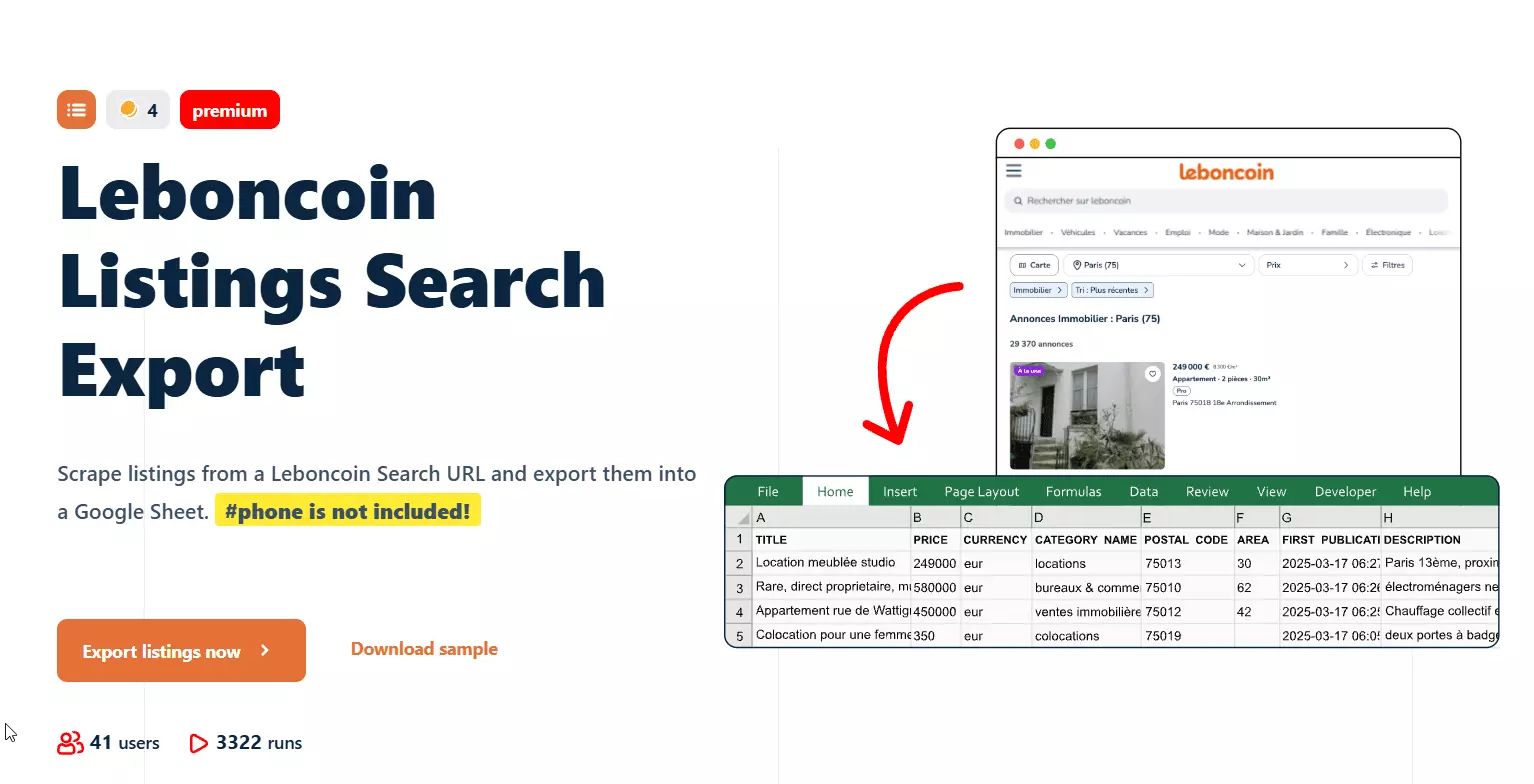
This one is to collect bulk listing data from any Leboncoin search or category URL. You can use it for market monitoring, price tracking, inventory analysis.
| Param | Default | Notes |
|---|---|---|
max_pages | 100 | Maximum 100 |
max_results | null | Stop after N listings |
fetch_since | null | 24h, 7d, 2w, or an absolute datetime |
fetch_since_timezone | null | Absolute dates only, silently ignored for relative |
online_shop | false | Adds the seller's shop URL, no extra credits |
max_unique_results_per_run | null | Caps unique rows per run |
Cost
- $8.00 per 1,000** at entry
- $2.00 per 1,000 at scale
| Function | Credits | Per 1,000 at Starter | Per 1,000 at Team |
|---|---|---|---|
| Base, per listing | 4 | $8.00 | $2.00 |
online_shop | 0 | Free | Free |
Full script
import requests, time

API_KEY = "YOUR_API_KEY"
BASE = "https://api.lobstr.io/v1"
headers = {"Authorization": f"Token {API_KEY}"}

squid = requests.post(f"{BASE}/squids", headers=headers, json={
    "crawler": "33db1ca85160105eeb84d5aa51cfad10",
    "name": "Leboncoin Paris apartments",
}).json()["id"]

requests.post(f"{BASE}/squids/{squid}", headers=headers, json={
    "export_unique_results": True,
    "params": {"max_pages": 5, "fetch_since": "7d"},
})

requests.post(f"{BASE}/tasks", headers=headers, json={
    "squid": squid,
    "tasks": [{"url": "https://www.leboncoin.fr/recherche?category=9&locations=Paris_75001"}],
})

run = requests.post(f"{BASE}/runs", headers=headers, json={"squid": squid}).json()["id"]

# Wait for the scrape, then for the export. They finish at different times.
while True:
    r = requests.get(f"{BASE}/runs/{run}", headers=headers).json()
    if r["is_done"] and r["export_done"]:
        break
    time.sleep(30)

print(f"{r['credit_used']} credits used")

results, page = [], 1
while True:
    batch = requests.get(f"{BASE}/results", headers=headers,
                         params={"squid": squid, "page": page, "limit": 50}).json()
    rows = batch.get("data", [])
    if not rows:
        break
    results.extend(rows)
    page += 1
    time.sleep(0.5)

print(f"{len(results)} listings")f
A result carries 115 data fields, I've trimmed here to the interesting ones.
Response
{
  "ANNONCE ID": "3210370635",
  "TITLE": "4 pièces avec balcon sur parc proche transports",
  "PRICE": "390000",
  "PRICE PER SQUARE METER": "4875",
  "URL": "https://www.leboncoin.fr/ad/ventes_immobilieres/3210370635",
  "LAT": "48.91719",
  "LNG": "2.35385",
  "CITY": "Saint-Denis",
  "POSTAL CODE": "93210",
  "FIRST PUBLICATION DATE": "2026-06-04T14:25:11",
  "LAST PUBLICATION DATE": "2026-07-09T14:25:11",
  "HAS PHONE": "TRUE",
  "AREA": "80",
  "ROOM COUNT": "4",
  "DPE": "a",
  "GES": "a",
  "REAL ESTATE TYPE": "Appartement",
  "SELLER REGISTERED AT": "2016-12-15",
  "SELLER BADGES": "[\"Responsiveness2\", \"VerifiedPhoneNumber\"]"
}f
LAST PUBLICATION DATE catches ads that were re-posted, which no other provider returns. And HAS PHONE: TRUE with no PHONE field beside it is precisely the gap the next crawler closes.2. Listings & Phone Search Export
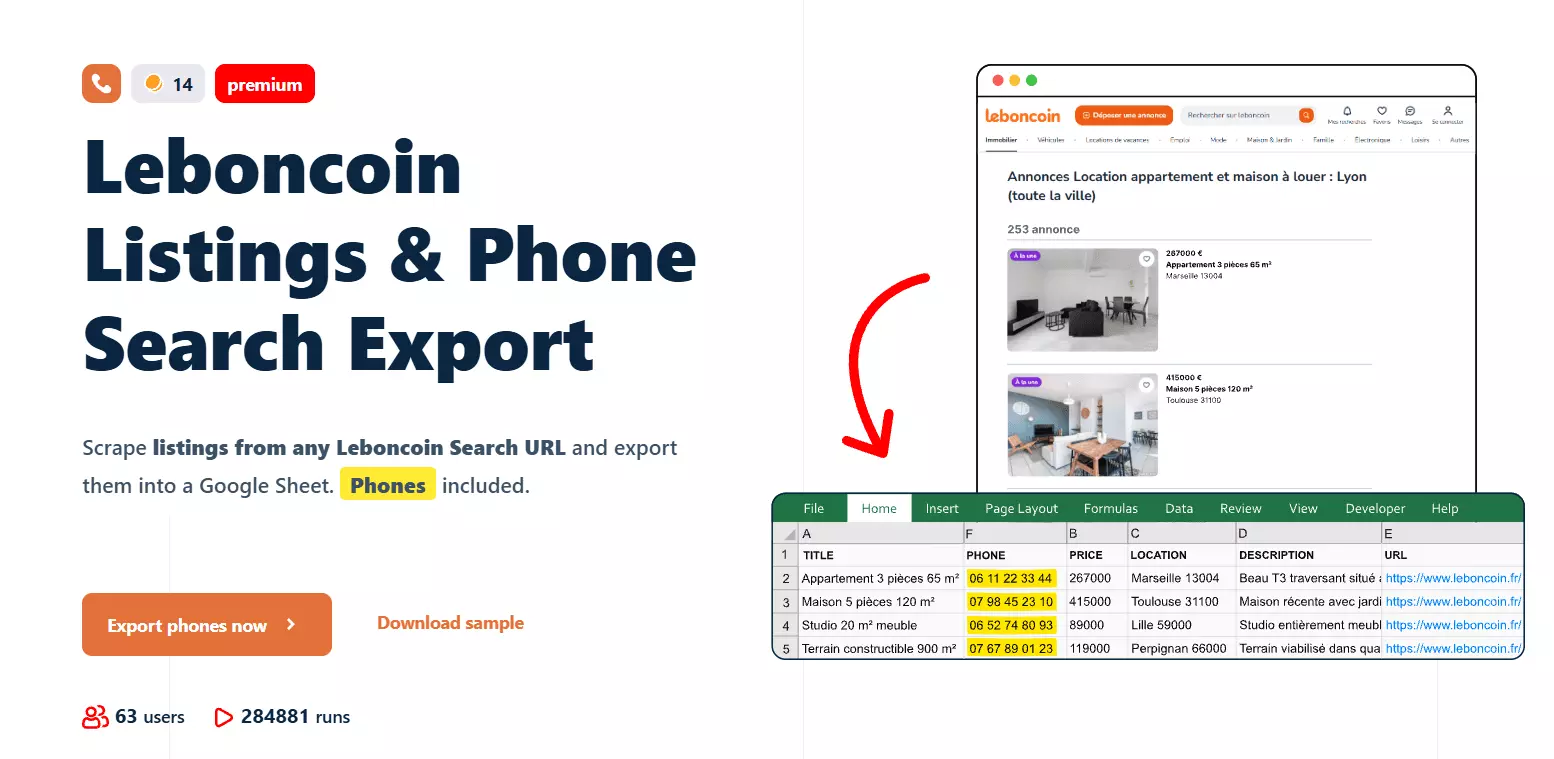
This one is the same search export, plus the seller's actual phone number and a full seller profile. You can use it for lead generation, seller outreach, building contactable prospect lists.
It needs a synced Leboncoin account.
| Param | Default | Notes |
|---|---|---|
functions.get_phone_numbers | true | The phone number itself |
functions.get_seller_profile | false | Registration date, reply rate, badges, feedback |
max_pages | 99 | Maximum 99, not 100 |
max_results | null | Stop after N listings |
fetch_since | null | 24h, 7d, 2w, or an absolute datetime |
online_shop | false | Adds the seller's shop URL, no extra credits |
Cost
- Listings only: $8.00 per 1,000 at entry, $2.00 at scale
- With phone (the default): $20.00 per 1,000 at entry, $5.00 at scale
- With phone and seller profile: $28.00 per 1,000 at entry, $7.00 at scale
| Function | Credits | Per 1,000 at Starter | Per 1,000 at Team |
|---|---|---|---|
| Base, per listing | 4 | $8.00 | $2.00 |
get_phone_numbers, per number returned | 6 | $12.00 | $3.00 |
get_seller_profile, per profile returned | 4 | $8.00 | $2.00 |
online_shop | 0 | Free | Free |
Functions bill on success. A listing with no phone number to find costs 4 credits, not 10.
Full script
accounts = requests.get(f"{BASE}/accounts", headers=headers).json()["data"]
account = next(a["id"] for a in accounts
               if a["type"] == "leboncoin-sync" and str(a["status"]) == "200")

squid = requests.post(f"{BASE}/squids", headers=headers, json={
    "crawler": "7bc4acdb18f2b90fdd5eb42b8e8251e9",
    "name": "Leboncoin leads",
}).json()["id"]

requests.post(f"{BASE}/squids/{squid}", headers=headers, json={
    "accounts": [account],
    "params": {
        "max_pages": 99,
        "fetch_since": "7d",
        "functions": {
            "get_phone_numbers": True,
            "get_seller_profile": True,
        },
    },
})f
functions block are new.It collects all the data collected by Leboncoin Search Export + the following additional data.
Response
{
  "ANNONCE ID": "3210370635",
  "HAS PHONE": "TRUE",
  "IS MOBILE": "TRUE",
  "PHONE": "+336XXXXXXXX",
  "SELLER REGISTERED AT": "2016-12-15",
  "SELLER TOTAL ADS": "2",
  "SELLER BADGES": "[\"Responsiveness2\", \"VerifiedPhoneNumber\"]",
  "PARAM GET PHONE NUMBERS": "TRUE",
  "PARAM GET SELLER PROFILE": "TRUE"
}f
PHONE field is the whole reason this crawler exists, and it's the one thing no competitor returns at any price.3. Listing Scraper
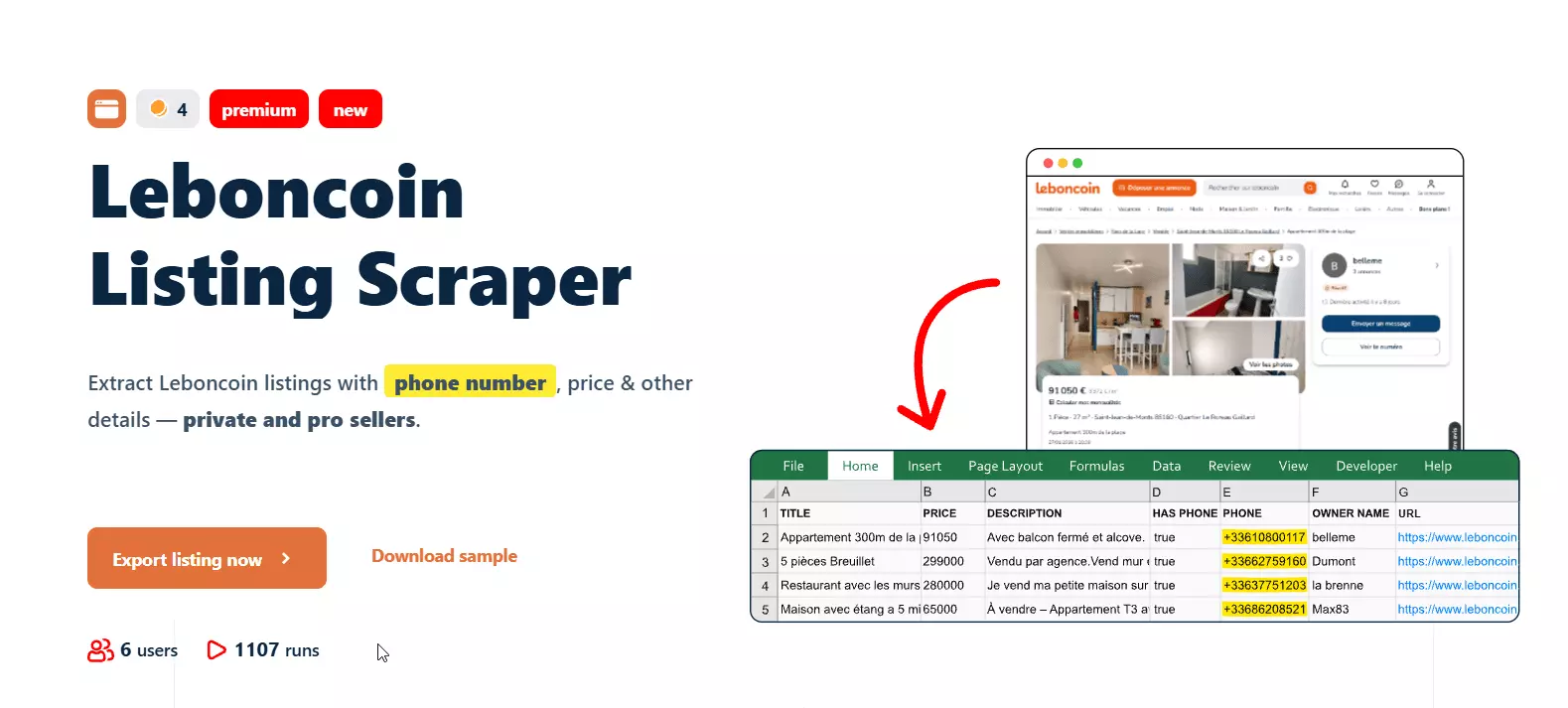
This one is to scrape listing URLs you already have, rather than discovering new ones.
You can use it for enriching an existing ad list, re-checking prices on known listings, pulling phone numbers for a shortlist.
https://www.leboncoin.fr/ad/...| Param | Default | Notes |
|---|---|---|
functions.get_phone_numbers | true | The phone number itself |
max_pages, no date filters ... one URL in, one row out.Cost
- Listings only: $8.00 per 1,000 at entry, $2.00 at scale
- With phone (the default): $20.00 per 1,000 at entry, $5.00 at scale
| Function | Credits | Per 1,000 at Starter | Per 1,000 at Team |
|---|---|---|---|
| Base, per listing | 4 | $8.00 | $2.00 |
get_phone_numbers, per number returned | 6 | $12.00 | $3.00 |
Full script
squid = requests.post(f"{BASE}/squids", headers=headers, json={
    "crawler": "9eade2d2a693bd871851806650e7fb4e",
    "name": "Leboncoin listing enrichment",
}).json()["id"]

requests.post(f"{BASE}/squids/{squid}", headers=headers, json={
    "accounts": [account],
    "params": {"functions": {"get_phone_numbers": True}},
})

requests.post(f"{BASE}/tasks", headers=headers, json={
    "squid": squid,
    "tasks": [
        {"url": "https://www.leboncoin.fr/ad/ventes_immobilieres/3138320858"},
        {"url": "https://www.leboncoin.fr/ad/voitures/3172676206"},
    ],
})

requests.post(f"{BASE}/runs", headers=headers, json={"squid": squid})f
Response
{
  "annonce_id": "3138320858",
  "title": "Appartement 6 pièces 212 m²",
  "url": "https://www.leboncoin.fr/ad/ventes_immobilieres/3138320858",
  "price": 3490000,
  "has_phone": true,
  "phone": "+331XXXXXXXX",
  "owner_name": "Junot Passy",
  "owner_type": "pro",
  "store_id": "84291829",
  "functions": {
    "get_phone_numbers": {
      "filling_date": "08/06/2026, 18:24:30 +0200"
    }
  },
  "scraping_time": "2026-08-06T16:24:30.994Z"
}f
Do not assume this mirrors the search exports. It's 18 fields against 115: no coordinates, no attributes, no DPE, no images. You get the identity core ... title, price, description, phone, owner. If you need attributes and geo, point the search export at a URL instead.
scraping_time is ISO 8601 UTC, filling_date is MM/DD/YYYY with a local offset. Both are the same instant, but 08/06/2026 reads as 8 June to a European parser and 6 August to an American one, and this is a French dataset.4. Boutiques Scraper
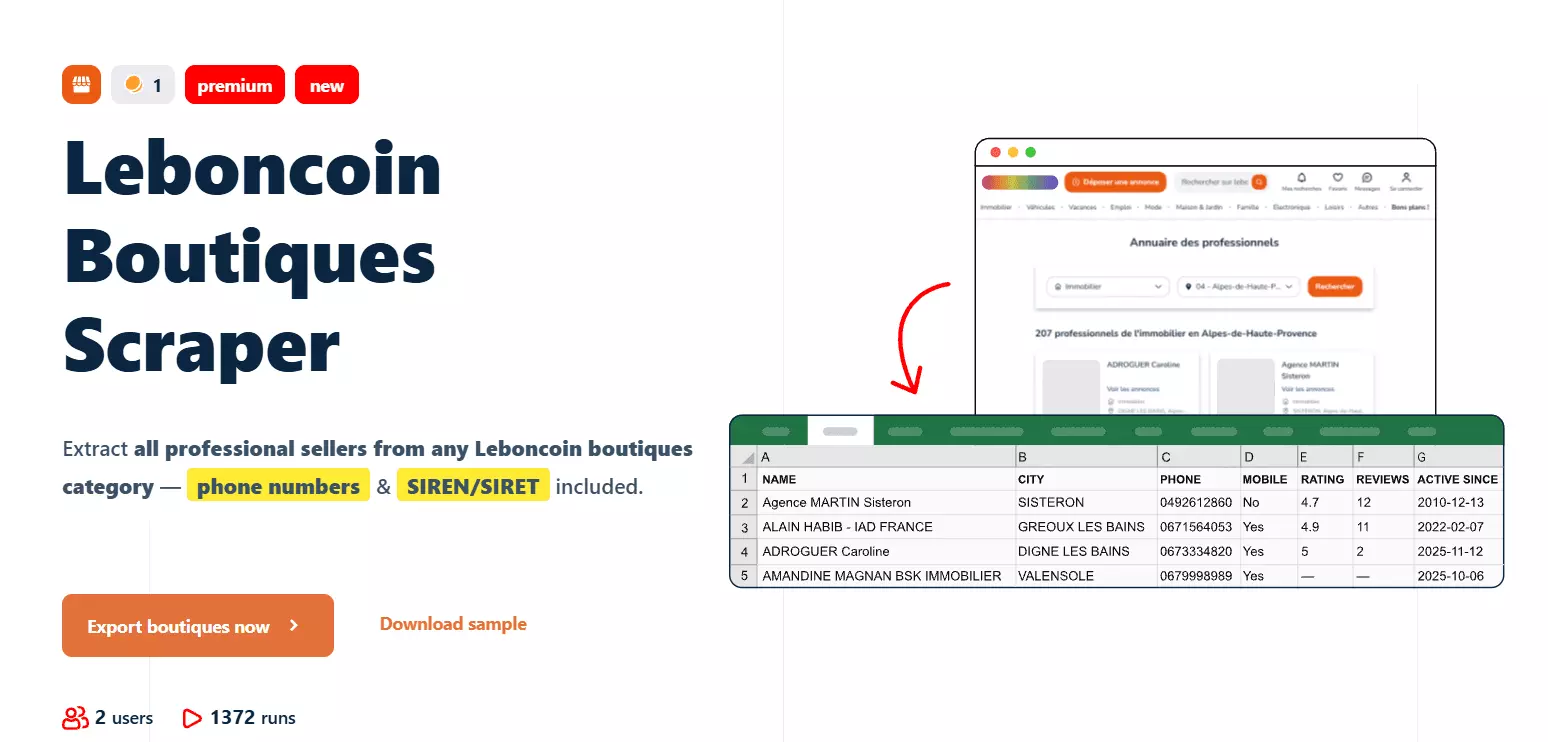
This one is to collect professional seller shops, the boutiques, with their legal identity attached.
You can use it for B2B prospecting, competitor mapping, joining Leboncoin sellers to French company registries.
No account needed.
| Param | Default | Notes |
|---|---|---|
functions.get_details | true | SIREN, SIRET, address, opening hours, ratings |
functions.get_phone_numbers | true | The shop's phone number, no account required |
max_pages | 99 | Maximum 99 |
max_results | null | Stop after N shops |
max_unique_results_per_run | null | Caps unique rows per run |
Cost
- Shops only: $2.00 per 1,000 at entry, $0.50 at scale
- With details: $6.00 per 1,000 at entry, $1.50 at scale
- With details and phone (the default): $18.00 per 1,000 at entry, $4.50 at scale
| Function | Credits | Per 1,000 at Starter | Per 1,000 at Team |
|---|---|---|---|
| Base, per shop | 1 | $2.00 | $0.50 |
get_details, per shop enriched | 2 | $4.00 | $1.00 |
get_phone_numbers, per number returned | 6 | $12.00 | $3.00 |
false if all you want is the shop list.Full script
squid = requests.post(f"{BASE}/squids", headers=headers, json={
    "crawler": "c6e88128aef71c079e58f0518687e10c",
    "name": "Leboncoin boutiques",
}).json()["id"]

requests.post(f"{BASE}/squids/{squid}", headers=headers, json={
    "params": {
        "max_pages": 99,
        "functions": {"get_details": True, "get_phone_numbers": True},
    },
})

requests.post(f"{BASE}/tasks", headers=headers, json={
    "squid": squid,
    "tasks": [{"url": "https://www.leboncoin.fr/boutique/4308883"}],
})

requests.post(f"{BASE}/runs", headers=headers, json={"squid": squid})f
Response
{
  "online_store_name": "007 agent i - Agence immobilière à Montmélian",
  "slogan": "007 AGENT-i : l'agence qui sort du lot",
  "siren": "902063700",
  "siret": "90206370000022",
  "sector": "property",
  "active_since": "2021-11-02T23:00:00Z",
  "address": "12 avenue de Savoie",
  "city": "Montmélian",
  "zipcode": "73800",
  "department_label": "Savoie",
  "lat": 45.50108,
  "lng": 6.05071,
  "has_phone": true,
  "phone": "04XXXXXXXX",
  "opening_hours": "Du lundi au vendredi, de 9h à 12h et de 14h à 18h.",
  "rating_value": 4.9,
  "rating_count": 152,
  "functions": {
    "get_details":       { "filling_date": "08/06/2026, 18:29:57 +0200" },
    "get_phone_numbers": { "filling_date": "08/06/2026, 18:30:44 +0200" }
  }
}f
siren and siret are the ones that matter. They're French business registration numbers, and they're the join key into Sirene, Pappers, and Infogreffe, which turns a scraped shop name into a company record with legal form, filings, and financials.So the suite has two lead-generation paths. The search exports are B2C: individual sellers, phone numbers, reputation. Boutiques is B2B: registered businesses, company identifiers, physical addresses.
5. Listing Status Checker
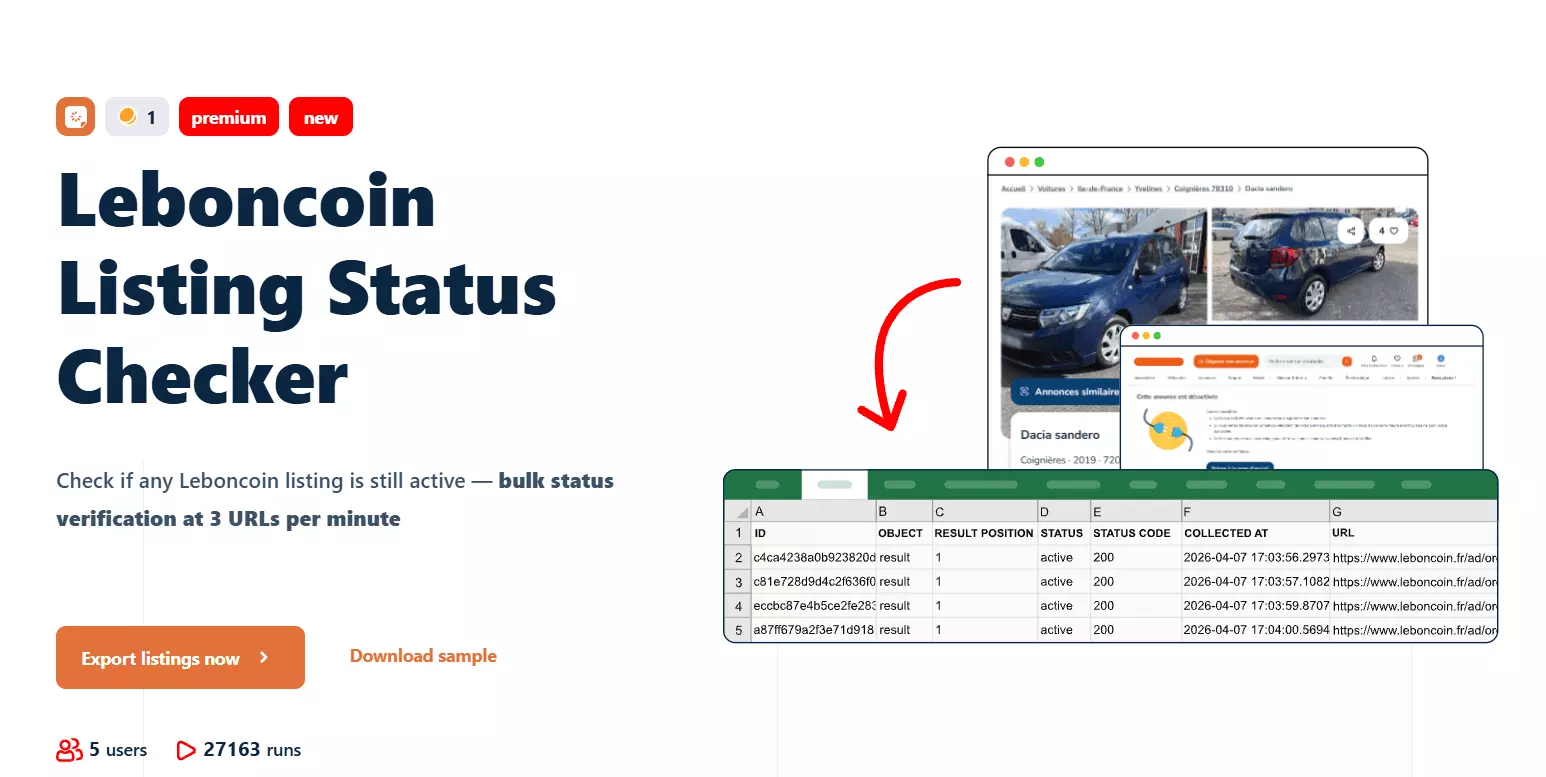
This one is to check whether a listing is still live. You can use it for inventory monitoring, measuring time-to-sale, cleaning dead rows out of a database you built earlier.
No account needed, and it's the cheapest thing in the suite.
| Param | Default | Notes |
|---|---|---|
max_unique_results_per_run | null | Caps unique rows per run |
Cost
- Status checks: $2.00 per 1,000 at entry
- $0.50 per 1,000 at scale
| Function | Credits | Per 1,000 at Starter | Per 1,000 at Team |
|---|---|---|---|
| Base, per check | 1 | $2.00 | $0.50 |
Full script
squid = requests.post(f"{BASE}/squids", headers=headers, json={
    "crawler": "0c60c33b95db65c86d5c9fc127b7b2aa",
    "name": "Leboncoin listing monitor",
}).json()["id"]

requests.post(f"{BASE}/squids/{squid}", headers=headers, json={"params": {}})

requests.post(f"{BASE}/tasks", headers=headers, json={
    "squid": squid,
    "tasks": [{"url": u} for u in listing_urls],
})

requests.post(f"{BASE}/runs", headers=headers, json={"squid": squid})f
Response: live ad
{
  "url": "https://www.leboncoin.fr/ad/ventes_immobilieres/3138320858",
  "status": "active",
  "status_code": 200,
  "functions": null,
  "scraping_time": "2026-08-06T16:27:08.544Z"
}f
And when the ad is gone.
Response: deleted ad
{
  "url": "https://www.leboncoin.fr/ad/voitures/3172676206",
  "status": "deactivated",
  "status_code": 410,
  "functions": null
}f
status | status_code |
|---|---|
active | 200 |
deactivated | 410 |
410 Gone rather than 404 Not Found is the correct choice: 404 means "no such thing", 410 means "this existed and was removed".Nothing here is personal data. No seller name, no phone, no owner ID, so you can monitor tens of thousands of listings indefinitely and fire the expensive crawlers only at the ones that change.
url but no annonce_id, so joining back to a listing table means parsing the ID out of the URL.6. Auto Message Sender
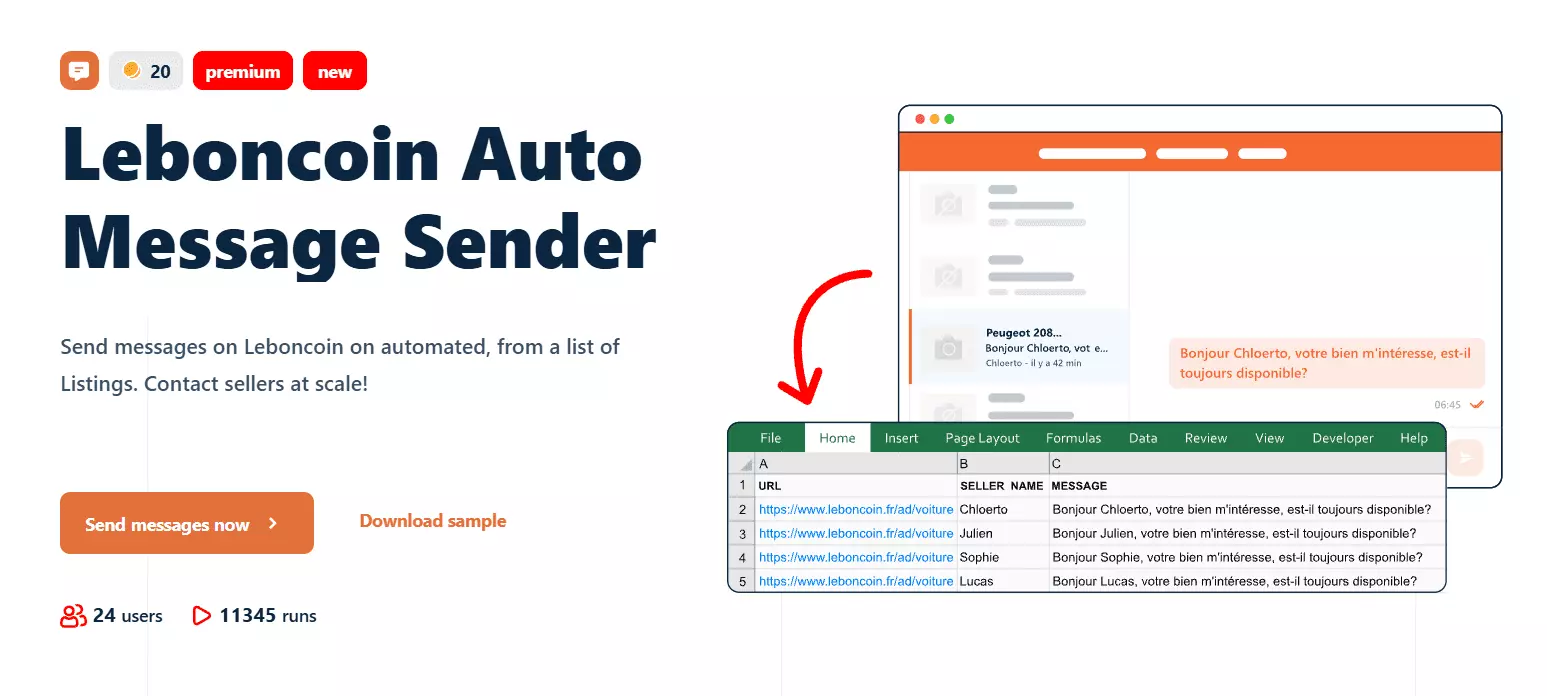
This one is to message sellers through Leboncoin's own messaging system. You can use it for sourcing stock, contacting private sellers at volume, following up on a filtered search.
It needs a synced Leboncoin account. It takes a search URL rather than an ad URL, so one task can drive a whole campaign.
| Param | Default | Notes |
|---|---|---|
message | A French template | Required. Supports #PSEUDO# and #TITLE# |
fetch_since | null | 24h, 7d, 2w, or an absolute datetime |
hours_back | null | Same idea, expressed in hours |
max_results | null | Stop after N messages |
max_unique_results_per_run | null | Caps unique rows per run |
max_pages here. Volume is governed by the account limits from Step 3, not by Squid params.Cost
- $40.00 per 1,000 messages at entry
- $10.00 per 1,000 at scale
| Function | Credits | Per 1,000 at Starter | Per 1,000 at Team |
|---|---|---|---|
| Base, per message sent | 20 | $40.00 | $10.00 |
Per 1,000 is the arithmetic, not the plan. At the 30-messages-a-day ceiling one synced account tops out near 900 messages a month, so 1,000 messages means more accounts, not a bigger plan.
Full script
squid = requests.post(f"{BASE}/squids", headers=headers, json={
    "crawler": "fa9c988768a3d61f358916400f3c4b65",
    "name": "Leboncoin outreach",
}).json()["id"]

requests.post(f"{BASE}/squids/{squid}", headers=headers, json={
    "accounts": [account],
    "params": {
        "message": (
            "Bonjour #PSEUDO#,\n\n"
            "Votre annonce #TITLE# m'intéresse. "
            "Est-elle toujours disponible ?\n\nMerci !"
        ),
        "fetch_since": "24h",
        "max_results": 20,
    },
})

requests.post(f"{BASE}/tasks", headers=headers, json={
    "squid": squid,
    "tasks": [{"url": "https://www.leboncoin.fr/recherche?category=9&locations=Paris_75001"}],
})

# Check your message and your account limits before this line
requests.post(f"{BASE}/runs", headers=headers, json={"squid": squid})f
Response
{
  "annonce_id": "3180087828",
  "url": "https://www.leboncoin.fr/ad/locations/3180087828",
  "message": "Hello [SELLER NAME],\n\nJe viens de voir votre article qui porte le nom:\nMaison 4 pièces 90 m²\n\nL'offre m'intéresse?\n...",
  "is_sent": true,
  "was_already_sent": true,
  "is_deactivated": false
}f
was_already_sent is the guardrail. It tracks who has been contacted and won't message the same listing twice.Or skip all of that
Everything above is the raw API, and it's worth knowing because it's what your production code will call. For getting a dataset onto your disk this afternoon, there's a shorter road.
The CLI collapses all six steps into one line.
pip install lobstrio
lobstr go leboncoin-iter-listings \
  "https://www.leboncoin.fr/recherche?category=9&locations=Paris_75001" \
  -o listings.csvf
--param max_results=200, pass several URLs at once, or use --no-download to fire and forget.There's a step-by-step mode too, if you'd rather drive each stage yourself.
lobstr crawlers search leboncoin
lobstr squid create leboncoin-boutique --name "Boutiques FR"
lobstr task add SQUID_ID "https://www.leboncoin.fr/boutique/4308883"
lobstr run start SQUID_ID --wait
lobstr results get SQUID_ID --format csv -o boutiques.csvf
lobstr delivery s3 SQUID_ID --bucket my-bucket sets up automated export without touching the API.The Python SDK is the one to reach for when the scraper lives inside an application.
pip install lobstrio-sdk
export LOBSTR_TOKEN=your_api_keyf
from lobstrio import LobstrClient

client = LobstrClient()

crawler = next(c for c in client.crawlers.list()
               if c.slug == "leboncoin-iter-listings")

squid = client.squids.create(crawler=crawler.id, name="Paris apartments")
client.squids.update(squid.id, params={"max_pages": 5, "fetch_since": "7d"})

client.tasks.add(squid=squid.id, tasks=[
    {"url": "https://www.leboncoin.fr/recherche?category=9&locations=Paris_75001"}
])

run = client.runs.start(squid=squid.id)
run = client.runs.wait(run.id, callback=lambda s: print(s.percent_done, s.eta))
print(f"{run.total_results} results, {run.credit_used} credits")

for listing in client.results.iter(squid=squid.id):
    print(listing["TITLE"], listing["PRICE"])f
runs.wait() replaces the polling loop, and results.iter() replaces the pagination loop. There's an AsyncLobstrClient with the same surface if you're inside an async application.LOBSTR_TOKEN isn't set, the SDK falls back to the CLI config file at ~/.config/lobstr/config.toml, which may belong to a different account. It does this silently. Set the variable explicitly in production.The problem: it's an async API
Everything above shares one shape. You submit work, you wait, you collect. That's fine for 100,000 listings on a schedule. It's useless when a user is sitting in front of a form waiting for an answer.
If that's your situation, no amount of data richness fixes it. You need a different kind of API.
Synchronous vs asynchronous
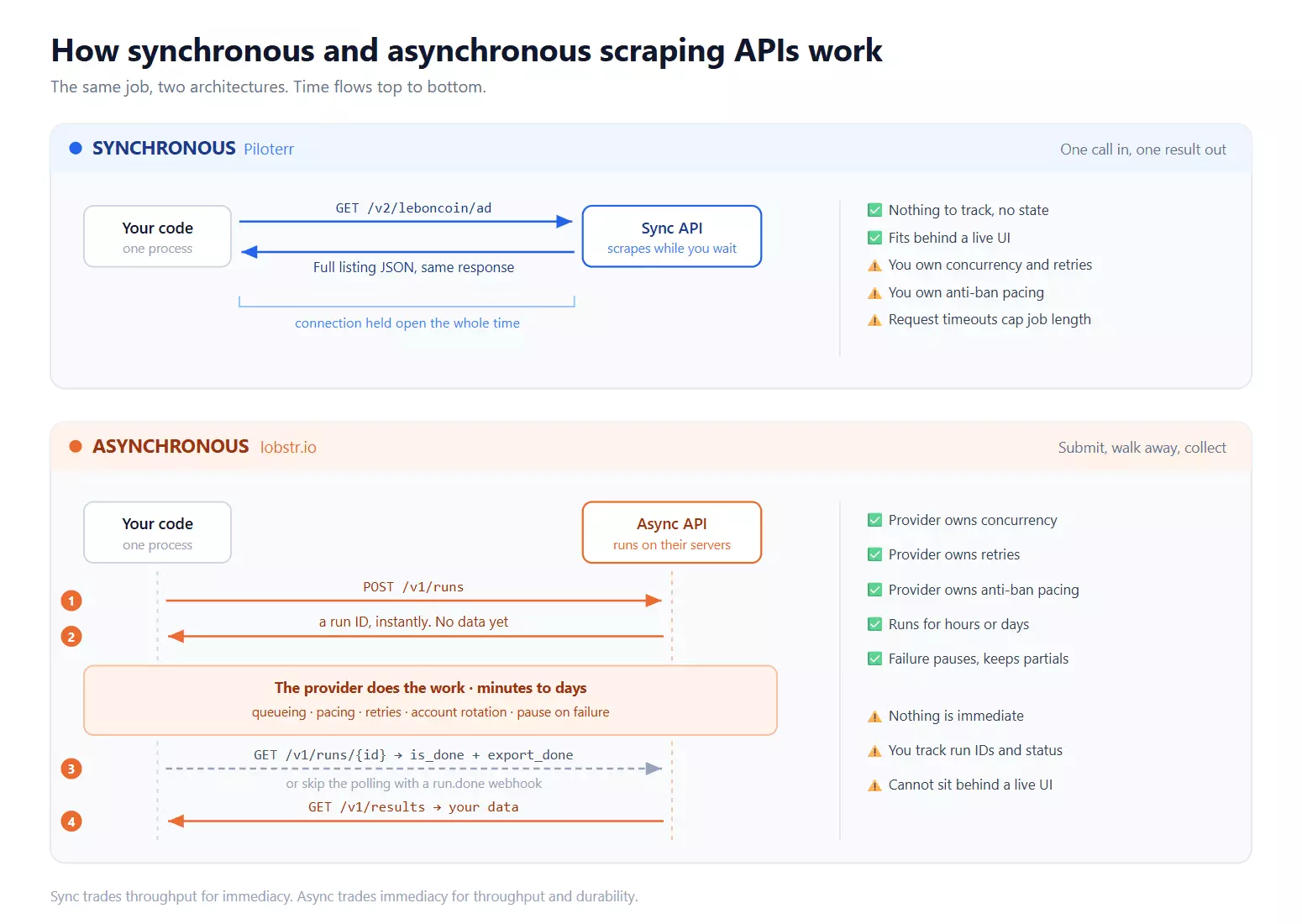
A synchronous API returns the data in the same response. One request in, one result out, nothing to track.
An asynchronous API returns a job identifier instead. The work runs on the provider's infrastructure and you collect results later, by polling or webhook.
| Synchronous | Asynchronous | |
|---|---|---|
| What you get back | The data | A job identifier |
| When | Same response | Later, via polling or webhook |
| Who owns concurrency | You | The provider |
| Who owns retries | You | The provider |
| Who owns anti-ban pacing | You | The provider |
| State to track | None | Job IDs, run status, cursors |
| Bulk jobs | You orchestrate | Native to the design |
| Failure blast radius | One request, retry it | Run pauses, partial results kept |
| Long jobs | Bounded by request timeouts | Runs for hours or days |
| Fits behind a live UI | ✅ | ❌ |
Use a sync API if
- A user is waiting on the answer
- You're enriching one record on demand
- Your volume is modest
- You already have a job runner and want the API to stay a dumb function call
Use an async API if
- The job is thousands or millions of records
- It runs unattended, on a schedule
- It runs long enough that a request timeout would kill it
- Losing everything mid-run is unacceptable
lobstr.io's async design is exactly why it survives Leboncoin at volume, and exactly why you can't put it behind a live lookup. If that's your situation, Piloterr is the answer.
Best sync Leboncoin API: Piloterr
What it offers
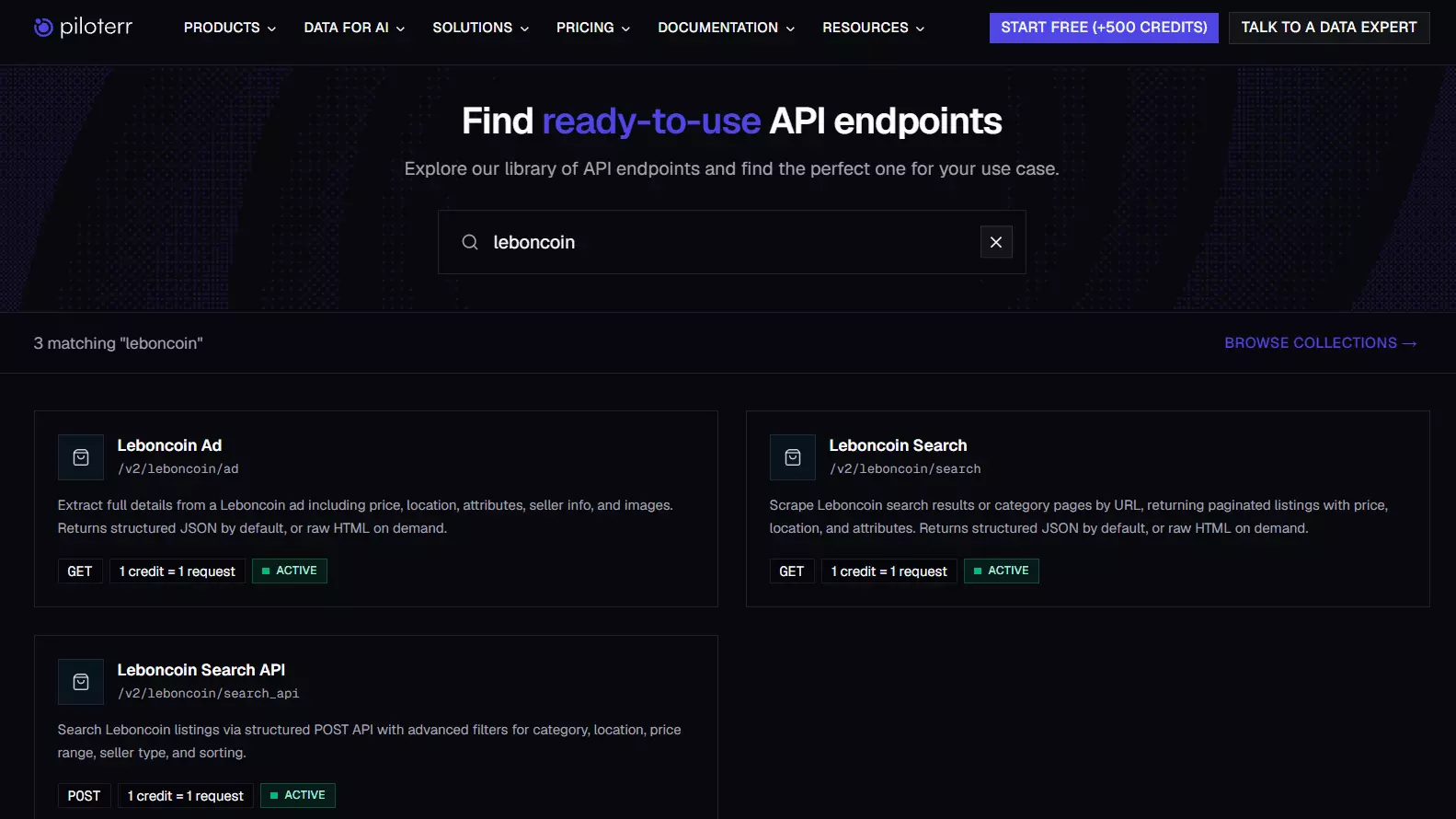
x-api-key.| Endpoint | Input | Returns |
|---|---|---|
GET /v2/leboncoin/search | Search or category URL | ads[], total, pagination |
GET /v2/leboncoin/ad | Ad ID or full ad URL | Full ad detail |
POST /v2/leboncoin/search_api | Structured filters | ads[] plus pro/private totals |
500 errors more often than the other two, and it returned data that didn't match the live Leboncoin search for the same filters./search with a real Leboncoin URL instead: filter on the site, copy the URL, pass it.Features
- Genuinely synchronous, one GET and the data is in the response
- Fastest single worker I measured, at 20 listings a minute
- Richest geo and image data of anything I tested
- French labels on every attribute
- An execution MCP server
Genuinely synchronous. One GET, data in the response, nothing to poll. This is the whole reason to pick it, and it's the one thing lobstr.io cannot do at any price.
Speed. 20 listings a minute against lobstr.io's 3 to 4. For a few thousand records that gap decides the afternoon.
Geo and images. Full GeoJSON geometry, and every image rendition from thumbnail to large. lobstr.io returns coordinates and a primary image, so for a map or a gallery this is the better payload.
key_label and value_label, so type_real_estate_sale: ancien also arrives as "Type de vente: Ancien". Useful when the data ends up in front of French users.llms.txt and llms-full.txt.What's missing
has_phone tells you a number exists. Piloterr never returns it, at any tier, and there's no seller profile behind it either. If contact data is the point of the job, this API cannot do the job.Recovery when a run breaks. It stops abruptly on error rather than pausing. lobstr.io pauses the run and keeps what it already collected, so you resume; here the batch just ends, and re-running from the top costs credits a second time. On a 50,000-listing job that's the difference between a delay and a rewrite.
Data retention. Piloterr stores nothing. The HTTP response is the only copy, so if your writer throws before the insert commits, that record is gone and you pay again to re-fetch it. lobstr.io keeps results 28 days.
pip install.401 covers both "invalid API key" and "rate limit exceeded", so a retry loop can't tell throttling from a dead credential without parsing the body. Pushing concurrency raises the 500 rate rather than throughput, so the two most common failure signals are both misleading.Cost
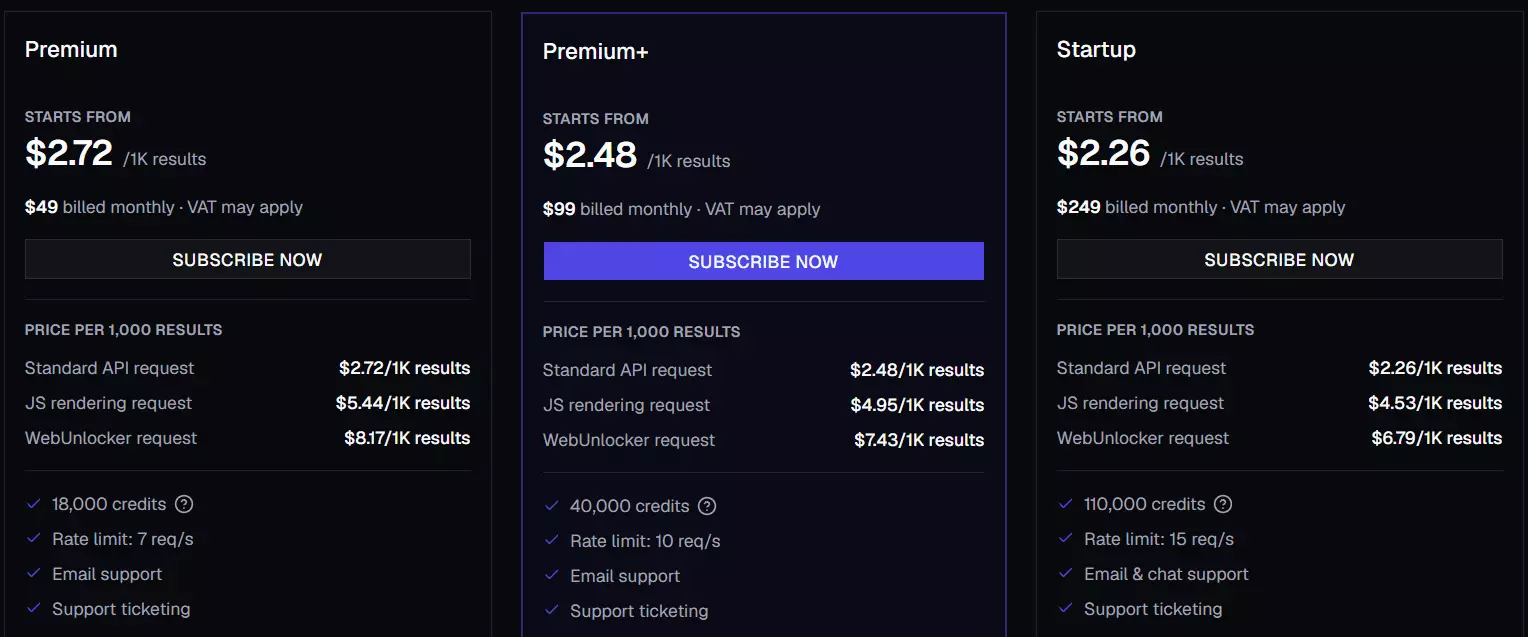
| Plan | Price / mo | Credits | Rate limit | Per 1k results |
|---|---|---|---|---|
| Premium | $49 | 18,000 | 7 req/s | $2.72 |
| Premium+ | $99 | 40,000 | 10 req/s | $2.48 |
| Startup | $249 | 110,000 | 15 req/s | $2.26 |
| Startup+ | $499 | 230,000 | 20 req/s | $2.17 |
| Enterprise | $799 | 390,000 | 25 req/s | $2.05 |
| Enterprise+ | $999 | 530,000 | 30 req/s | $1.88 |
/ad call plus roughly one amortised /search call.- Listings: $5.44 per 1,000 at entry, $3.76 per 1,000 at the published floor
- Search only, dropping the
/adcall: $2.72 per 1,000 at entry, $1.88 at the floor
Billing is on successful requests only, and the trial is 500 credits with no card.
Pros and cons
| Pros | Cons |
|---|---|
| Genuinely synchronous, one GET and you have the data | No phone numbers at any price |
| Fastest single worker at 20 listings/min | No seller reputation layer |
| Cheapest entry price, $5.44/1k | Stops abruptly on error instead of pausing |
| Free trial, 500 credits, no card | No data retention at all |
| Richest geo data and every image size | No SDK, no CLI |
| Full description and favourites count | 401 conflates auth failure with throttling |
| Execution MCP server | |
| Bills only successful requests |
How to use it
Request
curl -G 'https://api.piloterr.com/v2/leboncoin/search' \
  -H 'x-api-key: YOUR_API_KEY' \
  --data-urlencode 'query=https://www.leboncoin.fr/recherche?category=9&locations=Paris'f
ads[] with pagination.total_pages so you know when to stop.Request
curl -G 'https://api.piloterr.com/v2/leboncoin/ad' \
  -H 'x-api-key: YOUR_API_KEY' \
  --data-urlencode 'query=3227906670'f
The ad endpoint takes either a bare listing ID or a full URL. Both work.
An attribute in the response looks like this, and the French labels are the real advantage.
Response
{
  "key": "type_real_estate_sale",
  "value": "ancien",
  "value_label": "Ancien",
  "key_label": "Type de vente",
  "generic": true
}f
Is scraping Leboncoin legal?
Disclaimer: I'm not a lawyer, and none of this is legal advice. If you're running a serious operation, talk to one who knows French and EU law.
Does Leboncoin allow it? No.
In fact it actively takes measures to stop it... robots.txt forbids automated access, the terms prohibit extracting its content, and bot mitigation blocks scripts on sight.
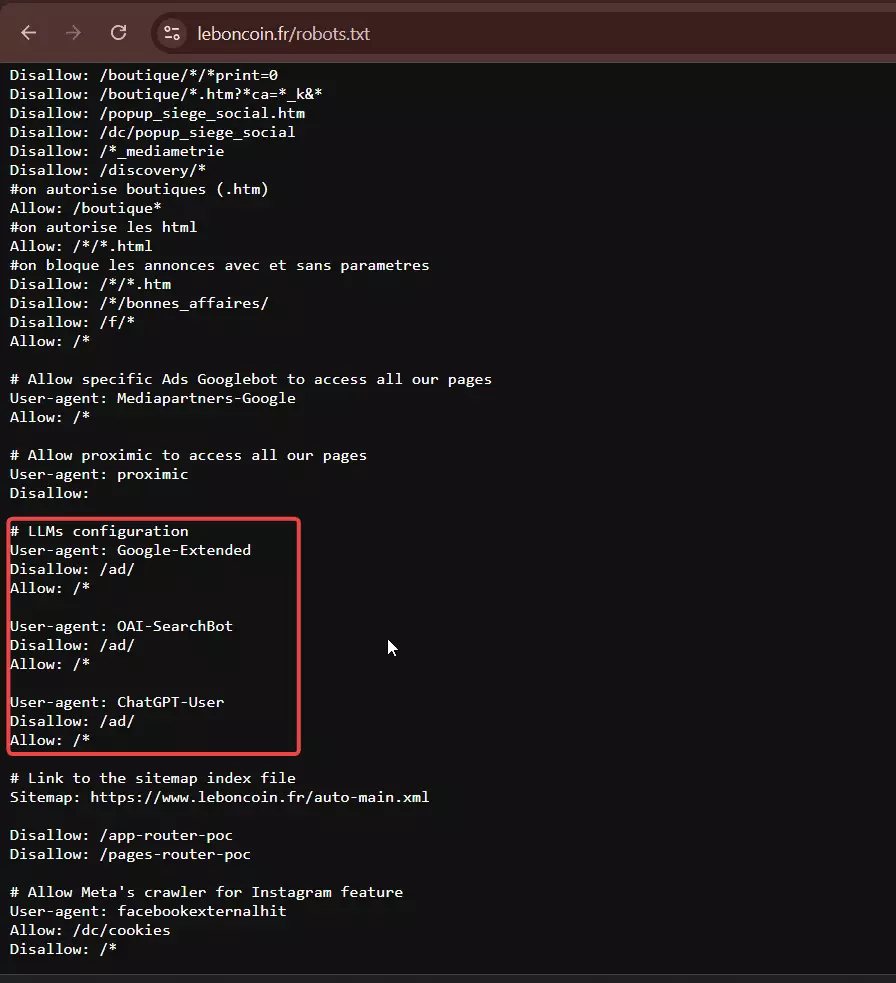
But does that make it illegal? Not necessarily, as long as you stay inside GDPR and French law and don't hammer the site.

- Scraping non-substantial data for internal use is generally allowed
- Republishing or commercially distributing Leboncoin's data is off limits... a scraper was fined €50,000 in Entreparticuliers v. Leboncoin (2021), and French database rights (article L342-3 of the Code de la propriété intellectuelle) back that up
- Seller PII like phone numbers and emails is personal data under GDPR, so you need a lawful basis to collect it
FAQ
Does Leboncoin have an official API?
api.leboncoin.auto, with OAuth 2.0 and full documentation. It does vehicle reference data, Argus valuation, and licence-plate identification. No endpoint in it returns a classified ad. For listing data there is no official API at all.Can I use the Leboncoin auto API to get car listings?
No. It identifies and values vehicles: plate lookup, carte grise data, Argus quote, residual value. It never returns an ad, an asking price, or a seller. It also isn't self-serve, and even a test account requires an annual contract.
What's the difference between the official API and a scraping API?
They answer different questions. API Argus® prices vehicles by licence plate, and never reads the marketplace. Scraping APIs pull public listing data out, handle the anti-bot layer for you, and bill per successful result.
Why do Leboncoin scrapers get blocked?
Leboncoin runs one of the strictest anti-bot setups of any European marketplace, and it's actively maintained. A plain script or a default headless browser hits a verification wall almost immediately, and having developer tools open is one of Leboncoin's own listed triggers. Getting through means continuous residential-proxy spend and constant maintenance against changes you don't control.
Is there a synchronous Leboncoin API?
Yes, Piloterr. One GET returns the data in the same response. lobstr.io is async: you create a Squid, run it, poll, and fetch. If a user is waiting on the answer, you want sync.
Can you get seller phone numbers from a Leboncoin API?
has_phone boolean and never the number. On my 59-listing test set, 27 sellers had a number exposed.How much does scraping Leboncoin at scale cost?
Listing data runs $2 per 1,000 on lobstr.io at scale, or $3.76 per 1,000 on Piloterr at its published floor. Phone numbers are lobstr.io only, at $5 per 1,000, and you pay the phone credits only on the listings where a number is actually found. At entry the order flips, with Piloterr starting at $5.44 against lobstr.io's $8.
How do I get the data into a spreadsheet or a workflow?
lobstr.io delivers it for you. Results export as CSV, Excel, or JSON, and can be pushed straight to Google Sheets, S3, SFTP, email, or a webhook without writing a fetch loop. Piloterr returns JSON in the HTTP response, and anything past that you build.
How long is my data kept?
28 days on lobstr.io. Zero on Piloterr. Piloterr stores nothing, so the response is your only copy... persist it on receipt.
Conclusion
Leboncoin has an official API, and it will price your car beautifully. For anything on the marketplace itself, you need a third party.
- lobstr.io if you want depth and durability. Six endpoints, the only source of seller phone numbers and reputation data, B2B company records with SIREN and SIRET, published reliability, and $2 per 1,000 at scale. You pay for it with async, slow per-worker speed, and no free tier
- Piloterr if you want an answer inside one request. Fast, cheap to start, genuinely synchronous, with the best geo and image data of the two. You give up phone numbers, seller reputation, and any data retention at all
If you're building a monitoring pipeline, note that Status Checker costs 1 credit and returns no personal data whatsoever. Watch cheaply, enrich selectively.
Want phone-verified Leboncoin leads without babysitting logins? Spin up the phone export and run your first Squid.