Trustpilot Reviews API Guide 2026
⚡ 30-Second Summary
- Trustpilot has an official API. No self-serve signup, no published pricing
- Official Trustpilot API is right for managing your own reviews... the only option that can reply, tag, and invite. It can't read another business's review text at any tier
- Data Solutions is the real official route to any business's reviews. Waitlist-gated, no public pricing, not built for volume
- lobstr.io is what I use for volume. 35 fields, 200+ reviews/min, $2 per 1K dropping to $0.50. Async, so reviews don't come back in the API response
- Everything else stops at 200 reviews per listing. DIY scripts, the internal API, other third-party APIs. That ceiling is the whole story here
| Official Trustpilot API | Trustpilot Data Solutions | lobstr.io | |
|---|---|---|---|
| How you get access | Sales-assisted demo request | Waitlist, then a sales call | Self-serve API key from the dashboard |
| Pricing | Not published. Needs Premium + API Module add-on, or Enterprise | Not published anywhere | $2 per 1K reviews, down to $0.50 per 1K at scale |
| Whose reviews you can read | Only a business you own and claimed | Any business, on the Insights tier | Any public Trustpilot listing |
| Review ceiling per listing | 100,000 records, own business only | No stated cap, but not built for bulk | No 200-review ceiling |
| API type | Synchronous REST | Synchronous REST | Asynchronous |
| Can it reply, tag, invite | Yes, all three | No | No |
| Rate limits | 833 calls per 5 min, 10K per hour, plus an annual quota of 200K to unlimited by tier | Rate-limited, no numbers published | 200+ reviews per minute throughput |
| Free tier | None | None | Yes |
| Best for | Managing your own reputation programmatically | Enterprise market benchmarking | Collecting any listing's reviews at volume |
| Where it stops | Cannot read another business's review text | Waitlist gate, and it's a benchmarking tool not a bulk pipe | Async only, no synchronous single-review lookup |
This one's for developers who searched "Trustpilot reviews API" and want to know what's actually on the table before writing a line of code.
Does Trustpilot offer an official API?
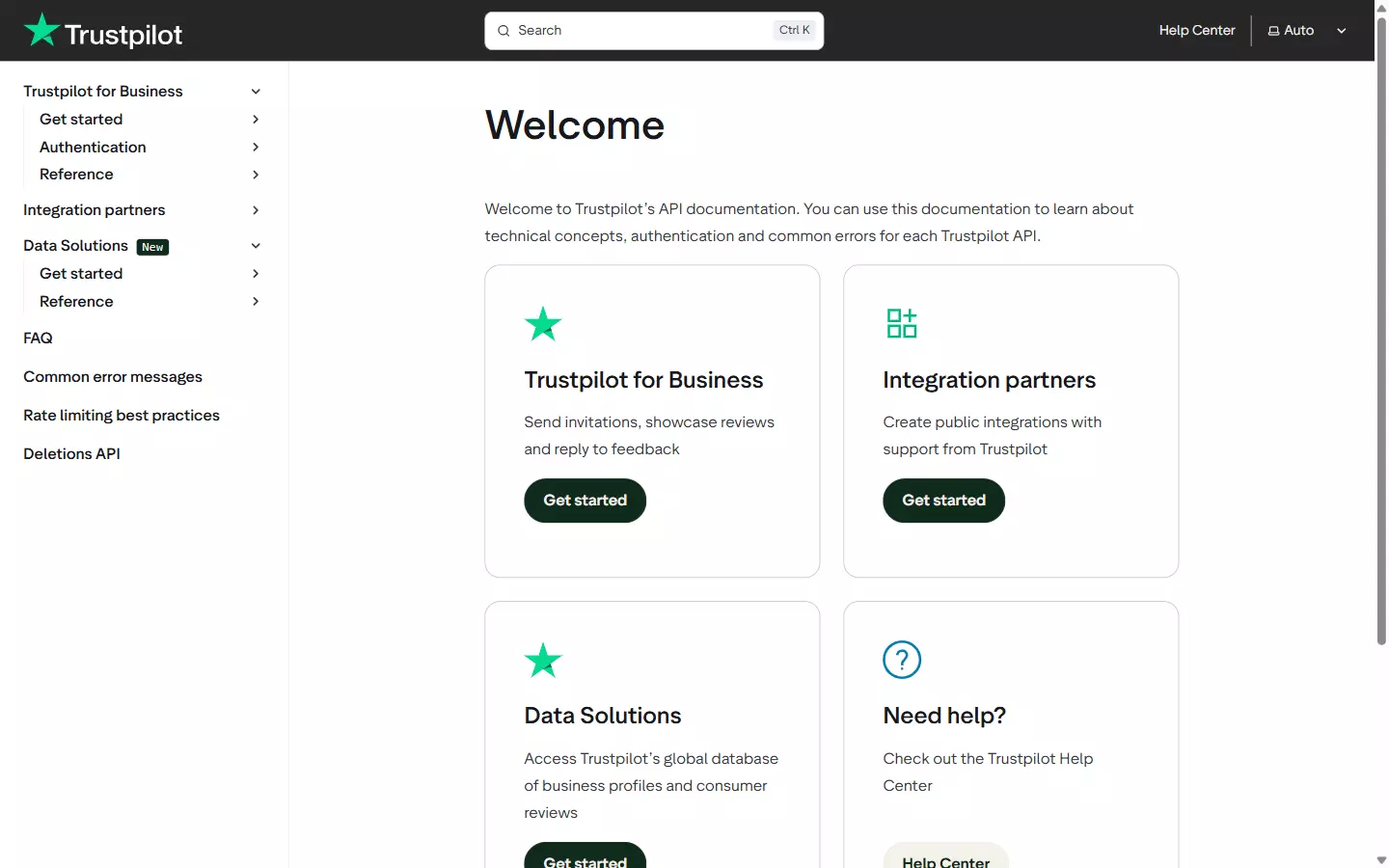
First thing worth clearing up. If you've read older posts referencing a "Business Reviews API" or a "Content API", those names are dead... no page for either exists on the portal today.
Here's the actual current lineup.
| API | What it does | Auth | Scope |
|---|---|---|---|
| Business Units API (public) | Any business's TrustScore, star breakdown, review counts, profile info | API key | Any business, no ownership check |
| Business Units API (private) | Your own business's full review content, plus customer email, order ID, tags | OAuth | Own business only |
| Service Reviews API | Read a review, reply to it, tag it, request reviewer identification | API key / OAuth | Own business for private routes |
| Product Reviews API | SKU-level product reviews, summaries, conversations | API key / OAuth | Own products. Needs a separate add-on |
| Invitations API | Send review-request emails and SMS, generate invitation links | OAuth | Own business. Write-only |
| Consumer API | One named consumer's review history | API key | Any consumer ID |
| Deletions API | Retrieve deleted reviews so you can mirror them | API key | Compliance polling every 28 days |
| Data Solutions API | Search any business, get aggregate details and full service reviews | API key | All Business Units. See below |
What can the official Trustpilot API do?
Three jobs, and it does all of them well.
Monitoring and replying to your own reviews. You can pull your reviews, push a reply, tag them for triage, and route the whole thing into a helpdesk. The reply endpoint is real and it works:
POST /v1/private/reviews/{reviewId}/replyf
Collecting reviews in the first place. The Invitations API fires review-request emails after a purchase, and it's the single most underrated part of the platform. No scraper on earth replaces it.
Staying GDPR-clean. The Deletions API exists so that if you store review data, you can mirror Trustpilot's deletions. The docs tell you to poll it every 28 days... that's not a suggestion, it's an obligation.
If any of those three is your actual job, stop reading and go use the official API. It's the right tool and nothing here beats it.
Can I post a review through the API?
There is no endpoint to submit a review. No POST /v1/reviews, nowhere, at any tier.
The Invitations API only emails a consumer a link that routes them through Trustpilot's own submission flow. So a business can never programmatically post a review, and neither can anyone else. Good 🙂
Functionally the whole platform has two verbs... read your own reviews, and manage them.
How do I authenticate?
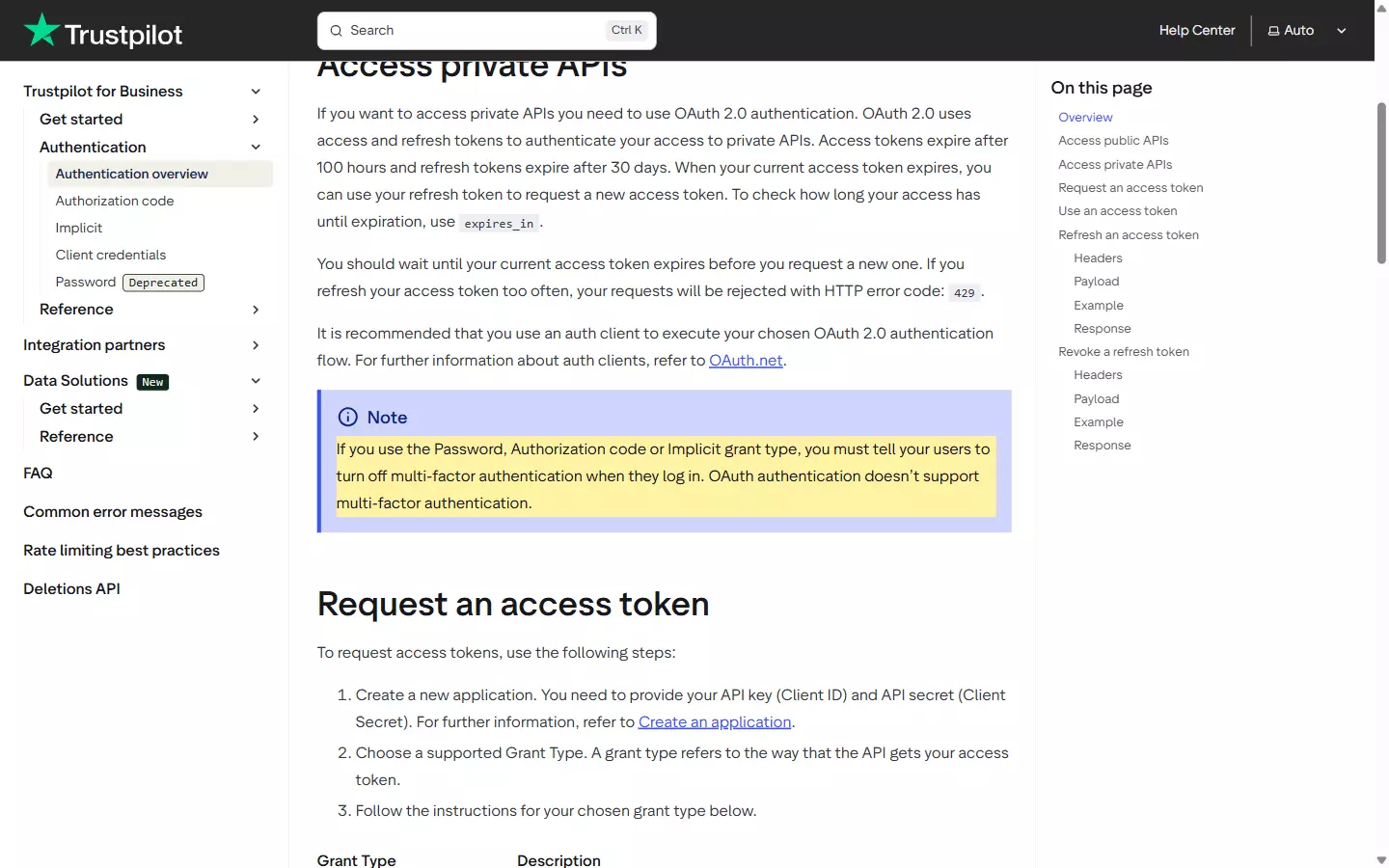
apikey header and nothing else. Anything under /private/ needs an OAuth 2.0 Bearer token.There are four grant types, and for server-side automation exactly one of them is a real option. Authorization Code and Implicit both need a human to log in, and Trustpilot's own docs tell you to avoid them for automation.
The Password grant is deprecated, and it stopped working for anyone who wasn't already using it before February 2025. So that leaves Client Credentials.
curl -X POST "https://api.trustpilot.com/v1/oauth/oauth-business-users-for-applications/accesstoken" \
  -H "Authorization: Basic $(echo -n 'API_KEY:API_SECRET' | base64)" \
  -H "Content-Type: application/x-www-form-urlencoded" \
  -d "grant_type=client_credentials"f
429... their guidance is to just wait for actual expiry.The other one is uglier. OAuth doesn't support multi-factor auth, so if your Trustpilot account has MFA enabled, you have to turn it off to use three of the four grant types. In 2026. 🙃
How do I get access to the Trustpilot API?
There is no self-serve signup. None.
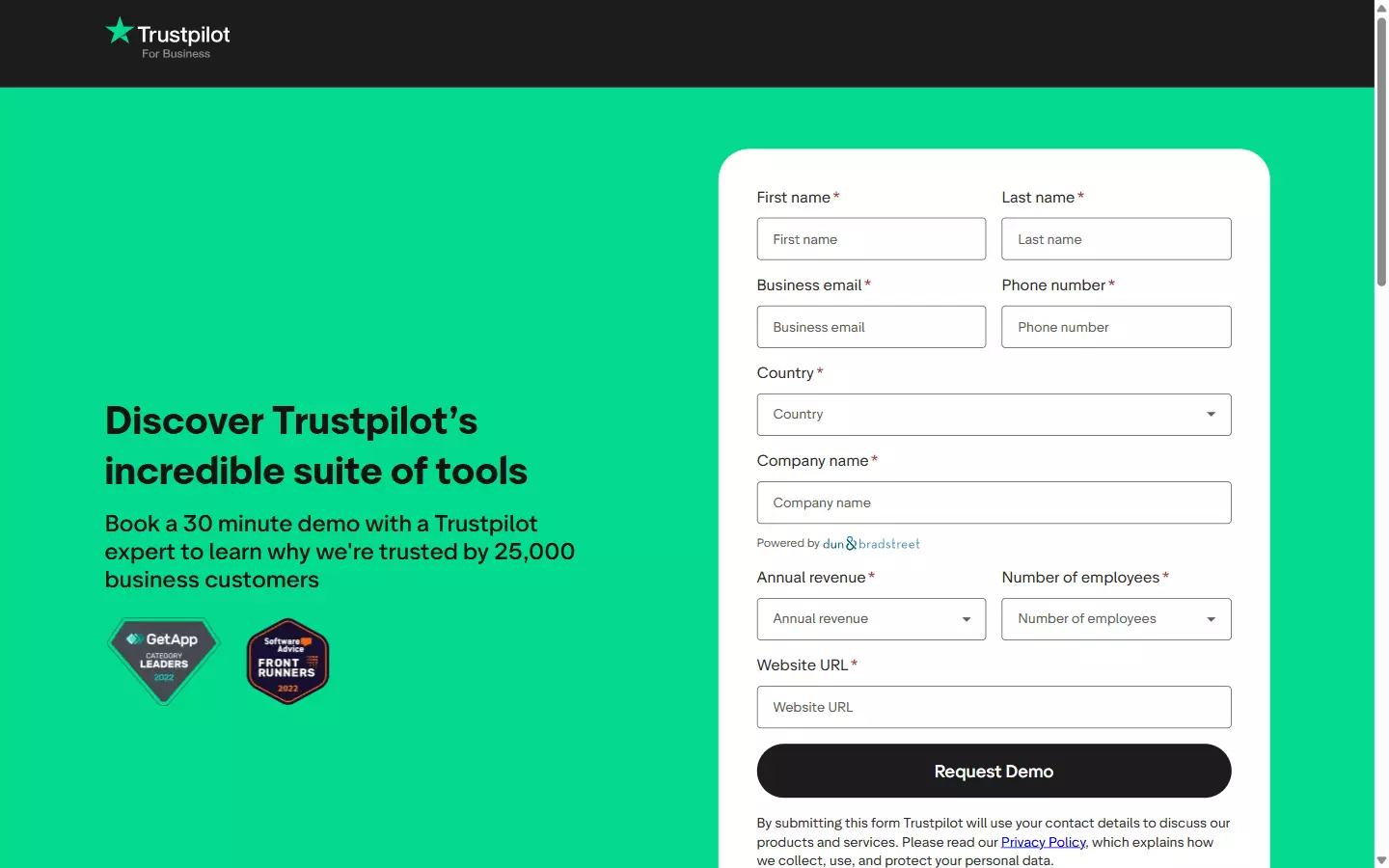
"You must have a Trustpilot for Business account with access to the API module"
"This feature is included in Enterprise. Premium plans can access it with the API Module add-on"
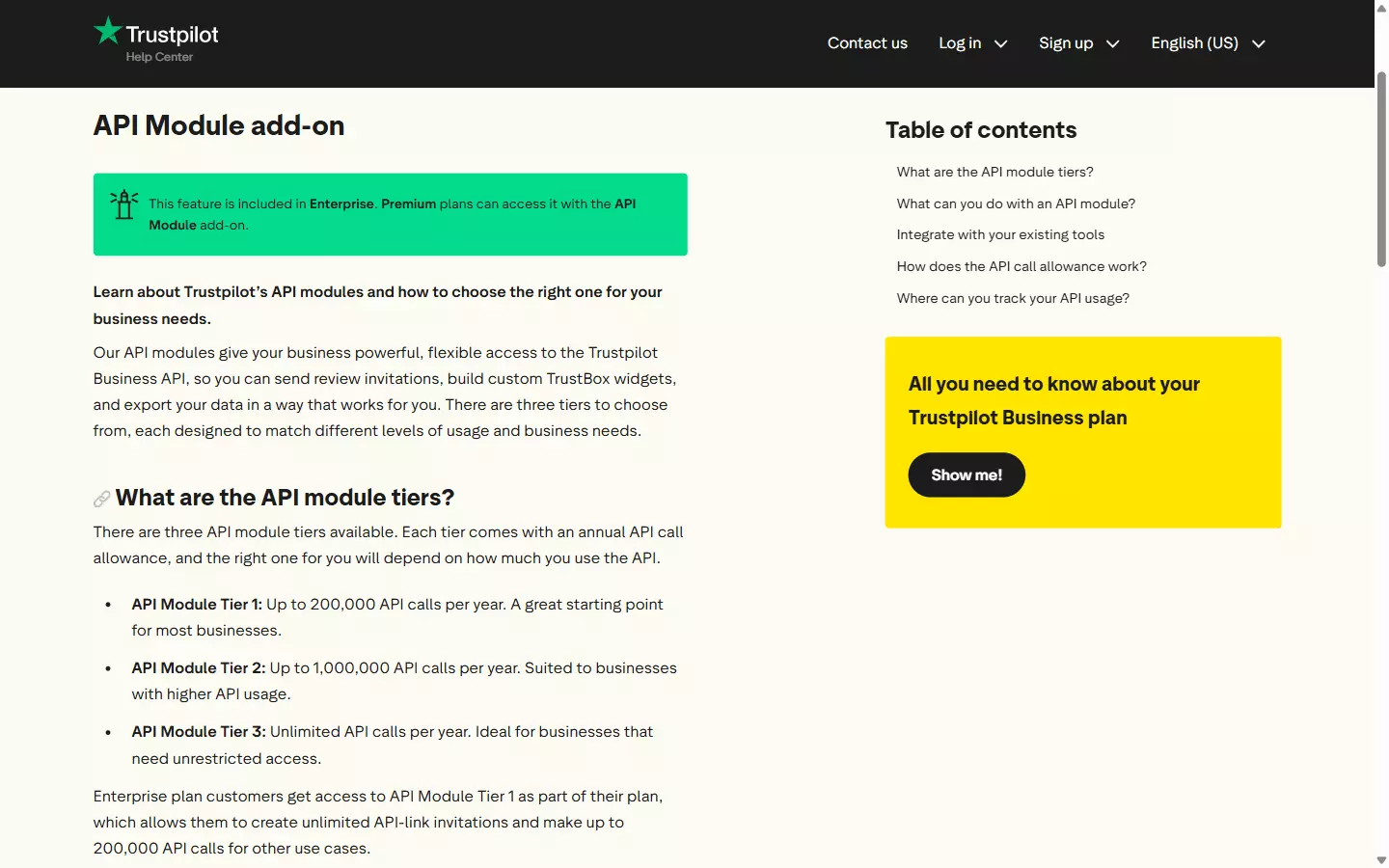
Free, Starter, and Plus aren't listed as eligible for API access at all. So the entry ticket is a Premium plan plus a paid add-on, or an Enterprise contract.
What does that cost? Trustpilot doesn't publish a single number. Not for the API Module tiers, not for the Product Reviews add-on, not for Data Solutions.
I went looking across their pricing page, help centre, and developer docs, and it's quote-only through an account manager, every time.
What are the rate limits?
"don't exceed 833 calls per 5 minutes or 10K calls per hour"
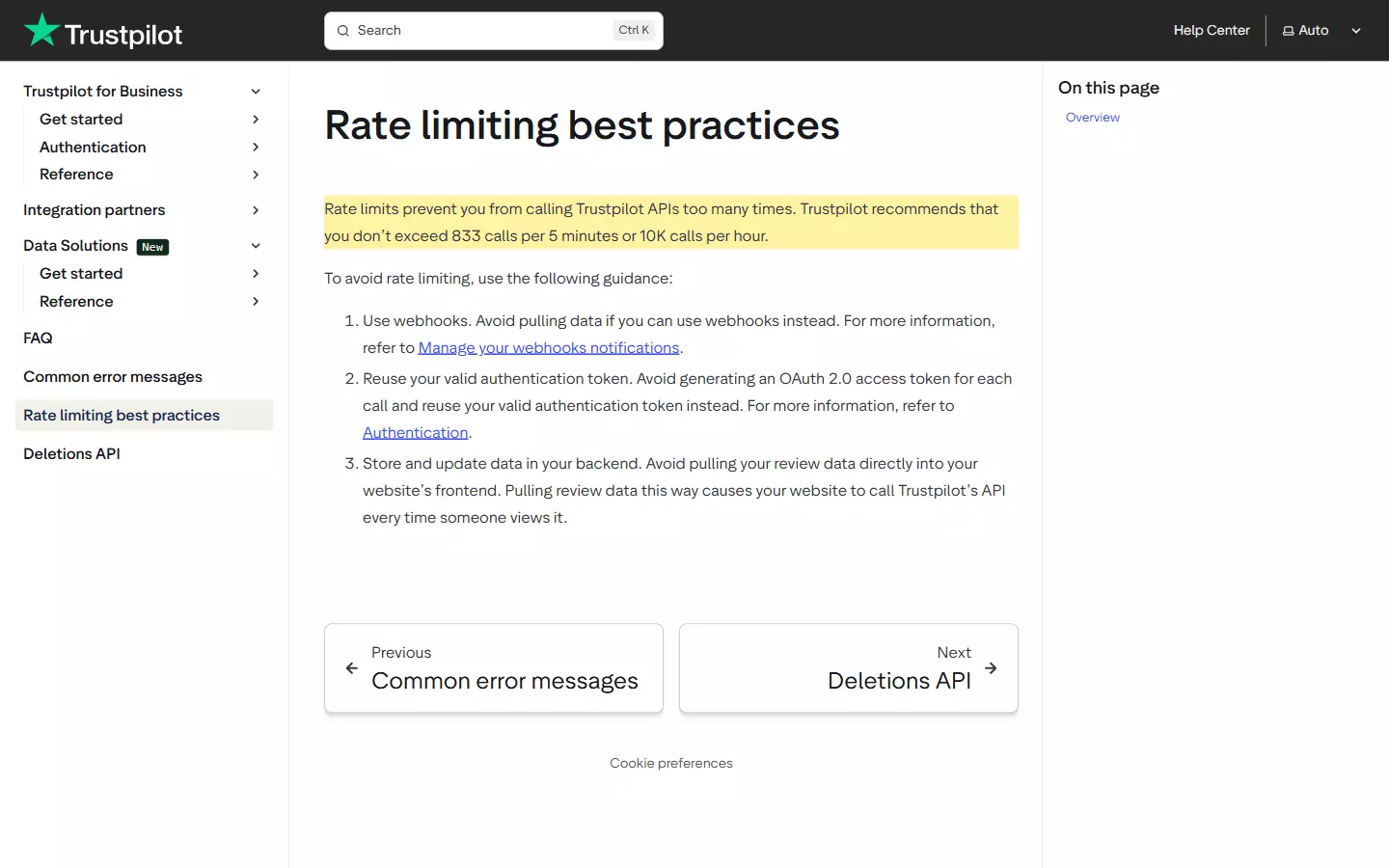
X-RateLimit-* or Retry-After headers documented. You find out you've crossed the line when the 429s start.| API module tier | Calls per year |
|---|---|
| Tier 1 (Enterprise default) | 200,000 |
| Tier 2 | 1,000,000 |
| Tier 3 | Unlimited |
Invitation-generation and Deletions API calls don't count against it.
And there's one more hard cap that matters if you're pulling your own history. Both of these endpoints are limited to 100,000 records regardless of plan:
GET /v1/business-units/{businessUnitId}/reviews
GET /v1/private/business-units/{businessUnitId}/reviewsf
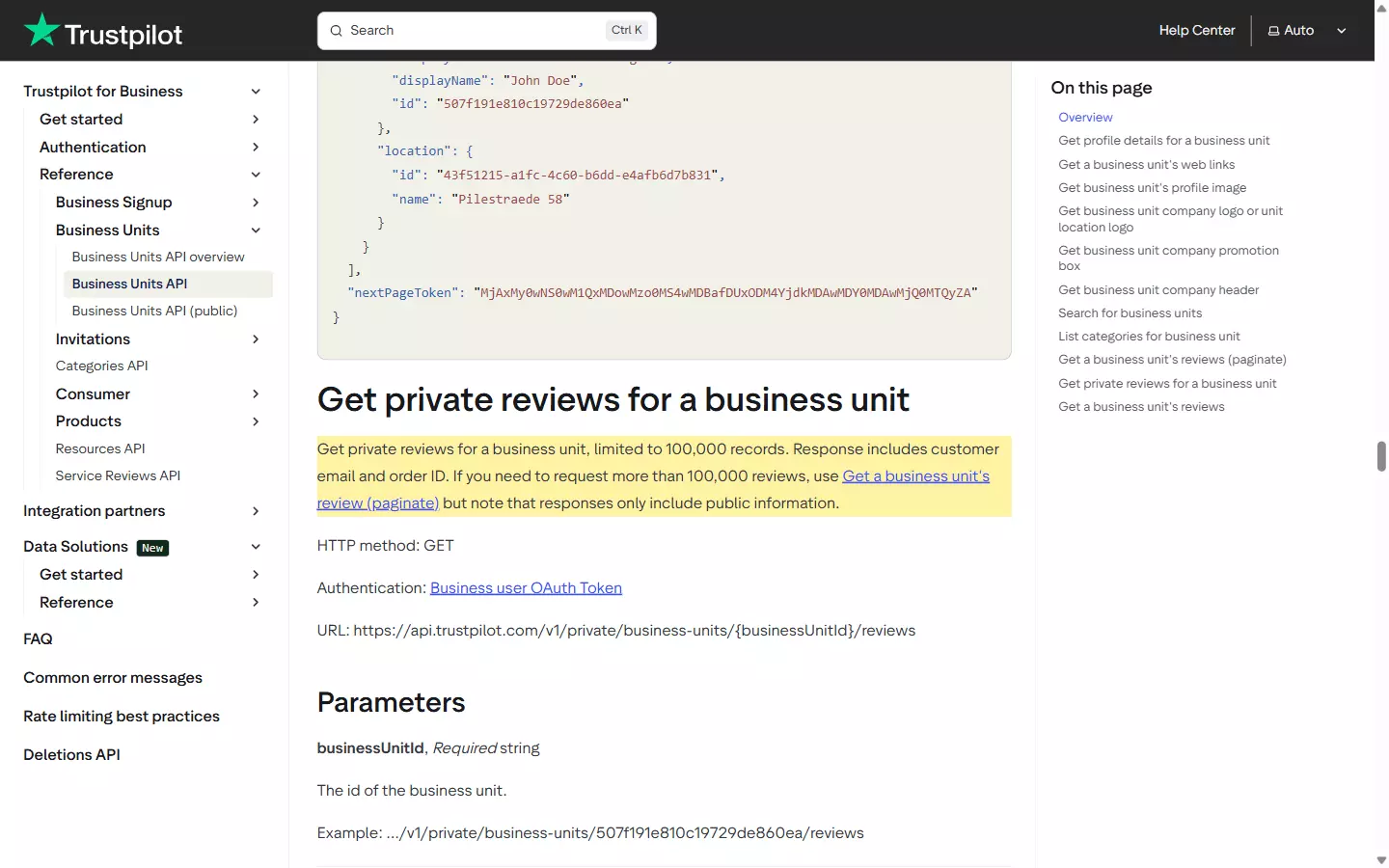
Past that you're pushed to the paginated /all-reviews endpoint, which returns public information only.
Can I read another business's reviews?
Here's the honest boundary. You can read your own claimed business's reviews all day, up to 100,000 records.
And you can look up any business's aggregate numbers with nothing but an API key... TrustScore, star breakdown, total review count, no ownership check at all. That public endpoint is genuinely open.
curl -X GET "https://api.trustpilot.com/v1/business-units/find?name=lendingclub.com" \
  -H "apikey: YOUR_API_KEY"f
displayName, websiteUrl, country, trustScore, stars, and review counts broken down by star rating.What you cannot do is bulk-read another business's full review text. Not with the core API, not at any plan tier, not with any combination of endpoints... the review bodies for a listing you don't own simply aren't available through it.
And that's the exact point where the official API stops answering the question most people are asking when they search for a Trustpilot reviews API.
| Pros | Cons |
|---|---|
| Genuinely well-built... real OAuth, official Node and Python SDKs, clear docs | No self-serve signup. You request a sales demo and wait |
| The only way to reply, tag, or send review invitations | Needs Premium + API Module add-on, or Enterprise. Free, Starter and Plus get nothing |
| Public endpoint gives any business's aggregate stats with just an API key | No published pricing at any tier. Quote-only |
| Up to 100,000 records of your own review history | Cannot read another business's review text at all |
| Deletions API keeps you GDPR-clean | No X-RateLimit-* headers, so you learn the ceiling by getting 429s |
| Synchronous, so single lookups are instant | OAuth doesn't support MFA. You disable it to use three of four grant types |
No score for this one, in either direction. Trustpilot's API has no third-party rating of its own, and rating Trustpilot-the-review-platform would be measuring an entirely unrelated product.
What is Trustpilot Data Solutions?
There is one official path to other businesses' reviews, and it's real. I want to give it a fair hearing, because most articles pretend it doesn't exist.
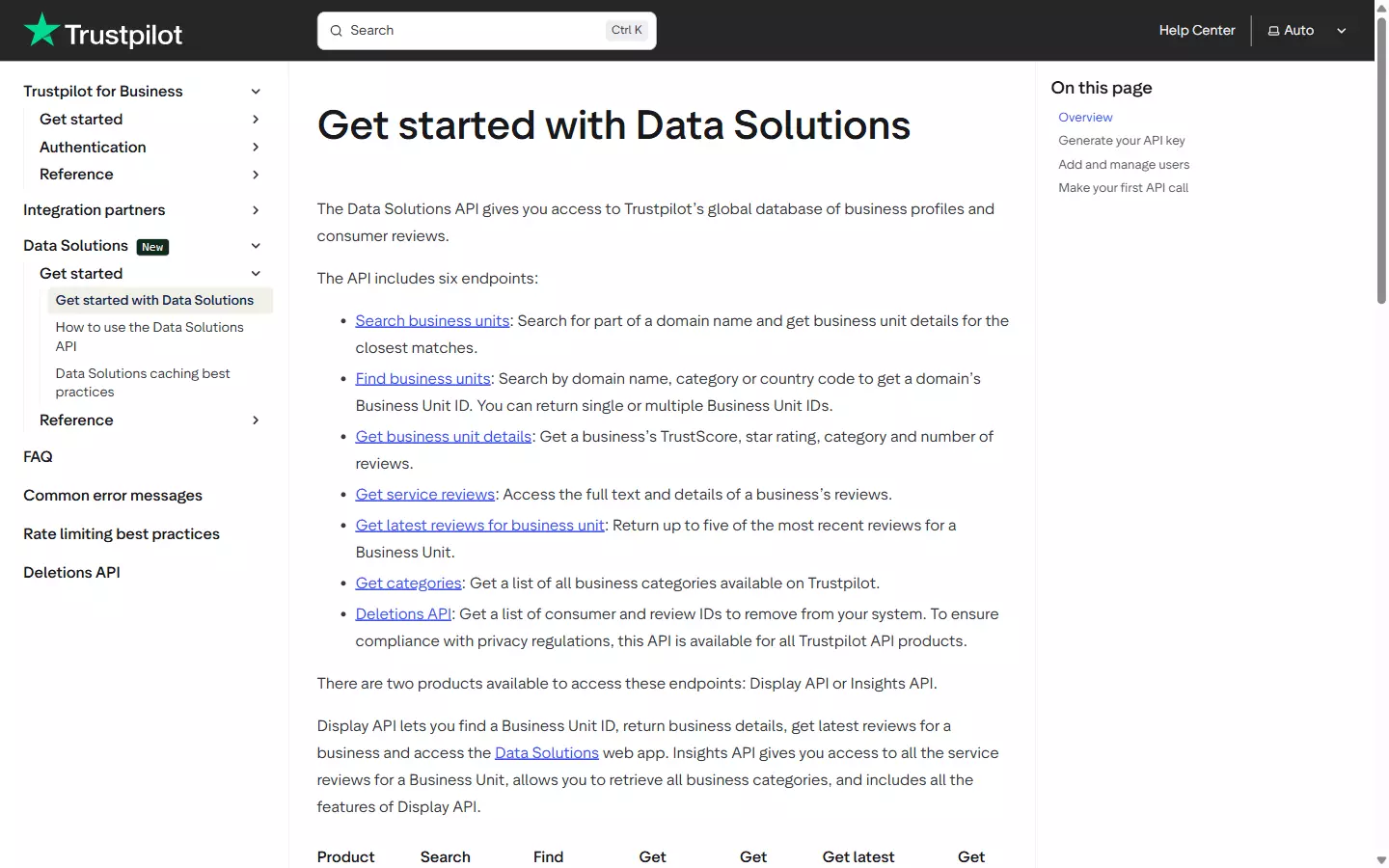
"The Data Solutions API provides access to Trustpilot's data for all Business Units (domains)"
- Insights Explorer, a benchmarking UI
- Display API, to embed trust signals from any covered business
- Insights API, raw review and business data for market research
The named reference customers are investment firms and consultancies... Advent, Felix Capital, BCG. So it exists, it's aimed squarely at competitive intelligence, and it runs on a plain API key rather than the OAuth dance. Credit where it's due.
Now the catches.
Full reviews need the higher tier. Their docs are explicit that you must have Insights API access to get a business unit's service reviews, and the Display tier gets you aggregate stats only.
And it isn't built for volume. Pulling 50,000 reviews takes 5,000 sequential requests, business-unit search caps at 100 per page, and the latest-reviews endpoint returns a maximum of 5 records per request.
On top of that, your entire organization can hold one active API key at a time, shown once at creation, and anything you display carries a mandatory 24-hour cache-refresh obligation.
So it's not a bulk data pipe, it's a benchmarking tool with an API attached. Which is exactly what it's sold as, to be fair... it's just not what you want if the job is "get me every review for these 200 companies."
Pricing is unpublished, like everything else. So is whether the waitlist has any real eligibility bar, and whether "all Business Units" is genuinely unrestricted at the data level. I couldn't confirm any of it, so I won't pretend otherwise.
If you're an enterprise with patience and a budget, Data Solutions is worth the email. For everyone else, it's a dead end you'll spend three weeks discovering.
Why not build my own scraper?
No official route to another business's reviews. Fine, you think, I'll just build it myself.
This is where it gets interesting, because there's a specific ceiling waiting for you and almost nobody writes about it.
Why does Trustpilot stop at 200 reviews?
Trustpilot forces a login after page 10 of reviews. Each page holds 20 reviews. Do the multiplication.
Anonymous access to any Trustpilot listing dies at roughly 200 reviews.
You can watch it happen in a browser... request page 11 of any listing and you get bounced straight to a login screen.
https://www.trustpilot.com/review/lendingclub.com?page=11
  → https://www.trustpilot.com/users/connect?redirect=%2Freview%2F...%3Fpage%3D11f
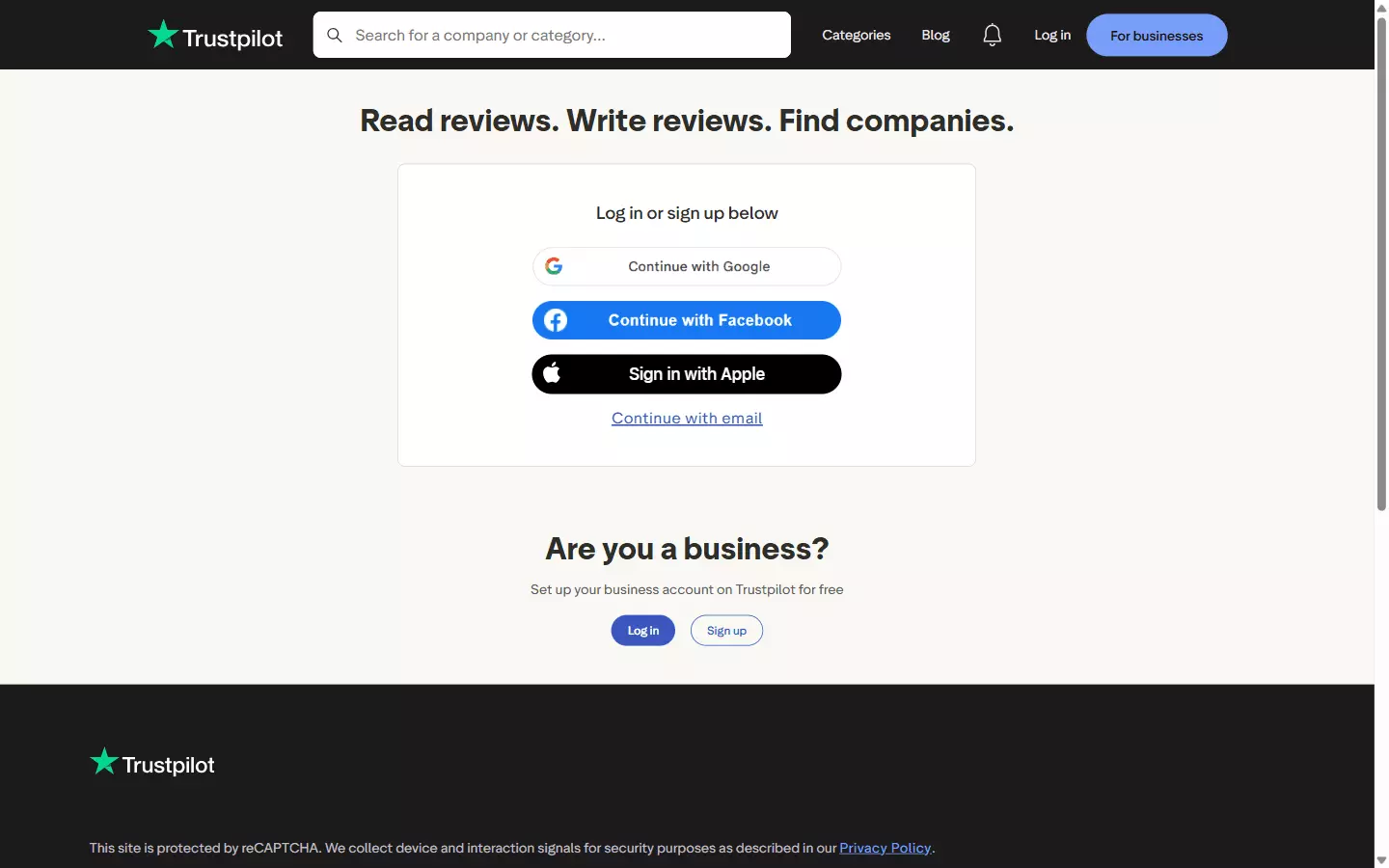
That's not a plan tier or a rate limit you can wait out. It's a hard gate on the public web surface, and it applies to every route you might take:
- Your own DIY scraper hits it
- The internal API hits it, and I'll come back to that
- Every third-party Trustpilot API I've come across hits it
For context on what you're missing, a mid-size company like LendingClub has over 14,000 reviews on its listing. Two hundred of them is 1.4% of the dataset... you're not sampling, you're peeking.
Can I scrape with a logged-in account?
You can. And it wrecks everything you were trying to build.
The moment you scrape with a logged-in account, three things happen:
- Throughput collapses
- Session and cookie management becomes a permanent engineering chore
- The account can get blocked, which takes your pipeline down with it
So the DIY route doesn't just stop at 200 reviews. The workaround past it trades away the scale you wanted in the first place, and hands you an account-management problem you never signed up for.
What about Trustpilot's internal API?
Worth naming, since it's the next thing anyone technical reaches for. Trustpilot's own frontend talks to internal endpoints, and yes, you can find them in DevTools.
It also carries the same 200-review limit. Same login gate, same page-10 ceiling, so discovering the internal endpoints buys you a cleaner JSON shape and exactly zero additional reviews.
robots.txt disallows /api/* and /reviews/ outright too, even for Googlebot, so those endpoints aren't a grey area somebody forgot to close.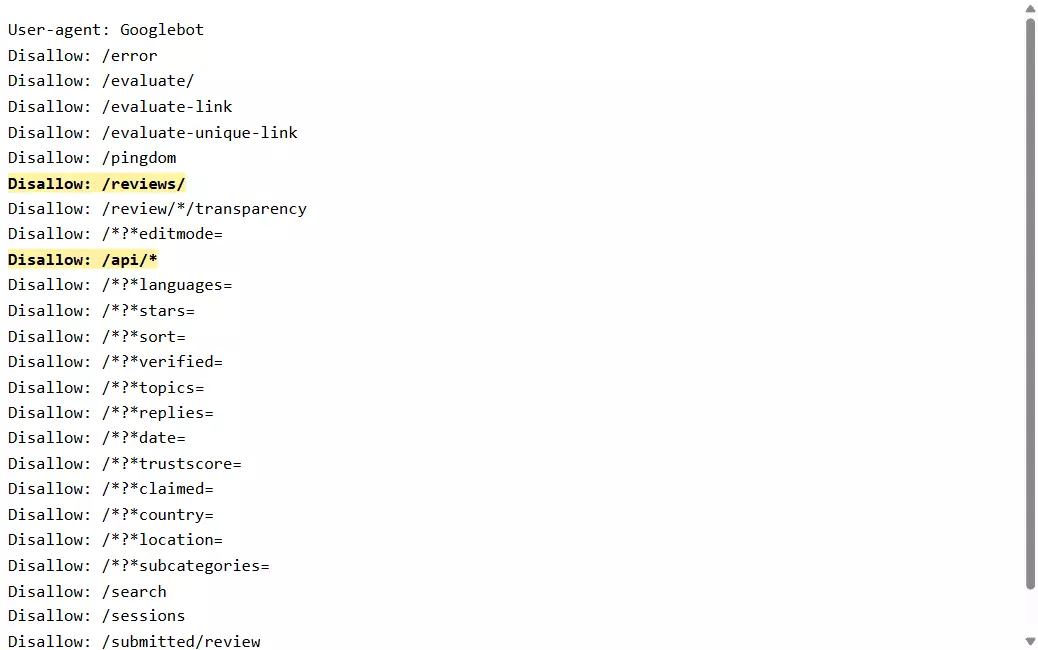
I'm not going to publish a teardown of it. The limit is the point, and the limit doesn't move.
What does running your own scraper cost?
Even if the wall didn't exist, review scrapers are maintenance-heavy in a way that's easy to underestimate.
I have receipts on this from our own scraper. In one quarter, lobstr.io's Trustpilot scraper needed three separate fixes for blocking and request failures:
- Malformed URLs crashed runs in early July
- A stale request signature caused rejections two weeks later
- A stale token issue hit the week after that
Plus a filter bug where the "All languages" setting quietly returned English-only results until it was fixed in August.
That's a team whose entire job is maintaining scrapers, on one target, in three months. Your side project is not going to fare better.
So you need a third-party API. And on this platform there's really only one question that matters... does it clear 200 reviews or not.
lobstr.io Trustpilot Reviews API
Full disclosure, this is my product. Every number below is one you can check yourself, and the full dataset from my test run is linked at the end.
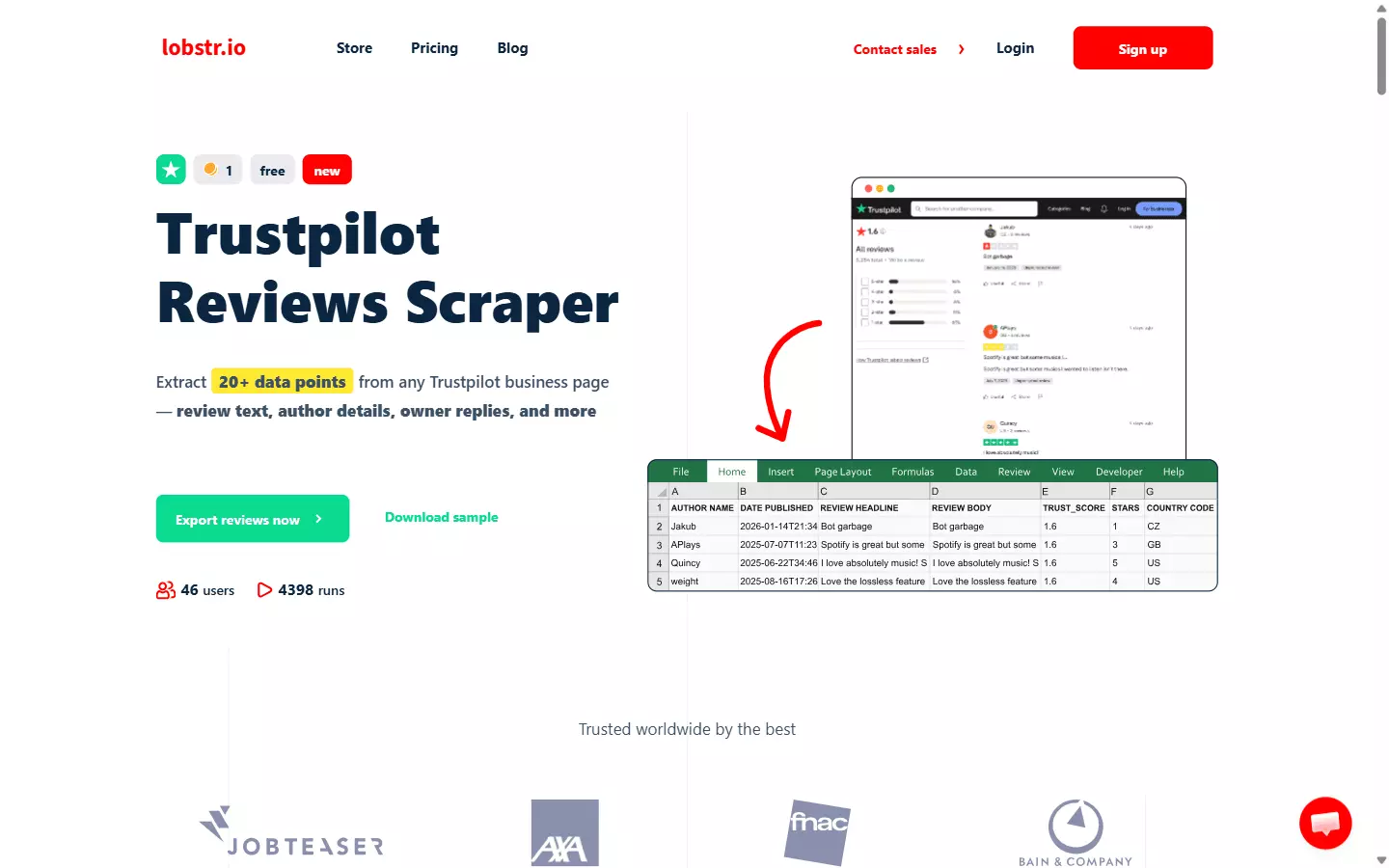
On ratings, lobstr.io sits at 5.0 out of 5 from 33 reviews on Capterra, most recent review dated 29 January 2026. Sub-scores are 5.0 for ease of use, 5.0 for customer support, and 4.9 for value for money.
Small sample, but real reviews.
How does it get past 200 reviews?
It gets past the 200-review wall, without using a login. That's the entire reason this article exists.
There's no logged-in account anywhere in the loop, which means none of the logged-in downsides apply... no session management, no cookie rotation, no ban risk, and no throughput penalty past review 200. Reviews 201 onward come out at the same rate as the first 200.
Those reviews span pages 1 to 36, at 20 per page. Trustpilot's anonymous gate shuts after page 10, so everything from page 11 on is ground nothing else reaches.
What data fields do you get?
35 fields per review.
[
  "review_url",          "review_link",         "business_unit_id",
  "author_name",         "author_id",           "author_image",
  "date_published",      "experience_date",     "updated_date",
  "review_headline",     "review_body",         "review_language",
  "rating_value",        "review_sentiment",    "review_source",
  "verification_level",  "review_verification_source",
  "is_author_verified",  "is_review_verified",
  "number_of_reviews",   "consumer_reviews_on_domain",
  "consumer_country_code",
  "likes",               "report",
  "owner_reply",         "owner_reply_date",    "owner_reply_updated_date",
  "reviews_count",       "trust_score",         "stars",
  "company_name",        "company_category",    "company_page_url",
  "page_number",         "scraping_time"
]f
review_sentiment carries Trustpilot's own NLP classification of the review text, not anything we compute.owner_reply, owner_reply_date, and owner_reply_updated_date cover company responses, including when a reply was edited after the fact.What filters can I set?
Set them once at the Squid level and they apply to every task in the run.
| Filter | What it does |
|---|---|
max_results | Reviews per task. Leave it empty to take everything |
max_unique_results_per_run | Cap across all tasks in one run |
stars | all, or 1 through 5 |
language | 24 languages, or All languages |
verified | Verified reviews only |
replies | Only reviews that have a company reply |
search | Keyword filter on review text |
topics | Trustpilot's own topic tags, comma-separated |
fetch_since | Date cutoff. Relative (24h, 7d, 2w) or an absolute timestamp |
fetch_since_timezone | IANA timezone for absolute cutoffs |
start_page | Page to begin from, 20 reviews per page |
stars: "1" plus fetch_since: "7d" gives you every one-star review from the last week. That's a reputation-monitoring alert in two parameters.https://www.trustpilot.com/review/lendingclub.comlendingclub.com both work, and for bulk jobs you upload a CSV of domains.How much does it cost?
$2 per 1,000 reviews on entry, dropping to $0.50 per 1,000 reviews at scale. It's a monthly credit subscription, and one review costs exactly one credit.
No per-request fee on top, no platform surcharge.
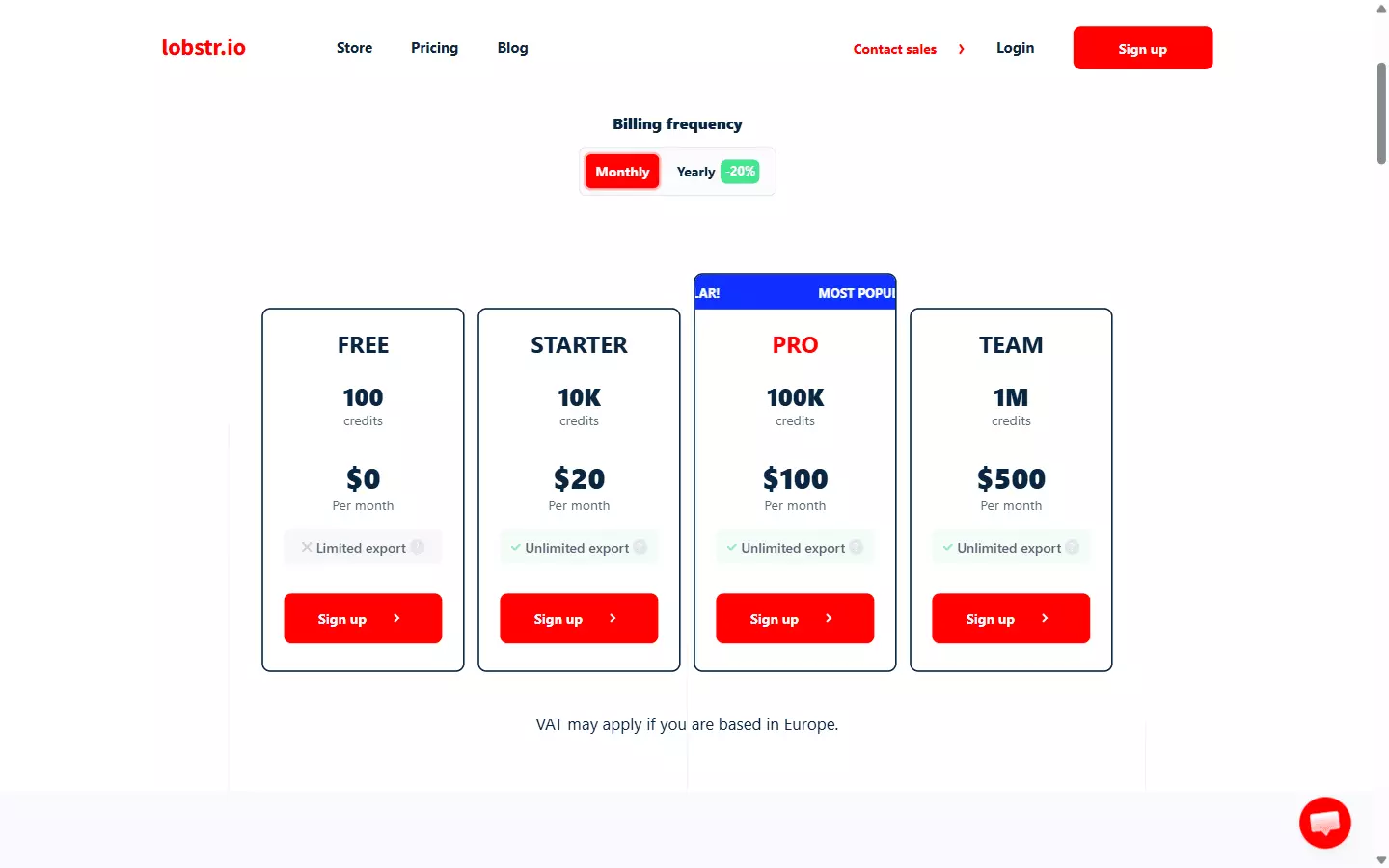
Here's the arithmetic on a real job. Say you want every review from 50 companies averaging 2,000 reviews each.
- 50 × 2,000 = 100,000 reviews = 100,000 credits
- On the Pro plan, 100,000 credits costs $100, so $1.00 per 1,000
- On the Team plan, that same 100,000 reviews is $50 of credit at the $0.50 per 1,000 rate, with 900,000 credits left over
The scale rate only kicks in when you're buying volume, which is the honest way to describe every credit system. If you're pulling 5,000 reviews a month you're paying the entry rate, so compare against that number rather than the headline one.
There's a free tier if you want to check the 200-review claim before paying anything.
Pros and cons
| Pros | Cons |
|---|---|
| Gets past the 200-review wall with no login | Async only. There's no synchronous endpoint, so you can't fetch a single review in one round-trip |
| Self-serve API key, live in minutes | |
| 35 fields including company replies and Trustpilot's sentiment | |
| $0.50 per 1K at scale, 1 review = 1 credit | |
| 200+ reviews per minute | |
| No cap on results per request, so a whole run comes back in one call | |
| Filters on stars, language, verified, replies, keyword, topics, date | |
| CSV, JSON, JSONL, XLSX, plus Google Sheets, S3, SFTP, email delivery | |
| Scheduling and webhooks built in |
That async point is worth a section of its own, so here it is.
Is the API synchronous or asynchronous?
lobstr.io's API is asynchronous. Trustpilot's official API is synchronous. For bulk review collection that's the right way round.
run.done webhook. Nothing times out, because nothing is sitting on an open connection waiting.| Synchronous | Asynchronous | |
|---|---|---|
| Data arrives | In the same response | In a later fetch, after the job finishes |
| Round trips | One | Four... create, add work, start, fetch |
| Good for | Single lookups, live page loads | Thousands of records per job |
| Bad for | Bulk collection, long jobs | Rendering something during a page load |
| Timeout risk | High on big jobs | None, the job runs server-side |
| Example here | Trustpilot Business Units API | lobstr.io Trustpilot Reviews API |
That's exactly what you want at 100,000 records across 50 competitors. No sync API survives that job... it would time out, and you'd end up building your own queue anyway.
What you don't get is a synchronous single-review lookup. If you need one company's rating rendered live during a page load, Trustpilot's public Business Units endpoint is the right tool and I'd rather you used it.
How to use the lobstr.io Trustpilot API
Everything below I ran against the live API while writing this. The responses are real, trimmed only for length.
The shape of the API is three objects, and understanding them in order makes everything else obvious.
- A Squid is your configured project. It binds a crawler to your settings and holds your tasks
- A Task is one Trustpilot company URL to scrape
- A Run is one execution of that Squid's tasks, which produces Results
So the chain is... create a Squid, add Tasks to it, configure it, start a Run, wait, fetch Results. Five calls, and two of them are optional once you've set things up.
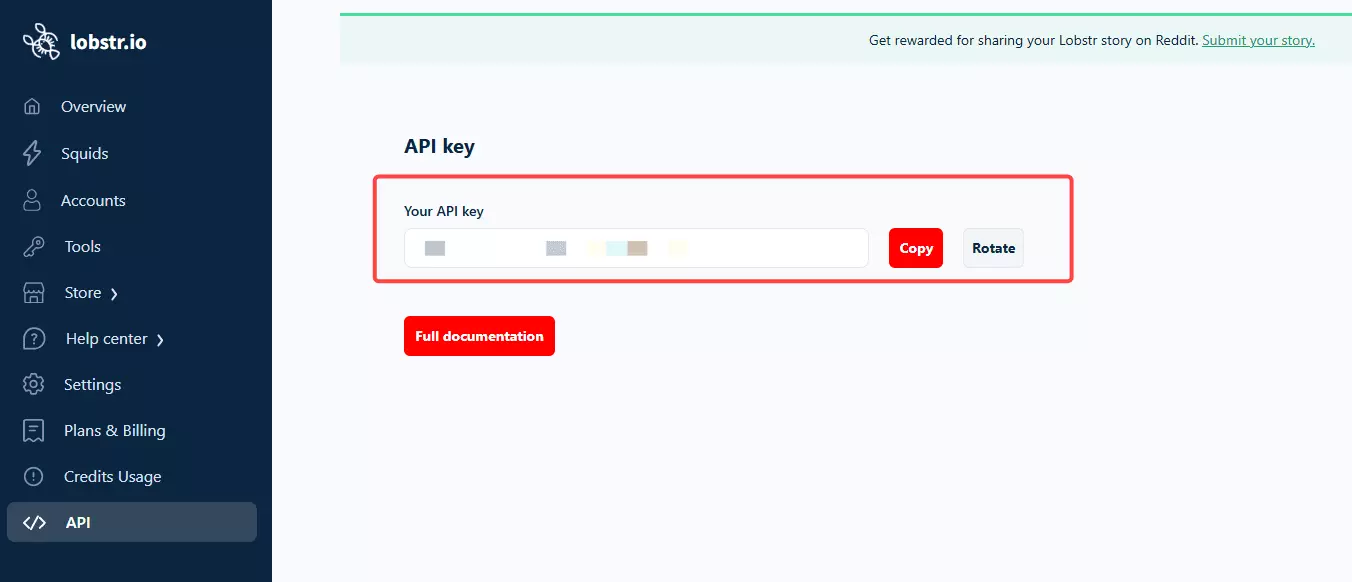
https://api.lobstr.io/v1Authorization: Token YOUR_API_KEYf
Step 0: get crawler parameters
b3362ab52c6fab3d8897af79cbba380e.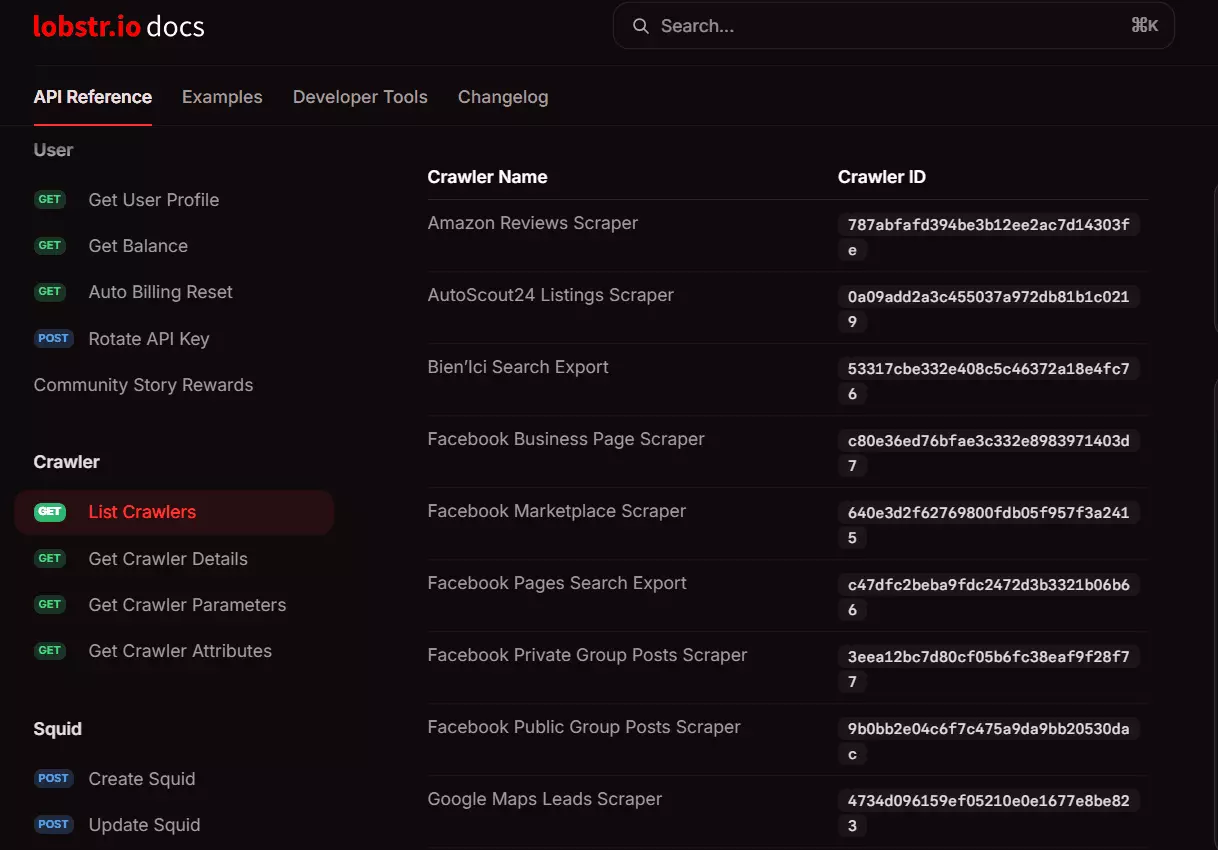
curl -X GET "https://api.lobstr.io/v1/crawlers/b3362ab52c6fab3d8897af79cbba380e" \
  -H "Authorization: Token YOUR_API_KEY"f
That returns every accepted parameter with its type and default, plus all 35 output fields. Cost: free, it's a metadata call.
Step 1: create a Squid
curl -X POST "https://api.lobstr.io/v1/squids" \
  -H "Authorization: Token YOUR_API_KEY" \
  -H "Content-Type: application/json" \
  -d '{
    "name": "Trustpilot Competitor Monitor",
    "crawler": "b3362ab52c6fab3d8897af79cbba380e"
  }'f
201 Created.{ "id": "67506ff950734357a53ab32e6e07b2c1", "account": [], "concurrency": 1, "crawler": "b3362ab52c6fab3d8897af79cbba380e", "created_at": "2026-08-25T10:44:55Z", "is_active": true, "name": "Trustpilot Competitor Monitor", "params": { "max_results": null, "stars": "all", "language": "All languages", "replies": false, "verified": false, "topics": null, "search": null, "fetch_since": null, "start_page": 1 }, "schedule": null, "to_complete": false }f
id, everything else references it. Cost: free.One thing to know here. A Squid occupies a slot on your plan whether or not it's running, and slots are capped... 1 on Free, 2 on Starter, 10 on Pro, 50 on Team, 100 on Business. Hit the ceiling and you get this back:
{"errors": {"message": "You have reached the maximum number of slots.", "type": "SlotsLimitExceeded", "code": 400}}f
Delete an old Squid to free the slot.
Step 2: add tasks
One task per Trustpilot company, and URL or bare domain both work.
curl -X POST "https://api.lobstr.io/v1/tasks" \
  -H "Authorization: Token YOUR_API_KEY" \
  -H "Content-Type: application/json" \
  -d '{
    "squid": "67506ff950734357a53ab32e6e07b2c1",
    "tasks": [
      {"url": "https://www.trustpilot.com/review/lendingclub.com"}
    ]
  }'f
Response.
{
  "duplicated_count": 0,
  "tasks": [{
    "id": "dec62668fa4e640cef4c011bc3231a27",
    "created_at": "2026-08-25T10:45:09.578443",
    "is_active": true,
    "params": {"url": "https://www.trustpilot.com/review/lendingclub.com"},
    "module": 217,
    "object": "task"
  }]
}f
duplicated_count reports. Cost: free, you're only charged for results.SUCCESS:POST /v1/tasks/upload GET /v1/tasks/upload/{id}f
Step 3: configure the filters
POST back to the Squid's own URL.curl -X POST "https://api.lobstr.io/v1/squids/67506ff950734357a53ab32e6e07b2c1" \ -H "Authorization: Token YOUR_API_KEY" \ -H "Content-Type: application/json" \ -d '{ "concurrency": 10, "export_unique_results": true, "no_line_breaks": true, "params": { "max_results": 2000, "stars": "all", "language": "English", "verified": false, "replies": true } }'f
201 and echoes back the params you set. Cost: free.sort_by parameter. You'll find it in some older examples, but it doesn't exist on this crawler, and the API rejects the whole request with 400 InvalidParam if you include it.Step 4: start the run
curl -X POST "https://api.lobstr.io/v1/runs" \
  -H "Authorization: Token YOUR_API_KEY" \
  -H "Content-Type: application/json" \
  -d '{"squid": "67506ff950734357a53ab32e6e07b2c1"}'f
Response comes back immediately, before any scraping has happened. This is the async part in action.
{
  "id": "1893bd8d7b64493c9d6f85db08914781",
  "object": "run",
  "squid": "67506ff950734357a53ab32e6e07b2c1",
  "is_done": false,
  "started_at": "2026-08-25T10:45:37Z",
  "status": "pending",
  "total_results": 0,
  "credit_used": 0
}f
Cost: 1 credit per review collected, billed as the run progresses.
Now you either poll or use a webhook. Polling first.
curl -X GET "https://api.lobstr.io/v1/runs/1893bd8d7b64493c9d6f85db08914781" \
  -H "Authorization: Token YOUR_API_KEY"f
When it's finished.
{
  "id": "1893bd8d7b64493c9d6f85db08914781",
  "status": "done",
  "done_reason": "tasks_done",
  "created_at": "2026-08-25T10:45:44.273406",
  "started_at": "2026-08-25T10:45:37.440004",
  "ended_at": "2026-08-25T10:45:44.437942",
  "duration": 4.7127,
  "credit_used": 5,
  "total_results": 5,
  "total_unique_results": 5,
  "export_done": true,
  "export_time": "2026-08-25T10:45:47.900381"
}f
pending, running, uploading, paused, done, aborted, and error. Treat the last three as terminal.running.For real jobs, skip polling and use a webhook instead.
curl -X POST "https://api.lobstr.io/v1/delivery?squid=67506ff950734357a53ab32e6e07b2c1" \
  -H "Authorization: Token YOUR_API_KEY" \
  -H "Content-Type: application/json" \
  -d '{
    "webhook_fields": {
      "url": "https://your-endpoint.example.com/lobstr-hook",
      "is_active": true,
      "retry": true,
      "events": {
        "run.running": false,
        "run.paused": false,
        "run.done": true,
        "run.error": true
      }
    }
  }'f
retry on, failed deliveries get three attempts, 15 minutes apart.Step 5: get the reviews
JSON straight from the API.
curl -X GET "https://api.lobstr.io/v1/results?run=1893bd8d7b64493c9d6f85db08914781" \
  -H "Authorization: Token YOUR_API_KEY"f
One real review from that response, untouched apart from trimming.
{
  "id": 19057,
  "object": "result",
  "run": "1893bd8d7b64493c9d6f85db08914781",
  "author_name": "C Sargent",
  "author_id": "6a8ba5b84a465f8b1cb5b5dc",
  "business_unit_id": "5060f52a00006400051bf99f",
  "company_name": "Happen Bank",
  "company_category": "Bank",
  "company_page_url": "https://www.trustpilot.com/review/lendingclub.com",
  "rating_value": 4,
  "review_headline": "Very efficient",
  "review_body": "Five stars for the speed of approval and deposit to my bank. But I gave it four because the interest rate is so high.",
  "review_language": "en",
  "review_sentiment": "positive",
  "verification_level": "invited",
  "date_published": "2026-08-24T02:00:34Z",
  "experience_date": "2026-08-11T22:00:00Z",
  "owner_reply": "That's pretty good, we're glad you are enjoying the services. We'll keep improving.",
  "owner_reply_date": "2026-08-24T13:10:16Z",
  "consumer_country_code": "US",
  "likes": 0,
  "trust_score": 4.7,
  "stars": 4.5,
  "reviews_count": 14472,
  "scraping_time": "2026-08-25T10:45:43.283Z"
}f
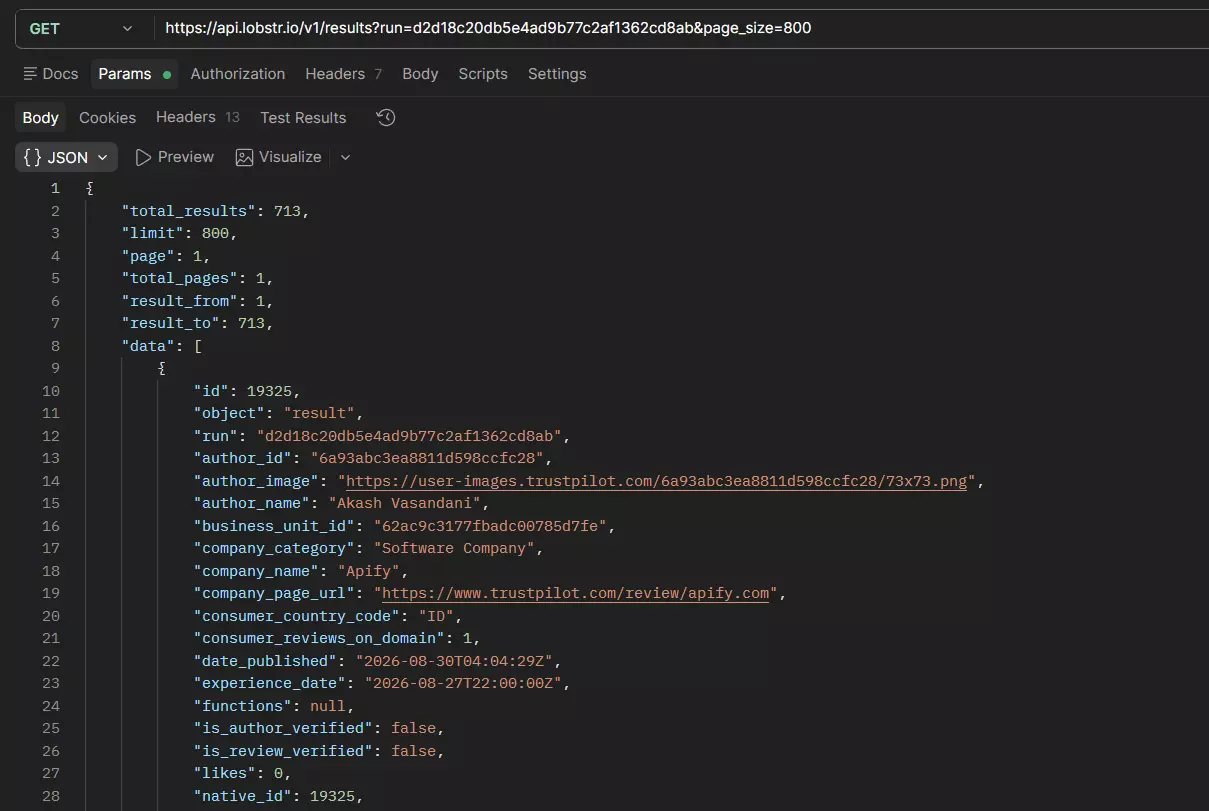
company_page_url says lendingclub.com but company_name comes back as "Happen Bank", because the listing was renamed. The scraper reports what's live, so don't hardcode company names.page_size. Set it above your total and the whole run comes back in one request... that's how those 713 Apify reviews arrived as a single page.file_format.curl -X GET "https://api.lobstr.io/v1/runs/1893bd8d7b64493c9d6f85db08914781/download?file_format=xlsx" \ -H "Authorization: Token YOUR_API_KEY"f
That returns a signed S3 URL rather than the file itself.
{"s3": "https://s3.eu-west-1.amazonaws.com/api.lobstr.io/lobstr.../1893bd8d7b64493c9d6f85db08914781.xlsx?...&Expires=1788273420"}f
csv, json, jsonl, and xlsx all work. One thing to watch: misspell the parameter as format or type and you get a 200 back with a CSV URL instead of an error.That JSON file is exactly what the Apify run produced, all 713 reviews and 43 export columns.
pip install lobstrio-sdkf
Is scraping Trustpilot legal?
Disclaimer: I'm not a lawyer and this isn't legal advice. If you're running something serious, talk to an actual lawyer. What follows is the public lay of the land.
"Access, search, or collect content from our platform or services by any means (automated or otherwise) except as permitted in these terms or otherwise authorised by us... you must not carry out, facilitate, authorise or permit any text or data mining or web scraping in relation to our platform or services for any purpose, including the development, training, fine-tuning or validation of artificial intelligence systems or models"
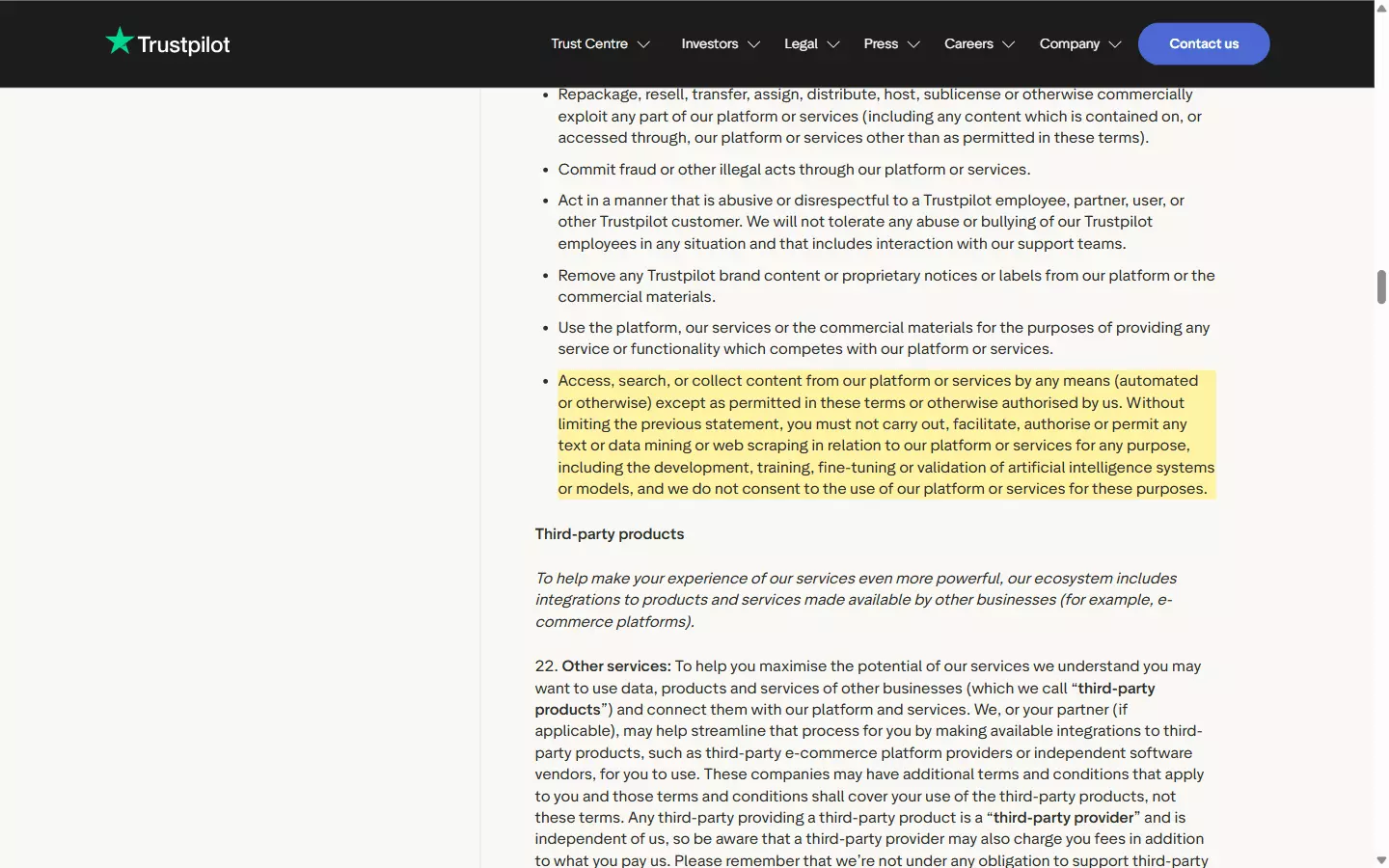
Does that make it illegal? Not automatically. Terms of service are a private contract, so breaching them is a contract matter rather than a crime, and courts have generally distinguished collecting publicly visible data from unauthorized access to a system.
But this is jurisdiction-dependent and genuinely unsettled, and no court has ruled on Trustpilot's specific clauses. Worth knowing that Trustpilot's actual confirmed litigation has gone after fake-review sellers, not scrapers.
FAQ
Does Trustpilot have an official API?
Is scraping Trustpilot legal?
Trustpilot's terms prohibit it outright, so you'd be breaching a contract. That's different from breaking a law, and courts have generally treated public data collection differently from unauthorized access. It varies by jurisdiction and no court has ruled on Trustpilot's own terms. Not legal advice, see the section above.
Can I get reviews for a business I don't own?
Not through the standard official API. You can pull any company's aggregate stats... TrustScore, star breakdown, review counts... with just an API key and no ownership check. Full review text for a listing you don't own needs either Data Solutions, which is waitlist-gated, or a third-party scraper.
Why do I only get 200 reviews?
Because Trustpilot requires a login after page 10, and each page holds 20 reviews. That ceiling hits DIY scripts, the internal API, and effectively every third-party Trustpilot API. lobstr.io's scraper is built to get past it without logging in.
Is the Trustpilot API free?
No. Free, Starter, and Plus plans don't include API access at all, Premium can add the API Module as a paid add-on, and Enterprise includes it. Trustpilot publishes no prices for any of it, so you'll be talking to an account manager.
What are the Trustpilot API rate limits?
Trustpilot recommends staying under 833 calls per 5 minutes or 10,000 per hour. Your plan sets a separate annual ceiling on top... 200,000 calls a year on tier 1, 1,000,000 on tier 2, unlimited on tier 3. Both review endpoints also cap at 100,000 records.
How much does it cost to collect Trustpilot reviews at scale?
With lobstr.io, $2 per 1,000 reviews at entry dropping to $0.50 per 1,000 at scale, at one credit per review. A 100,000-review job is 100,000 credits, which is $100 on the Pro plan or $50 of credit at the Team rate. The official API has no published pricing to compare against.
Official API or a scraping API, which should I use?
Official if you own the business and want to reply, tag, or send invitations... it's the only option that can write, and nothing else replaces the Invitations API. A scraping API if you need review content from listings you don't own, or more than 200 reviews from any single listing.
Can I post or reply to reviews through an API?
You can reply, for a business you own, via the official Service Reviews API:
POST /v1/private/reviews/{reviewId}/replyf
You cannot post a review... no such endpoint exists on any Trustpilot API. The Invitations API only emails customers a link into Trustpilot's own submission flow.
How fast can I collect reviews?
lobstr.io's Trustpilot Reviews Scraper runs at 200+ reviews per minute, and there's no slowdown past the 200-review mark because there's no login involved.
Wrapping up
The honest caveat, one more time... it's an async API. You submit a job and fetch results later, which is right for 100,000 reviews and wrong for a single live lookup on a page load.
There's a free tier if you want to verify the 200-review claim yourself before spending anything. That's genuinely the fastest way to settle it.