How to Scrape All Trustpilot Reviews at scale [no 200-Review Cap]
(updated)
15-Second Summary
- Trustpilot is the biggest review platform with 300M+ reviews across 1M+ businesses. Perfect source for competitor analysis, sentiment tracking, and reputation monitoring.
- Trustpilot's official API only lets you access your own reviews. No competitor data, no market-wide access, unless you pay enterprise pricing.
- Building your own scraper is a nightmare. Login walls after page 10, anti-bot systems, proxy costs, and constant maintenance.
- Most existing scrapers are broken, expensive, or require login which puts your account at risk.
- Every other scraper on the market caps out at 200 reviews per listing. The few that go further make you connect your own Trustpilot account, which throttles your volume and puts that account at risk of a ban.
- lobstr.io is the only tool that collects all reviews from any Trustpilot listing. No login, no cookies, no account pools, no cap.
- lobstr.io provides the fastest, most affordable, and no-login way to scrape Trustpilot reviews at scale with 200+ reviews per second.
- This article shows how to scrape Trustpilot reviews using lobstr.io step by step, including filtering by star rating, language, keywords, topics, and verified status.
So here you are… after reading every nerdiest piece of crap on the internet about scraping Trustpilot reviews.
The internet is full of solutions that require you to login (and risk your account), break after page 10, don't scale past a few hundred reviews, or straight up don't work anymore.
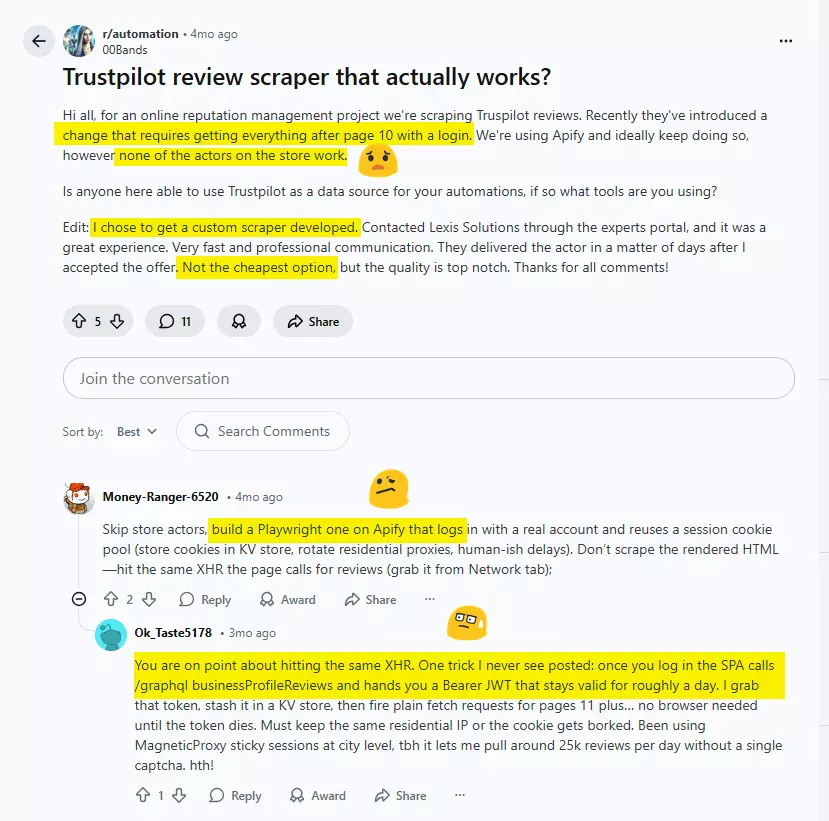
And the ones that do work? Insanely expensive. And they still stop dead at 200 reviews per listing.
More on that in a minute.
Don't worry, I got you.
Here's a no-nerd tutorial on how to scrape Trustpilot reviews at scale, without coding, without logging in, and affordably at scale.
But why do you need to scrape them if there's an official API?
Does Trustpilot offer an official API?
I'll give it to you straight: No, Trustpilot does not offer a public API to pull reviews for any business at scale.
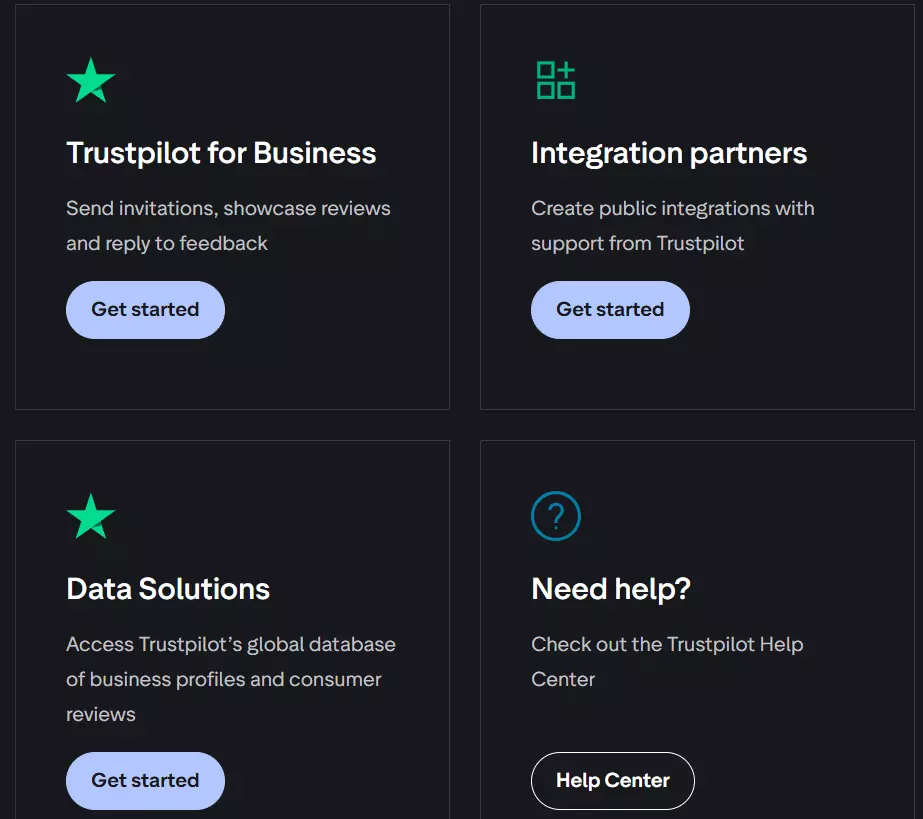
You must have a verified Trustpilot Business account to even generate an API Key. And even then, you can only pull review data for your specific Business Unit ID.
You cannot query a competitor's domain. Period.
On top of that, they cap you at 833 calls per 5 minutes and 10,000 calls per hour.
And their Terms of Service explicitly forbid using the API to scrape, index, or display other companies' data.
So if your goal is competitor research, market analysis, or anything involving businesses other than your own… the official API is useless.
What about Trustpilot Data Solutions?
If you want official, sanctioned access to market-wide data, Trustpilot offers an enterprise-tier product called "Trustpilot Data Solutions."
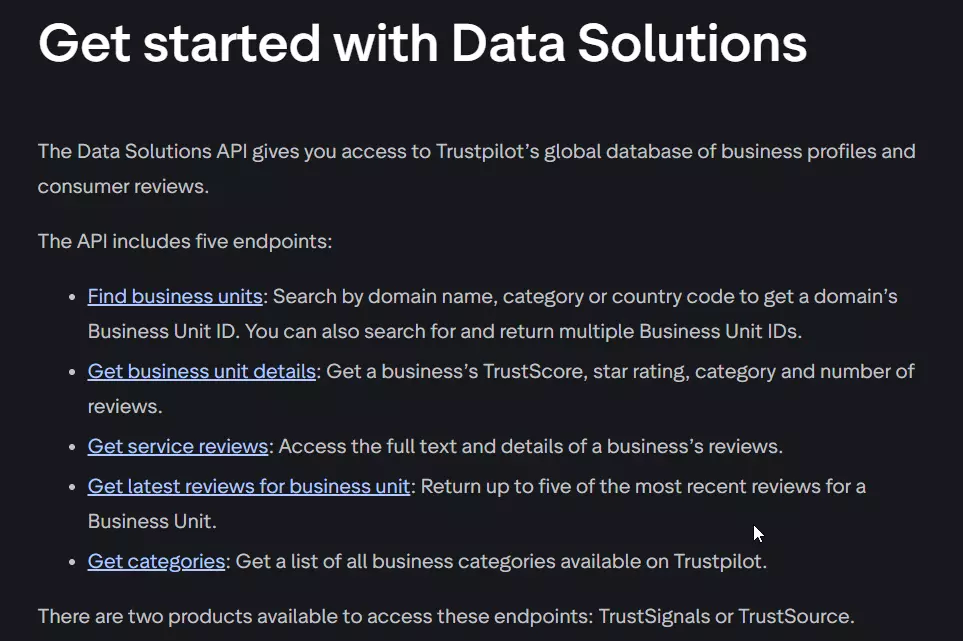
Sounds great until you realize it's a gated B2B product that requires going through their sales pipeline, signing a custom enterprise agreement, and paying a fortune.
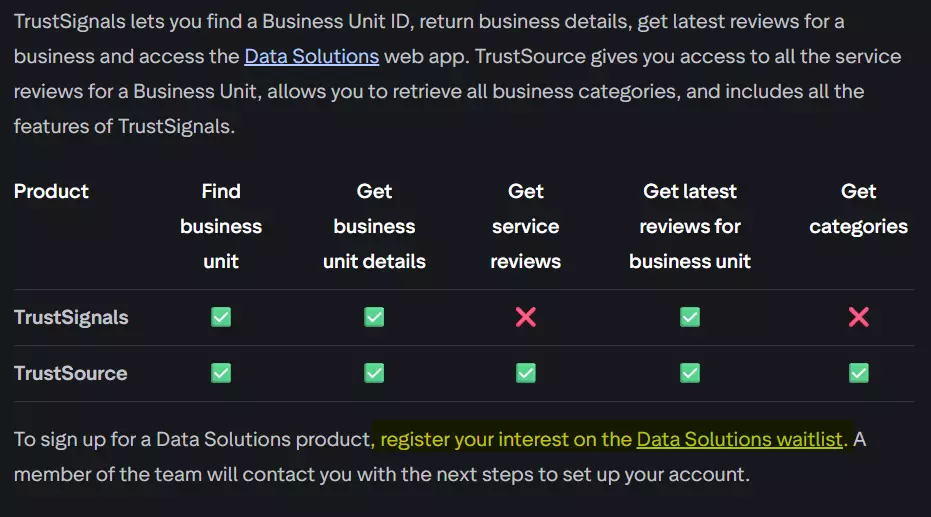
It's aimed at large corporations and data firms, not at you and me. Plus the data is too limited.
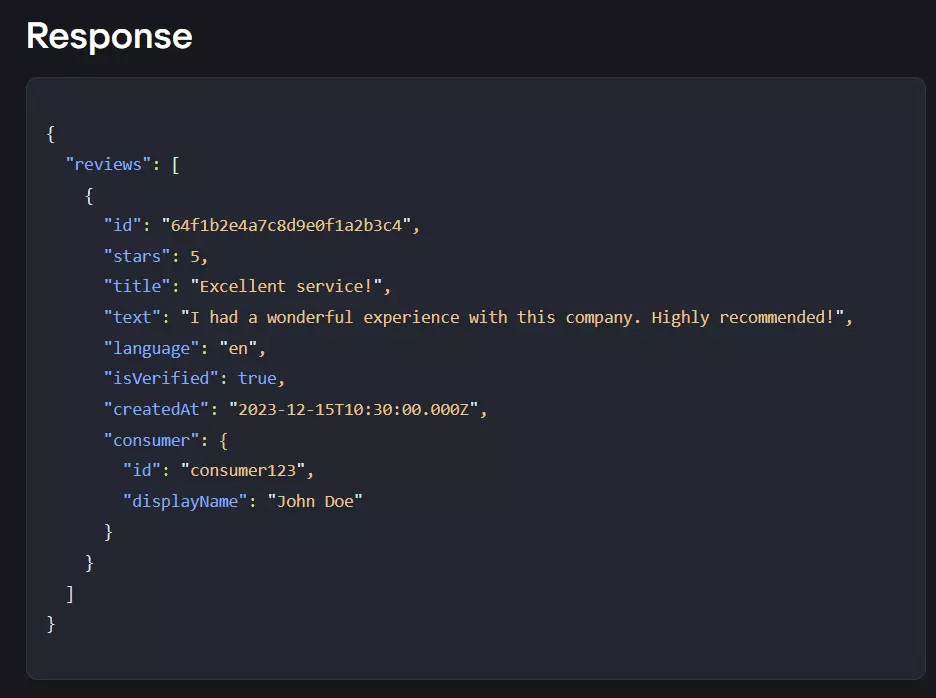
And that's exactly why you need a scraper.
But is it even legal to scrape Trustpilot reviews?
Is it legal to scrape Trustpilot reviews?
Disclaimer
This section is for general informational purposes only. It's based on publicly available sources and practical interpretation, not legal advice.
Laws vary by country and change over time. If compliance, contracts, or platform risk matter to you, talk to a qualified legal professional.
Let me break this down into two parts:
- Does Trustpilot allow scraping?
- Is it actually legal?
Does Trustpilot allow scraping?
Both their consumer and business Terms of Use explicitly ban any form of automated data collection, including scraping, text mining, and data mining.
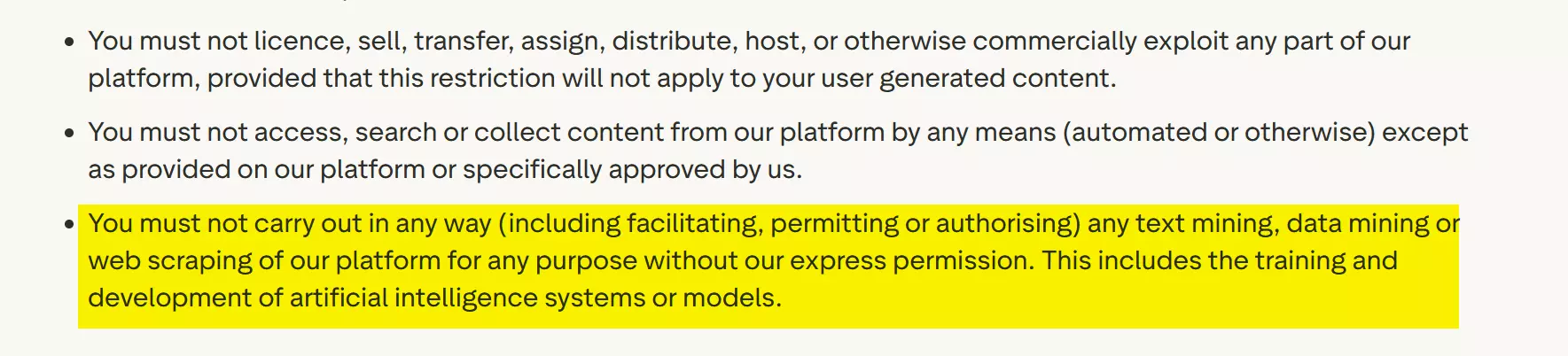
They even prohibit using scraped data for AI training.
But does that make it illegal?
Is it legal to scrape Trustpilot reviews?
Absolutely yes! It's generally legal.
Trustpilot reviews are publicly accessible. You don't need an account to read them. Anyone can view them in a browser.
Courts have consistently ruled that scraping publicly available data is legal. Violating a Terms of Service is a civil matter (breach of contract), not a criminal offense.
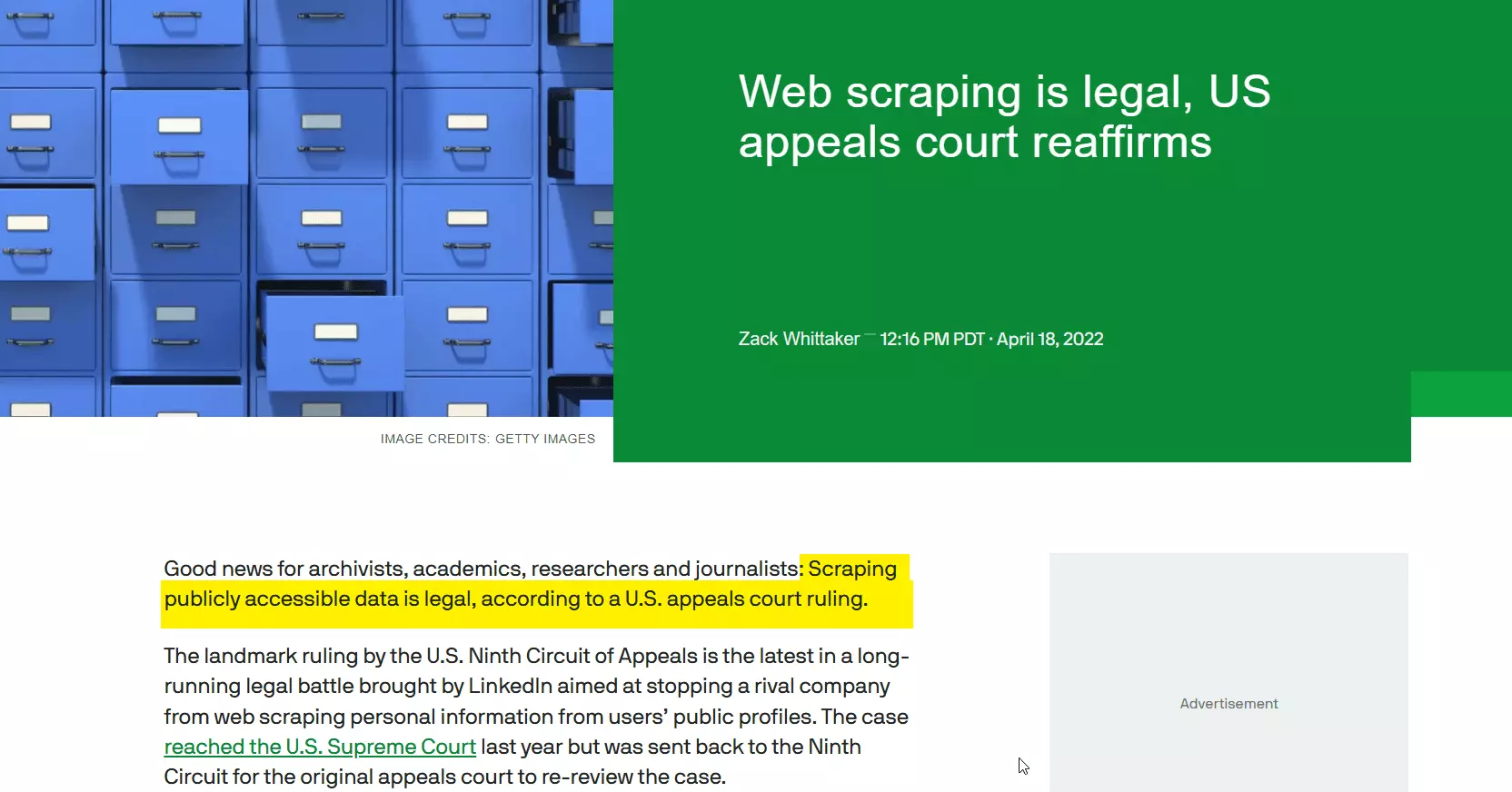
I've covered the legal landscape of web scraping in detail, including key court cases and regulations, in our legal series.
But legal doesn't mean reckless. You still need to:
- Respect rate limits and not overload Trustpilot's servers
- Comply with GDPR if scraping data involving EU citizens
- Avoid republishing reviews as your own content (that's copyright infringement)
- Use the data responsibly with no harassment, impersonation, or shady stuff
But how do I actually scrape Trustpilot reviews at scale?
2 ways to scrape Trustpilot reviews
Practically, you've got two options:
- Build your own scraper
- Use a ready-made scraper
Build your own scraper
If you're a vibe coder, forget about it. It's hard even if you're a proper nerd. HTML parsing won't work because Trustpilot loads content dynamically.
Slow Playwright/Selenium solutions are not sustainable at scale. And good luck dealing with logins…
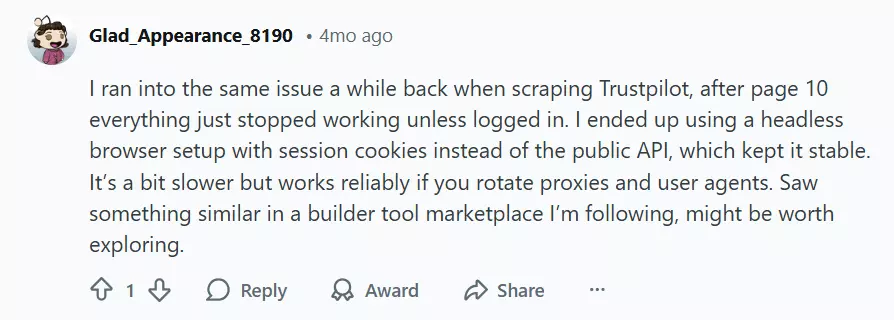
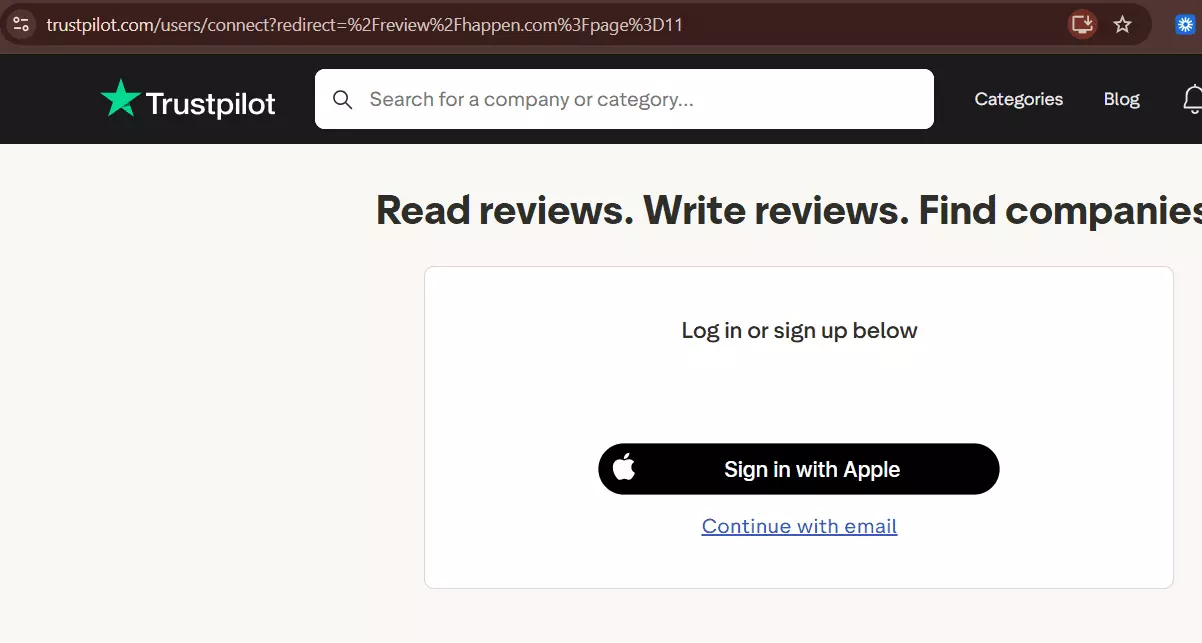
Trustpilot now requires authentication after page 10, which broke almost every existing scraper overnight.
That wall is exactly why nearly every tool on the market tops out at 200 reviews per listing. lobstr.io is the only one that gets past page 10 without a login.
If you're smart, you might try to explore internal API endpoints. Well, wait for Trustpilot's anti-bot systems to make your life hell.
It'll make things super expensive for you. You'll have to deal with ever-evolving CAPTCHAs and anti-bot mechanisms, and invest heavily in residential proxies to avoid IP bans.
And maintenance itself is a nightmare at scale.
Use a ready-made scraper
This is what smart people do.
Even in ready-made tools, you've got APIs and no-code options. APIs are for nerds. Since this article focuses entirely on no-code, I'll skip the nerd stuff.
I'll do a full comparison of the best Trustpilot reviews scrapers right after this article. For now, let me tell you about the absolute best i.e. lobstr.io.
Best Trustpilot reviews scraper: lobstr.io
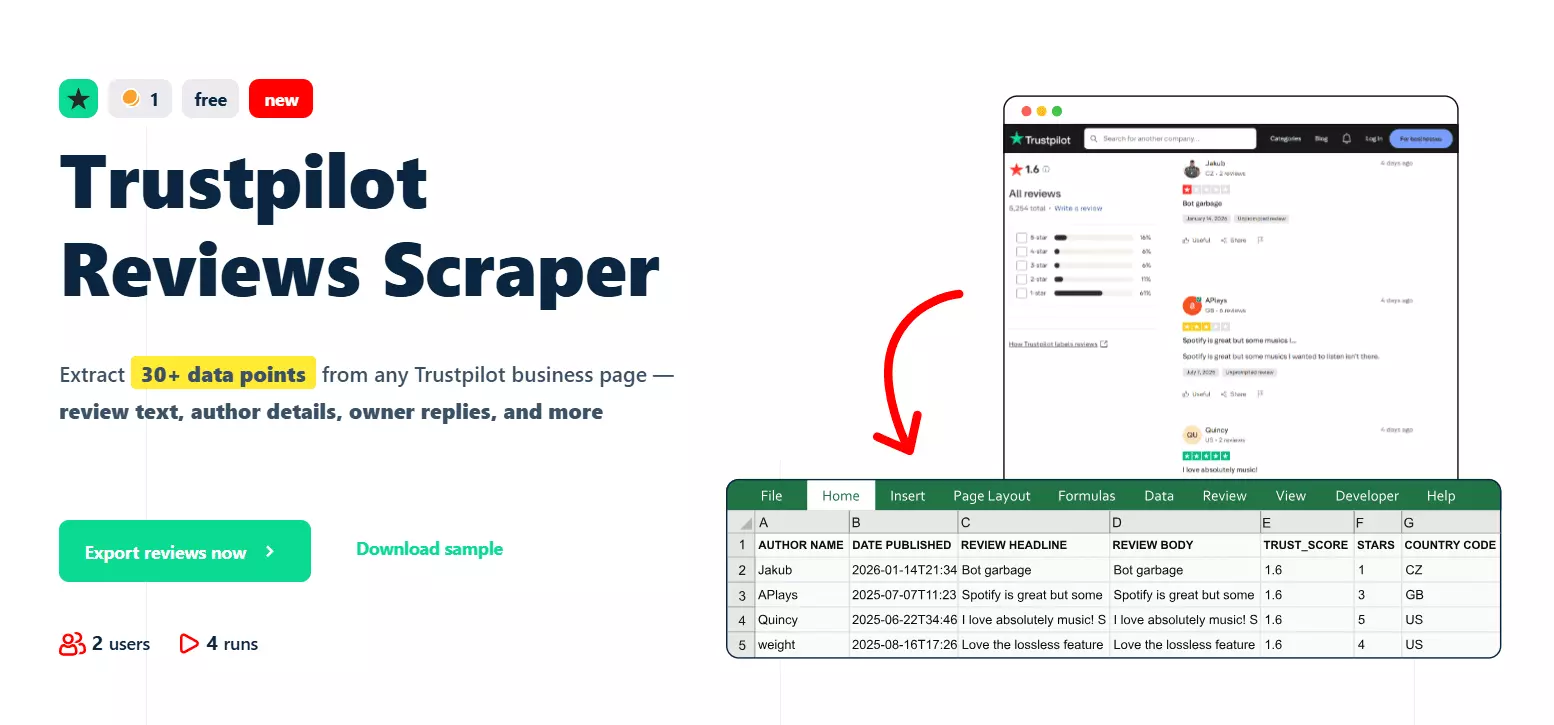
The 200-review wall (and why lobstr.io doesn't have one)
This is the part nobody puts on their landing page.
Take any other Trustpilot scraper out there. Point it at a listing with tens of thousands of reviews. Let it run. Then count your rows.
200.
That's where it stops. Every single one of them. Not because they're lazy, but because that's where Trustpilot's login wall drops and they've got nothing to get past it with.
lobstr.io is the only tool that collects all reviews from any Trustpilot listing. 200, 20,000, 200,000… doesn't matter. You get the lot.
It's the only scraper on the market that goes past page 10 without a login.
"But some tools do go past 200."
Sure, a few do. Read their setup docs and you'll find the price tag: you have to connect your own Trustpilot account.
That's a rotten deal, for two reasons:
- Your speed and volume fall off a cliff. You're no longer collecting at scraper speed. You're collecting at whatever one logged-in account is permitted to pull in a day or a month, and that ceiling is low.
- Your account is the collateral. Automated collection through a logged-in session is precisely what gets accounts banned. And when it happens, it's your account on the chopping block, not theirs.
So the market hands you two options: stop at 200, or hand over your account and hope it survives the month.
lobstr.io doesn't make you choose.
No login. No cookies. No session tokens. No account pools. No "connect your Trustpilot account" step buried three clicks into the setup.
You paste a domain, and every review on that listing comes back at 200+ reviews per second.
There's nothing to ban, because there's no account in play. That's the whole thing. Full coverage, full speed, zero exposure.
Features
- All reviews from any listing, with no 200-review cap and no account to connect
- 25+ data points per review including review text, headline, star rating, and verification status
- Full reviewer and company metadata like author profile, trust score, and overall star rating
- 200+ reviews per second scraping speed
- Powerful filtering by star rating, language, verified reviews only, company replies, topics, keywords, and recency
- No Trustpilot login required
- Schedule recurring runs for automated review monitoring
- Export to CSV, Google Sheets, Amazon S3, SFTP, or email
- Cloud-based, no installation required
- API access for developers
- 3000+ integrations via Make.com
Data
| 🔢 RESULT POSITION | 🆔 REVIEW ID | 👤 AUTHOR NAME | 🆔 AUTHOR ID | | 🖼️ AUTHOR IMAGE | 📅 DATE PUBLISHED | 📝 REVIEW HEADLINE | 💬 REVIEW BODY | | 🌐 REVIEW LANGUAGE | ⭐ RATING VALUE | ✅ VERIFICATION LEVEL | 🔢 NUMBER OF REVIEWS | | 🏳️ CONSUMER COUNTRY CODE | 📅 EXPERIENCE DATE | 👍 LIKES | 🚩 REPORT | | 📍 REVIEW SOURCE | ✔️ IS AUTHOR VERIFIED | ✔️ IS REVIEW VERIFIED | 💬 OWNER REPLY | | 📅 OWNER REPLY DATE | 📅 UPDATED DATE | 🔢 CONSUMER REVIEWS ON DOMAIN | 🔢 REVIEWS COUNT | | 📊 TRUST SCORE | ⭐ STARS | ⏰ COLLECTED AT | |f
Pricing
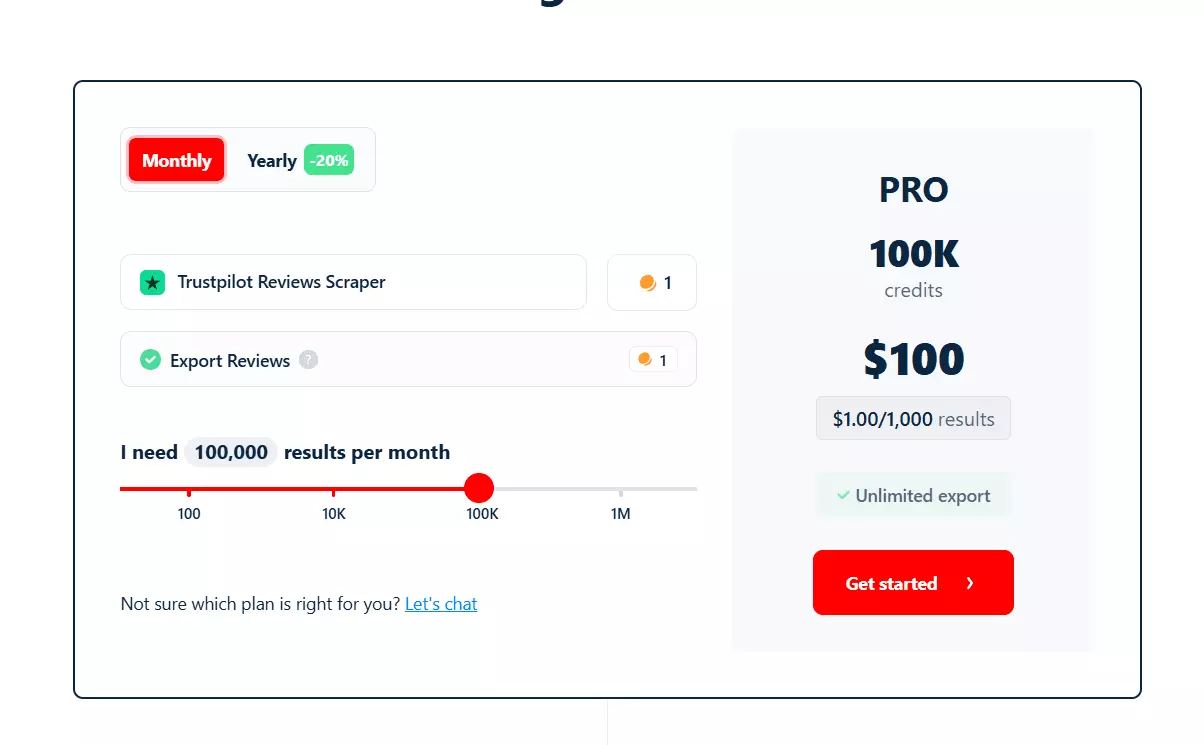
- 100 reviews free every month
- Starts at $2 per 1,000 reviews
- Drops to $0.5 per 1,000 reviews at scale
How to scrape Trustpilot reviews using lobstr.io [Step by Step Guide]
Scraping Trustpilot reviews with lobstr.io takes less than 2 minutes. Here's the process:
- Create a Squid
- Add tasks
- Adjust behavior
- Launch
- Enjoy
Step 1: Create a Squid
A Squid is just a scraper instance. To create one:
- Log in to your lobstr.io dashboard
- Click the red "New Squid" button
- Type "Trustpilot" in the search bar
- Select Trustpilot Reviews Scraper
That's it. Your Squid is ready to configure.
Step 2: Add tasks
A task is simply your input. In this case, it's either a Trustpilot company listing URL or a company domain.
For example:
https://www.trustpilot.com/review/lendingclub.comf
or simply:
lendingclub.comf
Both work. You can add them one by one using the Add+ button. Paste the URL or domain, click add, done.
![How to scrape Trustpilot reviews using lobstr.io [Step by Step Guide] - Step 2: Add tasks image12](/_next/image?url=https%3A%2F%2Fd37gzvgyugjozl.cloudfront.net%2Fimage19_bde2388c5c.gif&w=1920&q=75)
But if you've got hundreds or thousands of companies to scrape reviews from, adding them manually is a waste of time.
Upload file button.I usually scrape reviews for SaaS companies. And I hate manually browsing Trustpilot and collecting listing URLs one by one.
So I prepare a simple TXT file with all the domains I want to monitor, upload it once, and let the scraper handle the rest.
![How to scrape Trustpilot reviews using lobstr.io [Step by Step Guide] - Step 2: Add tasks image13](/_next/image?url=https%3A%2F%2Fd37gzvgyugjozl.cloudfront.net%2Fimage9_bef0dbf491.gif&w=1920&q=75)
No need to find Trustpilot URLs manually… just the domain works.
Save to move to the next step i.e. Settings.Step 3: Adjust behavior
The Settings tab controls how your scraper behaves. There are two sections here: Basic and Advanced.
I'm not gonna bore you explaining every option including the unnecessary ones for this scraper. Let me cover the ones you'll actually use.
Basic settings
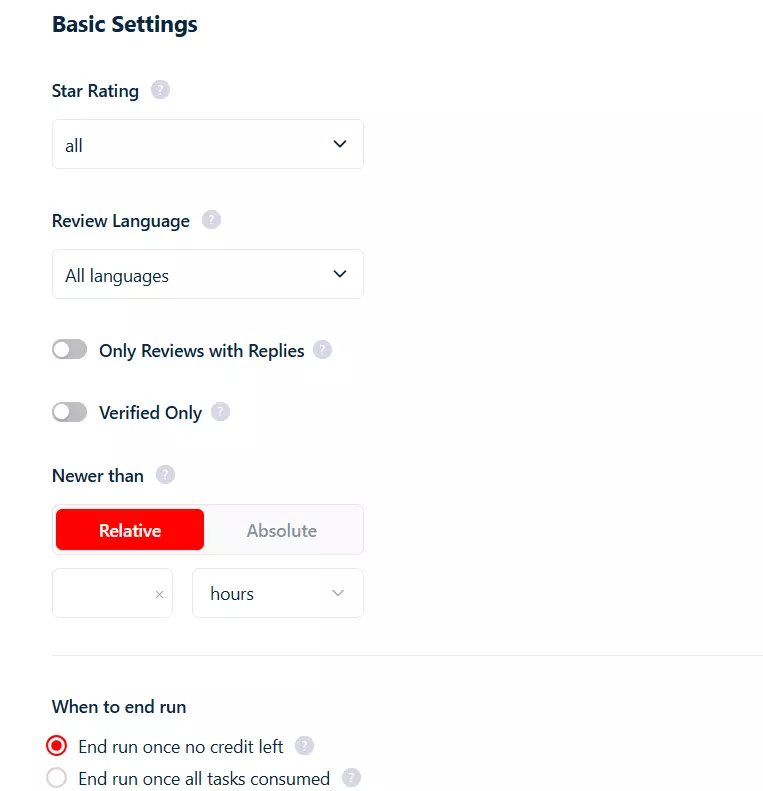
Star Rating… filter reviews by 1-star, 2-star, all the way to 5-star. Want to uncover only the 1-star disasters? Go ahead.
Review Language… self-explanatory. It helps you filter reviews by language.
Only Reviews with Replies from company… this one's gold for reputation analysis.
Enabling this shows you only the reviews where the company actually responded. Perfect for seeing how competitors handle criticism.
Verified Only… filter for verified reviews only. Removes unverified noise from your dataset.
Newer than… your recency cutoff. This one doesn't just filter, it stops the scraper the moment it hits a review older than your threshold. So you're not burning time and credits crawling back through years of history you already have.
Two ways to set it:
- A relative duration like
24h,7d, or2w - An absolute date like
2026-01-15 00:00:00(format:YYYY-MM-DD HH:MM:SS)
Leave it empty and no time filtering is applied at all.
Advanced settings
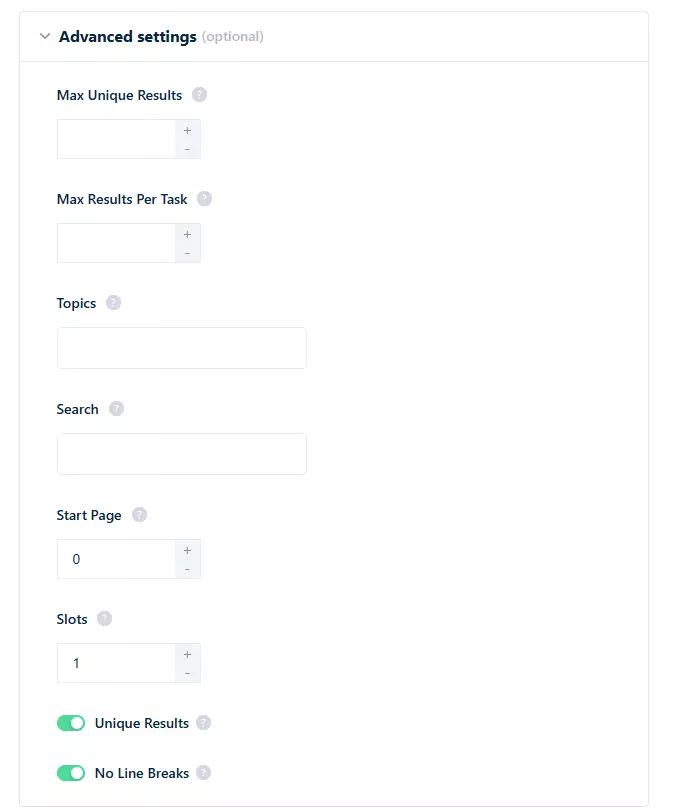
Topics… filter by specific topics that reviewers mention. Trustpilot categorizes reviews by topic, and you can target the ones relevant to your research.
Pass them comma-separated:
deliveryservice, service, productqualityf
Search (Keywords)… want reviews mentioning "refund" or "customer support" or "slow shipping"? Just type your keyword and the scraper will only collect matching reviews.
Start Page… the page number to start scraping from. Each page is 20 reviews, so page 11 is exactly where every other scraper on the market hits the login wall and dies. Useful for resuming a big job, or for skipping reviews you've already collected.
No sort option here, and you don't need one. Trustpilot serves reviews newest-first by default, so that's the order you get them in.
You'll also find Max Results Per Task and Max Unique Results.
Max Results Per Task caps how many reviews you collect per listing. Leave it empty and you get every single review on that listing. No 200 wall, no ceiling.
Max Unique Results caps the total number of unique results across all tasks in the run. Leave it empty for unlimited.
And then there's Slots.
Increasing slots means increasing the number of bots deployed per run. Set it to 3 and you've got 3 bots chewing through your tasks simultaneously.
The scraper already runs at 200+ reviews per second, but with more slots you can push it up to 50x faster.
Save. Next is the Notifications tab where you can choose to receive email alerts when a run completes or pauses due to an error.Step 4: Launch
In the Launch tab, you've got two options:
- Manually
- Repeatedly
Manually means instant launch. Keep it selected and click Save & Extract. The scraper starts collecting reviews immediately.
![How to scrape Trustpilot reviews using lobstr.io [Step by Step Guide] - Step 4: Launch image17](/_next/image?url=https%3A%2F%2Fd37gzvgyugjozl.cloudfront.net%2Fimage10_c4e208a371.png&w=1920&q=75)
But what if you want to monitor reviews over time?
Repeatedly comes in.Switch to Repeatedly and set how often the scraper should run. You can schedule it to run every few minutes, hourly, daily, weekly, or monthly.
![How to scrape Trustpilot reviews using lobstr.io [Step by Step Guide] - Step 4: Launch image18](/_next/image?url=https%3A%2F%2Fd37gzvgyugjozl.cloudfront.net%2Fimage15_81cafbf2e4.gif&w=1920&q=75)
Pair this with the "Newer than" filter and you've got yourself an automated Trustpilot review monitoring system.
Step 5: Enjoy
Once a run finishes, click the Download button to export your results as a CSV file.
Open it in Excel, Google Sheets, whatever you prefer.
But downloading files manually every time? I don't like doing it.
lobstr.io lets you automate delivery. Click the Delivery icon in the top right corner and set up your preferred export method.
![How to scrape Trustpilot reviews using lobstr.io [Step by Step Guide] - Step 5: Enjoy image20](/_next/image?url=https%3A%2F%2Fd37gzvgyugjozl.cloudfront.net%2Fimage7_bf9a50ca4e.gif&w=1920&q=75)
Google Sheets is my personal favorite. You can also use SFTP, Amazon S3, or simply add an email address and receive a CSV file right in your mailbox after every run.
And if you want to plug this data into your CRM or any other tool, lobstr.io's official Make.com integration connects you to 3000+ apps.
What can you do with scraped Trustpilot reviews?
You've got the reviews. Now what?
For example, you can chain the Trustpilot Reviews Scraper with an AI agent to build a complete competitor reputation monitoring system.
You've got review text, star ratings, company replies, verification status, and sentiment data. All you need is an AI agent that can understand this data and give you actionable insights.
FAQs
Can I scrape Trustpilot reviews without logging in?
Yes. Trustpilot reviews are public. The lobstr.io Trustpilot Reviews Scraper doesn't require any login or account. Just provide the company listing URL or domain and you're good to go.
Why do other Trustpilot scrapers stop at 200 reviews?
Because Trustpilot drops a login wall in the way at page 10 and they've got no way around it. The handful that do get past it ask you to connect your own Trustpilot account, which slashes how many reviews you can pull per day and leaves that account exposed to a ban.
lobstr.io is the only scraper that collects all reviews from any listing, with no account, no cookies, and no account pools involved.
How fast is the Trustpilot Reviews Scraper?
200+ reviews per second at base speed. You can push this up to 50x faster by increasing the number of slots (concurrency). So yeah, it's fast.
Can I filter Trustpilot reviews by keyword?
Yes. The scraper has a built-in keyword search filter. You can target reviews mentioning specific words like "refund", "shipping", "support", or any keyword relevant to your research.
Can I monitor Trustpilot reviews automatically?
Absolutely. Use the Repeatedly launch option to schedule the scraper on any interval. Pair it with the "Newer than" filter and automated Google Sheets delivery.
You'll get fresh reviews delivered to your sheet without lifting a finger.
What is the best Trustpilot scraping tool?
Conclusion
That's a wrap on how to scrape Trustpilot reviews at scale without coding and absolutely no login required.
And unlike every other option out there, you're not walking away with the first 200 reviews. You're walking away with all of them.