
How to scrape Google Maps Reviews at scale? [No-Code Edition]
(updated)
15-Second Summary
- What you'll learn... how to scrape all reviews from any Google Maps business using lobstr.io's no-code Google Maps Reviews Scraper. Place URL or Place ID, your choice.
- Why the official Places API won't help... it caps you at 5 reviews per place. Yes, five. And the field set is paper-thin.
- Why building your own scraper hurts... Google ships UI tweaks weekly, throws CAPTCHAs at every IP it doesn't like, and silently kills your scripts when the DOM shifts.
- Why lobstr.io is the fix... 30+ data points per review including pictures, likes, owner response, detailed sub-ratings (Food, Service, Atmosphere), reviewer profile + local guide status. Cloud-based, scheduled, no Google login needed.
- What the step-by-step covers... create a Squid, add place URLs (or IDs), tweak filters (language, recency, sort), launch (once or on a schedule), auto-deliver to Google Sheets, S3, SFTP, or email.
- Bonus... pair with the Google Maps Leads Scraper to pull thousands of place URLs in bulk, then feed them into this one. Full Google Maps pipeline, zero manual URL hunting.
So you finally Googled your way here?
Probably after the third dead Python script, or the fourth Chrome extension that returned 20 reviews and called it a day. 🙂
Don't worry, you're not alone.
Aww... nothing worked for you, huh? Alright. Let me show you how it's actually done.
This guide walks you through scraping thousands of Google Maps reviews from any business... no code, no login, no proxies, no nerd tax.
But before that, why can't I just use the official API?
Why the Google Places API won't cut it
Here's why.
You get 5 reviews per place. That's the cap.
Straight from Google's official docs:
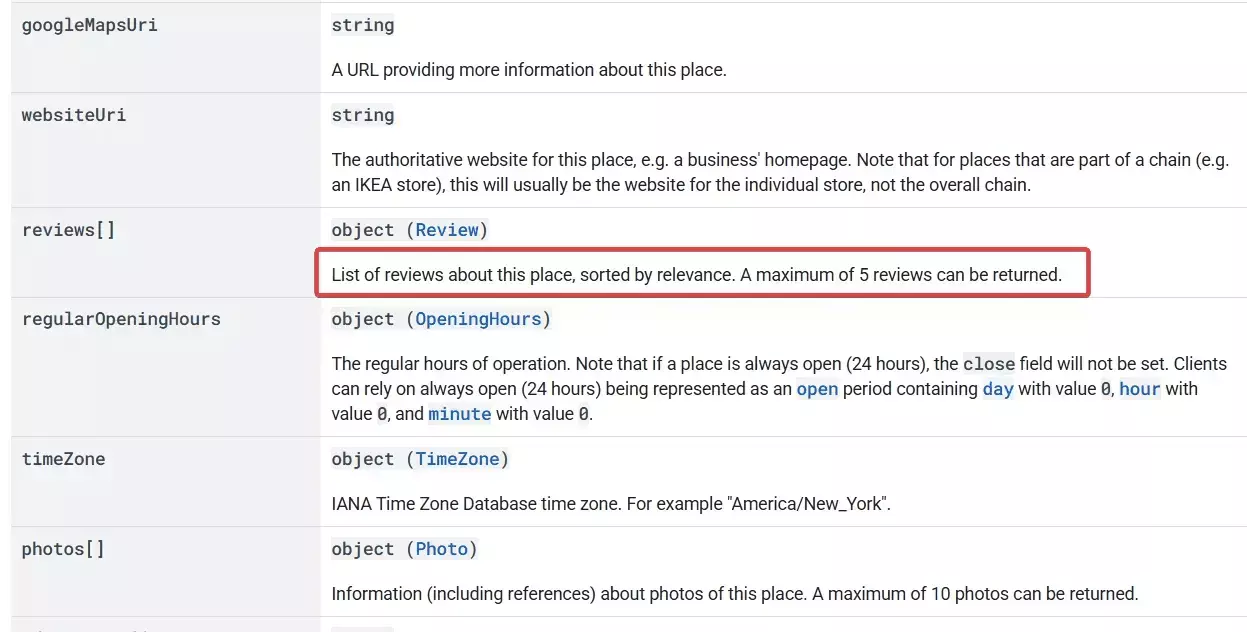
A business with 12,000 reviews? You get 5.
A business with 50 reviews? You get 5.
Painful.
The data set is thin too. The API gives you the text, rating, language, and publish time. That's it.
No pictures. No likes. No owner response. No date of visit. No reviewer profile, review count, or local guide status. No detailed sub-ratings like Food, Service, Atmosphere.
All the stuff that actually matters for sentiment analysis or review monitoring. Missing.
Plus you need to be a developer. Project setup, API key, billing account, code to hit the endpoint, code to parse the JSON, code to handle errors.
Marketing manager? Restaurant owner? Local SEO consultant? Forget it.
Bonus pain... the API is technically free up to a quota, but past it Google bills you per request. Heavy users wake up to surprise invoices.
So the official API is dead on arrival for any real review scraping use case.
And that's exactly why you need a scraper. But is it even legal to scrape Google Maps?
Is it legal to scrape Google Maps reviews?
⚠️ Disclaimer
This section is for general informational purposes only. It's based on publicly available sources and practical interpretation, not legal advice.
Laws vary by country and change over time. If compliance, contracts, or platform risk matter to you, talk to a qualified legal professional.
Short answer... yes, as long as the data is public and you don't misuse it. Let me break it down.
Does Google allow it?
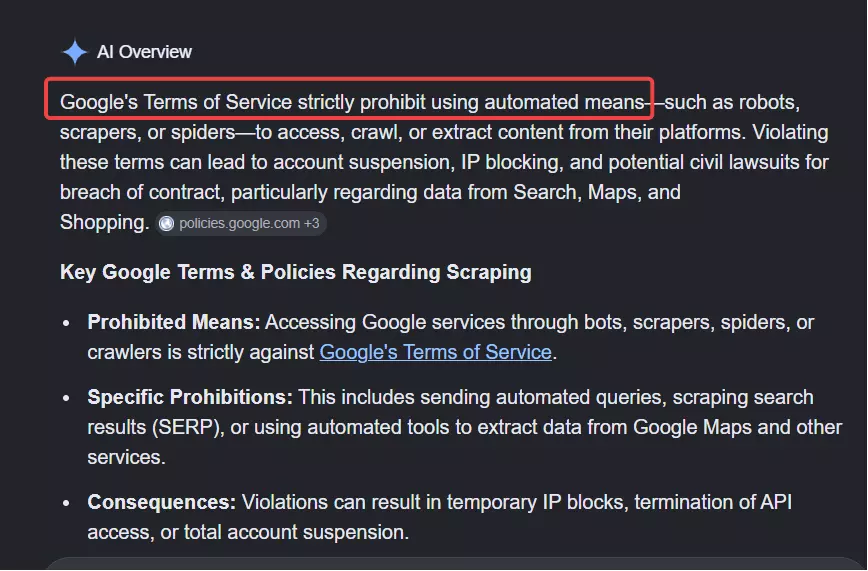
They want you on the Places API (and inside its 5-review prison) or nothing.
So does that make scraping public Google Maps reviews illegal?
Is scraping public Google Maps reviews legal?
Yes, it's fully legal.
The data is already public. Anyone with a browser can open a Maps listing and read every review without logging in. No paywall, no auth, no private content. Just public business reviews.
The law backs it up too.
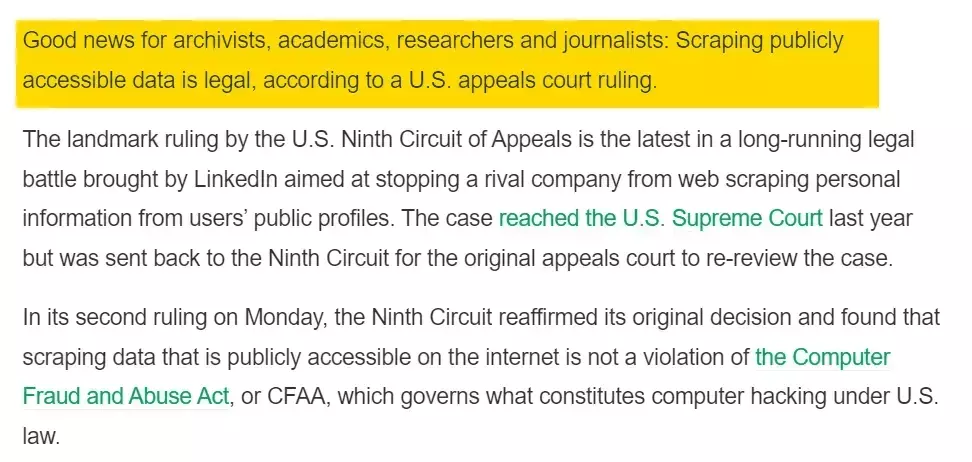
Full legal breakdown (court rulings, platform lawsuits, the lot) here:
But remember... collecting public data is legal. Misusing it isn't.
- Respect rate limits
- Comply with GDPR and similar laws
- Don't republish reviews as your own content
- Don't use reviewer data to harass or impersonate
- Don't correlate public reviews with private user data
- Respect takedown requests
Now... how do I actually scrape Google Maps reviews at scale?
2 ways to scrape Google Maps reviews
You've got two options:
- Build your own scraper
- Use a ready-made no-code scraper
Build your own scraper
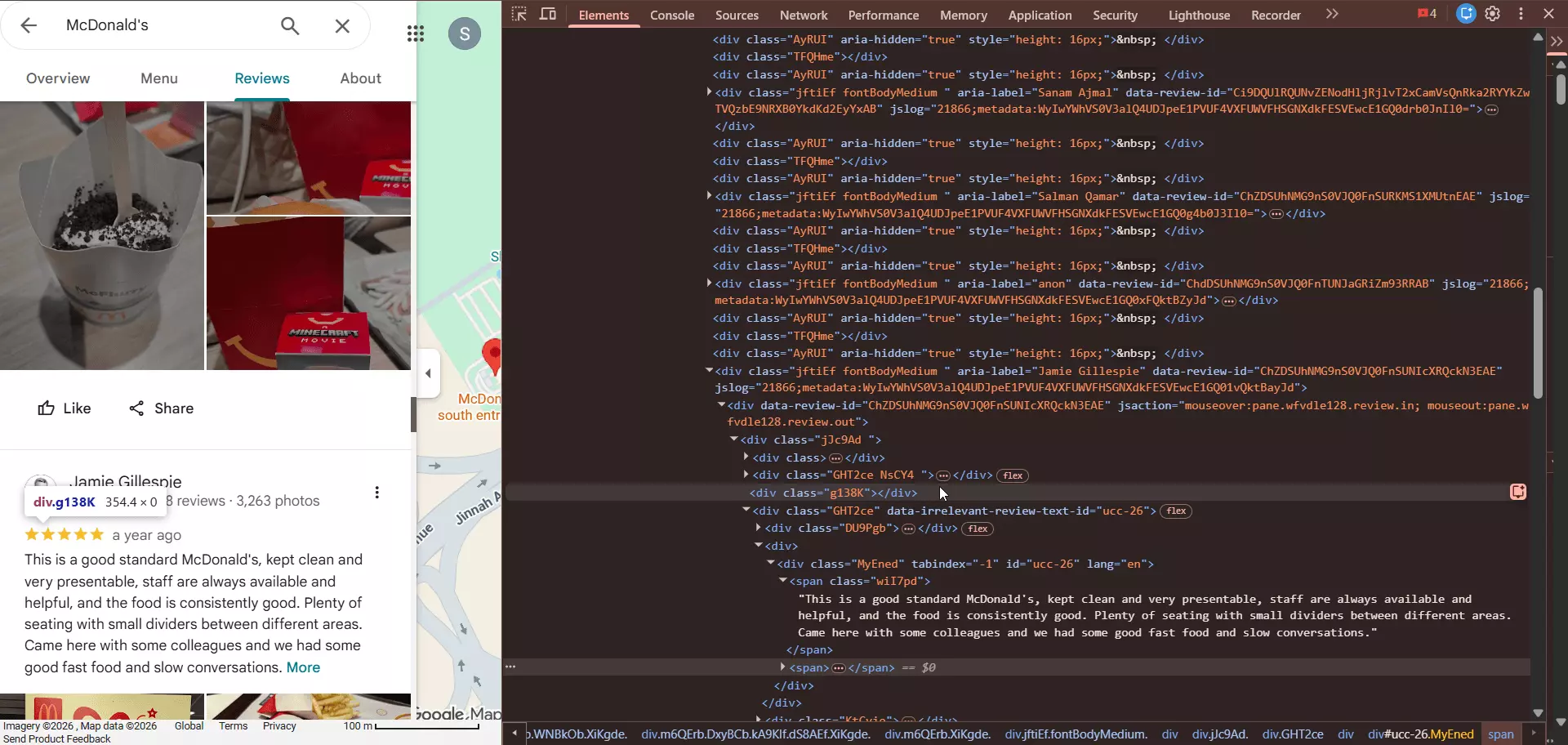
This one's a headache. Google Maps is one of the most hostile scraping targets on the open web. CAPTCHAs, IP blocks, JavaScript walls, broken pagination, and a DOM that shifts every other week.
You need to be a serious nerd... and have the time to keep your code alive every week.
Use a ready-made no-code scraper
This is what smart people do. No code, no infra, no maintenance. Just a URL and a few clicks.
There are dozens of options out there. Most suck. I'll do a full comparison soon.
For now, let's skip straight to the best one... lobstr.io.
Best No-Code Google Maps Reviews Scraper: lobstr.io
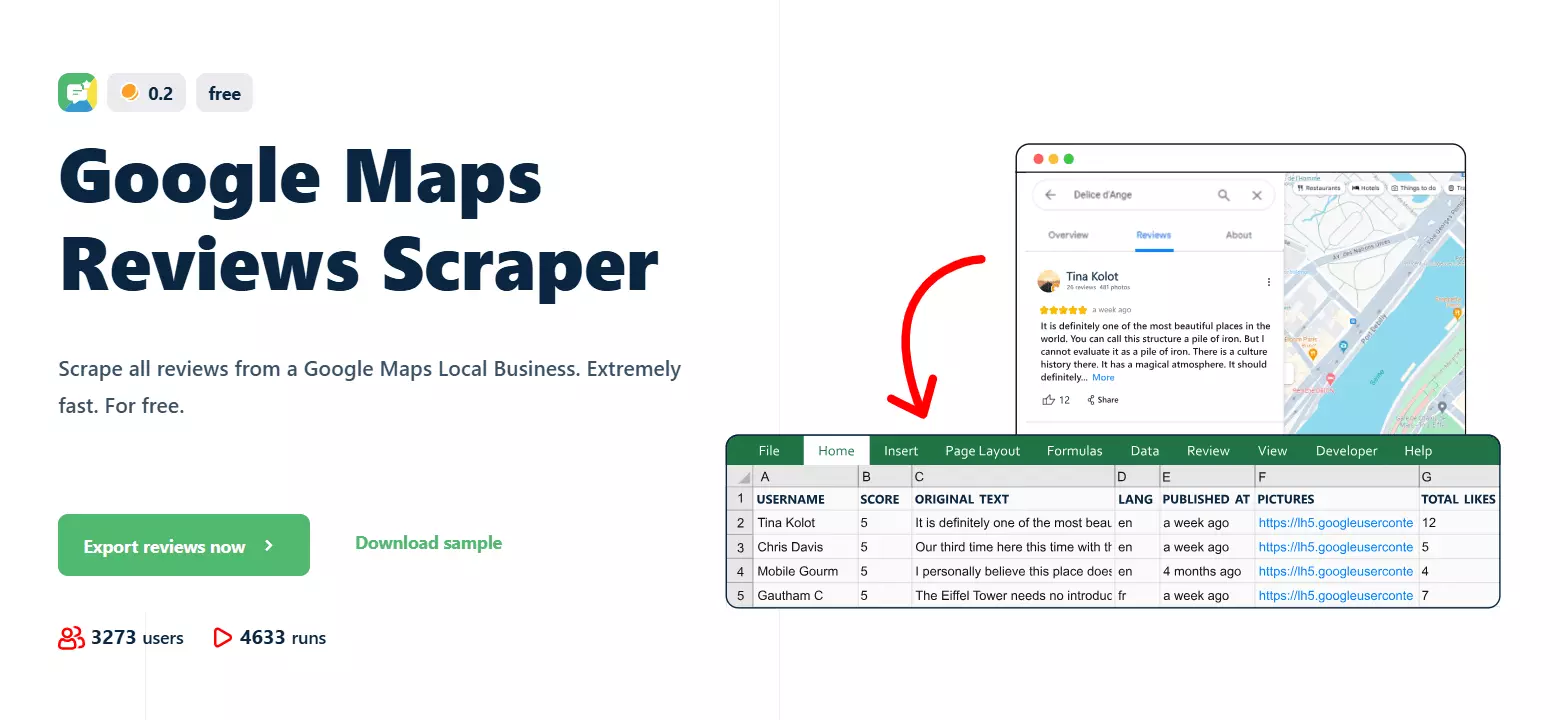
Unlike the Google Places API (which caps you at 5 reviews per place and starves you of fields), this scraper pulls every review a business has, with 30+ data points per review, including the stuff Google's API doesn't expose at all.
Features
- Scrape all reviews from any Google Maps business... no 5-review cap, no API key, no quota
- Place URL or Place ID as input... whichever's easier for you
- 30+ data points per review, including pictures, likes, owner response, sub-ratings, and reviewer profile
- No Google login required
- Cloud-based, zero setup, nothing installed on your machine
- Upload up to 10,000 place URLs per run
- Filter by language, recency, and sort order (newest, most relevant, highest, lowest)
Newer thanoption... only collect reviews published after a date or a relative duration (24h, 7 days, 30 days)- Schedule repeated collection for review monitoring (daily, weekly, monthly)
- 250 reviews per minute with a 99.95% task success rate
- Export to CSV, JSON, Google Sheets, Amazon S3, SFTP, email
- Developer-friendly API + Python SDK + CLI + MCP for vibe coding
- 3000+ integrations via Make.com
Data
Here's what you get per review, grouped into buckets:
## 🏪 Place Info
| place_id | cid | place_name | place_address |
| place_average_score | zero_x |

## ✍️ Review Content
| text | original_text | lang | score | pictures |
| review_link | published_at_datetime | modified_at |
| modified_at_datetime | is_modified | visited_in |
| internal_review_id |

## 👤 Reviewer Info
| user_name | user_image_url | user_link |
| user_internal_id | user_reviews_count |
| is_user_local_guide |

## ❤️ Engagement
| total_likes | total_reviews |

## 💬 Owner Response
| response_from_owner |

## ⭐ Detailed Sub-Ratings (review_metadata)
| Food | Service | Atmosphere | Meal type |
| Wait time | Order type | Price per person | Group size |

## ⚙️ System
| id | native_id | squid | run |
| scraping_time | origin | object |f
Pricing
Simple monthly pricing, everything included. No proxy add-ons, no hidden charges.
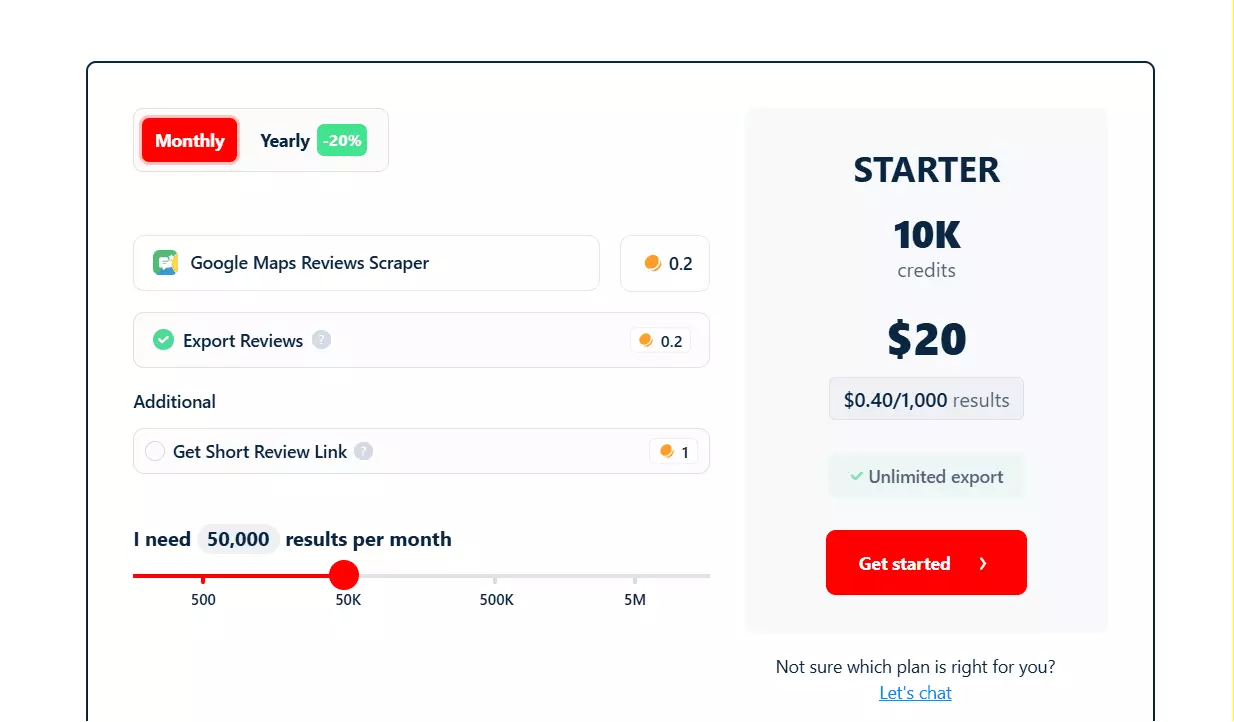
- 500 Google Maps reviews per month free
- Starts at $0.40 per 1,000 reviews
- Drops to $0.10 per 1,000 reviews at scale
Each review costs 0.2 credits, which is why the per-review pricing is so light compared to other lobstr.io scrapers.
Now let's get to the fun part... actually scraping Google Maps reviews.
How to scrape Google Maps reviews using lobstr.io [Step by Step Guide]
Scraping Google Maps reviews with lobstr.io takes less than 2 minutes. Here's the process:
- Create a Squid
- Add tasks
- Adjust behavior
- Launch
- Enjoy
To make this useful for you, I'm going to scrape reviews from Aquaboulevard, a fancy water park in Paris with thousands of reviews and the kind of mixed feedback that makes for good data.
![How to scrape Google Maps reviews using lobstr.io [Step by Step Guide]](/_next/image?url=https%3A%2F%2Fd37gzvgyugjozl.cloudfront.net%2Fhow_to_scrape_google_maps_reviews_using_lobstrio_step_by_step_guide_ca8743c5b2.png&w=1920&q=75)
Let's get into it.
1. Create a Squid
First thing first, we need to create a Squid for the Google Maps Reviews Scraper. A Squid is just a scraper instance.
New Squid button.Google Maps Reviews Scraper.That's it. Your Squid is ready.
Add tasks.2. Add tasks
A task is just input. For this scraper, it's either:
- A Google Maps place URL (the full URL from the address bar when you open a business on Maps), or
- A Place ID (Google's unique identifier for the business, like
ChIJaZUyZj6-3zgR0Xw7zvtDDj8)
How many tasks can I add?
Up to 10,000 place URLs per run. If you've got more, split across multiple runs.
How to add tasks?
Add+:Got hundreds or thousands of URLs? Just upload a CSV or TXT file... way faster than adding them one by one.
Save and you're on the settings screen.3. Adjust behavior (Settings)
I'm not gonna bore you explaining every option, including the unnecessary ones. Let me cover the ones you'll actually use.
Basic settings
- Sort by... pick how reviews are pulled.
Most relevant(Google's default),Newest,Highest, orLowest. For monitoring useNewest. For sentiment audits useLowestto pull the worst reviews first. - Language... filter reviews by language (English, French, Spanish, etc.) or leave it open for all languages.
- Newer than... only collect reviews published after this point. Pick a specific date (e.g. March 20, 2026) or a relative duration (24 hours, 7 days, 30 days). Perfect for monitoring fresh reviews only.
When to end run controls what happens when your Squid runs out of credits mid-run.
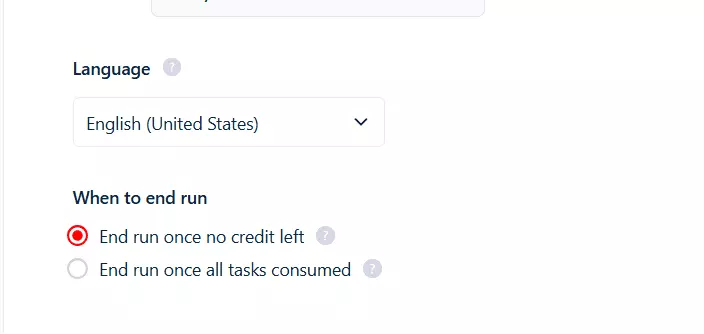
End run once no credit left stops the run immediately. Restart starts from scratch.End run once all tasks consumed pauses the run instead... add credits (or reset your billing cycle) to resume where it stopped. Better for big runs.Credit allocation mode set to Daily allocation. Run won't die when daily credits are up.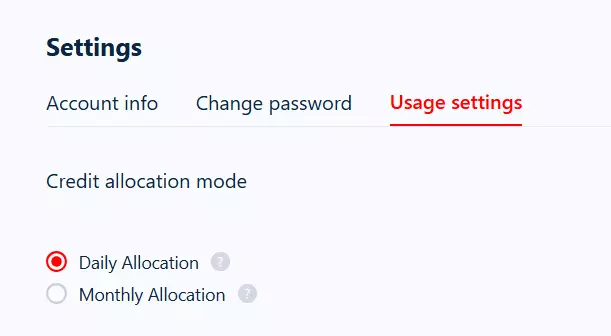
Advanced settings
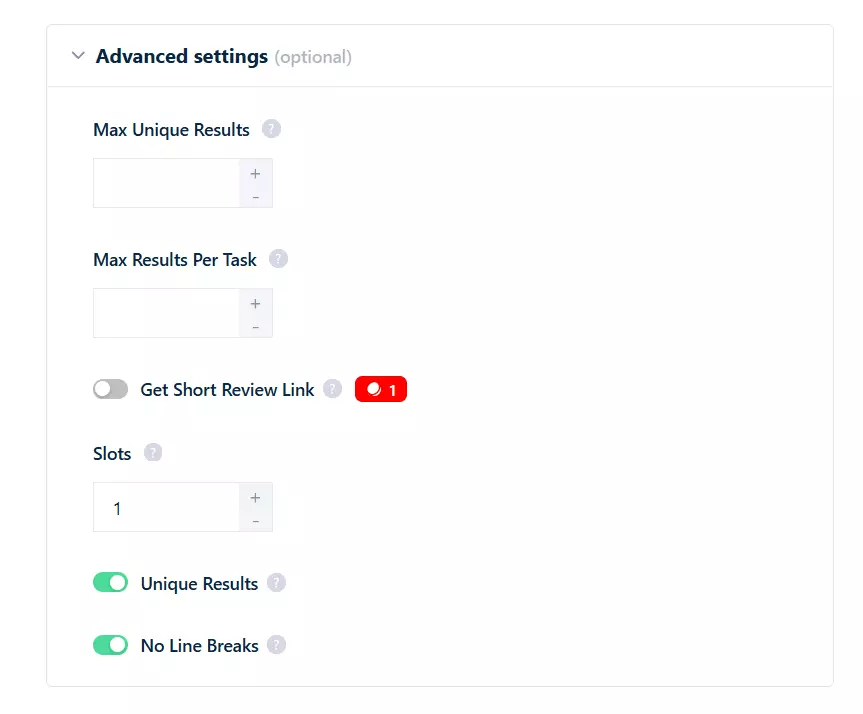
- Max Unique Results... total unique reviews across the entire run. If you want only 5,000 reviews total, set it to 5000. Leave empty for unlimited.
- Max Results Per Task... reviews per place. If you've got 100 places and want only the latest 50 reviews from each, set this to 50. Saves you from pulling years of old content.
- Slots... number of bots running simultaneously on your Squid. More slots = more speed (up to 20x faster).
Save.Notifications
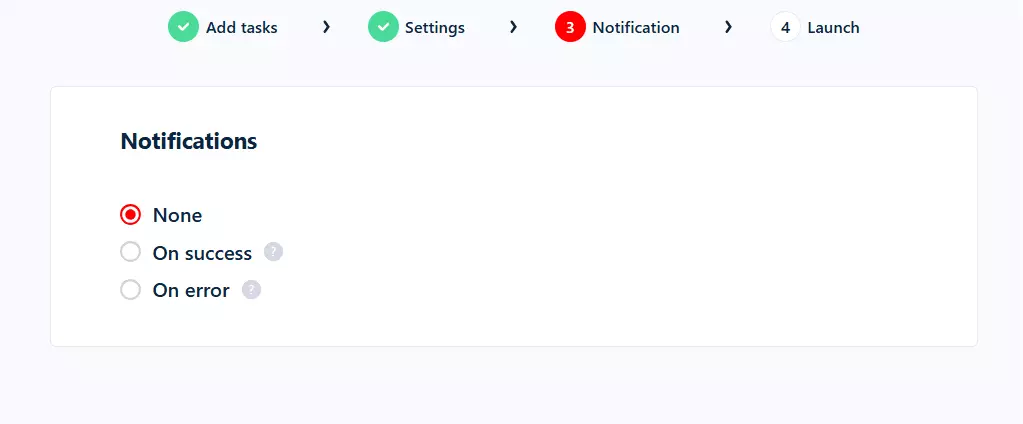
On success... email when a run ends cleanly.On error... email when a run breaks.
On success for this one. Save.Next up... launch.
4. Launch
Two launch options:
- Manually
- Repeatedly
Save & Extract and the Squid starts collecting data right away.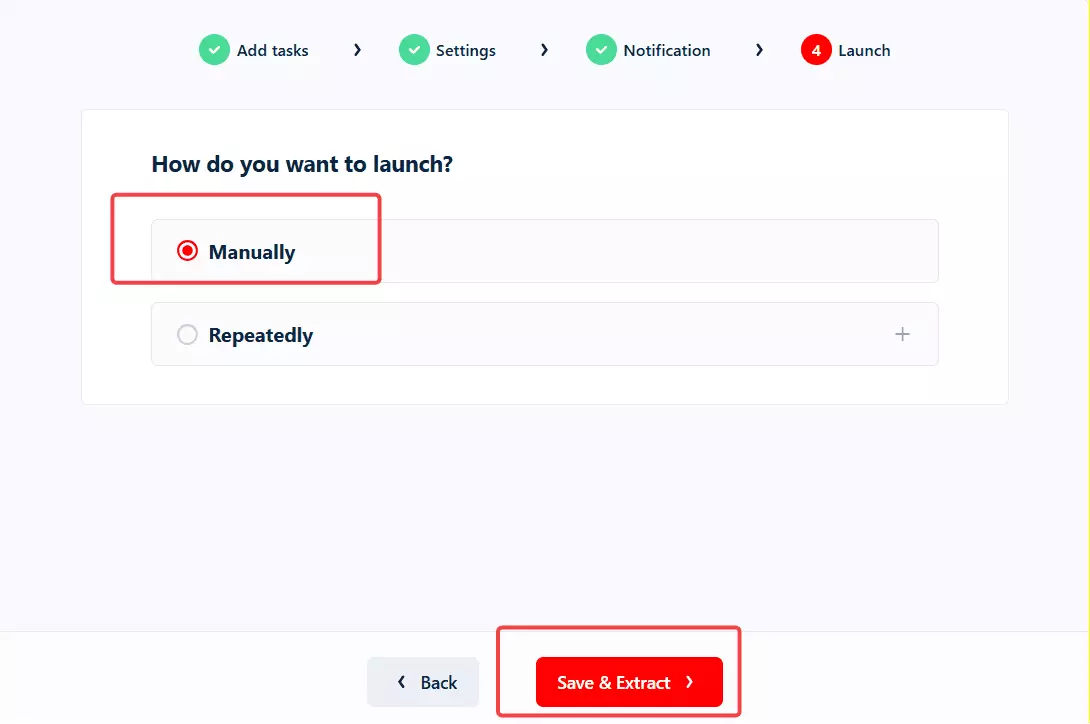
Save & Exit. Hit Launch from the dashboard when you're ready.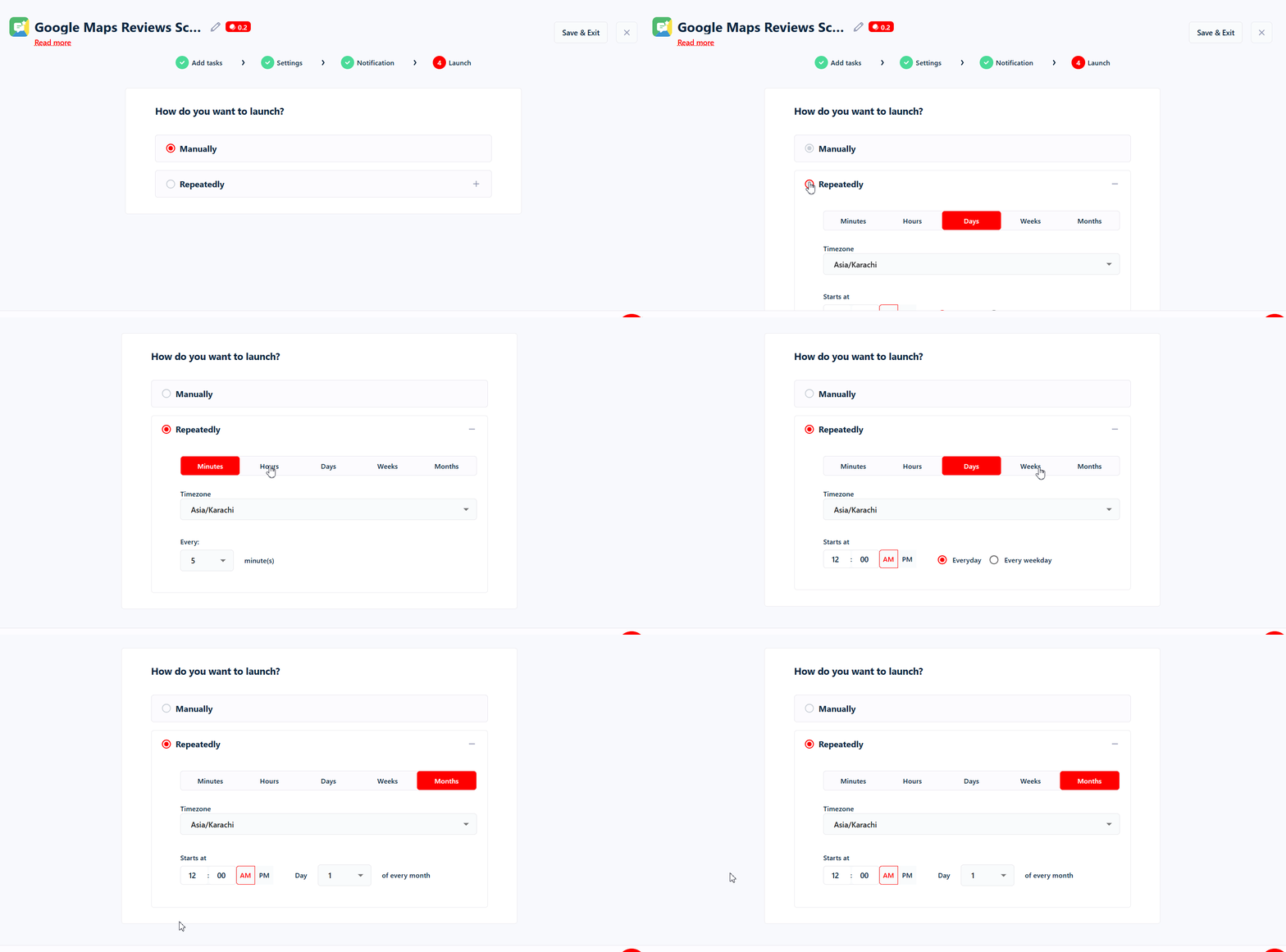
Repeatedly means scheduling. Set the frequency and the scraper runs on autopilot... perfect for review monitoring.
My go-to monitoring workflow.
Sort by to Newest. Set Newer than to 7 days.Now every week you get only the freshest reviews from every place you track... without re-scraping the entire history.
You can schedule every few minutes, hourly, daily, weekly, on weekdays/weekends, or monthly. Each completed run sends you an email (if you enabled notifications).
Save the schedule. Done.
5. Enjoy
Once the run completes, download your data as a CSV, and open it in Excel or push it to Google Sheets:
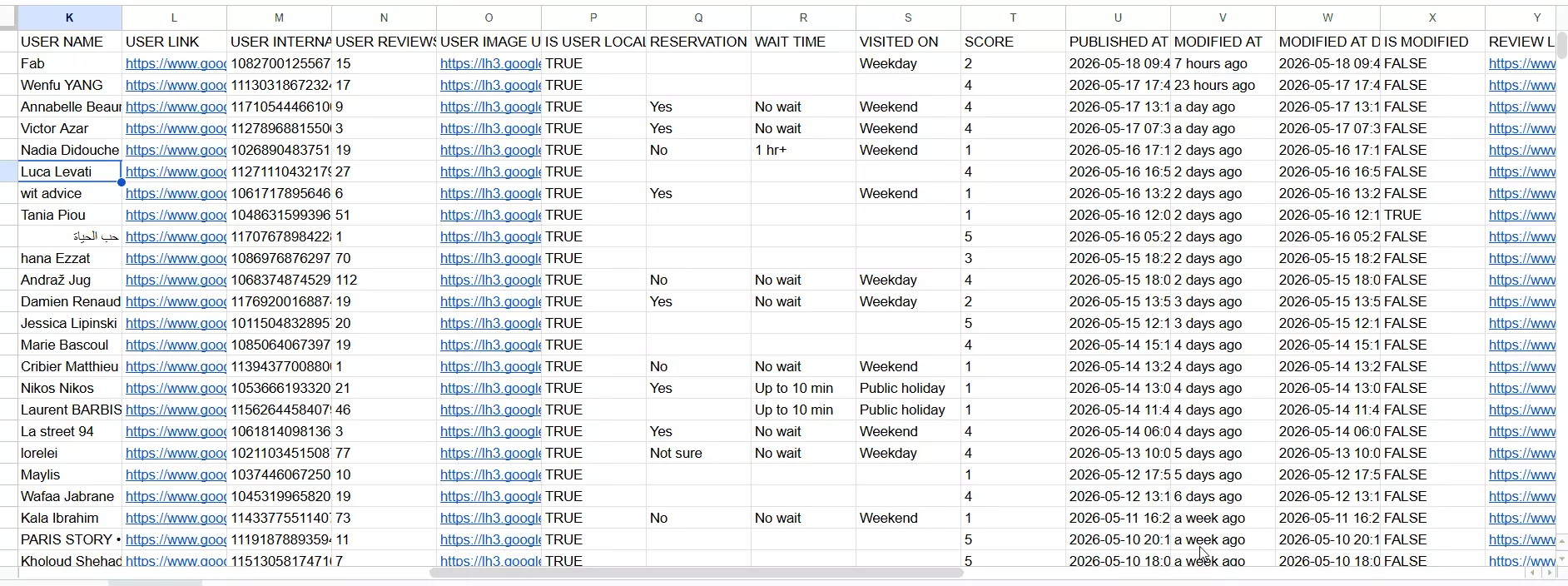
But downloading files manually every time? I don't like doing it.
Delivery option auto-exports results to Google Sheets, Amazon S3, SFTP, or email after every run.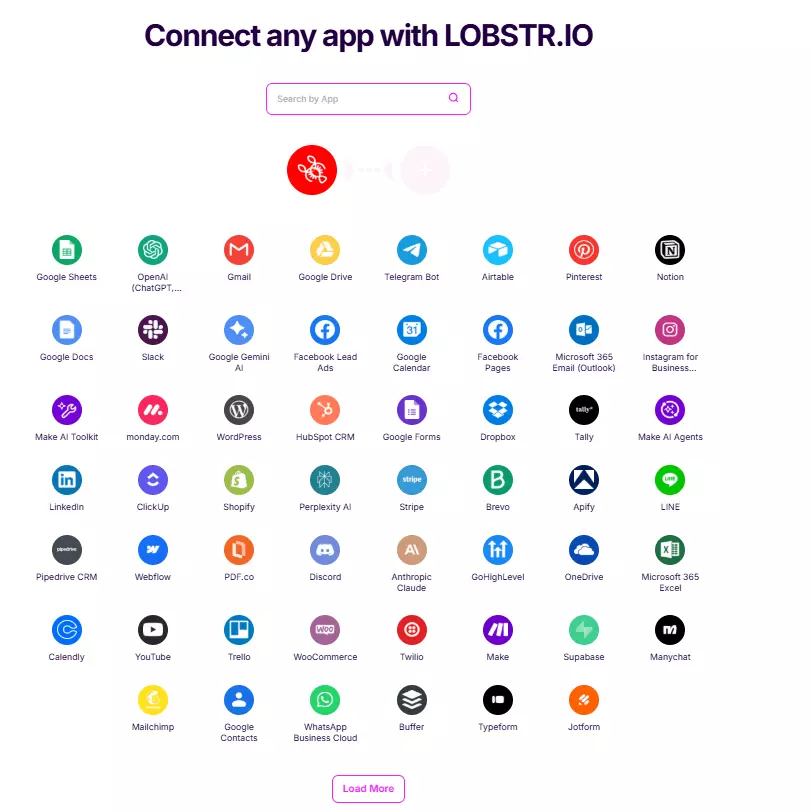
What can you do with scraped Google Maps review data?
Once you've got clean review data in Google Sheets or your CRM, the fun starts.
- Sentiment analysis... feed the
textcolumn into an LLM and tag every review as positive, negative, or neutral. Track sentiment over time per location. - Pain point mining... filter for low scores (1 to 3 stars) and cluster the complaints. Slow service? Cold food? Rude staff? You'll see the patterns in 5 minutes.
- Competitor audits... scrape your top 10 competitors' Maps listings. Compare average scores, response rates, sub-ratings (Food, Service, Atmosphere). Find the gaps you can win on.
- Local SEO lead gen... use the Google Maps Leads Scraper to pull thousands of businesses in a niche/city. Filter for low scores or low response rates. That's your outbound list. Pitch them on reputation management.
- Review monitoring... schedule weekly runs with
Newer than: 7 days. Get alerts the moment a new review drops on your locations (or your competitors'). - Fake review detection... cross-reference reviewer profiles (
user_reviews_count,is_user_local_guide) and timestamps. Profiles with one review, no photo, posted in clusters? Suspicious. - AI content workflows... I mostly use Make.com + lobstr.io to feed review data into an AI agent that drafts owner responses, summarizes weekly sentiment, or generates SEO content from real customer language.
Speaking of pipelines, lobstr.io's Google Maps stack has you covered both ends:
- 👉 Google Maps Leads Scraper — pull thousands of business listings from any search (place URL, Place ID, phone, website, socials, 64 fields)
- 👉 Google Maps Reviews Scraper — the one we just covered
Chain them together and you've got every business in your niche plus every review for every business. One pipeline.
FAQs
How many reviews can I scrape per place?
Max Results Per Task empty.Why does the count sometimes look slightly off?
Google's spam filter hides 5 to 20% of reviews at any given time (reviews flagged as suspicious, off-topic, or violating their policies). The scraper pulls everything Google publicly serves, but those hidden ones aren't visible to anyone... not you, not the scraper.
Can I scrape only recent reviews?
Newer than filter. Pick a specific date or a relative window (24 hours, 7 days, 30 days). Combine with Sort by: Newest and you've got a clean monitoring setup.Can I filter by language?
Language setting lets you keep only reviews in English, French, Spanish, or whatever you need. Or leave it open to pull every language.Will using lobstr.io get my Google account banned?
No. You never log in. The scraping runs on lobstr.io's infrastructure, not from your account or your IP. You're not touching Google directly at all.
Can I scrape multiple places in one run?
Slots setting.Can I use Place IDs instead of URLs?
ChIJaZUyZj6-3zgR0Xw7zvtDDj8. URL looks like https://www.google.com/maps/place/...How do I get a list of place URLs in bulk?
How fast is it?
Up to 250 reviews per minute at max slots, with a 99.95% task success rate. A place with 1,000 reviews? About 4 minutes.
How do I scrape Google Maps reviews using Python?
Can I automate review monitoring?
Repeatedly launch option to schedule the scraper. Combine with Newer than: 7 days and Sort by: Newest to pull only fresh reviews every week. Push to Google Sheets or Slack via Make.com for instant alerts.Conclusion
That's a wrap on how to scrape Google Maps reviews without coding in 2026. No API limits, no proxies, no Python pain... just a Squid, a place URL, and a few clicks.
If you want me to build AI workflows on top of this scraper, cover a follow-up topic, or chain leads → reviews → AI sentiment into one automated pipeline... you know it... JUST DM ME ON LINKEDIN!!!!!!!!!