
How to Scrape Instagram Comments Data at Scale in 2026
15-Second Summary
Instagram comments are one of the richest sources of audience sentiment, competitor intel, and engagement data. Thousands of comments land on brand posts, influencer reels, and viral content every day.
Instagram's official API only lets you read comments on your own posts. No competitor data, no public post access, and you're capped at 50 comments per query with 200 requests per hour.
Building your own scraper is a nightmare. Instagram's aggressive anti-bot systems, login walls, rotating internal APIs, and constant frontend changes will eat your time and money.
Most existing scrapers break constantly, return incomplete data, or only show 15 comments because Instagram hides the rest behind a login wall.
lobstr.io lets you scrape all comments from any Instagram post at scale with 17+ data points per comment at 130 comments per minute.
This article shows how to scrape Instagram comments using lobstr.io step by step, including replies, comment sorting, and automated comment monitoring.
So you're trying to scrape Instagram comments and the internet has been absolutely useless.
Every script you find on GitHub breaks after 15 comments. Every Chrome extension caps out or asks you to login. And every "tutorial" is either outdated or written by someone who clearly never tried scraping Instagram at scale.
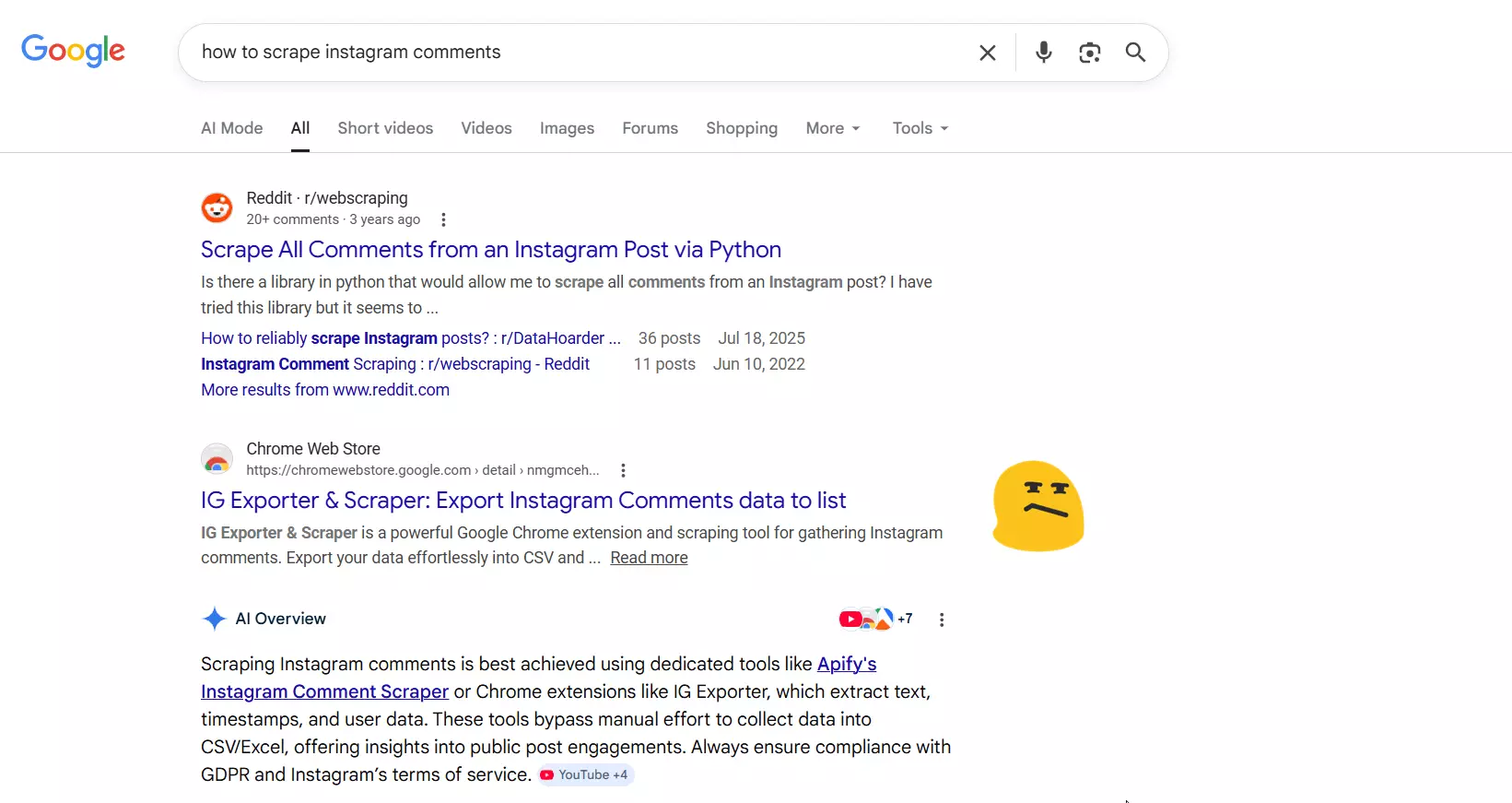
The problem? Instagram only shows 15 comments per post without login. That's it. The rest is hidden behind a login wall.
So you need a tool that can get past that wall, collect every comment, and do it at scale without getting your account banned.
That's exactly what I'll show you in this article.
But why do you need to scrape them if there's an official API?
Does Instagram offer an official API for comments?
I'll give it to you straight: No, Instagram does not offer a usable API to pull comments from other people's posts.
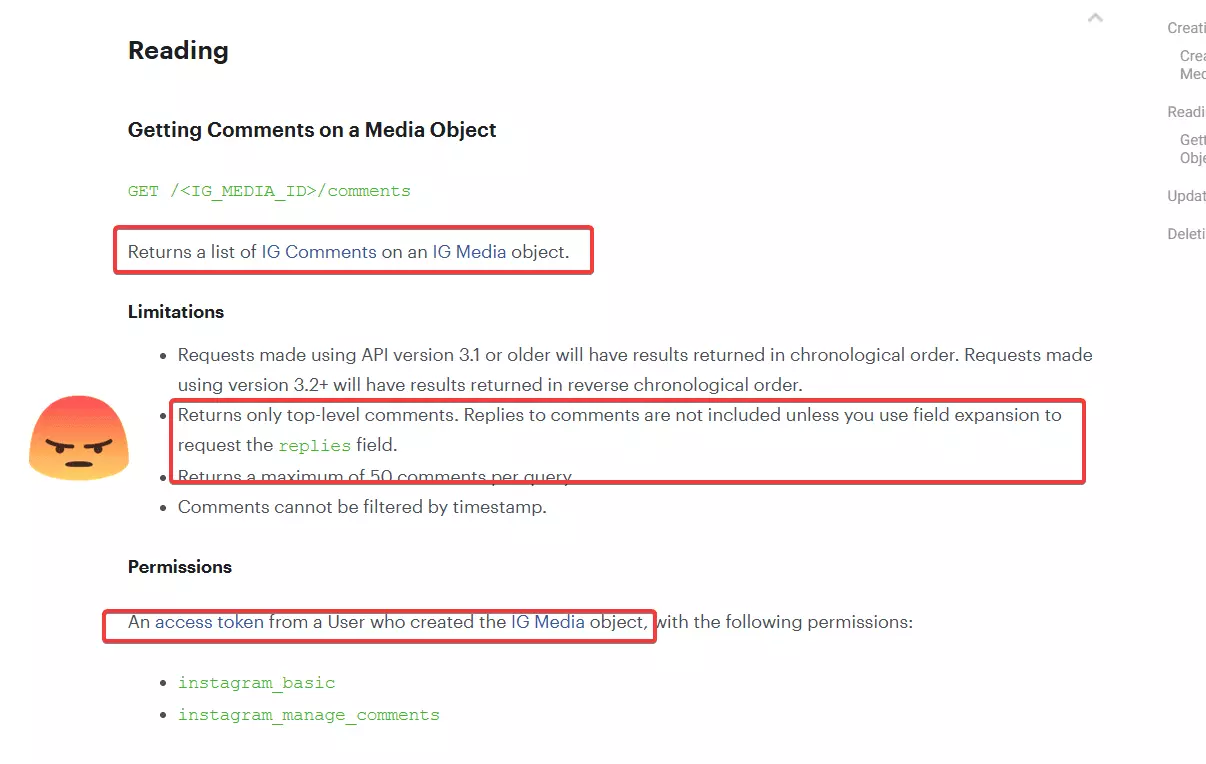
You can only access comments on your own posts. Not your competitor's posts. Not that viral reel in your niche. Not the influencer you're vetting. Only yours.
And even for your own posts, here's what you're working with:
- 50 comments per query — that's the max per request
- 200 API requests per hour — and pagination counts as separate requests
- Only top-level comments — replies need additional field expansion calls
- No timestamp filtering — you can't filter by date, you get everything or nothing
- Business/Creator accounts only — personal accounts don't have access
- No live video comments — completely unsupported
So even if you want comments from your own post with 5,000 comments... you're making 100+ paginated requests, burning through your hourly limit in one go, and still only getting your own data.
Want competitor comments? Forget about it.
And that's exactly why you need a scraper.
But is it even legal to scrape Instagram comments?
Is it legal to scrape Instagram comments?
Disclaimer
This section is for general informational purposes only. It's based on publicly available sources and practical interpretation, not legal advice.
Laws vary by country and change over time. If compliance, contracts, or platform risk matter to you, talk to a qualified legal professional.
Let me break this down into two parts:
- Does Instagram allow scraping?
- Is it actually legal?
Does Instagram allow scraping?
They ban any use of automated means to access, collect, or scrape content from the platform without prior written permission.
That includes bots, spiders, crawlers, and any system that collects data in ways they don't approve.
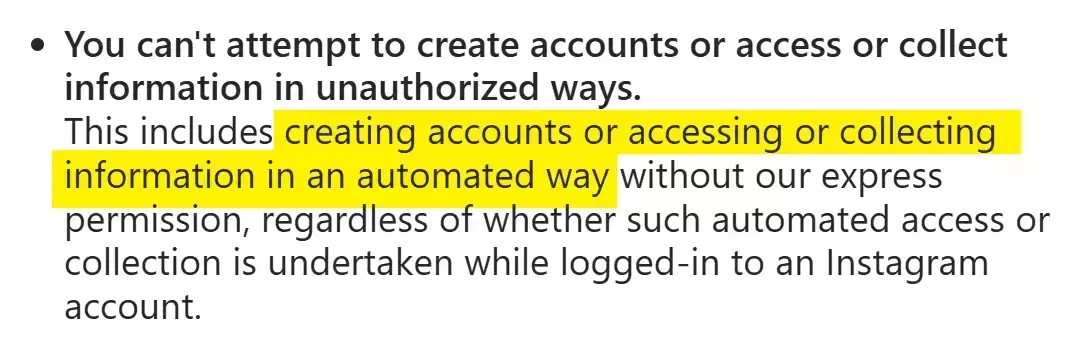
Instagram also actively enforces this. They use TLS fingerprinting to detect automation tools, block data center IPs, and rotate their internal API endpoints every few weeks to break scrapers.
But does that make it illegal?
Is it legal to scrape Instagram comments?
Absolutely yes! It's generally legal.
Instagram comments on public posts are publicly accessible. Anyone can view them in a browser. You don't need an account to see comments on public profiles and posts.
Courts have consistently ruled that scraping publicly available data is legal. Violating a Terms of Service is a civil matter (breach of contract), not a criminal offense.
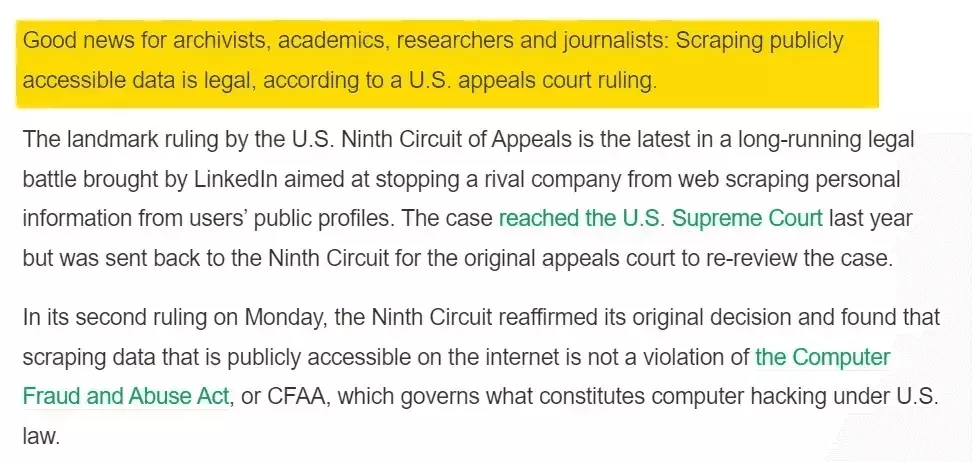
Activity on public profiles falls under public content, which can be viewed, accessed, reshared, or downloaded... including through third-party services.
I've covered the legal landscape of web scraping in detail, including key court cases and regulations, in our legal series.
But legal doesn't mean reckless. You still need to:
- Respect rate limits and not overload Instagram's servers
- Comply with GDPR if scraping data involving EU citizens
- Avoid republishing comments as your own content (that's copyright infringement)
- Use the data responsibly with no harassment, impersonation, or shady stuff
Scraping for sentiment analysis, competitor research, brand monitoring? You're fine.
Republishing scraped comments or using them to harass people? That's where you get into trouble.
But how do I actually scrape Instagram comments at scale?
2 ways to scrape Instagram comments
Practically, you've got two options:
- Build your own scraper
- Use a ready-made scraper
Build your own scraper
This one's for the nerds. And even if you're one of them... good luck.
The first wall you'll hit? Instagram only shows 15 comments per post without login.
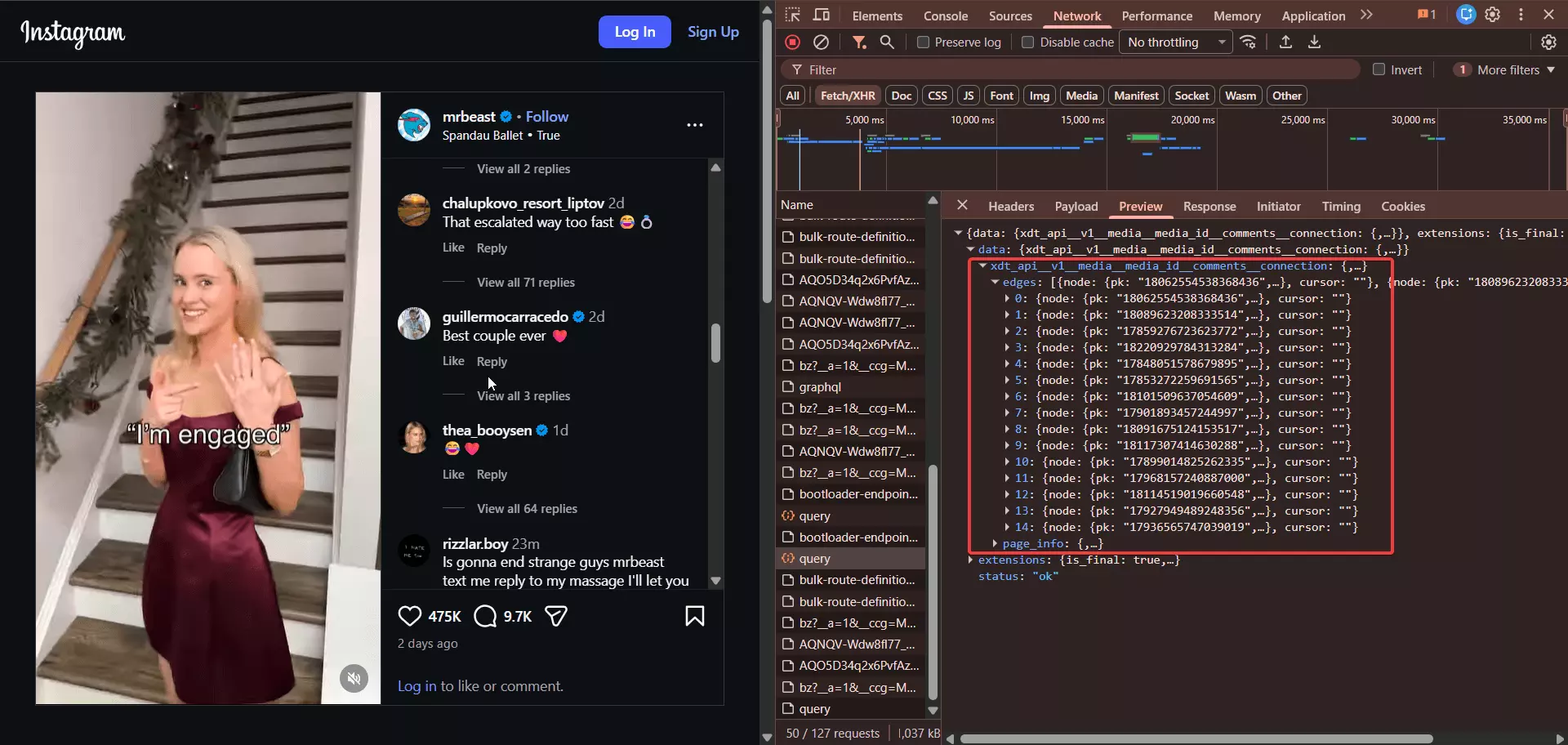
So any scraper that doesn't handle authentication is basically useless for anything beyond surface-level data.
OK, so you decide to handle login. Now you need to manage sessions, cookies, and avoid getting your account flagged.
Then you hit the real problems:
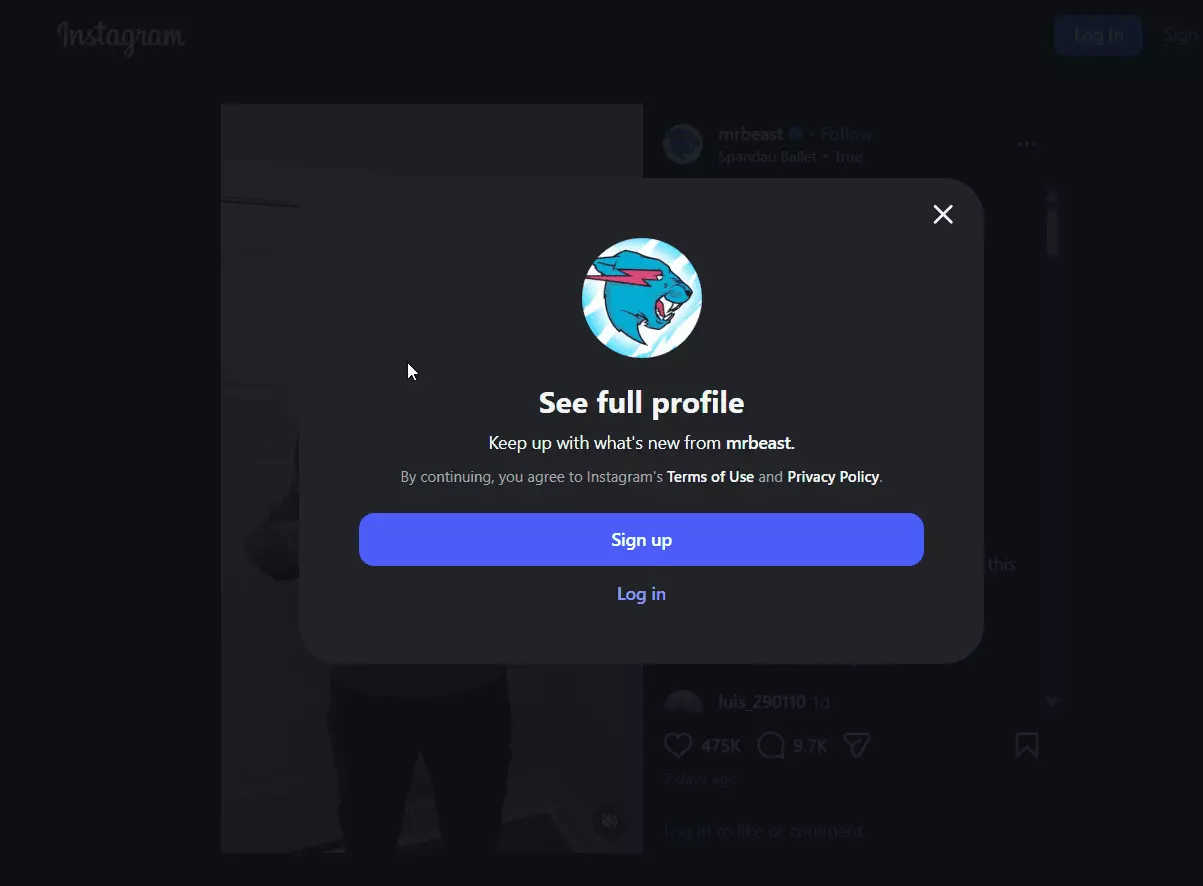
- Anti-bot detection — Instagram uses TLS fingerprinting, behavioral analysis, and IP reputation checks to flag automated requests almost immediately
- Rotating internal APIs — Instagram changes their internal API endpoints (like
doc_id) every 2-4 weeks, breaking your scraper regularly - Login walls and CAPTCHAs — push any volume and you're staring at a challenge page
- Session management — tokens expire, accounts get rate-limited, and managing multiple sessions is a project in itself
- Proxy costs — residential proxies that don't get burned instantly cost a fortune
You try browser automation. Playwright, Selenium, headless Chrome... it works for one post. Then Instagram detects the automation, throws up a login wall, and you're done.
And if you somehow get past all of that? You still need to handle pagination, reply threads, comment sorting, and rate limiting. At scale. Reliably. Every day.
Painful, costly, and not sustainable.
Use a ready-made scraper
This is what smart people do.
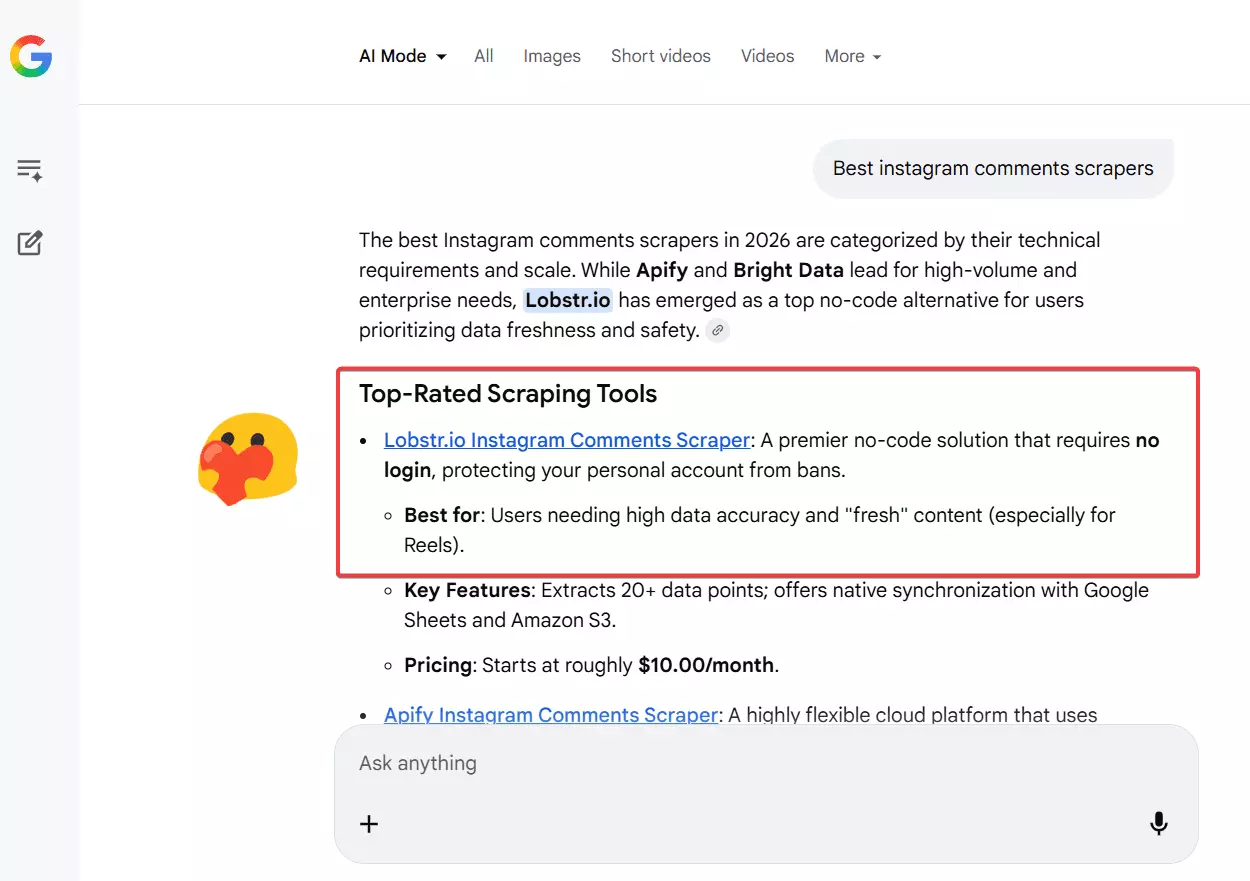
Even in ready-made tools, you've got APIs and no-code options. APIs are for nerds. Since this article focuses entirely on no-code, I'll skip the nerd stuff.
I'll do a full comparison of the best Instagram comment scrapers right after this article. For now, let me tell you about the absolute best i.e. lobstr.io.
Best Instagram comments scraper: lobstr.io
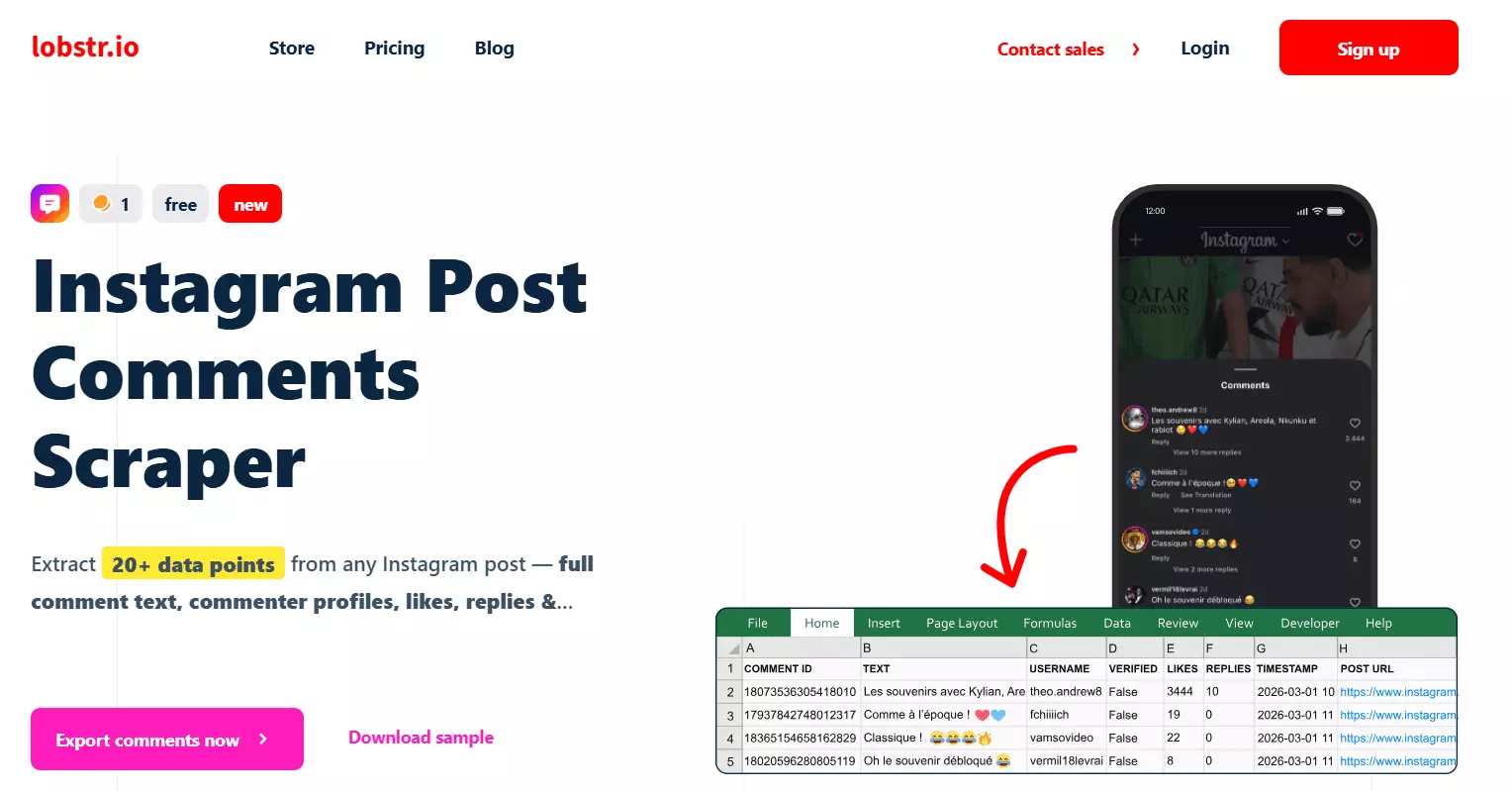
Features
- 17+ data points per comment including comment text, likes, replies, timestamps, and commenter profile data
- Complete commenter profile info like username, full name, verified status, profile picture, and whether their account is private
- Full thread mapping with parent/child comment relationships and reply tracking
- Comment sorting by most recent or most popular
- Date filtering to only collect comments newer than a specific date or relative duration
- Bulk post input with support for scraping comments from thousands of Instagram post and reel URLs in a single run
- Schedule recurring runs for automated comment monitoring
- Safe account integration with built-in rate limits to protect your synced Instagram account from bans
- Export to CSV, Google Sheets, Amazon S3, SFTP, or email
- Cloud-based, no installation required
- Developer-friendly API + SDK + CLI + MCP for AI coding
- 3000+ integrations via Make.com
Data
| 💬 COMMENT ID | 🔗 COMMENT URL | 🔗 POST URL | 📝 TEXT | | 🖼️ GIPHY MEDIA | 👤 OWNER USERNAME | 👨💼 OWNER FULL NAME | 🆔 OWNER ID | | 🖼️ OWNER PROFILE PIC URL | ✅ OWNER VERIFIED | 🔒 OWNER IS PRIVATE | ⏰ TIMESTAMP | | 👍 LIKES COUNT | 💬 REPLIES COUNT | 🔗 OWNER PROFILE URL | 🔄 IS CHILD COMMENT | | ↩️ PARENT COMMENT ID | | | |f
Pricing
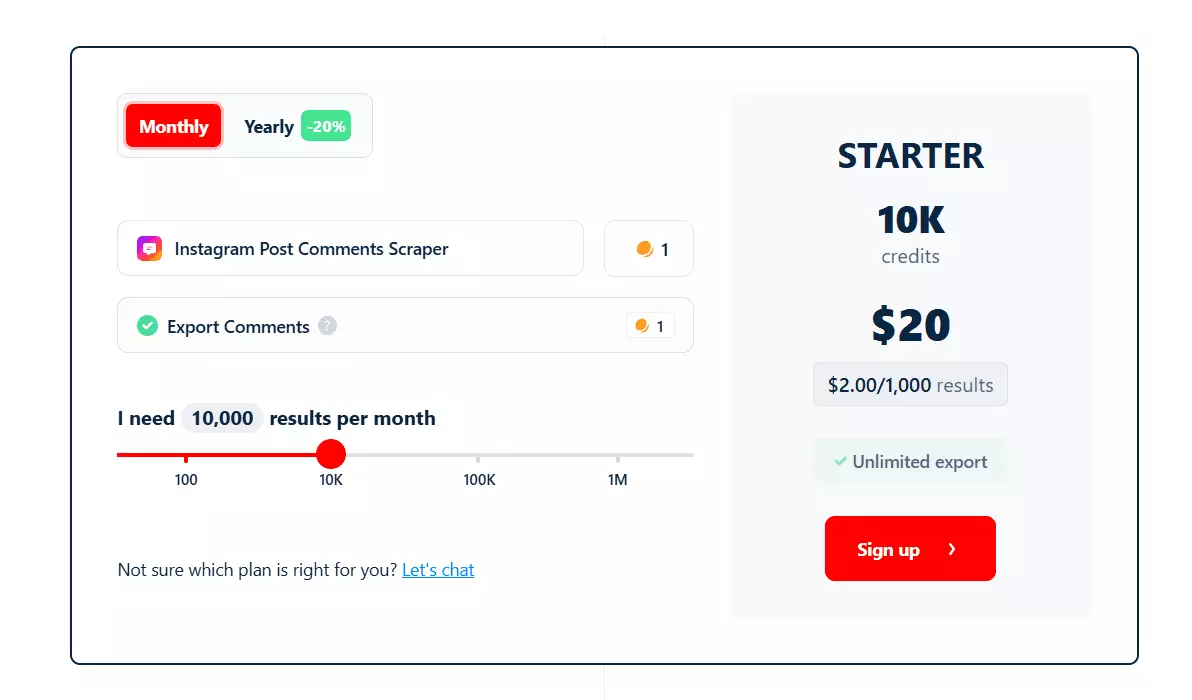
- 100 comments free every month
- Starts at $2 per 1,000 comments
- Drops to $0.5 per 1,000 comments at scale
And you get a base speed of 130 comments per minute.
How to scrape Instagram comments using lobstr.io [Step by Step Guide]
Scraping Instagram comments with lobstr.io takes less than 5 minutes to set up. Here's the process:
- Create a Squid
- Sync your Instagram account
- Add tasks
- Adjust behavior
- Launch
- Enjoy
Step 1: Create a Squid
A Squid is just a scraper instance. To create one:
- Log in to your lobstr.io dashboard
- Click the red
New Squidbutton - Type "Instagram" in the search bar
- Select
Instagram Post Comments Scraper
That's it. Your Squid is ready to configure.
Step 2: Sync your Instagram account
This is where the Instagram Comments Scraper differs from most other lobstr.io scrapers.
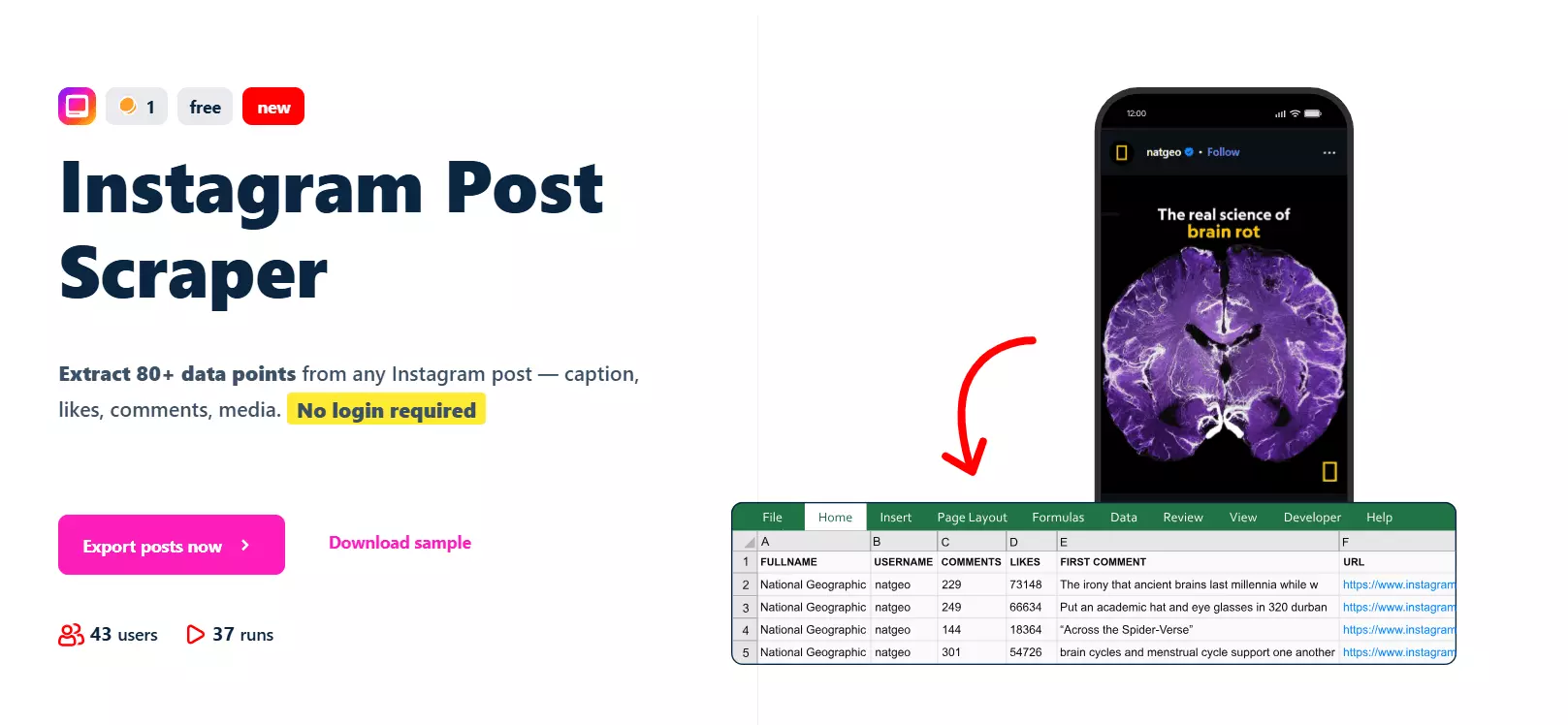
But if you want all comments... you need to sync your Instagram account.
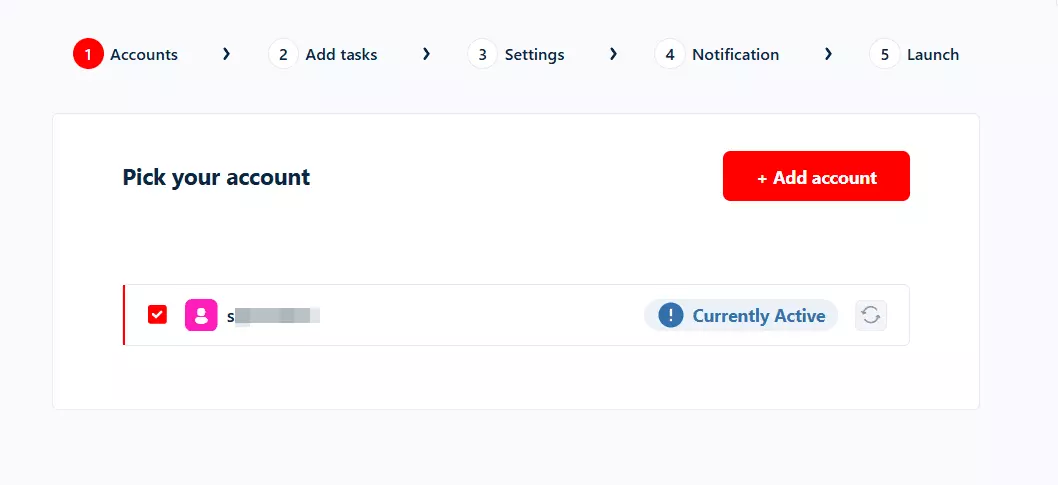
Don't worry, it's safe. lobstr.io integrates accounts securely and applies rate limits to protect your account from getting blocked.
Here's how to sync:
- Download the lobstr.io Chrome extension
- Log in to your Instagram account in the same browser window where you're signed into lobstr.io
- In the Account Sync step, click
+ Add account - Click
Yes I want to sync
That's it. Your account is synced and ready to go.
Step 3: Add tasks
A task is simply your input. In this case, it's the Instagram post or reel URL you want to scrape comments from.
For example:
https://www.instagram.com/p/ABC123xyz/
Add+ button. Paste the URL, click add, done.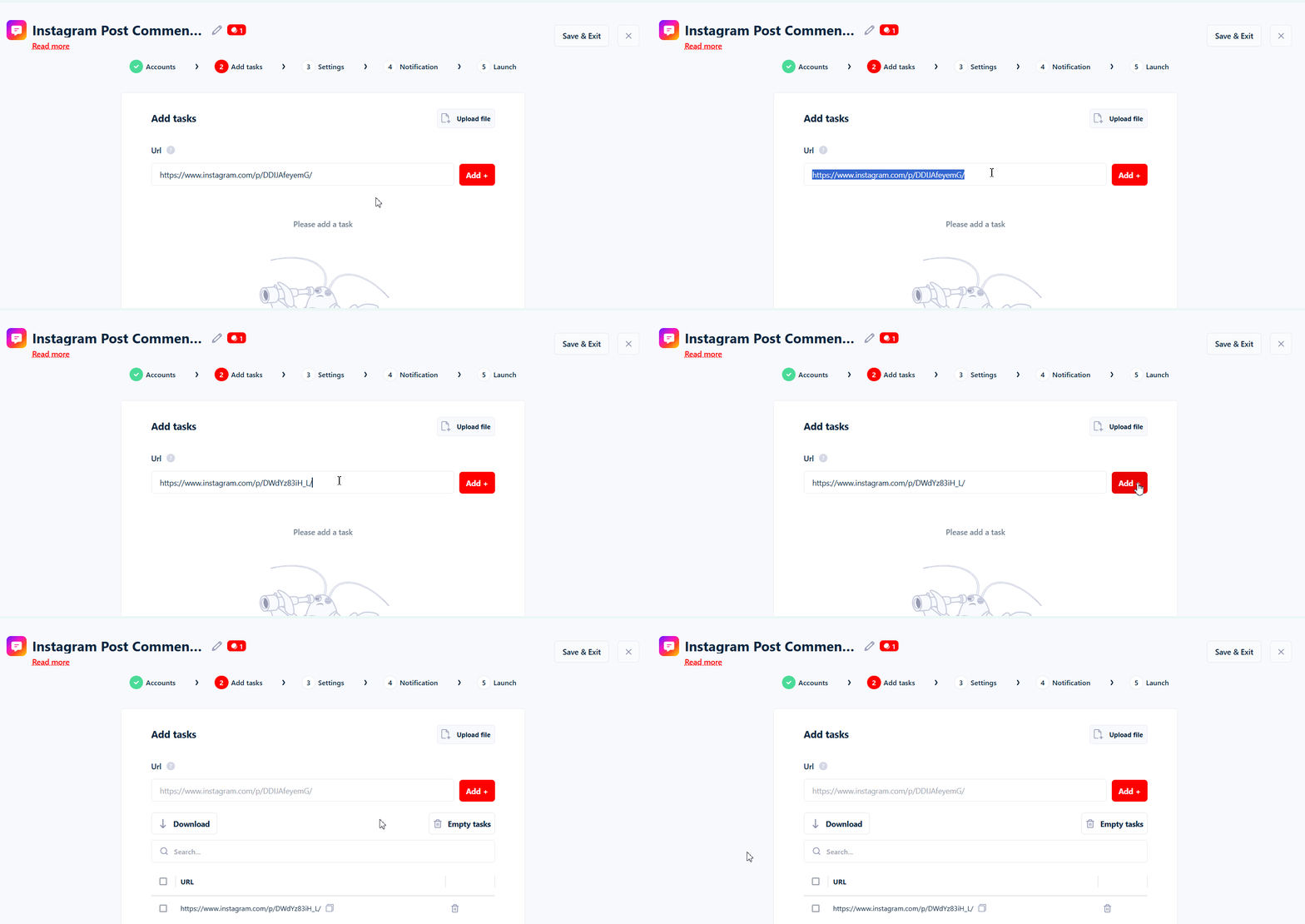
But if you've got hundreds or thousands of posts to scrape comments from, adding them manually is a waste of time.
TXT or CSV file and upload it using the Upload file button. You can upload up to 10,000 URLs per run.But where do I get hundreds of Instagram post URLs in the first place?
Glad you asked. Use lobstr.io's Instagram Posts Scraper.
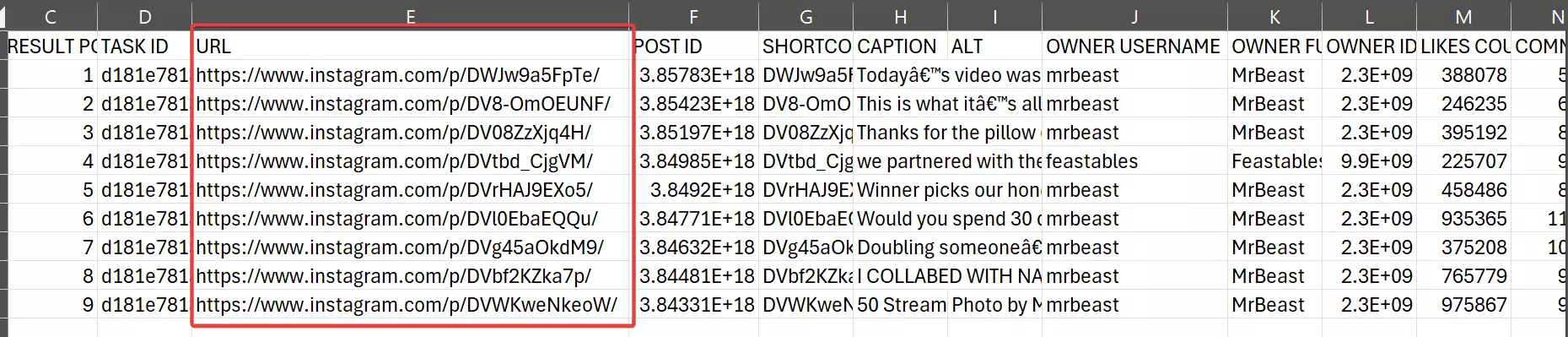
It collects all posts from any Instagram profile. Once that run finishes, simply upload the output file to the Instagram Post Comments Scraper. It automatically extracts the post URLs from the file.
Save to move to the next step.Step 4: Adjust behavior
The Settings tab controls how your scraper behaves. There are two sections here: Basic and Advanced.
I'm not gonna bore you explaining every option including the unnecessary ones for this scraper. Let me cover the ones you'll actually use.
Basic settings
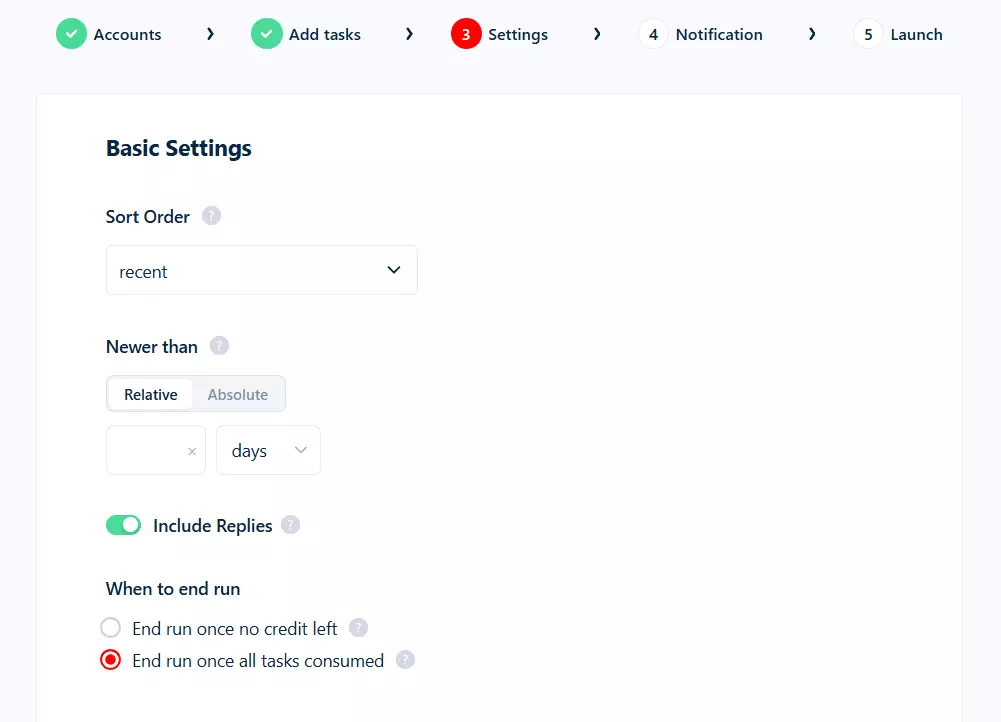
Sort Order... choose between most recent or most popular comments. Pick what matters for your use case.
Newer Than... only collect comments published after a specific point.
You can set an exact date (like March 20, 2026) or a relative duration (24 hours, 7 days, 2 weeks).
Perfect for monitoring fresh comments only.
Include Replies... toggle this to also collect replies to comments. Each reply counts as a separate result.
When to end run... you've got two options here:
- End run once no credit left — if your credits run out, the run stops immediately and is marked as DONE. Restarting will start the collection from the beginning.
- End run once all tasks consumed — if your credits run out, the run is PAUSED instead. Add more credits and it resumes right where it stopped. You can reset your billing cycle to resubscribe and get more credits.
Advanced settings
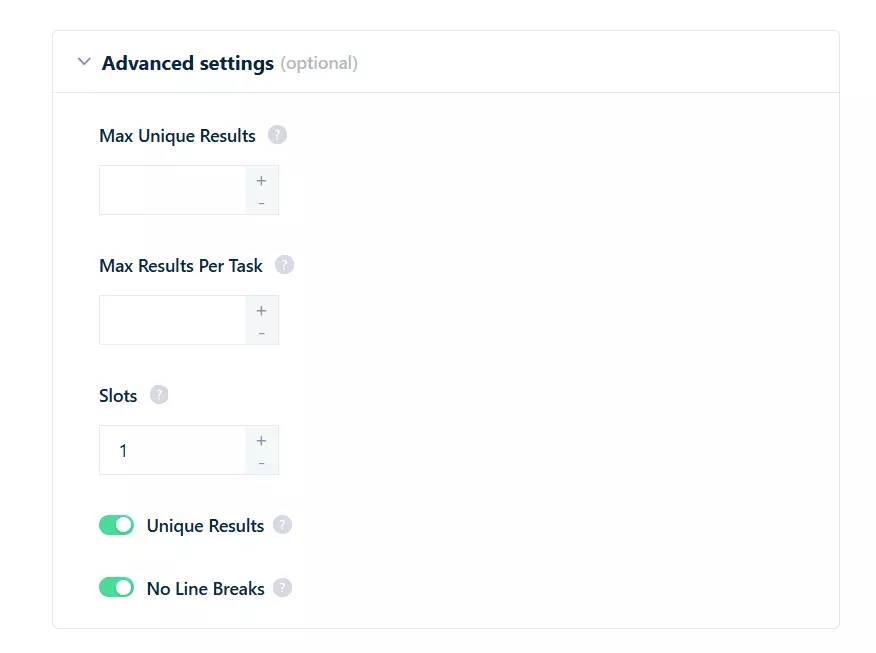
Max Unique Results... maximum number of unique results across all tasks in the entire run. Leave empty for unlimited.
Max Results Per Task... total comments the scraper will collect per post. Useful if you only want the top 100 comments from each post.
Slots... number of bots running simultaneously.
Important: your slot count must equal your number of synced accounts. 1 account = 1 slot. If you've synced 3 accounts, you can run 3 slots.
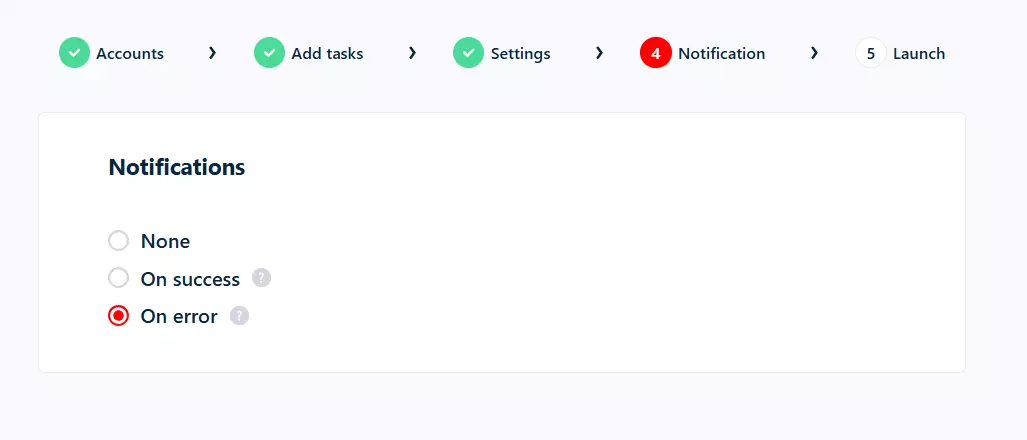
Notifications
Step 5: Launch
In the Launch tab, you've got two options:
- Manually
- Repeatedly
Save & Extract. The scraper starts collecting comments immediately.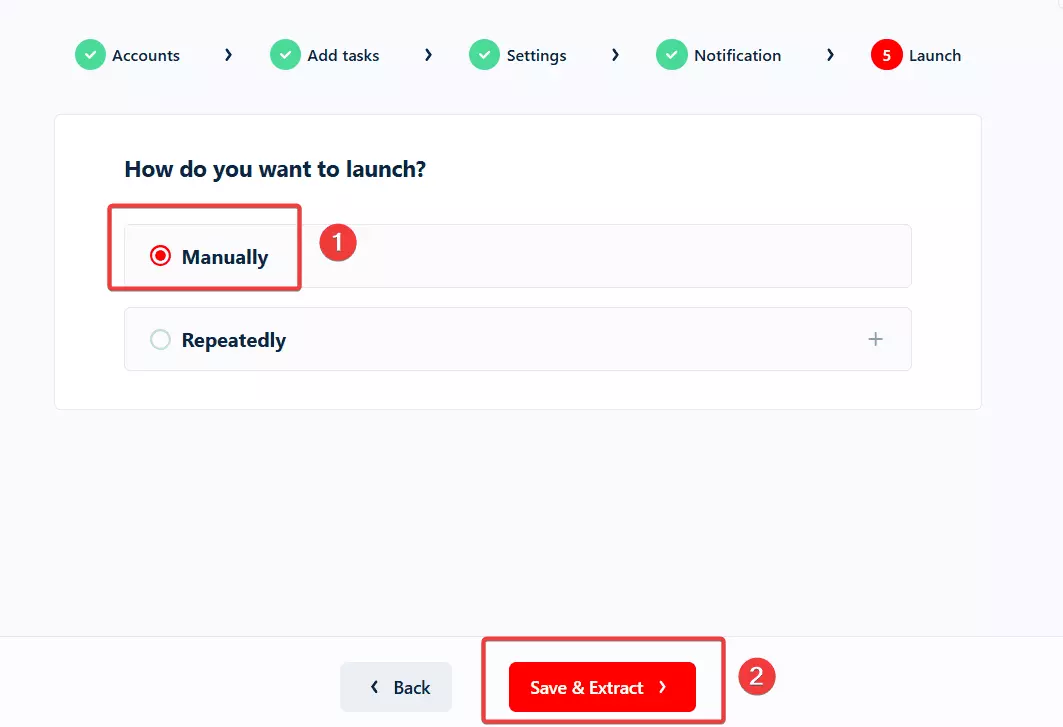
Save & Exit instead. Everything is saved. Whenever you're ready, just hit the Launch button.But what if you want to monitor comments over time?
Repeatedly comes in.Repeatedly and set how often the scraper should run. You can schedule it to run every few minutes, hourly, daily, weekly, or monthly.Pair this with the "Newer Than" filter and you've got yourself an automated Instagram comment monitoring system. Fresh comments delivered on autopilot.
Step 6: Enjoy
Download button to export your results as a CSV file.Open it in Excel, Google Sheets, whatever you prefer.
But downloading files manually every time? I don't like doing it.
Delivery icon in the top right corner and set up your preferred export method.Google Sheets is my personal favorite. You can also use SFTP, Amazon S3, or simply add an email address and receive a CSV file right in your mailbox after every run.
And if you want to plug this data into your CRM or any other tool, lobstr.io's official Make.com integration connects you to 3000+ apps.
What can you do with scraped Instagram comments?
You've got the comments. Now what?
Chain the Instagram Post Comments Scraper with the Instagram Posts Scraper and an AI agent to build a complete brand monitoring system.
You've got comment text, engagement data, commenter profiles, and thread structure. All you need is an AI agent that can understand this data and give you actionable insights.
Here are some ideas:
1. Sentiment analysis
Feed the comments into any LLM like Claude or ChatGPT to understand how people feel about a product, brand, or campaign. Thousands of unfiltered opinions, straight from the audience.
2. Competitor research
Scrape comments from your competitors' Instagram posts. What are people complaining about? What do they love? What questions keep coming up? That's free market research.
3. Influencer vetting
Before partnering with a creator, scrape their post comments. Are the comments genuine engagement or bot spam? Are followers actually interested in the product category? Comment quality tells you more than follower count.
4. Campaign monitoring
Launch a campaign and track comment sentiment in real-time. Pair the scraper's scheduling feature with the "Newer Than" filter to get fresh comments delivered automatically.
5. Product feedback mining
If you're a brand on Instagram, scrape comments from your own posts to build a structured feedback database. Way more scalable than reading comments one by one in the app.
6. Trend detection
Track comments across trending posts in your niche to spot emerging opinions, popular complaints, and cultural shifts before they go mainstream.
7. Community management
Track comment sentiment over time to catch PR issues early, identify brand advocates, and understand how your community is evolving.
FAQs
Does scraping Instagram comments require login?
Yes, for full access. Instagram only shows 15 comments per post without login. lobstr.io's Instagram Post Comments Scraper requires you to sync your Instagram account to access all comments. The sync is safe and rate-limited to protect your account.
How fast is the Instagram Post Comments Scraper?
130 comments per minute at base speed. Speed depends on your plan and number of slots (synced accounts).
Can I scrape comments from multiple posts at once?
Yes. You can add up to 10,000 post or reel URLs per run. Upload them via a TXT or CSV file for bulk input.
Can I scrape only recent comments?
Yes. Use the "Newer Than" filter to only collect comments published after a specific date or within a relative time period (24 hours, 7 days, etc.).
Can I scrape replies to comments?
Yes. Toggle the "Include Replies" option in Basic settings. Each reply is collected as a separate result with parent comment tracking.
How much does it cost to scrape Instagram comments?
100 comments are free every month. After that, pricing starts at $2 per 1,000 comments and drops to $0.50 per 1,000 at scale.
Can I sort comments by popularity?
Yes. The Sort Order setting lets you choose between most recent and most popular comments.
Will my Instagram account get banned?
Can I automate comment collection on a schedule?
Absolutely. Use the "Repeatedly" launch option to schedule runs at any interval... every few minutes, hourly, daily, weekly, or monthly. Combine it with the "Newer Than" filter for automated comment monitoring.
Can I export Instagram comments to Google Sheets?
Yes. lobstr.io supports automated delivery to Google Sheets, Amazon S3, SFTP, and email. Set it once and get fresh data delivered after every run.
Conclusion
That's a wrap on how to scrape Instagram comments data at scale without coding or dealing with broken tools.
Instagram's API is useless for this. Building your own scraper is a nightmare. But with lobstr.io, you can scrape all comments from any post in minutes... with sorting, date filtering, reply tracking, and automated monitoring built in.