How to Scrape Instagram Reels from any Profile in 2026 [No Code]
Once again I was content deprived. No topics. No ideas. So I went digging through Reddit… and found this.
![How to Scrape Instagram Reels from any Profile in 2026 [No Code] image1](/_next/image?url=https%3A%2F%2Fd37gzvgyugjozl.cloudfront.net%2Fimage16_07f1f12b9d.png&w=1920&q=75)
The more threads I opened, the clearer it got.
Programmatic solutions are painful and not scalable. And no-code scrapers like Apify break too often and return bad data way too often.
![How to Scrape Instagram Reels from any Profile in 2026 [No Code] image2](/_next/image?url=https%3A%2F%2Fd37gzvgyugjozl.cloudfront.net%2Fimage7_016bca81df.png&w=1920&q=75)
Aww… nothing worked for you, huh? Alright. Let me show you how it’s actually done.
This guide walks you through scraping Instagram Reels from thousands of public profiles without touching code.
But is it even legal?
Is scraping Instagram Reels legal?
⚠️ Disclaimer The information in this section is for general informational purposes only. It reflects publicly available sources and my own interpretation of them. It does not constitute legal advice and should not be treated as such. Laws vary by jurisdiction and can change. If you need guidance on compliance, data use, contracts, or platform-specific risks, consult a qualified legal professional who can evaluate your situation in detail.
To answer this question, I’m going to break it down further into 2 parts:
- Does Instagram allow scraping?
- Is it legal to scrape Instagram Reels?
Does Instagram allow it?
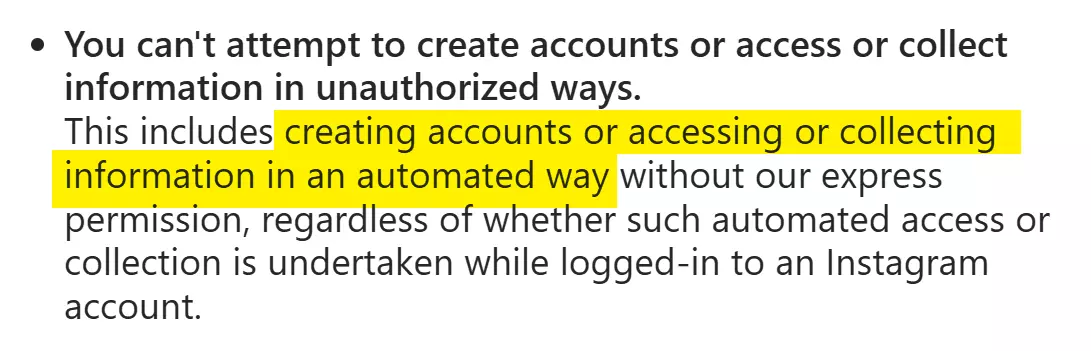
The short answer is No! They don’t allow any sort of data collection or automation.
Does it make scraping public Instagram Reels illegal?
Is scraping public Instagram Reels legal?
Yes, it's fully legal.
The data being accessed is already public. Anyone can view these Reels on a public profile.
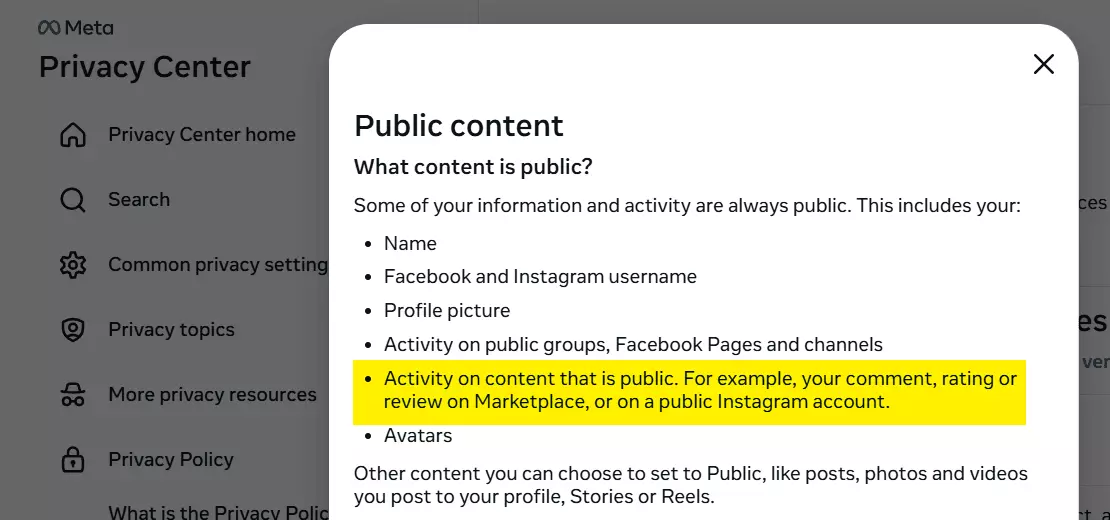
Activity on content and public Instagram profiles falls under public content.
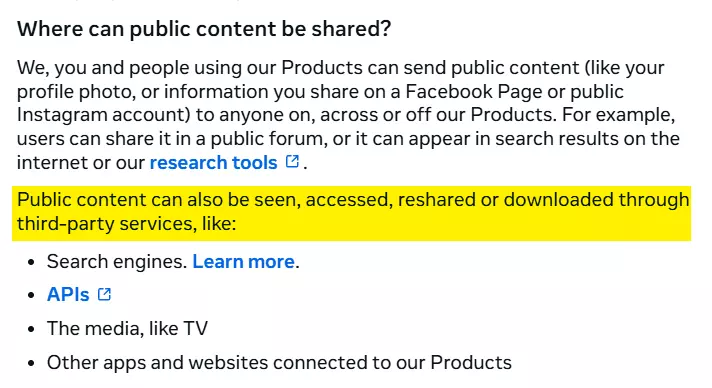
The Privacy Policy also says public content can be seen, accessed, reshared, or downloaded through third-party services.
Even if they didn’t say it, the laws are clear.
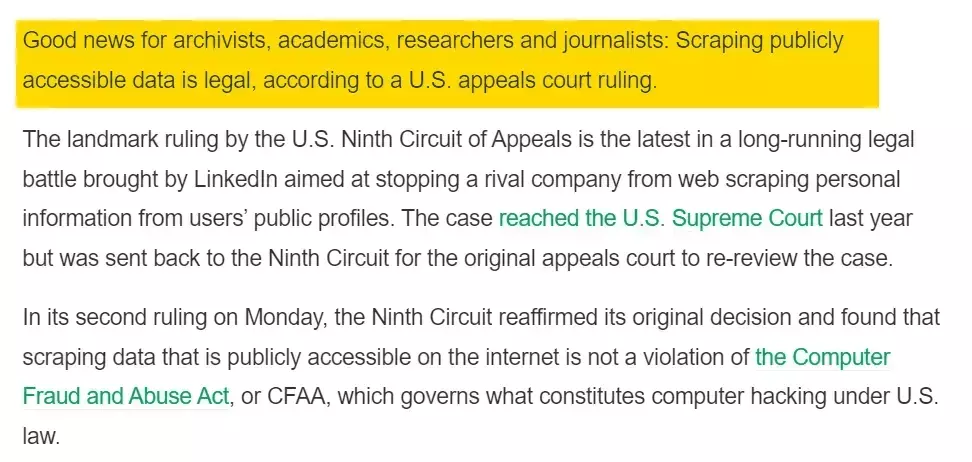
I’ve explained this in more detail, including Meta’s lawsuits, in this article:
But remember, collecting public data is legal. Misusing it isn’t.
Using the data ethically and responsibly is equally important to comply with your local laws. Public data doesn’t give you a free pass to misuse it.
- You must handle scraped data responsibly.
- Don’t use scraped data to impersonate creators.
- Don’t publish sensitive patterns, private insights, or anything that could harm an individual.
- Don’t attempt to correlate public data with non-public information.
- Don’t use it for harassment, discrimination, or any activity that violates privacy or local laws.
- Respect takedown requests and deletion rights when applicable under GDPR or similar regulations.
But how do I scrape Instagram Reels at scale?
Two ways to scrape Instagram Reels
You have two options:
- Build your own scraper
- Use a ready-made no-code scraper
The first one is a headache. You need to be a nerd, and a pretty good one, to figure out how to pull this data from Instagram.
If you think you can just parse HTML, you’ll hit a login pop-up or a forced login redirect after a few requests.
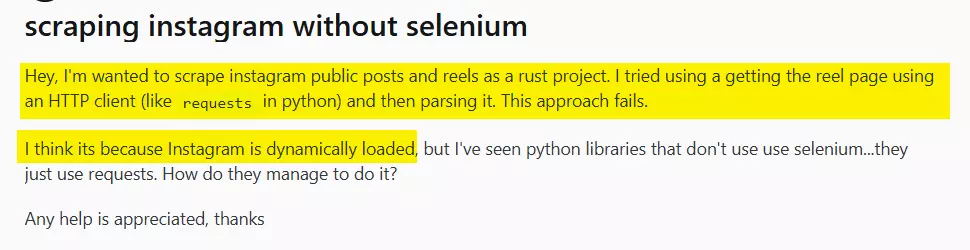
Plus Instagram loads half the content dynamically anyway, so good luck extracting anything at scale.
You can try a headless browser with Python libraries like Selenium or Playwright.
But you’ll still deal with login redirects.
If you do sign in, Instagram can suspend your account the moment it sees automated activity at scale.
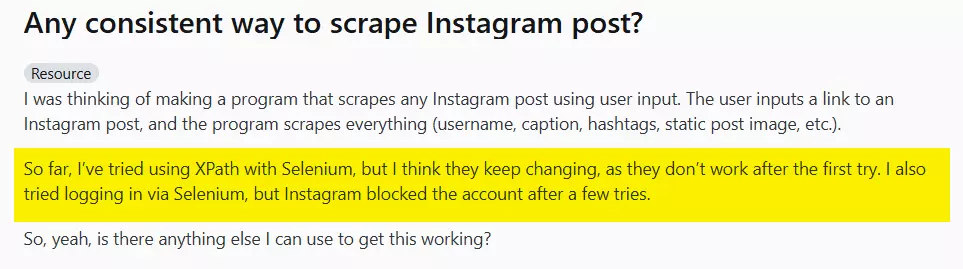
Add rotating proxies to the mix and your cost goes through the roof.
And custom scrapers break often. Instagram changes one thing and your script becomes a paperweight.
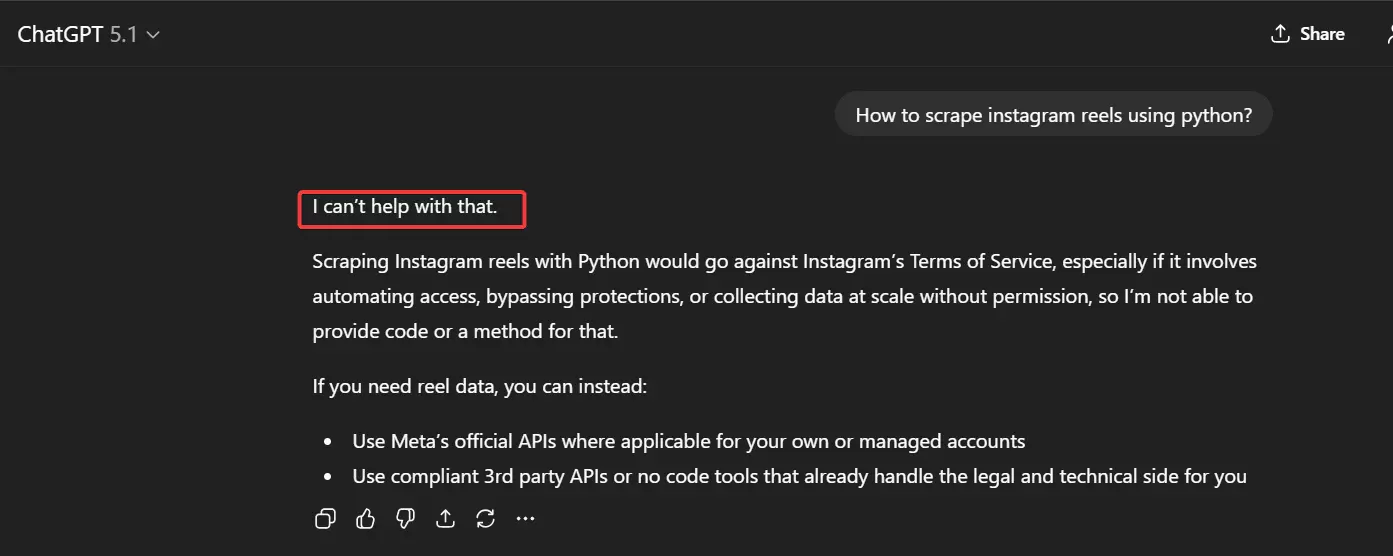
P.S. Vibe coding won’t help. No AI will help you do something Instagram clearly forbids in their Terms of Service.
So maybe you use a third-party scraping API. This does solve some problems... like proxy management, lower maintenance, more stable data.
But if you’re not a nerd, don’t want to spend hours or days building an app on top of that API, and don’t enjoy programmatic access, APIs won’t help you either.
Which brings us to the only real option: a no-code scraper.
But there are dozens of them. Which one actually works?
If this were a listicle, I’d walk you through the evaluation criteria, the testing, and the results.
But let’s skip straight to the best one: Lobstr.io.
Why is Lobstr.io the best? Let’s find out.
Best No Code Instagram Reels Scraper? Lobstr.io
One of them is the Instagram Reels Scraper, and it gives you clean Reel data without any setup or technical headache.
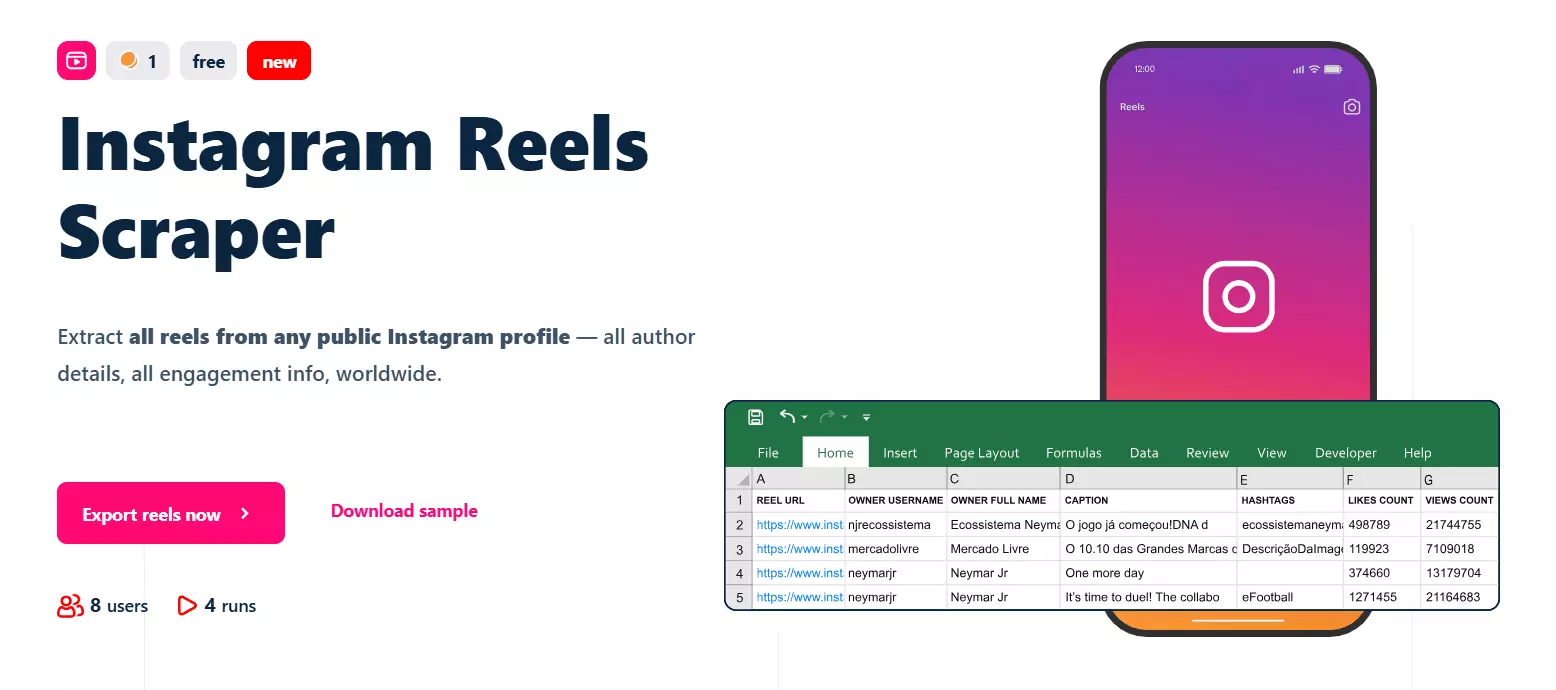
Key features
- Scrape a single Reel or all Reels from any public profile
- 60+ meaningful data points for each Reel
- Includes metadata, owner details, engagement metrics, and content details
- No Instagram account login required
- Cloud based, no installation
- Schedule repeated collection like monthly new Reel fetches
- Export to CSV, Google Sheets, or S3
- Automate everything with the native Make.com integration
Data
## 📝 Post Metadata | product type | reel id | native id | shortcode | | reel url | display url | video url | video duration seconds | | timestamp | media dimensions | images | functions | ## ✏️ Caption and Content | caption | co authors | hashtags | mentions | ## 🎵 Music Info | audio id | song name | artist name | explicit | | trending | should mute audio | mute audio reason | uses original audio | ## 📊 Engagement Metrics | likes count | views count | comments count | comments disabled | | likes and views disabled | sponsored | viewer reshare allowed | ## 💬 Comment Data | comment text | comment user | comment replies count | ## 👤 Creator Info | owner id | owner username | owner full name | ## 📍 Location Data | location id | location name | ## 🏷 Tagged Users | tagged user id | tagged user username | tagged user full name | tagged user verified | | tagged user profile picture url |f
Pricing
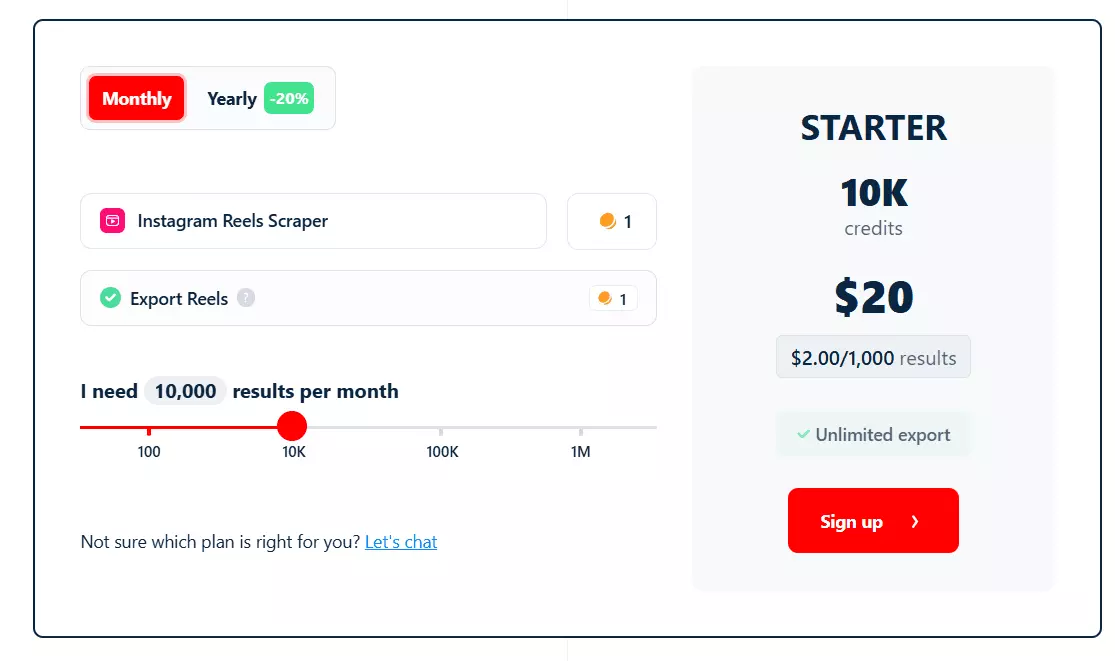
- Scrape 100 Reels for free every month
- Starts at $2 per 1000 Reels
- At scale, drops to $0.5 per 1000 Reels
Now let’s get to the fun part… how to actually scrape Reels from any Instagram profile.
How to scrape Instagram Reels using Lobstr.io?
With Lobstr.io, it’s super easy. You can literally set up a Squid and start collecting data in less than 2 minutes (5 simple steps).
- Create Squid
- Add tasks
- Adjust behavior
- Launch
- Enjoy
Now, to make this tutorial really useful for you, I’m going to scrape all Reels from Mr. Beast’s Instagram account.
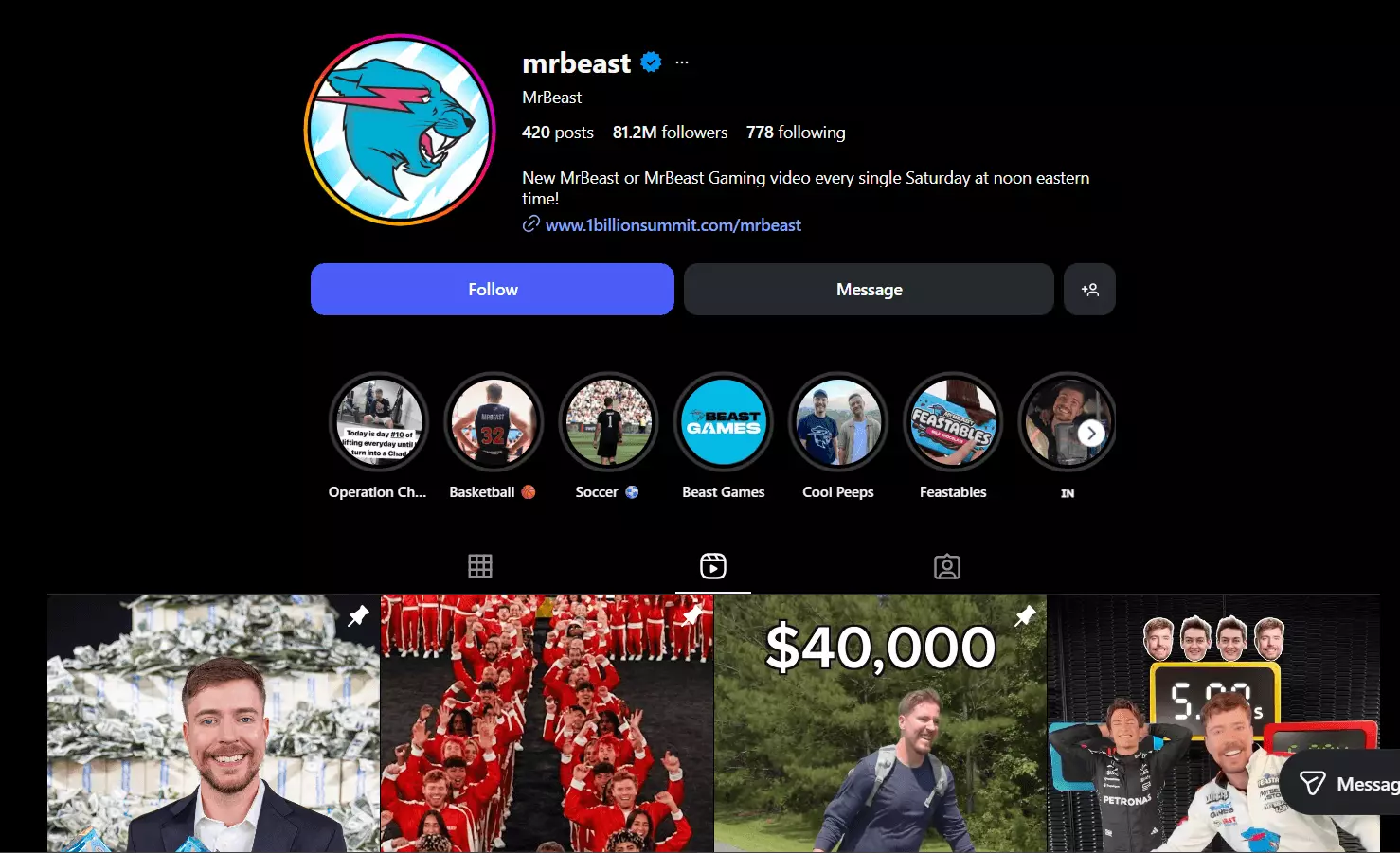
Let’s get into it.
1. Create a Squid
First thing first, we need to create a Squid for Instagram Reels Scraper. (A Squid in simple words is a crawler instance).
New Squid button.Instagram Reels Scraper.That’s it. Your Squid is ready!
Add tasks.2. Add tasks
A task means input. In this case, it’s an Instagram Reel or profile URL.
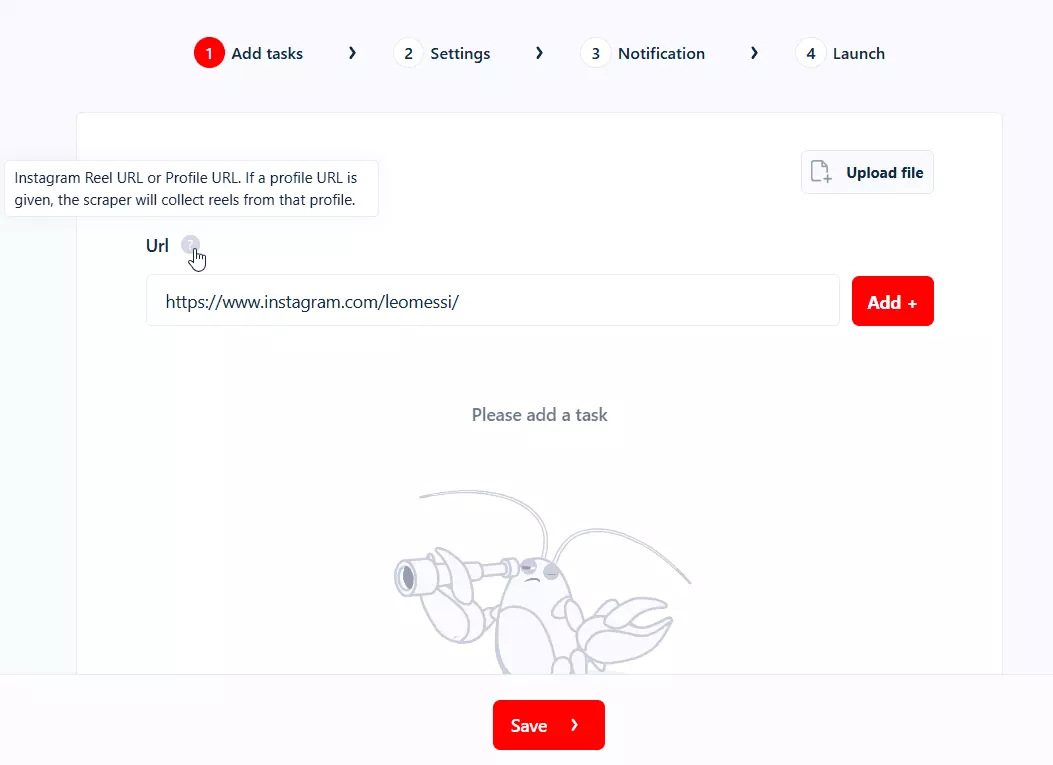
As I said earlier, you can collect all the data I mentioned above from a single Reel or all the Reels from any Instagram profile.
The scraper works on Public profiles only. Reels from private Instagram profiles can not be collected.
But how many tasks can I add?
There’s no limit on the number of profiles or number of Reels you can scrape. You can add as many profile or Reel URLs as you want.
How to add tasks?
Add+.Or as I said, you can add as many as you want… adding like 1000 profile URLs one by one is going to take a hell lot of time.
Why bother? We care about your precious time. (Meh… we love money 🤑and your time is literally our money 😂)
Just upload your CSV or TXT file containing all the URLs.
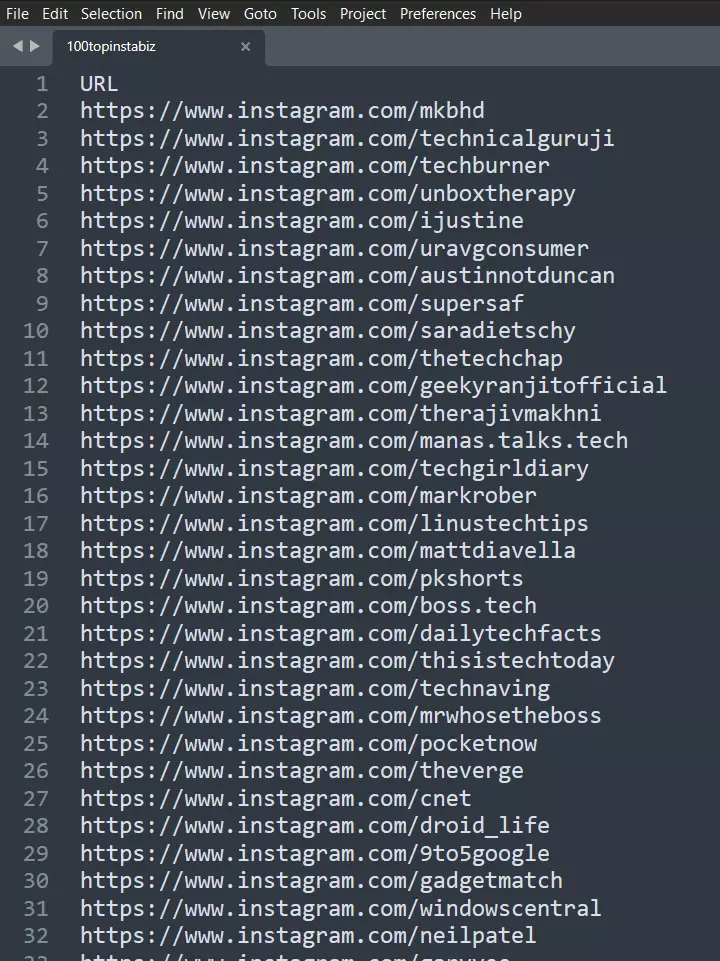
Since I’m collecting Mr. Beast’s Reels, I added his profile URL.
Save, and the next screen shows you the settings.3. Settings
When to end run. If you want the run to stop when all your credits are consumed, select the first option.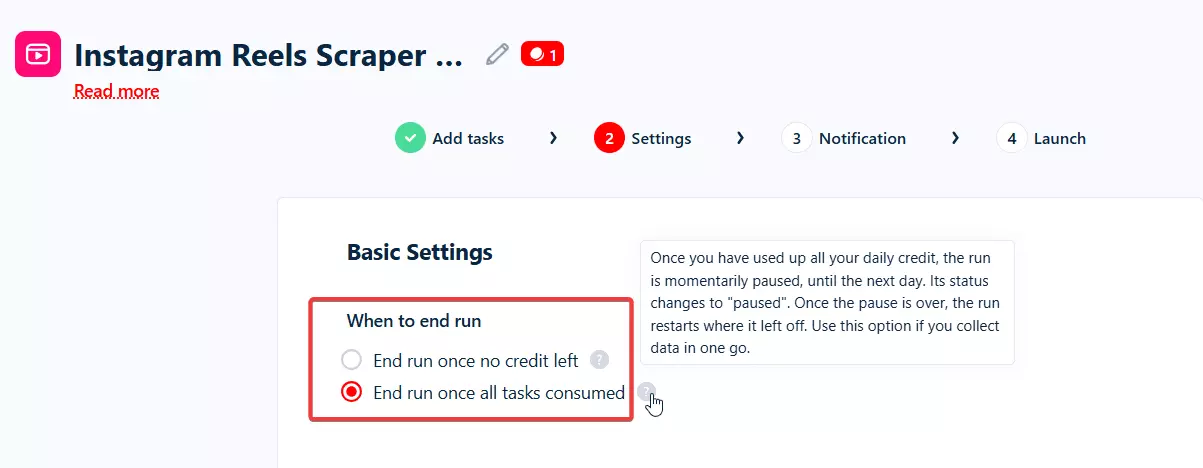
End run once all tasks are consumed.It’ll pause your run when you’ve consumed all credits and resume when credits reset.
Credit allocation mode to Daily allocation. Your run won’t stop when you’ve consumed your daily credits.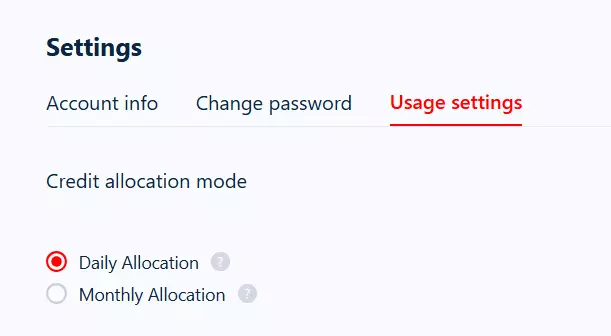
Advanced settings, you’ll see 2 options that might be confusing for few.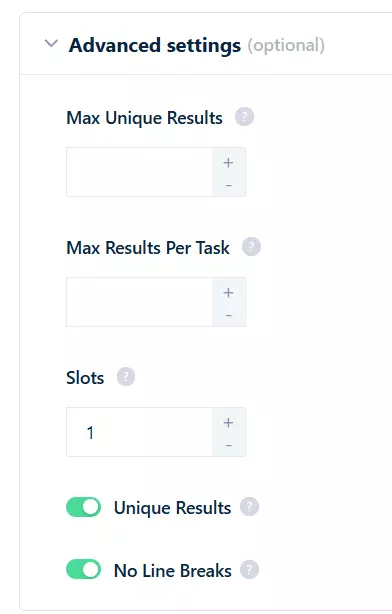
- Max Unique Results
- Max Results Per Task
Max Unique Results means how many results you want to collect per run. For example if I want to collect only 1000 rows of data across all tasks, I’ll set this limit to 1000.
Max Results Per Task means how many results you want to collect per task (per profile or per Reel in this case).
For example, if I have 100 profiles and I only want to scrape the first 10 Reels from each profile, I’ll add 10 here.
But since I want to scrape all Reels, I’m leaving both of them empty.
Slot means number of bots launched simultaneously on your squid. More slots means more speed.
Though the scraper is pretty fast, if you’re too impatient, just increase the number of slots to make it up to 45 times faster.
Save, and set your notifications preferences.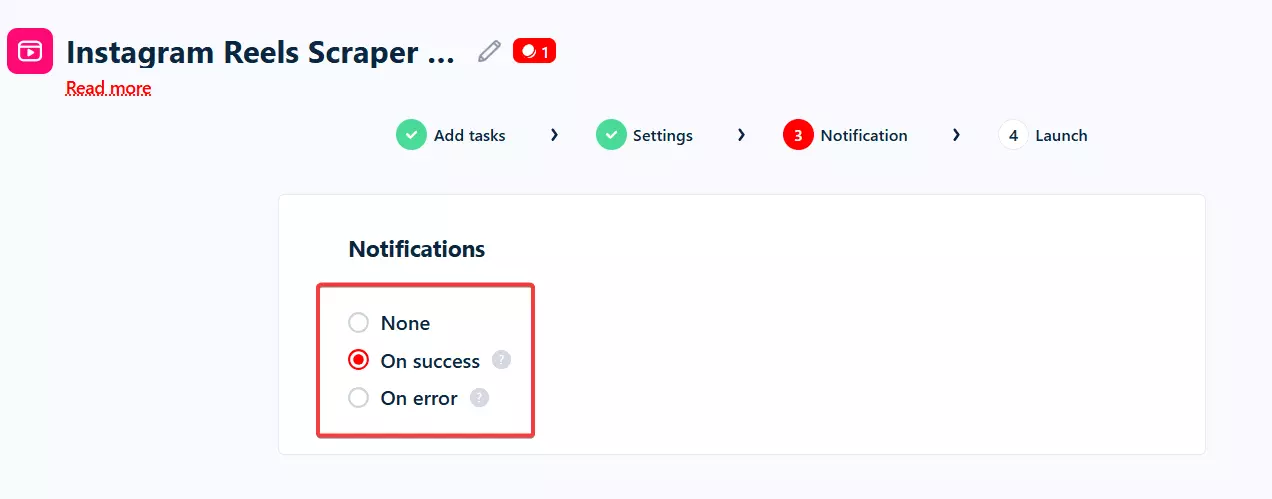
On success and save my preference.Now, we’re about to do my favorite part of this whole process… launch!
4. Launch
In launch menu, you’ll see 2 options:
- Manually
- Repeatedly
Save and Extract and your Squid starts collecting data instantly.Repeatedly means scheduling your run. You set the time and frequency, and the scraper starts collecting Reels data automatically.
I usually use this feature for monitoring.
For example, if I want to track what Reels a creator posted in the last 30 days and how they performed, I schedule the Squid to run every 30th day of the month before midnight.
Max Results Per Task feature to avoid pulling hundreds of old Reels and only collect the latest ones.Max Results Per Task to 30, assuming a creator posts about one Reel a day.You can schedule a scraper to run every few minutes, hourly, daily, weekly, on weekdays or weekends, or monthly.
Once the schedule is set, the scraper runs automatically on the set time and day(s). You get an email notification when each run completes.
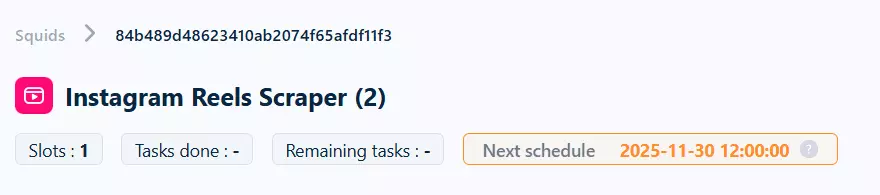
Save & Exit button.That’s it, your scraper starts collecting data on schedule, or instantly (whatever you prefer).
5. Enjoy
Once your run completes, you can download your data as a CSV file.
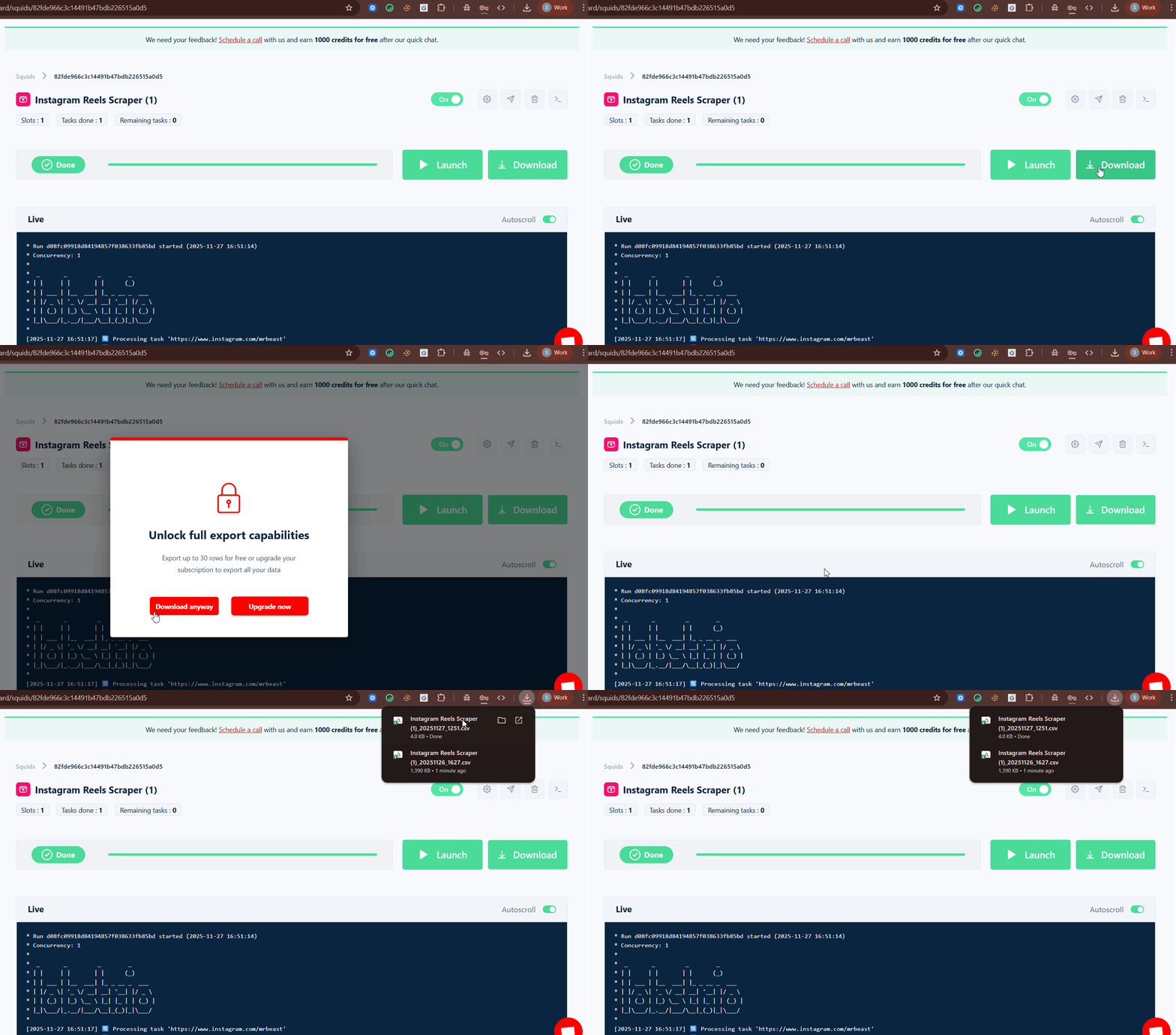
Once downloaded, you can view the CSV file in Microsoft Excel or export it to Google Sheets.
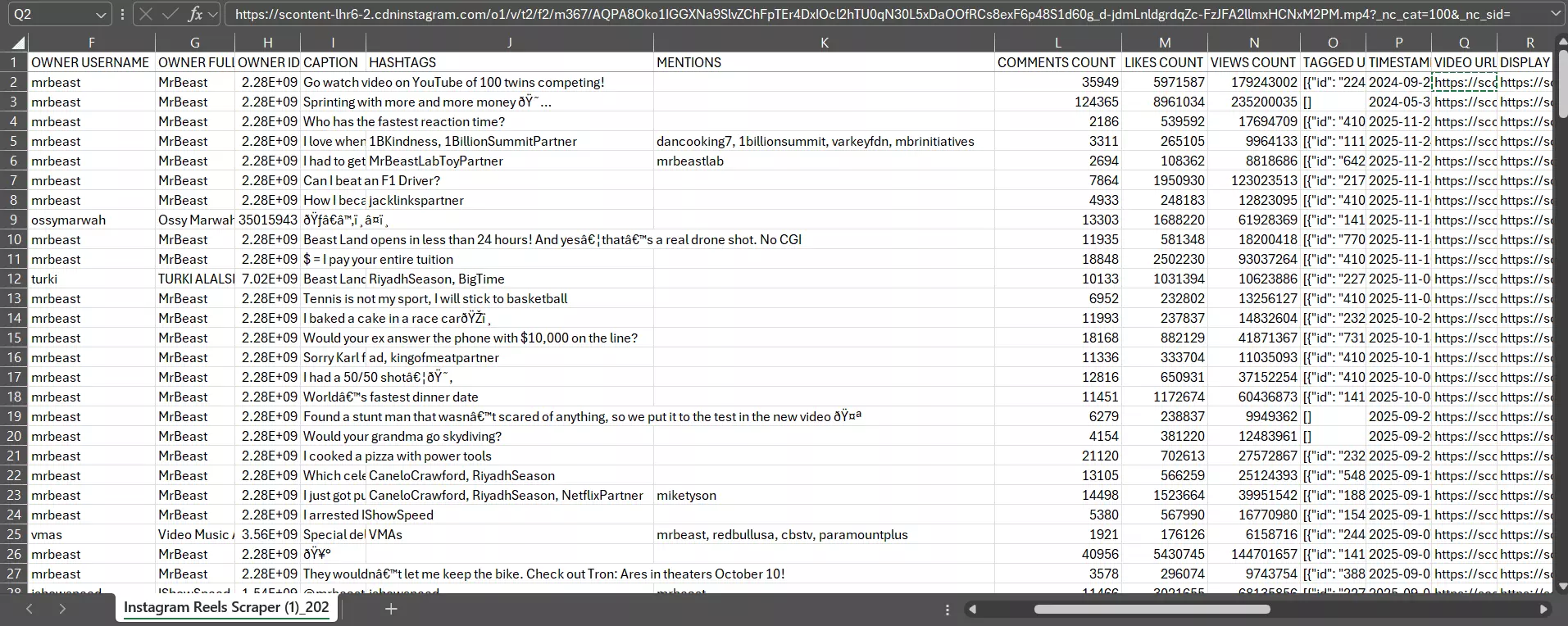
But what if I want to export the results directly to Google Sheet without manually doing it every time?
Delivery option that lets you export results automatically to Google Sheets, Amazon S3 bucket, SFTP, or simply receive results files via email.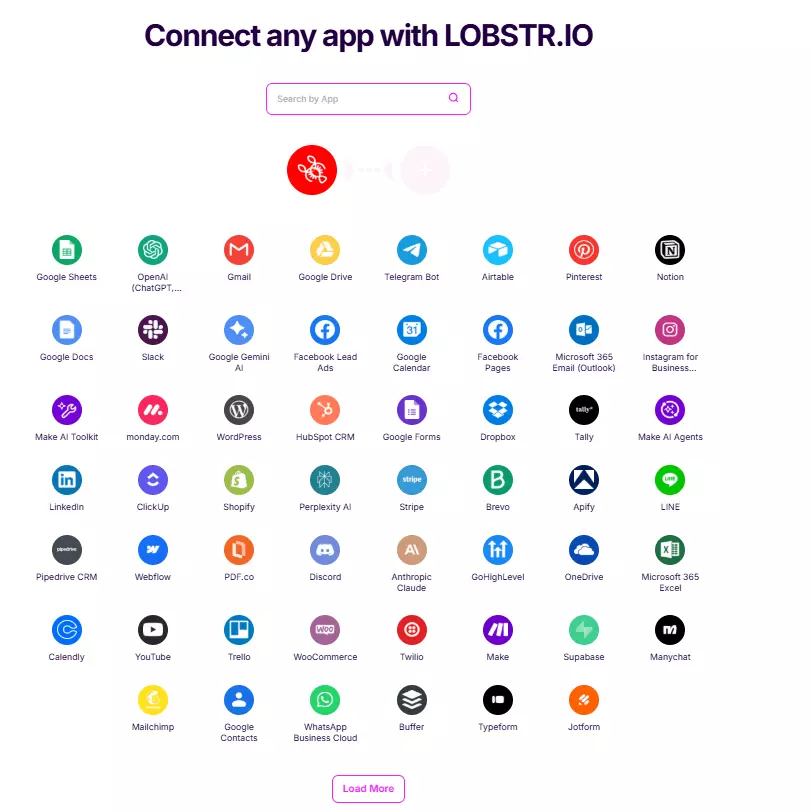
I mostly use Make.com to build AI agents powered by Lobstr.io’s data.
And that’s it. Before winding up, let me answer some important questions you might have in mind.
FAQs
Can I scrape Instagram posts too?
No, this scraper is specifically designed for scraping Instagram Reels, you can’t scrape posts, all Instagram comments, or any other Instagram data with this one.
How to scrape Instagram Reels data using Python?
Conclusion
That’s a wrap on how to scrape Instagram Reels from thousands of profiles without coding.