Best Trustpilot Reviews Scrapers 2026 [No-Code Edition]
TL;DR
- I tested the best no-code Trustpilot scrapers that balance scale, price, speed, data quality, ease of use, and whether you hit a pagination cap.
- I skipped API-focused and browser-based scrapers and focused only on no-code tools built for scale.
- lobstr.io is the fastest tool built for scale and it's affordable.
- It also has the deepest filtering and best-rated support.
- Apify is the most affordable at scale.
- However, it's also the slowest, and it can get blocked mid-run with no way to resume where it stopped.
- Brightdata has the widest data schema here, especially for company-level metadata. It's built for scale.
- But the data quality is questionable, and the monthly commitment can get expensive.
- Outscraper is also built for scale. However, it has the fewest data fields and is the most expensive on this list.
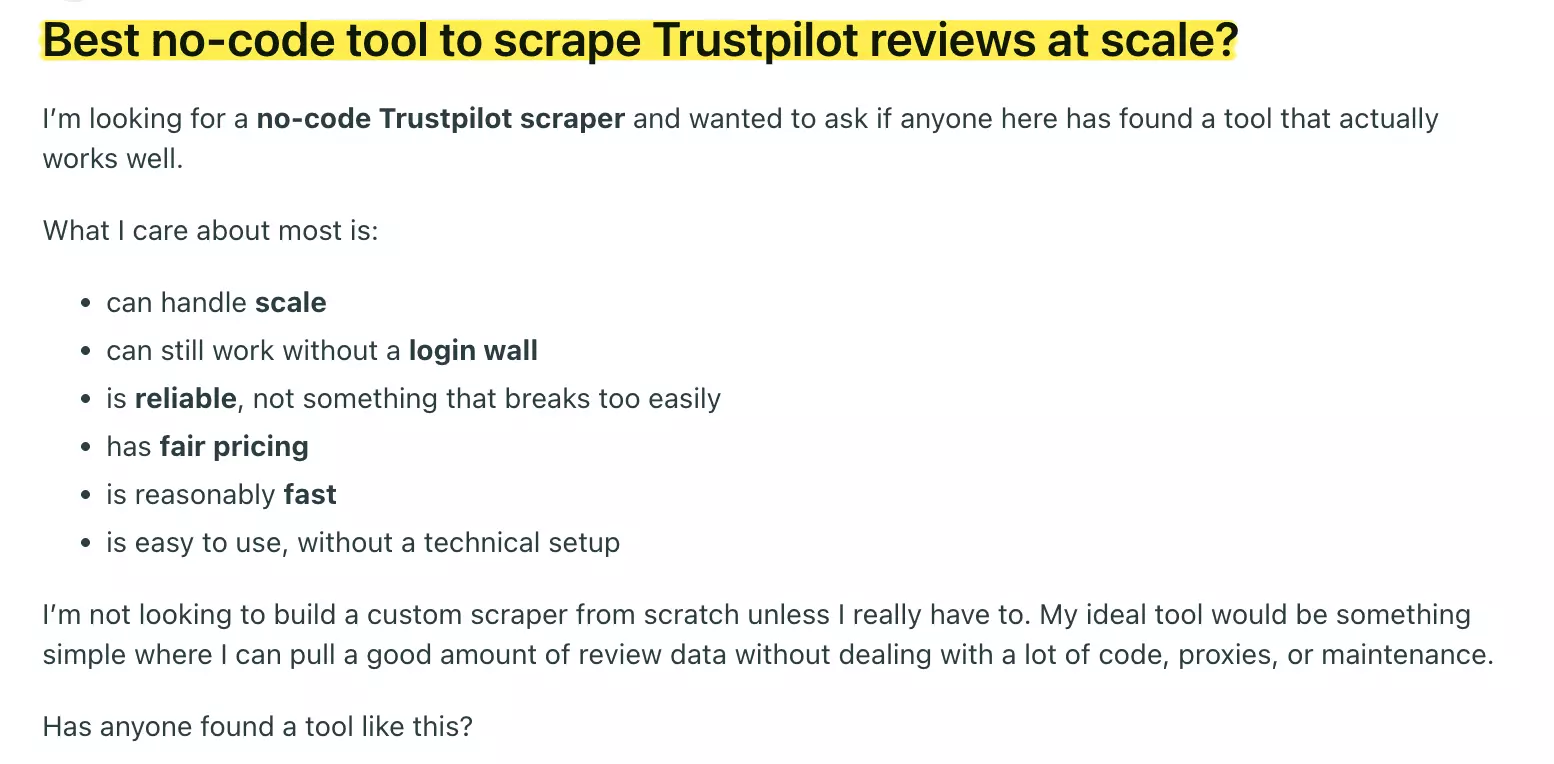
Everyone searching for a no-code Trustpilot scraper ends up in the same place.
A dozen browser tabs, half of them outdated, none of them honest about whether the tool actually survives at scale.
That's a real pattern.
So I ran the tests myself. I checked each one on the things that actually break: scale, price, speed, data quality, ease of use, and whether you hit a pagination cap.
These are the ones worth your time.
Quick comparison table
| Criteria | lobstr.io | Apify | Brightdata | Outscraper |
|---|---|---|---|---|
| Rating | 5/5 | 3.6/5 | 4.7/5 | 4.5/5 |
| Price per 1,000 reviews | $0.50 | $0.20 | $0.75 | $1.00 |
| Data fields | 30+ | 19 | 40+ | 15+ |
| Data quality | 👍 | 👍 | 👎 | 👍 |
| Speed | 💯 | 👎 | 👍 | 👍 |
| Free trial | ✅ | ✅ | ✅ | ✅ |
| Pagination cap | ~200 reviews/query | ~200 reviews/query | ~200 reviews/query | ~200 reviews/query |
| Filtering | 💯 | 👍 | 👎 | 👍 |
| CSV import | ✅ | ❌ | ✅ | ✅ |
| Export options | 👍 | 💯 | 💯 | 💯 |
| Support | 💯 | 👍 | 👎 | 💯 |
Is scraping Trustpilot reviews legal?
⚠️ Disclaimer: The information in this section is for general informational purposes only. It reflects publicly available sources and my own interpretation of them. It does not constitute legal advice and should not be treated as such. Laws vary by jurisdiction and can change. If you need guidance on compliance, data use, contracts, or platform-specific risks, consult a qualified legal professional.
To start, it's important to clarify one thing.
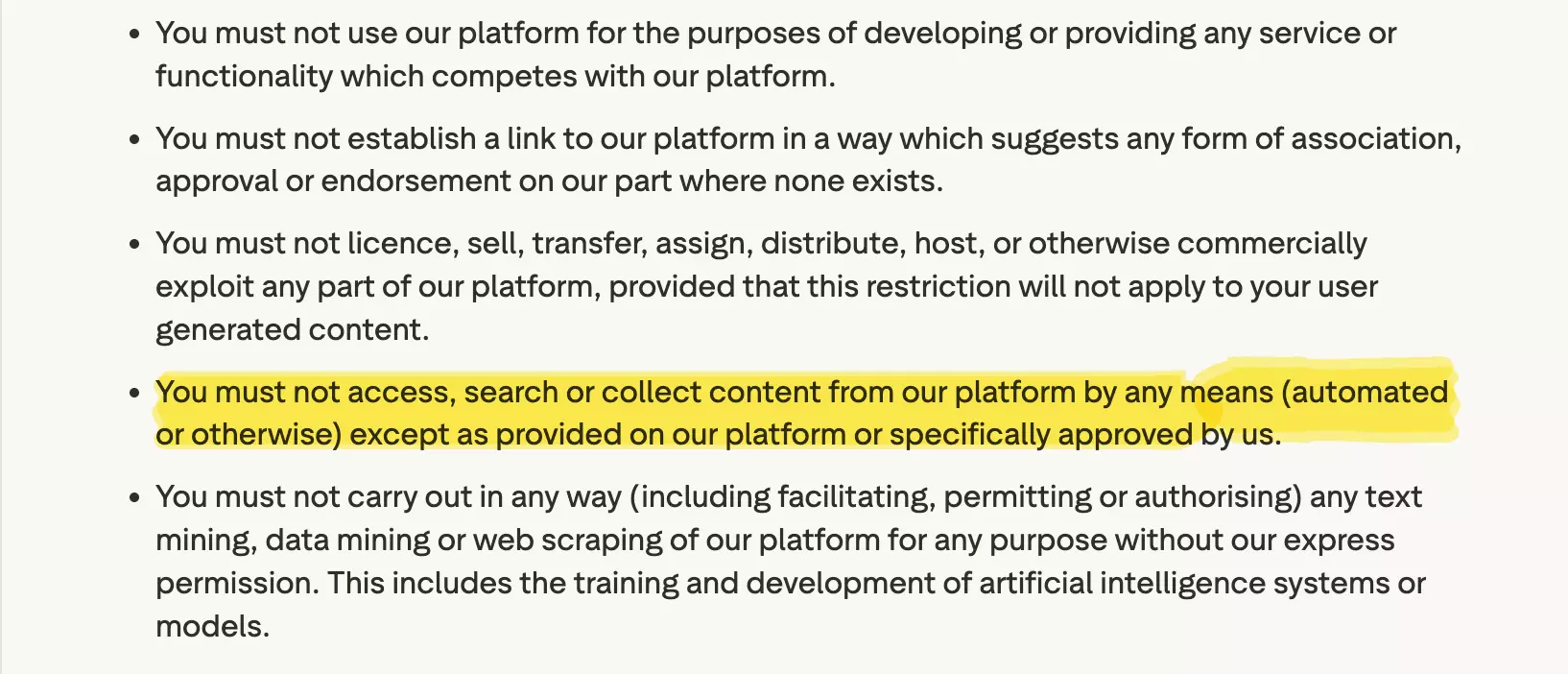
Does Trustpilot allow scraping?
On paper, no.
So does that make it illegal?
Not on its own.
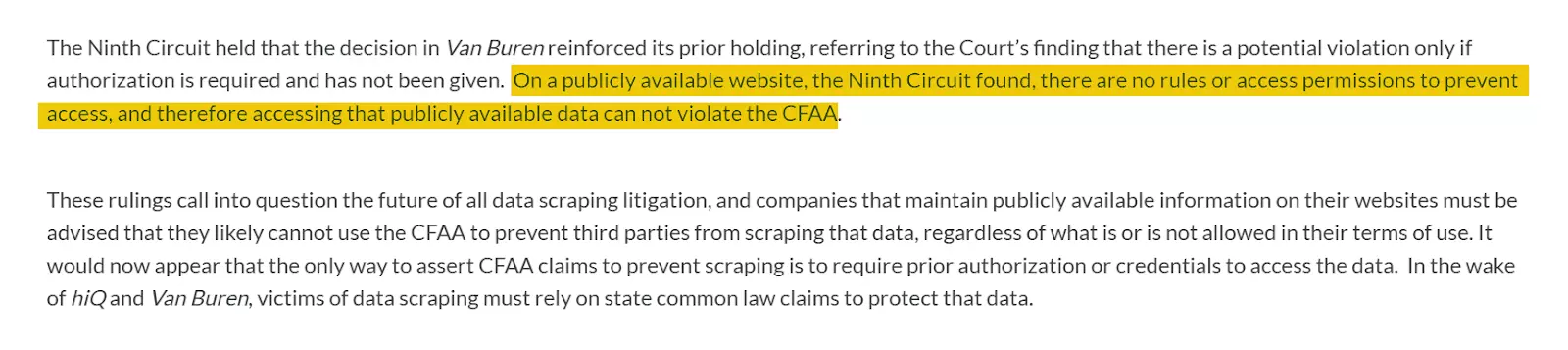
That said, the risk depends on what you do next.
If you store or republish the content without permission, you can run into copyright problems.
If the reviews are public, you're not bypassing access controls, and you're using the data responsibly, the risk is lower.
How I chose these tools
Most posts on this topic just list tools.
Sometimes it's literally a one-line "recommendation" with zero explanation, like we're all scraping Trustpilot for fun.
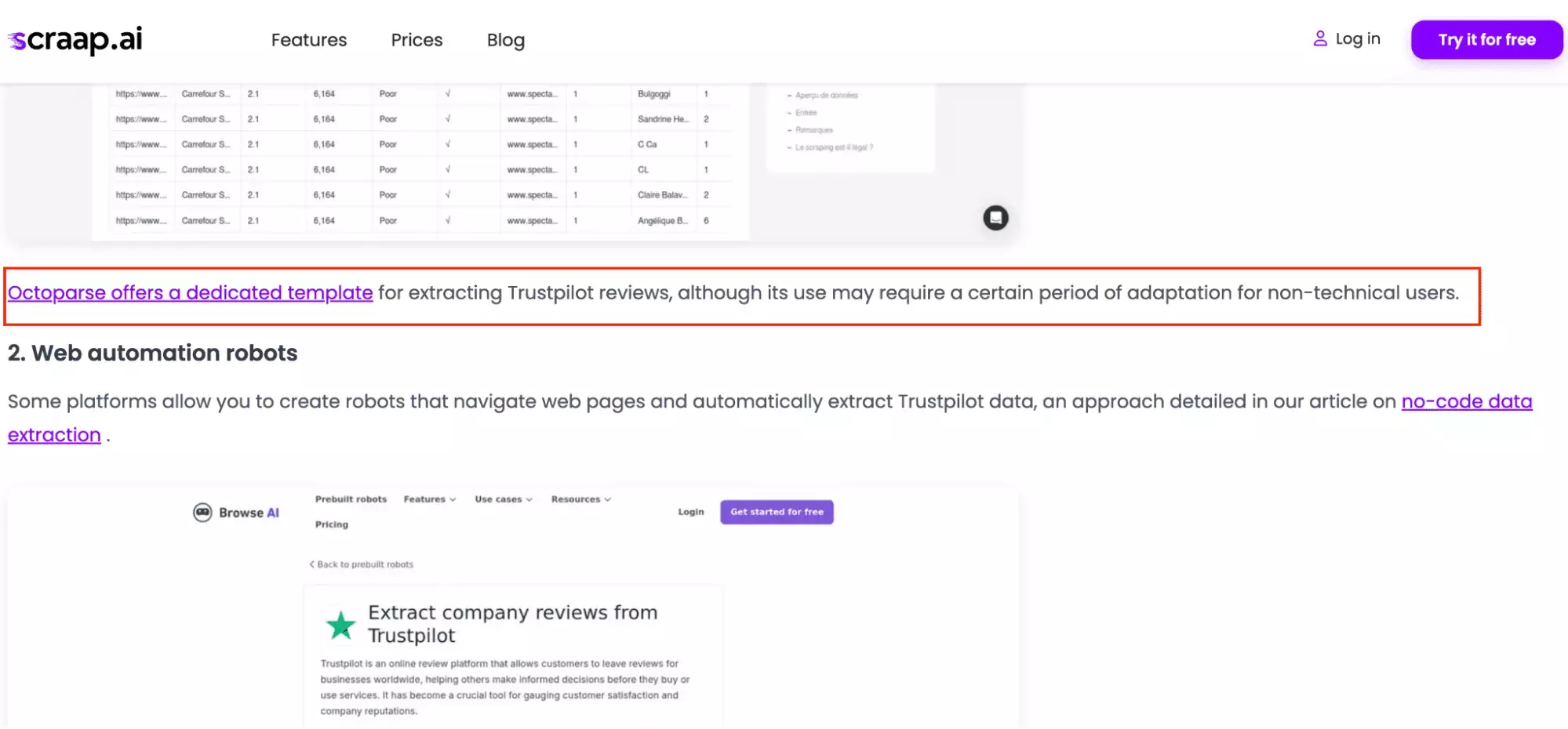
I wanted to start from what actually goes wrong.
So I went through community posts and threads across multiple subreddits. Same story every time.
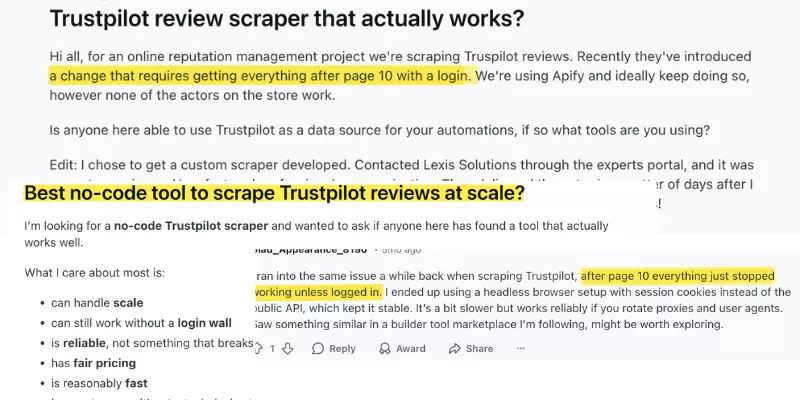
From that, I narrowed it down to six pain points:
- Data quality
- Scale
- Pagination cap
- Price
- Speed
- Ease of use
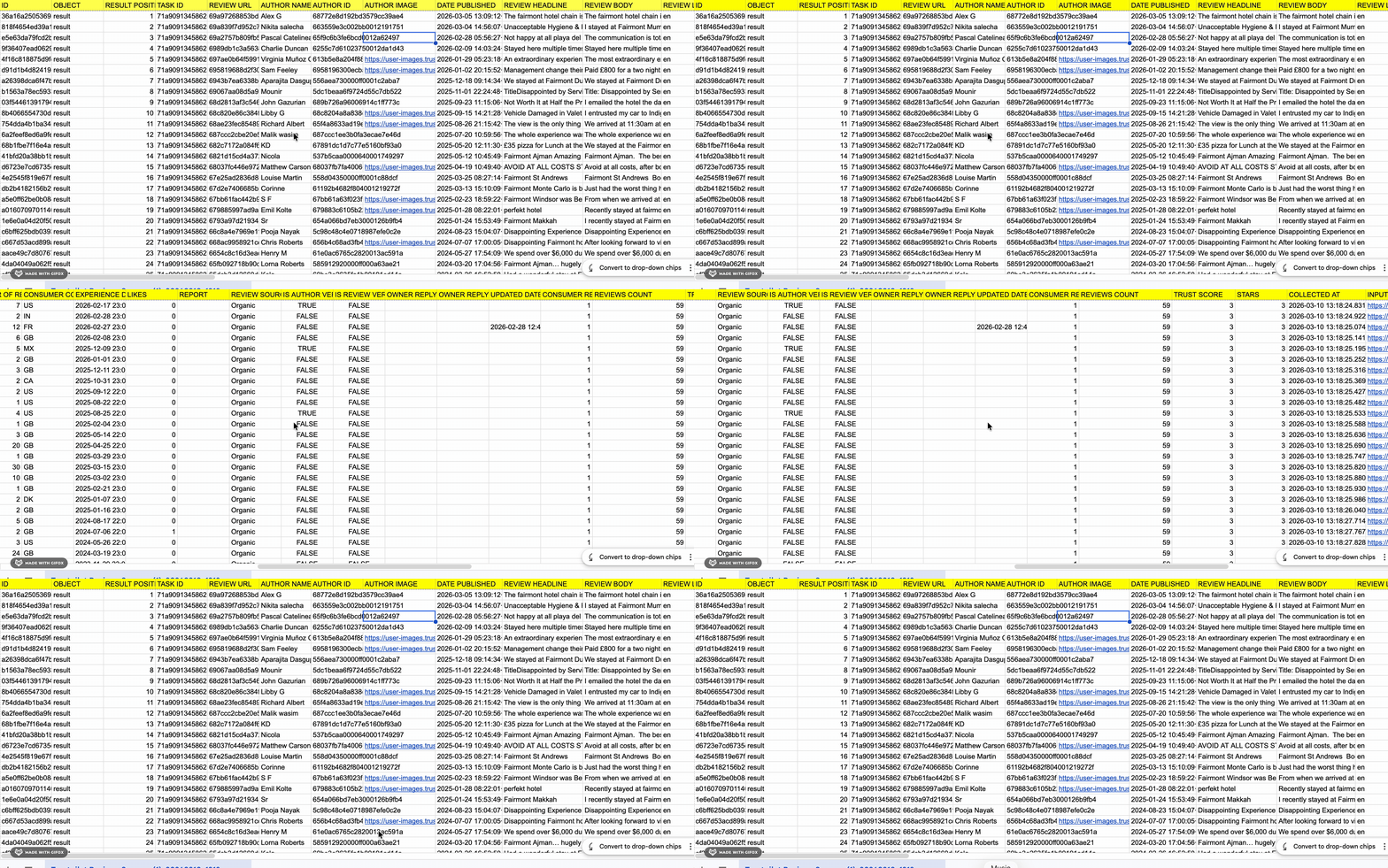
Data quality: I checked how many fields each tool captured, and whether it dropped obvious data points from the page.
Scale: I looked for bulk workflows like CSV import.
I also cross-checked reviews for complaints about breaking or degrading at higher volumes.
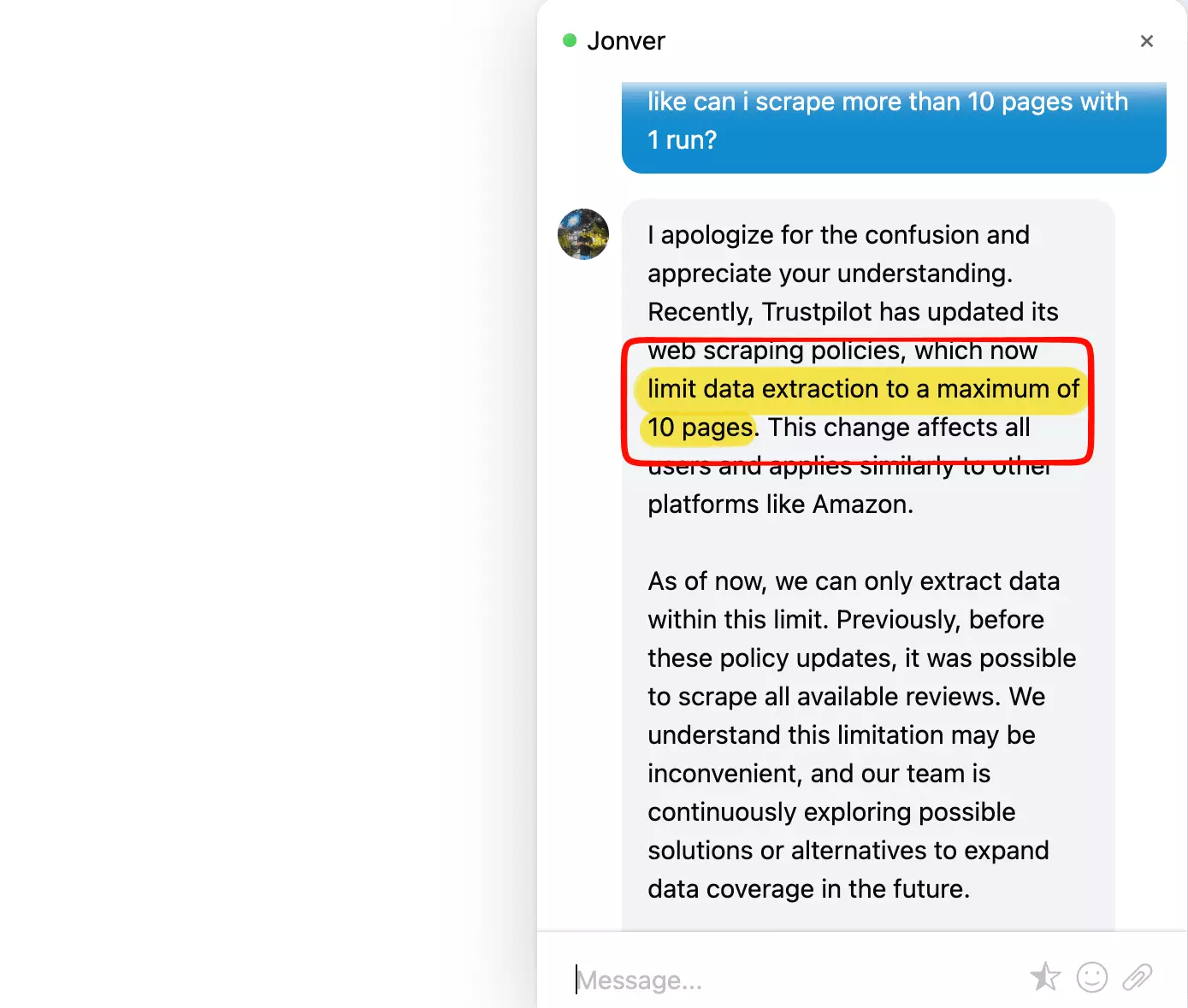
Pagination cap: I confirmed how each tool handles Trustpilot's ~200 reviews per query limit.
Price: I normalized everything to cost per 1,000 reviews at entry and at scale.
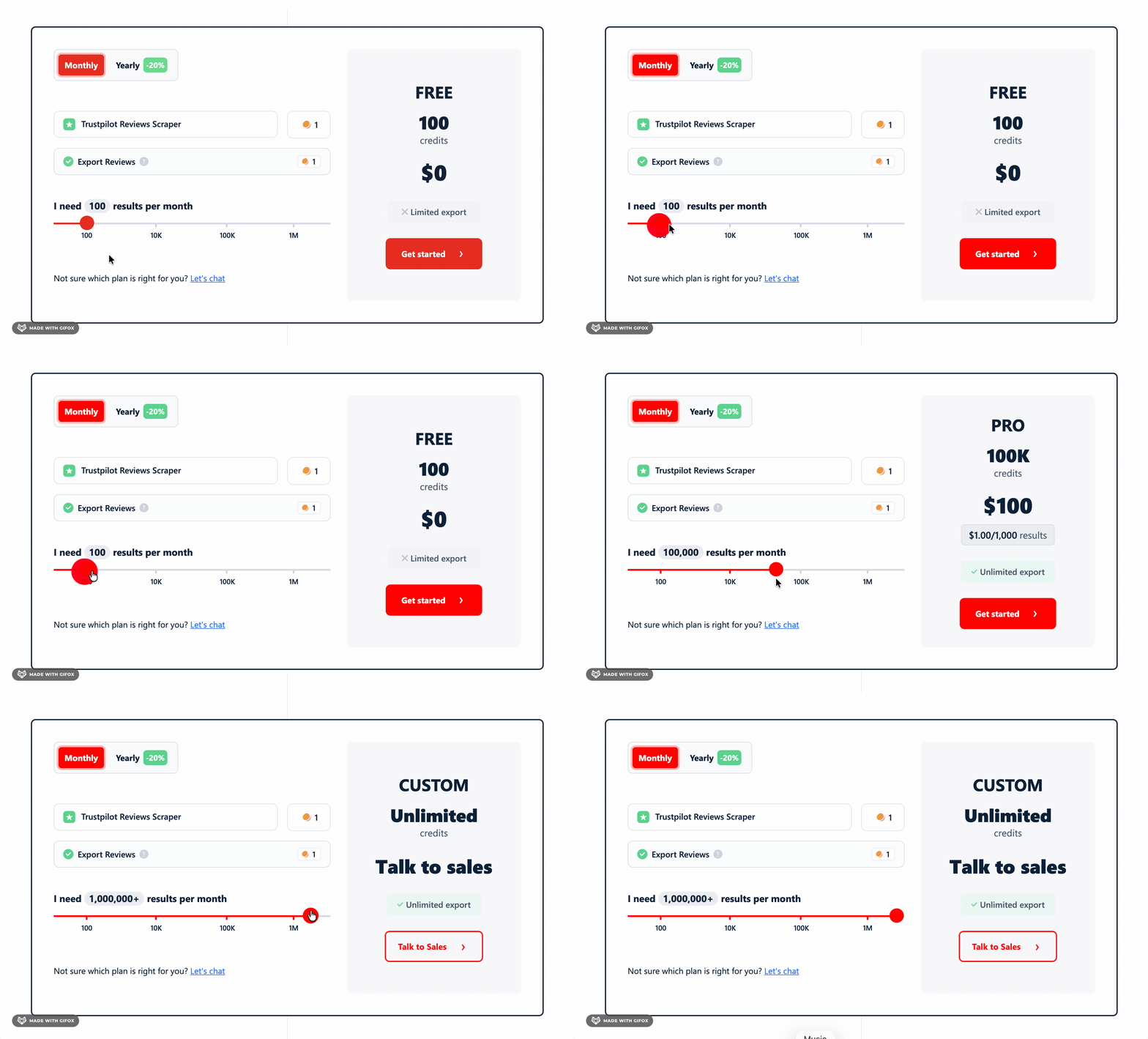
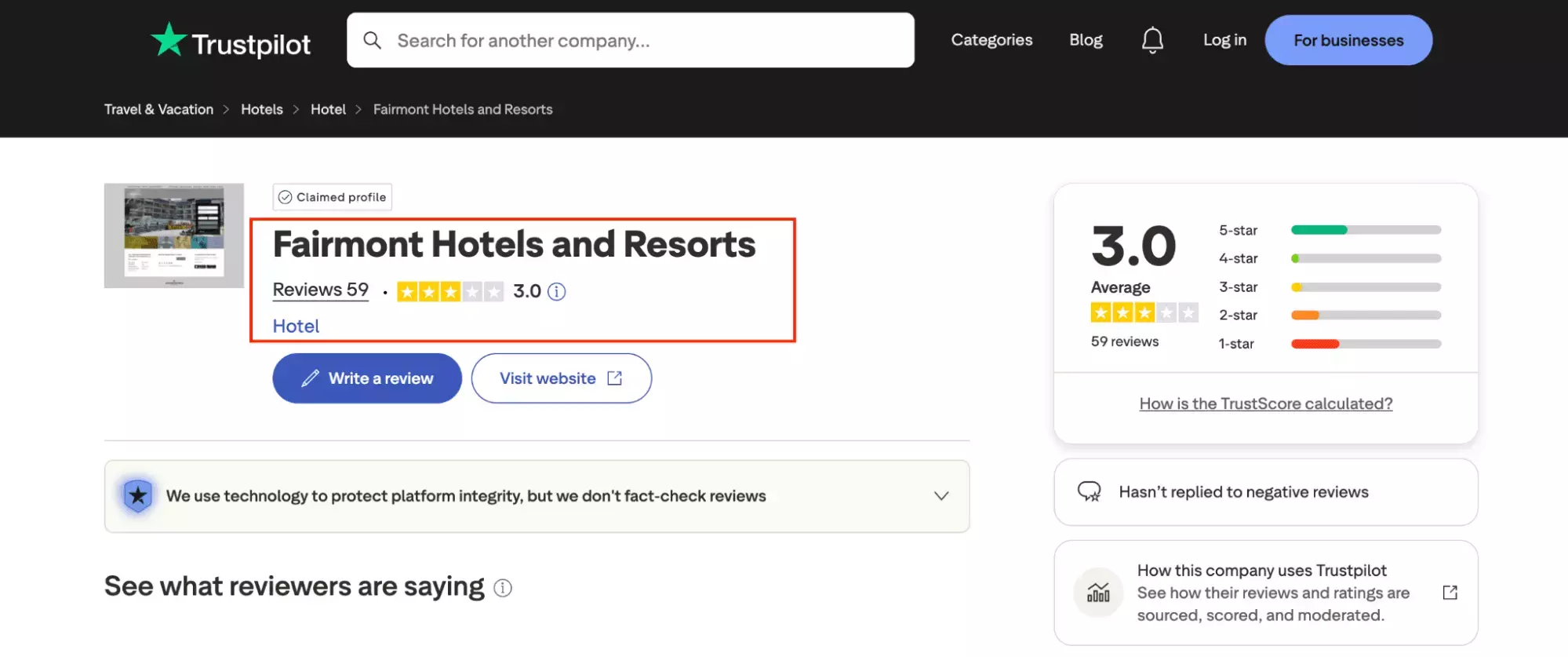
Speed: I ran each tool on the same profile and timed it under the same conditions.
Ease of use: I checked how quickly you can get a run going, and whether filters are actually usable.
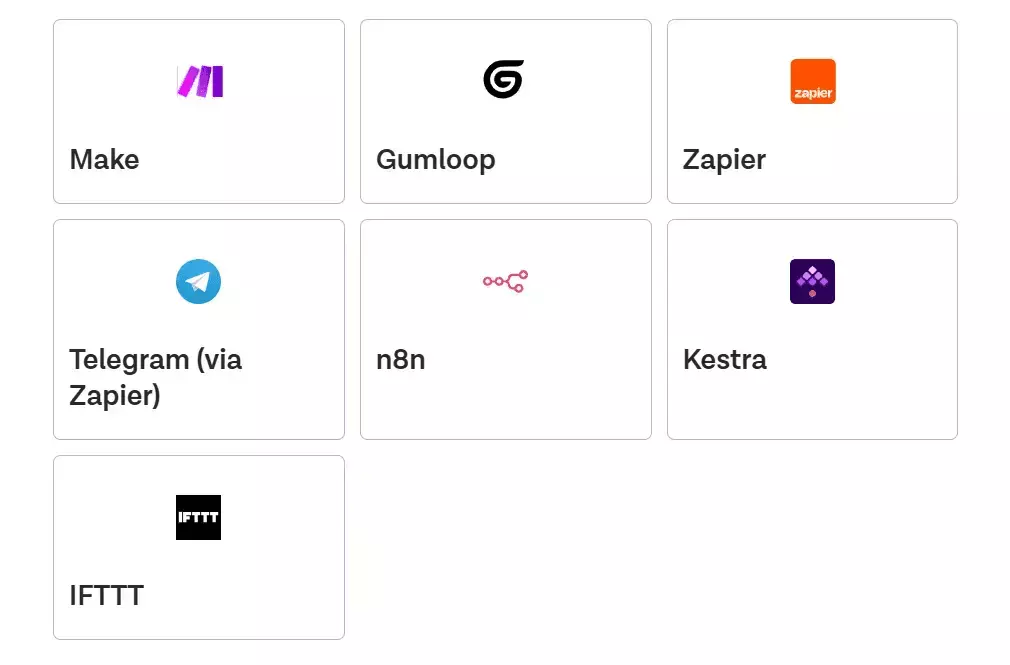
I also checked export options and integrations. If the data can't leave the tool cleanly, it's basically trapped.
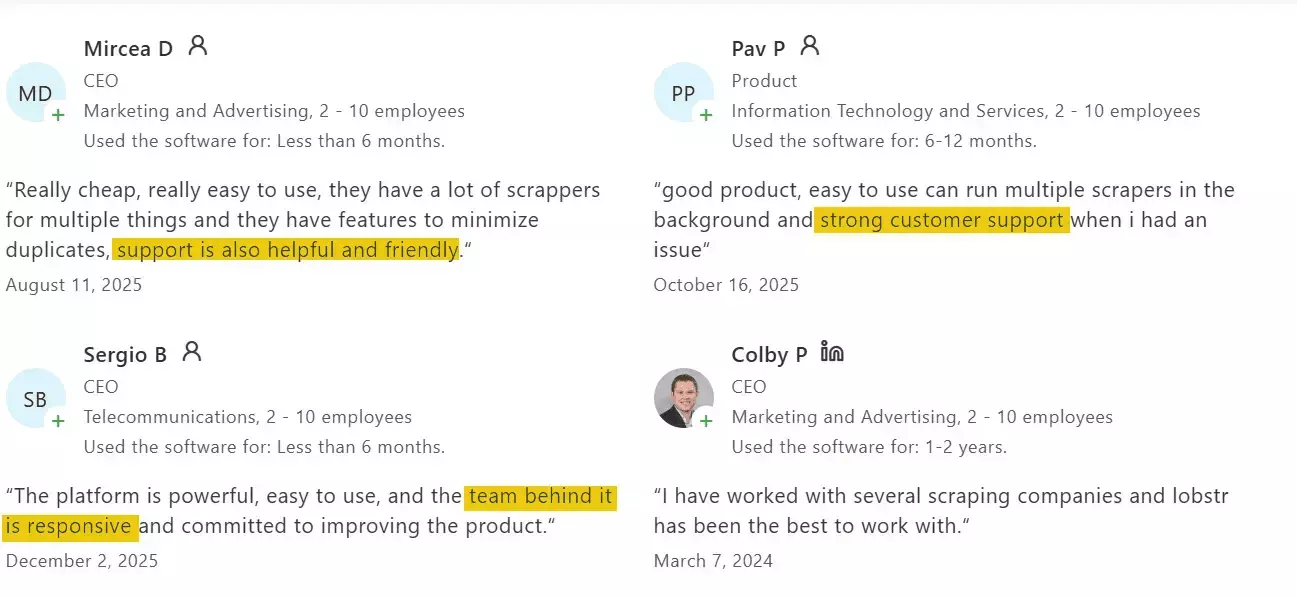
Customer support: I checked their support channels, contacted them when things broke, and cross-checked user reviews.
Then I went looking for tools. Google, AI recommendations, Reddit threads.
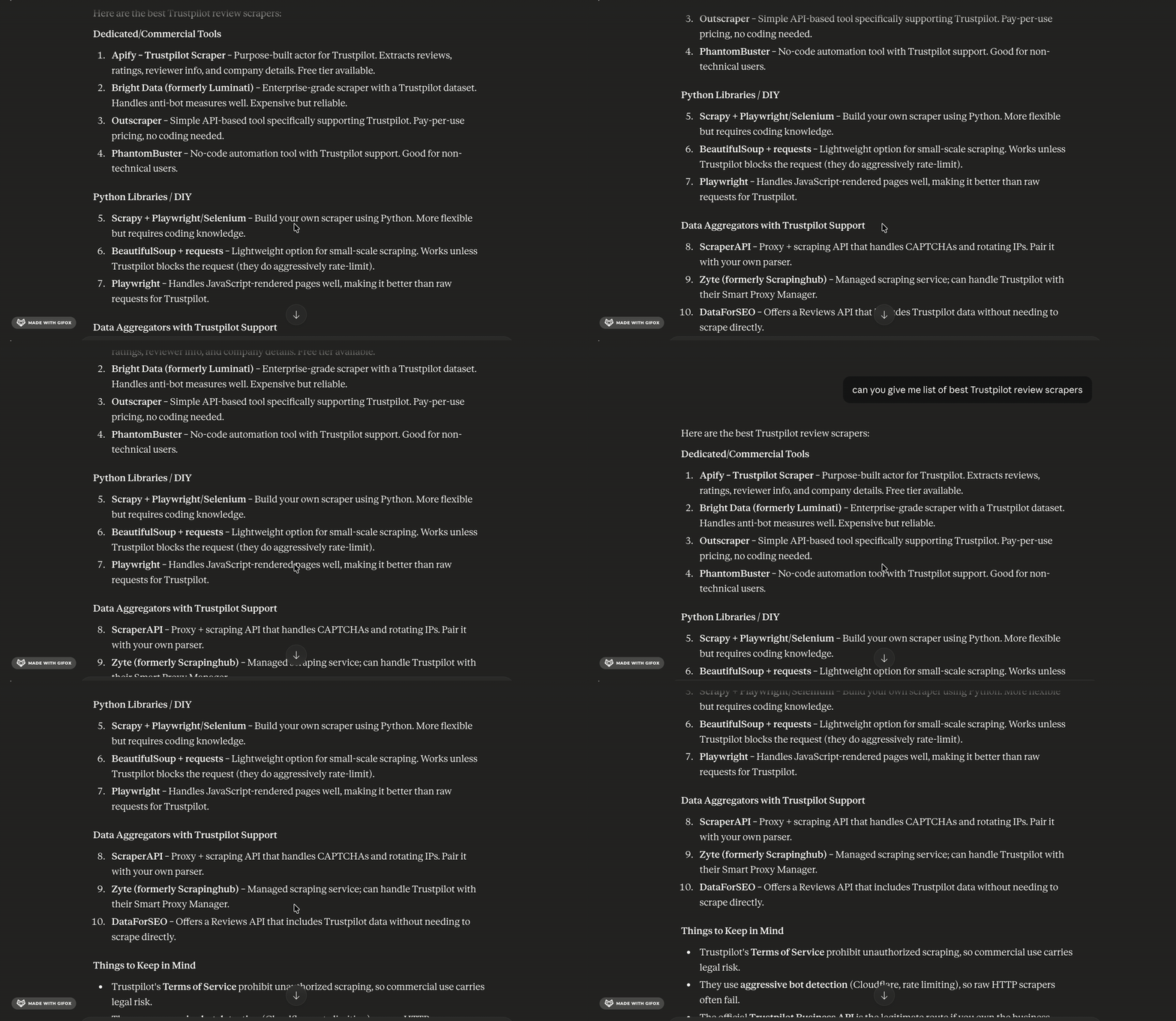
I filtered out API-only tools because they require coding.
I skipped browser extensions and visual scrapers. They're fine for dabbling, not for pulling thousands of reviews without snapping.
My focus was no-code tools built for scale.
That left four.
Best Trustpilot reviews scrapers in 2026
| Criteria | lobstr.io | Apify | Brightdata | Outscraper |
|---|---|---|---|---|
| Rating | 5/5 | 3.6/5 | 4.7/5 | 4.5/5 |
| Price per 1,000 reviews | $0.50 | $0.20 | $0.75 | $1.00 |
| Data fields | 30+ | 19 | 40+ | 15+ |
| Data quality | 👍 | 👍 | 👎 | 👍 |
| Speed | 💯 | 👎 | 👍 | 👍 |
| Free trial | ✅ | ✅ | ✅ | ✅ |
| Pagination cap | ~200 reviews/query | ~200 reviews/query | ~200 reviews/query | ~200 reviews/query |
| Filtering | 💯 | 👍 | 👎 | 👍 |
| CSV import | ✅ | ❌ | ✅ | ✅ |
| Export options | 👍 | 💯 | 💯 | 💯 |
| Support | 💯 | 👍 | 👎 | 💯 |
1. Lobstr.io
Rating: 5/5
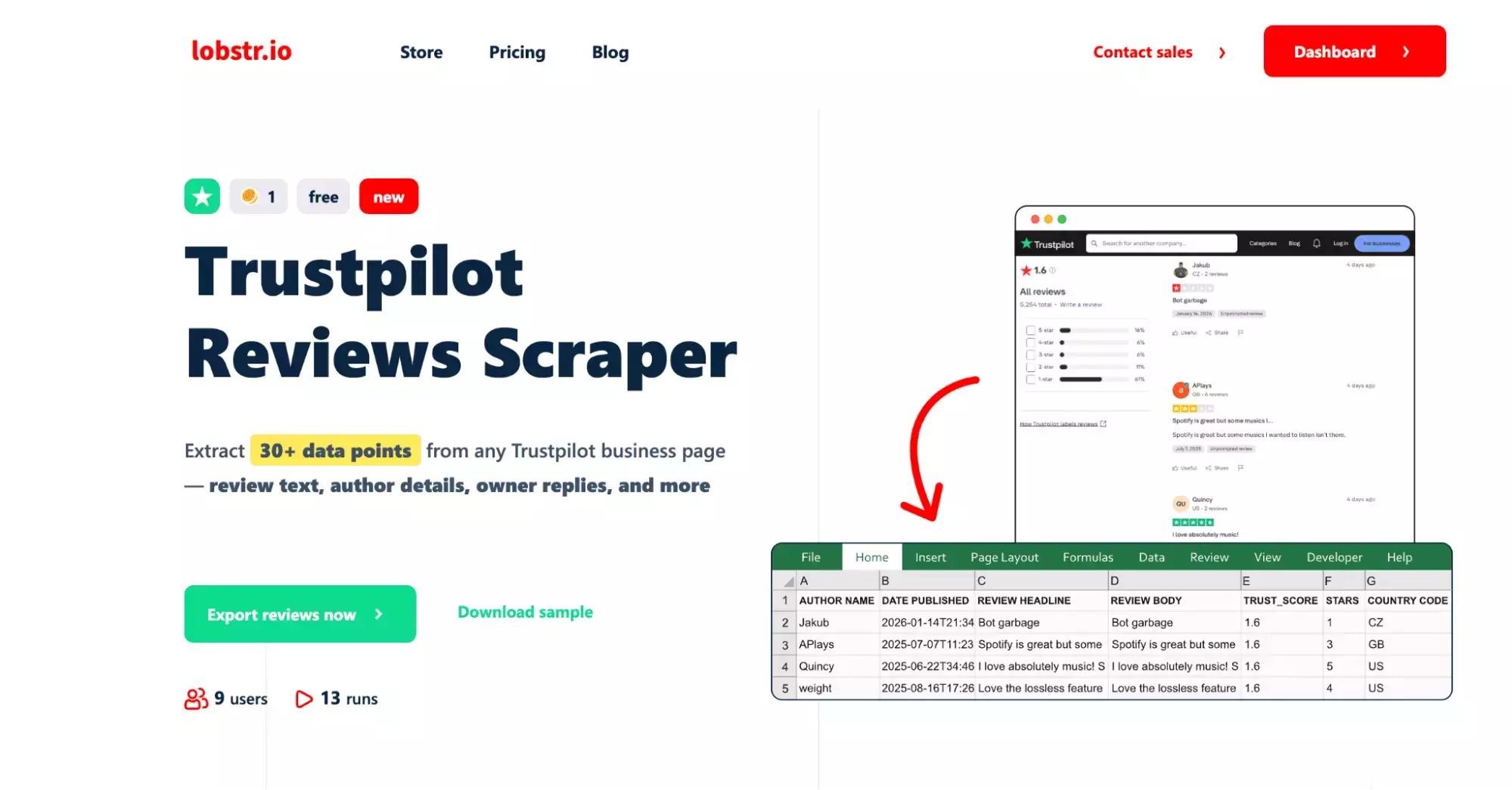
Pros and cons
| Pros | Cons |
|---|---|
| 30+ data fields | No company email or phone in the data |
| Scalable | ~200 reviews per query |
| Affordable | |
| Detailed filtering options | |
| Fast | |
| Easy scheduling | |
| Top-rated customer support |
Key features
- 30+ data fields (reviewer + company metadata)
- Detailed sorting and filtering
- Schedule recurring scraping runs for automated monitoring
- Bulk upload via CSV
- Start page selector and max unique results selector
- Export to CSV, Google Sheets, Amazon S3, SFTP, or email
- 3,000+ integrations via Make.com
- Cloud-based, no installation required
- API access for developers
Data
lobstr.io pulls 36 fields per review. That's second-highest on this list.
| 🔗 Review URL | 🆔 Review ID | 📝 Review Title | 💬 Review Body |
| ⭐ Rating | 📅 Publish Date | 📅 Experience Date | 🌐 Review Language |
| 📍 Review Position | 👤 Reviewer Name | 🆔 Reviewer ID | 🌍 Reviewer Country |
| 🖼️ Reviewer Profile Image | 📊 Global Review Count | ✅ Is Review Verified | 🏷️ Verification Level |
| ★ 🔍 Review Source | ★ ✅ Is Author Verified | ★ 👍 Likes | ★ 🚩 Report Count |
| ★ 📅 Review Updated Date | ★ 🔄 Repeat Reviews on Domain | 💬 Company Reply | ★ 📅 Company Reply Date |
| 📊 Company Total Reviews | ⭐ Company Overall Star Rating | ★ 🏆 Company Trust Score | 🔗 Source URL |
| 📅 Scraped At Timestamp | 🆔 Task ID | #️⃣ Internal Hash ID | 🏷️ Object Type |
| ⚙️ Scrape Parameters (5 fields) |
Three fields stood out that no other tool here captures. Review Source, Report Count, and Company Trust Score.
If you're trying to spot manipulated reviews or run credibility checks, those three actually matter.
Pricing
lobstr.io runs on a monthly subscription.
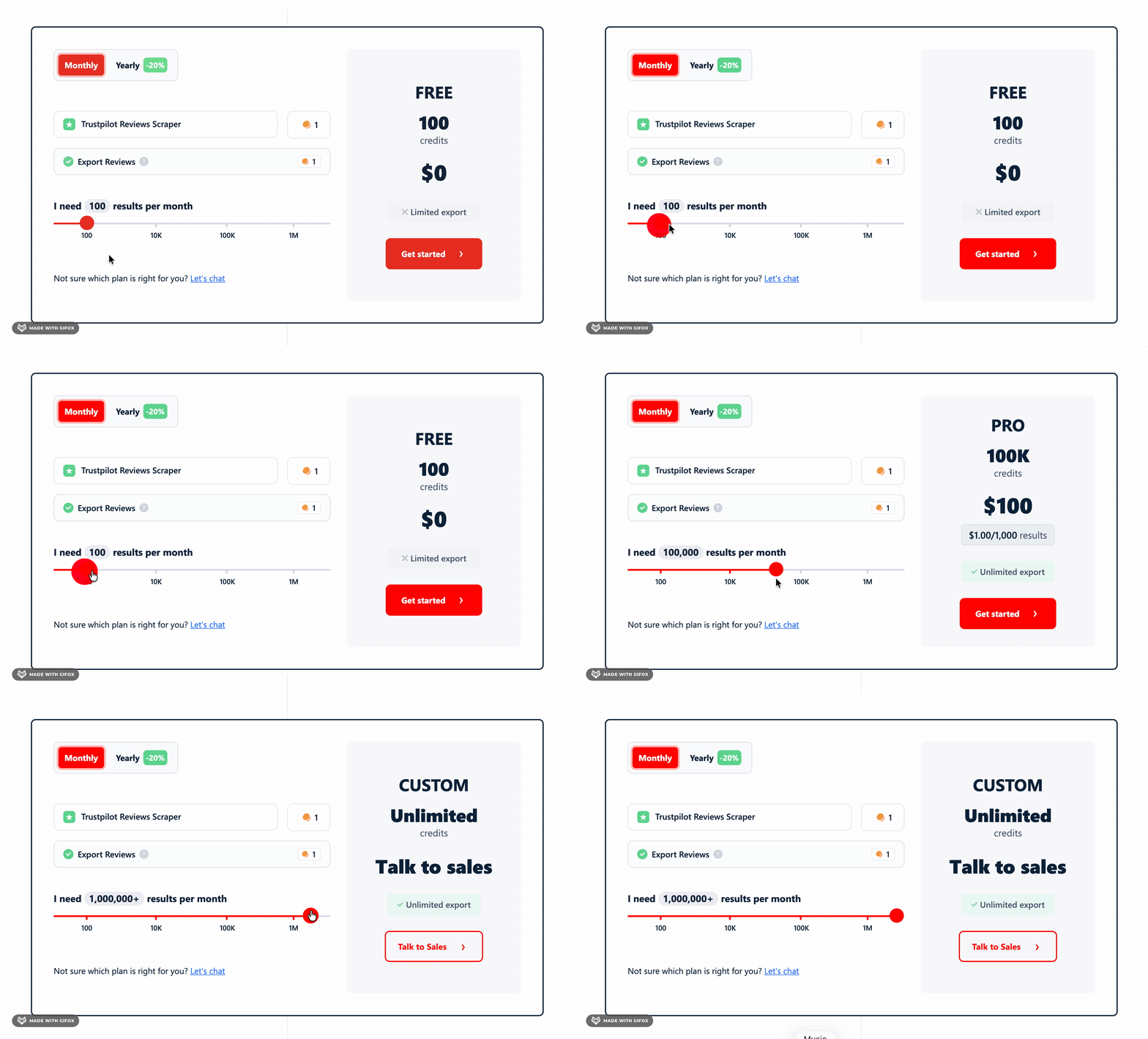
The free plan gets you 100 reviews, which is enough to properly test it before committing.
- FREE plan: 100 reviews per month
- $20/month → $2.00 per 1,000 reviews
- $500/month → $0.50 per 1,000 reviews
Speed
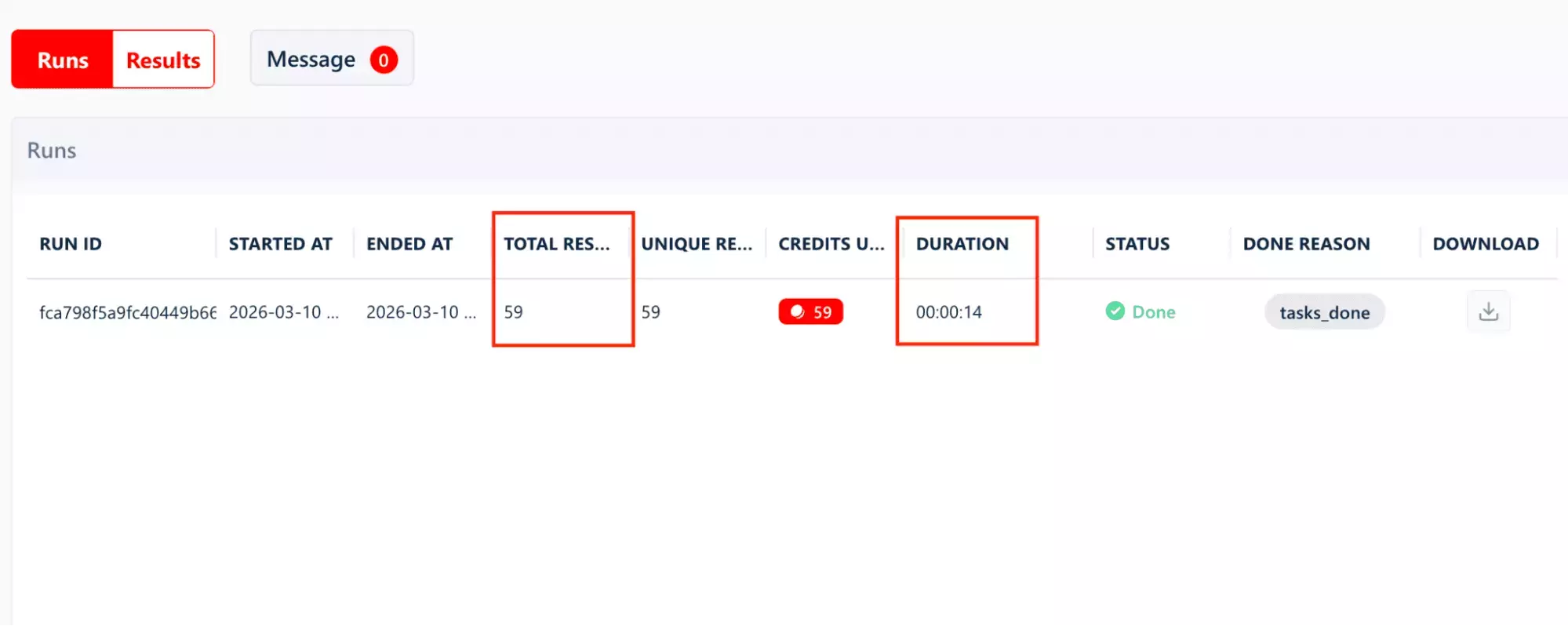
59 reviews in 14 seconds — tested on the same hotel profile.
That's the fastest result across all four tools. It wasn't close.
Scale
lobstr.io doesn't make you jump through hoops to handle volume.
You can drop in multiple URLs directly, or upload a CSV if you're working through a long company list.
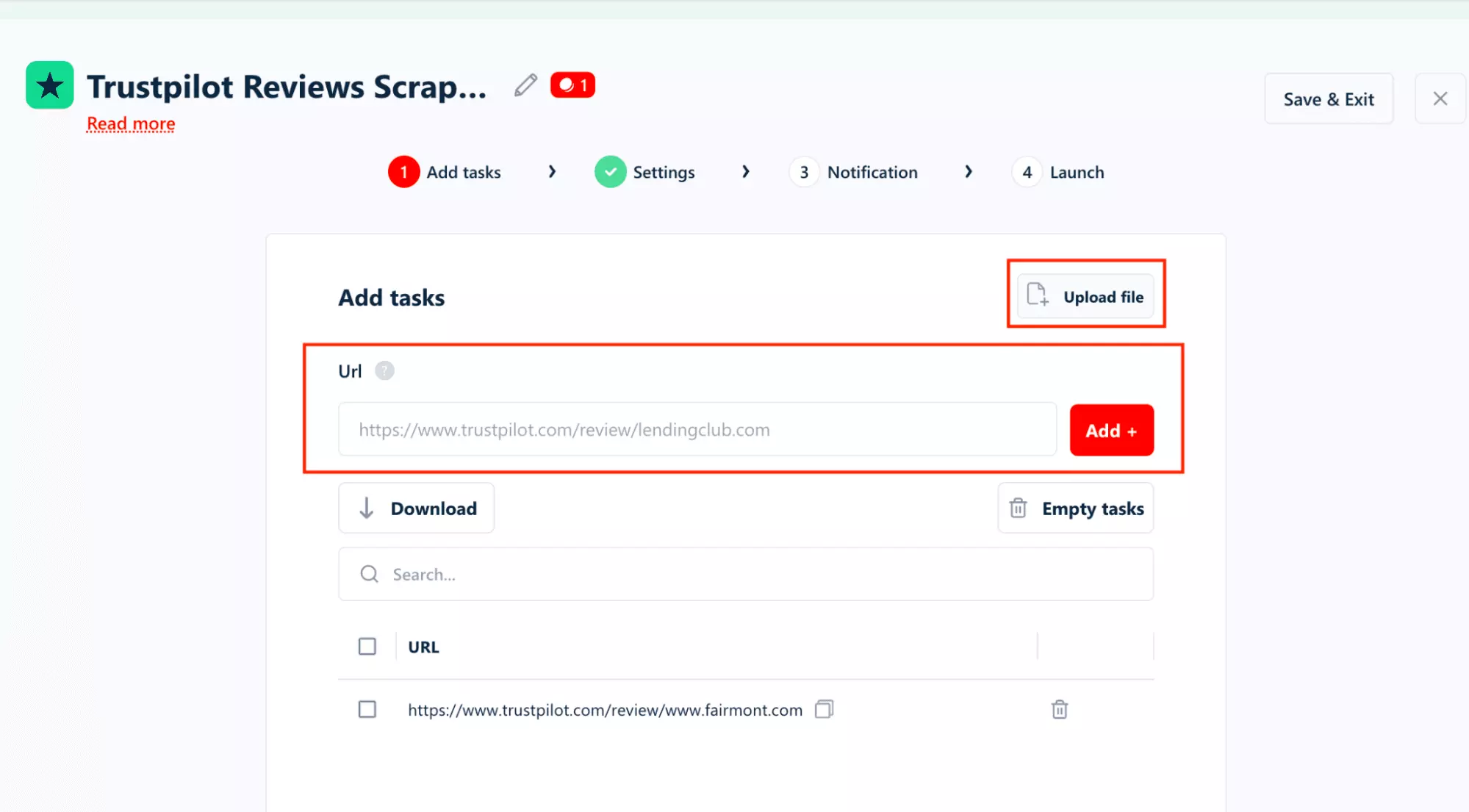
Reliability is not an issue here. It can do the job without breaking.
On pagination, there's a ~200 review cap per query on a single run.
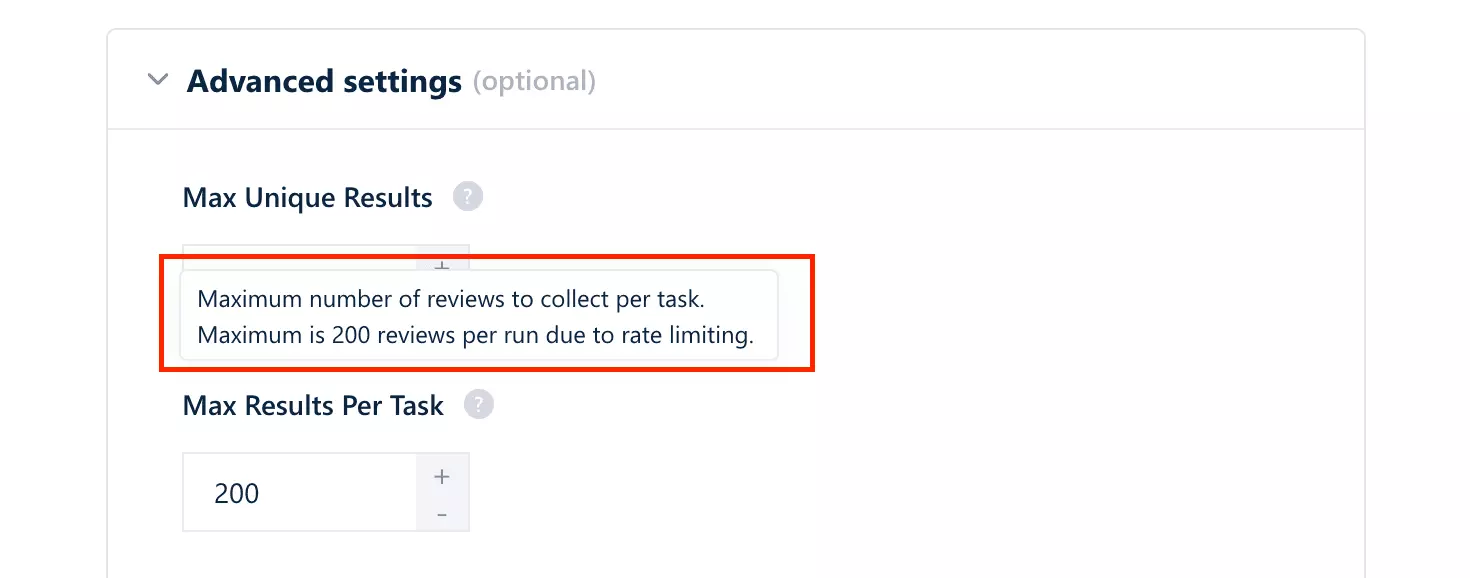
You can stack filters by star rating, language, or sort order to pull more without hitting it.
Ease of use
The UI doesn't make you think. Everything is where you'd expect it to be.
You're up and running in 4 steps.
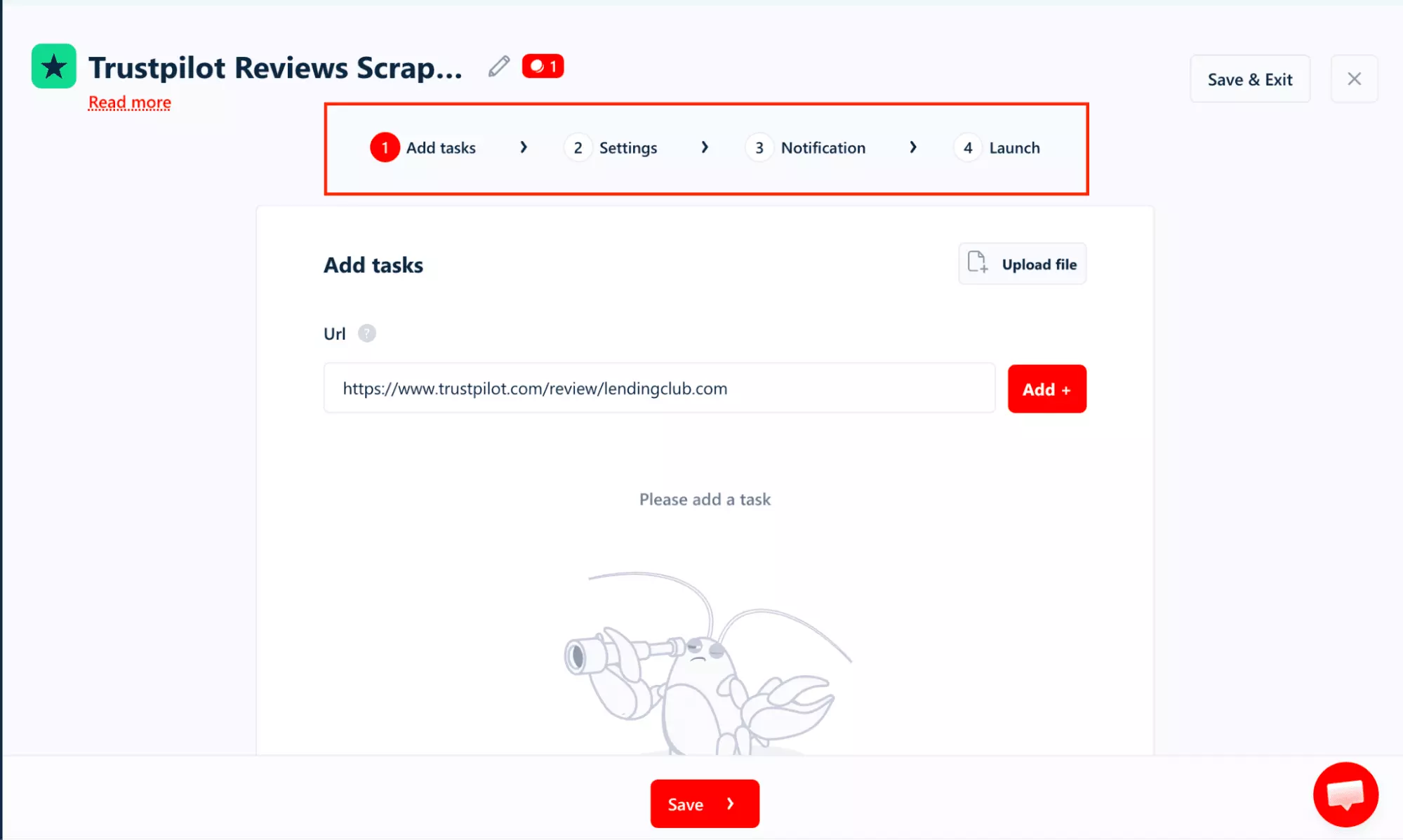
The filters are where it gets genuinely useful.
Star rating, Review language, Topics, Search keywords all covered.And none of it requires typing.
Every filter is a dropdown or toggle, so you just click through.
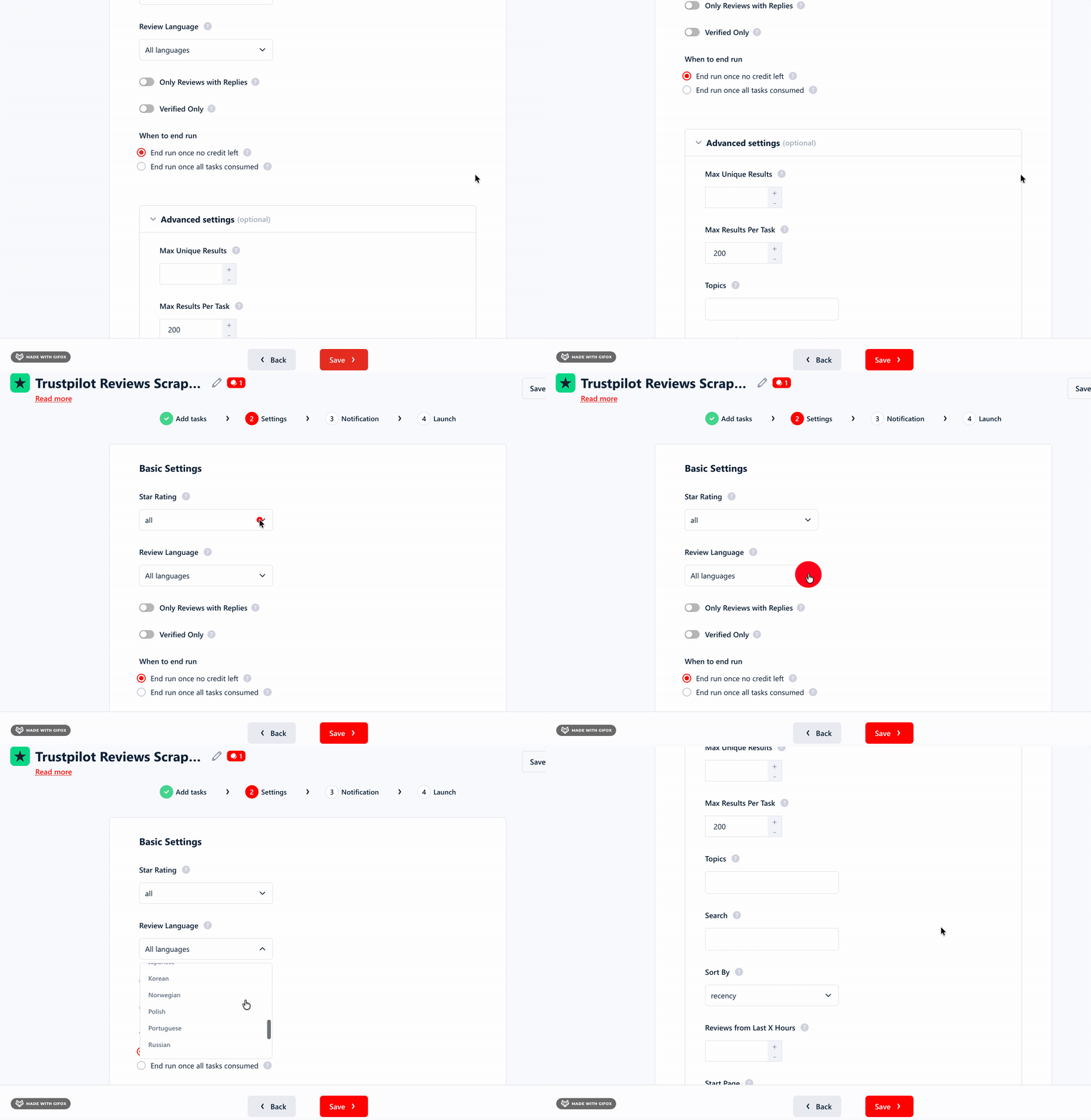
Getting data out is just as easy.
Download a CSV, or push it straight to Google Sheets, Amazon S3, SFTP, or email.
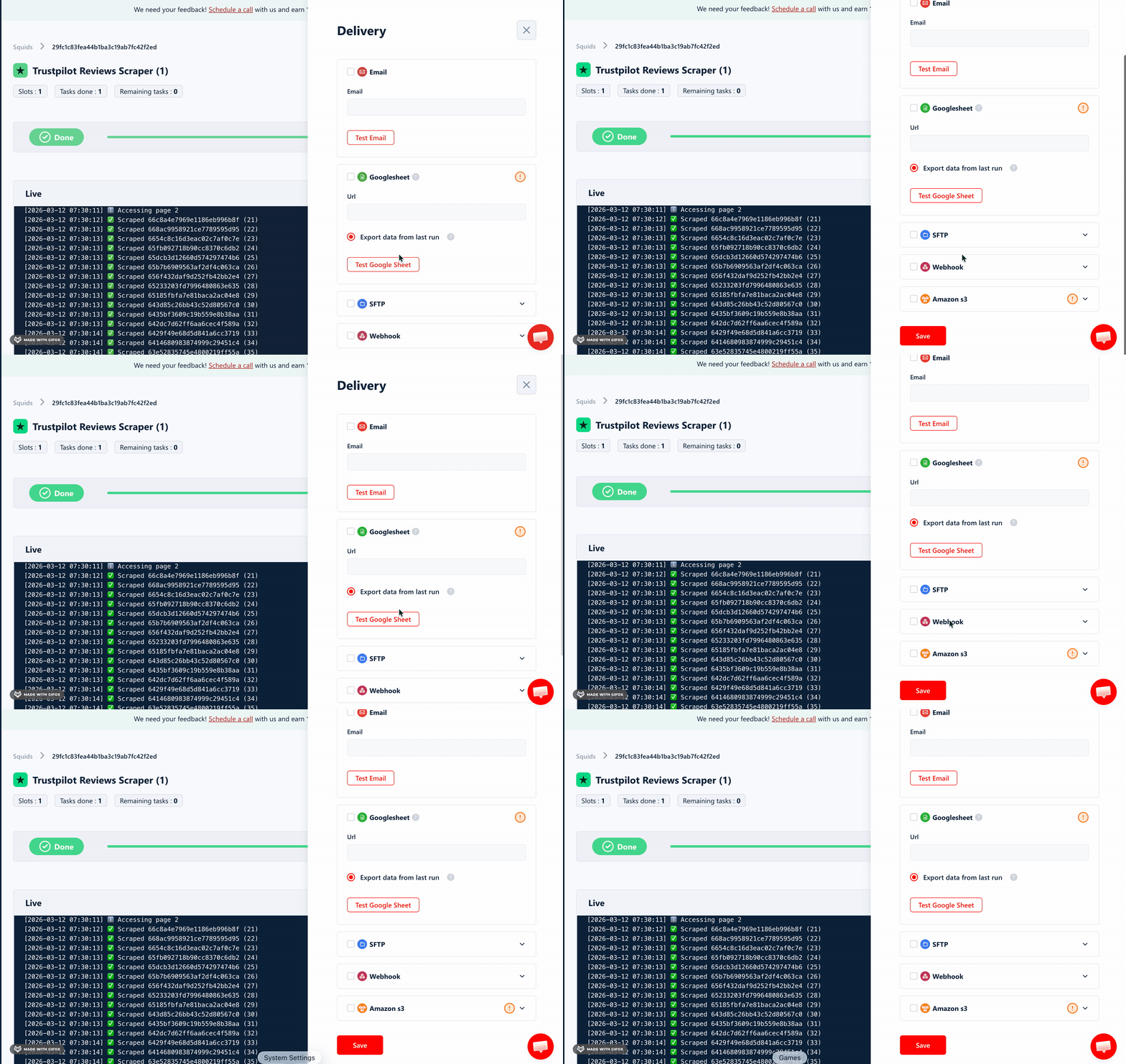
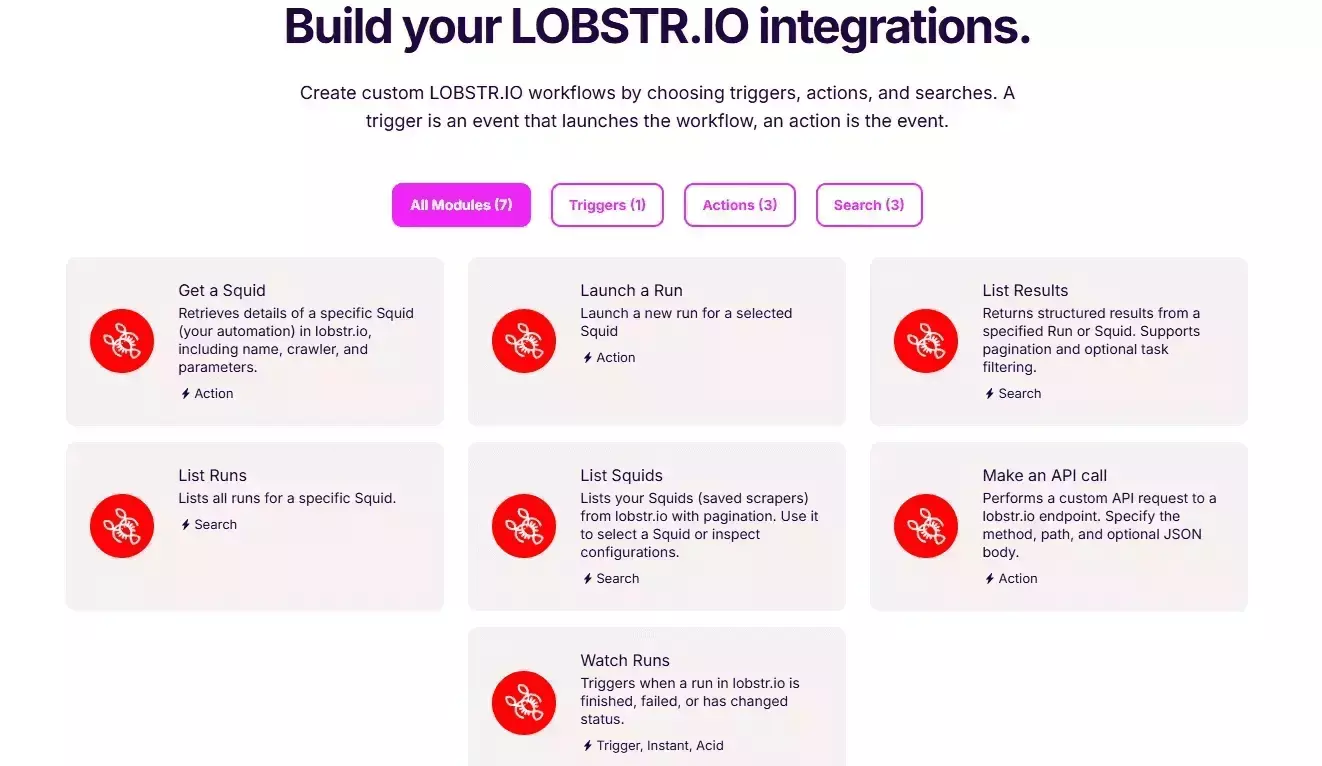
If you need more advanced routing, the Make.com integration opens up 3,000+ other apps and services.
Support
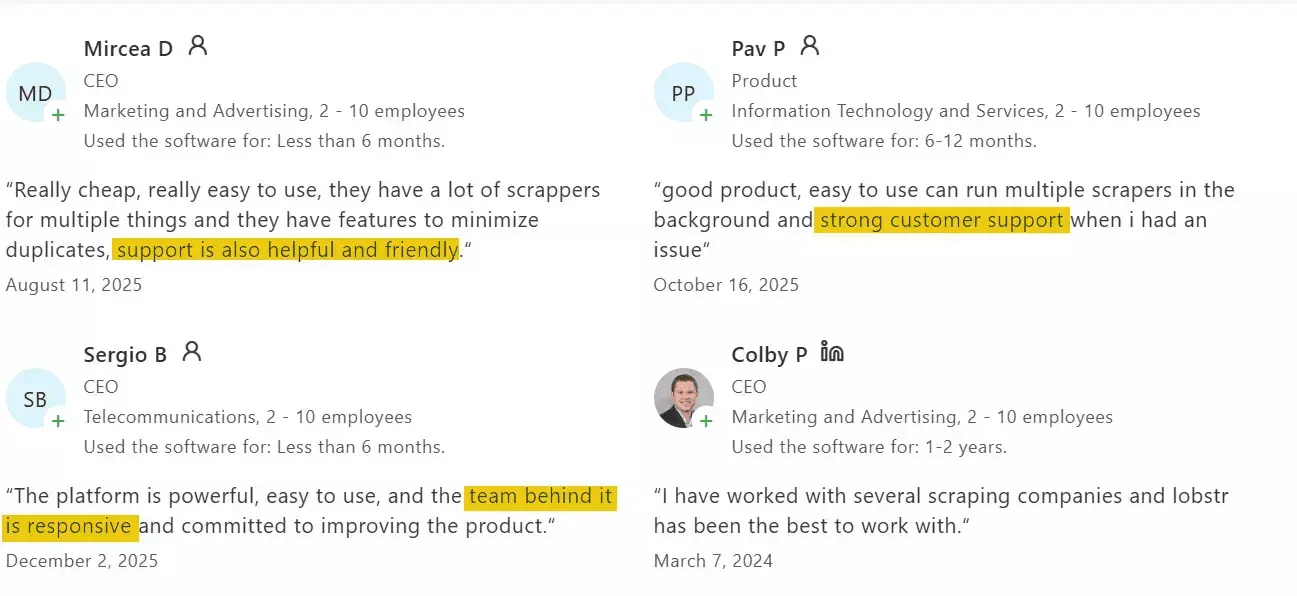
Support runs through a live chat on the website, and honestly it's one of the better ones I've come across.
Reviews are unusually consistent on this. Fast responses, real technical help, and answers that actually fix the problem.
Best for
Best for high-volume recurring pulls where speed and reliability matter.
It's the fastest tool tested, and CSV bulk upload handles large company lists without friction.
2. Apify — Trustpilot reviews scraper
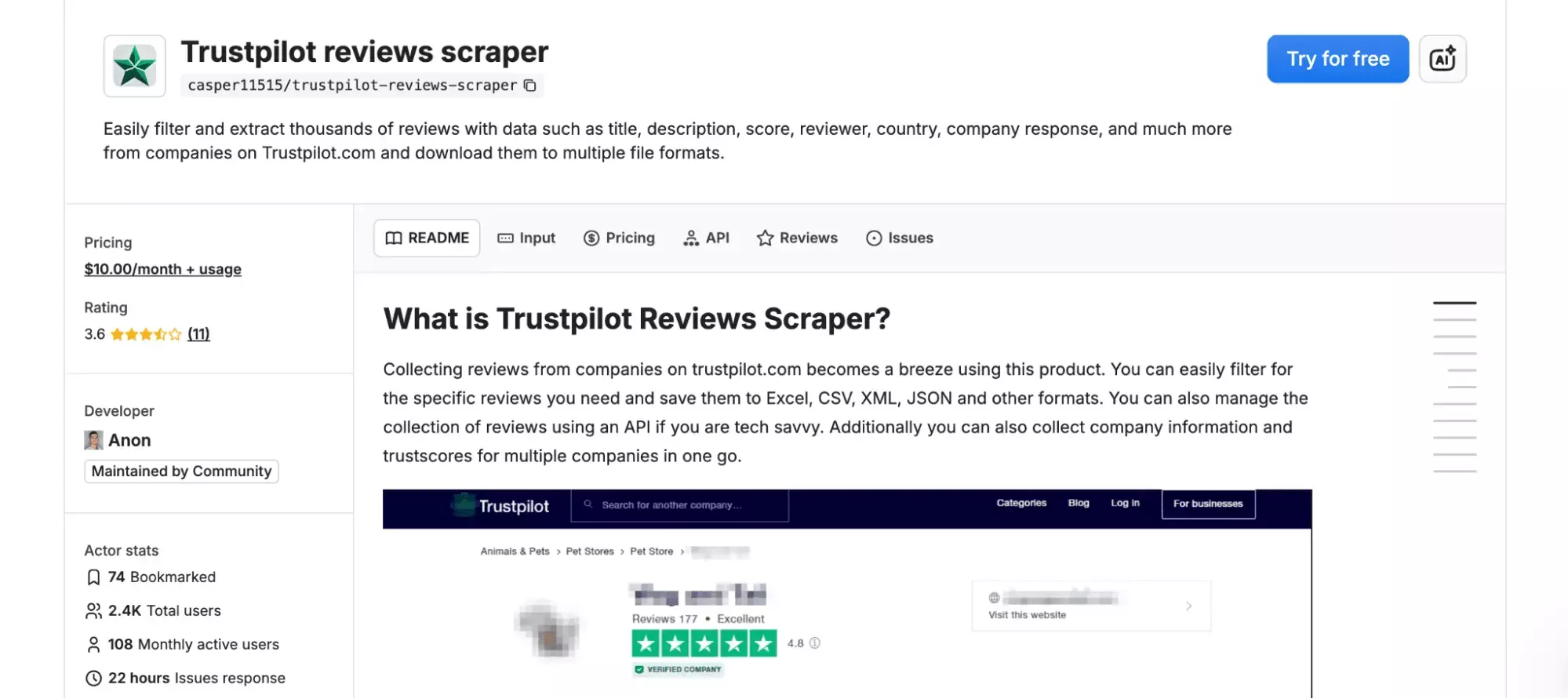
Rating: 3.6/5
Pros and cons
| Pros | Cons |
|---|---|
| Cheapest at scale | Fewer data points |
| No account required | Not scalable |
| Scheduling available | No CSV import |
| Easy to use | Slowest tested |
| Quick customer support | ~200 reviews per query |
Key features
- 19 data fields
- Filtering and sorting
- Scheduling and automation
- Multiple URL input (comma-separated)
- Multiple export formats including JSON, CSV, XML, and more
- Automation via webhooks, Make.com, Zapier
- Cloud-based, no installation required
- API access for developers
Data
Apify pulls 19 fields per review. That puts it second-lowest on this list.
| 🔗 Review URL | 🆔 Review ID | 📝 Review Title | 💬 Review Body |
| ⭐ Rating | 📅 Publish Date | 📅 Experience Date | 🌐 Review Language |
| 🏷️ Verification Label | ✅ Is Review Verified | 👤 Reviewer Name | 🆔 Reviewer ID |
| 🌍 Reviewer Country | 💬 Company Reply | ★ 🏢 Company Name | ★ 🆔 Company / Business Unit ID |
| 🔗 Source URL | 📅 Scraped At Timestamp | ★ 📄 Scraped At Review Page Number |
What it's missing is more telling though. No review likes, no report count, no global reviewer count, no review source type.
Those are the signals that tell you something about who's leaving the review, not just what they said.
Pricing
Apify runs on a monthly subscription.
- Free tier: $5 credit to spend
- $29/month → $0.30 per 1,000 reviews
- $999/month → $0.20 per 1,000 reviews
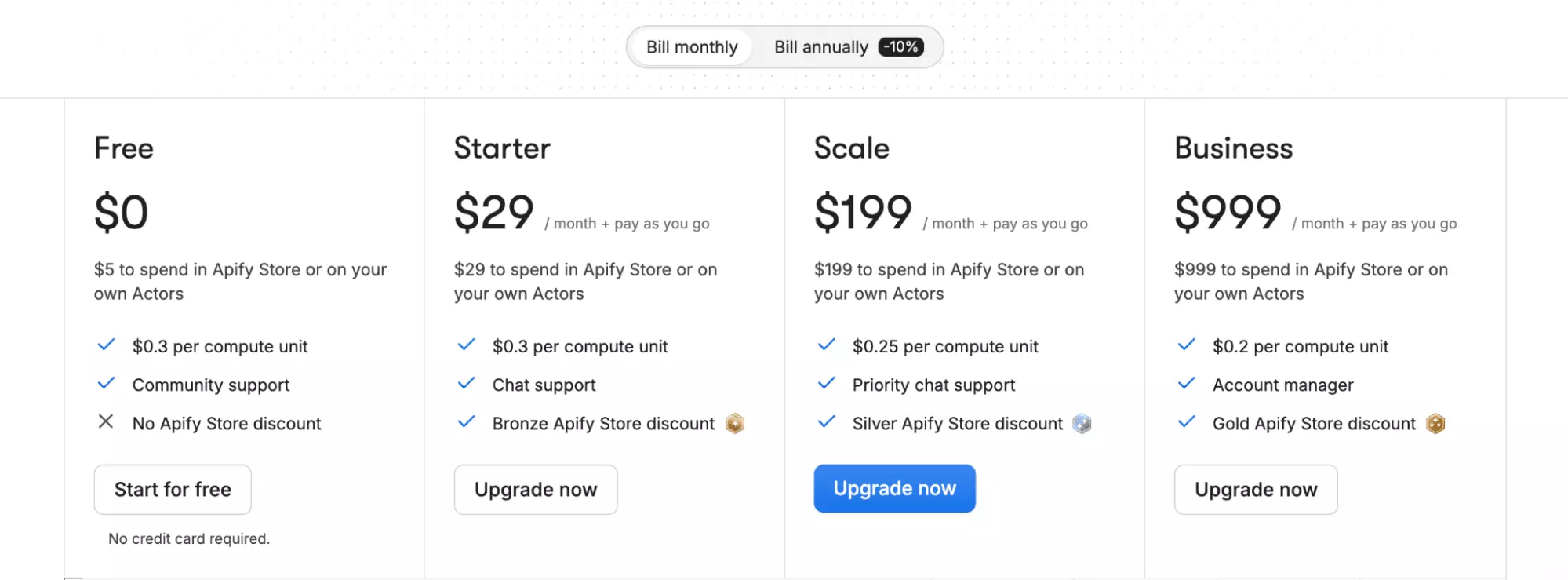
At scale, that $0.20 rate is the cheapest on this list.
Just keep in mind though, these are subscription-only numbers.
If you end up needing residential proxies to get past blocking, the actual cost per 1,000 goes up.
Speed
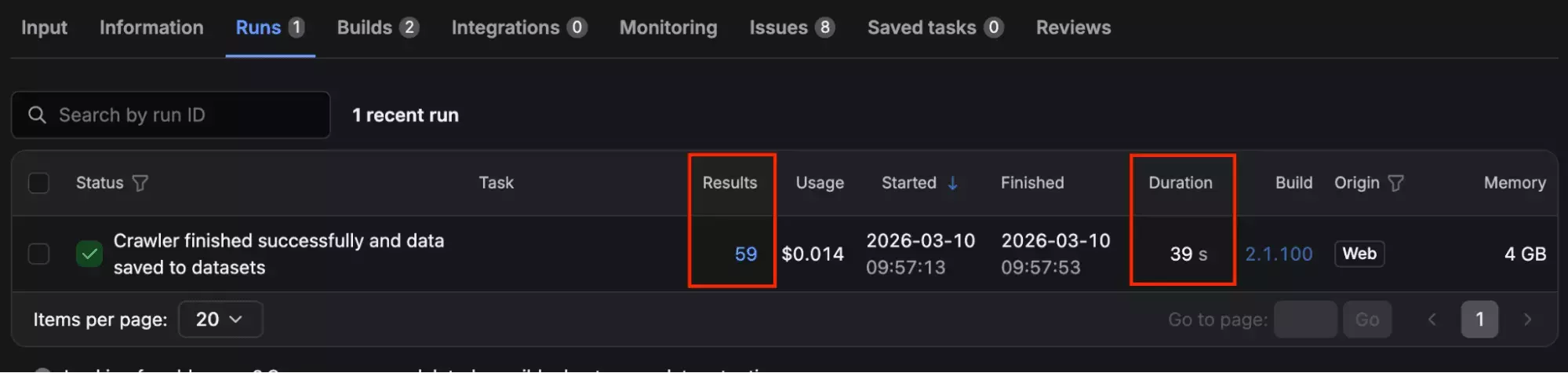
59 reviews in 39 seconds — tested on the same hotel profile.
That's 2.8x slower than lobstr.io on the same test.
At volume, the gap compounds fast.
Scale
This is where Apify has a real problem.
You can paste multiple URLs, but there's no CSV upload.
If your list is long, you're copying and pasting.
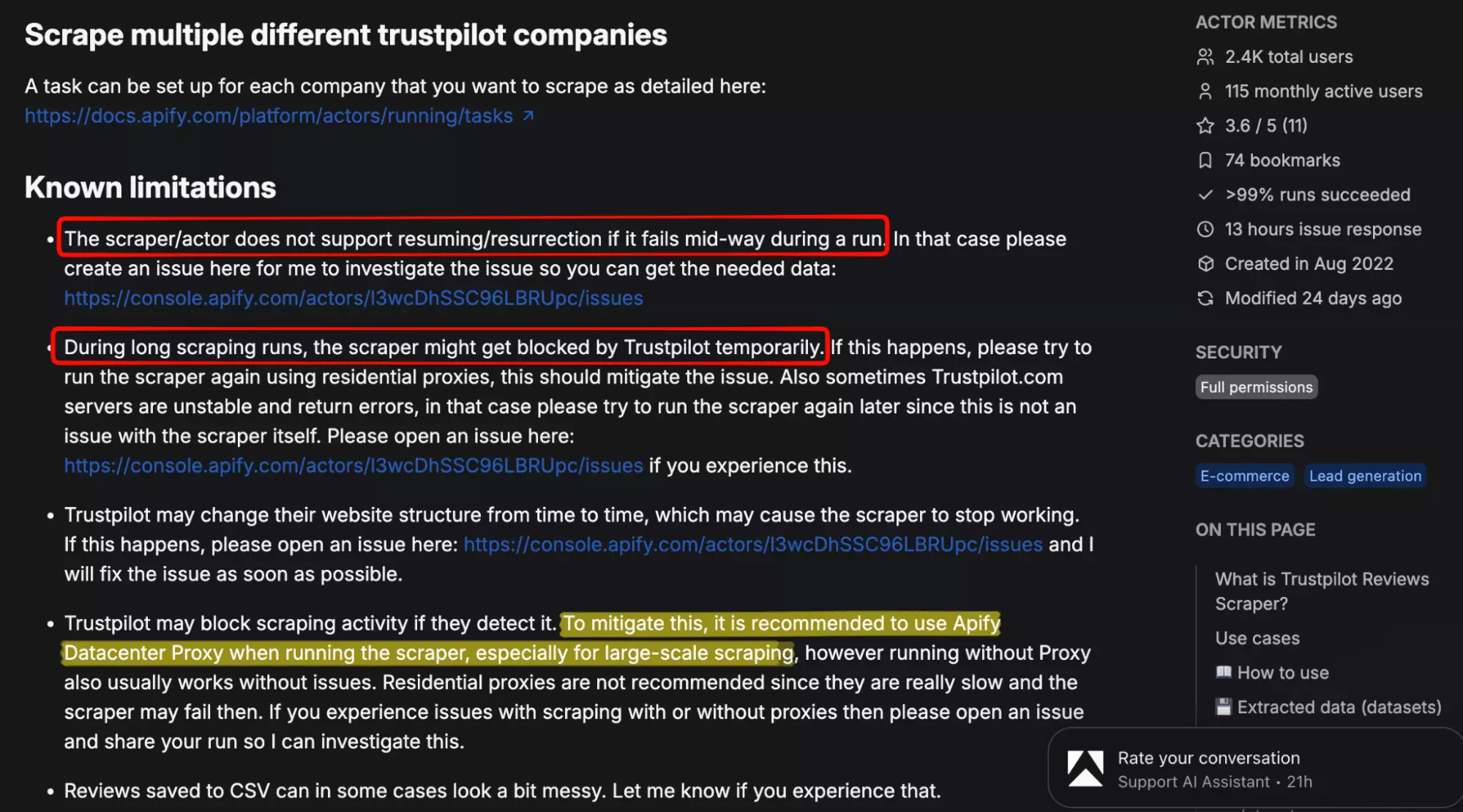
The bigger issue is what can happen mid-run.
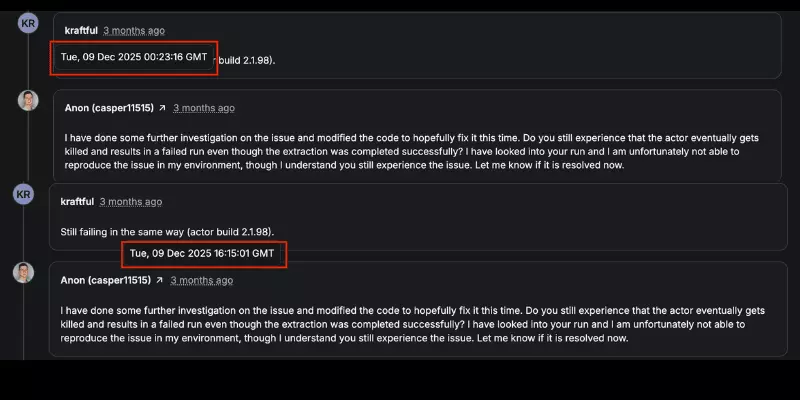
Trustpilot can block the scraper on longer jobs, and the only fix Apify recommends is residential proxies.
Those cost extra on top of whatever you're already paying.
And if a run gets cut off at record 8,000 of 10,000?
There's no resume, so you start from scratch.
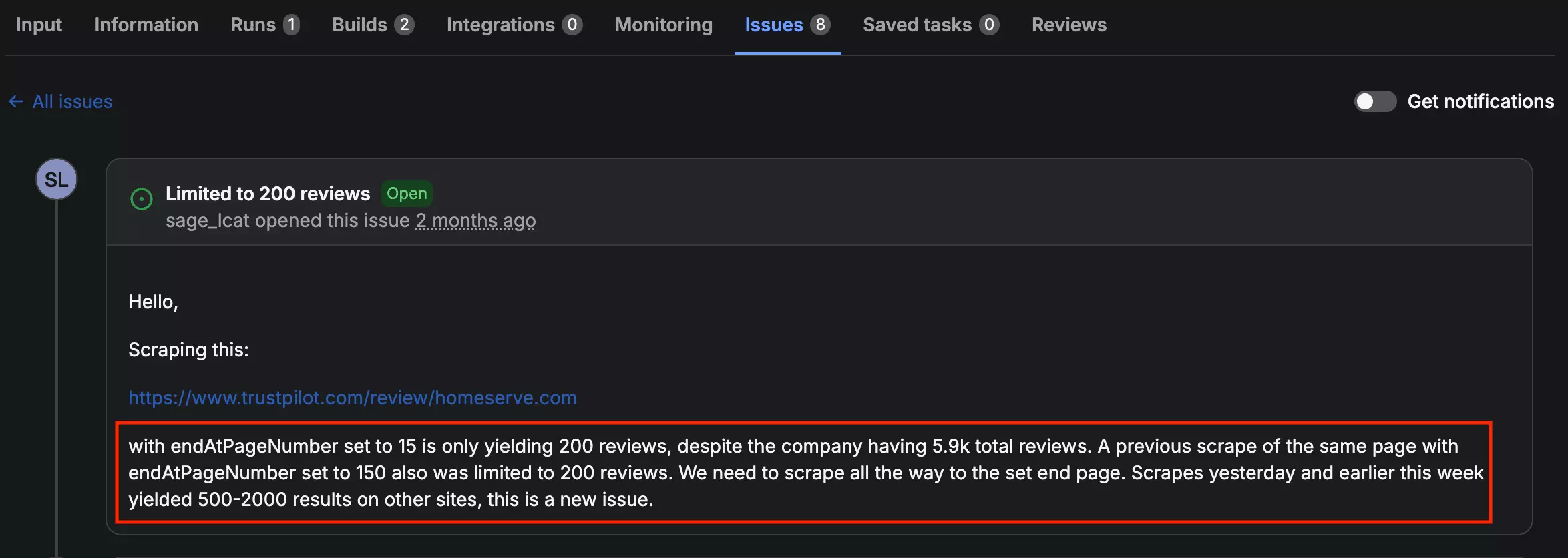
The pagination cap is real — users have reported runs stopping at 200 reviews consistently.
Ease of use
Getting started is easy. Everything's on one page.
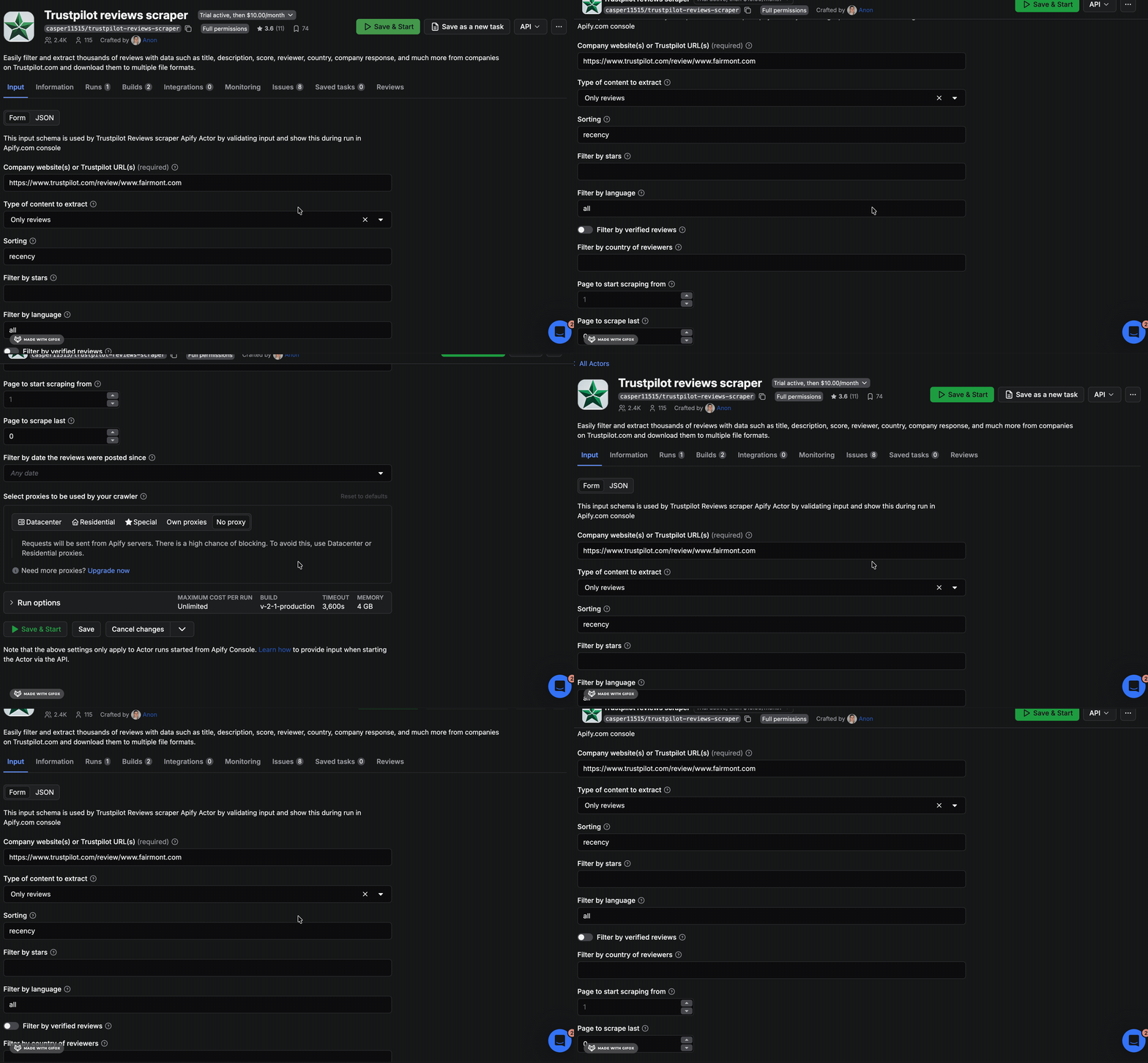
But a couple of things tripped me up once I got into the actual settings.
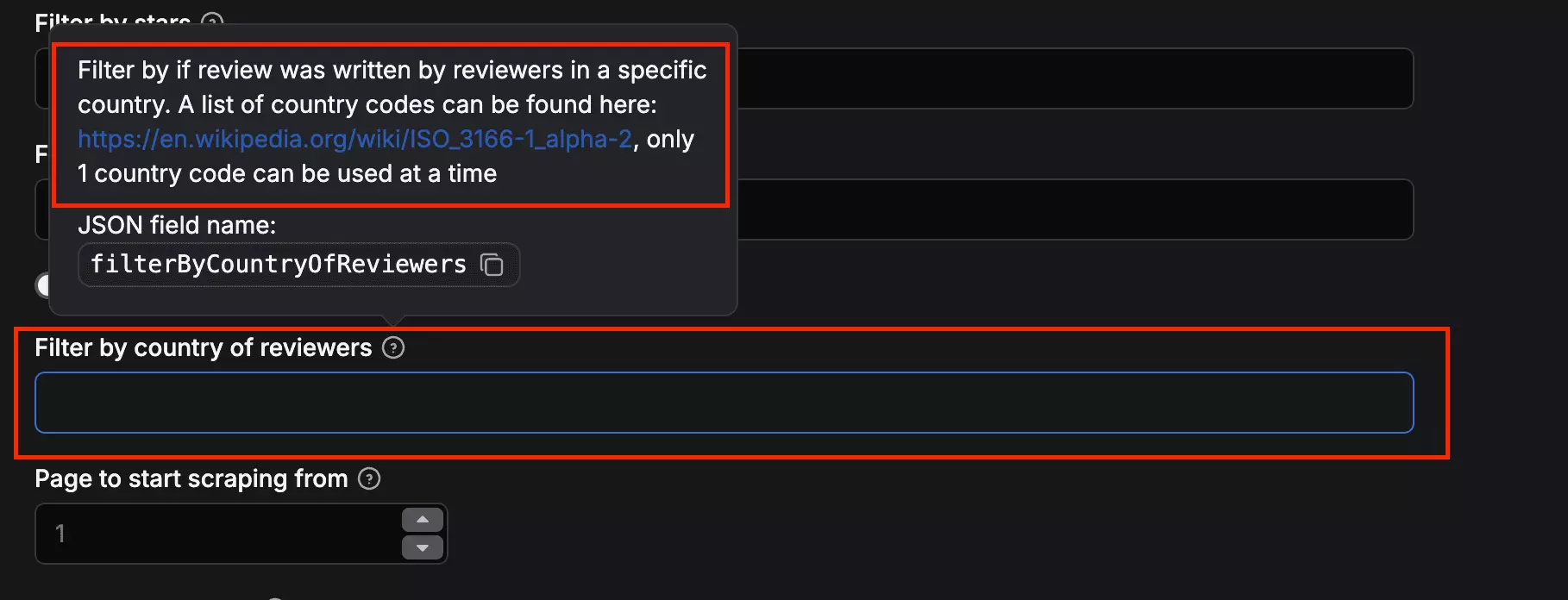
The language filter has no dropdown.
You type in country codes, with no reference list or autocomplete to help you.
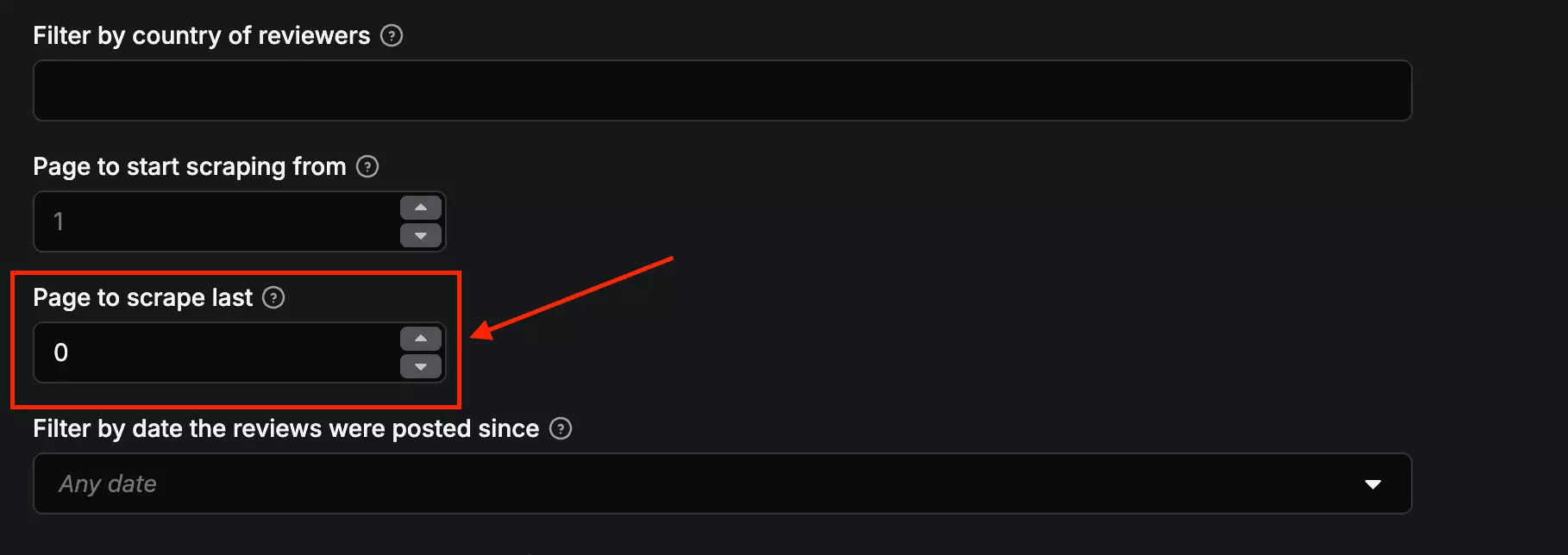
The "last page number" field is the other one that got me.
Instead of entering how many reviews you want, you enter the last page number of results.
Which means you need to know the page count before you even know the review count.
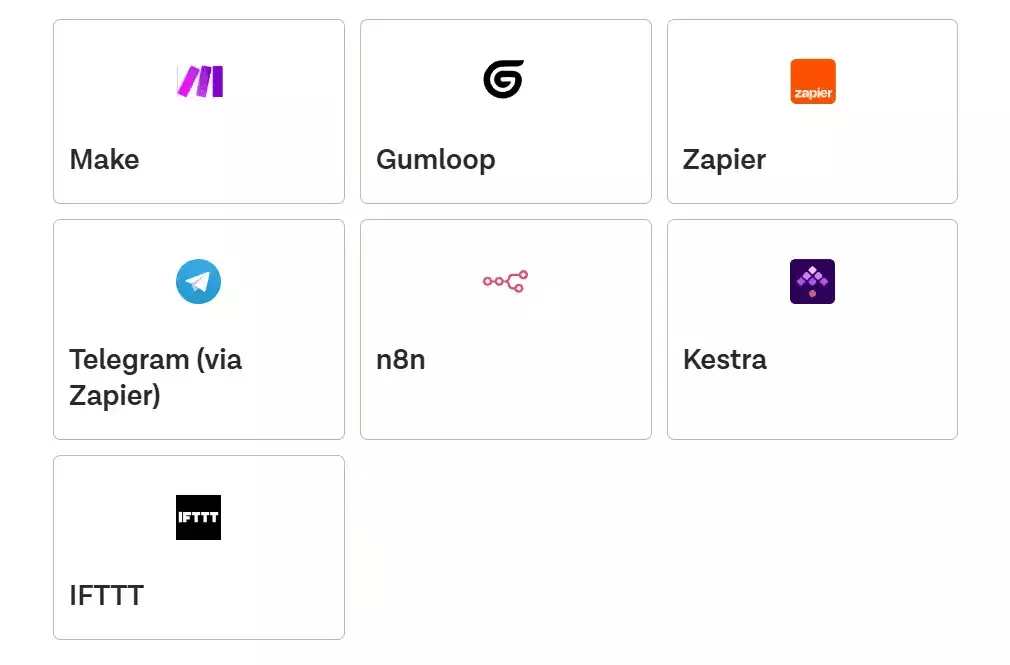
On the export side though, Apify is actually strong.
CSV, Excel, JSON, XML, and more. Plus native integrations with Make, Zapier, and n8n.
Support
Apify gives you a few options here. Live chat, a ticketing system, and a Discord community.
The live chat is an AI, so it's helpful for basic stuff, but anything tool-specific gets routed to a ticket.
I went through several closed tickets to see how those played out. Most got a same-day or next-day response, and the answer quality was solid.
Best for
Best for cost-sensitive pulls where price at scale is the priority, and your runs are short enough to avoid blocking.
At $0.20 per 1,000 reviews, it is cheap at scale. But if you hit blocking and need residential proxies, that rate goes up fast.
Not reliable for long uninterrupted runs. Mid-job blocking with no resume function is a real risk at volume.
3. Brightdata
Rating: 4.7/5
Pros and cons
| Pros | Cons |
|---|---|
| 40+ data fields | Questionable data quality |
| CSV import | No scheduling |
| Scalable | Expensive monthly commitment |
| Multiple export formats | No filtering options |
| Easy to use | Poor customer support |
| ~200 reviews per query |
Key features
- 40+ data fields
- Bulk URL input + .csv file upload
- Limit reviews per query
- Multiple export formats including JSON, NDJSON, CSV, and more
- Workflow integrations: Make.com, n8n, Zapier, and more
- API access
- Cloud-based, no installation required
Data
Brightdata pulls 40 fields per review. That's the highest on this list, and the schema is genuinely impressive.
Beyond the review itself, you get a full company snapshot in the same export. Things like address, categories, website, description, and more.
| 🔗 Review URL | 🆔 Review ID | 📝 Review Title | 💬 Review Body |
| ⭐ Rating | 📅 Publish Date | 📅 Experience Date | ✅ Is Review Verified |
| ★ 👍 Review Useful / Helpful Count | 📅 Date Posted (alt) | 👤 Reviewer Name | 🌍 Reviewer Country |
| 📊 Reviewer Total Reviews | 💬 Company Reply | 🏢 Company Name | 🆔 Company / Business Unit ID |
| 📊 Company Total Reviews | ⭐ Company Overall Star Rating | ★ ✅ Is Company Verified | ★ 🏷️ Company Rating Label |
| ★ 🖼️ Company Logo URL | ★ 🌐 Company Website | ★ 📄 Company About / Description | ★ 📍 Company Location / Address |
| ★ 🌍 Company Country | ★ 📧 Company Email | ★ 📞 Company Phone | ★ 🏷️ Primary Company Category |
| ★ 🏷️ Other Company Categories | ★ 🗂️ Breadcrumbs | ★ 🏷️ Company Activity Types | ★ 📊 Rating Distribution (5 fields) |
| 🔗 Source URL | 📅 Scraped At Timestamp | 📅 Input Date Posted Parameter | ★ ⚠️ Error / Warning Fields (4 fields) |
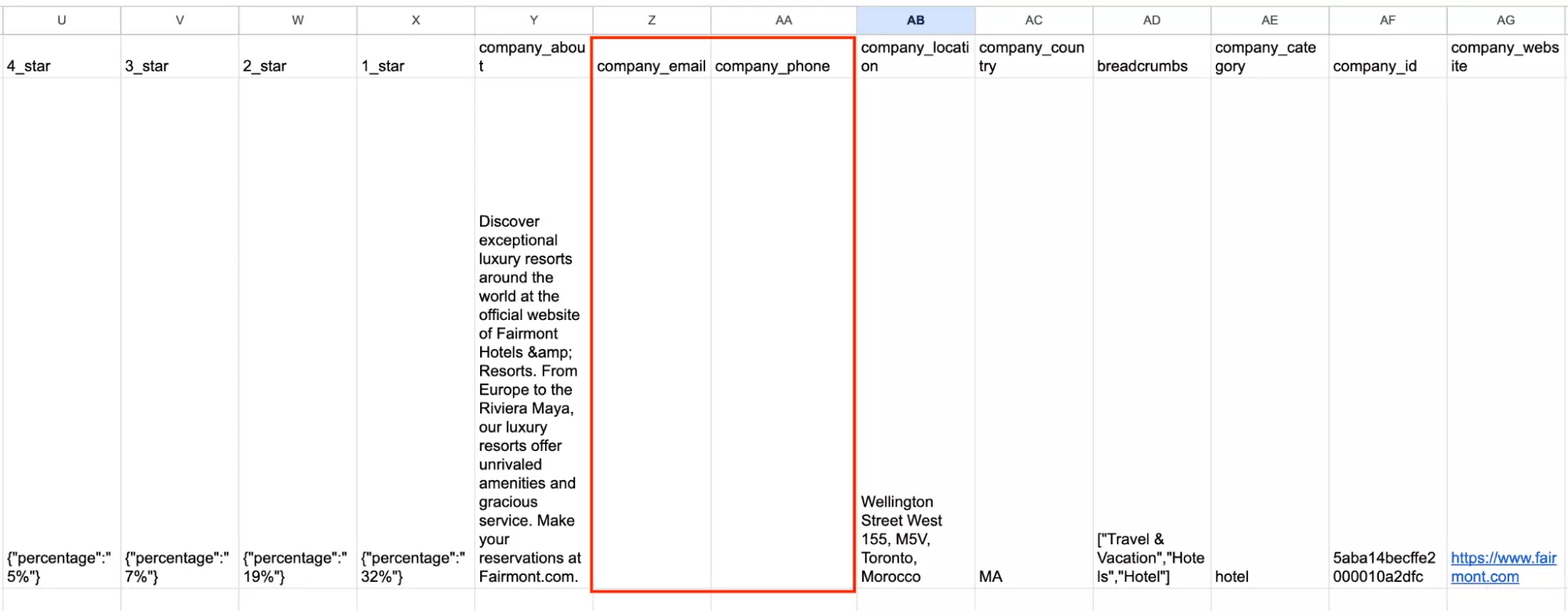
Here's the thing though. Company email and phone are in the schema, but both came back empty in my test.
That's not a minor gap if you're building anything around those fields.
Pricing
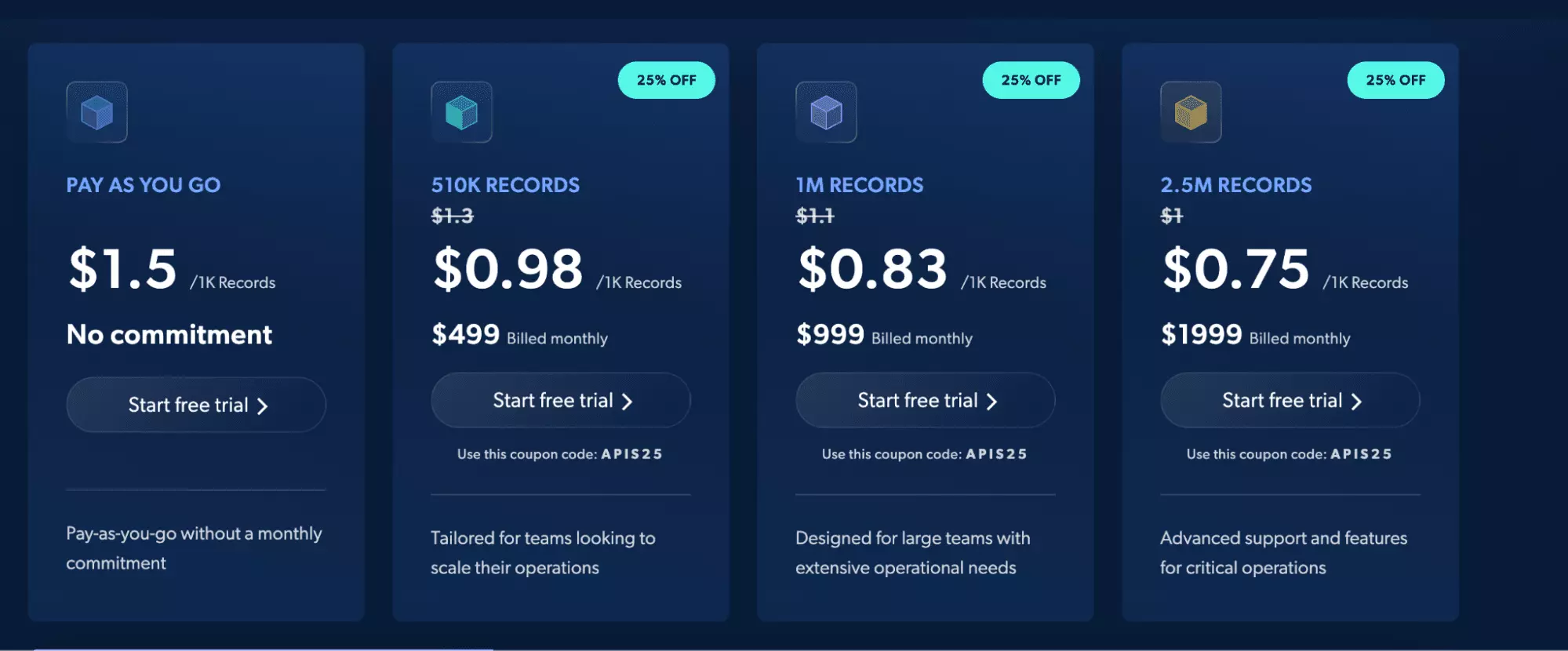
Brightdata gives you two options. Pay-as-you-go or a monthly subscription.
- Free trial: 285 records
- Pay-as-you-go: $1.50 per 1,000 reviews
- $500/month → $0.98 per 1,000 reviews
- $2,000/month → $0.75 per 1,000 reviews
Speed
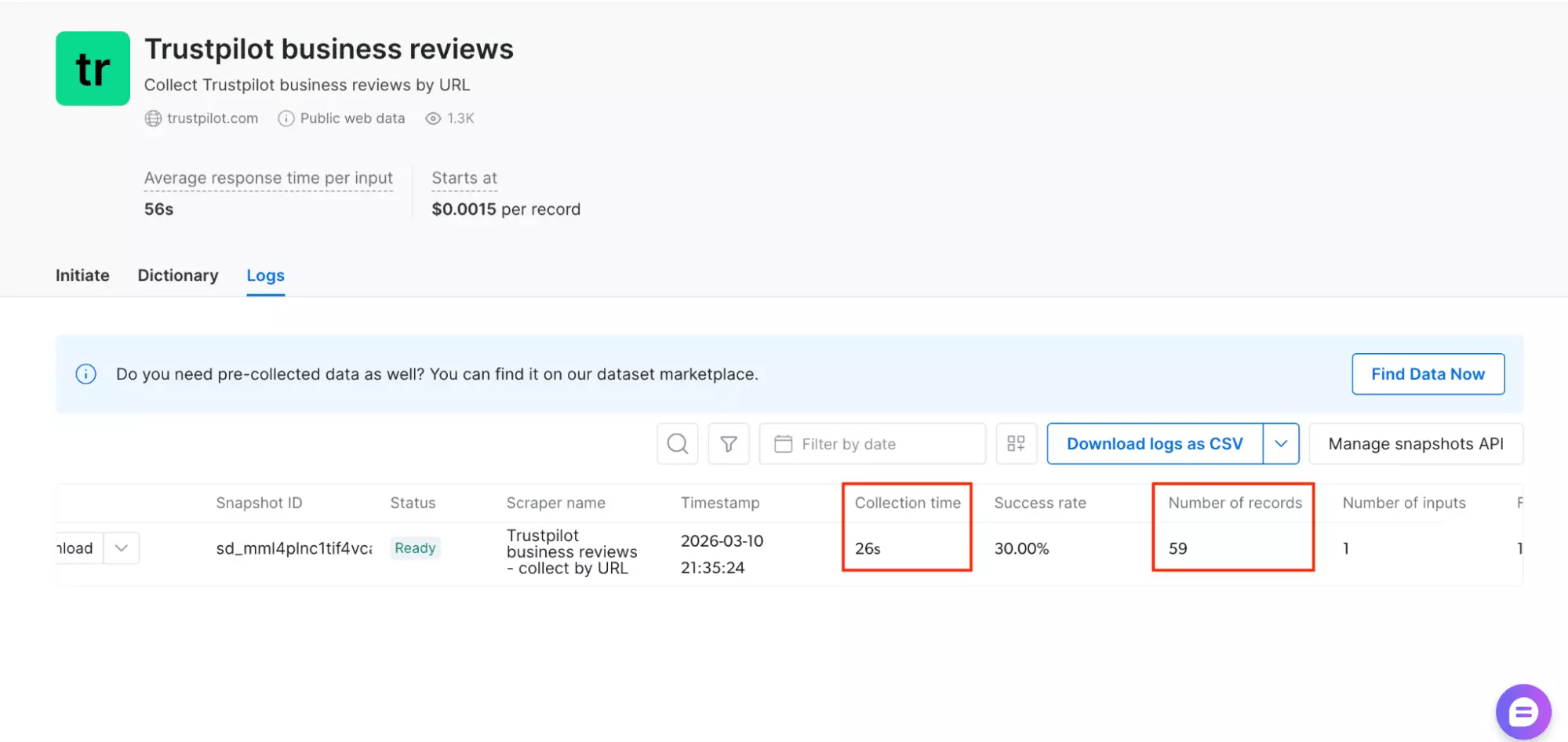
59 reviews in 26 seconds — tested on the same hotel profile.
Faster than Apify, slower than lobstr.io and Outscraper.
Middle of the pack on this test.
Scale
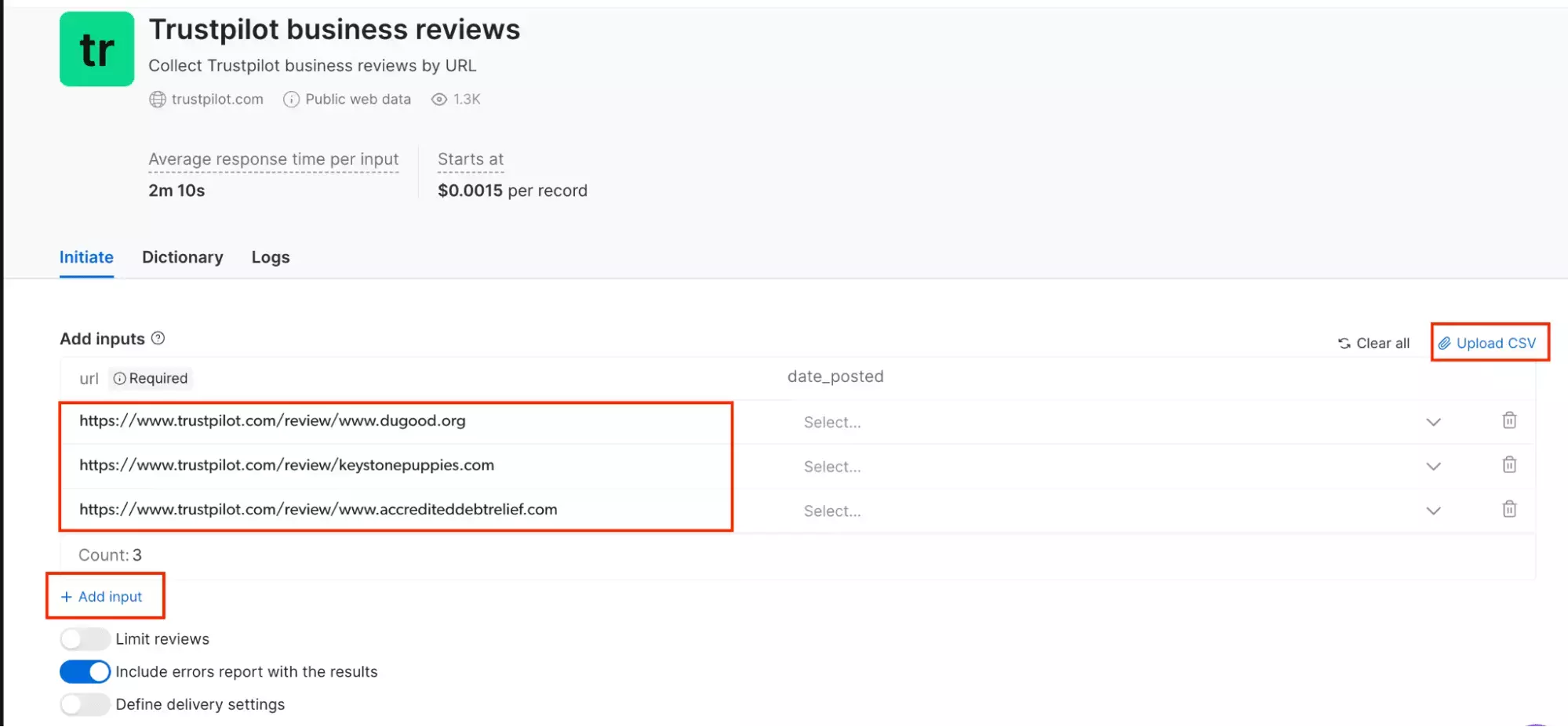
Brightdata handles bulk volume.
You can paste multiple URLs or upload a CSV.
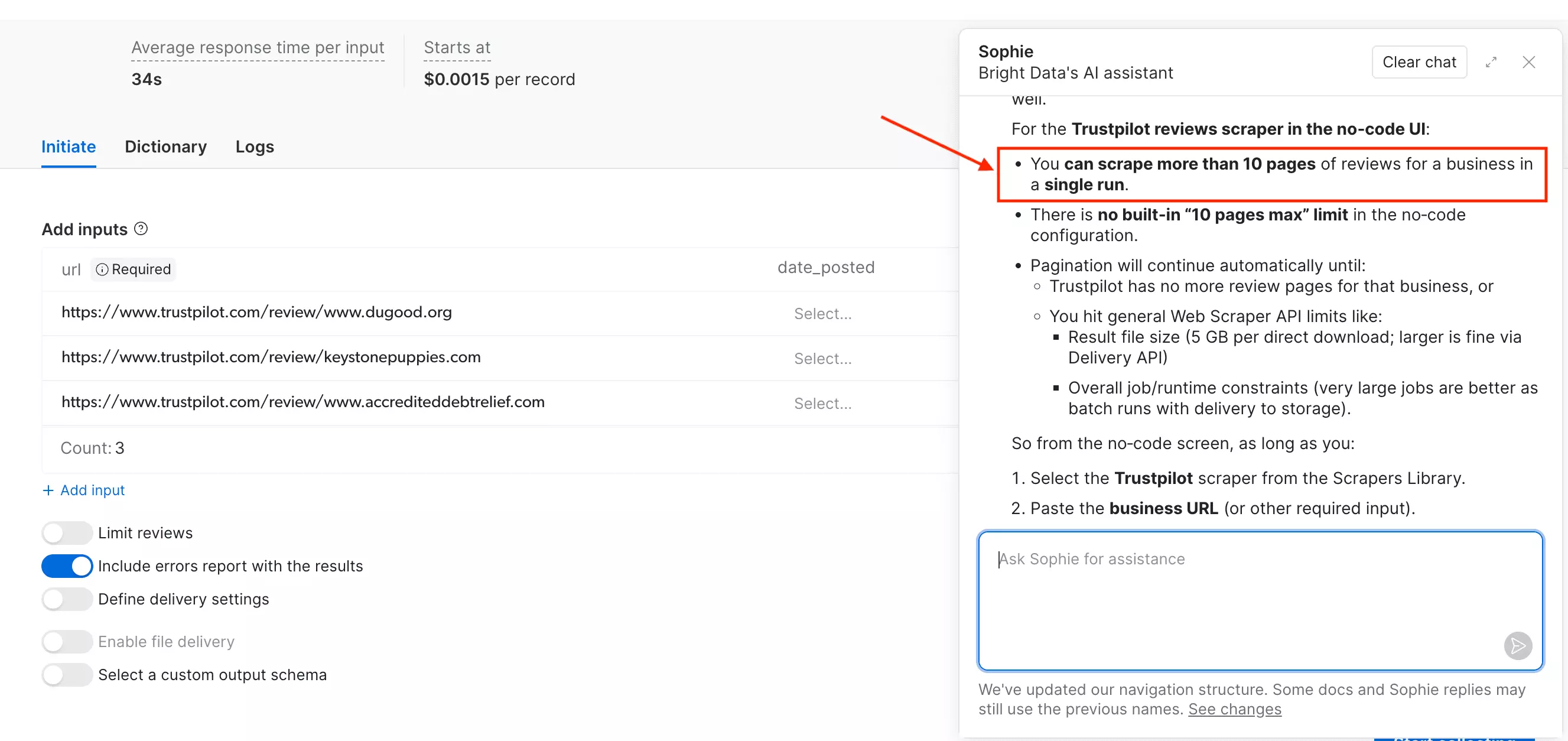
I asked their support about the pagination limit.
The AI assistant said there’s no cap — you can go past 10 pages in a single run.
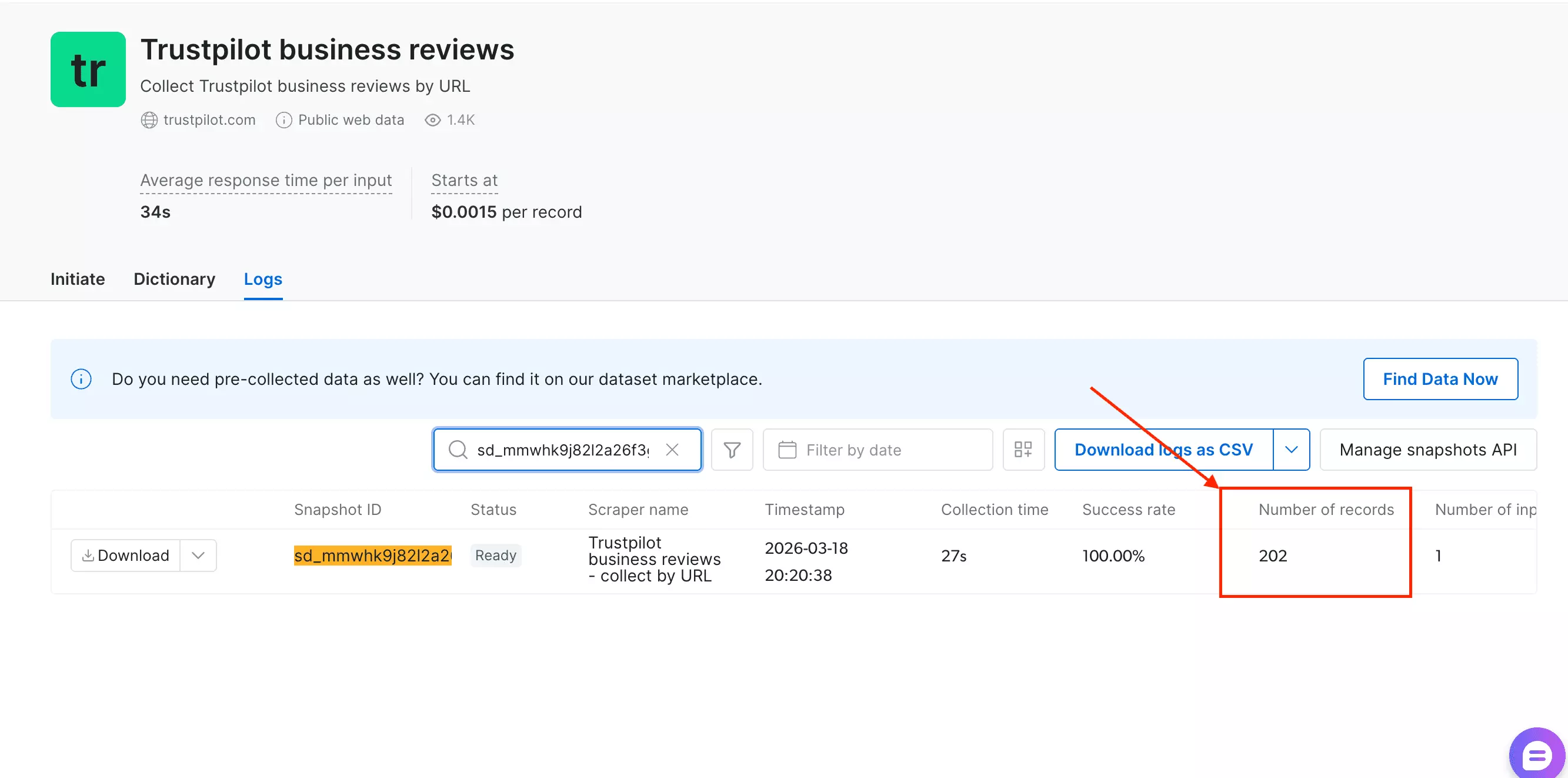
However, I tested it on a Trustpilot profile with 10,000+ reviews.
It came back with 202 reviews. Same cap as every other tool on this list.
Ease of use
The interface looks clean, and at first glance it seems like there's a lot you can do.
And actually, there isn't.
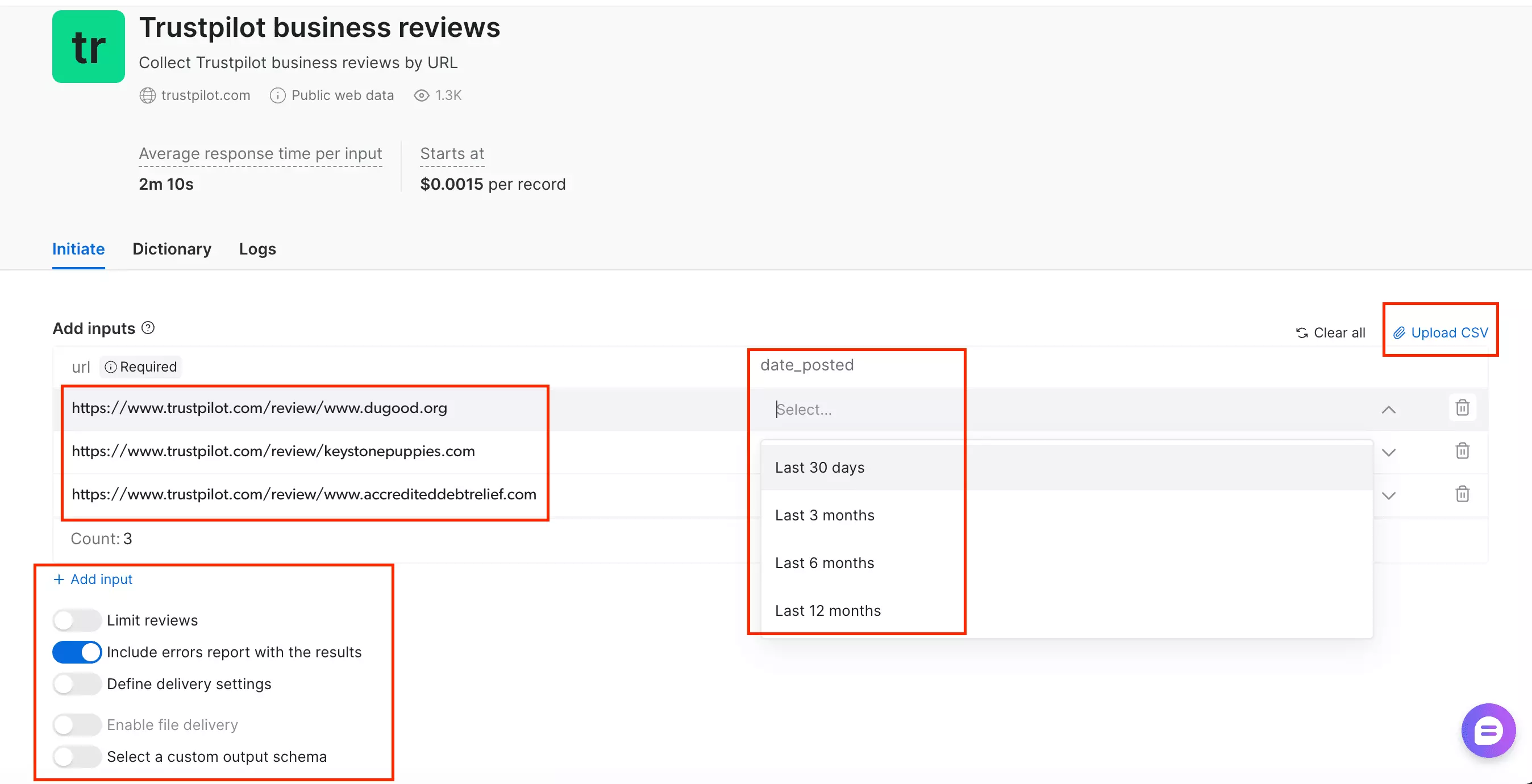
The only real control you have is limiting the number of reviews.
No filtering, no sorting. Just a volume cap.
date filter has a minimum of "last 30 days," which is way too broad for anything specific.scheduling feature. Every run is manual.Support
Customer support runs through a live chat window/AI assistant on the platform.
I ran into it twice, and both times it fell short.
First, I reached out after noticing the empty fields, through the "request missing data" option in the dashboard.
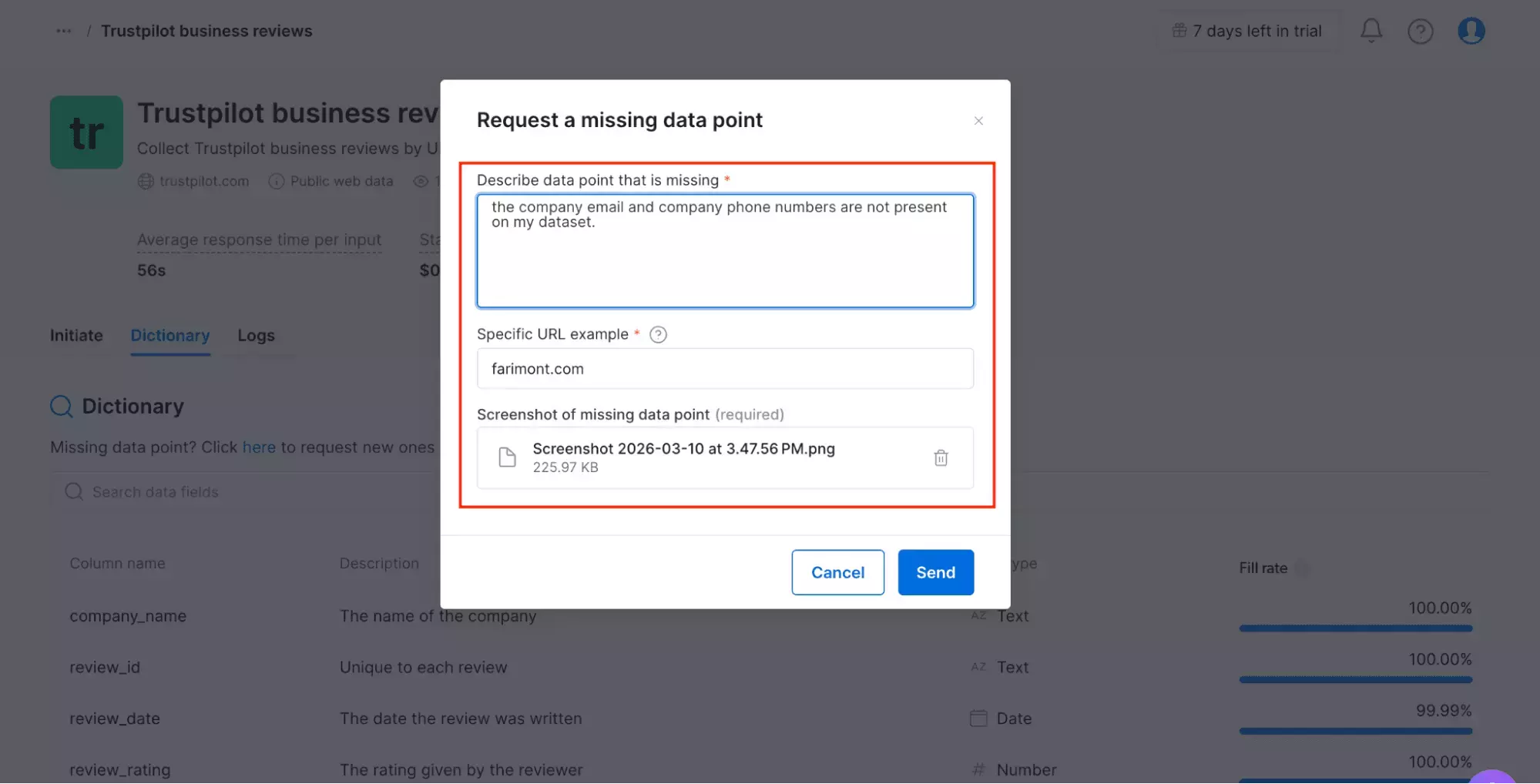
They said they'd follow up. I haven't heard anything since.
Second, Sophie — their AI assistant — told me there's no pagination cap. Full confidence.
Spoiler: there is.
Best for
Best if you're already spending $500+/month on data and need a tool that handles bulk volume.
It accepts CSV upload and hasn't shown reliability issues at scale.
Not the pick for smaller budgets. The $500/month minimum subscription is a hard floor.
4. Outscraper
Rating: 4.5/5
Pros and cons
| Pros | Cons |
|---|---|
| Scalable | Fewest data fields |
| CSV import | Expensive |
| Good customer support | No scheduling |
| Multiple export options | Limited filtering options |
| ~200 reviews per query |
Key features
- 15+ data fields
- Bulk upload via CSV, XLSX, and more
- Sorting and filtering reviews
- Multiple export options including JSON, CSV, and more
- Automation via webhooks, Make.com, Zapier
- Cloud-based, no installation required
- API access
Data
Outscraper pulls 18 fields per review. That's the smallest schema on this list.
That said, it does cover some things Apify misses entirely, like repeat reviewer detection, likes, and reply date.
| 🆔 Review ID | 📝 Review Title | 💬 Review Body | ⭐ Rating |
| 📅 Review DateTime (UTC) | ★ ⏱️ Review Unix Timestamp | ✅ Is Review Verified | ★ 👍 Likes |
| 👤 Reviewer Name | 🆔 Reviewer ID | 🖼️ Reviewer Profile Image | 🌍 Reviewer Country |
| ★ 📊 Global Review Count | ★ 🔄 Repeat Reviews on Domain | 💬 Company Reply | ★ 📅 Company Reply Date |
| 📊 Company Total Reviews | 🔗 Source URL |
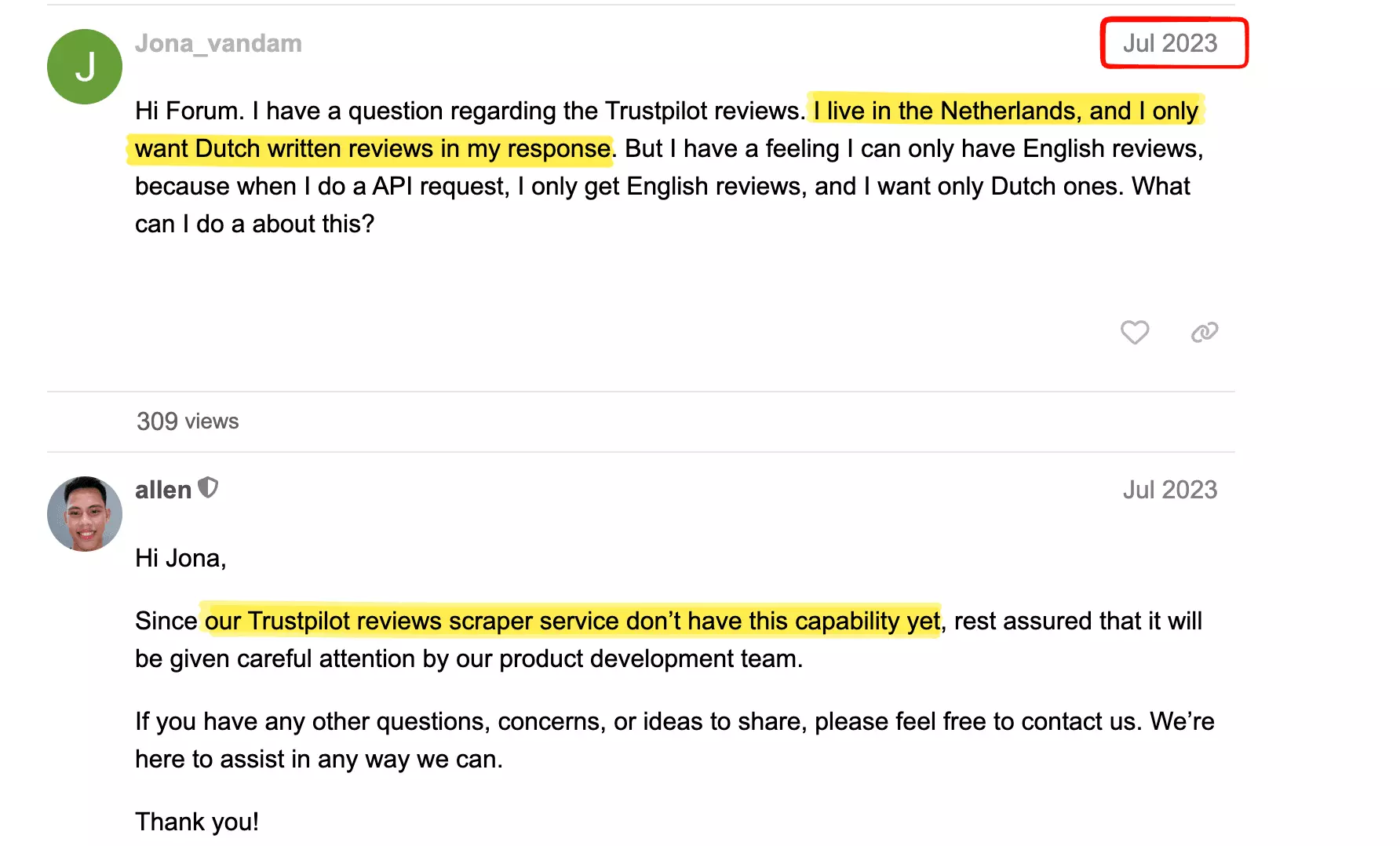
The gaps that stood out were no review language, no review URL, and no company profile data at all.
What really got me is that someone flagged the missing language filter years ago, and it's still not been fixed.
Pricing
No monthly subscription here. You pay per result.
- First 100 reviews: free
- After 100 reviews: $3.00 per 1,000 reviews
- After 50,000 reviews: $1.00 per 1,000 reviews
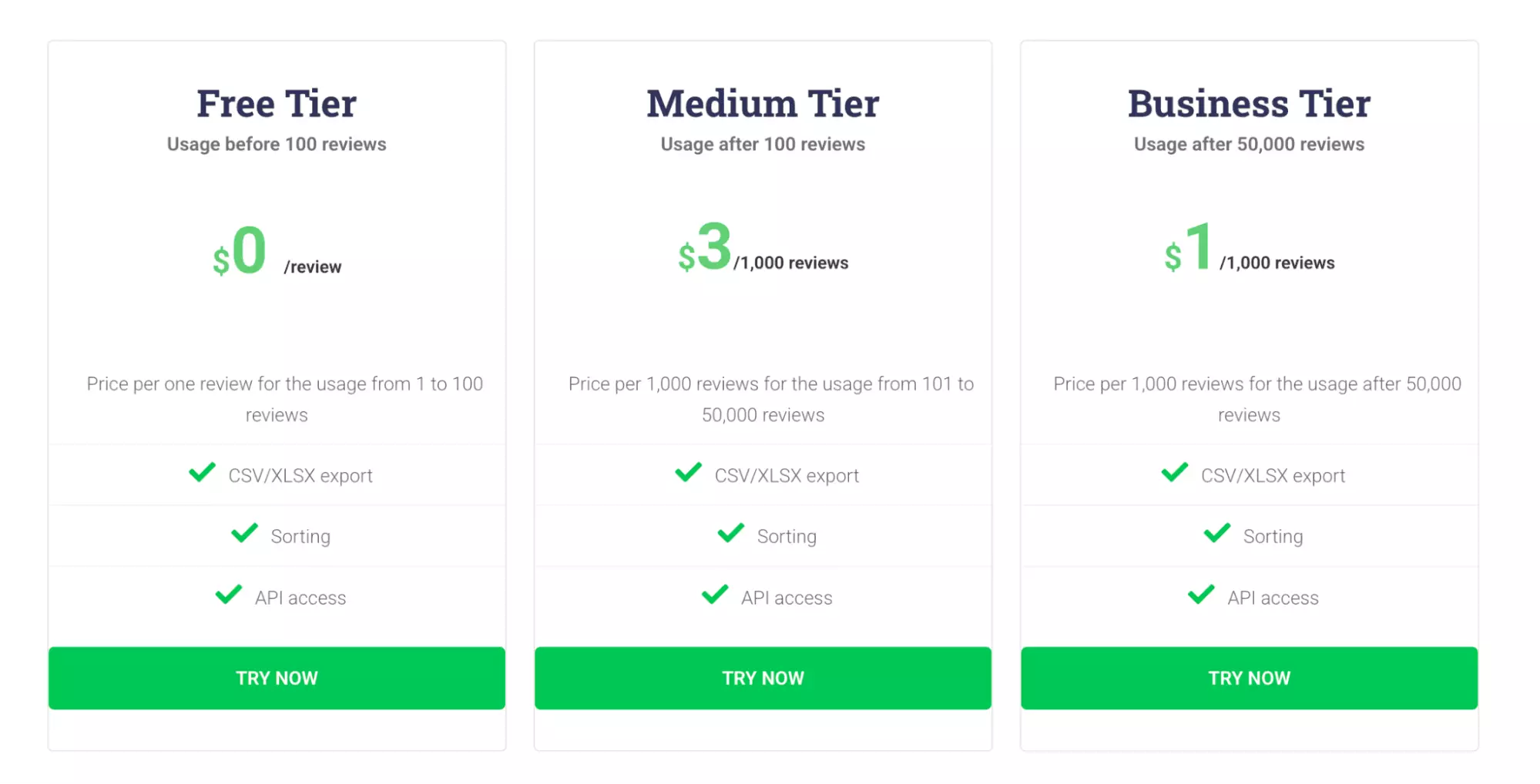
That $3.00 entry rate is the highest on this list.
The volume discount doesn't kick in until you've pulled 50,000 reviews.
If you're doing this regularly at volume, you'll end up paying more here than almost anywhere else.
Speed
59 reviews in 25 seconds — tested on the same hotel profile.
Nearly identical to Brightdata, and comfortably faster than Apify.
Scale
Outscraper handles bulk without any hassle.
You can import via CSV, XLSX, or other formats, and user reviews don't flag any stability issues on larger batch runs.
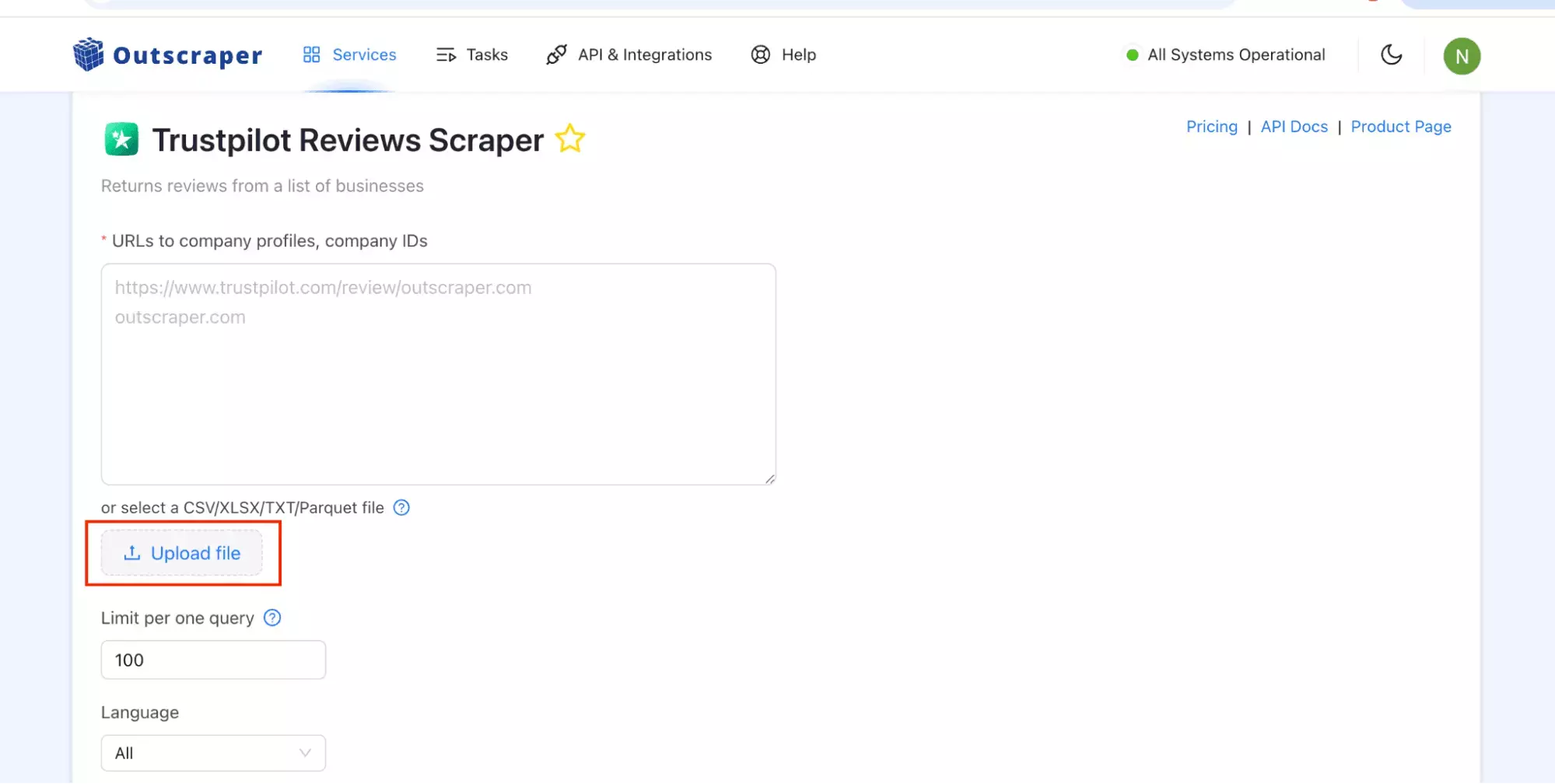
Pagination is capped at 200 reviews per query.
I reached out to their support — they confirmed Trustpilot updated its policies and now limits extraction to ~200 reviews per query.
Ease of use
The UI is simple. A few clicks and you're running.
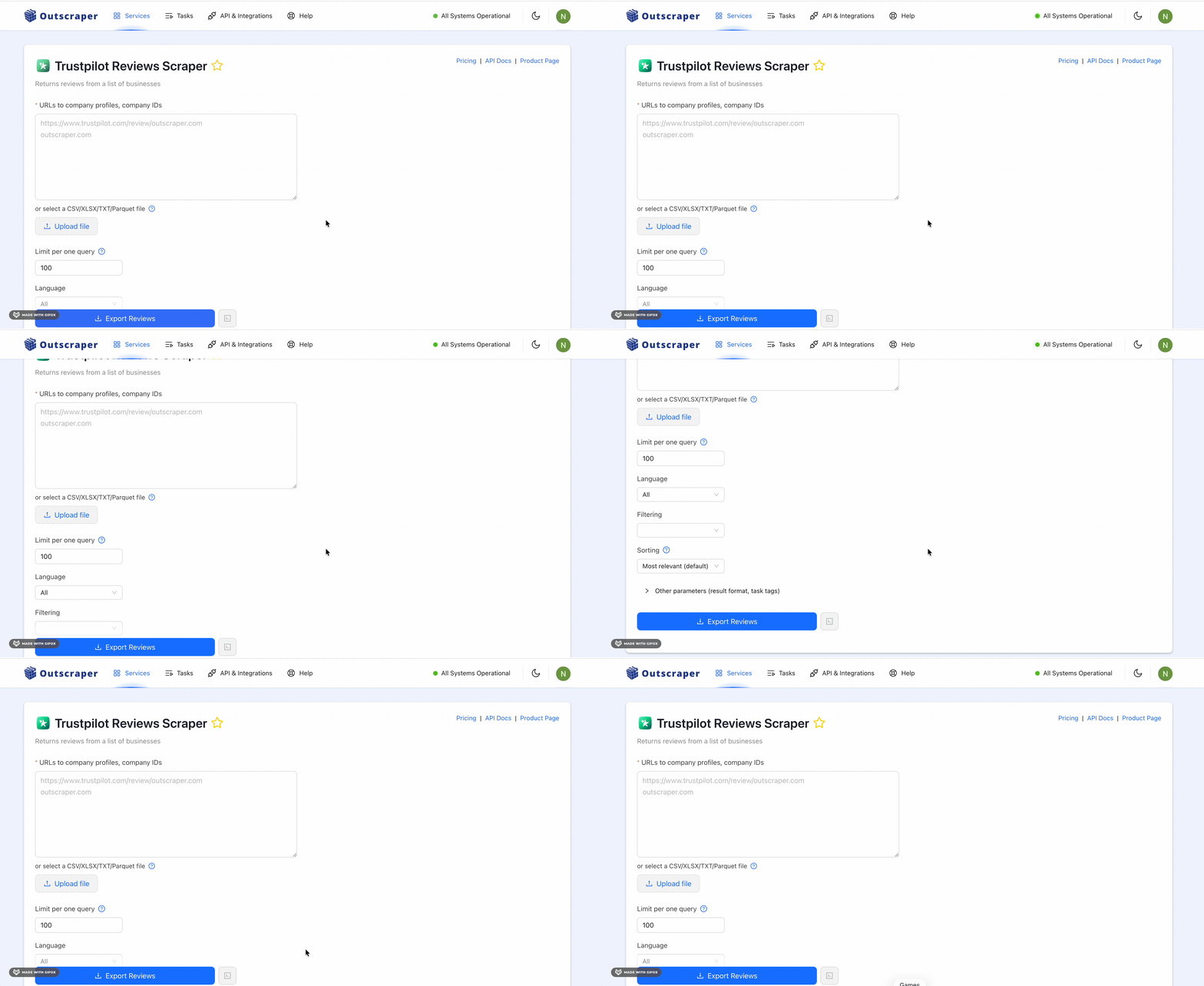
The filtering features are there, but they're limited from the start.
No date filter, no topic filter, no start page selector.
language filter is the one genuine friction point.It offers "all" or "default," and "default" is never explained anywhere in the interface.
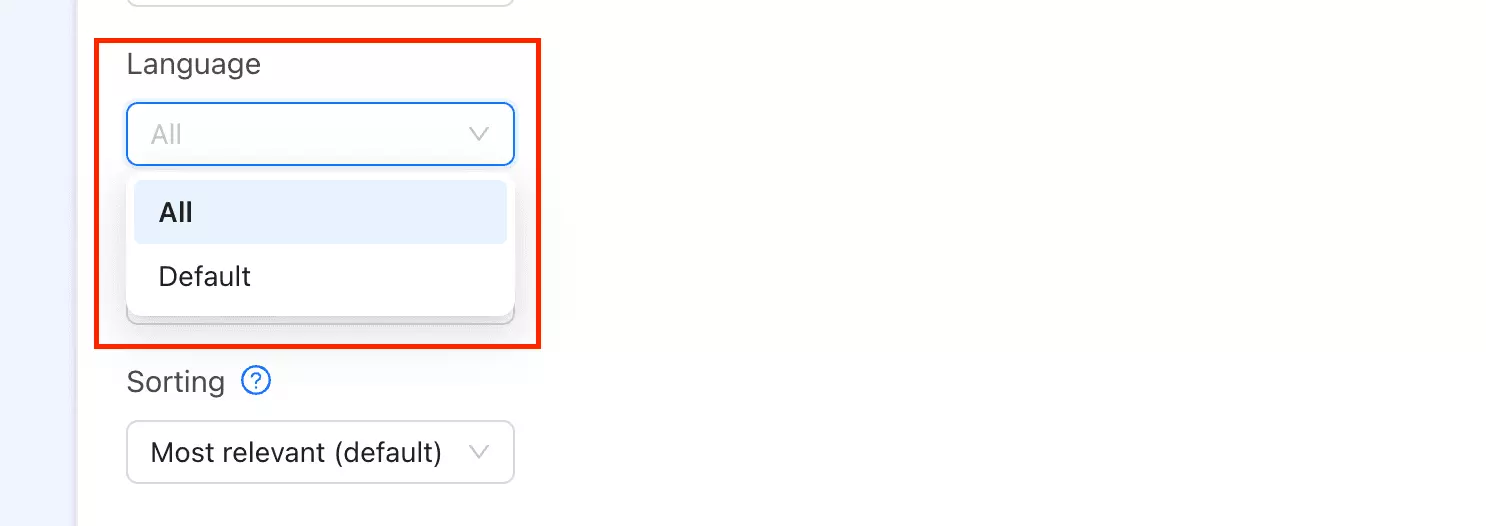
I still don't know what it actually means.
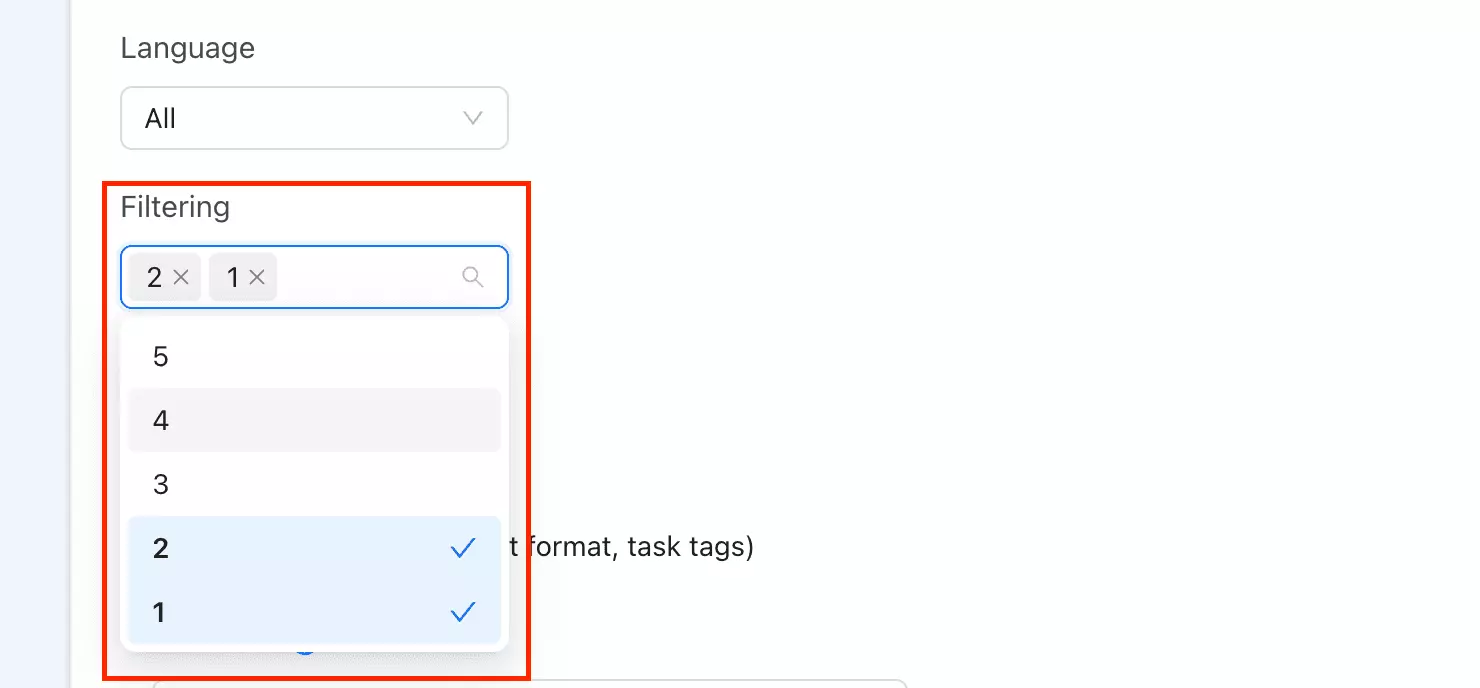
The star filter is the one thing that genuinely impressed me.
You can combine multiple star levels in one run. 1-star and 2-star together, all negatives at once.
None of the other tools here do that.
scheduling on the no-code though, which I didn't love.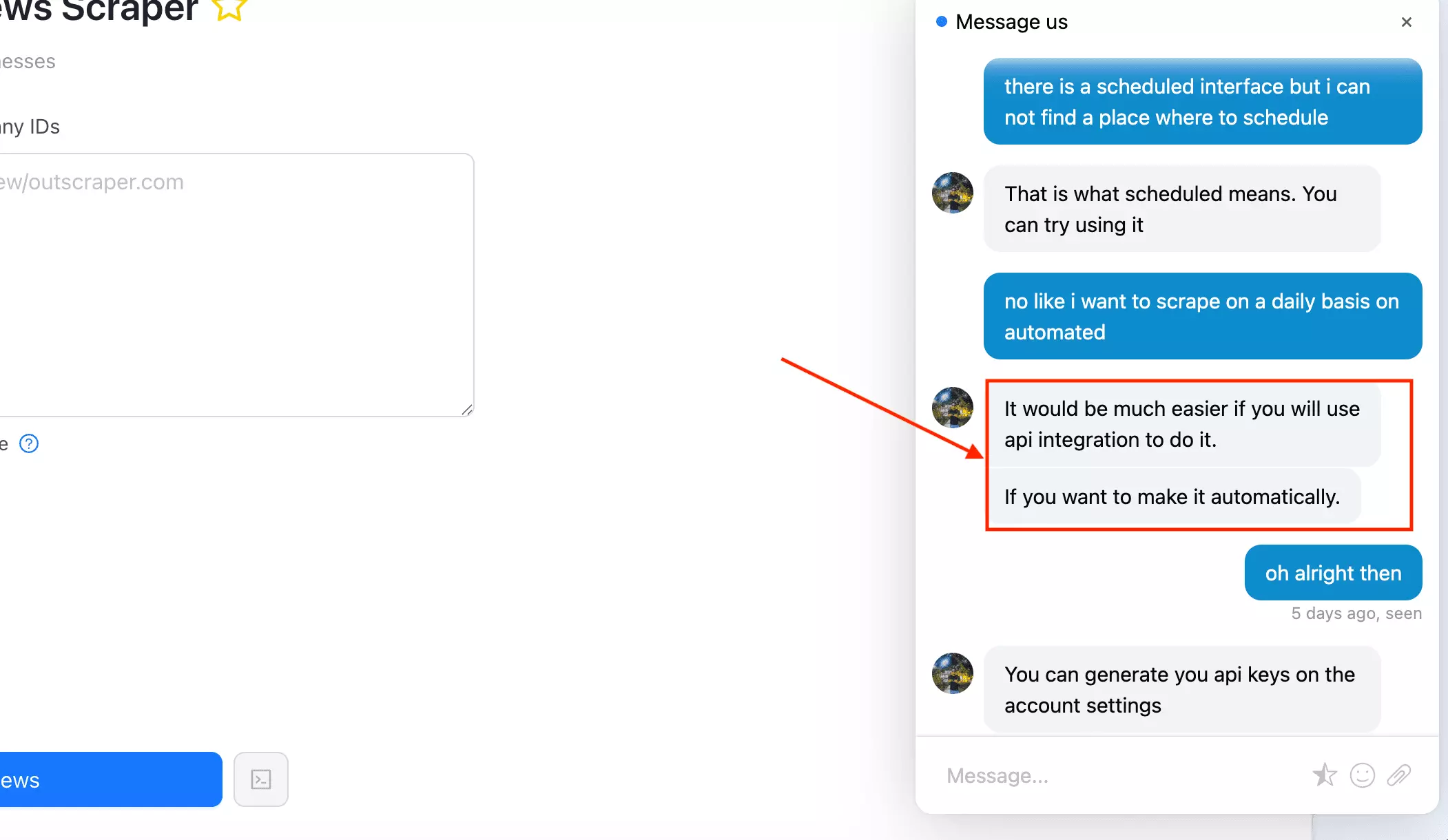
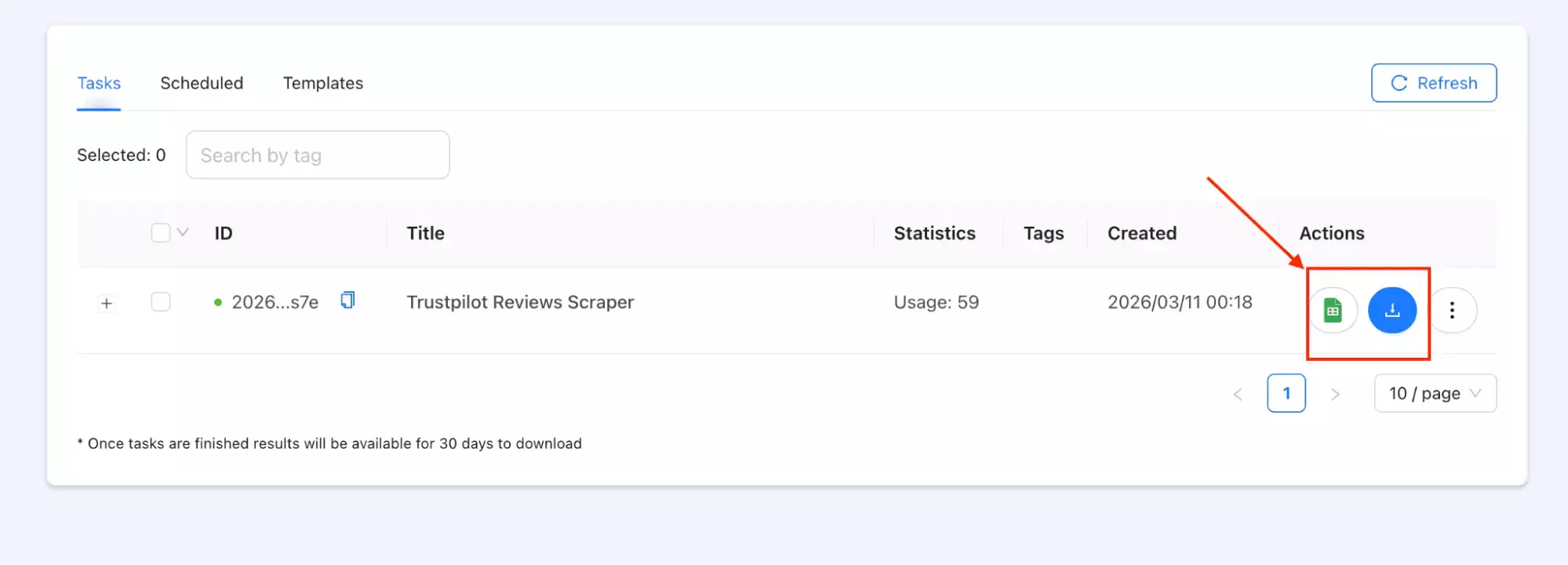
Once you're done, export as CSV or open directly in Google Sheets.
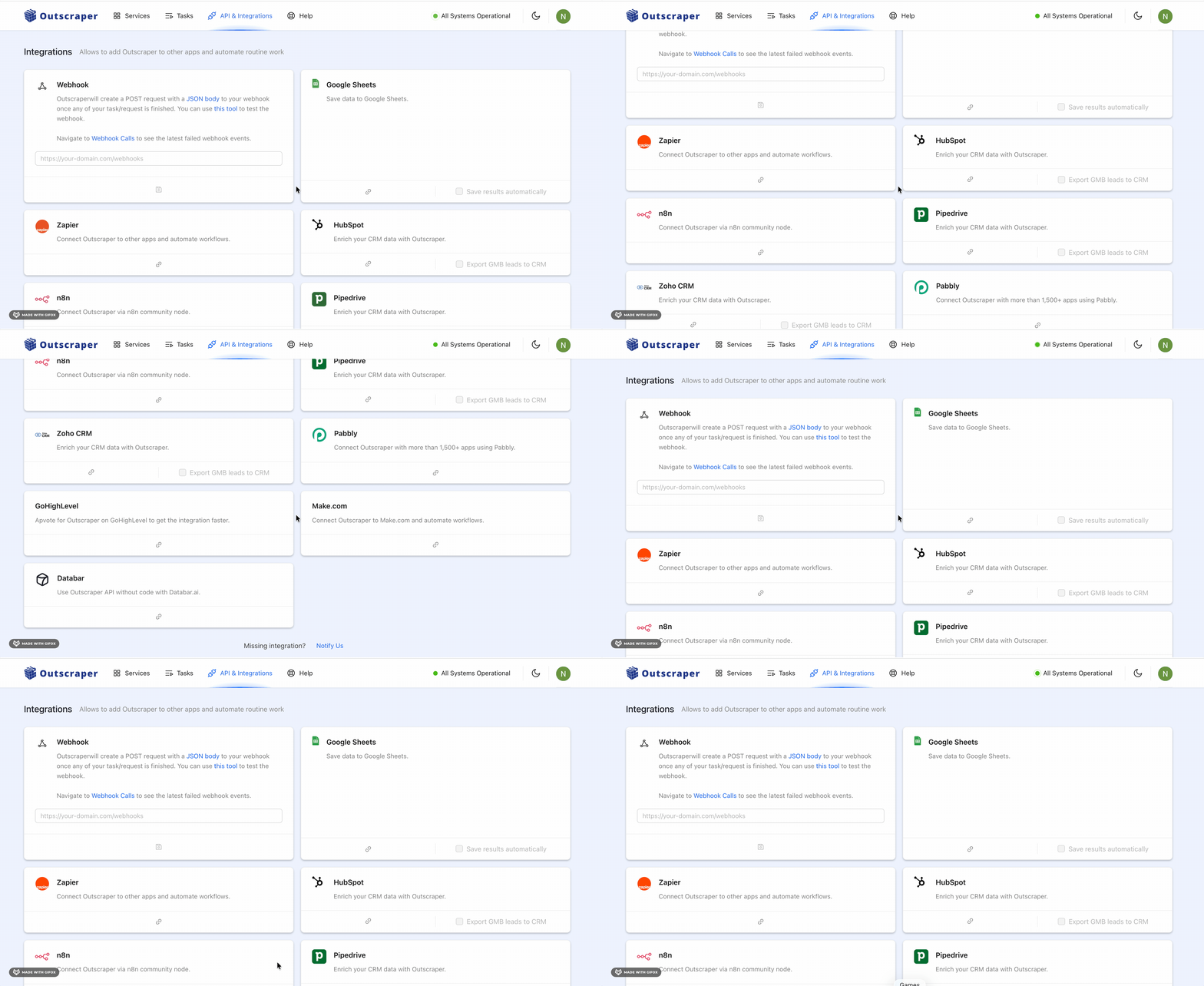
For more advanced workflows, Make.com, Zapier, and n8n integrations are available.
Support
Support is via live chat, and I actually had to use it.
I ran into a download issue, reached out, and got a quick response that actually solved the problem.
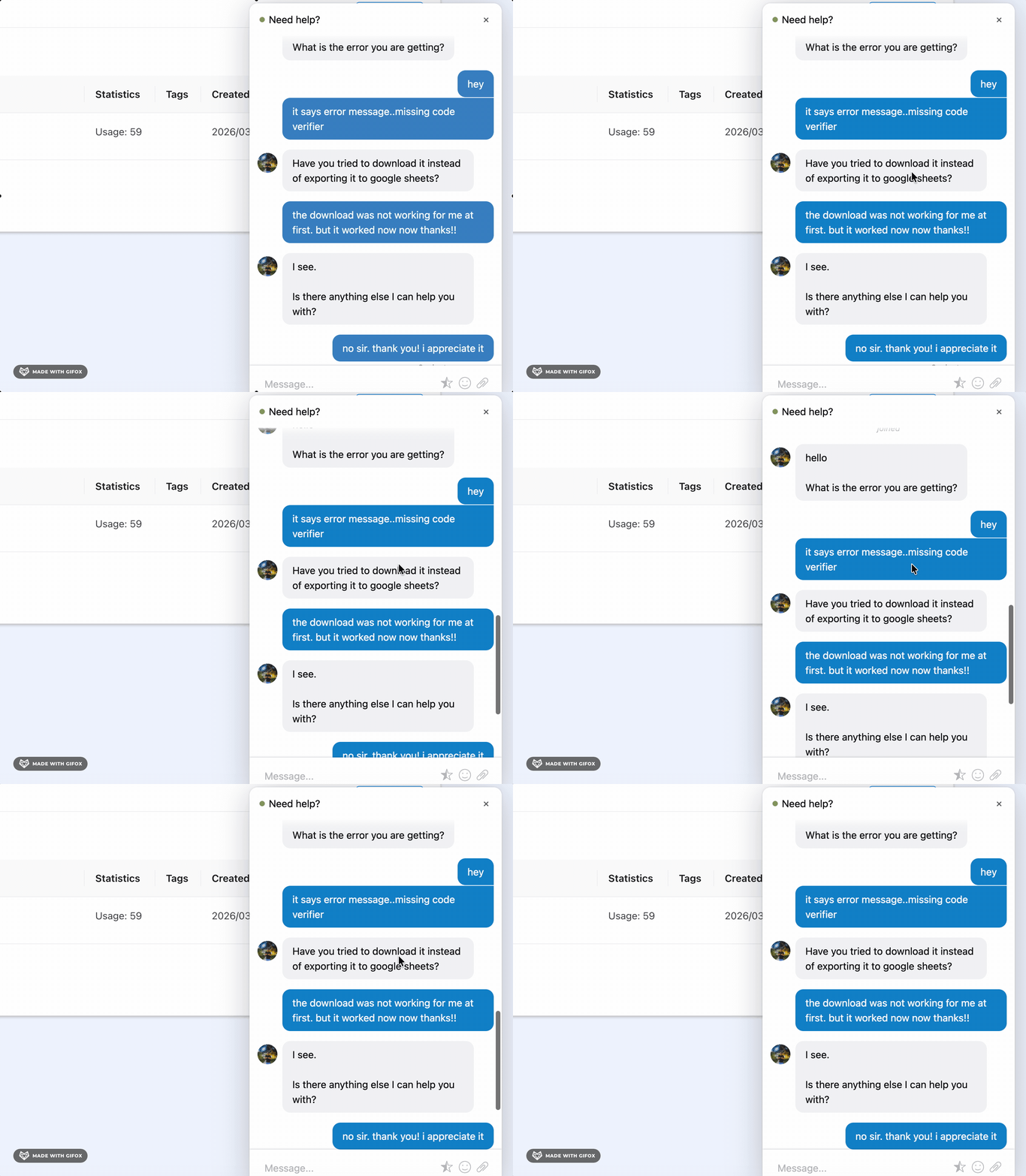
Thumbs up to you Jonver.
Best for
Best for one-off or infrequent pulls where no monthly commitment matters.
There's no subscription. You pay per result, which keeps costs predictable at low volumes.
At $1.00 per 1,000 reviews at scale, it's the most expensive option on this list for ongoing high-volume use.
FAQs
Can I filter Trustpilot reviews by star rating or language?
Yes, but not equally across tools.
lobstr.io gives you the most control — star rating, language, topic, and keywords all in one run. Apify lets you filter too, but with less flexibility. Brightdata and Outscraper have minimal filtering.
Can I schedule recurring review pulls automatically?
lobstr.io and Apify both support scheduling. Brightdata and Outscraper don't — every run has to be triggered manually.
Do these tools capture the company's reply to a review?
Yes, all four include the company reply field in the output. lobstr.io also captures the reply date — the others mostly skip it.
Is lobstr.io more cost-effective than building a custom Trustpilot scraper?
Yes. It avoids upfront dev time and ongoing maintenance.
Conclusion
Those are my top 4 no-code Trustpilot review scrapers for 2026.