
How to download all reels from any Instagram account without watermark
Nope… this isn’t just another tutorial on how to download a single Instagram Reel.
Last I checked, boomers don’t read my content, and millennials and Gen Z don’t need a guide for tapping a download button.

So why am I writing this?
Because most guides stop at how to save a reel.
My guide is for people who want to download all reels from a creator, with metadata, at scale.
I’ll show you how to download reels and metadata you need to build an AI system that analyzes patterns, reverse-engineers what actually makes an Instagram creator’s content go viral.
Before getting into bulk downloads and metadata, let’s quickly get the obvious method out of the way.
How to download Reels from Instagram
Instagram does have an official way to download reels.
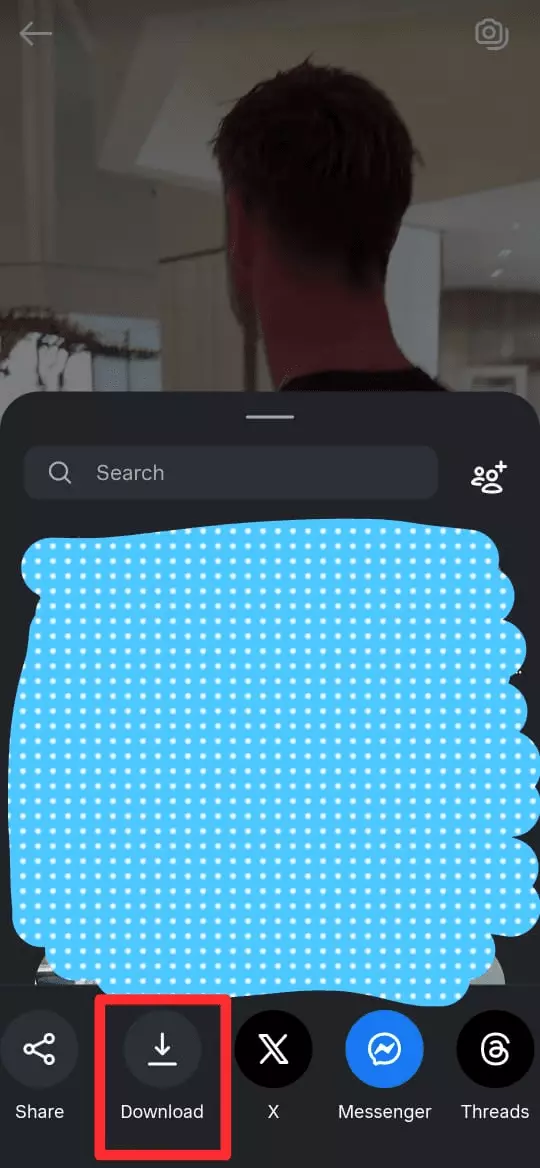
- Open Instagram on your phone
- Open the reel
- Tap Share and choose
Download
You can do this for as many reels as you want. There’s no hard limit.
This method is useful only when you want to save a reel you like to your device… for example, reposting it as a WhatsApp status or keeping it for offline viewing.
But it’s not practical if your goal is downloading reels at scale for analysis.
First, you’re forced to manually copy data like:
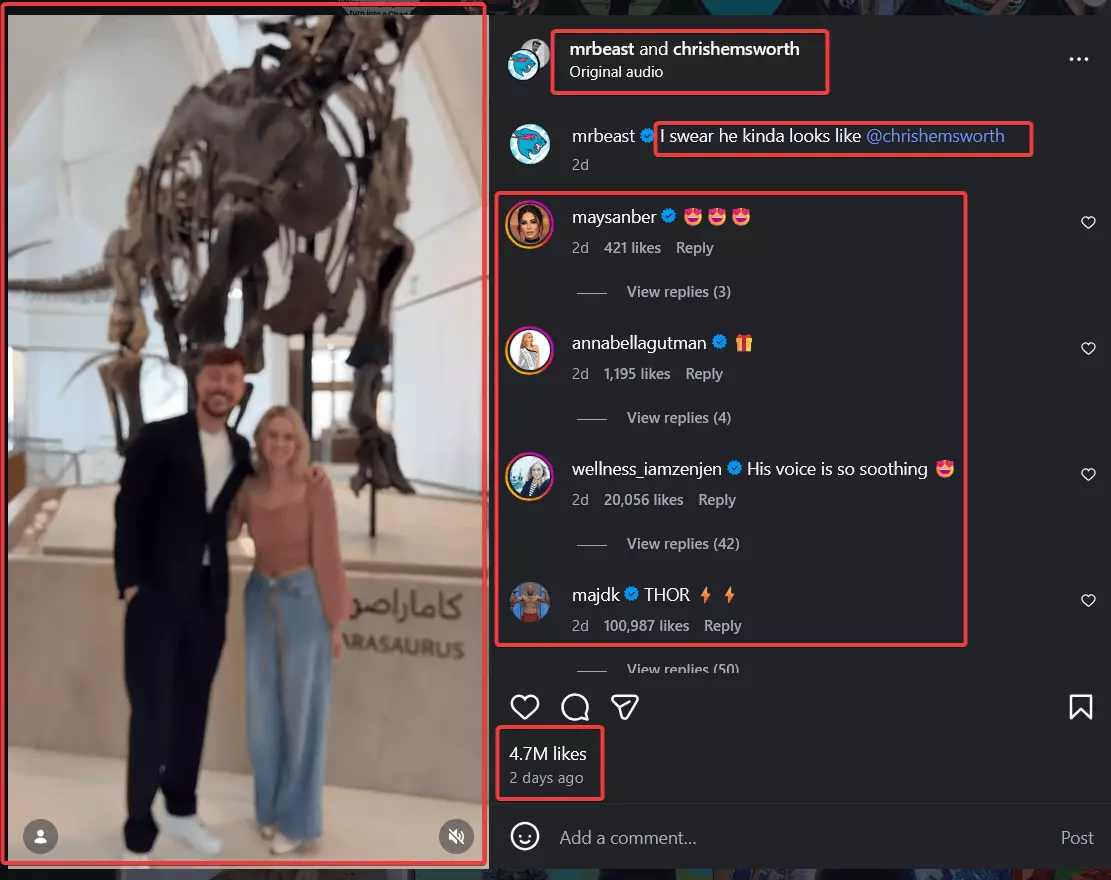
- Captions and hashtags
- Posting time, shown only as relative values like 1d or 1w ago
- Music and audio details
- Reel length
- Engagement signals like views, likes, and comment count
Then you have to download every video manually, one by one, with an annoying watermark and reduced quality.
Doing this for a single account would take days, maybe weeks. Doing it for hundreds or thousands of accounts is simply unrealistic.
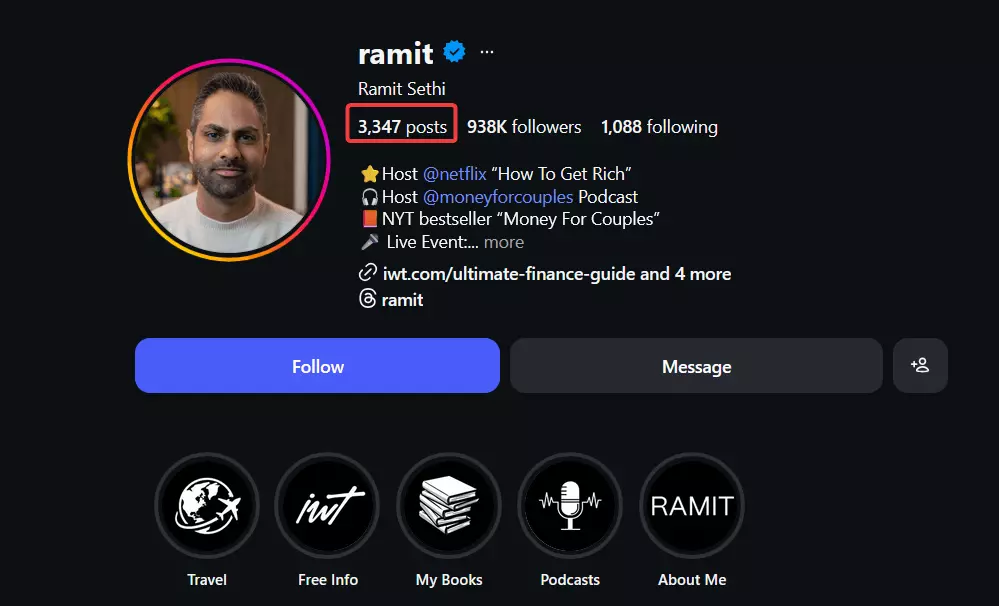
So how do you download all reels, without hours of manual effort, with high quality, and without annoying watermarks?
So let’s move on to that part.
How to download all reels from any Instagram account without a watermark?
The simplest answer is… you can use an Instagram Reels scraper to do it.
What is an Instagram Reels scraper?
An Instagram Reels scraper is a tool that programmatically collects useful Reels data from a public Instagram account.
You can use it to collect data like caption, upload time and date, length, hashtags, tagged people, uploader profile info, comments, likes, videos, and more.
But why do I need a scraper to download videos?
The first reason is obvious.
Scrapers let you collect everything Instagram hides behind the UI… captions, hashtags, posting time, music info, reel length, and engagement signals like views and comments.
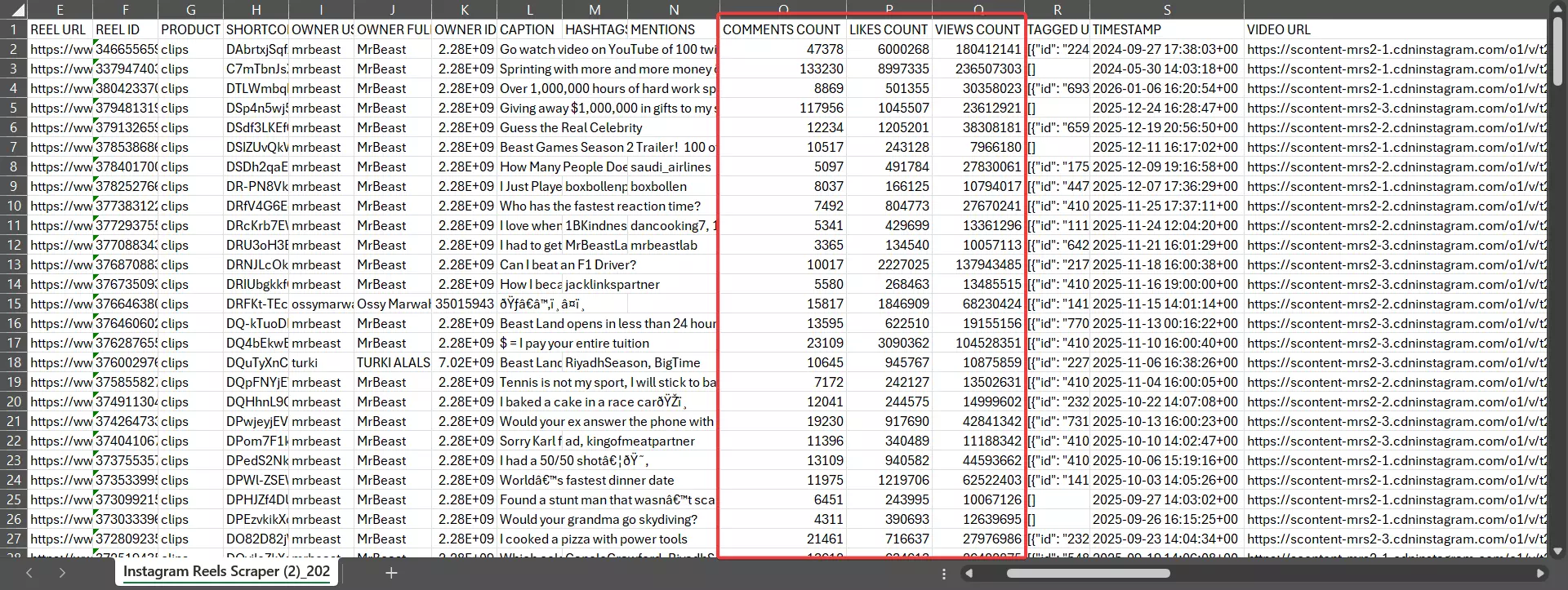
The second reason is the video URL.
To download a reel properly, you need the actual video URL… the URL of the file stored on Instagram’s servers.
Instagram never exposes this in the frontend.
It only appears in internal API responses, which you can access programmatically by inspecting network calls.
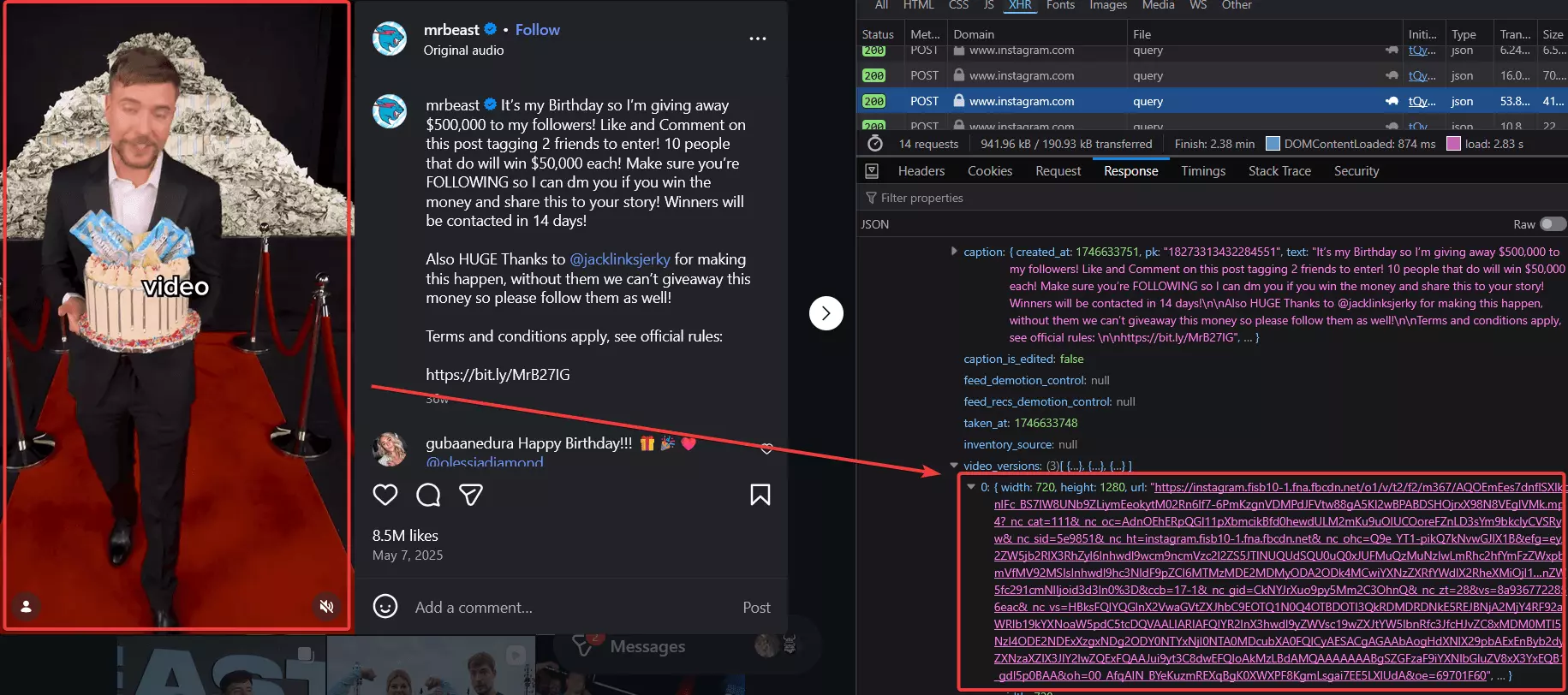
A scraper does this for you and extracts the exact video URL you need.
But which Instagram Reels scraper is best?
I’ll cover the best Instagram Reels scrapers in detail in a future article. For now, the 2 worthy contenders are:
- Apify
- Lobstr.io
Apify is cool. It lets you collect all reels data, download the videos for you, and even offers built-in transcription.
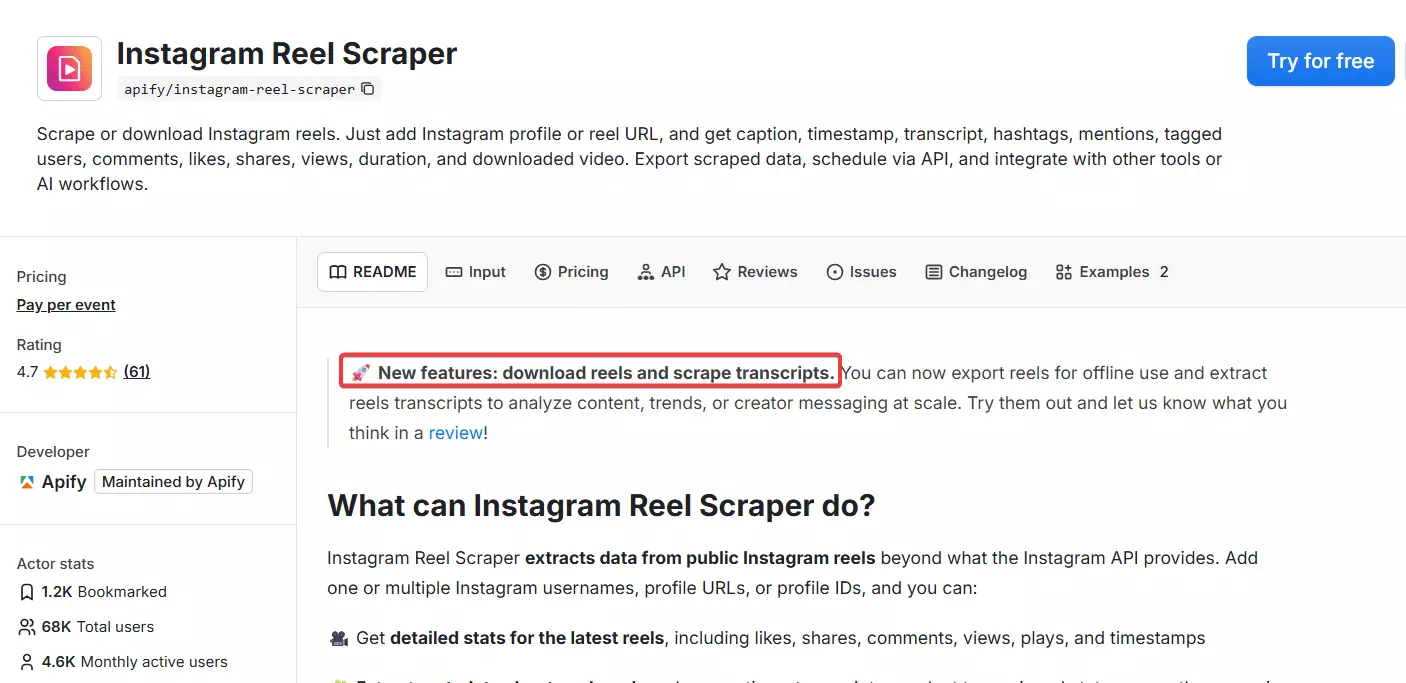
But it’s damn expensive.
- $2.3 per 1k reels data
- $15 per 1 GB of video downloads
- $41 per 1,000 minutes of transcription
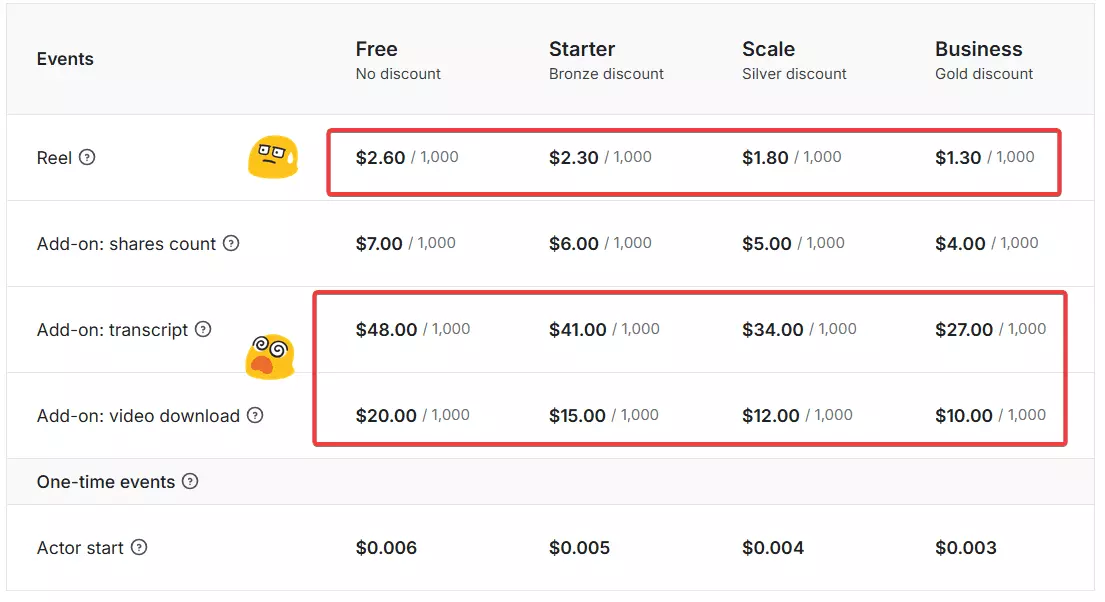
This pricing is not at all acceptable at scale especially if you’re a new creator.
That’s why I’m going with the more affordable option… lobstr.io.
Best Instagram Reels Scraper: Lobstr.io
Lobstr.io is a cloud-based scraping platform with 20+ ready-made scrapers, accessible via a no-code app and an API. One of those is its Instagram Reels Scraper.
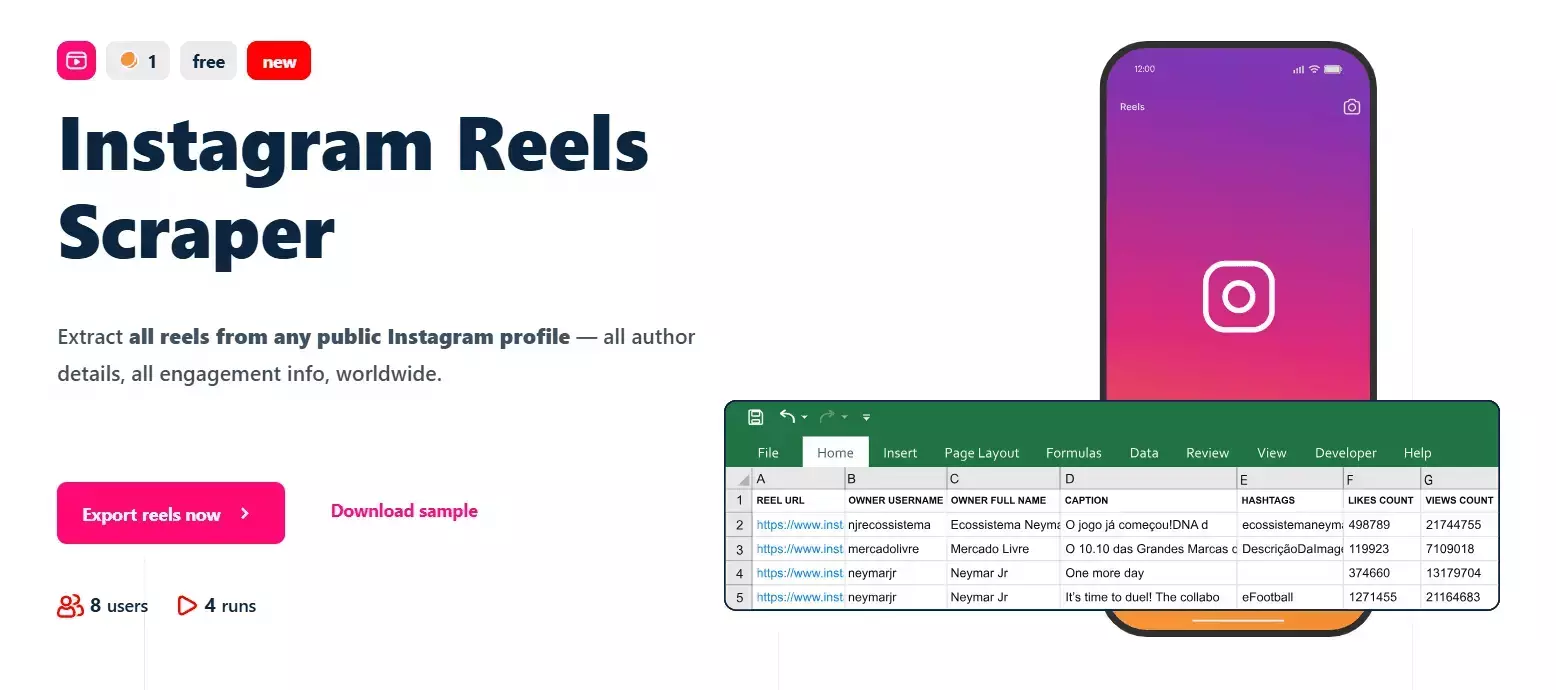
Key features
- Scrape a single reel or all reels from any public Instagram profile
- 60+ meaningful data points per reel
- Includes metadata, owner details, engagement metrics, and content-level information
- No Instagram account login required
- Fully cloud-based, no installation or setup
- Schedule repeated runs, for example monthly collection of new reels
- Export data to CSV, Google Sheets, or S3
- Automate workflows using the native Make.com integration
Data
## 📝 Post Metadata | product type | reel id | native id | shortcode | | reel url | display url | video url | video duration seconds | | timestamp | media dimensions | images | functions | ## ✏️ Caption and Content | caption | co authors | hashtags | mentions | ## 🎵 Music Info | audio id | song name | artist name | explicit | | trending | should mute audio | mute audio reason | uses original audio | ## 📊 Engagement Metrics | likes count | views count | comments count | comments disabled | | likes and views disabled | sponsored | viewer reshare allowed | ## 💬 Comment Data | comment text | comment user | comment replies count | ## 👤 Creator Info | owner id | owner username | owner full name | ## 📍 Location Data | location id | location name | ## 🏷 Tagged Users | tagged user id | tagged user username | tagged user full name | tagged user verified | | tagged user profile picture url |f
Pricing
- Scrape 100 Reels for free every month
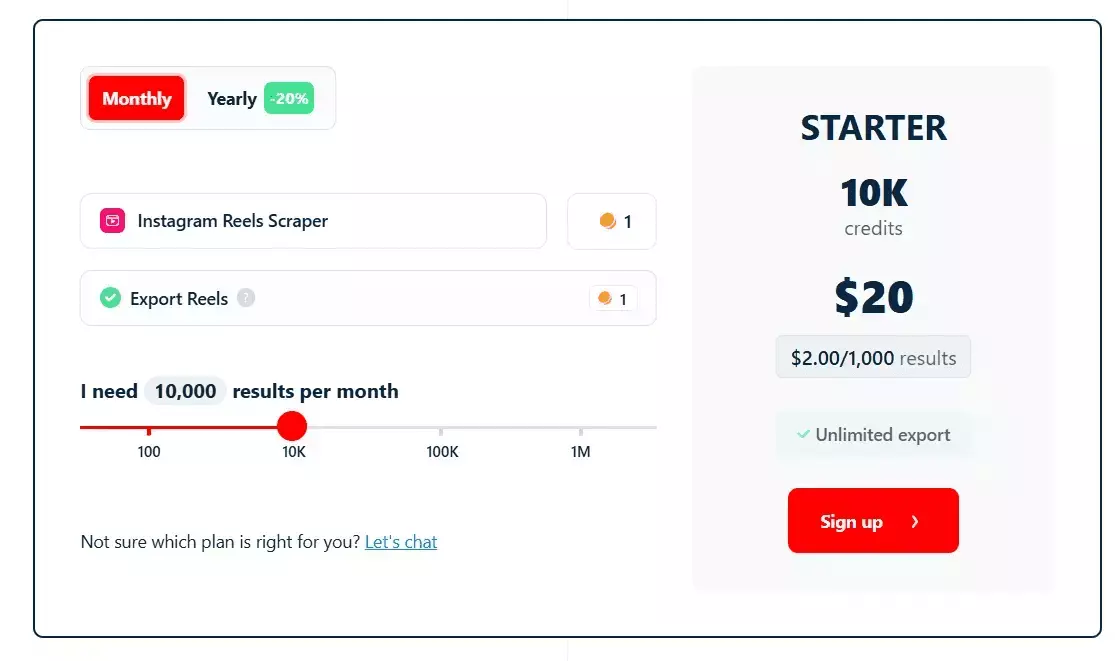
- Starts at $2 per 1000 Reels
- At scale, drops to $0.5 per 1000 Reels
How to scrape Instagram Reels using Lobstr.io?
I’ve already written a detailed guide on how to scrape all Instagram Reels from any account, or even thousands of accounts, fast and without coding.
The important part here is what happens after scraping Reels data. The dataset you get from Lobstr.io already contains the CDN URLs of the reel videos.
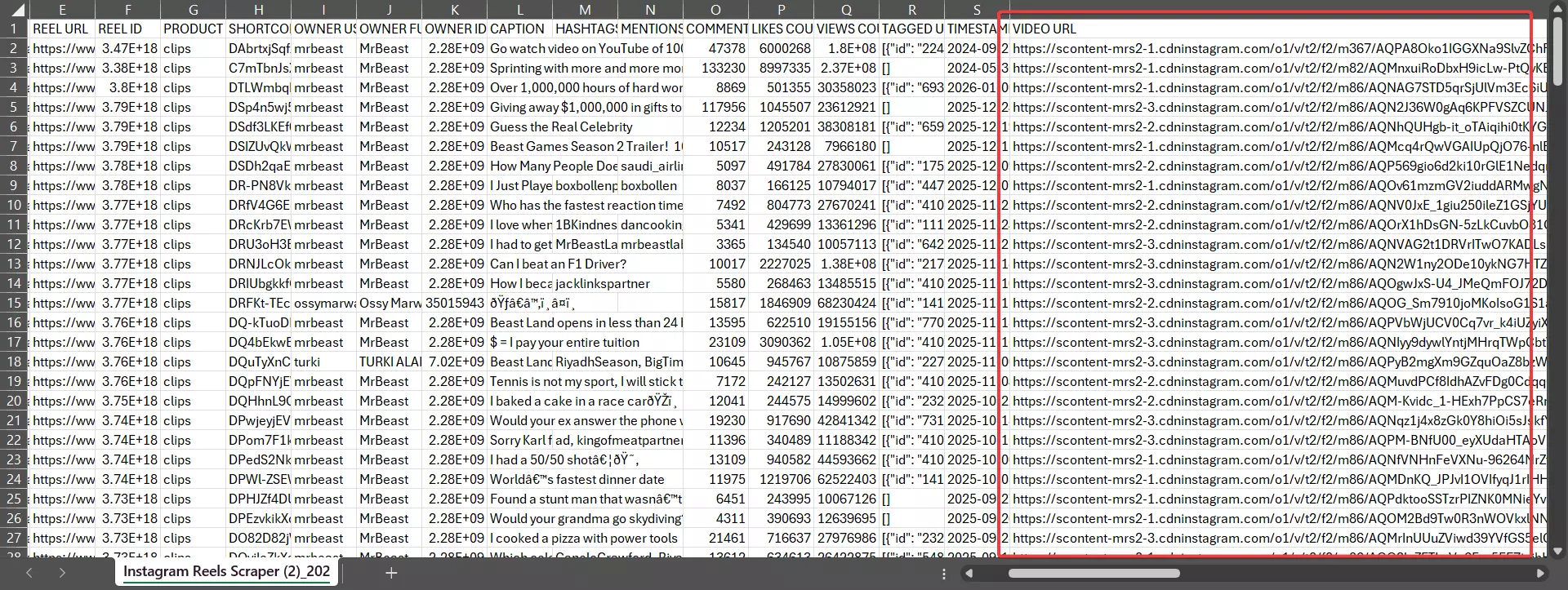
These are the direct links to the video files stored on Instagram’s servers.
Since Lobstr.io doesn’t offer built-in video downloading, I needed a workaround.
I didn’t overthink it. I simply asked AI to build a small script that does 3 things:
- Uses Lobstr.io’s API to download the Reels CSV dataset
- Reads the video URLs from the CSV
- Downloads each reel video one by one and stores them in a local folder
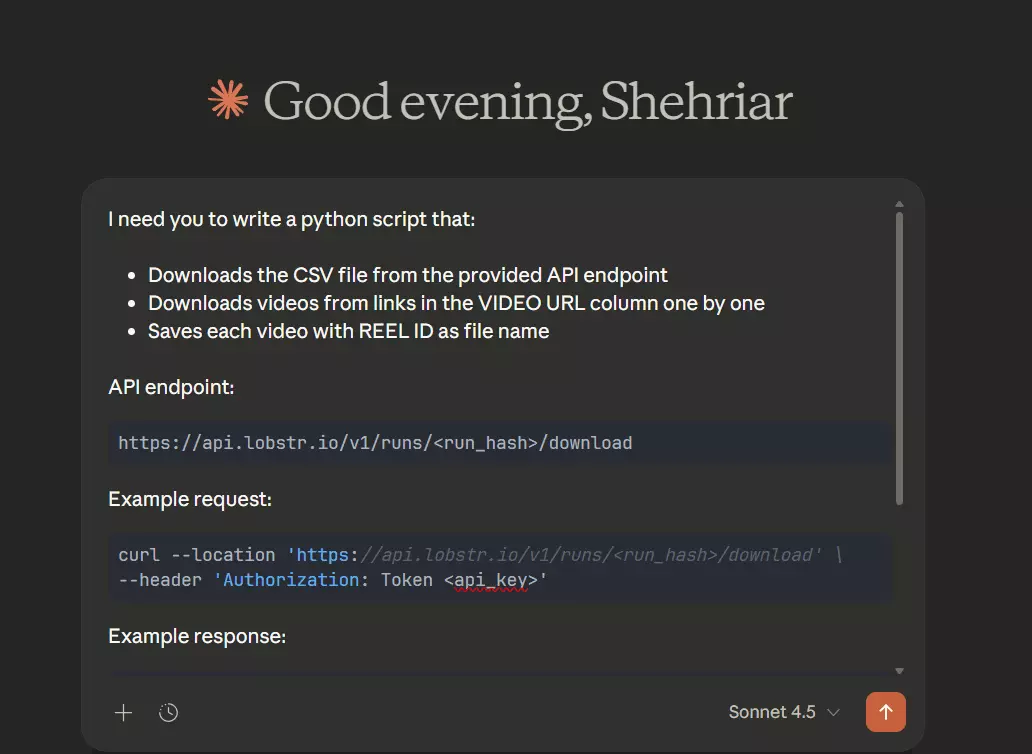
P.S. I used Claude, you can use any AI tools e.g. ChatGPT, Gemini, Grok, etc.
Here’s the script:
import os
import requests
import argparse
import time
import logging
import csv
import sys
from dotenv import load_dotenv

load_dotenv()

# Configure logging
logging.basicConfig(
    level=logging.INFO,
    format='%(asctime)s - %(levelname)s - %(message)s'
)
logger = logging.getLogger(__name__)

DEFAULT_HEADERS = {
    "User-Agent": (
        "Mozilla/5.0 (Windows NT 10.0; Win64; x64) "
        "AppleWebKit/537.36 (KHTML, like Gecko) "
        "Chrome/122.0.0.0 Safari/537.36"
    ),
    "Accept": "*/*",
    "Connection": "keep-alive",
}


# Global session for connection pooling
session = requests.Session()
session.headers.update(DEFAULT_HEADERS)

def get_csv_download_url(run_id, api_key):
    """
    Fetches the S3 URL for the CSV export of a run.
    """
    url = f"https://api.lobstr.io/v1/runs/{run_id}/download"
    headers = {'Authorization': f'Token {api_key}'}
    try:
        response = session.get(url, headers=headers)
        response.raise_for_status()
        data = response.json()
        return data.get('s3')
    except requests.RequestException as e:
        logger.error(f"Failed to get CSV URL: {e}")
        return None

def download_file_with_progress(url, filepath):
    """
    Downloads a file with a progress bar, retries, and resume capability.
    """
    filename = os.path.basename(filepath)

    max_retries = 5
    for attempt in range(1, max_retries + 1):
        try:
            resume_header = {}
            mode = 'wb'
            existing_size = 0

            if os.path.exists(filepath):
                existing_size = os.path.getsize(filepath)
                if existing_size > 0:
                    resume_header = {'Range': f'bytes={existing_size}-'}
                    mode = 'ab' # Append mode

            # If it's a retry and we have some data, we try to resume
            # If it's first attempt and we have data, we also try to resume (or check if done)

            with session.get(url, headers=resume_header, stream=True, timeout=30) as r:
                # Handle already completed file (416 Range Not Satisfiable typically means range is out of bounds properly)
                if r.status_code == 416:
                    logger.info(f"[skip] {filename} already fully downloaded (416)")
                    return True

                if r.status_code >= 400:
                    logger.warning(f"[fail] HTTP {r.status_code} for {filename} (Attempt {attempt}/{max_retries})")
                    if attempt < max_retries and r.status_code >= 500:
                         time.sleep(1.5 ** attempt)
                         continue
                    return False

                total_length = r.headers.get('content-length')
                is_resumed = (r.status_code == 206)

                if is_resumed:
                    if total_length:
                        total_length = int(total_length) + existing_size
                    logger.info(f"Resuming {filename} from {existing_size/1024/1024:.2f} MB...")
                else:
                    if existing_size > 0:
                        logger.info(f"Server did not accept resume. Restarting {filename}...")
                        mode = 'wb' # Reset to write mode
                        existing_size = 0
                    else:
                        logger.info(f"Downloading {filename}...")

                    if total_length:
                        total_length = int(total_length)

                dl = existing_size

                # Initial progress print
                if total_length:
                    done = int(50 * dl / total_length)
                    percent = (dl / total_length) * 100
                    sys.stdout.write(f"\r[{'=' * done}{' ' * (50-done)}] {percent:.1f}% ({dl/1024/1024:.2f} MB / {total_length/1024/1024:.2f} MB)")
                else:
                    sys.stdout.write(f"\rDownloaded {dl/1024/1024:.2f} MB")
                sys.stdout.flush()

                with open(filepath, mode) as f:
                    # Increased chunk size to 1MB for better throughput
                    for data in r.iter_content(chunk_size=1024 * 1024):
                        if data:
                            dl += len(data)
                            f.write(data)

                            if total_length:
                                done = int(50 * dl / total_length)
                                percent = (dl / total_length) * 100
                                sys.stdout.write(f"\r[{'=' * done}{' ' * (50-done)}] {percent:.1f}% ({dl/1024/1024:.2f} MB / {total_length/1024/1024:.2f} MB)")
                            else:
                                sys.stdout.write(f"\rDownloaded {dl/1024/1024:.2f} MB")
                            sys.stdout.flush()
                print() # Newline after progress bar

            # Simple validation: if we got here without exception, assume success.
            # Ideally verify content-length if known.
            return True

        except requests.RequestException as e:
            logger.warning(f"[err ] Error downloading {filename}: {e} (Attempt {attempt}/{max_retries})")
            if attempt < max_retries:
                time.sleep(1.5 ** attempt)
            else:
                logger.error(f"Failed to download {filename} after {max_retries} attempts.")
                return False
        except Exception as e:
            logger.error(f"Unexpected error for {filename}: {e}")
            return False

def fetch_and_download(run_id):
    api_key = os.getenv('LOBSTR_API_KEY')
    if not api_key:
        logger.error("Error: LOBSTR_API_KEY not found in .env file.")
        return

    # Prepare output directory
    dir_name = f"downloads_{run_id}"
    os.makedirs(dir_name, exist_ok=True)
    logger.info(f"Output directory: {dir_name}")

    # 1. Get CSV URL
    csv_url = get_csv_download_url(run_id, api_key)
    if not csv_url:
        logger.error("Could not retrieve CSV download URL.")
        return

    # 2. Download CSV
    csv_path = os.path.join(dir_name, "results.csv")
    # Using the same downloader for CSV (resumable!)
    if not download_file_with_progress(csv_url, csv_path):
        logger.error("Failed to download CSV results.")
        return

    # 3. Parse CSV and Download Videos
    logger.info("Parsing CSV and downloading videos...")

    try:
        with open(csv_path, 'r', encoding='utf-8') as f:
            reader = csv.DictReader(f)

            # Identify columns
            video_col = "video_url"
            id_col = "reel_id" # Default id col

            if reader.fieldnames:
                # Find Video URL column
                for col in reader.fieldnames:
                    clean_col = col.strip()
                    if clean_col == "VIDEO URL":
                        video_col = col
                    elif clean_col.lower() == "video_url":
                        video_col = col

                    # Find Reel ID column
                    if clean_col == "REEL ID":
                        id_col = col
                    elif clean_col.lower() == "reel_id":
                        id_col = col

            # logger.info(f"Using column '{video_col}' for video URLs and '{id_col}' for filenames.")

            count = 0
            for row in reader:
                video_url = row.get(video_col)
                # Try getting reel_id, fallback to id, then ID
                result_id = row.get(id_col) or row.get('id') or row.get('ID')

                if video_url:
                    filename = f"{result_id}.mp4" if result_id else f"video_{count}.mp4"
                    filepath = os.path.join(dir_name, filename)
                    download_file_with_progress(video_url, filepath)
                    count += 1

    except Exception as e:
        logger.error(f"Error parsing CSV: {e}")

if __name__ == "__main__":
    parser = argparse.ArgumentParser(description="Fetch Lobstr results in batches and download videos.")
    parser.add_argument('--run', required=True, help='Lobstr Run ID')

    args = parser.parse_args()

    try:
        fetch_and_download(args.run)
    except KeyboardInterrupt:
        print("\n[!] Loop interrupted by user. Exiting gracefully.")
        sys.exit(0)f
How to use it?
downloader.py. Make sure you've installed the latest version of python installed on your machine..env and add this line in it:LOBSTR_API_KEY={your api key here}f
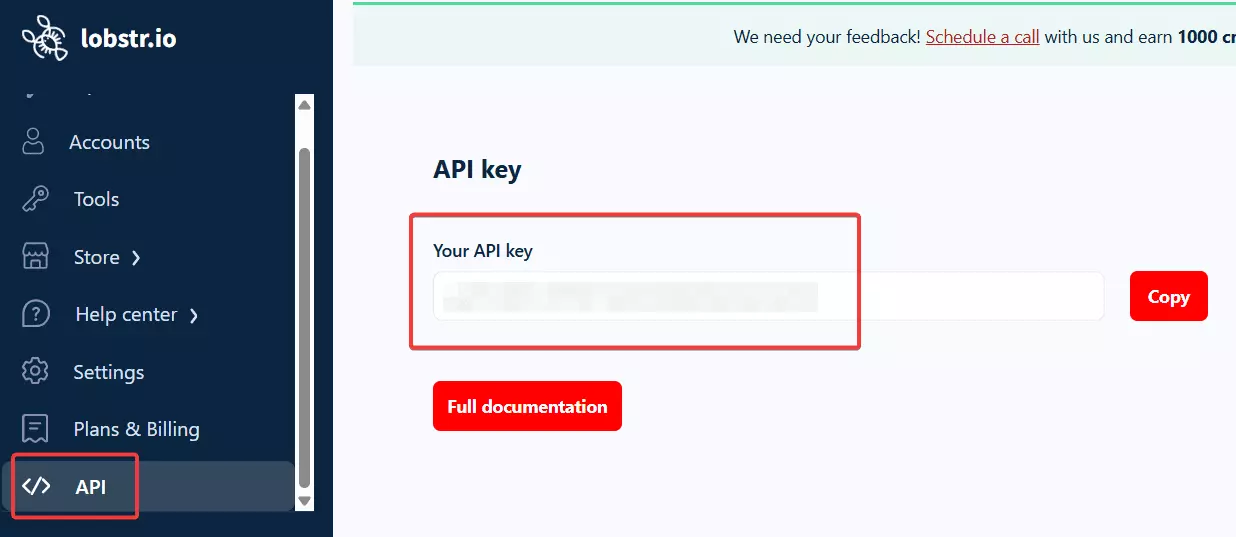
You’ll obviously need the Lobstr.io API key. Click the button below to get it.
Next, to run the script, you just need the run ID of your Squid as input. You can get the run ID from your Lobstr.io dashboard.
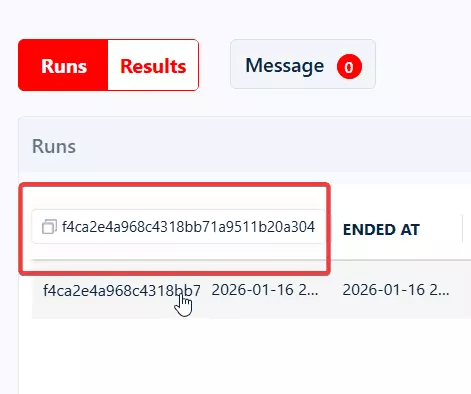
Then, open your terminal/cmd, and run:
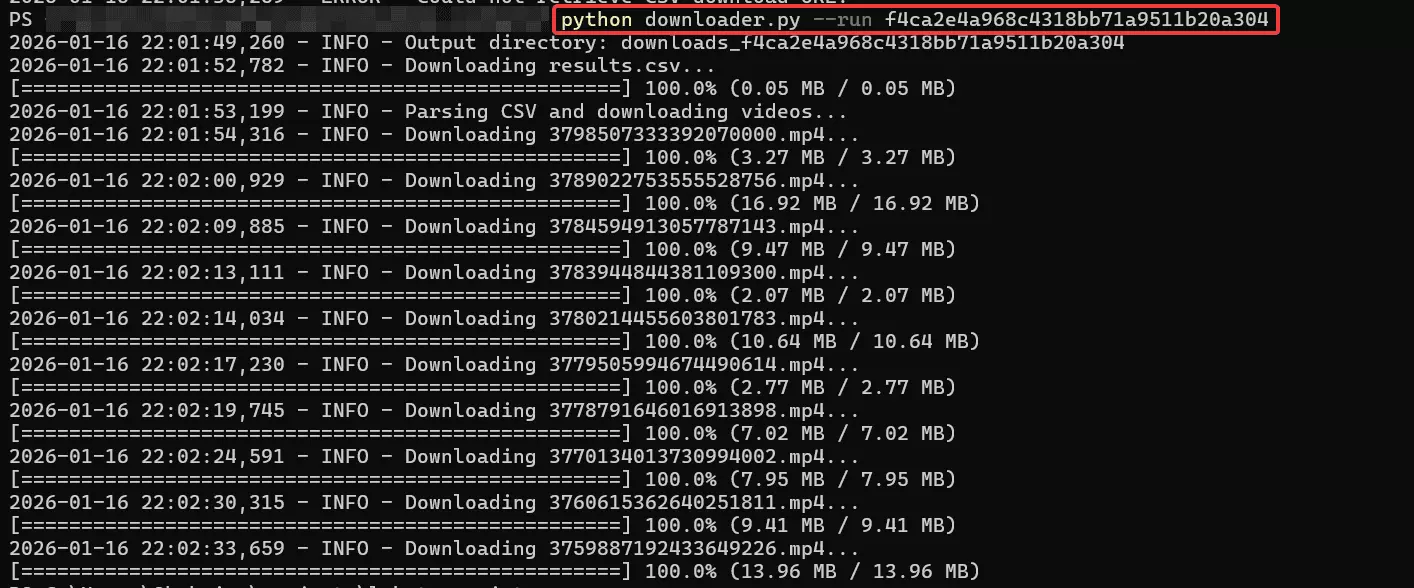
python downloader.py --run {run_id}f
That’s it. The script will first download the CSV, then download each video sequentially using the CDN URLs.
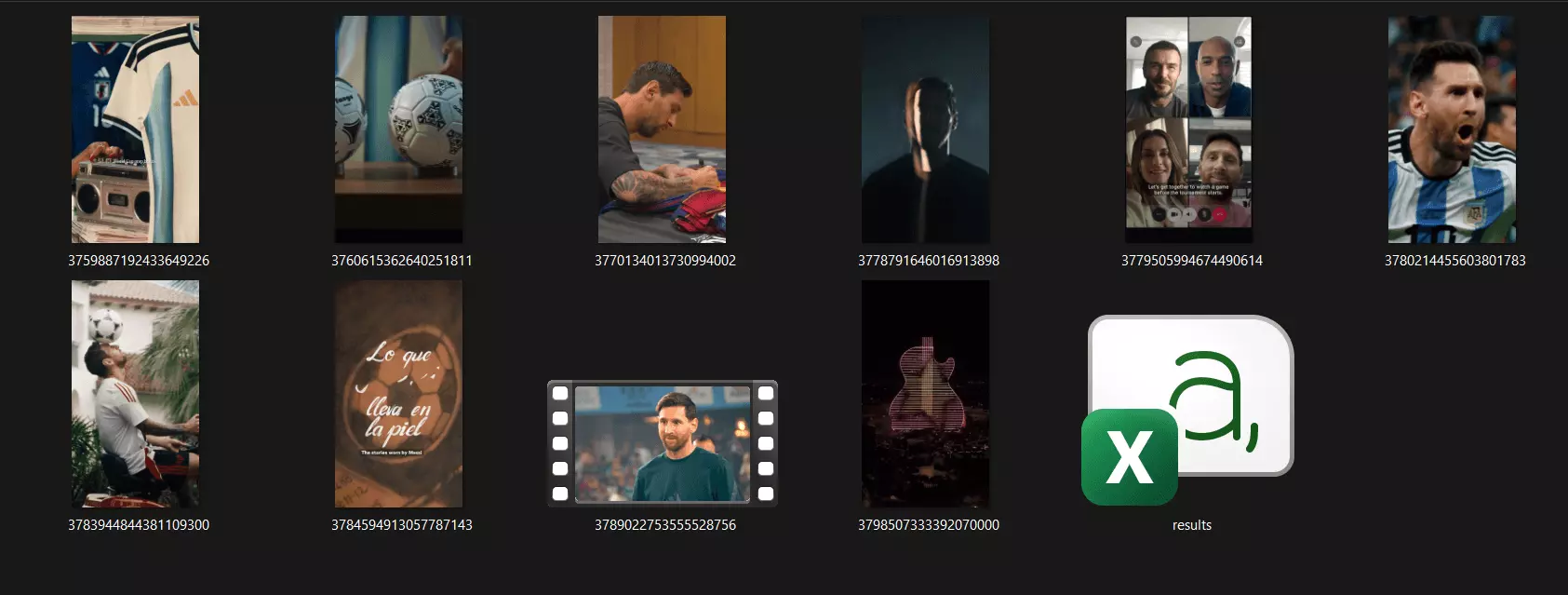
Now you have all reels saved locally, in full quality, without watermarks, and without wasting hours on manual work, plus a CSV file containing all vital data about each Reel.
But Apify’s scraper also offers transcription. 🤔
How to download transcriptions of Reels using AI
There’s no reason to pay $0.04 per minute for something you can do yourself, cheaper, and with more control.
You can use Whisper by OpenAI.
- Converts speech to text from audio files
- Transcribes multiple speakers and accents accurately
- Translates speech from many languages into English
- Handles background noise better than most traditional ASR systems
- Can run offline on your own machine
How to access Whisper?
You have 3 practical ways to use Whisper. Pick based on hardware and scale.
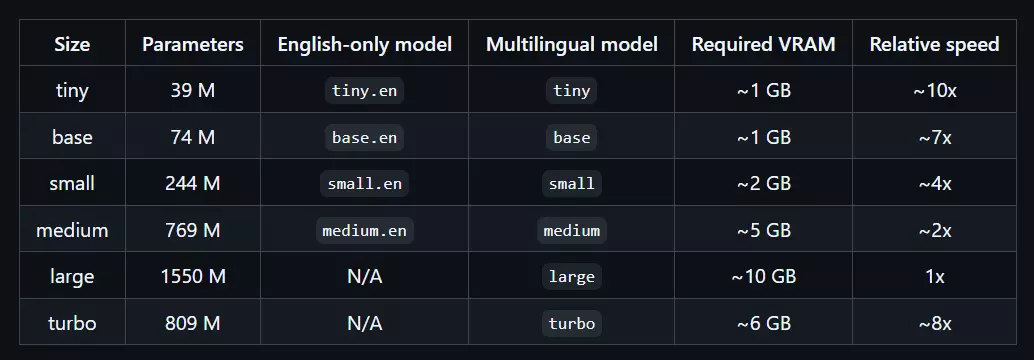
Run it locally
You can install Whisper on your own machine, completely free. This works well if you have a decent CPU or GPU and don’t mind slower batch processing.
Use inference platforms
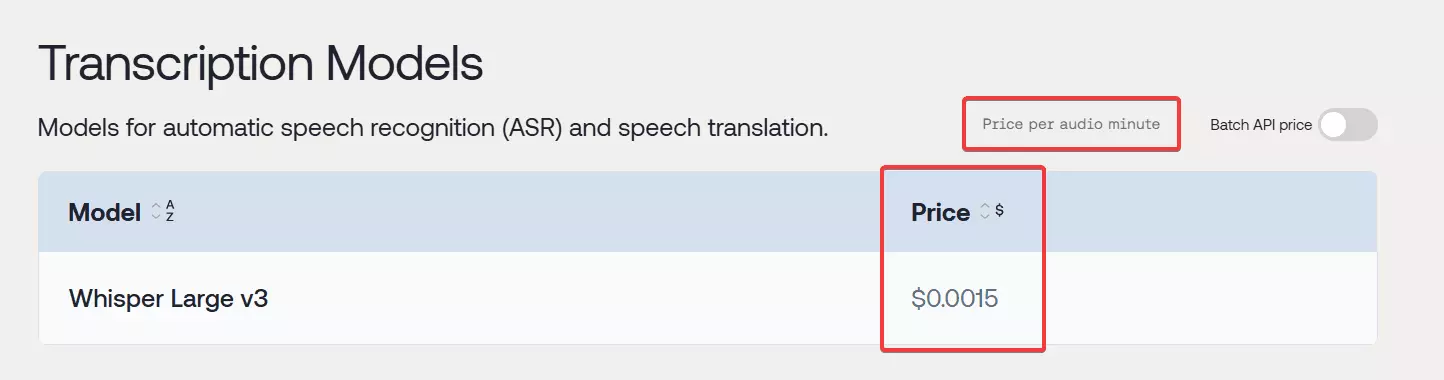
On both platforms, Whisper costs around $0.002 per minute, which is very affordable at scale.
Use the OpenAI Audio API
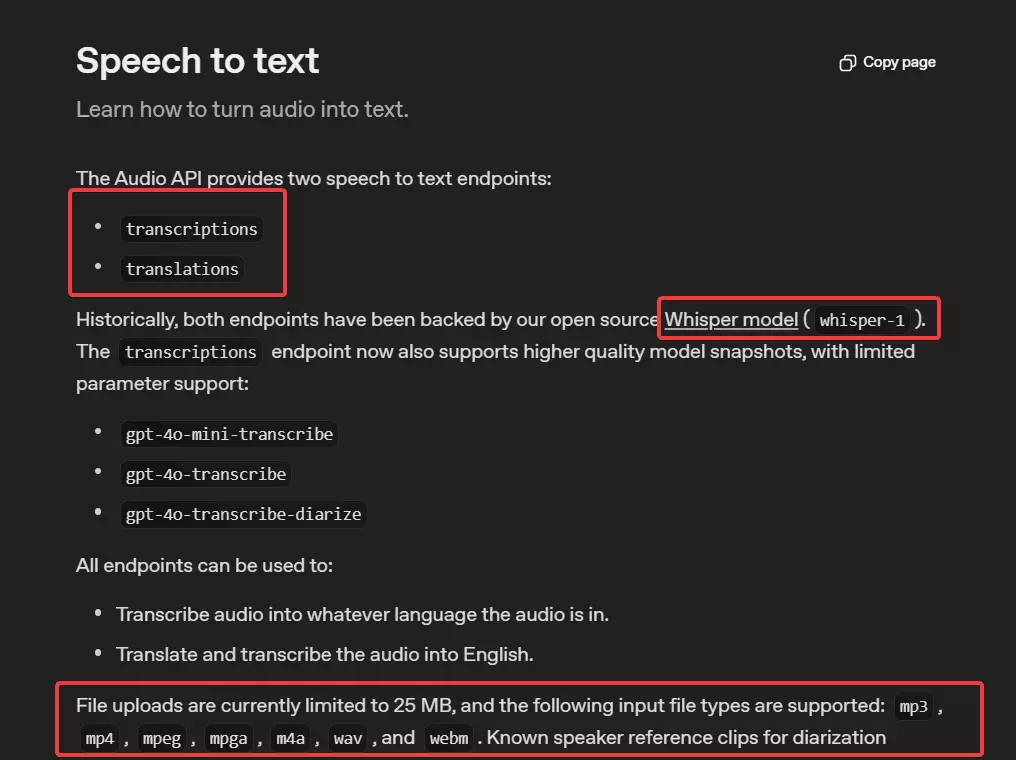
GPT-4o-mini-transcribe, which is Whisper-based, costs roughly $0.003 per 1k tokens.That’s slightly higher than inference platforms, but still far cheaper than Apify’s bundled transcription pricing.
What’s next?
At this point, you have:
- Every reel from a creator
- Clean video files and transcripts
- Full metadata containing valuable datapoints
In simple words, you have all the ingredients to reverse engineer a popular creator’s recipe to go viral.
You can pass this data to an AI agent to study visual hooks, ideal length, captions, audio usage, best Reel posting time, and many more insights.
P.S. What you can’t do is reupload or commercially reuse these videos. That’s not the goal here. The value isn’t the content itself, it’s the insight behind it.
Conclusion
That’s a wrap on how to download all Reels from any Instagram account with all useful data. If I missed anything or you want me to cover anything related, do let me know. 🫰