
How to Scrape Instagram Profiles and Posts using Python [Full Code]
15-Second Summary
This article shows you how to scrape Instagram profiles and posts at scale using Python with the official lobstr.io Python SDK.
It covers why the official Instagram API is useless for this (logged-in only, Business accounts only, tiny rate limits), why building your own scraper hurts (HTML parsing dies, browser automation gets caught, internal API rate-limits you into proxy bills), and why the SDK is the cleaner fix (typed dataclasses, auto-pagination, one-line polling, escape hatch to raw HTTP).
You'll get the full scraper.py that takes Instagram usernames or URLs and returns clean JSON + CSV with 70+ data points per profile, including the latest 12 posts and 4 IGTV videos.
It also covers the legal side of scraping Instagram, how to swap one line to scrape all posts, Reels, or comments using the same workflow, and a bonus on slot reuse so you don't burn through free-tier limits.
I heard you, nerd bros 🫂
Last time I wrote a Python tutorial for Instagram profiles, I hit the raw lobstr.io HTTP API directly.
requests + polling loop flavor. It works, but you're writing the plumbing yourself.This time we're doing it with the official lobstrio Python SDK.
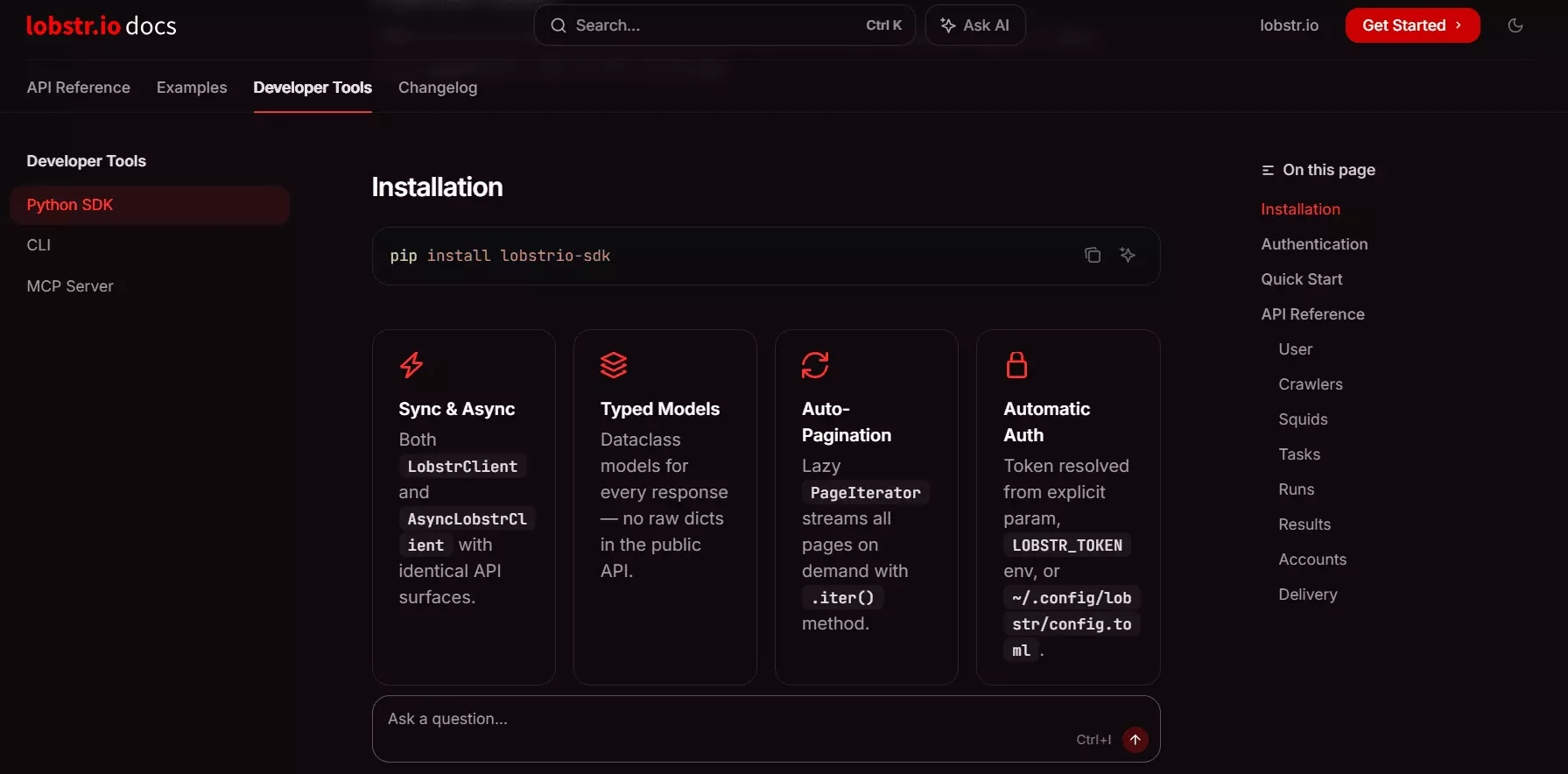
runs.wait(callback=...) instead of hand-rolling a polling loop.Same Instagram data, a lot less code.
instascraper.py repos last updated when Obama was president, Selenium scripts that die on the login redirect, and a dozen shady APIs that quietly force you to pay for proxies on top.This one actually works. No login. No proxies. And the script runs on lobstr.io's servers, not yours.
But why not just hit the official Instagram API?
Why not use the official Instagram API?
Short version... there isn't one for this use case.
Instagram offers 2 APIs.
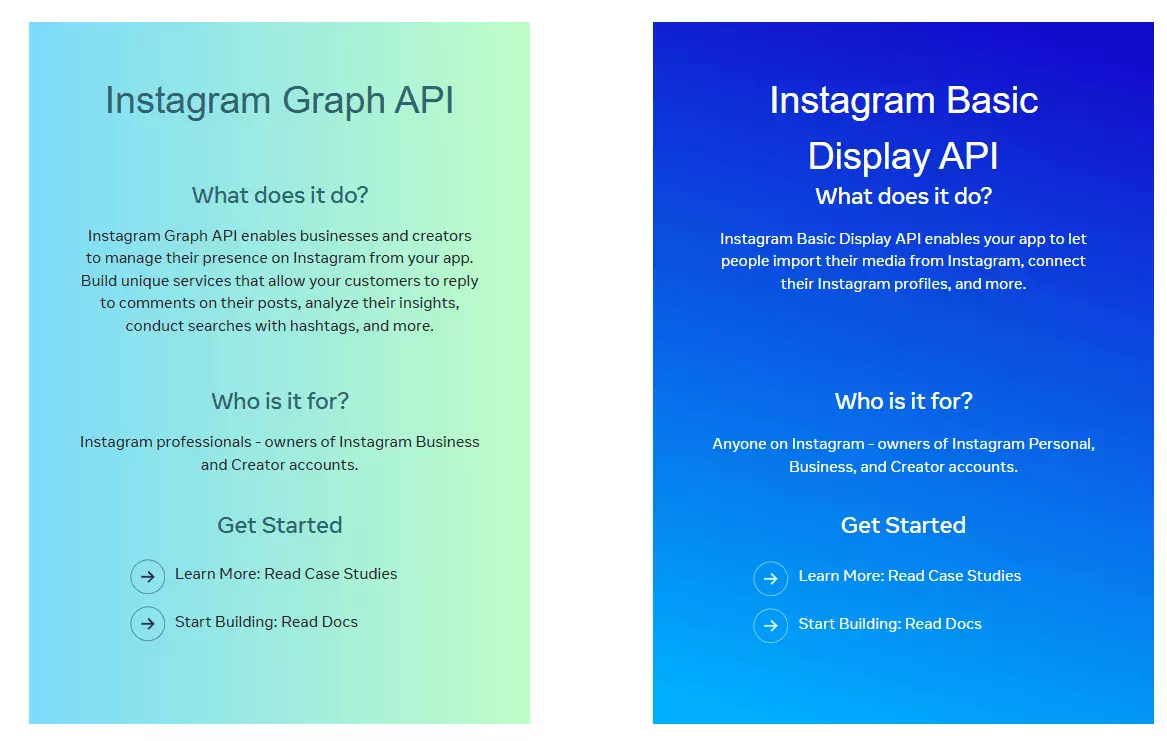
- Basic Display API... only reads the profile of the user who logged into your app. You can't use it to read other public profiles.
- Graph API (Business Discovery)... only works for Business or Creator accounts, returns very basic data, is heavily rate-limited, and requires your own verified Business account.
So no... there's no official API that lets you pull data from arbitrary public Instagram profiles. That's why you scrape it.
I covered this in more detail in the raw-API article if you want the full tear-down.
But is scraping Instagram even legal?
Is it legal to scrape Instagram profiles?
⚠️ Disclaimer This section is for general informational purposes only. It's based on publicly available sources and my own interpretation of them. It's not legal advice. Laws vary by jurisdiction and change over time. If compliance matters for your use case, talk to a qualified legal professional.
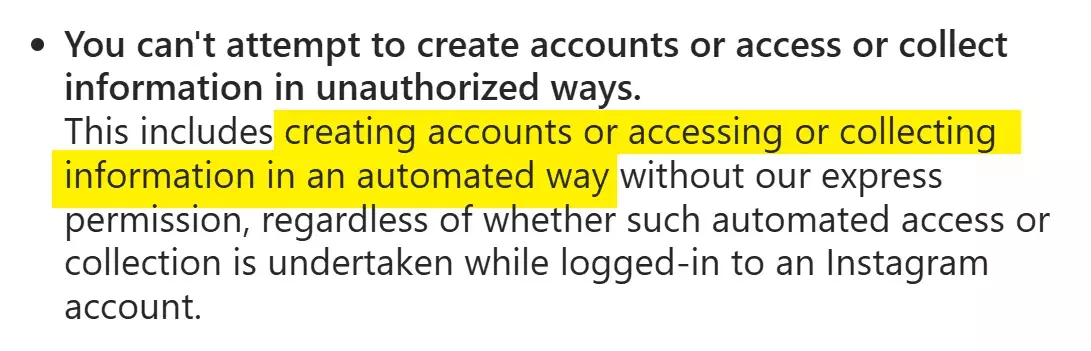
But those are platform terms, not laws.
Scraping publicly available data is generally considered legal. Instagram profiles are public... you don't need to log in to see them, which makes the data fair game.
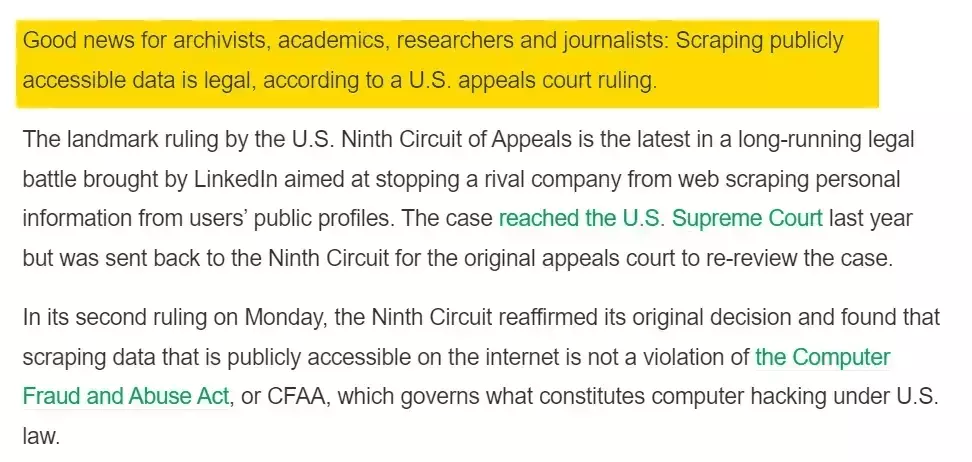
Full legal breakdown here.
Just keep the obvious in mind... don't collect sensitive info, respect GDPR, and don't misuse what you pull.
Now, how do I actually scrape Instagram profiles with Python?
2 ways to scrape Instagram profiles with Python
When it comes to scraping Instagram with code, there are 2 real options.
- Build your own scraper
- Use a scraper API
Build your own scraper
This is the instinctive choice. There are 3 common approaches you'd pick from.
- HTML parsing
- Browser automation
- Internal API
Guess what... I tried all 3 for this article. Here's the short, honest version.
HTML parsing technically works... but only for surface-level data. You can pull bio, follower count, following count, and post count from meta tags. That's about it. Everything else loads dynamically.
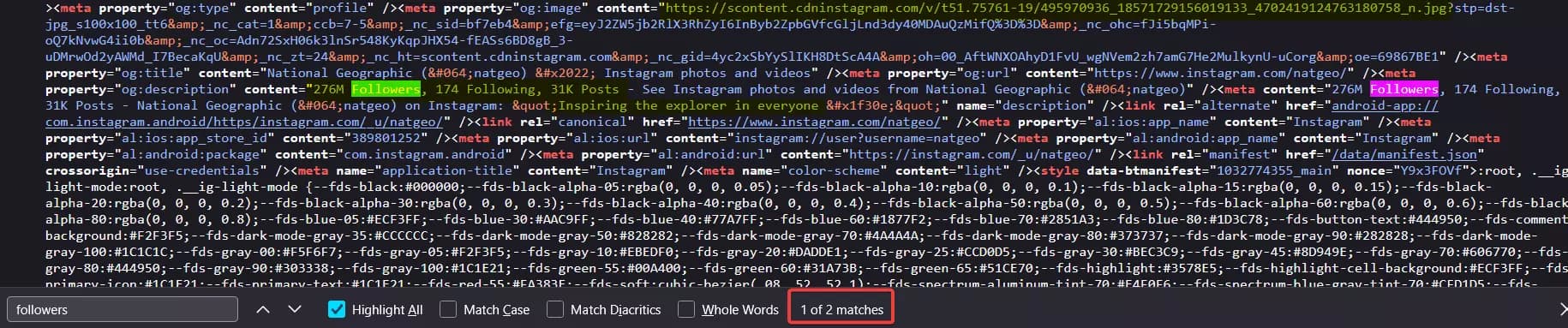
So if you're a newbie, you'll move on to browser automation. Selenium, Playwright, Puppeteer.
Bad idea.
It's slow, fragile, resource-heavy, and the easiest for Instagram to detect. After a handful of profile requests, you'll start hitting the login redirect.
That's why smarter folks dig into the network tab and look for an internal API. And good news... it actually works.
Instagram exposes a GraphQL-backed endpoint that returns almost every public profile field plus the latest 12 posts.
https://www.instagram.com/api/v1/users/web_profile_info/?username={username}f
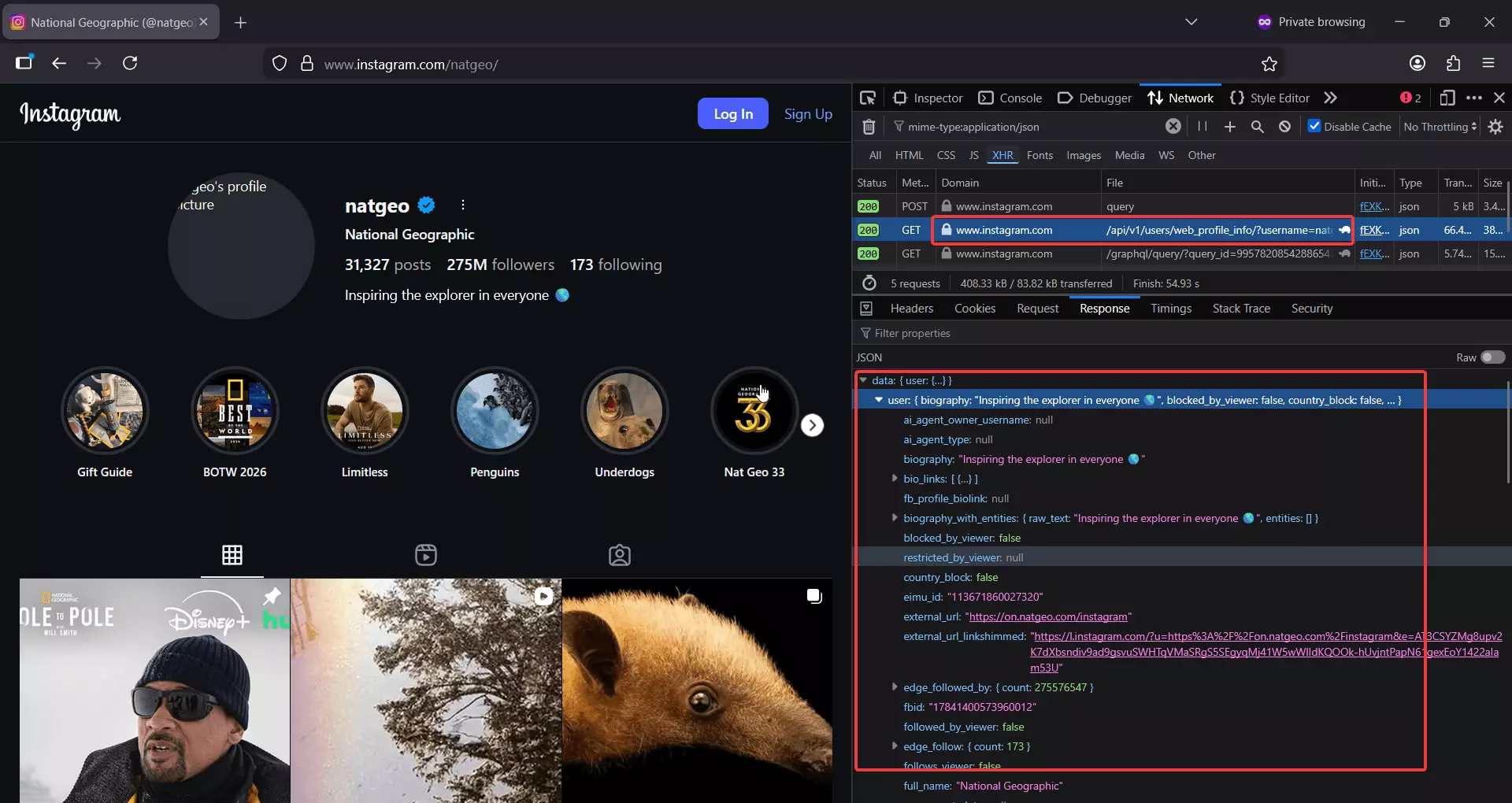
Sounds perfect... until rate limits kick in.
After a few requests, you're cooked for 10-15 minutes. To bypass that, you'll need a pool of residential proxies, which gets expensive fast. On top of that, headers expire randomly, so you're constantly refreshing sessions just to keep things running.
By the time the setup is stable, you've burned weeks. Fun side project, but not a scalable solution.
That's why anyone who actually needs profile data at scale lands on option 2... a scraper API.
Use an Instagram profile scraper API
A good Instagram profile scraper API has already done the messy work for you.
- Session management
- Proxy rotation
- Rate limit avoidance
- Breakage when Instagram changes things
You call an API, you get data. That's the whole point.
I'll do a full listicle comparing the best Instagram profile scraper APIs soon. For this tutorial, we're using the one I actually ship with... lobstr.io.
Best Instagram scraper API: lobstr.io
Features
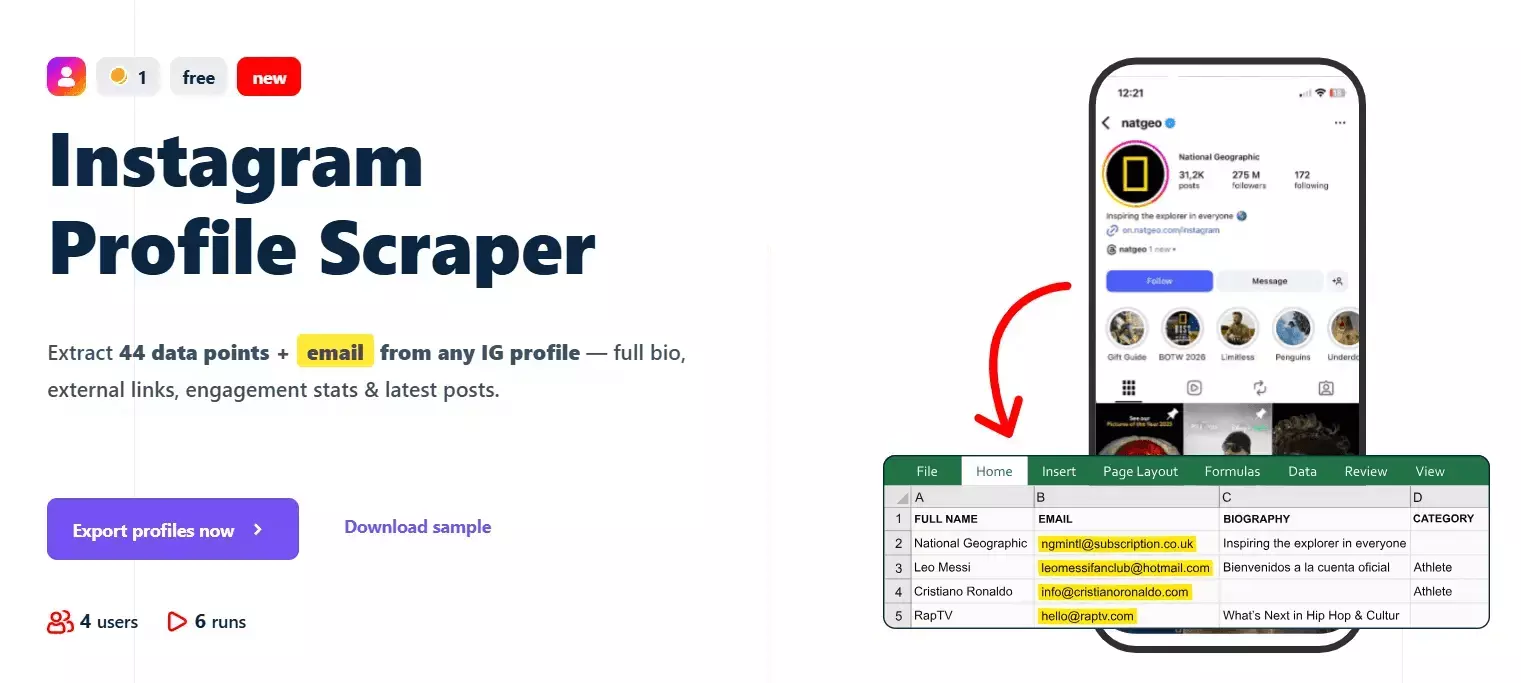
- 70+ data points per Instagram profile
- Profile metadata, contact info, external links
- Recent 12 posts + 4 IGTV videos with likes, comments, caption, audio, thumbnails
- No Instagram login required
- Built-in scheduling for recurring profile monitoring
- Dedicated scrapers for all posts and Reels from a profile
- Export to CSV, JSON, Google Sheets, Amazon S3, SFTP, email
- No hard cap on profiles scraped
- 3000+ integrations via Make.com
- Async API with official Python SDK, CLI, and MCP server for vibe coding
- Rich documentation with detailed examples and AI search
Data
| 🔗 all_external_urls[].url | 📝 all_external_urls[].title | 🏷️ all_external_urls[].link_type | | 🌐 all_external_urls[].lynx_url | 📖 biography | 📞 business_contact_method | | 📧 business_email | ☎️ business_phone_number | 🏢 category | | 🔗 external_url.url | 📝 external_url.title | 🌐 external_url.lynx_url | | 🏷️ external_url.link_type | 🆔 fbid | 👥 followers_count | | 👤 follows_count | 👨💼 full_name | ⚙️ functions | | 📺 has_channel | 🎬 has_clips | 📚 has_guides | | ⭐ highlight_reel_count | 🎥 igtv_video_count | 💼 is_business_account | | 🔒 is_private | 👔 is_professional_account | ✅ is_verified | | 🆕 joined_recently | 🎬 latest_igtv_video.id | 🔗 latest_igtv_video.url | | ❤️ latest_igtv_video.likes | 📝 latest_igtv_video.title | 👁️ latest_igtv_video.views | | 💬 latest_igtv_video.caption | 💭 latest_igtv_video.comments | ⏱️ latest_igtv_video.duration | | 📍 latest_igtv_video.location | 📅 latest_igtv_video.posted_at | 🔖 latest_igtv_video.shortcode | | 🖼️ latest_igtv_video.thumbnail_url | 📸 latest_post.id | 🔗 latest_post.url | | 📋 latest_post.type | ❤️ latest_post.likes | 👁️ latest_post.views | | 💬 latest_post.caption | 💭 latest_post.comments | 🎥 latest_post.is_video | | 📍 latest_post.location | 📅 latest_post.posted_at | 🔖 latest_post.shortcode | | 🎵 latest_post.audio_info.audio_id | 🎶 latest_post.audio_info.song_name | 🎤 latest_post.audio_info.artist_name | | 🔊 latest_post.audio_info.uses_original_audio | 📏 latest_post.dimensions.width | 📐 latest_post.dimensions.height | | 🖼️ latest_post.display_url | 🔢 latest_post.media_count | 🏷️ latest_post.product_type | | 🏷️ latest_post.tagged_users | 🔗 related_profiles[].username | 👨💼 related_profiles[].full_name | | 🆔 native_id | 📊 posts_count | 🆔 profile_id | | 👤 profile_picture_url | 🔗 profile_url | ⏰ scraping_time | | 👤 username | | |f
Pricing
lobstr.io uses simple monthly pricing. Plans range from $20 to $500. No proxy costs, no hidden charges.
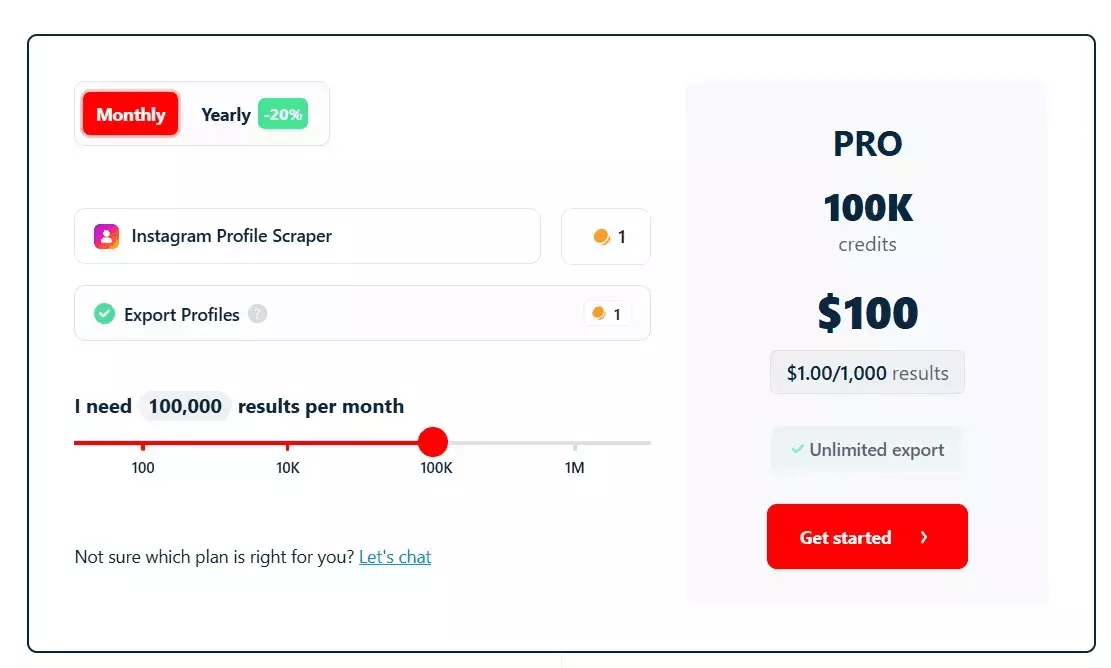
- 100 Instagram profiles per month free
- Pricing starts at ~$2 per 1,000 profiles
- Drops to $0.5 per 1,000 profiles at scale
Now let's get to the Python part.
But wait... why use the SDK when I already have the raw API?
SDK vs raw API... why switch?
Same 5 operations, side by side.
| Operation | Raw API (requests) | SDK |
|---|---|---|
| Auth | Add Authorization: Token <token> header every request | LobstrClient(token=...) once |
| List crawlers | GET /v1/crawlers → parse JSON → read id | client.crawlers.list() → typed Crawler objects |
| Create squid | POST /v1/squids → parse → extract id | client.squids.create(crawler=id) → typed Squid |
| Poll run | while: GET /runs/{id}/stats; sleep; check is_done | client.runs.wait(run.id, callback=on_progress) |
| Paginate results | Page loop until data[] empty | for row in client.results.iter(squid=id): |
Two examples make the difference obvious.
Polling a run with raw API ... you write the loop yourself.
import requests, time

headers = {"Authorization": f"Token {token}"}
while True:
    r = requests.get(f"https://api.lobstr.io/v1/runs/{run_id}/stats", headers=headers)
    stats = r.json()
    print(f"{stats['percent_done']}  {stats['total_tasks_done']}/{stats['total_tasks']}")
    if stats["is_done"]:
        break
    time.sleep(3)f
With the SDK ... the loop is built in.
def on_progress(stats):
    print(f"{stats.percent_done}  {stats.total_tasks_done}/{stats.total_tasks}")

run = client.runs.wait(run_id, poll_interval=3, callback=on_progress)f
stats is typed (your IDE autocompletes .percent_done), no dict-key typos.Pagination with raw API ... you track page numbers.
page = 1
while True:
    r = requests.get(
        "https://api.lobstr.io/v1/results",
        params={"squid": squid_id, "page": page, "page_size": 100},
        headers=headers,
    )
    body = r.json()
    if not body["data"]:
        break
    for row in body["data"]:
        yield row
    page += 1f
iter() handles it.for row in client.results.iter(squid=squid_id): yield rowf
What you gain with the SDK
- Typed dataclasses over raw JSON.
Run.credit_used,Balance.available,Squid.is_ready... autocomplete in your editor, typos error out instead of silently returningNone. - Auto-pagination via
.iter()... no reimplementing page loops per endpoint. runs.wait(callback=...)... a 20-line polling loop becomes one call.- Auth resolution. Token from env or config once, applied everywhere.
- One source of truth for base URL and timeouts. No scattered
strings.https://api.lobstr.io/v1/...
What you lose
I'm not gonna sugarcoat it. The SDK isn't a free win.
- SDK bugs can block you. At the time of writing,
tasks.uploaderrors server-side and you can't fix it from inside the SDK. With raw HTTP you'd just tweak the field name and move on. - Hidden requirements stay hidden. The SDK doesn't warn that
squids.createmust be followed bysquids.updatebeforeruns.start. With raw calls you read every response and spot theis_ready: falsefield yourself. - Python only. If part of your stack is Node or Go, the SDK doesn't help there.
- Version lag. New API response fields may not hit the SDK's dataclasses until the next release.
The escape hatch
client._http... the underlying httpx.Clientresp = client._http.post( "/tasks/upload", data={"squid": squid.id, "file": "csv"}, files={"tasks": ("urls.csv", open("urls.csv", "rb"))}, )f
Typed models for 95% of your code, raw access for the 5% where the SDK falls short.
My recommendation
For this workflow... the SDK wins.
runs.wait and results.iter (both big SDK wins), and the one broken method (tasks.upload) has a trivial fallback to tasks.add that still lives inside the SDK.Alright. Let's build the actual scraper.
How to scrape Instagram profiles with the lobstr.io Python SDK [Step by Step]
Here's what we're building.
A command-line tool that takes an Instagram username, URL, or a file of them, and returns clean JSON + CSV of profile data (bio, follower counts, 12 recent posts, 4 IGTV videos, etc.) via the lobstr.io Python SDK.
scraper.py. It handles slot limits, input normalization, dry-run, progress polling, graceful Ctrl-C, export wait, credit summary, and CSV + JSON output."""Instagram profile scraper using the lobstr.io SDK. Usage: python scraper.py --user <username_or_url> python scraper.py --file <path_to_file> python scraper.py --user alice --user bob --file more.txt --dry-run """ import argparse import csv import json import os import re import sys from datetime import datetime from pathlib import Path from dotenv import load_dotenv from lobstrio import LobstrClient CRAWLER = "instagram-profile-scraper" OUTPUT_DIR = Path(__file__).parent / "output" URL_RE = re.compile(r"^https?://", re.IGNORECASE) USERNAME_RE = re.compile(r"[A-Za-z0-9._]+") MAX_TASKS_PER_SQUID = 10_000 CREDITS_PER_ROW = 1 # instagram-profile-scraper def to_profile_url(entry: str) -> str: """Normalize a username or URL into a canonical Instagram profile URL.""" entry = entry.strip().strip(",").strip('"').strip("'").strip() entry = entry.rstrip("/\\") if not entry: return "" if URL_RE.match(entry): return entry match = USERNAME_RE.search(entry.lstrip("@")) if not match: return "" return f"https://www.instagram.com/{match.group(0)}" def load_inputs(users: list[str], files: list[str]) -> list[str]: """Collect, normalize, and dedupe all input profiles.""" raw: list[str] = list(users) for path in files: p = Path(path) if not p.exists(): sys.exit(f"Input file not found: {path}") with p.open("r", encoding="utf-8") as fh: raw.extend(line for line in fh.read().splitlines() if line.strip()) seen: set[str] = set() urls: list[str] = [] for entry in raw: url = to_profile_url(entry) if url and url not in seen: seen.add(url) urls.append(url) return urls def save_results(rows: list[dict], stem: str) -> tuple[Path, Path]: OUTPUT_DIR.mkdir(parents=True, exist_ok=True) json_path = OUTPUT_DIR / f"{stem}.json" csv_path = OUTPUT_DIR / f"{stem}.csv" with json_path.open("w", encoding="utf-8") as fh: json.dump(rows, fh, indent=2, ensure_ascii=False) if rows: fieldnames: list[str] = [] seen_keys: set[str] = set() for row in rows: for key in row.keys(): if key not in seen_keys: seen_keys.add(key) fieldnames.append(key) with csv_path.open("w", encoding="utf-8", newline="") as fh: writer = csv.DictWriter(fh, fieldnames=fieldnames, extrasaction="ignore") writer.writeheader() for row in rows: writer.writerow({k: _flatten(v) for k, v in row.items()}) else: csv_path.write_text("", encoding="utf-8") return json_path, csv_path def _flatten(value): if isinstance(value, (dict, list)): return json.dumps(value, ensure_ascii=False) return value def _is_slot_limit_error(exc: Exception) -> bool: msg = str(exc).lower() return "maximum number of slots" in msg or ("slot" in msg and "reached" in msg) def _prompt_slot_resolution(client, crawler_id: str, desired_name: str): squids = list(client.squids.list()) if not squids: sys.exit("Slot limit reached but no squids listed — cannot resolve automatically.") print("\n=== Slot limit reached ===") print("Existing squids on your account:") for i, s in enumerate(squids, 1): marker = " <-- same crawler" if getattr(s, "crawler", None) == crawler_id else "" print(f" [{i}] {s.name} id={s.id} crawler={getattr(s, 'crawler_name', '?')}{marker}") while True: choice = input( "\nChoose an action:\n" " d <N> delete squid N, then create a new one\n" " e <N> empty squid N's tasks and reuse it (must match the target crawler)\n" " q quit\n" "> " ).strip().lower() if choice in ("q", "quit", "exit"): sys.exit("Aborted by user.") parts = choice.split() if len(parts) != 2 or parts[0] not in ("d", "e") or not parts[1].isdigit(): print("Invalid input. Use 'd <N>', 'e <N>', or 'q'.") continue action, idx_str = parts idx = int(idx_str) if not 1 <= idx <= len(squids): print(f"Index out of range. Pick 1-{len(squids)}.") continue target = squids[idx - 1] if action == "d": print(f"Deleting squid '{target.name}' ({target.id})...") client.squids.delete(target.id) print(f"Creating squid '{desired_name}' on crawler {crawler_id}...") return client.squids.create(crawler=crawler_id, name=desired_name) if action == "e": if getattr(target, "crawler", None) != crawler_id: print(f"Squid is on a different crawler ({getattr(target, 'crawler_name', '?')}). " "Reusing would run the wrong scraper. Pick another option.") continue print(f"Emptying tasks on squid '{target.name}' ({target.id})...") try: client.squids.empty(target.id) except Exception as e: print(f" warning: could not empty squid: {e}") return target def create_squid(client, crawler_id: str, desired_name: str): print(f"Creating squid '{desired_name}' on crawler {crawler_id}...") try: return client.squids.create(crawler=crawler_id, name=desired_name) except Exception as e: if _is_slot_limit_error(e): return _prompt_slot_resolution(client, crawler_id, desired_name) raise def resolve_crawler(client, slug_or_id: str) -> str: crawlers = list(client.crawlers.list()) for c in crawlers: if getattr(c, "id", None) == slug_or_id or getattr(c, "slug", None) == slug_or_id: return c.id print(f"Crawler '{slug_or_id}' not found. Available ({len(crawlers)}):", file=sys.stderr) for c in crawlers: print(f" - {getattr(c, 'slug', '?')} (id={getattr(c, 'id', '?')}, name={getattr(c, 'name', '?')})", file=sys.stderr) sys.exit(1) def credits_remaining(balance) -> int: """Real credits left = plan allotment (available) - consumed so far.""" return int(getattr(balance, "available", 0)) - int(getattr(balance, "consumed", 0)) def preflight_credit_check(balance, n_urls: int) -> None: needed = n_urls * CREDITS_PER_ROW remaining = credits_remaining(balance) print(f"Credit check: need ~{needed}, remaining {remaining} " f"(plan: {balance.available}, consumed: {balance.consumed}).") if remaining >= needed: return print(f"WARNING: insufficient credits ({remaining} < {needed}). " "The run may stop early when credits run out.") answer = input("Continue anyway? [y/N]: ").strip().lower() if answer not in ("y", "yes"): sys.exit("Aborted by user.") TASKS_ADD_CHUNK = 500 def add_tasks(client, squid_id: str, urls: list[str], *, use_upload: bool) -> None: """Add tasks in chunks via tasks.add (reliable across input sizes). Note: the SDK's tasks.upload currently fails with a server-side field collision ("parameter file has invalid value, valid values: csv or tsv"). Until that's fixed, we chunk tasks.add regardless of input source. """ total = len(urls) label = "file-upload fallback" if use_upload else "tasks.add" print(f"Adding {total} task(s) via {label} in chunks of {TASKS_ADD_CHUNK}...") for i in range(0, total, TASKS_ADD_CHUNK): chunk = urls[i:i + TASKS_ADD_CHUNK] client.tasks.add(squid=squid_id, tasks=[{"url": u} for u in chunk]) print(f" added {min(i + TASKS_ADD_CHUNK, total)}/{total}") def handle_interrupt(client, run_id: str, squid_id: str) -> None: """On Ctrl-C during wait, let the user choose what to do.""" print("\n\nInterrupted. Choose:") print(" [1] Abort the run") print(" [2] Abort the run AND delete the squid") print(" [3] Exit without aborting (run continues server-side)") while True: choice = input("> ").strip() if choice == "1": try: client.runs.abort(run_id) print(f"Run {run_id} aborted.") except Exception as e: print(f" warning: abort failed: {e}") sys.exit(130) if choice == "2": try: client.runs.abort(run_id) print(f"Run {run_id} aborted.") except Exception as e: print(f" warning: abort failed: {e}") try: client.squids.delete(squid_id) print(f"Squid {squid_id} deleted.") except Exception as e: print(f" warning: delete failed: {e}") sys.exit(130) if choice == "3": print(f"Leaving run {run_id} running on the server. Exiting.") sys.exit(130) print("Enter 1, 2, or 3.") def print_credit_summary(client, run) -> None: try: balance = client.balance() user = client.me() except Exception as e: print(f" (could not fetch credit summary: {e})") return current_plan = next((p for p in (user.plan or []) if p.get("type") == "current"), None) expiry = "unknown" if current_plan and current_plan.get("end"): expiry = datetime.fromtimestamp(current_plan["end"]).strftime("%Y-%m-%d %H:%M:%S") print("\n=== Credits ===") print(f" Consumed this run : {getattr(run, 'credit_used', '?')}") print(f" Remaining balance : {credits_remaining(balance)} " f"(plan: {balance.available}, consumed: {balance.consumed})") print(f" Credits expire on : {expiry}") def main() -> None: parser = argparse.ArgumentParser(description="Scrape Instagram profiles via lobstr.io") parser.add_argument("--user", action="append", default=[], help="Profile username or URL. Can be repeated.") parser.add_argument("--file", action="append", default=[], help="Path to a file with one username/URL per line. Can be repeated.") parser.add_argument("--crawler", default=CRAWLER, help=f"lobstr.io crawler slug (default: {CRAWLER})") parser.add_argument("--name", default=None, help="Optional squid name (default: timestamped).") parser.add_argument("--max-results", type=int, default=None, help="Optional cap on total results for this squid.") parser.add_argument("--concurrency", type=int, default=None, help="Optional concurrency (paid accounts: up to 20).") parser.add_argument("--poll-interval", type=float, default=3.0, help="Seconds between progress updates (default: 3).") parser.add_argument("--dry-run", action="store_true", help="Resolve and dedupe inputs, print them, and exit without scraping.") args = parser.parse_args() if not args.user and not args.file: parser.error("Provide at least one --user or --file.") load_dotenv(Path(__file__).parent / ".env", override=True) token = os.getenv("LOBSTR_TOKEN") if not token: sys.exit("LOBSTR_TOKEN is missing. Set it in .env.") urls = load_inputs(args.user, args.file) if not urls: sys.exit("No valid profiles resolved from inputs.") if len(urls) > MAX_TASKS_PER_SQUID: sys.exit(f"Too many profiles: {len(urls)} > cap of {MAX_TASKS_PER_SQUID}. " "Split into multiple runs.") print(f"Resolved {len(urls)} unique profile(s).") if args.dry_run: print("\n=== Dry run — profiles that would be scraped ===") for u in urls: print(f" {u}") print(f"\nTotal: {len(urls)}. Exiting (dry-run).") return client = LobstrClient(token=token) user = client.me() balance = client.balance() print(f"Authenticated as {user.email} — balance: {balance}") preflight_credit_check(balance, len(urls)) stamp = datetime.now().strftime("%Y%m%d-%H%M%S") squid_name = args.name or f"insta-profiles-{stamp}" crawler_ref = resolve_crawler(client, args.crawler) squid = create_squid(client, crawler_ref, squid_name) squid_params: dict = { "max_results": args.max_results, "max_unique_results_per_run": None, } update_kwargs: dict = {"params": squid_params} if args.concurrency is not None: update_kwargs["concurrency"] = args.concurrency print(f"Configuring squid with params={squid_params}" + (f", concurrency={args.concurrency}" if args.concurrency is not None else "")) client.squids.update(squid.id, **update_kwargs) fresh = client.squids.get(squid.id) if not getattr(fresh, "is_ready", True): sys.exit(f"Squid {squid.id} is still not ready after update.") add_tasks(client, squid.id, urls, use_upload=bool(args.file)) print("Starting run...") run = client.runs.start(squid=squid.id) print(f"Run {run.id} started. Polling every {args.poll_interval}s... (Ctrl-C to interrupt)") def _progress(stats) -> None: line = (f" [{stats.percent_done}] tasks={stats.total_tasks_done}/{stats.total_tasks}" f" results={stats.total_results} eta={stats.eta or '?'}" f" duration={stats.duration if stats.duration is not None else '?'}") if stats.current_task: line += f" current={stats.current_task}" sys.stdout.write("\r" + line.ljust(120)) sys.stdout.flush() try: run = client.runs.wait(run.id, poll_interval=args.poll_interval, callback=_progress) except KeyboardInterrupt: handle_interrupt(client, run.id, squid.id) sys.stdout.write("\n") # Stats can report is_done while results are still uploading to S3. # Poll runs.get until status settles (export_done=True) before fetching results. import time as _time run = client.runs.get(run.id) if not getattr(run, "export_done", False): print("Scraping complete. Waiting for export to S3 to finish...") waited = 0.0 while not getattr(run, "export_done", False) and waited < 60: _time.sleep(2) waited += 2 run = client.runs.get(run.id) print(f"Run finished with status: {getattr(run, 'status', 'unknown')}") rows: list[dict] = list(client.results.iter(squid=squid.id)) print(f"Collected {len(rows)} result row(s).") print_credit_summary(client, run) stem = f"{squid_name}_{run.id}" if rows: json_path, csv_path = save_results(rows, stem=stem) print(f"\nSaved JSON -> {json_path}") print(f"Saved CSV -> {csv_path}") else: print("\nNo results returned.") answer = input(f"\nDelete squid {squid.id} to free its slot? [y/N]: ").strip().lower() if answer in ("y", "yes"): try: client.squids.delete(squid.id) print(f"Squid {squid.id} deleted.") except Exception as e: print(f" warning: could not delete squid: {e}") else: print(f"Squid {squid.id} kept.") if __name__ == "__main__": main()f
P.S. I'll drop a Gist link here so you can grab the script without copy-pasting.
One sample row from the output so you can see what you're getting.
{
  "username": "mrbeast",
  "full_name": "MrBeast",
  "biography": "Figuring it all out",
  "followers_count": 123456789,
  "follows_count": 452,
  "posts_count": 897,
  "is_verified": true,
  "is_business_account": true,
  "category": "Public figure",
  "business_email": "...",
  "profile_pic_url": "...",
  "latest_post_1": { "url": "...", "likes": 9876543, "comments": 12345, "caption": "...", "posted_at": "..." },
  "latest_post_2": { ... },
  "latest_igtv_video_1": { ... }
}f
51 top-level fields, 12 recent posts, and 4 IGTV videos per profile. No login. Everything runs on lobstr.io's servers.
1. Prerequisites
- A lobstr.io account + API token
- Python 3.11+ (the SDK uses
tomllib)
Grab your token from the dashboard.
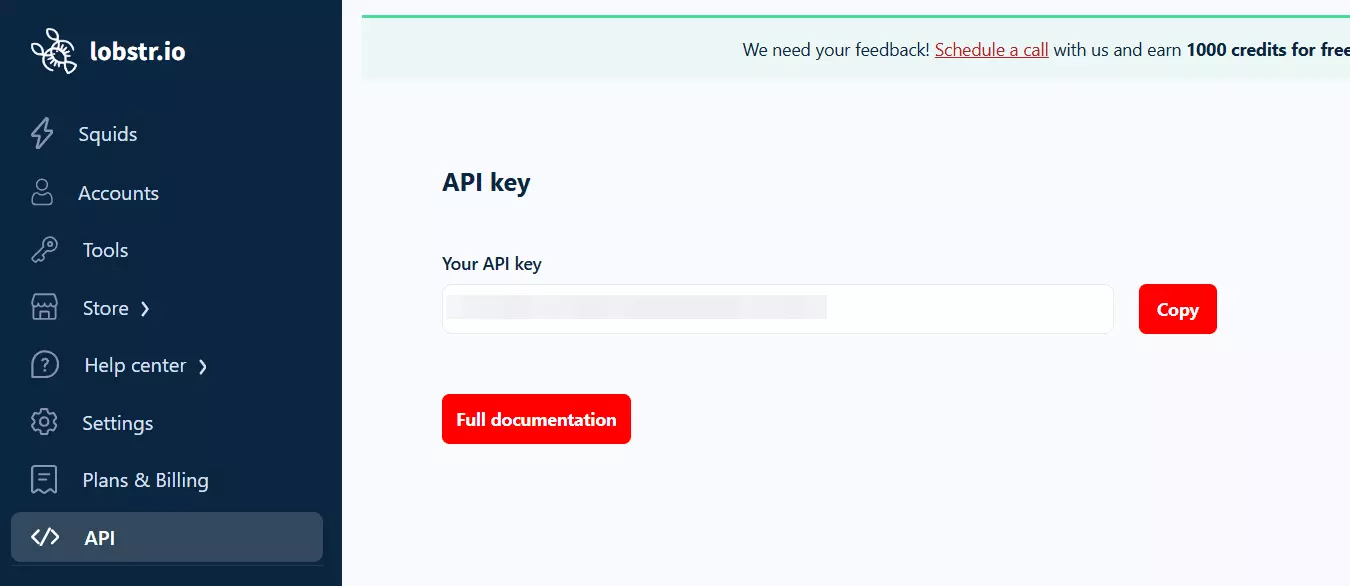
Install the deps.
pip install lobstrio python-dotenvf
.env in your project folder.LOBSTR_TOKEN=your_token_here
2. The mental model
If you've never used lobstr.io before, the nouns will trip you up. Spend 30 seconds on these.
- Crawler — the template (e.g.
instagram-profile-scraper). You don't run crawlers directly. - Squid — your instance of a crawler, configured with your params. Persists on your account and occupies a slot.
- Task — one unit of work (one profile URL).
- Run — an execution that processes the Squid's tasks and burns credits.
- Result — the scraped data. Queried by Squid, not by run. (This one catches everyone.)
Crawler ──(create)──▶ Squid ◀──(add)── Tasks
                        │
                     (start)
                        │
                        ▼
                       Run ──▶ Results
3. Authentication... the one thing people get wrong
LOBSTR_TOKEN, not LOBSTR_API_KEY or LOBSTR_API_TOKEN.lobstr CLI installed, the SDK silently falls back to the CLI's stored token... possibly a different account than you intend.Pass the token explicitly and you block that silent fallback.
import os
from dotenv import load_dotenv
from lobstrio import LobstrClient

load_dotenv()
client = LobstrClient(token=os.environ["LOBSTR_TOKEN"])f
Missing env var? Clean error, immediately. Beats debugging an auth mystery.
4. Resolve the crawler ID
squids.create needs the crawler's hash ID, not the slug.The docs quick-start passes a slug and it fails with a 404. Resolve it first.
crawlers = list(client.crawlers.list())
crawler_id = next(c.id for c in crawlers if c.slug == "instagram-profile-scraper")f
5. Create the Squid
squid = client.squids.create(crawler=crawler_id, name="insta-profiles-20260101")f
Name it something timestamped so repeated runs don't collide on your slot list.
6. Configure the Squid (required!)
runs.start fails with:Squid not ready, please update the settings first.
Fix it.
client.squids.update(squid.id, params={
    "max_results": None,
    "max_unique_results_per_run": None,
})f
7. Add tasks
client.tasks.add(squid=squid.id, tasks=[
    {"url": "https://www.instagram.com/mrbeast"},
])f
@mrbeast, mrbeast, instagram.com/mrbeast/. Normalize it before sending.import re URL_RE = re.compile(r"^https?://", re.IGNORECASE) USERNAME_RE = re.compile(r"[A-Za-z0-9._]+") def to_profile_url(entry: str) -> str: entry = entry.strip().strip(",").strip('"').strip("'").rstrip("/\\") if URL_RE.match(entry): return entry match = USERNAME_RE.search(entry.lstrip("@")) return f"https://www.instagram.com/{match.group(0)}" if match else ""f
Saves you a support ticket from whoever runs the script after you.
8. Start the run with live progress
run = client.runs.start(squid=squid.id)

def on_progress(stats):
    print(f"\r[{stats.percent_done}] {stats.total_tasks_done}/{stats.total_tasks}"
          f"  results={stats.total_results}  eta={stats.eta}", end="")

run = client.runs.wait(run.id, poll_interval=3, callback=on_progress)f
runs.wait polls for you. callback gets a typed stats object every tick, so you can print a live progress line.9. Wait for export to finish
Critical gotcha.
runs.wait returns as soon as stats.is_done is true... but results may still be uploading to S3. Fetching them immediately can return a partial set.export_done until it flips.import time run = client.runs.get(run.id) while not run.export_done: time.sleep(2) run = client.runs.get(run.id)f
10. Fetch results
for row in client.results.iter(squid=squid.id):
    print(row["full_name"], row["followers_count"])f
Two things the docs don't make obvious.
results.itertakessquid=, notrun=.- It yields individual dicts, not page objects with
.data.
11. Credit summary
balance = client.balance()
remaining = balance.available - balance.consumed   # NOT balance.available alone
print(f"Run used {run.credit_used} credits. Remaining: {remaining}")f
Balance.available is the plan allotment, not credits remaining. Actual remaining = available - consumed. Catches nearly everyone the first time.12. Clean up the Squid
client.squids.delete(squid.id)f
squids.create fails with:You have reached the maximum number of slots
Either delete after each run, or reuse... which brings us to the next section.
Dealing with slot limits
Reuse pattern for free-tier.
existing = [s for s in client.squids.list() if s.crawler == crawler_id]
if existing:
    squid = existing[0]
    client.squids.empty(squid.id)   # remove old tasks
else:
    squid = client.squids.create(crawler=crawler_id, name="insta-profiles")f
squids.empty wipes old tasks without destroying the Squid. Add your new tasks, run, repeat. No slot juggling.Scaling considerations
A few things to keep in mind if you're going beyond a handful of profiles.
Concurrency
Paid accounts can run up to 20 concurrent tasks. Pass it as a top-level kwarg, not inside params.
client.squids.update(squid.id, concurrency=10)f
max_results
Caps total rows per Squid. Good for controlled spending on exploratory runs.
10,000 task cap per Squid
Hard limit per Squid. Split larger workloads across multiple runs or Squids.
tasks.upload caveat
The SDK ships a bulk CSV uploader, but at time of writing it errors server-side.
parameter file has invalid value, valid values: csv or tsv
tasks.add in batches of 500 URLs. Works fine across all sizes.TASKS_ADD_CHUNK = 500 for i in range(0, len(urls), TASKS_ADD_CHUNK): chunk = urls[i:i + TASKS_ADD_CHUNK] client.tasks.add(squid=squid.id, tasks=[{"url": u} for u in chunk])f
Usage examples
Single profile.
python scraper.py --user mrbeastf
Batch from a file.
python scraper.py --file profiles.txt --concurrency 5f
Combine both + dry-run to check what would get scraped.
python scraper.py --user alice --file batch.txt --dry-runf
Cap the run for testing.
python scraper.py --user bob --max-results 50f
Flags worth knowing.
--user/--file... both repeatable, both combinable--dry-run... resolve and dedupe inputs, print them, exit without touching the API--concurrency,--max-results,--poll-interval... tune throughput and budget--name... custom Squid name (default is timestamped)
That's the profile part done. But what if I want posts or comments?
Scraping posts, Reels, and comments too
The profile scraper gives you the latest 12 posts + 4 IGTV videos per profile. Plenty for monitoring, not enough if you want every post a profile has ever made.
For that, swap in the dedicated scrapers. Same exact lifecycle, different crawler slug.
- Instagram Post Scraper — all posts + Reels from a profile
- Instagram Reels Scraper — Reels only
- Instagram Post Comments Scraper — comments from any post URL
Literally change one line.
# profiles
crawler_id = next(c.id for c in crawlers if c.slug == "instagram-profile-scraper")

# all posts
crawler_id = next(c.id for c in crawlers if c.slug == "instagram-post-scraper")

# comments
crawler_id = next(c.id for c in crawlers if c.slug == "instagram-post-comments-scraper")f
runs.wait, results.iter... stays identical. That's the whole point of modeling lobstr.io as Crawler → Squid → Run → Results. The lifecycle is universal. Only the schema of what comes out changes.FAQs
Will running this script ban my IP?
No. The scraping doesn't happen on your machine. You trigger a run via the SDK... the actual requests to Instagram go out from lobstr.io's infrastructure. Your local IP never touches instagram.com.
Do I need Instagram login credentials?
Nope. No login, no cookies, no session tokens. The scraper reads public profile data only.
Can I close my terminal mid-run?
runs.start fires, the run lives on lobstr.io's servers. The SDK is just the trigger + progress viewer. You can kill the script, reboot your laptop, or walk away... the run keeps going. Pick up the results later with client.results.iter(squid=squid.id).Why is runs.wait returning before results are ready?
is_done flips to true when scraping finishes, but the S3 export takes a couple more seconds. Poll client.runs.get(run.id).export_done until it's true, then fetch results. See step 9.Can I use this from Node or Go instead?
What about async?
AsyncLobstrClient too. Same surface, awaitable methods. Useful when you're orchestrating multiple crawlers concurrently in the same process. I'll cover it in a follow-up.Conclusion
That's a wrap on how to scrape Instagram profiles and posts using Python with the lobstr.io SDK.