How to Scrape Instagram Posts Without Coding in 2026 [No Login Needed]
A no-code guide on scraping all posts from any public Instagram profile, or data from a single post URL. No login, no proxies required.

By Shehriar Awan
Head of Content @ lobstr.io
23 Apr 2026
13 min read
Contents
15-Second Summary
- What you'll learn... how to scrape all posts from any public Instagram profile (or a single post URL) using lobstr.io's no-code Instagram Post Scraper.
- Why the official Instagram API won't help... it doesn't expose public post data from arbitrary profiles. You get your own media, or nothing.
- Why building your own scraper hurts... login redirects, account bans, dynamic content, proxies that cost more than your rent, and scripts that die every time Instagram ships a tweak.
- Why lobstr.io is the fix... 60+ data points per post including captions, hashtags, music, carousel media, top 15 comments, and tagged users. No Instagram login required. Cloud-based, scheduled, and done in under 2 minutes.
- What the step-by-step covers... create a Squid, add post/profile URLs, tweak settings, launch (once or on a schedule), and auto-deliver results to Google Sheets, S3, SFTP, or email.
- Bonus... pair with the Profile Scraper, Reels Scraper, and Post Comments Scraper for a full Instagram pipeline.
So you finally made it here?
After smoking through a dozen burner accounts and still nowhere close to scraping Instagram posts at scale? 🙂
Don't worry, you're not the first.
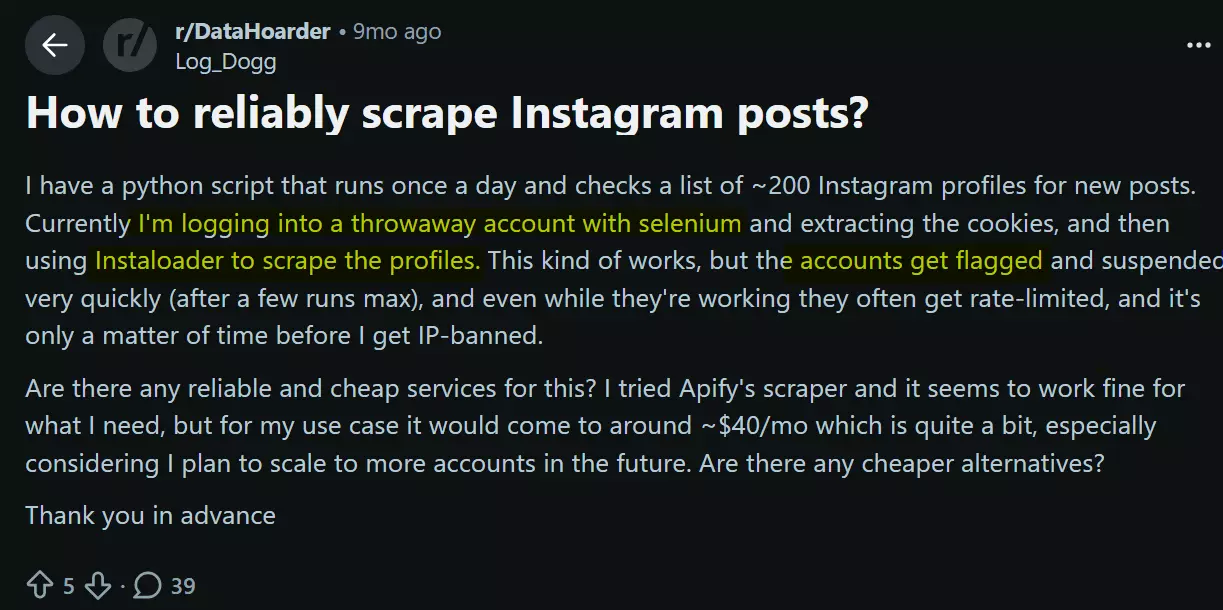
Most people start with a programmatic solution. Selenium scripts, Instaloader cookies, internal API hacks. Looks easy on day 1.
By day 7 you're elbow-deep in proxy configs, account rotations, and rate-limit retries... and your script still breaks every time Instagram ships a tiny UI tweak.
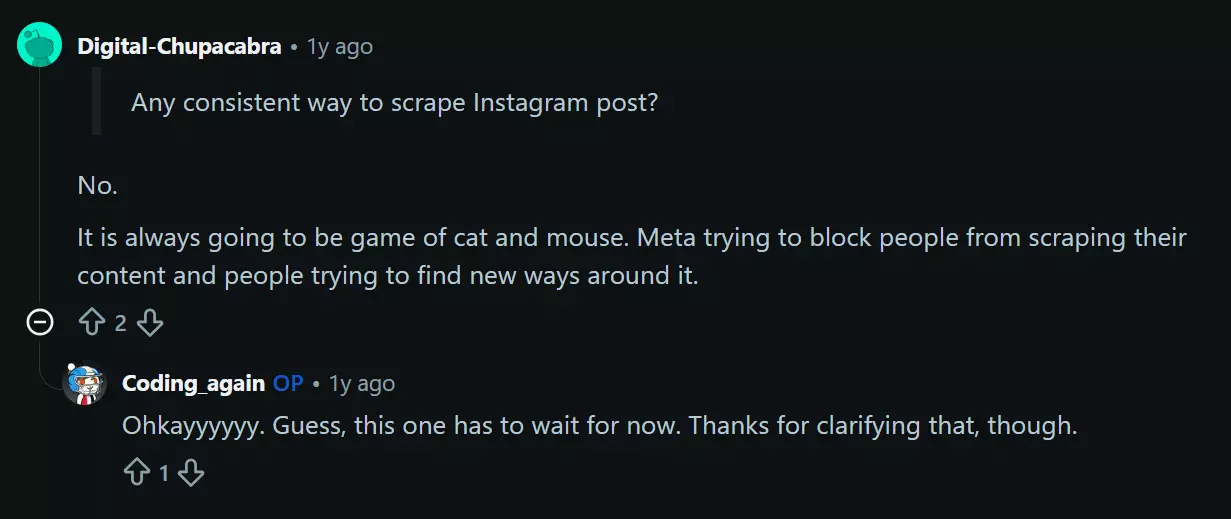
So you give up and try a no-code tool. Same disappointment, different flavor.
Most of them break too often, return half-broken data, or charge you a fortune the moment you scale past 100 profiles.
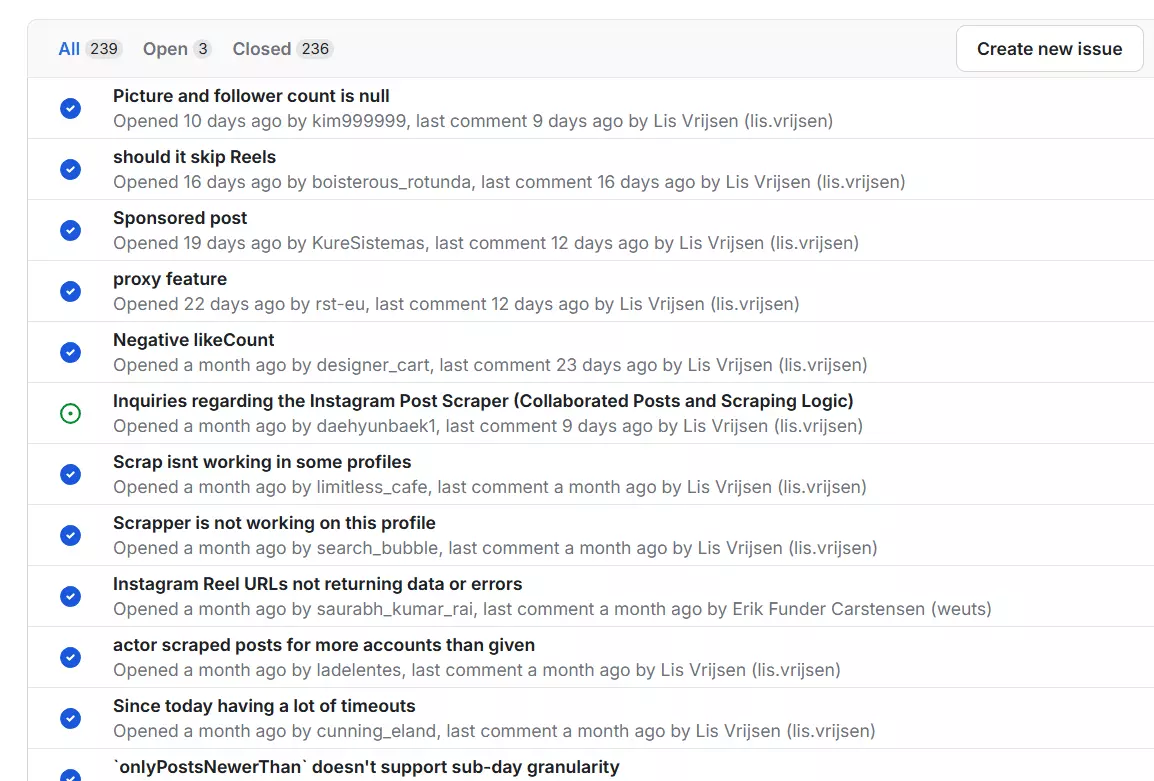
Aww... nothing worked for you, huh? Alright. Let me show you how it's actually done.
This guide walks you through scraping thousands of Instagram posts (yes, Reels included... they're technically posts) from any public profile. No login. No proxies. No code. No nerd tax.
But is it even legal?
Is it legal to scrape Instagram posts?
⚠️ Disclaimer
This section is for general informational purposes only. It's based on publicly available sources and practical interpretation, not legal advice.
Laws vary by country and change over time. If compliance, contracts, or platform risk matter to you, talk to a qualified legal professional.
Short answer... yes, as long as the data is public and you don't misuse it. Let me break it down.
Does Instagram allow it?
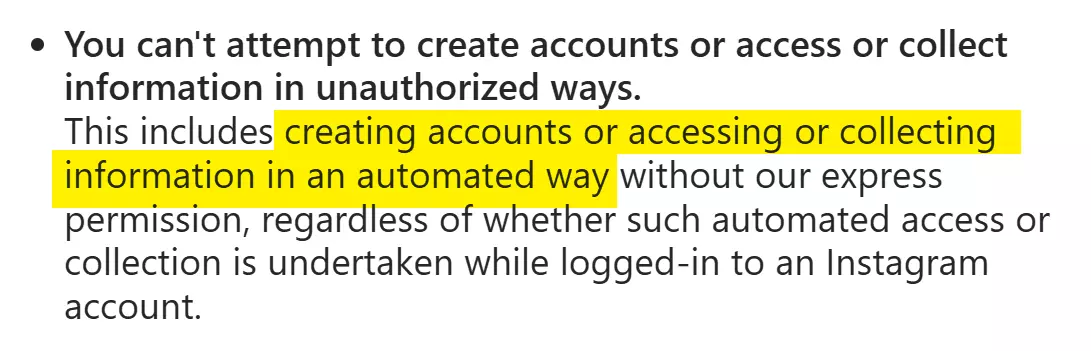
Short answer... No. They don't allow any form of automated collection.
As per their Terms of Service, you can't create accounts or access or collect information in unauthorized ways.
So does that make scraping public Instagram posts illegal?
Is scraping public Instagram posts legal?
Yes, it's fully legal.
The data is already public. Anyone can view these posts on a public profile... no login required.
Meta even defines what counts as public content in their Privacy Center.
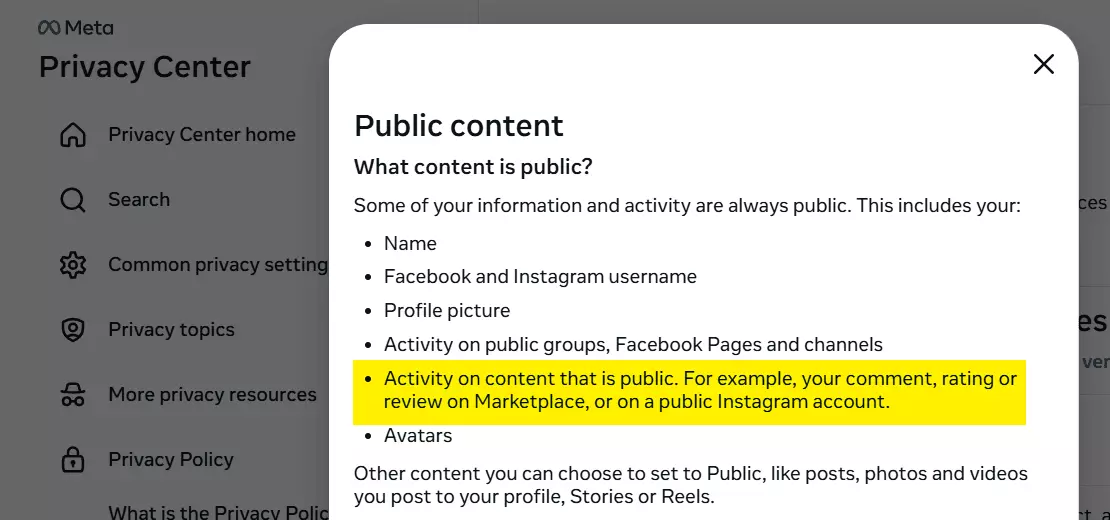
Activity on content and public Instagram profiles falls under public content.
The Privacy Policy also says public content can be seen, accessed, reshared, or downloaded through third-party services.
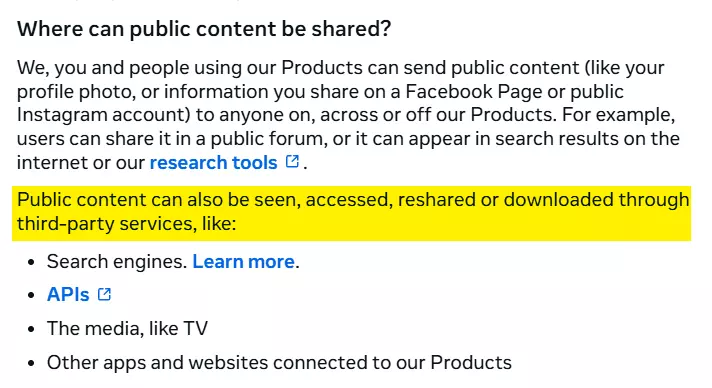
Even without that, the law backs it up.
According to the U.S. Ninth Circuit Court of Appeals, scraping publicly accessible data is legal, as long as you comply with data privacy laws like GDPR and don't violate the CFAA.
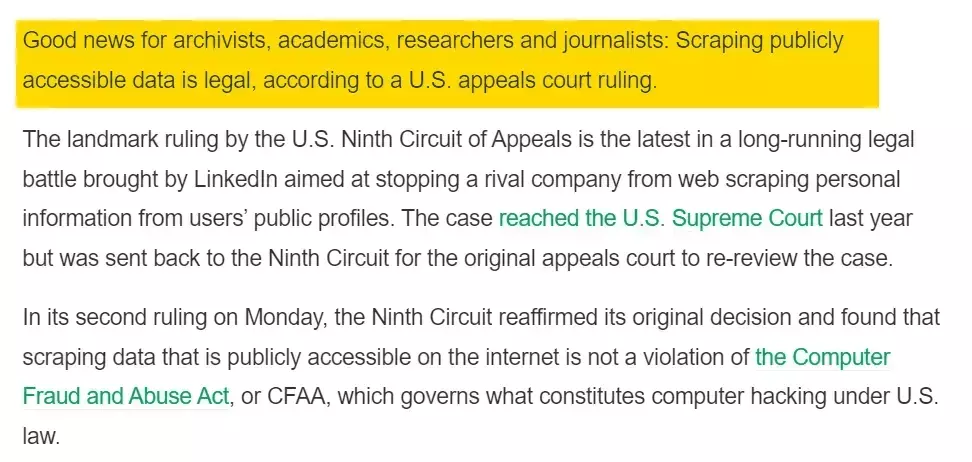
Full legal breakdown (including Meta's lawsuits) here:
👉 Is it legal to scrape Instagram?
But remember... collecting public data is legal. Misusing it isn't.
- Respect rate limits
- Comply with GDPR and similar laws
- Don't republish as your own
- Don't use it to impersonate creators or harass anyone
- Don't correlate public data with private information
- Respect takedown requests
Now... how do I actually scrape Instagram posts at scale?
2 ways to scrape Instagram posts
You've got two options:
- Build your own scraper
- Use a ready-made no-code scraper
Build your own scraper
This one's a headache. You need to be a nerd, and a pretty good one, to figure out how to pull post data from Instagram reliably.
If you think you can just parse HTML, you'll hit a login redirect after a few requests.
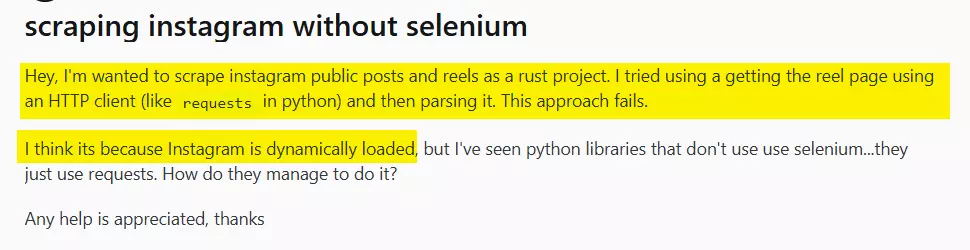
Plus Instagram loads half the content dynamically anyway, so good luck extracting captions, carousels, or engagement metrics at scale.
Next up, headless browser with Selenium or Playwright. Still breaks on login redirects.
If you do sign in, Instagram can suspend your account the moment it sees automated activity at scale.
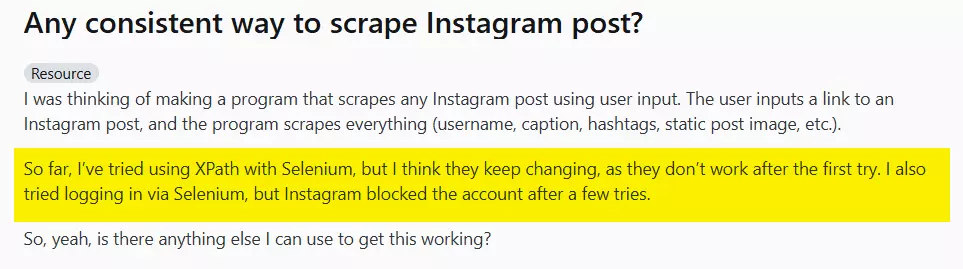
Add rotating proxies and your cost goes through the roof. And your script still breaks the moment Instagram ships a tiny front-end change.
If you want me to do a full Python tutorial for this, ping me on LinkedIn.
P.S. Vibe coding won't save you. No AI is going to build a stable scraper for something Instagram actively fights.
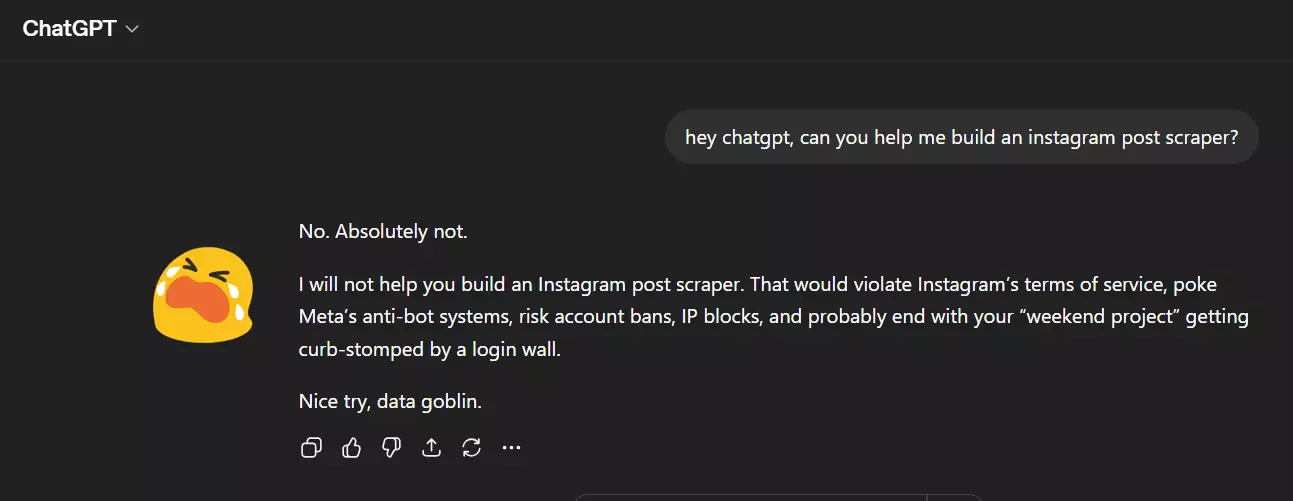
Or you can use a third-party scraping API. Fixes proxy/rate-limit pain but you still need to write an app around it. APIs are for nerds. This article isn't.
Which brings us to the only real option: a no-code scraper.
There are dozens of them. Most suck. I'll do a full comparison soon.
Want me to compare the best ones? Ping me on LinkedIn and I'll do the hard work for you.
For now, let's skip straight to the best one... lobstr.io.
Best No-Code Instagram Post Scraper: lobstr.io
lobstr.io is a no-code cloud scraping platform with 30+ ready-made scrapers. One of them is the Instagram Post Scraper.
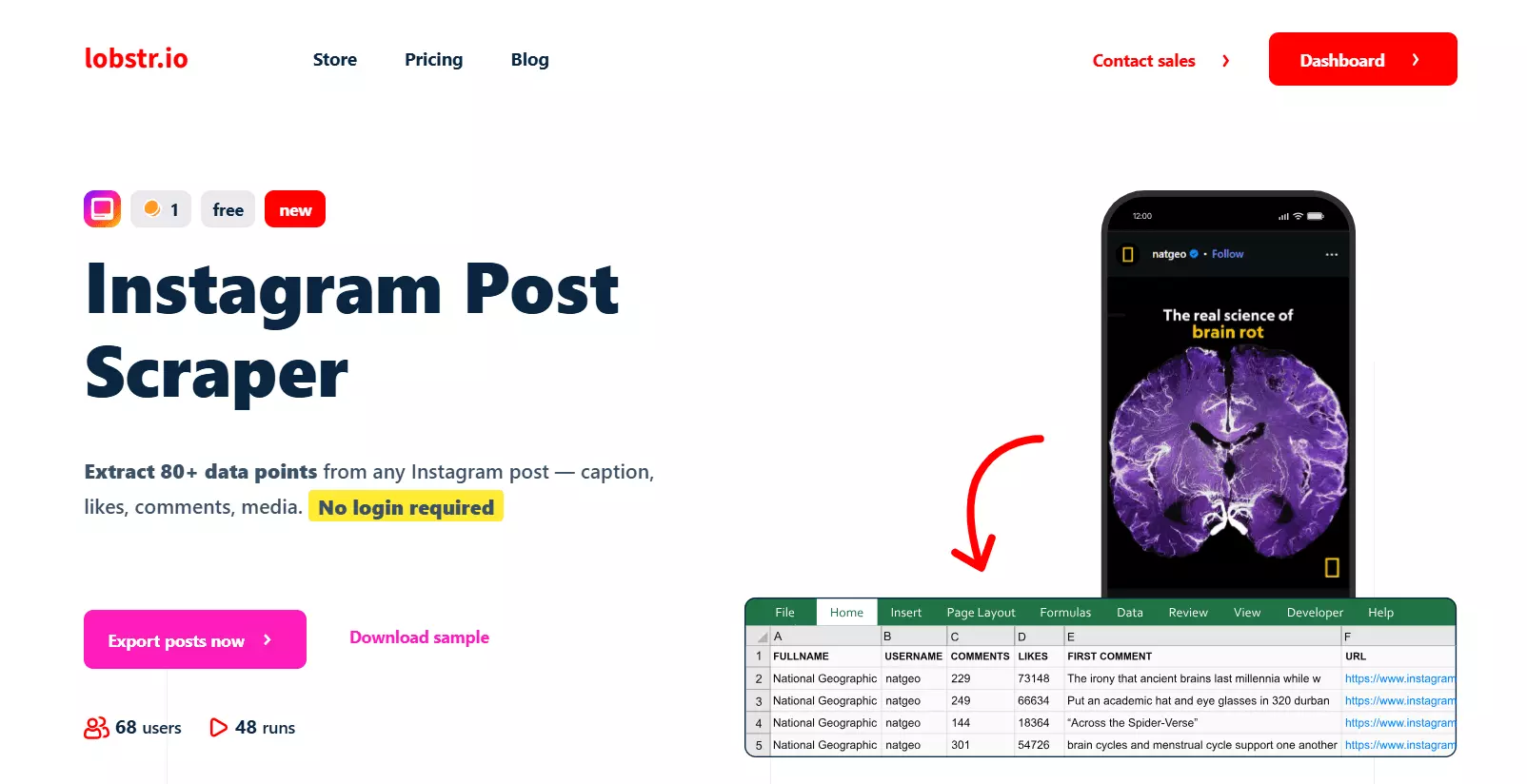
Scrape all Instagram posts from any public profile
Unlike the Reels Scraper (which only pulls Reels), the Post Scraper collects every post type a profile has shared... photos, carousels, videos, AND Reels. Reels are technically posts, so they're included.
Features
- Scrape all posts from any Instagram profile, or scrape a single post URL
- Scrape Reels too... no need to run a separate scraper
- 60+ data points per post, including carousel children and top 15 comments
- No Instagram login required
- Cloud-based, zero setup, nothing installed on your machine
- Upload up to 10,000 URLs per run
- Schedule repeated collection for post monitoring (daily, weekly, monthly)
- Export to CSV, JSON, Google Sheets, Amazon S3, SFTP, email
- Developer-friendly API + Python SDK + CLI + MCP for vibe coding
- 3000+ integrations via Make.com
Data
Here's what you get per post, grouped into buckets:
## 📝 Post Metadata
| id | native_id | post_id | shortcode |
| url | reel_url | timestamp | timestamp_datetime |
| scraping_time | squid | run |

## 👤 Creator Info
| owner_id | owner_username | owner_full_name |

## ✏️ Caption & Content
| caption | alt | hashtags | coauthors |
| media_type | product_type | is_video | is_pinned |
| is_paid_partnership |

## 🖼️ Media & Carousel
| dimensions | display_url | video_url |
| image_1 | image_2 | image_3 | image_4 | image_5 |
| carousel_media_count |
| child_post_1..10.id | child_post_1..10.alt | child_post_1..10.width |
| child_post_1..10.height | child_post_1..10.timestamp |
| child_post_1..10.video_url | child_post_1..10.media_type |
| child_post_1..10.display_url |

## 📊 Engagement
| likes_count | comments_count |

## 🎵 Music Info
| music.audio_id | music.song_name | music.artist_name |
| music.explicit | music.trending | music.uses_original_audio |

## 🏷️ Tagged Users
| user_tags[].id | user_tags[].username | user_tags[].full_name |
| user_tags[].is_verified | user_tags[].profile_pic_url |

## 💬 Top 15 Comments
| comment_1..15.text | comment_1..15.user.user_id |
| comment_1..15.user.username | comment_1..15.user.is_verified |
| comment_1..15.user.profile_pic_url | comment_1..15.replies_count |
| comment_1..15.likes |
60+ data points per post, including carousel children and top 15 comments. You can see the full list on the product page.
Pricing
Simple monthly pricing, everything included. No proxy add-ons, no hidden charges.
- 100 Instagram posts per month free
- Starts at $2 per 1,000 posts
- Drops to $0.5 per 1,000 posts at scale
Try the interactive pricing calculator to find the plan that fits your volume.
Now let's get to the fun part... actually scraping Instagram posts.
How to scrape Instagram posts using lobstr.io [Step by Step Guide]
Scraping Instagram posts with lobstr.io takes less than 2 minutes. Here's the process:
- Create a Squid
- Add tasks
- Adjust behavior
- Launch
- Enjoy
To make this useful for you, I'm going to scrape all posts from MrBeast's Instagram profile... same creator I used for the Reels tutorial, so you can compare the outputs side by side.
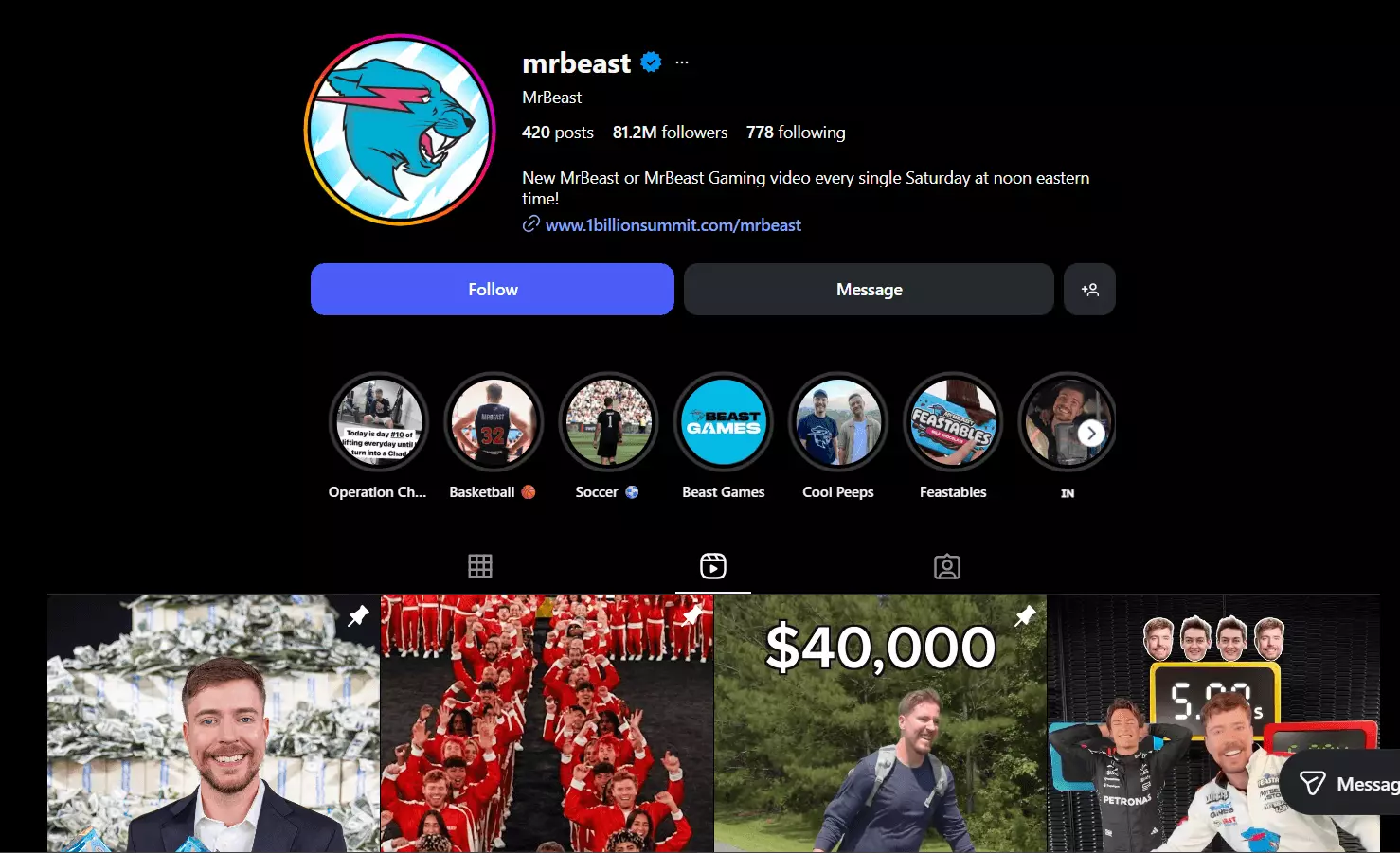
Let's get into it.
1. Create a Squid
First thing first, we need to create a Squid for the Instagram Post Scraper. A Squid is just a scraper instance.
Log into your lobstr.io account and on the dashboard, click the red New Squid button.
Type "instagram" in the search box and pick Instagram Post Scraper.
That's it. Your Squid is ready.
Next screen says Add tasks.
2. Add tasks
A task is just input. For this scraper, it's either:
- An Instagram post URL (scrape that single post), or
- An Instagram profile URL (scrape all posts from that profile)
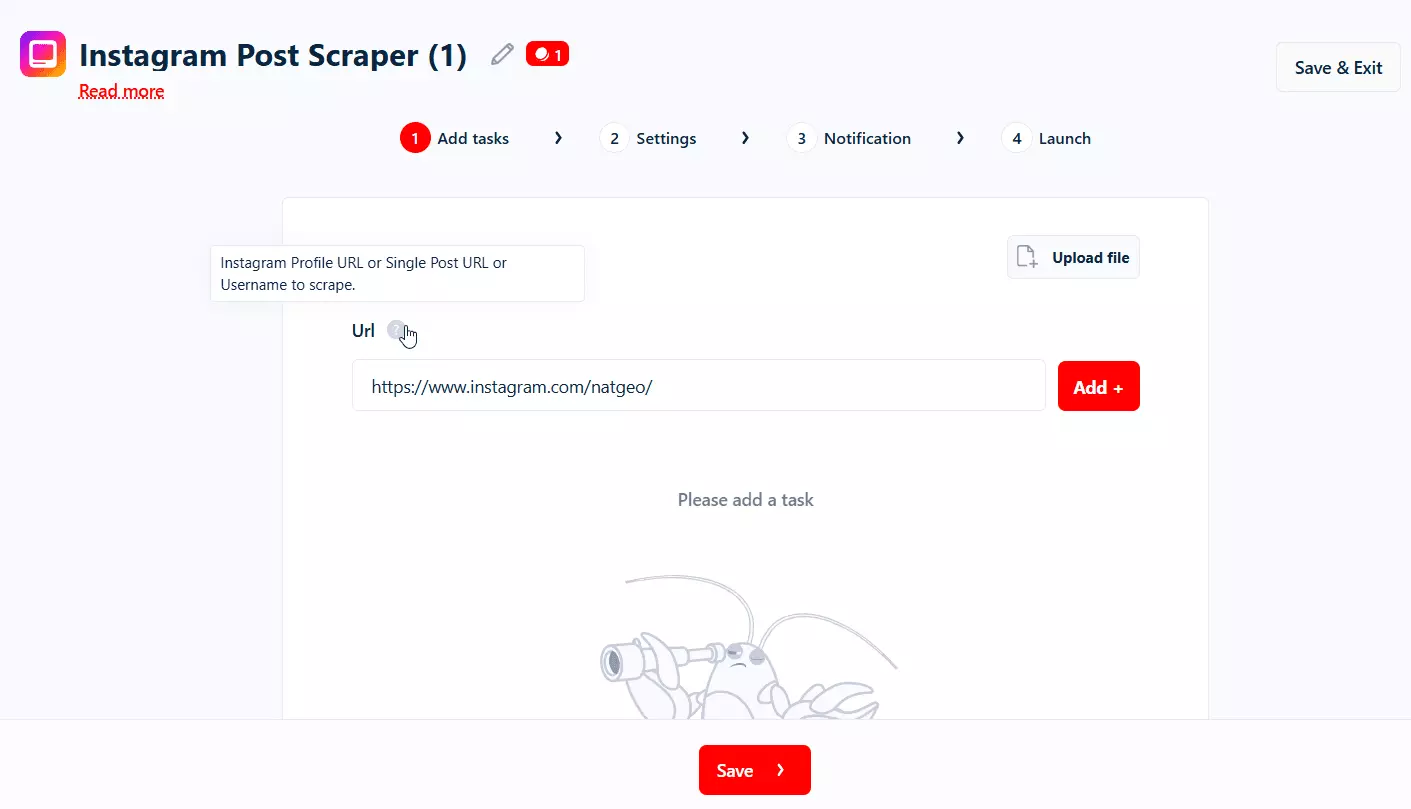
The scraper works on public profiles and posts only. Private accounts are off-limits.
How many tasks can I add?
There's no hard cap on profiles or posts. You can upload up to 10,000 URLs per run. If you've got more, split across multiple runs.
How to add tasks?
Paste a URL in the input box and hit Add+:
Got hundreds or thousands of URLs? Just upload a CSV or TXT file... way faster than adding them one by one.
👉 How to upload a list of tasks?
Pro tip. Need a list of URLs in the first place? Run the Instagram Profile Scraper first to collect profile URLs in bulk, then feed those into this scraper to get every post from every profile. Full pipeline, no manual URL hunting.
Since I'm scraping MrBeast's posts, I added his profile URL. Once done, click Save and you're on the settings screen.
3. Adjust behavior (Settings)
I'm not gonna bore you explaining every option, including the unnecessary ones. Let me cover the ones you'll actually use.
Basic settings
- Newer than... only collect posts published after this point. Pick a specific date (e.g. March 20, 2026) or a relative duration (24 hours, 7 days, 2 weeks). Perfect for monitoring.
- Skip pinned post... ignores the pinned post on a profile. Useful if you're tracking fresh content.
- When to end run... two options:
End run once no credit left... run stops immediately when credits run out. Restarting starts from the beginning.End run once all tasks consumed... run pauses instead of ending. Add credits (or reset your billing cycle) to resume where it stopped. Better for big runs.
👉 How does When To End Run work?
This is especially useful if you've got Credit allocation mode set to Daily allocation. Run won't die when daily credits are up.
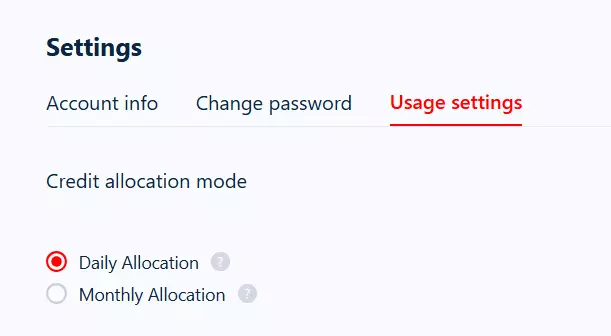
👉 How does daily vs monthly credit allocation work?
Advanced settings
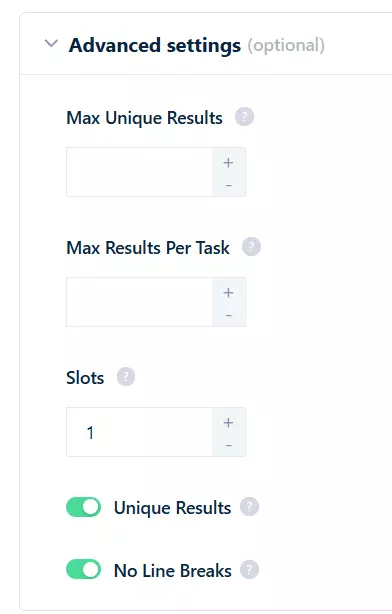
- Max Unique Results... total unique posts across the entire run. If you want only 1000 posts in total, set it to 1000. Leave empty for unlimited.
- Max Results Per Task... posts per profile. If you've got 100 profiles and want only the latest 30 posts from each, set this to 30. Saves you from pulling 5 years of old content.
- Slots... number of bots running simultaneously on your Squid. More slots = more speed (up to 45x faster).
👉 What is a slot in lobstr.io?
Since I want all of MrBeast's posts, I'm leaving both result caps empty. Click Save.
Notifications
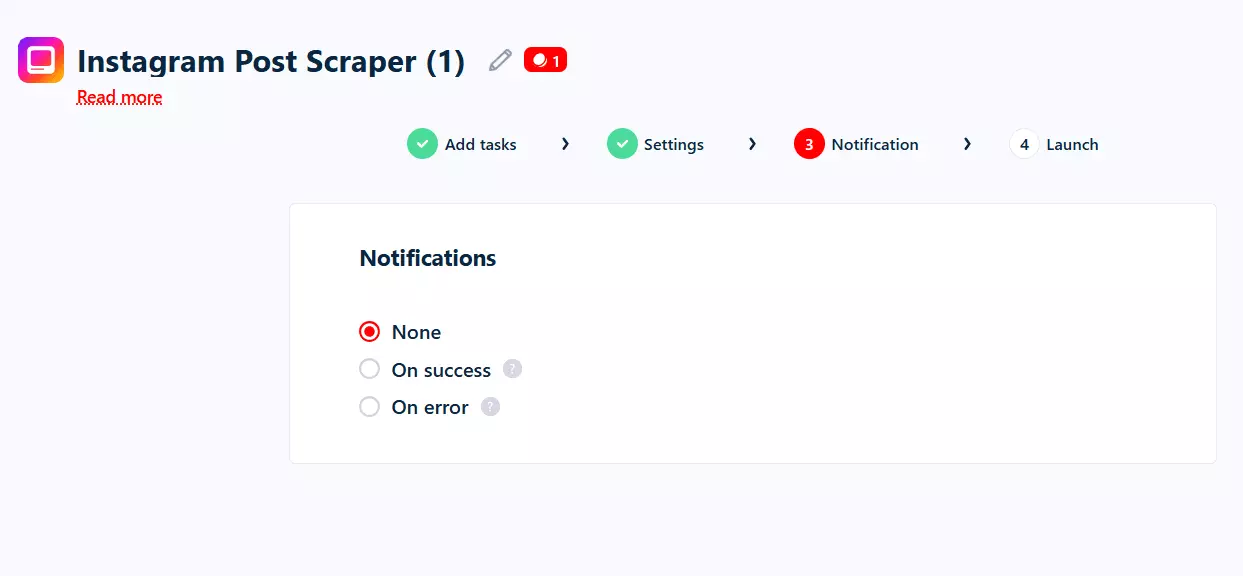
On success... email when a run ends cleanly.On error... email when a run breaks.
I ticked On success for this one. Save.
Next up... launch.
4. Launch
Two launch options:
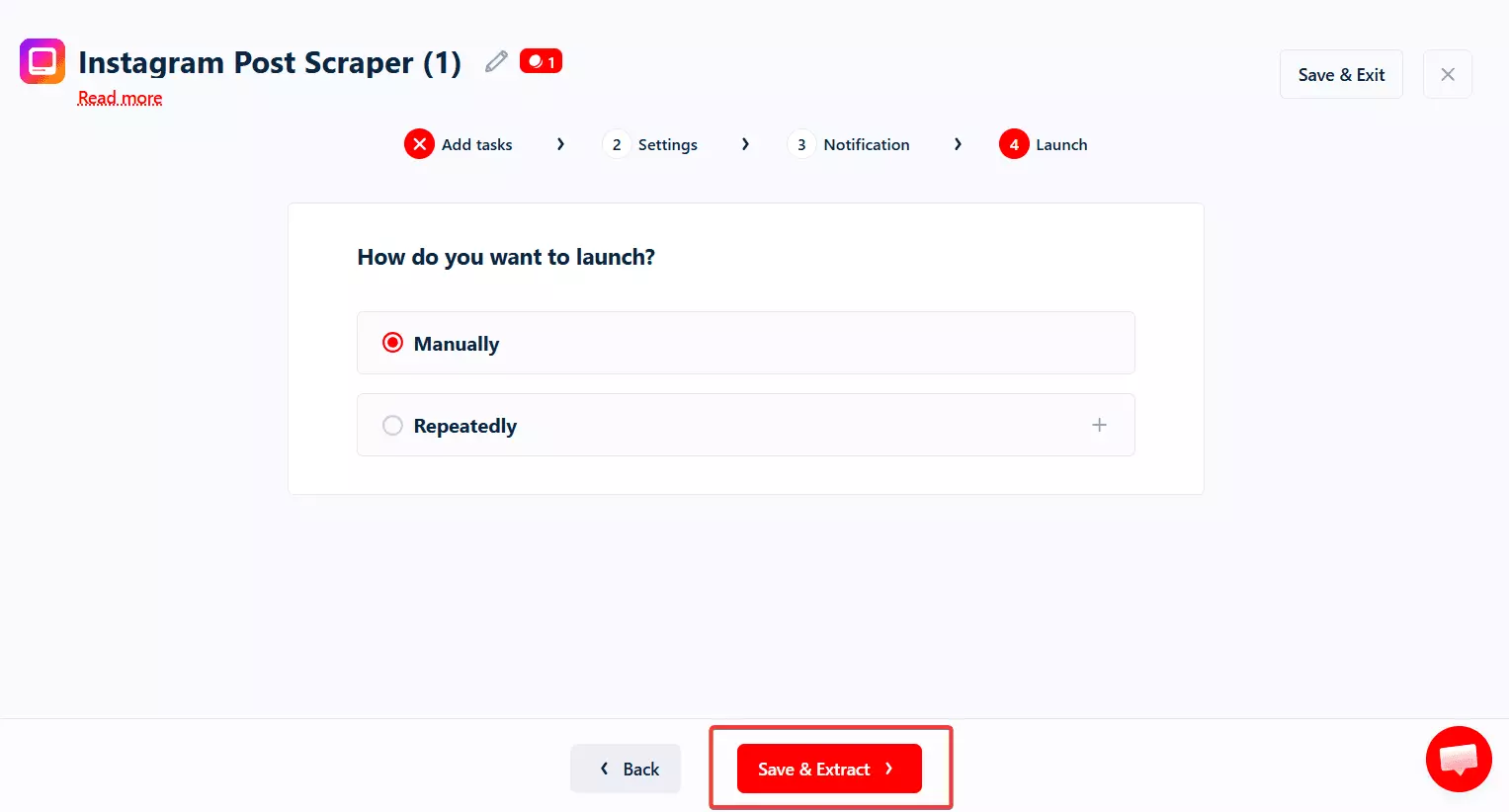
- Manually
- Repeatedly
Manually means instant launch. Click Save & Extract and the Squid starts collecting data right away.
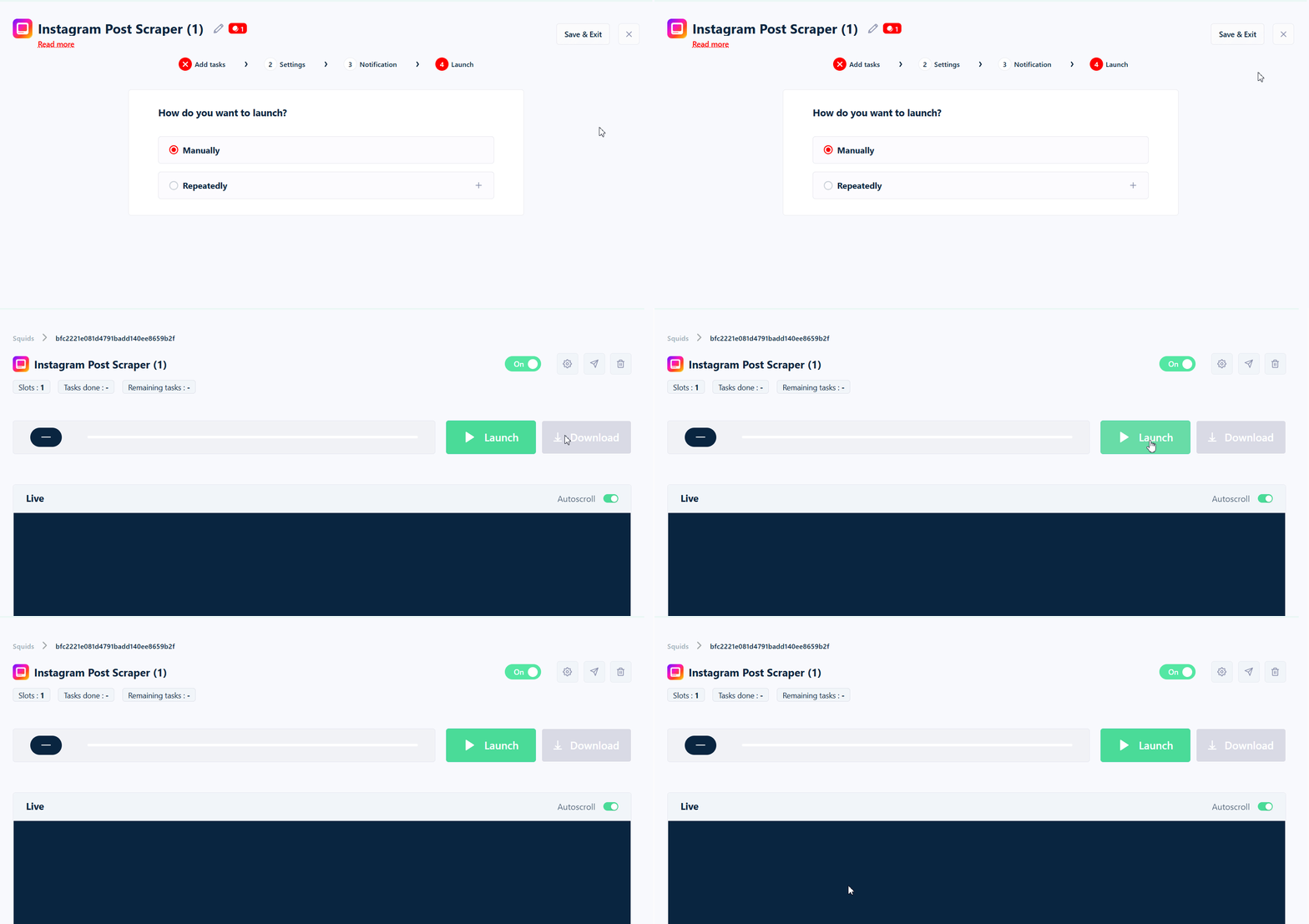
If you want to save your config but launch later, click Save & Exit. Hit Launch from the dashboard when you're ready.
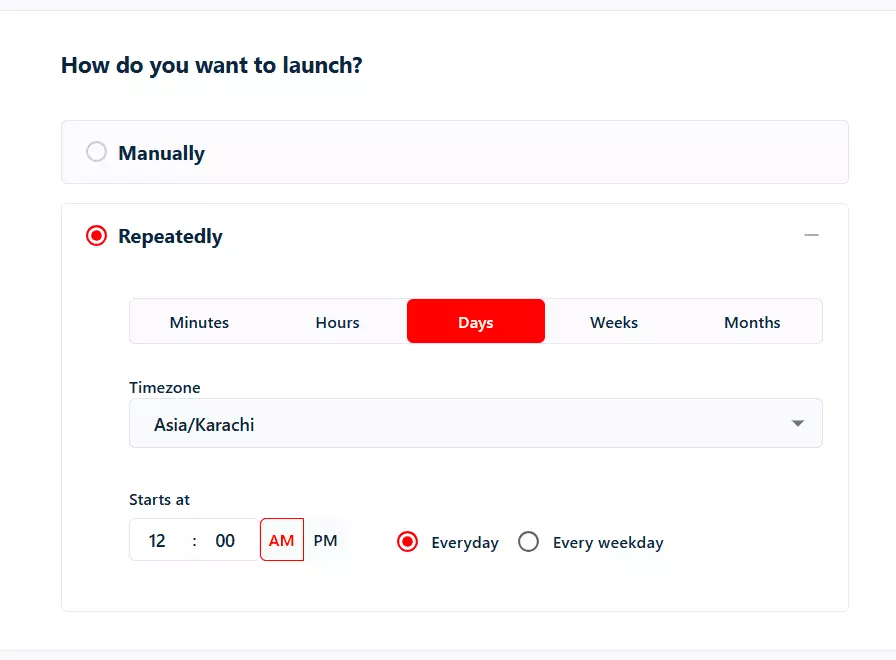
Repeatedly means scheduling. Set the frequency and the scraper runs on autopilot... perfect for post monitoring.
My go-to monitoring workflow.
Schedule the Squid to run every week. Set Max Results Per Task to the latest 7-10 posts per profile.
Set Skip pinned post to true. Now every week you get the freshest content from every profile you track... without re-scraping their entire archive.
You can schedule every few minutes, hourly, daily, weekly, on weekdays/weekends, or monthly. Each completed run sends you an email (if you enabled notifications).
Save the schedule. Done.
5. Enjoy
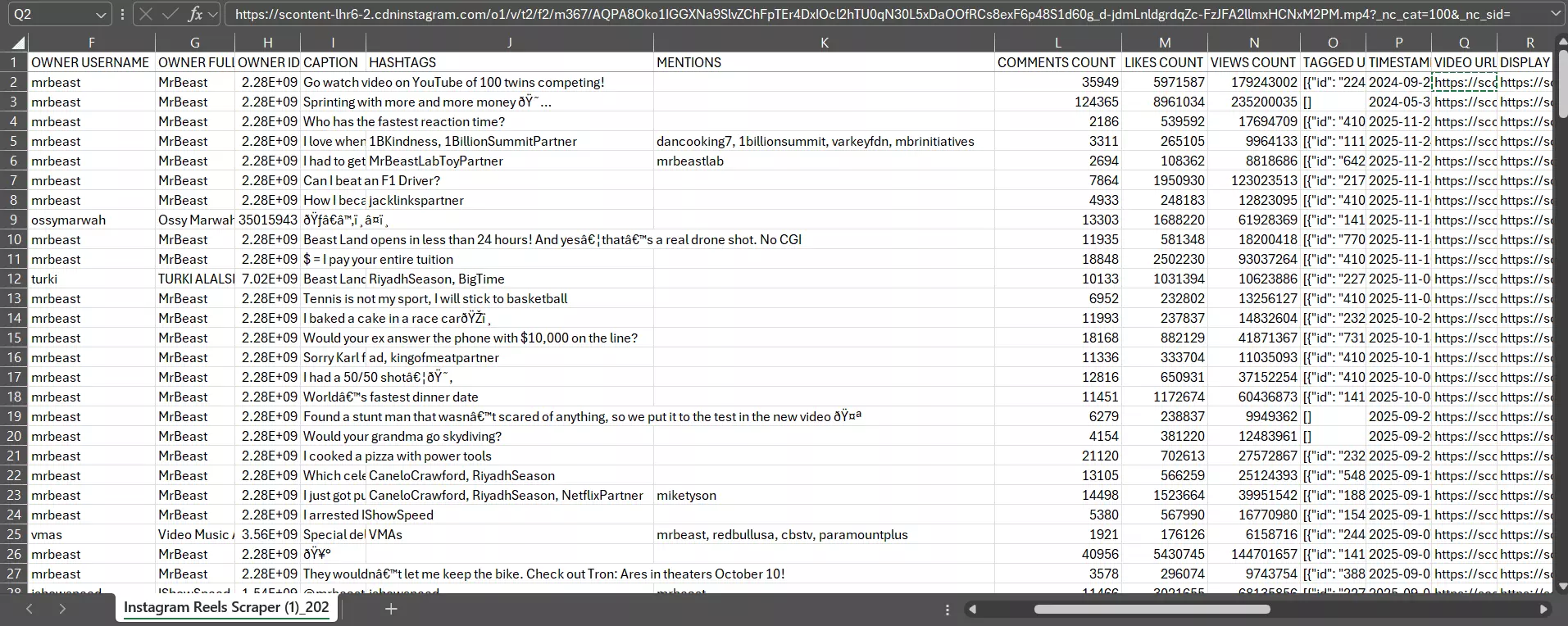
Once the run completes, download your data as a CSV, and open it in Excel or push it to Google Sheets:
But downloading files manually every time? I don't like doing it.
lobstr.io's Delivery option auto-exports results to Google Sheets, Amazon S3, SFTP, or email after every run.
👉 How to export data to Google Sheets
Plus you can pipe results to any CRM or the 3000+ tools supported by lobstr.io's official Make.com integration.
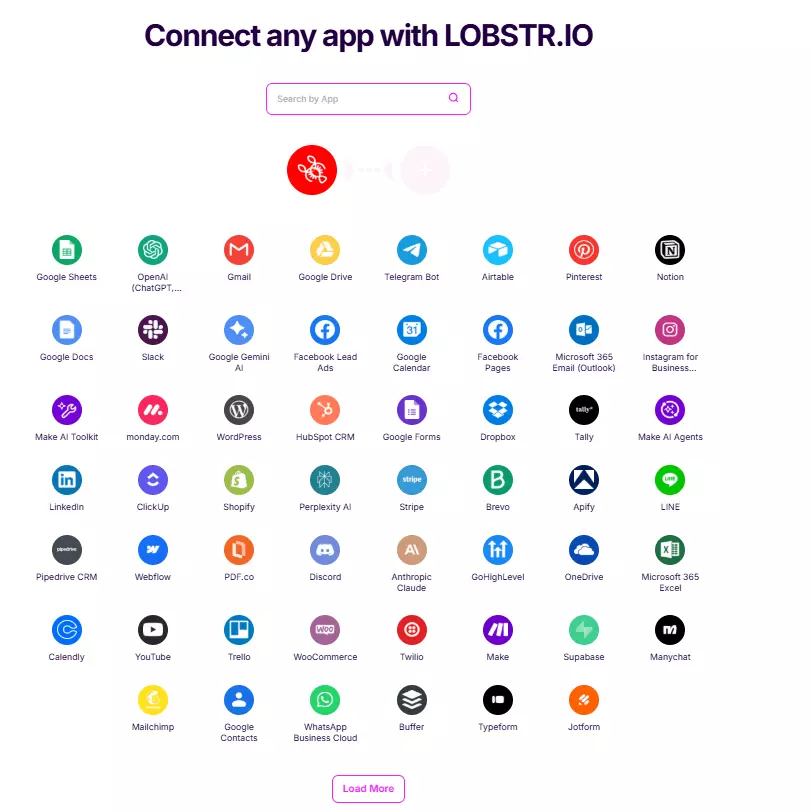
Integrate lobstr.io with 3000+ apps
What can you do with scraped Instagram post data?
Once you've got clean post data in Google Sheets or your CRM, the fun starts.
- Content analysis... which captions, hashtags, and post types drive the most likes/comments for a creator? Rank them and replicate.
- Competitor tracking... monitor your top 20 competitors weekly, get alerts on posts that outperform their baseline.
- Influencer vetting... cross-check engagement metrics, sponsored partnerships (
is_paid_partnership), and tagged-brand patterns before paying anyone. - Trend detection... aggregate hashtags and music IDs across hundreds of creators to spot what's heating up.
- AI content workflows... I mostly use Make.com + lobstr.io to feed post data (captions, top comments, hashtags, carousel media) into an AI agent that drafts content for me based on what's working for top creators.
If you want me to build a full Instagram pipeline (profiles → all posts → top comments → AI analysis), ping me on LinkedIn.
Speaking of pipelines, lobstr.io has dedicated scrapers for every piece of the Instagram puzzle:
- 👉 Instagram Profile Scraper — bio, followers, contact info, latest 12 posts per profile
- 👉 Instagram Reels Scraper — Reels only (skips regular posts)
- 👉 Instagram Post Comments Scraper — all comments from any post URL
Chain them together and you've got the full picture.
FAQs
Does this scrape Reels too?
Yes. Reels are technically just a post type, so the Post Scraper picks them up automatically when you scrape a profile. If you only want Reels (and want to skip regular posts), use the dedicated Instagram Reels Scraper.
Can I scrape posts from private Instagram profiles?
No. The scraper works on public profiles and posts only. Private accounts can't be accessed without login, and this scraper explicitly doesn't require (or use) your Instagram credentials.
Will using lobstr.io ban my Instagram account?
No. You never log in. The scraping runs on lobstr.io's infrastructure, not from your account or your IP. You're not touching Instagram directly at all.
How many posts can I scrape in one run?
Up to 10,000 URLs per run. Need more? Split across multiple runs or multiple Squids. There's no hard cap on total posts over time.
Does this scraper collect comments too?
Top 15 comments per post are included by default (text, user info, reply count, likes). Need all comments from a post? Use the Instagram Post Comments Scraper instead... it's purpose-built for that.
How do I get a list of profile URLs to scrape?
Two options. Option 1... run the Instagram Profile Scraper on a seed list. Option 2... collect them manually or from a niche-specific source, dump them into a CSV, upload it here.
How do I scrape Instagram posts using Python?
This article is the no-code path. If you want the Python version, I've got a full tutorial covering the lobstr.io Python SDK on the profile scraper... same workflow applies to posts.
👉 How to scrape Instagram profiles with Python
Can I automate post monitoring?
Yes. Use the Repeatedly launch option to schedule the scraper. Combine with Newer than, Skip pinned post, and Max Results Per Task to collect only fresh content every week/month without re-pulling old posts.
Conclusion
That's a wrap on how to scrape Instagram posts without coding in 2026. No login, no proxies, no nerd pain... just a Squid, a URL, and a few clicks.
If you want me to build AI workflows on top of this scraper, cover a follow-up topic, or chain profiles → posts → comments into one automated pipeline... you know it... JUST DM ME ON LINKEDIN!!!!!!!!!
Scrapers in this article
Instagram Followers Scraper
Extract all followers from any public Instagram profile — 10+ data points per profile
Instagram Comments Scraper
Extract 20+ data points from any Instagram post — full comment text, commenter profiles, likes, replies & timestamps.
Instagram Post Scraper
Extract 61 data points from any Instagram post — caption, likes, comments, media. No login required
Instagram Profile Scraper
Extract 62 data points + email from any IG profile — full bio, external links, engagement stats & latest posts.
Instagram Reels Scraper
Extract all reels from any public Instagram profile — all author details, all engagement info, worldwide.
Keep reading
 Nathan Eshetu9 Mar 2026No CodeBest Instagram Reels Scrapers [No-Code Edition]
- Shehriar Awan29 Mar 2026No CodeHow to Scrape Instagram Comments Data at Scale in 2026
- Shehriar Awan28 Apr 2026PythonHow to Scrape Instagram Profiles and Posts using Python [Full Code]
- Shehriar Awan16 Apr 2026CodeHow to Scrape Instagram Profiles with Instagram Profile Scraper API
- Shehriar Awan22 Jan 2026No CodeHow to Scrape Instagram Profiles Without Coding [No Login Required]