How to Scrape Immoweb Listings and Phone Numbers [No-Code]
15-Second Summary
- Immoweb is Belgium's biggest property portal, and every listing on it carries price, surface, EPC score, location and the agency's contact block.
- Immoweb's official API can't give you any of it. It exists, but it only points inward... it's built for agencies pushing their own listings into Immoweb. There is no endpoint for reading listings out.
- Building your own scraper is a losing game. Immoweb serves listings through an internal JSON API, so the naive HTML parser breaks on the first layout change. Then the blocks start.
- Most ready-made Immoweb scrapers are abandoned. There are nine near-identical ones on a single marketplace, and one of them is already flagged deprecated.
- lobstr.io does it in 2 minutes with no login and no API key, returning 46 fields per listing including
AGENCY PHONEandAGENCY MOBILE. - This article shows how to scrape Immoweb step by step, what every field gives you, and exactly what it costs.
So here you are... trying to scrape Immoweb listings and getting nowhere.
Maybe you wrote a Python script. Pulled a few hundred listings, felt clever, then watched it die the moment Immoweb shuffled their markup.
Or you cloned somebody's bootcamp repo from 2023. No proxy handling, no rate limiting, no pagination strategy, last commit two years ago.
Or you tried a marketplace actor and got listings without a single phone number.
Don't worry, I got you.
Here's a no-nerd tutorial on how to scrape Immoweb listings and phone numbers, without coding and without logging in.
But why scrape at all if Immoweb has an official API?
Does Immoweb offer an official API for listings?
I'll give it to you straight: Immoweb has an API. It just points the wrong way.
Most articles at this point tell you the official API is rate limited or capped. Not this one. The problem here is stranger and much more final.
api@immoweb.be. There's no public documentation, no reference, no sandbox, no self-serve signup.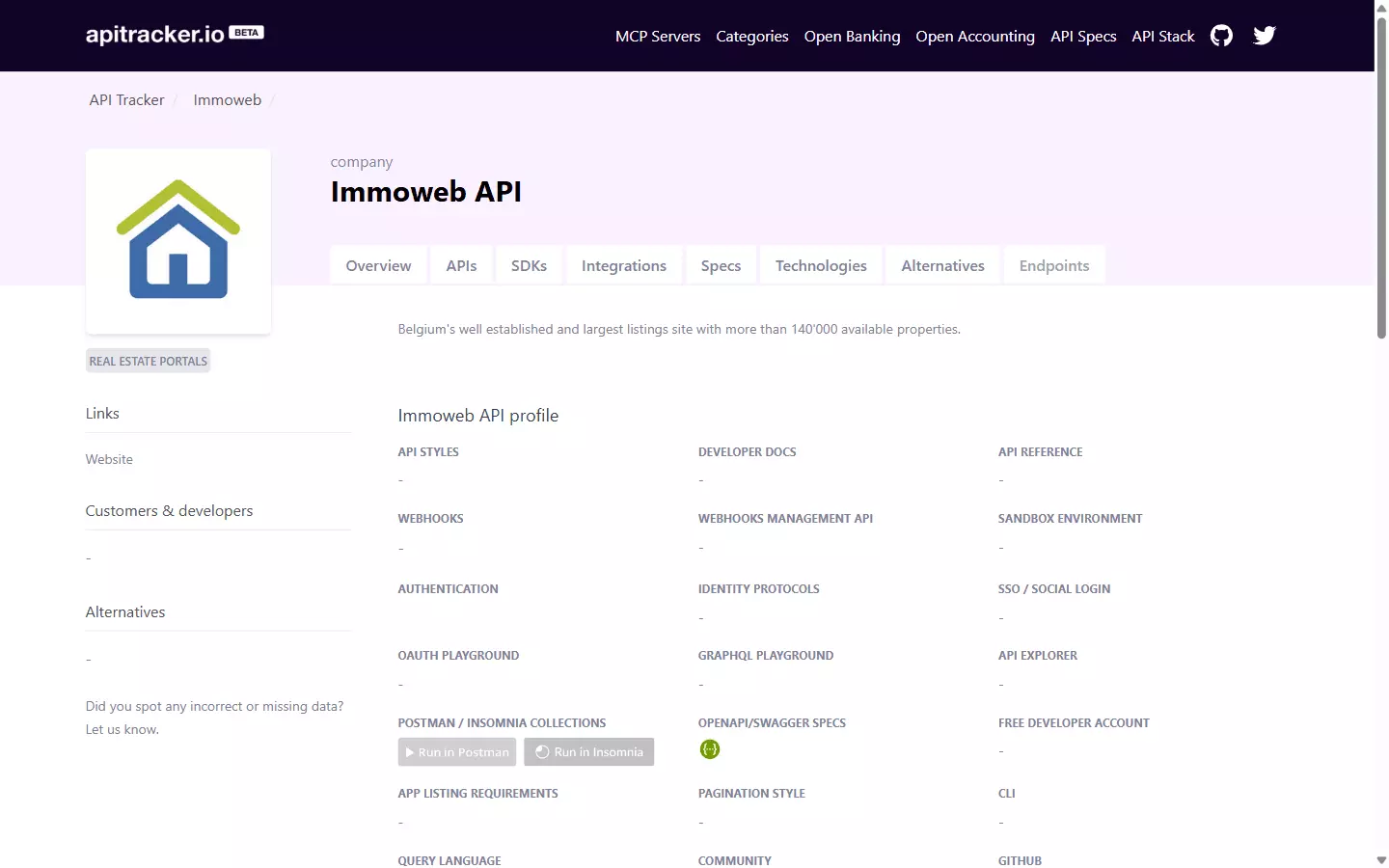
And when you do get in, here's what you're allowed to touch:
"The only endpoints third party vendors can integrate are the customer authentication and classified pipelines."
Everything else "can only be used internally and for their own website".
"Classified" is Immoweb's own word for a property advertisement.
So read that restriction again. You can authenticate a customer, and you can create and update your own listings.
That's a publishing API. It's an inbound pipe.
If you're an estate agency with software that needs to post your properties onto Immoweb, it's exactly the right tool.
But you want the opposite. You want to read listings out... prices, surfaces, EPC scores, agency phone numbers.
And that endpoint doesn't exist for you. Not at any price, not at any volume, not with any amount of paperwork.
It's not a quota you can negotiate. It's a direction the API doesn't go.
And that's exactly why you need a scraper.
But is it even legal to scrape Immoweb listings?
Is it legal to scrape Immoweb listings?
Disclaimer
This section is for general informational purposes only. It's based on publicly available sources and practical interpretation, not legal advice.
Laws vary by country and change over time. If compliance, contracts, or platform risk matter to you, talk to a qualified legal professional.
Let me break this down into two parts:
- Does Immoweb allow scraping?
- Is it actually legal?
Does Immoweb allow scraping?
No. And they're blunter about it than most.
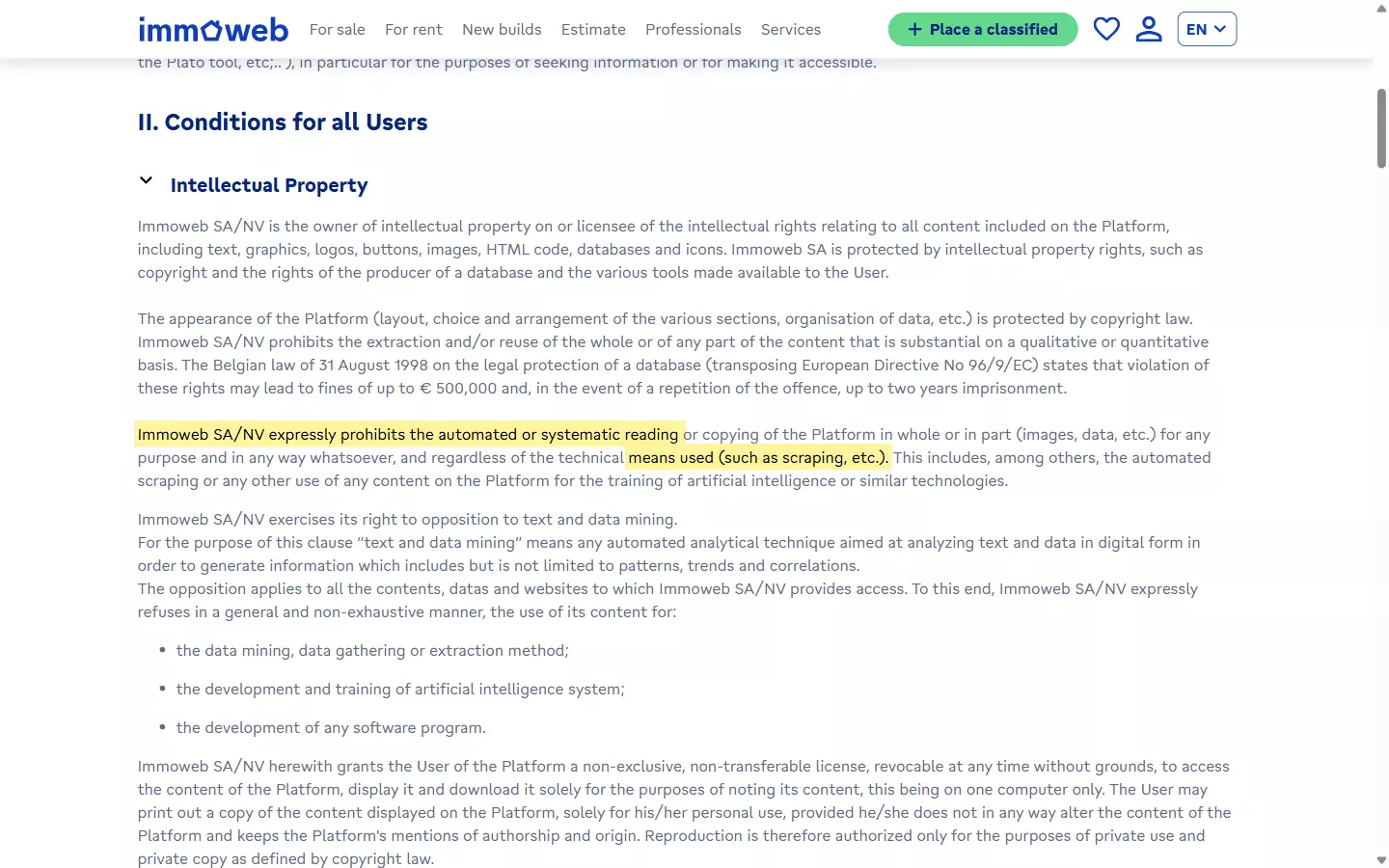
"Immoweb SA/NV expressly prohibits the automated or systematic reading or copying of the Platform in whole or in part (images, data, etc.) for any purpose and in any way whatsoever, and regardless of the technical means used (such as scraping, etc.)."
But does that make it illegal?
Is it legal to scrape Immoweb listings?
Absolutely yes! It's generally legal.
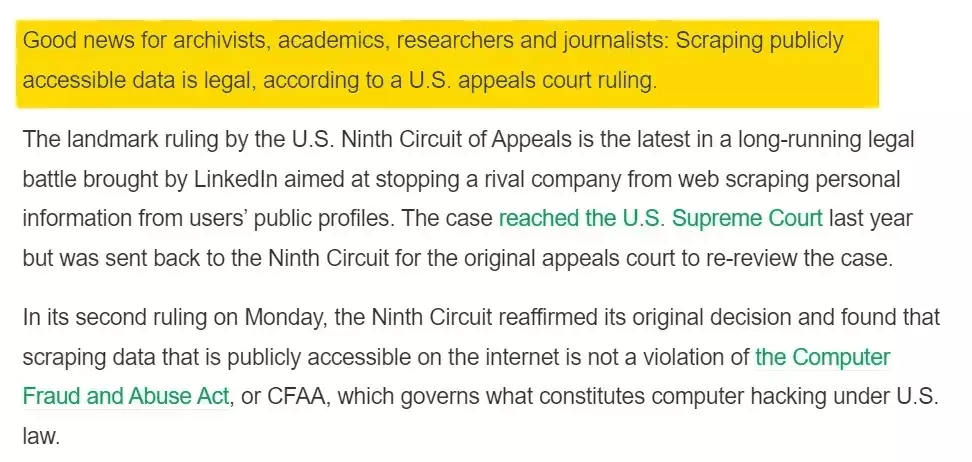
Scraping publicly available data is generally legal, and Immoweb listings are about as public as data gets.
Violating a Terms of Service is a civil matter, a breach of contract, not a criminal offence.
It's legal unless you misuse it. That's the whole line.
I've covered the legal landscape of web scraping properly, court cases and regulations included, in the legal series.
But legal doesn't mean reckless. You still need to:
- Respect rate limits and not hammer Immoweb's servers
- Comply with GDPR, and remember Belgian listings mean EU data
- Avoid republishing listings as your own content
- Use the data responsibly with no harassment or shady stuff
But how do I actually scrape Immoweb listings at scale?
2 ways to scrape Immoweb listings
Practically, you've got two options:
- Build your own scraper
- Use a ready-made scraper
Build your own scraper
This one's for the nerds. If you're a vibe coder, forget about it.
requests and BeautifulSoup and it sort of works.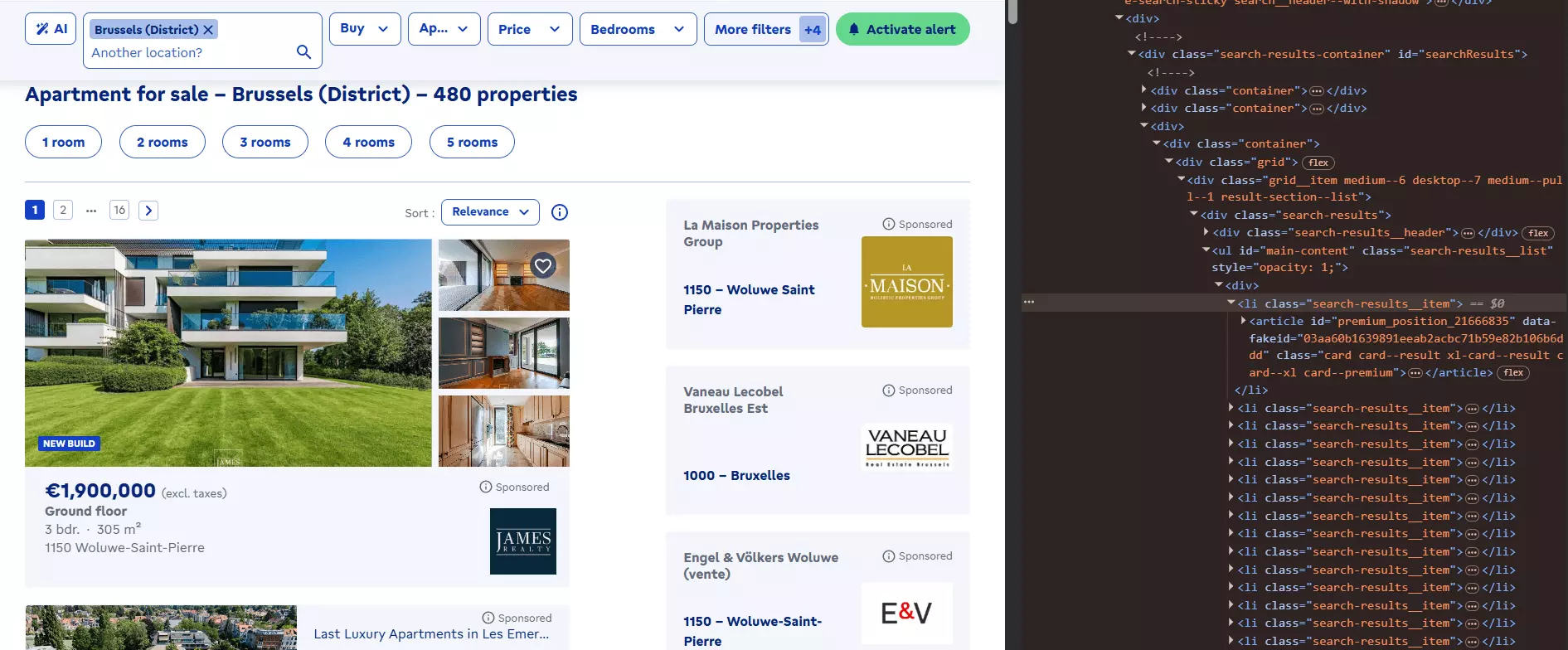
Then you learn Immoweb serves its listings through an internal JSON API, and your parser was reading a rendering of the data rather than the data.
So the shape changes and your scraper silently returns garbage.
Go look at the hand-rolled Immoweb scrapers on GitHub. Most of them are four-day bootcamp projects built to feed a house-price model, abandoned the week they were graded.
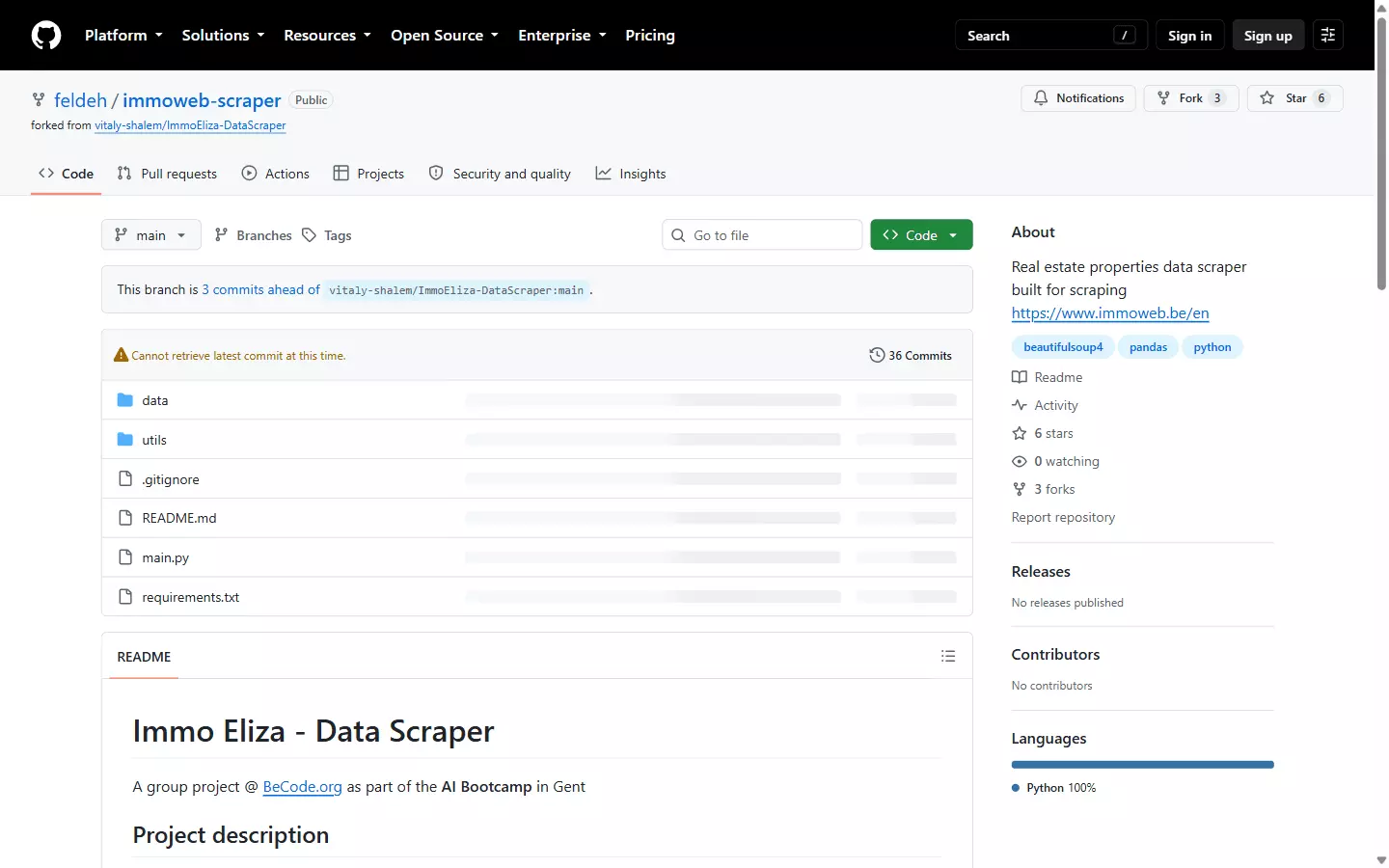
Read their READMEs and you'll notice what's missing... no pagination strategy, no anti-bot handling, no proxy support, no rate limiting.
Because that's the part nobody wants to maintain. Get ready to deal with:
- Anti-bot detection that starts blocking you a few hundred requests in
- Rotating proxies that cost real money and still get burned
- Detail-page fetching, because phone numbers aren't on the search page at all
- Pagination across every result page of every search
- Constant maintenance every time Immoweb changes their internal payload
And if you get past all of that?
You still need the agency contact block, and that means a second request per listing. On a 5,000 listing search, that's 5,000 more requests to get blocked on.
Use a ready-made scraper
This is what smart people do.
Even here you've got APIs and no-code options. APIs are for nerds. This article is entirely no-code, so I'll skip the nerd stuff.
One warning before you go shopping. There are at least nine Immoweb scrapers on a single marketplace, built by eight different people, and one is already marked deprecated.
Most return search-level data only. Which means no phone numbers.
Let me tell you about the one I'd actually use.
Best Immoweb scraper: lobstr.io
lobstr.io is a no-code cloud scraping platform with 50+ ready-made scrapers. One of them is the Immoweb Listings & Phones Scraper.
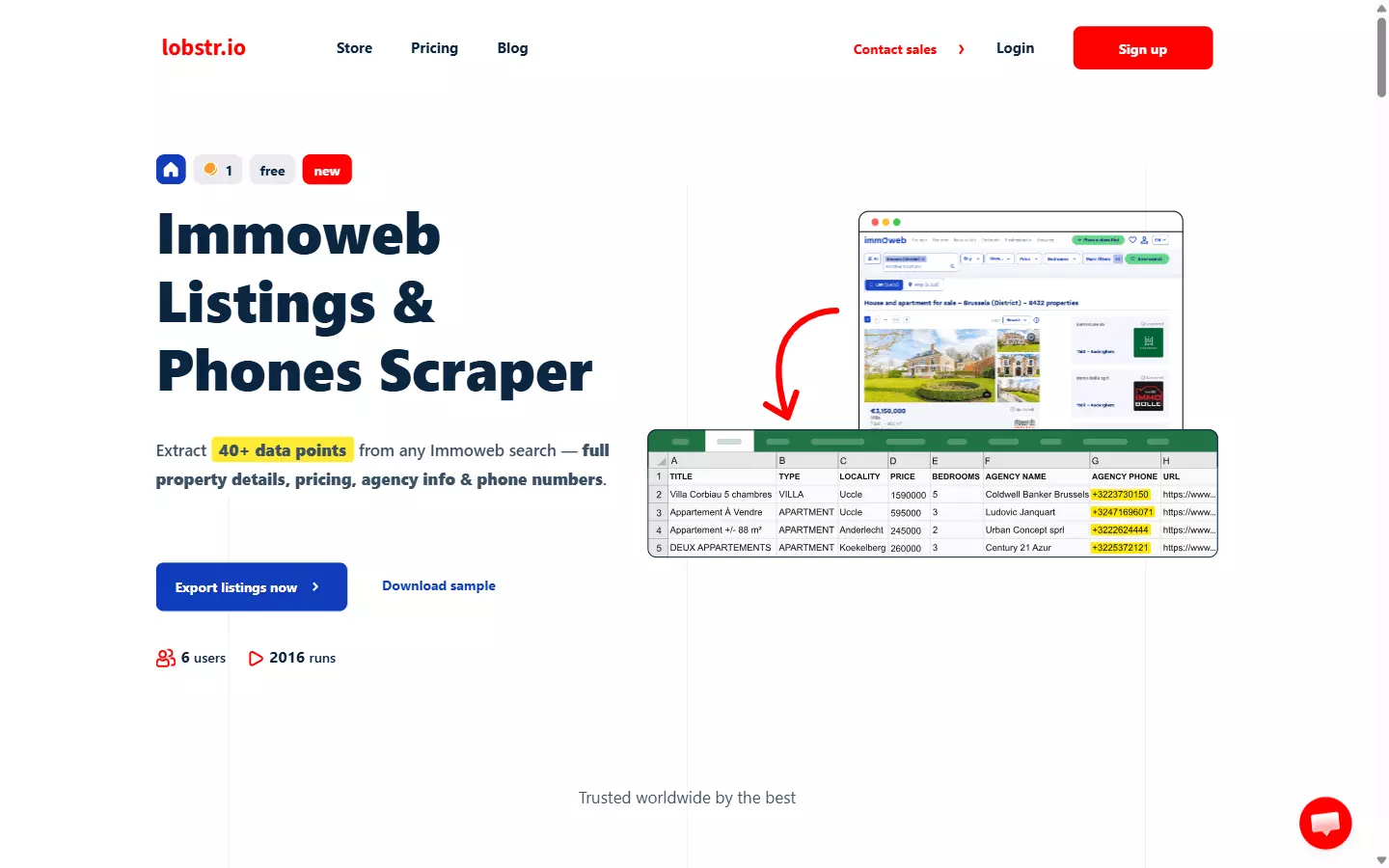
Features
- 46 data points per listing covering property details, pricing, location, EPC score and the full agency contact block
- Agency phone numbers, both
AGENCY PHONEandAGENCY MOBILE, pulled from the listing detail page in international format - Any Immoweb search URL in French, Dutch or English, with every filter supported
- No Immoweb login required and no API key needed
- Bulk URL upload so you can queue dozens of searches in one run
- Every photo URL per listing, not a sample
- Schedule recurring runs for new-listing monitoring
- Export to CSV, Excel, JSON or JSONL
- Automated delivery to Google Sheets, Amazon S3, SFTP, email or a webhook
- Cloud-based, no installation required
- API access for developers
- 3000+ integrations via Make.com
Data
Every run gives you these 22 fields straight from the search results:
| 🆔 INTERNAL ID | 🔗 URL | 🏠 TYPE | 📝 TITLE | | 🛏️ BEDROOM COUNT | 📍 LOCALITY | 📮 POSTAL CODE | 🛣️ STREET | | 🔢 NUMBER | 📦 BOX | 🏢 FLOOR | 🌐 LAT | | 🌐 LNG | 📐 HABITABLE SURFACE | 🌳 LAND SURFACE | 🏷️ PRICE TYPE | | 💰 PRICE | 🖼️ PICTURE | 🤝 TRANSACTION TYPE | 🌍 COUNTRY | | 🗺️ REGION | 🗺️ PROVINCE | | |f
Get Listing Details and you get 24 more from each property's own page, including every contact field:| 🚿 BATHROOM COUNT | 📅 CREATION DATE | ⏳ EXPIRATION DATE | 🔄 LAST MODIFICATION DATE | | ☎️ AGENCY PHONE | 📱 AGENCY MOBILE | 📧 AGENCY EMAIL | 🏷️ AGENCY NAME | | 🏢 AGENCY TYPE | 📄 DESCRIPTION | 🖼️ PICTURES | 🔨 BUILDING CONDITION | | 🧱 FACADE COUNT | 🏗️ FLOOR COUNT | 📆 CONSTRUCTION YEAR | 🛗 HAS LIFT | | ☀️ HAS TERRACE | 📐 TERRACE SURFACE | 🌳 HAS GARDEN | 📐 GARDEN SURFACE | | ⚡ EPC SCORE | 🔥 HEATING TYPE | 🛋️ IS FURNISHED | 🔖 EXTERNAL REFERENCE |f
Get Listing Details switched on.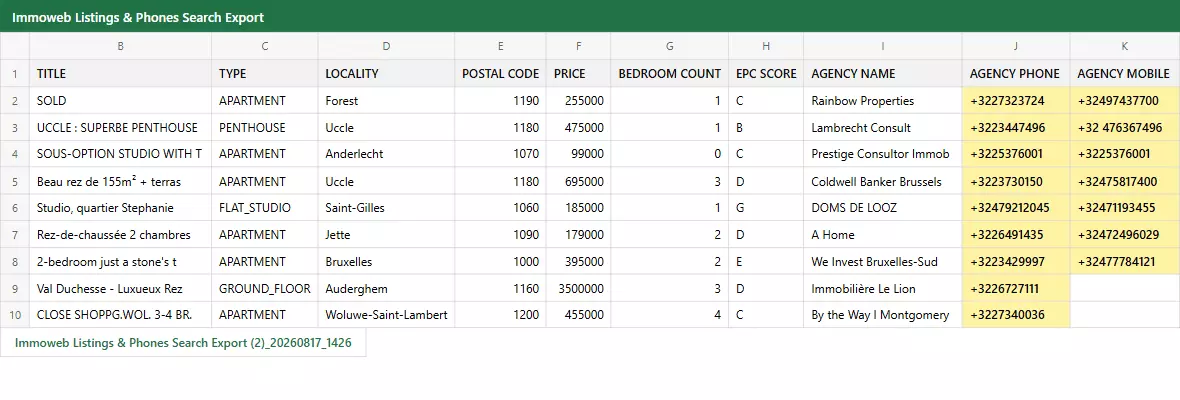
Pricing
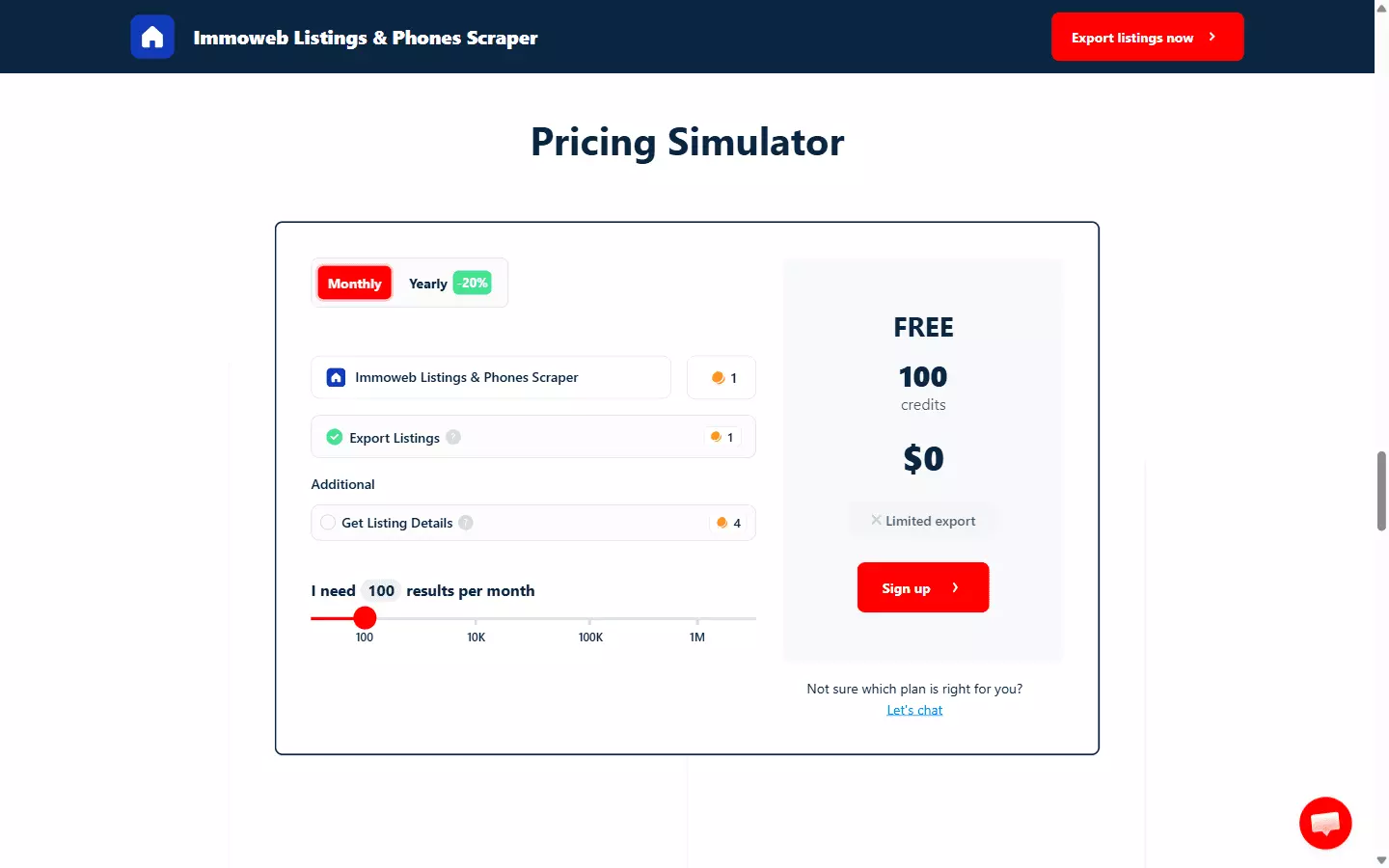
- 100 listings free every month
- Starts at $2 per 1,000 listings
- Drops to $0.50 per 1,000 listings at scale
Get Listing Details adds $8 per 1,000 at entry and $2 per 1,000 at scale, because it's a second request per property.So the full record with phone numbers costs $10 per 1,000 to start, and $2.50 per 1,000 at scale.
Base speed is about 5 listings per minute on a single Slot with details on, and you can run up to 20 Slots to work through bigger searches in parallel.
So how long does it actually take to set one up?
How to scrape Immoweb listings using lobstr.io: Step by Step Guide
Scraping Immoweb with lobstr.io takes less than 2 minutes. Here's the process:
- Create a Squid
- Add tasks
- Adjust behavior
- Launch
- Enjoy
Step 1: Create a Squid
A Squid is just a scraper instance. To create one:
- Log in to your lobstr.io dashboard
- Click the red New Squid button
- Type "Immoweb" in the search bar
- Select
Immoweb Listings & Phones Scraper
That's it. Your Squid is ready to configure.
Step 2: Add tasks
A task is simply your input. Here, it's an Immoweb search URL.
Go to Immoweb, set your filters however you like, then copy the URL out of the address bar. For sale or for rent, property type, price range, surface, bedrooms, region, postal code, radius... all of it works.
For example:
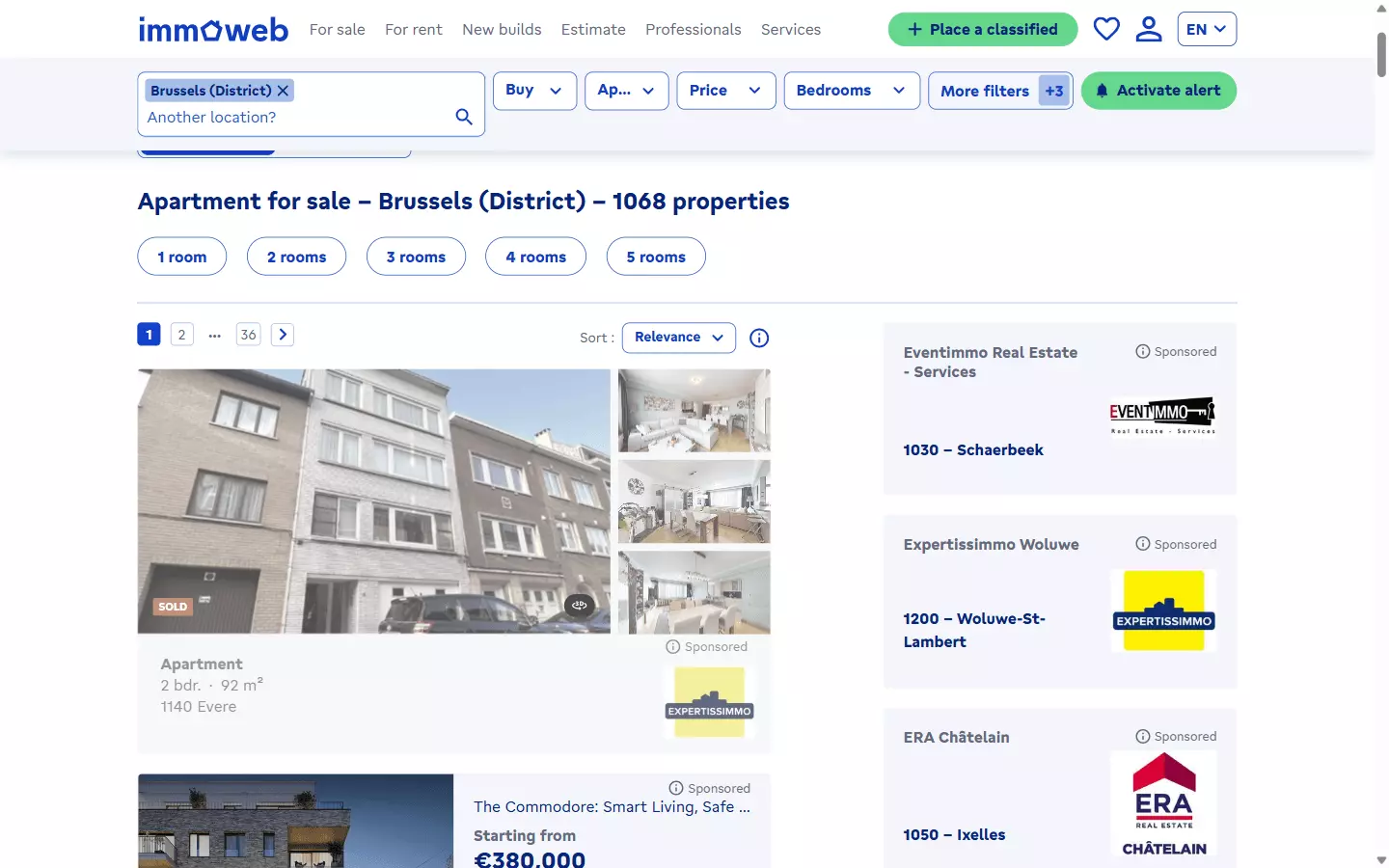
https://www.immoweb.be/en/search/apartment/for-sale/brussels/district?countries=BE&isImmediatelyAvailable=true&hasLift=true&page=1&orderBy=relevancef
That single search URL returned 459 listings in my run.
/fr, /nl and /en are equally fine.You can add them one by one using the Add+ button. Paste the URL, click add, done.
But if you're tracking a dozen different Belgian markets, adding them manually is a waste of time.
Save all your search URLs in a TXT or CSV file and upload it using the Upload file button.
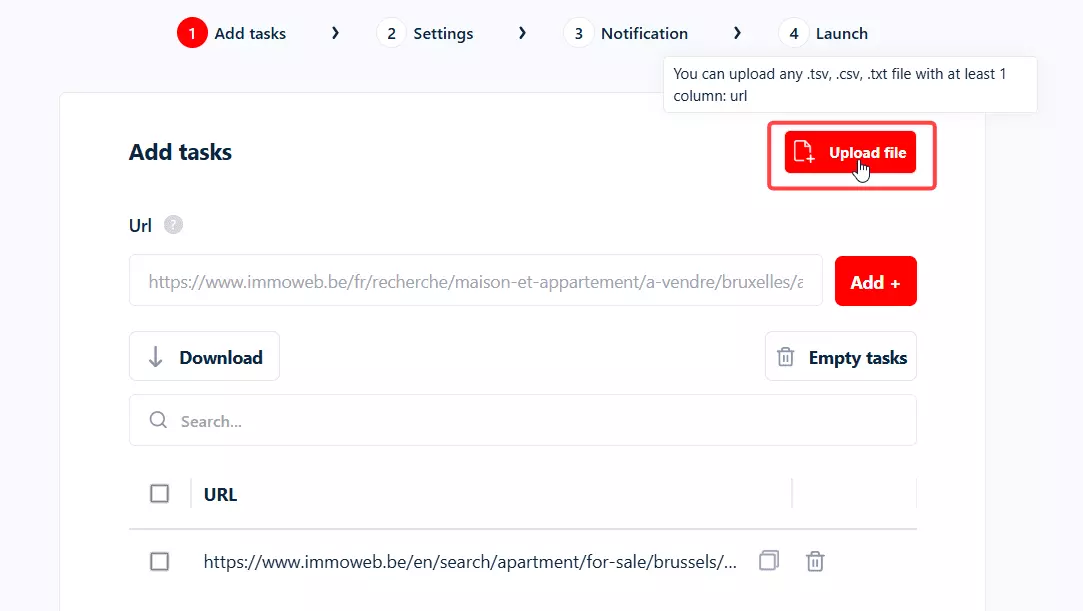
One thing to know before you start pasting. This scraper takes search URLs, not individual property URLs.
If you want one specific listing, filter the Immoweb search down until that listing is the result, and use that URL instead.
Once your tasks are added, click Save to move to the next step i.e. Settings.
Step 3: Adjust behavior
The Settings tab controls how your scraper behaves.
I'm not gonna bore you explaining every option including the unnecessary ones for this scraper. Let me cover the ones you'll actually use.
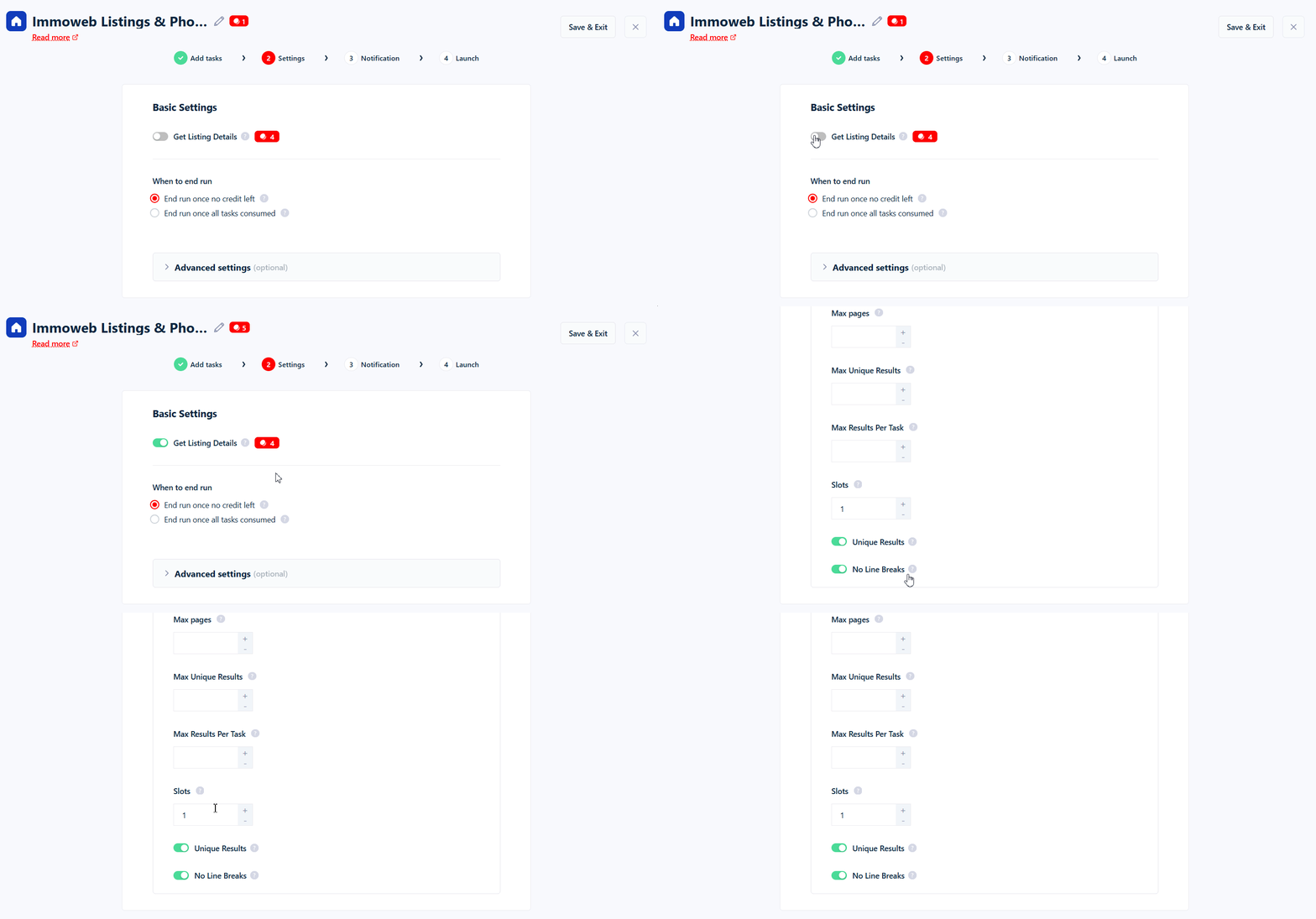
Get Listing Details... this is the one that matters.
Leave it off and you get the 22 search-level fields. Switch it on and the scraper visits every individual property page to collect the agency contact block, the full description, every photo URL, EPC score and the rest.
AGENCY PHONE and AGENCY MOBILE, turn it on.It costs 4 extra credits per listing, which is the $8 and $2 per 1,000 from the pricing above. That's a real cost, and it buys you 24 fields you cannot get any other way.
When to end run... controls whether the run keeps going until every task is finished or wraps up earlier.
Then there's the advanced block, which is mostly about putting a ceiling on things.
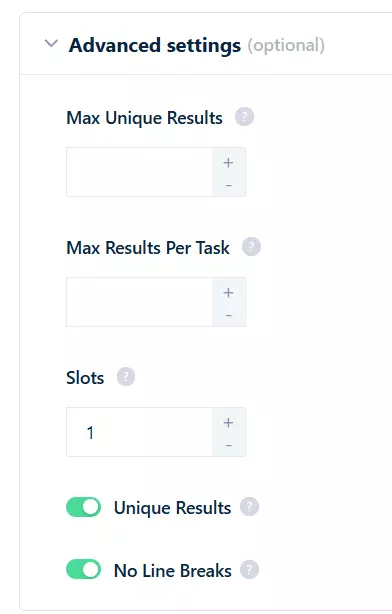
Max Pages... stops the scraper after that many search result pages. Set it to 2 or 5 when you're testing, or when you only want the newest listings.
Max Results Per Task... caps how many listings each search URL returns.
Max Unique Results... caps the whole run across every task.
Remove duplicates... exports unique listings only, which is handy when the same property shows up on more than one page.
Slots... how many parallel threads the Squid runs. It defaults to 1 and goes up to 20 on this scraper. More Slots, faster run.
Once done, click Save.
Step 4: Launch
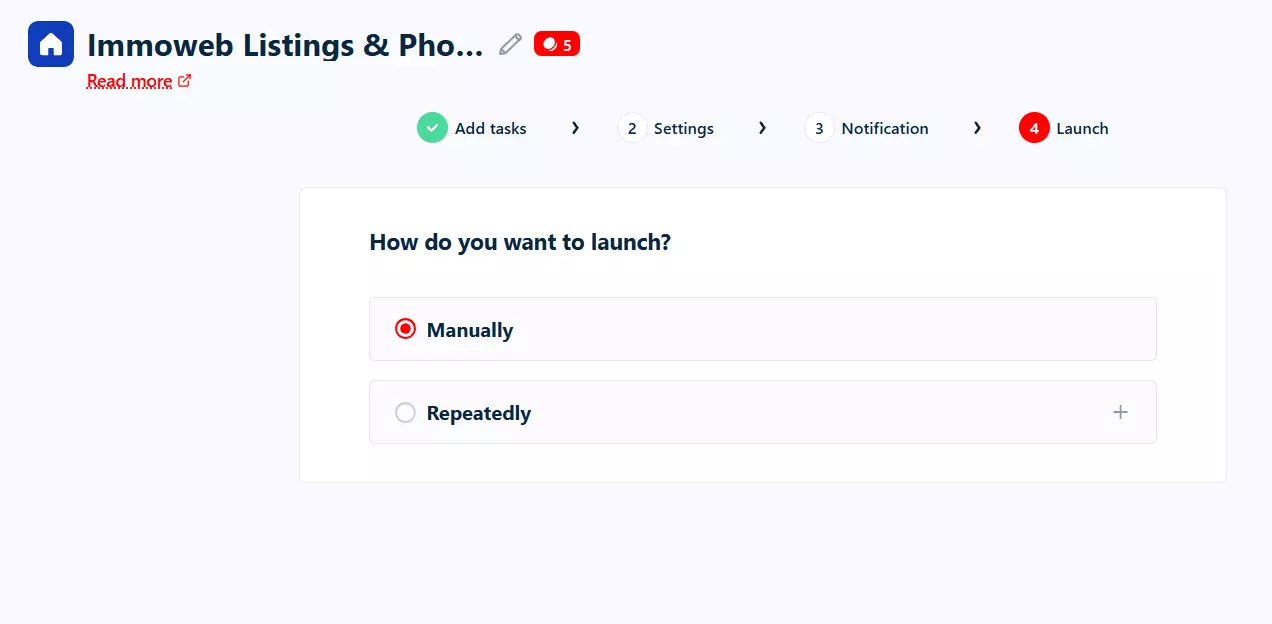
In the Launch tab, you've got two options:
- Manually
- Repeatedly
Manually means instant launch. Keep it selected and click Save & Extract. The scraper starts collecting listings immediately.
But what if you want to catch new listings as they're posted?
That's where Repeatedly comes in.
Switch to Repeatedly and set how often the scraper should run. Every few minutes, hourly, daily, weekly or monthly.
Step 5: Enjoy
Once a run finishes, click the Download button to export your results.
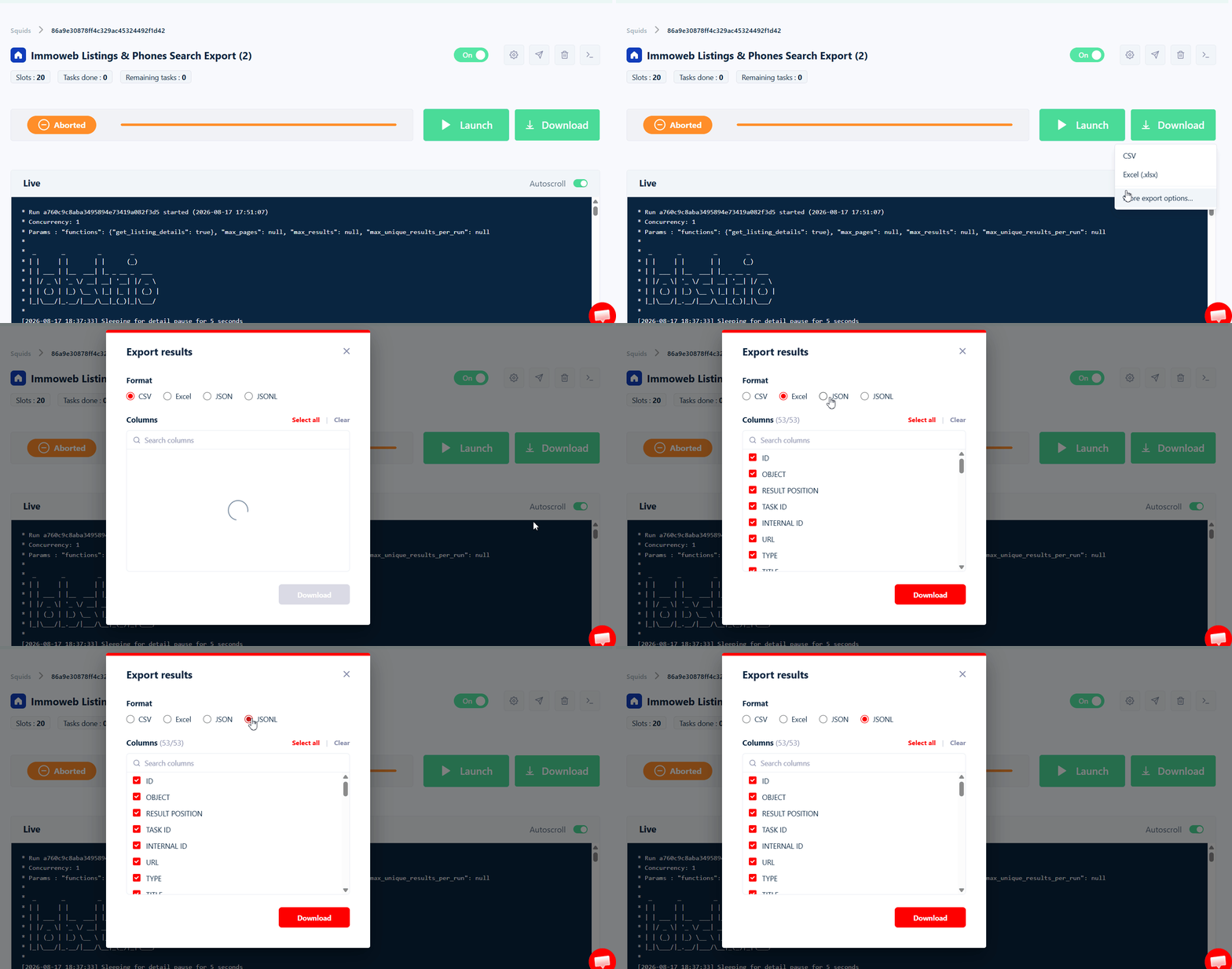
CSV, Excel, JSON or JSONL, whichever suits you. Open it in Excel, Google Sheets, or straight into pandas.
But downloading files manually every time? I don't like doing it.
lobstr.io lets you automate delivery. Click the Delivery icon in the top right corner and set up your preferred export method.
Google Sheets is my personal favorite. You can also use SFTP, Amazon S3, a webhook, or simply add an email address and receive the file in your mailbox after every run.
And if you want to plug this data into your CRM or any other tool, lobstr.io's official Make.com integration connects you to 3000+ apps.
What can you do with scraped Immoweb data?
You've got the listings. Now what?
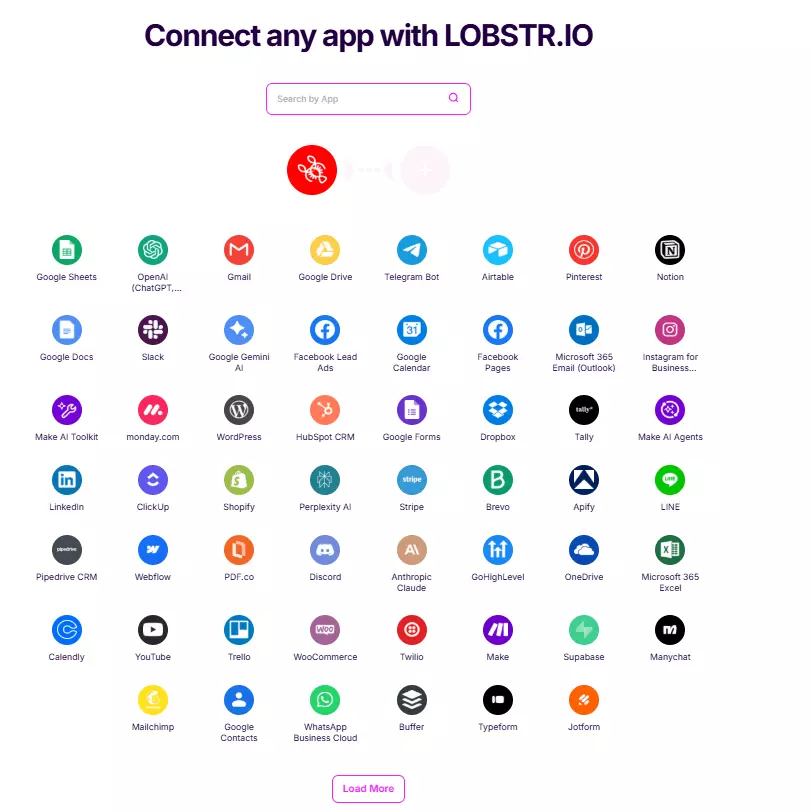
For example, chain this scraper with an AI agent that reads every new listing, scores it against your criteria, and drafts the outreach email to the agency.
You've got price, surface, location, EPC score, building condition and a phone number. That's enough for an agent to work with.
Here are six ways to put it to work.
1. Agency lead generation
AGENCY NAME, AGENCY EMAIL, AGENCY PHONE and AGENCY MOBILE give you a contactable list of every agency active in a Belgian market you care about.Filter a search to a postal code and you've built a territory-specific lead list from public data instead of buying one.
2. Property price analysis
PRICE, HABITABLE SURFACE, POSTAL CODE, TYPE, CONSTRUCTION YEAR, EPC SCORE and BUILDING CONDITION is a ready-made feature set for a price model.
LAT plus LNG come with every listing, so you can map or cluster without paying a geocoding bill.3. New-listing monitoring
Schedule it daily with Max Pages set low and you get new listings in your target area the morning they appear.
For anyone competing on speed, that's the whole game.
4. Energy renovation targeting
EPC SCORE, HEATING TYPE and CONSTRUCTION YEAR point straight at poorly rated housing stock.
If you sell insulation, heat pumps or renovation work in Belgium, that's your prospect list sorted by how badly they need you.
5. Investment yield screening
PRICE against HABITABLE SURFACE and BEDROOM COUNT gives you gross yield by area.Two search URLs, one scraper, and you can rank neighbourhoods instead of guessing.
6. Agency competitive intelligence
Group by AGENCY NAME to see who holds the most inventory in a postal code and at what price points.
CREATION DATE against LAST MODIFICATION DATE tells you how long their listings sit and how often they cut prices.FAQs
Do I need to log into Immoweb to scrape it?
No. It works entirely from public Immoweb search URLs. No account, no cookies, no session.
Can I get phone numbers from Immoweb listings?
AGENCY PHONE and AGENCY MOBILE come from each listing's detail page, alongside the agency name, type and email.Get Listing Details in Settings to collect them. It adds 4 credits per listing.How much does it cost to scrape 1,000 Immoweb listings?
$10 with phone numbers, dropping to $2.50 per 1,000 at scale. Listing data on its own is $2 per 1,000 at entry and $0.50 per 1,000 at scale.
There's also a free tier of 100 listings a month.
Which Immoweb search URLs are supported?
/fr, /nl or /en search URL with any filter applied, whether that's for sale, for rent, property type, price range, surface, bedrooms, region, postal code or radius.Can I scrape a single Immoweb listing by its URL?
No. The scraper takes search URLs, not individual property URLs. Filter the search down on Immoweb until you've isolated what you want, then paste that URL.
How many data points does it collect?
Get Listing Details is on, including the full agency contact block and every picture URL.Does Immoweb have an official API I could use instead?
Not for this. Immoweb's API is for publishing listings into Immoweb, and third parties only get customer authentication and classified pipelines.
There's no read endpoint for collecting listing data, and access is by email request only.
Is there a limit on how many listings I can scrape?
No limit on the lobstr.io side. The ceiling is whatever Immoweb's own search returns for your URL.
Can I monitor Immoweb listings automatically?
Max Pages so each run only checks the newest pages, and send it to Google Sheets automatically.What export formats do I get?
CSV, Excel, JSON and JSONL. You can also push results to Google Sheets, Amazon S3, SFTP, email or a webhook after every run.
Conclusion
That's a wrap on how to scrape Immoweb listings and phone numbers, without coding and without logging in.