How to Scrape YouTube Channels with Emails at Scale: No-Code Guide
15-Second Summary
- YouTube caps creator emails at 10 a day per Google account, behind a sign-in, which kills any real outreach list
- DIY scrapers break fast, from "Sign in to confirm you're not a bot" walls to CAPTCHAs at scale
- lobstr.io's YouTube Channel Scraper gives you 67 data points per channel, including emails from the channel and its linked website
- It's fast and cheap: about 77 channels a minute on one Slot, from $2 per 1,000 channels, with 100 free every month
- This guide shows how to scrape YouTube channels step by step, no code, plus what to do with the data
So here you are... you've found 200 channels in your niche, and all you need is their business emails.
You open the first channel's About panel. The email sits behind a Sign in to see email address link.
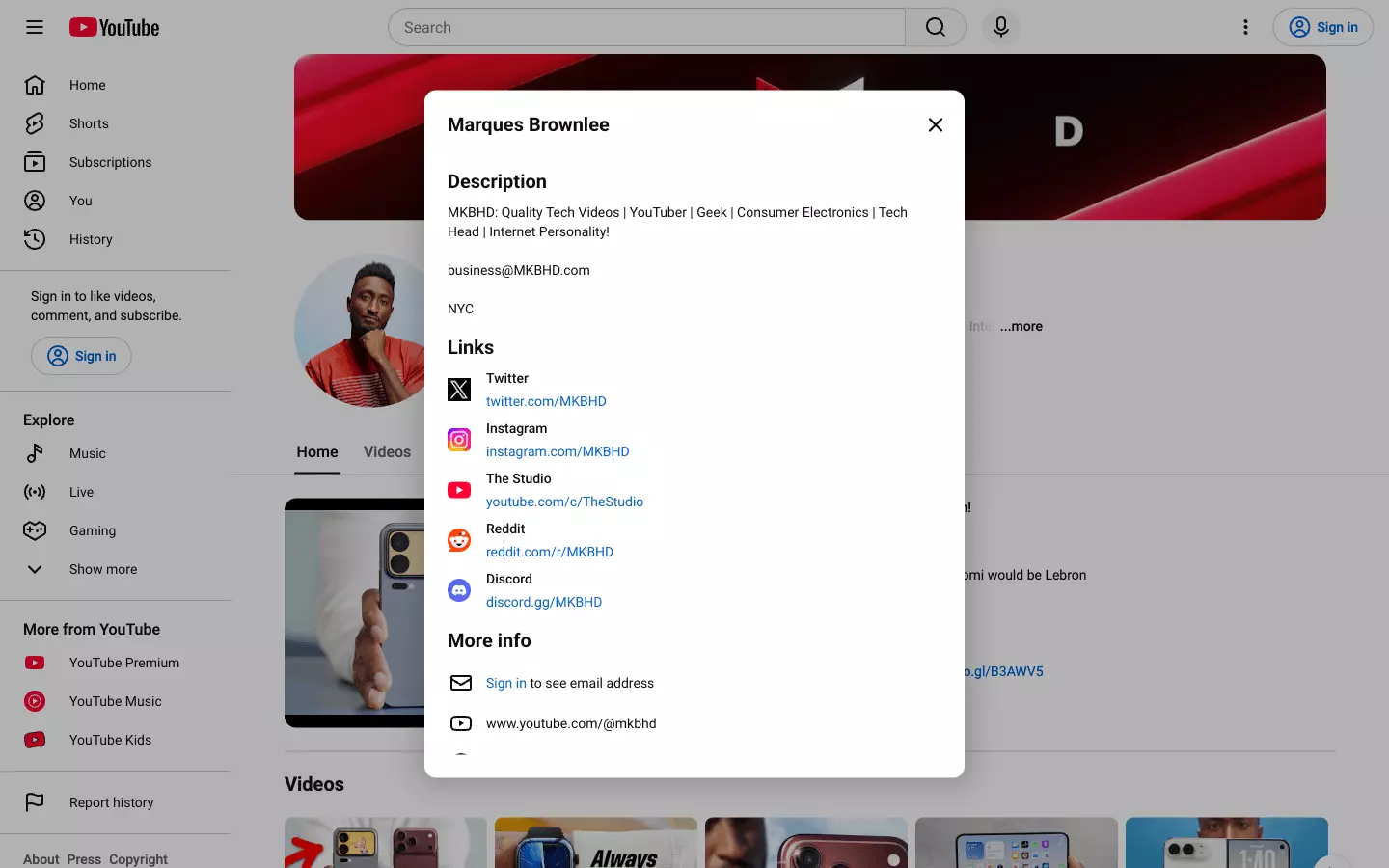
So you sign in and click "View email address". It works... until it doesn't.
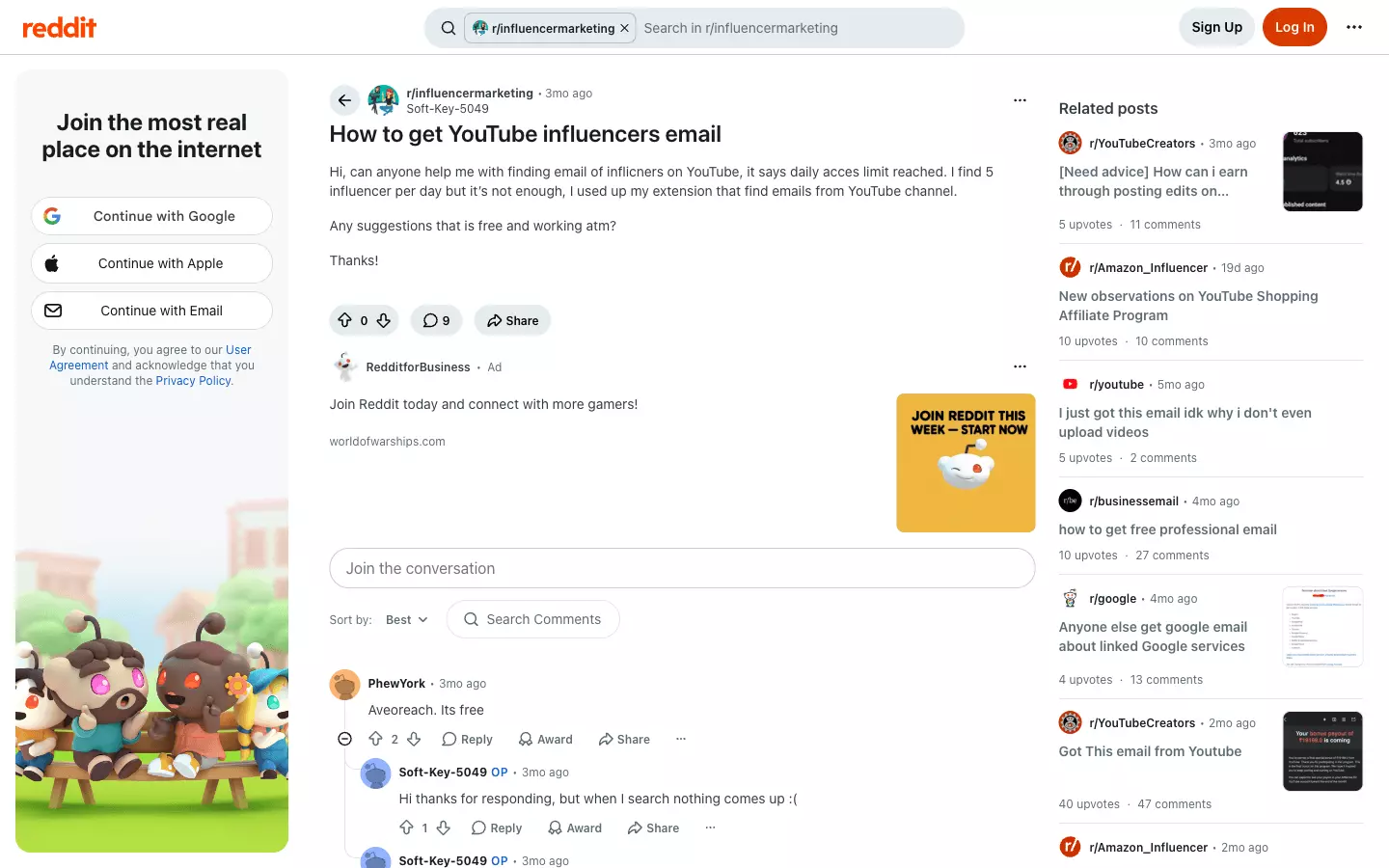
And the official YouTube API? It has no email field at all.
Don't worry, I got you. Here's a no-code guide on how to scrape YouTube channels with emails at scale, without clicking a single "View email address" button.
But is it even legal to scrape YouTube channels?
Is it legal to scrape YouTube channels?
Disclaimer
This section is for general informational purposes only. It's based on publicly available sources and practical interpretation, not legal advice.
Laws vary by country and change over time. If compliance, contracts, or platform risk matter to you, talk to a qualified legal professional.
Does YouTube allow scraping?
"access the Service using any automated means (such as robots, botnets or scrapers) except (a) in the case of public search engines, in accordance with YouTube's robots.txt file; or (b) with YouTube's prior written permission"
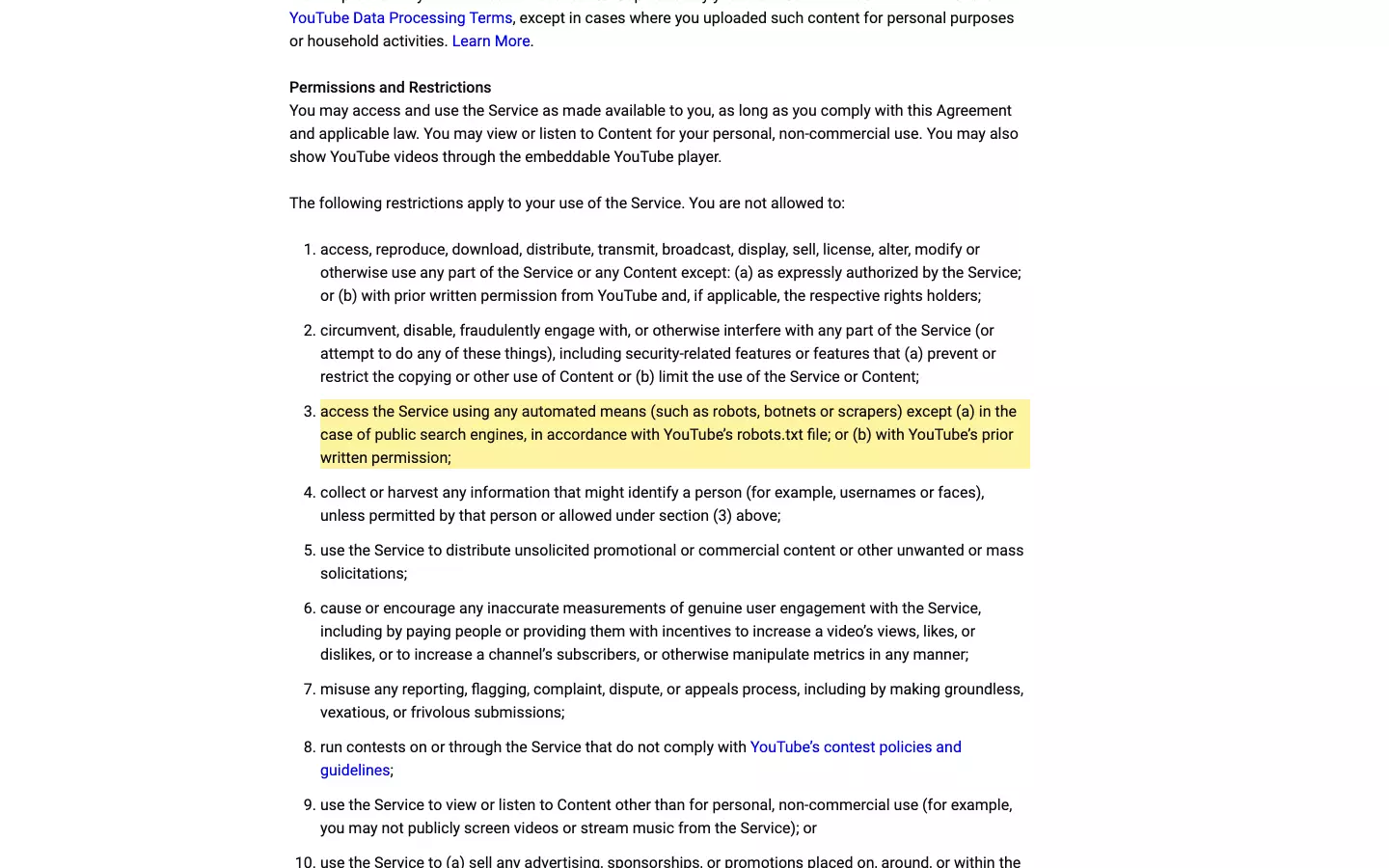
But does that make it illegal?
Is it legal to scrape YouTube channels?
Absolutely yes! It's generally legal.
Channel pages are public. Anyone can open a channel's About panel without logging in.
And US courts have backed scraping public data:
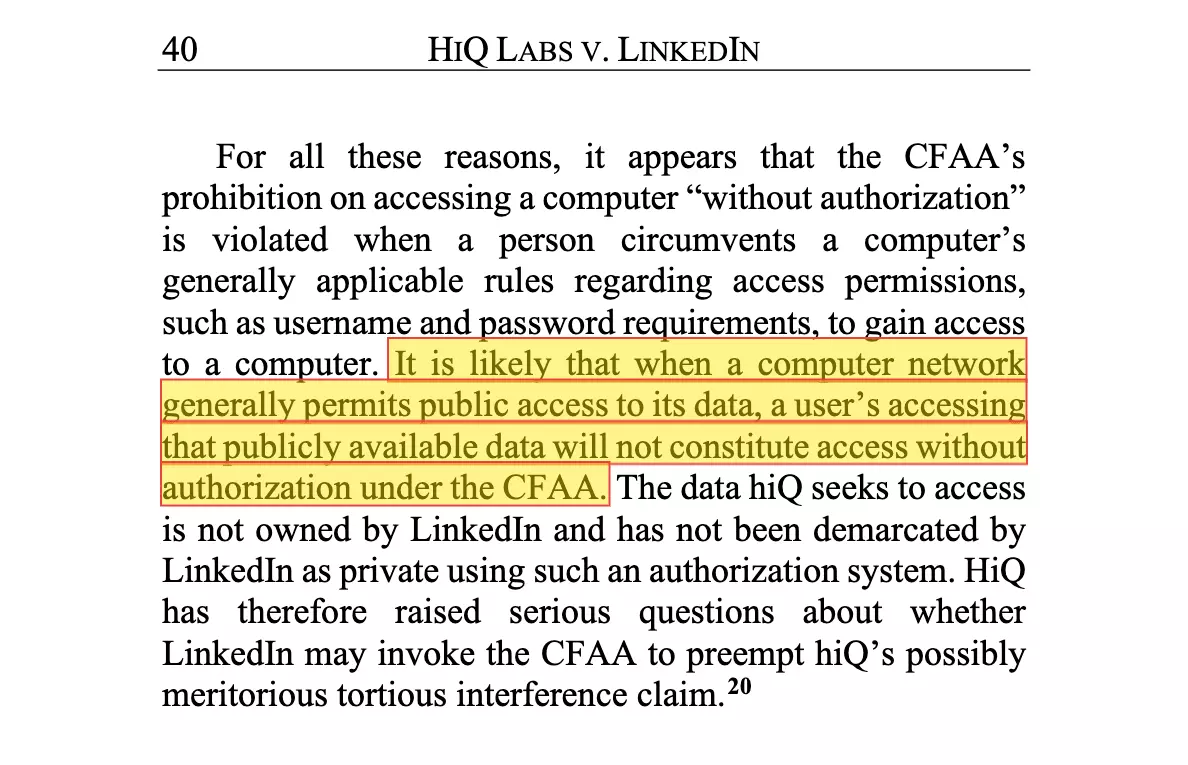
- hiQ Labs v. LinkedIn (9th Cir., 2022): "It is likely that when a computer network generally permits public access to its data, a user's accessing that publicly available data will not constitute access without authorization under the CFAA"
- Meta Platforms v. Bright Data (N.D. Cal., 2024): "the Facebook and Instagram Terms do not bar logged-off scraping of public data"
Here's the hiQ sentence, straight from the 9th Circuit's opinion.
But legal doesn't mean reckless. You still need to:
- Respect rate limits
- Comply with GDPR: creator names and emails are personal data, so outreach needs a lawful basis and an honest "here's where I found you"
- Never republish creators' content as your own
- Use the data responsibly, with no harassment or shady stuff
But how do I actually scrape YouTube channels at scale?
2 ways to scrape YouTube channels
Practically, you've got two options:
- Build your own scraper
- Use a ready-made scraper
Build your own scraper
This one's for the nerds. People who enjoy mass destruction.
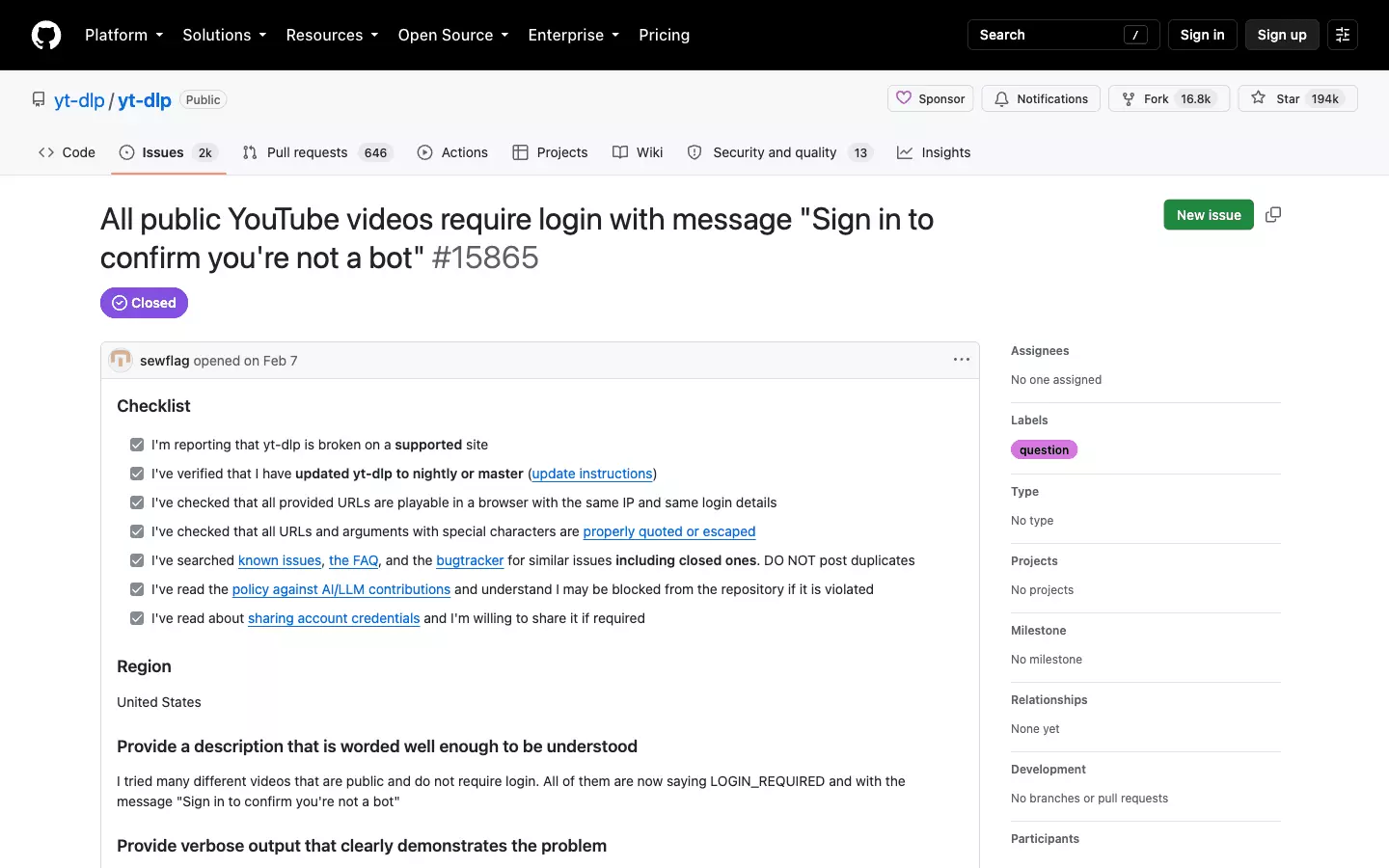
And it's not the only casualty:
- youtube-search-python got archived in 2022
- scrapetube has an issue titled "Failure since after YT update" from May 2026
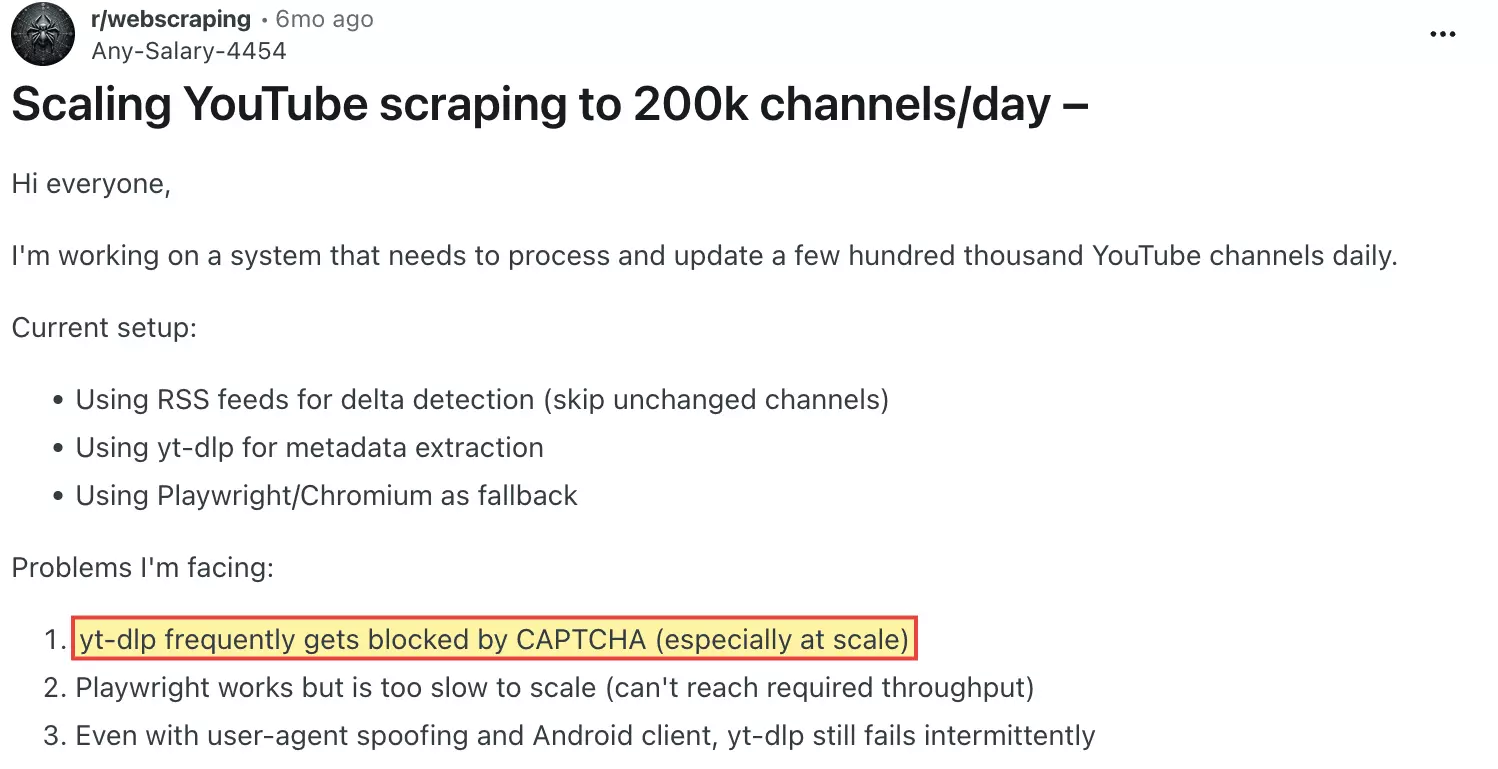
- A developer scaling to 200k channels a day wrote on Reddit that "yt-dlp frequently gets blocked by CAPTCHA (especially at scale)"
- Anti-bot checks that flag automated requests
- Rotating proxies that cost a fortune and still get burned
- CAPTCHAs the moment you push volume
- Constant maintenance, because every YouTube update breaks your parser
And you still have to dig the emails out of each creator's website. At scale. Every day.
Use a ready-made scraper
This is what smart people do.
Ready-made tools come as APIs or no-code apps. APIs are for nerds. This article is 100% no-code, so I'll skip the nerd stuff.
Best YouTube channel scraper: lobstr.io
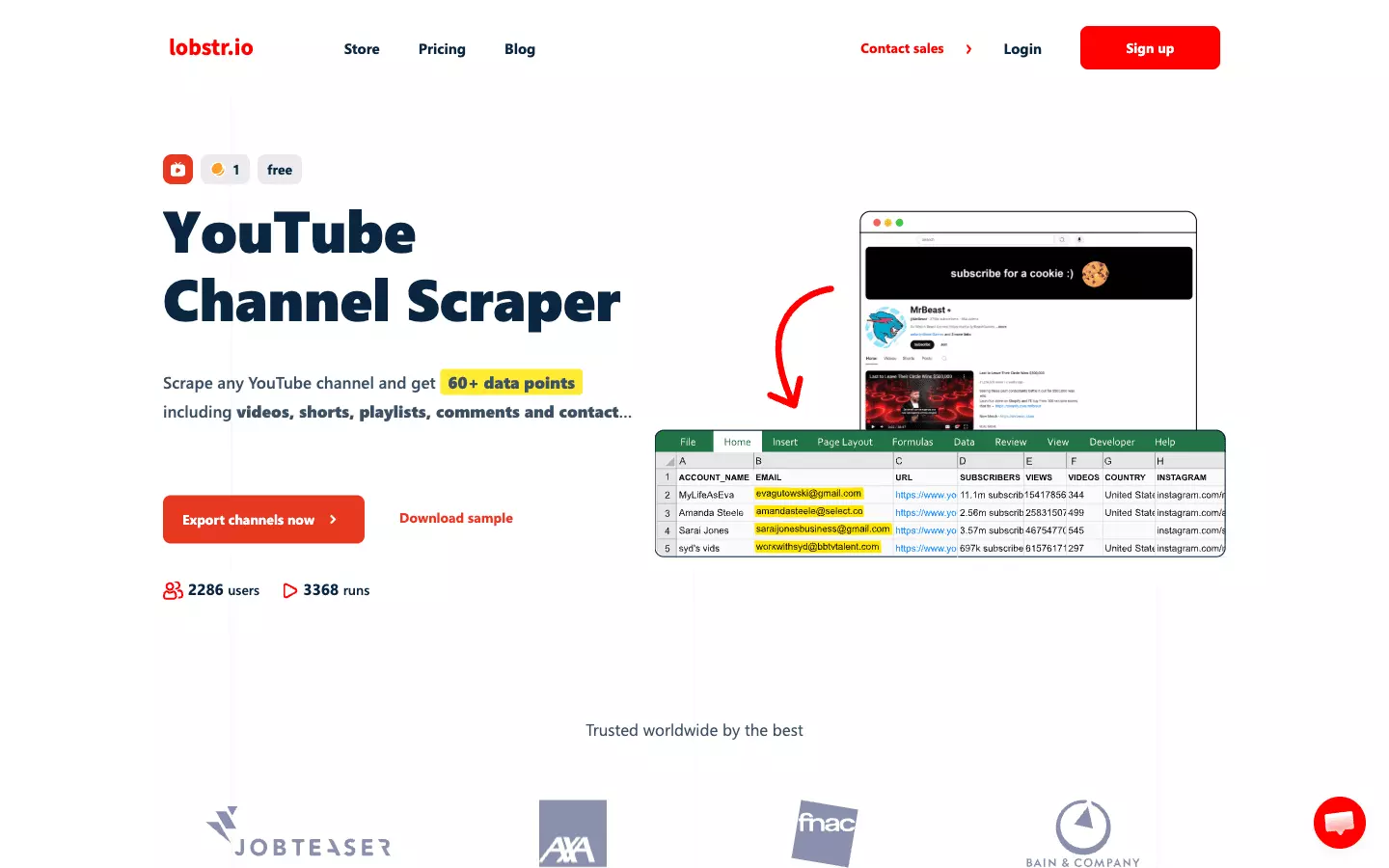
Features
- 67 data points per channel: 16 channel fields plus 51 from the add-ons
- Business emails from the channel and its linked website (how it works)
- Socials and stats: Twitter, Instagram, Facebook, other links, subscribers, views and country
- Add-ons for videos, Shorts, streams, playlists and comments
- Any channel URL format, and no YouTube login
- Export to CSV, Excel, JSON or JSONL, or deliver to Google Sheets, S3, SFTP, email or webhook
Data
Channel fields first, then the add-ons.
| 🆔 CHANNEL ID | channel_id | | 👤 ACCOUNT NAME | account_name | | 🔖 HANDLE | slug | | 🔗 CHANNEL URL | url | | 🖼️ AVATAR | avatar_url | | 📝 ABOUT (DESCRIPTION) | about | | 📧 EMAIL | email | | 👥 SUBSCRIBERS | subscribers_count | | 👁️ TOTAL VIEWS | views_count | | 🎬 VIDEO COUNT | videos_count | | 📅 CREATION DATE | creation_date | | 🌍 COUNTRY | country | | 🐦 TWITTER | twitter | | 📸 INSTAGRAM | instagram | | 📘 FACEBOOK | facebook | | 🔗 OTHER LINKS | other_links | | ▶️ VIDEOS / SHORTS / STREAMS / PLAYLISTS (up to 30 items each, 7 fields per item) | id, url, title, duration_text, metadata_text (views + publish age), thumbnail_url, type | | 💬 COMMENTS (up to 20 per video on up to 5 videos, plus replies, 23 fields per item) | text, type, author, author_avatar, author_badge, author_channel_id, author_profile_url, author_is_verified, author_is_channel_owner, vote_count, reply_count, comments_count, is_pinned, has_creator_heart, published_at, published_time_text, comment_id, reply_to_comment_id, video_id, video_title, video_url, channel_id, channel_name |f
Pricing
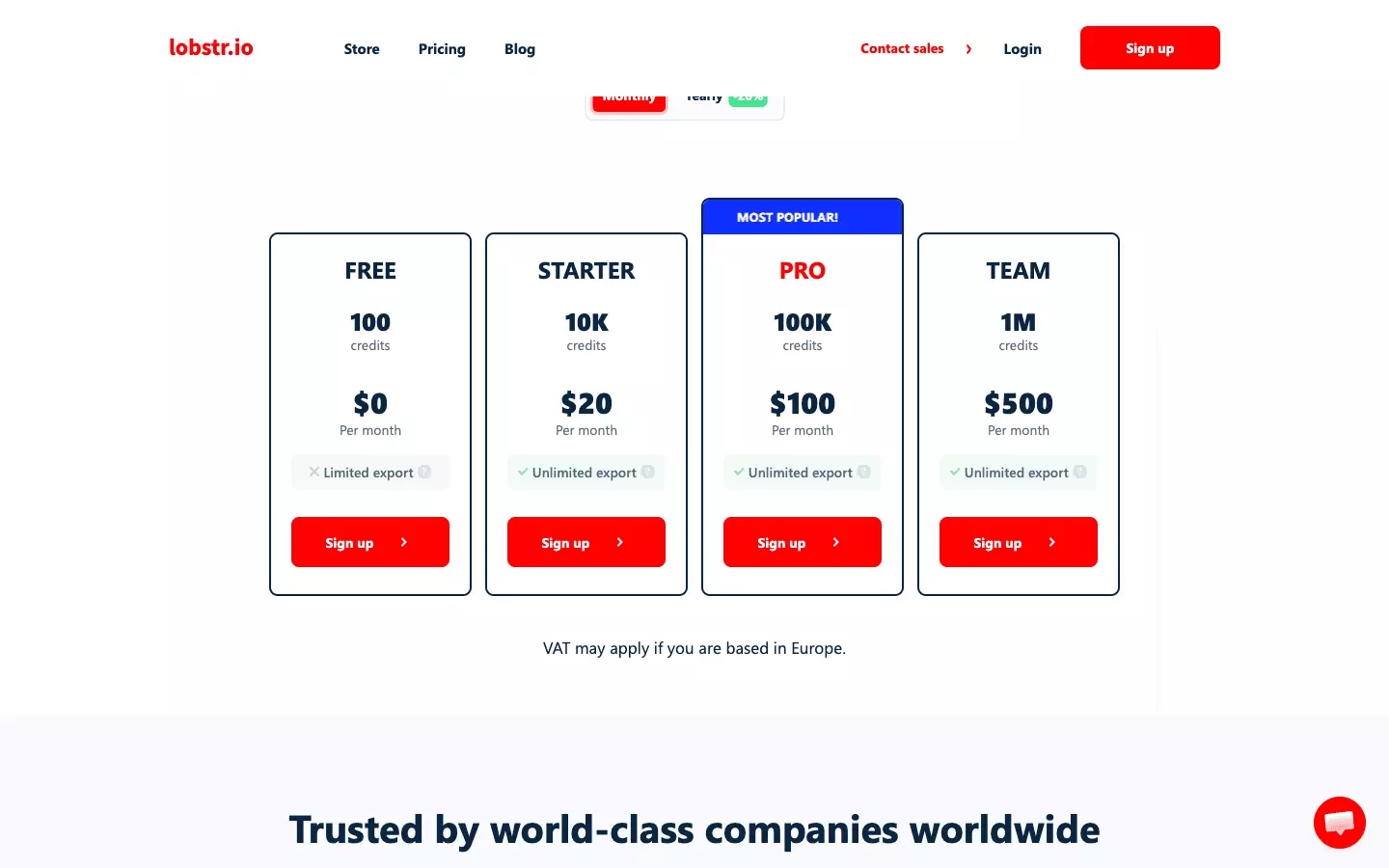
- 100 channels free every month
- Starts at $2 per 1,000 channels
- Drops to $0.50 per 1,000 channels at scale
Add-ons cost extra credits per channel:
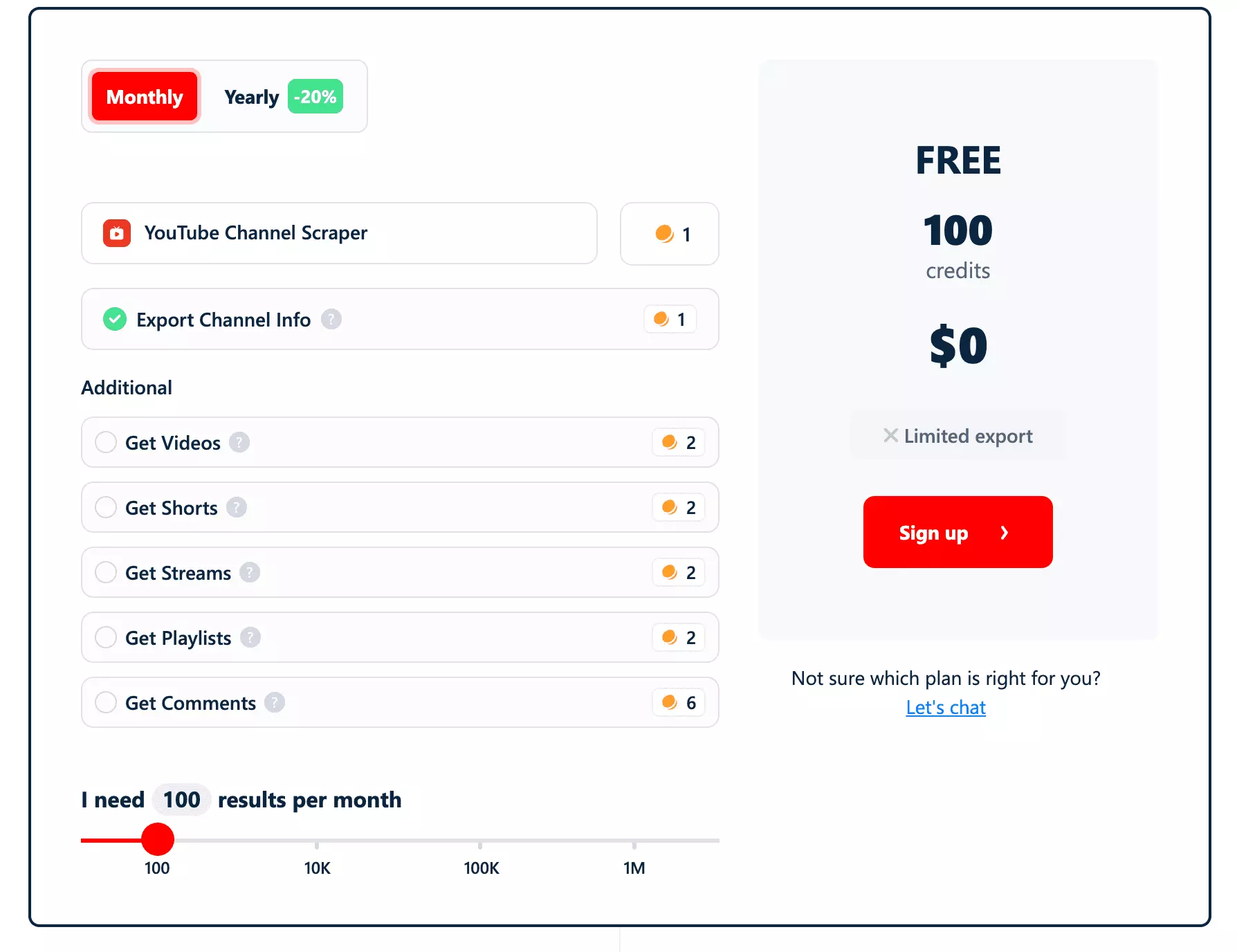
- Get Videos: +2 credits
- Get Shorts: +2 credits
- Get Streams: +2 credits
- Get Playlists: +2 credits
- Get Comments: +6 credits
- Everything on: 15 credits per channel at most, so $30 per 1,000 channels on Starter or $7.50 on Team
An add-on only charges for channels where it found something. No videos found = 0 credits.
The Free plan has two limits: exports cap at 30 rows, and there's no scheduling.
But there's a way around it. Post a genuine review of lobstr.io as a comment in an eligible subreddit, or as a post on your real LinkedIn profile, and get 2,000 free credits for a month with no 30-row cap.
And the speed? My test runs hit about 77 channels a minute on a single Slot at base settings (50 well-known channels in 39.2 seconds). With every add-on on, it's about 3 channels a minute.
More Slots run more channels in parallel.
So how do you go from a list of channels to a sheet full of emails?
How to scrape YouTube channels using lobstr.io: Step by Step Guide
Scraping YouTube channels with lobstr.io takes less than 2 minutes. Here's the process:
- Create a Squid
- Add tasks
- Adjust behavior
- Launch
- Enjoy
Step 1: Create a Squid
New squid button in your lobstr.io dashboard, search youtube and choose YouTube Channel Scraper.That's it. Your Squid is ready to configure.
Step 2: Add tasks
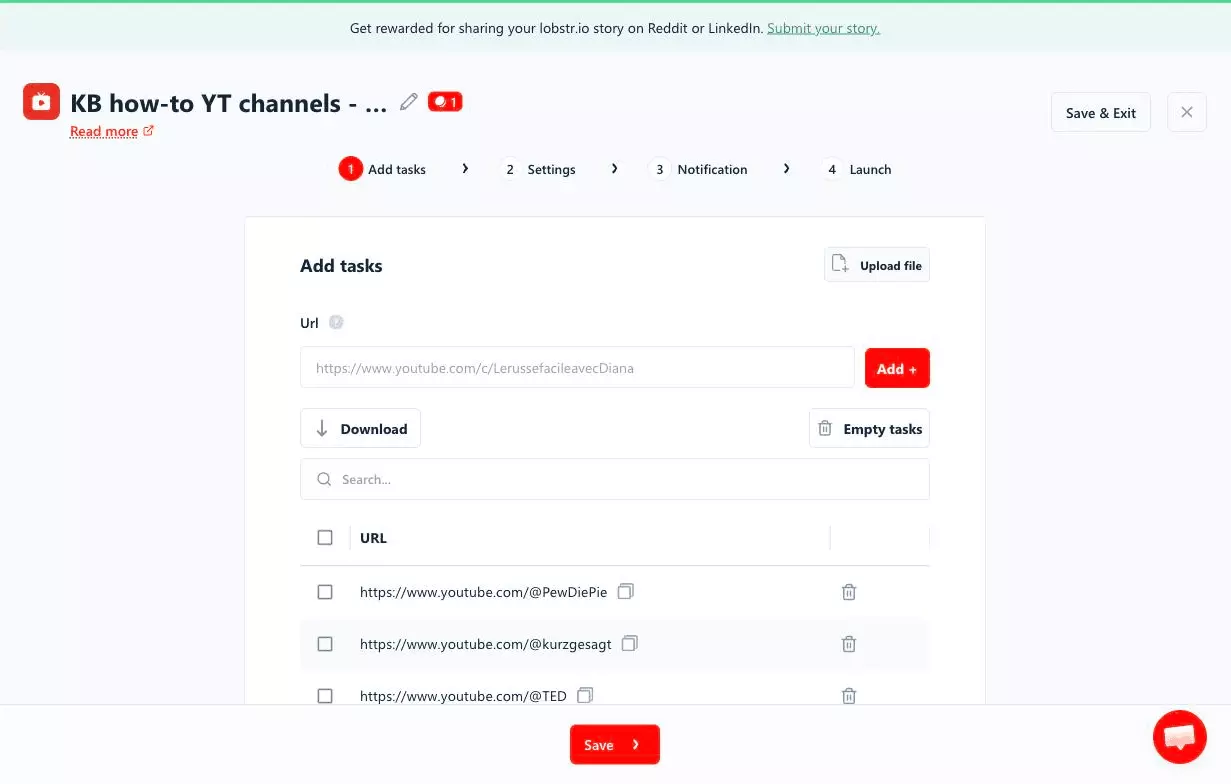
A task is your input. Here, it's a YouTube channel URL, and each one gives you one row. Any format works:
https://www.youtube.com/@mkbhd
https://www.youtube.com/channel/UCXuqSBlHAE6Xw-yeJA0Tunw
https://www.youtube.com/user/1veritasium
https://www.youtube.com/c/LerussefacileavecDiana
https://www.youtube.com/MrBeastf
Paste a URL into the Url field and click Add +.
.csv, .tsv or .txt file with a url column and click Upload file.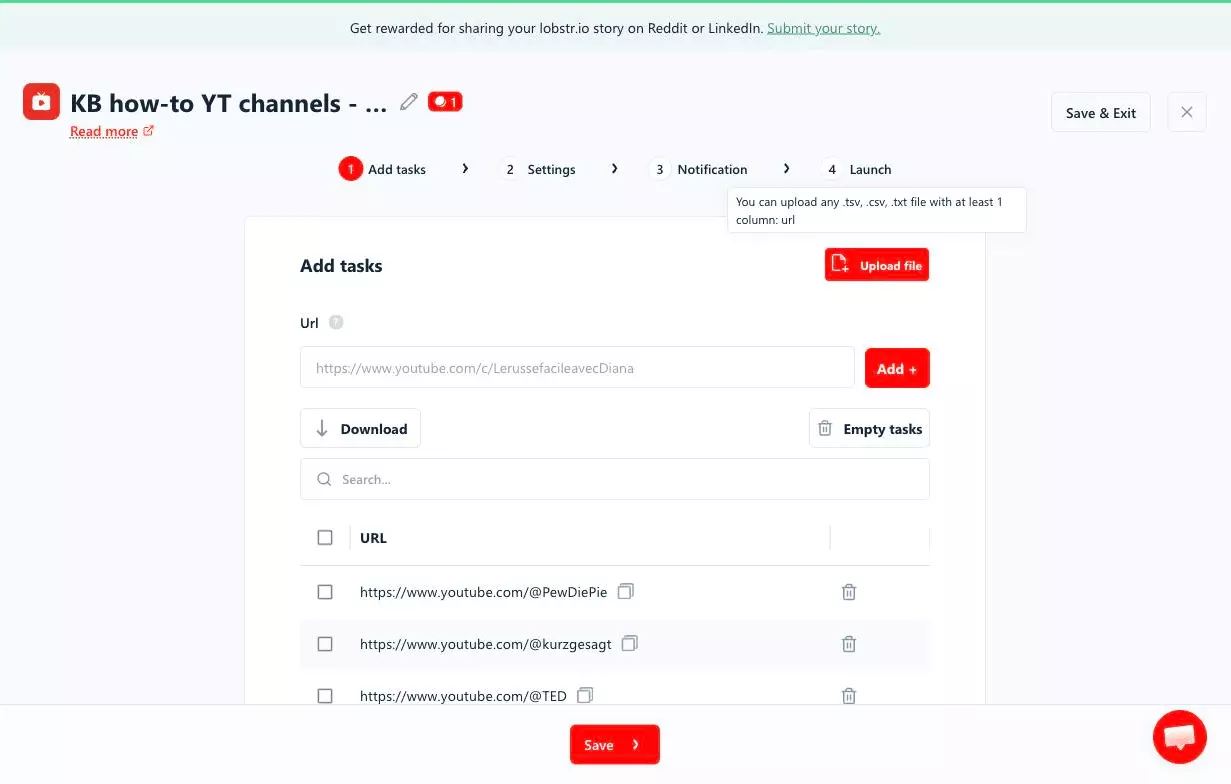
A handle that doesn't exist returns no row and costs nothing.
Click Save to move to Settings.
Step 3: Adjust behavior
Settings control what your Squid collects. Let me cover the ones you'll actually use.
The channel info is always on. The five add-ons are off by default: Get Videos, Get Shorts, Get Streams and Get Playlists pull up to 30 items each, and Get Comments grabs up to 20 comments on up to 5 collected videos or Shorts, plus replies.
The red badge next to each toggle is its credit cost per channel.
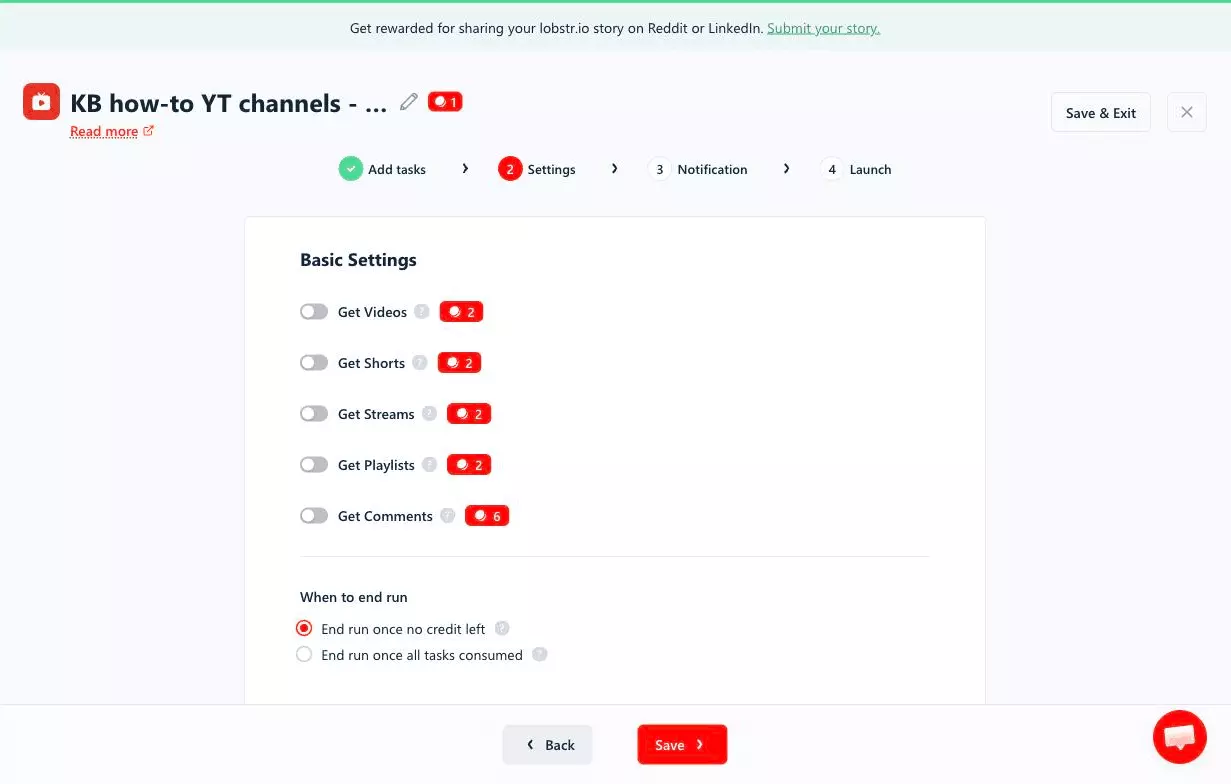
Pro tip: Get Comments reads from the videos and Shorts you collect, so turn on Get Videos or Get Shorts with it.
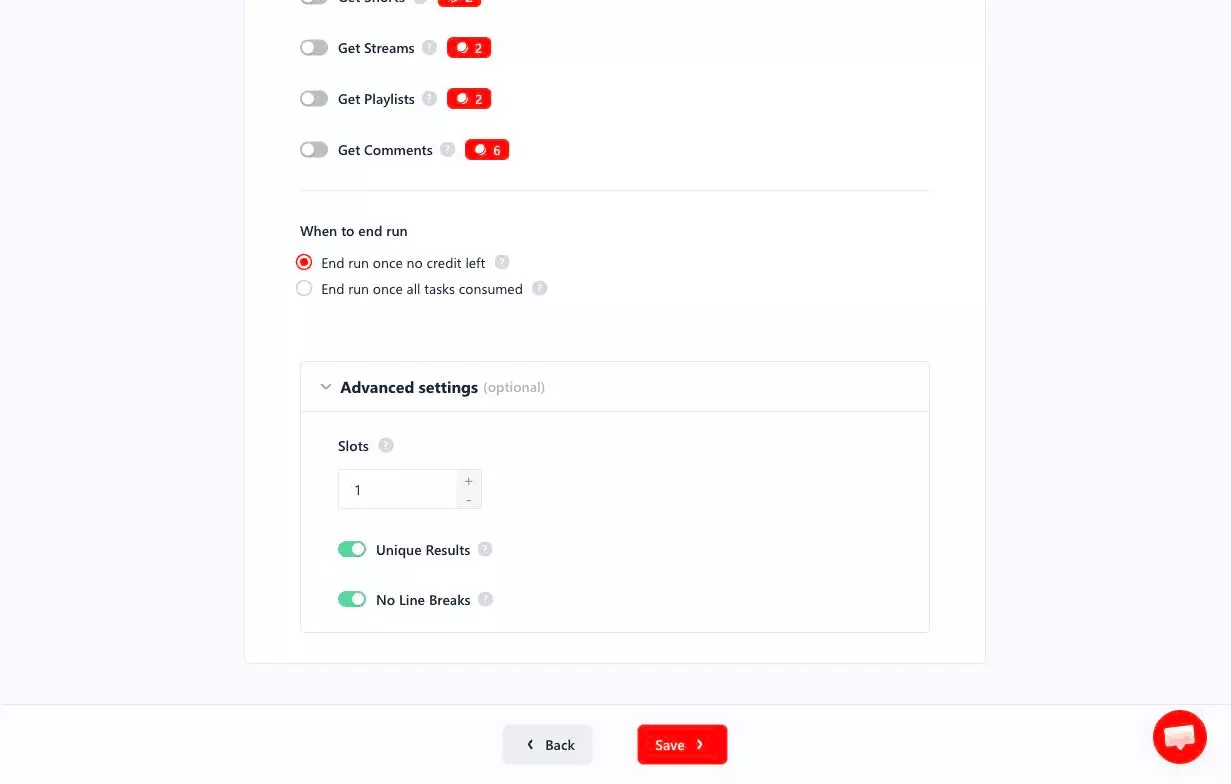
When to end run covers running out of credits. End run once no credit left marks the run done. End run once all tasks consumed pauses it until you add credits.
Under Advanced settings, Slots sets how many bots work your Squid at once (1 by default, up to 20 on this scraper, within your plan's allowance). Unique Results removes duplicates and No Line Breaks keeps Excel exports clean, both on by default.
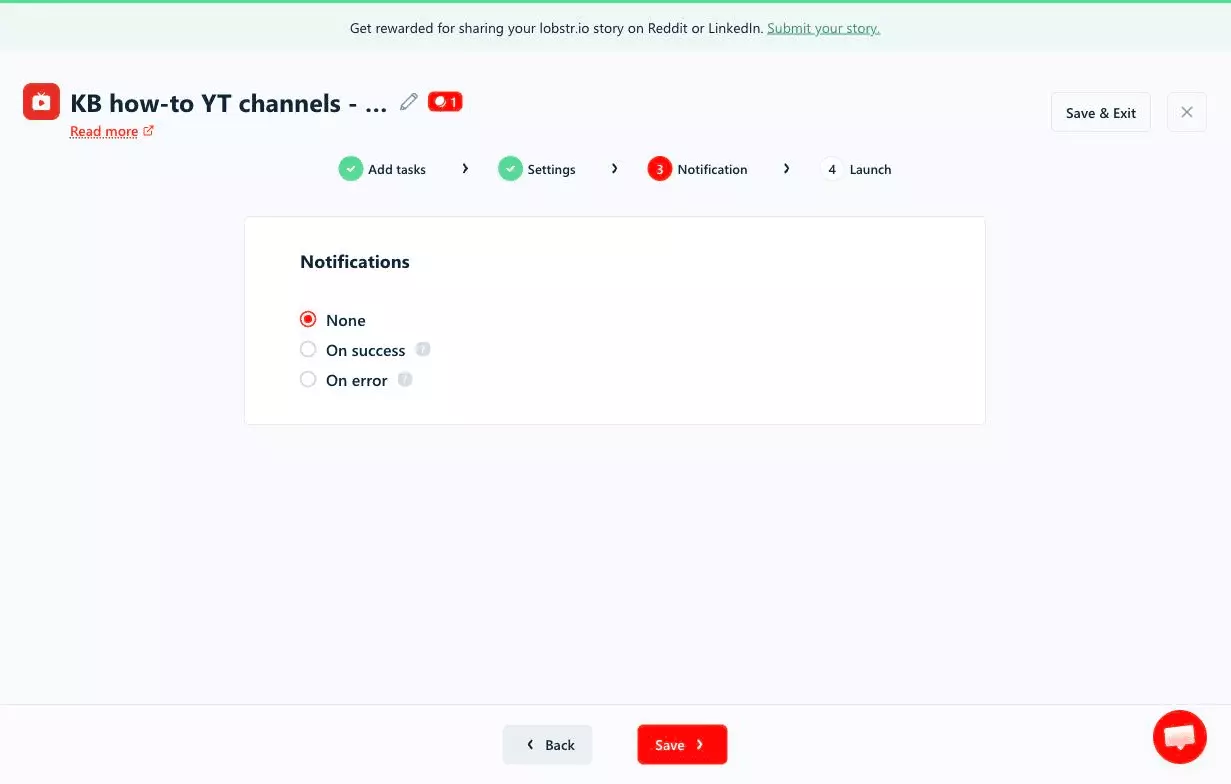
Click Save. In Notification, pick On success or On error for a heads-up when a run finishes or fails.
Step 4: Launch
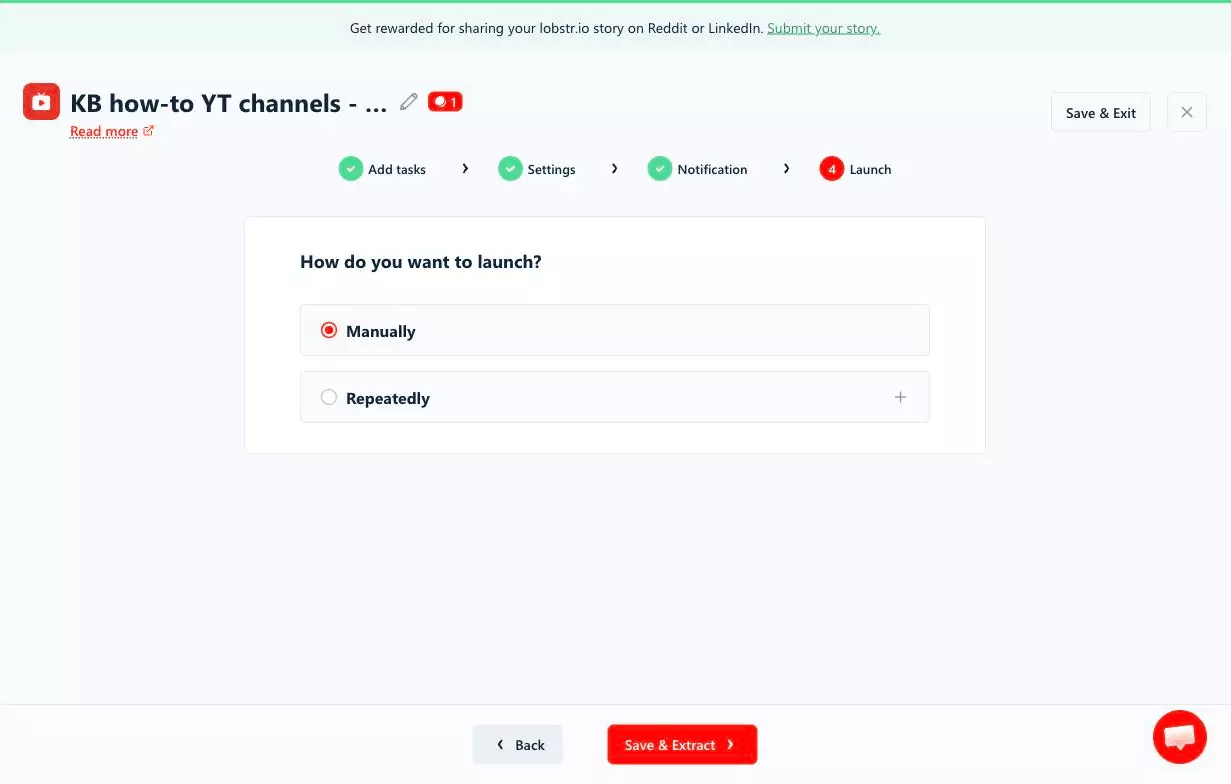
In the Launch step, you've got two options:
- Manually
- Repeatedly
Manually means instant launch. Keep it selected and click Save & Extract.
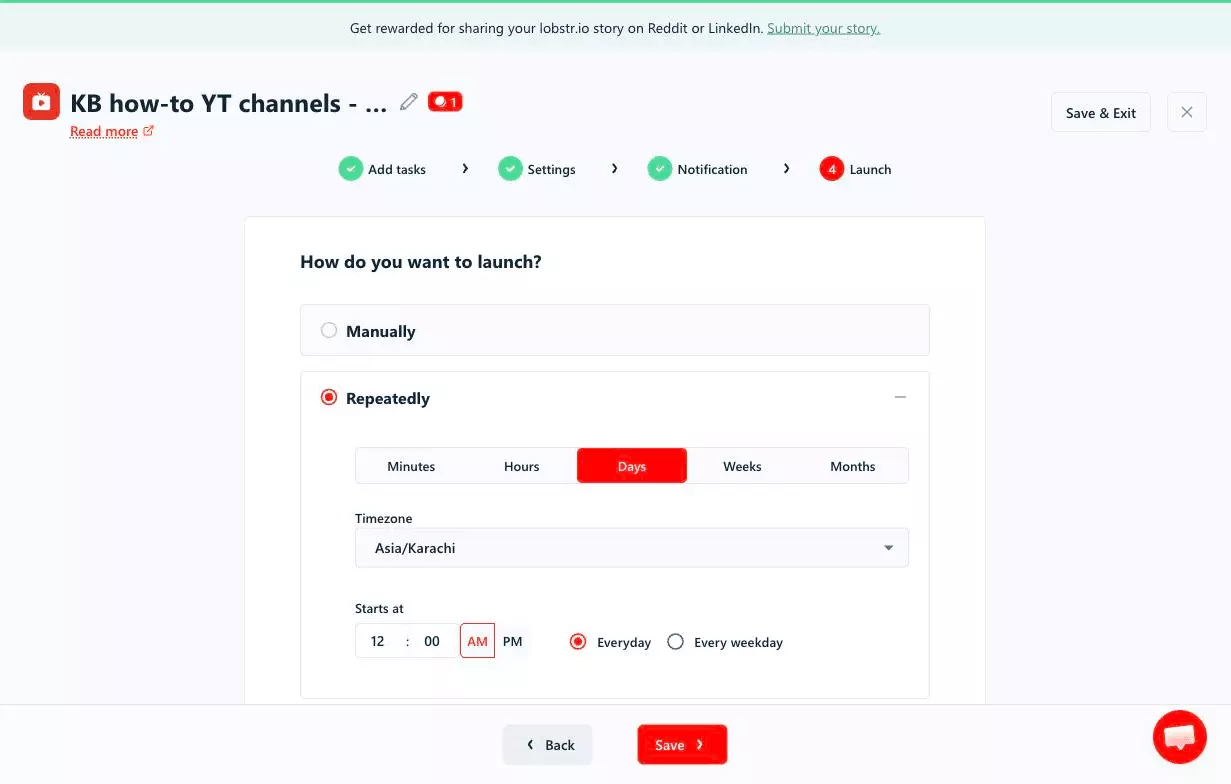
But what if you want to track channels over time?
That's where Repeatedly comes in. Pick Minutes, Hours, Days, Weeks or Months, set your Timezone and start time, and the Squid re-scrapes the same channels on schedule.
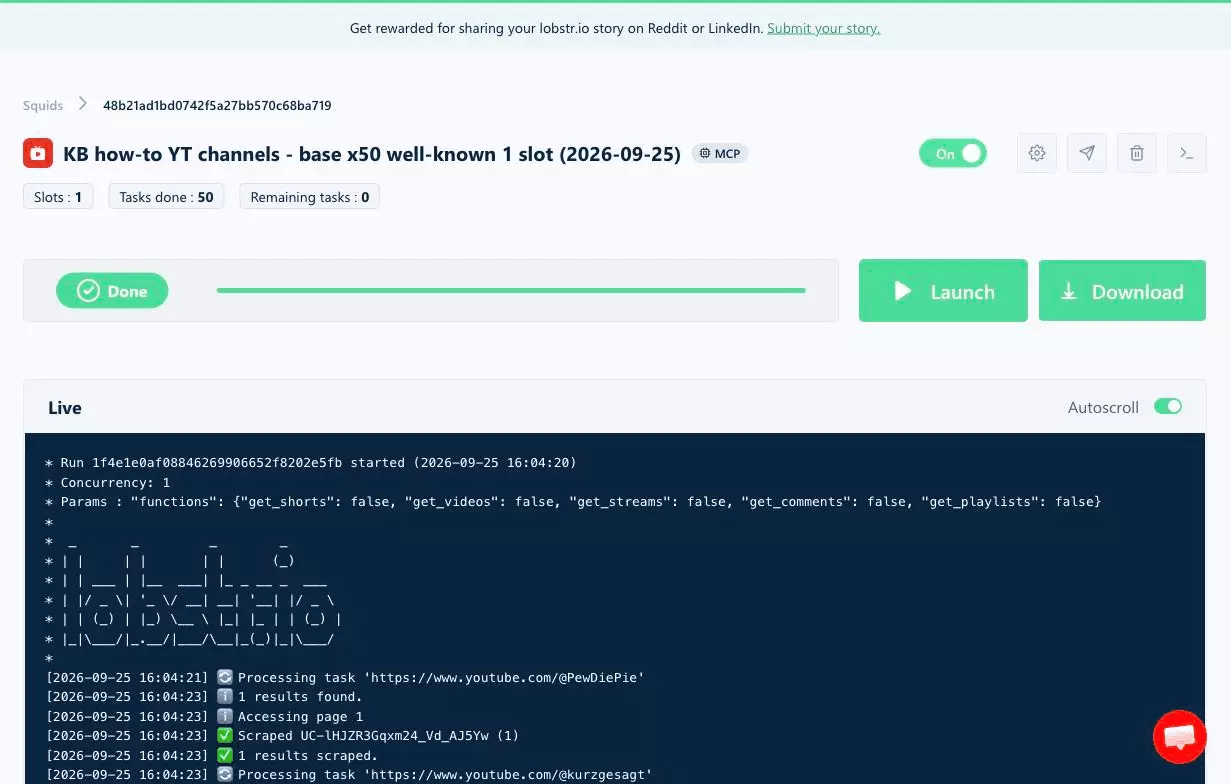
The Squid page then shows a Live log of every channel. Here's a finished 50-channel run.
Step 5: Enjoy
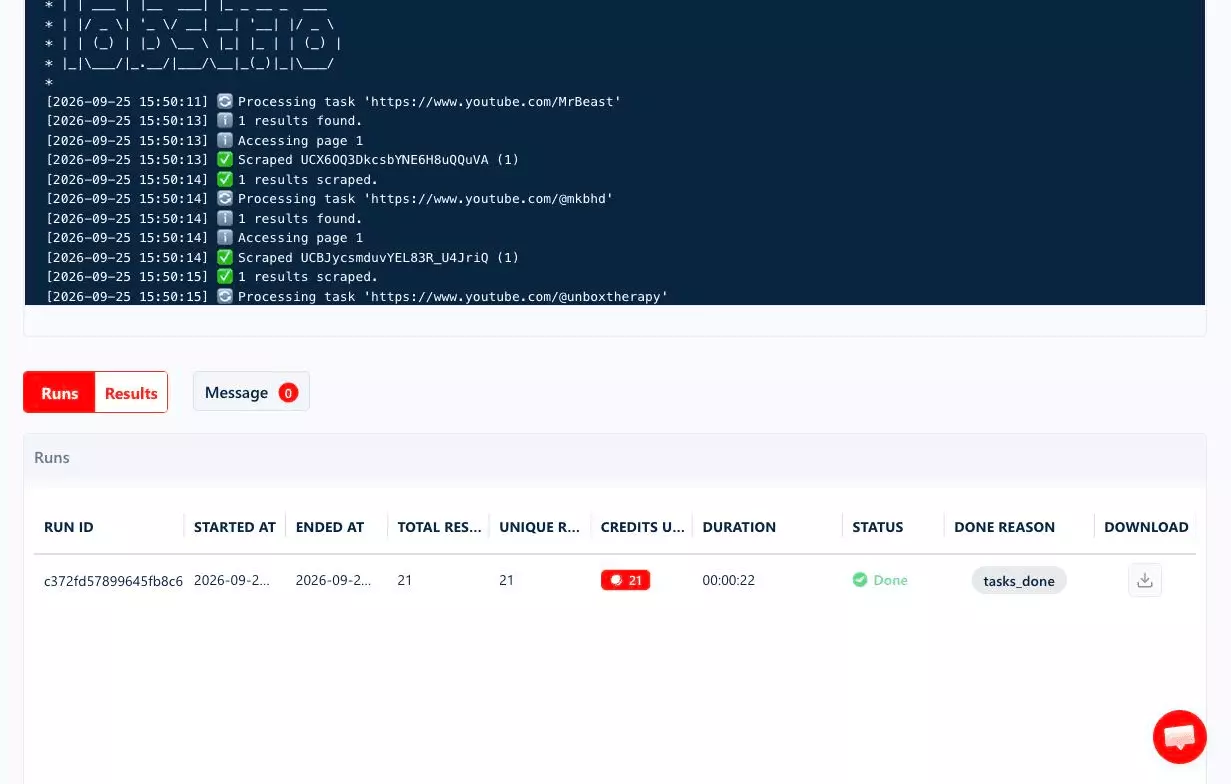
Once a run finishes, click Download to export your results as CSV, Excel, JSON or JSONL. The Runs tab lists each run with its results, credits and duration.
Open the file in Excel or Google Sheets, and there are your emails and socials.
But downloading files by hand every time? I don't like doing it.
lobstr.io automates delivery. Click the paper-plane icon on your Squid page to open the Delivery drawer.
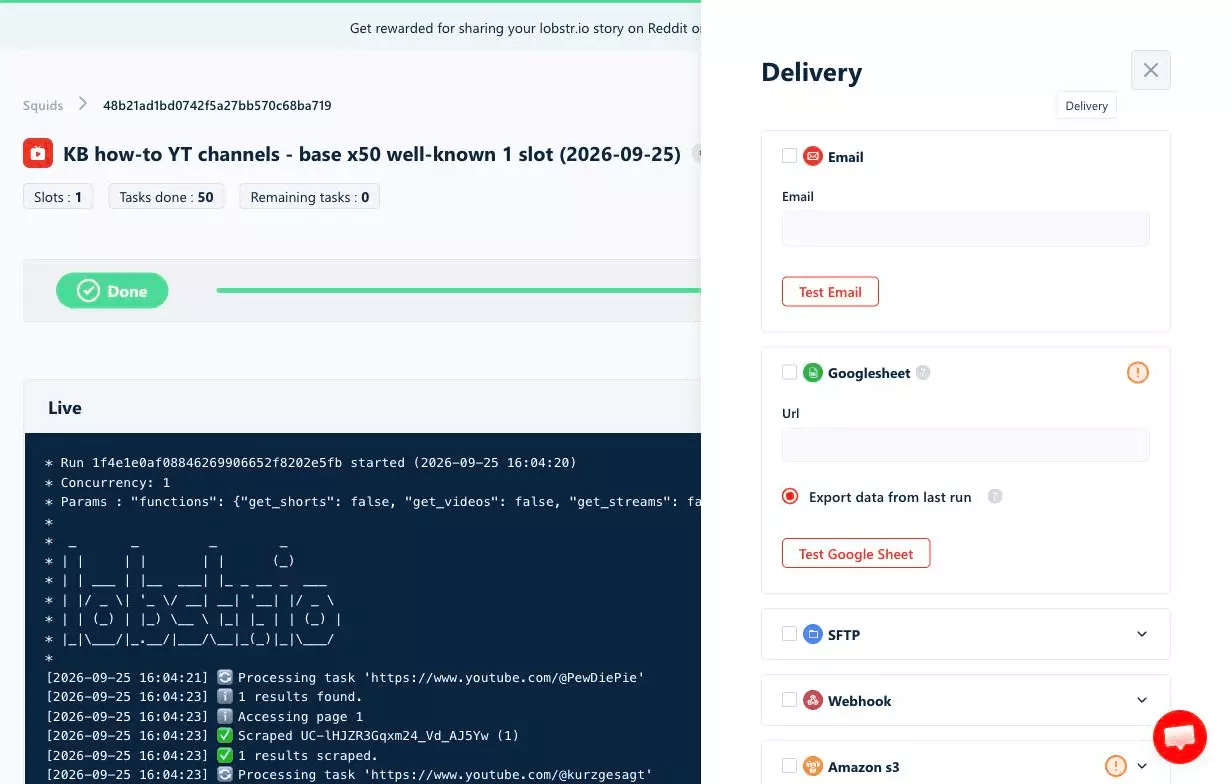
Email, SFTP, webhook and Amazon S3 work too.
But what do you actually do with a sheet full of creators?
What can you do with scraped YouTube channel data?
You've got the channels. Now what?
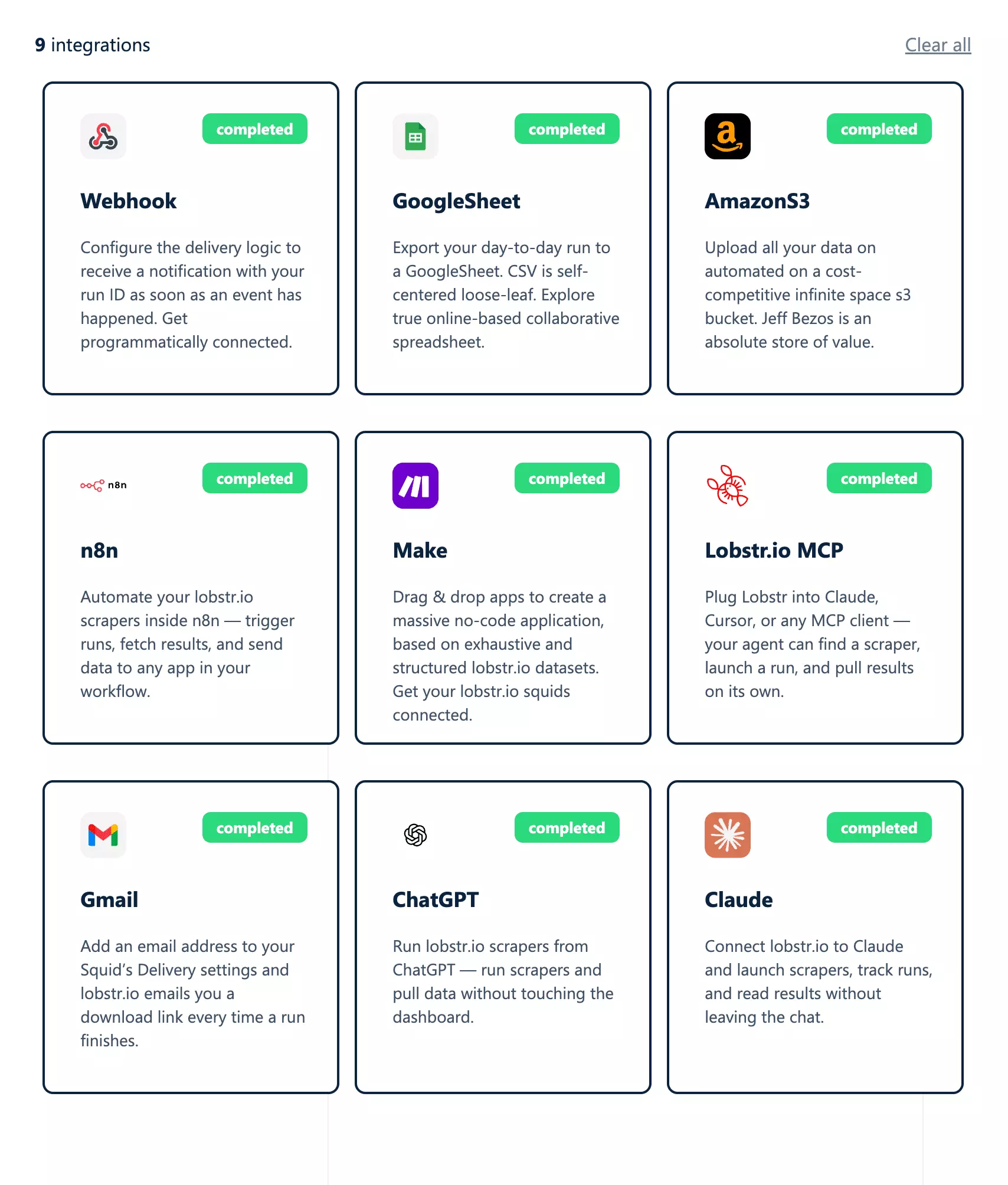
https://mcp.lobstr.io/mcpclaude mcp add --transport http lobstr https://mcp.lobstr.io/mcpf
Chain the scraper with an AI agent and you've got a creator pipeline: channel URLs in, qualified creators with emails out. Some ideas:
- Influencer outreach: feed emails and socials into a cold outreach sequence. No public email? Try an email finder API or the Contact Details Scraper for more contacts from their linked websites
- Creator screening: filter creators by subscribers, views, country and upload cadence before outreach
- Lead gen for creator tools: selling editing, thumbnails or sponsorships? Every channel is a lead
- Competitor tracking: a scheduled Squid re-scrapes the same channels to track growth and new uploads
- Market research: see which channels dominate a niche, country by country
- AI datasets: pair channels with the YouTube Transcript Scraper for the video text
- Audience research: Get Comments or the YouTube Comments Scraper shows what viewers actually say. For the talk off YouTube, here's how to scrape Reddit
Still got questions? Let's clear them up.
FAQs
Is it legal to scrape YouTube channels?
Can I get a YouTube channel's email address?
How much does it cost to scrape YouTube channels?
Can I scrape a channel's videos, Shorts and comments too?
Yes, with the add-ons: up to 30 videos, Shorts, streams and playlists each, plus comments on up to 5 videos.
Which channel URL formats work?
@handle, /channel/UC..., /user/..., /c/... or a bare custom URL.Do I need a YouTube account?
No, no login needed: paste the channel URLs and launch.
How do I find channels to scrape?
Can I track channels over time?
Conclusion
That's a wrap on how to scrape YouTube channels with emails, at scale, no code.
No more clicking "View email address" ten times a day. Just a Squid, a list of channels and a sheet that fills itself.