

0.5
YouTube Comments Scraper
Extract every comment from any YouTube video — nested replies & author channel data included, no cap.
 5 users
 554 runs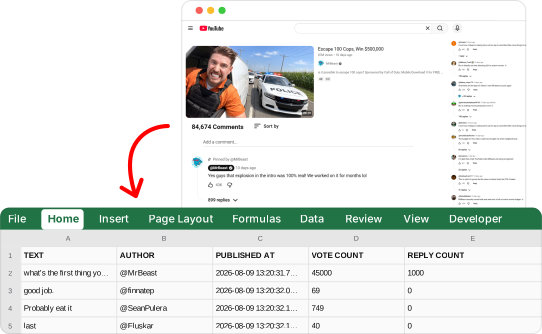
Trusted worldwide by the best
Export comments from YouTube — right now
Extract
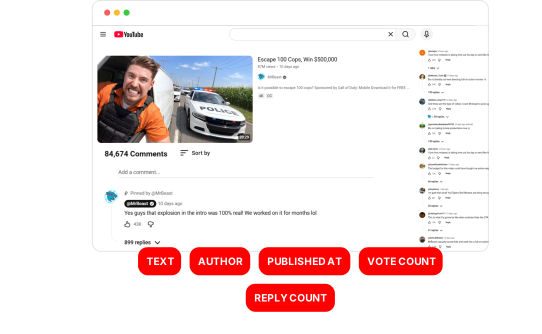
Paste any YouTube video URL and get every comment and reply with 30+ fields — author name, channel ID, profile URL, avatar, verification and owner flags, vote count, reply count, pinned and creator heart status, timestamps and video metadata.
Schedule
Automate YouTube data collection on daily, weekly, or monthly schedules.

Export
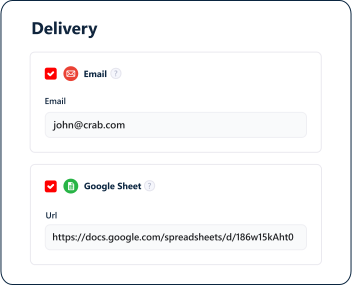
Export all comment data to Google Sheets, email, or S3 — fully automated.
Built for Agents
Run it from your stack.
Or hand it to your agent.
YouTube Comments Scraper ships with a Python SDK, a one-line CLI and a native MCP server your agents can plug into directly — no rate limits to dodge, no bot mitigation to bypass, no parsing errors to chase down.
# install once (Python 3.10+)
pip install lobstrio

# check your token
lobstr whoami

# find the scraper
lobstr crawlers search "youtube"

# one call — launch, wait, download
lobstr go youtube-comments-scraper \
  "https://www.youtube.com/watch?v=dQw4w9WgXcQ" \
  -o results.csv
23 data attributes per comment
Every scrape returns structured data you can export as CSV, JSON, JSONL, XLSX, or via API.
Unique YouTube identifier for the comment
Full text content of the YouTube comment
Handle of the comment author
Unique YouTube channel identifier of the comment author
URL of the comment author's YouTube channel
URL of the comment author's profile picture
Whether the comment author is the owner of the video's channel
Whether the comment author has a verified badge
Badge text displayed next to the author, e.g. channel membership
Relative time text when the comment was published, includes '(edited)' when the comment was edited

Fast
1000 comments per minute
Lightning-fast performance

Solid
99.95% task success rate
Dependable, reliable data every time

Cost-competitive
$0.25 per 1000 comments
Top affordability worldwide
Built to run.
Most scrapers break in silence. This one doesn't — and we show it, openly.
incident-free runs · last 90 days
Tracked from every run. Incidents stay on the record even after they're fixed.
Trusted by the best
Used obsessively by the data-hungry around the world
Frequently Asked Questions
Is it legal to scrape YouTube comments?
Do I need a YouTube account or login to use this scraper?
Is there a limit on how many comments I can scrape per video?
How many comments can I scrape and how fast is it?
Does it collect replies, not just top-level comments?
TYPE field and a REPLY TO COMMENT ID, so you can rebuild the full thread structure of any discussion.What data do you extract for each comment?
Can I sort comments by top or newest?
top to get the highest-engagement comments first, or newest to get the most recent ones first. Sorting does not affect completeness when you scrape everything.Can I scrape only new comments to monitor a video?
24h, 7d or 2w, or an absolute date (YYYY-MM-DD HH:MM:SS), and the run stops as soon as it reaches older comments. Comments are collected newest-first when this is set.