Best AutoScout24 Scrapers 2026 [No-Code + API Edition]
I tested multiple AutoScout24 scrapers and ranked the top 4 on 1,000 listings. blackfalcondata won on condition data and tracking; 3x1t was faster and cheaper.

By Nathan Eshetu
Writer @ lobstr.io
16 Sept 2026
31 min read
Contents
Apify's blackfalcondata is the best AutoScout24 scraper in this test at 8.70/10. It has strong condition/history data and the best recurring-monitoring workflow here. It tracks new, updated, expired, and reposted listings. Apify's 3x1t ranks second at 8.26/10. It's better for fast one-off collection at 998 listings/min. It also goes deeper on dealer and price-position data.
⚡ 30-Second Summary
- I tested four AutoScout24 scrapers on the same 1,000-listing Peugeot 208 search, then compared their data, cost, usability, speed, scalability, and support.
- blackfalcondata ranks first at 8.70/10. It has strong condition/history data and the best change tracking here. But larger enriched runs were incomplete in testing.
- 3x1t ranks second at 8.26/10. It has the strongest dealer and price-position data. It's also the fastest comparable scraper at 998 listings/min. But larger runs often finished incomplete.
- lobstr.io ranks third at 7.12/10. It stands out for its managed workflow and company-level support. But Detailed mode is slow and costs $4/1K at scale.
- ivanvs ranks fourth at 6.32/10. Its 71-point dataset stands out for organized equipment data. But it costs $2.70/1K at scale and struggles with larger runs.
AutoScout24 has plenty of scrapers.
Most of them look fine until you start comparing what they actually give you.
And that's the annoying part... you probably don't have time to run the same search through every tool just to see which one is actually useful.

So I did that part.
I ran the main ready-made options side by side and compared what came back, how fast they were, what they cost, and where each one started to fall short.
Comparison table
| Criteria | Apify — blackfalcondata | Apify — 3x1t | lobstr.io | Apify — ivanvs |
|---|---|---|---|---|
| User rating | 5.0/5 (2 reviews) | 5.0/5 (3 reviews) | 5.0/5 (33 reviews) | 4.8/5 (5 reviews) |
| Useful data points, richest mode | 74 | 80 | 49 | 71 |
| Strongest data edge | Condition/history | Dealer data + price bands | Vehicle-first core data | Organized equipment |
| Verified publication date | ✅ 100% | ✅ 100% | ❌ | ❌ |
| Dealer / seller contact depth | Phone, max 1 | Email 92% + up to 3 phones | Phone, max 1 | Up to 3 phones |
| Recurring change tracking | ✅ Full incremental tracking | ❌ | ⚠️ fetch_since | ❌ |
| Search input | Search URL + structured filters | Search URL | Search URL | Search URL |
| Default speed | 130/min | 998/min | 70/min | 93/min |
| Richest-mode speed | 130/min | 166/min | ~40/min | 93/min |
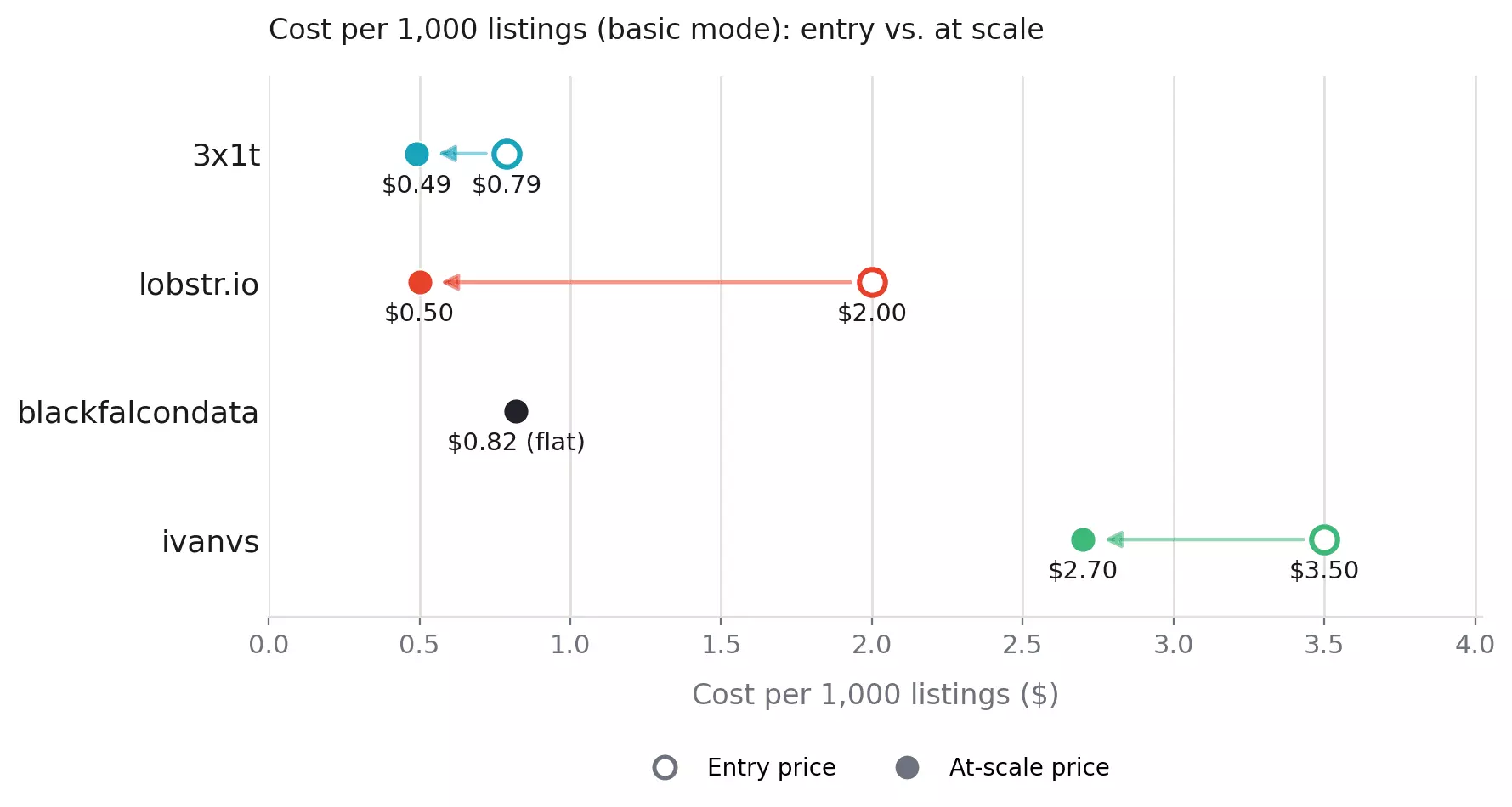
| Base-mode cost /1K, entry → scale | $0.82 → $0.82 | $0.79 → $0.49 | $2.00 → $0.50 | $3.50 → $2.70 |
| Richest-mode cost /1K, entry → scale | Same rate ($0.82 → $0.82) | Same rate ($0.79 → $0.49) | $10.00 → $4.00 | Same single mode |
| Export formats | CSV, JSON, XLSX, XML, JSONL | CSV, JSON, XLSX, XML, JSONL | CSV, JSON, XLSX, JSONL | CSV, JSON, XLSX, XML, JSONL |
| Programmatic access | API + SDK + CLI + MCP | API + SDK + CLI + MCP | API + SDK + CLI + MCP | API + SDK + CLI + MCP |
| Support | Developer: Apify Issues | Developer: Issues + email | Company: live chat + email | Developer: Issues + email |
| Overall | 8.70/10 | 8.26/10 | 7.12/10 | 6.32/10 |
Just tell me which one
| If you want... | Go with | Why |
|---|---|---|
| Best overall | blackfalcondata | 74-point enriched data, $0.82/1K, verified publication dates + incremental tracking |
| Recurring market monitoring | blackfalcondata | Tracks new, updated, expired, reposted, and unchanged listings |
| Fast collection with lots of data | 3x1t | 72 data points in ~60 seconds; Full mode adds 8 dealer fields |
| The cheapest rich dataset at scale | 3x1t | Full mode costs just $0.49/1K with no enrichment premium |
| Dealer outreach | 3x1t | 92% seller email + up to three phone numbers |
| Price-position analysis | 3x1t | Full AutoScout24 price-band thresholds at ~98% fill |
| The least cleanup | lobstr.io | Cleanest, flattest export of the four |
| A managed no-code workflow | lobstr.io | Scheduling, delivery, integrations + live chat and email support |
| Organized equipment analysis | ivanvs | Full equipment list split into Safety, Comfort, Media, and Extras |
⚠️ Disclaimer
This is general information based on publicly available EU guidance, not legal advice.
Laws and their application vary by location and use case. Consult a qualified legal professional before collecting or commercially using AutoScout24 data.
Is it legal to scrape AutoScout24?
It depends on what you collect and how you use it.
Scraping publicly accessible listings is not automatically lawful or unlawful. Personal data, database rights, copyright, access methods, and the intended use can all affect the legal position.
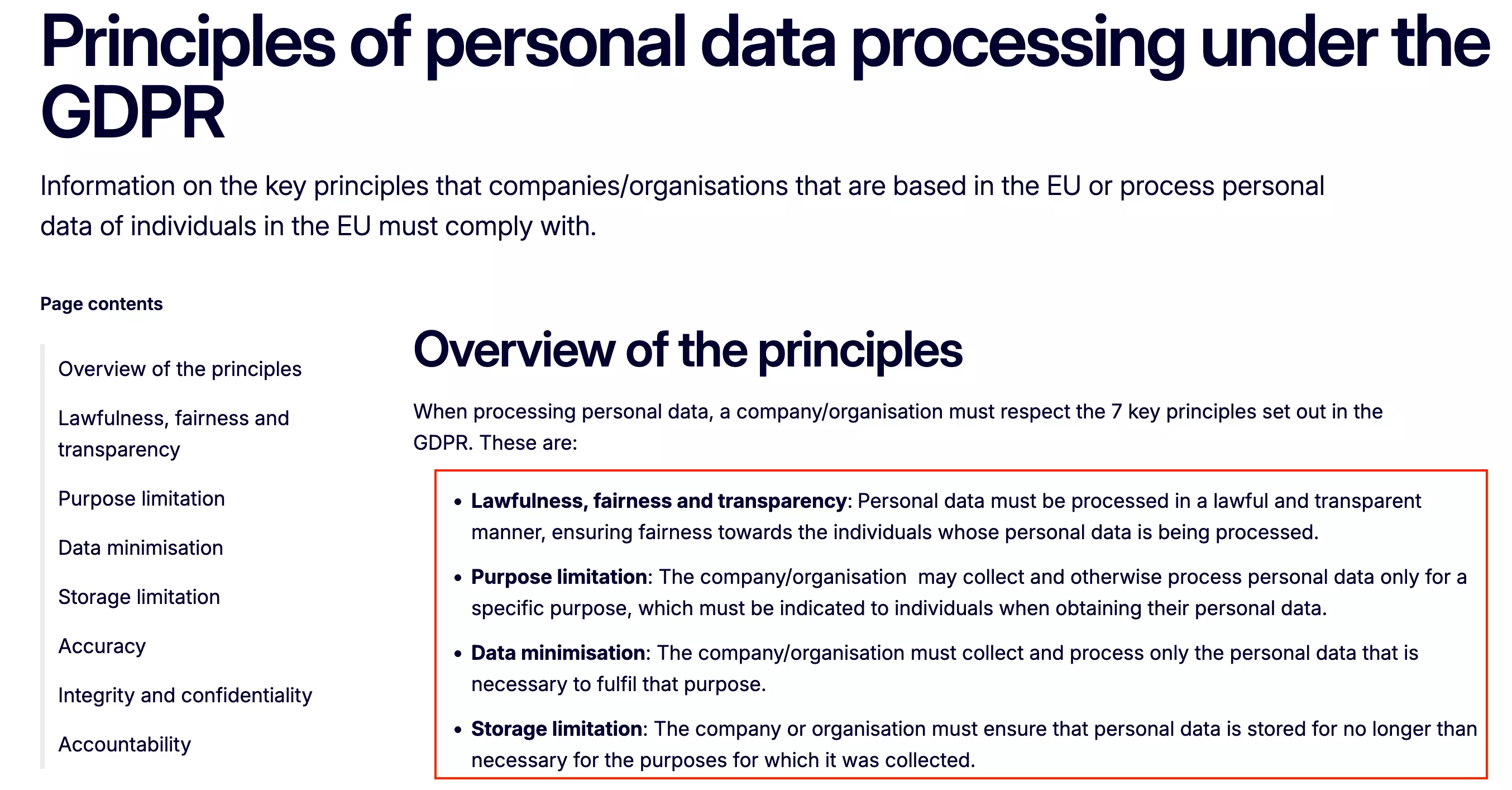
Seller information may qualify as personal data under the GDPR. Reproducing or commercializing a substantial portion of the listings may also raise copyright or database-right concerns.
To reduce risk:
- Collect only publicly accessible listing data
- Do not bypass logins or access restrictions
- Collect only the personal data you genuinely need
- Keep request volumes reasonable
- Do not recreate, republish, or resell the listings database without permission
For a deeper breakdown, see the legal series.
How I chose the best AutoScout24 scrapers
I started with Google, Reddit, developer discussions, review sites, and AI recommendations to build the initial longlist.
I then narrowed it to ready-made tools that return structured AutoScout24 vehicle data and support automated or repeated collection.
I excluded:
- Browser extensions... better suited to manual one-off exports
- Abandoned tools... maintenance matters when the target site changes
- General-purpose scraping APIs... page fetching is handled, but vehicle parsing and schema design are still your job
How I tested
Every ranked tool received the same target:
1,000 Peugeot 208 listings in France, registered from 2020 onward, with no more than 100,000 km.
The source search contained 1,242 listings when the benchmark was created.
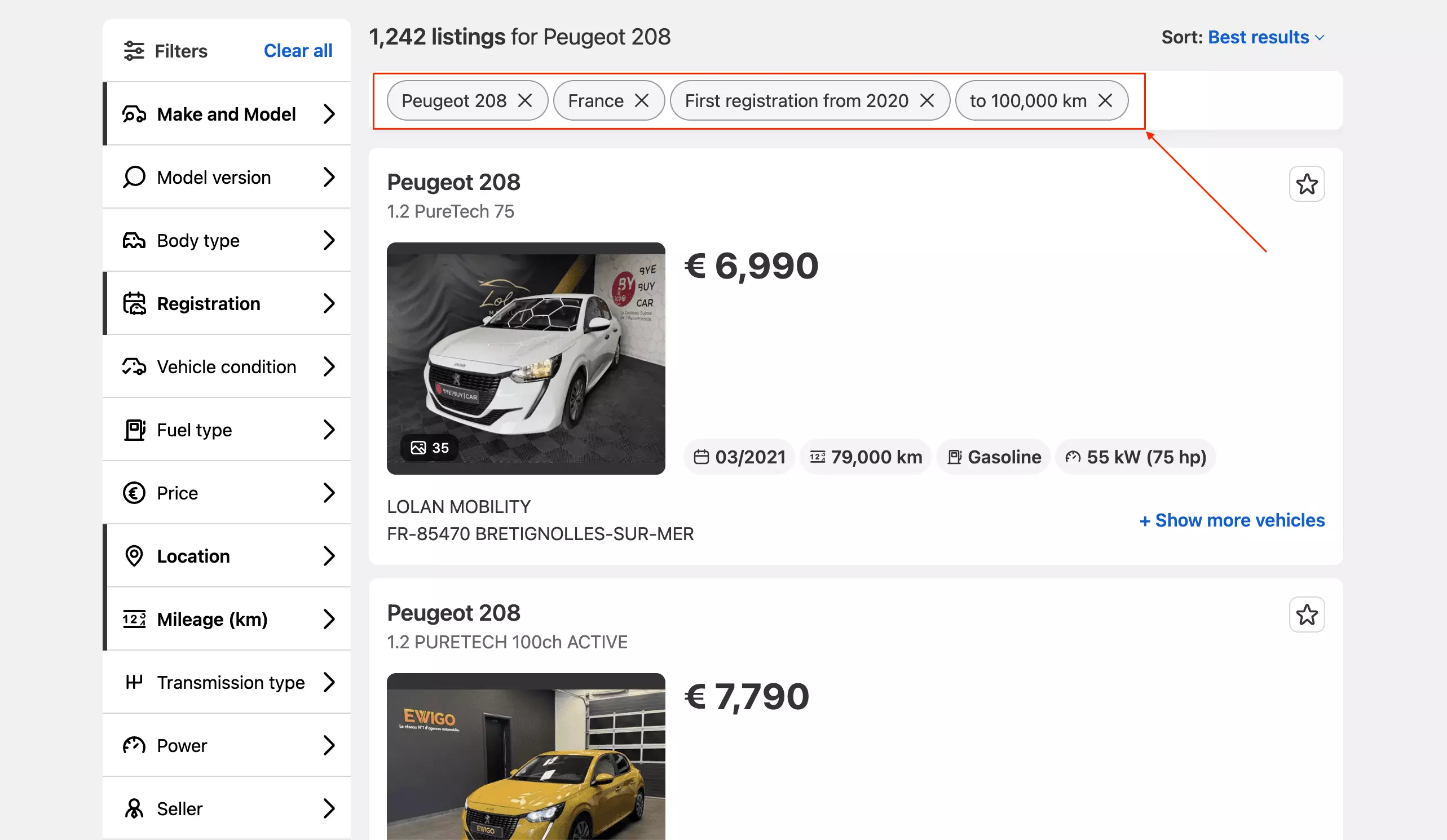
I evaluated each tool on data, cost, usability, speed, scalability, and customer support.
Data
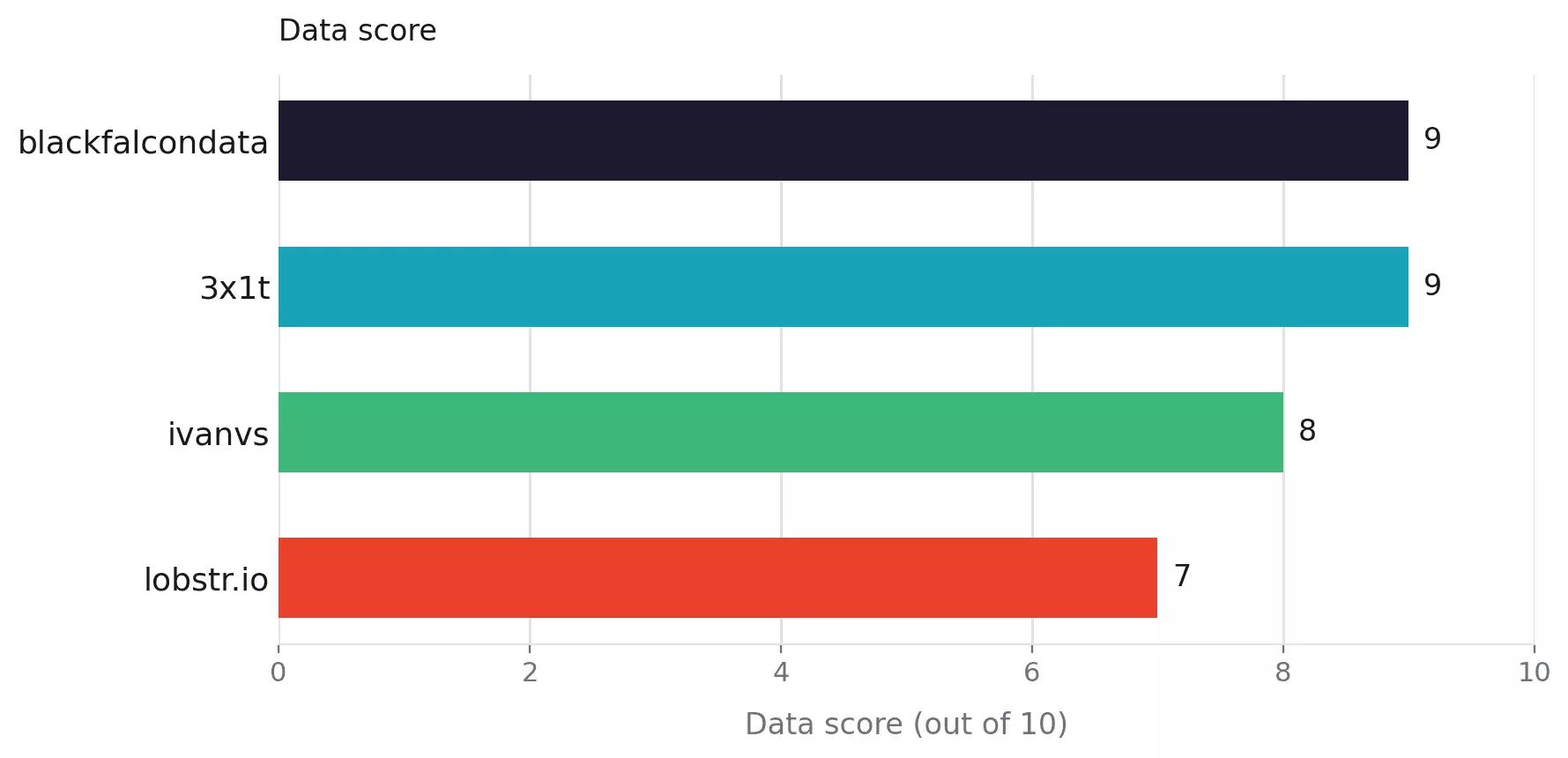
I counted useful concepts rather than raw columns, so flattened image or phone arrays did not inflate a tool's dataset.
I compared field coverage, fill rate, and depth, including vehicle, pricing, history, seller, equipment, images, and contact data. Where a scraper offered multiple modes, I compared what each mode actually added or removed.
Cost
I compared published entry and scale pricing, normalized to cost per 1,000 listings, while also considering pricing predictability.
Usability
I compared setup, inputs, controls, bulk handling, exports, delivery, integrations, and scheduling.
Speed
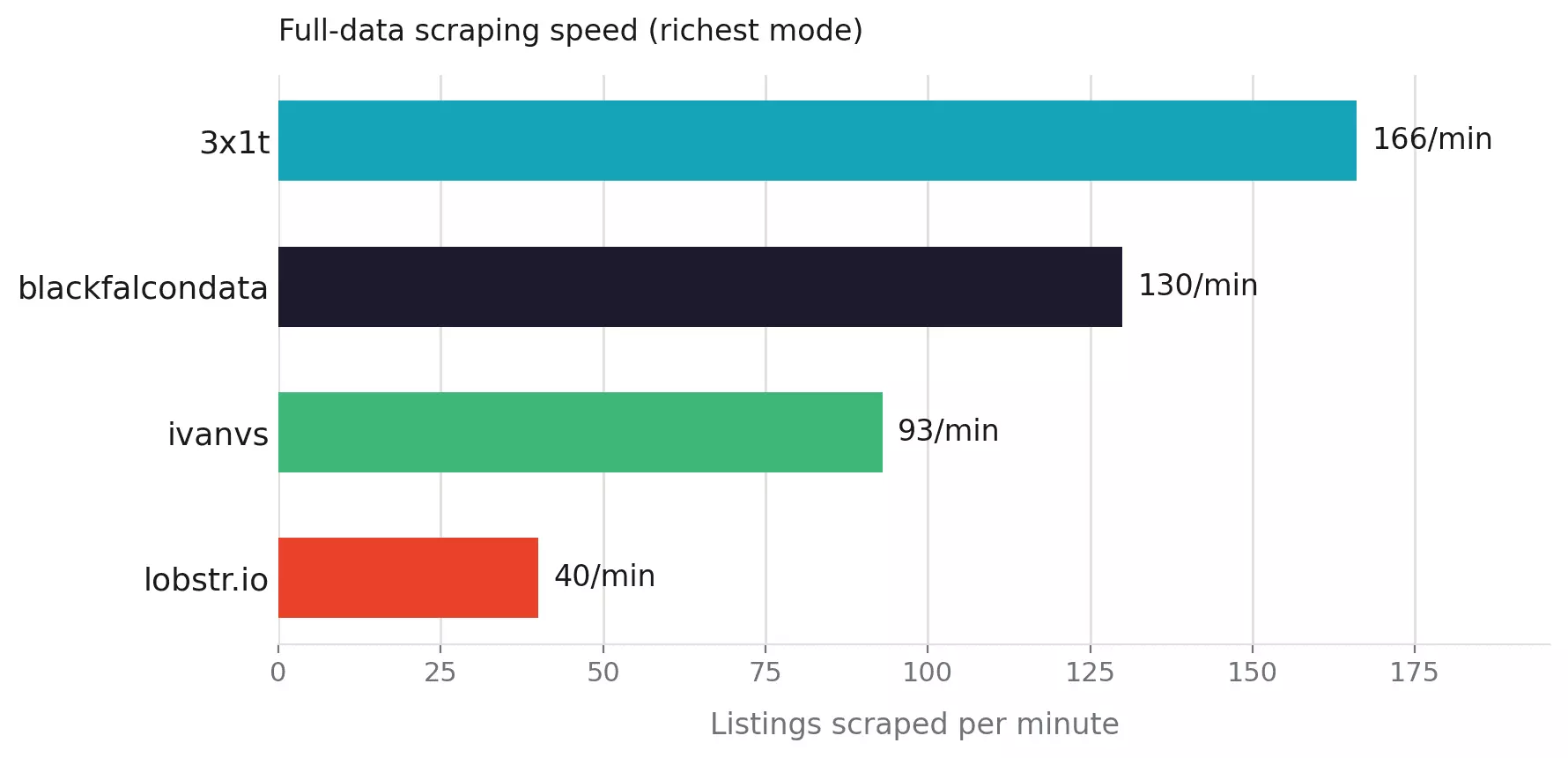
I timed the same 1,000-listing workload at each scraper's default configuration, testing meaningful faster or richer modes separately.
I also checked memory or concurrency headroom, but kept shorter scaling tests separate from the confirmed benchmark rate.
Scalability
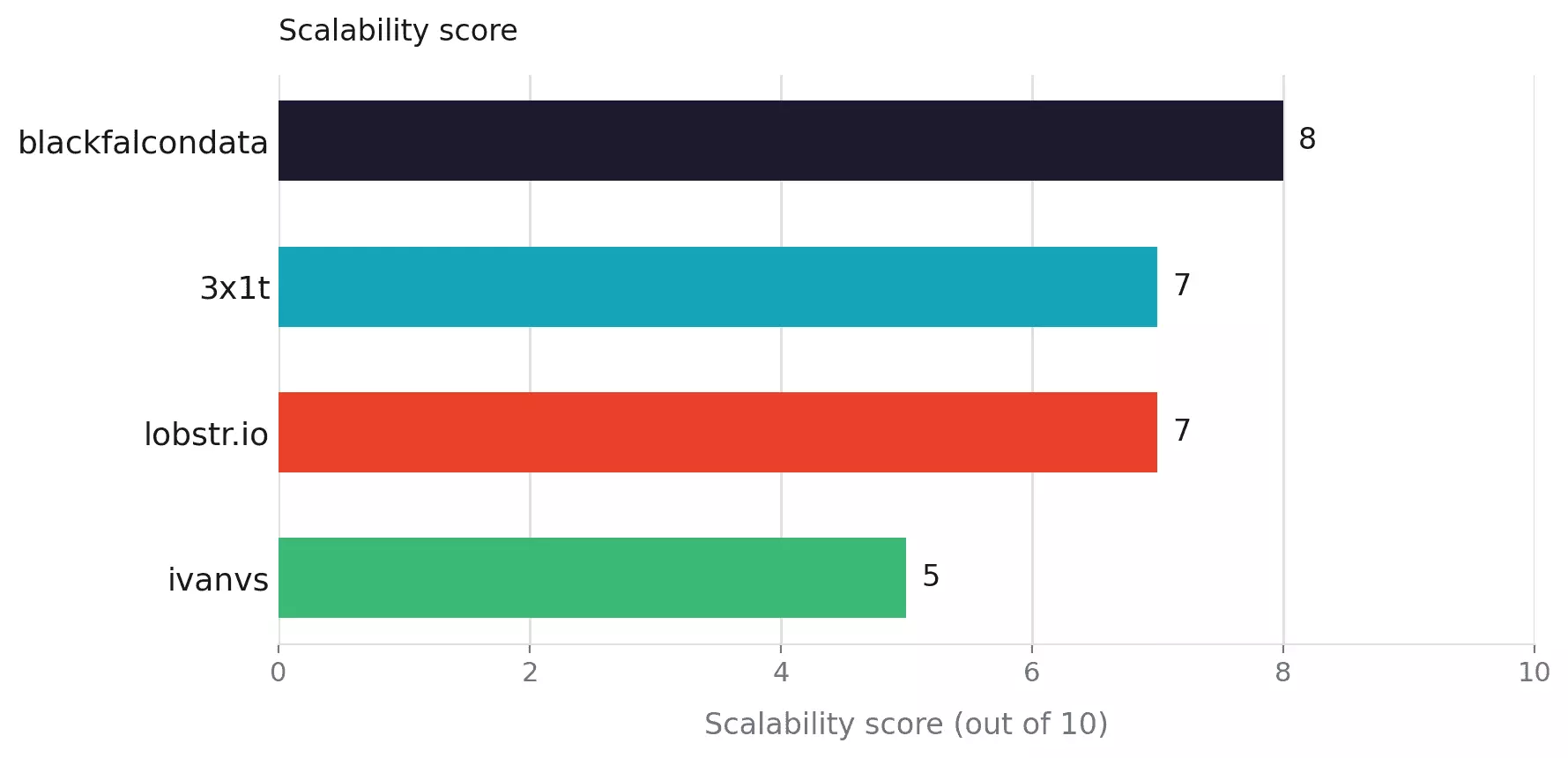
AutoScout24 exposes about 4,000 results per search, so I focused on how well each scraper handles larger and repeated workloads.
That included workload limits and batching, memory/concurrency headroom, and recurring collection, deduplication, failures, and recovery.
Support
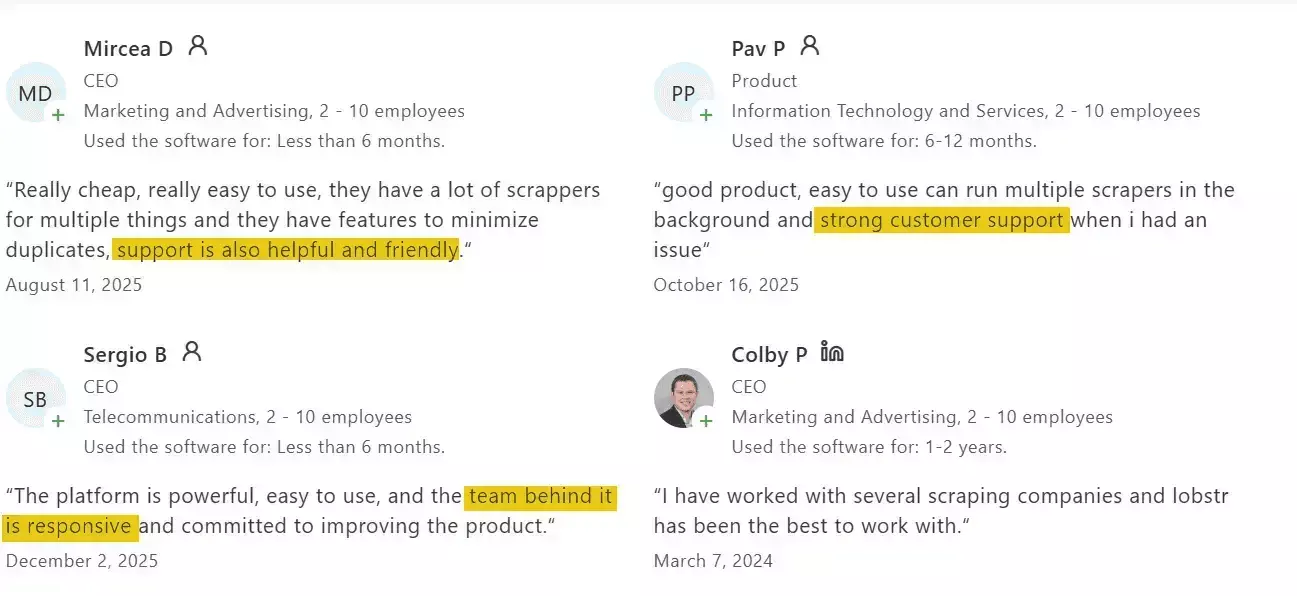
I checked support access, documentation, public issue history, reviews, and evidence of resolved problems. Ratings alone were not treated as support evidence.
How the scores landed
Each criterion is scored from 0 to 10 based on the benchmark evidence above.
| Criterion (weight) | blackfalcondata | 3x1t | lobstr.io | ivanvs |
|---|---|---|---|---|
| Data (2.2) | 9 | 9 | 7 | 8 |
| Cost (2.2) | 9 | 10 | 7 | 5 |
| Usability (1.8) | 10 | 6 | 9 | 7 |
| Speed (1.8) | 8 | 10 | 4 | 5 |
| Scalability (1.0) | 8 | 7 | 7 | 5 |
| Support (1.0) | 7 | 5 | 10 | 8 |
| Weighted overall /10 | 8.70 | 8.26 | 7.12 | 6.32 |
| Rank | #1 | #2 | #3 | #4 |
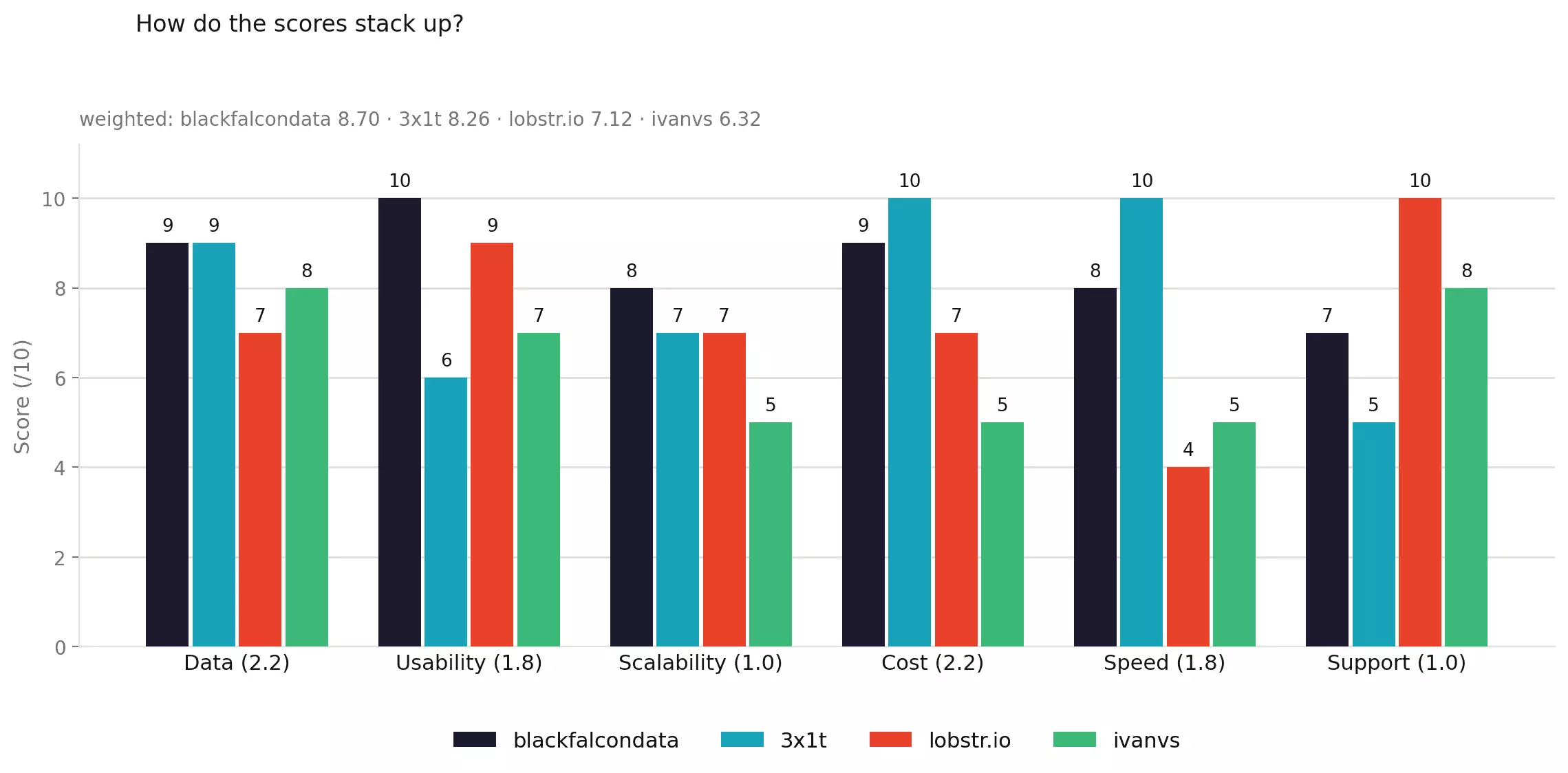
Overall = Σ(score × weight) ÷ 10, so blackfalcondata lands at 8.70.
The scores summarize the testing, but a lower-ranked scraper can still be better for a specific use case.
Here's what each tool actually does well, and where it falls short.
The best AutoScout24 scrapers
Why these Apify Actors? With no official AutoScout24 Actor, I filtered the marketplace by relevance, popularity and monthly users, then tested the strongest candidates.
| Criteria | Apify — blackfalcondata | Apify — 3x1t | lobstr.io | Apify — ivanvs |
|---|---|---|---|---|
| User rating | 5.0/5 (2 reviews) | 5.0/5 (3 reviews) | 5.0/5 (33 reviews) | 4.8/5 (5 reviews) |
| Useful data points, richest mode | 74 | 80 | 49 | 71 |
| Strongest data edge | Condition/history | Dealer data + price bands | Vehicle-first core data | Organized equipment |
| Verified publication date | ✅ 100% | ✅ 100% | ❌ | ❌ |
| Dealer / seller contact depth | Phone, max 1 | Email 92% + up to 3 phones | Phone, max 1 | Up to 3 phones |
| Recurring change tracking | ✅ Full incremental tracking | ❌ | ⚠️ fetch_since | ❌ |
| Search input | Search URL + structured filters | Search URL | Search URL | Search URL |
| Default speed | 130/min | 998/min | 70/min | 93/min |
| Richest-mode speed | 130/min | 166/min | ~40/min | 93/min |
| Base-mode cost /1K, entry → scale | $0.82 → $0.82 | $0.79 → $0.49 | $2.00 → $0.50 | $3.50 → $2.70 |
| Richest-mode cost /1K, entry → scale | Same rate ($0.82 → $0.82) | Same rate ($0.79 → $0.49) | $10.00 → $4.00 | Same single mode |
| Export formats | CSV, JSON, XLSX, XML, JSONL | CSV, JSON, XLSX, XML, JSONL | CSV, JSON, XLSX, JSONL | CSV, JSON, XLSX, XML, JSONL |
| Programmatic access | API + SDK + CLI + MCP | API + SDK + CLI + MCP | API + SDK + CLI + MCP | API + SDK + CLI + MCP |
| Support | Developer: Apify Issues | Developer: Issues + email | Company: live chat + email | Developer: Issues + email |
| Overall | 8.70/10 | 8.26/10 | 7.12/10 | 6.32/10 |
1. Apify — blackfalcondata/autoscout24-scraper
- User rating: 5.0/5 from 2 Apify store reviews, as of September 5, 2026
- My rating: 8.70/10
- Type: Apify marketplace Actor
- Pricing: $0.82/1K... flat rate
| Pillar | Score /10 |
|---|---|
| Data | 9 |
| Cost | 9 |
| Usability | 10 |
| Speed | 8 |
| Scalability | 8 |
| Support | 7 |
| Overall | 8.70 |
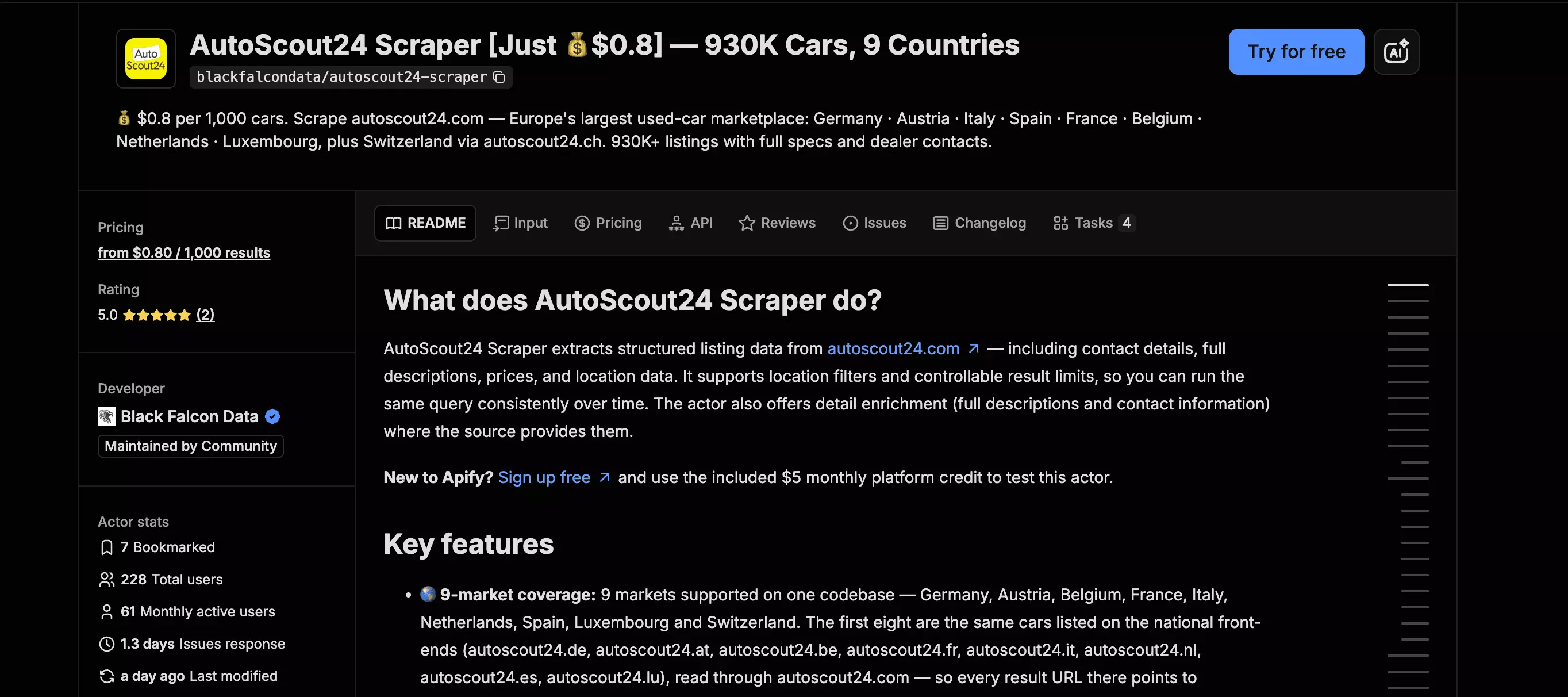
blackfalcondata/autoscout24-scraper is a ready-made Apify Actor for collecting structured vehicle listings from AutoScout24. It can scrape from an existing search URL or built-in filters, with optional detail enrichment.
| Pros | Cons |
|---|---|
| Best recurring workflow... tracks new, updated, unchanged, expired, and reposted listings | Accident flag was populated, but every observed value was false |
| Verified publication date at 100%, plus price evaluation and VAT data | hasServiceHistory = false is not trustworthy as a negative signal |
| Search URL or structured filters | Large enriched runs were still incomplete at 1 GB |
| Built for multi-market collection | Support depends on the actor developer |
| Same ~$0.82/1K rate with or without detail enrichment |
Data
blackfalcondata returns 74 useful data points with includeDetails enabled.
| Category | Base mode | Enriched mode adds |
|---|---|---|
| 🚗 Vehicle | Make, model, trim/version, variant, condition | Body type, model code, country version |
| 💰 Price | Price, currency, EUR-normalized price, FX date, price evaluation | VAT deductibility, negotiable flag |
| ⚙️ Specs | Mileage, registration, fuel, transmission | Power, displacement, cylinders, drivetrain, doors, seats, consumption, CO₂, emissions |
| 🧾 History | Vehicle condition | Previous owners, inspection, service history, accident flag, non-smoker |
| 🎨 Appearance | — | Exterior colour, manufacturer colour, paint, upholstery |
| 🧰 Equipment | — | Equipment list |
| 🖼️ Content | Images | Description |
| 🧑 Seller | Seller type, name, phone, contact name | Dealer URL, rating, rating count |
| 📍 Location | City, postal code, country | GPS coordinates |
| 🕘 Dates | Scrape timestamp | Listing publication date |
Base mode still returns 33 populated data points, with most core listing fields essentially complete. Trim reached 99.9% and Transmission 100%, while price evaluation, vehicle condition, normalized EUR price, and FX date reached 100%.
Enrichment adds the more distinctive fields:
| Concept | Fill | Why it matters |
|---|---|---|
| Publication date | 100% | Listing-age analysis |
| VAT deductibility | 100% | B2B pricing |
| Equipment | 96% | Feature analysis |
| Service history | 97% | Vehicle history |
| Accident flag | 96% | Condition analysis |
| Non-smoker | 97% | Condition detail |
| GPS coordinates | 100% | Geographic analysis |
| Dealer ratings | 65% | Seller evaluation |
Pricing data is particularly useful for multi-market analysis: priceEvaluation was complete, while normalized EUR price + FX date provides a common price field across countries. It mattered less in this France-only benchmark, where listings were already in euros.
Two condition fields need caution.
hasServiceHistory was populated on 97.3% of listings, but false should not be read as "no service history." Among 43 matched listings where ivanvs returned a last-service date, blackfalcondata returned true on only 10.
hadAccident was populated on 96.4% of listings, but every populated value was false. Without a confirmed accident listing, I could not verify its detection reliability.
Elsewhere, blackfalcondata averaged roughly 15 images and 28 equipment items per listing, similar to the other detailed outputs. It generally returned one phone number per listing, while 3x1t and ivanvs can return up to three.
Cost
blackfalcondata costs $0.80 per 1,000 results + $0.005 per run, with no actor-specific pricing tiers.
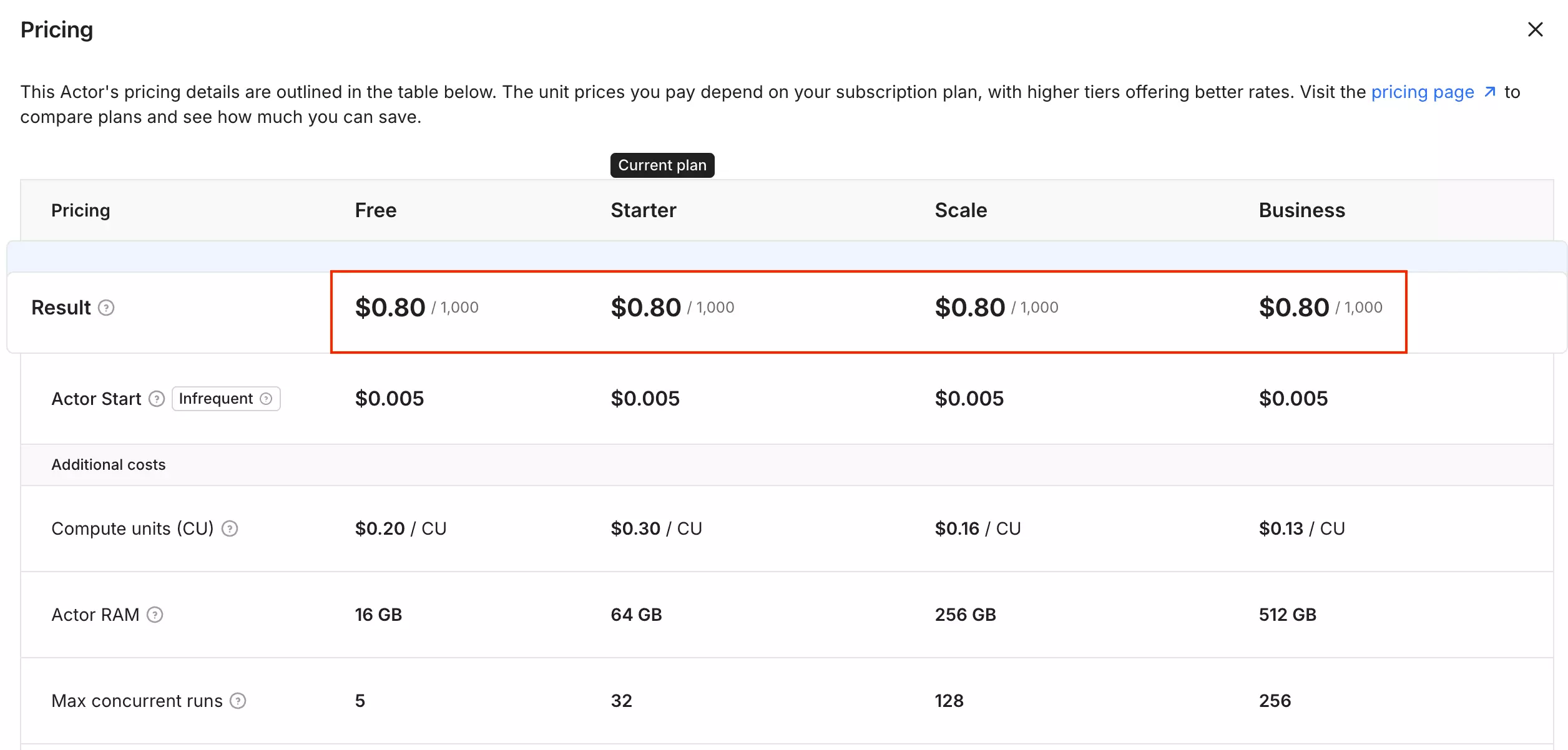
- Free tier: $5 in monthly Apify credits
- Cost: $0.80 per 1,000 results
- Volume discount: None
My 1,000-listing benchmark cost $0.8212 total, including $0.0162 in Apify platform usage. At larger volumes, the $0.005 run fee has little effect.
Usability
blackfalcondata gives you two ways to start: paste an AutoScout24 search URL, or build the search inside the Actor using filters for make, model, country, price, year, mileage, fuel, transmission, body type, condition, and location.
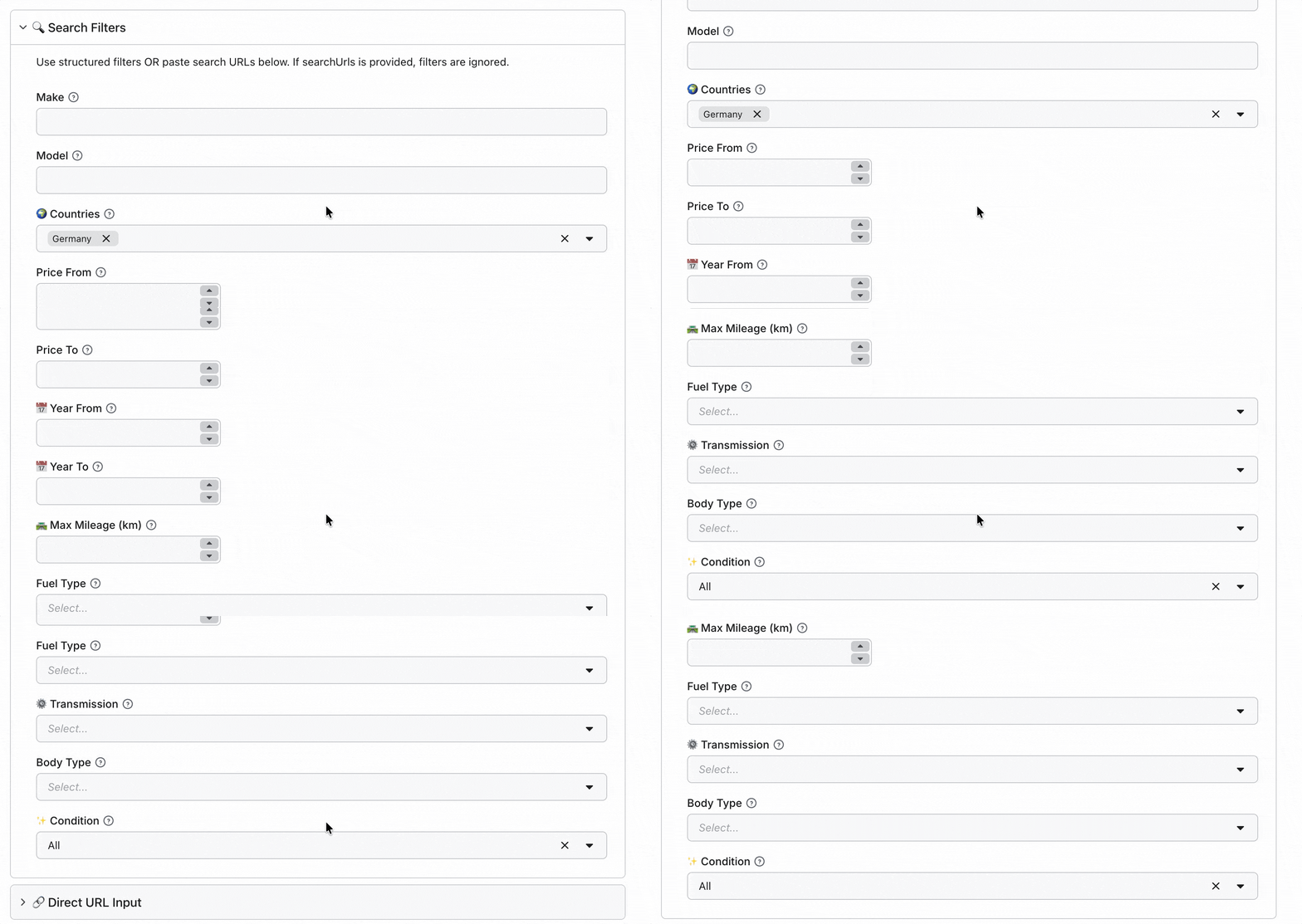
It supports nine AutoScout24 markets, and you can collect multiple countries into the same dataset.
The main choice is between Full Details and Lite mode. Full Details adds the enriched listing data, while Lite mode gives up some of that data for much faster collection. You can also control the output format, description length, empty fields, and result limits.
The more interesting feature is change tracking. Incremental Mode can track listings between runs, with controls for skipping reposts and returning new, changed, unchanged, or expired listings.
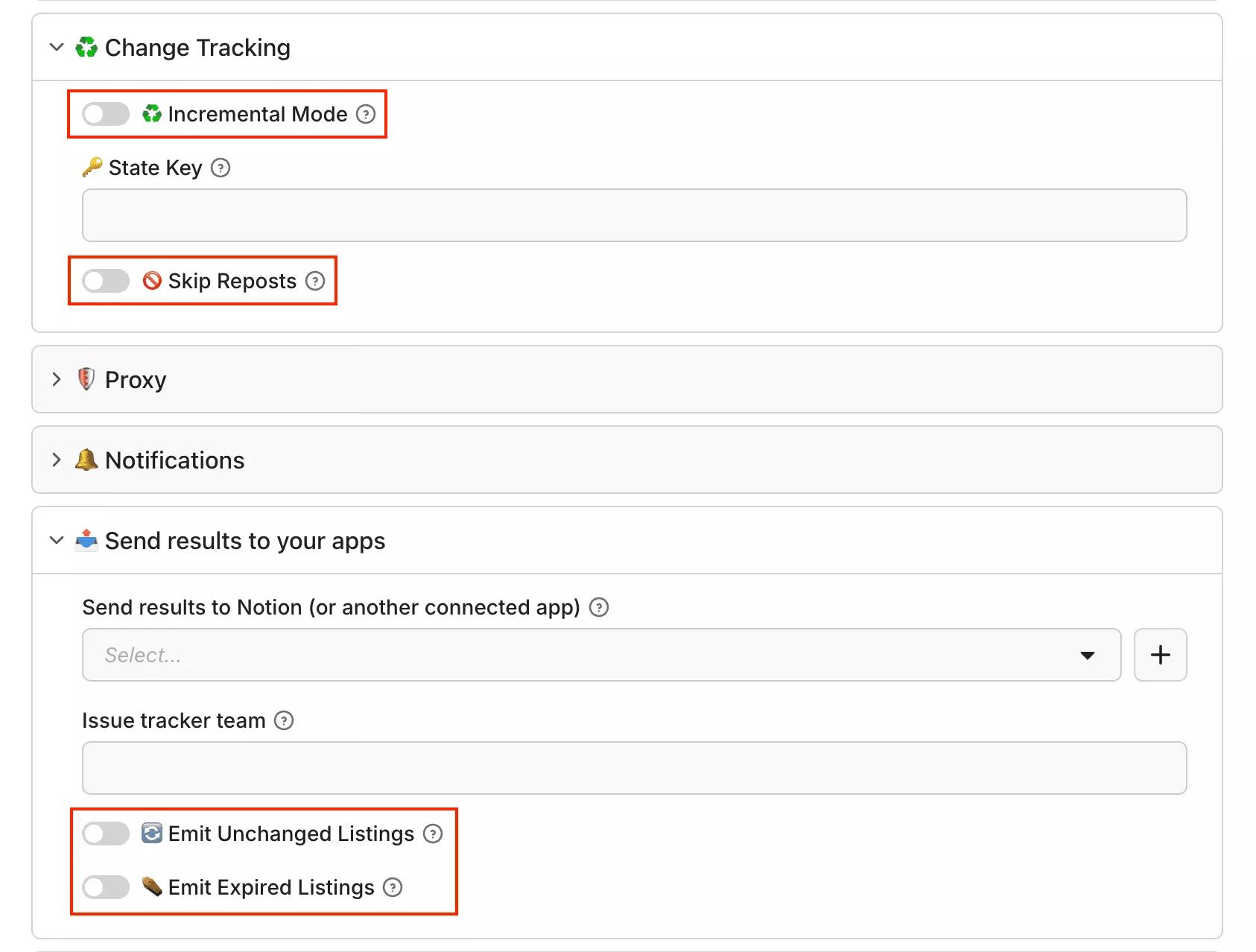
That makes recurring collection much more useful. Instead of downloading the same listings every time, you can focus on what actually changed.
Results export through Apify as CSV, Excel, JSON, JSONL, or XML. blackfalcondata can also send results directly to Telegram, Discord, Slack, WhatsApp, or a webhook.
Notifications can be limited to new or updated listings. You also get Apify's API, webhooks, Make, Zapier, and n8n integrations.
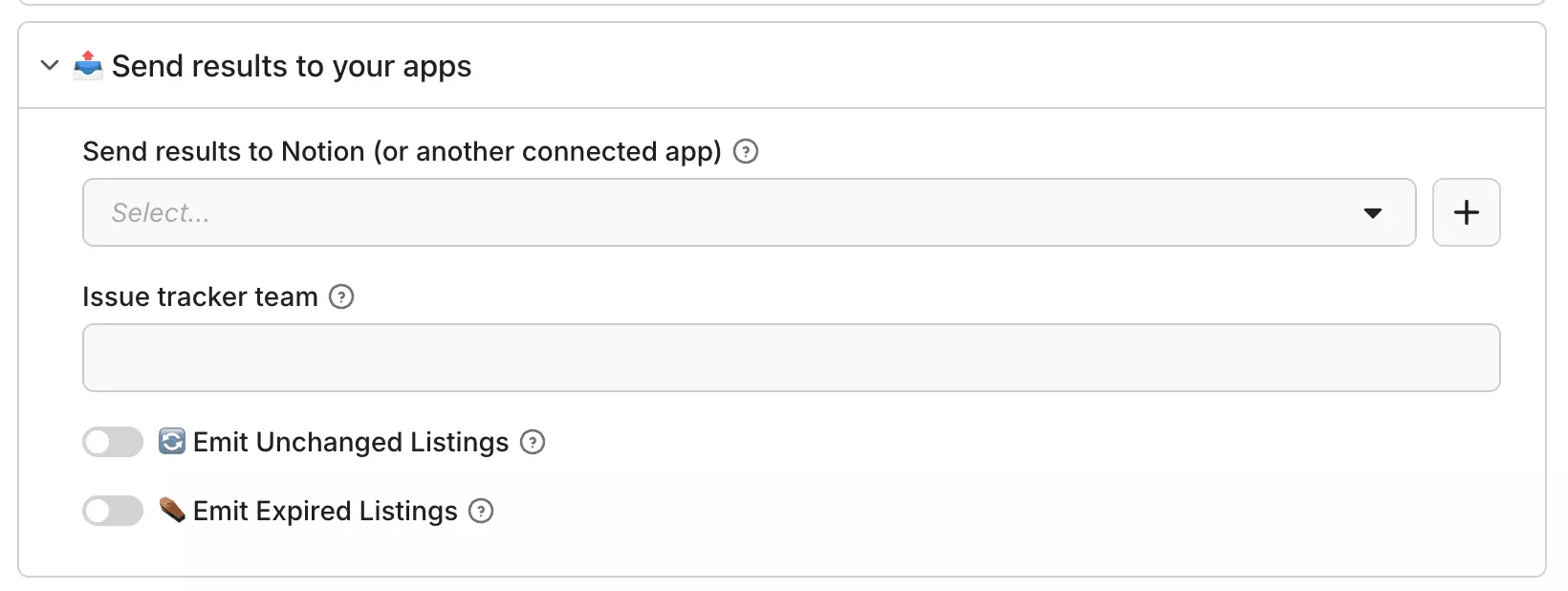
Recurring runs can be scheduled through Apify. Combined with Incremental Mode, this gives blackfalcondata the strongest change-tracking workflow in this comparison.
Speed
With includeDetails enabled, blackfalcondata completed the 1,000-listing benchmark in 7 minutes 41 seconds at 256 MB, or roughly 130 listings/min.
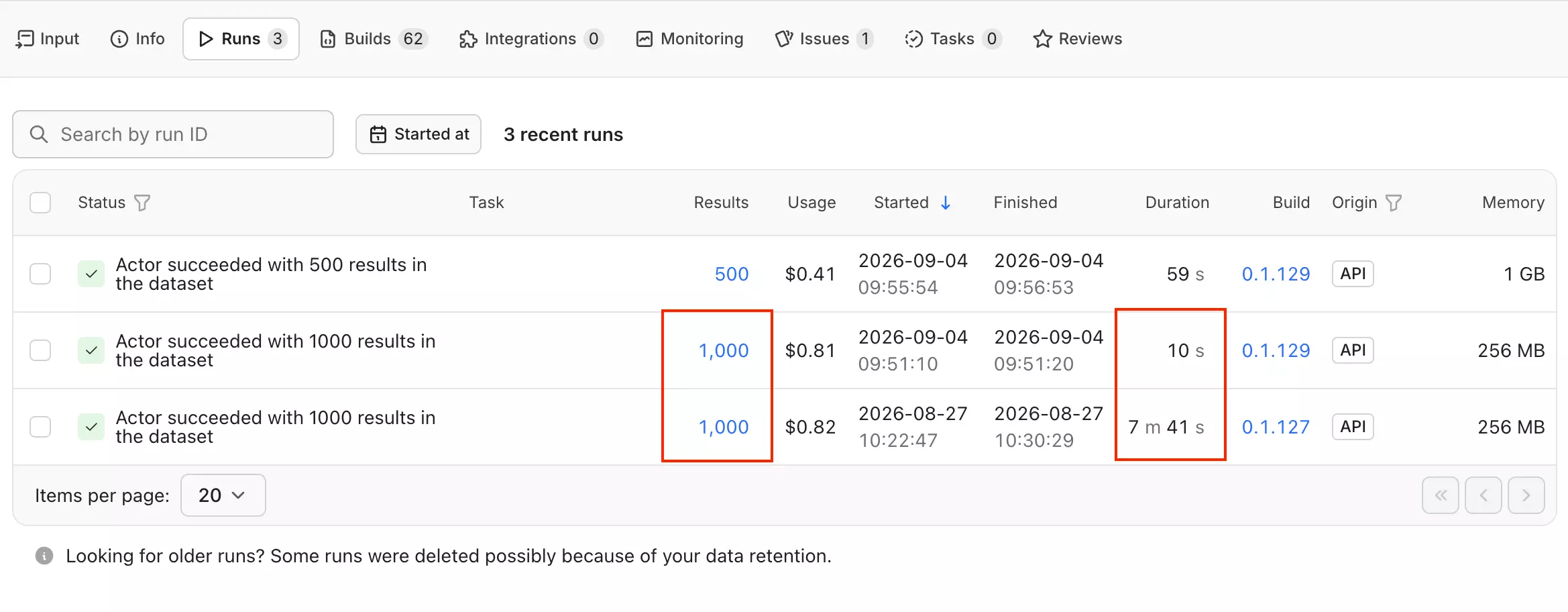
With includeDetails off, the same job finished in 10.1 seconds, or roughly 5,940 listings/min. That's the fastest raw rate I measured.
The trade-off is data depth: output falls from 74 populated data points to 33, so 5,940/min is a Lite-mode result, not a like-for-like replacement for the enriched benchmark.
I also tested enriched mode at 1 GB memory on 500 listings.
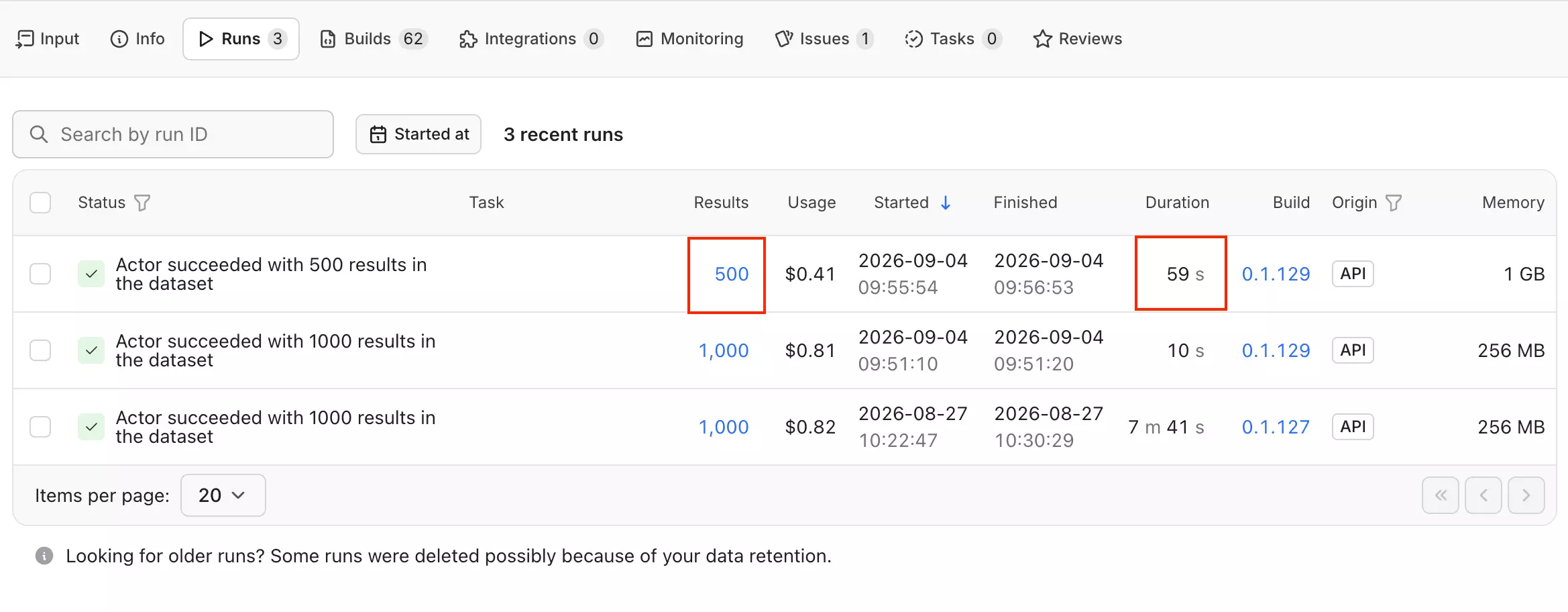
It finished in 59.35 seconds, roughly 506 listings/min. That suggests more speed headroom, but because this was a 500-result test, I treat 506/min as directional rather than confirmed throughput.
Scalability
The default 256 MB configuration struggled with larger enriched runs.
In my 4,000-result test, it ran for 43 minutes 55 seconds and returned 500 listings before stopping.
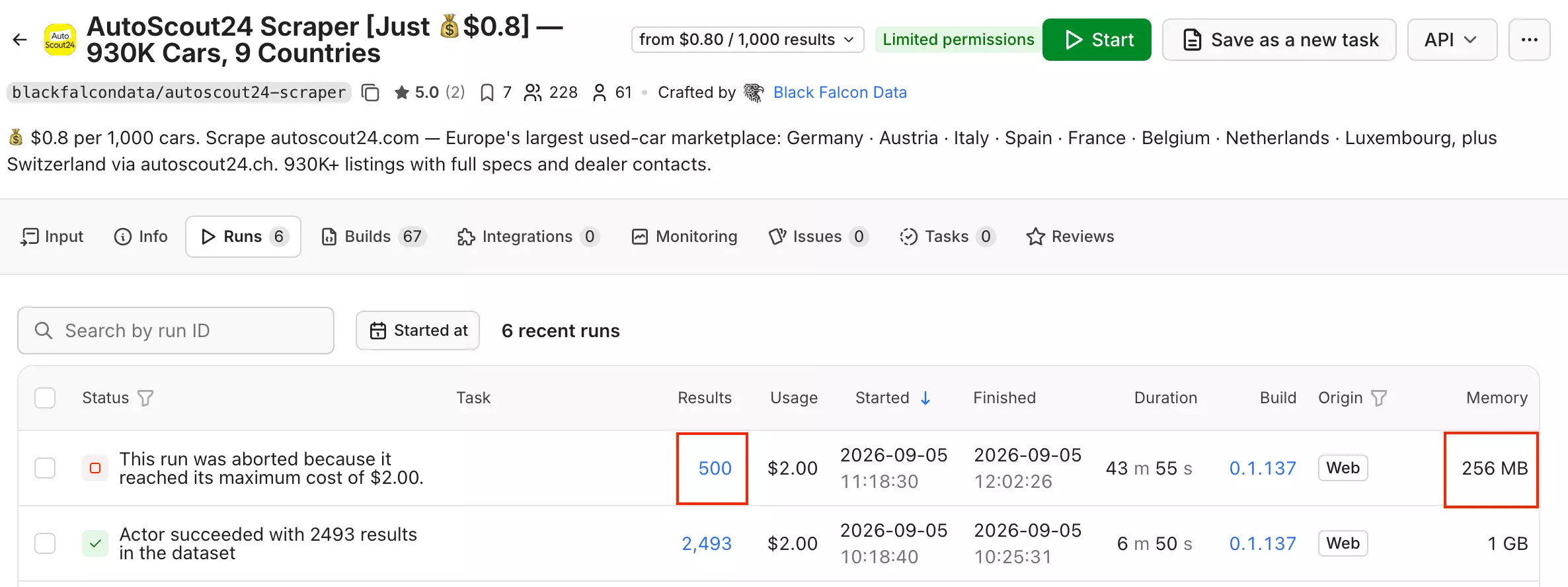
At 1 GB, another 4,000-target run completed with 2,493 listings, showing a substantial practical improvement from additional memory.
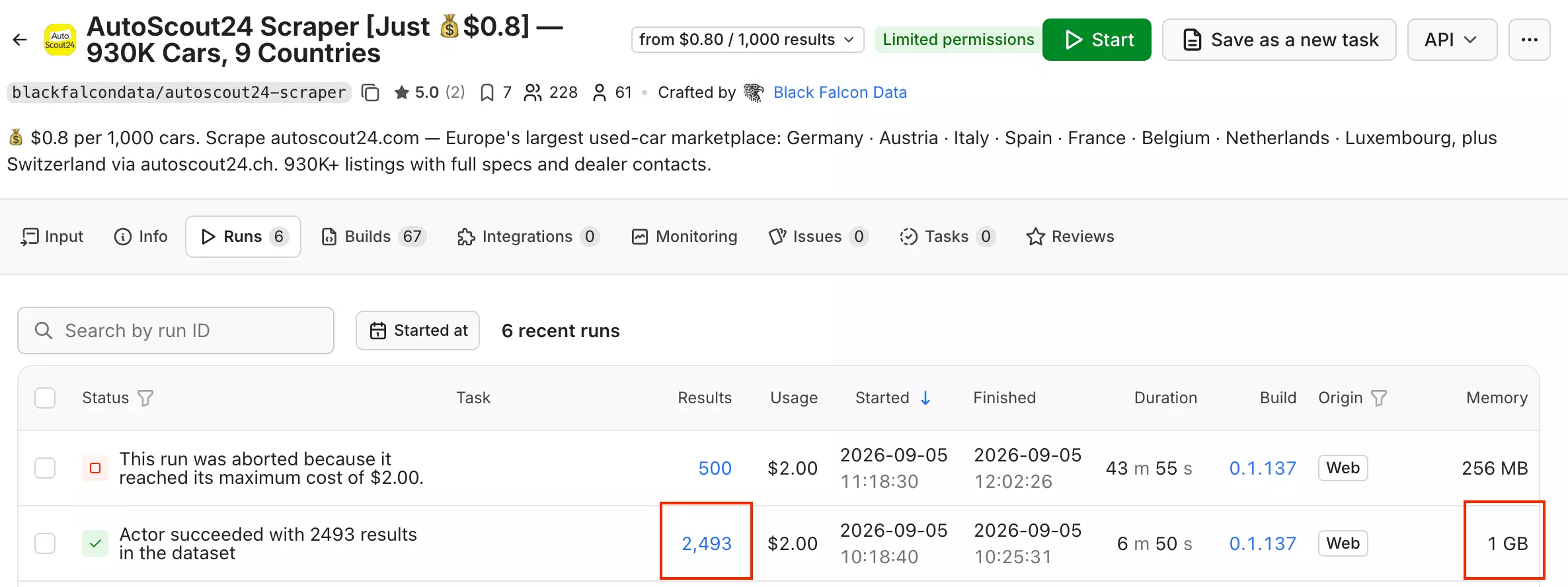
Larger AutoScout24 searches still need partitioning. But blackfalcondata's bigger advantage is Incremental Mode, which tracks listing changes between runs.
Public 30-day stats show 9,570 successful runs from 9,577 total (99.93%), the strongest 30-day record of the three actors and over the largest run volume.
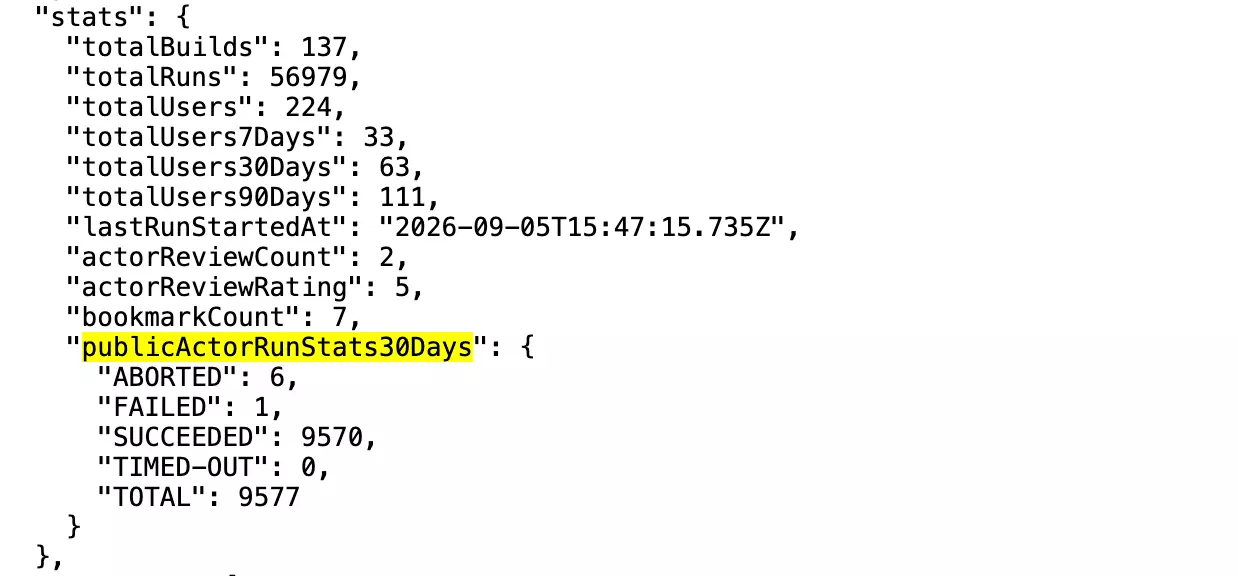
Stopped runs can also be resurrected through Apify.
Customer support
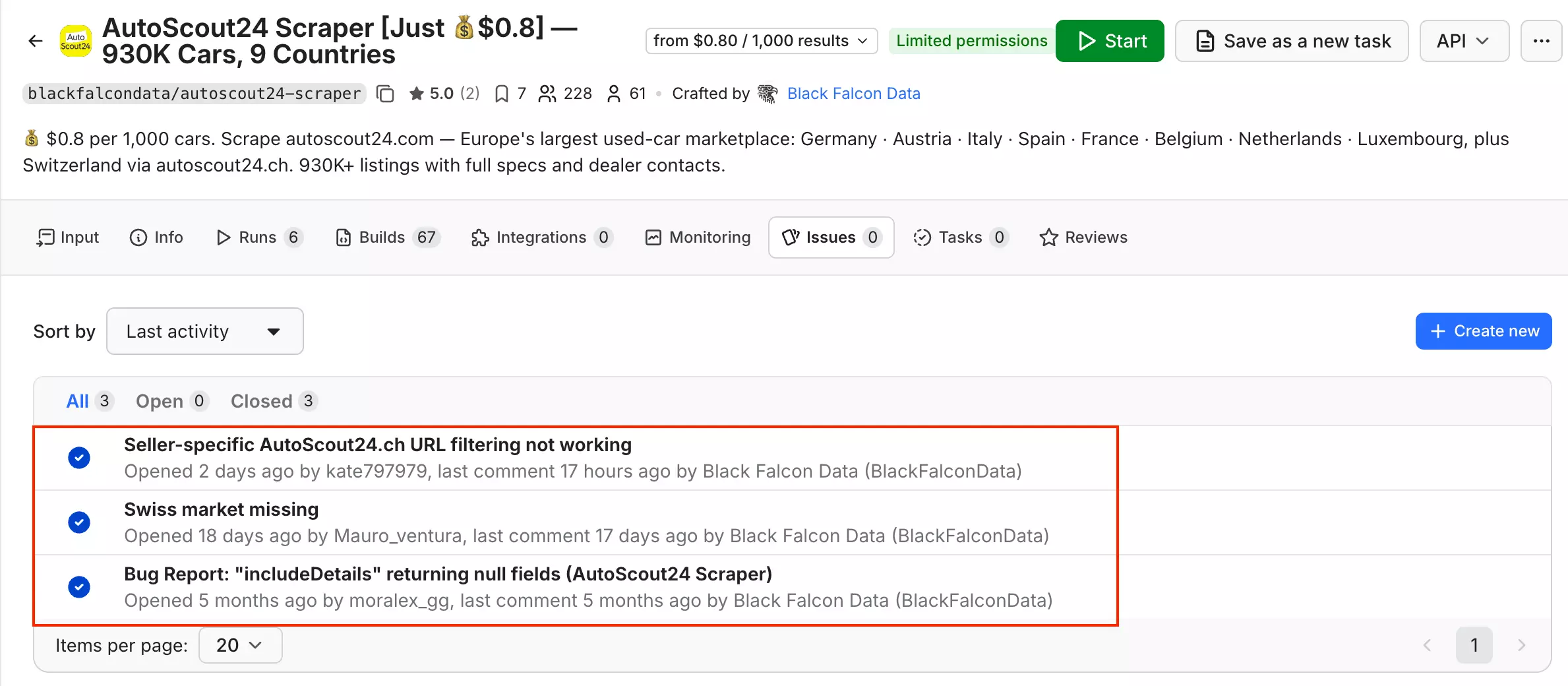
Support is available through Apify Issues, with developer support rather than a dedicated company support desk.
Apify reported an average 1.3-day issue response time as of September 5, 2026. The public sample is small at three issues, but all three are closed, with developer replies visible on recent cases.
Best for: teams doing recurring AutoScout24 monitoring that need strong condition/history data, listing-age tracking, and change detection... and are comfortable running an Apify actor.
2. Apify — 3x1t/autoscout24-scraper-ppr
- User rating: 5.0/5 from 3 Apify store reviews, as of September 5, 2026
- My rating: 8.26/10
- Type: Apify marketplace Actor
- Pricing: $0.49/1K at scale
| Pillar | Score /10 |
|---|---|
| Data | 9 |
| Cost | 10 |
| Usability | 6 |
| Speed | 10 |
| Scalability | 7 |
| Support | 5 |
| Overall | 8.26 |
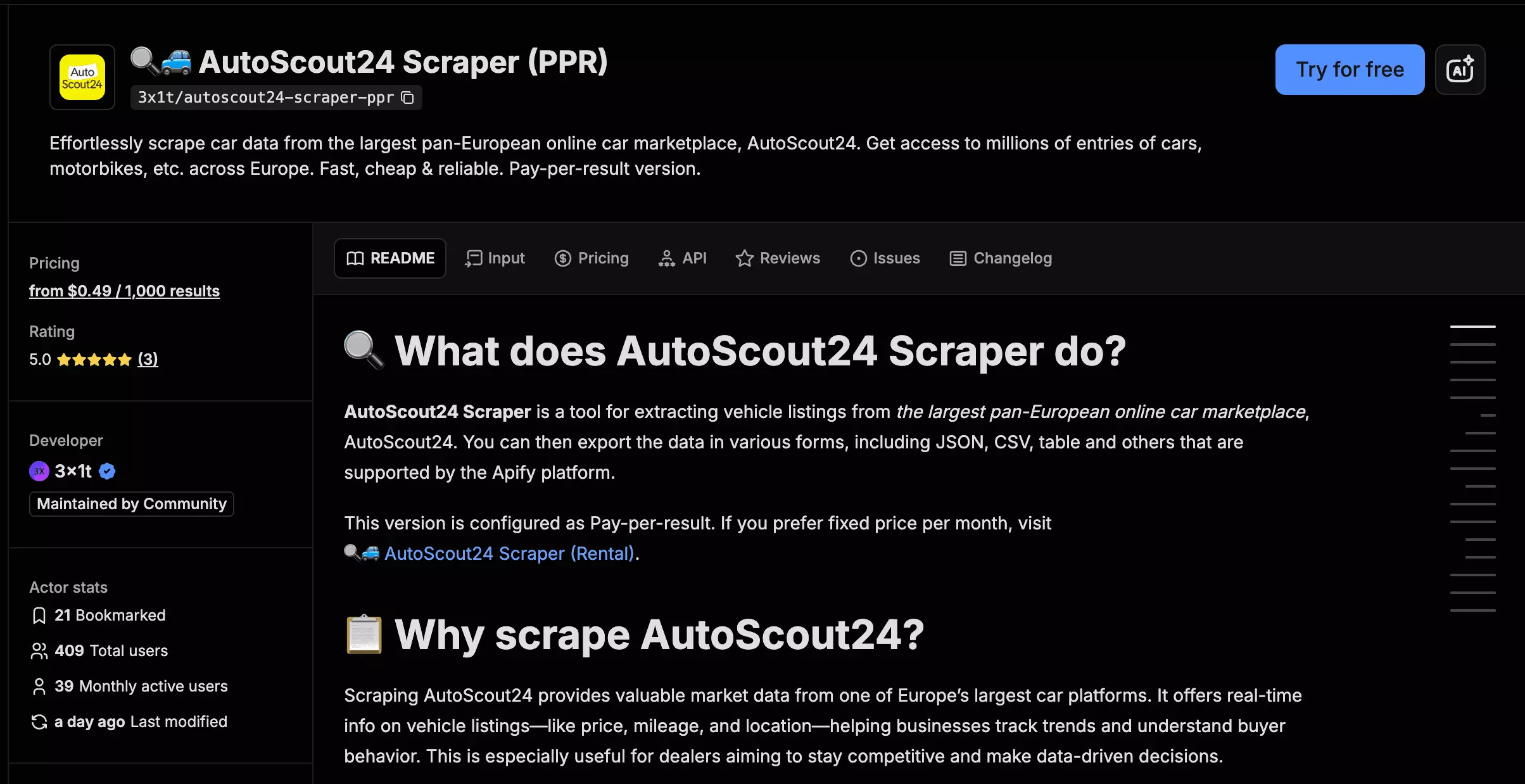
3x1t/autoscout24-scraper-ppr is a ready-made Apify Actor for scraping structured AutoScout24 listings from search URLs. It offers a fast Lightning mode and a richer Full mode with deeper dealer, pricing, and listing-date data.
| Pros | Cons |
|---|---|
| Fastest default mode... 998 listings/min | Requires account-wide Apify permissions |
| Richest schema... 80 useful data points in Full mode | No incremental change tracking |
| Strongest dealer dataset | Large-run completeness was inconsistent |
| Strongest price-position dataset | More RAM did not improve reliability |
| Cheapest at scale... $0.49/1K | Weakest public support-resolution evidence |
| Dealer email reached 92%... an exclusive field |
Data
3x1t returns 72 useful data points in Lightning mode and 80 in Full, the largest schema in this comparison.
| Category | Notable data |
|---|---|
| 🚗 Vehicle | Make, model, trim, condition, body type |
| 💰 Price | Price, deal rating, detailed price-band thresholds |
| ⚙️ Specs | Mileage, registration, fuel, power, transmission, displacement, doors, seats |
| 🧰 Equipment | Equipment list, structured airbags, climate, parking sensors |
| 🧑 Seller | Seller name, phones, email, dealer ID, ratings, dealer tenure |
| 📍 Location | City, postal code, country, full address |
| 🕘 Dates | Publication date, modified date |
| 🖼️ Content | Images, description |
The real advantage is deeper dealer data and price-position data.
3x1t exposes the start and end of all five AutoScout24 price bands... 10 threshold values, populated on roughly 98% of listings.
| Price information | lobstr.io Detailed | ivanvs | blackfalcondata | 3x1t Full |
|---|---|---|---|---|
| Price | ✅ | ✅ | ✅ | ✅ |
| VAT deductibility | ❌ | ✅ | ✅ | ❌ |
| Price rating | ❌ usable | ❌ | ✅ | ✅ |
| Normalized EUR + FX date | ❌ | ❌ | ✅ | ❌ |
| Full price-band thresholds | ❌ | ❌ | ❌ | ✅ |
So blackfalcondata is better for normalized multi-market pricing, while 3x1t is better for understanding where a listing sits against the market.
Dealer data is another major advantage:
| Dealer concept | Fill |
|---|---|
| Dealer ID | 100% |
| Dealer active since | 96% |
| Dealer rating | 95% |
| Review page | 95% |
| Recommendation % | 95% |
| Dealer email | 92% |
| Rating breakdown | 64% |
| Opening hours | 54% |
Seller contacts are strong too: 3x1t averaged 1.28 phone numbers per listing, returned up to three with phone-type labels, and reached 92% seller-email coverage.
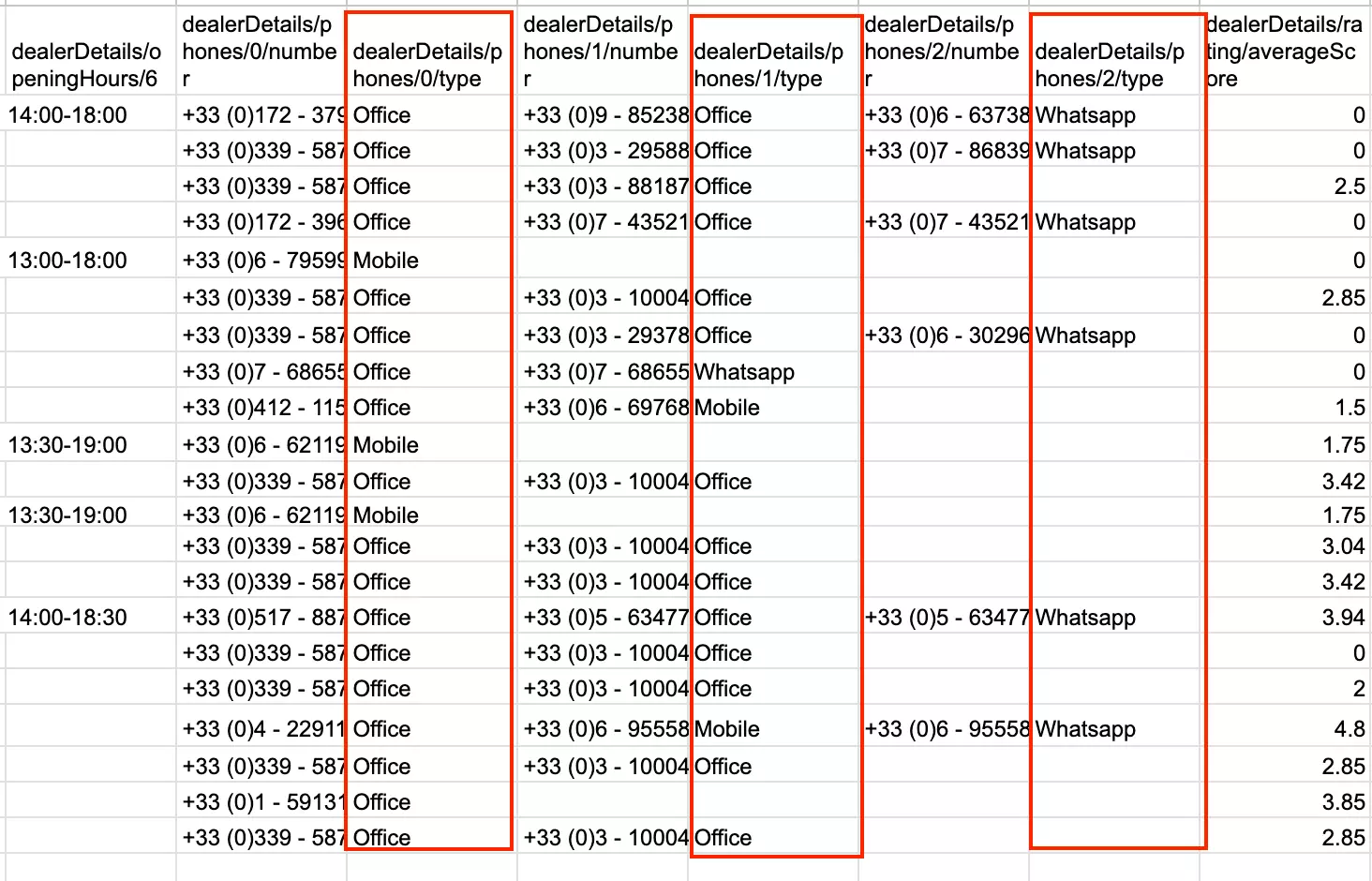
Equipment includes dedicated fields for Airbags, Parking sensors, and Climatisation rather than leaving everything in one list. The first two reached 100% and Climatisation 80%, although ivanvs organizes the full equipment set more cleanly.
Publication and modified dates both reached 100%.
The main gaps are vehicle-history and technical fields. 3x1t does not return VAT deductibility, drivetrain, or usable technical-inspection data. CO₂ coverage reached 38%, below ivanvs at 48% and blackfalcondata at 49%.
Cost
3x1t starts at $0.79 per 1,000 listings and drops to $0.49/1K at scale.
- Free tier: $5 in monthly credits
- Starts at: $0.79 per 1,000 listings
- At scale: $0.49 per 1,000 listings
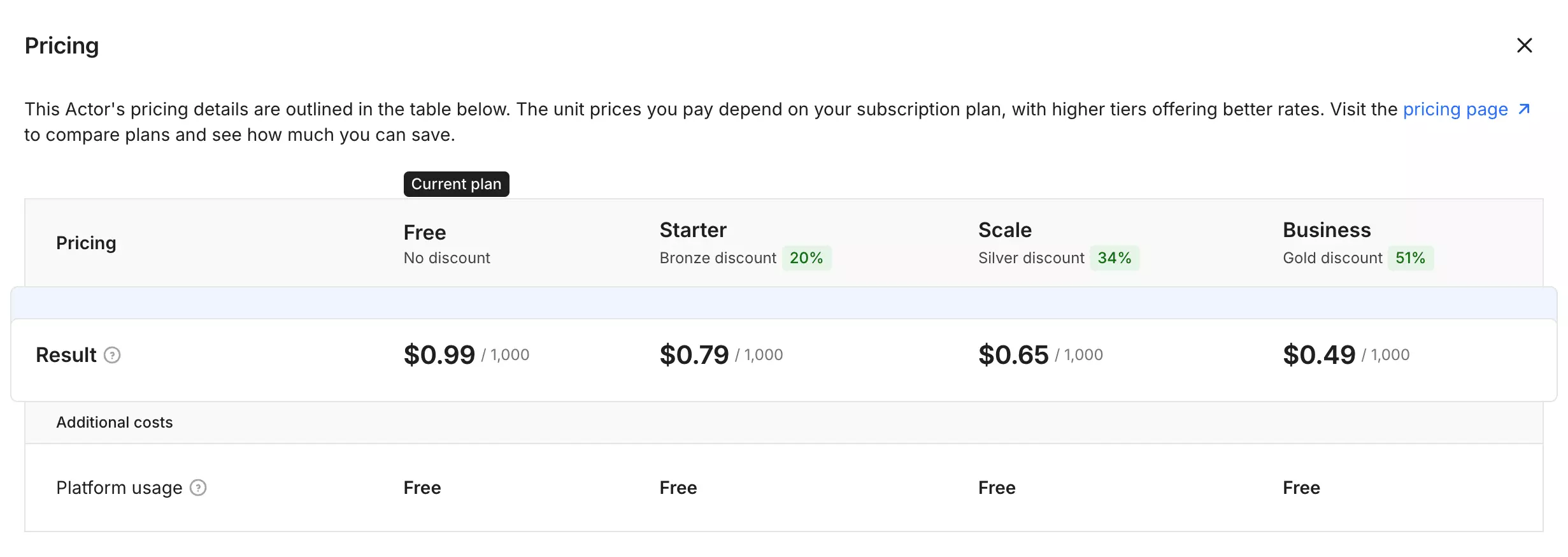
Lightning and Full cost the same per result, so the richer mode increases runtime rather than the actor fee.
Usability
3x1t is straightforward to set up in Apify. It accepts one or multiple AutoScout24 search URLs, with bulk editing available for larger input lists.
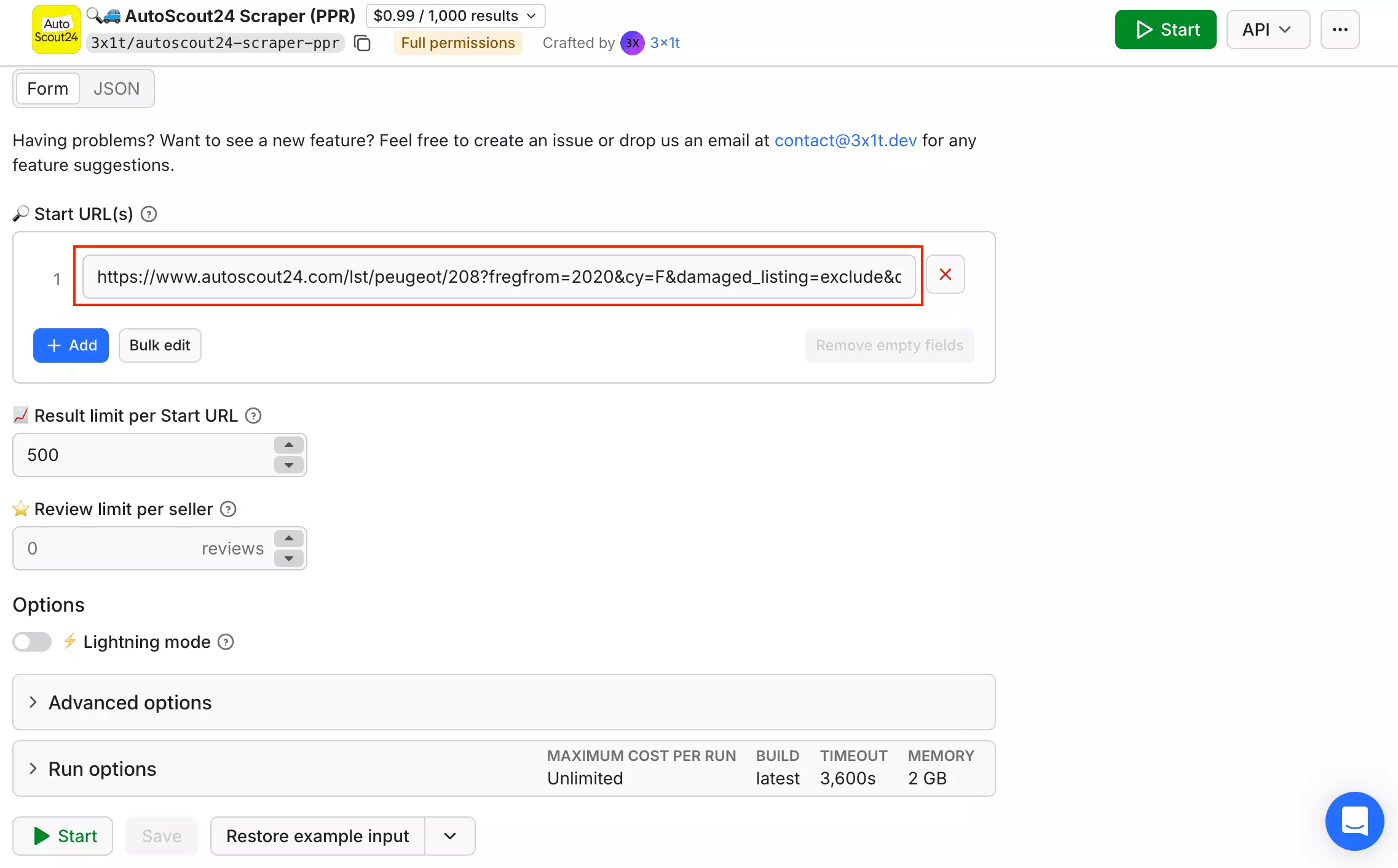
You can control the result limit per URL, seller review limit, and extraction mode without touching code.
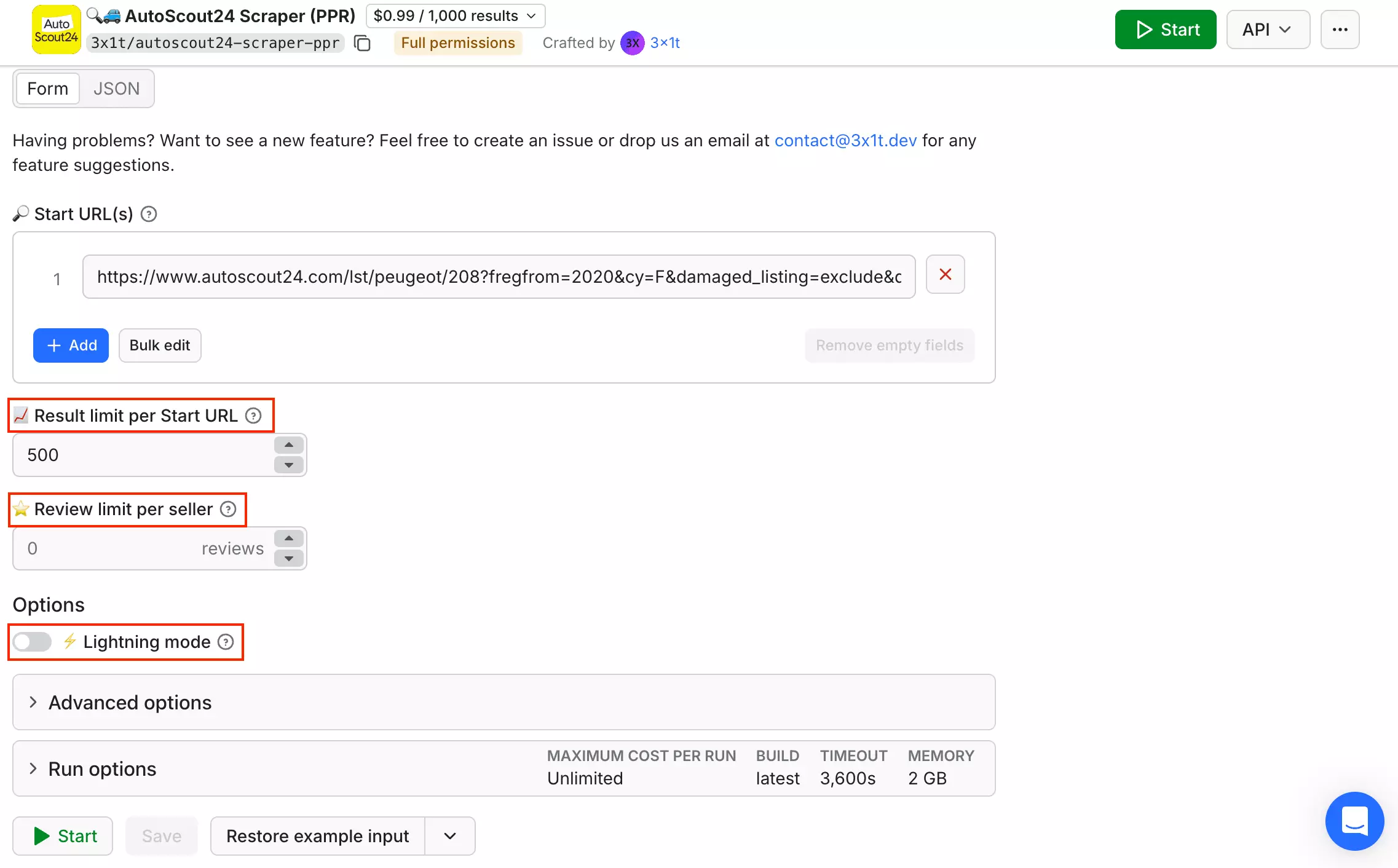
Lightning mode is enabled by default and trades some data for a much faster run. That matters when comparing its speed, so I tested and discuss both modes below.
Results use Apify's standard exports, including CSV, Excel, JSON, JSONL, and XML. You also get API access, webhooks, Make, Zapier, and n8n for automated workflows.
Recurring runs can also be scheduled and monitored through Apify, so repeated AutoScout24 searches don't need to be started manually.
The bigger usability caveat is permissions. Before 3x1t can run, it asks for full access to your Apify account.
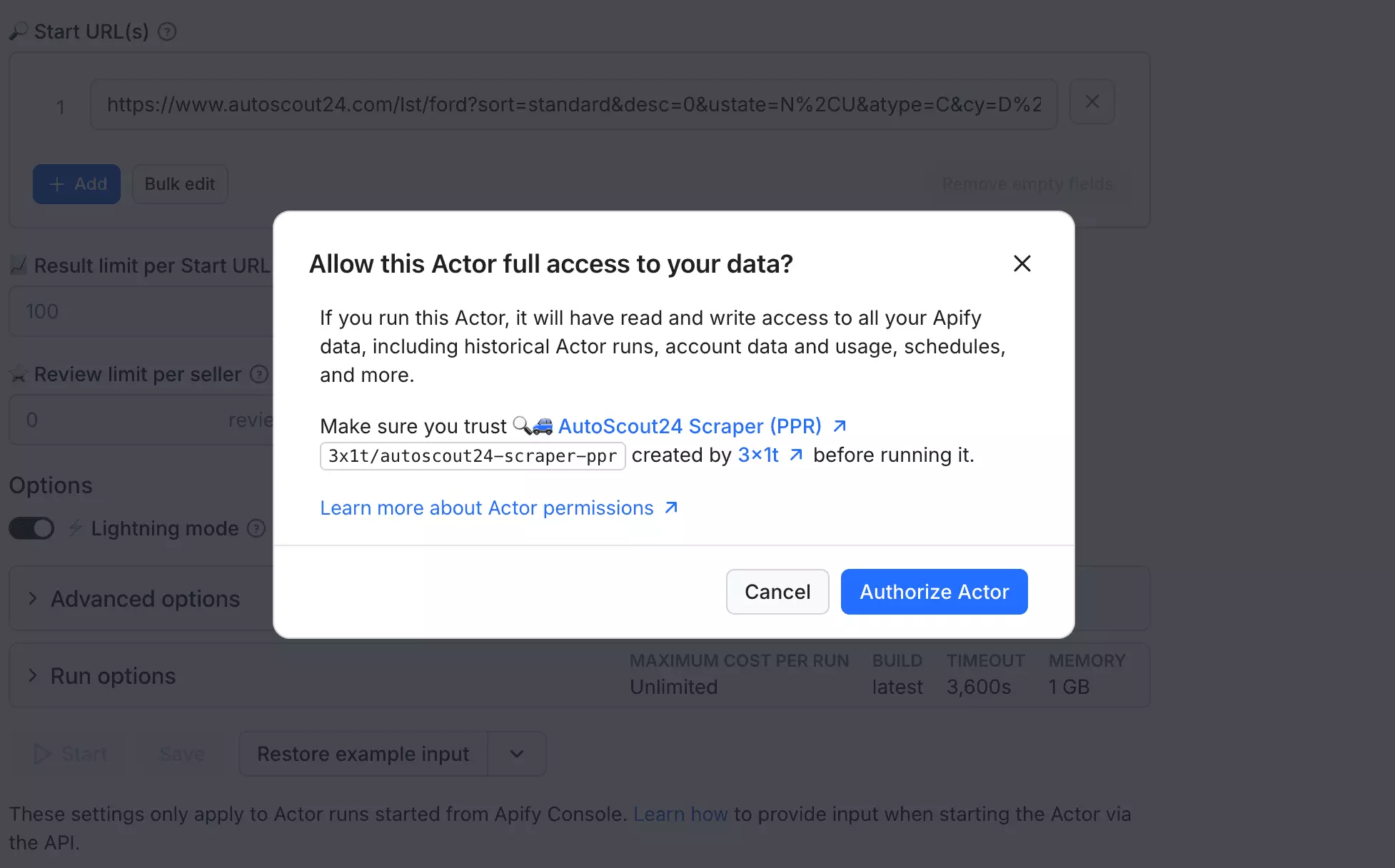
That's a much broader permission request than the limited-permission Actors in this comparison, and it's worth considering before connecting it to an existing Apify account.
Speed
3x1t is the fastest tool here in comparable modes.
With lightningMode enabled, it returned 1,000 listings in about 60 seconds at 1 GB... roughly 998 listings/min.
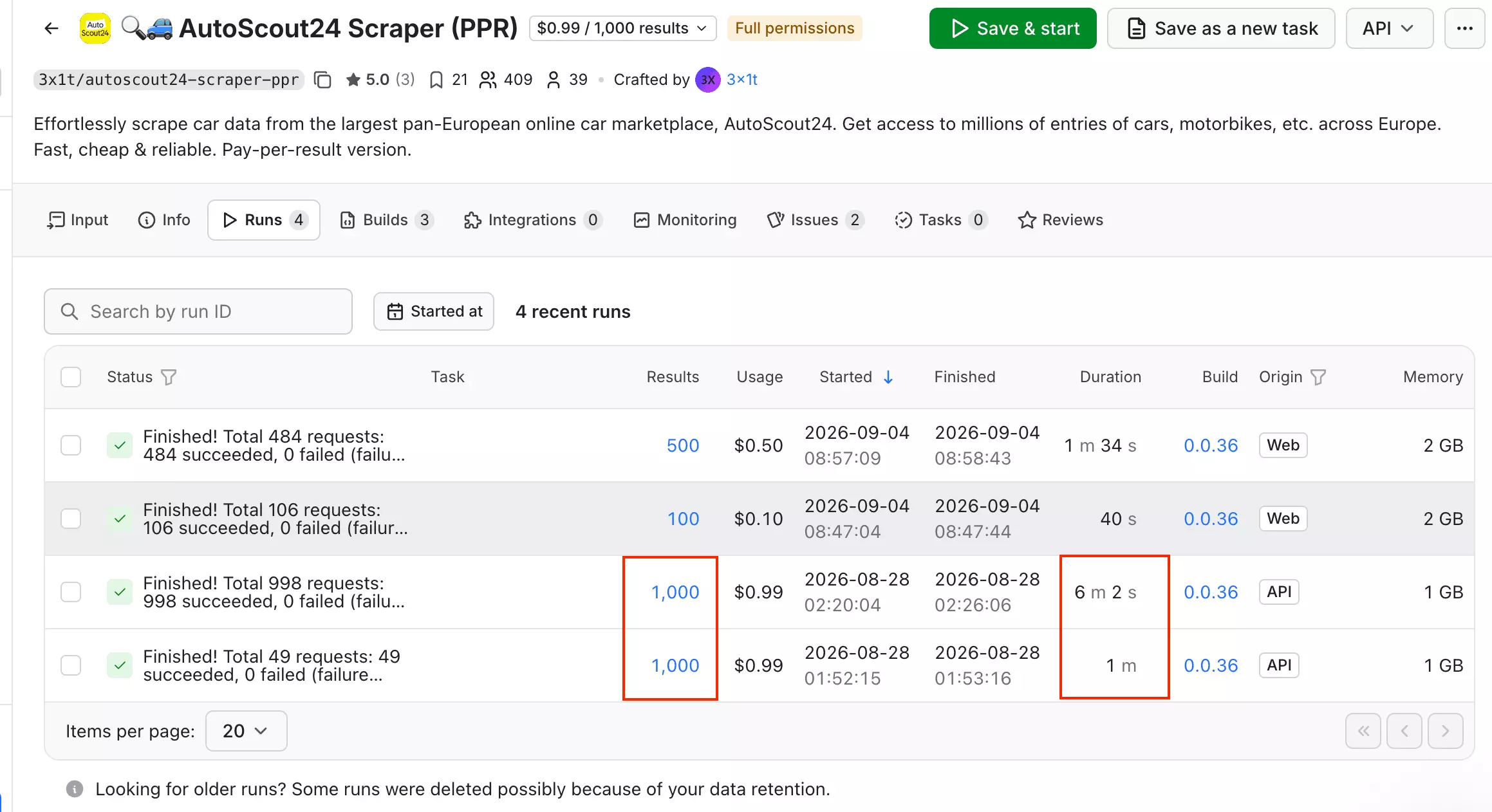
With Lightning off, the same workload took 6 minutes 2 seconds, or about 166 listings/min.
I also tested Full mode with 2 GB. A 100-listing sample ran at roughly 150/min, while a larger 500-result test finished in 1 minute 34 seconds, or about 319/min.
The larger sample suggests additional Full-mode headroom, but I treat 319/min as directional rather than confirmed throughput.
Scalability
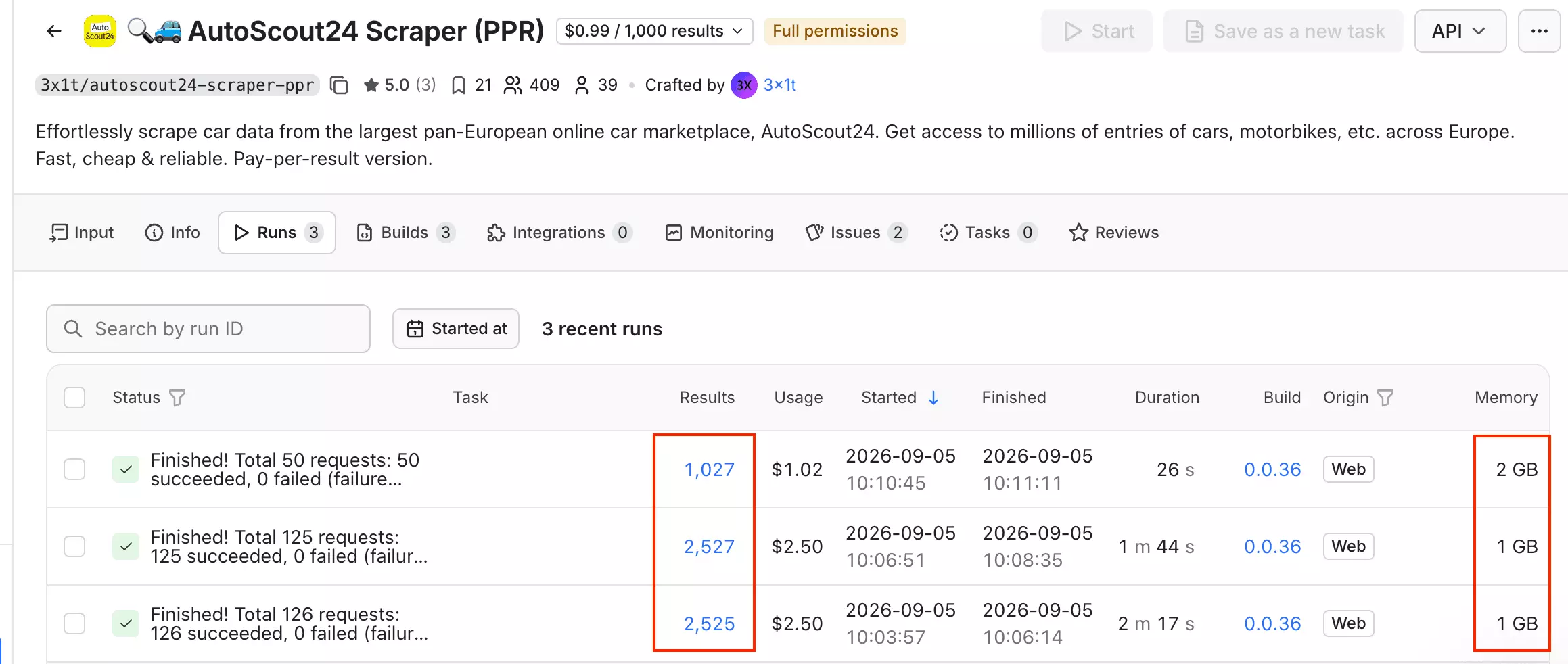
3x1t runs at 1 GB by default, accepts multiple Start URLs, and is well suited to large one-off batches.
A 4,000-result target at 1 GB returned 2,525 listings, while a 3,000-result target returned 2,527.
Increasing memory to 32 GB did not improve coverage: the 3,000-result test returned only 1,027 listings.
For recurring collection, 3x1t can rerun scheduled searches but has no dedicated incremental change-tracking workflow. Repeat monitoring therefore requires collecting the searches again rather than maintaining persistent state between runs.
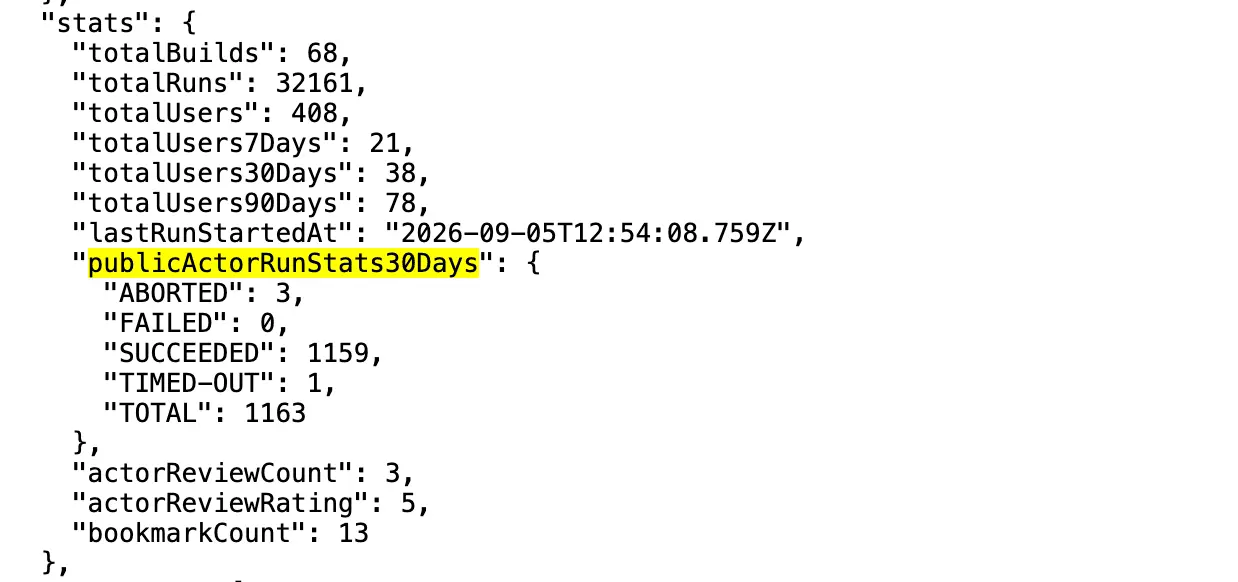
Public 30-day stats show 1,159 successful runs from 1,163, or 99.66%.
Stopped runs can be resurrected through Apify.
Customer support
Support is available through Apify Issues + developer email.
Apify shows a 0-hour issue response time as of September 5, 2026, but two public issues have remained open for months with no visible developer reply.
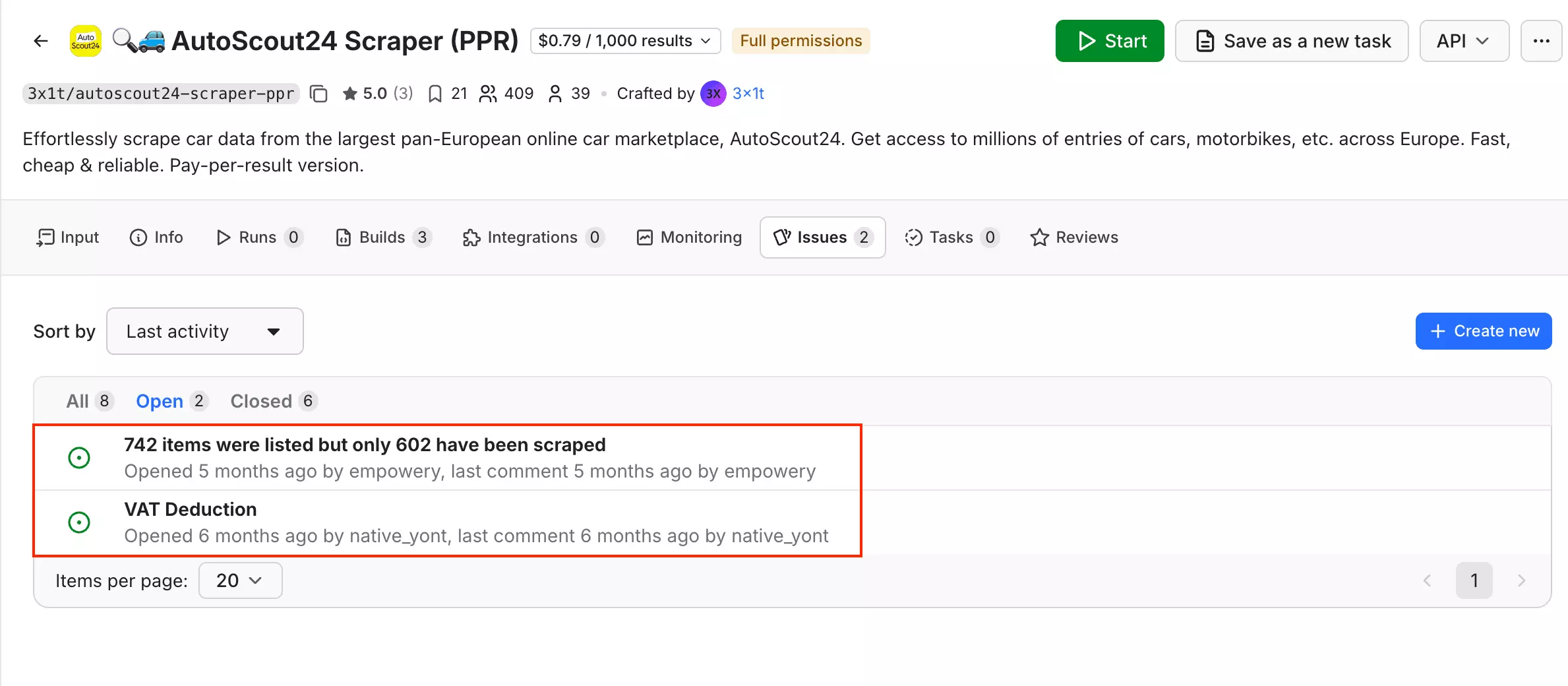
So I would not put much weight on the headline response metric alone.
Best for: buyers doing fast one-off sweeps, dealer research, or price-position analysis... provided the account-wide permission request is acceptable.
3. lobstr.io — AutoScout24 Listings Scraper
- User rating: 5.0/5 from 33 Capterra reviews, as of September 5, 2026
- My rating: 7.12/10
- Type: No-code platform + API
- Pricing: $0.50/1K at scale
| Pillar | Score /10 |
|---|---|
| Data | 7 |
| Cost | 7 |
| Usability | 9 |
| Speed | 4 |
| Scalability | 7 |
| Support | 10 |
| Overall | 7.12 |
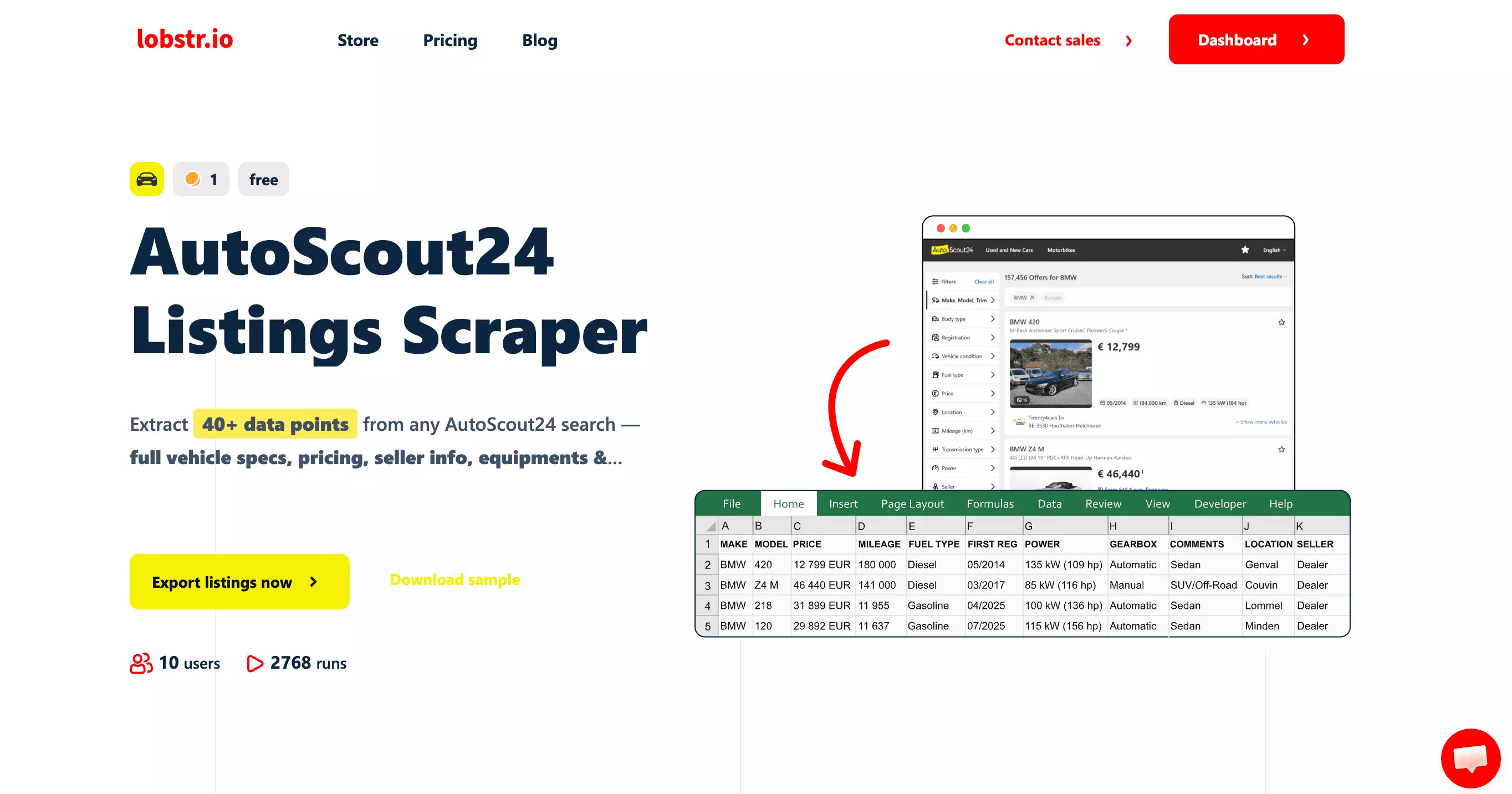
lobstr.io is a French web scraping platform with 50+ ready-made scrapers. One of them is the AutoScout24 Listings Scraper, which takes an AutoScout24 search URL and returns listings on a schedule.
| Pros | Cons |
|---|---|
| Competitive pricing... $0.50/1K at scale | Slowest benchmark result... 70/min Basic, and 40/min detail listing |
| Simple no-code workflow with bulk tasks, scheduling, and delivery | Detailed mode is expensive |
| Core Basic fields are highly consistent... all 23 above 95% fill | No verified publication date or usable price-position data |
| Company-level live chat + email support | Roughly 2K listings per task |
| Cleanest export... least cleanup | |
| Concurrency can scale to 20 Slots |
Data
lobstr.io returns 49 useful vehicle data points in Detailed mode. Basic mode gives you 23, while Get Listing Details adds the rest.
| Category | Basic mode | Detailed mode adds |
|---|---|---|
| 🚗 Identity | Listing ID, URL, title, make, model | Version / trim |
| 💰 Price | Asking price, currency | Price label |
| ⚙️ Core specs | Mileage, first registration, fuel type, power | Transmission, body type |
| 🔧 Detailed specs | — | Displacement, cylinders, drivetrain, doors, seats, weight, consumption, CO₂, emissions, production date |
| 🧾 Condition & history | — | Previous owners, technical inspection, last service |
| 🎨 Appearance | — | Exterior colour, manufacturer colour, paint, upholstery |
| 🧰 Equipment | — | Equipment list |
| 🖼️ Content | Images | Description |
| 🧑 Seller | Seller type, seller name | Phone number |
| 📍 Location | City, postal code, country | — |
| 🕘 Dates | Tool first-seen date, scrape timestamp | — |
Basic mode is compact but consistent: all 23 fields cleared 95% fill.
Detailed mode fills most normal vehicle-spec gaps. Trim, Transmission, and Body type reached 100%, Doors 98%, Seats 93%, Equipment 96%, and Description 99%.
The bigger limitation is what remains missing:
| Missing / weaker area | lobstr.io Detailed | Who does better |
|---|---|---|
| Publication date | ❌ | blackfalcondata, 3x1t |
| VAT deductibility | ❌ | blackfalcondata, ivanvs |
| Price-position data | No usable value | blackfalcondata, especially 3x1t |
| CO₂ emissions | ❌ no field | blackfalcondata 49%, ivanvs 48%, 3x1t 38% |
| Seller phone depth | 96%, max 1 | 3x1t, ivanvs... up to 3 |
| Dealer email / ID / ratings | ❌ | 3x1t |
Detailed mode therefore remains a vehicle-first dataset, with less depth on listing age, pricing intelligence, and dealer data.
One date field needs caution. FIRST ONLINE DATE was populated on all 1,000 rows but matched the collection date every time, so it behaved like a lobstr.io first-seen timestamp, not AutoScout24's original publication date.
Cost
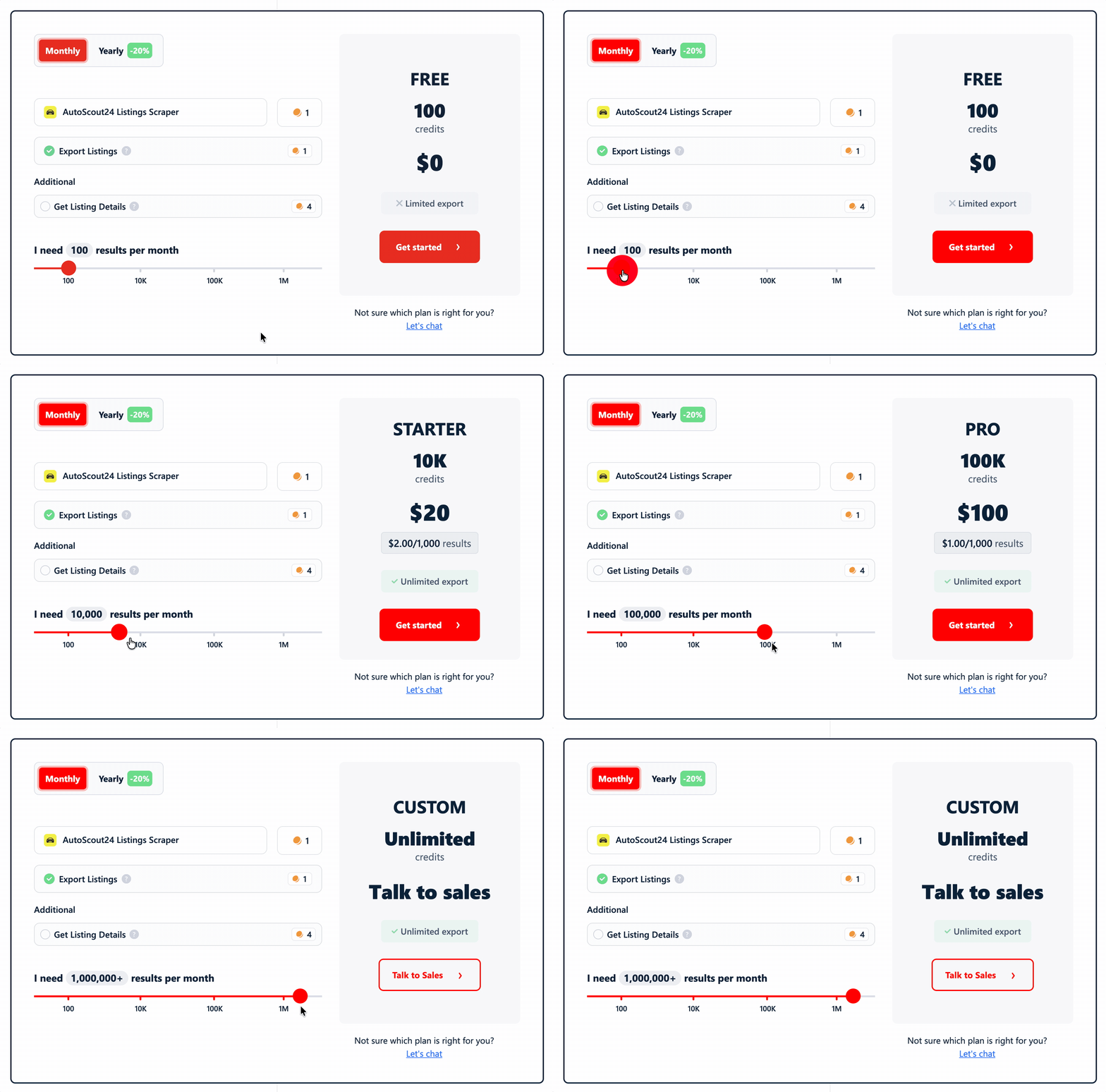
lobstr.io uses credits, with lower effective rates on higher plans.
Basic mode uses 1 credit per listing:
- Free tier: 100 credits/month
- Starts at: $2.00 per 1,000 listings
- At scale: $0.50 per 1,000 listings
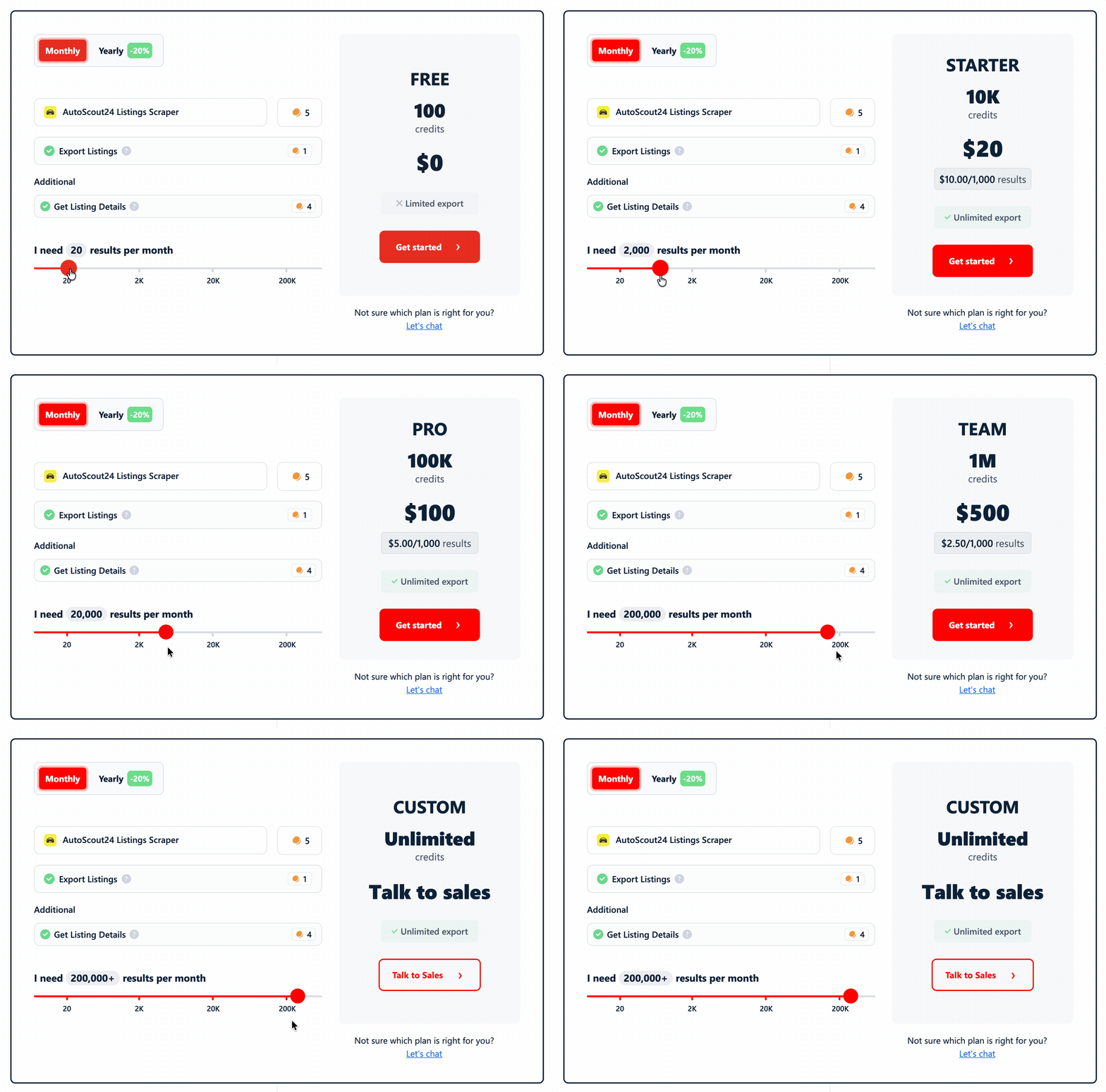
Detailed mode uses 5 credits per listing:
- Starts at: $10.00 per 1,000 listings
- At scale: $4.00 per 1,000 listings
Usability
lobstr.io is easy to run without code. You can add search URLs or upload multiple tasks through CSV/TXT.
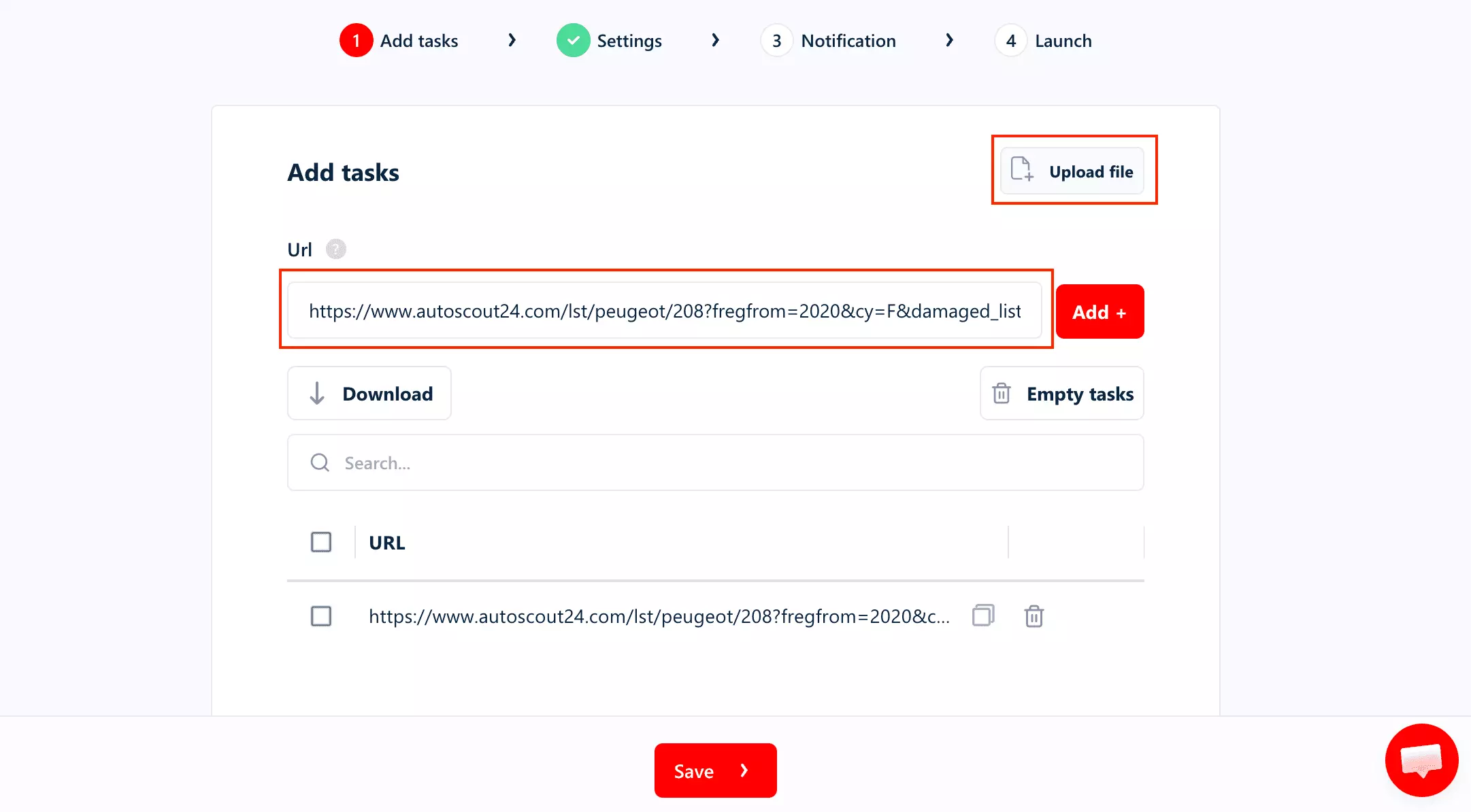
The useful controls include listing details, result and page limits, freshness filters, deduplication, and concurrency.
Results export as CSV, Excel, JSON, or JSONL. You can also send them automatically to Google Sheets, Amazon S3, SFTP, email, or a webhook, which is useful for recurring collection.
For automation, lobstr.io integrates with Make.com and n8n. Make also includes a Watch Runs trigger, so another workflow can start when a scraper run changes status.
If you'd rather skip the dashboard, there's a well-documented API.
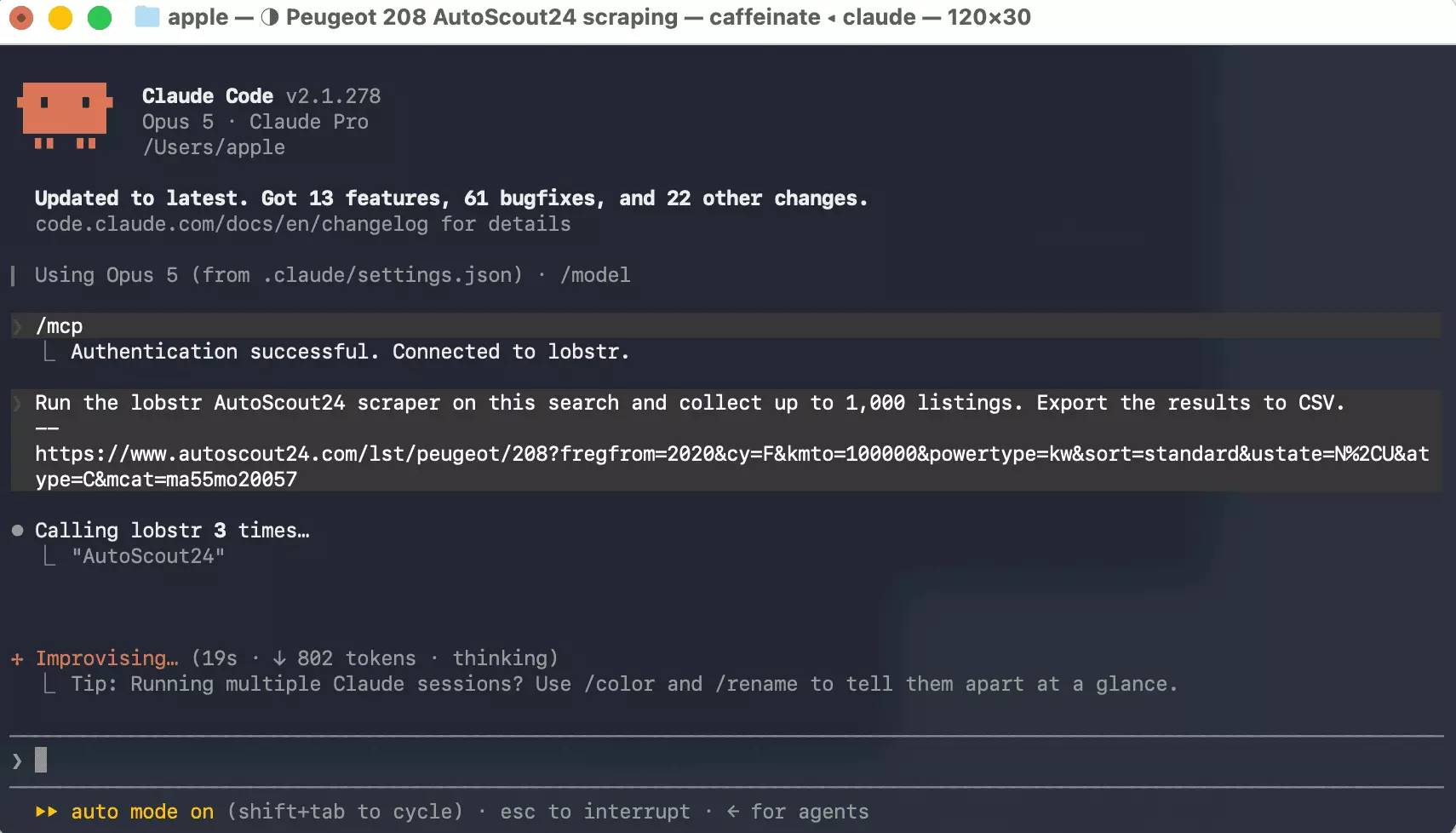
There's an MCP server too, if you'd rather just ask an AI client to run it.
claude mcp add --transport http lobstr https://mcp.lobstr.io/mcp
And a CLI, if you live in the terminal.
pip install lobstrio

lobstr go autoscout24-listings-scraper \
  "<your AutoScout24 search URL>" \
  -o autoscout.csv
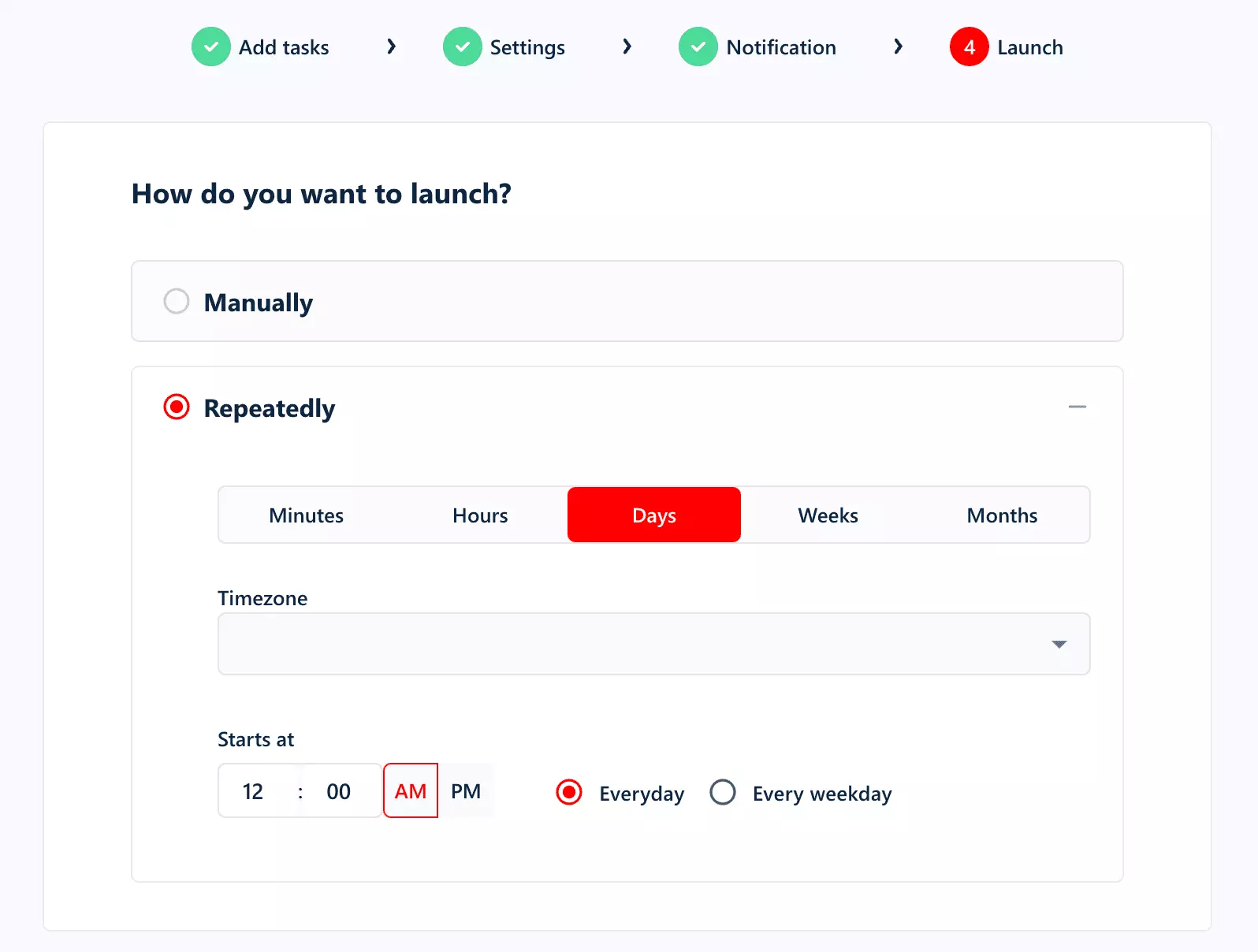
Recurring jobs can also be scheduled inside lobstr.io, so you don't have to manually restart the same AutoScout24 search each time.
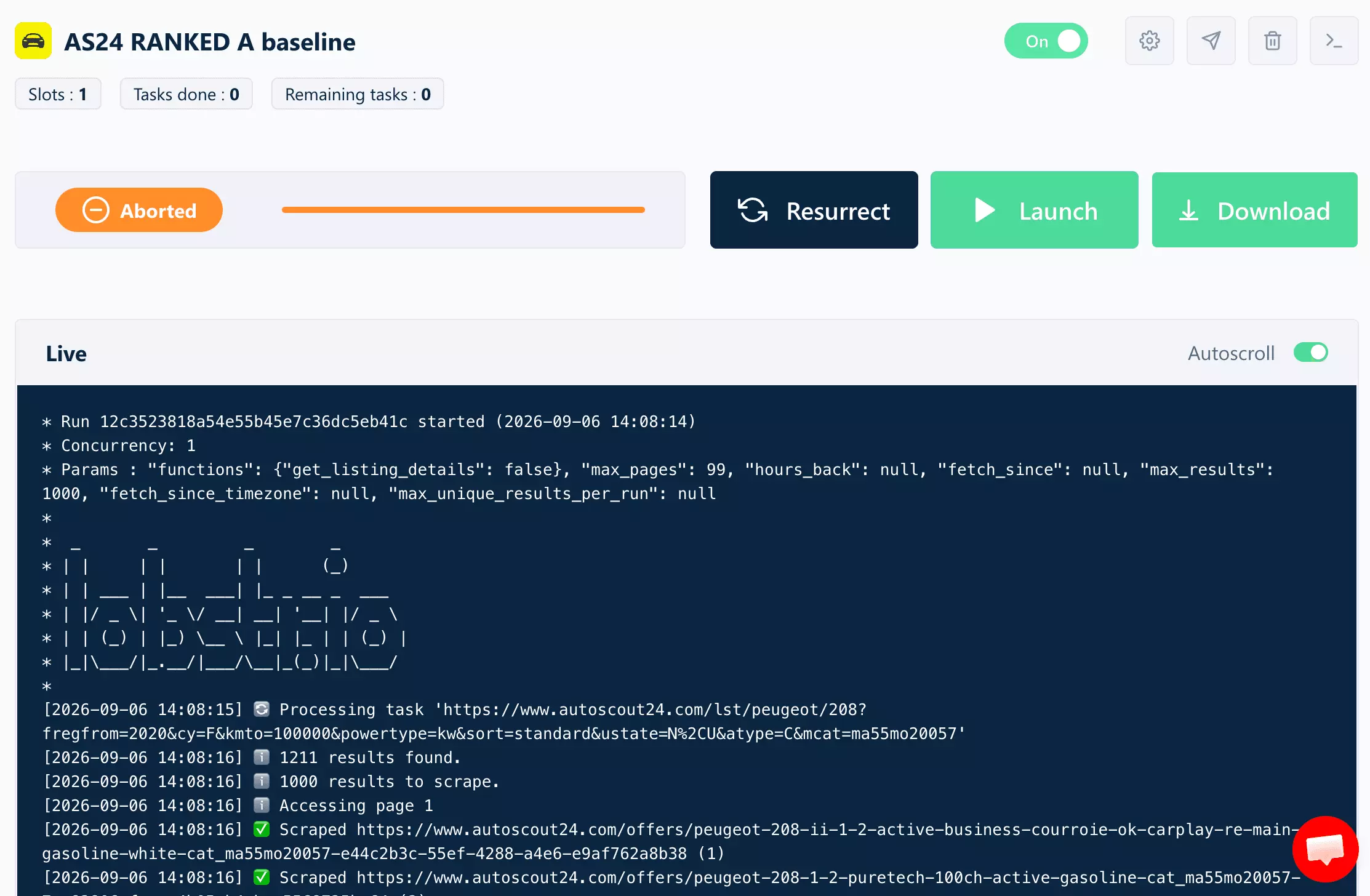
Once a run starts, the console shows its progress and timestamps. You can get a notification when it finishes or stop the run early if needed.
Speed
lobstr.io was the slowest default configuration I tested at 70 listings/min.
The 1,000-listing Basic run took 14 minutes 17 seconds.
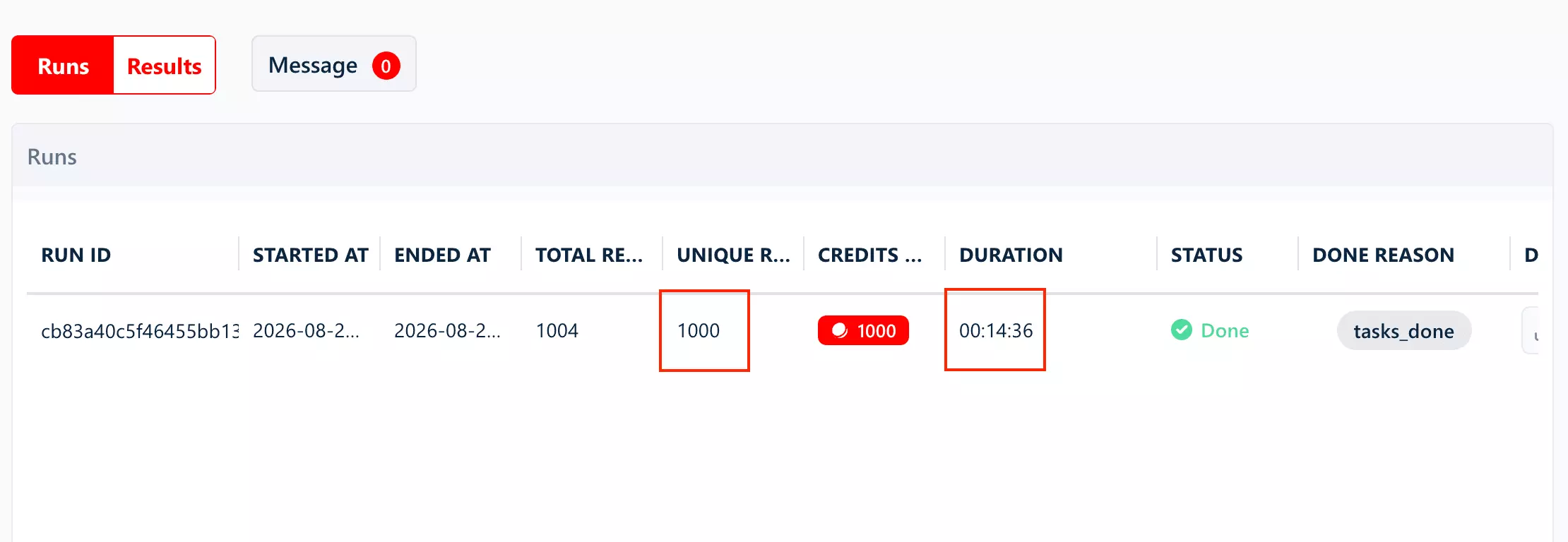
With Get Listing Details enabled, throughput dropped to about 40 listings/min, or roughly 25 minutes for 1,000 listings.
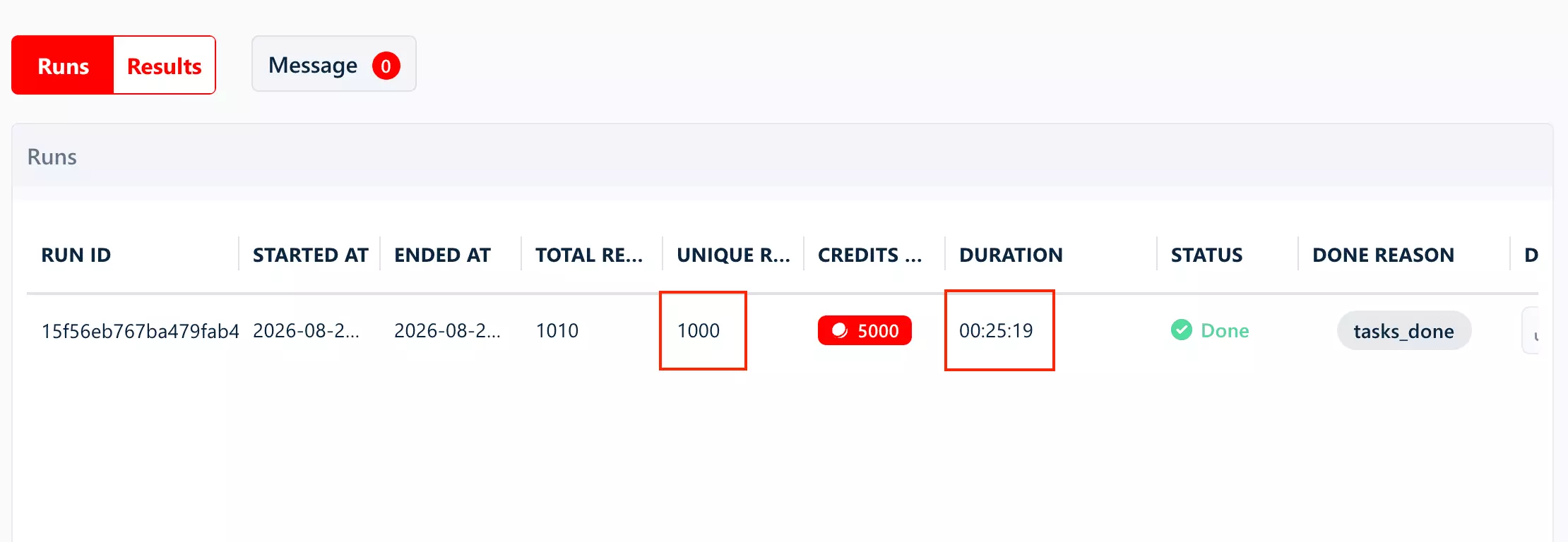
Both results used the default 1 Slot / concurrency 1. lobstr.io supports additional Slots, with up to 20 Slots per Squid, so the measured rates should not be treated as its maximum throughput.
Scalability
Bulk task input helps with partitioning, while additional Slots provide concurrency.
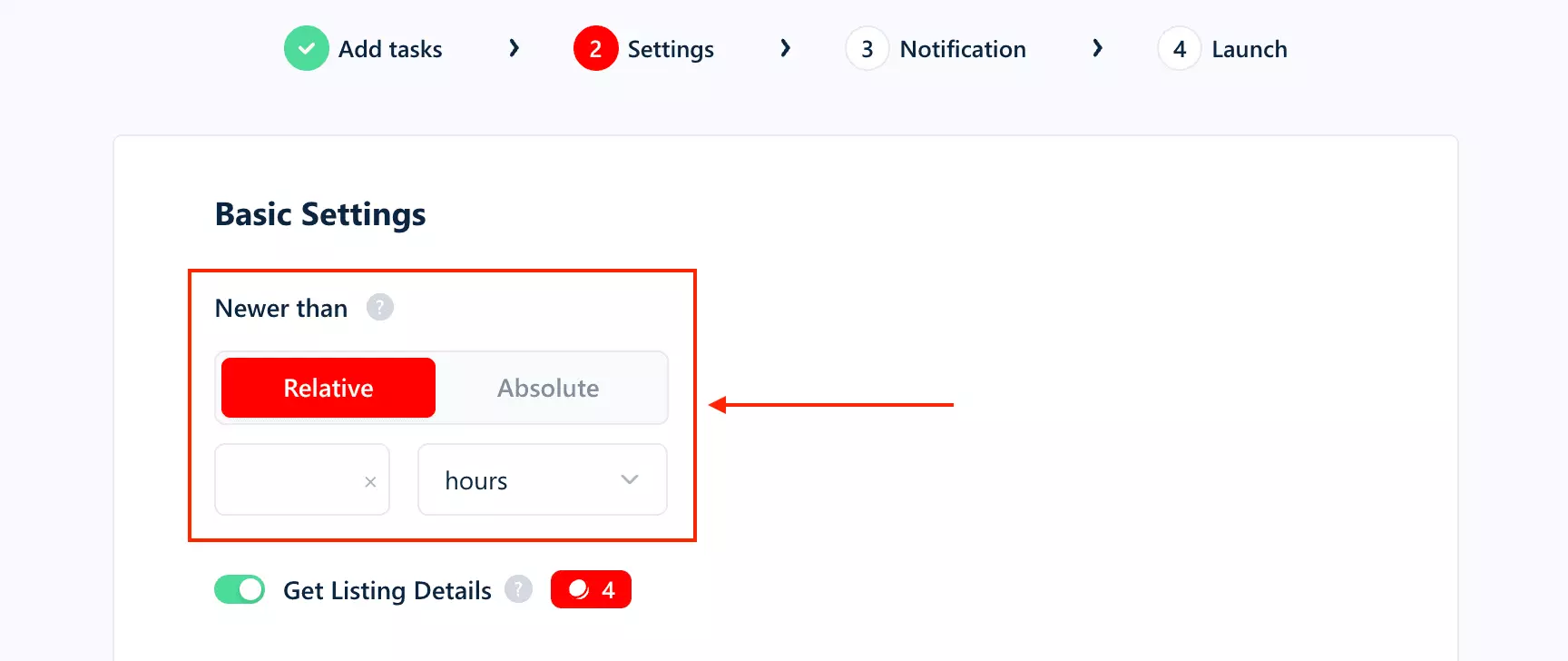
For recurring collection, Newer than can limit runs to fresher listings.
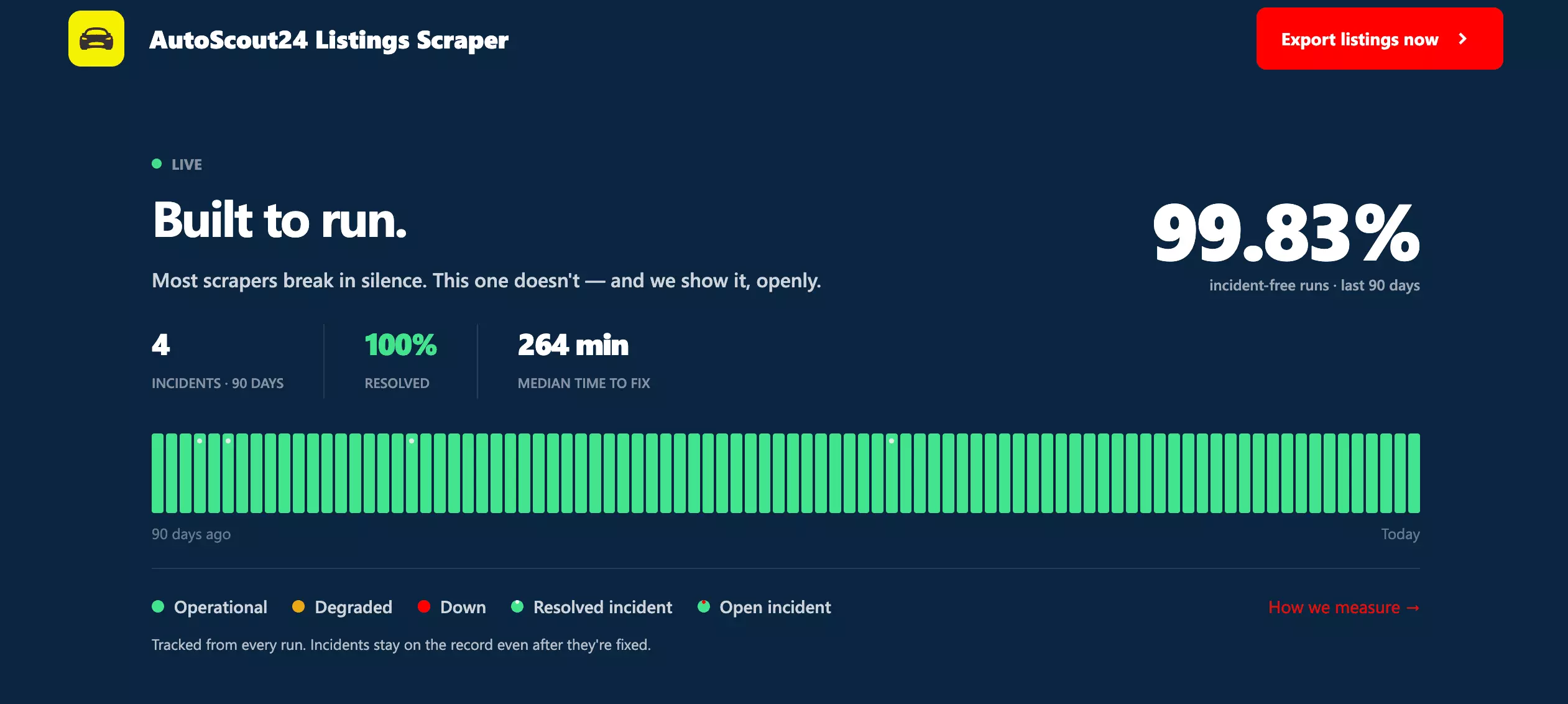
lobstr.io publishes 99.95% task success and 99.83% incident-free runs over the last 90 days.
If a run stops, collected results are preserved. Paid-plan exports remain available for 28 days.
Customer support
Support is available through live chat + email, making lobstr.io the only tool here with company-level support rather than support tied to an individual actor developer.
Capterra reviews also mention fast replies and resolved issues.
Best for: teams that want a simple managed scraping workflow, scheduling, and company-level support... and can accept slower collection or the higher cost of Detailed mode.
4. Apify — ivanvs/autoscout-scraper
- User rating: 4.8/5 from 5 Apify store reviews, as of September 5, 2026
- My rating: 6.32/10
- Type: Apify marketplace Actor
- Pricing: $2.70/1K at scale
| Pillar | Score /10 |
|---|---|
| Data | 8 |
| Cost | 5 |
| Usability | 7 |
| Speed | 5 |
| Scalability | 5 |
| Support | 8 |
| Overall | 6.32 |
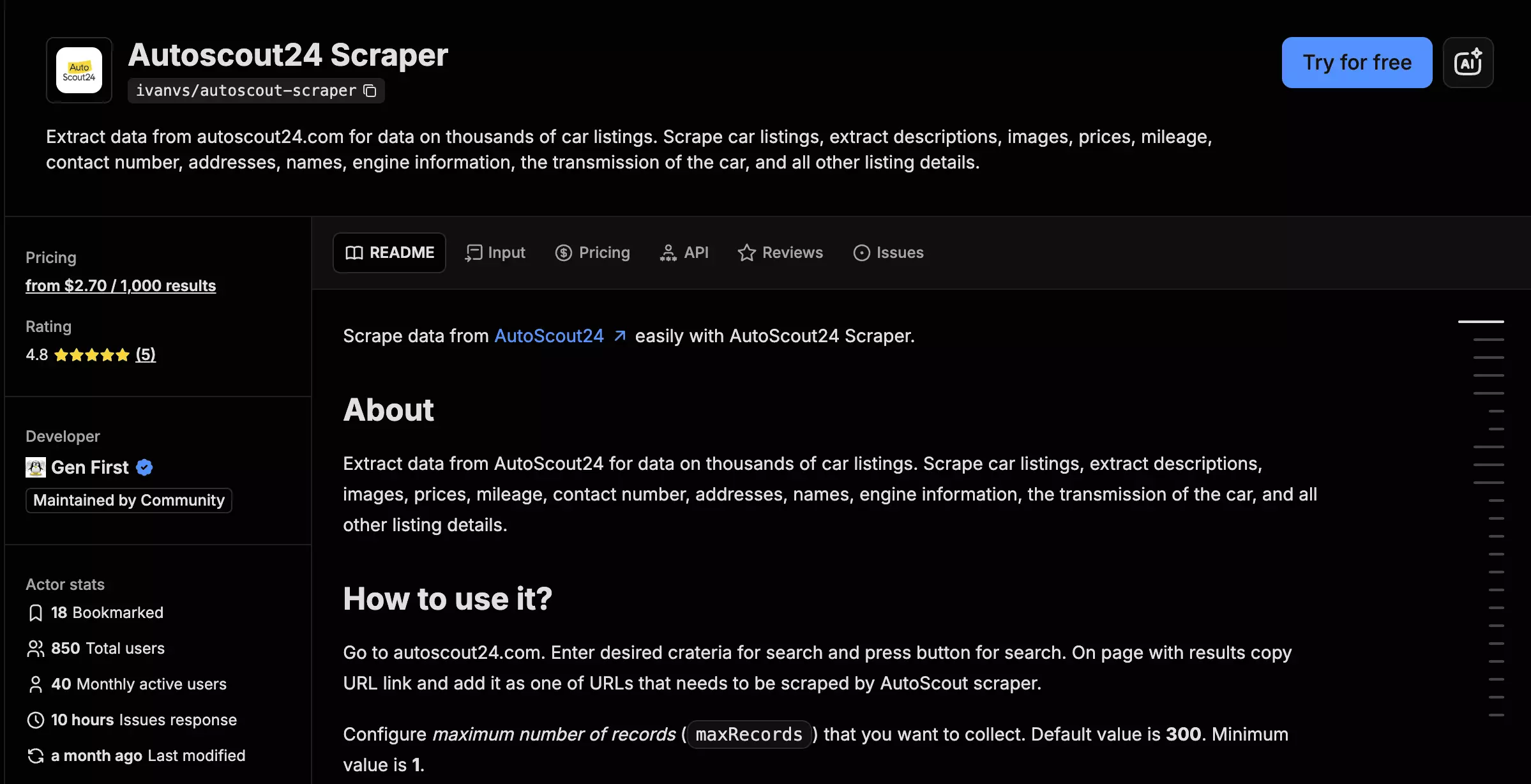
ivanvs/autoscout-scraper is a ready-made Apify Actor for collecting structured AutoScout24 vehicle listings from one or more search URLs. It focuses on detailed vehicle specs, categorized equipment, seller contact data, and location fields.
| Pros | Cons |
|---|---|
| Strong 71-point vehicle dataset in one mode | Most expensive Apify actor here |
| Best whole-list equipment organization | No verified publication date |
| VAT deductibility and GPS both reached 100% | No incremental collection |
| Up to three seller phone numbers | No useful price-position data |
| Large jobs remained incomplete even with more memory |
Data
ivanvs returns 71 useful data points in a single mode.
| Category | Notable data |
|---|---|
| 🚗 Vehicle | Make, model, trim/version, body type |
| 💰 Price | Price, currency, negotiable flag, VAT deductibility |
| ⚙️ Specs | Mileage, registration, fuel, power, transmission, displacement, doors, seats |
| 🧾 History | Previous owners, inspection, last service, production date |
| 🎨 Appearance | Colour, manufacturer colour, paint, upholstery |
| 🧰 Equipment | Safety, Comfort, Media, Extras |
| 🧑 Seller | Name, phone, WhatsApp, contact person, dealer URL |
| 📍 Location | City, postal code, country, street, GPS coordinates |
| 🖼️ Content | Images, description |
The core vehicle record is strong, with trim, transmission, price, mileage, registration, fuel, power, and body type essentially complete.
Its clearest advantage is equipment organization. ivanvs averaged roughly 28.4 equipment items per listing, but separates them into Safety, Comfort, Media, and Extras instead of returning one long list.
| Notable field | Fill | Why it matters |
|---|---|---|
| Categorized equipment | ✅ 4 groups | Easier feature filtering |
| VAT deductibility | 100% | B2B pricing |
| GPS coordinates | 100% | Geographic analysis |
| Number of gears | 15% | Unique structured field |
| Publication date | ❌ | No listing-age analysis |
| Dealer ratings | 0% | Weak dealer intelligence |
Seller contacts are also relatively deep. ivanvs averaged 1.19 phone numbers per listing, with up to three returned, versus 1.28 for 3x1t.
The bigger gaps are listing age and dealer intelligence. There is no verified publication date, and the dealer-rating field was present but 0% populated.
Cost
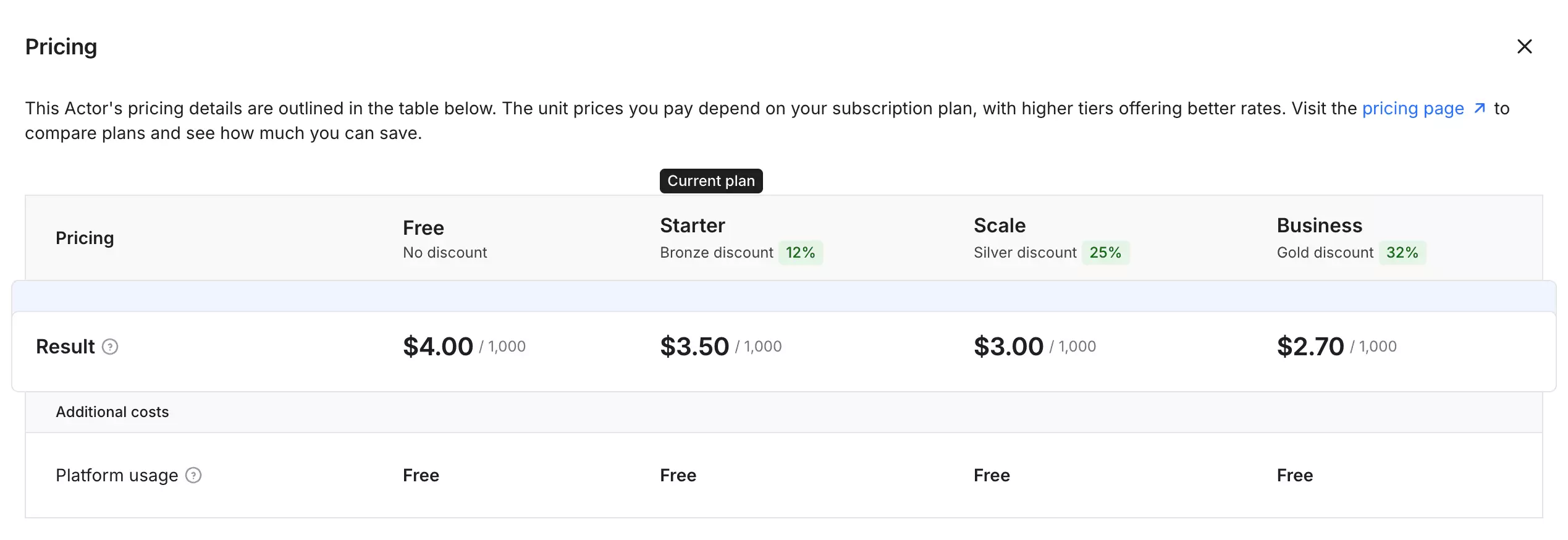
ivanvs is one of the pricier options in this comparison:
- Free tier: $5 in monthly credits
- Starts at: $3.50 per 1,000 listings
- At scale: $2.70 per 1,000 listings
Usability
ivanvs is the simplest Actor here to configure. Paste one or multiple AutoScout24 search URLs, choose how many records you want, and run it.
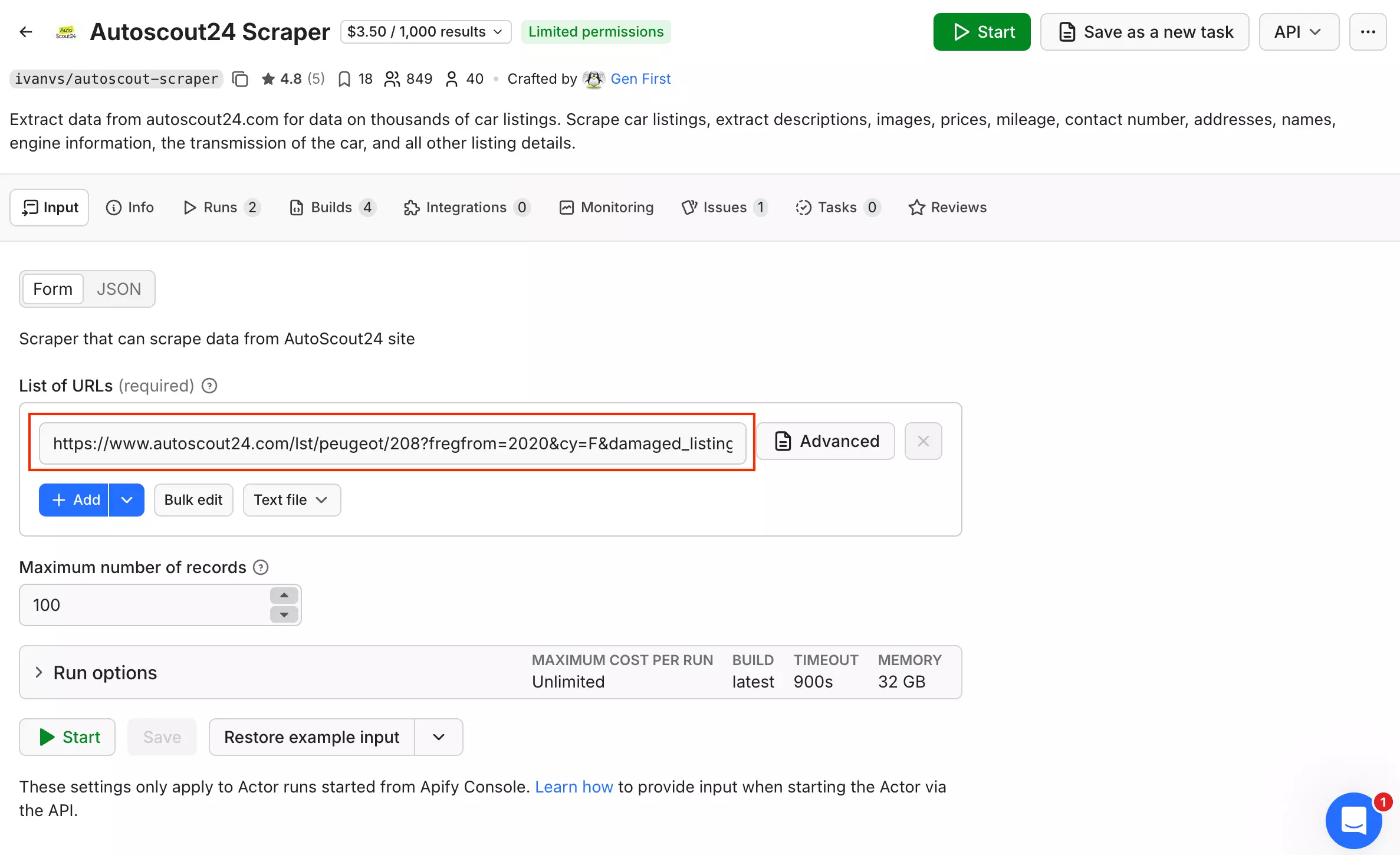
That's basically it. There are no scraper-specific filters or advanced collection modes beyond the URLs and result limit. Apify still gives you control over memory, timeout, and maximum cost per run.
Results export as CSV, Excel, JSON, JSONL, or XML. Through Apify, you also get API access, webhooks, Make, Zapier, n8n, scheduling, and run monitoring.
So ivanvs is easy to get running, but that simplicity comes with fewer controls than the more configurable scrapers in this comparison.
Speed
ivanvs completed the 1,000-listing benchmark in 10 minutes 47 seconds at 1 GB, or roughly 93 listings/min.
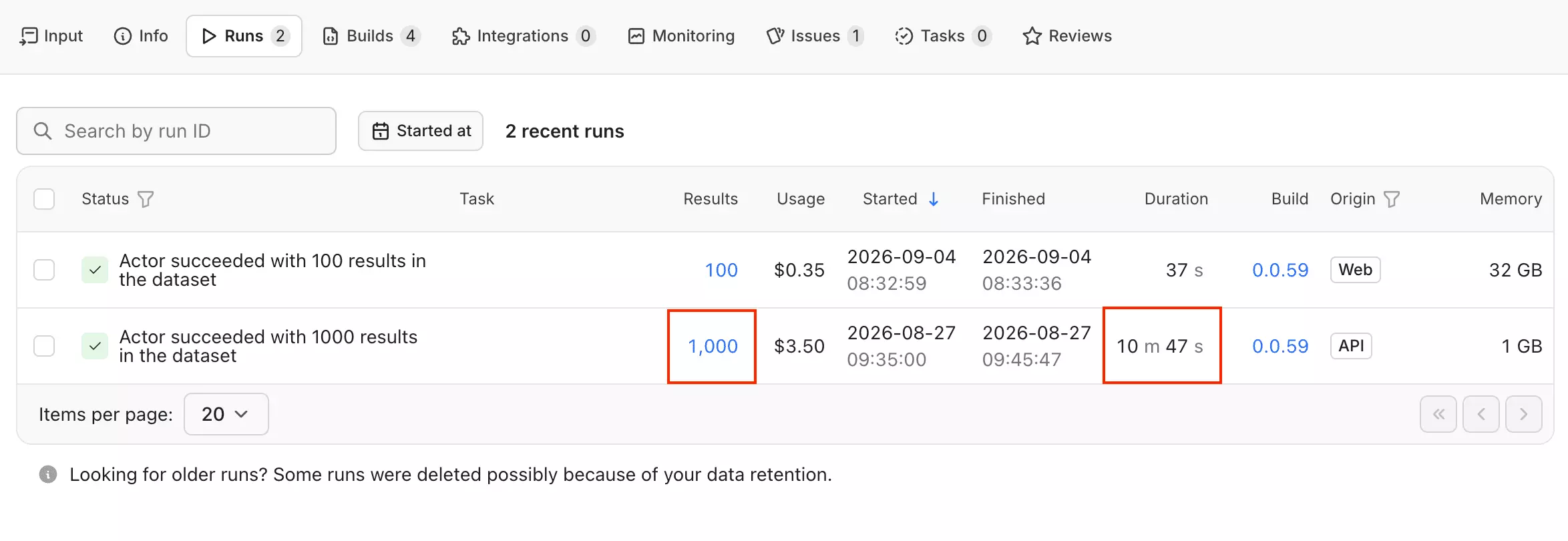
The actor also accepted 32 GB. At that setting, a 100-listing sample finished in 37 seconds, or roughly 162 listings/min.
Because that was only a 100-listing test, I treat 162/min as directional rather than confirmed throughput. The confirmed benchmark remains 93 listings/min at 1 GB.
Scalability
More memory helped larger jobs, but did not remove the main bottleneck.
With a 4,000-result target at 1 GB, ivanvs hit its 15-minute timeout after returning 1,512 listings. At 32 GB, the same timeout produced 1,952 listings... about 29% more, but still incomplete.
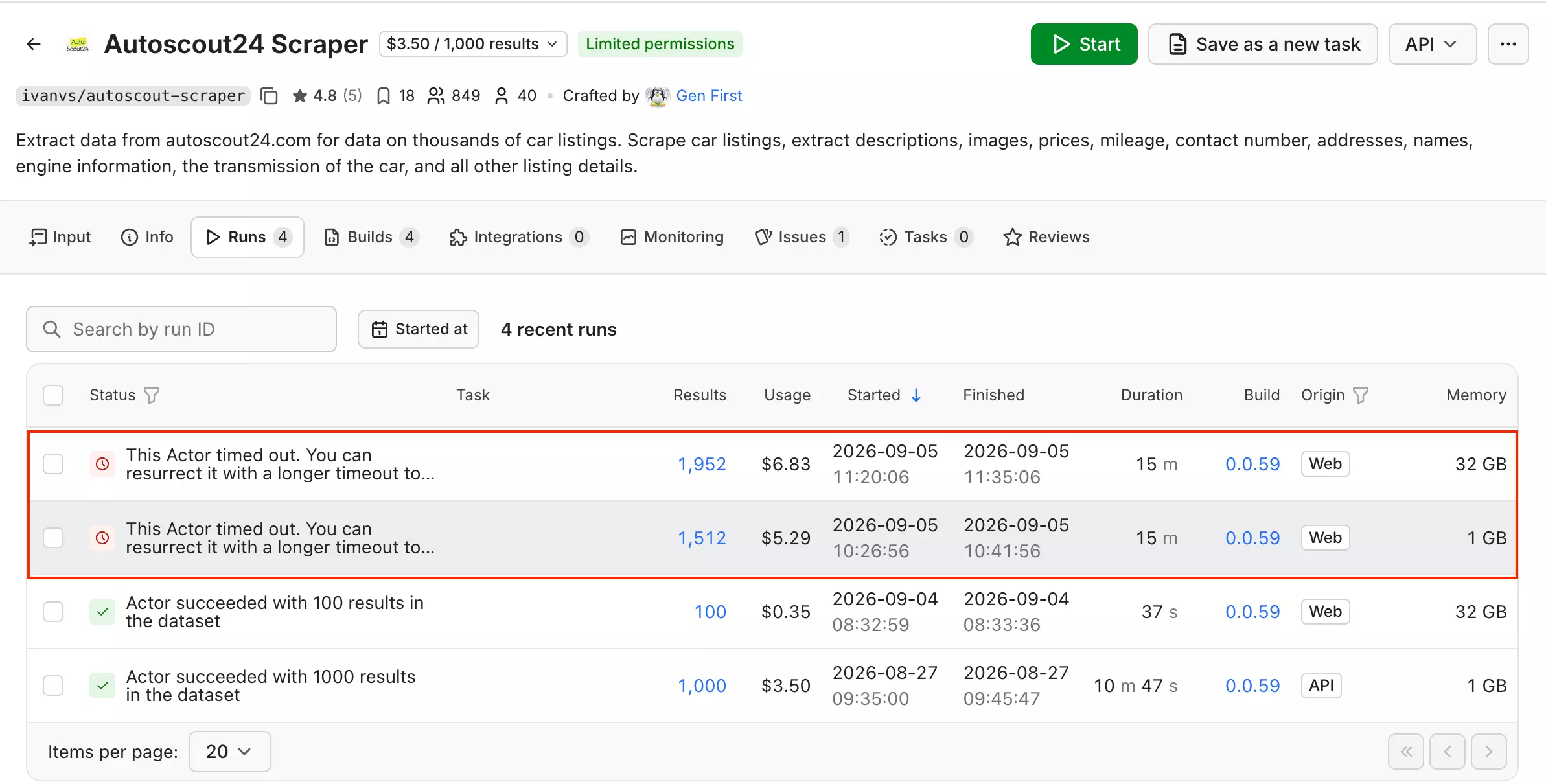
So larger jobs need timeout tuning, not just more memory.
The actor accepts multiple AutoScout24 URLs, which helps when larger markets need to be partitioned. It has no incremental or change-tracking mode, so recurring collection requires scraping those searches again.
Public 30-day stats show 2,244 successful runs from 2,250, or 99.73%.
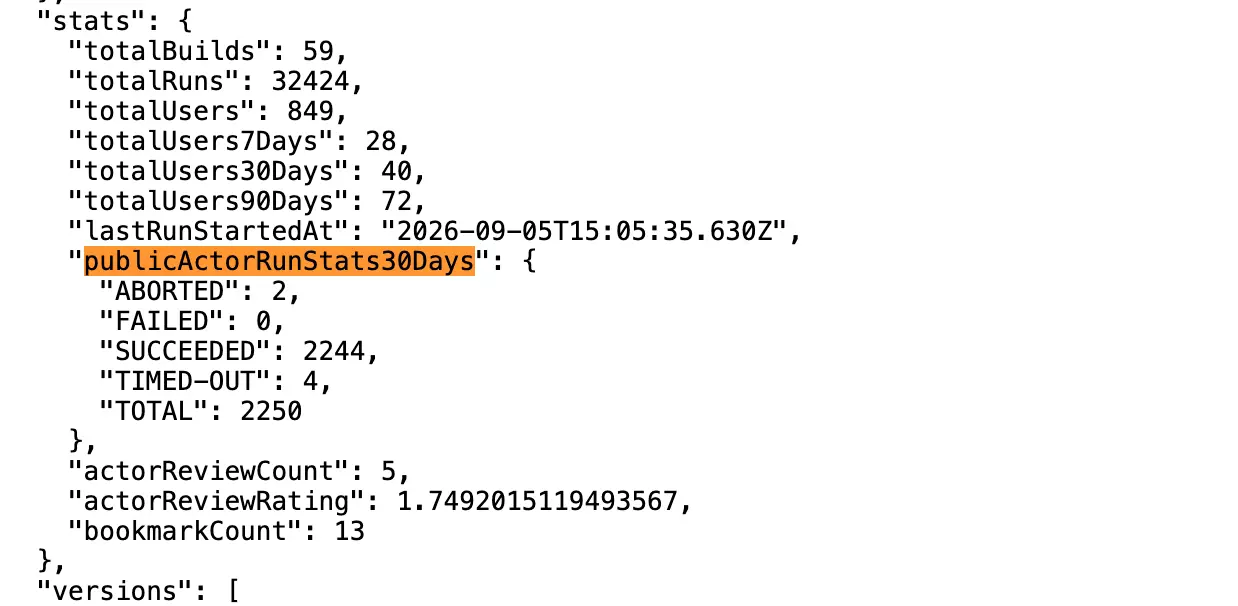
Stopped runs can be resurrected through Apify, but do not automatically pause and resume.
Customer support
Support is available through Apify Issues + developer email.
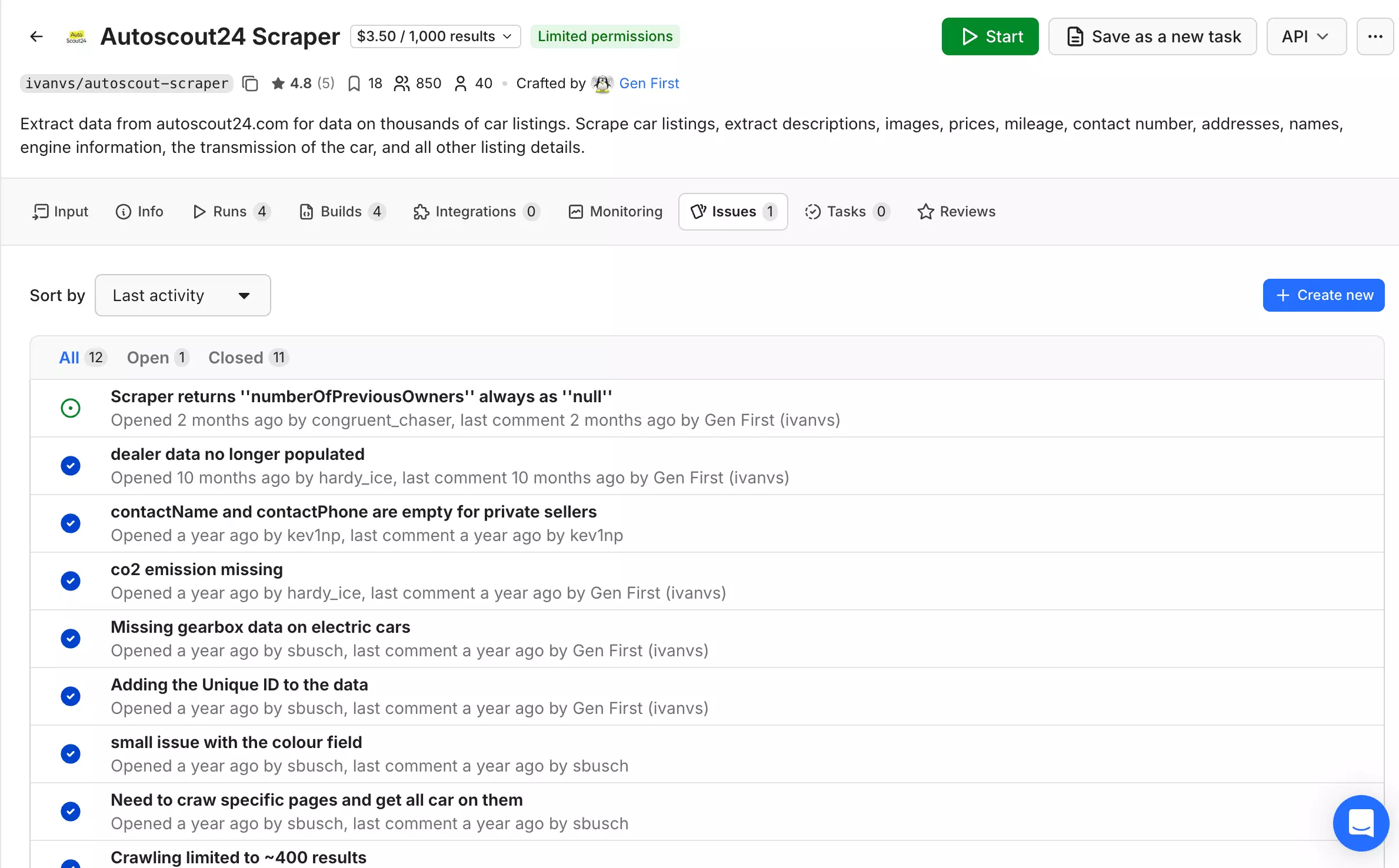
Apify reports an average 10-hour issue response time as of September 5, 2026, with 11 of 12 public issues closed.
Best for: buyers who want strong vehicle specs and organized equipment data... and do not need listing-age tracking, incremental monitoring, or the lowest price.
FAQ
Which AutoScout24 scraper returns the most data?
3x1t returns the most data, with 80 useful data points in Full mode. blackfalcondata follows with 74 and ivanvs with 71.
Which AutoScout24 scraper is cheapest?
3x1t is the cheapest, starting at $0.79/1K listings and falling to $0.49/1K at scale. lobstr.io Basic is close at $0.50/1K at scale.
Which AutoScout24 scraper is fastest?
3x1t is the fastest comparable configuration, reaching 998 listings/min in Lightning mode. blackfalcondata reached 5,940/min in Lite mode, but with substantially less data.
Which AutoScout24 scraper is best for recurring collection?
blackfalcondata is best for recurring collection. Its incremental workflow tracks new, updated, expired, and reposted listings between runs.
How many AutoScout24 listings can I scrape from one search?
AutoScout24 exposes roughly 4,000 results per search. Larger markets therefore need multiple narrower searches, and some scrapers impose lower per-task limits.
Why aren't scrape.do and Scrapfly ranked?
scrape.do and Scrapfly aren't ranked because they return raw HTML rather than structured AutoScout24 vehicle records.
Conclusion
That's a wrap on the best AutoScout24 scrapers.
Who owns what:
- blackfalcondata owns condition data and change tracking. Its enriched dataset and incremental workflow make it the pick for recurring market monitoring. Watch out: larger enriched jobs need more than its 256 MB default.
- 3x1t owns speed and dealer intelligence. At 998 listings/min in Lightning mode, it's the pick for fast one-off sweeps and price-position analysis. Watch out: it requires account-wide Apify access.
- lobstr.io owns support and operation. Its managed workflow, scheduling, delivery, and company-level support make it the pick for teams that prioritize ease of use. Watch out: Detailed mode gets expensive.
- ivanvs owns equipment structure. Its categorized Safety, Comfort, Media, and Extras data make it the pick for equipment-focused analysis. Watch out: it's relatively expensive and lacks incremental tracking.
Pricing, schemas, and scraper behaviour change, so I'll update this comparison when the numbers do.
If you've found something better for AutoScout24, feel free to ping me on LinkedIn.
Ready to scrape AutoScout24 yourself? Try the AutoScout24 Scraper.
Scrapers in this article
Keep reading
 Sasha Bouloudnine24 Sept 2026EmailingGoogle Maps Email Extractor: Free, No Code, Proven (214,361 Listings)
 Shehriar Awan10 Sept 2026No CodeHow to Scrape LinkedIn Sales Navigator Leads With Verified Emails
- Shehriar Awan4 Sept 2026No CodeHow to Scrape Google Maps for Leads With Verified Emails [No-Code]
- Shehriar Awan28 Aug 2026Lead GenerationBest Google Maps Scrapers in 2026 [Tested: Data, Speed, Cost, Scale]
- Nathan Eshetu26 Aug 2026No CodeBest LinkedIn Leads Scrapers 2026 [No-Code + API Edition]