
Best Google Maps Scrapers in 2026 [Tested: Data, Speed, Cost, Scale]
(updated)
⚡ 30-Second Summary
- I tested dozens of Google Maps scrapers... GitHub scripts, Chrome extensions, APIs, full cloud platforms... and scored the survivors on the 5 things that actually decide it: data quality, usability, speed, cost, and scale. Five made the cut. Here's the short version.
- lobstr.io ... best overall, and best at scale. The deepest full-data record of the three (81 fields), the cleanest and most accurate output (highest field-fill consistency, tightest geo, zero duplicates), the only complete set of pre-scrape filters, the cheapest at scale ($0.50/1K basic, $2.50/1K full), and the only tool that scales horizontally (add Slots... 20 per Squid, up to 100 account-wide on the top plan... to multiply throughput). Pick it for high-volume, accurate lead gen. Trade-off: full-data speed is slow before you add concurrency, and there's no firmographic enrichment.
- Apify ... best for speed and all-in-one data. Fastest on full-data runs, and it packs the most into a single actor (reviews, lead enrichment, images with author metadata, social profiles, web results, Q&As). Pick it for fast full-data jobs and pulling everything in one run. Trade-off: priciest of the bunch, and its geo targeting is the loosest of the three... it returned the most results, but barely 7% hit the exact zip.
- Outscraper ... best for enrichment breadth. The widest enrichment menu of anything I tested (firmographics, decision-makers, reverse phone identity, website tech signals), on pay-as-you-go, and it bundles place details into the base scrape so a plain run already comes back deep. Pick it for company-level B2B data sitting next to the listing, or a no-subscription one-off. Trade-off: slowest of the three, no scheduling, lowest scale ceiling.
- Didn't make the cut: Bright Data, PhantomBuster, and HasData. Good tools, wrong fit for affordable scraping at scale. Full reasons at the end.
If you've gone looking for a Google Maps scraper, you've probably had this exact thought.
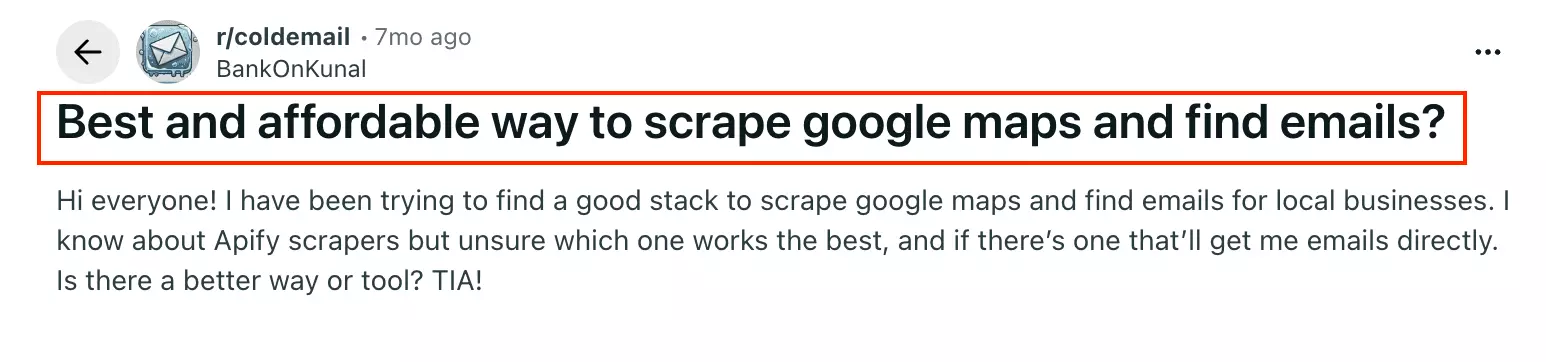
You want the best one... but you also want it to be affordable. And ideally it pulls emails too, so you walk away with actual leads, not just a list of business names.
Most "best Google Maps scraper" lists online are recycled marketing. Nobody actually runs the same jobs through every tool and counts what comes back.
So I did. I tested dozens of them, and ranked the ones worth your money.
Here are my picks.
Just tell me which one
No time for the full breakdown? Here's the instant answer.
| If you want... | Go with |
|---|---|
| The best all-rounder... clean, accurate data at the best price | lobstr.io |
| Serious scale (millions of rows a month) with real concurrency | lobstr.io |
| The fastest full-data runs + everything in one actor | Apify |
| The most fields per business on a full run | lobstr.io |
| Firmographics + decision-maker enrichment | Outscraper |
| A no-subscription, pay-as-you-go one-off | Outscraper |
| Full Google reviews per listing | lobstr.io / Apify |
Want the full picture before you scroll? Here's every tool scored on all 5 criteria, side by side.
| Criteria | lobstr.io | Apify | Outscraper |
|---|---|---|---|
| Data fields (full run) | 81 | 53 | 75 |
| Data consistency | 93% | 68% | 86% |
| Data accuracy (geo + category + unique) | 94% | 77% | 88% |
| Filter: Category match | ✅ (free) | ✅ (paid) | ✅ (free) |
| Filter: Geo match | ✅ (free) | ✅ (free) | ✅ (free) |
| Filter: Min rating | ✅ (free) | ✅ (paid) | ✅ (free) |
| Filter: Rating range (min + max) | ✅ (free) | ❌ | ✅ (free) |
| Filter: Min / max reviews count | ✅ (free) | ❌ | ❌ |
| Filter: Exact name match | ✅ (free) | ✅ (paid) | ❌ |
| Filter: Website (with / without) | ✅ (paid) | ✅ (paid) | ✅ (free) |
| Filter: Skip closed places | ✅ (paid) | ✅ (paid) | ✅ (free) |
| Filter: Has phone | ✅ (paid) | ❌ | ✅ (free) |
| Filter: Claimed status | ✅ (paid, either way) | ❌ | ✅ (free, verified only) |
| Filter: Skip leads without email | ✅ (paid) | ❌ | ❌ |
| Filter: Language | ✅ (free) | ✅ (free) | ✅ (free) |
| Email + social link extraction | ✅ | ✅ | ✅ |
| Email validation | ✅ | ✅ | ✅ |
| Business leads / firmographic enrichment | ❌ | ✅ | ✅ |
| Social media scraping | FB, IG, YouTube, X, LinkedIn, Google Reviews | FB, IG, YouTube, TikTok, X, Google Reviews | X, TikTok, YouTube, Google Reviews |
| Ease of use | 💯 | 👎 | 👍 |
| Speed (rows/min) | 200+/min | 90/min | 20–40/min |
| Cost /1K (scale: basic → full) | $0.5 → $2.5 | $1.5 → $5.5 | $1 → $3 |
| Re-pulling data you already scraped | Free (served from cache) | Billed again | Billed again |
| Max rows/month (basic, default config) | ~8.6M (1 slot) | ~3.9M (4GB) | ~1.3M (no concurrency) |
| Concurrency | ✅ 20/Squid, up to 100/account (manual) | ⚠️ Memory-driven (up to 256 runs) | ❌ None |
| Export formats | CSV, Excel, JSON, JSONL (+ Sheets, S3, SFTP, email, webhook) | JSON, CSV, Excel, XML, HTML | JSON, CSV, Excel |
| Customer support | 💯 Live chat, fast + technical | 👍 Live chat + Discord (~1.6d on actor issues) | 👍 Live chat, responsive |
But before tools... is this even legal?
⚠️ Disclaimer
The information in this section is for general informational purposes only. It reflects publicly available sources and my own interpretation of them.
It does not constitute legal advice and should not be treated as such. Laws vary by jurisdiction and can change.
If you need guidance on compliance, data use, contracts, or platform-specific risks, consult a qualified legal professional who can evaluate your situation in detail.
Is it legal to scrape Google Maps?
Yes, it's legal under certain conditions.
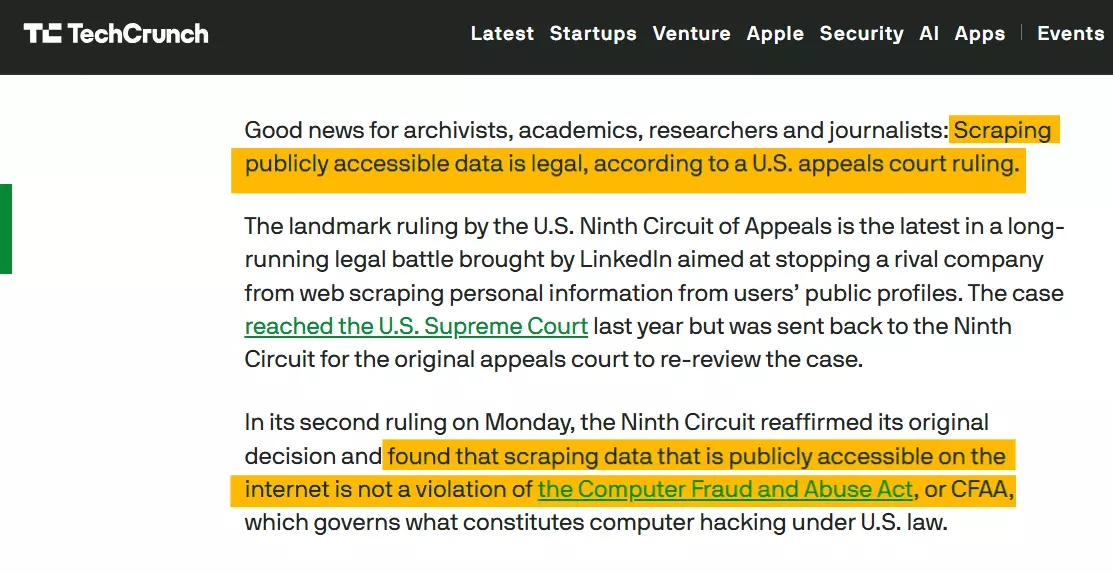
Where things get risky is what you do after you collect it.
Copying or republishing reviews and photos can raise copyright issues.
If the content is public, you're not bypassing technical barriers, and you use the data responsibly, you're usually on safer ground.
But hold on... how do I even define "the best"? Let me walk you through my criteria before we jump into the comparison.
How did I choose the best Google Maps scrapers?
First, I went where the complaints live... Reddit threads, community discussions, and review sites.
And after all that hustle, I shortlisted top 5 pain points i.e. the criteria for testing the scrapers.
- Data
- Usability
- Speed
- Cost
- Scalability
But how did I actually measure each one of them???
Data
Sure, I counted how many fields each tool returns. Every comparison article on the internet does that. But this is my comparison... I don't do generic.
So I went after what actually makes data useful: quantity and quality.
- Depth ... how many fields a tool actually fills per business with every data function switched on. Not how many columns it advertises... how many come back with something in them.
- Consistency ... of the columns a tool returns, how many are actually filled on every single row? A tool that advertises 50 fields but leaves half of them blank isn't really giving you 50 fields.
- Accuracy ... I gave each tool the same search and checked three things: did the results land in the right place (geo match... in the target zip or one bordering it), were they the right kind of business (category match), and were they unique (no duplicates)? I rolled those three into a single accuracy score.
Usability
Usability is more than "is the dashboard pretty." I broke it into four things:
- Input options ... how many ways can you feed it a job? Categories, search queries, Google Maps URLs, place IDs, bulk CSV upload.
- Filters ... can you narrow results before you pay for them? By rating, location, category, website, phone, verified status, and so on.
- Data flexibility ... how much can you pull beyond the basic listing? Emails, social links, reviews, images, lead enrichment.
- Ease of use ... how fast you get from opening the tool to a clean export... and how easy it is to avoid an expensive mistake on the way.
Speed
Simple to define, a pain to measure honestly.
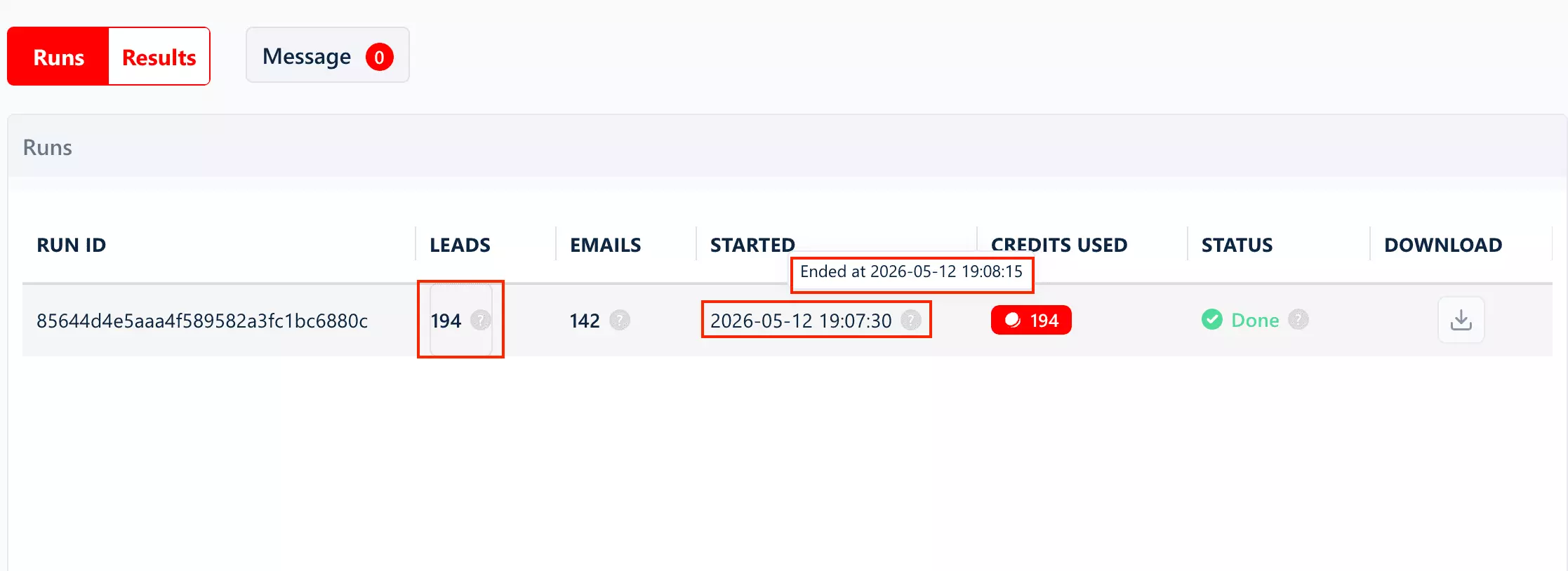
I checked how many rows of data each tool pulls per minute, and ran several tests across different searches so I'd land on a fair estimate... not one lucky run.
I measured it at two levels: basic data (just the listing) and full lead data (every data function a tool offers switched on).
Because the gap between those two is huge, and tools love to quote you the fast number while staying quiet about how far it drops once you ask for emails, details, and verification.
Cost
To compare apples to apples, I normalized everything to cost per 1,000 rows... at two levels (basic data, and the fullest lead record a tool can build) and at two price points (entry plan and at scale).
And I folded in the stuff tools like to bury: filter costs, add-on data costs, and any extra per-function charges.
Scalability
The one nobody calculates. If a scraper ran 24/7 for a month, how many rows could you realistically pull?
I took each tool's speed, multiplied by the minutes in a month, then factored in the thing that actually changes the answer: concurrency. How many runs can it fire in parallel?
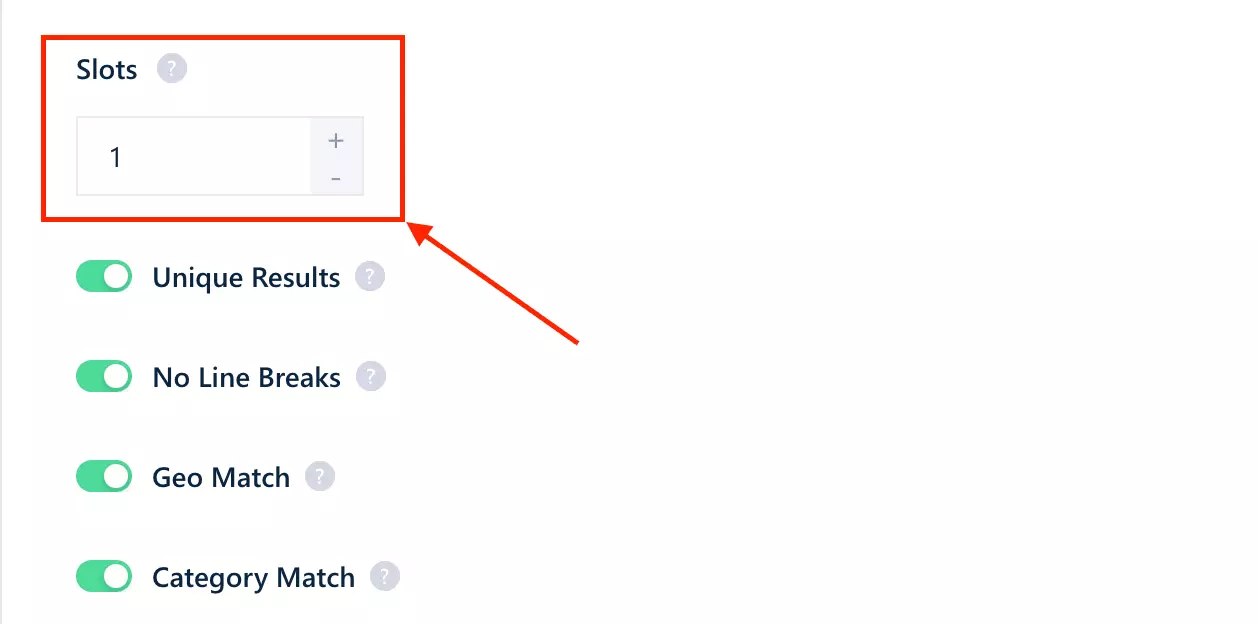
With concurrency you scale horizontally... double the threads, double the throughput. Without it, scaling is linear: more locations just means more waiting.
Next... find all the Google Maps Scrapers and test them on the above criteria.
I found my candidates the obvious way... Google, AI recommendations, Reddit threads... and tested dozens of them. GitHub scripts, Chrome extensions, APIs, full cloud platforms.
Then I shortlisted the ones that actually hold up where it counts: sustainable and affordable at scale, not just fine for a small, one-time run.
So which ones held up?
Best Google Maps scrapers
| Criteria | lobstr.io | Apify | Outscraper |
|---|---|---|---|
| Data fields (full run) | 81 | 53 | 75 |
| Data consistency | 93% | 68% | 86% |
| Data accuracy (geo + category + unique) | 94% | 77% | 88% |
| Filter: Category match | ✅ (free) | ✅ (paid) | ✅ (free) |
| Filter: Geo match | ✅ (free) | ✅ (free) | ✅ (free) |
| Filter: Min rating | ✅ (free) | ✅ (paid) | ✅ (free) |
| Filter: Rating range (min + max) | ✅ (free) | ❌ | ✅ (free) |
| Filter: Min / max reviews count | ✅ (free) | ❌ | ❌ |
| Filter: Exact name match | ✅ (free) | ✅ (paid) | ❌ |
| Filter: Website (with / without) | ✅ (paid) | ✅ (paid) | ✅ (free) |
| Filter: Skip closed places | ✅ (paid) | ✅ (paid) | ✅ (free) |
| Filter: Has phone | ✅ (paid) | ❌ | ✅ (free) |
| Filter: Claimed status | ✅ (paid, either way) | ❌ | ✅ (free, verified only) |
| Filter: Skip leads without email | ✅ (paid) | ❌ | ❌ |
| Filter: Language | ✅ (free) | ✅ (free) | ✅ (free) |
| Email + social link extraction | ✅ | ✅ | ✅ |
| Email validation | ✅ | ✅ | ✅ |
| Business leads / firmographic enrichment | ❌ | ✅ | ✅ |
| Social media scraping | FB, IG, YouTube, X, LinkedIn, Google Reviews | FB, IG, YouTube, TikTok, X, Google Reviews | X, TikTok, YouTube, Google Reviews |
| Ease of use | 💯 | 👎 | 👍 |
| Speed (rows/min) | 200+/min | 90/min | 20–40/min |
| Cost /1K (scale: basic → full) | $0.5 → $2.5 | $1.5 → $5.5 | $1 → $3 |
| Re-pulling data you already scraped | Free (served from cache) | Billed again | Billed again |
| Max rows/month (basic, default config) | ~8.6M (1 slot) | ~3.9M (4GB) | ~1.3M (no concurrency) |
| Concurrency | ✅ 20/Squid, up to 100/account (manual) | ⚠️ Memory-driven (up to 256 runs) | ❌ None |
| Export formats | CSV, Excel, JSON, JSONL (+ Sheets, S3, SFTP, email, webhook) | JSON, CSV, Excel, XML, HTML | JSON, CSV, Excel |
| Customer support | 💯 Live chat, fast + technical | 👍 Live chat + Discord (~1.6d on actor issues) | 👍 Live chat, responsive |
You've seen the full scorecard up top. Here's the story behind the numbers, tool by tool.
1. lobstr.io
| Pros | Cons |
|---|---|
| Deepest full-data record (81 fields) | Full-data speed is slow before Slots (~4/min) |
| Cleanest, most consistent output (93% fill rate) | No native employee/firmographic enrichment |
| Best geo accuracy + zero duplicates | |
| Cheapest at scale ($0.50/1K) | |
| Never billed twice for data you already pulled | |
| Only tool with horizontal scaling (Slots) | |
| Every pre-scrape filter I went looking for | |
| Email extraction + bounce verification built in |
Data
With every data function switched on, lobstr.io returns 81 filled fields per business... the deepest full-data record of the three.
Want the exact field list? I've linked the raw dataset I pulled so you can see every key:
brisket: 155, peach cobbler: 92), People also search for with coordinates attached, claimed/verified status, kgmid, Street View thumbnail, timezone, county, and secondary hours for delivery, takeout, and the kitchen.And one field nobody else has: menu_items... the actual menu, parsed. Dish name, section, description, and price, as structured data. Apify and Outscraper both hand you a link to the menu and wish you luck.
popular_times_live, popular_times_live_percent), which used to be Apify's party trick.Depth is one thing. But two others matter more, and they're where lobstr.io actually separates from the pack.
Consistency. Across every listing, 93% of lobstr.io's columns came back filled. You get the same complete row every single time... no half-empty exports to clean up later.
Accuracy. There are two halves to it: did results land in the right place (geo), and were they the right kind of business (category)?
10003. lobstr.io pulled 132 businesses, every one of them unique... zero duplicates.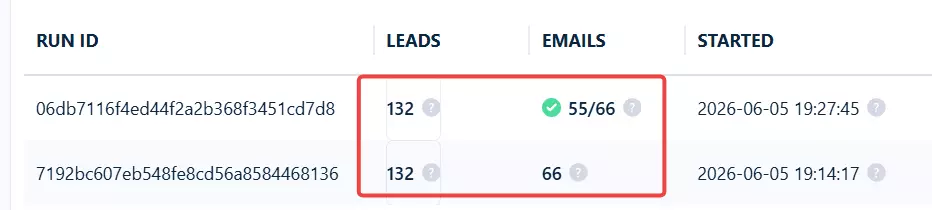
It also held the tightest geographic cluster of the bunch. 34 of those 132 (25%) sat in the exact 10003 zip... the most in-zip hits I saw.
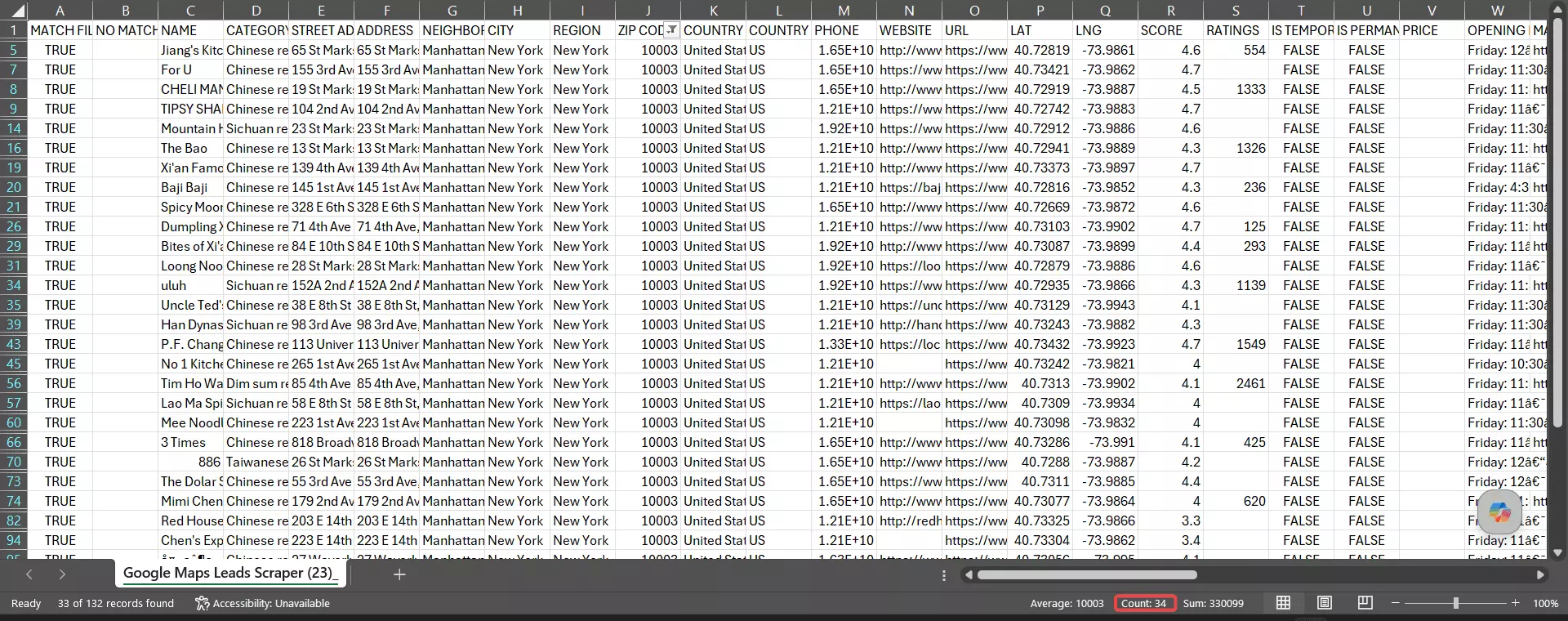
The rest spilled into adjacent lower-Manhattan zips that literally border it: Chinatown, the East Village, NoHo.
On category, ~91% of lobstr.io's results were genuinely Chinese restaurants.
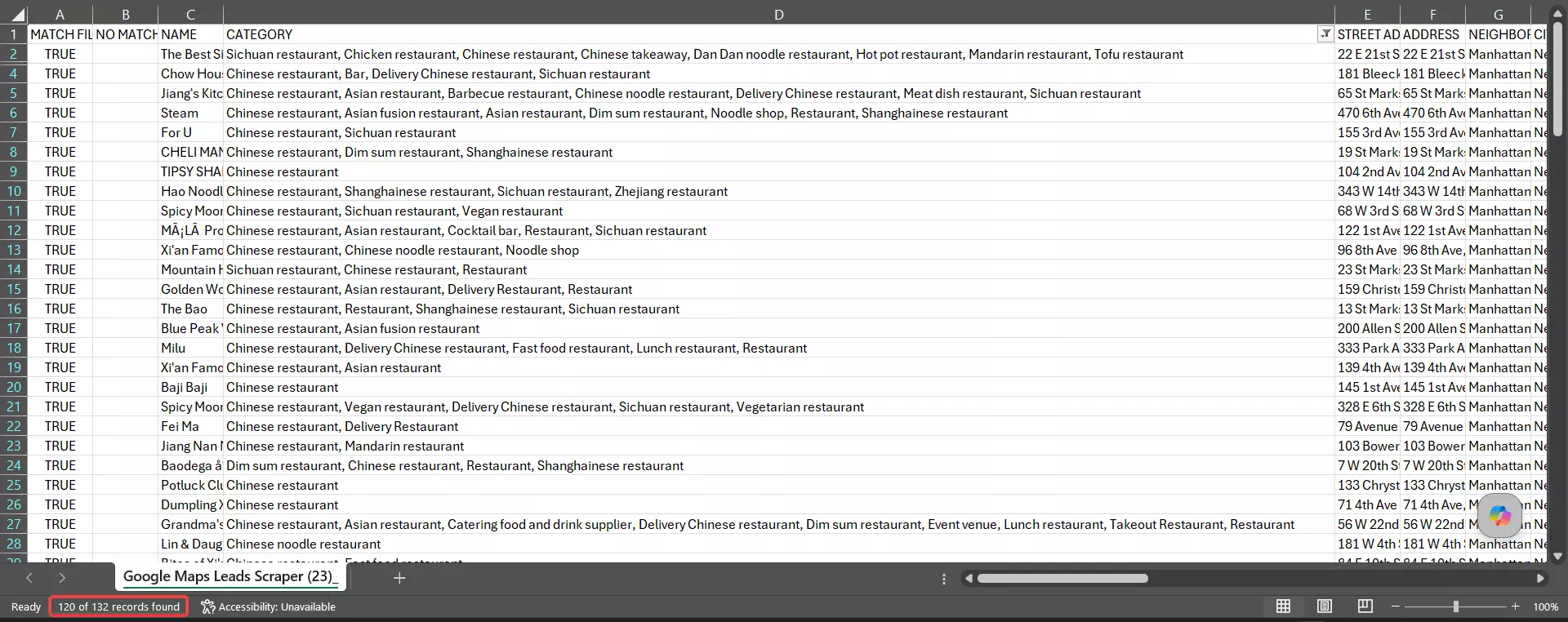
So it nailed both halves at once... the right place and the right kind of business... which is what earns it a 94% combined accuracy score (geo, category, and uniqueness rolled together).
That 91% on category is still a number lobstr.io can tighten up, and it's on the list to improve.
One honest gap: lobstr.io doesn't do employee-level enrichment (decision-maker names, firmographics like revenue or headcount).
If that's your workflow, you'll want a tool with dedicated firmographic add-ons.
One quirk worth knowing: when you run email extraction, lobstr.io returns one row per email. A business with 6 emails shows up as 6 rows.
It's by design (great for outreach), but it'll surprise you if you expected one row per business.
Usability
lobstr.io was the easiest tool to use of everything I tested. The whole flow is a simple wizard: Create Squid → add tasks → settings → chain → launch.
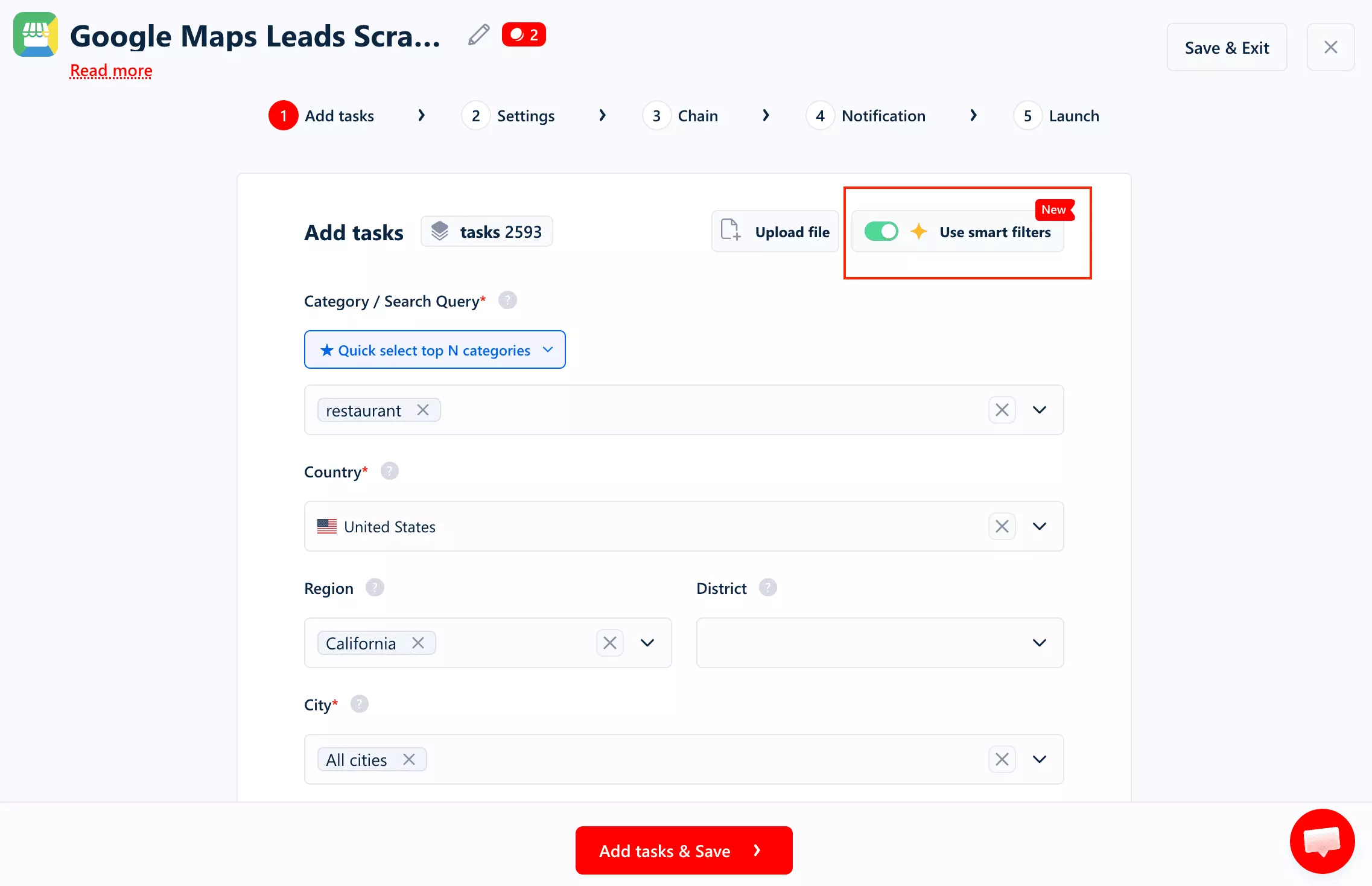
Ways to feed it a job:
Smart filters... pick one or more categories (or auto-grab the top 10/25/50/100/200 categories) and add search queries- Paste Google Maps search URLs directly
- Bulk upload... a TXT/CSV of search URLs, or a TXT/CSV of categories/queries plus locations
There's no real cap on how many URLs, categories, or locations you load into a single instance... in principle, enough to scrape every Google Maps listing in an entire country in one run.
Data you can pull beyond the basic listing:
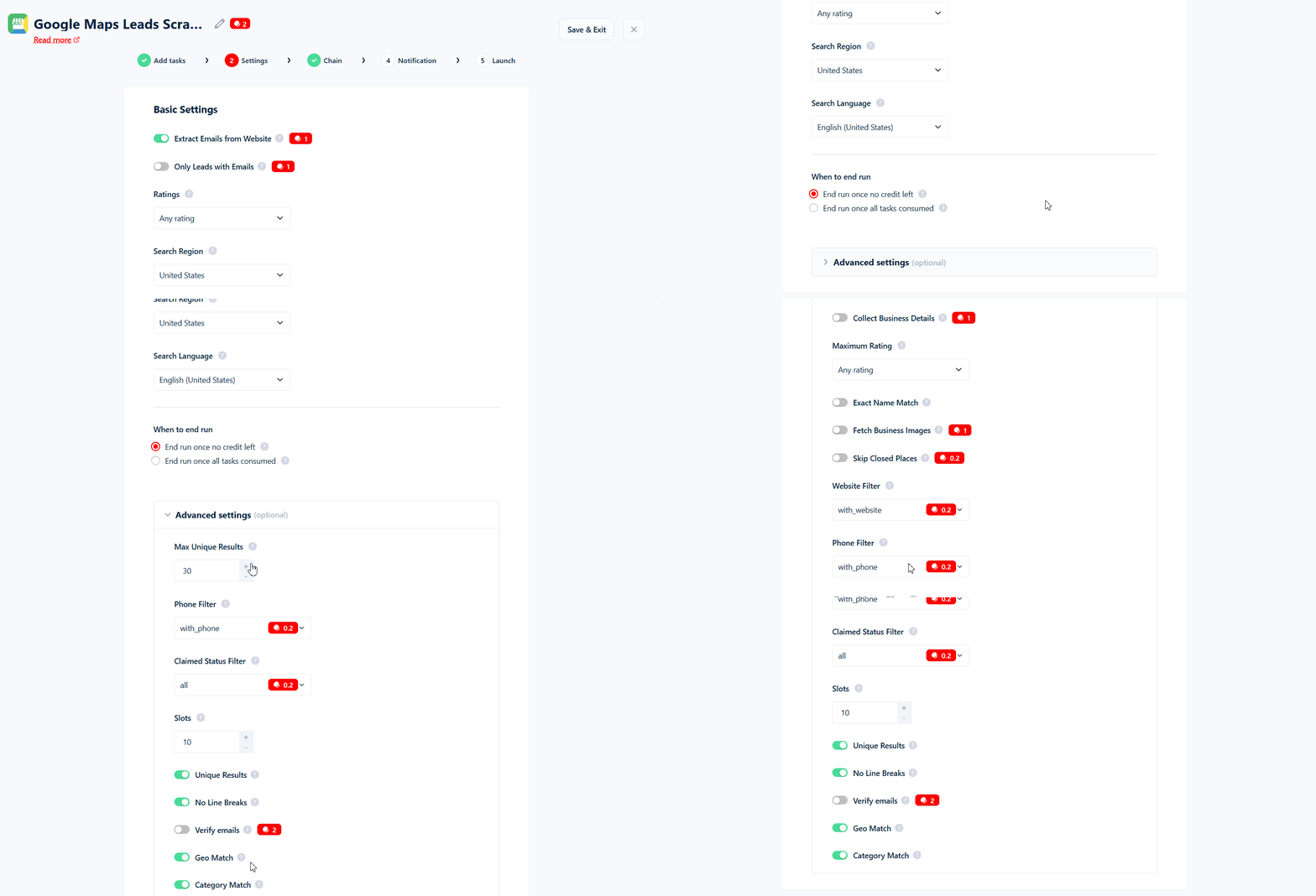
- Extra business details from the listing page
- Every image posted to the listing
- Emails and social links from the business website
- Bounce-verified emails
- Google reviews, by chaining the Google Maps Reviews Scraper
- Standalone social scrapers (Facebook, Instagram, X, YouTube) you can chain in
Pre-scrape filters (narrow the results before you pay for them). This is where lobstr.io quietly ran the table... every filter I went looking for across all three tools, it has:
- Category match, with translation + fuzzy matching
- Geo match
- Rating range... set a minimum and a maximum. Handy in reverse: cap it at 3.0 and you've got a list of businesses with a reputation problem to sell into
- Minimum and maximum review count... the one filter neither Apify nor Outscraper offers. Great for separating the 12-review local from the 4,000-review chain
- Exact name match... only keep listings whose name contains your query. This is how you chase one brand across a whole country
- With / without phone
- Claimed status... verified only, or unverified only. That second one is a "claim your business" outreach list, prospected for you
- With / without website... one gotcha: pair it with
without_websiteand email extraction has nothing to scrape, so it does nothing - Skip closed places
- Skip leads without an email
- Search region and search language
Run controls (the guardrails that stop a run running away with your credits):
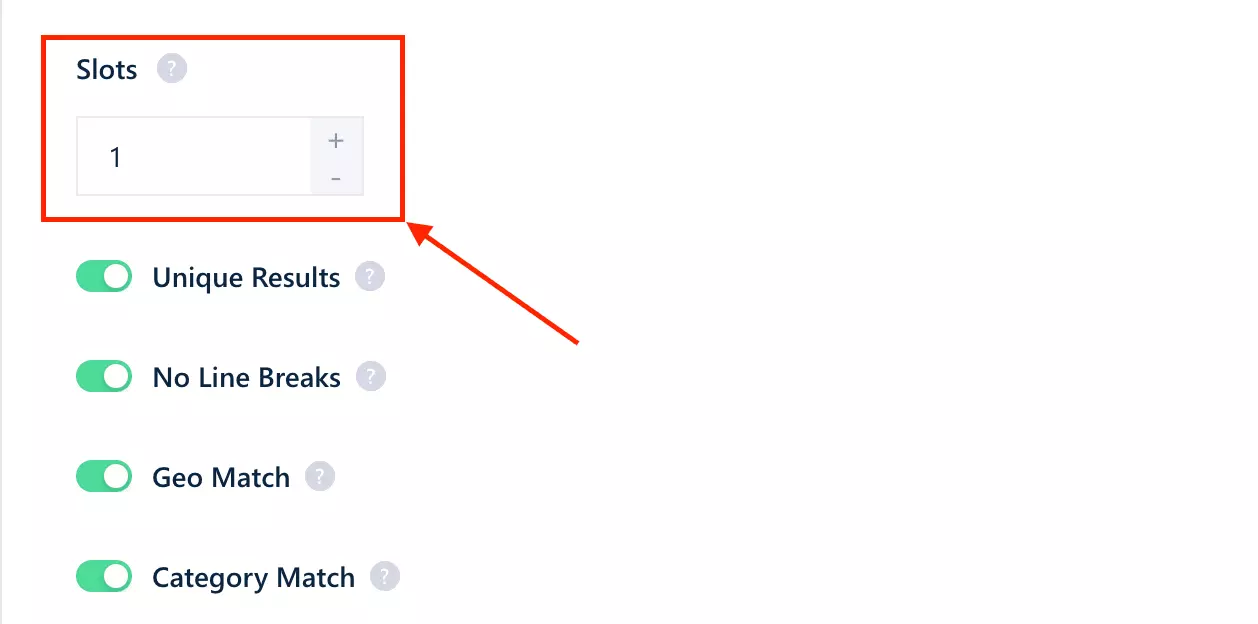
Max Unique Results... a hard cap on unique results across the entire runMax Results Per Task... a per-task cap (Google itself stops at 200)Unique Results... dedup on, duplicates never reach your exportNo Line Breaks... strips line breaks out of text fields so the Excel export doesn't explode
Ease of use is where it pulls clear of the pack:
- Proper instance management... your runs live inside their Squid instead of piling up in one cluttered tasks tab
- A live progress tracker and live console so you can watch exactly what's being scraped
- Clear per-run timestamps... start, end, duration
- A daily credit cap to stop overspending, plus a detailed credit breakdown (day/week/month, per scraper, per run, per function)
- Runs pause when you run out of credits... no overage charges, no half-finished exports
- Abort any run on the spot
- Webhook and email alerts when a run finishes
- Built-in scheduling to launch runs automatically
Speed
On base data, lobstr.io was the fastest tool I tested... comfortably over 200 listings per minute.
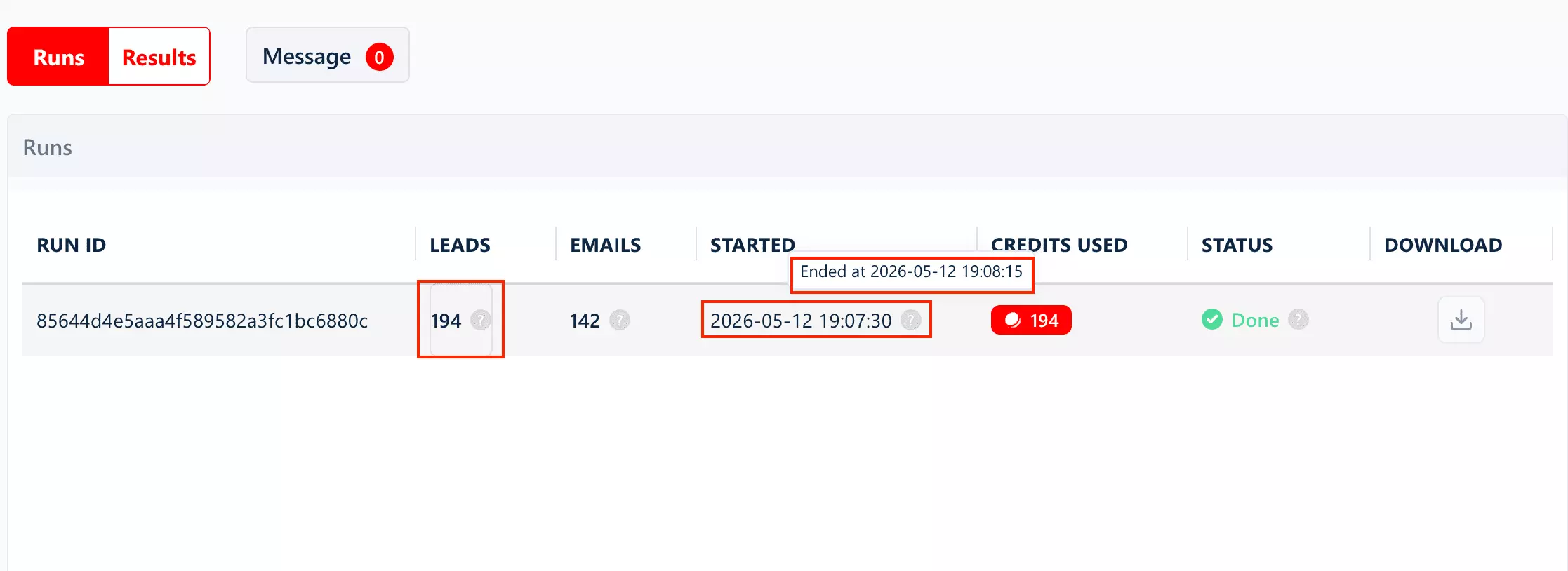
But turn on every add-on and it drops to ~4 listings per minute. That's the honest trade-off, and it's lobstr.io's weakest number.
But here's the lever no other tool gives you: Slots. lobstr.io runs scrapers in parallel and you decide how many... up to 20 per Squid.
Each Slot is another worker pulling at the same time, so throughput scales almost linearly: that ~4/min full-data crawl on a single Slot becomes roughly 80/min across 20.
The slow full-data speed is real, but it's the one weakness you can simply buy your way out of.
Cost
lobstr.io runs on a credit-based monthly subscription, priced per function... so you only pay for the data you actually pull.
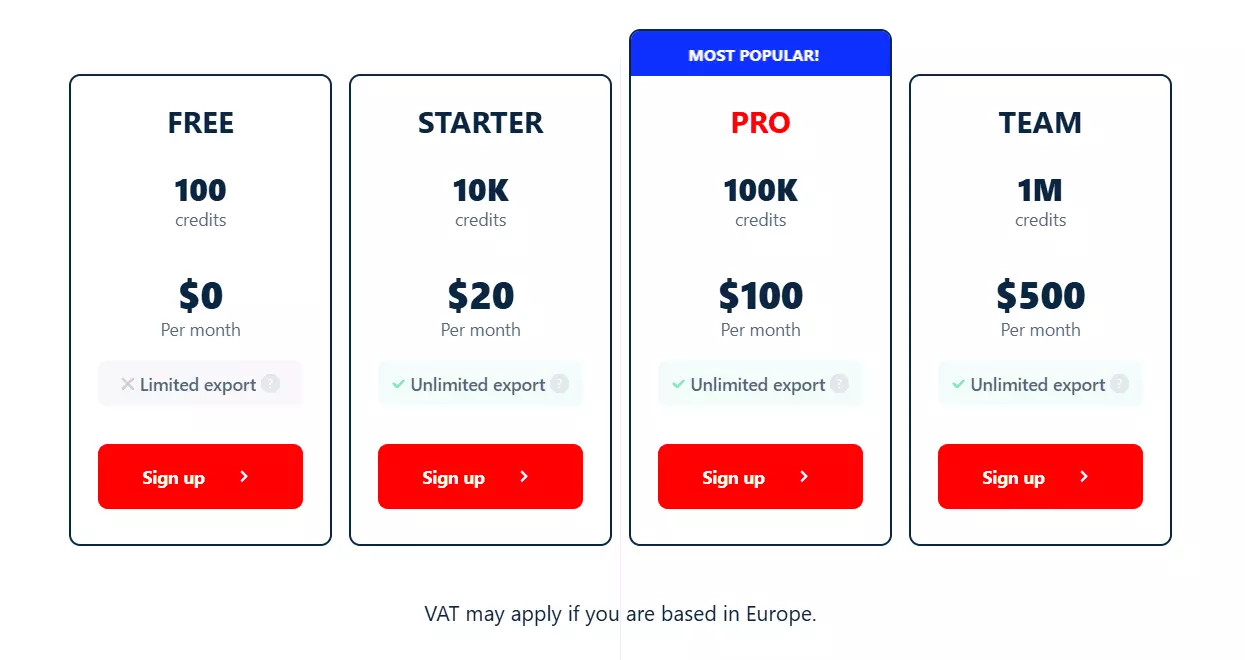
1 credit = 1 row. (Rates below are entry → scale.)
- Basic data (the listing scrape): $2 → $0.50 / 1K
- Additional listing-page details: $2 → $0.50 / 1K
- Emails + social links from the website: $2 → $0.50 / 1K
- Bounce email verification: $4 → $1 / 1K
- All business images: $2 → $0.50 / 1K listings (yes, we charge for listings, not per image 😁), up to 250 images per business
- Social-profile enrichment: $2 → $0.50 / 1K profiles
- Google reviews (chained): $0.40 → $0.10 / 1K reviews
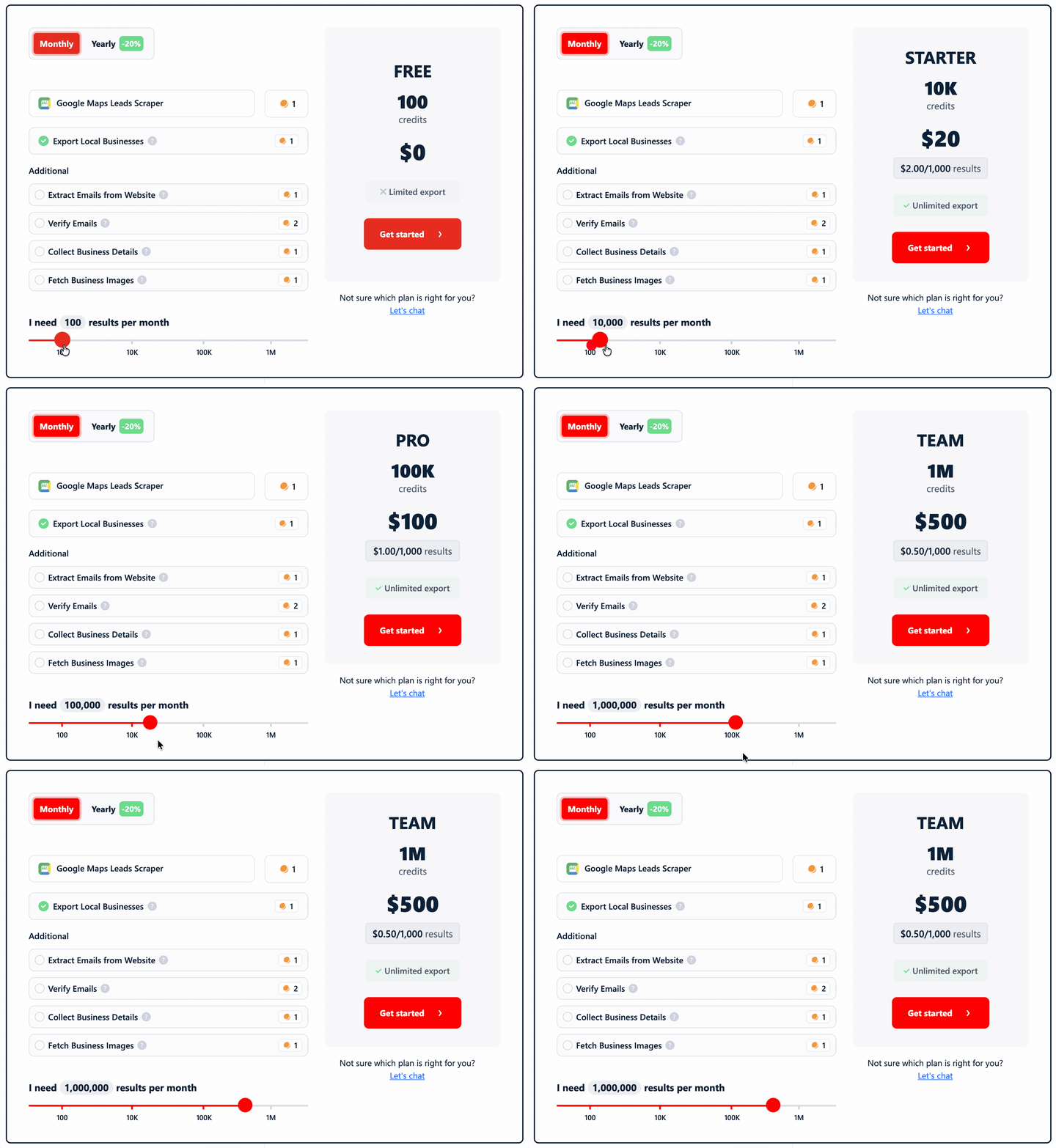
Stack the core lead-gen functions... listing + details + emails/social + verification... and a full lead record runs ~$10/1K at entry, dropping to $2.50/1K at scale.
But that's the ceiling, not what you'll actually pay. Two things quietly pull the real number down.
1. Verification doesn't charge for the bad ones. Bounce-check a list and the addresses the verifier confirms don't exist are free. You pay to learn an email is good, not to learn it's junk... which is a strange thing to have to say out loud, but here we are.
2. You're never billed twice for the same data. lobstr.io stores what it scraped. Run the same search again with the add-ons off and the data comes straight back out of the cache, for zero credits. Leave the add-ons on and it re-collects fresh, so you choose: free-and-cached, or paid-and-current. Apify and Outscraper charge you full freight every single time you pull the same listing.
The filters are a quiet moat too.
The ones you'll reach for on nearly every run... category match, geo match, rating range, review counts, and exact name match... are completely free.
Only a handful cost anything: skip closed places, and the website, phone, and claimed-status filters ($0.40 → $0.10/1K), plus skip-leads-without-email ($2 → $0.50/1K). And those four only bill on rows you actually keep.
At scale, that pricing lands the lowest in the comparison on both basic and full data.
Scalability
This is lobstr.io's real moat.
At ~200/min, running 24/7 on a single Slot, that's 8.6M rows/month on paper. Add more Slots and it scales up from there... up to 20 per Squid, and up to 100 across your account on the top plan. I kept the math at one Slot on purpose, to give you the most modest estimate.
Customer support
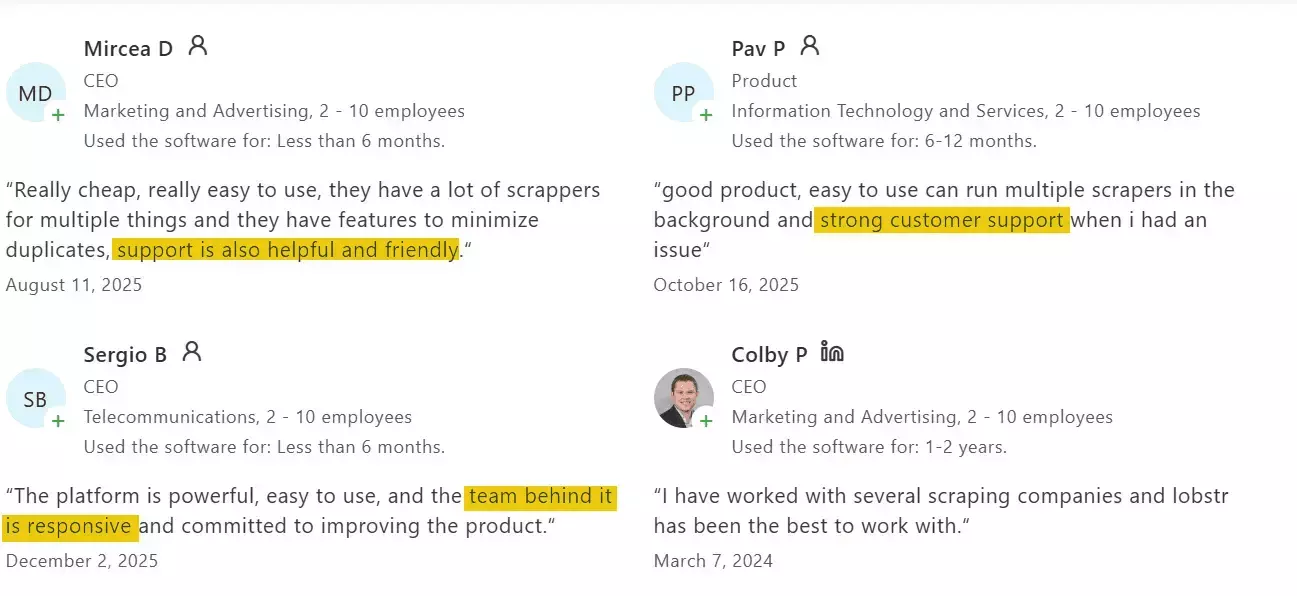
Live chat on the site, and it's one of the few things users praise consistently... quick, technically competent, actually helpful.
2. Apify
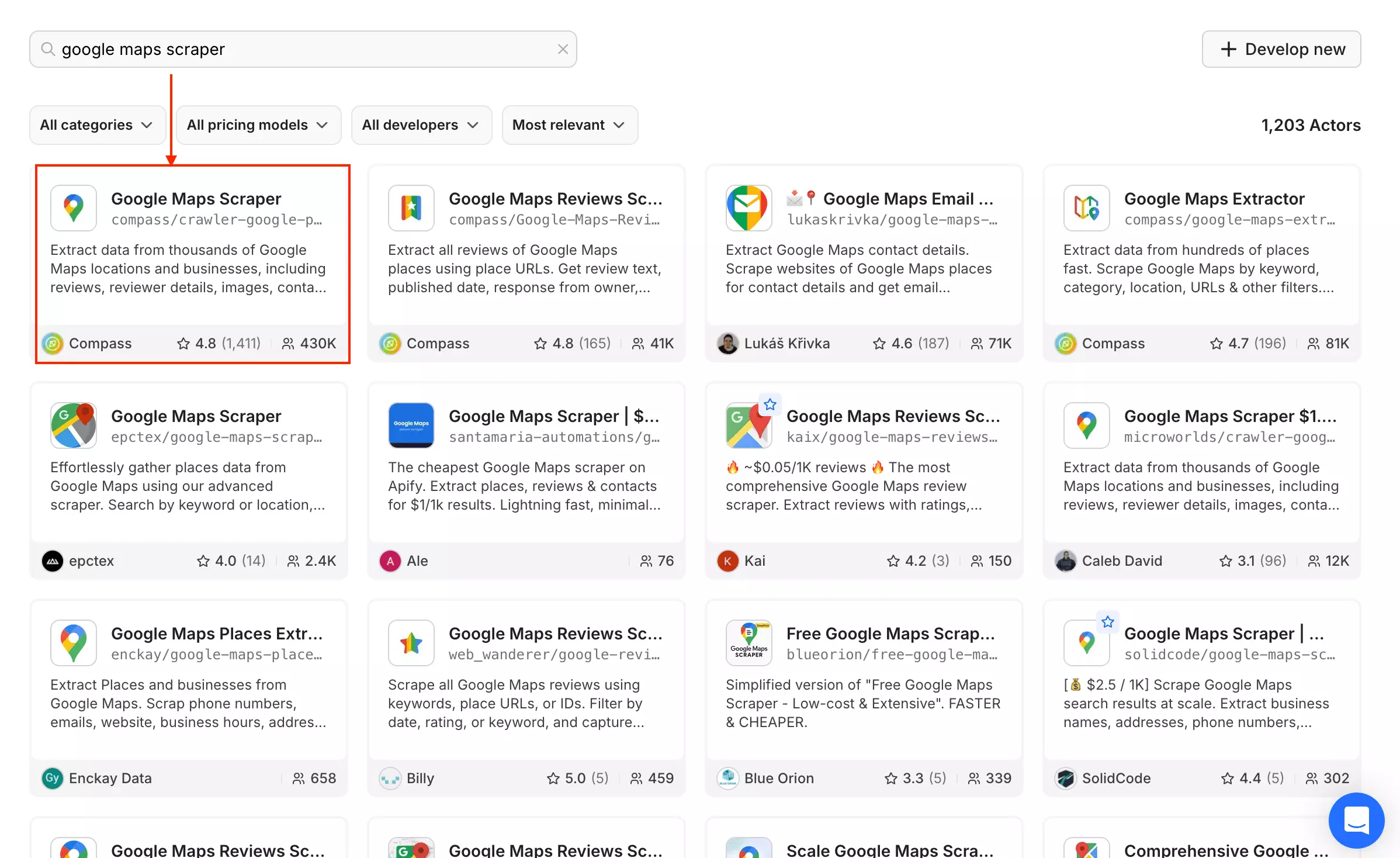
Since it's a crowded market place, I picked the Google Maps Scraper by Compass because it had the most number of users and is being maintained by Apify.
| Pros | Cons |
|---|---|
| Fastest on full data (~30/min) | Worst geo accuracy in my test |
| Full review data inline (text, profiles, ratings) | Most expensive |
| Q&As, web results, image author data | No bulk CSV input, no manual concurrency |
| Strong exports and integrations | Lowest fill consistency (68%) |
Data
Apify returned 36 filled fields on the base run, up to ~53 on full data. Want the exact fields? Here are the raw datasets I pulled:
Its real standout is how much it crams into a single actor. Where other tools make you chain separate scrapers or stack add-ons, Apify pulls reviews, business-leads enrichment, images with author metadata, social-profile data, web results, and Q&As... all from the one Google Maps actor. If your goal is everything in a single run, nothing else here packs in more.
isAdvertisement, which flags paid listings... the one field here nobody else returns. Useful if you're tracking who's buying their way to the top of a category.But two things hurt.
First, fill consistency was bad... only 68% of its columns came back filled.
Apify returns wide CSVs where lots of columns sit empty (hotel and gas-station fields on a restaurant, for example), so the full run swung between 35 and 59 filled fields per listing.
Second... and this is the big one... geo accuracy.
10003 zip as everyone else, and it returned 564 results... far more than the search actually called for.But it cast a city-wide net instead of honoring the zip. Only 37 of those 564... about 7%... actually sat in 10003.
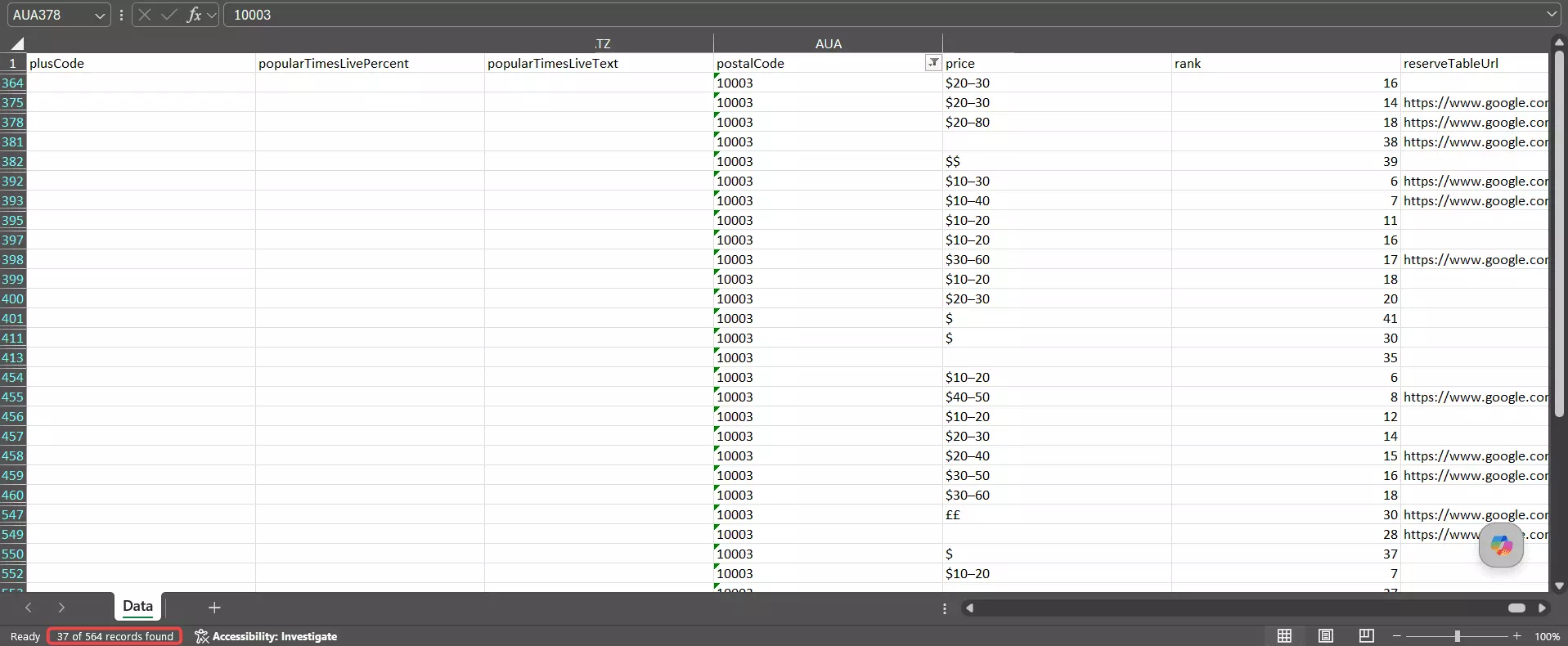
Widen the net to the target zip plus the ones directly bordering it and Apify still only reaches ~46%. The rest of the haul scattered across Midtown, the Financial District, Queens, and even Brooklyn.
On category it did fine... ~86% were genuinely Chinese restaurants.
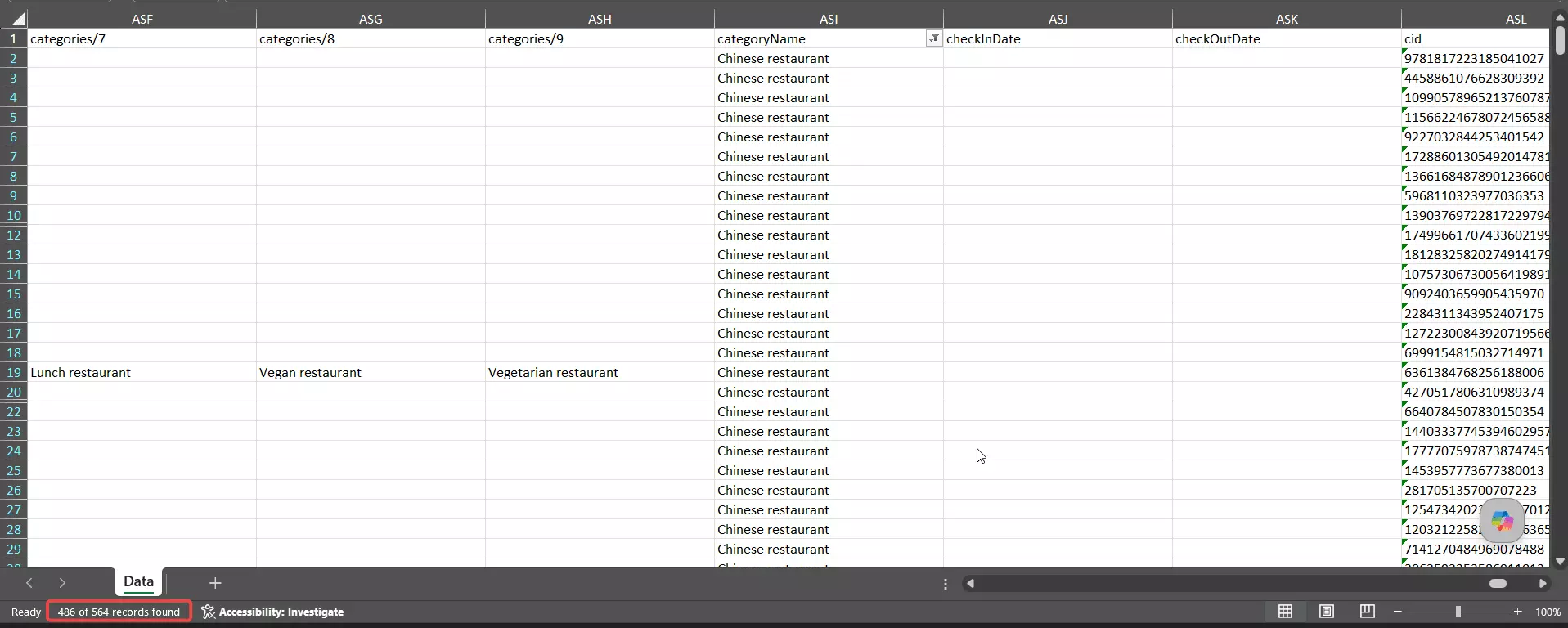
The problem was never what it returned, it's where. Roll geo, category, and uniqueness together and Apify lands a 77% combined accuracy score... with location, not data quality, doing all the damage. It hands you the most results and the loosest targeting... great if you're happy to filter by location yourself, rough if you trusted the zip.
Usability
Apify gives you a ton of control, but it's the least beginner-friendly tool I tested.
Everything lives on one dense screen, and the options aren't grouped into a clean input → filters → export flow... you have to hunt.
Ways to feed it a job:
- Search terms
- Categories
- Google Maps search URLs
- Google Maps place URLs
- Place IDs
The catch: location is free-text, not a picker.
Get the format slightly wrong and the run crashes or pulls the wrong city.
And there's no instance management... reopen the actor and it loads your last inputs, so it's easy to fire off a run (and burn credits) you didn't mean to.
Pro tip: grab the actor's JSON input sample, hand it to ChatGPT/Claude with what you want, and paste the JSON back in. Far faster than wrestling the form.
Data you can pull beyond the basic listing:
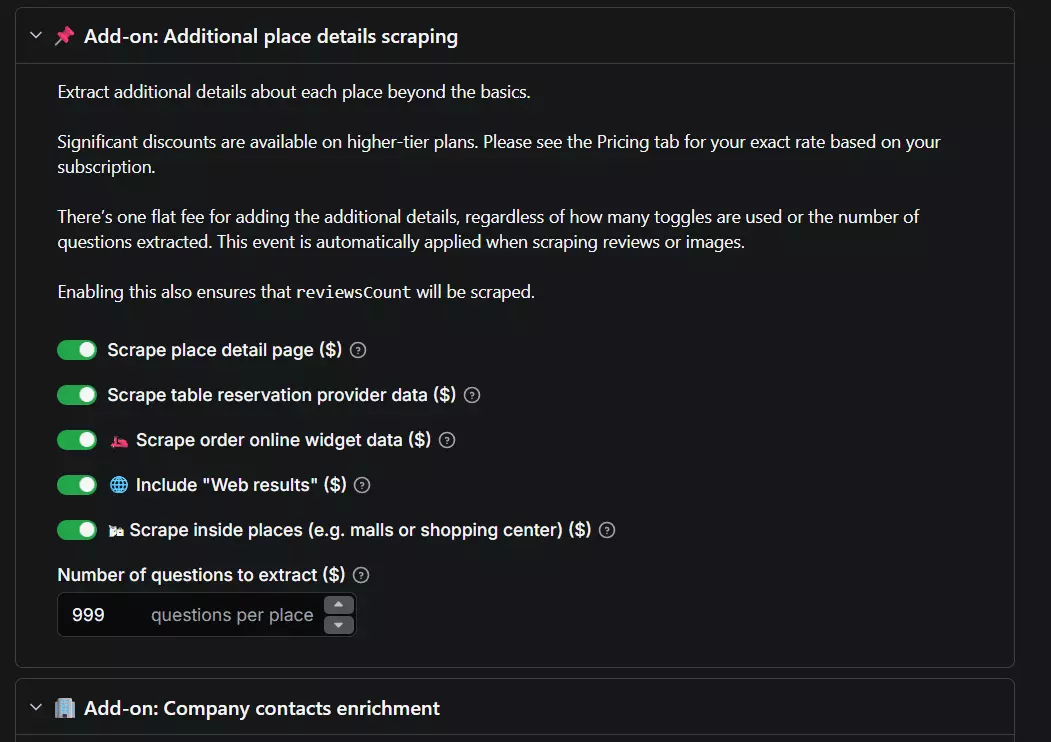
- Place detail page, table-reservation and order-online data, web results
- "Scrape inside places" (malls, airports, shopping centers)
- Contacts enrichment (emails + social links from the website)
- Social profiles: Facebook, Instagram, YouTube, TikTok, X
- Business-leads enrichment (employee names, titles, work emails, phones, LinkedIn, company data)
- Reviews, and images with author info
Pre-scrape filters:
- Category match
- Geo match
- Exact name match
- Minimum rating
- With / without website
- Skip closed places
- Language
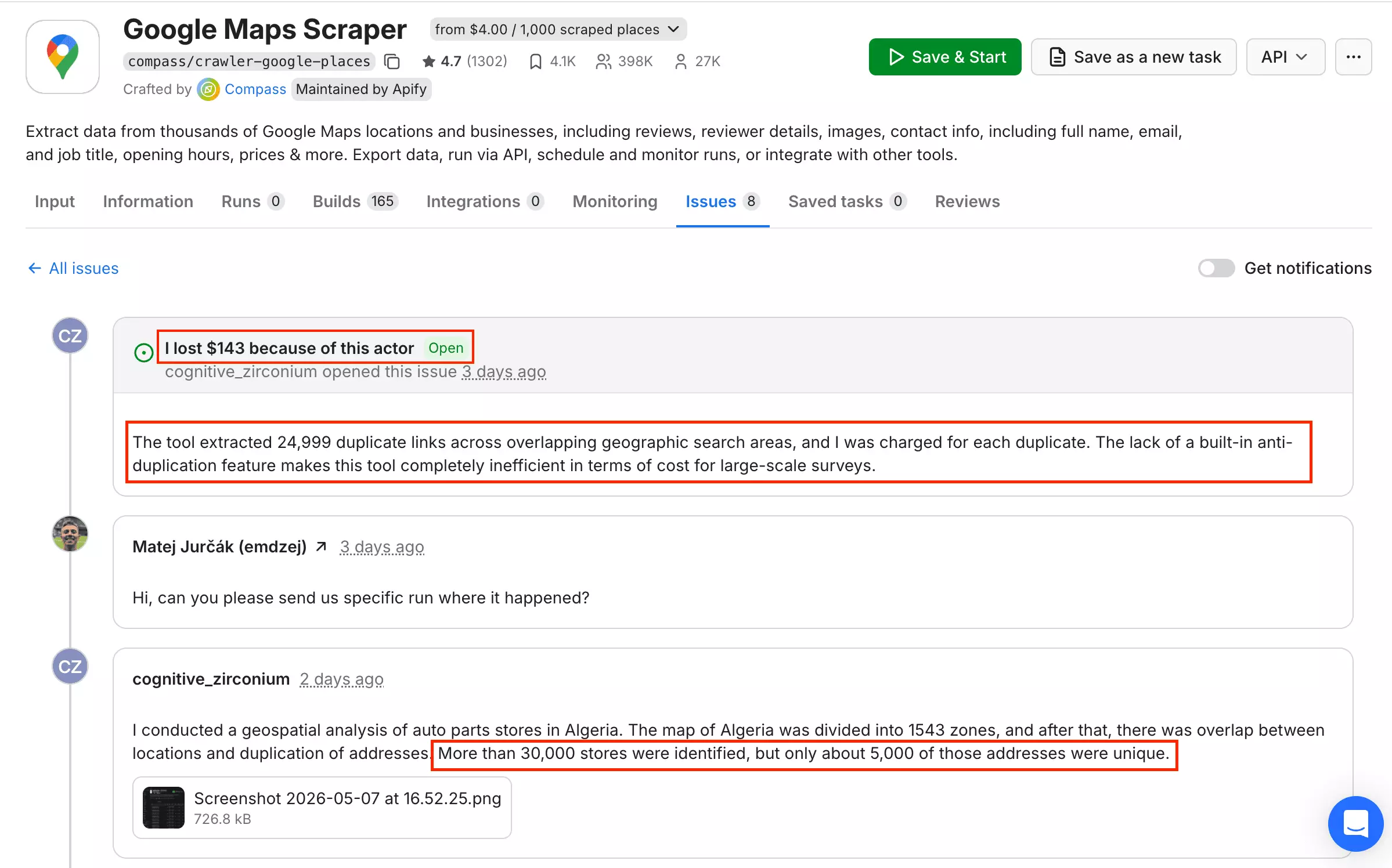
There's also no built-in deduplication, and on Google Maps duplicates are normal across overlapping areas... so that's cleanup you inherit.
What it does well: detailed tooltips and inline docs on every field, run alerts (email/Slack/console), per-run stats (cost, time, resources), and a live console for the nerds.
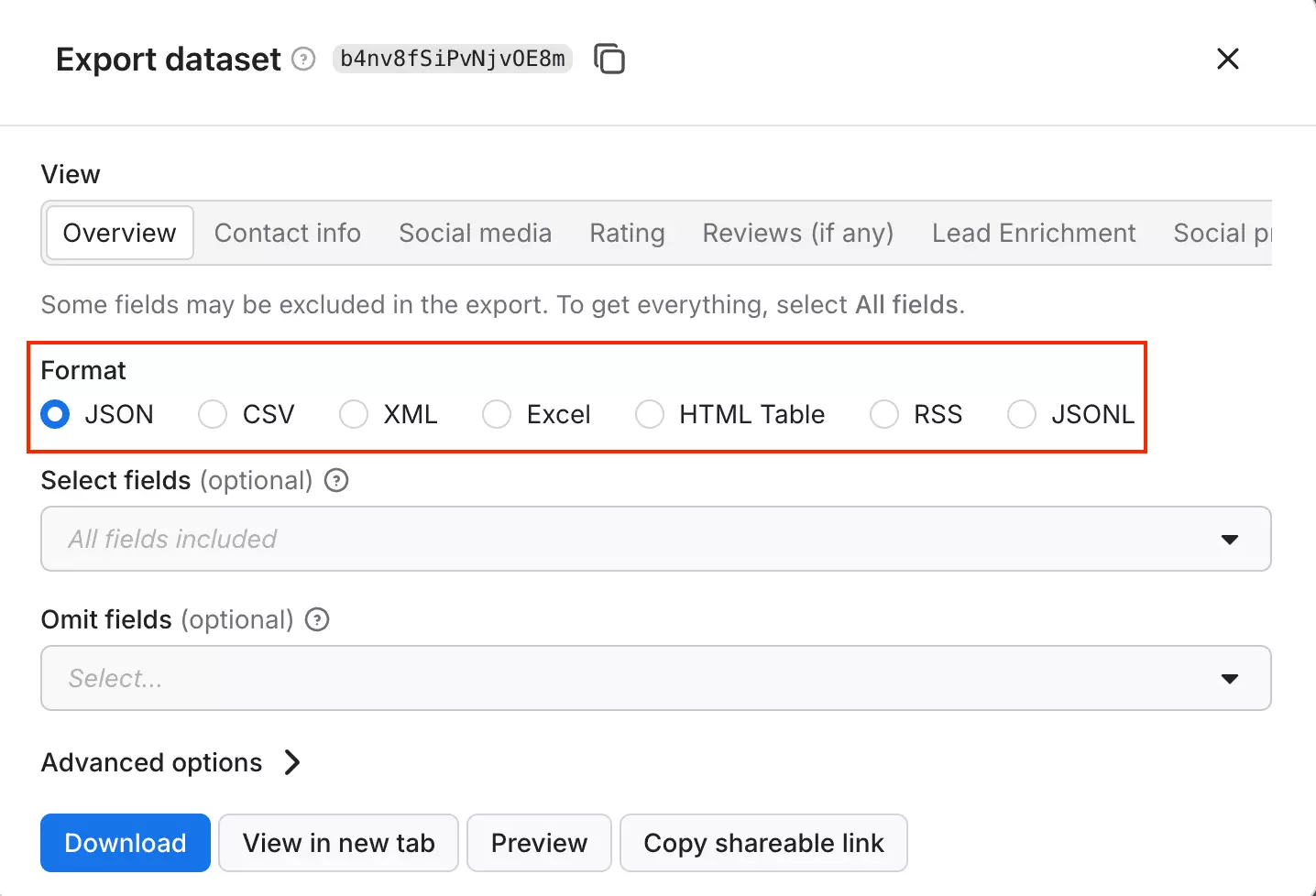
And exports are genuinely strong... JSON, CSV, XML, Excel, plus webhooks and native Make/Zapier/n8n.
Speed
Apify was the fastest tool on full data... ~30 listings/min.
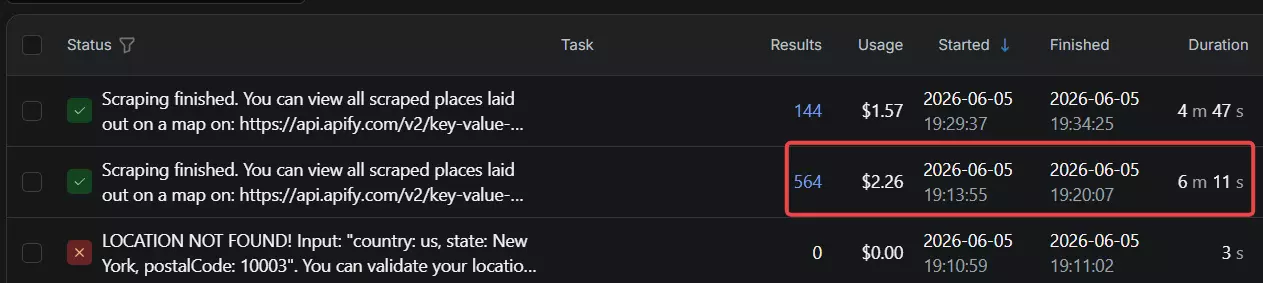
On base data it managed ~90/min... but that number comes with an asterisk. Apify doesn't give you a concurrency setting.
Parallelism is tied to the memory and CPU you allocate to the run. Mine had 4GB, which Apify auto-scaled to ~20 concurrent workers to hit that 90/min.
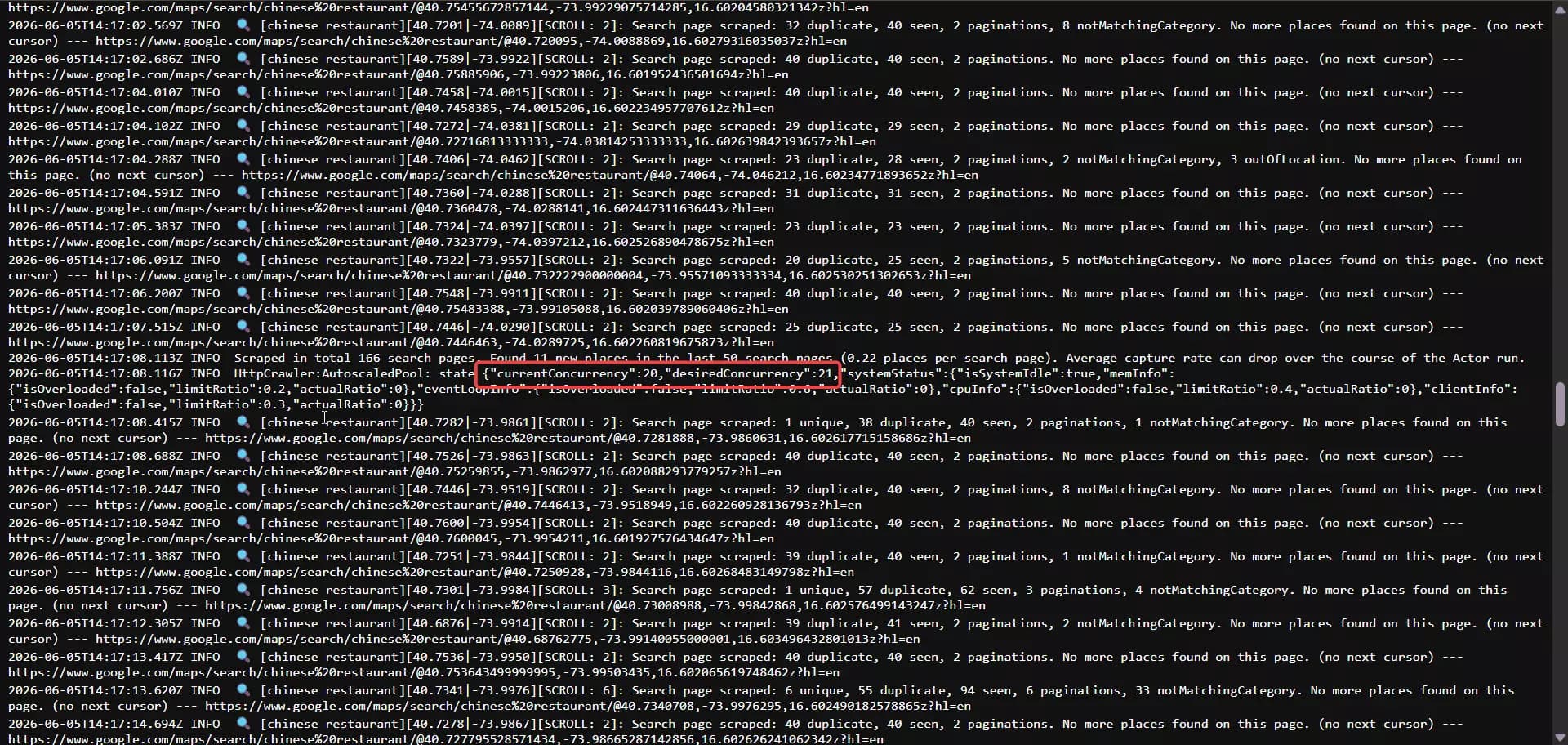
So it's already a ~20-worker figure, not a single-thread speed... to go faster, you pay for more memory, you don't flip a switch.
Cost
Apify uses usage-based pricing, and it's the most expensive of the three. Per function (entry → scale):
- Listings: $3 → $1.50 / 1K
- Additional details: $2 → $1 / 1K
- Emails + social profiles: $2 → $1 / 1K
- Email validation: $4 → $2 / 1K
- Social-profile enrichment: $8 → $6 / 1K
- Business-leads enrichment: $5 → $4 / 1K
- Images: $0.50 → $0.26 / 1K images
- Free tier: ~1,000 results/month ($5 credit)
Stack the core lead-gen functions and a full lead record runs ~$11/1K at entry, dropping to $5.50/1K at scale... still more than double the cheapest option at scale.
And unlike some tools on this list e.g. lobstr.io, on Apify, most filters cost extra.
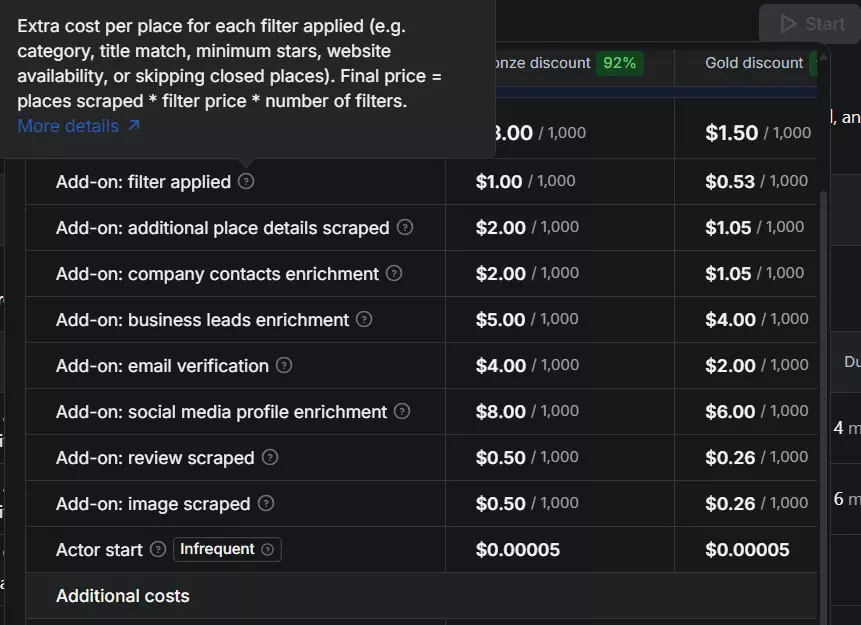
Only geo match is free; category match, minimum rating, skip closed places, the website filter, and exact-name match each add $1 → $0.50/1K. On a run where you lean on filters, that stacks up fast.
Scalability
At ~90/min on the default 4GB allocation, the 24/7 ceiling lands around 3.9M rows/month ... the number I'm using here, to compare like with like (one default config against everyone else's).
And you can push well past it. Apify lets you throw more memory at a run (up to 256GB) and run up to 256 concurrent runs per account, which spins up more workers and more speed.
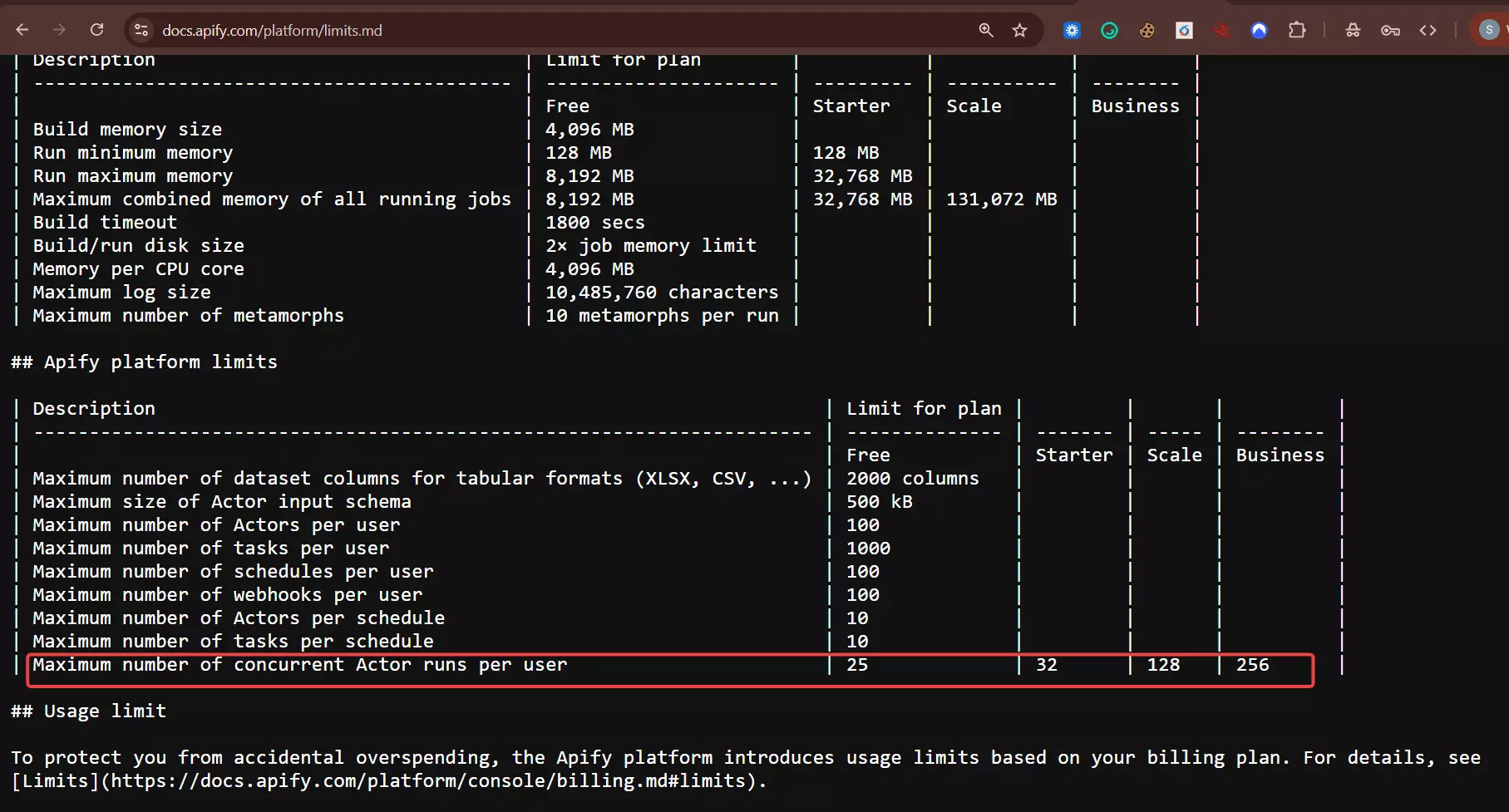
The catch is there's no concurrency slider... you scale by paying for compute, not by setting a number, and the bill climbs right along with it.
Customer support
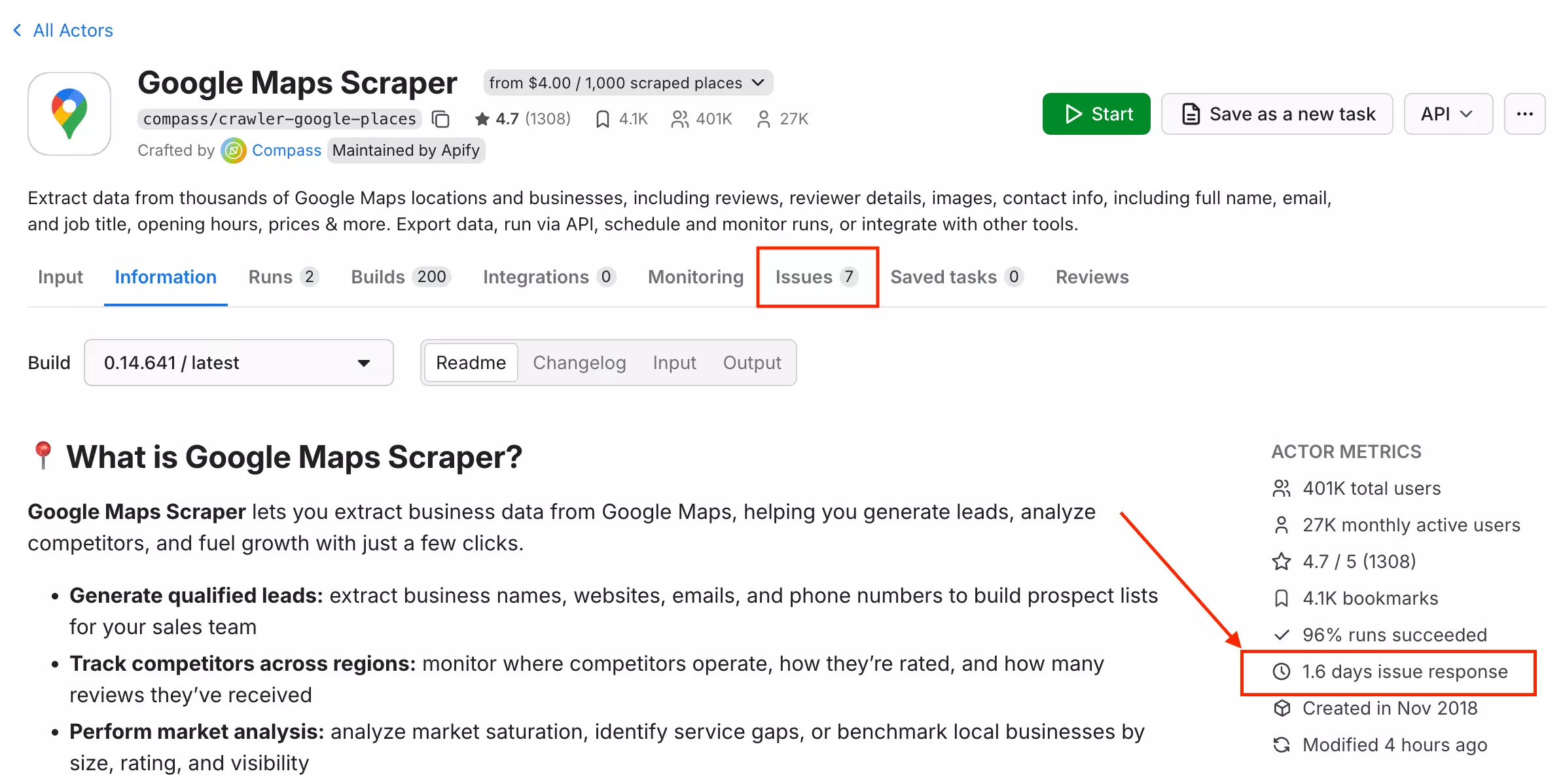
Live chat, a ticketing system, and a Discord community. Each actor has its own issue tab... for this one, the listed response time is about 1.6 days. Reasonable, not instant.
3. Outscraper
| Pros | Cons |
|---|---|
| Place details bundled into the base scrape | No built-in scheduling |
| Free pre-scrape filters | Lowest throughput ceiling |
| Clean flat output, built-in dedup | No live run tracking |
| 14 enrichment services + firmographics |
Data
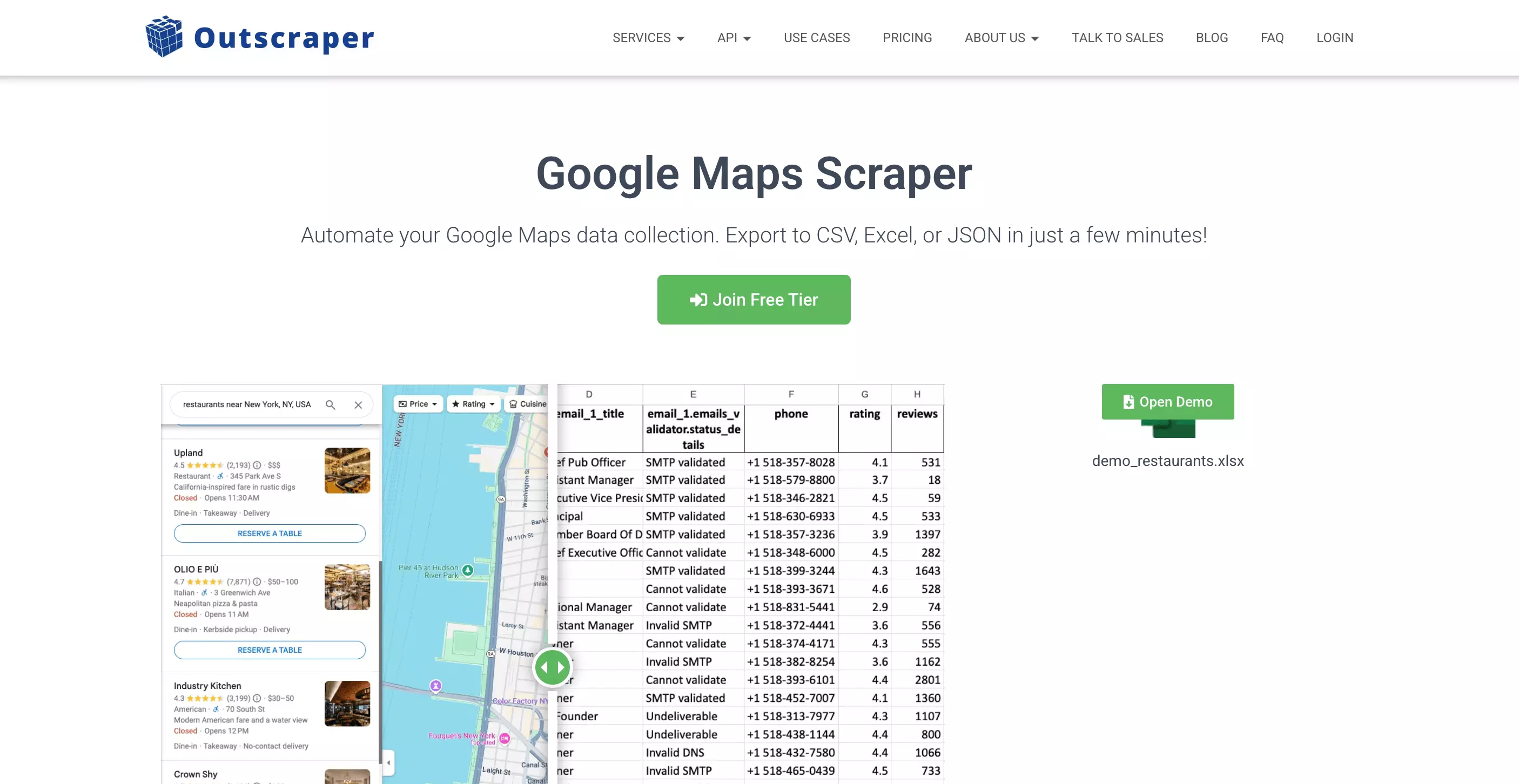
Outscraper returned ~75 fields on a full run, and they're all flat columns, no nested JSON to parse. Want the exact fields? Here are the raw datasets I pulled:
typical_time_spent, and a business logo.It also goes furthest on enrichment... 15 services covering contacts, firmographics (revenue, founding year, headcount), and even reverse phone-identity lookup
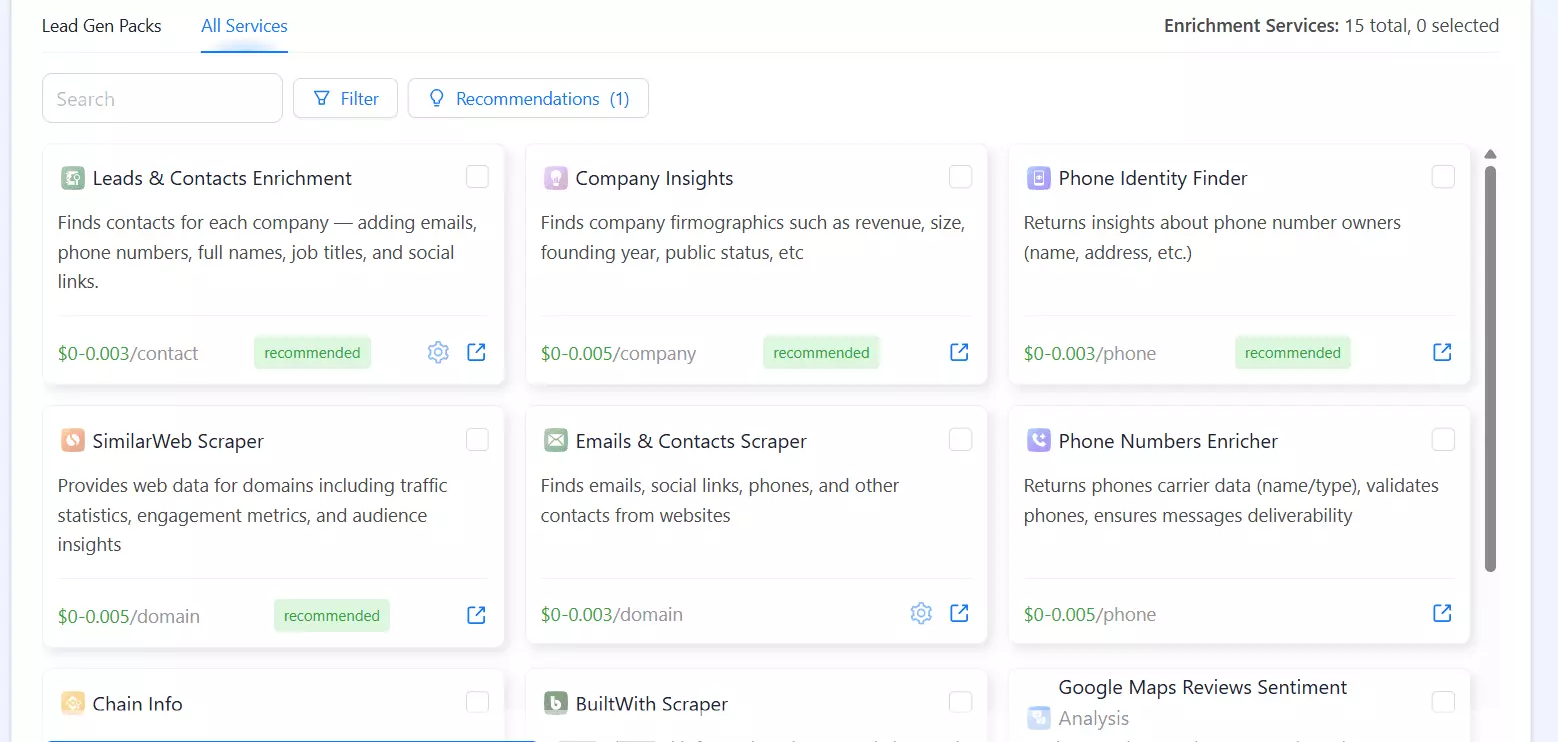
If you want company-level B2B data alongside the listing, Outscraper has the widest menu.
Consistency. On a typical row, 86% of its columns came back filled.
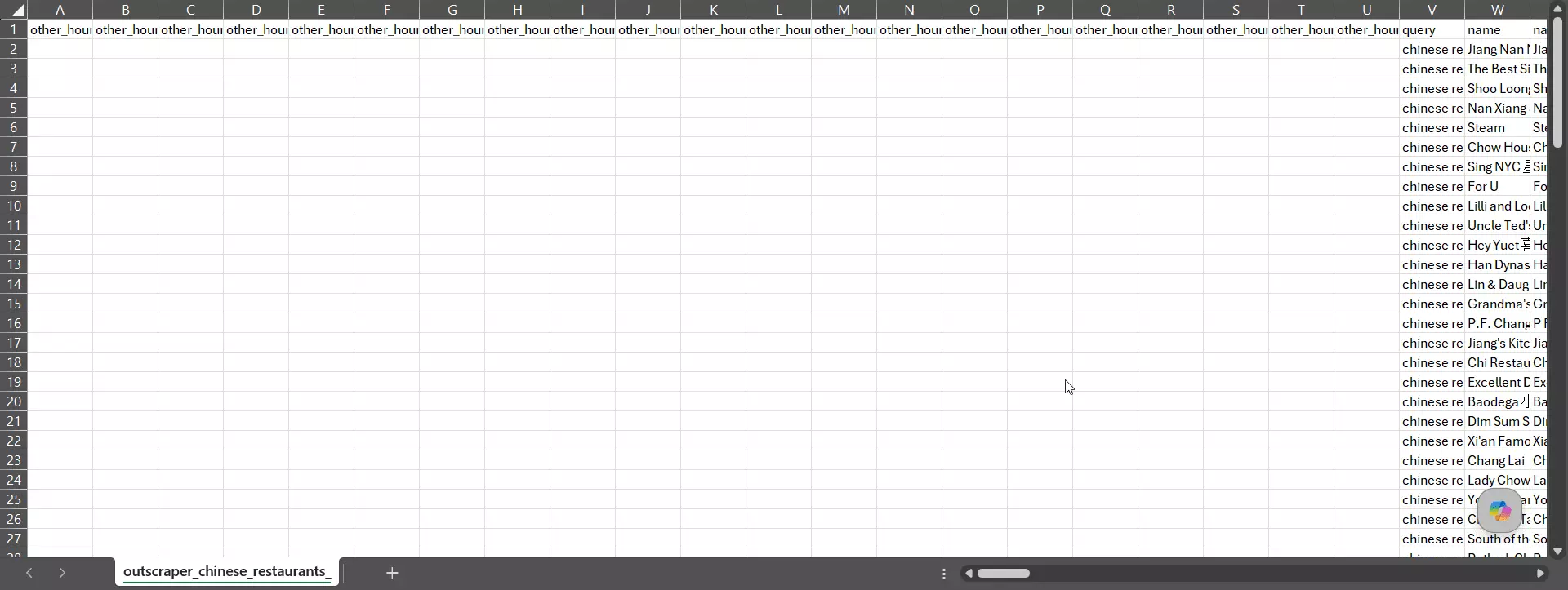
Solid... but the schema is huge, so a chunk of columns (niche enrichment, attribute flags) sit empty for any given business, and the full-run field count swings more from listing to listing.
10003... 20% landed in the exact zip, with most of the rest in nearby lower-Manhattan zips.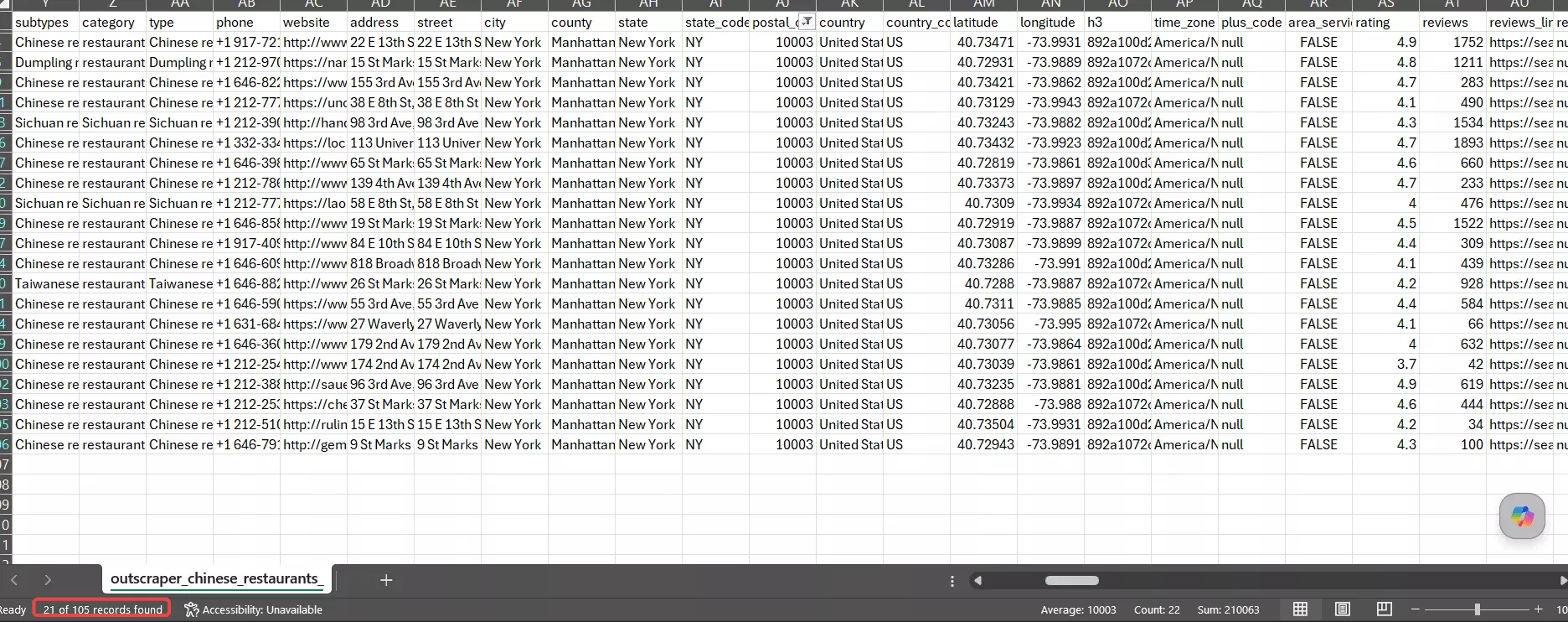
category field just says "restaurants" for most rows, so the real category lives in the type/subtypes fields.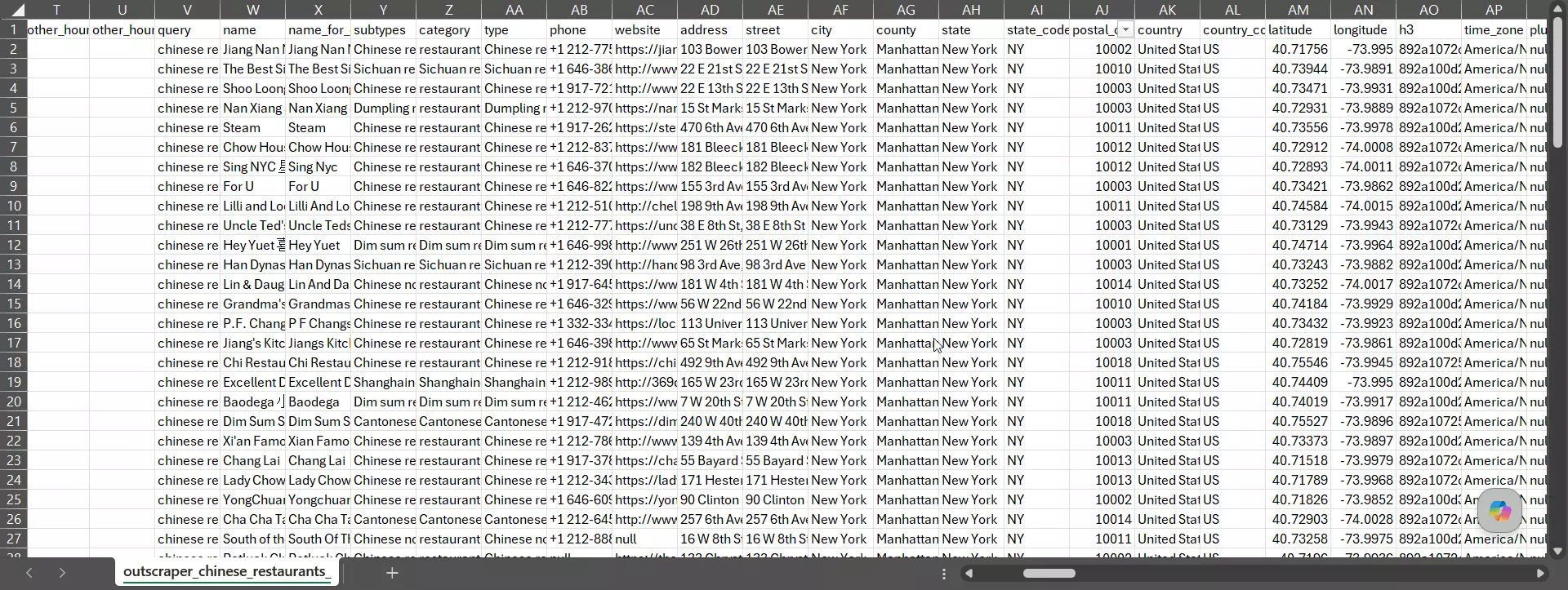
Roll geo, category, and uniqueness together and it lands an 88% combined accuracy score.
Usability
Outscraper has the cleanest one-page setup of the three. Everything's laid out in order... input → data → filters → export... so launching a run is genuinely simple.
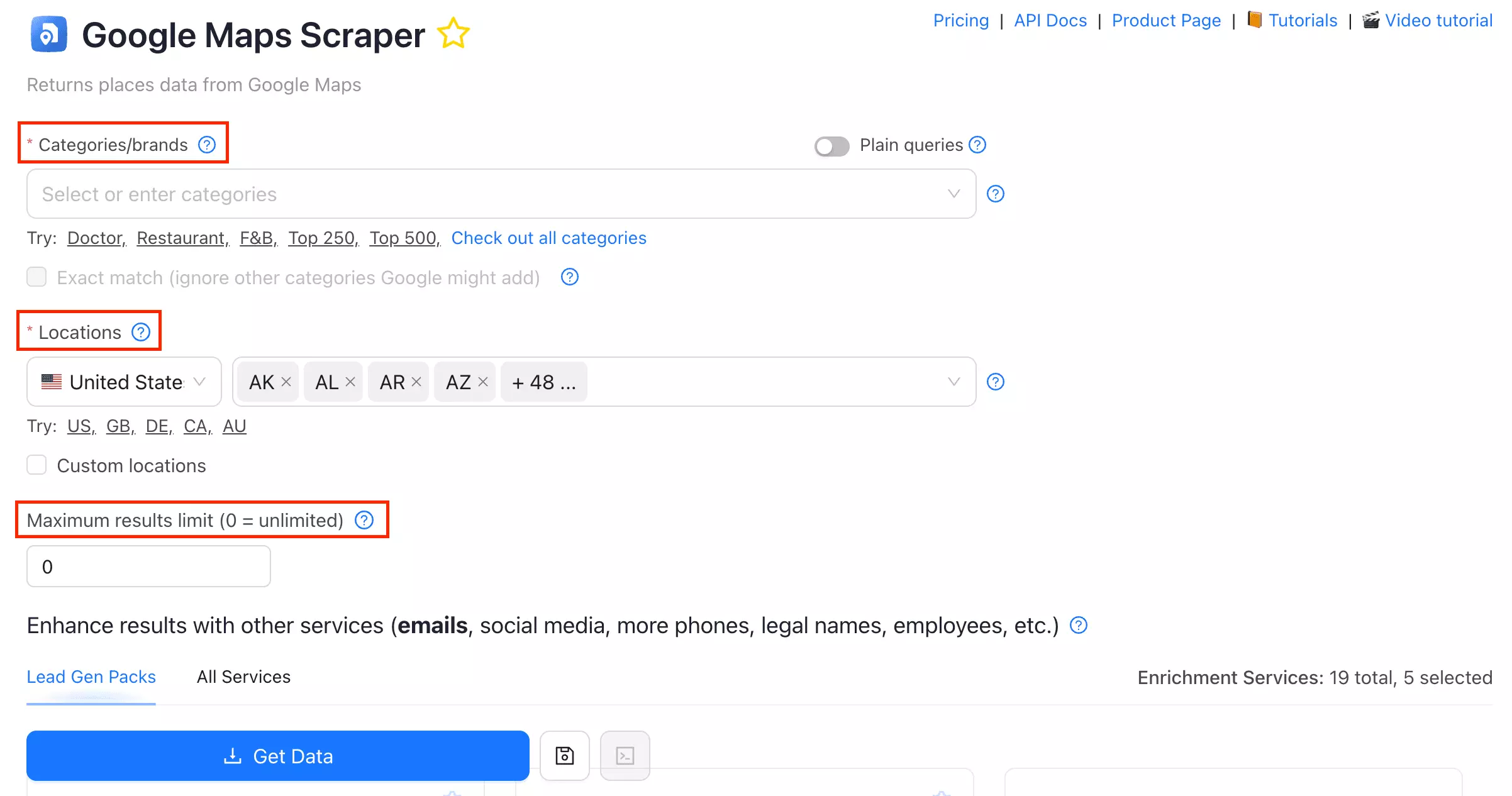
Ways to feed it a job:
- Search queries
- Categories
- Search URLs / plain queries
- Bulk upload via CSV, XLSX, TXT, or Parquet
Data you can pull beyond the basic listing:
- Lead & contact enrichment (social links, decision-makers, emails, phones)
- Email validation
- Company insights (revenue, founding year, headcount, industry)
- Phone-number enrichment + reverse phone identity (the owner behind a number)
- Chain detection (is this business part of a chain?)
Pre-scrape filters (all free):
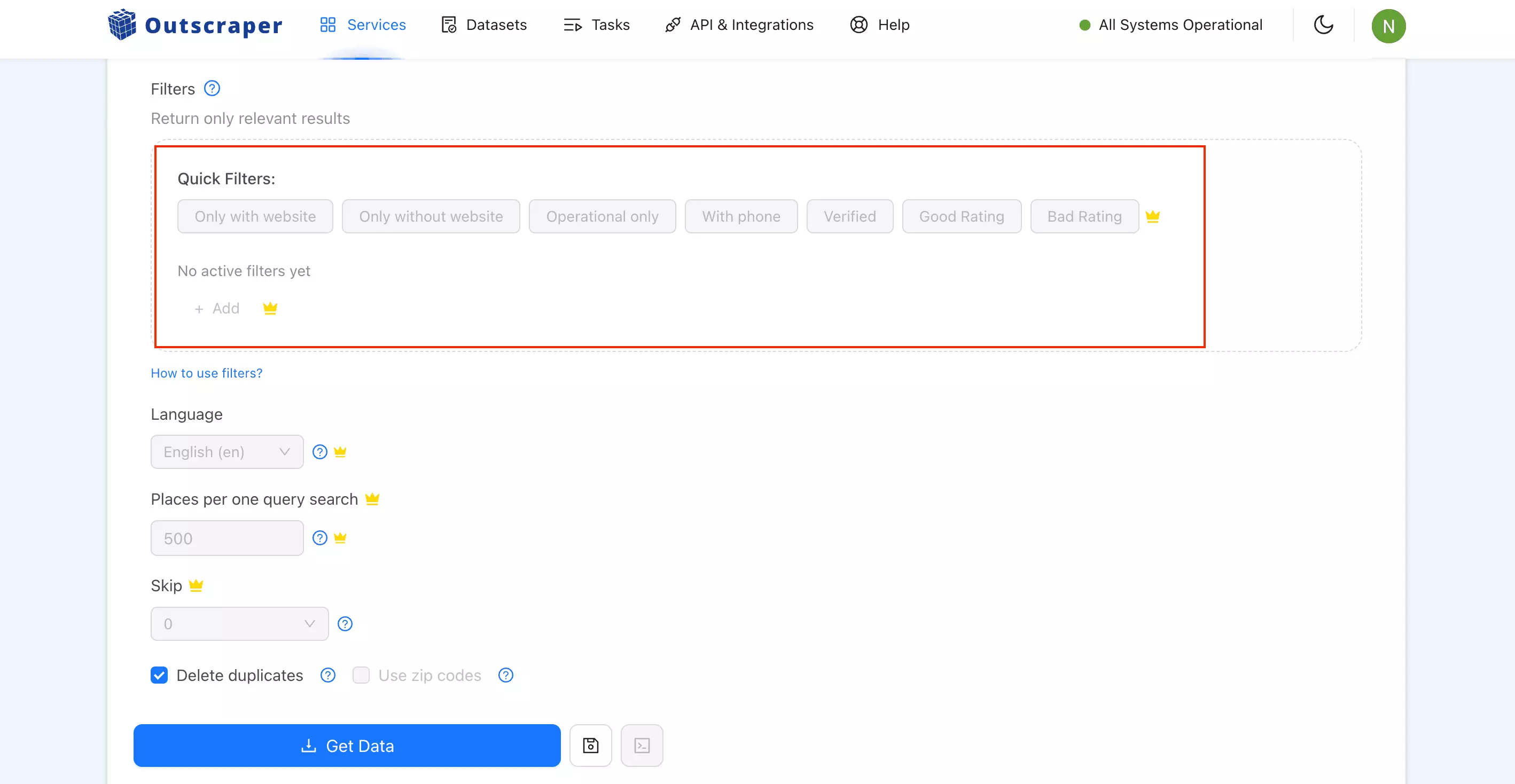
- Category match
- Geo match
- With / without website
- With phone
- Verified only
- Skip closed places
- Rating range, plus good/bad rating presets
- Language
Where it gets rough: once you hit Get Data, you're flying blind. No live console, no progress tracker, no run timestamps... you launch and check back later.
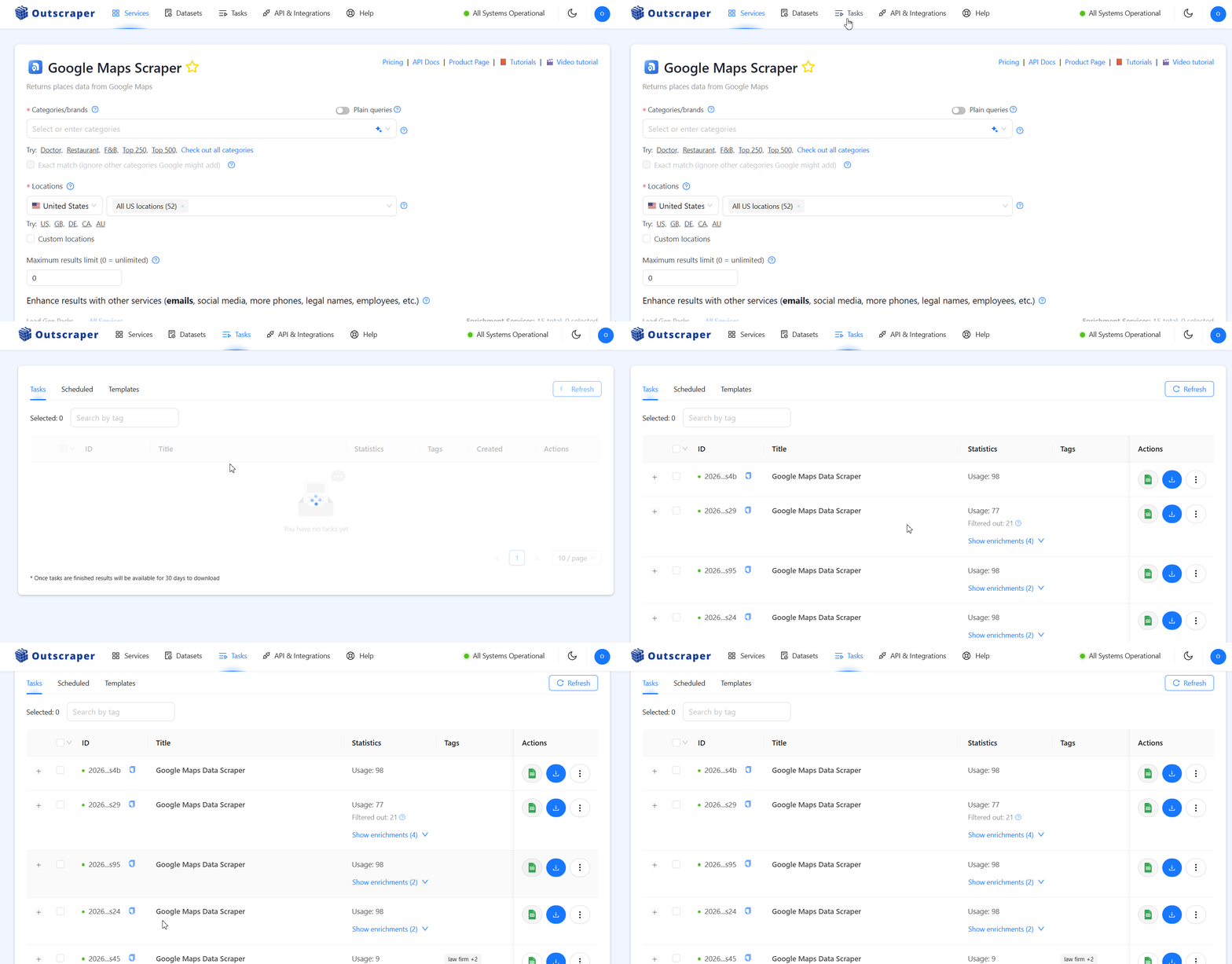
Delete duplicates toggle, save a run as a template to reuse, copy any run as an API request, one-click re-enrich a finished run without re-scraping, and share a run so anyone can download the results without logging in.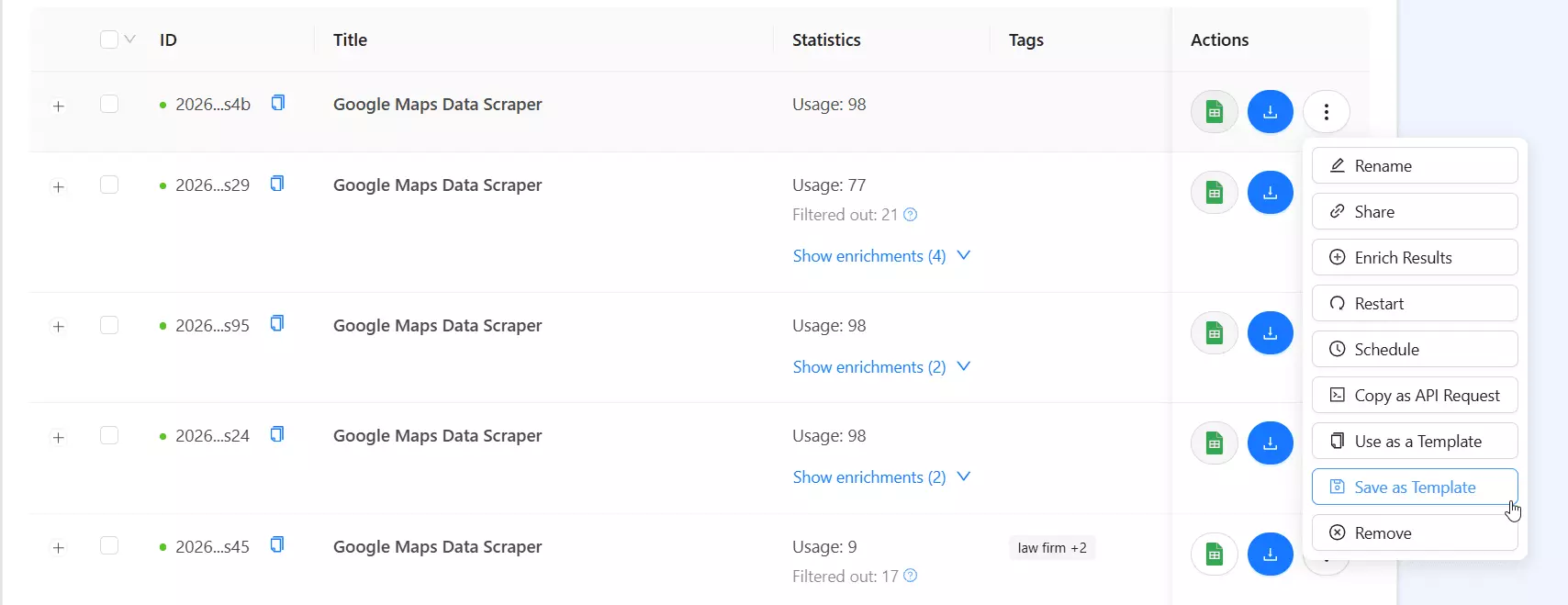
Speed
This is where Outscraper struggles.
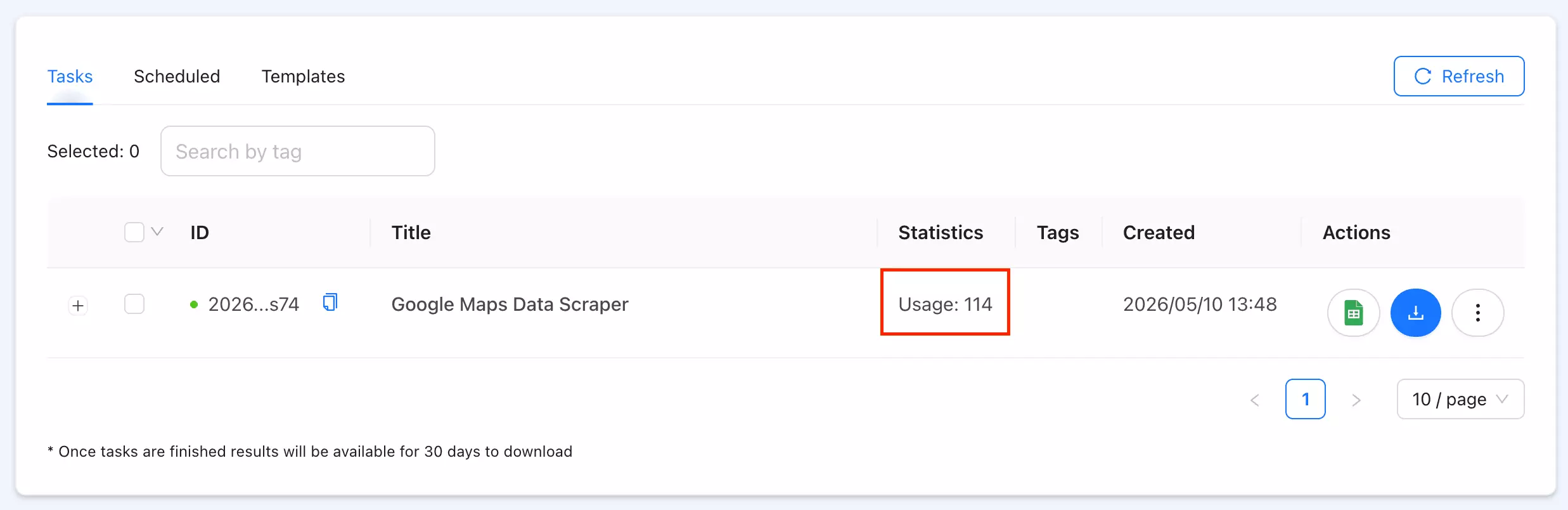
Base data ran at 20–40 listings/min. Full data dropped to under 1/min. And it doesn't even show a completion time, so I had to clock it myself.
Cost
Pay-as-you-go, no subscription. Per function (entry → scale):
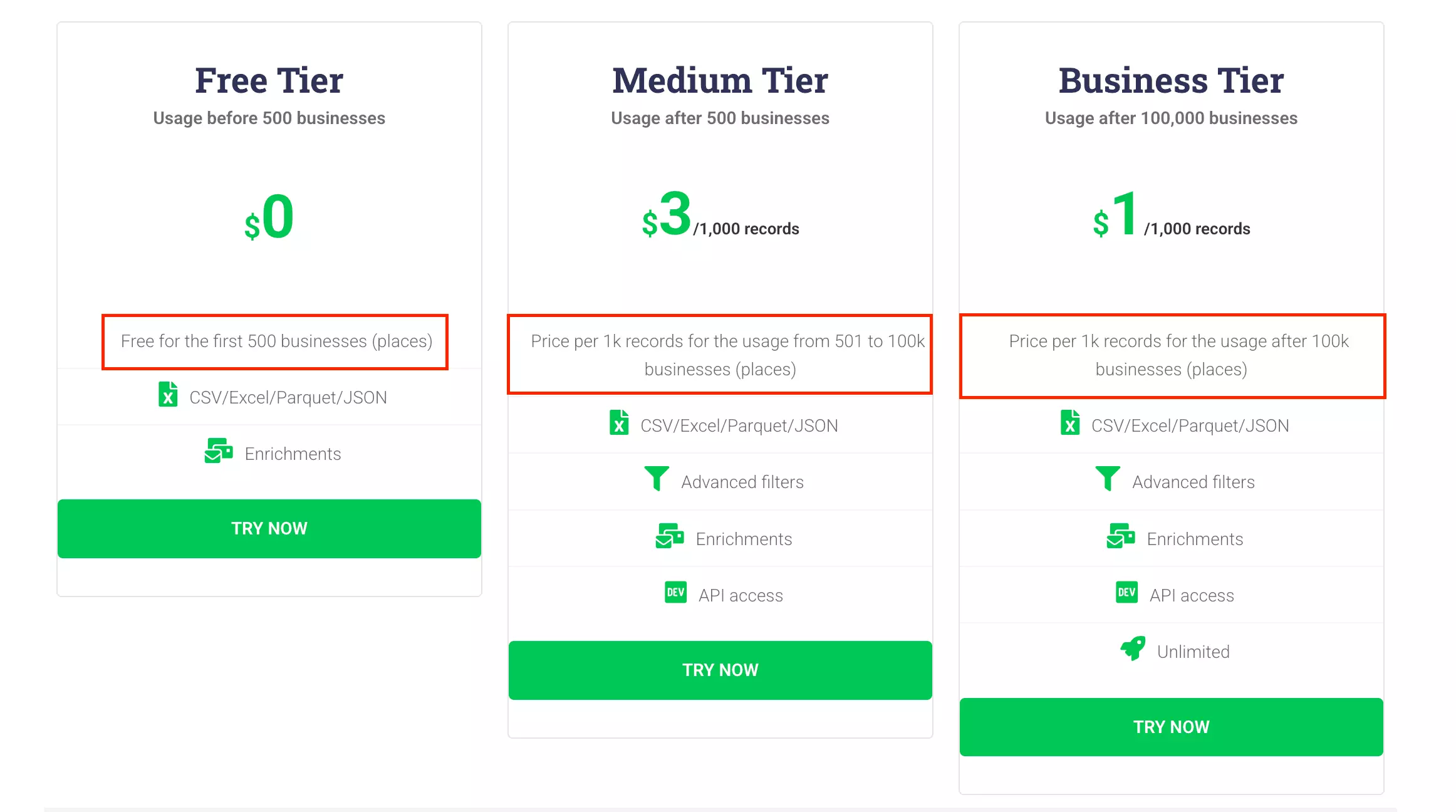
- Listings (place details bundled in): $3 → $1 / 1K
- Emails + social links: $3 → $1 / 1K
- Email validation: $3 → $1 / 1K
- Reviews: $3 → $1 / 1K
- Images: $3 → $1 / 1K images
- Free tier: first 500 businesses
Because place details are bundled into the base scrape, a full lead record is a low ~$9/1K at entry, settling at $3/1K at scale.
And every pre-scrape filter is free... you only pay for the rows you keep. (Outscraper even waives the bill for ignored rows, as long as they stay under 5,000% of what you actually extracted.) For filter-heavy runs, that's a real saving.
Scalability
Input is the strongest here... CSV, XLSX, TXT, and Parquet uploads.
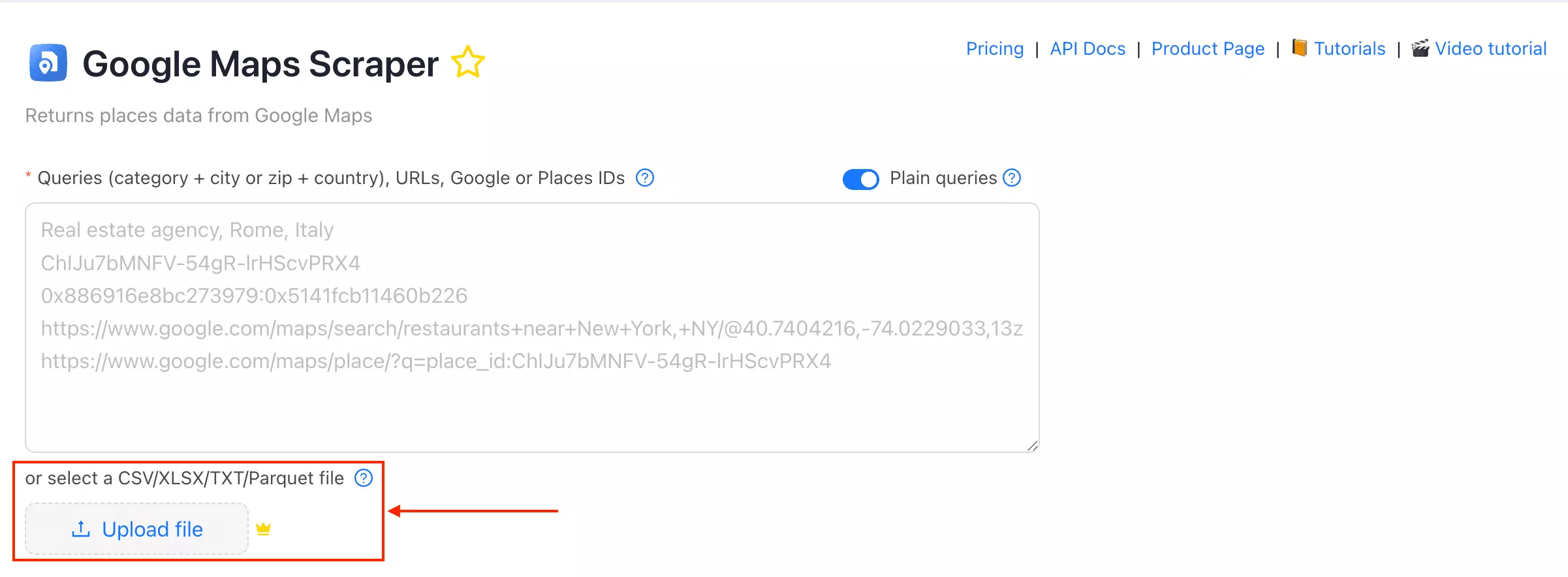
But throughput is its soft spot. At ~30/min base with no concurrency, the 24/7 ceiling is about 1.3M rows/month. Predictable, but it won't speed up on bigger lists.
Customer support
Live chat, and responses are fast. Just note their guidance can be optimistic... support told me 500 results/query, but Google still caps you around 250.
After those three, a few more names kept coming up that I looked at and cut: Bright Data, PhantomBuster, and HasData.
So why didn't they make it?
The scrapers that didn't make the list
These aren't bad tools. They just lost on the cores that matter for Google Maps lead gen... usability, speed, cost, and data.
| Criteria | Bright Data | PhantomBuster | HasData |
|---|---|---|---|
| Base fields | 38 | 21 | 16 |
| Email scraping | ❌ | ❌ | ✅ |
| Speed (base) | ~28/min | ~9/min | ~3/min |
| Cost /1K (entry → scale) | $1.50 → $1.00 | $6.05 → $2.57 | $1.49-1.62 → $0.42-0.46 |
| Scheduling | ✅ | ✅ | ❌ |
| Pre-scrape filters | ❌ | ❌ | ❌ |
| Deduplication | ❌ | ✅ | ✅ |
| Concurrency | ✅ | ❌ | ✅ |
Bright Data
Why it didn't make it:
- No email or social extraction... at all. Even the top plans won't pull a business's email or social links from its website. For a lead-gen workflow, that's the dealbreaker.
- Dev-first, and the no-code UI is bare-bones. It's built for engineers hitting an API at scale, not point-and-click lead gen. The no-code scraper I tested was basic.
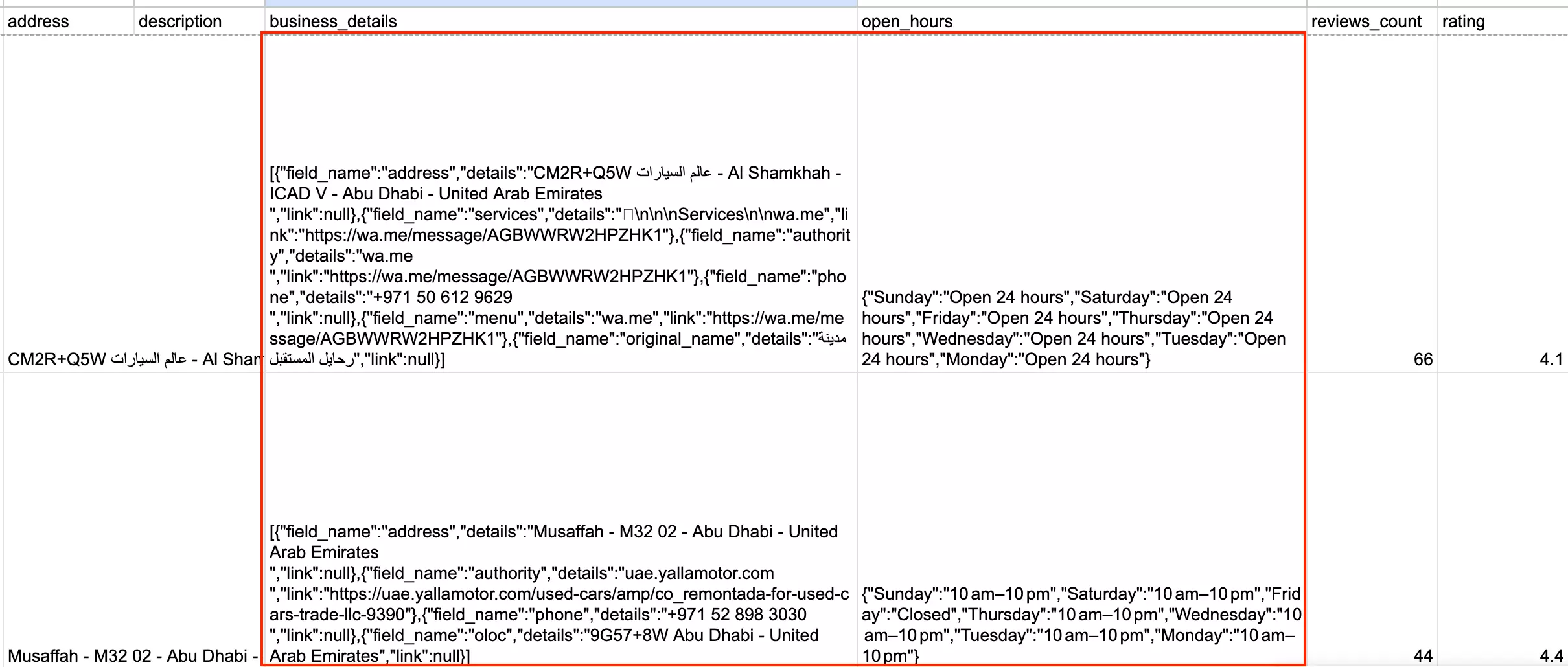
- Nested JSON output. Records come back as nested objects you have to flatten before you can even filter them in a spreadsheet.
It's absolutely worth considering if you're a developer or running enterprise-scale pipelines and don't need website emails. For a no-code, lead-gen-ready export, it's just the wrong shape.
PhantomBuster
Why it didn't make it:
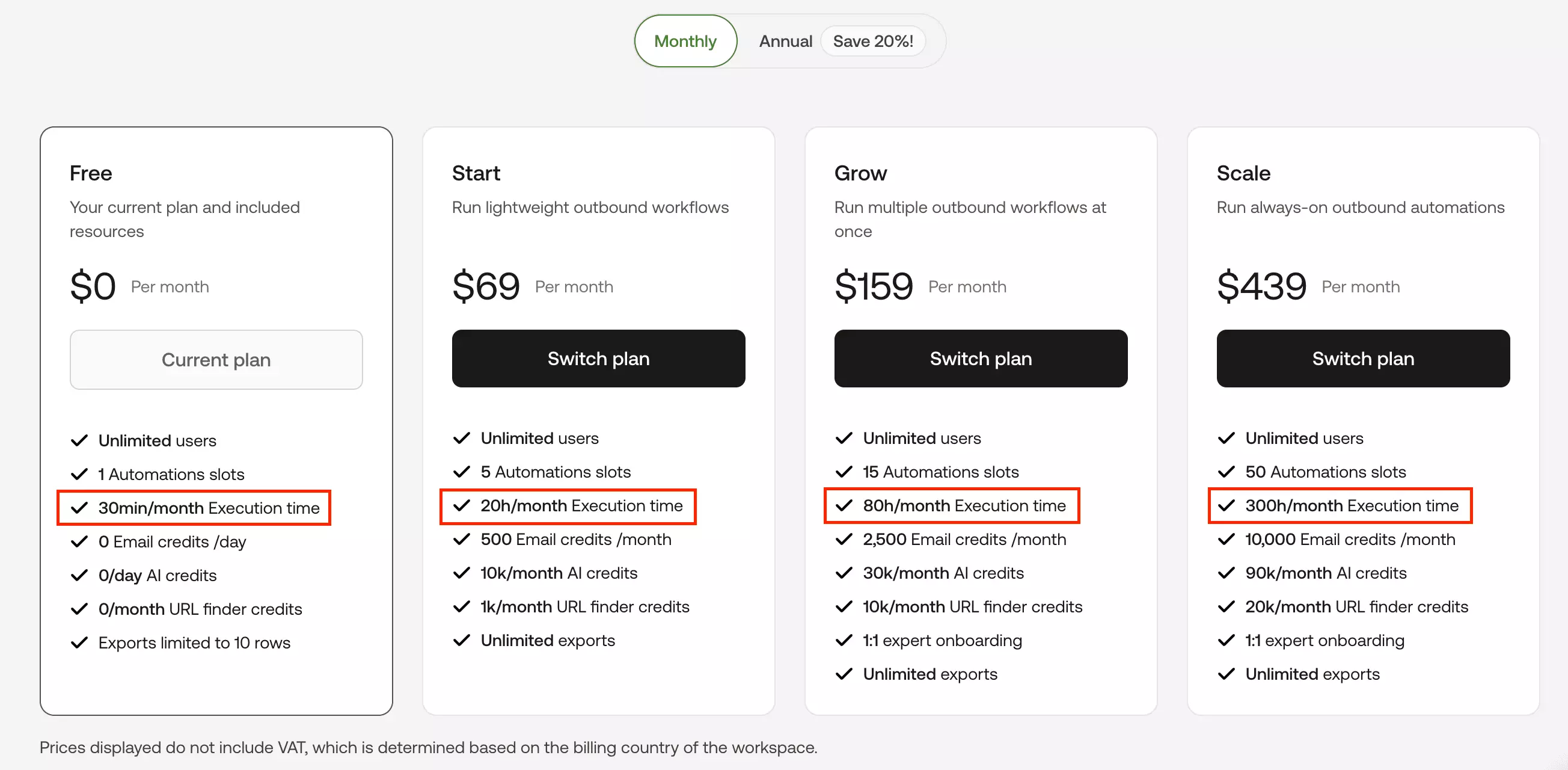
- Priced by runtime, not results... and it's slow. 120 results took 12m38s (~105 min/1K). Because you pay for time, a slow run literally costs more... the worst possible combo.
- Fewest fields (21) and no email scraping. No coordinates, no place ID, no review distribution. The lightest output of any tool.
- No pre-scrape filters. You can't narrow by rating, website, or category before a run, so that's all post-export cleanup. (Deduplication, at least, is built in.)
Scheduling is genuinely good and built into the flow, so it works for light, recurring pulls on a fixed set of URLs. Beyond that, the speed and pricing model work against you.
HasData
And the price is the best on this whole list at scale. $1.49 to $1.62/1K at entry with emails on, dropping to $0.42 to $0.46/1K at scale... cheaper than every tool in the top 3.
So why is it down here?
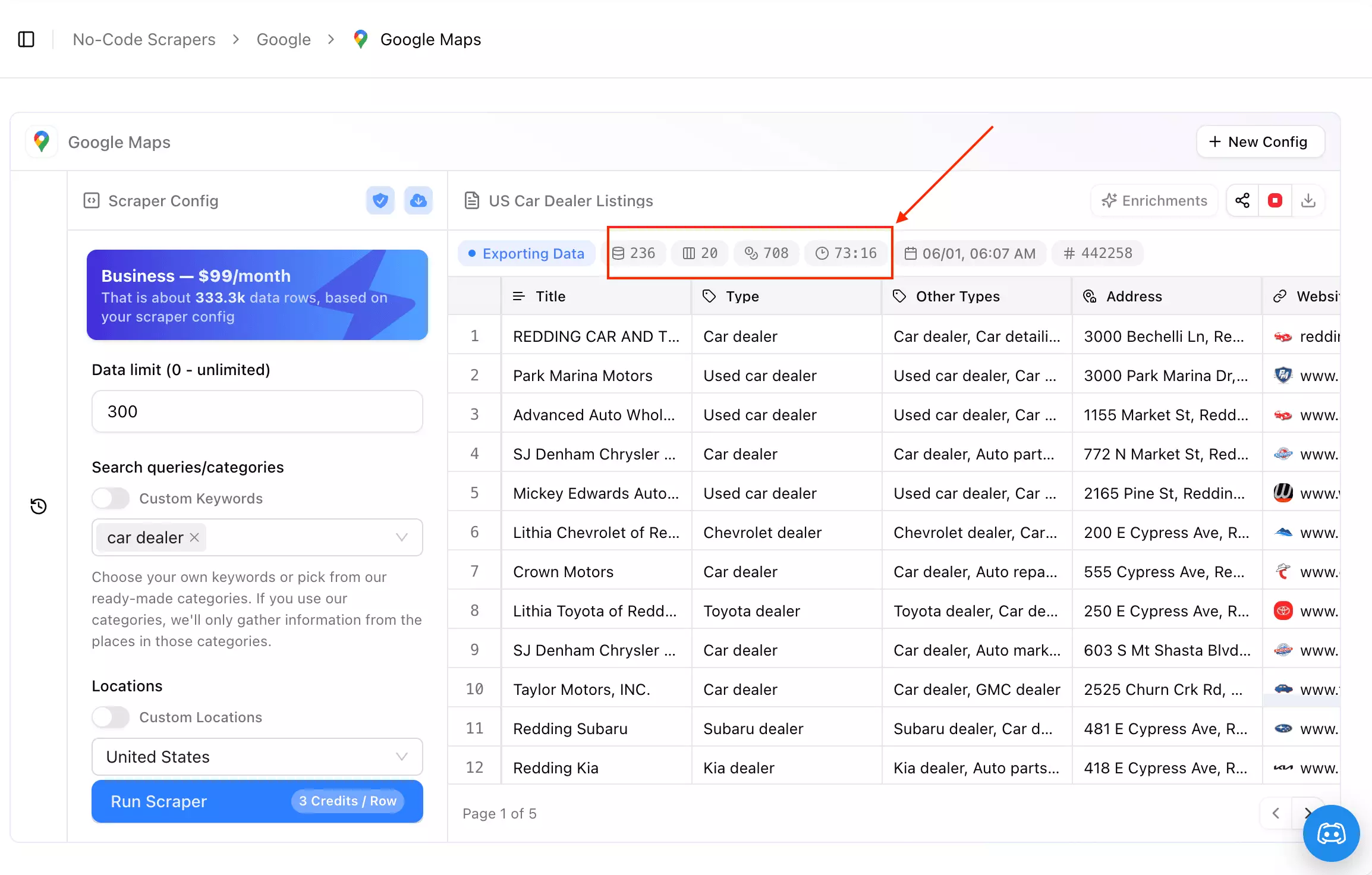
Speed. In my test, 236 results took 70+ minutes and the run never finished... roughly 297 min/1K, nearly 3x slower than PhantomBuster and the slowest thing I tested. Its API does support concurrent calls, but the point-and-click scraper I tested couldn't put that to work... no bulk task automation, so you can't hand it a big location list and walk away.
A clean feature list and the cheapest price on the page mean nothing if the run never finishes. On paper HasData does almost everything right... it just couldn't deliver at volume in my test.
FAQ
Which Google Maps scraper returns the most data?
lobstr.io ... 81 filled fields per business on a full run, including owner posts, review keyword counts, live crowd levels, and a fully parsed menu. Outscraper is close behind at ~75 and ships everything as flat columns, which is easier to work with. lobstr.io is also the most consistent of the three (93% of fields filled on every row) and the most accurate on location.
Which is the cheapest at scale?
Of the three that made the cut, lobstr.io ... $0.50/1K on base data and $2.50/1K on full data at scale, the lowest of the bunch. And that $2.50 is a ceiling: verification is free on confirmed-invalid addresses, and re-pulling data you've already scraped costs nothing at all. (HasData is cheaper on paper at $0.42 to $0.46/1K with emails, but it couldn't finish a run in my test.) At entry/low volume, Outscraper's full-data run is slightly cheaper than lobstr.io's.
Which one is the most accurate?
10003 search, it kept the tightest geo cluster (25% dead on the target zip, ~90% in the target or a bordering one) with zero duplicates, scoring 94% on our combined accuracy check. Apify returned the most results overall (564) but the loosest targeting... only ~7% in the exact zip, with the rest spilling across the city into Queens and Brooklyn.Can I scrape Google reviews with these?
All three top picks can. Apify has a full Reviews add-on (text, reviewer data, owner responses, date/keyword filters). Outscraper offers reviews as an add-on too ($3 → $1/1K). And lobstr.io has a dedicated Google Maps Reviews Scraper at $0.40/1K → $0.10/1K that you can Chain your leads run straight into... the cheapest route for high-volume reviews.
Which scrapers have built-in deduplication?
Most of them do it for you:
- lobstr.io ...
Unique Results - Outscraper ...
Delete duplicates - HasData ... auto-removes duplicate rows
- PhantomBuster ... built-in dedup
The holdouts are Apify and Bright Data ... both leave you to clean dupes after export.
How do I find Google Maps businesses with an email?
Email Status, Email Verified At) so you know what's deliverable before you send, and it'll drop the no-email rows for you before they hit your export.Which scraper has the best filters?
lobstr.io, and it's not close any more. It's the only one of the three with a rating range, a review-count filter, and a claimed-status filter that works in both directions... so you can pull unverified listings and pitch them on claiming their own business. Outscraper's filters are all free, which is still the better deal on a filter-heavy run, but its list is shorter.
Conclusion
That's a wrap on the best Google Maps scrapers for 2026.
If depth, accuracy, clean output, and cost-at-scale matter most, lobstr.io is the pick. Want raw full-data speed and everything in one actor? Apify. Want firmographics and decision-maker data sitting next to the listing? Outscraper.