
Best LaCentrale Scrapers 2026 [No-Code Edition]
Scraping LaCentrale sounds simple. It isn't.
Getting clean, accurate data, without writing a single line of code, comes down to picking the right tool.
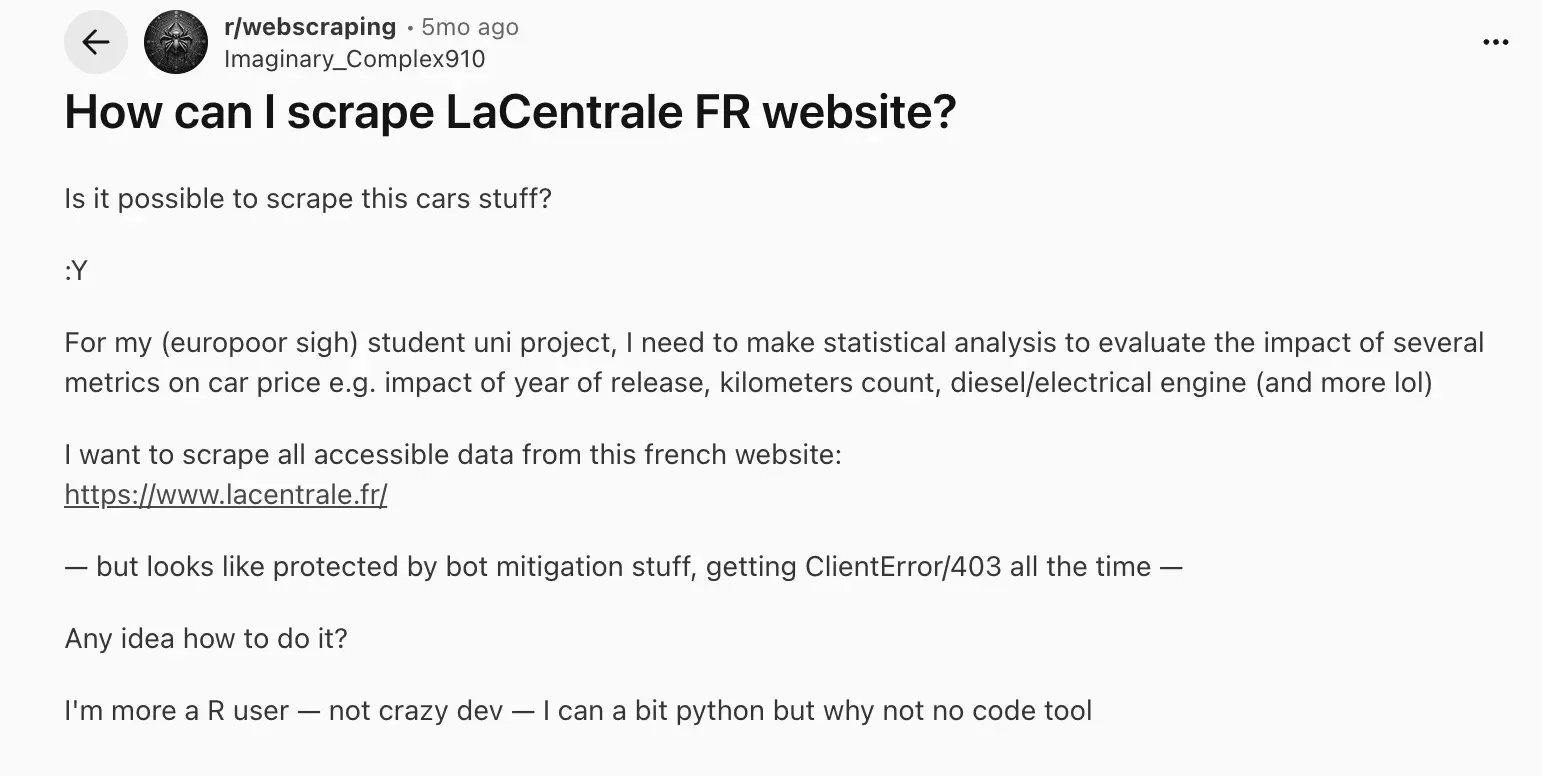
So I decided to test the top no-code LaCentrale scrapers, checking the data you get, pricing, filtering options, speed, and how each holds up at scale.
Here's what I found.
| Criteria | lobstr.io | Apify |
|---|---|---|
| Data fields | 47 / 81 with details | 44 |
| Clean output | 💯 | 👎 |
| Cost per 1,000 (entry) | $2.00 | $4.00 |
| Cost per 1,000 (scale) | $0.50 | $2.00 |
| Free tier | ❌ | ✅ |
| Speed (100 listings) | ~82 sec | 9 sec |
| Interruption recovery | ✅ | ✅ |
| Filtering | 💯 | 👎 |
| Scheduling | ✅ | ✅ |
| Export formats | 👍 | 💯 |
| Integrations | 👍 | 💯 |
| Customer support | 💯 | 👍 |
Before diving in, there's one question that always comes up: is scraping LaCentrale legal?
Is it legal to scrape LaCentrale?
Scraping is often misunderstood as theft. It isn't. But there are real limits you need to know.
Under Article L342-1 of the French Intellectual Property Code, database producers can act against anyone who extracts or reuses a substantial portion of their database.
The court didn't penalize the scraping. It penalized the republishing.
- Lawful access to the data
- Non-substantial extraction
How to stay on the right side:
- Use data internally: pricing research, lead gen, market analysis
- Don't extract the full catalogue
- Never republish listings on a public-facing site
Want to go deeper on scraping legality?
How did I choose the best LaCentrale scraper?
I started where I always do: the complaints.
So I turned to community posts and user reviews.
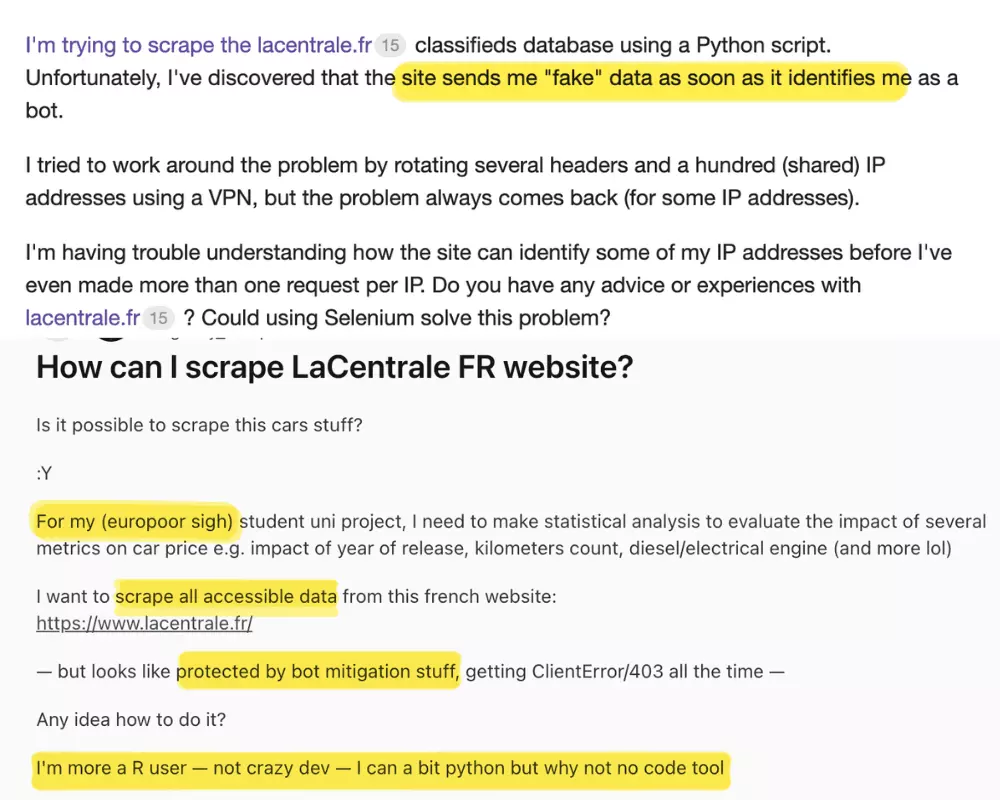
Based on that, I shortlisted 5 common pain points:
- Data
- Affordability
- Ease of use
- Scale
- Speed
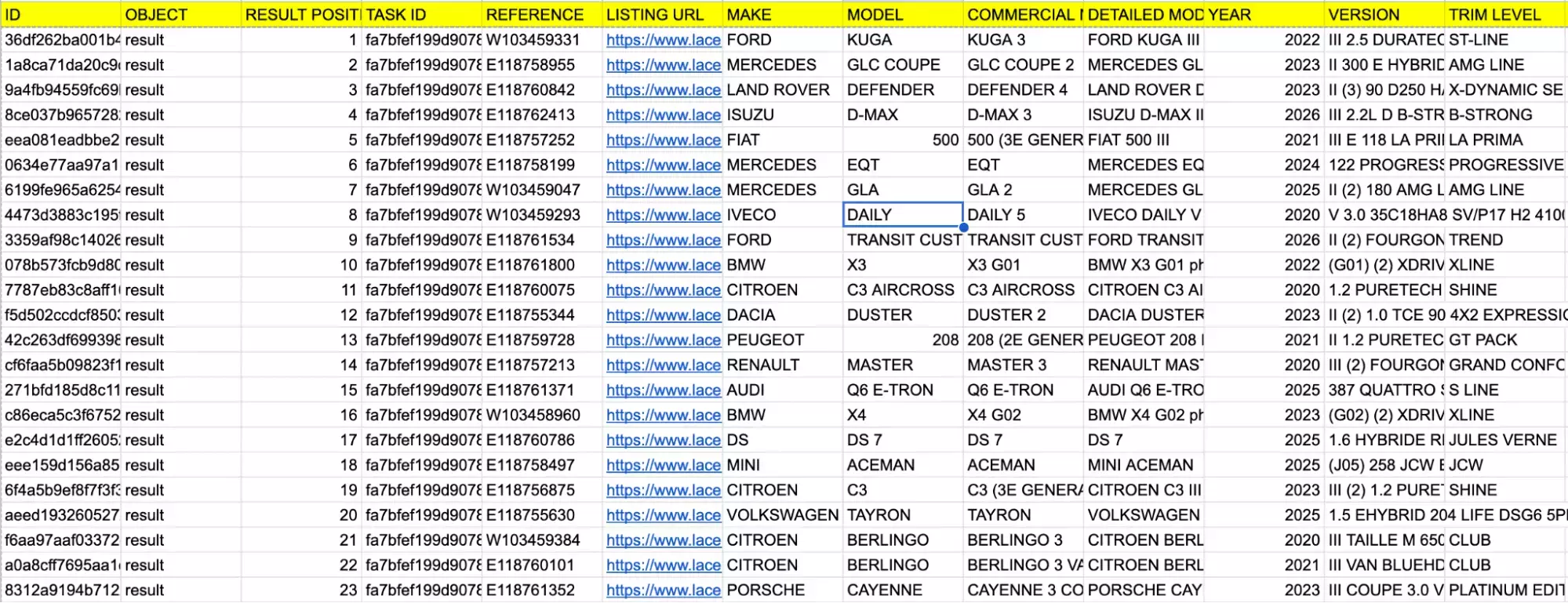
For data, I checked what fields each tool actually returns, and whether those fields are clean, flat, and immediately usable without extra processing.
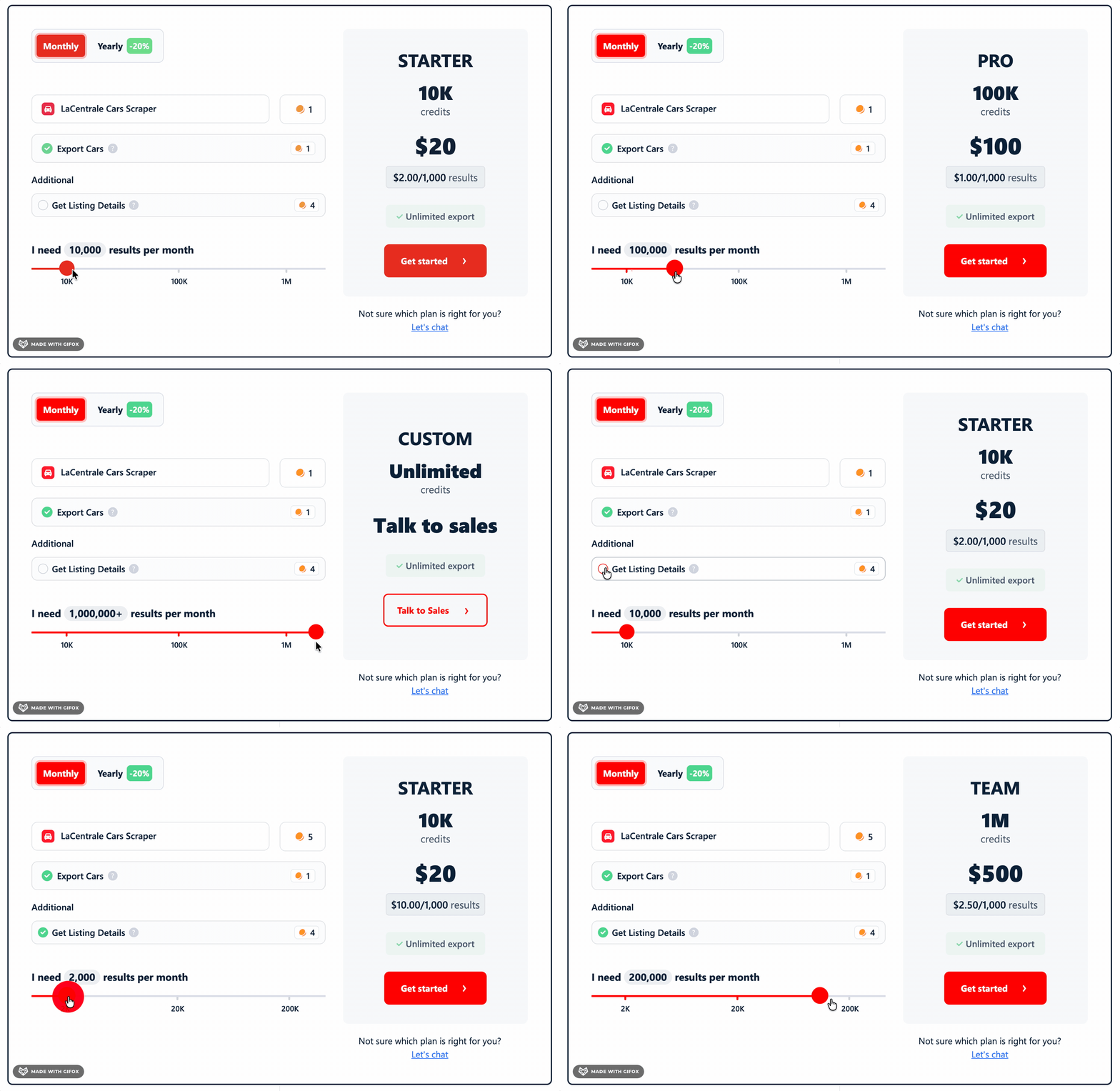
For affordability, I simplified pricing down to cost per 1,000 results.
I also checked both entry-level and scale-level costing so the comparison holds whether you're scraping occasionally or running it regularly.
For ease of use, I looked at the full journey from setting up the first scrape to getting data out, paying attention to filtering logic, scheduling, and export and integration options.
For scalability, I looked at how each tool handles volume: whether there are hard caps and how interruptions are managed.
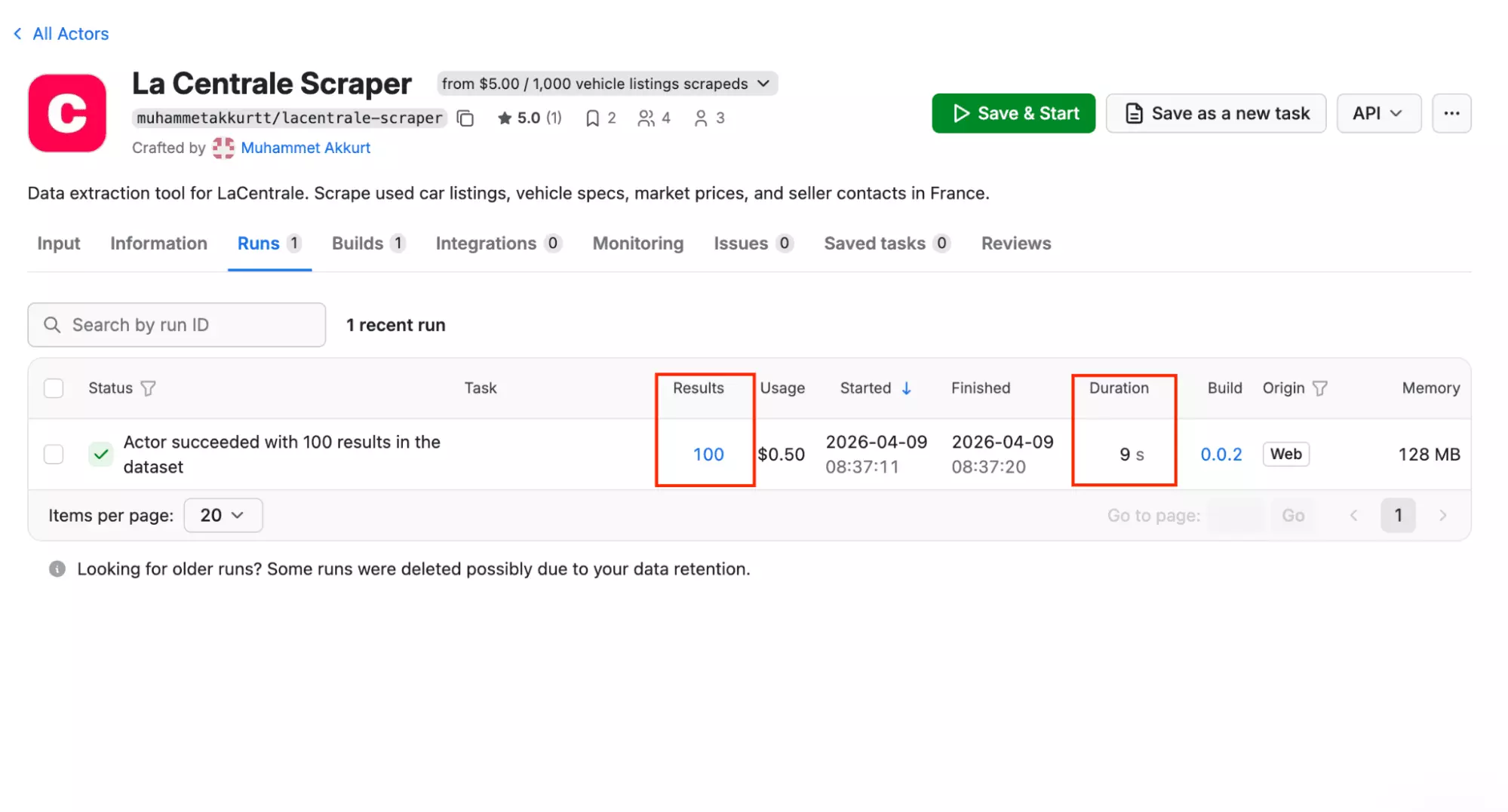
For speed, I recorded how long it took to collect 100 listings under the same conditions on each tool.
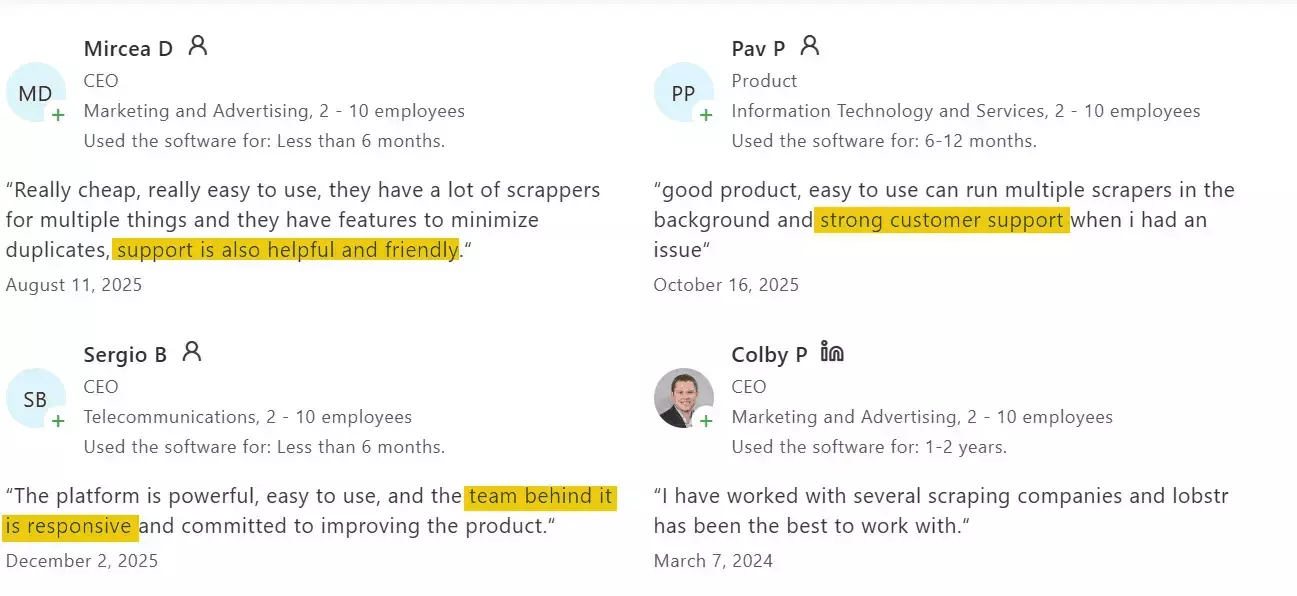
I also checked customer support: the available channels and what real users say about it in reviews. Because at some point, something will go sideways.
Next, I listed every tool I could find across Google and AI recommendations.
The internet is not helpful here.
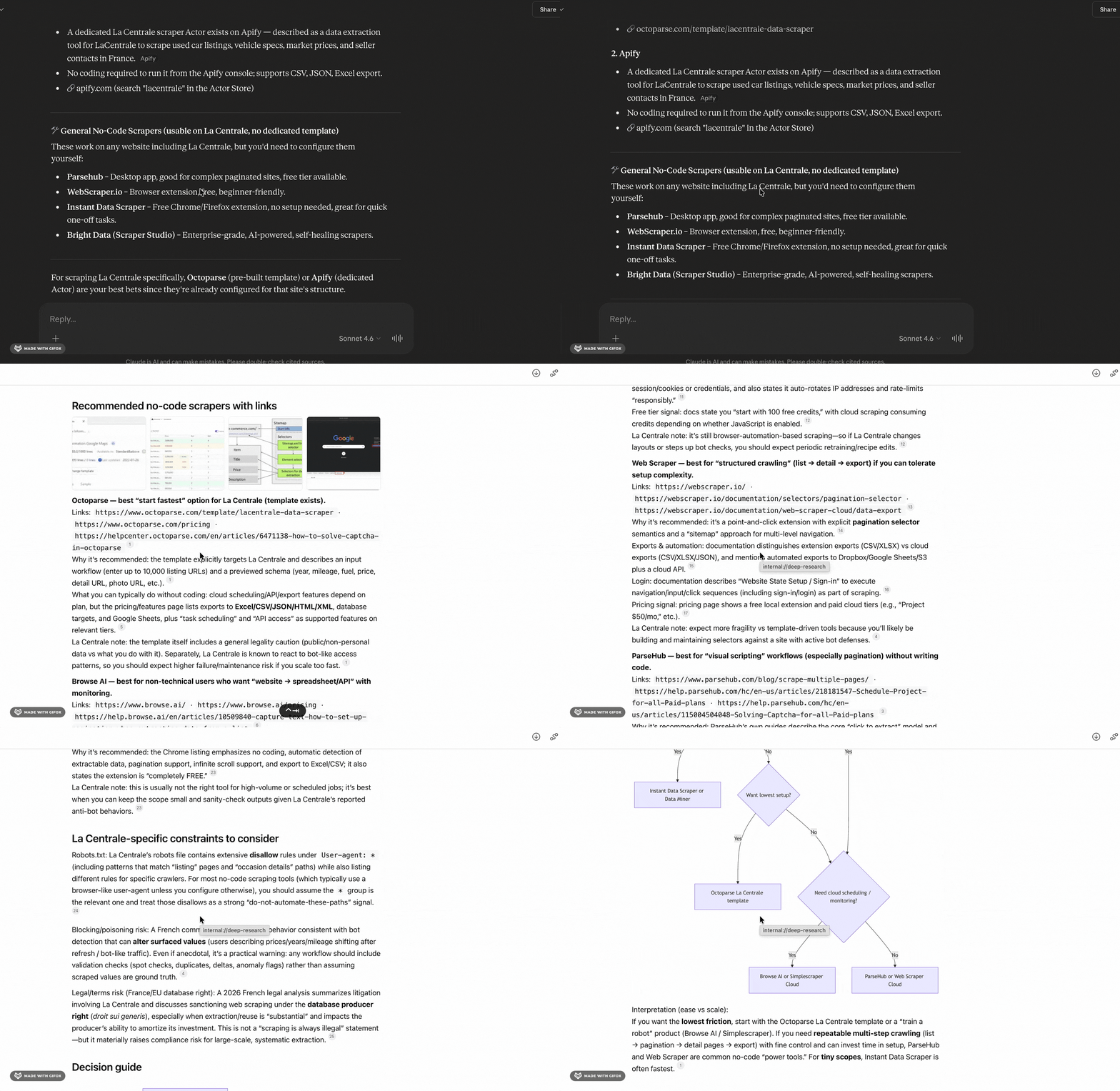
Browser extensions and visual scrapers may work on simple pages, but they're not built for sites that require a purpose-built scraper.
And API-only tools? You need to know how to code just to get started.
Visual scrapers, Chrome extensions, desktop apps, API-only tools. I ruled them all out.
I'm only looking at no-code tools that actually hold up at scale.
Best no-code LaCentrale scrapers
| Criteria | lobstr.io | Apify |
|---|---|---|
| Data fields | 47 / 81 with details | 44 |
| Clean output | 💯 | 👎 |
| Cost per 1,000 (entry) | $2.00 | $4.00 |
| Cost per 1,000 (scale) | $0.50 | $2.00 |
| Free tier | ❌ | ✅ |
| Speed (100 listings) | ~82 sec | 9 sec |
| Interruption recovery | ✅ | ✅ |
| Filtering | 💯 | 👎 |
| Scheduling | ✅ | ✅ |
| Export formats | 👍 | 💯 |
| Integrations | 👍 | 💯 |
| Customer support | 💯 | 👍 |
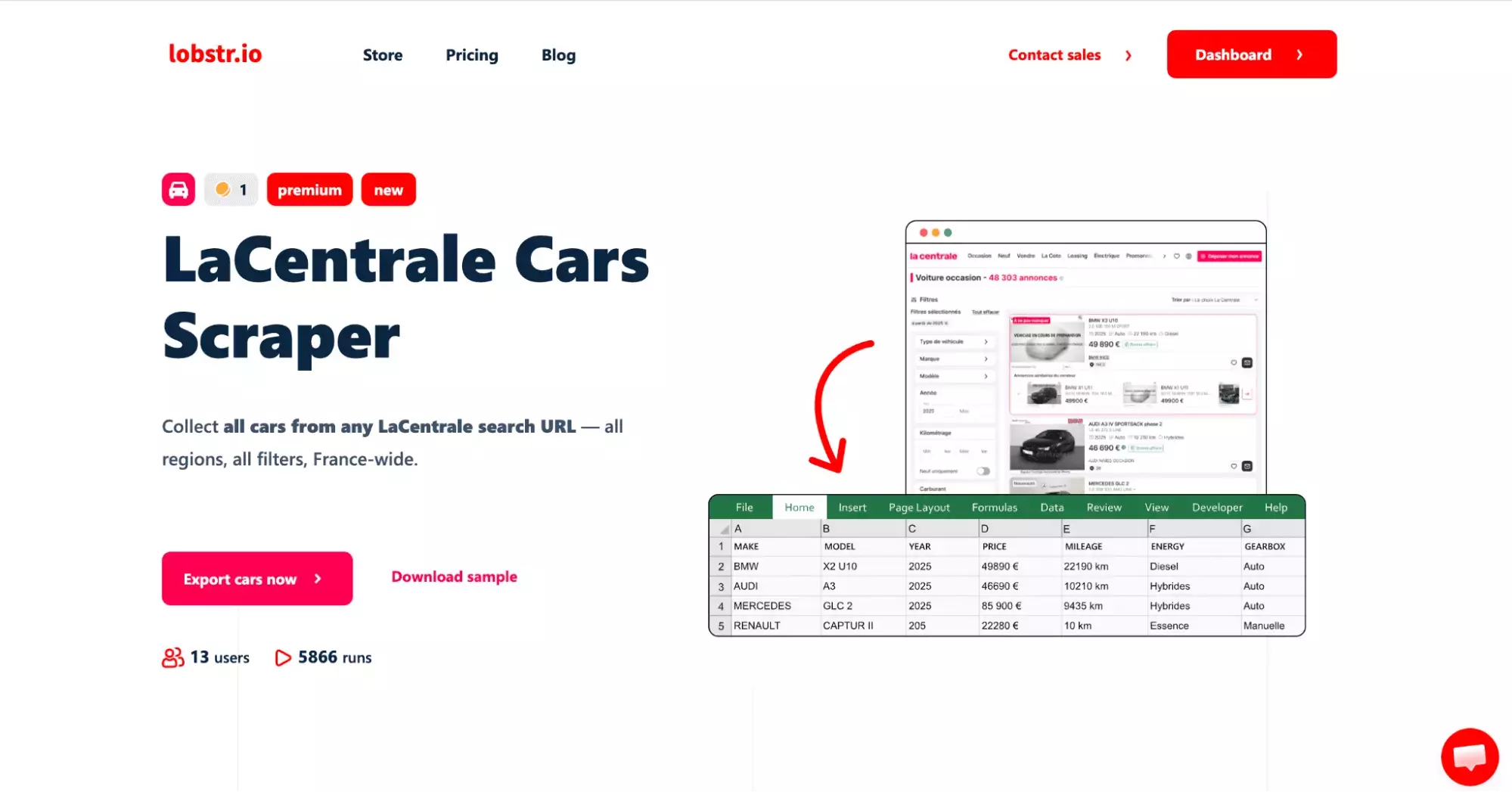
1. Lobstr.io
| Pros | Cons |
|---|---|
| Most data fields | Slower speed |
| Clean, flat output | No free trial |
| Full filter access via URL | Subscription required |
| Flexible time filter | Detail mode expensive at entry |
| Cheapest at scale | |
| Interruption recovery | |
| Strong live chat support |
Key features
- Scrape listings from any LaCentrale search URL
- 47 data fields standard / 81 with Get Listing Details enabled
- URL-first workflow: paste your search URL directly, no re-filtering needed
- Flexible time filter: relative (hours, days, weeks) or absolute (exact date and time)
- Get Listing Details toggle for full technical specs, ownership history, and seller identity
- Schedule recurring scrapes
- Cloud-based, no installation needed
- Export to CSV or automate delivery to Google Sheets, Amazon S3, SFTP, or email
- Integrates with Make.com and 3,000+ apps
Data
Before diving into the data fields, there's one feature worth knowing about. It directly determines what you get.
When enabled, you get the full picture: technical specs, ownership history, equipment lists, and complete seller profiles.
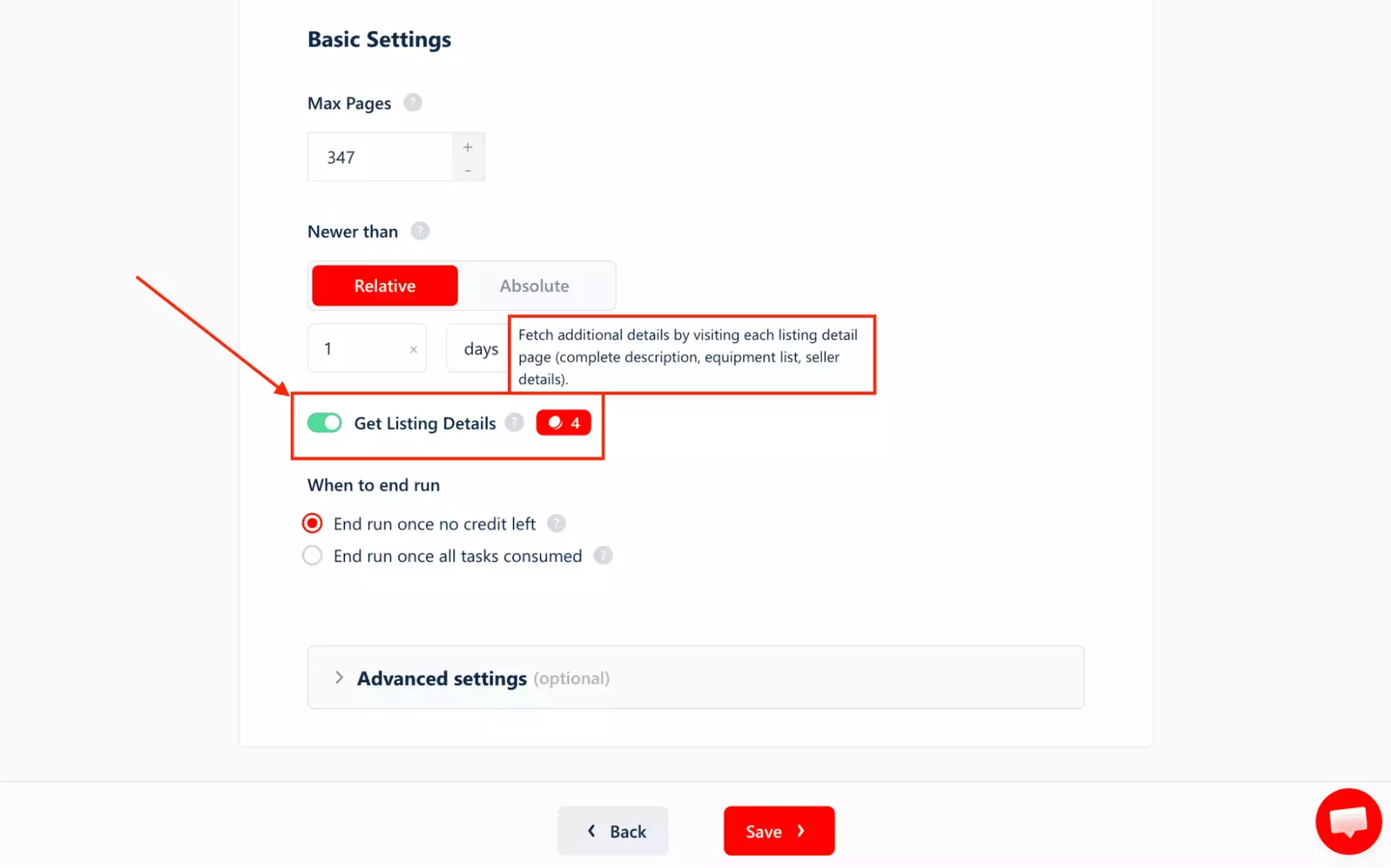
Without Get Listing Details, lobstr.io returns 47 fields covering all listing essentials:
| 🔖 REFERENCE | 🔗 LISTING URL | 💰 PRICE | 💳 FINANCING TEASING PRICE | 📷 PHOTO URL | 📱 PHOTO URLS MOBILE |
| 🖼️ PICTURES COUNT | 📅 PICTURES COUNT DATE | 🏭 MAKE | 🚗 MODEL | 📋 DETAILED MODEL | 🏷️ COMMERCIAL NAME |
| 🔢 VERSION | ⚙️ TRIM LEVEL | 🔧 MOTORIZATION | 📅 YEAR | 🛣️ MILEAGE | ⚡ ENERGY |
| 🔄 GEARBOX | 🚪 DOORS | 📂 CATEGORY | 👨👩👧 FAMILY | 🎨 EXTERNAL COLOR | 👤 CUSTOMER TYPE |
| 🆔 CUSTOMER REFERENCE | 👥 CUSTOMER FAMILY CODE | 👤 CONTACT NAME | 📞 DISPLAY PHONE | 🌍 COUNTRY | 📍 VISIT PLACE |
| 📏 DISTANCE KM | ✅ DELIVERY IS ACTIVE | 💳 DELIVERY AVAILABLE PRICES | 🚚 IS DELIVERABLE | 💰 DELIVERY PRICE | ✨ IS NEW |
| 🔄 PICTURES 360 EXTERIEUR | 🌐 PICTURES PHOTOSPHERE | 🖼️ ALL PHOTOS | 📜 AUTOVIZA | 🏷️ GOOD DEAL BADGE | 🛡️ MANUFACTURER WARRANTY DURATION |
| 📢 PUBLICATION OPTIONS | 📅 FIRST ONLINE DATE | 🔄 LAST UPDATE | ⭐ SCORE | 📅 REQUEST DATE |
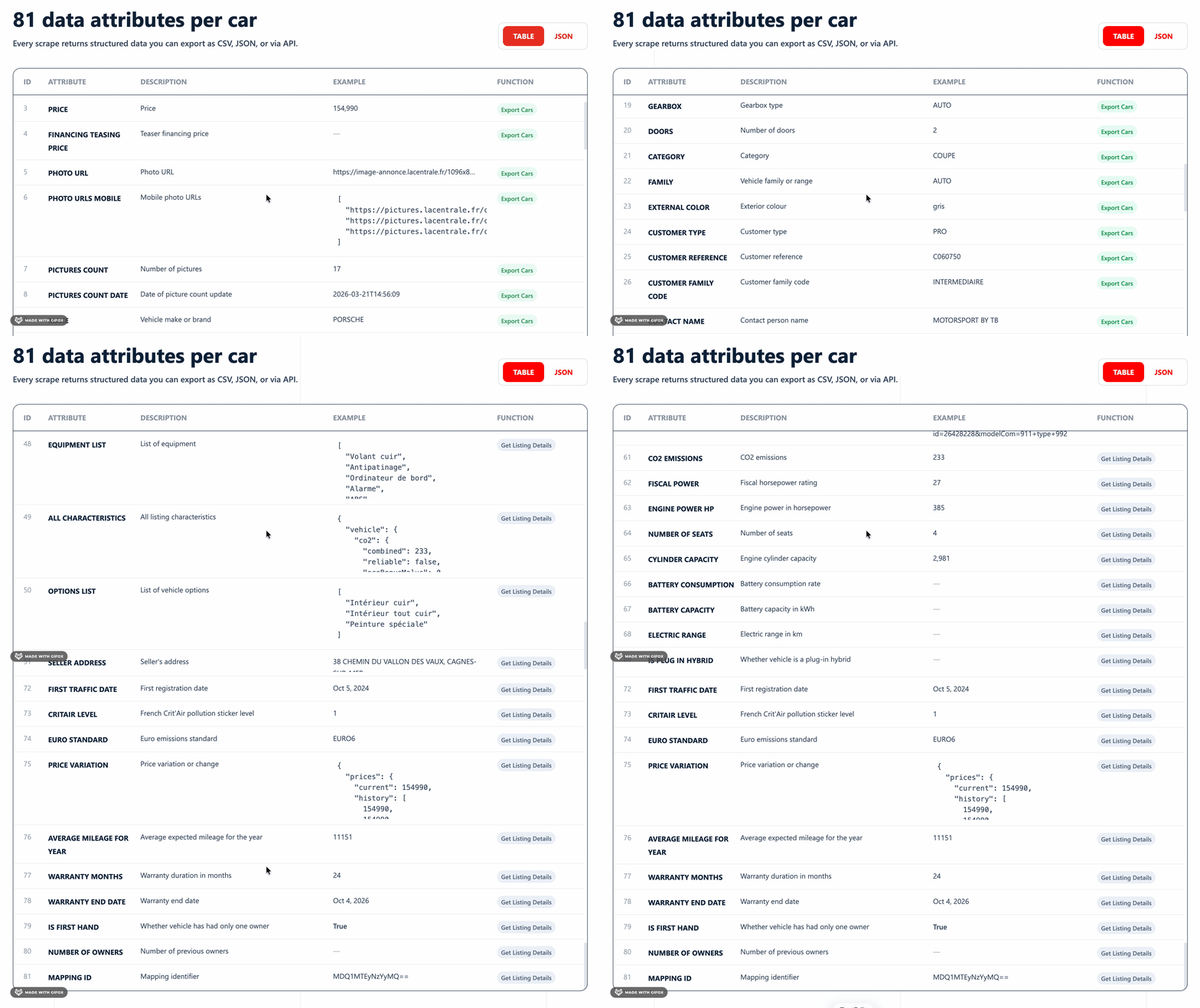
Enabling Get Listing Details unlocks an additional 34 fields by visiting each listing's detail page:
| 🔧 EQUIPMENT LIST | 📋 ALL CHARACTERISTICS | ⚙️ OPTIONS LIST | 📍 SELLER ADDRESS | 📮 SELLER POSTAL CODE | 👤 SELLER NAME |
| 🏷️ SELLER CATEGORY | 📅 SELLER COMPANY CREATION DATE | ✅ IS VERIFIED SELLER | 💬 SELLER COMMENT | ⭐ VEHICLE RATING LINK | 📜 AUTOVIZA HISTORY LINK |
| 🔗 TECHNICAL SPECIFICATIONS LINK | 🌿 CO2 EMISSIONS | ⚡ FISCAL POWER | 🏎️ ENGINE POWER HP | 💺 NUMBER OF SEATS | 🔧 CYLINDER CAPACITY |
| 🔋 BATTERY CONSUMPTION | 🔋 BATTERY CAPACITY | ⚡ ELECTRIC RANGE | 🔌 IS PLUG IN HYBRID | 📏 VEHICLE LENGTH | 🧳 MAX TRUNK VOLUME |
| 📅 FIRST TRAFFIC DATE | 🌿 CRITAIR LEVEL | 🇪🇺 EURO STANDARD | 📈 PRICE VARIATION | 🛣️ AVERAGE MILEAGE FOR YEAR | 🛡️ WARRANTY MONTHS |
| 📅 WARRANTY END DATE | 🤝 IS FIRST HAND | 👥 NUMBER OF OWNERS | 🗺️ MAPPING ID |
Enabling Get Listing Details adds vehicle intelligence: full technical specs, ownership history, and complete seller identity.
Combined, that's 81 data fields in a single run — 47 from the listing pages, plus 34 unlocked by Get Listing Details.
Price
lobstr.io runs on a monthly subscription model.
Plans start at $20 and scale up to $500, each offering a fixed number of usage credits. No free trial is available.
The effective cost per listing depends on one thing: whether you have Get Listing Details enabled or not.
Without Get Listing Details
- $2 per 1,000 results on the Starter plan
- Drops to $0.50 per 1,000 results on the Team plan
With Get Listing Details
- $10 per 1,000 results on the Starter plan
- Drops to $2.50 per 1,000 results on the Team plan
Ease of use
lobstr.io keeps the workflow simple. The UI is clean, and the controls are exactly where you'd expect.
It has a natural URL-first workflow. The biggest UX win.
Users start on LaCentrale itself, apply filters they already understand (brand, city, price range), then just paste the resulting URL into lobstr.io.
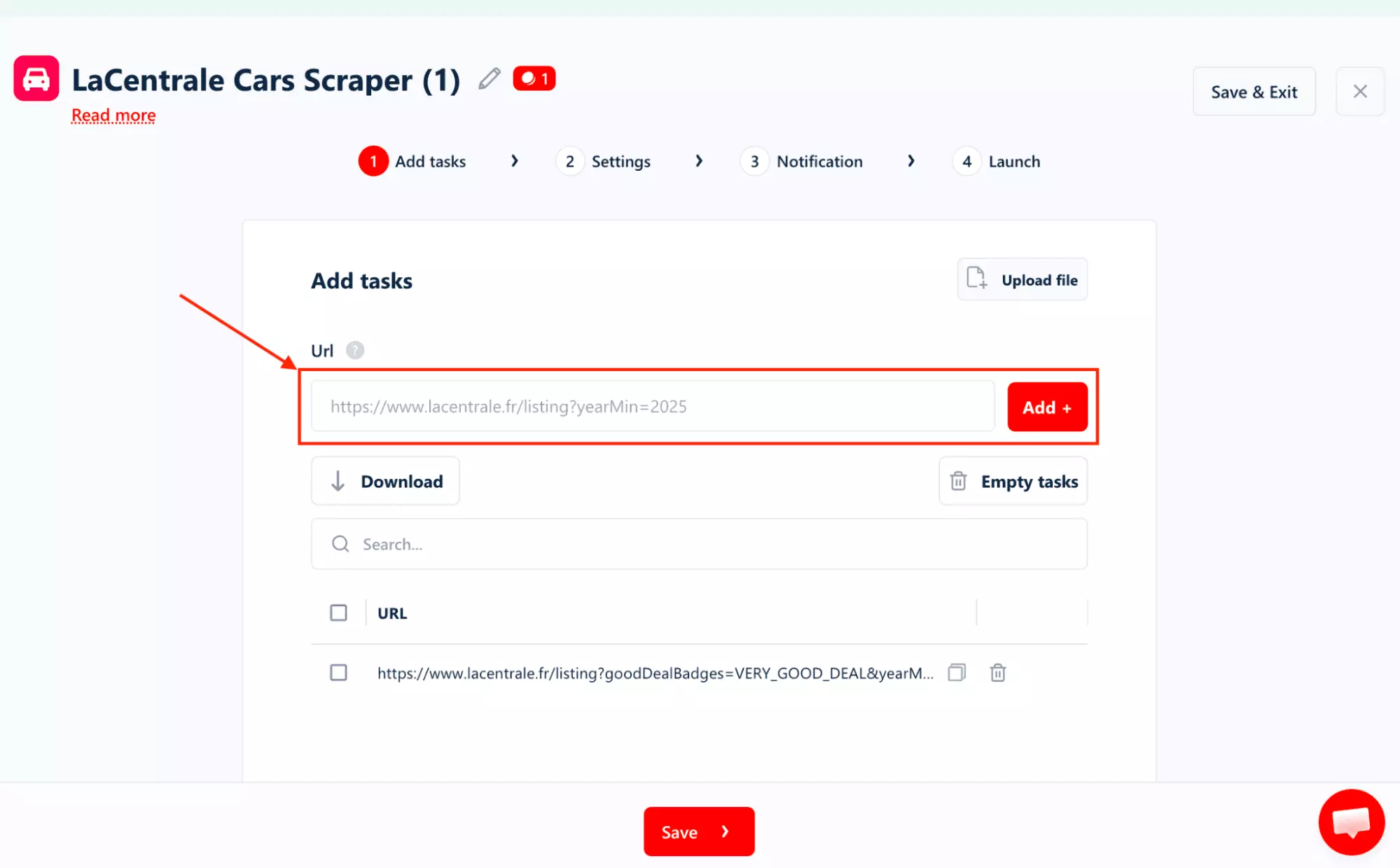
There's no trying to re-express your search through a tool's limited dropdowns.
The rest of the settings follow the same logic. Simple.
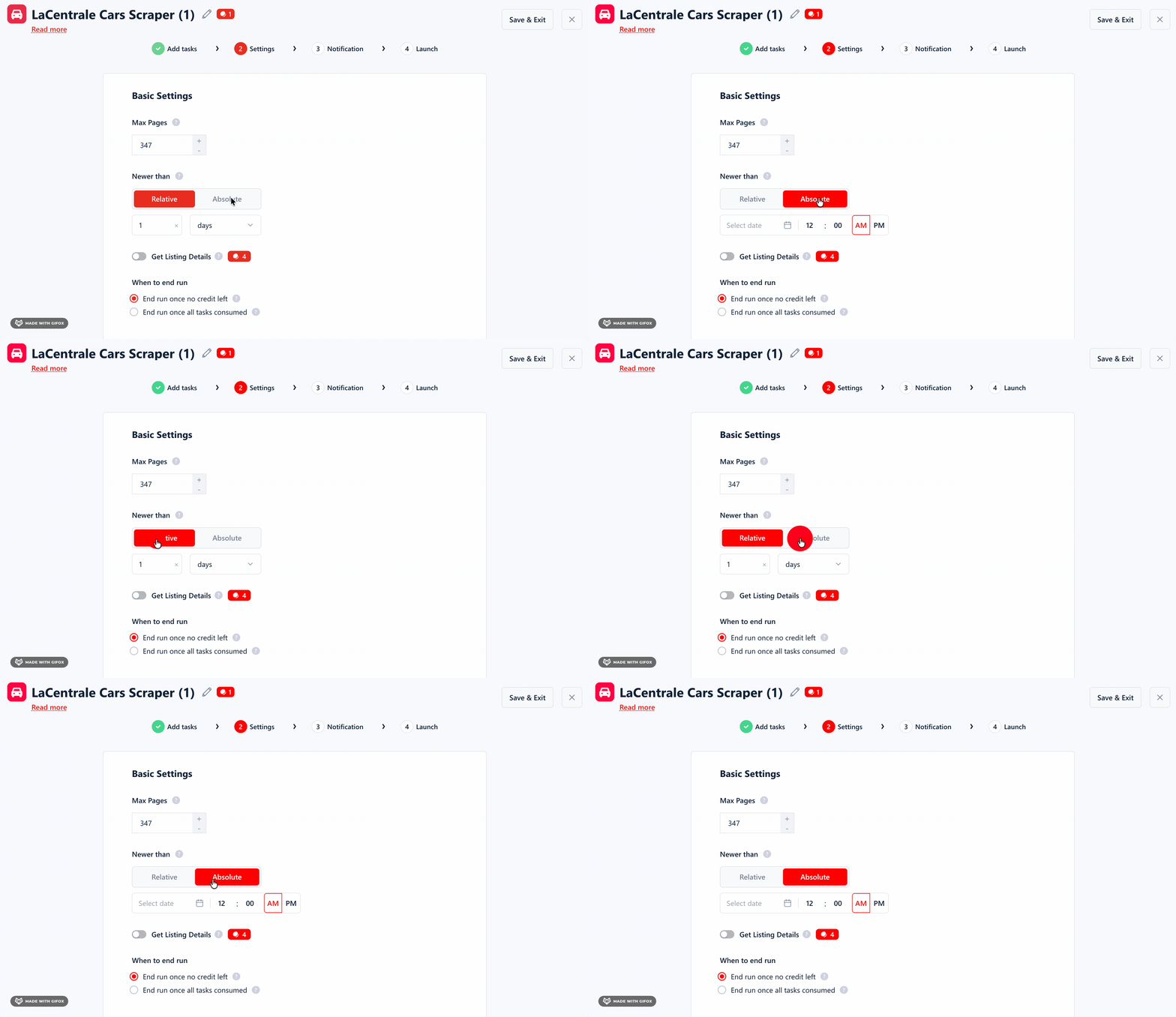
It also gives you a proper time filter you actually control.
You can type any number and pick the unit (hours, days, weeks), so "3 days," "12 hours," or "2 weeks" are all equally easy.
And if you need pinpoint precision, switching to Absolute mode gives you a full date-and-time picker down to the minute, with AM/PM selection.
That's the difference between a filter and a real filter.
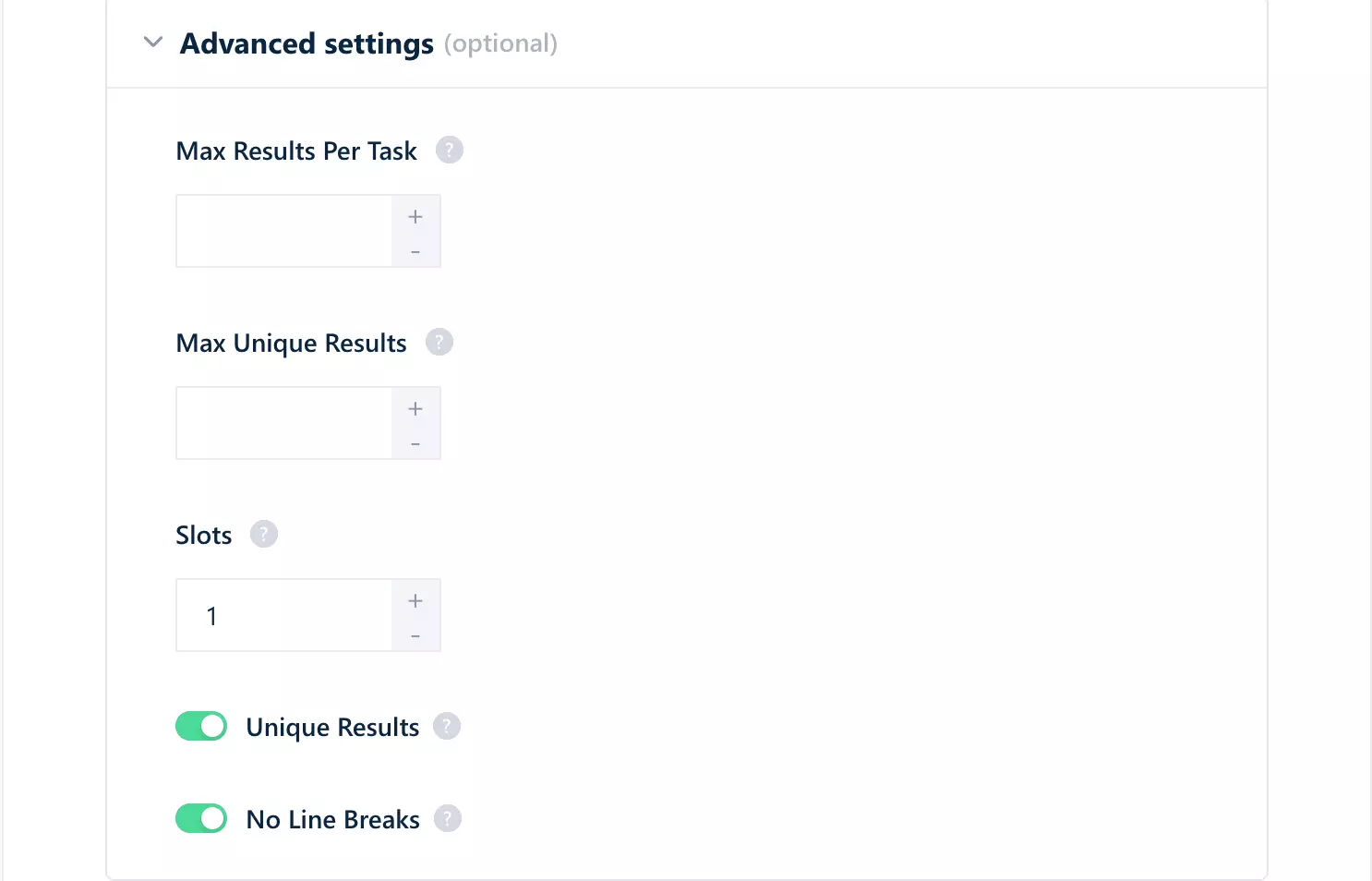
You can cap results per task, set a maximum number of unique results, adjust concurrency through slots, and toggle deduplication and line break handling.
Once you're done, exporting is straightforward. You can download everything as a CSV and move on.
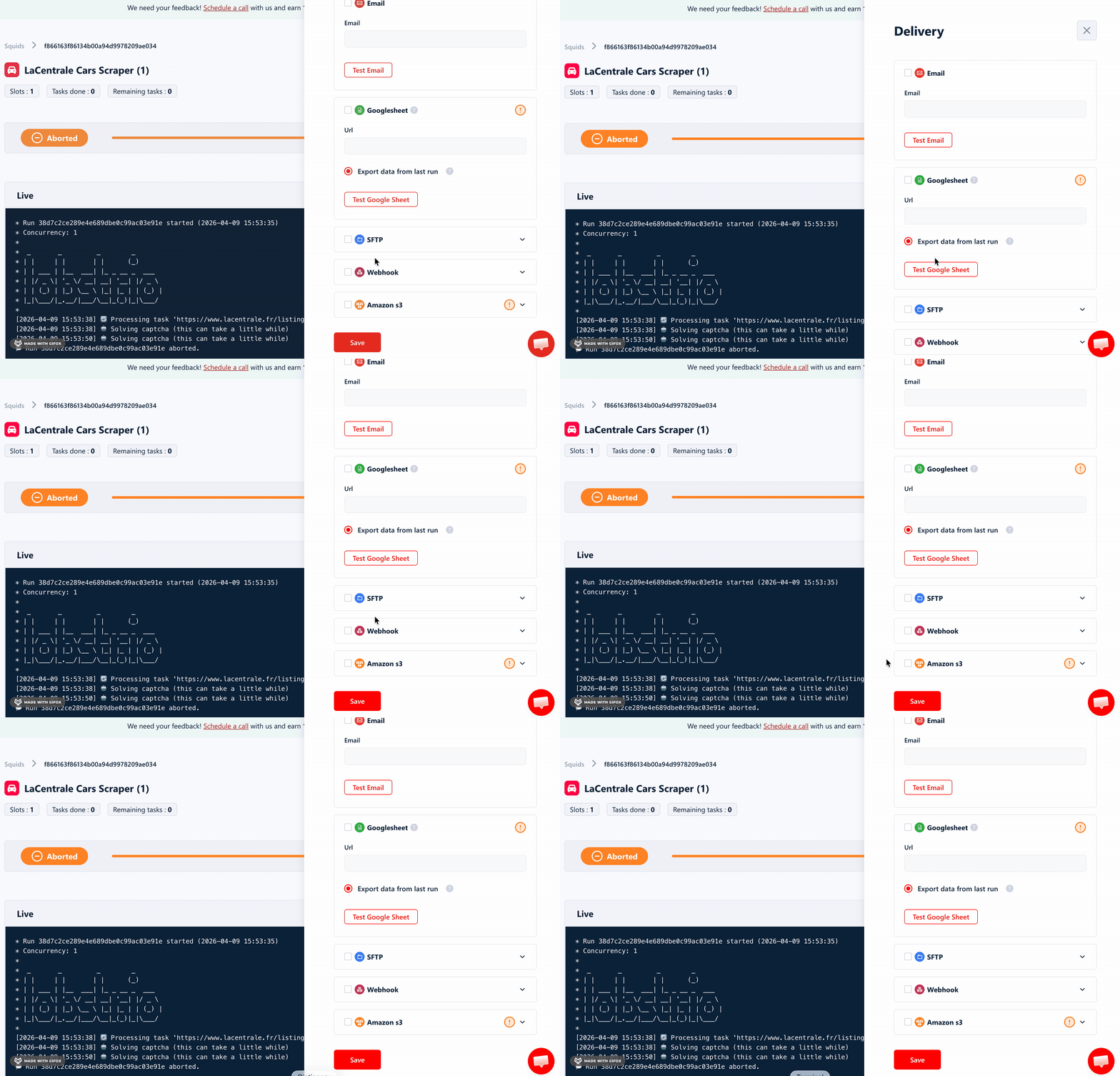
You can also set up automated delivery to platforms like Google Sheets, Amazon S3, SFTP, or email.
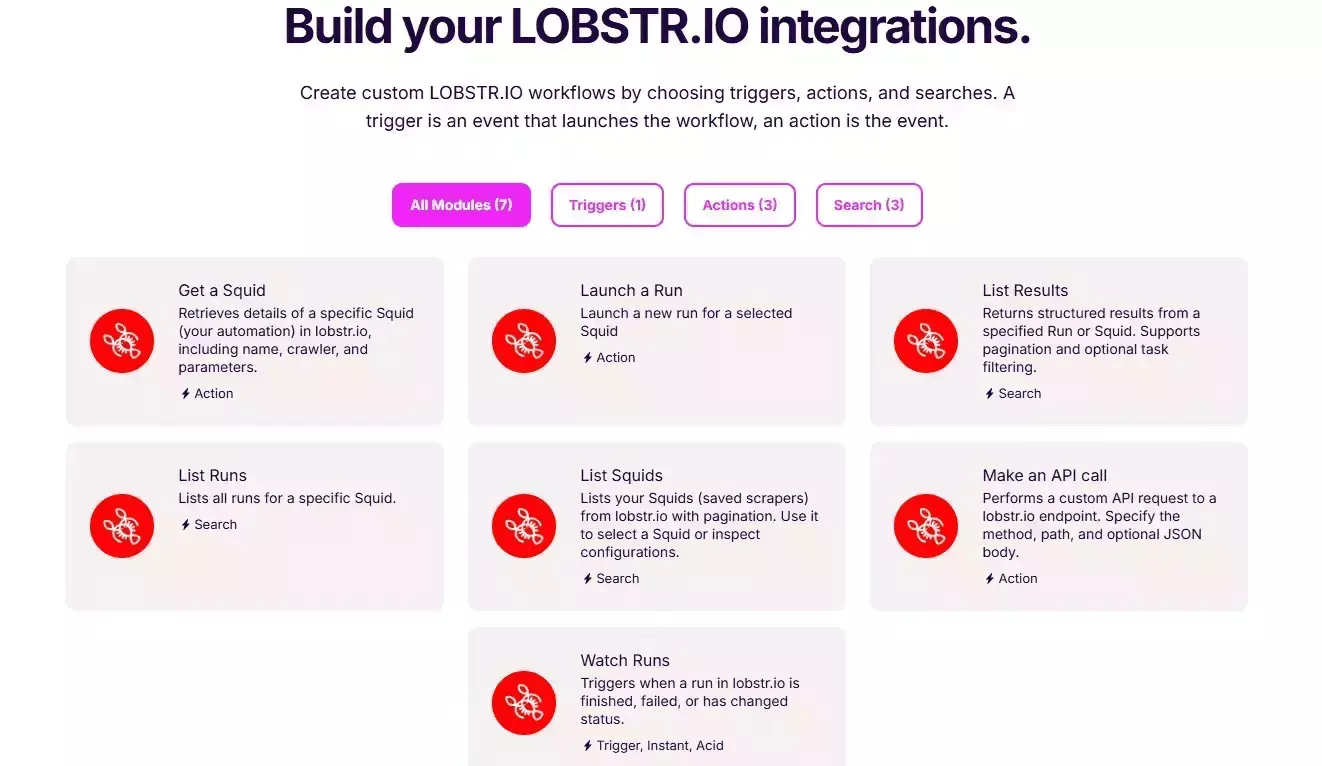
In addition, it supports advanced workflows through Make.com integration.
This lets you connect with over 3,000 third-party apps and services.
Scalability
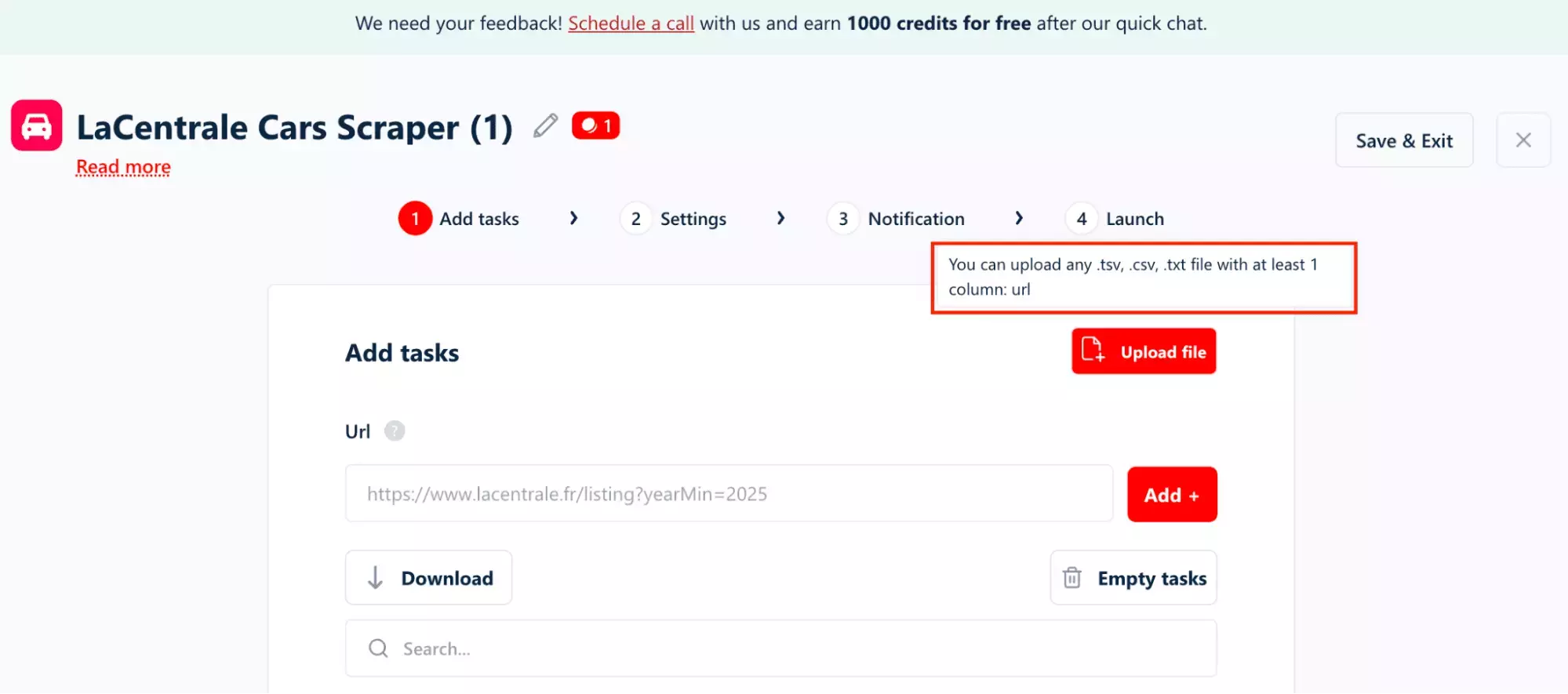
You can upload thousands of search URLs at once using CSV or TXT files.
However, each task can scrape up to 347 pages. That's LaCentrale's own limit per search URL.
If you want more coverage, you run more tasks with different URLs: different regions, makes, or price ranges, each running as its own job.
If a run gets interrupted, lobstr.io picks up exactly where it left off. No lost progress, no starting over.
Speed
Speed is where lobstr.io takes the hit.
In my test, 100 listings took around 1 minute 22 seconds without Get Listing Details enabled.
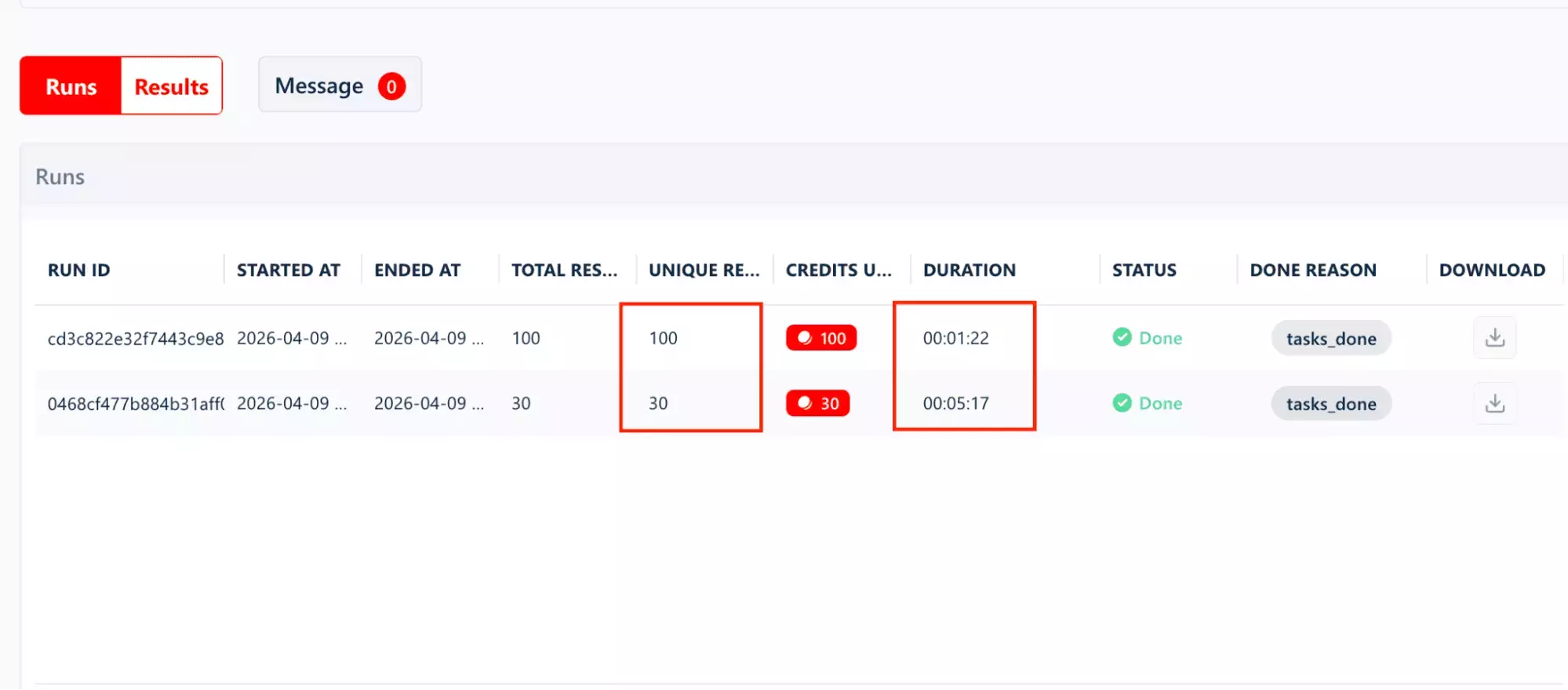
That's by design though. lobstr.io prioritizes reliability over raw speed. Steady and consistent rather than fast and fragile.
Need to speed things up? You control it through Slots.
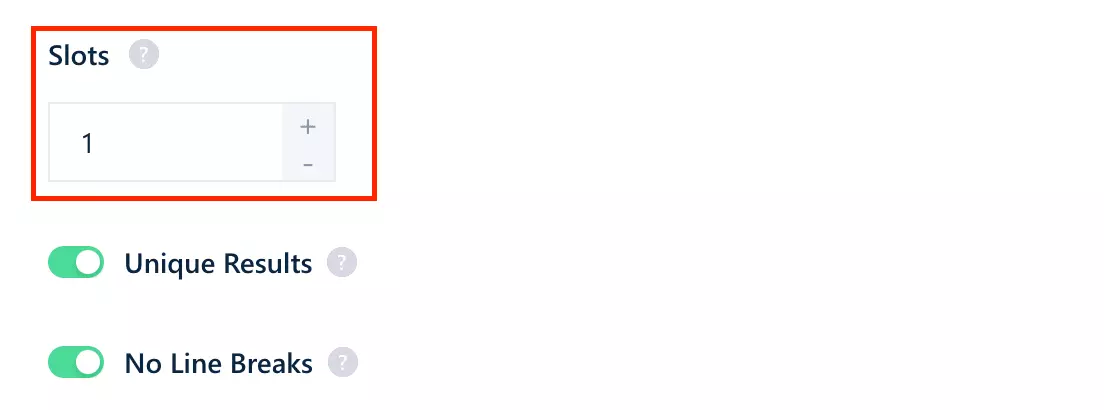
Think of each one as an extra bot joining the job. Add more, and multiple bots work through your tasks simultaneously, cutting down the total time significantly.
One thing to factor in: turning on Get Listing Details adds extra time per listing, since every result requires an individual page visit to collect the deeper data.
Customer support
lobstr.io offers customer support through a live chat pop-up directly on the website.
It's one of the things users consistently highlight. The support team is known for being quick to respond, technically capable, and actually useful.
Best for
lobstr.io is best for automotive data teams, market researchers, and lead gen agencies who need deep, clean vehicle data across multiple segments, at scale, without manual cleanup.
Not the right fit if you just need a quick, one-off snapshot of basic listings.
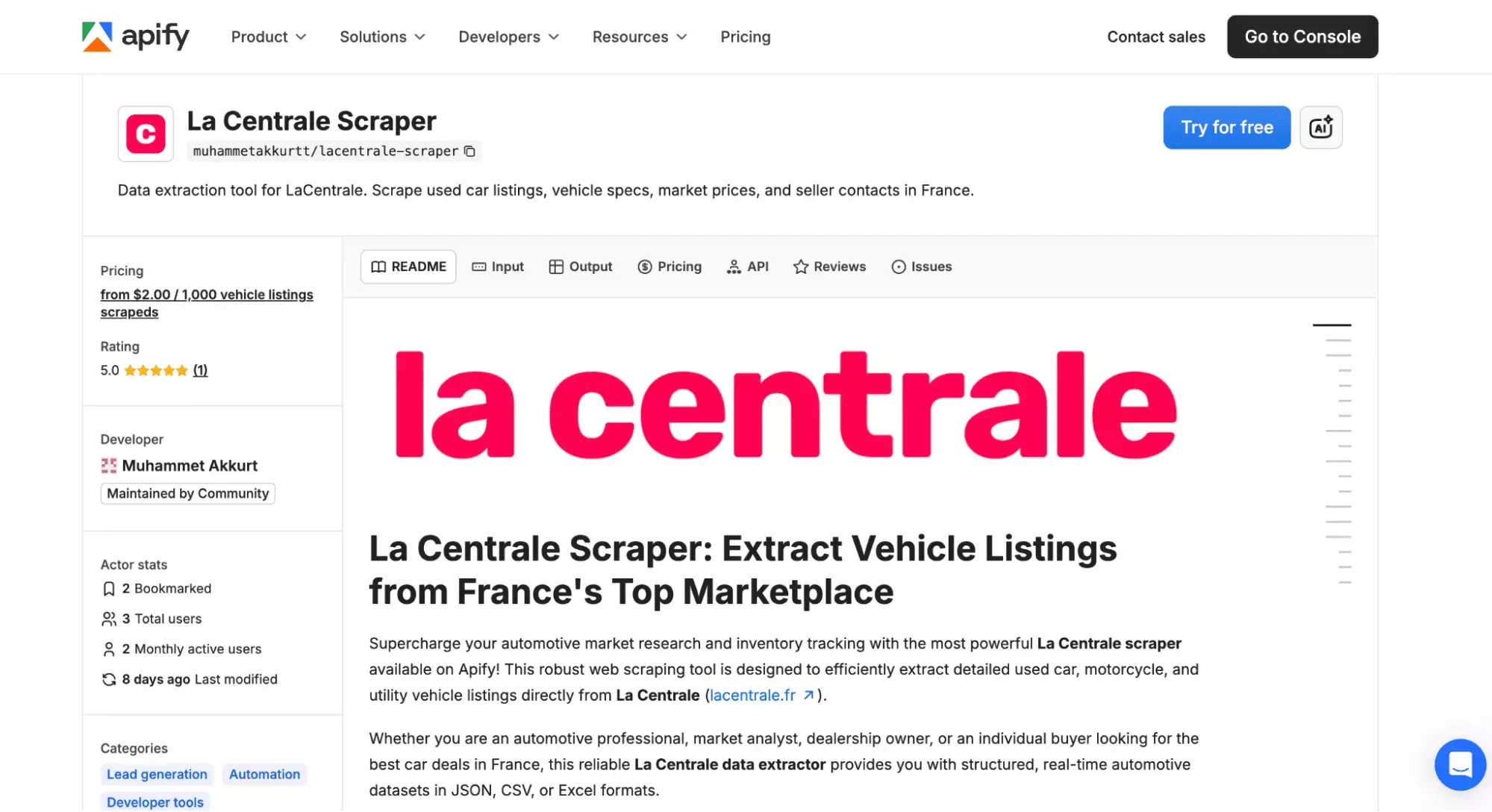
2. Apify
| Pros | Cons |
|---|---|
| Fastest speed | Limited data fields |
| Pay-as-you-go | Messy, nested output |
| $5 free credits | Weak filtering |
| More export formats | Recency filter: 24h or 7 days only |
| Make, Zapier, n8n integrations | Expensive at scale |
| Exclusive priceDropLimitDate | No seller or vehicle detail data |
Key features
- 44 data fields including exclusive priceDropLimitDate
- Pay-as-you-go: no subscription required
- Schedule recurring scrapes
- Cloud-based, no installation needed
- Export to CSV, Excel, JSON, and more
- Integrates natively with Make, Zapier, and n8n
Data
Apify returns 44 distinct data points.
| 📜 autoviza | 🛡️ constructorWarrantyDate | 📞 contacts/displayPhone1 | 📞 contacts/displayPhone2 | 👤 contacts/nomPublie | 👥 customerFamilyCode |
| 🆔 customerReference | 👤 customerType | 📏 delivery/distanceMax | ✅ delivery/isActive | 💰 delivery/prices | 📅 firstOnlineDate |
| 🏷️ goodDealBadge | ✨ isNew | 🔄 lastUpdate | 🌍 location/country | 📍 location/visitPlace | 🛡️ manufacturerWarrantyDuration |
| 🆔 ownerCorrelationId | 📷 photoUrl | 📱 photoUrlMobile | 🔄 pictures360Exterieur | 🖼️ picturesCount | 📅 picturesCountDate |
| 🌐 picturesPhotosphere | 💰 price | 📉 priceDropLimitDate | 📢 publicationOptions | 🔖 reference | 📂 vehicle/category |
| 🏷️ vehicle/commercialName | 📋 vehicle/detailedModel | 🚪 vehicle/doors | ⚡ vehicle/energy | 🎨 vehicle/externalColor | 👨👩👧 vehicle/family |
| 🔄 vehicle/gearbox | 🏭 vehicle/make | 🛣️ vehicle/mileage | 🚗 vehicle/model | 🔧 vehicle/motorization | ⚙️ vehicle/trimLevel |
| 🔢 vehicle/version | 📅 vehicle/year |
It tells you when a seller's price reduction expires. lobstr.io doesn't have this at all. For anyone tracking urgency signals or studying pricing behavior, it's a genuinely useful find.
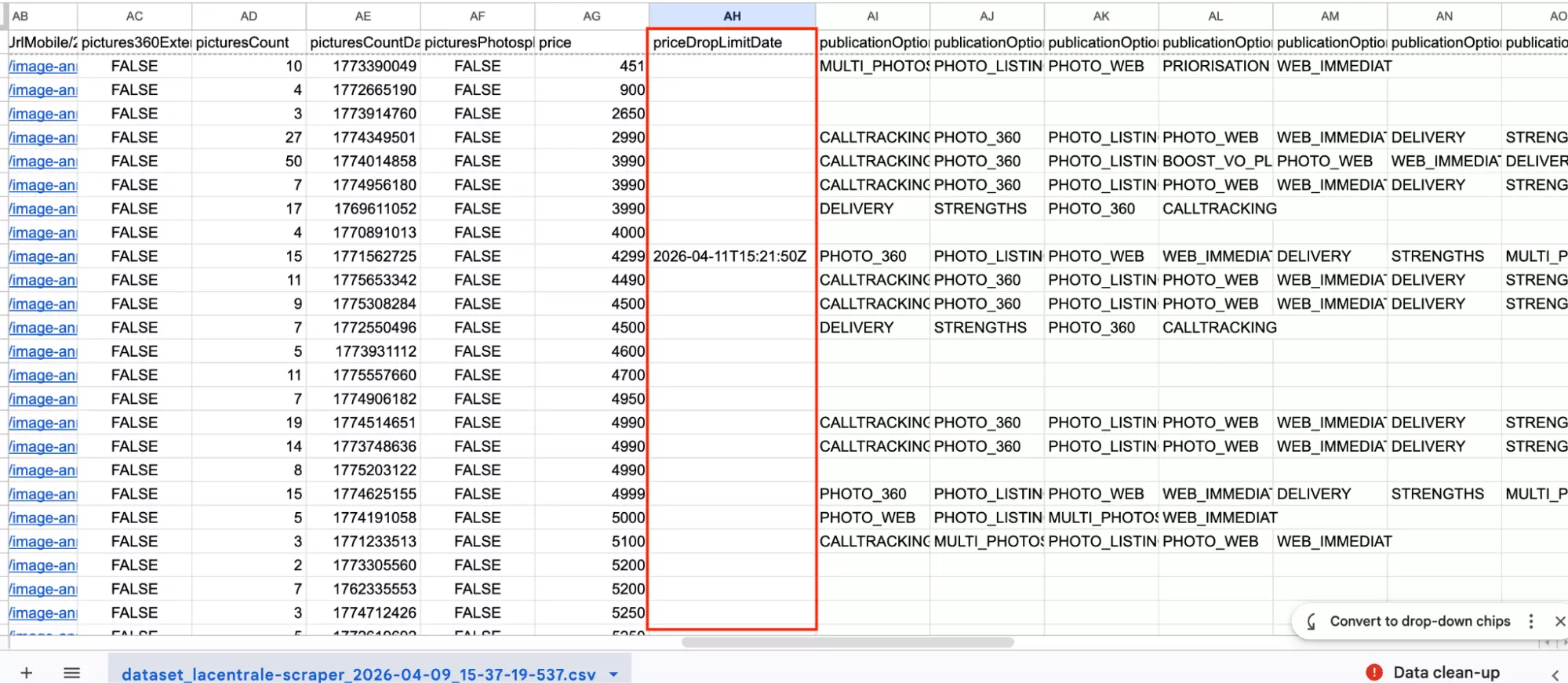
But one exclusive field doesn't make up for what's missing elsewhere.
There are no technical specs. No engine power, cylinder capacity, CO2 emissions, critair level, or euro standard anywhere in the output.
There's no vehicle history either. No ownership count, first traffic date, or average mileage for year.
And on the seller side: no verified status, no address, no seller category, no equipment list, no warranty end date.
Great if you just need to know a car exists. Not so great if you need to do anything with it.
There's also a structural issue. The data isn't clean out of the box.
If a listing has 12 photos, you get 12 separate columns, most of them empty.
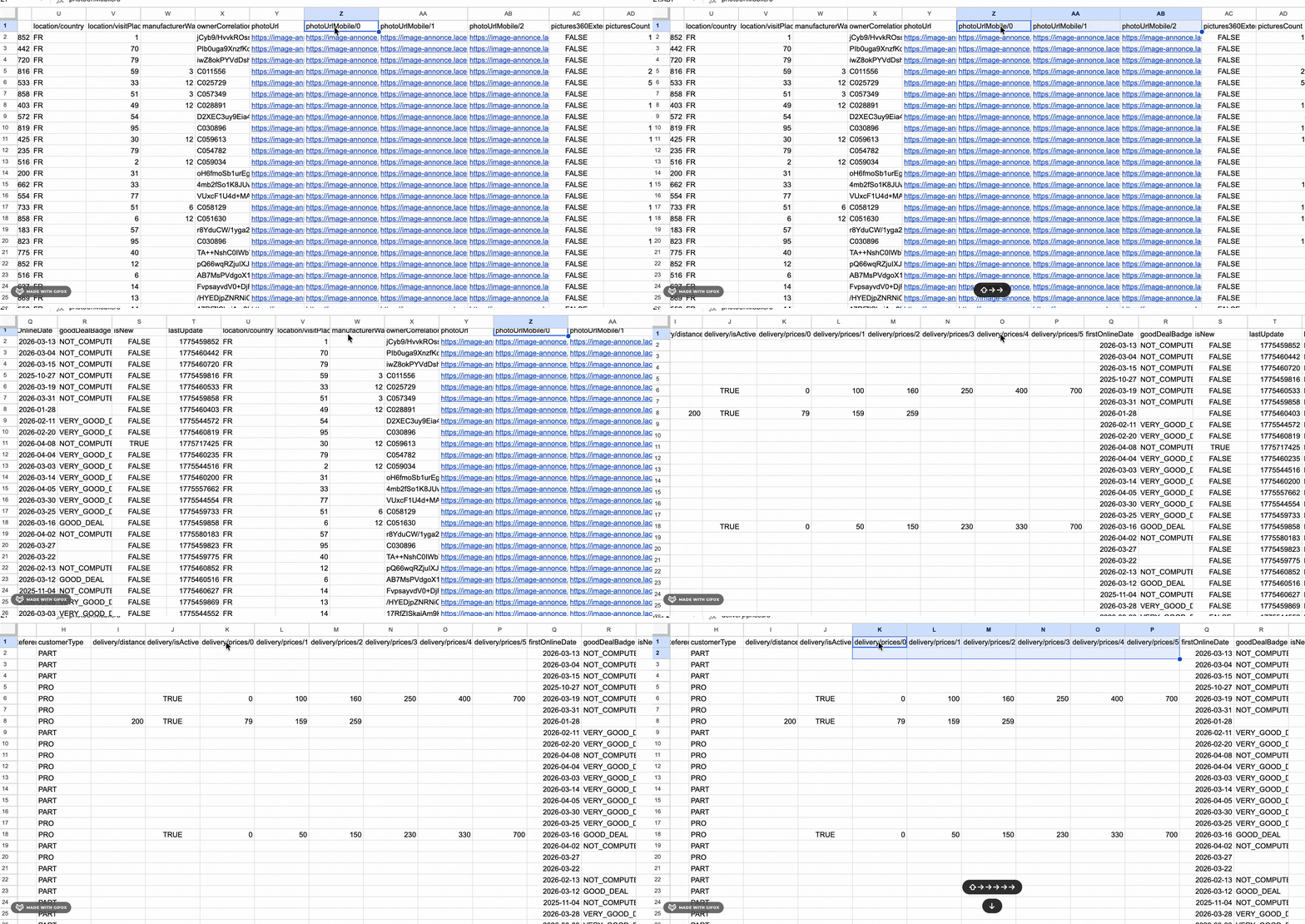
Before any analysis, you'll likely need to reshape and rename columns. That's extra work lobstr.io's flat output simply doesn't require.
Price
Apify runs on a pay-per-result model. You're only charged for what you scrape, not for using the platform.
The rate you pay depends on your Apify subscription tier.
- $5.00 per 1,000 results — no subscription (pay-as-you-go)
- $4.00 per 1,000 results on the Starter plan
- $3.00 per 1,000 results on the Scale plan
- $2.00 per 1,000 results on the Business plan
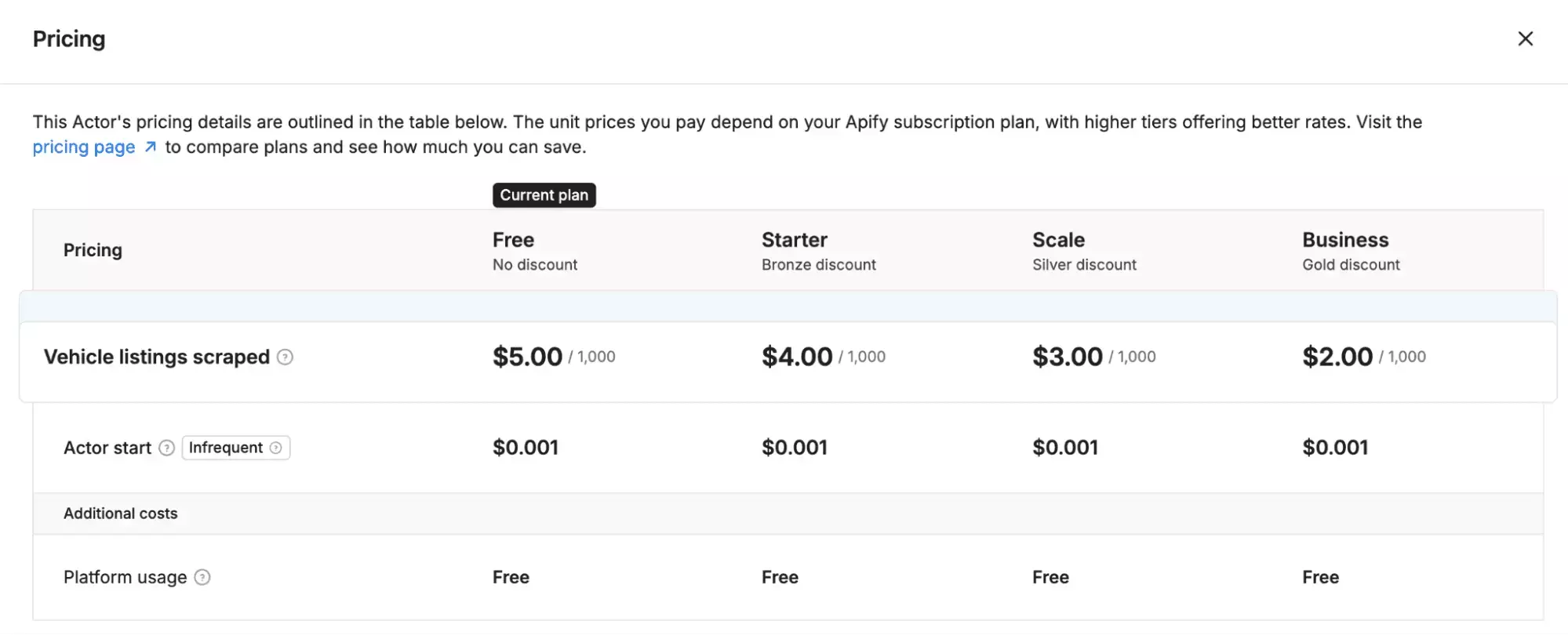
You get $5 worth of free credits when you sign up. Once those run out, you pay based on the tier above.
Compared to lobstr.io, Apify's entry point is lower: no subscription commitment, and $5 in free credits to get started.
But at scale, the math shifts.
lobstr.io's Team plan brings the cost down to $0.50 per 1,000 results without Get Listing Details, four times cheaper than Apify's best rate of $2.00.
Ease of use
Everything is presented on a single page at once. It feels easy to start scraping.
Structured dropdowns for core filters. Vehicle type, sort order, and recency criteria are presented as clean dropdown menus with readable labels.
Fine-grained numeric range controls. Year, mileage, and price range inputs with steppers give precise control that's easy to understand visually.
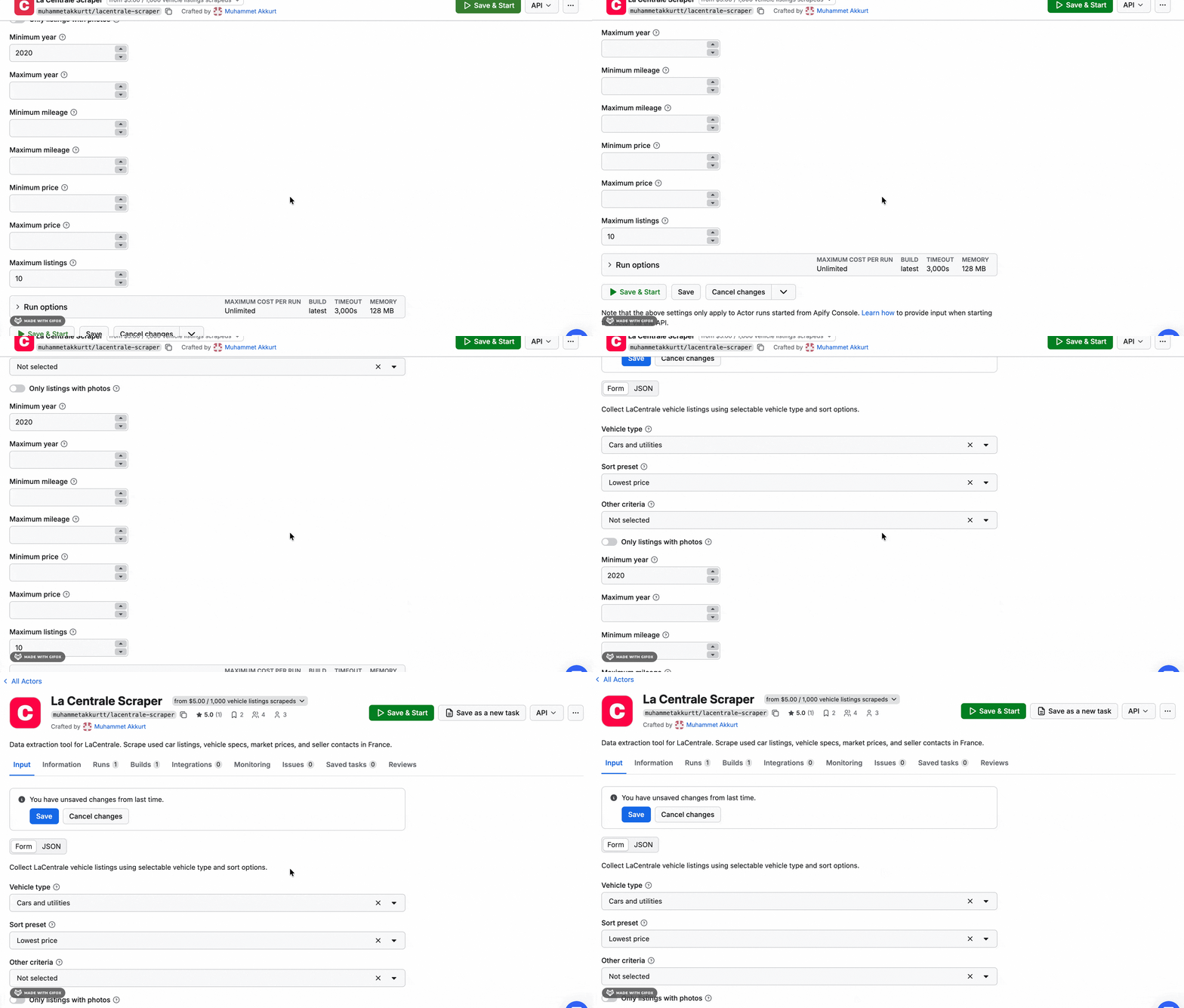
However, you can only filter what Apify decided to expose. This is the biggest limitation.
When you search on LaCentrale directly, you can filter by region, make, model, body type, fuel type, transmission, color, seller type, and more.
Apify's interface covers only a fraction of these.
If your target dataset requires any combination of those unlisted filters, you're stuck. You'll have to over-scrape and clean the data yourself.
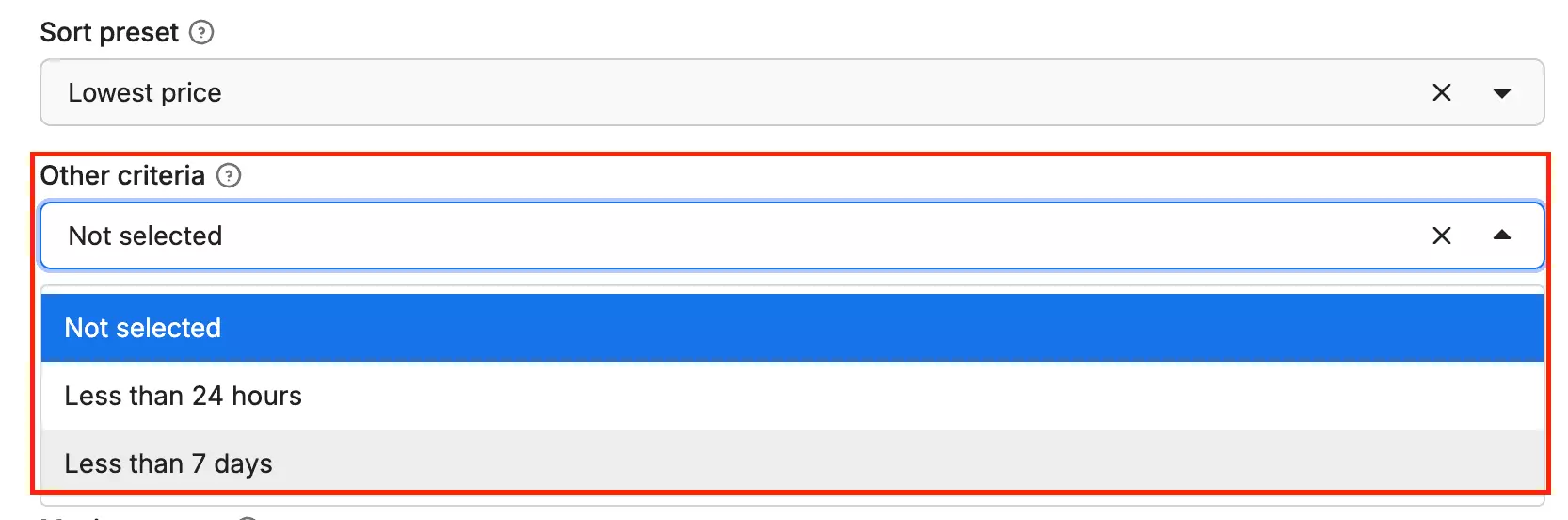
Apify's recency filter gives you two options: less than 24 hours, or less than 7 days. Bold of them to call that a filter.
Scheduling is available for recurring scrapes.
A big win is the export options. You can export results in CSV, Excel, and more.
Compared to lobstr.io, Apify offers more export format options.
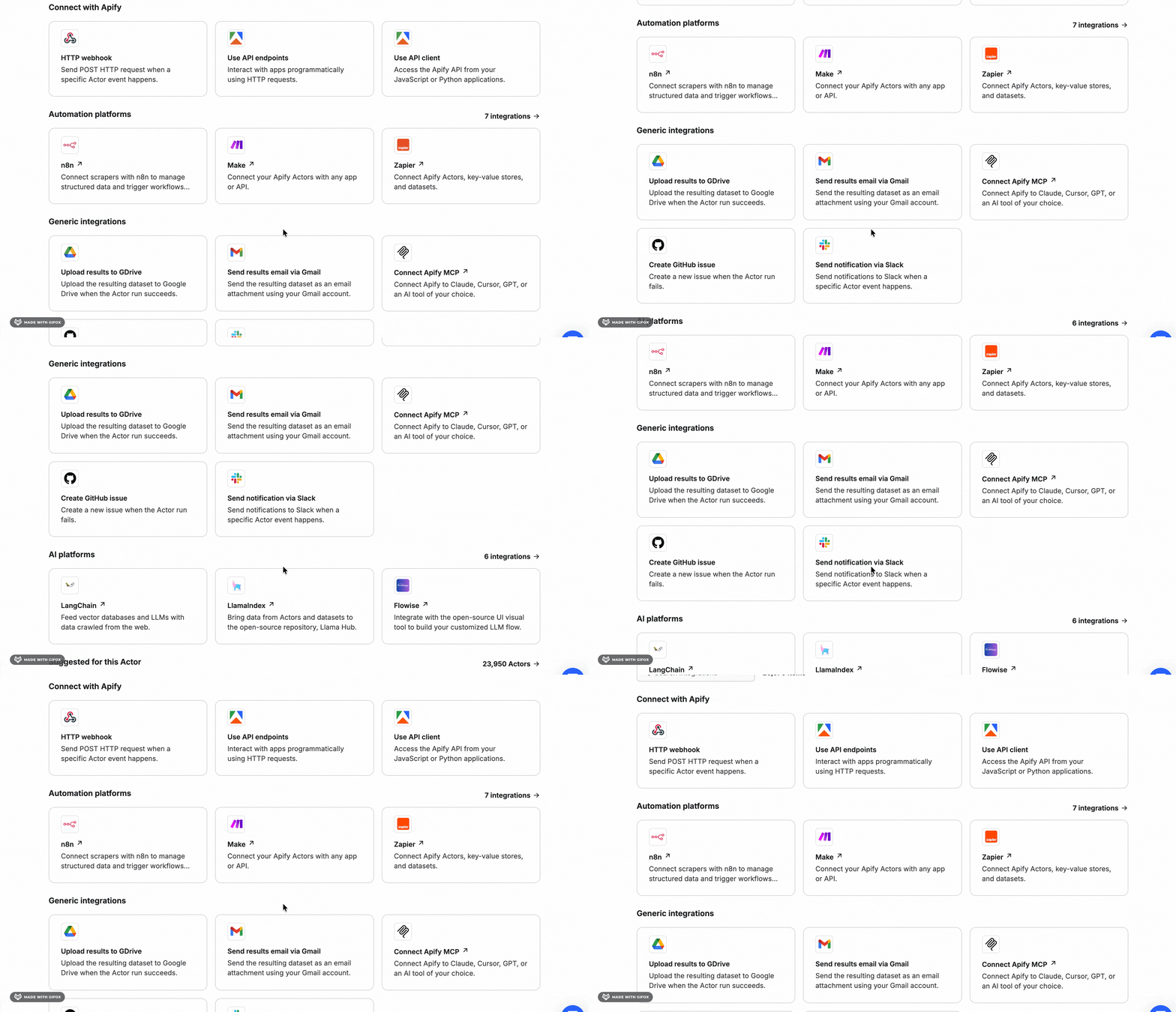
It also integrates natively with tools like Make, Zapier, and n8n, making it easy to plug your scraper into automation flows or AI pipelines.
Scalability
However, since LaCentrale caps every search URL at 347 pages, that ceiling applies regardless of what you set.
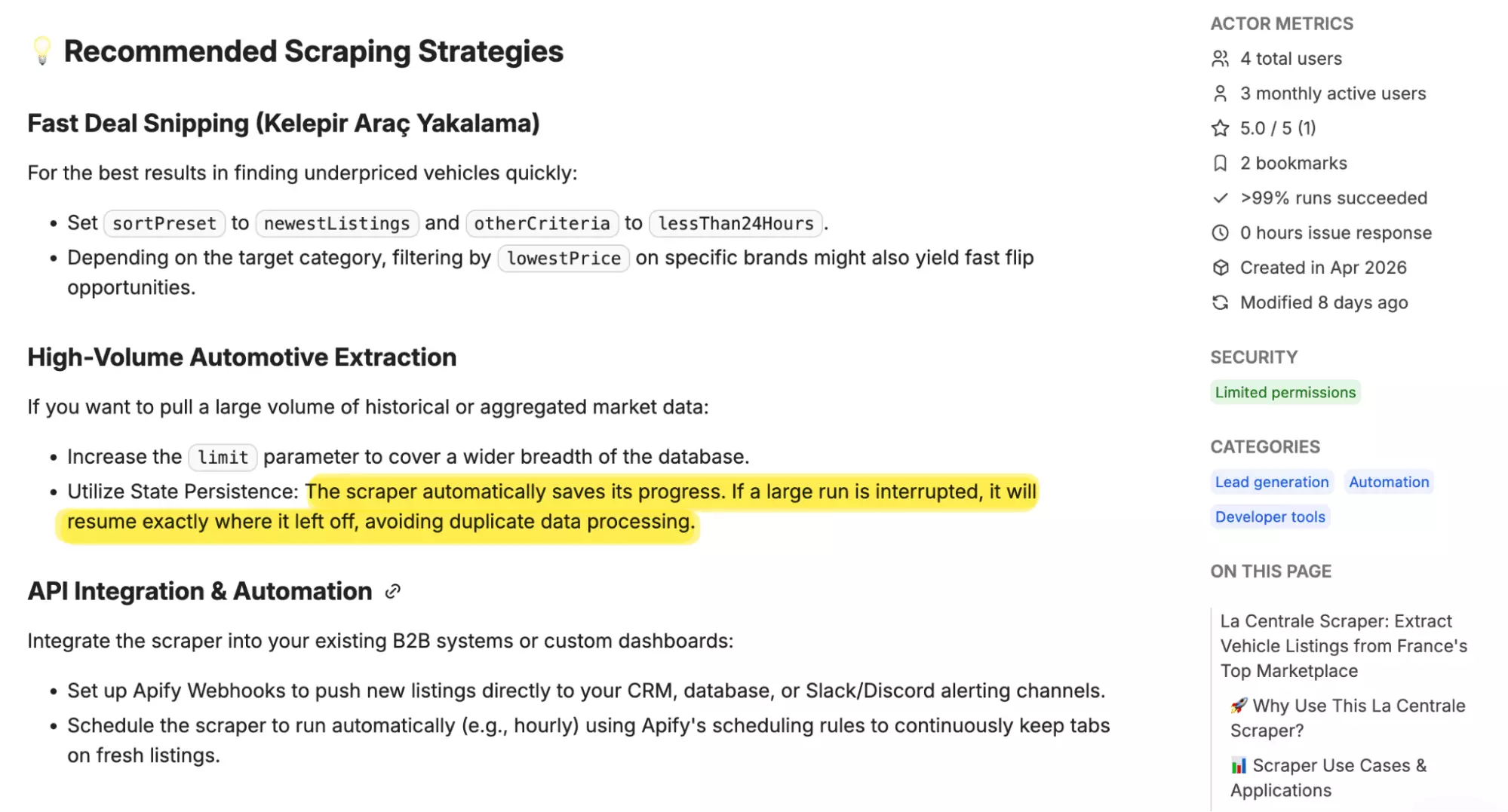
If a run gets interrupted, Apify's state persistence resumes it automatically from the same point.
Speed
Apify is fast out of the box. In my test, it collected 100 listings in just 9 seconds, no configuration needed.
Customer support
Apify provides support through live chat, a ticketing system, and a Discord community.
Worth knowing: if your issue is technical, skip the live chat and go straight to creating a ticket.
The live chat team handles general queries well, but technical troubleshooting is better handled through the issue system.
Best for
Apify is best for users who need a fast, broad feed of basic listing data for one-off or occasional scrapes, without committing to a subscription.
Not the right fit if you need to qualify vehicles, verify sellers, or build an enriched dataset.
Why isn't BrightData on the list?
BrightData also claims to support LaCentrale data collection. So I signed up to test it.
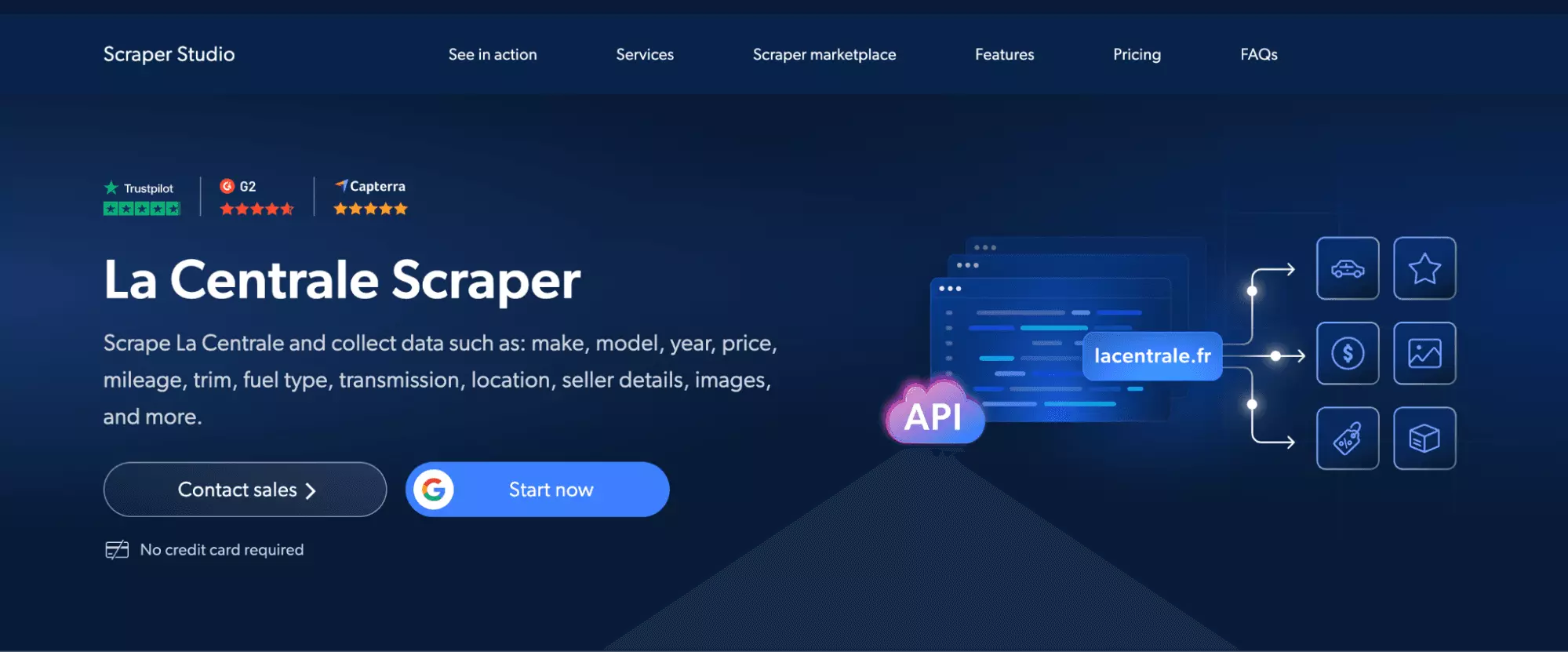
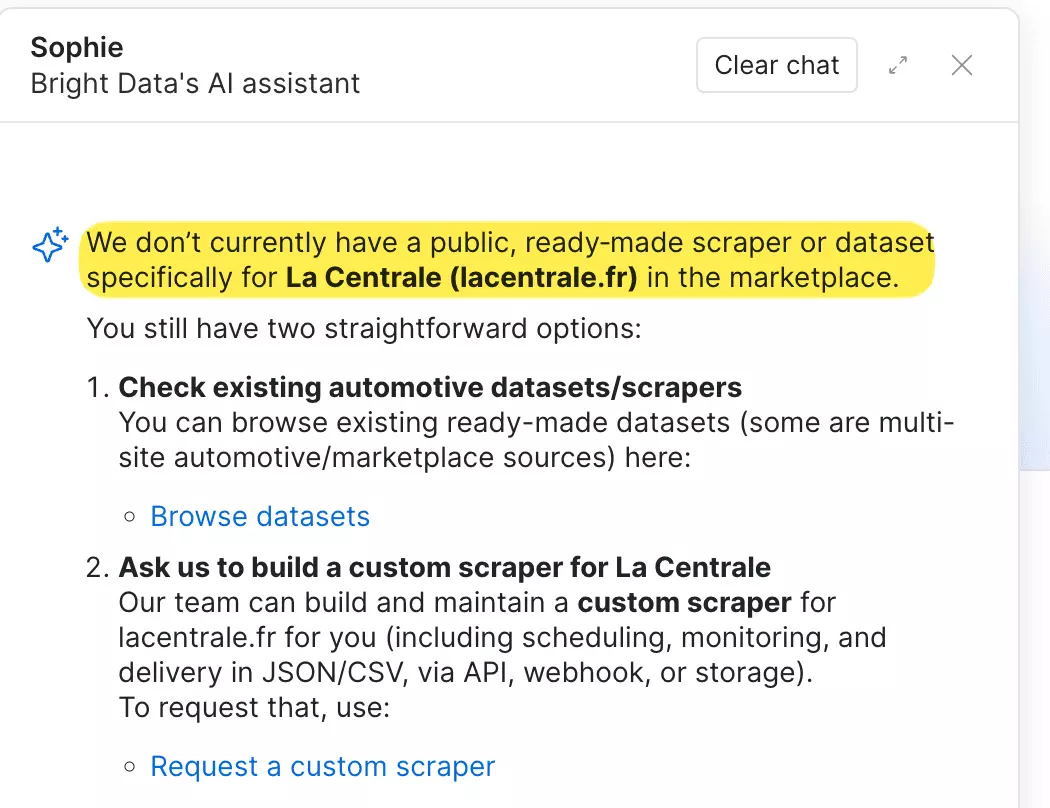
After signing up, I found out that there was no dedicated LaCentrale scraper. So I asked their own AI assistant directly.
The answer was clear: no public, ready-made scraper or dataset for LaCentrale exists.
Why isn't Octoparse on the list?
Octoparse claims to have a dedicated template for LaCentrale. So I had to try it.
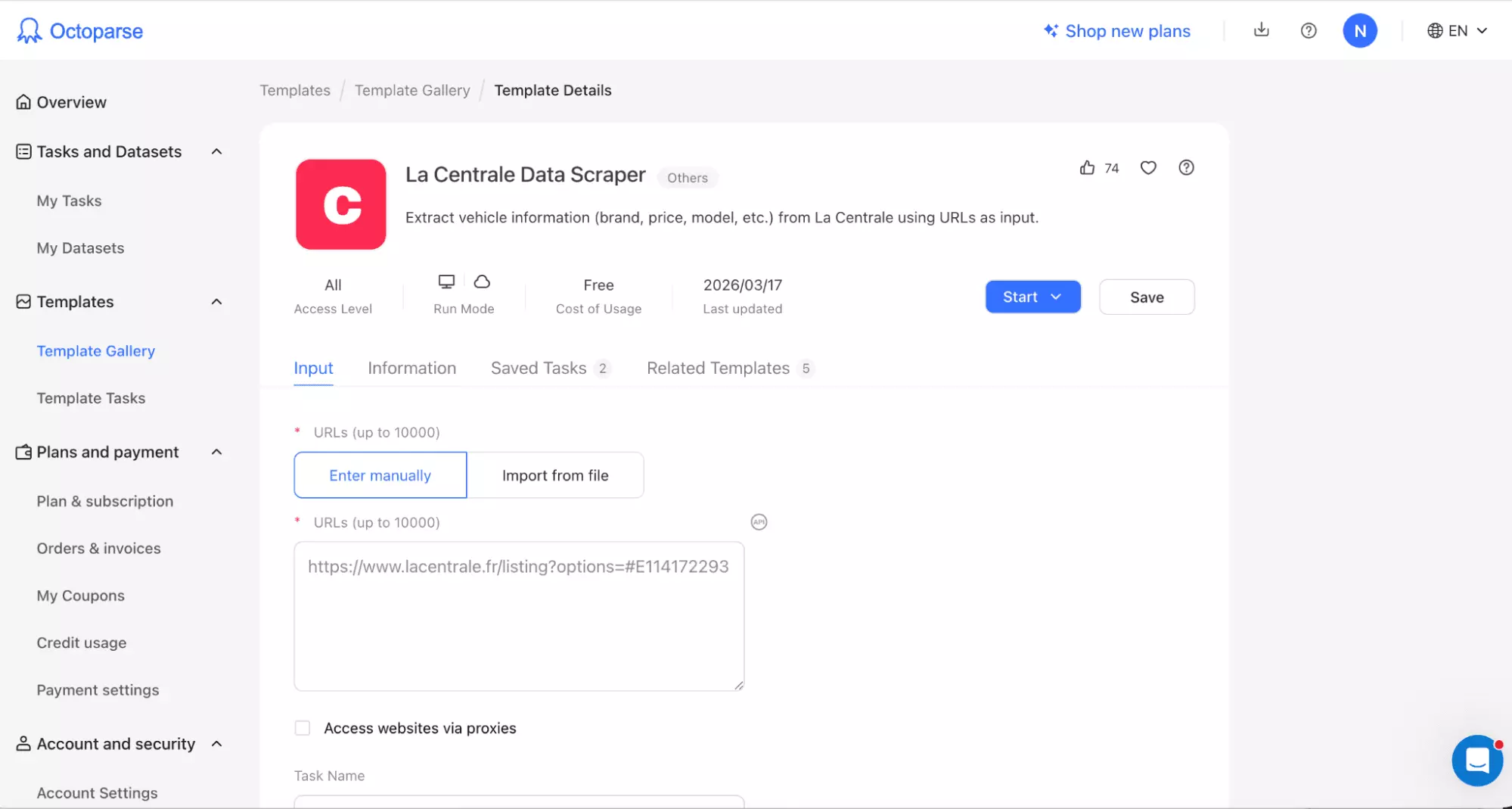
The tool ran, finished, and had nothing to show for it. No errors, no warnings. Just zero results.
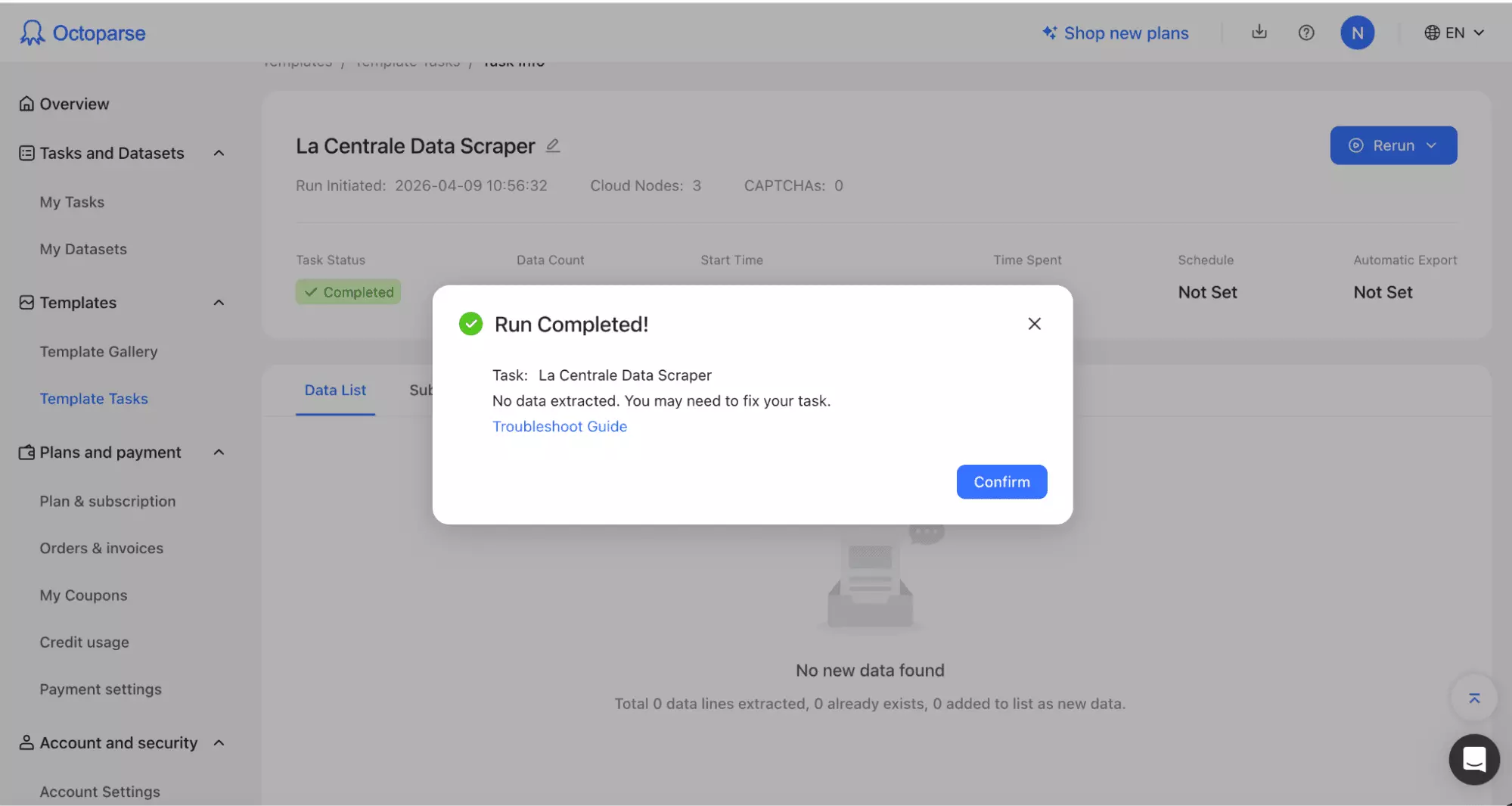
Honestly, I wasn't surprised. Octoparse is a visual scraper, and visual scrapers don't hold up on sites that require a purpose-built solution.
That's exactly why this list sticks to purpose-built scrapers.
FAQ
Does LaCentrale show different prices to bots?
LaCentrale serves manipulated data to automated requests, inflating prices by 10–20% and aging the car by a year. A purpose-built scraper handles this. A DIY script usually doesn't.
How often should I re-scrape to keep listings fresh?
Depends on your use case. For price monitoring, daily runs are enough. For lead gen on fresh listings, every few hours is more practical. Both lobstr.io and Apify support scheduling.
Can I get seller phone numbers from LaCentrale listings?
Yes. Both tools return phone data.
What's the 347-page limit and how do I work around it?
LaCentrale caps every search URL at 347 pages.
If you need more results, split your scrape into separate tasks for different regions, makes, or price ranges. Each URL gets its own 347-page allowance.
Can I scrape LaCentrale for a specific region or make only?
With lobstr.io, yes. Apply your filters on LaCentrale's website and paste the URL. Region, make, model, and more are all respected.
With Apify, no. Its dropdowns don't include region or make. You'd have to scrape broadly and filter the data yourself afterward.