Best Outscraper Alternatives in 2026 for Web Scraping at Scale
Outscraper is one of the most popular scrapers out there. Especially if you're looking for Google Maps, Google Reviews, or Google Search scraping tools.
Most people find it as their first option. They try it. It works for a few tasks. Then reality hits.
The costs start stacking up out of nowhere. The scraping speed is painfully slow. And the UI... looks like a side project built by a teenager in 2010.
So you start looking for alternatives.
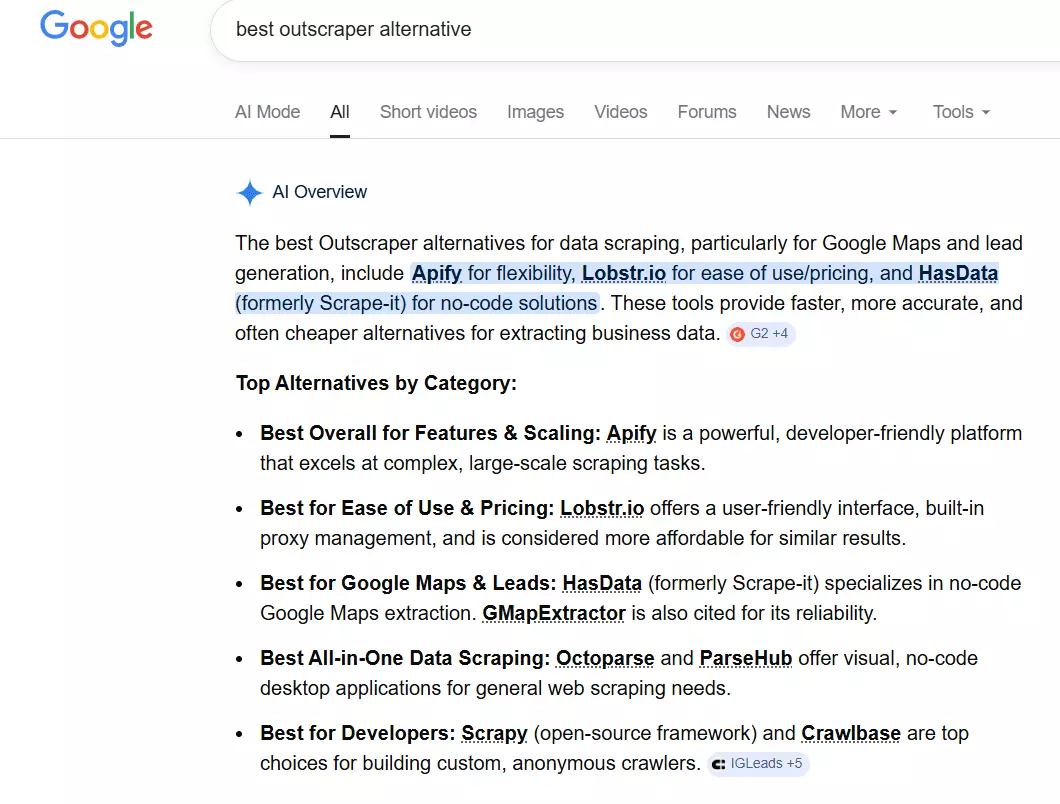
And you land on garbage. AI-generated listicles with no real testing. Reddit threads recommending tools nobody's actually used.
Well, as always, you end up here. And as always, I've done the homework for you. I’ve done a detailed comparison of 1 best and 2 really great Outscraper alternatives.
Here's how the best alternative stacks up against Outscraper:
| Category | Lobstr.io | Outscraper |
|---|---|---|
| Data quality and quantity | 💯 | 👍 |
| Scraper library | 20+ scrapers, 14+ platforms | 50+ scrapers, mostly Google + e-commerce |
| Cost per 1k results (starting) | $2 | $3 |
| Cost per 1k results (at scale) | $0.5 | $1 |
| Overage charges | No. Scraping stops at 0 | Yes. Goes into negative balance |
| Speed | 200+ results/min, scalable up to 50x | No multi-threading, degrades at scale |
| Live console | ✅ | ❌ |
| Scheduling | Built into setup flow | Only after first manual run |
| Auto-pause on errors | ✅ | ❌ |
| Exports | CSV, JSON, Google Sheets, S3, SFTP | CSV, Excel, JSON, Parquet |
| Native integrations | Make.com (more coming) | HubSpot, Zoho, Pipedrive, Zapier, Make, n8n |
| API | ✅ | ✅ |
| Capterra rating | 5/5 | 4.7/5 |
| UI/UX | Modern, clean | Dated, scattered |
But before diving into a detailed showdown and exploring other 2 alternatives, let's break down what Outscraper actually does well... and where it completely falls apart.
Why you'd need an Outscraper alternative
A no-code web scraping platform needs to deliver on 7 key pillars to actually be worth your time and money.
- Data
- Cost and scale
- Speed
- Ease of use
- Sustainability
- Support
- Integrations and data exports
Here's how Outscraper scores:
| Criteria | Outscraper's performance |
|---|---|
| Cost and scale | ❌ Expensive and confusing |
| Data | ⚠️ Good for some scrapers, weak for others |
| Speed | ❌ Painfully slow |
| Ease of use | ❌ Outdated UI, no live tracking |
| Sustainability | ✅ Core scrapers are stable |
| Support | ✅ Fast and helpful |
| Integrations and exports | ✅ Solid, just poorly marketed |
Three and a half wins. Three and a half failures. And the failures happen to be the things that matter most when you're actually scraping data at scale.
Let me first address what works well.
Where Outscraper performs well
Support
This is their genuine strength. Users on Trustpilot consistently praise the support team.
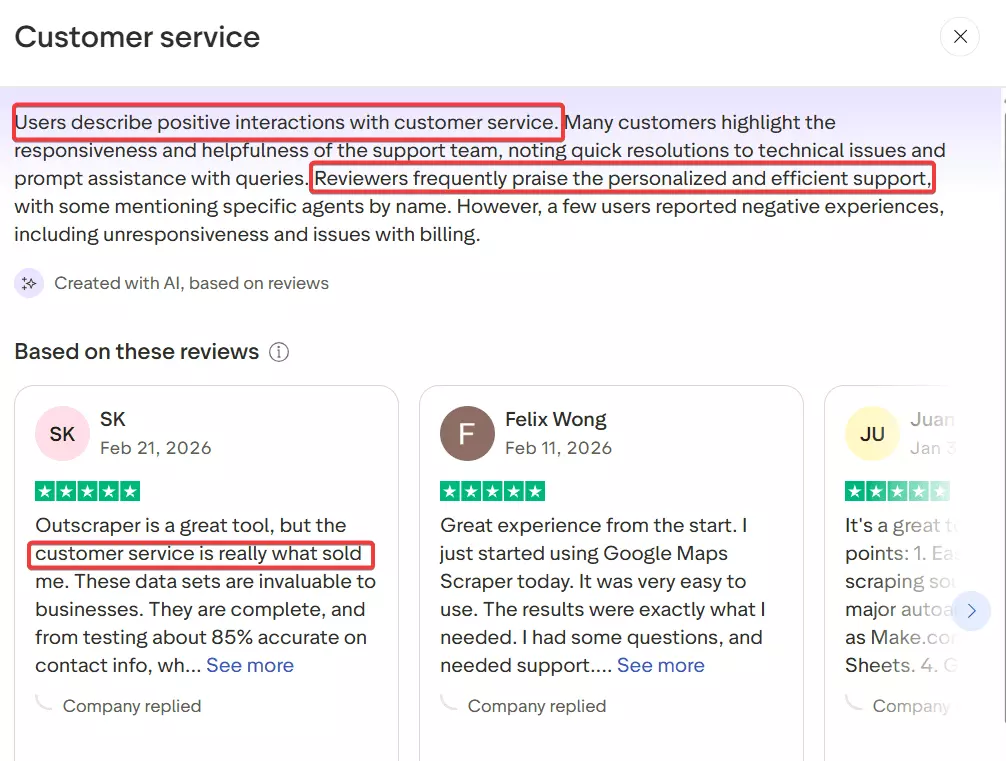
Responses are fast, usually within minutes during business hours, and the team actually understands the product.
Integrations and data exports
Outscraper connects with quite a good number of platforms including HubSpot, Zoho, Pipedrive, and automation platforms like Zapier, Make, and n8n.
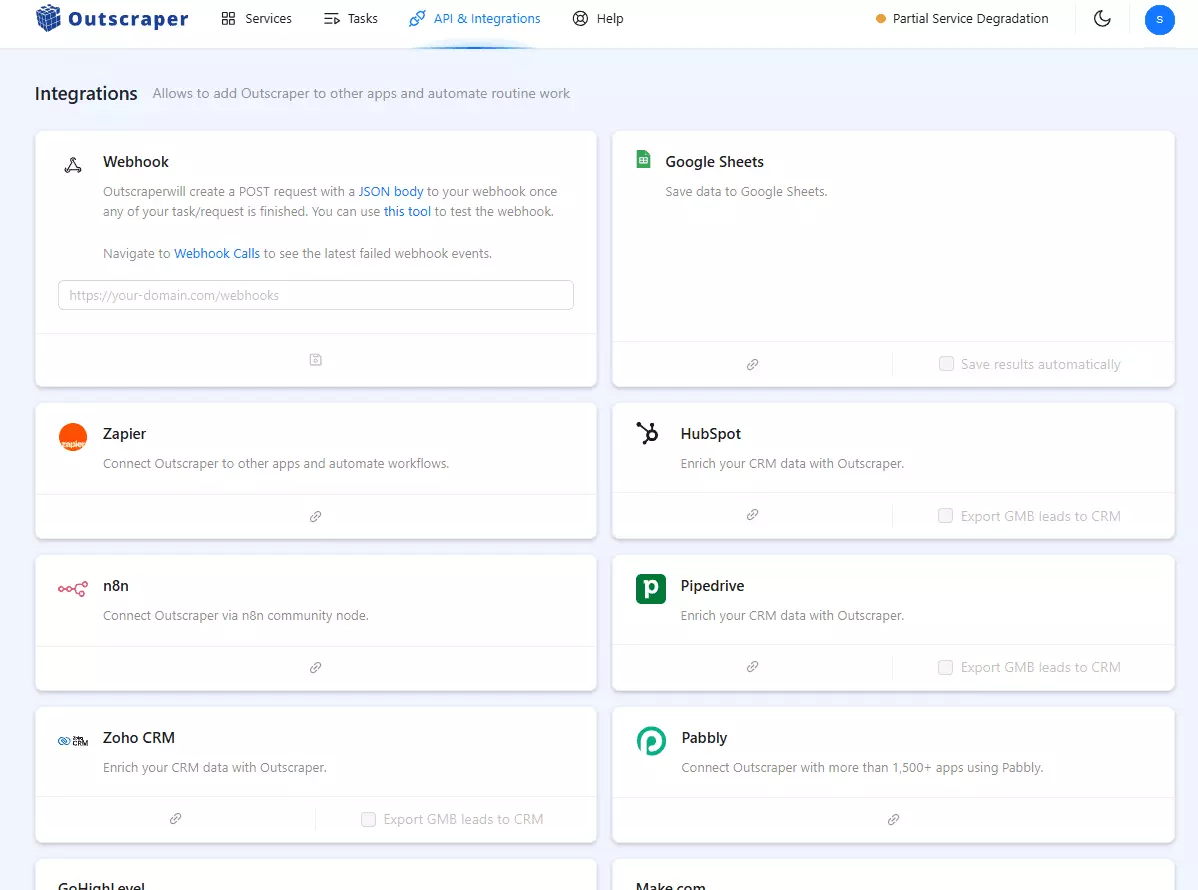
You get API access with SDKs for Python, PHP, Node, Go, Java, and Ruby. Exports come in CSV, Excel, JSON, and Parquet.
It's a solid setup... you just wouldn't know any of this from their website because it's barely marketed. Most of the integrations are buried in docs.
Sustainability
It's mostly sustainable. The scrapers are well maintained, and I've personally never experienced a lot of downtime... except a few times.
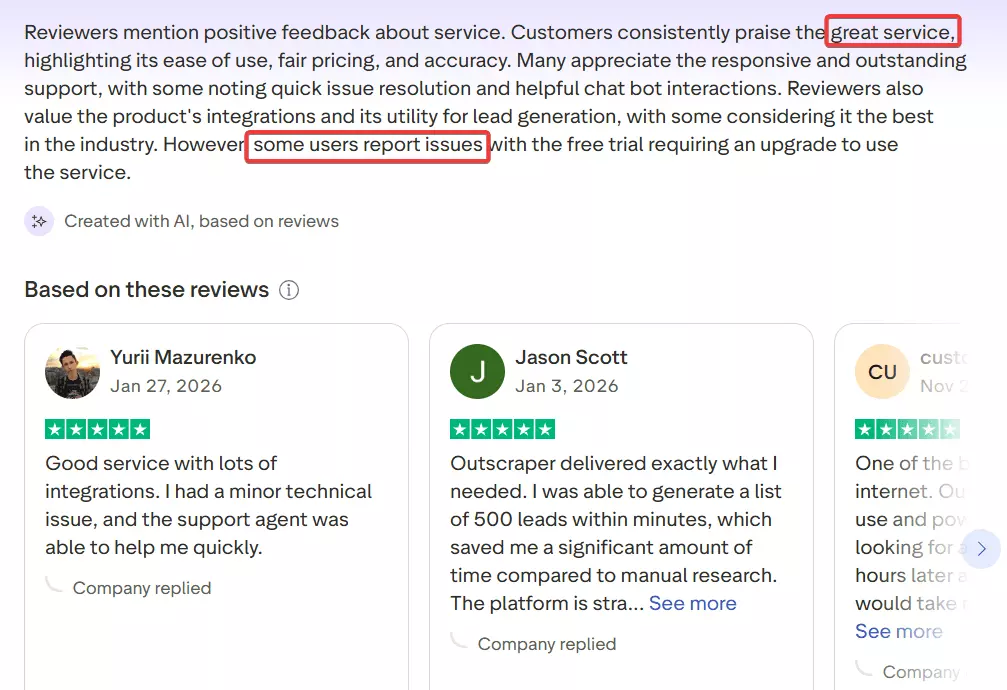
User reviews confirm this too. So it's safe to say Outscraper's service is well-maintained and reliable enough to count on.
The only thing I don’t like is that there's no auto-resume, no error recovery. If jobs fail mid-run, you have to manually retry.
Where Outscraper fails badly
Cost
Outscraper offers pay-as-you-go payment flexibility which indeed looks great at first.
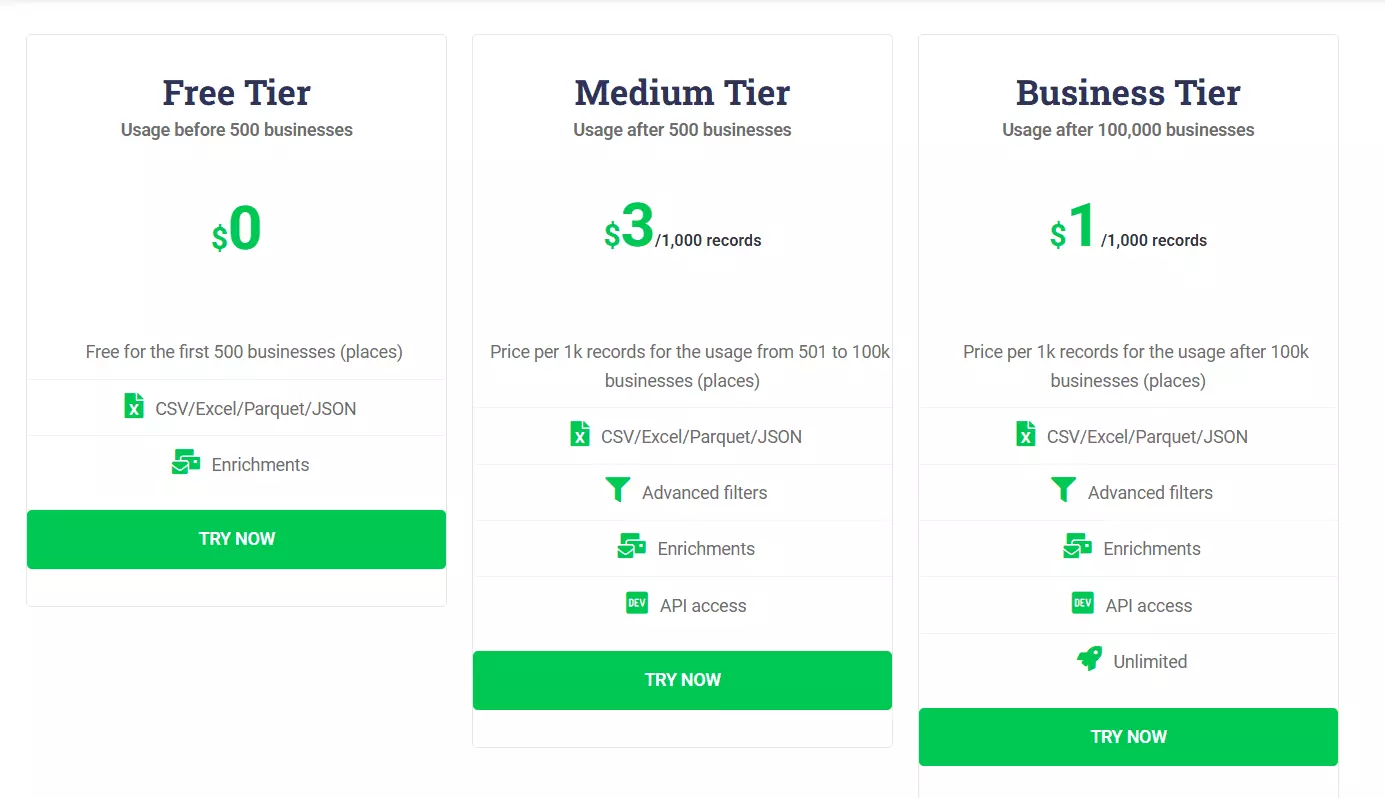
It starts at a fixed rate of $3 per 1,000 results for most scrapers and drops to $1 per 1,000 at scale.
But that's for basic data only.
You'll end up chaining multiple scrapers to get the data other services offer you in a single crawler... and you're now paying extra to Outscraper for the same data.
Let's take the example of Google Maps scraper.
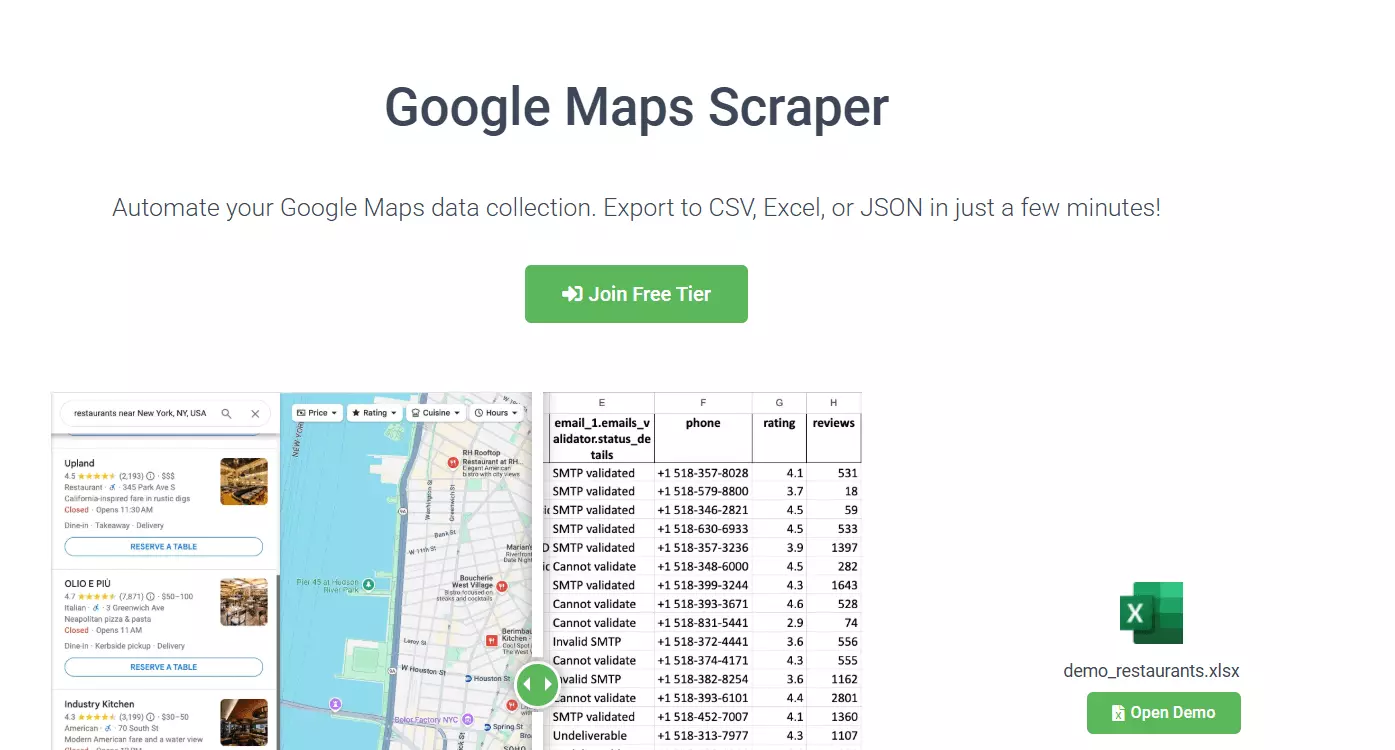
- Want basic Google Maps listings data? $3 per 1,000 listings.
- Need emails too? Another $3 and you'll have to chain the Emails and Contacts scraper.
- Need to validate those emails? That's another $3 and one more tool to chain.
- Need photos? That's $2 per 1,000 images. Yes, images. Not listings.
- Need reviews? The Reviews scraper costs you another $3 per 1,000 reviews.
That's $14 per 1,000 Google Maps leads with the full picture. Almost 4x the originally promoted price.
And that's not the only issue.
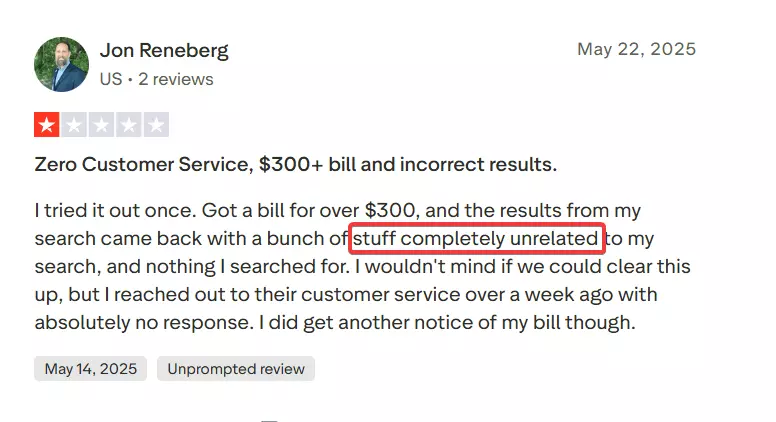
People have a lot of billing complaints. Users report surprise invoices of $200 to $300+ from runs they thought were small.
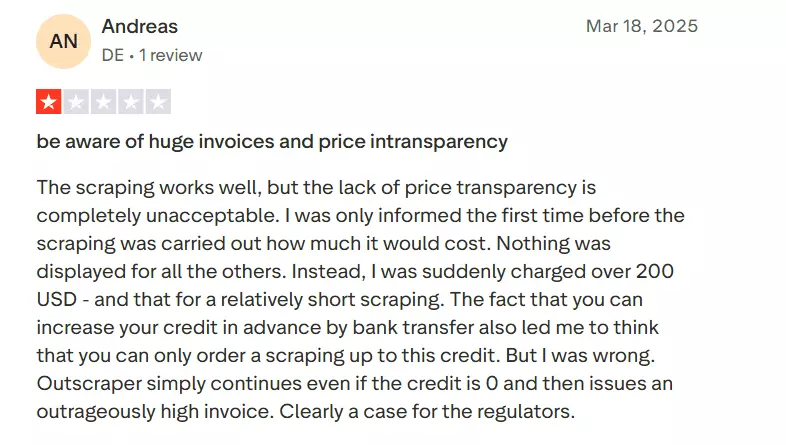
The API has no default spending limit... it keeps consuming credits past zero into negative balance and then charges you for the overage.
The core problem isn't just that Outscraper is expensive. It's that you never really know what you'll end up paying.
Speed
Outscraper is terribly slow. And I say this from my personal experience with the platform.
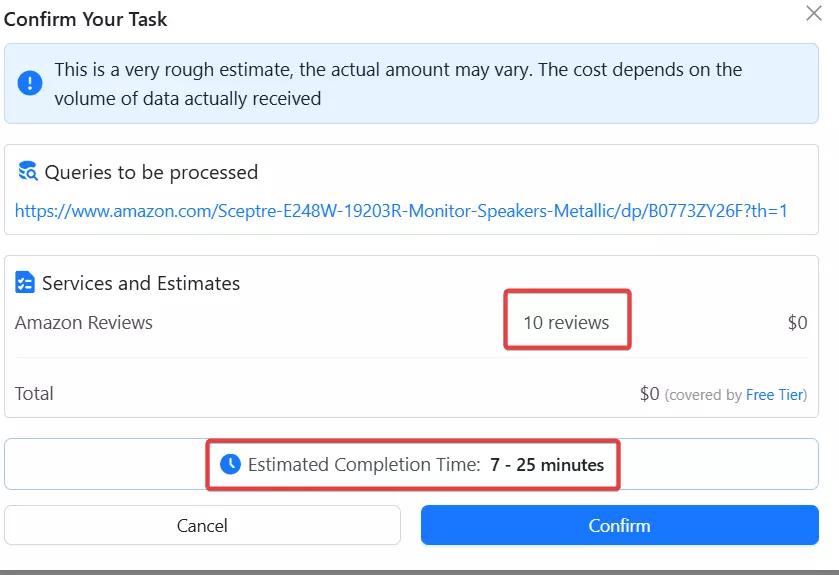
For small jobs, it's tolerable. But the moment you try to scale, it becomes a real problem. Users consistently report scraping times degrading as volume increases.
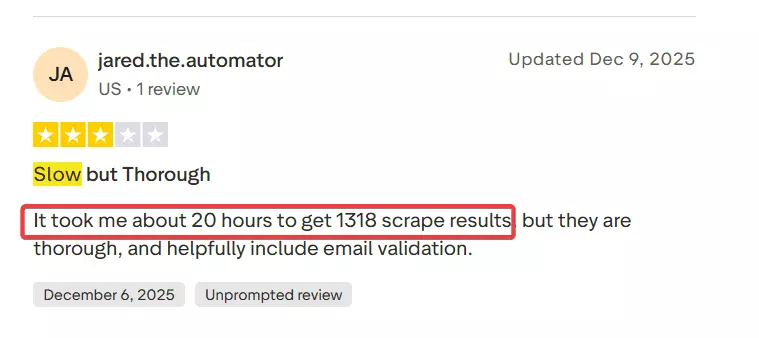
And there's nothing you can do about it. No multi-threading. No concurrent scraping. No way to speed things up on your end.
You're stuck with whatever pace Outscraper decides to give you.
Ease of use
The UI is fully scattered.
It feels like they built an MVP-level interface back in the early days and just... decided to keep it.
Most of the navigation is manual clicking through pages that could easily be handled via redirects. You're constantly hunting for things.
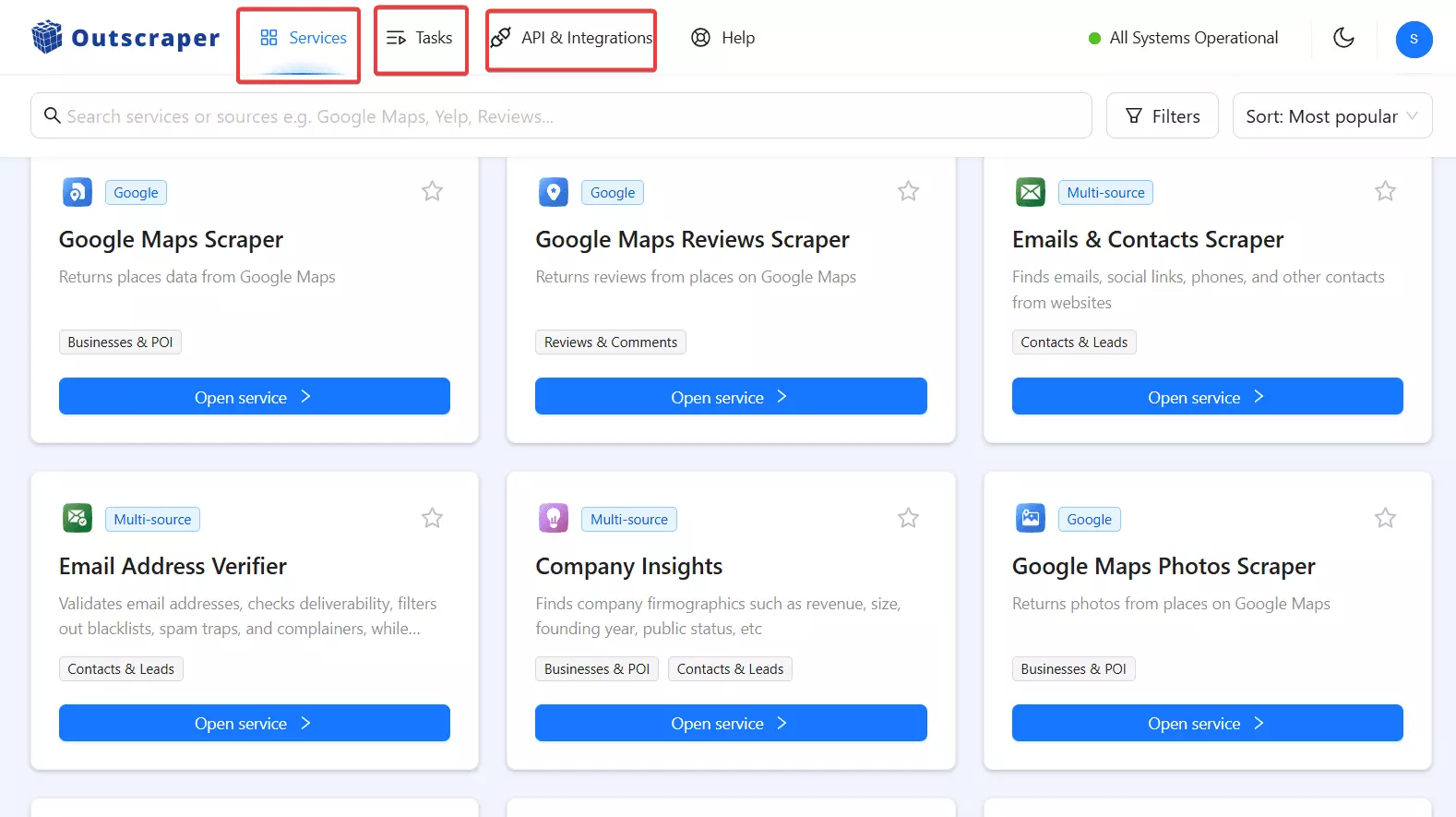
The input section is fine. It works. But everything is cluttered into a single page, which overwhelms you the moment you try to do anything beyond a basic scrape.
The real struggle starts after you hit run.
Features are hidden in places you wouldn't expect. Want to schedule a job? Good luck finding it. It's buried somewhere in the tasks section, completely separate from your input section.
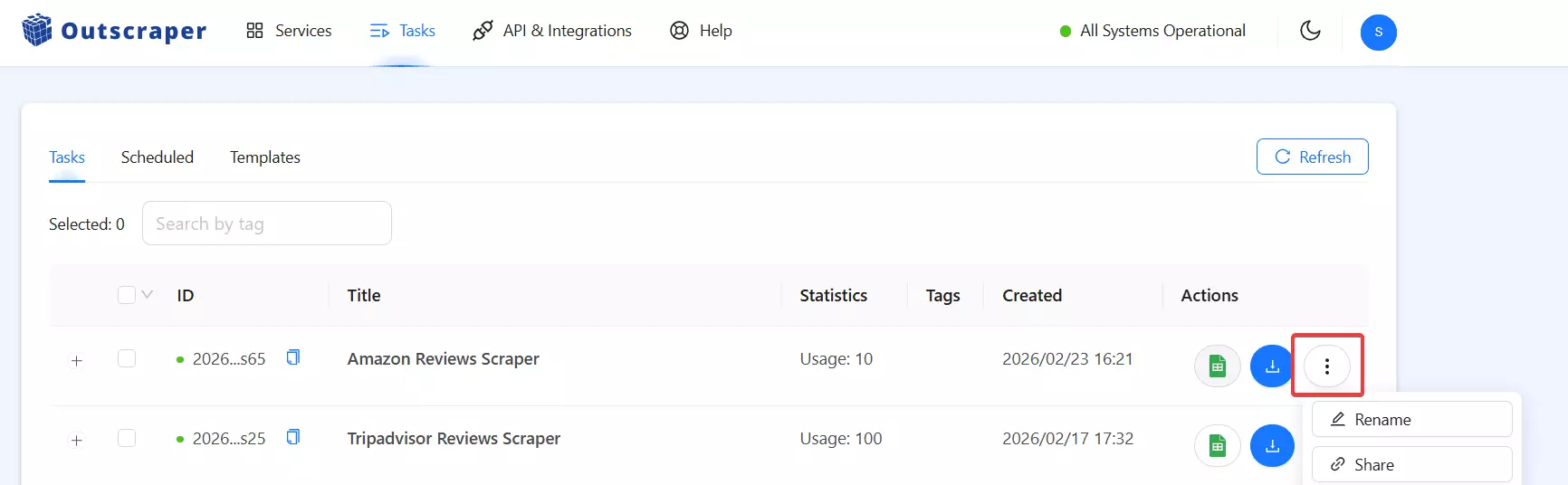
And here's the kicker... you can't schedule a job before running it once manually. You have to run it first, then go find the scheduling option somewhere else.
There's no live console or progress tracking. You start a run and that's it. No progress bar, no ETA, no result count.
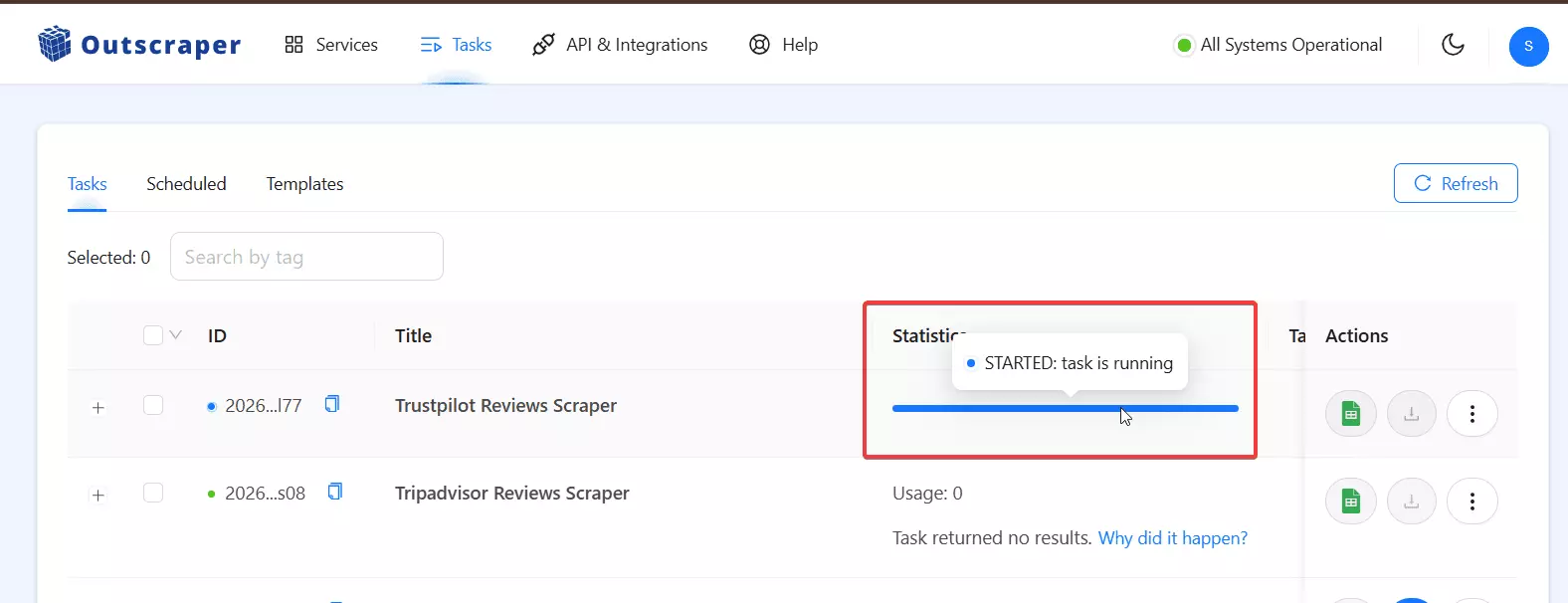
You just keep refreshing the page every few minutes to check if it's done or still running.
Overall, the UI feels dated. It "works"... but that's about the nicest thing you can say about it.
Data
It's a mixed bag. The Google Maps scraper delivers solid data... good coverage, accurate business details, and enough fields to work with.
But step outside Google and things get inconsistent. For example, Trustpilot Reviews Scraper gives you less than 10 meaningful data fields.
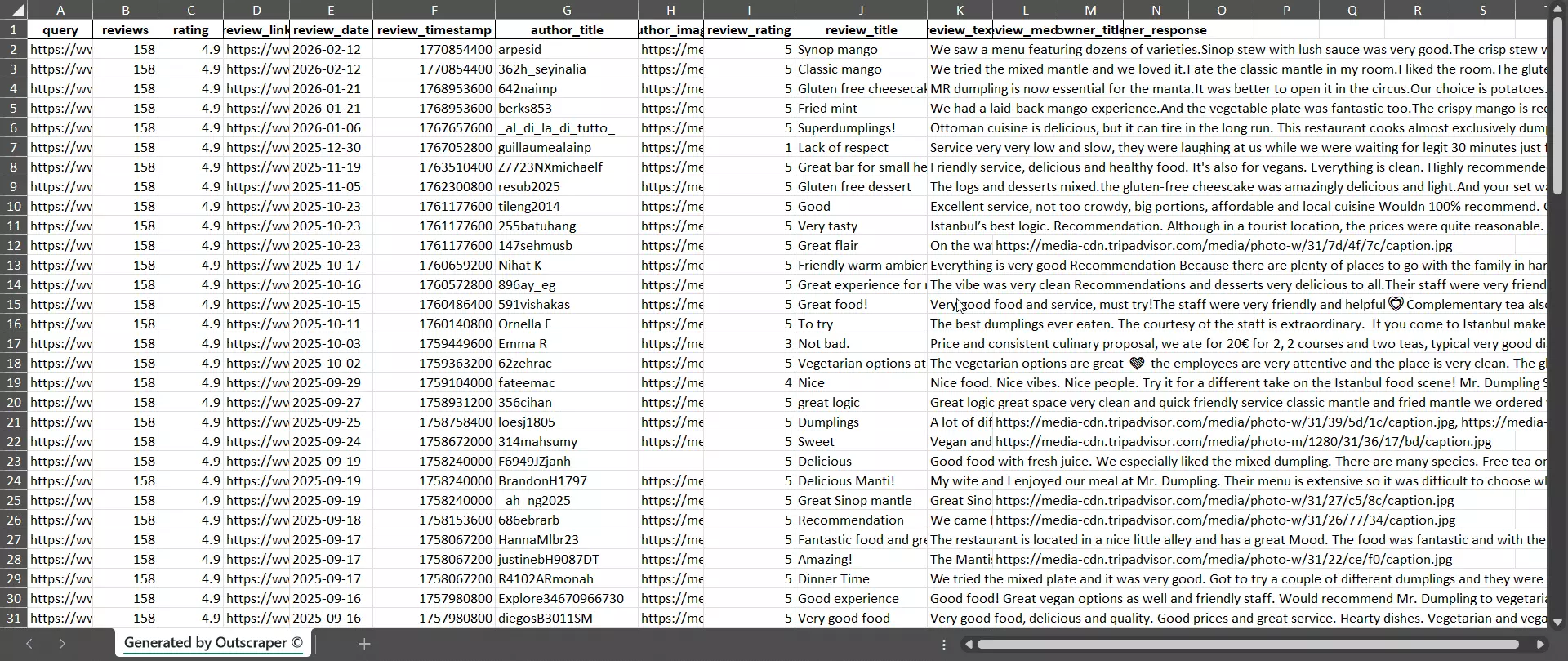
Some users have reported getting results completely unrelated to their search query.
The data is good where Outscraper is focused. It's just not good everywhere.
How I shortlisted the best Outscraper alternatives
I didn't just search "Outscraper alternatives" and pick whatever showed up first.
I evaluated every tool against the same 7 pillars. Here's what I looked for:
Data. I shortlisted scrapers that offer more data than Outscraper, with better quality and more consistency across different platforms.
Cost and scale. I ditched scrapers that were too expensive once I normalized the cost to actual dollars per 1,000 results. Not marketing pricing. Real pricing.
Speed. Speed is a big killer in Outscraper. So I chose scrapers that are significantly faster.
Ease of use. I went with tools that have a modern, user-friendly interface. One-click access to all features without cluttering everything into a single overwhelming page.
Sustainability. I checked how often the scrapers crash, what's their recovery time, what happens when a run stops due to an error, and how they handle data collection at scale.
Support. I checked what users say about customer support and what mediums they offer... live chat, email, community forums, etc.
Integrations and data exports. I checked if the scrapers offer necessary integrations, data export options, and API access.
Most tools didn't survive the filter. Some were too expensive. Some were too slow. Some had great marketing and terrible products.
Only 3 made it through.
Let me give you a detailed overview of each one.
Lobstr.io: Best Outscraper Alternative
Capterra rating: 5/5
Lobstr.io is a no-code web scraping platform with 30+ cloud-based scrapers that cover Google, LinkedIn, X, Facebook, Instagram, YouTube, Trustpilot, TripAdvisor, and more.
Features
- 30+ scrapers covering 20+ platforms
- No-code interface plus developer-friendly API
- Built-in email enrichment, email validation, and phone enrichment
- Concurrent scraping with up to 45 bots per run
- Built-in scheduling for automated repeated collection
- Live console with real-time progress tracking
- Auto exports to Google Sheets, S3, SFTP, Webhook, or email
- Managed proxies and captcha solving at no extra cost
- Auto-pause and resume on errors
Let’s do a full showdown based on the 7 pillars I mentioned above.
Lobstr.io vs Outscraper
| Category | Lobstr.io | Outscraper |
|---|---|---|
| Data quality and quantity | 💯 | 👍 |
| Scraper library | 20+ scrapers, 14+ platforms | 50+ scrapers, mostly Google + e-commerce |
| Social media scrapers | LinkedIn, Twitter/X, Facebook, YouTube | ❌ |
| E-commerce scrapers | ❌ | Amazon, eBay, Etsy, and more |
| Pricing model | Monthly subscription ($20 to $500) | Pay-as-you-go |
| Cost per 1k results (starting) | $2 | $3 |
| Cost per 1k results (at scale) | $0.5 | $1 |
| Overage charges | No. Scraping stops at 0 | Yes. Goes into negative balance |
| Service chaining | Via Make.com or API | Built-in |
| Speed | 200+ results/min, scalable up to 50x | No multi-threading, degrades at scale |
| Live console | ✅ Real-time tracking | ❌ Refresh and wait |
| Scheduling | Built into setup flow | Only after first manual run |
| Abort a run | ✅ | ❌ |
| Auto-pause on errors | ✅ Resumes automatically | ❌ Manual retry |
| Deduplication | ✅ Built-in | Unknown |
| Exports | CSV, JSON, Google Sheets, S3, SFTP | CSV, Excel, JSON, Parquet |
| Google Sheets export | Automatic via Sheet URL | Manual sync and click per run |
| Email notifications | ✅ Sends data directly to email | ✅ Notifications only |
| Webhook notifications | ✅ | ✅ |
| Native integrations | Make.com (more coming) | HubSpot, Zoho, Pipedrive, Zapier, Make, n8n |
| API | ✅ Clean, well-documented | ✅ SDKs for 6 languages |
| Support | Live chat, Capterra 5/5 | Live chat, Trustpilot 4.5/5 |
| Capterra rating | 5/5 | 4.7/5 |
| Free tier | 100 credits/month | 500 results/month per scraper |
| UI/UX | Modern, clean, one-click access | Dated, scattered, cluttered |
| Sustainability | Team-maintained, auto-resume on errors | Well-maintained, reliable core scrapers |
Pricing
Lobstr.io offers monthly subscription plans instead of scraper-based pay-as-you-go pricing. Plans range from $20 to $500.
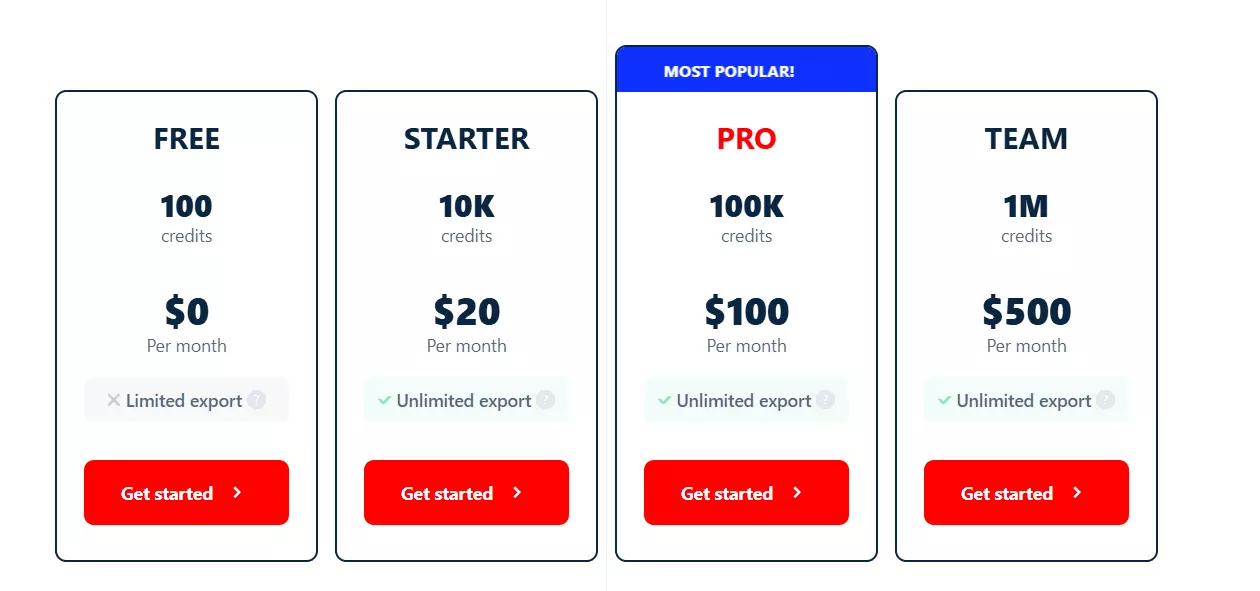
When you normalize the pricing to Outscraper's style (cost per 1,000 results), Lobstr starts at $2 per 1,000 results and drops to $0.5 per 1,000 results at scale.
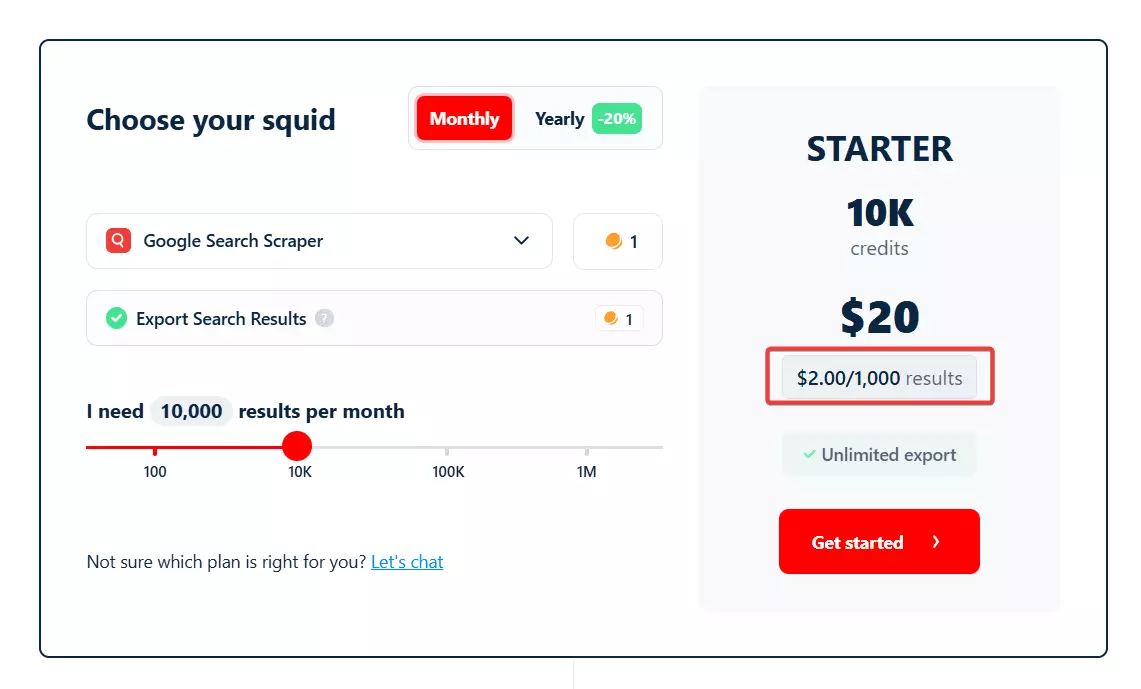
And unlike Outscraper, there's no negative balance surprise. Once your credits hit 0, the scraping stops. No overage charges. No mystery invoices.
But let's stop talking in general terms. Let's do what nobody else does... an actual head-to-head comparison using the most popular scraper on both platforms.
We already saw what Outscraper charges for a complete Google Maps lead:
- Basic listings: $3 per 1,000
- Emails: +$3 per 1,000
- Email validation: +$3 per 1,000
- Reviews: +$3 per 1,000
- Photos: +$2 per 1,000 images
Total: ~$14 per 1,000 leads. And that's chaining 5 separate services together manually.
How does Lobstr.io do it?
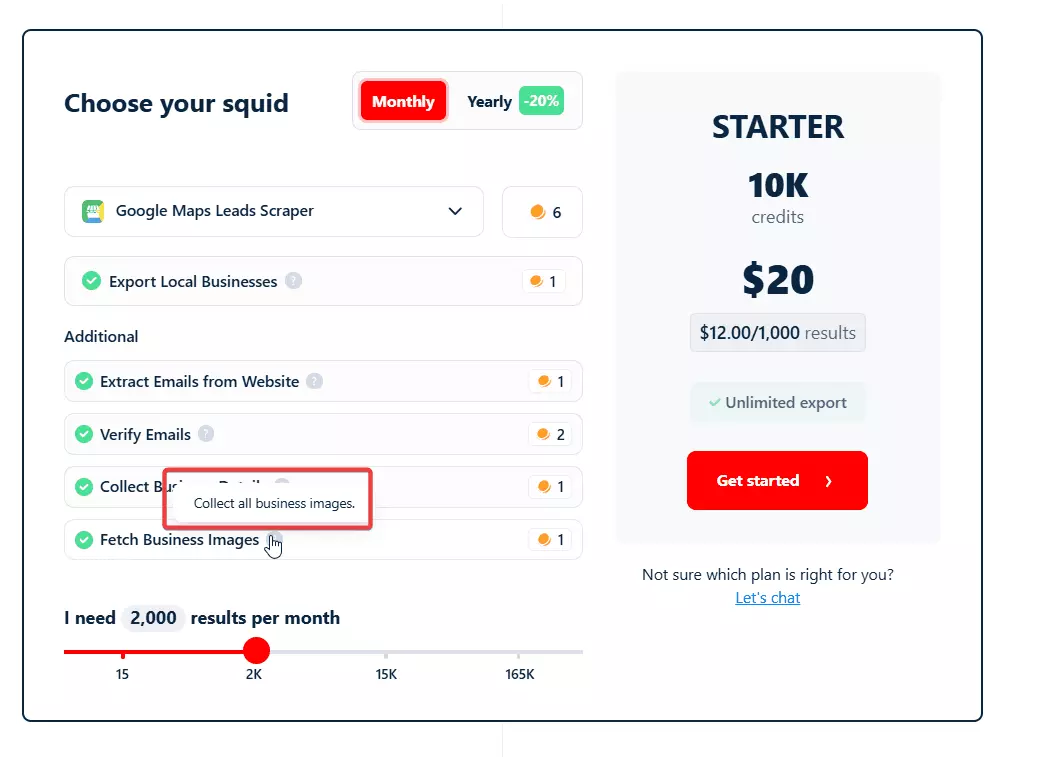
You don't chain anything. Just launch the Google Maps Leads Scraper and Google Maps reviews scraper and start collecting.
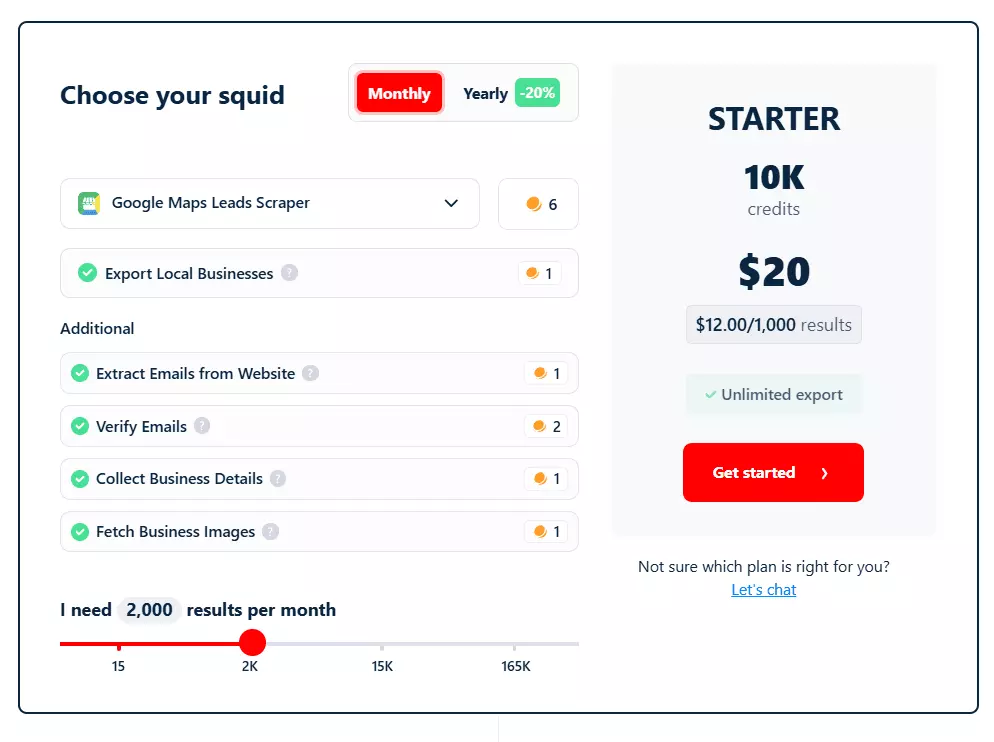
Lobstr.io costs $12 per 1,000 leads for all that data. Everything that costs you $14 on Outscraper across 5 different tools.
That's a small difference at entry level. But at scale, the gap blows wide open.
Outscraper's pricing drops to ~$4.7 per 1,000 leads at the business tier. Lobstr.io drops to $3 per 1,000 leads.
And here are two fun facts that make the gap even bigger:
Photos. Outscraper charges $2 per 1,000 images.
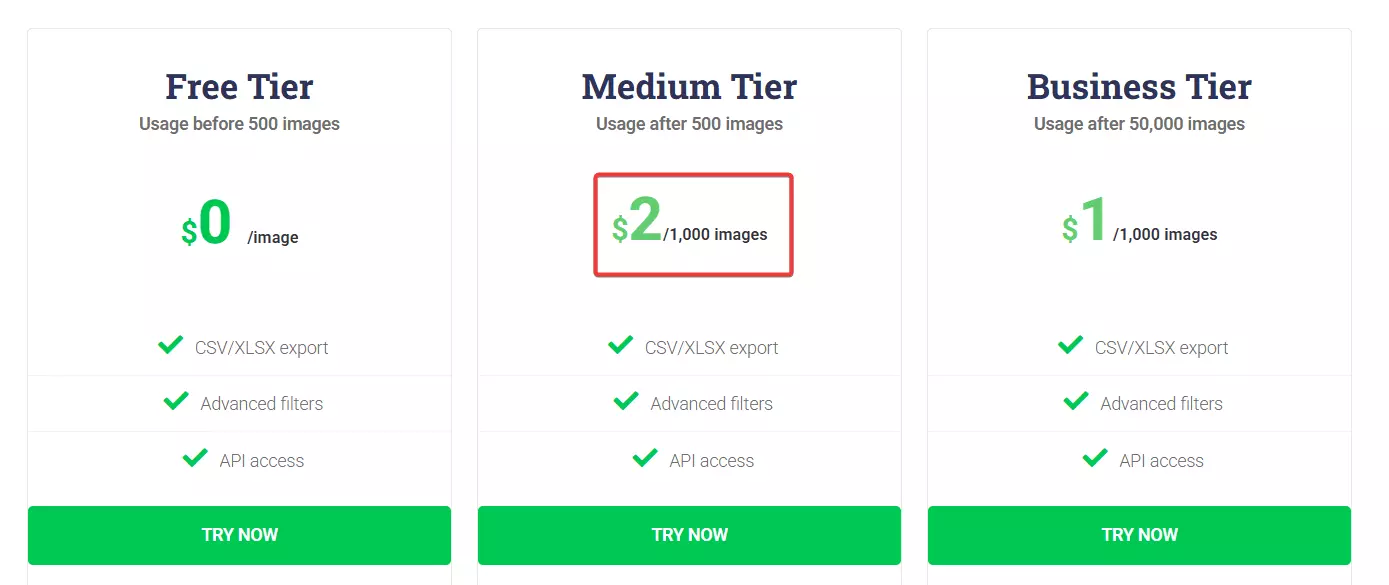
Lobstr.io charges per listing, not per image. So when image collection is enabled, you're paying $2 per 1,000 listings with all their images included... not $2 per 1,000 individual photos.
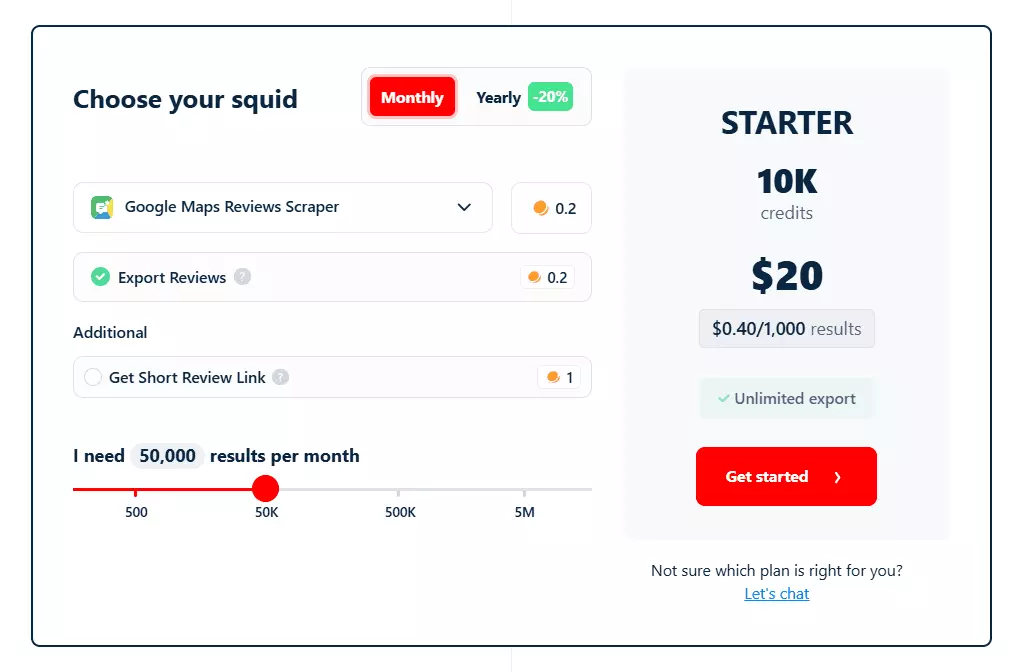
Reviews. If you just want reviews, Outscraper charges $3 per 1,000 reviews. Lobstr.io? $0.4 per 1,000 reviews. At scale, that drops to $0.1 per 1,000 reviews.
Data
Here's the full breakdown:
Lobstr.io Google Reviews Scraper data attributes:
| id | cid | internal_review_id | | is_user_local_guide | lang | modified_at | | modified_at_datetime | origin | original_text | | pictures | place_address | place_average_score | | place_id | place_name | published_at_datetime | | response_from_owner | review_link | score | | scraping_time | text | total_likes | | total_reviews | user_image_url | user_internal_id | | user_link | user_name | user_reviews_count | | visited_in | | |f
Outscraper Google Reviews Scraper data attributes:
| query | name | google_id | | place_id | location_link | reviews_link | | reviews_per_score | rating | review_id | | author_link | author_title | author_id | | author_image | review_text | review_img_url | | owner_answer | owner_answer_timestamp | owner_answer_timestamp_datetime_utc | | review_link | review_rating | review_timestamp | | review_datetime_utc | review_likes | reviews_id |f
Lobstr.io collects 28 data points per review. Outscraper collects 24.
But the difference isn't just the count. It's what's in there.
What Lobstr.io has that Outscraper doesn't:
- Original text + translated text (Outscraper only gives one)
- Review language detection
- Local Guide flag
- Visit date (when the reviewer actually visited)
- Reviewer's total review count
- All review photos
Speed
Lobstr.io is fast. Not "decent for a no-code tool" fast. Actually fast.
The Google Maps scraper collects 200+ listings per minute. The Reviews scraper pulls 250+ reviews per minute. And that's the base speed with a single slot.
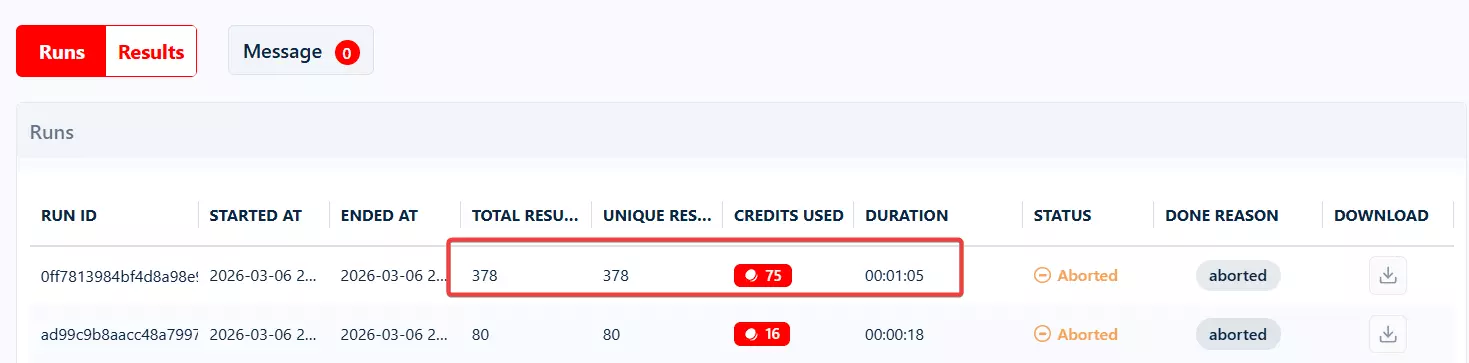
Want to go faster? Add more slots. Each slot is a parallel instance running simultaneously. You can scale up to 50x the base speed by adding more slots to a single run.
That means what takes Outscraper days to finish... Lobstr.io can do it in hours.
Ease of use
Lobstr.io's interface is clean, modern, and doesn't make you hunt for features.
You can launch a scraper in a few clicks. Pick your scraper, add your input, configure your settings, hit launch. Everything is accessible from the left sidebar, one click away.
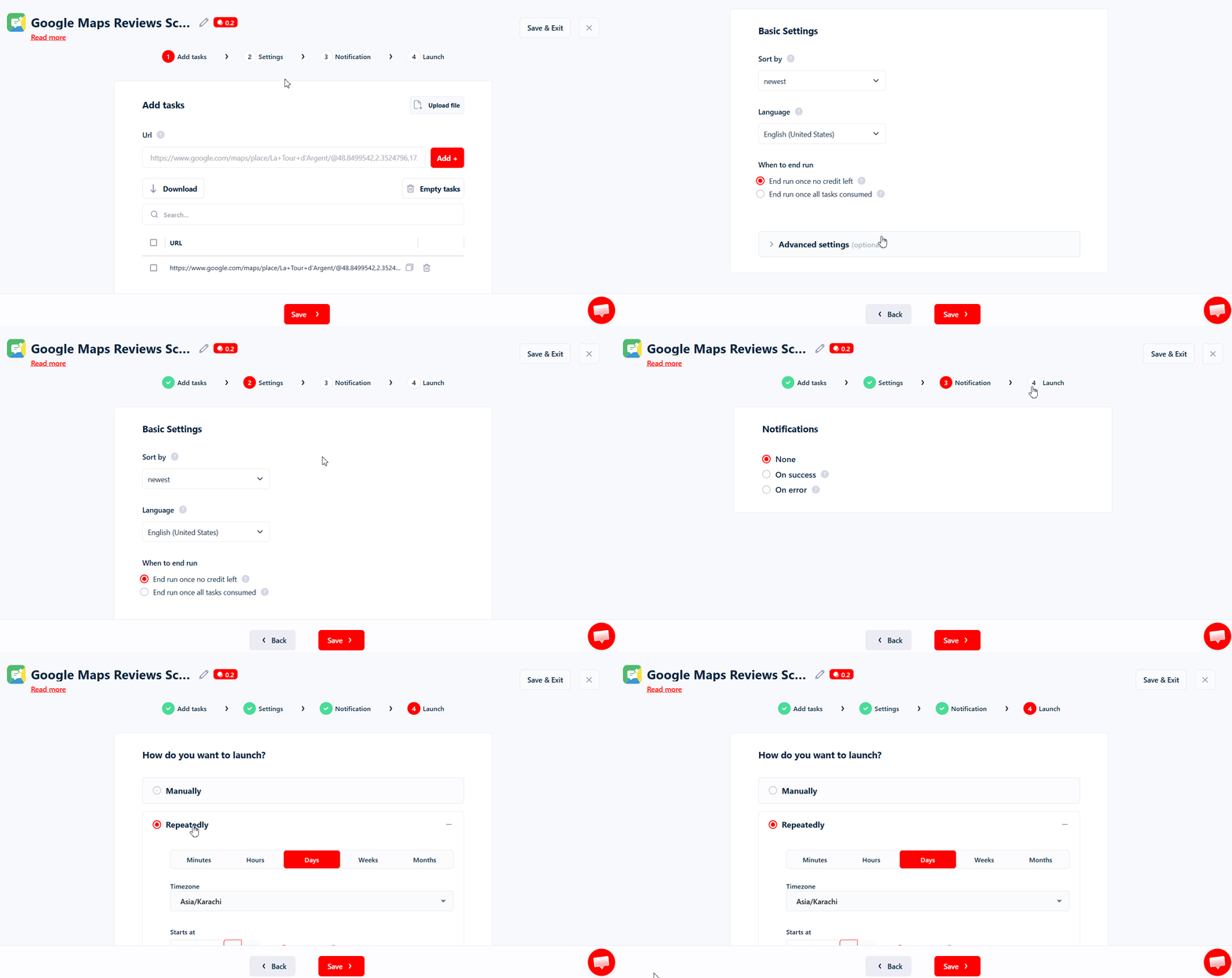
The input section doesn't overwhelm you.
Unlike Outscraper where everything is crammed into a single page, Lobstr.io separates your input, settings, scheduling, and exports into clean tabs.
You see what you need when you need it.
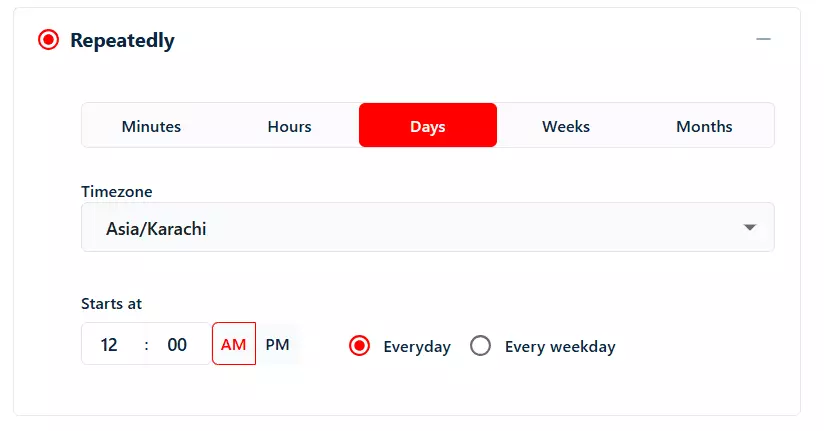
Scheduling is built right into the setup flow. You don't have to run a job first and then go hunt for the scheduling option somewhere else. Set it up before your first run. Done.
The live console is the biggest UX difference.
You see results streaming in real-time. Credits used, start and end timestamps, total and unique results, download buttons per run. Everything is right there.
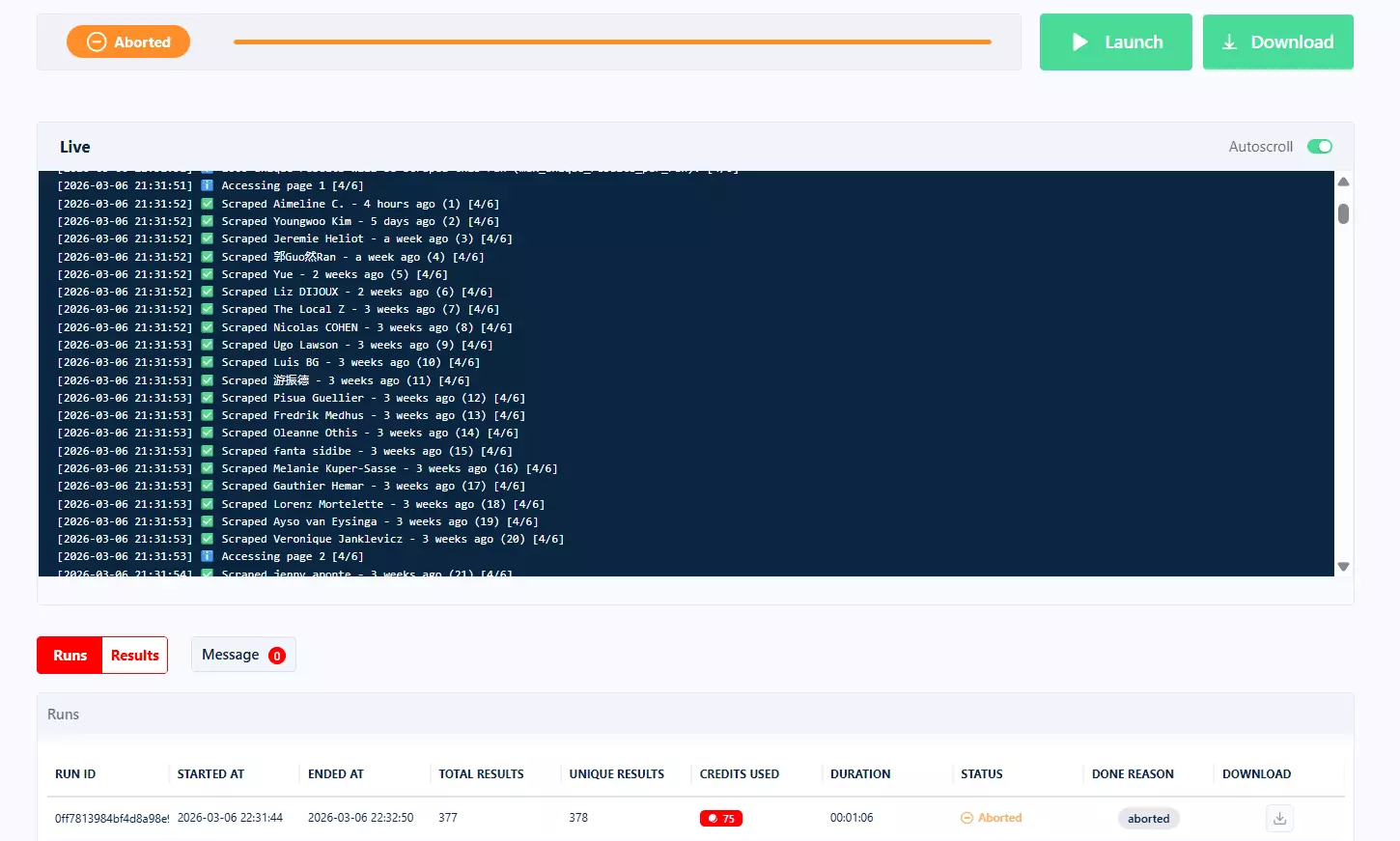
And if you accidentally launched a wrong run? Just click Abort. Stop it immediately so you don't waste credits. On Outscraper, once you start a run, you're committed. No going back.
Sustainability
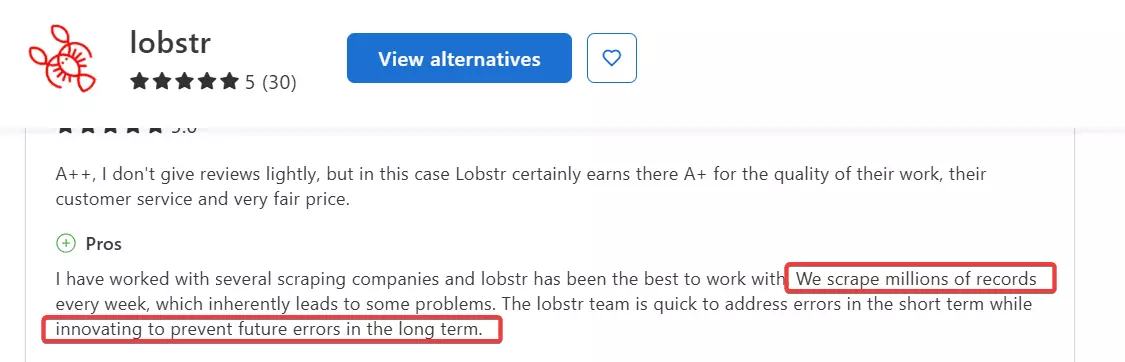
Users who scrape millions of records weekly report that errors are addressed quickly in the short term while the team works on preventing them long-term.
Even if a run fails mid-way, it auto-pauses and resumes when the issue is resolved. No lost progress and absolutely no manual resume required.
Support
Lobstr.io is rated 5/5 on Capterra, and customer support is one of the most mentioned reasons.
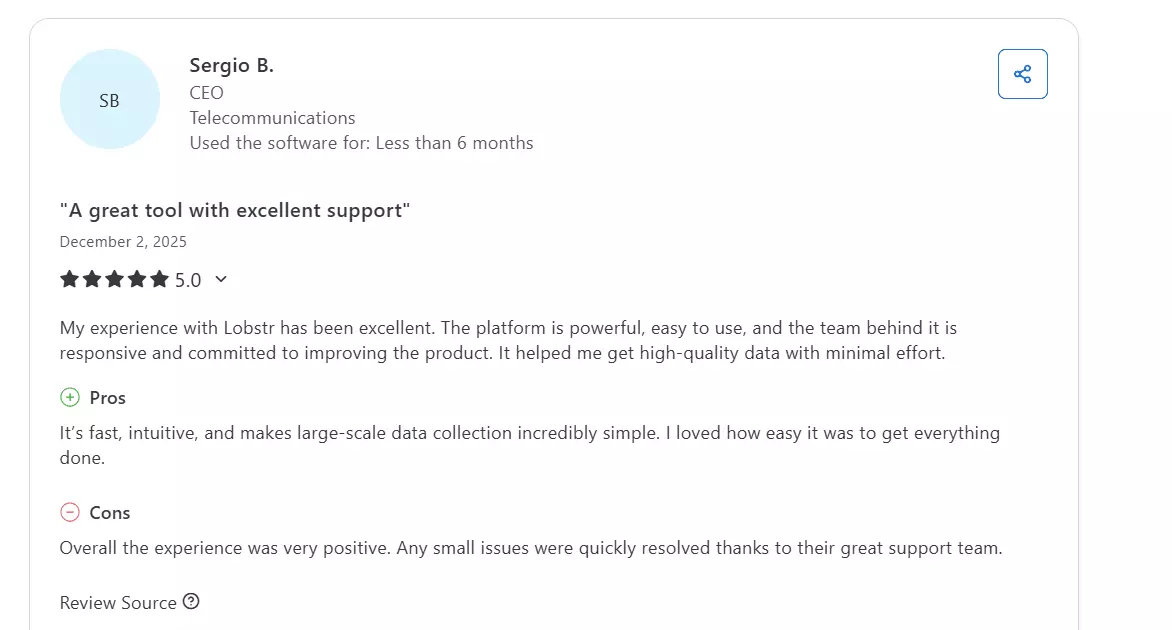
The team responds via live chat, usually within minutes during business hours.
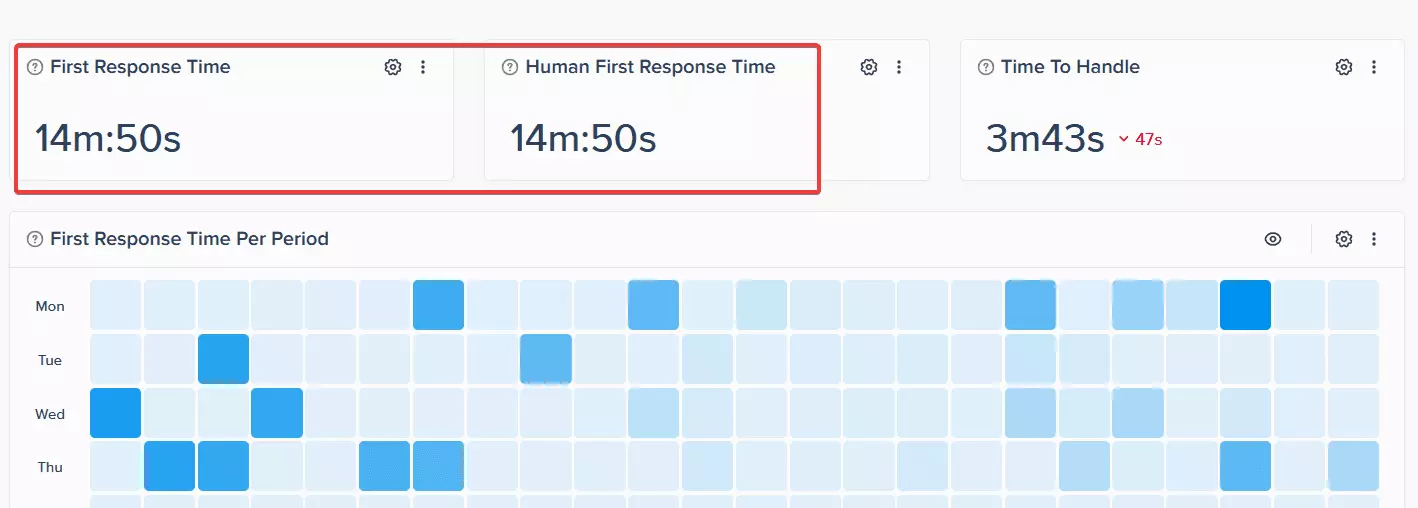
And they're technical... they actually understand the product and can troubleshoot issues on the spot.
Integrations and data exports
This is where Lobstr.io falls a bit behind Outscraper. Let's be honest.
Exports are solid. You get CSV, JSON, and automated direct exports to Google Sheets, S3, and SFTP.
The Google Sheets integration is smooth... just add a Sheet URL and your data gets exported automatically. No Google account syncing. No manual downloads.
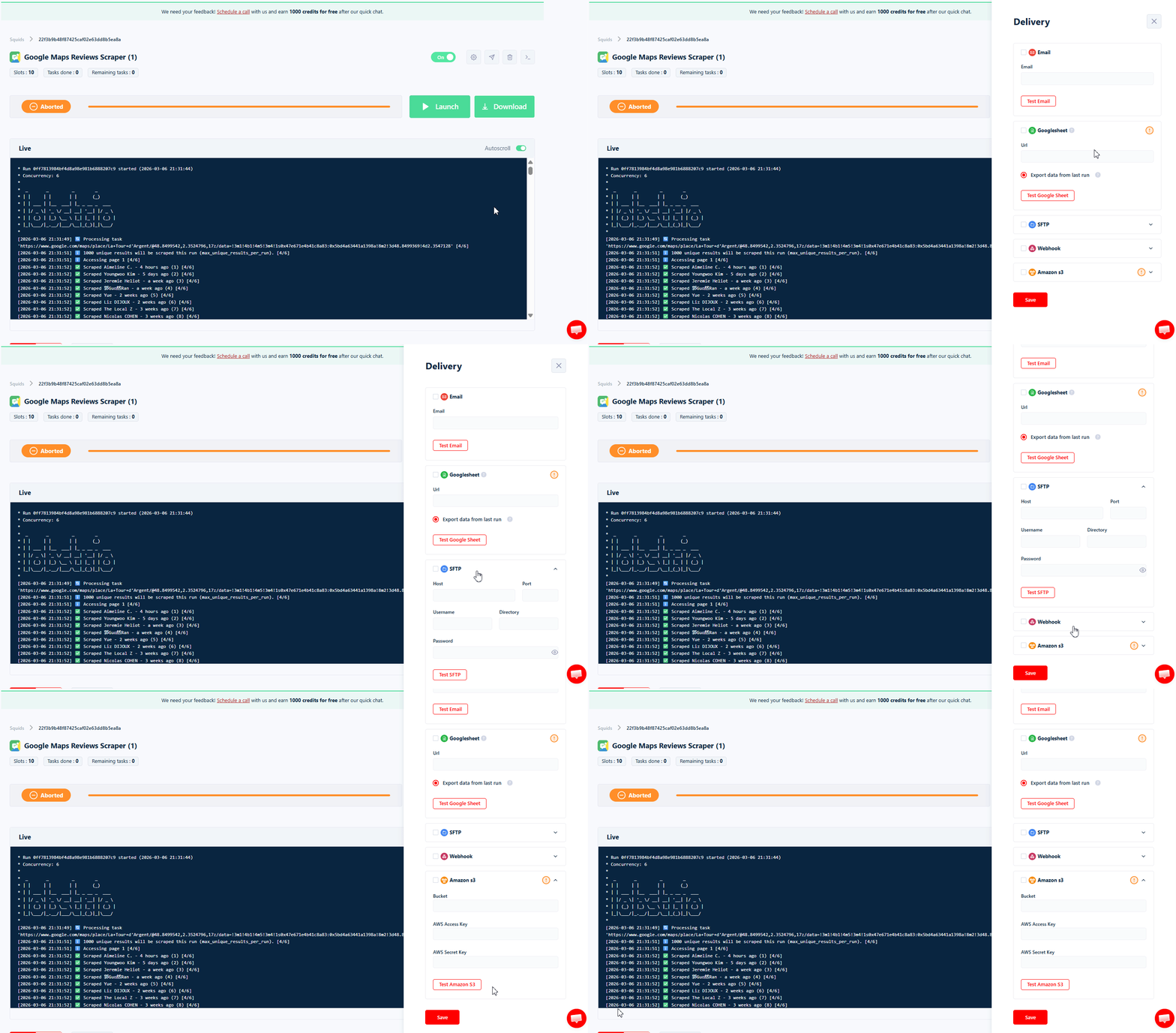
Integrations are limited right now. Lobstr.io only offers a direct integration with Make.com, with more coming soon.
Outscraper has native connections with HubSpot, Zoho, Pipedrive, Zapier, and more.
But the API fills a lot of that gap.
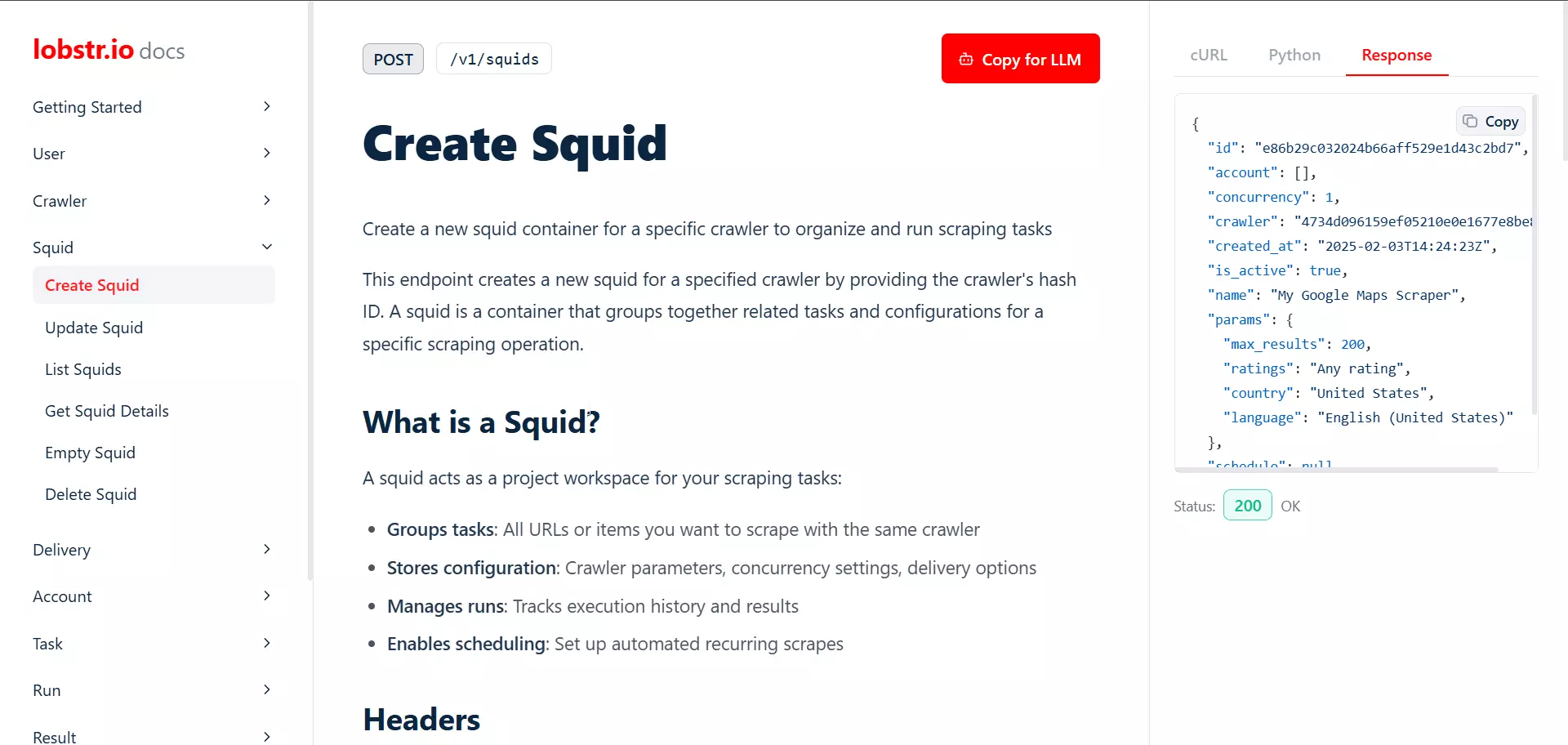
It's clean, well-documented, and developer-friendly. You can connect Lobstr.io to pretty much anything through the API or through Make.com workflows.
What's missing?
No service chaining. Outscraper lets you chain related services together in a single workflow. Google Maps listings → emails → validation → reviews, all connected.
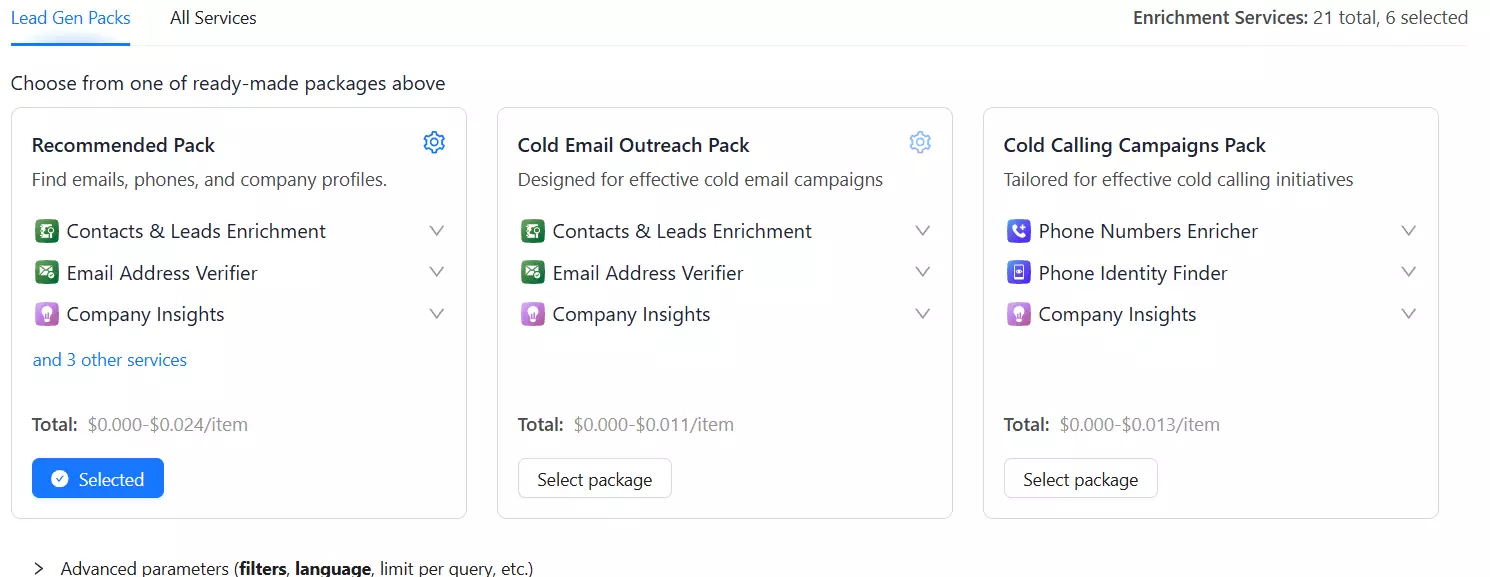
With Lobstr.io, if you need to chain scrapers, you'll have to do it through Make.com or the API. There's no native workflow builder inside the dashboard.
Fewer e-commerce scrapers. Outscraper has scrapers for Amazon, eBay, Etsy, and dozens of niche retail stores. Lobstr.io doesn't cover major e-commerce platforms at all.
Fewer review platform scrapers. Lobstr.io covers Google Reviews, TripAdvisor, and Trustpilot.
Outscraper covers Capterra, G2, Glassdoor, Booking, Expedia, Airbnb, App Store, and more.
No pay-as-you-go option. Outscraper's PAYG model is genuinely more flexible for users with small or irregular scraping needs. Lobstr.io requires a monthly subscription.
Best for
Lobstr.io is for you if you want faster, cheaper, and cleaner scraping without chaining 5 services together for one dataset.
If your work revolves around Google Maps, Google Reviews, LinkedIn, or social media scraping... and you need it done at scale without surprise invoices... Lobstr.io is the upgrade.
2 Great Outscraper Alternatives
Since I already covered both of these tools in detail in separate articles. I’m not doing a full comparison here. Here's a quick overview of why they made the list.
Apify
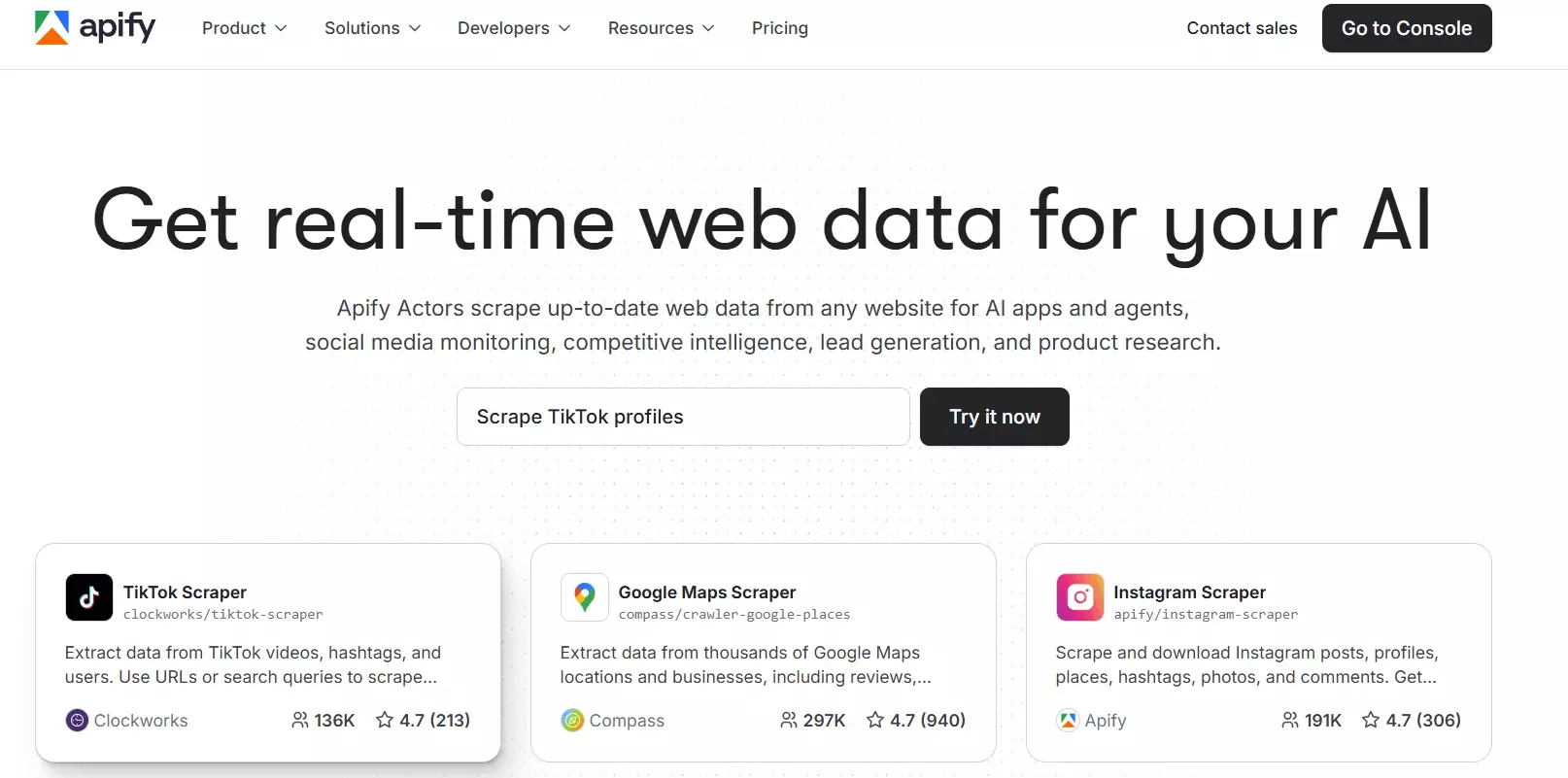
Capterra rating: 4.8/5
You'll find scrapers for almost anything. LinkedIn, Instagram, Amazon, TikTok, Reddit... if it exists on the internet, someone's probably built an Apify actor for it.
What makes it a good Outscraper alternative:
- 8,000+ scrapers covering virtually every platform
- Developer SDK, API, and scraping libraries for JavaScript and Python
- AI/LLM integrations (LangChain, MCP server, and more)
- Highly scalable infrastructure
- Covers platforms Outscraper can't touch
What sucks:
- Pricing is confusing. You pay for compute units, actor rental, proxy usage... all separately.
- The UI is cluttered and has a steep learning curve
- Community scrapers break and nobody fixes them
- Speed is inconsistent
Cost per 1k results (Google Maps with emails): ~$15
Best for: Developers, AI builders, and power users who need maximum flexibility and don't mind complexity.
Phantombuster
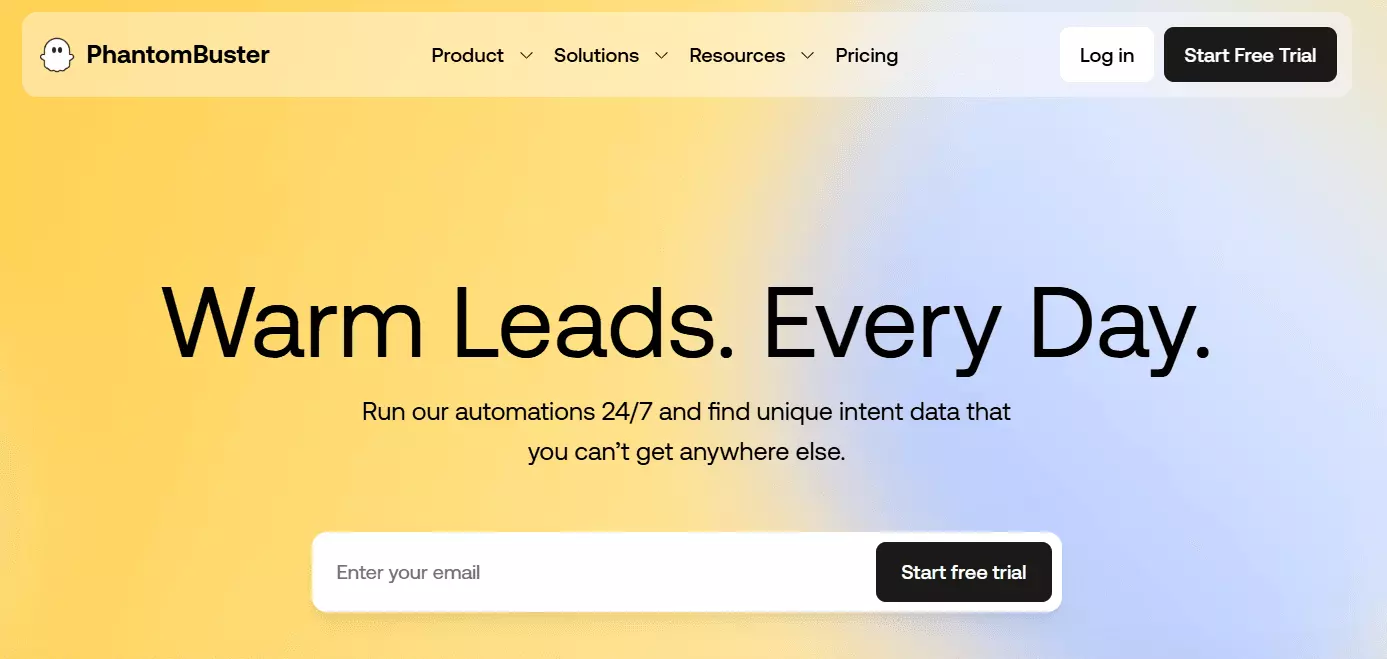
Capterra rating: 4.5/5
If you're looking for an Outscraper alternative because you need LinkedIn data or outreach workflows... Phantombuster fills a gap that neither Outscraper nor most scraping tools cover.
What makes it a good Outscraper alternative:
- 120+ prebuilt automations, mostly for LinkedIn and social media
- Built-in workflow builder to chain scraping, enrichment, and outreach
- Native CRM integrations with HubSpot, Salesforce, and Clay
- Clean, easy-to-use interface
- Email enrichment built in
What sucks:
- Time-based pricing. You pay per minute, not per result.
- Painfully slow. About 3x slower than competitors in tests.
- Limited scalability. Execution hours cap out. Email enrichment capped at 10k/month.
- No real API for developers
- Customer support is consistently bad in reviews
Cost per 1k results: ~$29
Best for: Sales teams who want LinkedIn automation and outreach workflows, not raw data scraping at scale.
Which Outscraper alternative is perfect for my needs?
It does what Outscraper does, but without the pricing games, the slow speeds, and the dated UI.
Plus it covers LinkedIn, Twitter/X, Facebook, and YouTube... platforms Outscraper doesn't touch.
It's an outreach tool. If that's what you need, it fills a gap nobody else on this list covers.
FAQs
Is Lobstr.io really better than Outscraper?
For Google Maps, Google Reviews, and multi-platform scraping... yes. It's faster, cheaper at scale, and gives you more data per result.
Outscraper still wins on e-commerce scrapers, native integrations, and pay-as-you-go flexibility.
Can I scrape Google Maps for free?
Both Lobstr.io and Outscraper offer free tiers. Outscraper gives you 500 free Google Maps results per month.
Lobstr.io gives you 100 free credits per month. Enough to test both and decide for yourself.
Does Outscraper validate emails?
Yes, but it's a separate service that costs an additional $3 per 1,000 emails. It's not included in the base scraping price.
What's the cheapest Google Maps scraper?
At scale, Lobstr.io is the cheapest option on this list at $0.5 per 1,000 results for basic data.
For complete leads with emails and validation, Lobstr.io costs $3 per 1,000 at scale vs Outscraper's $4.7.
Conclusion
That's a wrap on the best Outscraper alternatives for web scraping.