Best Instagram Profile Scrapers 2026 [No-Code + API Edition]
lobstr.io is the best Instagram profile scraper in 2026, cheapest at scale at $0.50 per 1,000 profiles. Bright Data is the runner-up.

By Nathan Eshetu
Writer @ lobstr.io
5 Aug 2026
34 min read
Contents
lobstr.io is the best Instagram profile scraper in 2026 (4.5/5). It's cheapest at scale ($0.50/1K) and scales up to 22.4M profiles/month across 20 Slots. Bright Data (3.7) is the runner-up for speed at 10 min per 1,000, but costs 2.6x more at scale.
⚡ 30-Second Summary
- I tested 7 Instagram profile scrapers using the same 50 public profiles. I compared their data, price, ease of use, speed, scalability, and support.
- lobstr.io is the best overall pick (4.5/5). It returns 47 data points and costs as little as $0.50 per 1,000 profiles. Pick it for high-volume, low-cost, easy no-code scraping. Trade-off: an estimated 39 minutes per 1,000 profiles, about 4x slower than Bright Data.
- Bright Data is the fastest pick (3.7/5). It's estimated at about 10 minutes per 1,000 profiles, supports concurrency, and returns an
avg_engagementfield that none of the other tools include. Pick it for large jobs where speed matters most. Trade-off: it returns no Reels data, you must enter full profile URLs, you cannot schedule runs inside the tool, and at $1.30 per 1,000 profiles, it costs more than twice as much as lobstr.io at scale. - Apify is the best at finding business categories (3.5/5). It filled this field for 37 of 50 profiles, more than any other tool, at an estimated 12 minutes per 1,000 profiles, with a no-code UI and built-in scheduling. Pick it for sorting profiles by account or business type. Trade-off: it has no email or phone fields, it's the most expensive of the tools listed ($1.60 per 1,000 profiles), and its paid
includeAboutSectionadd-on ($6.00/1K at entry) returned no extra data in testing. - ScrapeCreators returns the most data (2.7/5). It returns 69 data points in ready-to-use arrays, but null contact fields and a low Usability score drag it down. Pick it for getting the largest dataset available at $0.99 per 1,000 profiles, not for workflow convenience. Trade-off: it's the slowest of the four scored tools, at an estimated 1 hour 41 minutes per 1,000 profiles.
- Didn't make the cut: Scrapfly (highest entry price of any tool tested, 531 min/1K, unpredictable ASP cost escalation) and Piloterr (40% failure rate, thinnest schema tested) were both excluded from the scored comparison. SociaVault was cut too... it's basically ScrapeCreators, but slower, pricier, and messier. See the FAQ for the full breakdown.
Instagram profile scraping feels easy when the list is small.
Then you try a few hundred profiles... and the problems start.
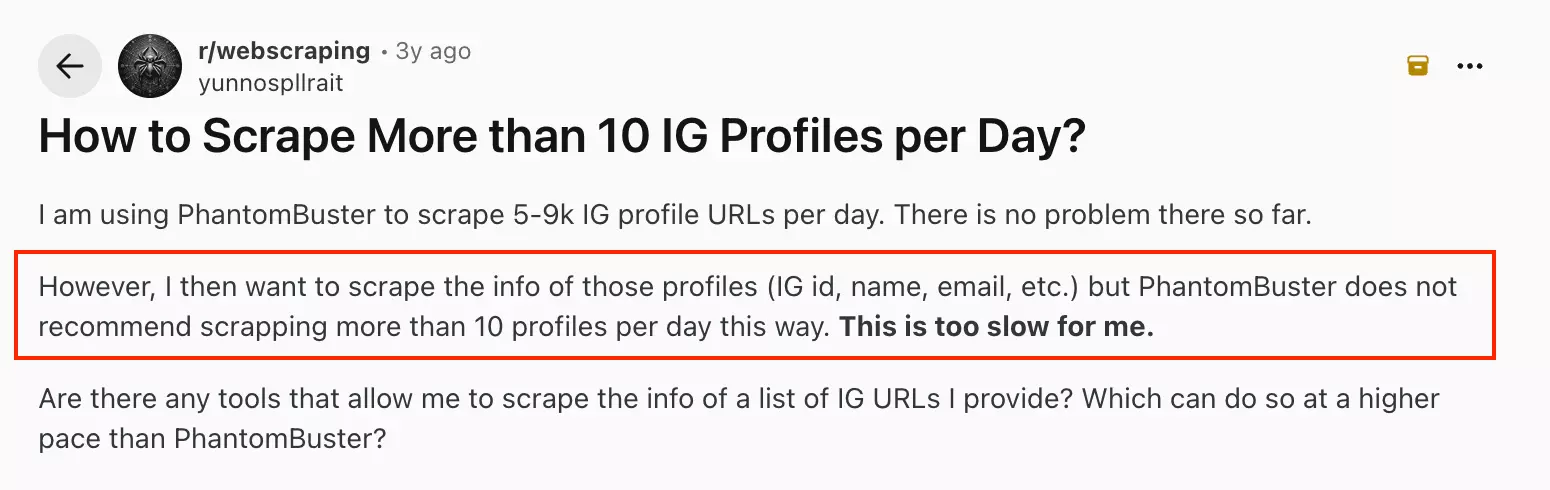
Limits get tighter. Logins get annoying. Fields come back empty. Prices climb.
So I tested seven Instagram profile scrapers on the same public profile list.
I compared their data, price, ease of use, speed, scalability, and support... to see which ones actually hold up.
Quick Comparison
| lobstr.io | Bright Data | Apify | ScrapeCreators | |
|---|---|---|---|---|
| User rating | 5/5 | 4.7/5 | 4.7/5 | 4.7/5 |
| Data points | 47 | 32 | 25 | 69 |
| Auto-extracts email from bio | ❌ | ✅ | ❌ | ❌ |
| Input format | URL or username | URL only | URL or username | Username only |
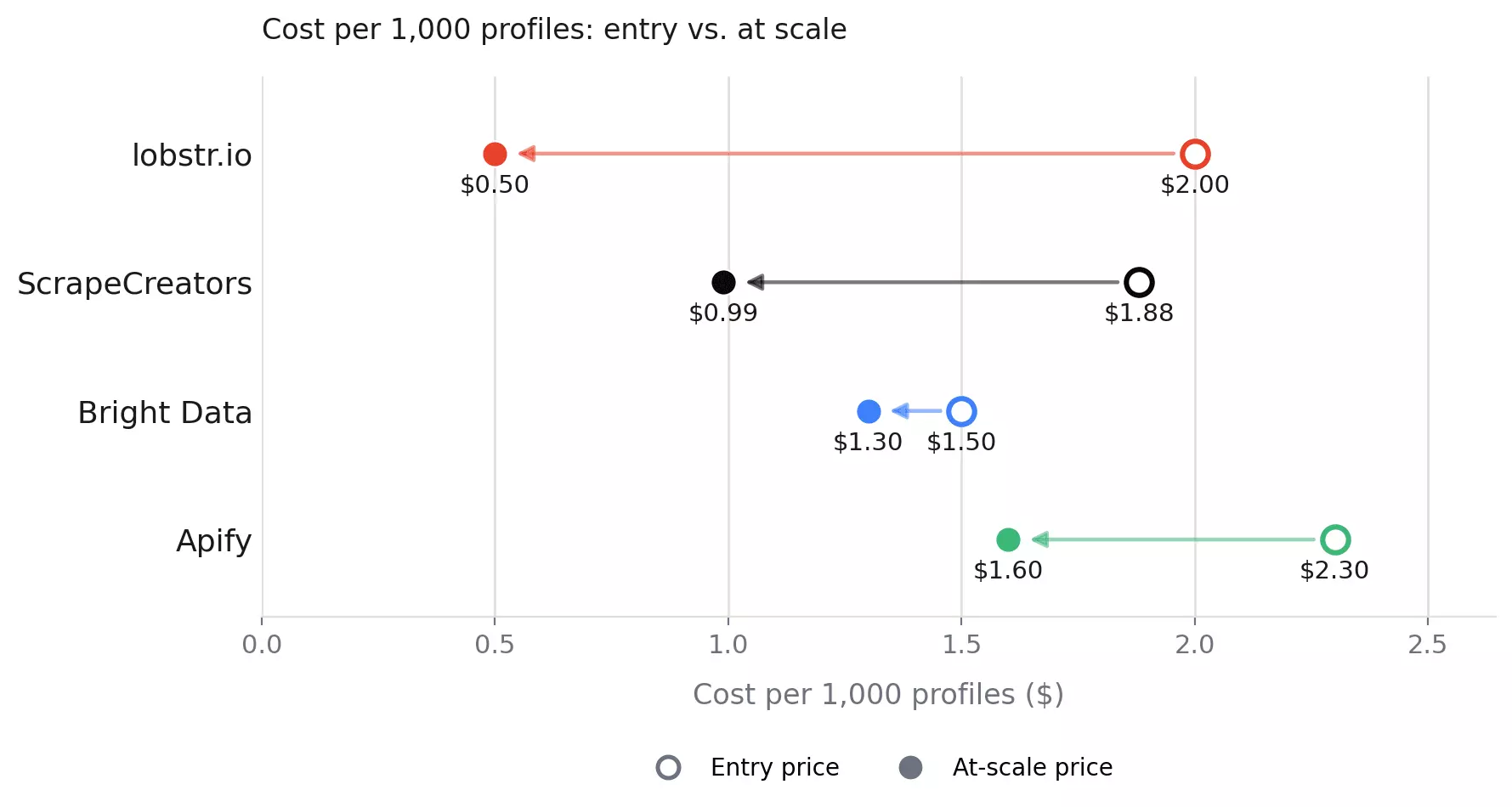
| Price /1K (entry → scale) | $2.00 → $0.50 | $1.50 → $1.30 | $2.30 → $1.60 | $1.88 → $0.99 |
| Free tier | ✅ | ✅ | ✅ | ❌ one-time only |
| Billing model | Subscription | Pay as you go + subscription | Subscription | One-time pack |
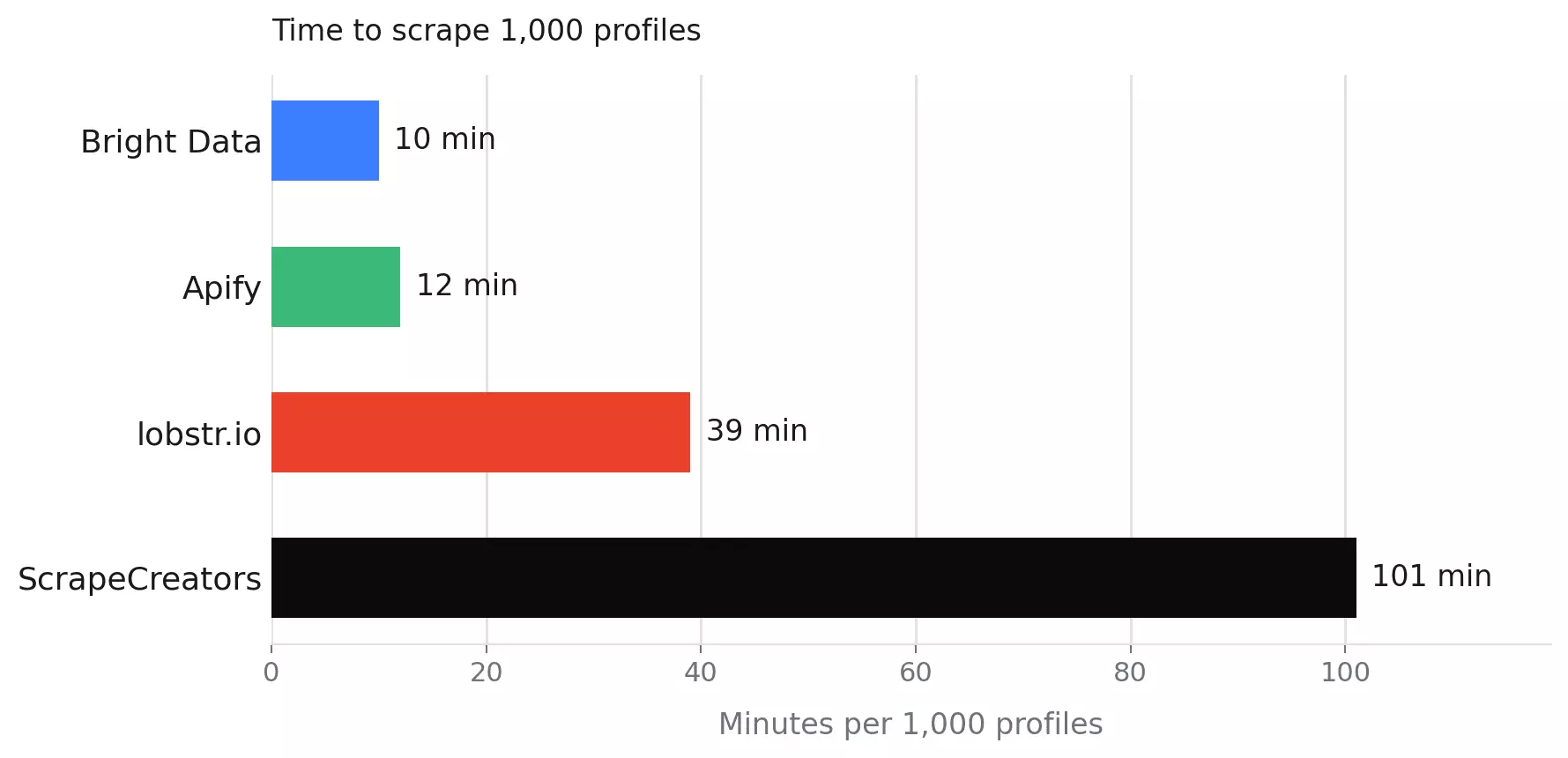
| Speed (per 1,000 profiles) | 39 min | 10 min | 12 min | 1 hr 41 min |
| Concurrency | ✅ | ✅ | ✅ | ❌ |
| Batch input (multiple profiles/request) | ✅ | ✅ | ✅ | ❌ |
| No-code UI | ✅ | ✅ | ✅ | ❌ |
| Built-in scheduling | ✅ | ❌ | ✅ | ❌ |
| Export formats | CSV, JSON, XLSX, JSONL | JSON, NDJSON, CSV, XLSX, Parquet | CSV, JSON, XLSX, XML, JSONL | JSON |
| Data stored for | 45 days | 30 days | 31 days | N/A |
| Webhook | ✅ | ✅ | ✅ | ❌ |
| Programmatic access | API + MCP + SDK + CLI | API + MCP + SDK + CLI | API + MCP + SDK + CLI | API |
| Support | Live chat + email | Email only | Live chat + Discord + tickets | Email only |
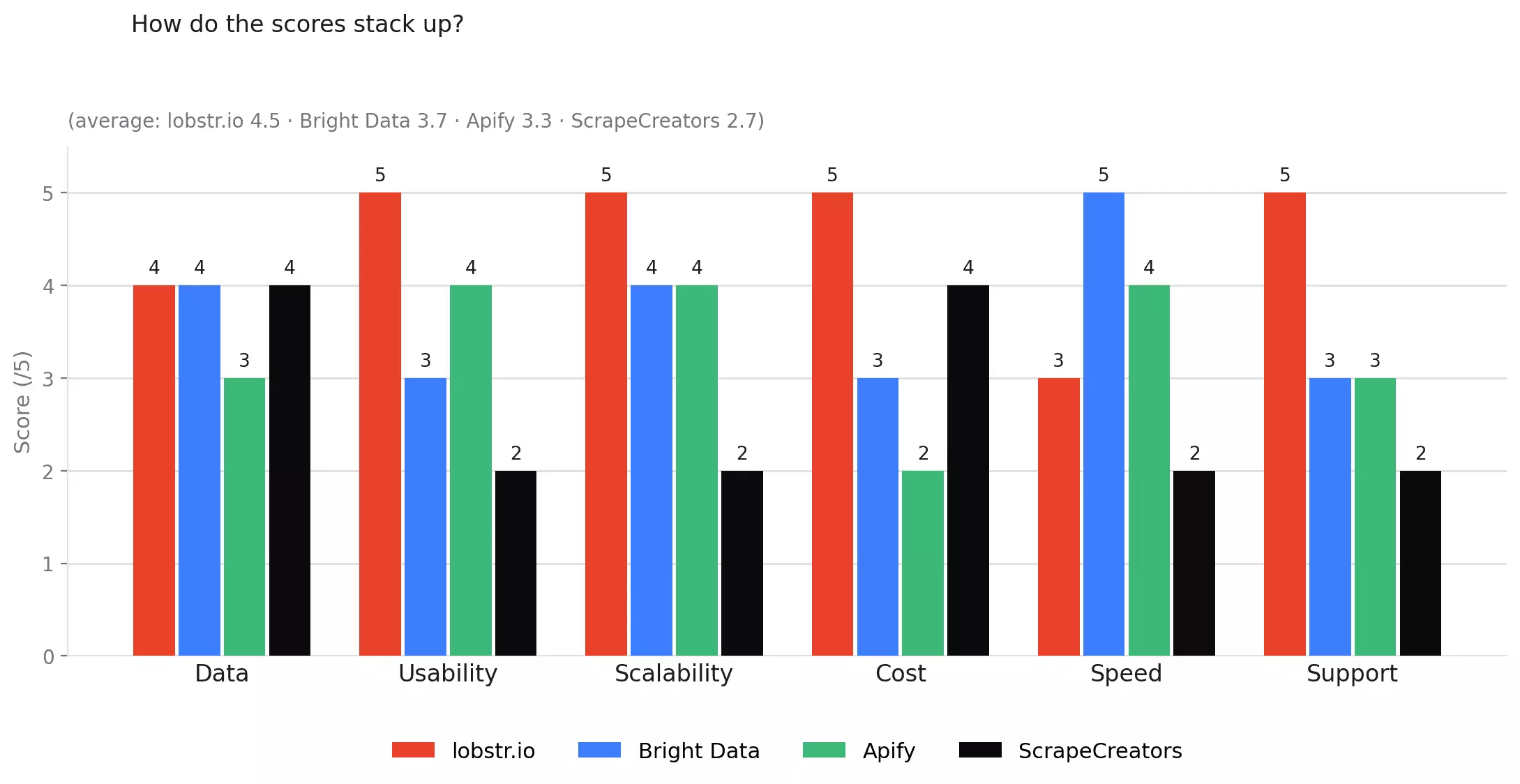
How do the scores stack up?
| Criterion | lobstr.io | Bright Data | Apify | ScrapeCreators |
|---|---|---|---|---|
| Data | 4/5 | 4/5 | 3/5 | 4/5 |
| Cost | 5/5 | 3/5 | 2/5 | 4/5 |
| Usability | 5/5 | 3/5 | 5/5 | 2/5 |
| Speed | 3/5 | 5/5 | 4/5 | 2/5 |
| Scalability | 5/5 | 4/5 | 4/5 | 2/5 |
| Support | 5/5 | 3/5 | 3/5 | 2/5 |
| Overall | 4.5/5 | 3.7/5 | 3.5/5 | 2.7/5 |
Each category is scored out of 5 based on the test results below. The overall score is a simple average across all six categories.
Just tell me which Instagram profile scraper to use
| If you want... | Go with | Why |
|---|---|---|
| The best all-rounder | lobstr.io | 4.5/5 overall |
| The lowest price at scale | lobstr.io | $0.50 per 1,000 profiles |
| The easiest no-code setup | lobstr.io | 5/5 for usability |
| More scraping power as you grow | lobstr.io | Up to 20 adjustable Slots per Squid |
| The fastest results | Bright Data | ~10 min per 1,000 profiles |
| The most data points | ScrapeCreators | 69 |
| The best business-category data | Apify | 37 of 50 profiles |
| The best support | lobstr.io | Live chat + email, 5/5 |
⚠️ Disclaimer
The information in this section is for general informational purposes only. It reflects publicly available sources and my own interpretation of them.
It does not constitute legal advice and should not be treated as such. Laws vary by jurisdiction and can change.
If you need guidance on compliance, data use, contracts, or platform-specific risks, consult a qualified legal professional who can evaluate your situation in detail.
Is it legal to scrape Instagram profiles?
Yes, under the right conditions.
But there are two separate questions here that we need to answer.
Does Instagram allow scraping?
Generally, no.
Instagram's Terms of Use restrict automated data collection without permission.

So, even if you are collecting publicly available profile data, scraping Instagram may still violate the platform's terms.
However, it does not automatically answer the legal question.
So, is it illegal?
Not automatically. But it depends on what you access and how you use the data.
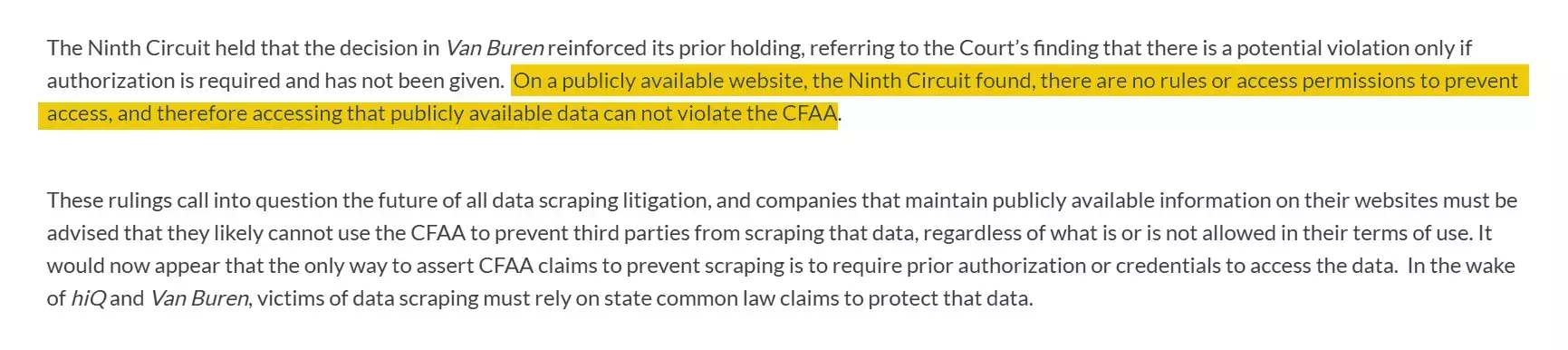
In the U.S., the Ninth Circuit has held that scraping publicly available data does not necessarily violate the Computer Fraud and Abuse Act (CFAA), at least where the information is openly accessible rather than behind an authentication barrier.
That does not make every scraping use case legal.
Other issues, including privacy laws, contractual restrictions, intellectual property rights, and how the collected data is used, can still matter.
The bigger risk is often not collection by itself. It is what you do with the data afterward.
To stay on the safer side:
- Scrape only publicly visible profiles
- Use the data internally for research, enrichment, analysis, or lead scoring
- Avoid private profiles, login-gated data, and attempts to bypass access controls
- Do not republish scraped profile data as a public directory
- Do not combine profile data with other personal information without an appropriate legal basis
- Respect rate limits and avoid abusive request volumes
For a deeper breakdown, see the legal series
Here's how I evaluated the scrapers.
How I chose the best Instagram profile scrapers
I started with Reddit threads, developer forums, and community discussions to find the problems people actually hit.
Based on that, I narrowed to 6 criteria.
- Data
- Cost
- Usability
- Speed
- Scalability
- Support
Data
I did not score tools by field count alone.
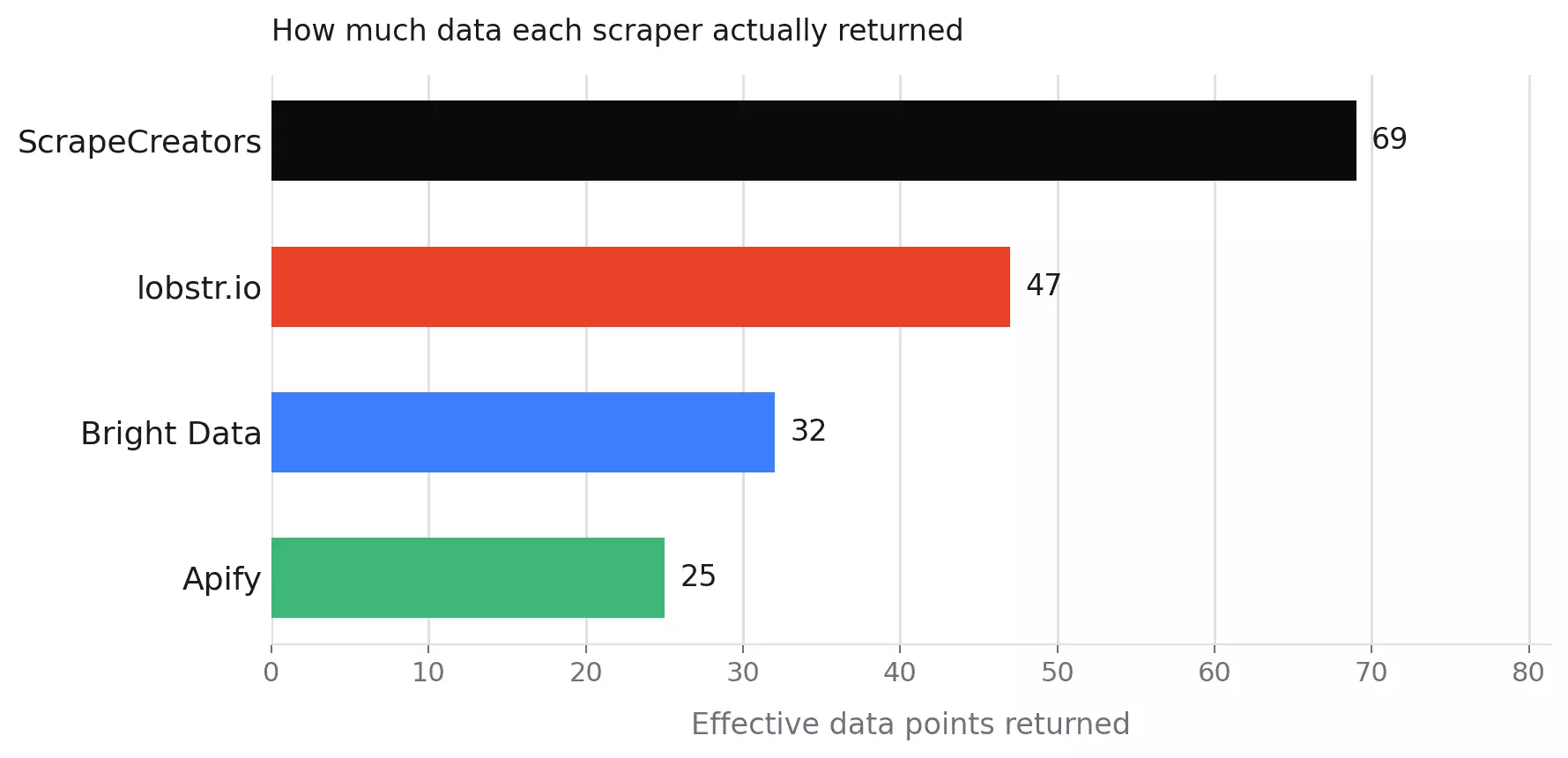
A tool can return lots of fields and still leave the useful ones empty. What matters is what actually comes back.
I checked four things:
- Profile basics: username, name, bio, profile image, followers, following, account type, and verification
- Contact details: email, phone number, business contact method, and external links
- Post-level data: recent posts, Reels, hashtags, and related profile data
- Output quality: clean JSON arrays or extra parsing and cleanup required
Cost
I normalized pricing to cost per 1,000 results at both entry-level and scale tiers.
Usability
For usability, I looked at the full workflow from the start.
The goal was to judge each scraper as a workflow, not just as an endpoint.
So I evaluated:
- Input support: profile URLs, usernames, CSV upload, batch input, or single-profile requests.
- Controls: scheduling, result limits, deduplication, error reports, and delivery settings.
- Exports: JSON, CSV, NDJSON, Sheets, S3, SFTP, webhook, and email.
- Automation: SDKs, MCP, webhooks, scheduling, or the need for external tools.
- Friction: hidden setup steps, broken settings, strict input formats, JSON-only output, or local Python setup.
Speed
I benchmarked each tool on the same 50-profile list with full data collection enabled.
Total wall time was measured from first request to last result. I normalized this to minutes per 1,000 profiles.
Scalability
I estimated how many profiles each tool could return in 30 days running continuously.
I multiplied each tool's measured profiles per minute by the total minutes in a 30-day month (43,200).
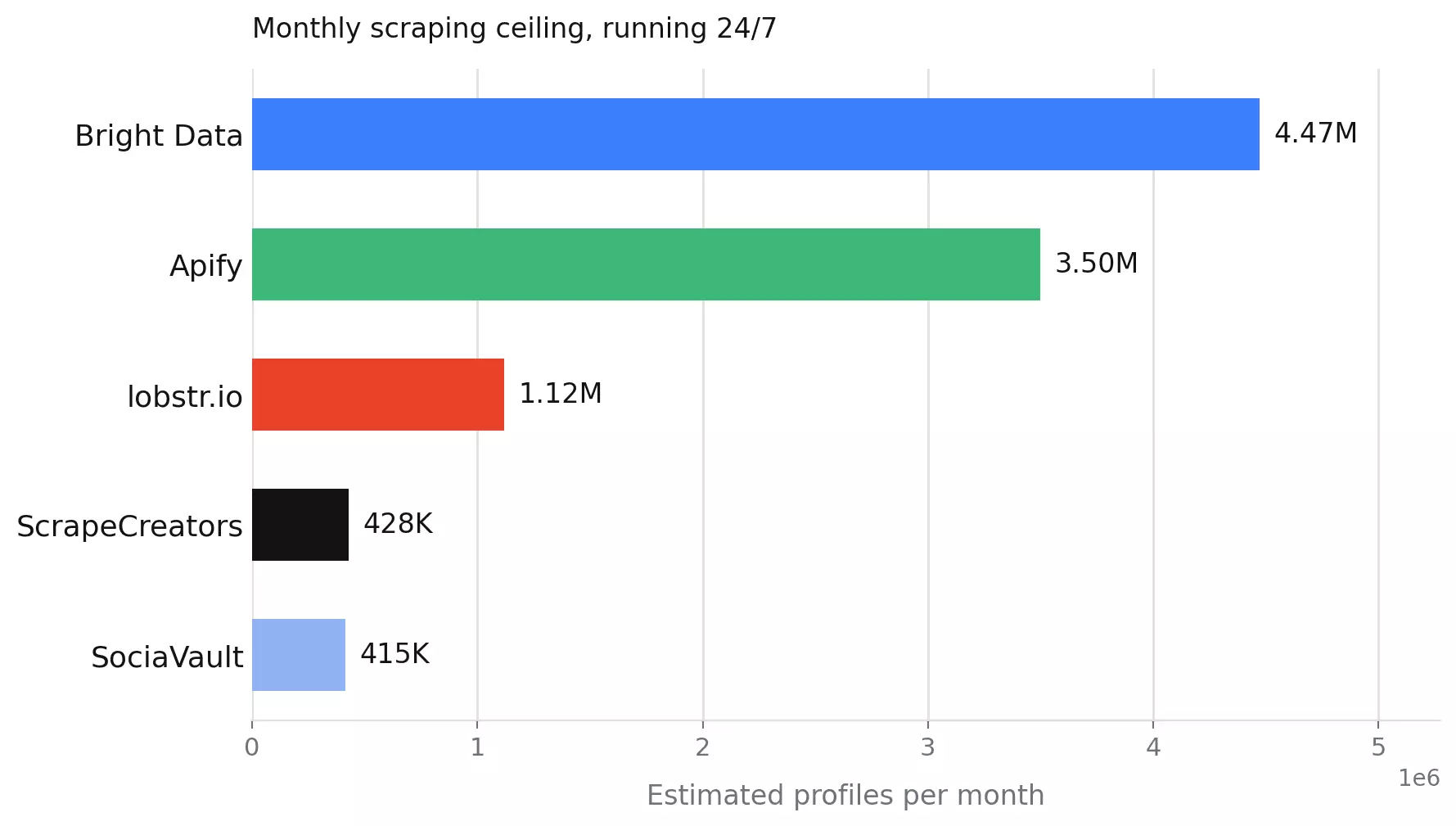
Where concurrency was available, I treated it as a multiplier on that ceiling.
I also checked what happens to your data when a run fails.
Support
I also looked at customer support, because scraping tools tend to reveal their personality after something breaks.
When a scrape fails mid-run, the support channel matters. So does how fast someone answers.
For each tool, I reviewed the available support channels.
I also checked public signals where available, including reviews and response times.
How I found the tools and narrowed the list
After defining the test criteria, I built a longlist from Google searches, community discussions, and AI recommendations.
Then I removed tools that were not a good fit for this comparison.
Tools that need an Instagram login... too risky. If Instagram flags the session, your account pays for it.
Abandoned GitHub repos... Instagram changes fast. Old code usually loses that race.
Marketplace wrappers... unclear maintenance, no real SLA, plenty of shrugging.
Low-use Apify actors... too many options, not enough proof. I kept the most-used scraper built by Apify itself.
The best Instagram profile scrapers
| lobstr.io | Bright Data | Apify | ScrapeCreators | |
|---|---|---|---|---|
| User rating | 5/5 | 4.7/5 | 4.7/5 | 4.7/5 |
| Data points | 47 | 32 | 25 | 69 |
| Auto-extracts email from bio | ❌ | ✅ | ❌ | ❌ |
| Input format | URL or username | URL only | URL or username | Username only |
| Price /1K (entry → scale) | $2.00 → $0.50 | $1.50 → $1.30 | $2.30 → $1.60 | $1.88 → $0.99 |
| Free tier | ✅ | ✅ | ✅ | ❌ one-time only |
| Billing model | Subscription | Pay as you go + subscription | Subscription | One-time pack |
| Speed (per 1,000 profiles) | 39 min | 10 min | 12 min | 1 hr 41 min |
| Concurrency | ✅ | ✅ | ✅ | ❌ |
| Batch input (multiple profiles/request) | ✅ | ✅ | ✅ | ❌ |
| No-code UI | ✅ | ✅ | ✅ | ❌ |
| Built-in scheduling | ✅ | ❌ | ✅ | ❌ |
| Export formats | CSV, JSON, XLSX, JSONL | JSON, NDJSON, CSV, XLSX, Parquet | CSV, JSON, XLSX, XML, JSONL | JSON |
| Data stored for | 45 days | 30 days | 31 days | N/A |
| Webhook | ✅ | ✅ | ✅ | ❌ |
| Programmatic access | API + MCP + SDK + CLI | API + MCP + SDK + CLI | API + MCP + SDK + CLI | API |
| Support | Live chat + email | Email only | Live chat + Discord + tickets | Email only |
1. lobstr.io
User rating: 5/5 (33 reviews, Capterra, as of August 2, 2026)
| Category | Score |
|---|---|
| Data | 4/5 |
| Cost | 5/5 |
| Usability | 5/5 |
| Speed | 3/5 |
| Scalability | 5/5 |
| Support | 5/5 |
| Overall | 4.5/5 |
lobstr.io is a French web scraping platform with 50+ ready-made scrapers, including a dedicated Instagram Profile Scraper, available as a no-code app or via API.
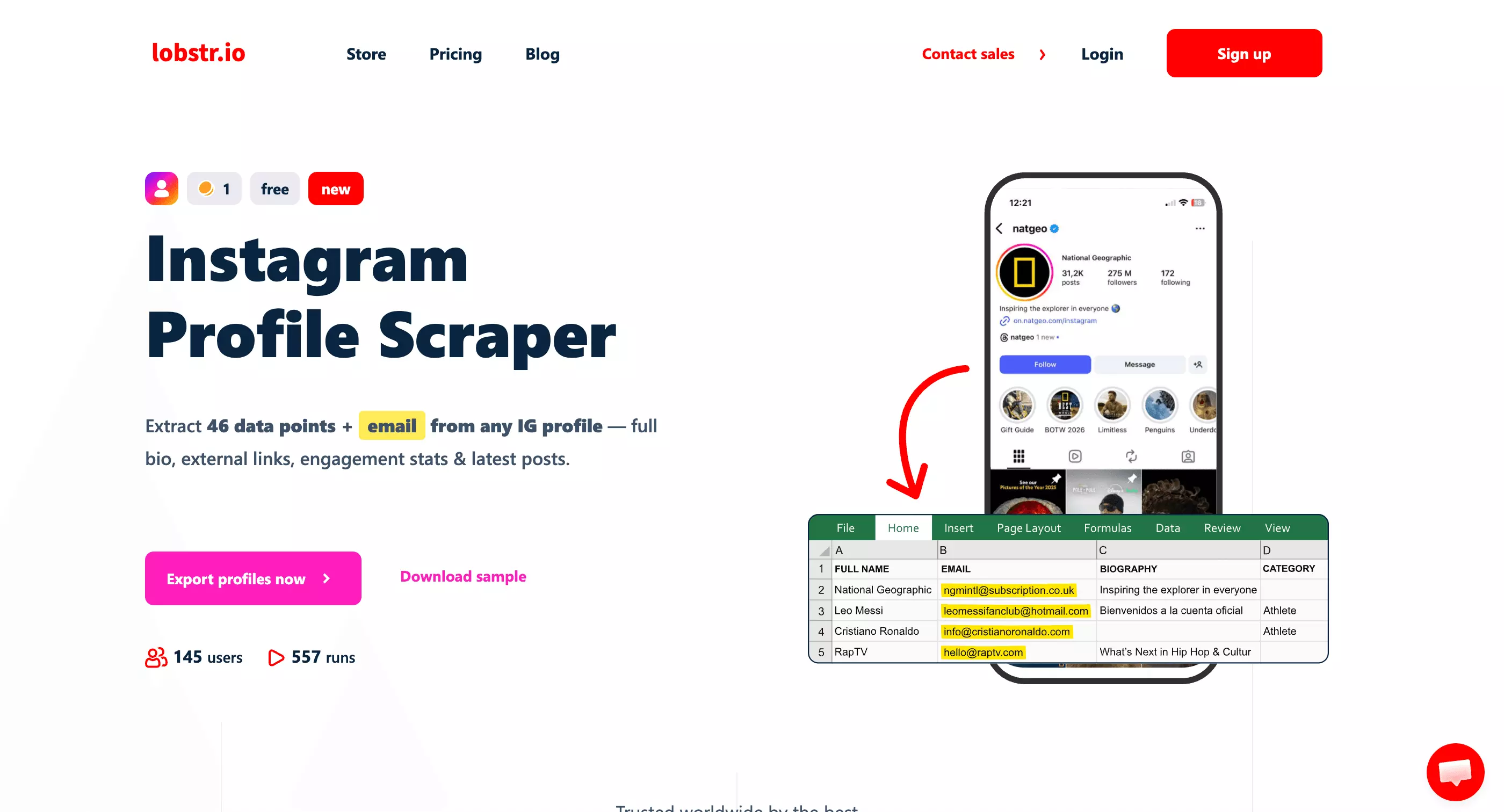
Try the Instagram Profile Scraper
| Pros | Cons |
|---|---|
| Cheapest tool tested at scale... $0.50 per 1,000 profiles, the lowest of any tool | Contact fields return null for all 50 profiles... email and phone never come through structured |
| Best support score of the four (5/5)... live chat plus email, with consistently praised response speed | Related profiles return only 2 fields (username, full name)... every other tool returns 6, including verified/private status |
| Accepts both URLs and usernames, plus CSV upload for bulk lists... no format wrangling needed | Mid-pack speed at 39 minutes per 1,000 profiles... about 4x slower than Bright Data |
| User-adjustable scaling via Slots... up to 20 per Squid, a theoretical 22.4M profiles/month ceiling | |
| No data loss on failure... runs pause instead of deleting progress, with 45-day retention | |
| Delivers to webhook, Google Sheets, S3, SFTP, and email, with deduplication enabled by default |
Data
Richness
47 effective data points.
Fields (50 total)
| Category | Fields |
|---|---|
| Identity | username, full_name, profile_id, id, fbid, profile_url, profile_pic_url |
| Bio | biography |
| Stats | followers_count, follows_count, posts_count, highlight_reel_count, igtv_video_count |
| Account type | category, business_contact_method, functions, joined_recently |
| Account flags | is_business_account, is_private, is_professional_account, is_verified, has_channel, has_clips, has_guides |
| Contact | business_email, business_phone_number, both always null |
| External links | all_external_urls, external_url_1–3 (each with link_type, lynx_url, title, url) |
| Posts (×12) | latest_post_1–12, each with 17 sub-fields including captions, likes, comments, location, audio info |
| Reels (×4) | latest_igtv_video_1–4, each with 12 sub-fields |
| Discovery | related_profiles, variable, avg ~35 (username, full_name only) |
| API wrapper | object, run, scraping_time |
Worth noting
category populates for 18 of 50 profiles, second only to Apify's 37/50 among the four scored tools.
business_email and business_phone_number return null for all 50 profiles... that field tracks Instagram's official contact info, not bio text. Some bios do contain a real email, but lobstr.io leaves it inside the raw bio text instead of giving it its own field.
Data score: 4/5 — 47 structured data points, capped by contact fields lobstr.io hasn't parsed from bio text... yet.
👉 Don't take my word for it... check the CSV
👉 Don't take my word for it... check the JSON
Cost
lobstr.io uses a credit-based monthly subscription.
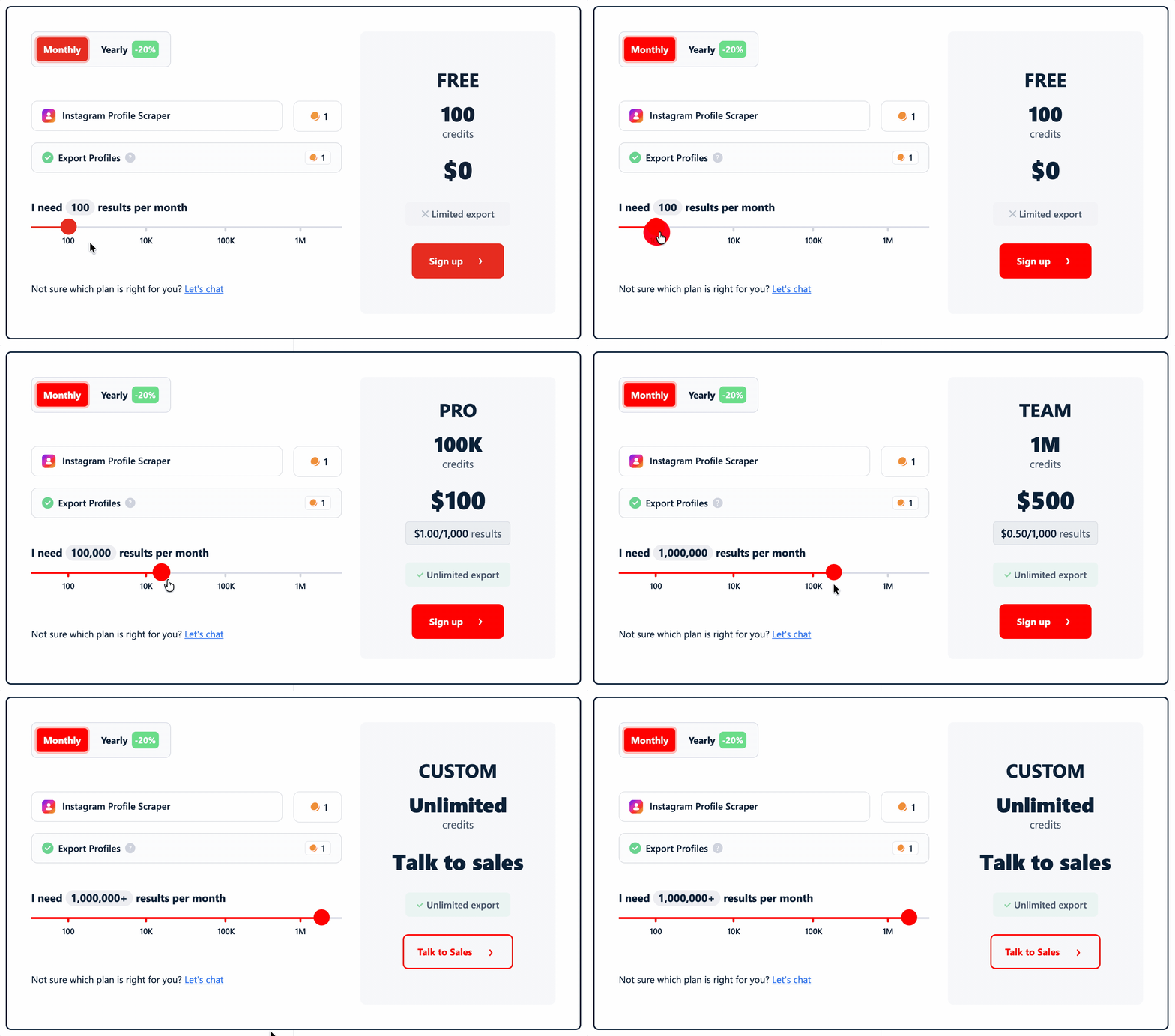
- Free: 100 credits/month
- Starts at: $2.00 per 1,000 results
- At scale: $0.50 per 1,000 results
Cost score: 5/5 — cheapest scale price of any tool tested.
Usability
lobstr.io runs as a no-code scraper with a REST API underneath.
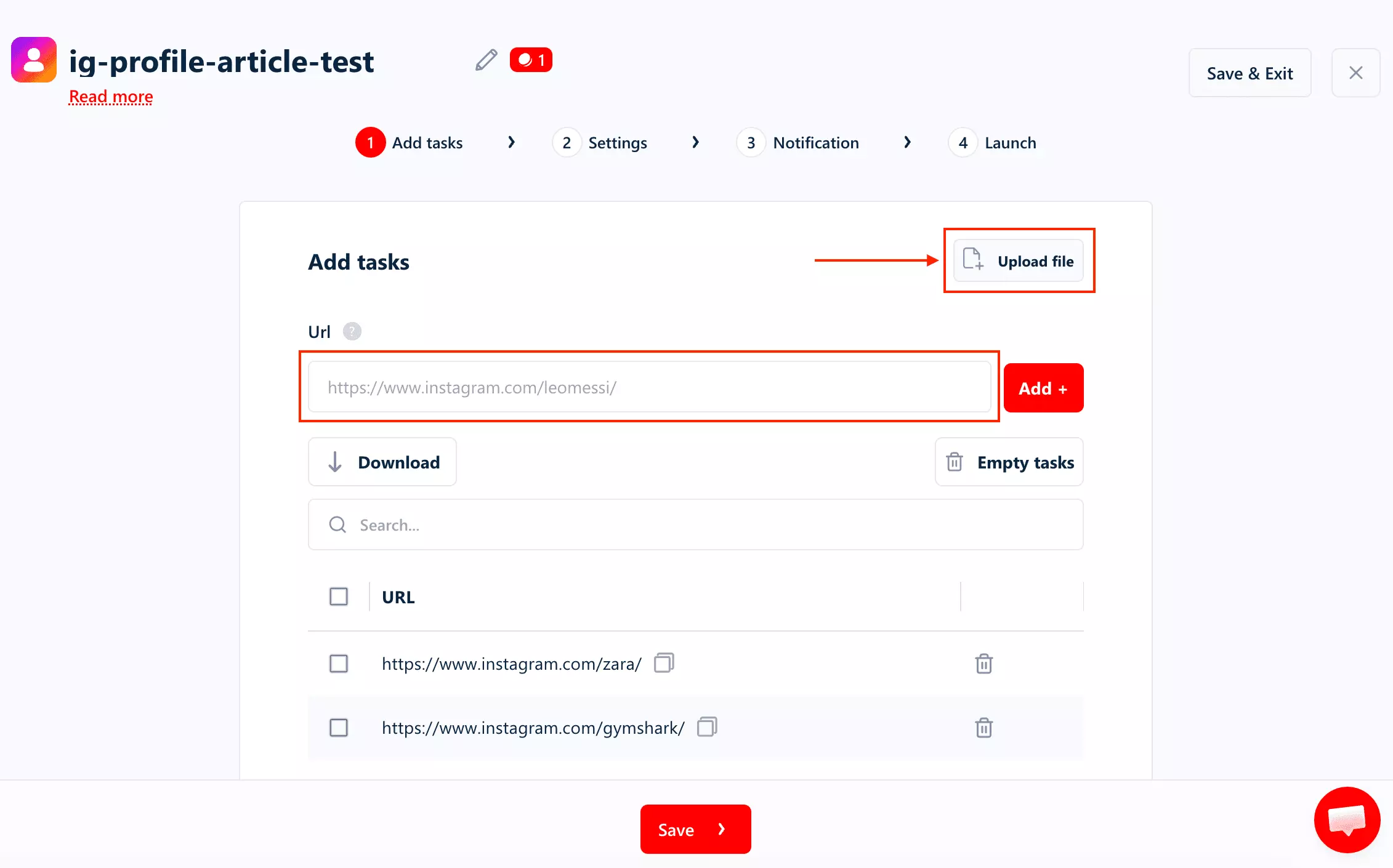
Ways to feed it a job
- Full Instagram profile URLs
- Bare usernames
- Batch input available
Both URLs and usernames work natively. You can also upload a CSV file of profile links for batch input, instead of adding them one by one.
Pre-scrape settings
The useful controls are around automation and delivery.
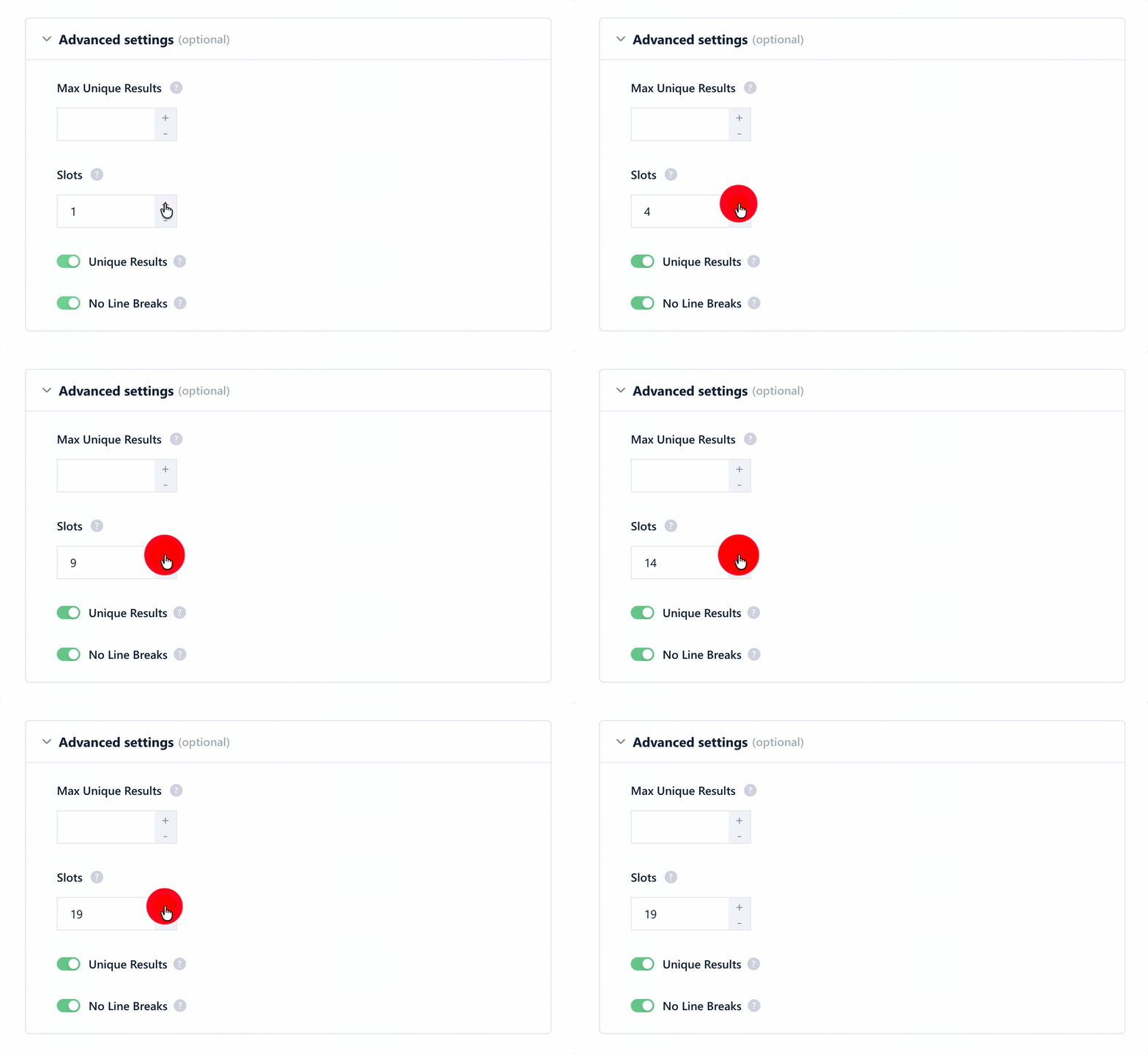
In the advanced settings, lobstr.io lets you set a maximum number of unique results, limit results per task, and choose the number of parallel concurrency/Slots.
You can also keep Unique Results enabled to avoid duplicates across runs, and turn on No Line Breaks to keep exports cleaner.
The scheduling settings are more useful for recurring jobs.
You can run the scraper manually, or schedule it to repeat by minutes, hours, days, weeks, or months. The scheduler also includes timezone control, start time, and weekday options.
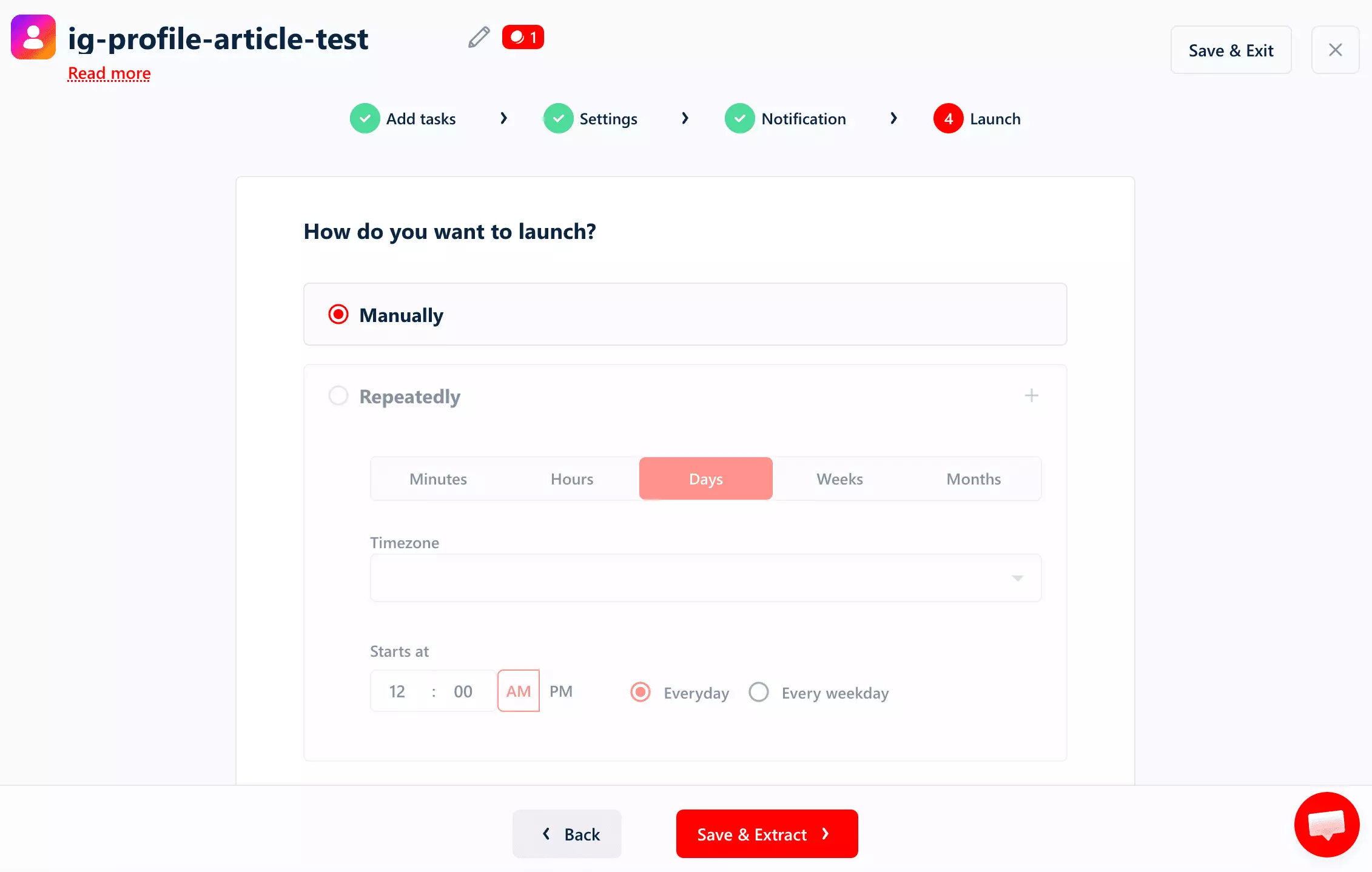
That makes lobstr.io better suited for ongoing profile monitoring than one-off scraping alone.
Standout features
- Export formats: CSV, JSON, XLSX, JSONL
- Delivery to webhook, Google Sheets, S3, SFTP, and email available
- Built-in scheduling available
- Python SDK, MCP server, and CLI available
- Batch input via CSV available
- Deduplication enabled by default
Usability score: 5/5 — no-code UI, URLs + usernames + CSV batch, full scheduling, deduplication, webhook/Sheets/S3/SFTP/email delivery, Python SDK + MCP + CLI
Speed
50 profiles in 116 seconds, processed server-side in parallel.
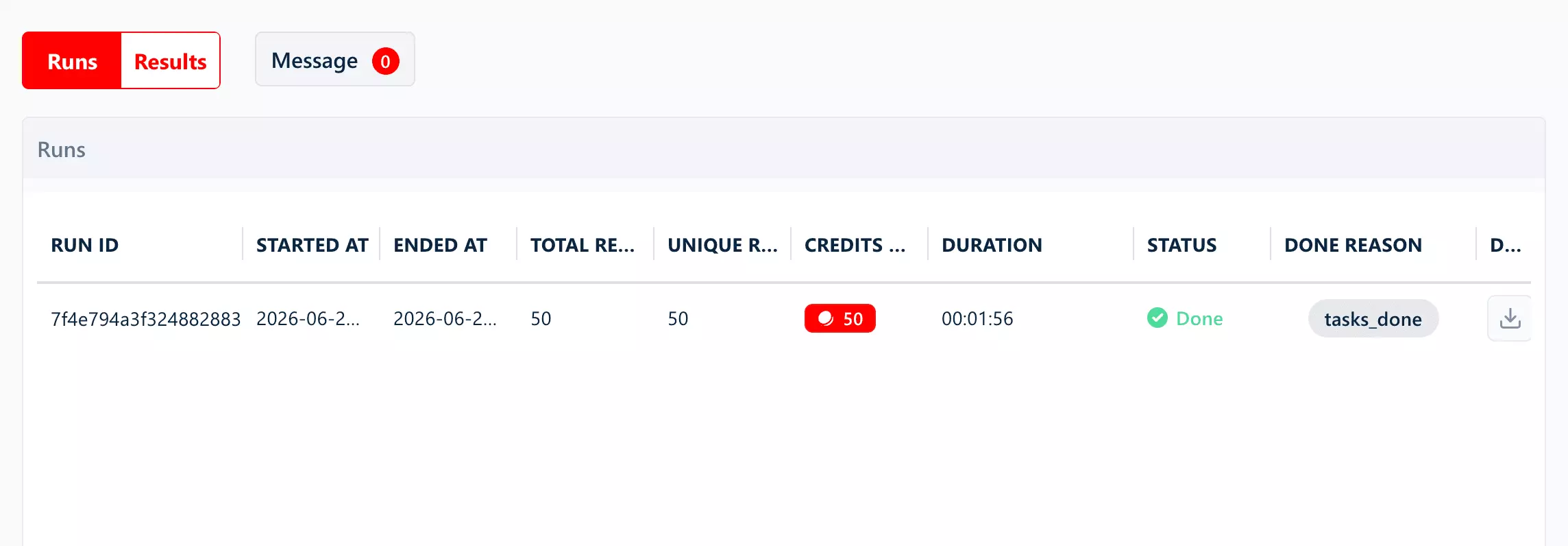
- Profiles per minute: 26
- Estimated time for 1,000 profiles: 39 minutes
This run used 1 Slot. Each Slot runs as a separate bot... adding Slots increases concurrency and brings the ceiling down proportionally.
Speed score: 3/5 — mid-pack at 39 min/1K; concurrency is configurable via Slots
Scalability
At 26 profiles/min, one Slot can pull roughly ~1.12M profiles/month if it runs 24/7.
That is before parallelization. lobstr.io lets you add up to 20 Slots per Squid, with each Slot running as a separate bot (~22.4M profiles/month theoretical ceiling).
If a run fails, lobstr.io pauses it instead of deleting your progress. Partial results stay available for 45 days, so you can stop the run and download what is already there.
Scalability score: 5/5 — ~1.12M ceiling per Slot, scaling to ~22.4M theoretically across 20 Slots, built-in concurrency, bulk input, scheduling
Customer support
lobstr.io gives you two normal ways to get help: live chat on the website and email support.
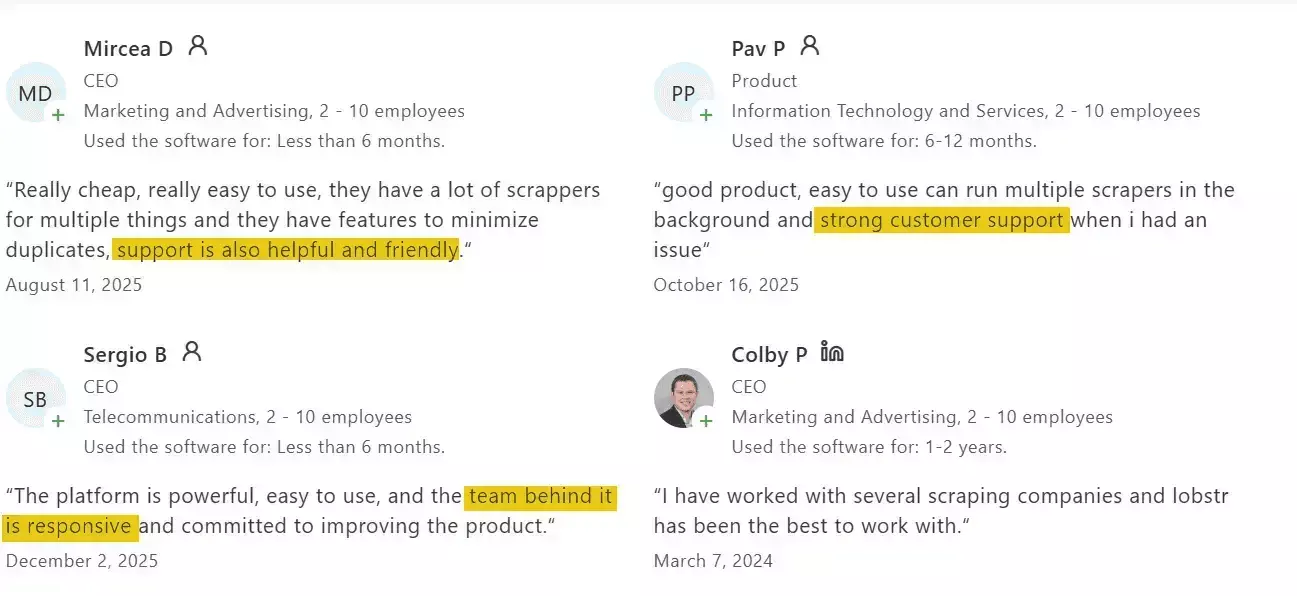
The stronger signal comes from Capterra reviews. Support comes up repeatedly, with users pointing to fast replies, helpful guidance, and a team that seems to understand the product.
Support score: 5/5 — live chat, email support, and consistently positive Capterra feedback.
Best for: Affordable Instagram scraping without giving up flexibility or scale.
It's the strongest value pick here... simple enough for no-code, flexible enough for developers, and able to handle larger jobs without extra engineering work.
2. Bright Data
User rating: 4.7/5 (68 reviews, Capterra, as of August 2, 2026)
| Category | Score |
|---|---|
| Data | 4/5 |
| Cost | 3/5 |
| Usability | 3/5 |
| Speed | 5/5 |
| Scalability | 4/5 |
| Support | 3/5 |
| Overall | 3.7/5 |
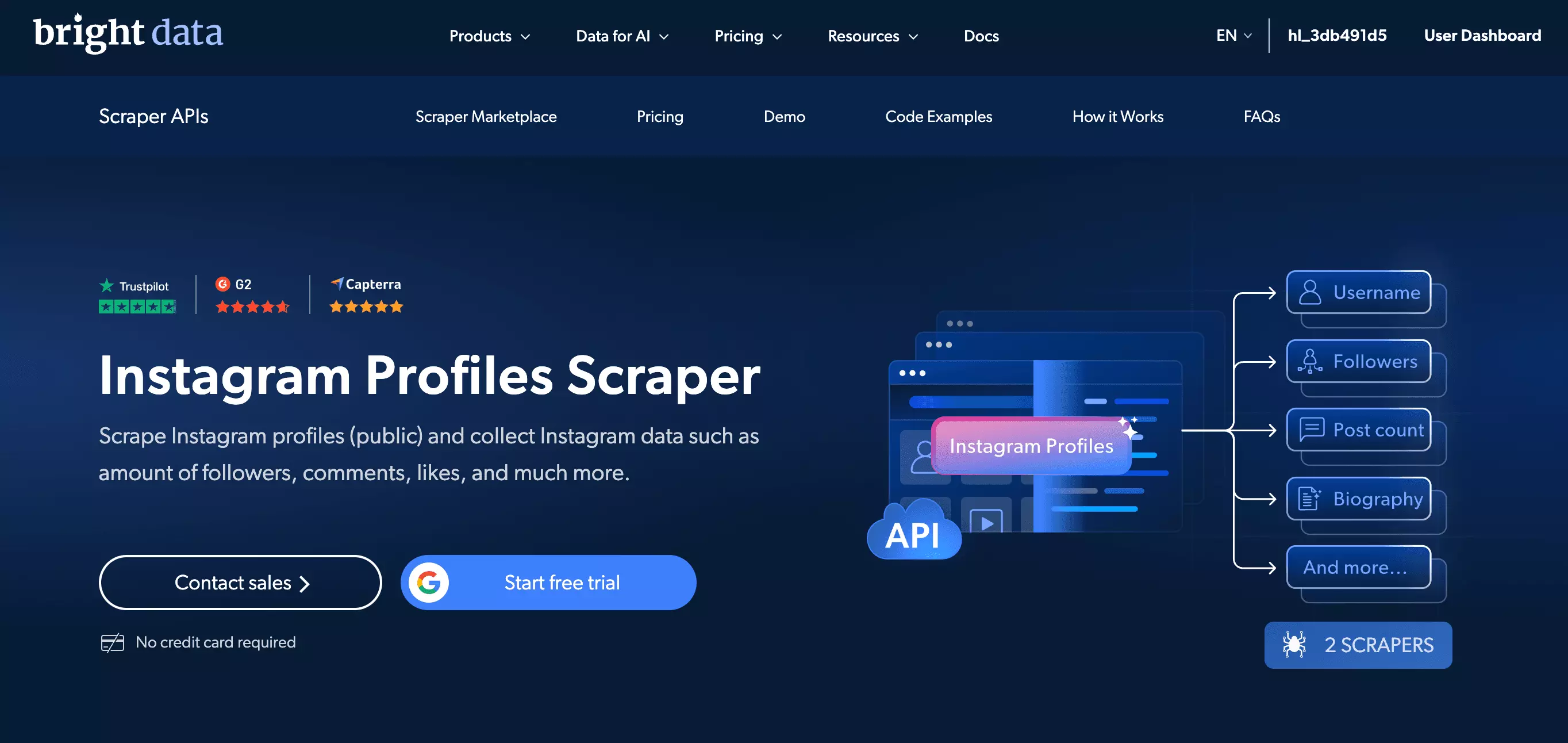
Bright Data is an enterprise data collection platform built for large scraping jobs. Its Instagram Profile Dataset API returns structured profile data.
| Pros | Cons |
|---|---|
| Fastest tool tested at 10 minutes per 1,000 profiles | URL-only input... usernames aren't accepted, adding a preprocessing step other tools skip |
Exclusive avg_engagement metric, populated for all 50 profiles... no other tool returns it | No Reels field and no phone field at all in the schema |
| Only tool that extracts a real email from bio text into its own field | No built-in scheduling... recurring runs require external orchestration |
| Cheapest entry price of any tool tested ($1.50 per 1,000 profiles) | Support is email-only, with an AI assistant that isn't useful for troubleshooting... no live chat |
| No data loss on failure... failed inputs save as error records, with 30-day snapshot retention |
Data
Richness
32 effective data points.
Fields (34 total)
| Category | Fields |
|---|---|
| Identity | account, id, fbid, partner_id, full_name, profile_name, url, profile_url |
| Stats | followers, following, posts_count, highlights_count |
| Bio | biography, bio_hashtags |
| Engagement | avg_engagement, calculated rate |
| Account type | business_category_name, category_name, has_channel, is_business_account, is_joined_recently, is_private, is_professional_account, is_verified |
| Contact | email_address, pronouns |
| Location | business_address, full street address |
| External links | external_url, external_url_title |
| Profile image | profile_image_link |
| Posts (×12) | posts, 11 sub-fields each, including a per-post post_hashtags extracted from captions |
| Discovery | related_accounts, variable, avg ~35 (id, user_name, profile_name, is_private, is_verified, profile_pic_url) |
| Metadata | timestamp, input, and a top-level post_hashtags field distinct from the per-post one (null in this test) |
Exclusive
avg_engagement is the exclusive data point here. It is populated for all 50 profiles, and no other tool in the comparison returns it.
For example, Gymshark comes in at 0.62%, while Versace sits at 0.01%.
email_address is populated for 5 of the 50 profiles, all fitness creators with talent/management agency contacts. Bright Data reads the bio text and extracts the email into its own field.
The trade-off: no phone field in the schema at all, and none of the tested bios had one to fall back on either. There's also no Reels field.
Data score: 4/5 — the only tool with a calculated engagement metric; docked for missing Reels and a weak category fill rate.
👉 Don't take my word for it... check the CSV
👉 Don't take my word for it... check the JSON
Cost
Bright Data gives you two ways to pay.
No monthly commitment, or a subscription that gets cheaper as you scale.
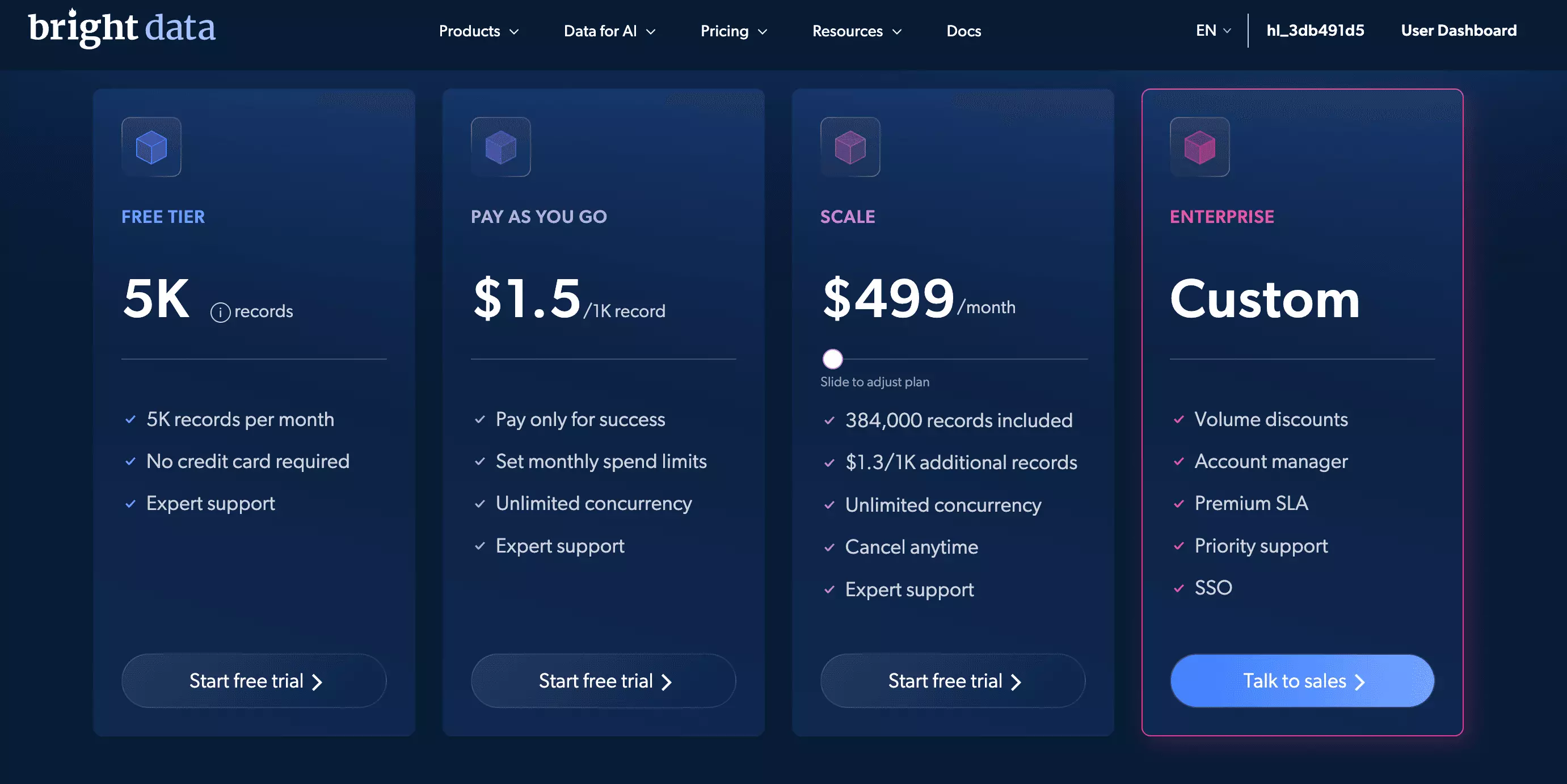
- Free: 5000 credits/month
- Starts at: $1.50 per 1,000 results
- At scale: $1.30 per 1,000 results
The pay-as-you-go option is the most flexible. No commitment, no monthly fee... you only pay for what you use.
Cost score: 3/5 — cheapest entry price of any tool tested; scale pricing ($1.30/1K) isn't competitive against lobstr.io ($0.50) or ScrapeCreators ($0.99).
Usability
Bright Data is API-first and also has a no-code UI.
Ways to feed it a job
- Full Instagram profile URLs only
- Usernames and shorthand paths are not accepted.
- You can use CSV upload for batch input in the UI.
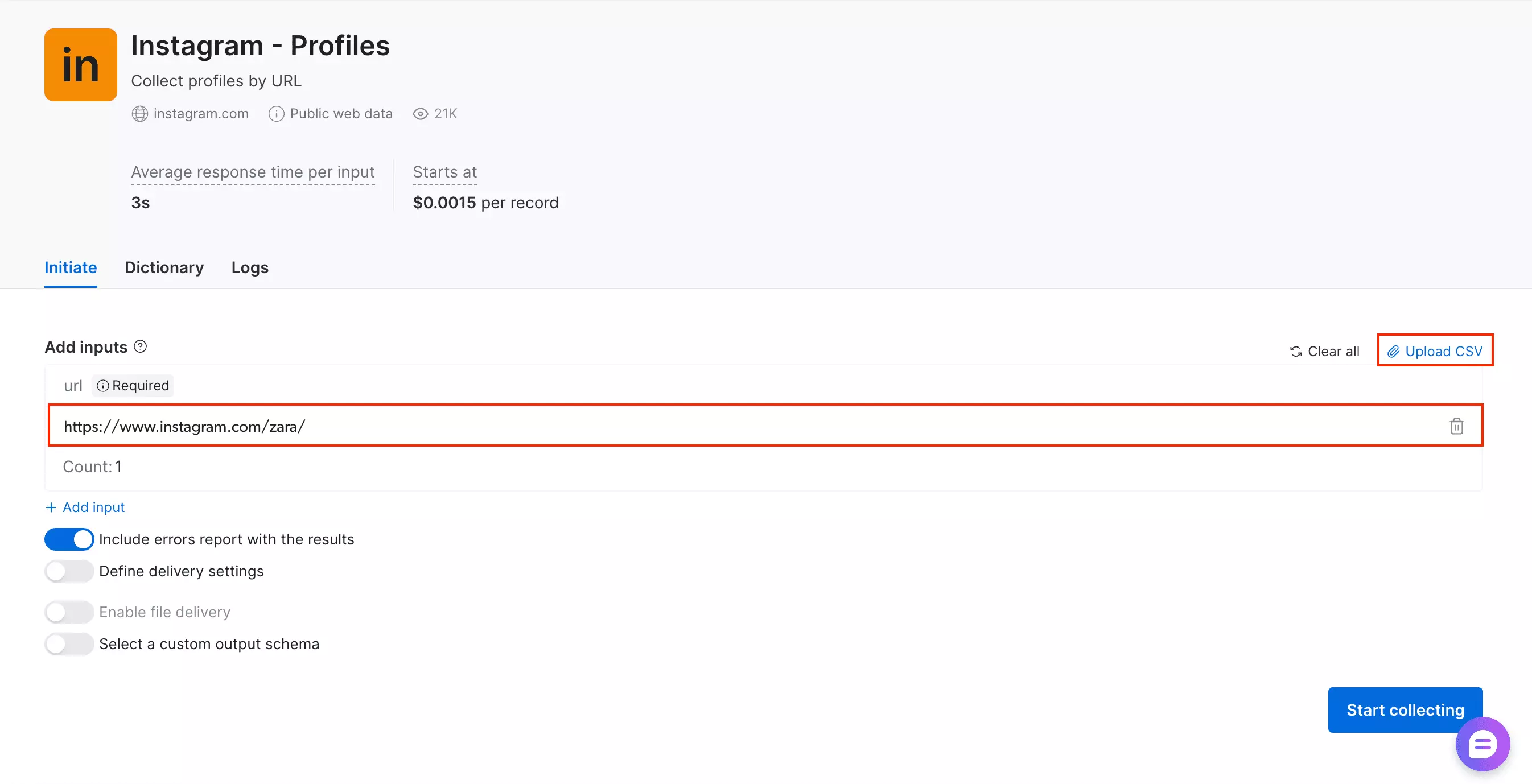
Pre-scrape settings
The UI keeps the setup fairly light.
You can include an error report with the results, define delivery settings, enable file delivery, or select a custom output schema.
That means failed records can be reviewed inside the same output, instead of chasing them through a separate lookup.
Standout features
- No-code UI available
- CSV upload for batch input
- Export formats: JSON, NDJSON, CSV, XLSX, Parquet
- Error reports included with results
- Webhook on snapshot completion
- S3/GCS delivery on higher plans
- Custom output schema option
- Server-side parallel collection
- MCP server, Python SDK, and CLI available
Worth noting
The URL-only input also adds a small preprocessing step that other tools skip.
There is also no built-in scheduling or recurring profile monitoring for this dataset.
Usability score: 3/5 — no-code UI, CSV batch, rich delivery options, MCP + SDK + CLI; URL-only input, no scheduling
Speed
50 profiles in 29 seconds. Fastest tool tested.
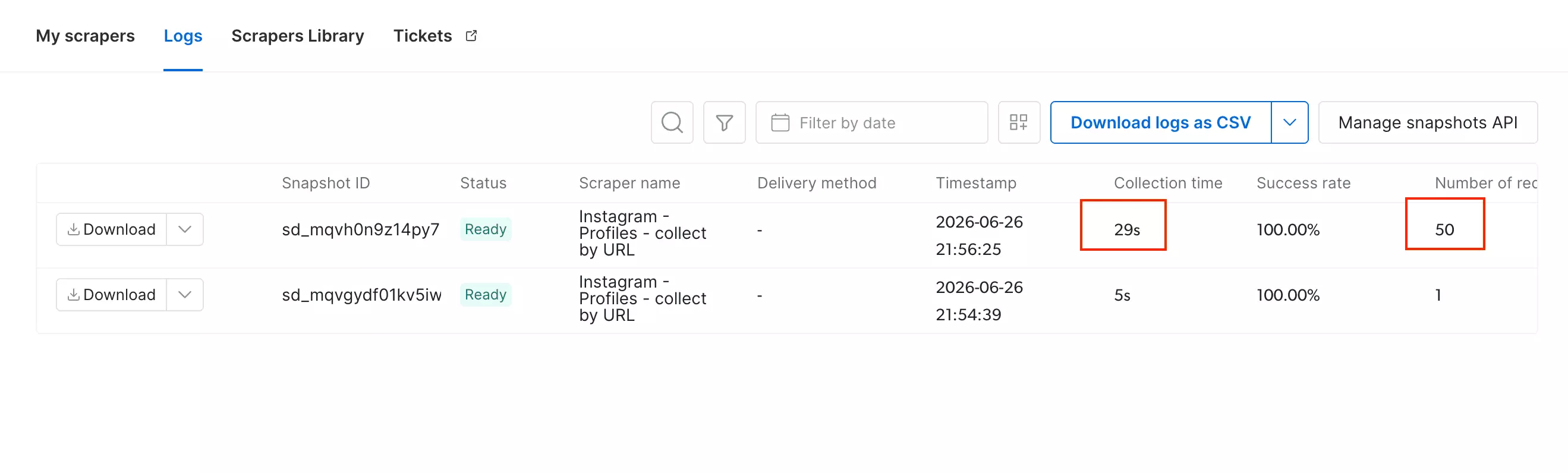
- Profiles per minute: 103
- Estimated time for 1,000 profiles: 10 minutes
Speed score: 5/5 — 10 min/1K, fastest tool tested
Scalability
At 103 profiles/min, Bright Data can pull roughly ~4.47M profiles/month if it runs 24/7... the highest ceiling of any tool tested at default, single-instance configuration. (lobstr.io's theoretical ceiling runs higher, ~22.4M/month, but only when stacking all 20 Slots in parallel... see the FAQ.)
All profiles in a batch run simultaneously. Collection time is determined by the slowest single profile, not the sum. The dataset supports up to 5,000 URLs per async request.
There is no built-in scheduling for this dataset, so recurring runs require external orchestration.
Bright Data saves failed inputs as error records without removing successful results. You can rerun only the failed inputs. Snapshots stay available for 30 days.
Scalability score: 4/5 — ~4.47M ceiling, parallel server-side execution, large batch size; no built-in scheduling
Customer support
Bright Data has an AI assistant, but it is not very useful for troubleshooting.
For actual support, you submit a request and wait for a reply by email. There is also a Request missing data form for incomplete datasets.
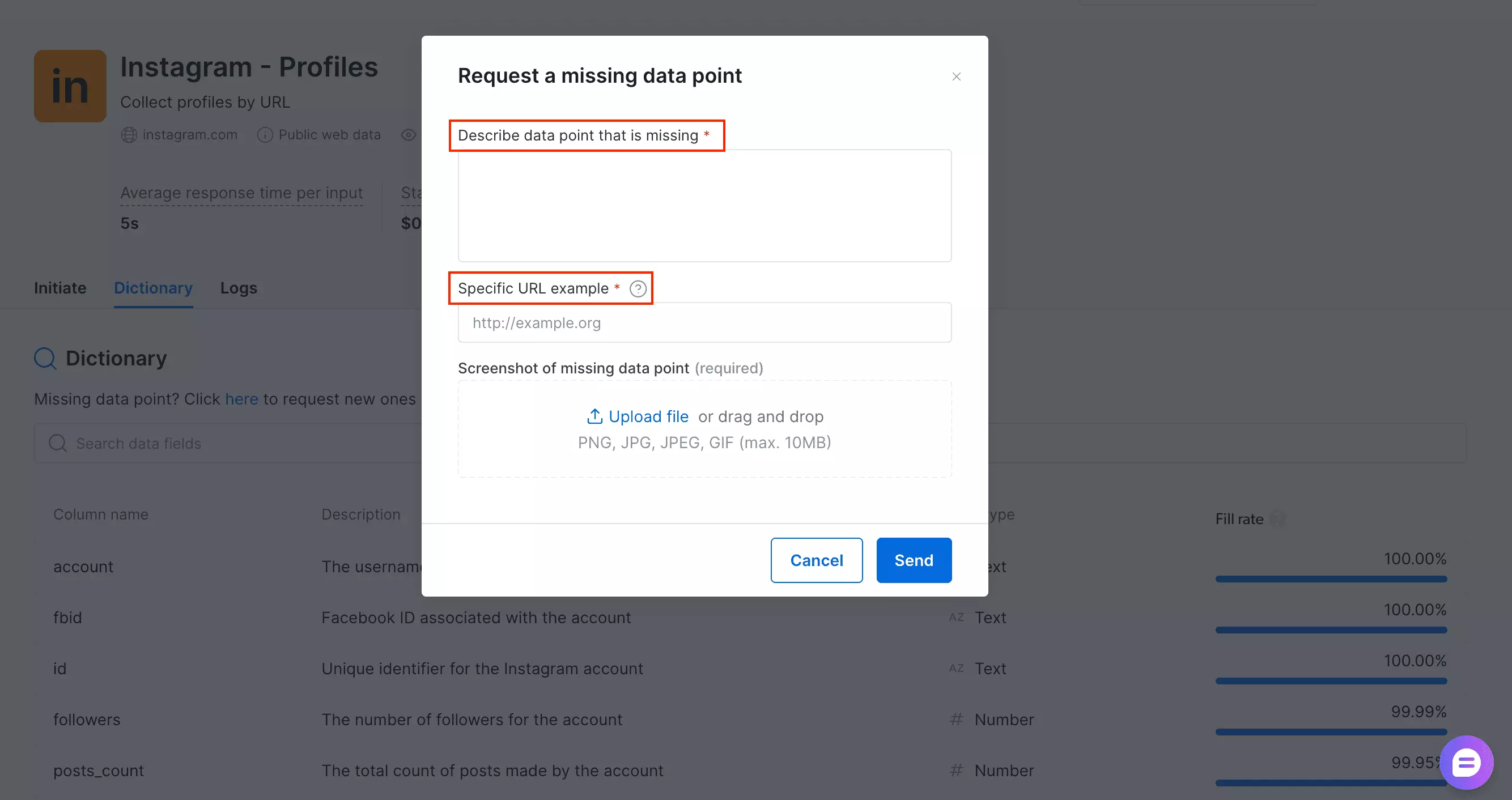
The process is clear... just not fast.
Support score: 3/5 — structured email support, but no real-time help.
Best for: Teams that need fast Instagram scraping with built-in engagement data and flexible delivery options.
It is the strongest fit for high-volume collection: fastest in testing, easy to scale, and available through both no-code and developer workflows.
The trade-off is workflow flexibility. Bright Data accepts URLs only and leaves recurring runs to external tools.
3. Apify
User rating: 4.7/5 (150 reviews, Apify, as of August 2, 2026)
| Category | Score |
|---|---|
| Data | 3/5 |
| Cost | 2/5 |
| Usability | 5/5 |
| Speed | 4/5 |
| Scalability | 4/5 |
| Support | 3/5 |
| Overall | 3.5/5 |
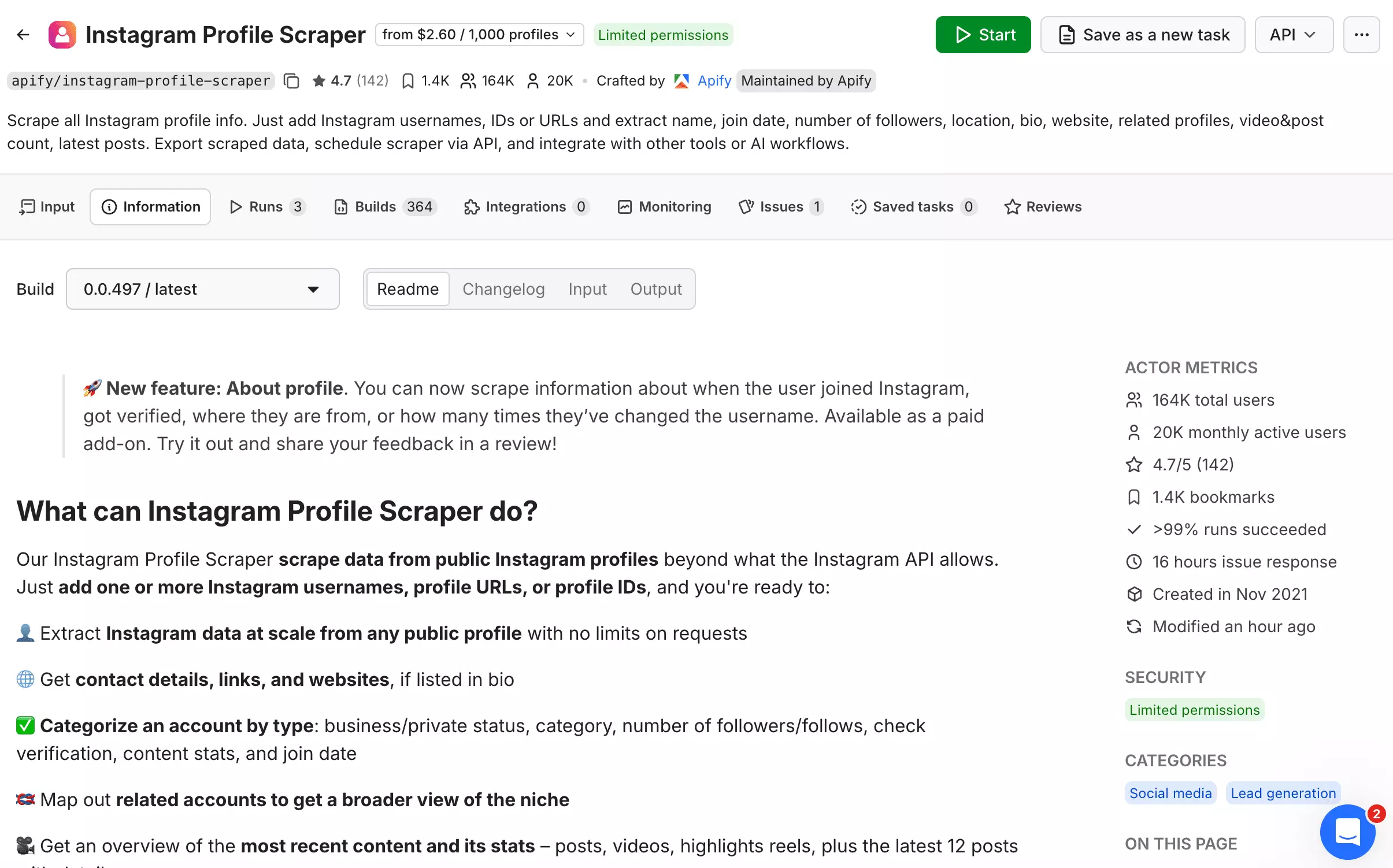
Apify is a cloud scraping platform with ready-made tools. Its Instagram Profile Scraper actor lets you collect profile data without building a scraper yourself.
| Pros | Cons |
|---|---|
| Best business-category fill rate tested... 37 of 50 profiles | Most expensive of the four scored tools at both entry ($2.30/1K) and scale ($1.60/1K) |
| Second-fastest tool tested at 12 minutes per 1,000 profiles | No email or phone fields in the schema at all, not even as null placeholders |
| Richest platform integrations | The includeAboutSection add-on returned no additional data |
| Keeps saved results after a crash... restart and continue, with 31-day data retention | 15-hour average actor issue response time during testing |
Data
Richness
25 effective data points.
Fields (26 total)
| Category | Fields |
|---|---|
| Identity | id, fbid, username, fullName, url, inputUrl |
| Bio | biography |
| Stats | followersCount, followsCount, postsCount, highlightReelCount, igtvVideoCount |
| Account type | businessCategoryName, isBusinessAccount, joinedRecently, private, verified |
| Location | businessAddress (city, lat/lng, street, 6/50) |
| External links | externalUrl, externalUrlShimmed, externalUrls |
| Profile images | profilePicUrl, profilePicUrlHD |
| Posts (×12) | latestPosts, 19 sub-fields each |
| Reels | latestIgtvVideos, variable, avg 7, 15/50 return zero |
| Discovery | relatedProfiles, variable, avg ~35 (id, username, full_name, is_private, is_verified, profile_pic_url) |
Worth noting
One thing that stood out is businessCategoryName: it shows up in 37 of 50 profiles.
That is more than twice lobstr.io's rate, its closest competitor at 18/50, and even further ahead of Bright Data and ScrapeCreators (8/50 each).
Two structural quirks are worth flagging.
includeAboutSection is supposed to add join date, country, and channel details. Across two full test runs, it changed nothing.
Field naming is also inconsistent.
Top-level fields use camelCase, while relatedProfiles switches to snakecase with names like full_name and `isprivate`.
It is minor, but still adds unnecessary cleanup.
No email or phone fields exist in the schema at all... not even as null placeholders, unlike every other tool tested. A few bios do contain a real email, but there's no field built to capture it.
Data score: 3/5 — best business-category fill rate of any tool tested; docked for inconsistent naming and contact fields that are structurally absent rather than merely empty.
👉 Don't take my word for it... check the CSV with the about-section toggle on or off
👉 Don't take my word for it... check the JSON
Cost
Apify runs on a monthly subscription.
There are two separate charges: one for the profile itself, and an optional add-on for "about account" details.
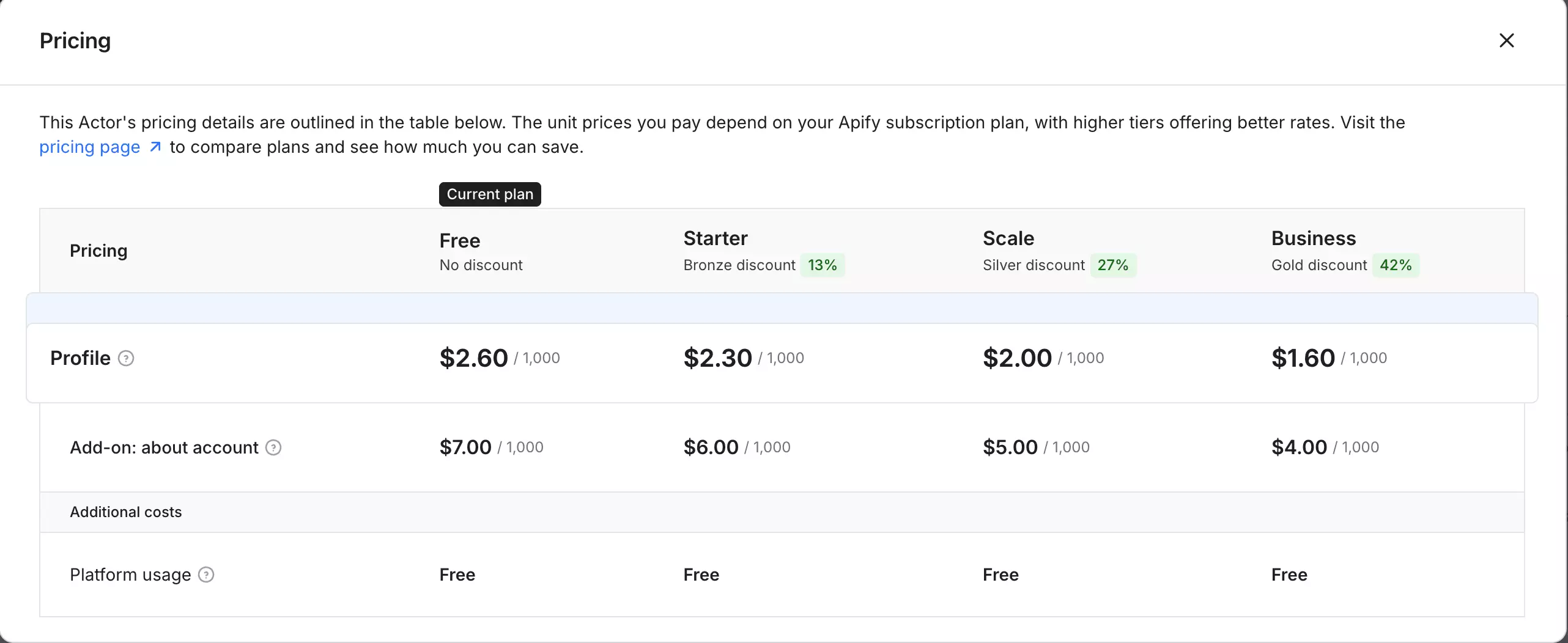
- Free: available, with $5 credit (2000 credits/month)
- Starts at: $2.30 per 1,000 profiles
- At scale: $1.60 per 1,000 profiles
The "about account" add-on is listed at an additional $6.00/1K at entry and $4.00/1K at scale.
In testing, enabling it didn't change what I was actually charged... most likely because the toggle never returned any additional data to bill for in the first place (see Data above).
Either way, there's no reason to turn it on: same fields, same output, no confirmed extra cost.
Compared with lobstr.io, Apify is slightly pricier at entry and over 3x more expensive at scale ($1.60 vs $0.50/1K).
Cost score: 2/5 — the most expensive of the four scored tools at both entry and scale, and the optional add-on costs extra without returning any additional data.
Usability
Apify has a no-code UI + API.
Ways to feed it a job
- Full Instagram profile URLs
- Bare usernames
- Batch input through the usernames array
Both URLs and usernames worked without preprocessing.
All 50 profiles were submitted in one array, so bulk input is handled cleanly.
Pre-scrape settings
The main setting worth mentioning is the includeAboutSection toggle.
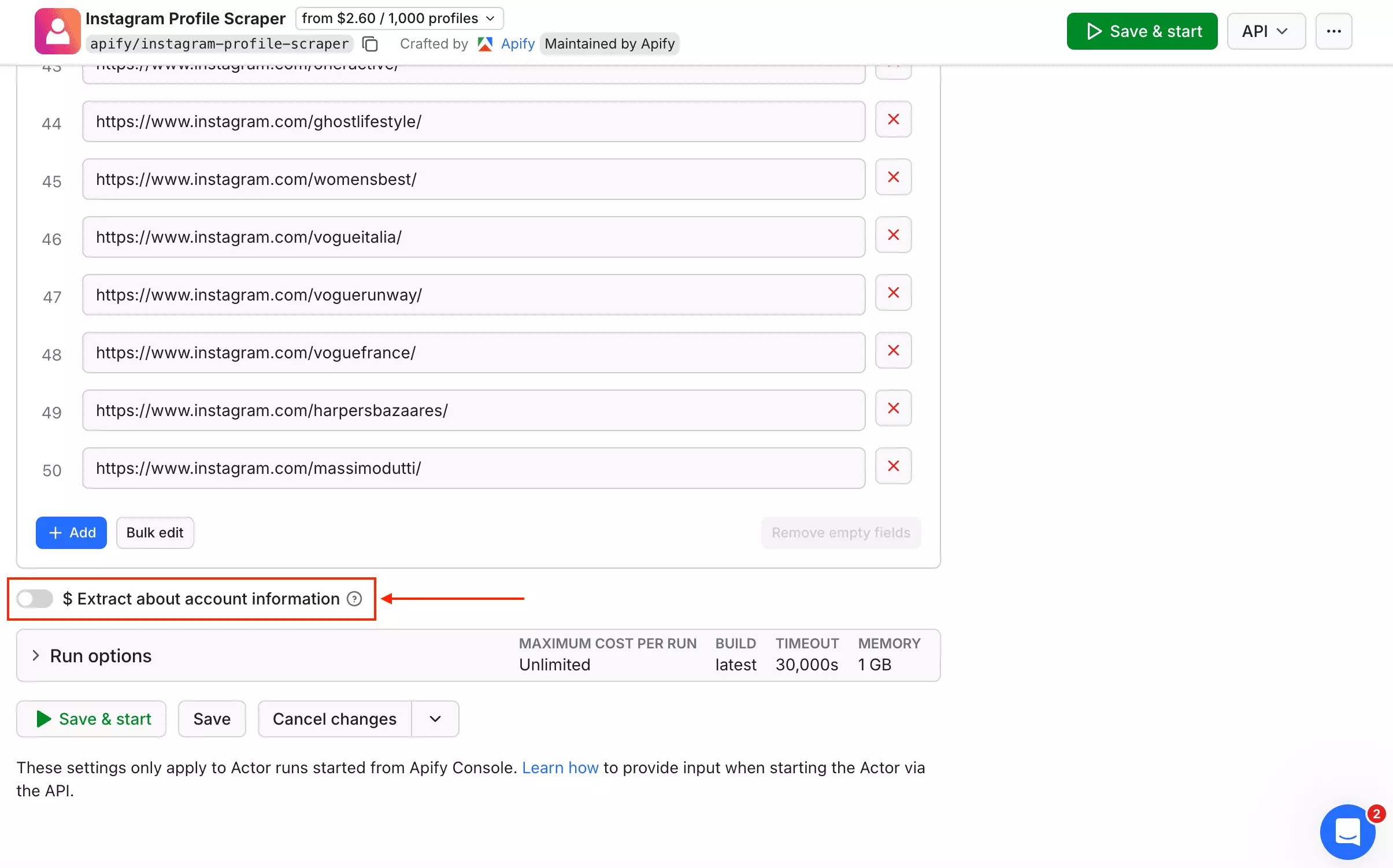
It is documented as adding join date, country, and channel details.
Standout features
- Export formats: CSV, JSON, XLSX, XML, JSONL
- Scheduling via Apify platform
- Webhooks on run completion
- Integrations: Zapier, Make, Google Sheets, S3, Slack
- MCP + SDK + CLI available
Usability score: 5/5 — no-code UI, URLs + usernames, scheduling, webhooks, wide integrations, multiple export formats, SDK + MCP
Speed
50 profiles in 37 seconds. Second fastest in this comparison.
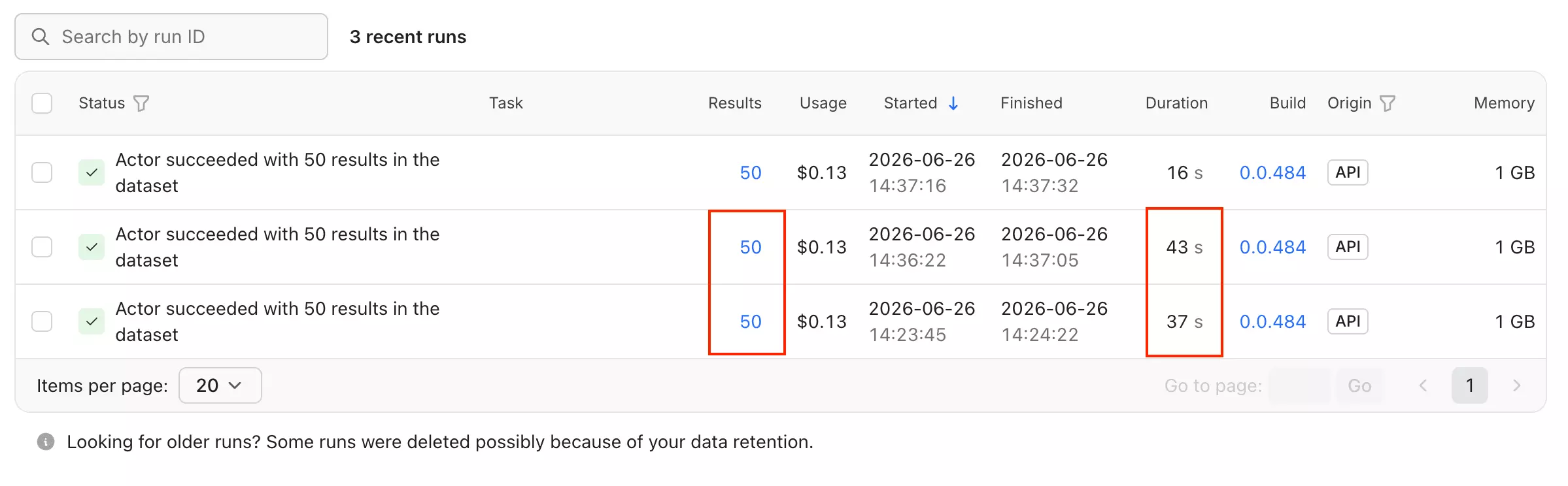
- Profiles per minute: 81
- Estimated time for 1,000 profiles: 12 minutes
With includeAboutSection enabled, the same 50 profiles completed in 43 seconds... the toggle adds ~6 seconds but returns no additional fields.
Speed score: 4/5 — 12 min/1K, second fastest tested
Scalability
At 81 profiles/min, Apify can pull roughly ~3.50M profiles/month if it runs 24/7.
Concurrency is managed server-side... you pass a batch of usernames or URLs and the Actor handles parallelization internally.
The main scaling constraint is cost, not infrastructure, since Apify bills per result at scale.
Apify keeps every result already saved, even if a run crashes or moves to another server. You can restart the run and continue from where it stopped. Data stays available for 31 days.
Scalability score: 4/5 — ~3.50M ceiling, server-side concurrency, bulk input, built-in scheduling
Customer support
Apify gives you several support options: live chat, tickets, Discord, and public issue threads.
Use live chat for general questions. For problems with the Instagram scraper, the issue tracker is usually more useful.
During my review, the actor showed an average response time of 15 hours.
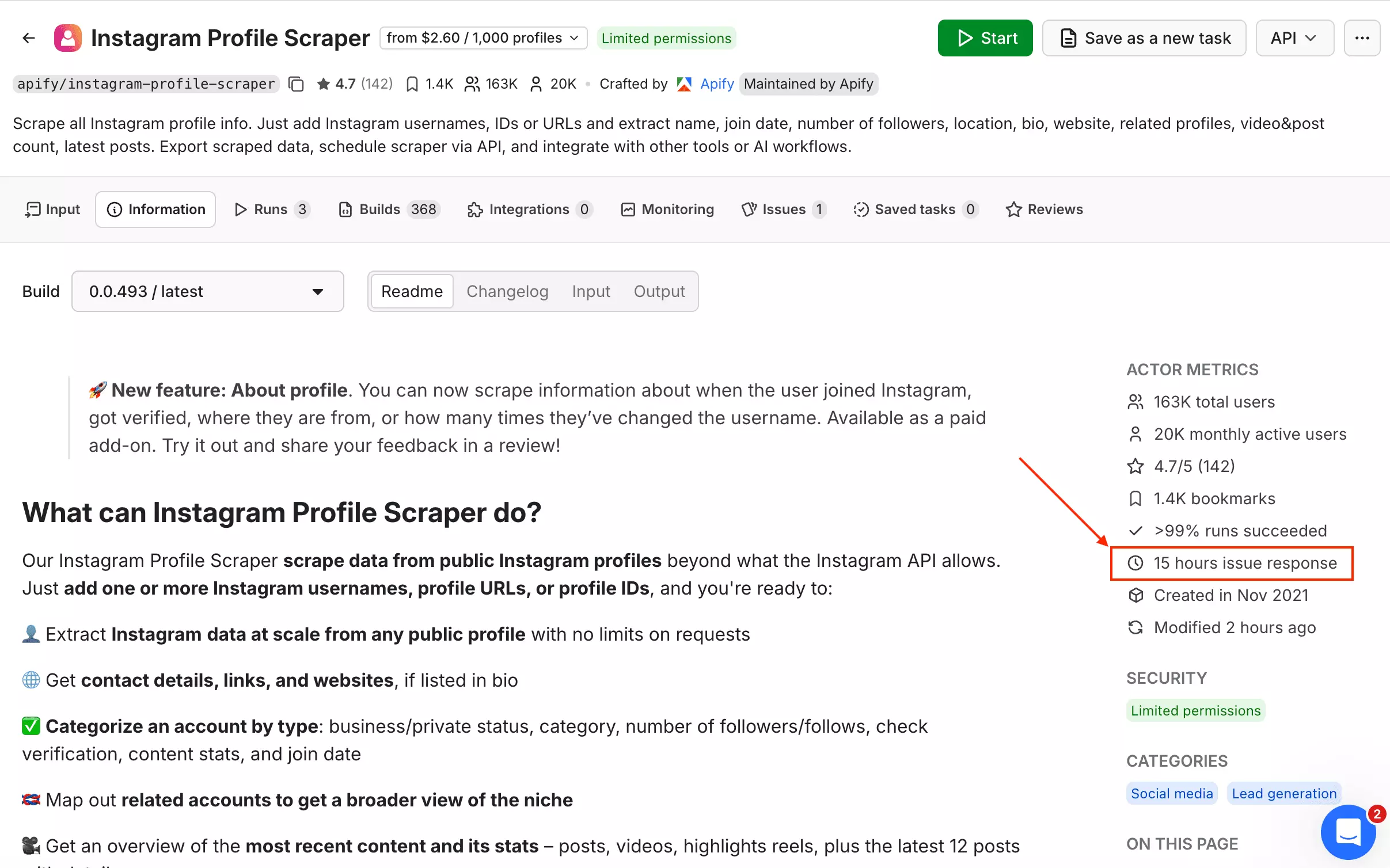
That is not exactly instant when a scrape is stuck.
Still, the setup is solid. You get official support, community help, and public issue history in one place.
Support score: 3/5 — live chat, tickets, Discord, and public actor issues; 15-hour actor response time keeps it from scoring higher.
Best for: Teams that need fast Instagram scraping with strong automation and workflow tools.
It is the best fit for operational workflows: fast runs, clean bulk input, built-in scheduling, webhooks, integrations, and API access in one platform.
The trade-off is cost. Apify becomes expensive at scale.
4. ScrapeCreators
User rating: 4.7/5 (166 reviews, G2, as of August 2, 2026)
| Category | Score |
|---|---|
| Data | 4/5 |
| Cost | 4/5 |
| Usability | 2/5 |
| Speed | 2/5 |
| Scalability | 2/5 |
| Support | 2/5 |
| Overall | 2.7/5 |
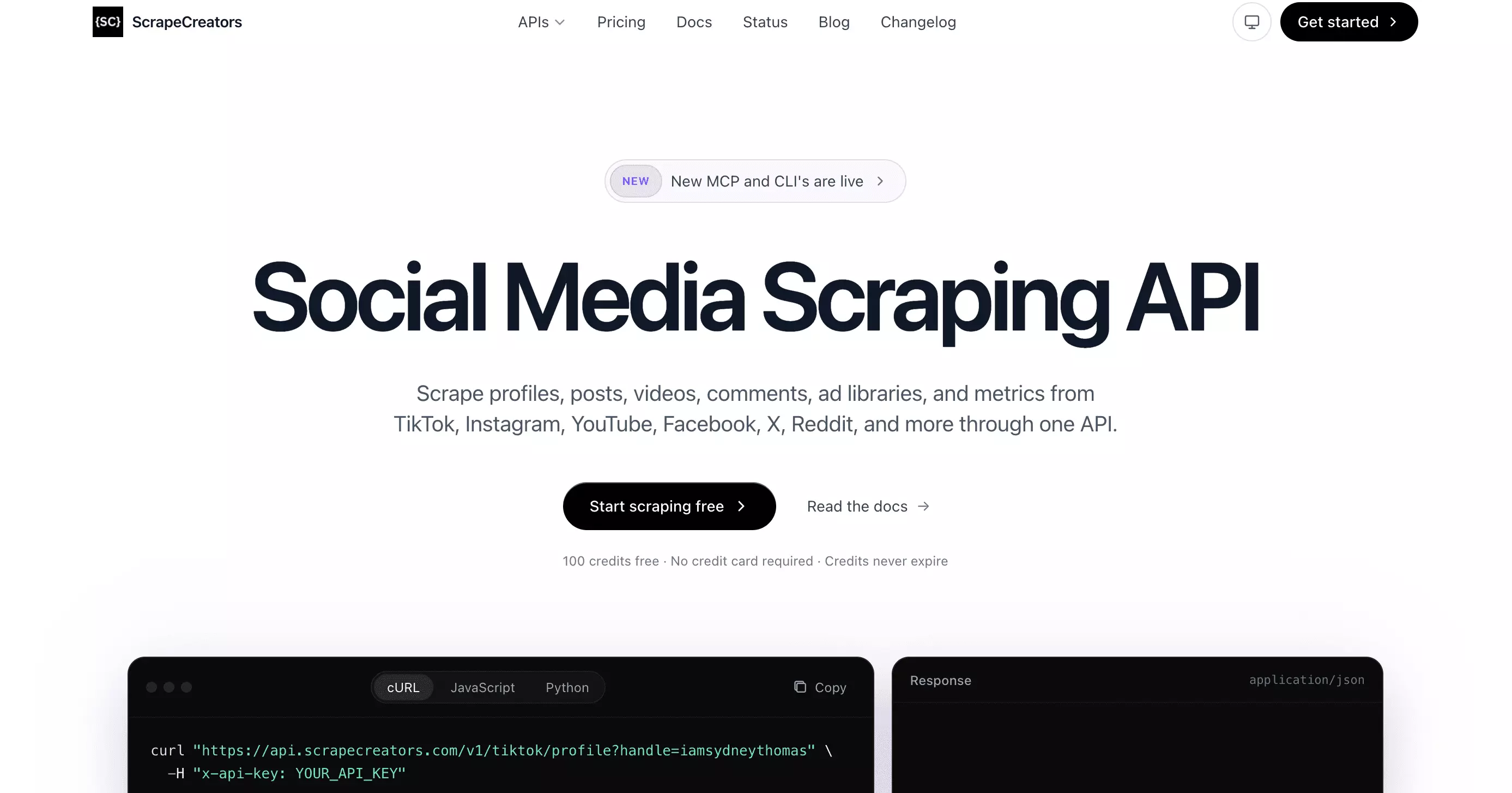
ScrapeCreators is a social media scraping API for collecting public data from Instagram and other platforms through REST endpoints.
| Pros | Cons |
|---|---|
| Largest schema tested... 69 effective data points | Slowest of the four scored tools... 101 minutes per 1,000 profiles, sequential single-profile requests only |
| Second-cheapest tool tested at both entry ($1.88/1K) and scale ($0.99/1K) | API-only with no no-code UI or batch endpoint... you loop through usernames yourself |
| Credits never expire... unlike the other three tools' monthly-recurring free credits | Contact fields (business_email, business_phone_number) return null across all 50 profiles |
| Only exports as JSON... no CSV, XLSX, or other format options | |
| No scheduling, webhook, or delivery integrations... all of that is on you to build |
Data
Richness
69 effective data points, the largest schema tested.
Fields (69 total)
| Category | Fields |
|---|---|
| Identity | username, id, fbid, eimu_id, full_name, profile_pic_url_hd |
| Bio | biography, biography_with_entities, bio_links, external_url |
| Account type | 14 boolean flags including is_regulated_c18, is_supervised_user |
| Contact | business_email, business_phone_number, always null |
| Viewer state | 9 fields (blocked_by_viewer, follows_viewer, etc.) |
| Posts | edge_owner_to_timeline_media, 12/profile, 34 sub-fields each |
| Reels | edge_felix_video_timeline, variable, avg 7, 15/50 return zero |
| Discovery | edge_related_profiles, variable, avg ~35, 48/50 populated (id, username, full_name, is_private, is_verified, profile_pic_url) |
| AI metadata | ai_agent_owner_username, ai_agent_type |
Worth noting
Posts, Reels, related profiles, and bio_links all come back as ready-to-use JSON arrays... no extra cleanup needed.
business_email and business_phone_number are null across all 50 profiles... that field tracks Instagram's official contact info, not bio text. A few bios do spell out a real email, but ScrapeCreators doesn't split it out into a separate field.
Exclusive
biography_with_entities, bio text with hashtags, mentions, and links automatically tagged. Absent from lobstr.io, Apify, and Bright Data.
Data score: 4/5 — 69-data-point schema, delivered as clean JSON arrays instead of needing extra parsing; docked for null contact fields.
👉 Don't take my word for it... check the JSON (profile-level fields only, the full nested post/Reels data is too large to host as a gist)
Cost
ScrapeCreators uses a credit-based model with one-time packs. Credits never expire, and each profile costs 1 credit.
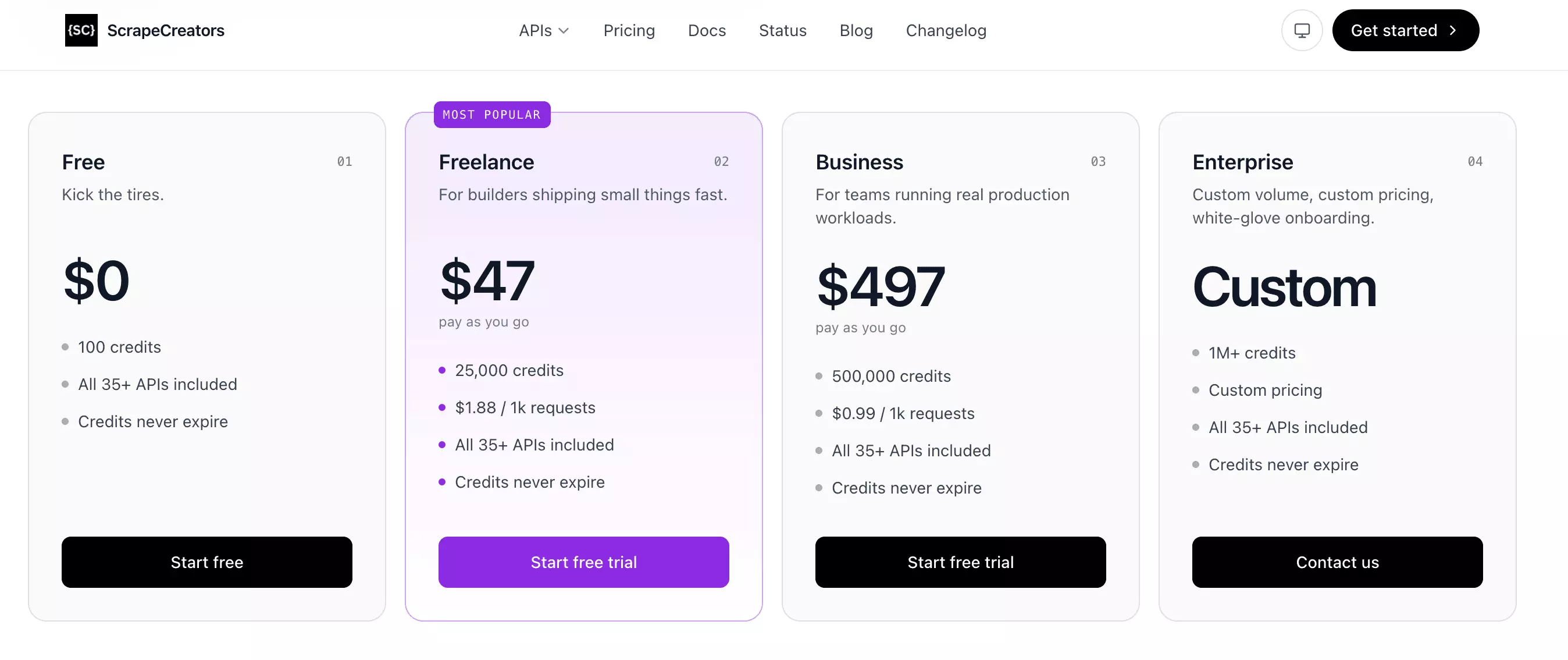
- Free: 1,000 credits
- Starts at: $1.88 per 1,000 profiles ($47 / 25,000 credits)
- At scale: $0.99 per 1,000 profiles ($497 / 500,000 credits)
At scale, ScrapeCreators is the second-cheapest tool tested, behind only lobstr.io ($0.50/1K).
Cost score: 4/5 — second-cheapest at both entry and scale.
Usability
ScrapeCreators is API-only.
There is no no-code UI, no console workflow, and no built-in automation layer.
Ways to feed it a job
- Username-only input through
?handle={username} - Single-profile request per call
- URLs are rejected with a clear error message.
For bulk scraping, you need to loop through usernames yourself.
Pre-scrape settings
There are no pre-scrape filters or controls.
Edge objects come back as proper JSON arrays, easy to loop through directly.
Worth noting
There is no batch endpoint, no built-in scheduling, no webhook, and no native Sheets, S3, SFTP, or email delivery.
Usability score: 2/5 — API only, username-only input, single-profile requests, no batch, no delivery
Speed
50 profiles in 304 seconds.
- Profiles per minute: 10
- Estimated time for 1,000 profiles: 101 minutes
Slower than every scored tool in this comparison, though still far faster than Scrapfly (531 min/1K) or Piloterr (113 min/1K).
Speed score: 2/5 — 101 min/1K, sequential single-profile requests only
Scalability
At 10 profiles/min, ScrapeCreators can pull roughly ~428K profiles/month if it runs 24/7.
There is no batch endpoint, so each request handles one profile at a time.
There is no built-in scheduler or delivery orchestration either, all of that is on you.
ScrapeCreators handles each request separately, so there is no long-running job to crash. That means no partial run to recover... but it also does not publish a data-retention period.
Scalability score: 2/5 — ~428K ceiling, no built-in concurrency, no batch, no scheduling
Customer support
ScrapeCreators uses email-based support.
The support address is shown directly in the dashboard, easy to find.
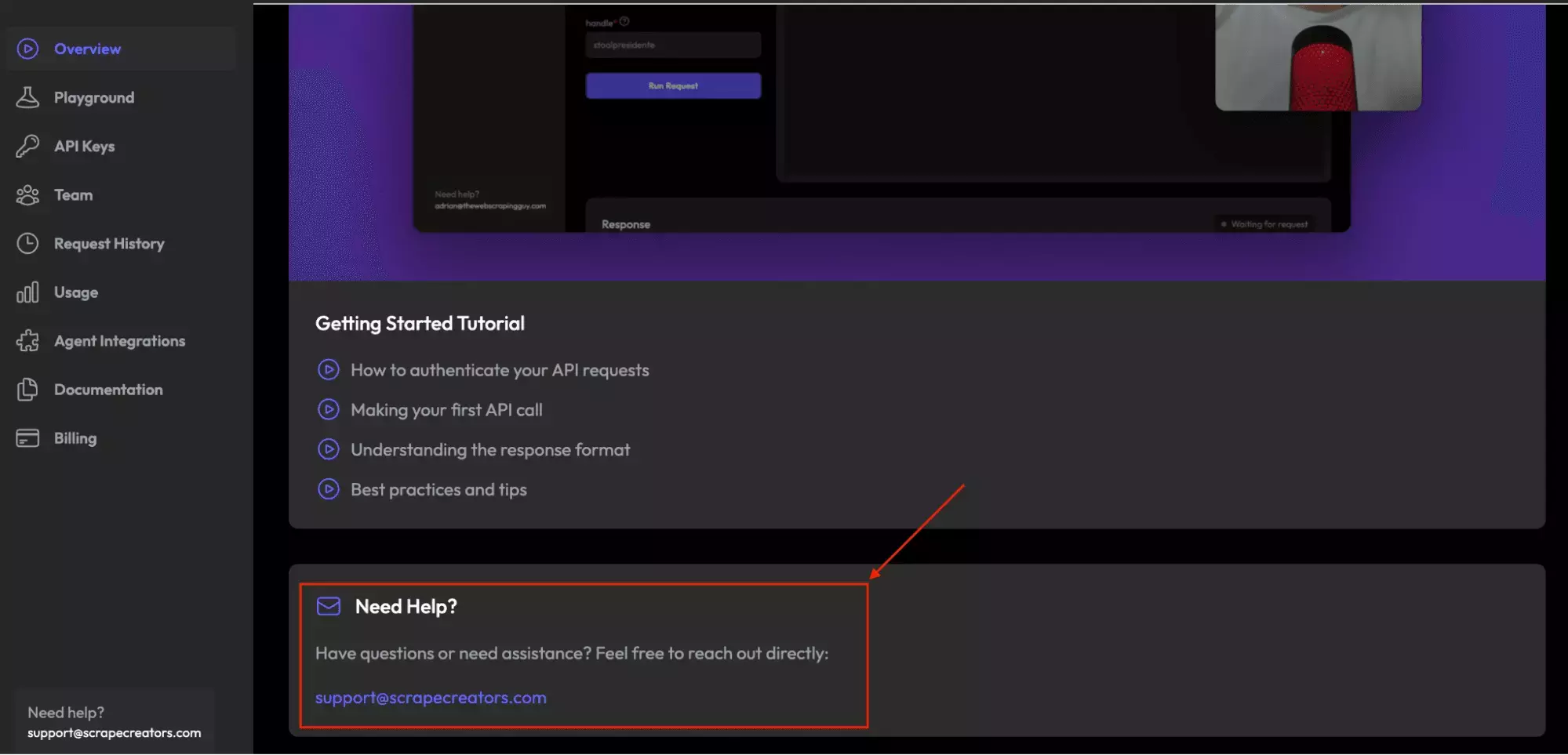
There is no live chat, ticket status, or public issue tracker.
That may be enough for routine questions, but there is no fast support channel if something breaks during a production run.
Support score: 2/5 — email support is easy to find, but there is no live chat, ticket tracking, or response-time visibility.
Best for: Developers who want rich Instagram profile data through a simple API, at the largest field count of any tool tested.
It's the pick if raw field count matters more than workflow convenience: no other tool returns as much data, and the price at scale undercuts every option except lobstr.io.
The trade-off is workflow support. There's no built-in batching, scheduling, or delivery... all of it is on your end to build.
The scraper that didn't make the list
Scrapfly
Scrapfly is a developer-focused scraping platform with an official scrapfly-scrapers GitHub repo, including a Python template for extracting Instagram profile data through Scrapfly's SDK and proxy infrastructure.
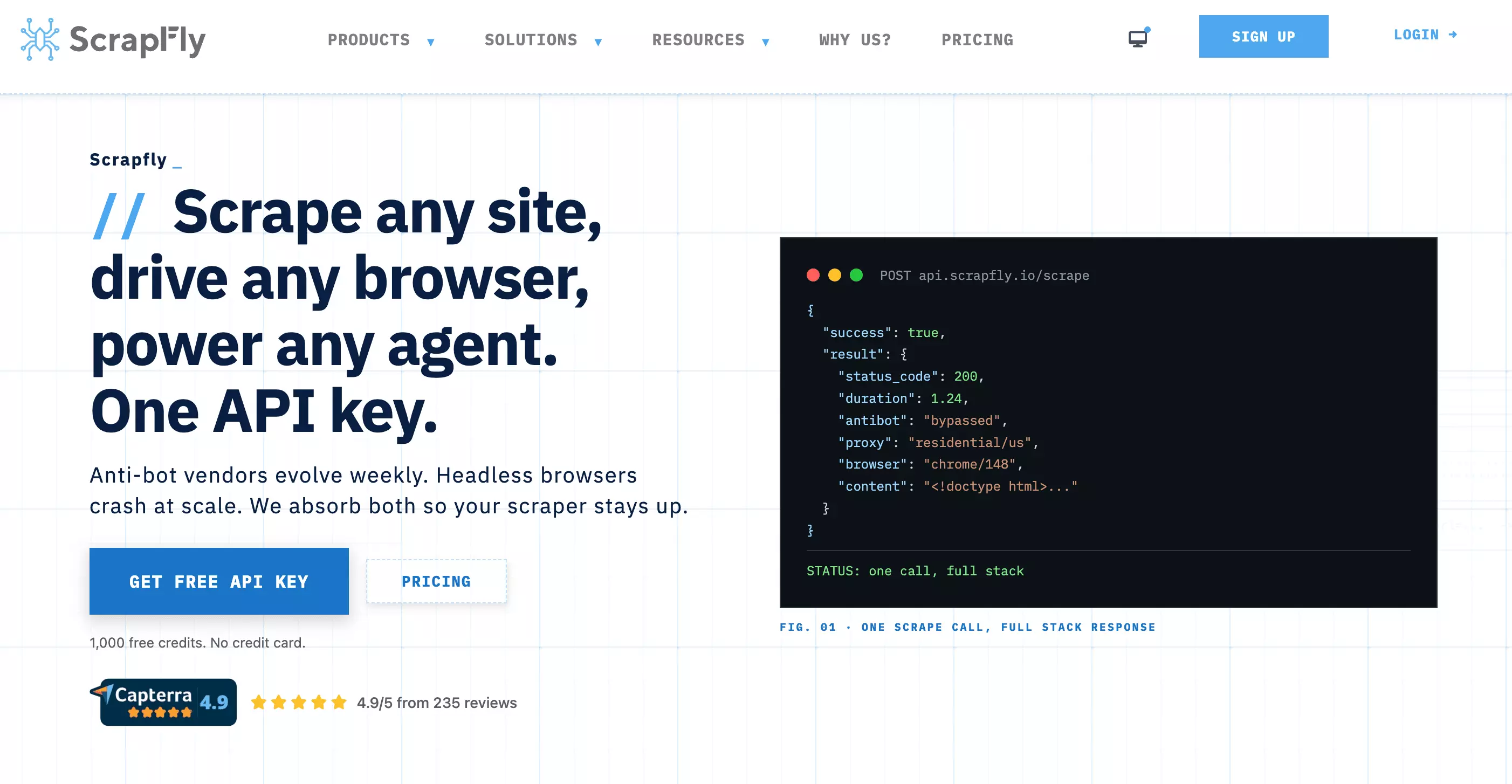
Scrapfly doesn't win on any single criterion in this comparison. It has one of the leanest schemas, the slowest speed by a wide margin, the highest real-world cost once ASP kicks in, the lowest scalability ceiling, and the most friction to set up.
Data: 23 fields, second-fewest tested (only Piloterr's 15 is lower), filtered down from the same 69-field raw schema ScrapeCreators returns in full.
👉 Don't take my word for it... check the JSON
Cost: The advertised $0.15/1K assumes datacenter proxy. In this test, ASP escalated to residential at profile 11... 25 API calls per profile.
Real cost: $3.75/1K at entry, $2.25/1K at scale... more expensive than every one of the four scored tools, with fewer fields and worse speed.
Speed: 531 min/1K... 5× slower than ScrapeCreators, 55× slower than Bright Data. ASP residential wait times (35–40 seconds per profile) are the cause, and there's no way to tune or bypass them.
Scalability: ~81K profiles/month... the lowest calculated ceiling of any tool tested, and unpredictable. ASP escalation is automatic and profile-dependent, so you can't reliably forecast cost or throughput before a run starts.
Usability: No REST endpoint, no no-code UI, no hosted runner. You clone a GitHub repo, install the Scrapfly SDK, write async Python, and manage the loop yourself.
The only thing Scrapfly offers that no other tool does is JMESPath schema control.
Why it's still worth knowing about: if you're already on a paid plan large enough to absorb ASP costs, and comfortable building the full pipeline yourself, JMESPath gives you field-level control no ready-made scraper here offers. That's a narrow audience, but a real one.
Piloterr
Piloterr is a credit-based scraping API offering structured Instagram profile data, part of a broader library of scraping endpoints for other platforms.
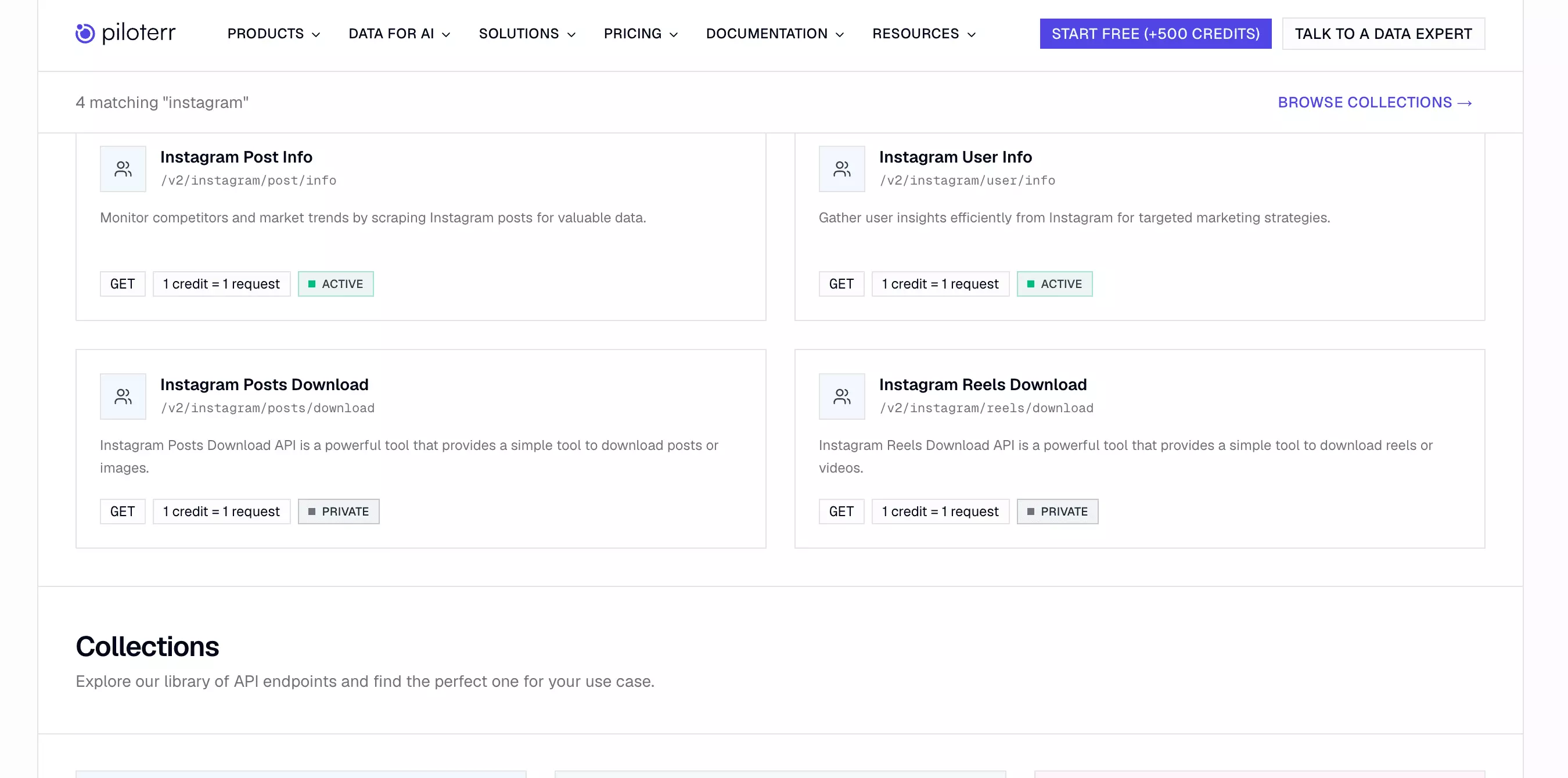
Piloterr didn't make the final list because of reliability, not data depth alone. It failed on 20 of the 50 test profiles with a generic server error, and it returns the leanest schema of any tool tested, with no email, phone, Reels, or related-profiles data at all.
Data: 15 fields, the fewest tested. Like Apify, there's no email or phone field at all, not even as a null placeholder. Unlike Apify, there's also no Reels or related-profiles data.
👉 Don't take my word for it... check the JSON
Cost: Credit-based subscription, 1 credit per request. Entry cost is $2.72 per 1,000 profiles and scale cost is $2.26 per 1,000 profiles.
Speed: 113 min/1K... slower than every scored tool in this comparison, though still far faster than Scrapfly's 531 min/1K.
Scalability: ~384K profile attempts/month at the measured throughput, but since retrying failed profiles didn't change the outcome, only about 230K of those would actually come back with usable data at the observed 60% success rate.
Usability: API-only, no no-code UI. MCP server available. One GET request per profile, no batch endpoint, no pre-scrape settings... you send a username or URL and get back a single JSON response or a 500 error.
The 40% failure rate is the disqualifying issue. Even ignoring the thin schema, a tool that fails on 2 of every 5 real business profiles isn't something to route production scraping through.
Why it's still worth knowing about: the MCP server means it slots straight into an agent workflow with almost no setup, and successful requests come back in about 4 seconds each (the 113 min/1K figure above blends in the wall time lost to the 20 failed attempts, which is why the two numbers don't match). If you're prototyping something small and can tolerate the failure rate, it's a reasonable place to start.
FAQ
Do I need to log into Instagram to scrape public profiles?
No. None of the 7 tools tested require an Instagram login or session cookie.
Which Instagram scraper returns the most data?
ScrapeCreators returns 69 data points, the largest schema tested.
Raw data point count isn't everything, though... lobstr.io offers a smaller, consistently structured 47-data-point schema instead.
Why isn't SociaVault on this list?
I tested it. It ties ScrapeCreators on data (69 fields, 4/5), but loses on every other criterion: it's the priciest of the four scored tools ($2.00/1K at scale vs ScrapeCreators' $0.99), it's slightly slower (104 min/1K vs 101), and its response format needs more manual cleanup (dict-keyed edges vs ScrapeCreators' clean arrays).
For the same underlying data, ScrapeCreators is strictly the better pick, so I moved SociaVault out of the main comparison rather than list it as a weaker duplicate.
What's the cheapest way to scrape Instagram profiles at scale?
lobstr.io, at $0.50 per 1,000 profiles at scale.
That's less than a third of Apify's scale price ($1.60/1K).
Which Instagram scraper is easiest to set up with no code?
lobstr.io, tied with Apify for the highest Usability score of any tool tested (5/5).
What's the fastest Instagram profile scraper?
Bright Data, at 10 minutes per 1,000 profiles.
All 50 test profiles were collected in under 30 seconds. Apify was second at 12 min/1K.
Which Instagram scraper has the highest monthly ceiling?
Bright Data, at roughly 4.47 million profiles per month if run continuously... the highest ceiling among the four tools at their default, single-instance configuration.
That's based on its 10 min/1K speed... Apify is next at roughly 3.50 million.
lobstr.io's theoretical ceiling runs higher, at roughly 22.4 million/month, but only if you stack all 20 Slots in parallel... that's a manually configured concurrency setup, not a default run.
Do these tools work on private Instagram profiles?
No. All 7 tools in this comparison scrape public profiles only.
What's the best Instagram profile scraper overall?
lobstr.io is the best overall Instagram profile scraper in this test.
It doesn't win every isolated metric... Bright Data is faster, and ScrapeCreators has the deepest raw schema.
But lobstr.io is the strongest all-rounder because it combines the lowest scale pricing of any tool tested, no-code setup, automated delivery, and built-in scheduling.
What's the best Instagram profile scraper for developers?
ScrapeCreators fits developers who want the deepest raw schema, delivered as ready-to-use JSON arrays instead of needing extra parsing.
For programmatic access without building the delivery pipeline yourself, lobstr.io is the better middle ground... API, SDK, CLI, and MCP included.
Conclusion
Here's who wins at what:
- lobstr.io is the best all-round pick. It gives you the best balance of price, ease of use, and scalability... especially for regular, high-volume scraping.
- Bright Data is the speed pick. Use it when you need results fast or want a built-in engagement metric... as long as full profile URLs are fine.
- Apify is the best for business categories. Use it when account-type data matters more than keeping costs low.
- ScrapeCreators gives you the most fields.
Found a better tool for Instagram profile data? Ping me on LinkedIn... I'm curious.
Want to try it yourself? Run the Instagram Profile Scraper.
Scrapers in this article
Keep reading
- Nathan Eshetu10 Aug 2026Social MediaBest Instagram Post Scrapers 2026 [No-Code + API Edition]
- Nathan Eshetu9 Mar 2026No CodeBest Instagram Reels Scrapers [No-Code Edition]
- Nathan Eshetu27 Sept 2026No CodeBest Reddit Scrapers 2026 [No-Code + API Edition]
 Shehriar Awan25 Sept 2026YouTubeHow to Scrape YouTube Channels with Emails at Scale: No-Code Guide
- Shehriar Awan23 Sept 2026No CodeHow to Scrape Reddit: Posts, Comments & Subreddits (No Login)