
Best Bien'Ici Scrapers 2026 [No-Code Edition]
Getting structured listing data from Bien'Ici is not a one-step process.
You either build a scraper from scratch, or you pick the right tool.
And if you're building one yourself, trust me, you'll need more than a little technical knowledge.
In this article, I tested the best no-code Bien'Ici scrapers that pull structured listings at scale without building anything from scratch.
For each one I'll tell you what data you actually get, what it costs per 1,000 listings, and who it's built for.
| Criteria | lobstr.io | Apify |
|---|---|---|
| Data fields | 112 | 74 |
| Clean output | 👍 | 👎 |
| Cost per 1,000 (entry) | $2.00 | $5.00 |
| Cost per 1,000 (scale) | $0.50 | $3.00 |
| Free tier | ✅ | ✅ |
| Speed (100 listings) | ~159 sec | N/A |
| Filtering | 💯 | 👎 |
| Bulk URL upload | ✅ | ❌ |
| Sponsored listing filter | ✅ | ❌ |
| Scheduling | ✅ | ✅ |
| Export formats | 👍 | 💯 |
| Integrations | 👍 | 💯 |
| Run metadata | ✅ | ❌ |
| Results reliability | ✅ | ❌ |
| Customer support | 💯 | 👍 |
Before we dive in, there's one question that always comes up: is scraping Bien'Ici legal?
Is it legal to scrape Bien'Ici?
However, collecting public data is legal under two conditions:
- Lawful access to the data
- Non-substantial extraction
How to stay on the right side:
- Use data internally: pricing research, lead gen, market analysis
- Don't extract the full catalogue
- Never republish listings on a public-facing site
Further reading:
Now before I get to the tools, here's how I ran the test.
How did I choose the best Bien'Ici scraper?
First, I looked into what users struggle with when scraping Bien'Ici.
So I turned to community posts and user reviews.
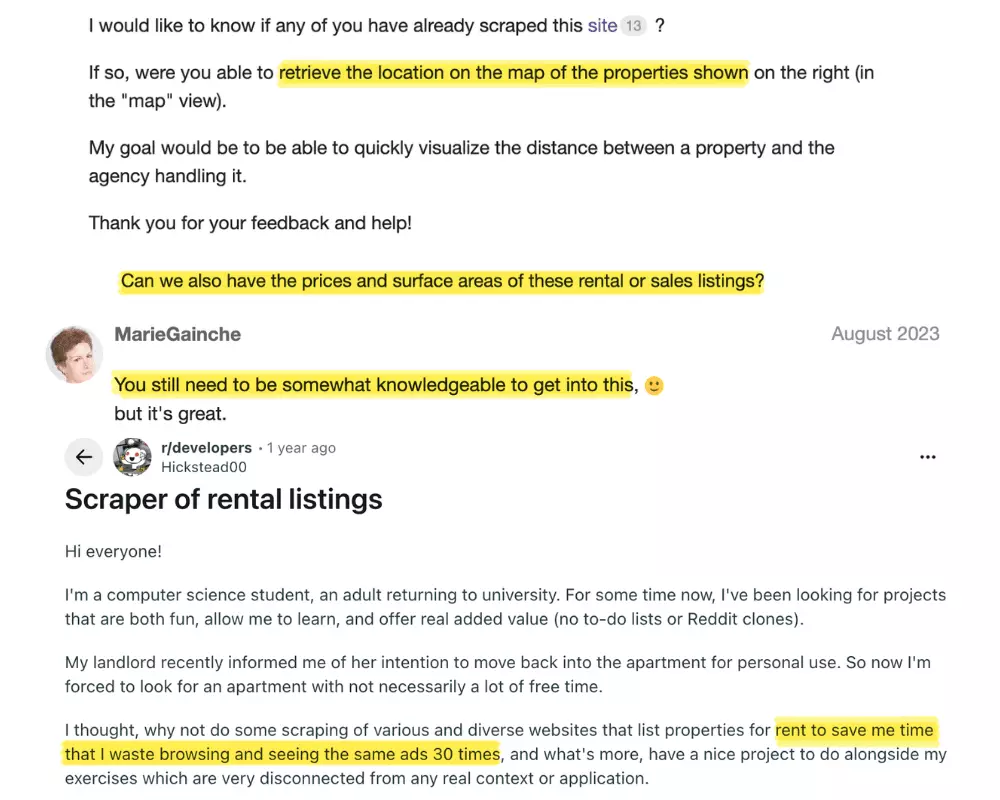
Based on that, I shortlisted 5 common pain points:
- Data
- Affordability
- Scale
- Speed
- Ease of use
For data, I checked what fields each tool actually returns, and whether those fields are clean, flat, and immediately usable without extra processing.
For affordability, I simplified pricing down to cost per 1,000 results.
I also checked both entry-level and scale-level costing so the comparison holds whether you're scraping occasionally or running it regularly.
For scalability, I looked at how each tool handles volume: whether there are hard caps.
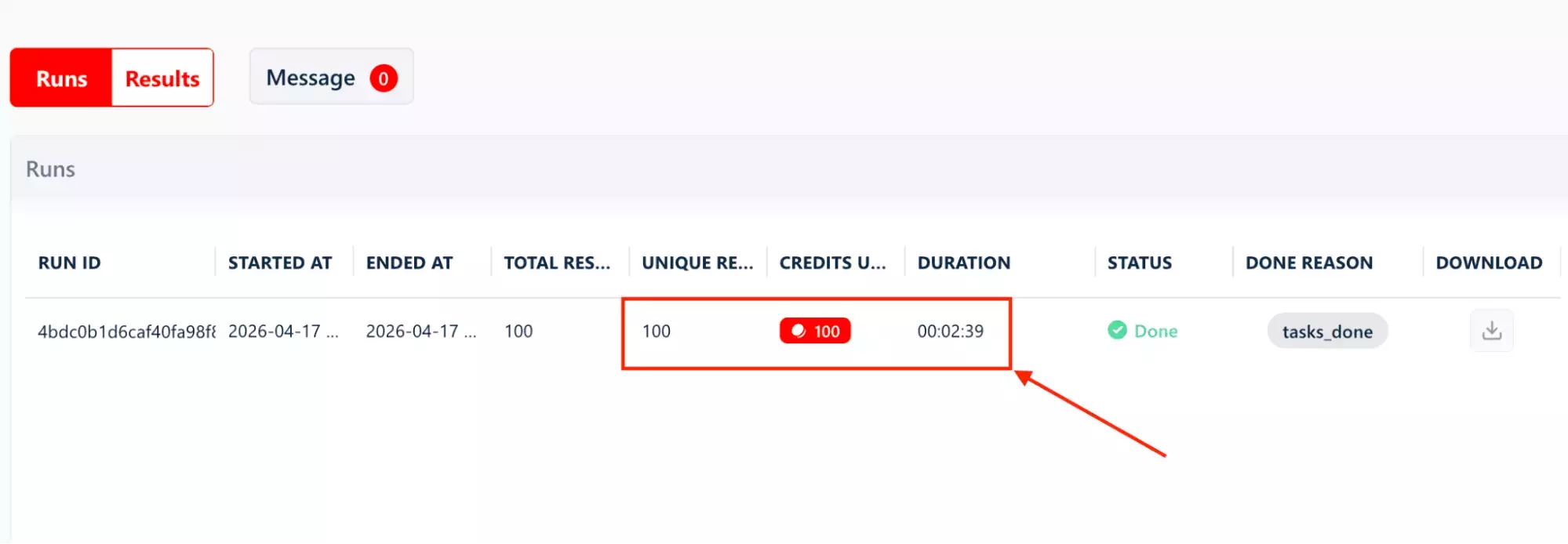
For speed, I recorded how long it took to collect 100 listings under the same conditions on each tool.
For ease of use, I looked at the full journey from setting up the first scrape to getting data out.
I paid attention to filtering logic, and export and integration options.
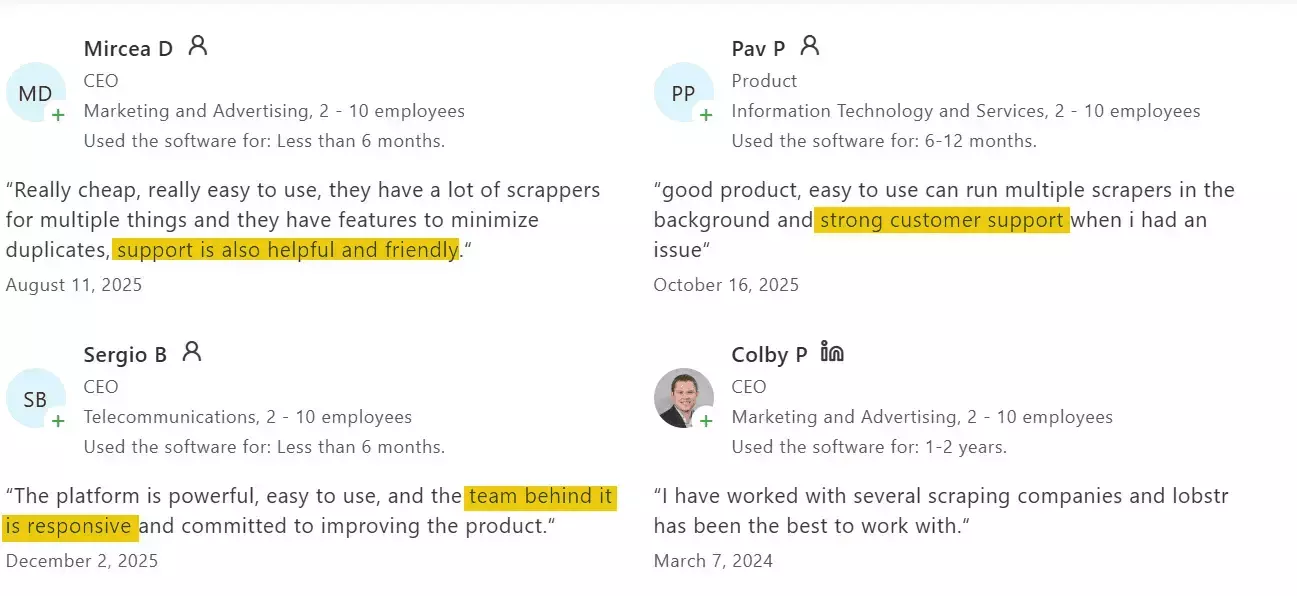
I also checked customer support: the available channels, and what real users say about it in reviews.
Next, I listed every tool I could find across Google and AI recommendations.
Even though ChatGPT was not really helpful, Claude actually gave me useful recommendations.
I dropped browser extensions and visual scrapers because they are not dependable, especially for scaled or repeatable collection.
And API-only tools? You need coding know-how just to get started.
Therefore I'm only focusing on the no-code tools that work at scale.
Best no-code Bien'Ici scrapers
| Criteria | lobstr.io | Apify |
|---|---|---|
| Data fields | 112 | 74 |
| Clean output | 👍 | 👎 |
| Cost per 1,000 (entry) | $2.00 | $5.00 |
| Cost per 1,000 (scale) | $0.50 | $3.00 |
| Free tier | ✅ | ✅ |
| Speed (100 listings) | ~159 sec | N/A |
| Filtering | 💯 | 👎 |
| Bulk URL upload | ✅ | ❌ |
| Sponsored listing filter | ✅ | ❌ |
| Scheduling | ✅ | ✅ |
| Export formats | 👍 | 💯 |
| Integrations | 👍 | 💯 |
| Run metadata | ✅ | ❌ |
| Results reliability | ✅ | ❌ |
| Customer support | 💯 | 👍 |
1. lobstr.io
| Pros | Cons |
|---|---|
| Most data fields (112) | Moderate speed |
| 24 exclusive fields Apify doesn't have | Some fields require JSON parsing |
| URL-first workflow | |
| Bulk upload via CSV or TXT | |
| Flexible time filter | |
| Sponsored listing filter | |
| Cheapest at scale | |
| Strong live chat support |
Key features
- Scrape listings from your Bien'Ici search URL
- 112 data fields
- URL-first workflow: paste your search URL directly, no re-filtering needed
- Bulk input via CSV or TXT file
- Flexible time filter: relative (hours, days, weeks) or absolute (exact date and time)
Collect Adstoggle to filter out sponsored listings- Deduplication and line-break handling on by default
- Slots to control scraping speed
- Schedule recurring scrapes
- Cloud-based, no installation needed
- Export to CSV or automate delivery to Google Sheets, Amazon S3, SFTP, or email
- Integrates with Make.com and 3,000+ apps
Data
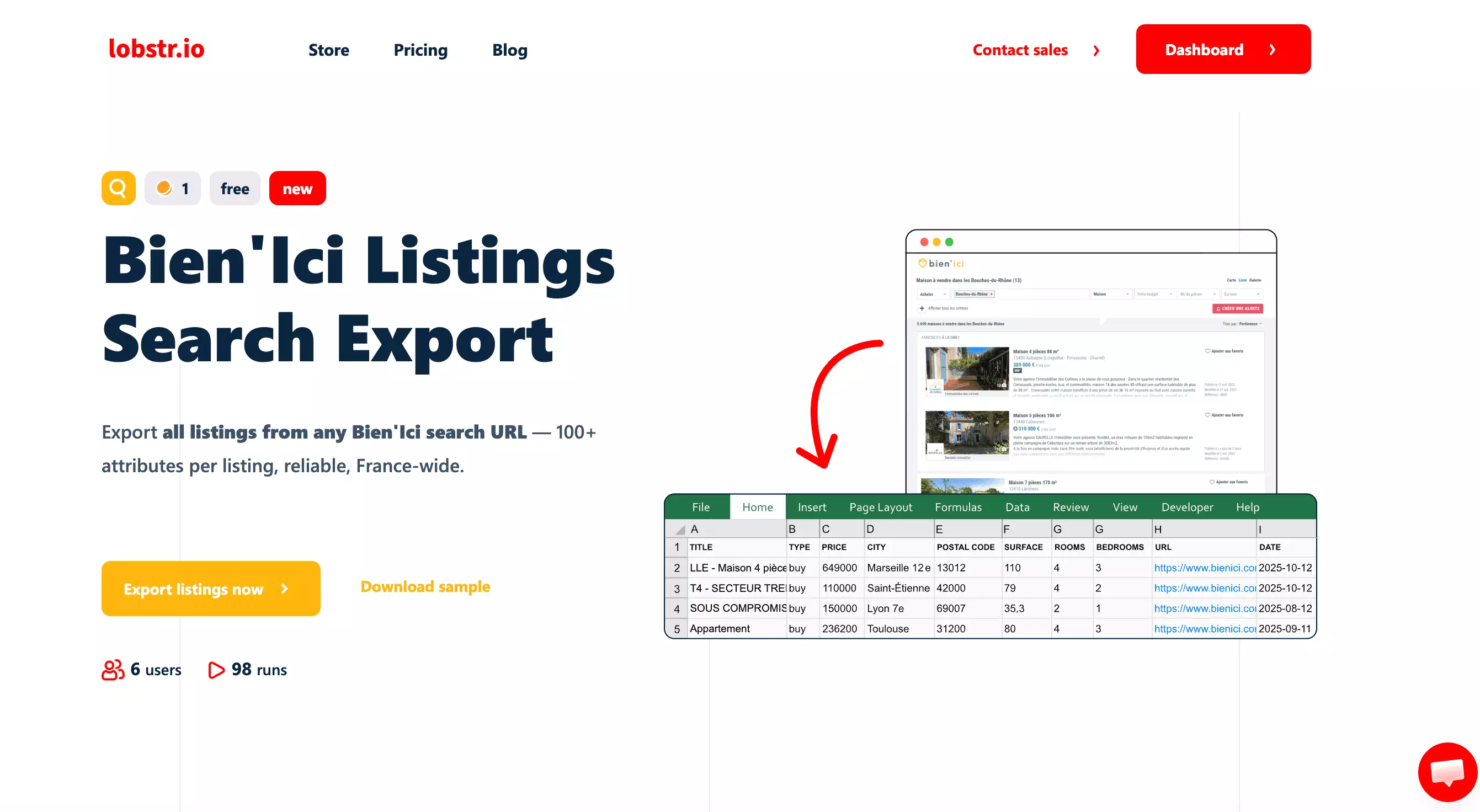
lobstr.io delivers 112 fields per listing.
Here are all 112 fields:
| 🆔 ID | 📦 OBJECT | 📍 RESULT POSITION | 🆔 TASK ID |
| 🔗 URL | 📅 MODIFICATION DATE | 🏙️ CITY | 📮 POSTAL CODE |
| 🆔 LISTING ID | 📋 AD TYPE | 🏠 PROPERTY TYPE | 📄 TITLE |
| 📝 DESCRIPTION | 📅 PUBLICATION DATE | 🔖 REFERENCE | 🏗️ NEW PROPERTY |
| 📅 YEAR OF CONSTRUCTION | 💰 PRICE | 💰 PRICE MIN | 💰 PRICE MAX |
| 💸 PRICE WITHOUT FEES | 📐 SURFACE AREA | 📐 SURFACE AREA MIN | 📐 SURFACE AREA MAX |
| 🌿 LAND SURFACE AREA | 🛏️ ROOMS QUANTITY | 🛏️ ROOMS QUANTITY MIN | 🛏️ ROOMS QUANTITY MAX |
| 🛁 BEDROOMS QUANTITY | 🏗️ FLOOR QUANTITY | 🏢 FLOOR | 🚿 BATHROOMS QUANTITY |
| 🚿 SHOWER ROOMS QUANTITY | 🚽 TOILET QUANTITY | 🌿 TERRACES QUANTITY | 🅿️ PARKING PLACES QUANTITY |
| 🍃 HAS CELLAR | 🔔 HAS ALARM | 🔥 HAS FIREPLACE | 🚗 HAS GARAGE |
| 🅿️ HAS PARKING | 🛗 HAS ELEVATOR | 🔔 HAS INTERCOM | 🔒 HAS DOOR CODE |
| 📹 HAS VIDEOPHONE | ❄️ HAS AIR CONDITIONING | 🌿 HAS GARDEN | 🏊 HAS POOL |
| 🌿 HAS BALCONY | 🌿 HAS TERRACE | ♿ IS DISABLED PEOPLE FRIENDLY | 🔇 IS CALM |
| 🏚️ WORK TO DO | 🌅 EXPOSITION | 🌿 ENERGY VALUE | ♻️ GREENHOUSE GAZ VALUE |
| 🌿 ENERGY CLASSIFICATION | ♻️ GREENHOUSE GAZ CLASSIFICATION | 📅 ENERGY PERFORMANCE DIAGNOSTIC DATE | ⚡ MAX ENERGY CONSUMPTION |
| ⚡ MIN ENERGY CONSUMPTION | 📋 USE JULY 2021 ENERGY PERF DIAGNOSTIC | 🌡️ HEATING | 📋 IS EXCLUSIVE SALE MANDATE |
| 💰 FEES CHARGED TO | 🔗 AGENCY FEE URL | 🏦 AGENCY FEE PERCENTAGE | 🏷️ AD CREATED BY PRO |
| 📋 TRANSACTION TYPE | 💵 PRICE PER SQUARE METER | 💵 PRICE PER SQUARE METER MIN | 💵 PRICE PER SQUARE METER MAX |
| 🏢 ACCOUNT TYPE | 👤 ACCOUNT DISPLAY NAME | 🆔 CUSTOMER ID | 🌐 DEPARTMENT CODE |
| 📍 DISTRICT | 🌐 ADDRESS KNOWN | 🗺️ BLUR INFO | 📡 OPTICAL FIBER STATUS |
| 🚗 CHARGING STATIONS | 📷 PHOTOS | 🌐 WITH 3D MODEL | 🌐 IS 3D HIGHLIGHTED |
| 🔄 HAS LOT WITH 360 | 🔔 NEED VIRTUAL TOUR | 🔗 RELATED ADS IDS | 🔑 IS BIEN ICI EXCLUSIVE |
| 📅 END OF PROMOTED AS EXCLUSIVE | ⭐ RELEVANCE BONUS | 📉 PRICE HAS DECREASED | 🏷️ REDUCED VAT |
| 🏗️ IS IN CONDOMINIUM | ⚖️ IS CONDOMINIUM IN PROCEDURE | ✅ STATUS | 📅 THRESHOLD DATE |
| 🧭 DISPLAY DISTRICT NAME | 💰 DISPLAY INSURANCE ESTIMATION | 📧 HIGHLIGHT MAIL CONTACT | 🚫 NOTHING BEHIND FORM |
| 📄 PDF BEHIND FORM | 📞 PHONE DISPLAYS | 📏 DESCRIPTION TEXT LENGTH | ⚠️ HAS GEORISQUES MENTION |
| 📮 POSTAL CODE FOR SEARCH FILTERS | 🌐 USER RELATIVE DATA | 🖼️ PHOTO WATERMARK ALIAS | ⏱️ COLLECTED AT |
| 🔗 INPUT URL | ⚙️ PARAM MAX RESULTS | ⚙️ PARAM MAX UNIQUE RESULTS PER RUN | ⚙️ PARAM FETCH SINCE |
Several of these fields you won't find anywhere else.
You get property condition (WORK TO DO), connectivity data (OPTICAL FIBER STATUS), EV infrastructure (CHARGING STATIONS), and legal flags (HAS GEORISQUES MENTION). Apify skips all of these.
Here are the data points exclusive to lobstr.io:
| 🌿 HAS BALCONY | 🌿 HAS TERRACE | 🚗 HAS GARAGE | 🅿️ HAS PARKING |
| 🅿️ PARKING PLACES QUANTITY | 🔒 HAS DOOR CODE | 📹 HAS VIDEOPHONE | 🔇 IS CALM |
| 🏚️ WORK TO DO | 📡 OPTICAL FIBER STATUS | 🚗 CHARGING STATIONS | 🌿 LAND SURFACE AREA |
| 🚿 BATHROOMS QUANTITY | ⚠️ HAS GEORISQUES MENTION | 📞 PHONE DISPLAYS | 🏷️ REDUCED VAT |
| 💰 PRICE MIN / PRICE MAX | 📐 SURFACE AREA MIN / MAX | 🛏️ ROOMS QUANTITY MIN / MAX | 💵 PRICE PER SQM MIN / MAX |
| ⏱️ COLLECTED AT | 🔗 INPUT URL | ⚙️ PARAM MAX RESULTS | ⚙️ PARAM FETCH SINCE |
PHOTOS, BLUR INFO, DISTRICT, STATUS, and PHONE DISPLAYS.You'll need to parse them to extract the values before they're usable in a spreadsheet or pipeline.
Price
lobstr.io runs on a monthly subscription model.
Plans start at $20 and scale up to $500, each offering a fixed number of usage credits.
- FREE trial available
- $2 per 1,000 results on the Starter plan
- Drops to $0.50 per 1,000 results on the Team plan
Ease of use
lobstr.io has a simple UI and nothing feels out of place.
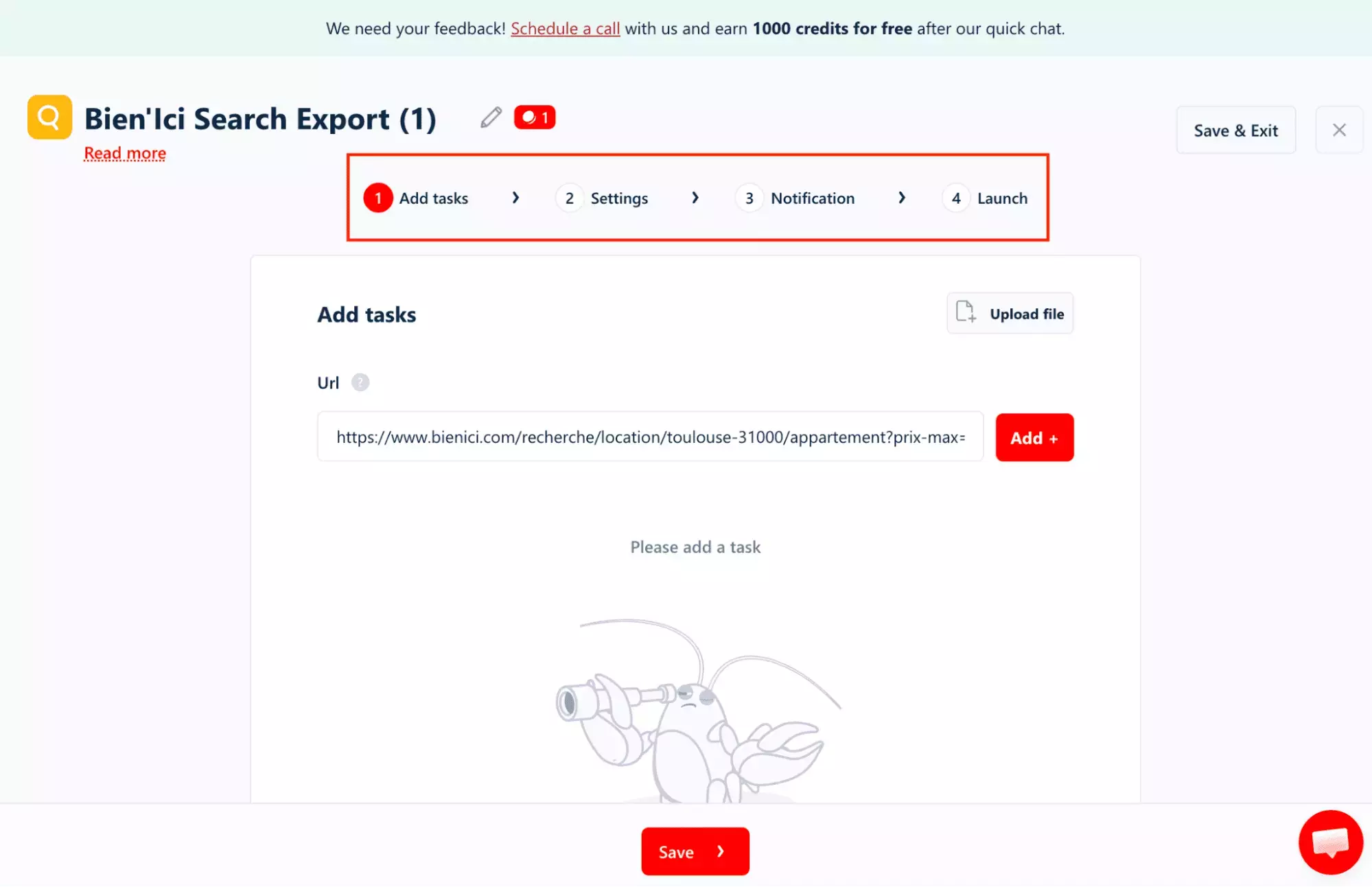
The workflow is URL-driven, and that's the right call.
Instead of rebuilding your search inside the tool, you do it where it makes sense: directly on Bien'ici.
Set your location, property type, and filters there, copy the URL, and paste it in. Or you can upload a CSV file.
No translating your search into a foreign set of dropdowns.
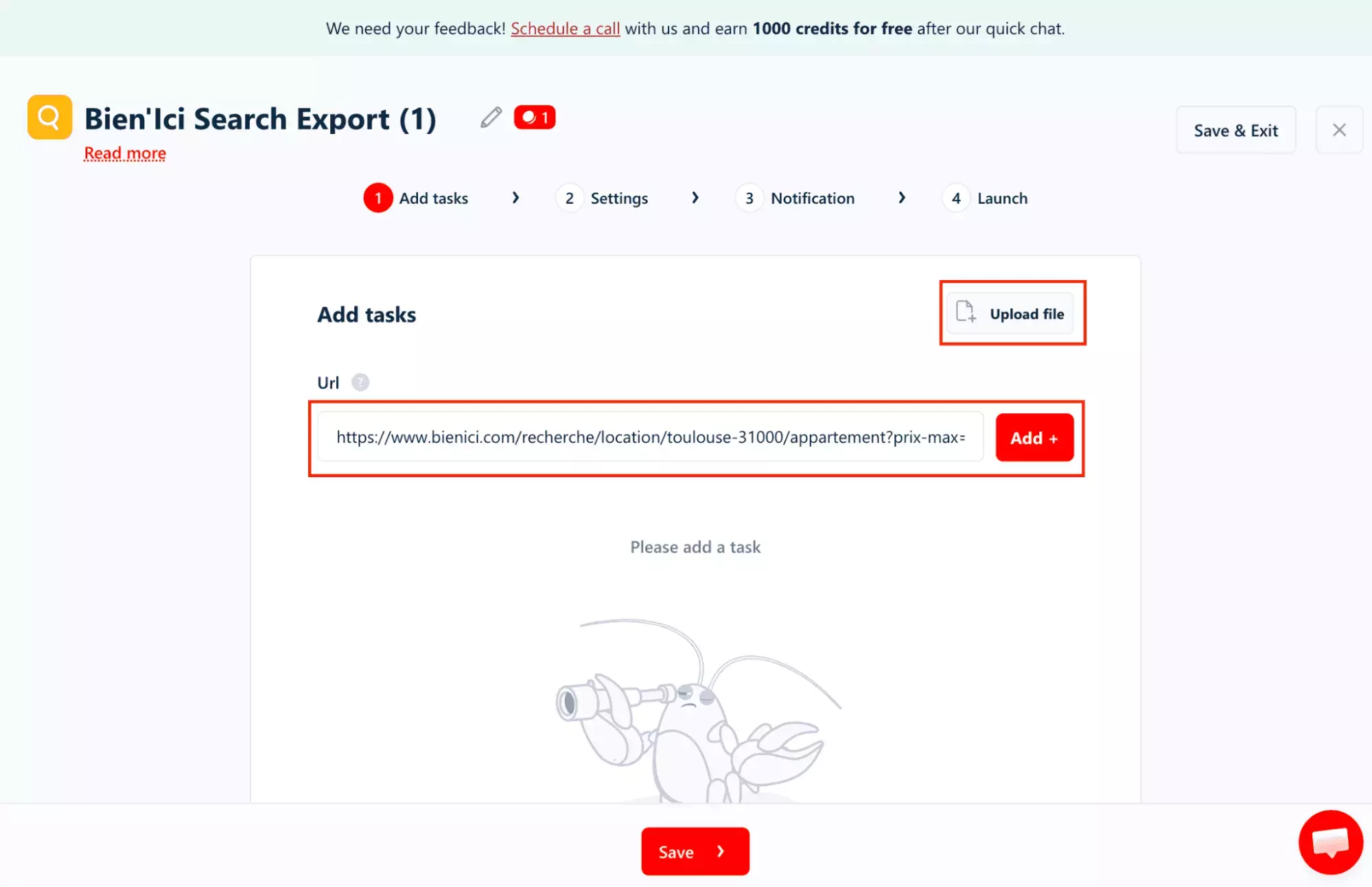
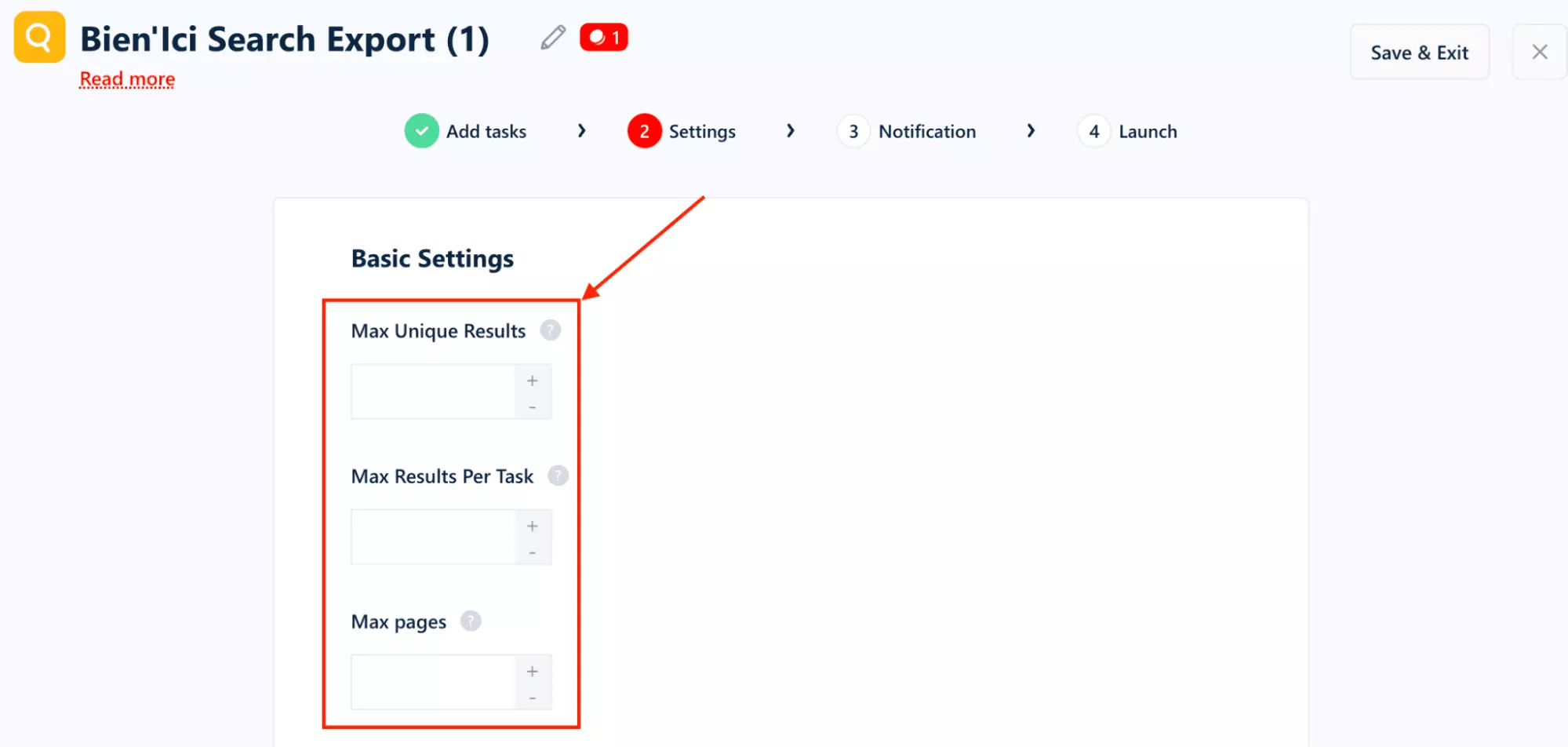
From there, the settings give you direct control over volume.
You can define exactly how much data gets pulled.
The time filter is where lobstr.io shows its practical side.
In Relative mode, you pick a number and a unit: hours, days, or weeks.
In Absolute mode, you get a full date-and-time picker down to the minute.
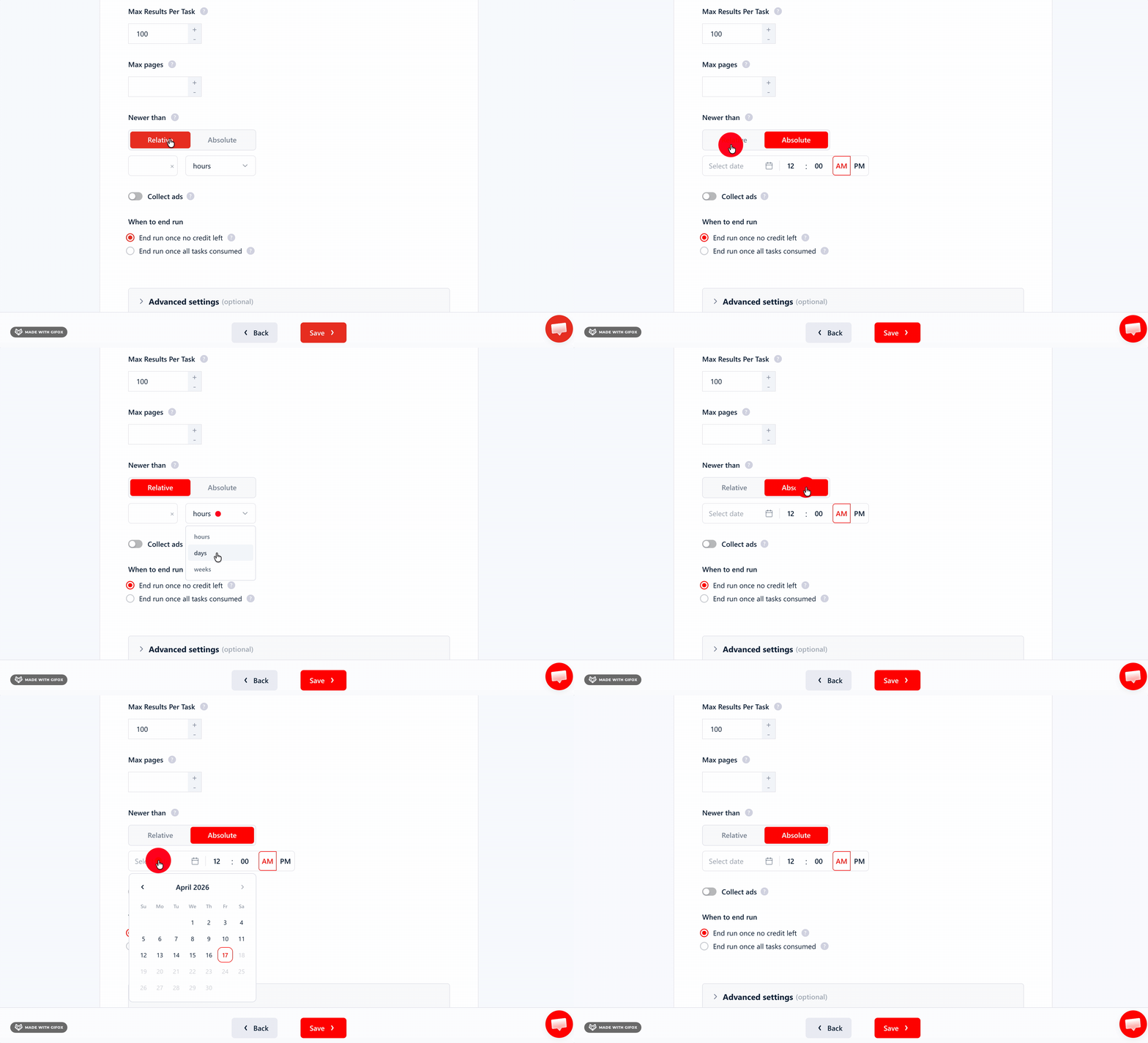
You can also filter out sponsored listings.
Collect Ads toggle is off by default, so you're only getting organic results unless you explicitly flip it on.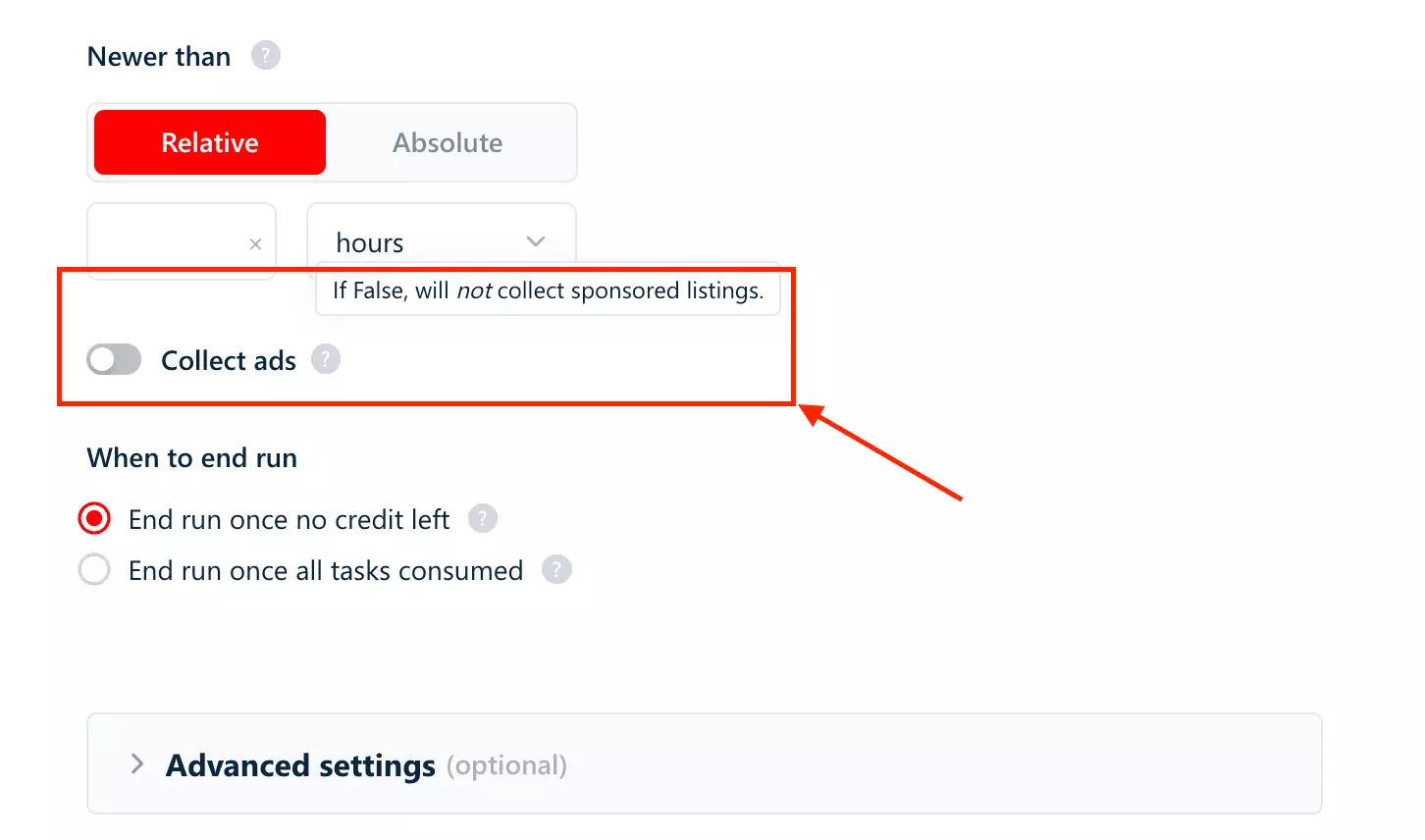
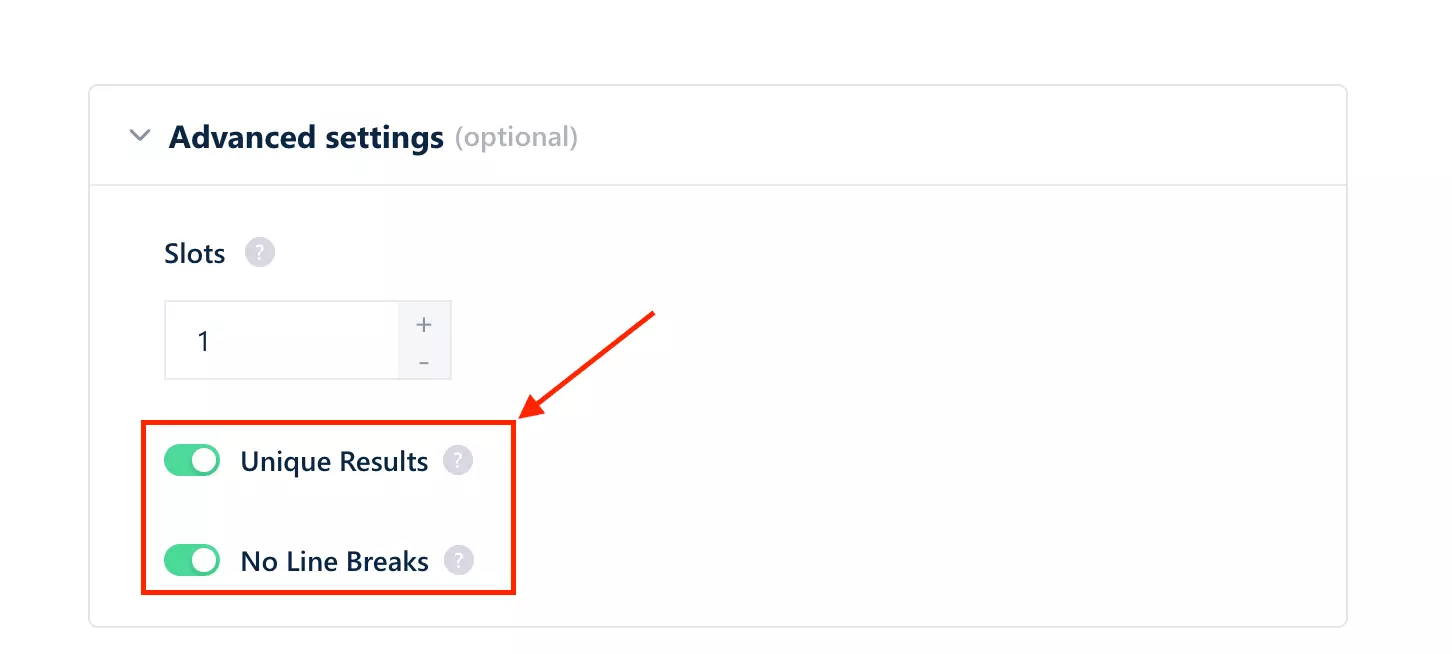
If you want deduplication or cleaner output, the toggles are already on by default. You don't have to think about it.
Once done, you can export the results as a CSV.
Automated delivery to Google Sheets, Amazon S3, SFTP, or email is also available.
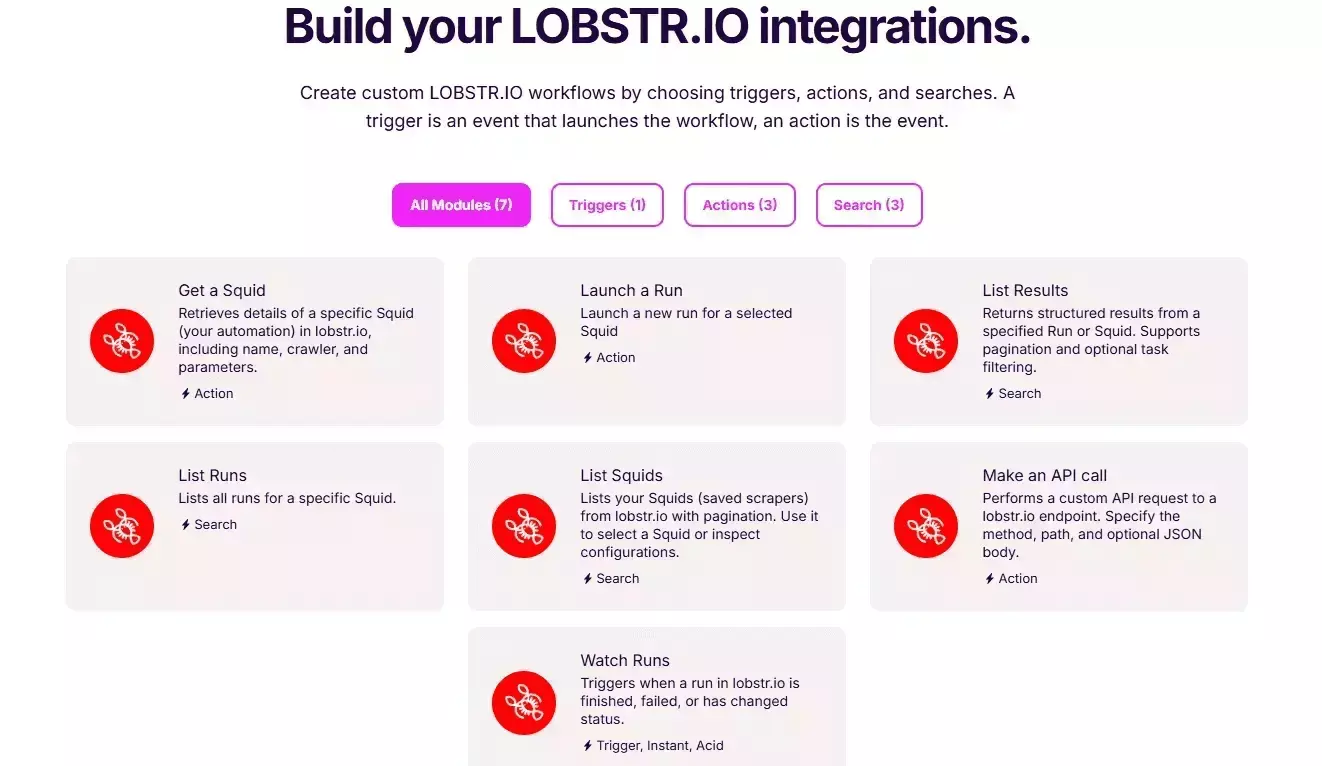
For more complex setups, Make.com integration opens the door to over 3,000 apps and services.
Scalability
lobstr.io handles volume without friction.
You can upload a list of search URLs in bulk using a CSV or TXT file.
If you're tracking multiple cities, property types, or price ranges, you run them all as separate tasks from a single upload, no manual entry.
Speed
lobstr.io pulled 100 results in 2 minutes and 39 seconds.
That's roughly 1.6 seconds per result, consistent and predictable at scale.
If you want it faster, you can control it through Slots.
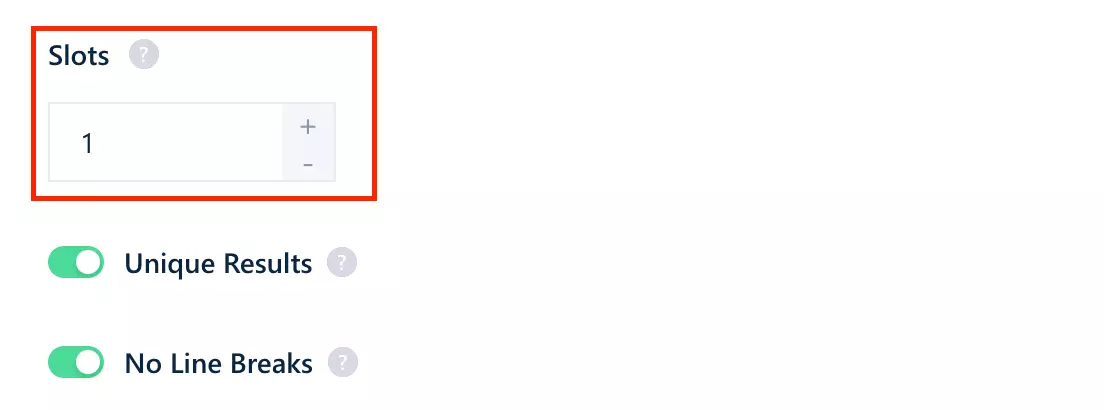
Think of each one as an extra bot joining the job.
Add more, and multiple bots work through your tasks simultaneously, speeding up the total time significantly.
Customer support
lobstr.io offers customer support through a live chat pop-up directly on the website.
It's one of the things users consistently highlight. The support team is known for being quick to respond, technically capable, and actually useful.
Best for
lobstr.io is best for real estate analysts, lead gen teams, and property market researchers who need clean, structured Bien'Ici data at scale.
Recurring scrapes, multiple cities, pipeline-ready output, without manual cleanup.
The URL-first workflow and bulk upload make it the right fit. Works best if you already know how to search on Bien'Ici and just need the data extracted reliably.
2. Apify
| Pros | Cons |
|---|---|
| More export and integration options | Returned 1 result in testing |
| No bulk URL input | |
| Form-based only — single zip code | |
| No time filter | |
| No deduplication option | |
| No sponsored listing filter | |
| Messy output | |
| Expensive |
Key features
- 74 unique data fields
- Form-based input: city, zip code, transaction type, max price, minimum rooms
- Schedule recurring scrapes
- Cloud-based, no installation needed
- Export to CSV, Excel, JSON, and more
- Integrates natively with Make, Zapier, and n8n
Data
Apify returns 74 unique data fields.
Here are all the fields Apify returns:
| 👤 accountDisplayName | 🏢 accountType | 🏷️ adCreatedByPro | 📋 adType |
| 🏷️ adTypeFR | 🌐 addressKnown | 🏦 agencyFeePercentage | 🔗 agencyFeeUrl |
| ⚡ averageAnnualEnergyConsumption | 🛏️ bedroomsQuantity | 🗺️ blurInfo (10 cols) | 🏙️ city |
| 🏢 condominiumPartsQuantity | 🆔 customerId | 🌐 departmentCode | 📝 description |
| 📏 descriptionTextLength | 🧭 displayDistrictName | 💰 displayInsuranceEstimation | 📍 district (10 cols) |
| 📅 endOfPromotedAsExclusive | 🌿 energyClassification | 📅 energyPerformanceDiagnosticDate | 📅 energySimulationReferenceDate |
| ⚡ energyValue | 🌅 exposition | 💸 feesChargedTo | 🏢 floor |
| 🏗️ floorQuantity | ♻️ greenhouseGazClassification | ♻️ greenhouseGazValue | ❄️ hasAirConditioning |
| 🔔 hasAlarm | 🧹 hasCaretaker | 🍃 hasCellar | 🛗 hasElevator |
| 🔥 hasFirePlace | 🔔 hasIntercom | 🏊 hasPool | 🌡️ heating |
| 🆔 id | 🔑 isBien'IciExclusive | ⚖️ isCondominiumInProcedure | ♿ isDisabledPeopleFriendly |
| 📋 isExclusiveSaleMandate | 🏗️ isInCondominium | 📅 modificationDate | 🔔 needVirtualTour |
| 🏷️ newProperty | 🖼️ photoWatermarkAlias | 📷 photos (21 cols, max 7) | 📮 postalCode |
| 💰 price | 📉 priceHasDecreased | 💵 pricePerSquareMeter | 💸 priceWithoutFees |
| 🏠 propertyType | 📅 publicationDate | 🔖 reference | 🛏️ roomsQuantity |
| 🚿 showerRoomsQuantity | ✅ status (6 cols) | 📐 surfaceArea | 🌿 terracesQuantity |
| 📅 thresholdDate | 📄 title | 🚽 toiletQuantity | 📋 transactionType |
| 🌐 userRelativeData (15 cols) | 🌐 with3dModel | 📅 yearOfConstruction | 📧 highlightMailContact |
| 🚫 nothingBehindForm | 📮 postalCodeForSearchFilters |
What you actually get in the CSV is 131 columns.
Nested objects are fully expanded: one photo becomes three columns, one district becomes ten.
But the column count is the smaller problem.
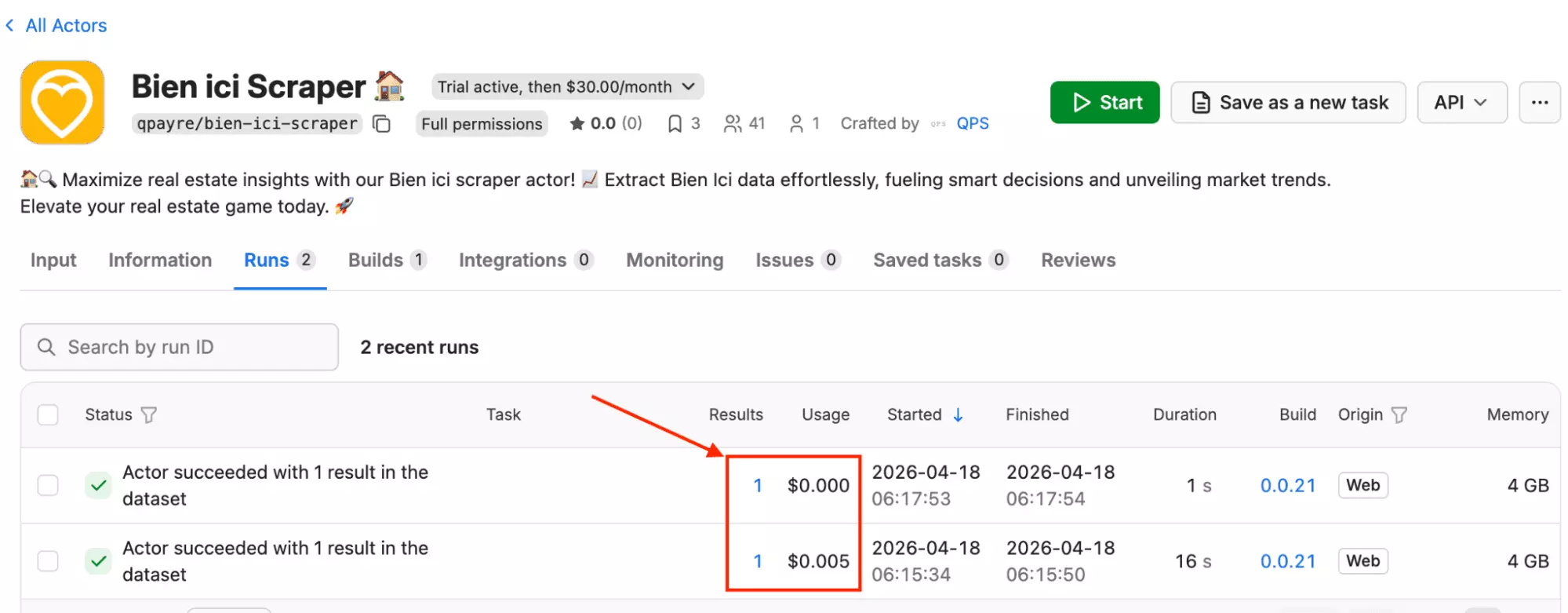
I ran Apify's Bien'Ici scraper and got back 1 result.
One row. For a search that lobstr.io returned 100 listings for, under the same conditions.
A scraper that returns one result isn't a tool you can rely on.
You can't build a market analysis, a lead list, or a pricing tracker on a single data point.
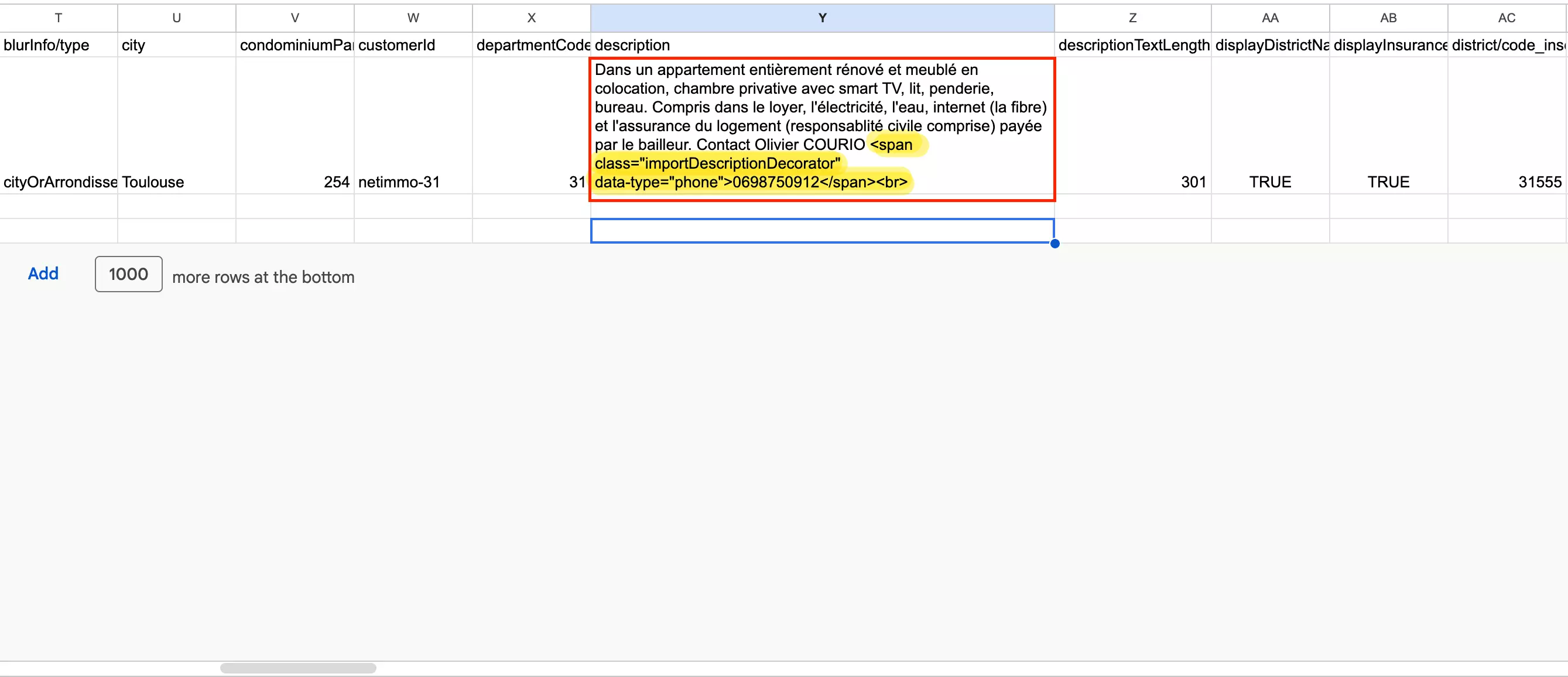
There are also output quality issues in what it does return:
<span class="importDescriptionDecorator" data-type="phone">0698750912</span>.You'd need to clean the output before it's usable in any downstream tool.
COLLECTED AT, no INPUT URL.If you're building a pipeline that needs to trace data back to its source or timestamp, that information simply isn't there.
There's one area where Apify's format has a practical edge: map coordinates.
blurInfo into individual columns: blurInfo/centroid/lat, blurInfo/centroid/lon, blurInfo/position/lat, blurInfo/position/lon. The coordinates are immediately usable, no parsing needed.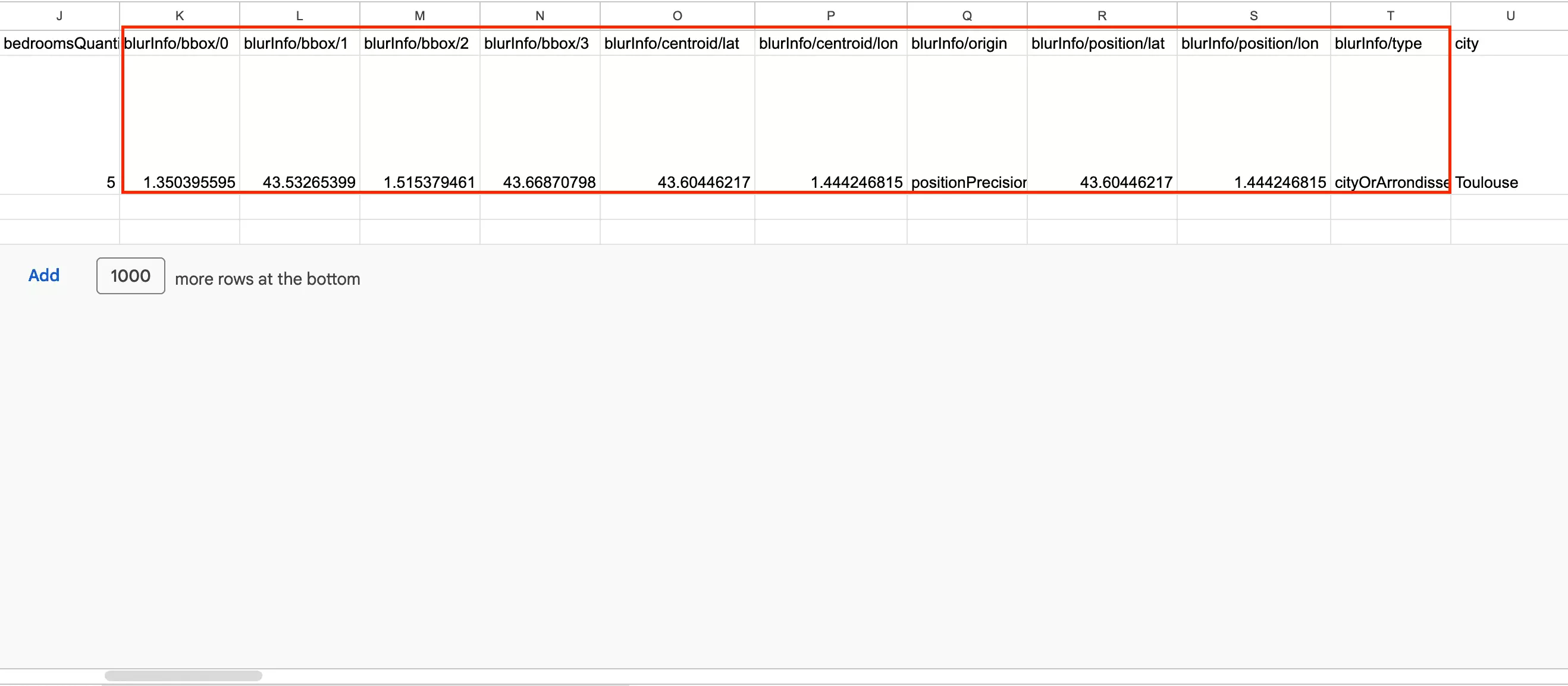
Apify has 3 unique fields lobstr.io doesn't return:
| ⚡ averageAnnualEnergyConsumption | 📅 energySimulationReferenceDate | 🏢 condominiumPartsQuantity |
Price
Apify's Bien'Ici scraper combines a flat actor rental fee with usage-based platform costs.
The actor costs $30/month across all plans, with compute units billed on top depending on your subscription tier.
- 1 day free trial available
- $5.00 per 1,000 results on Starter plans
- $3.00 per 1,000 results on the Business plan
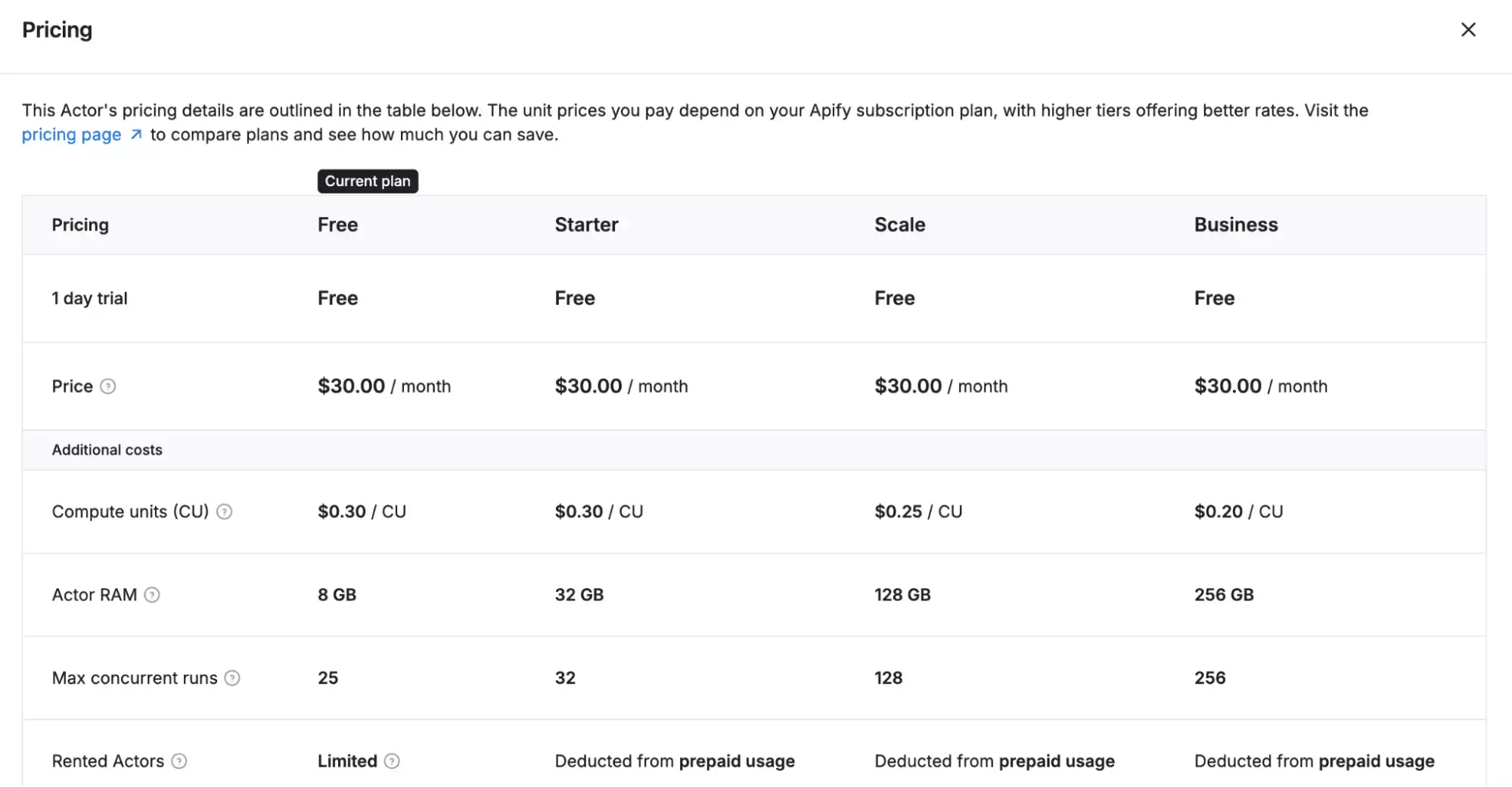
Note: the per-1,000 figures are estimated from a single-result run and may vary with larger scrapes.
At $30/month just for the actor rental, before any compute costs, it's a significantly more expensive starting point than lobstr.io.
Ease of use
The workflow here is different from lobstr.io.
Instead of pasting a URL, you fill in a form: city name, zip code, transaction type, max price, and minimum rooms.
It's straightforward on the surface, but the trade-off is flexibility.
You're working within the tool's own fields rather than building your search on Bien'ici directly.
If your target search doesn't map neatly to these five inputs, you don't have a way around it.
Another thing worth noting: the zip code field only accepts a single entry.
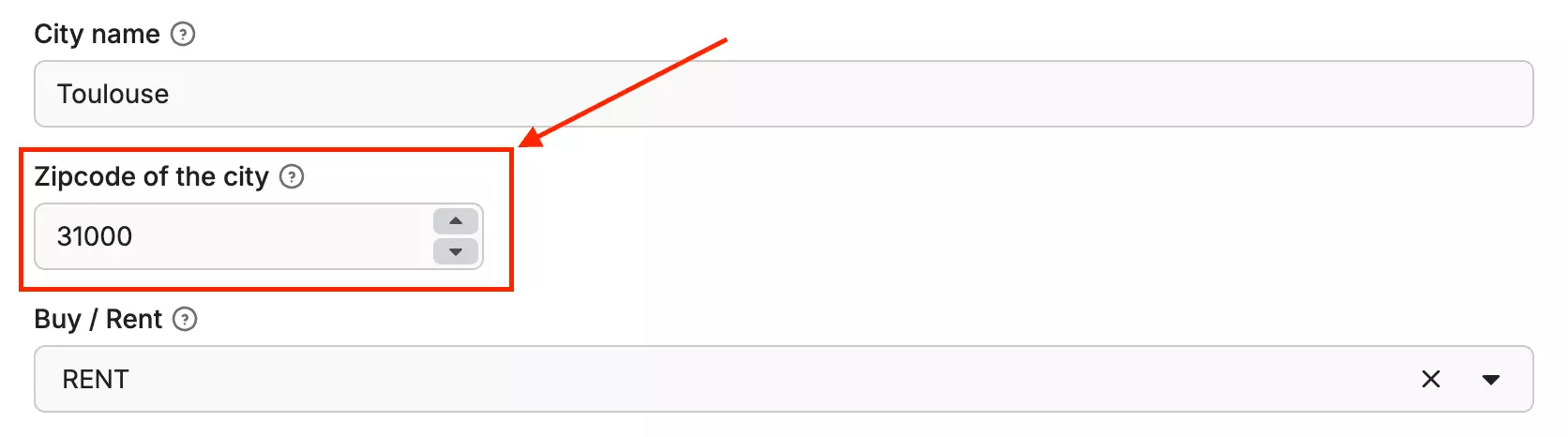
In practice, a city like Toulouse spans multiple postal codes (31000, 31100, 31300, 31400, 31500).
With Apify, you'd have to run the scraper separately for each one.
lobstr.io handles this in a single run since the search URL already captures the full city scope.
The limitations don't stop there.
There's no time filter. No deduplication option.
There's also no way to filter out sponsored listings. Organic and paid results come bundled together.
No control over how many pages get crawled or how many results come back per run. What you see is what you get.
The export side is where Apify has an edge. Results can be downloaded in multiple formats: CSV, Excel, JSON, and more.
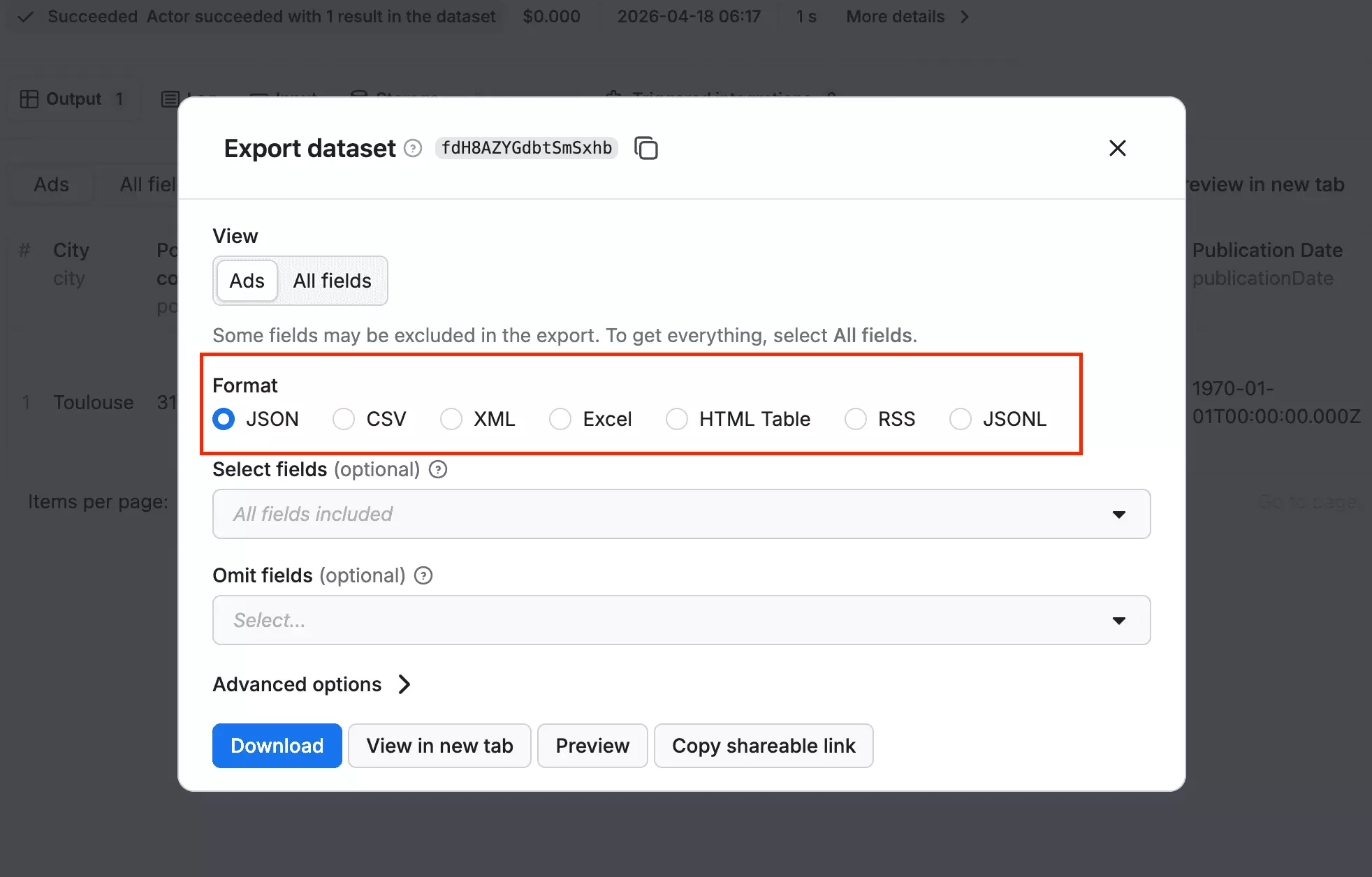
It also connects natively with automation platforms like Make, Zapier, and n8n, so plugging your data into a wider workflow is straightforward.
Scalability
Apify doesn't offer bulk URL input. Each run is configured individually.
That's the smaller problem.
A scraper that silently returns 1 result when you're expecting hundreds is not a tool you can build a workflow around.
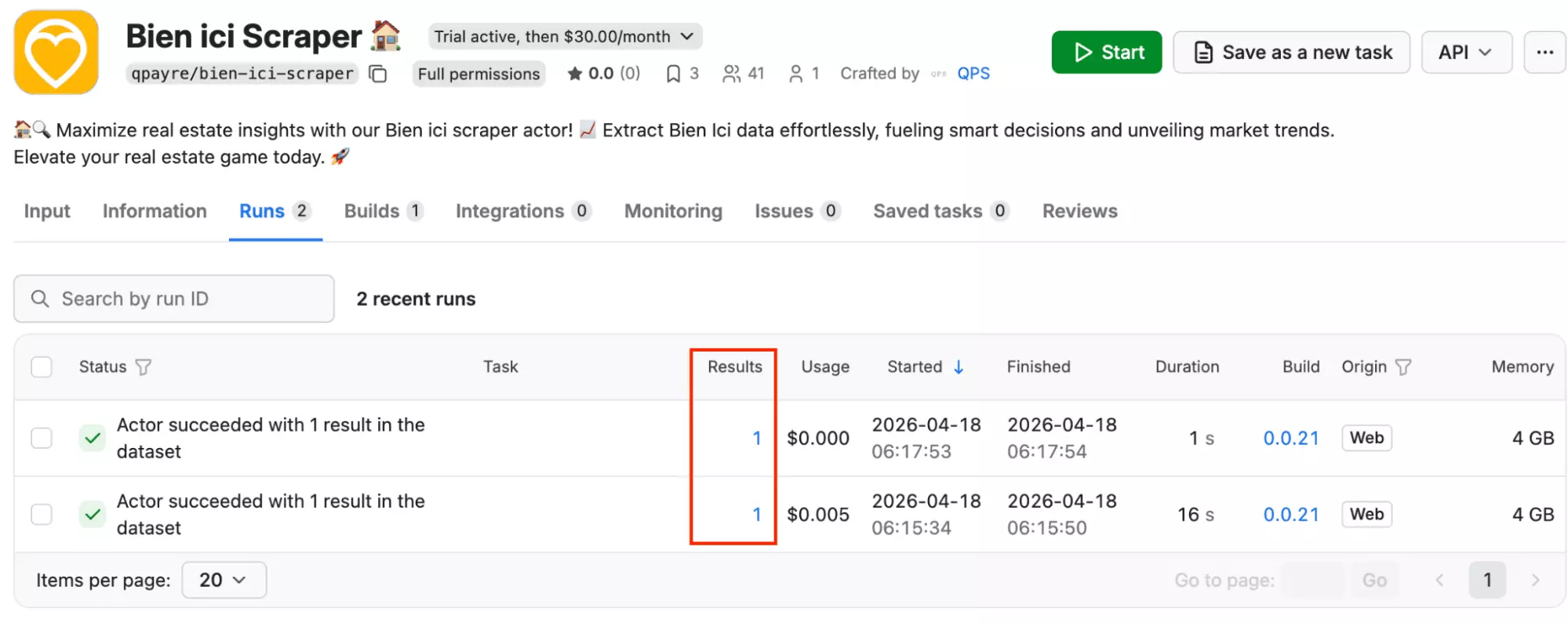
You have no way of knowing whether a future run will return 1, 10, or the correct number. At scale, that uncertainty compounds fast.
Speed
Apify's results were harder to measure meaningfully.
Across two test runs, it returned 1 result: once in 1 second, once in 16 seconds.
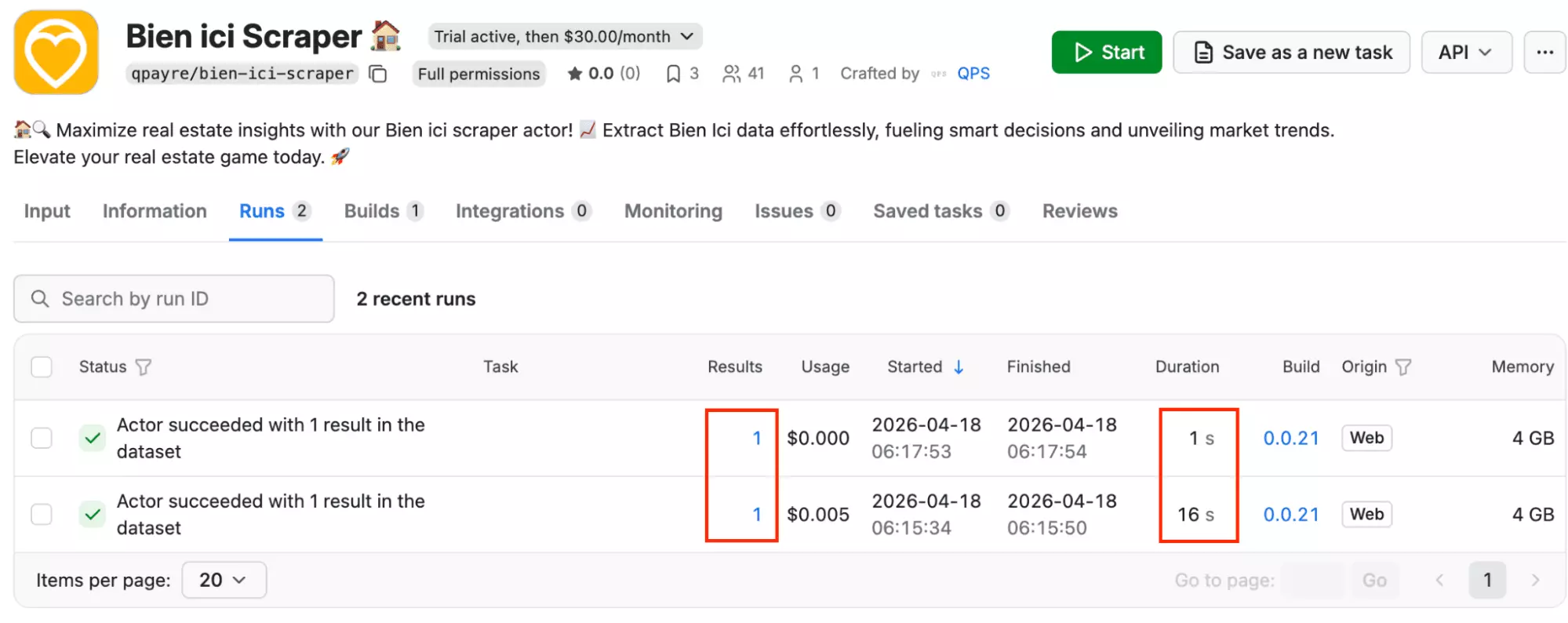
With only a single result per run, there's no reliable way to project how it performs at scale.
Customer support
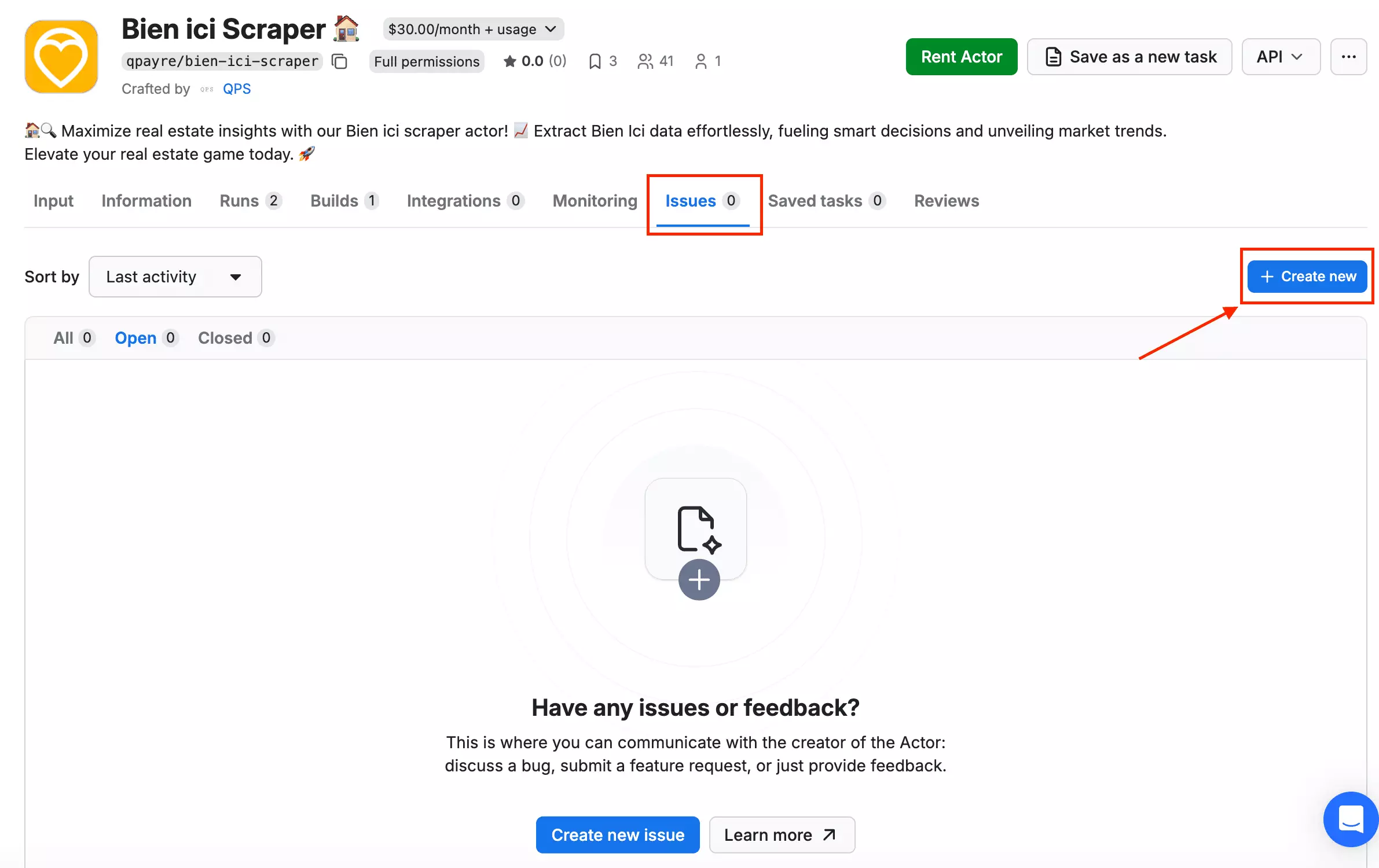
Apify provides support through live chat, a ticketing system, and a Discord community.
Worth knowing though: if your issue is technical, skip the live chat and go straight to creating a ticket.
The live chat team handles general queries well, but technical troubleshooting is better handled through the issue system.
Best for
Apify is best if you already have an active Apify subscription and need a quick, exploratory pull from Bien'Ici. Nothing production-grade.
The export formats and integrations are a genuine advantage.
But given that testing returned 1 result, don't build any workflow that depends on volume or consistency.
If reliable data at scale is the goal, this isn't the tool.
Apify actors that didn't make it
On paper, it looks more capable than the one covered above. It actually supports URL-based search, which is a step closer to how lobstr.io works.
But after running it with a search URL, it returned zero results. Not even one. So it didn't make the cut.
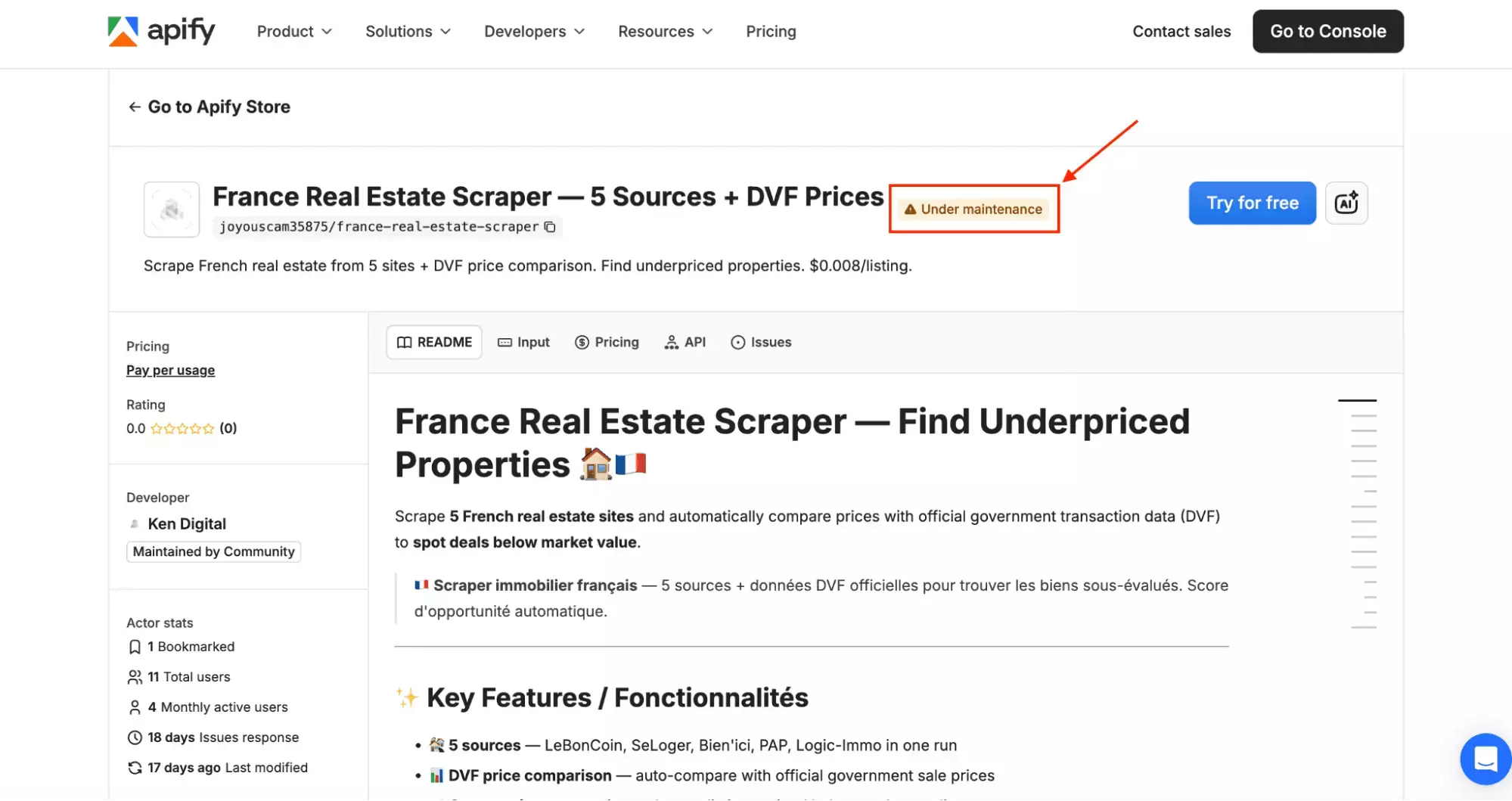
It also cross-references listings against official DVF government transaction data to flag undervalued properties, useful for investors.
It didn't make the list for a simpler reason: it was under maintenance at the time of testing, so there was nothing to evaluate.
FAQ
Can I scrape listings from all over France?
Yes. lobstr.io has full nationwide coverage.
Whether your search targets a city, a region, or multiple locations, it extracts all matching listings.
I need data from multiple cities. Do I have to run the scraper separately for each one?
With lobstr.io, no. Your search URL already captures the full scope. If your Bien'Ici search covers multiple cities or regions, one run handles it.
You can also upload a list of URLs in bulk via CSV.
With Apify, effectively yes. The zip code field only accepts a single entry.
A city like Toulouse spans five postal codes. You'd need five separate runs just to cover one city.
Can I filter by city, property type, or price range?
With lobstr.io, yes. Apply your filters directly on Bien'Ici, copy the URL, and paste it in.
Everything in your search carries over automatically: city, property type, price range, surface area.
With Apify, you're limited to five fixed inputs: city name, zip code, transaction type, max price, and minimum rooms. No URL-based filtering.
Can I control how much data I pull per run?
With lobstr.io, yes. You set a maximum results cap and a maximum unique results cap directly in the settings.
You know exactly how many listings you'll get before the run starts.
With Apify, no. There's no control over results per run. What the scraper decides to return is what you get.