How to Scrape All Comments from Any TikTok Video Without Coding
15-Second Summary
TikTok comments are a goldmine for sentiment analysis, competitor research, and audience insights. Millions of comments are posted daily across viral videos, brand pages, and creator content.
TikTok's official API only gives comments to approved academic researchers. No businesses, no marketers, no commercial use. And even then, you only get 7 data fields with redacted personal information.
Building your own scraper is a nightmare. TikTok's anti-bot systems, dynamic content loading, and constant frontend changes will eat your time and money.
Most existing scrapers break constantly, return incomplete data, or require login which puts your account at risk.
Lobstr.io provides the fastest, most affordable, and no-login way to scrape all comments from any TikTok video with 20+ data points per comment at 800+ comments per minute.
This article shows how to scrape TikTok comments using Lobstr.io step by step, including replies, thread structure, and commenter profile data.
So here you are… trying to scrape TikTok comments without getting your account banned or hitting a wall at 200 comments.
I know the internet is full of scrapers that require you to login (and risk your account), break after a few hundred comments, or straight up don't work anymore.
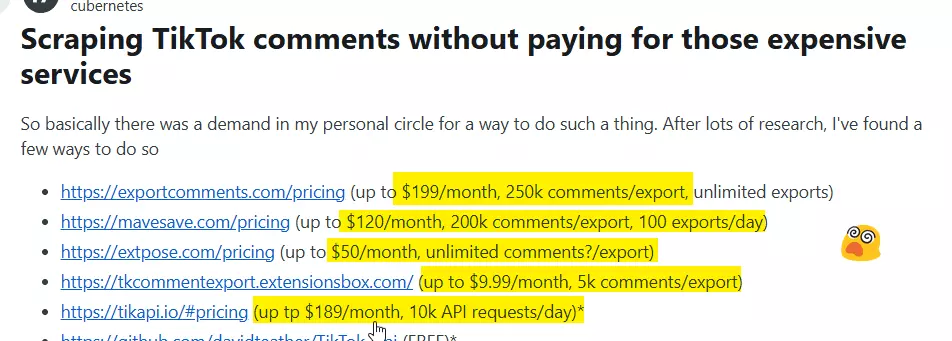
And the ones that do work? Insanely expensive.
Don't worry, I got you.
Here's a no-nerd tutorial on how to scrape all comments from any TikTok video, without coding, without logging in, and affordably at scale.
But why do you need to scrape them if there's an official API?
Does TikTok offer an official API for comments?
I'll give it to you straight: No, TikTok does not offer a public API to pull comments at scale for commercial use.
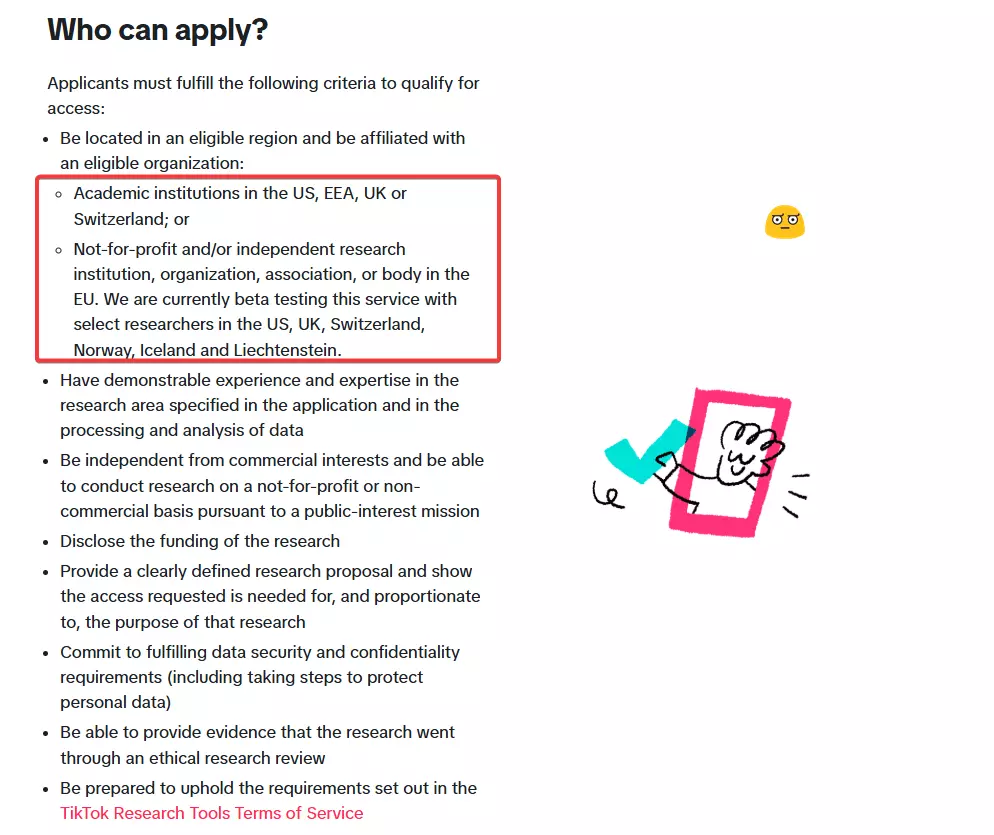
Only non-profit academic researchers in the US and Europe. That's it.
To even apply, you need to:
- Be affiliated with a non-profit university or research institution
- Submit a formal research proposal
- Pass an ethical research review
- Wait approximately 4 weeks for approval
If you're a business, marketer, agency, or commercial user of any kind, you're explicitly ineligible.
So if your goal is brand monitoring, competitor analysis, influencer research, or anything involving commercial intent... The official API is off-limits.
Even if you could access it, the data is terrible
Let's say you somehow qualify. Here's what TikTok's Research API gives you per comment:
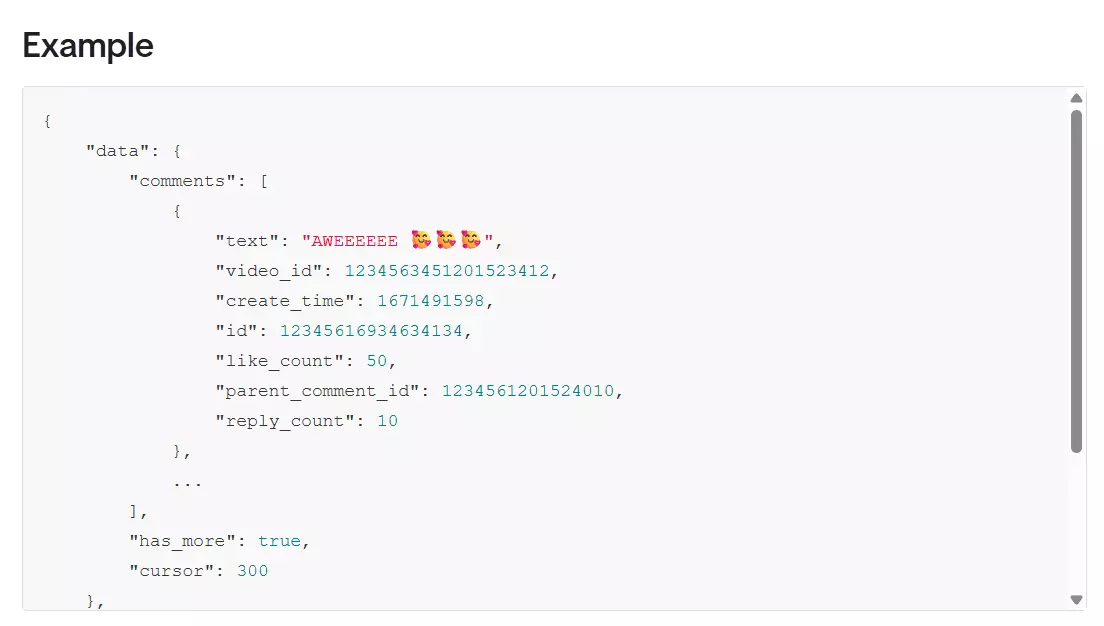
That's it. 7 fields, and only 4 meaningful ones. You get comment text, likes and replies count, and timestamp.
Let’s say, you’re OK with that too. Brace yourself… rate limits are terribly low. You're capped at:
- 1,000 requests per day
- 100 comments per request
- Maximum of 100,000 comments per day
Plus engagement data (like counts, reply counts) can be up to 10 days behind the live numbers due to archiving delays.
And that's why, you’re left with one option only… A TikTok Comments Scraper.
But is it even legal to scrape TikTok comments?
Is it legal to scrape TikTok comments?
Disclaimer
This section is for general informational purposes only. It's based on publicly available sources and practical interpretation, not legal advice.
Laws vary by country and change over time. If compliance, contracts, or platform risk matter to you, talk to a qualified legal professional.
Let me break this down into two parts:
- Does TikTok allow scraping?
- Is it actually legal?
Does TikTok allow scraping?
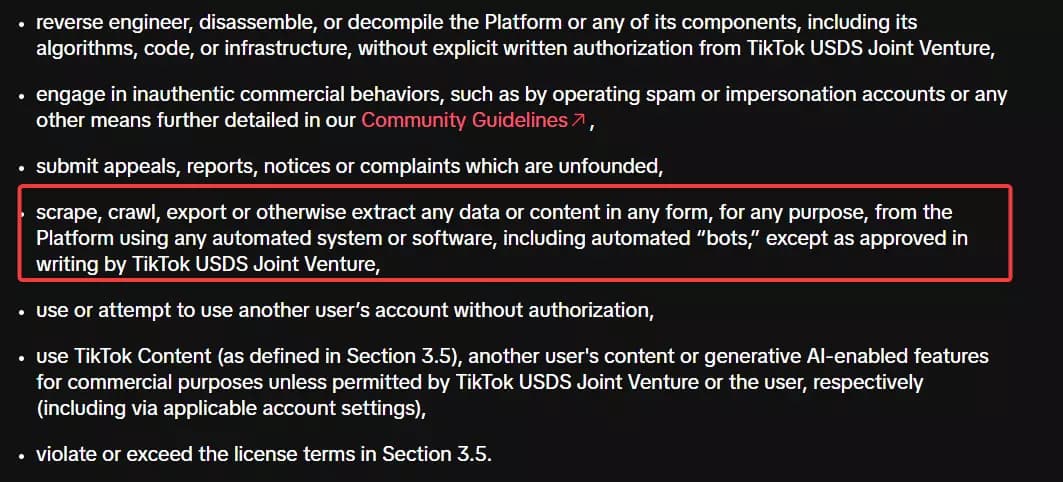
But does that make it illegal?
Is it legal to scrape TikTok comments?
Absolutely yes! It's generally legal.
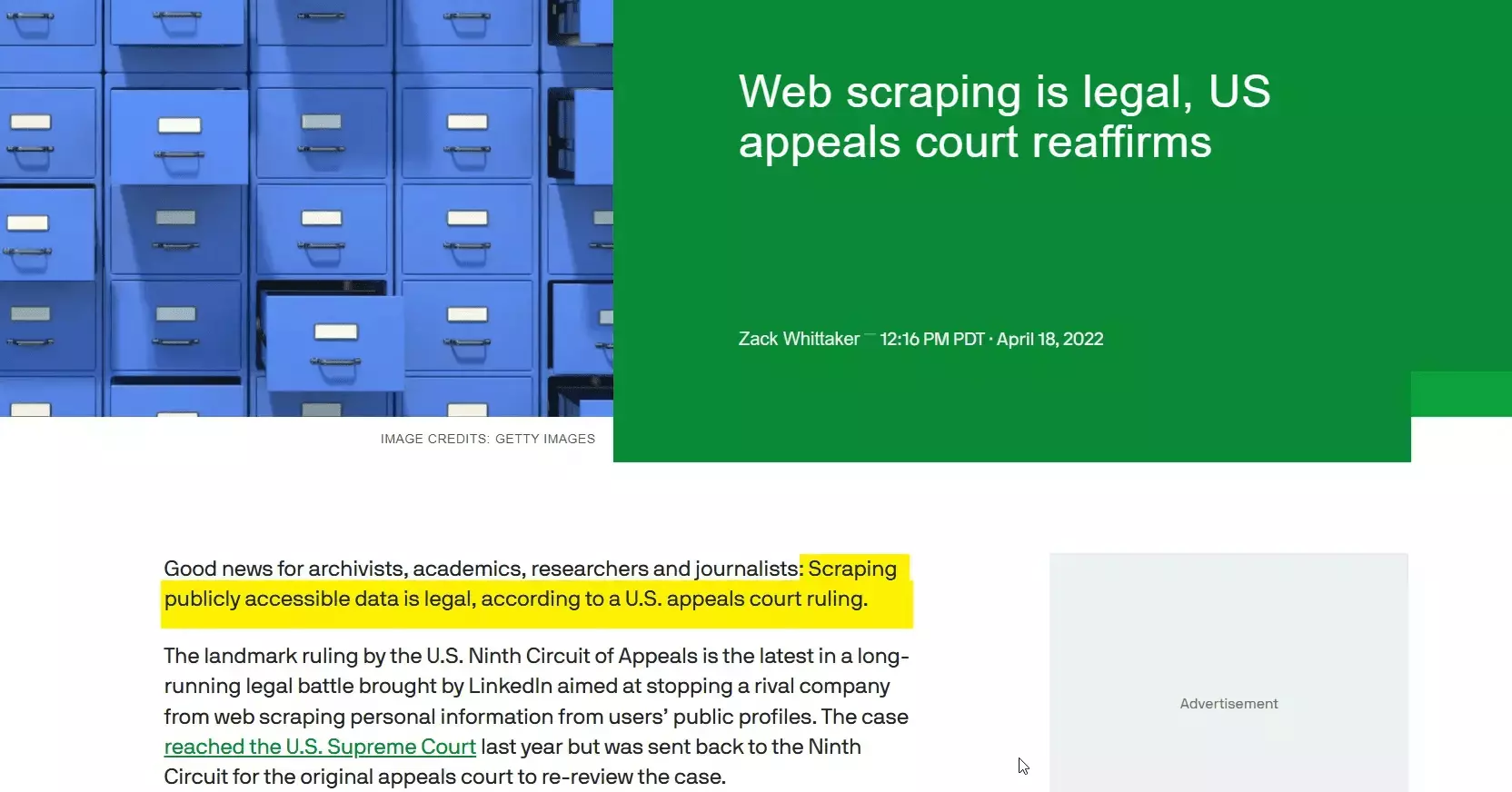
TikTok comments are publicly accessible. You don't need an account to read them. Anyone can open a TikTok video in a browser and scroll through the comments without logging in.
Courts have consistently ruled that scraping publicly available data is legal. Violating a Terms of Service is a civil matter (breach of contract), not a criminal offense.
I've covered the legal landscape of web scraping in detail, including key court cases and regulations, in our legal series.
But legal doesn't mean reckless. You still need to:
- Respect rate limits and not overload TikTok's servers
- Comply with GDPR if scraping data involving EU citizens
- Avoid republishing comments as your own content (that's copyright infringement)
- Use the data responsibly with no harassment, impersonation, or shady stuff
But how do I actually scrape TikTok comments at scale?
2 ways to scrape TikTok comments
Practically, you've got two options:
- Build your own scraper
- Use a ready-made scraper
Build your own scraper
If you're a vibe coder, forget about it. It's hard even if you're a proper nerd.
TikTok loads everything dynamically. The comments section isn't just sitting there in the HTML waiting to be parsed.
Comments are loaded through internal API calls, paginated, and rendered client-side.
So you try the internal API approach.
TikTok does have internal endpoints that serve comment data to the frontend.
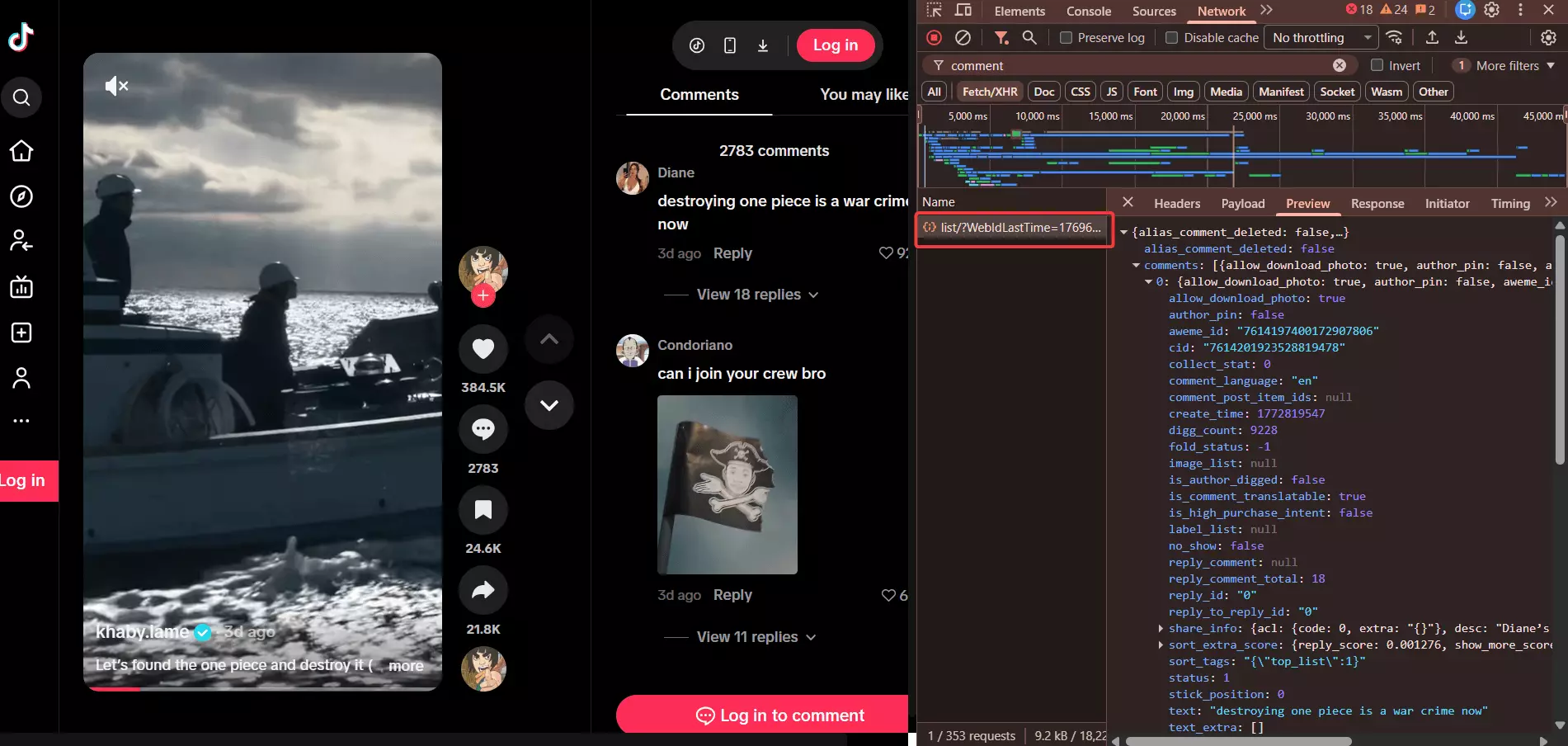
But they're heavily rate limited, require session tokens, and change without warning.
Get ready to deal with:
- Anti-bot detection that flags automated requests almost immediately
- Session management that breaks the moment you push any volume
- Rotating proxies that cost a fortune and still get burned
- CAPTCHAs that pop up when TikTok suspects non-human activity
- Constant maintenance because TikTok changes their frontend and internal APIs regularly
You try browser automation. Playwright, Selenium, headless Chrome... it works for 20 comments.
Then TikTok detects the automation, throws up a CAPTCHA or redirects you to login page, and you're done.
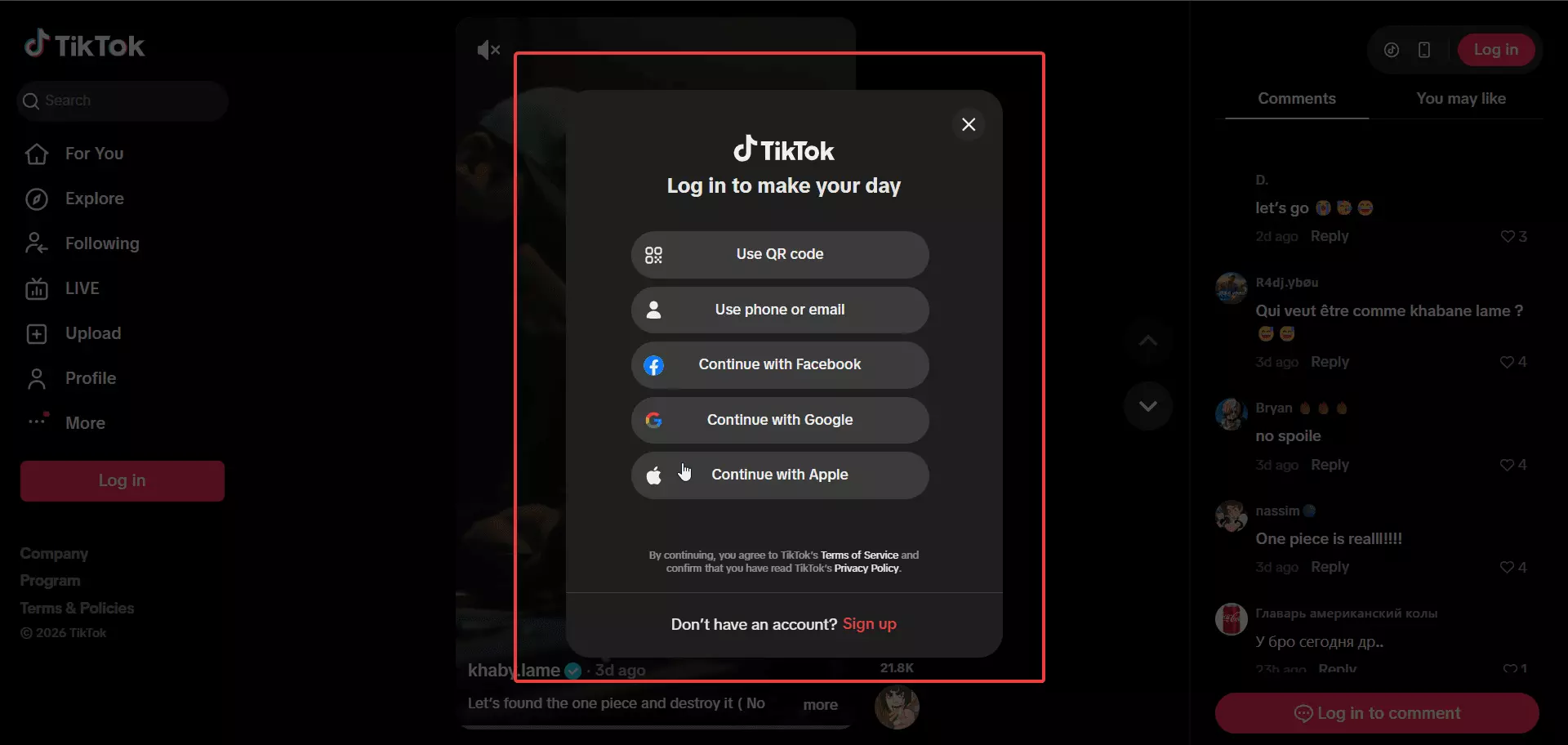
And if you somehow get past all of that?
You still need to handle pagination, thread structure (replies to replies), pinned comments, comment images, and rate limiting. At scale. Reliably. Every day.
And maintenance itself is a nightmare at scale.
Use a ready-made scraper
This is what smart people do.
Even in ready-made tools, you've got APIs and no-code options. APIs are for nerds. Since this article focuses entirely on no-code, I'll skip the nerd stuff.
I'll do a full comparison of the best TikTok comment scrapers right after this article. For now, let me tell you about the absolute best i.e. Lobstr.io.
Best TikTok comments scraper: Lobstr.io
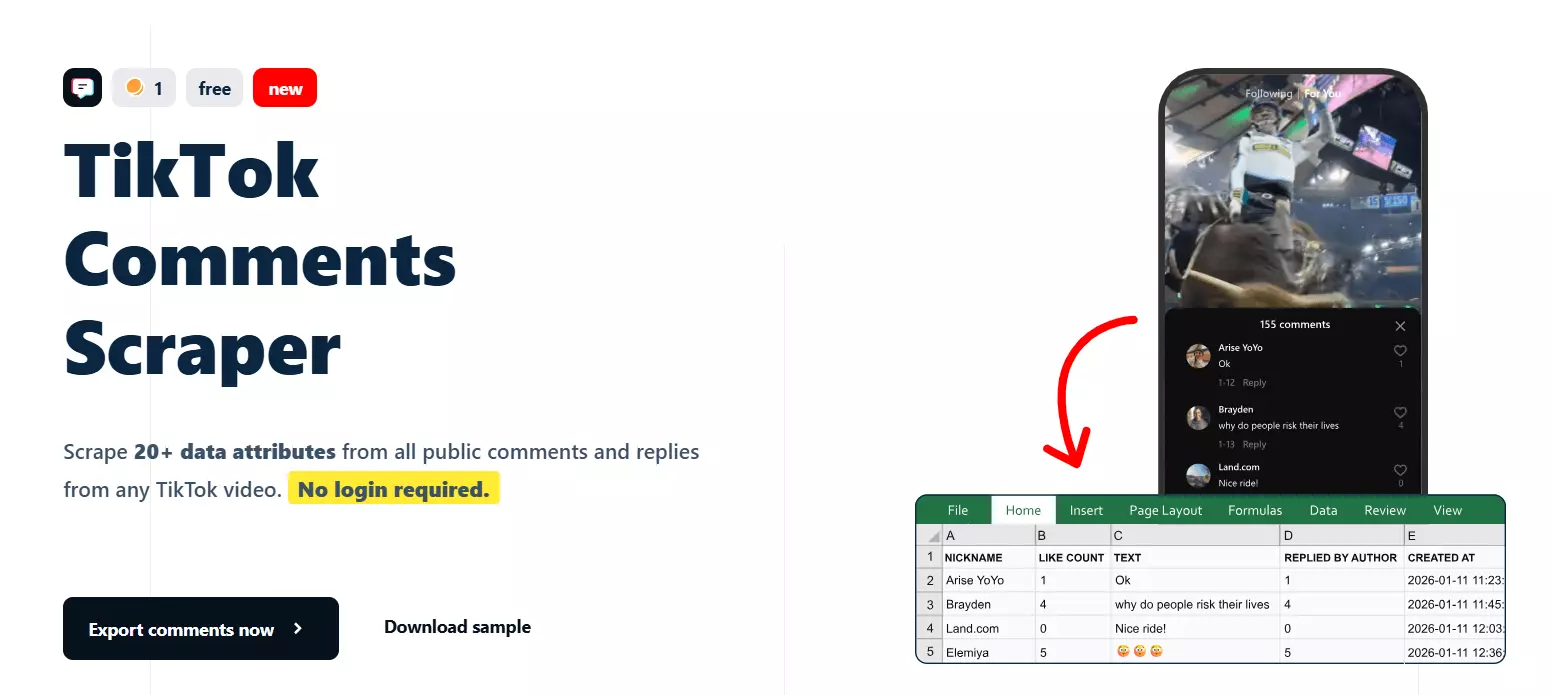
Features
- 20+ data points per comment including comment text, likes, replies, timestamps, and full thread structure
- Complete commenter profile data like username, nickname, user ID, and avatar
- Full thread mapping with parent/reply relationships, thread IDs, and nested reply chains
- Author interaction signals like whether the video creator liked, replied to, or pinned a comment
- Comment image support for comments that include images
- Bulk video input with support for scraping comments from as many TikTok video URLs as you want in a single run
- No TikTok login required and no API key needed
- Schedule recurring runs for automated comment monitoring
- Export to CSV, Google Sheets, Amazon S3, SFTP, or email
- Cloud-based, no installation required
- API access for developers
- 3000+ integrations via Make.com
Data
| 💬 COMMENT ID | 📝 TEXT | 📅 CREATED AT | 👍 LIKE COUNT | | 🔄 REPLY COUNT | 🖼️ HAS IMAGE | 🖼️ IMAGE | 📌 IS PINNED | | 👤 IS AUTHOR | ❤️ LIKED BY AUTHOR | 💬 REPLIED BY AUTHOR | 🔄 IS REPLY | | ↩️ REPLY TO | 🧵 THREAD ID | 👤 NICKNAME | 🔗 UNIQUE ID (PROFILE URL) | | 🆔 USER ID | 🖼️ AVATAR | 🎬 VIDEO ID | 🔗 INPUT VIDEO URL | | ⏰ SCRAPING TIME | | | |f
Pricing
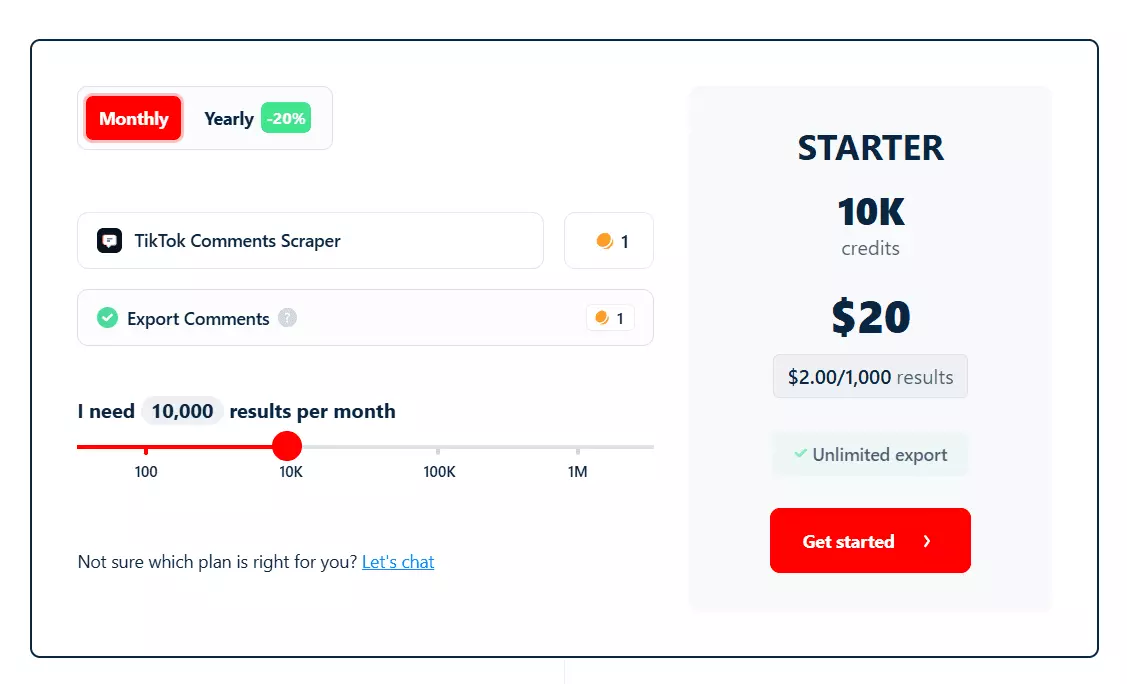
- 100 comments free every month
- Starts at $2 per 1,000 comments
- Drops to $0.50 per 1,000 comments at scale
And you get a base speed of 800+ comments per minute. That means you can scrape a viral video with 100,000 comments in about 2 hours.
And there’s no limit on the number of comments you can scrape.
How to scrape TikTok comments using Lobstr.io [Step by Step Guide]
Scraping TikTok comments with Lobstr.io takes less than 2 minutes. Here's the process:
- Create a Squid
- Add tasks
- Adjust behavior
- Launch
- Enjoy
Step 1: Create a Squid
A Squid is just a scraper instance. To create one:
![How to scrape TikTok comments using Lobstr.io [Step by Step Guide] - Step 1: Create a Squid](/_next/image?url=https%3A%2F%2Fd37gzvgyugjozl.cloudfront.net%2Fimage20_44a8b3fef8.gif&w=1920&q=75)
- Log in to your Lobstr.io dashboard
- Click the red "New Squid" button
- Type "TikTok" in the search bar
- Select TikTok Comments Scraper
That's it. Your Squid is ready to configure.
Step 2: Add tasks
A task is simply your input. In this case, it's the TikTok video URL you want to scrape comments from.
For example:
https://www.tiktok.com/@bellapoarch/video/6862153058223197445f
You can add them one by one using the Add+ button. Paste the URL, click add, done.
![How to scrape TikTok comments using Lobstr.io [Step by Step Guide] - Step 2: Add tasks](/_next/image?url=https%3A%2F%2Fd37gzvgyugjozl.cloudfront.net%2Fimage19_32d6388ebf.gif&w=1920&q=75)
But if you've got dozens or hundreds of videos to scrape comments from, adding them manually is a waste of time.
Step 3: Adjust behavior
The Settings tab controls how your scraper behaves.
I'm not gonna bore you explaining every option including the unnecessary ones for this scraper. Let me cover the ones you'll actually use.
![How to scrape TikTok comments using Lobstr.io [Step by Step Guide] - Step 3: Adjust behavior image13](/_next/image?url=https%3A%2F%2Fd37gzvgyugjozl.cloudfront.net%2Fimage16_a3f9b39119.gif&w=1920&q=75)
Max Comments... limits the total number of comments collected per video. Leave it blank to collect everything.
Max Replies Per Comment... controls how deep into reply chains you go. If a comment has 500 replies and you only care about the top 10, set it to 10.
Next is the Notifications tab where you can choose to receive email alerts when a run completes or pauses due to an error.
![How to scrape TikTok comments using Lobstr.io [Step by Step Guide] - Step 3: Adjust behavior image14](/_next/image?url=https%3A%2F%2Fd37gzvgyugjozl.cloudfront.net%2Fimage17_16bd746dfa.png&w=1920&q=75)
Step 4: Launch
In the Launch tab, you've got two options:
- Manually
- Repeatedly
Manually means instant launch. Keep it selected and click Save & Extract. The scraper starts collecting comments immediately.
![How to scrape TikTok comments using Lobstr.io [Step by Step Guide] - Step 4: Launch image15](/_next/image?url=https%3A%2F%2Fd37gzvgyugjozl.cloudfront.net%2Fimage11_fd663b8b62.gif&w=1920&q=75)
But what if you want to monitor comments over time?
Switch to Repeatedly and set how often the scraper should run. You can schedule it to run every few minutes, hourly, daily, weekly, or monthly.
![How to scrape TikTok comments using Lobstr.io [Step by Step Guide] - Step 4: Launch image16](/_next/image?url=https%3A%2F%2Fd37gzvgyugjozl.cloudfront.net%2Fimage5_26a06075b8.gif&w=1920&q=75)
Perfect for tracking comment sentiment on brand videos or monitoring new reactions to viral content.
Step 5: Enjoy
Once a run finishes, click the Download button to export your results as a CSV file.
![How to scrape TikTok comments using Lobstr.io [Step by Step Guide] - Step 5: Enjoy image17](/_next/image?url=https%3A%2F%2Fd37gzvgyugjozl.cloudfront.net%2Fimage14_0c59bc2a4a.gif&w=1920&q=75)
Open it in Excel, Google Sheets, whatever you prefer.
![How to scrape TikTok comments using Lobstr.io [Step by Step Guide] - Step 5: Enjoy image18](/_next/image?url=https%3A%2F%2Fd37gzvgyugjozl.cloudfront.net%2Fimage6_5199401c71.png&w=1920&q=75)
But downloading files manually every time? I don't like doing it.
Lobstr.io lets you automate delivery. Click the Delivery icon in the top right corner and set up your preferred export method.
Google Sheets is my personal favorite. You can also use SFTP, Amazon S3, or simply add an email address and receive a CSV file right in your mailbox after every run.
And if you want to plug this data into your CRM or any other tool, Lobstr.io's official Make.com integration connects you to 3000+ apps.
What can you do with scraped TikTok comments?
You've got the comments. Now what?
For example, you can chain the TikTok Comments Scraper with an AI agent to build a complete brand sentiment monitoring system.
You've got comment text, like counts, thread structure, author interactions, and commenter profiles.
All you need is an AI agent that can understand this data and give you actionable insights.
Here are some ideas:
1. Sentiment analysis
Feed the comments into any LLM like Claude or ChatGPT to understand how people feel about a product, brand, or topic. Thousands of unfiltered opinions, straight from the audience.
2. Competitor research
Scrape comments from your competitors' TikTok videos. What are people complaining about? What do they love? What features are they requesting? That's free market research.
3. Influencer vetting
Before partnering with a creator, scrape their video comments. Are the comments genuine engagement or bot spam?
Are followers actually interested in the product category? Comment quality tells you more than follower count.
4. Content strategy
Analyze which types of videos generate the most meaningful comments.
Look at comment sentiment across different content formats, posting times, and topics to refine your content strategy.
5. Trend detection
Track comments across trending videos in your niche to spot emerging trends, popular opinions, and cultural shifts before they go mainstream.
6. Customer feedback mining
If you're a brand on TikTok, scrape comments from your own videos to build a structured feedback database. Way more scalable than reading comments one by one in the app.
7. Academic and market research
Studying online discourse, platform dynamics, or consumer behavior? TikTok comments are one of the richest sources of public opinion data available today.
8. Community monitoring
Track comment sentiment over time to catch PR issues early, identify brand advocates, and understand how your community is evolving.
FAQs
Can I scrape TikTok comments without logging in?
Yes. TikTok comments on public videos are accessible without login.
The Lobstr.io TikTok Comments Scraper doesn't require any login or API key. Just provide the video URL and you're good to go.
How fast is the TikTok Comments Scraper?
800+ comments per minute at base speed. A viral video with 100,000 comments would take about 2 hours.
Can I scrape comments from multiple videos at once?
Yes. You can add as many TikTok video URLs as you want in a single run. The scraper will collect all comments from all videos.
Does the scraper collect replies to comments?
Yes. The scraper collects the full thread structure including replies, reply chains, and parent-child relationships.
You can control how deep into reply chains it goes using the "Max replies per comment" setting.
Is there a limit on how many comments I can scrape?
No hard limit. The scraper collects all publicly available comments from any video. You can optionally set a max comments limit in the advanced settings if you only need a sample.
Can I scrape comments from private or restricted videos?
No. The scraper only works with publicly accessible TikTok videos. If a video requires login to view, or if comments are disabled, the scraper cannot collect data from it.
What data do I get per comment?
20+ data points per comment including: comment text, timestamp, like count, reply count, commenter username, commenter profile URL, user ID, avatar, thread structure (parent/reply mapping), pinned status, author interaction signals (liked by author, replied by author), and comment images.
Can I monitor TikTok comments automatically?
Absolutely. Use the Repeatedly launch option to schedule the scraper on any interval. Pair it with automated Google Sheets delivery.
You'll get fresh comments delivered to your sheet without lifting a finger.
What is the best TikTok comment scraping tool?
How much does it cost?
Starts at $2 per 1,000 comments and drops to $0.50 per 1,000 comments at scale.
Conclusion
That's a wrap on how to scrape all comments from any TikTok video without coding and absolutely no login required.