
Best TikTok Comments Scrapers 2026 [No-Code Edition]
TL;DR
- I tested no-code TikTok comment scrapers for scale, cost, safety, data quality, and speed
- I skipped browser extensions and API-only tools and focused on login-free, no-code high-volume scrapers
- lobstr.io is the most affordable option with solid data and good scalability
- Apify is fast and login-free, but data can be incomplete at scale, plus it’s expensive
- Bright Data is safe but expensive and capped at 1,000 comments per post
- ExportTok is fine for small downloads, not for large-scale scraping
Finding a TikTok comments scraper that scales is surprisingly hard.
Most tools can’t handle big numbers, cost too much, or are just too complicated if you don’t code.
It’s a common struggle.
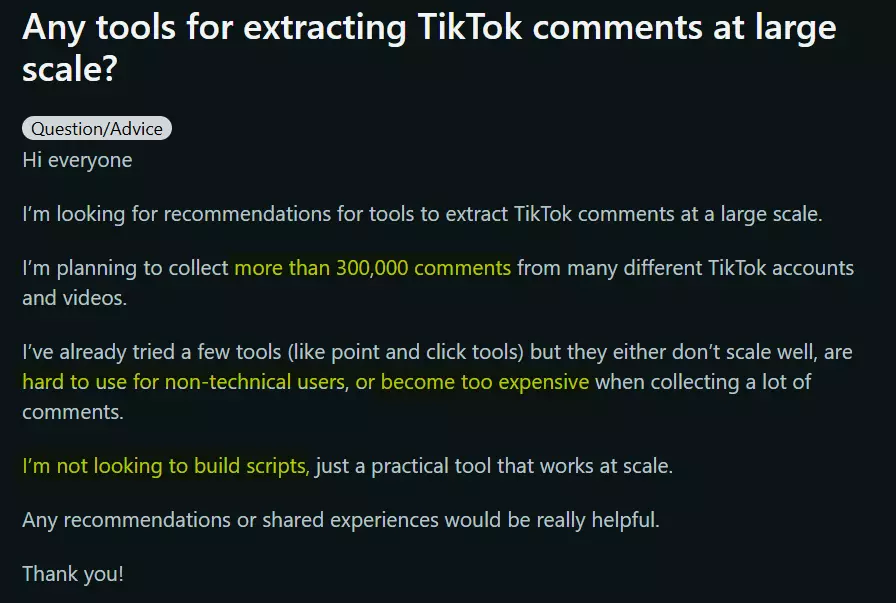
So I decided to test and compare TikTok comment scrapers that are built to handle scale, stay affordable, feel simple, and move fast.
Here are my picks.
| Criteria | lobstr.io | Apify | Bright Data | ExportTok |
|---|---|---|---|---|
| User rating | 5 | 4.8 | 4.7 | N/A |
| Data points | 20+ | 10+ | 10+ | 10+ |
| Data quality/accuracy | 💯 | 👎 | 👎 | 👍 |
| Scale pricing | $0.50 | $5 | $1.00 | $0.006 |
| Large volume handling | 💯 | 👎 | 👎 | 👎 |
| CSV import | ✅ | ❌ | ✅ | ❌ |
| Login requirement | ❌ | ❌ | ❌ | ❌ |
| Has profile monitoring | ✅ | ✅ | ❌ | ❌ |
| Scheduling ease | ✅ | ✅ | ❌ | ❌ |
| Export options | 💯 | 💯 | 💯 | 👍 |
| Speed | 👍 | 💯 | 👎 | 💯 |
| Customer support | 💯 | 👍 | 👎 | 👎 |
But hold up, is it legal?
Is scraping TikTok comments legal?
⚠️ Disclaimer
The information in this section is for general informational purposes only. It reflects publicly available sources and my own interpretation of them. It does not constitute legal advice and should not be treated as such. Laws vary by jurisdiction and can change. If you need guidance on compliance, data use, contracts, or platform-specific risks, consult a qualified legal professional who can evaluate your situation in detail.
To start, it’s important to clarify one thing.
Does TikTok allow scraping?
Technically, no.
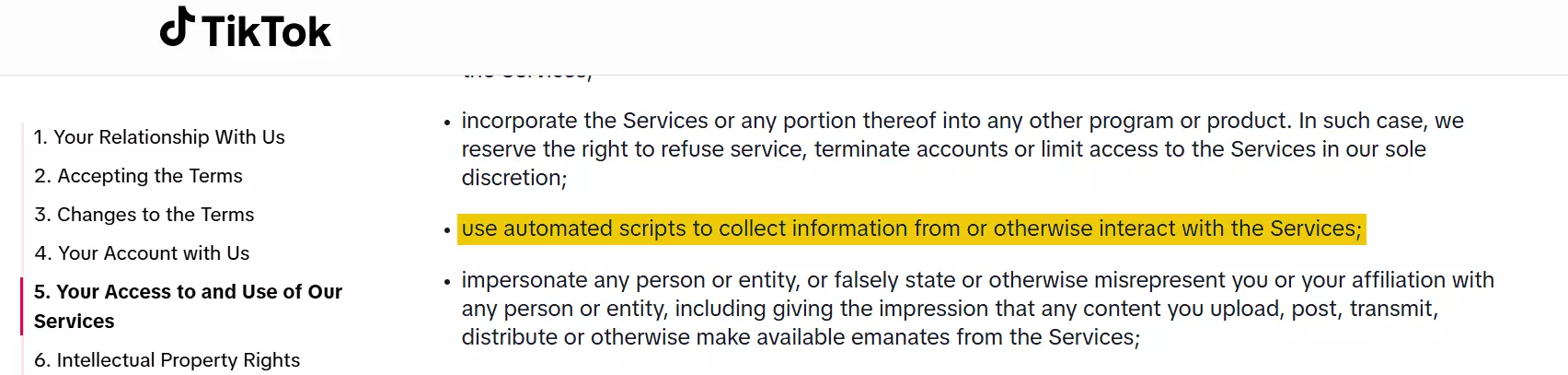
So does that mean it is illegal?
Is scraping public TikTok comments illegal?
Short answer, not necessarily.
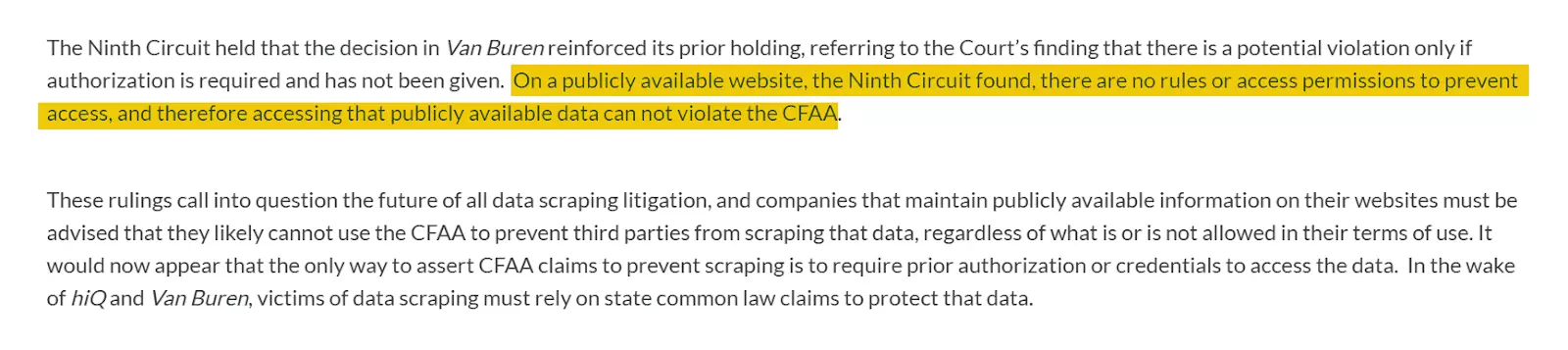
That said, the legal risk depends on how you use the data.
Storing or republishing it without permission can lead to copyright issues.
As long as the content is public, you’re not bypassing protections, and the data isn’t misused, you’re in the clear.
If you want to dig deeper, check out this article.
But for now, here’s how I actually chose the best scrapers.
How did I choose the best TikTok comments scraper?
I started with the boring part, figuring out what people actually struggle with.
So I dug into community posts and user reviews to see where things usually go wrong.
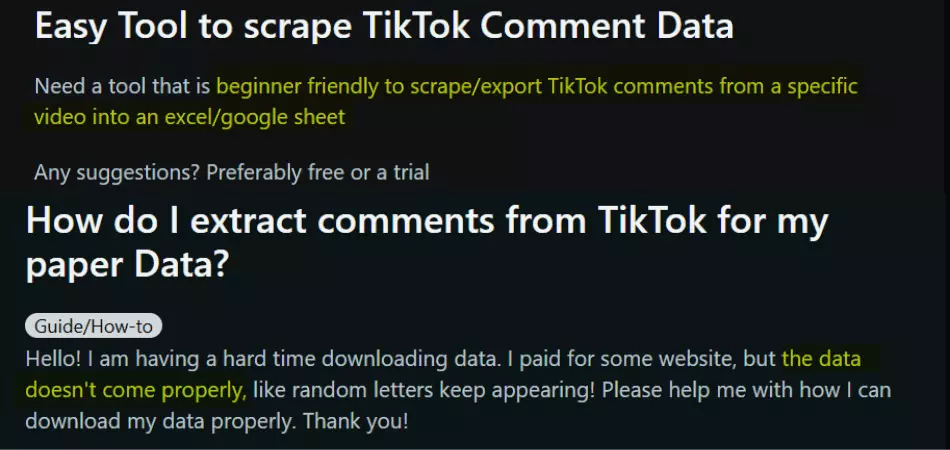
Based on that, I shortlisted 5 common pain points:
- Data
- Affordability
- Scalability and safety
- Ease of use
- Speed
Data
I looked at how much comment-level detail each scraper returns, and whether it’s useful beyond a pile of text.
That meant checking for basics like author info, timestamps, likes, replies, and any metadata that adds context.
Affordability
To keep comparisons fair, I normalized pricing to cost per 1,000 results.
I also compared the “starter” pricing with what happens when you scale, because the cheap plan is rarely the plan you stay on.
Scalability and safety
I tested whether each tool could handle large volumes without timing out, failing mid-run, or turning into a browser tab memorial.
I also cross-checked reviews and issue threads to see if other people hit the same ceiling.
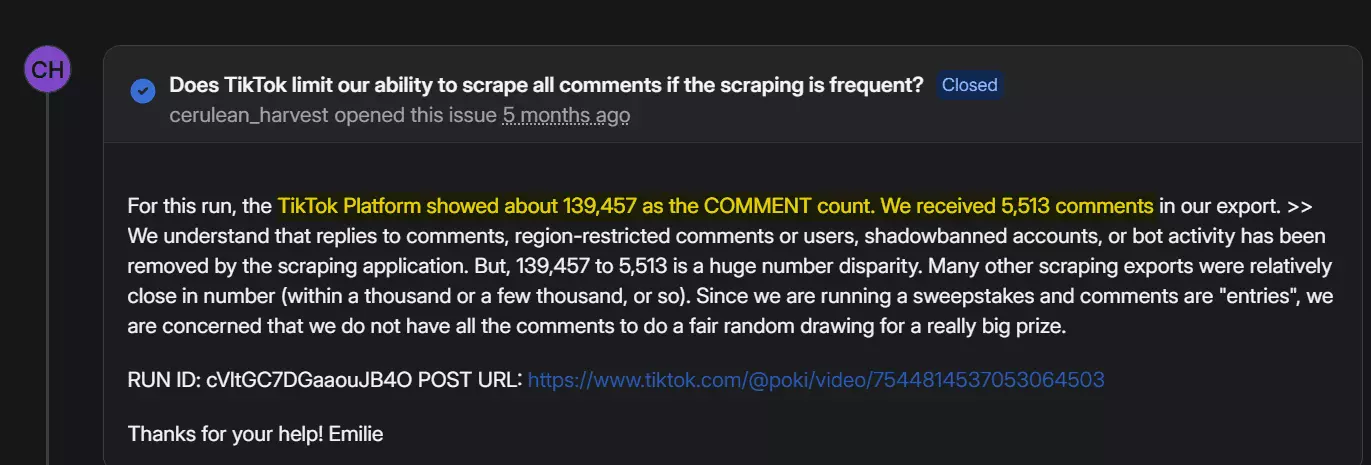
For safety, I prioritized tools that can scrape without logging in.
No-login scraping generally lowers the risk of detection and reduces the chance of account flags or bans.
Ease of use
I scored each tool on how fast you can run your first scrape.
That includes setup steps, and whether the UI makes the workflow obvious without reading a doc.
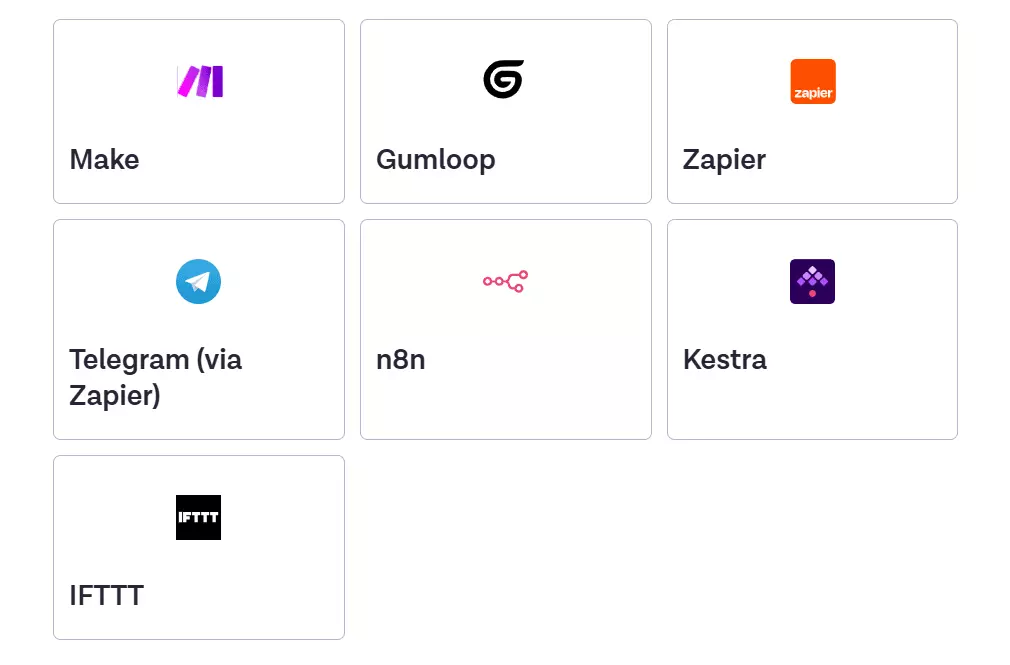
I also looked at export formats and whether the tool supports automation integrations.
Speed
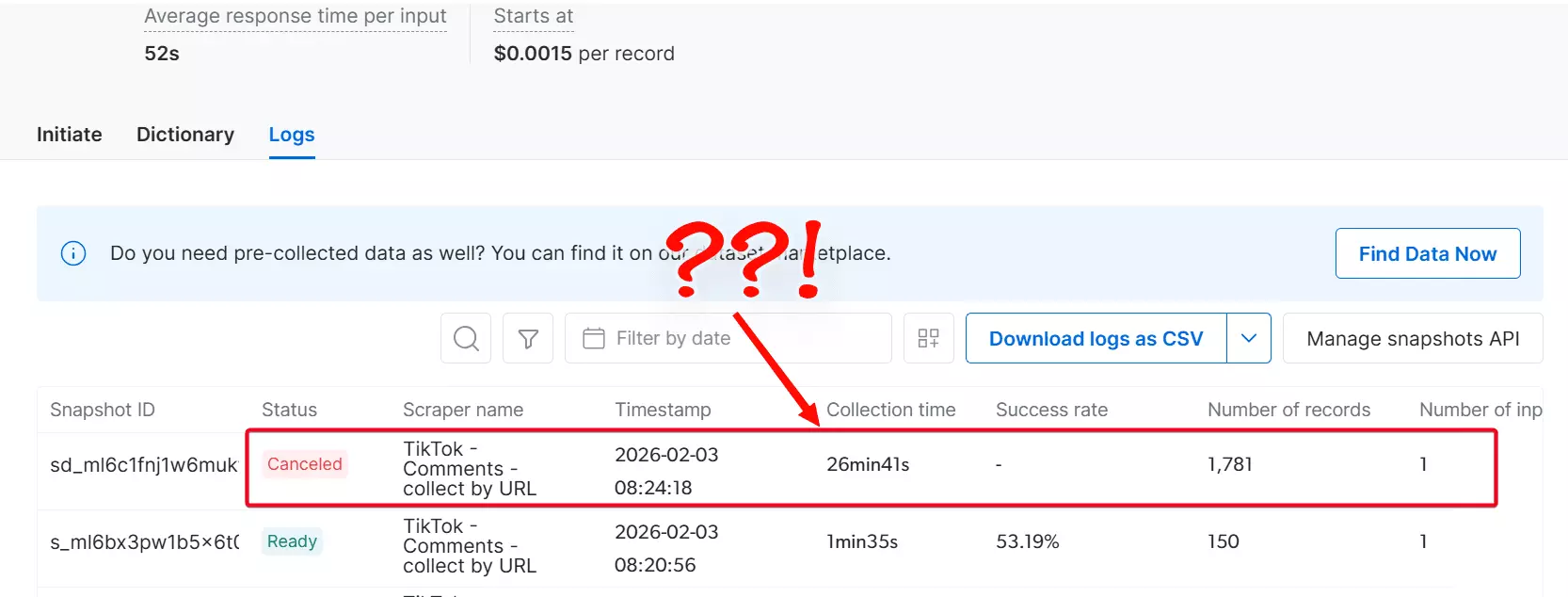
I measured output in a way that’s hard to argue with, comments per minute.
If a tool is “reliable” but crawls, it’s still not practical once you’re doing real volume.
Support
Finally, I evaluated customer support. What channels exist, and how fast and useful the responses were when something went wrong.
Because something always goes wrong.
After that, I collected every tool I could find via Google and AI suggestions.
Honestly, most of them were a waste of clicks.
I ran into a lot of browser-based scrapers that fall over the moment you feed them large inputs.
And I found plenty of API-first platforms where “quick setup” quietly assumes you’ve got Python installed and a free weekend. 🙄
So I cut anything that was too technical, too fragile, or too slow to hold up at scale.
The focus stayed tight, with no-code scrapers built to run volume.
Then it was time to test.
Best no-code TikTok comments scrapers
| Criteria | lobstr.io | Apify | Bright Data | ExportTok |
|---|---|---|---|---|
| User rating | 5 | 4.8 | 4.7 | N/A |
| Data points | 20+ | 10+ | 10+ | 10+ |
| Data quality/accuracy | 💯 | 👎 | 👎 | 👍 |
| Scale pricing | $0.50 | $5 | $1.00 | $0.006 |
| Large volume handling | 💯 | 👎 | 👎 | 👎 |
| CSV import | ✅ | ❌ | ✅ | ❌ |
| Login requirement | ❌ | ❌ | ❌ | ❌ |
| Has profile monitoring | ✅ | ✅ | ❌ | ❌ |
| Scheduling ease | ✅ | ✅ | ❌ | ❌ |
| Export options | 💯 | 💯 | 💯 | 👍 |
| Speed | 👍 | 💯 | 👎 | 💯 |
| Customer support | 💯 | 👍 | 👎 | 👎 |
1. Lobstr.io
User rating: 5/5
| Pros | Cons |
|---|---|
| 20+ meaningful data points | Slightly slow |
| Affordable | |
| Simple UI | |
| CSV uploads | |
| Allows scheduling | |
| Scalable | |
| No login required | |
| Fast customer support |
Key features
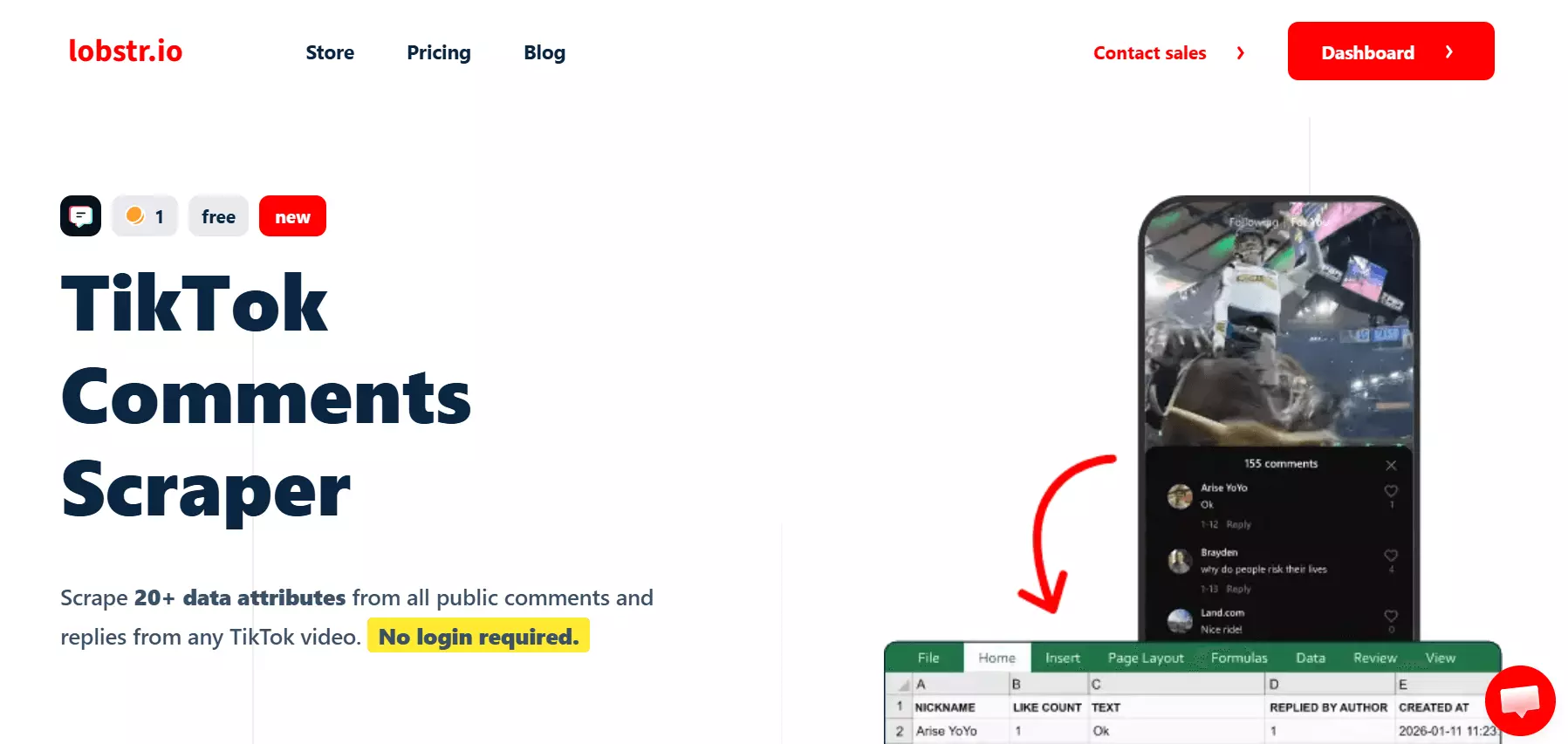
- Scrape comments from 1 TikTok post or bulk TikTok video URLs
- 20+ meaningful data points and context for each TikTok comment
- Automate data collection with scheduling
- No login required
- Cloud-based no-code web app, no installation
- Export scraped data to CSV or deliver to Google Sheets / Amazon S3
- Integrates with Make.com and connects to 3,000+ other apps
Data
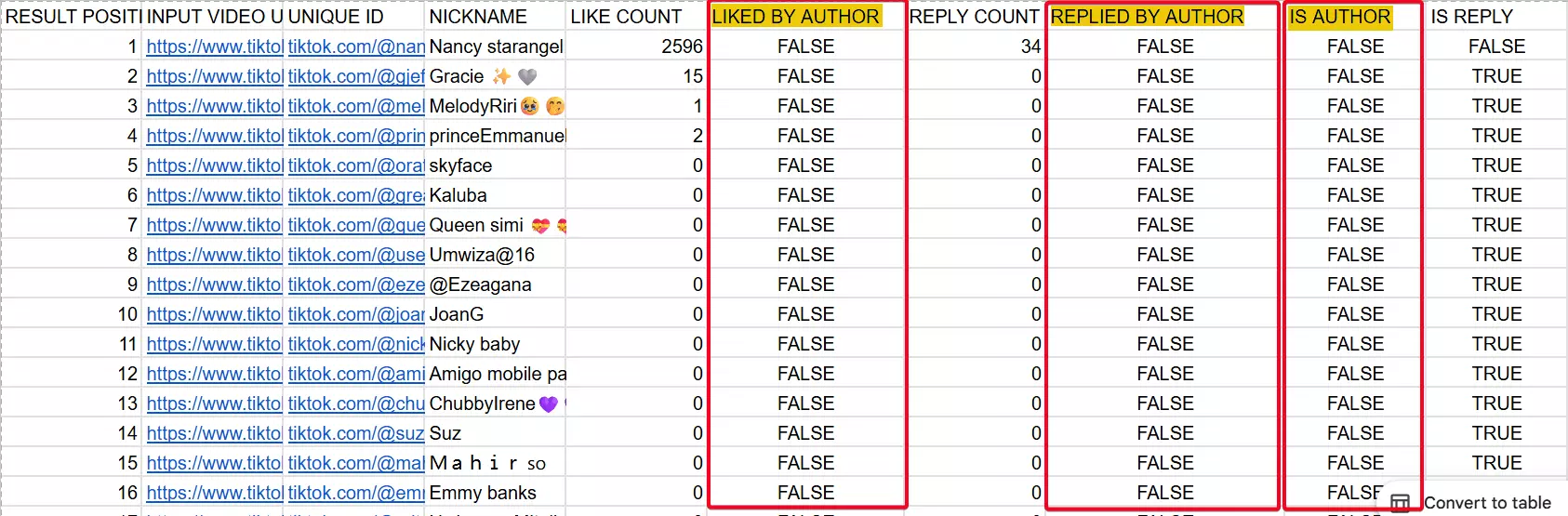
lobstr.io returns 20+ fields per comment, and they’re mostly the kind you can actually use.
You get the comment text, likes, replies, author details, and the thread structure, plus a few extras that help with analysis.
For a clearer picture, these are the data points included:
| 🆔 Comment ID | 🔗 Input video URL | 🧑 Author nickname | 🆔 Author user ID |
|---|---|---|---|
| ❤️ Like count | 💬 Reply count | 📌 Is pinned | 🧵 Thread ID |
| ↩️ Is reply | 🔗 Reply to (parent ID) | 👤 Is video author | 👍 Liked by author |
| 💬 Replied by author | 🧑🤝🧑 User comment count | 📍 Result position | 🖼️ Avatar (commenter) |
| 📝 Comment text | 🕒 Created at | ⏱️ Collected at | 🆔 Task ID |
| 🖼️ Comment has image | 🖼️ Image | 💬 Has other comments (commenter) | 💬 Other comments |
lobstr.io provides more useful data points, compared to the others on the list.
For example, it tracks creator actions, and shows how creators engage with comments.
Pricing
lobstr.io runs on a monthly subscription model.
Plans start at $20 and scale up to $500, each offering a fixed number of usage credits.
To keep it easy, here's a simplified look at the costs:
- FREE tier includes 100 comment data extractions per month
- $2 per 1,000 comment data
- Drops to $0.50 per 1,000 comment data at scale
Scalability and safety
lobstr.io is built to handle big numbers.
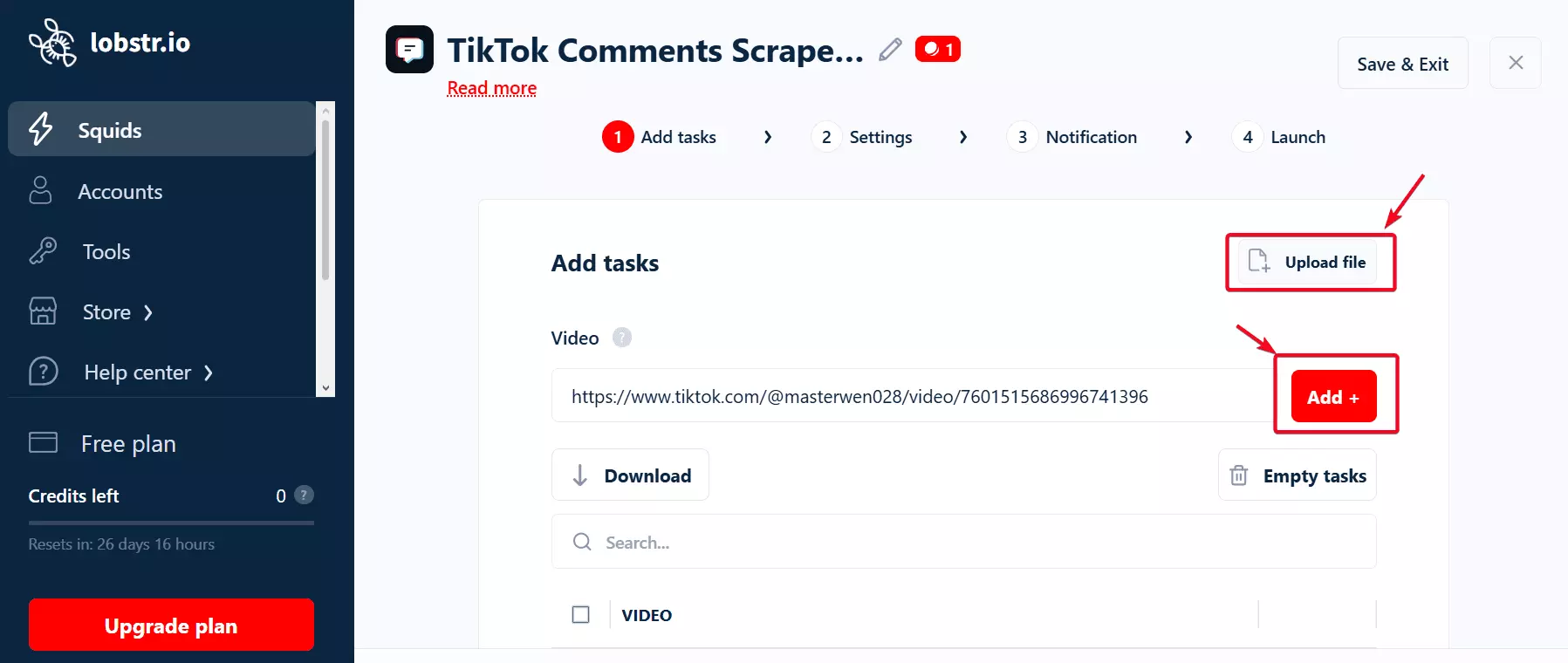
You can upload a CSV with TikTok video URLs and process them in bulk.
Also, no login needed. So you’re not putting your account on the line just to pull comments.
Ease of use
lobstr.io keeps it stupid simple. The interface is intuitive and doesn’t make you think twice.
The workflow doesn't branch, you’ll do everything in just 4 steps.
If you want new comments to roll in automatically, you can schedule runs every few minutes, hours, or days.
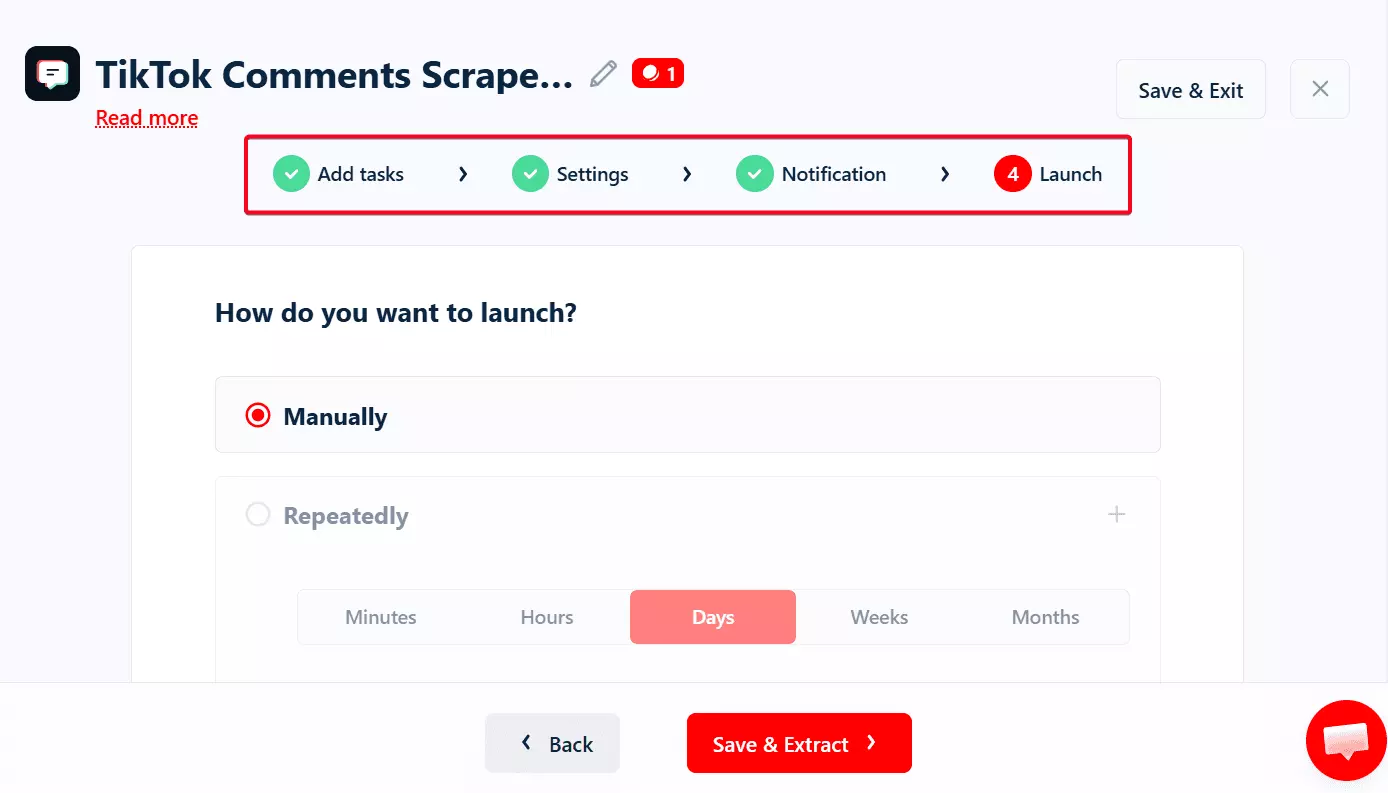
You can export as CSV in a single click.
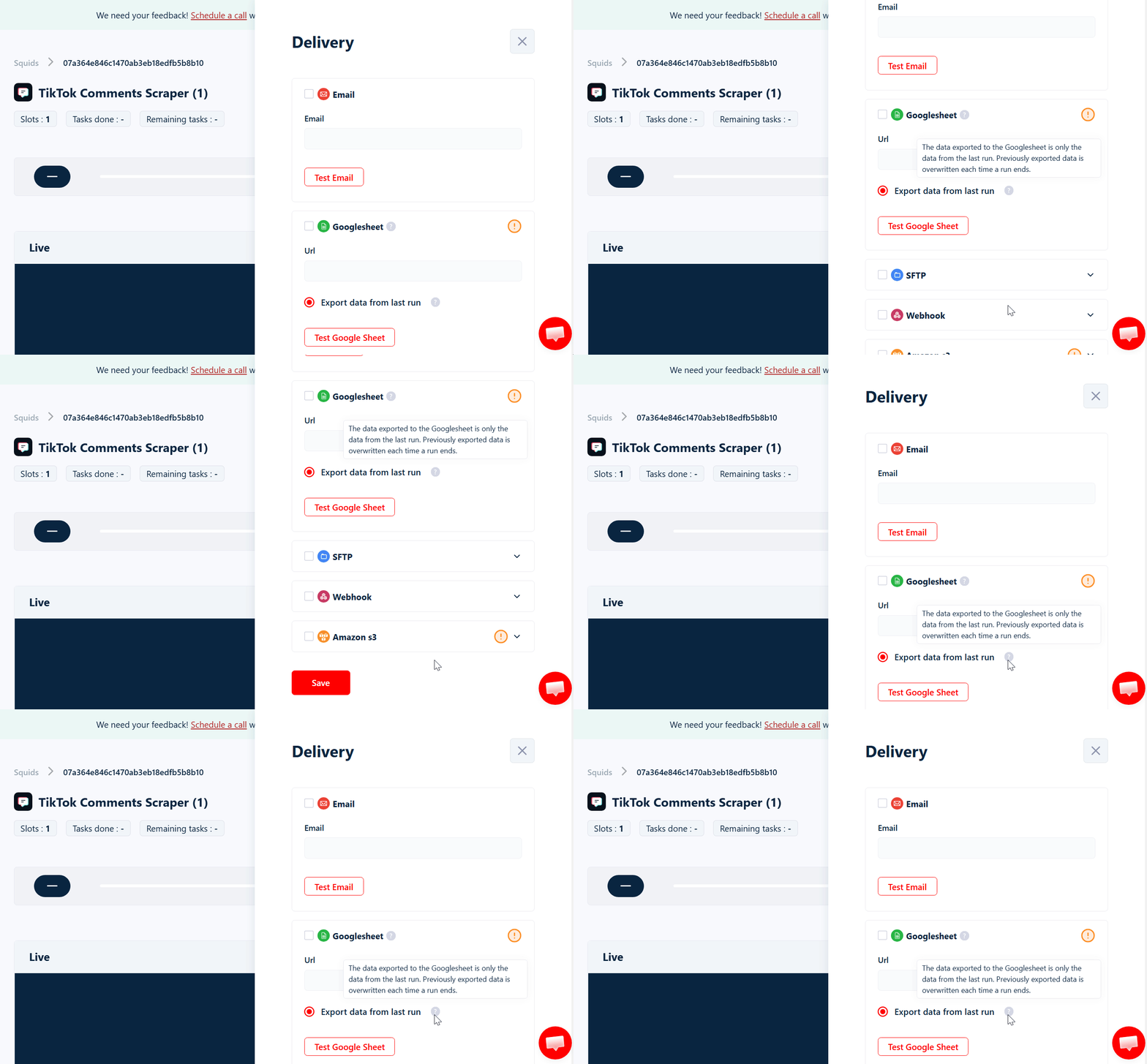
You can also set up automated delivery to platforms like Google Sheets, Amazon S3, SFTP, or email.
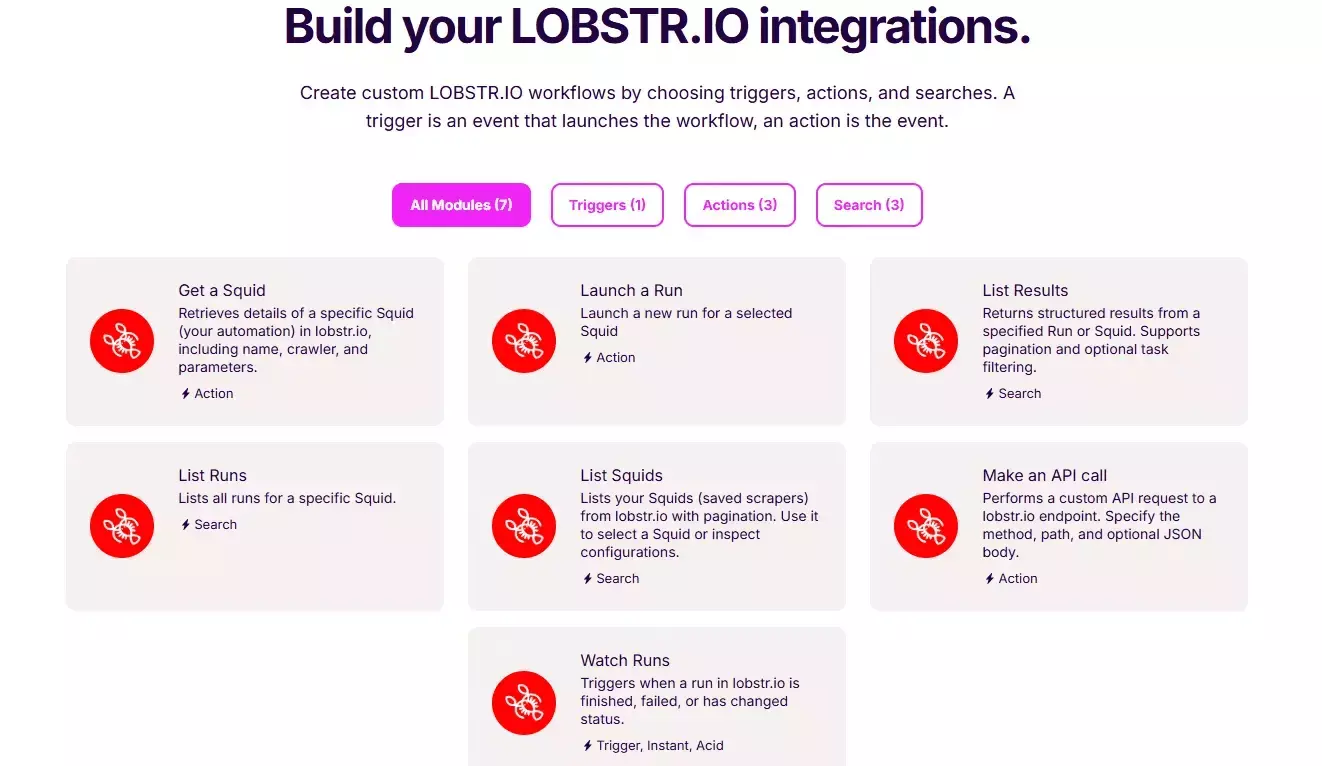
For advanced workflows, lobstr.io integrates with Make.com.
This lets you connect with over 3,000 third-party apps and services.
Speed
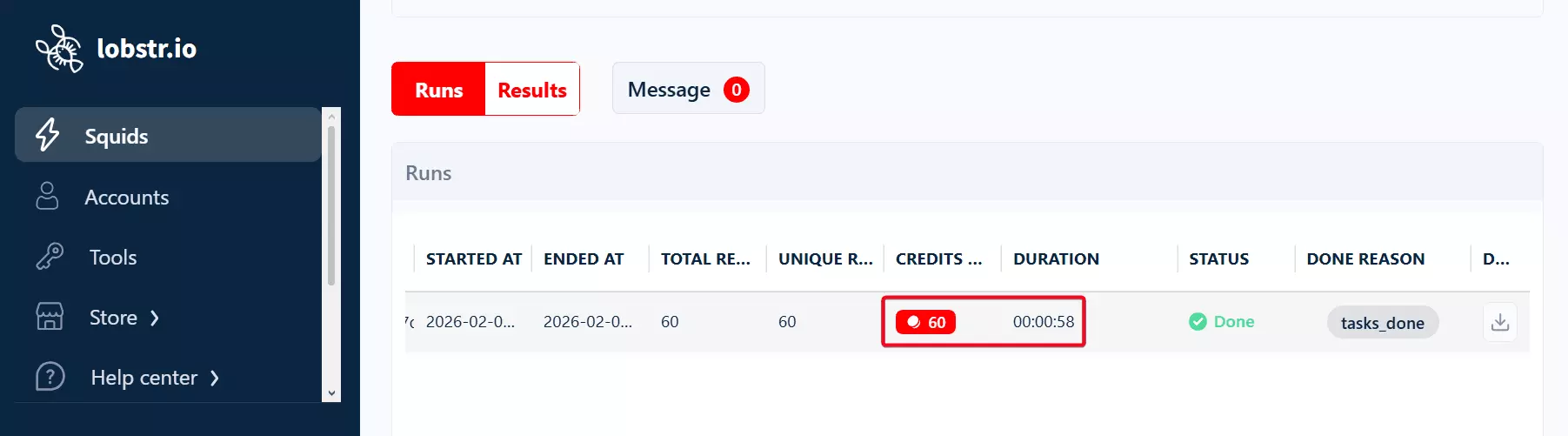
lobstr.io is not on the top regarding speed. It can give you over 60 results per minute.
Slots or concurrency you use.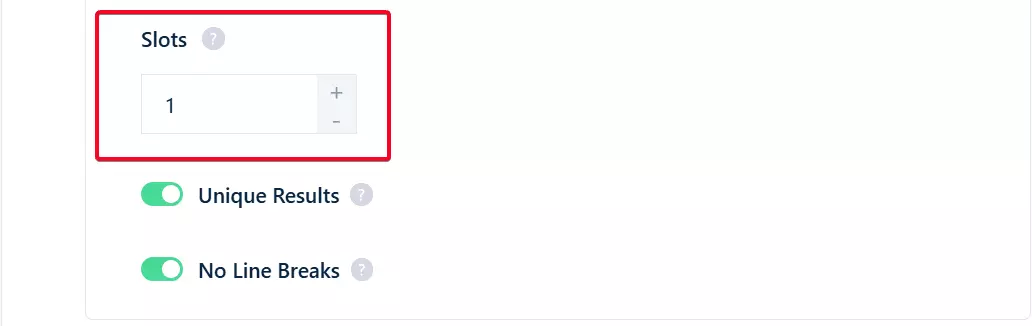
Upgrading your Slots directly increases how fast the scraper runs.
Customer support
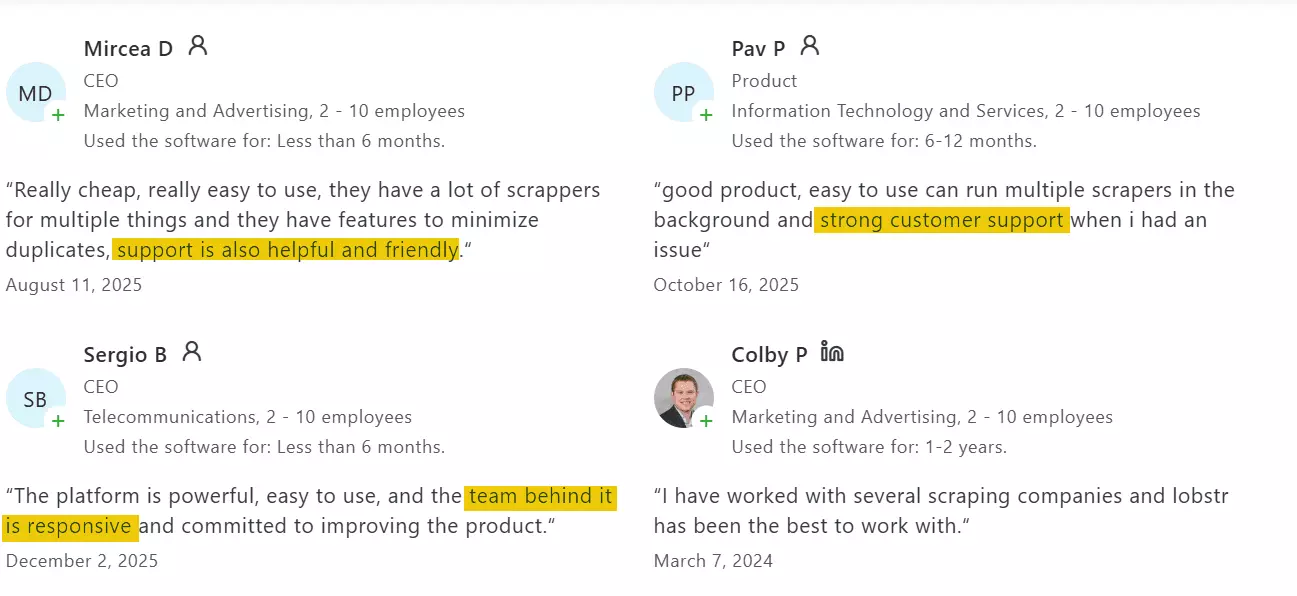
lobstr.io’s customer support is available via live chat pop-up on the website.
It’s one of lobstr.io’s most praised aspects.
People genuinely enjoy how responsive and technically sharp the support team is.
Best for
lobstr.io is best for large-scale scraping that needs reliable, high-quality data.
It’s affordable, returns more data points than the other tools, and handles volume without breaking.
Speed can be increased by adding more Slots when needed.
2. Apify
User rating: 4.8/5
| Pros | Cons |
|---|---|
| Simple UI | Unreliable data quality |
| Allows scheduling | Expensive |
| No login required | Breaks at scale |
| Multiple export options | No CSV uploads |
| Multiple integration options | Late response of customer support |
| Speed |
Key features
- Scrape comments from 1 TikTok post or multiple posts
- 10+ meaningful data points for each TikTok comment
- No login required
- No-code friendly workflow
- Cloud-based web app, no local install needed
- Export scraped data to JSON, XML, CSV, Excel, or HTML
- Automation via Webhooks, Make, or Zapier
Data
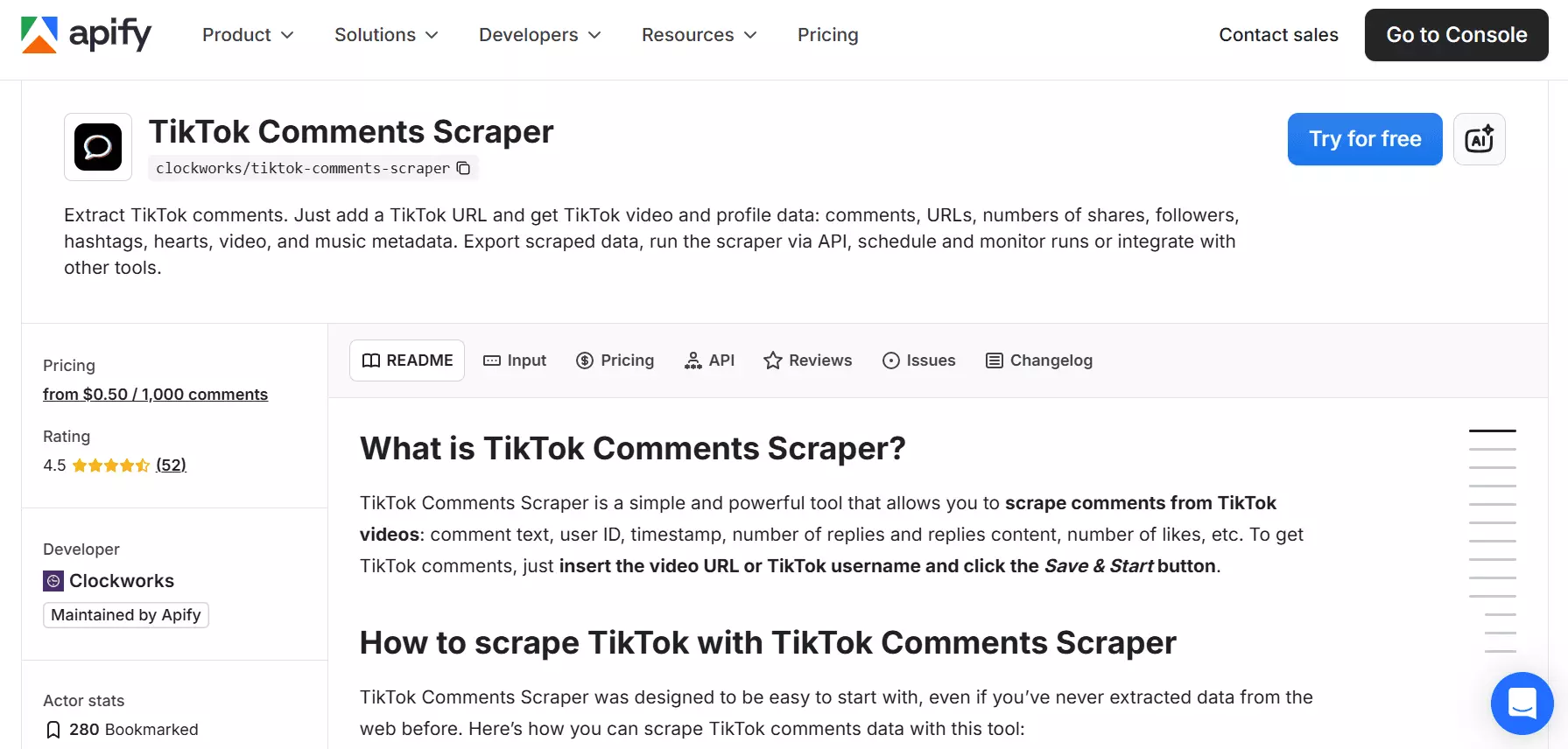
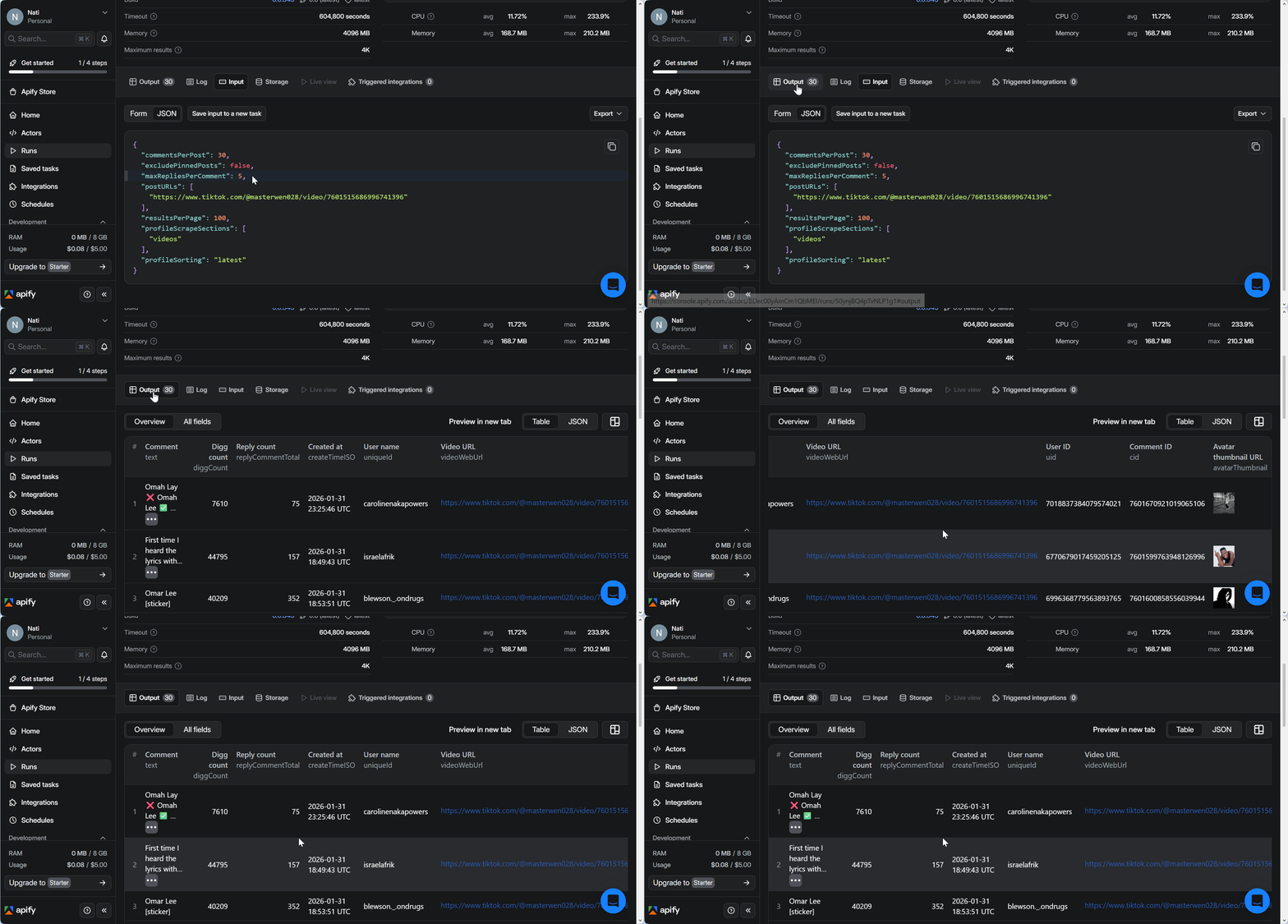
Apify returns a small dataset that mainly covers comment text, likes, reply count, basic user information, timestamps, and a few additional fields.
Here’s what you get:
| 🆔 Comment ID | 🔗 Video URL | 🧑 Author username | 🆔 Author user ID |
|---|---|---|---|
| ❤️ Like count | 💬 Reply count | 📝 Comment text | 🖼️ Avatar thumbnail |
| 🕒 Comment created at (ISO) |
Compared to other tools, the dataset is significantly smaller.
But more importantly, the bigger issue is data completeness.
Some options exist in the setup, yet the output doesn’t include the data you’d expect.
For example, I told it to pull a few replies per comment, and it came back with… just the reply count. C’mon now… be serious.
Pricing
Apify uses the Pay-per-result pricing model.
The pricing is a bit confusing though.
But let me simplify it for you.
- Free plan includes 1,000 comment data extractions per month
- $5 per 1,000 comment data
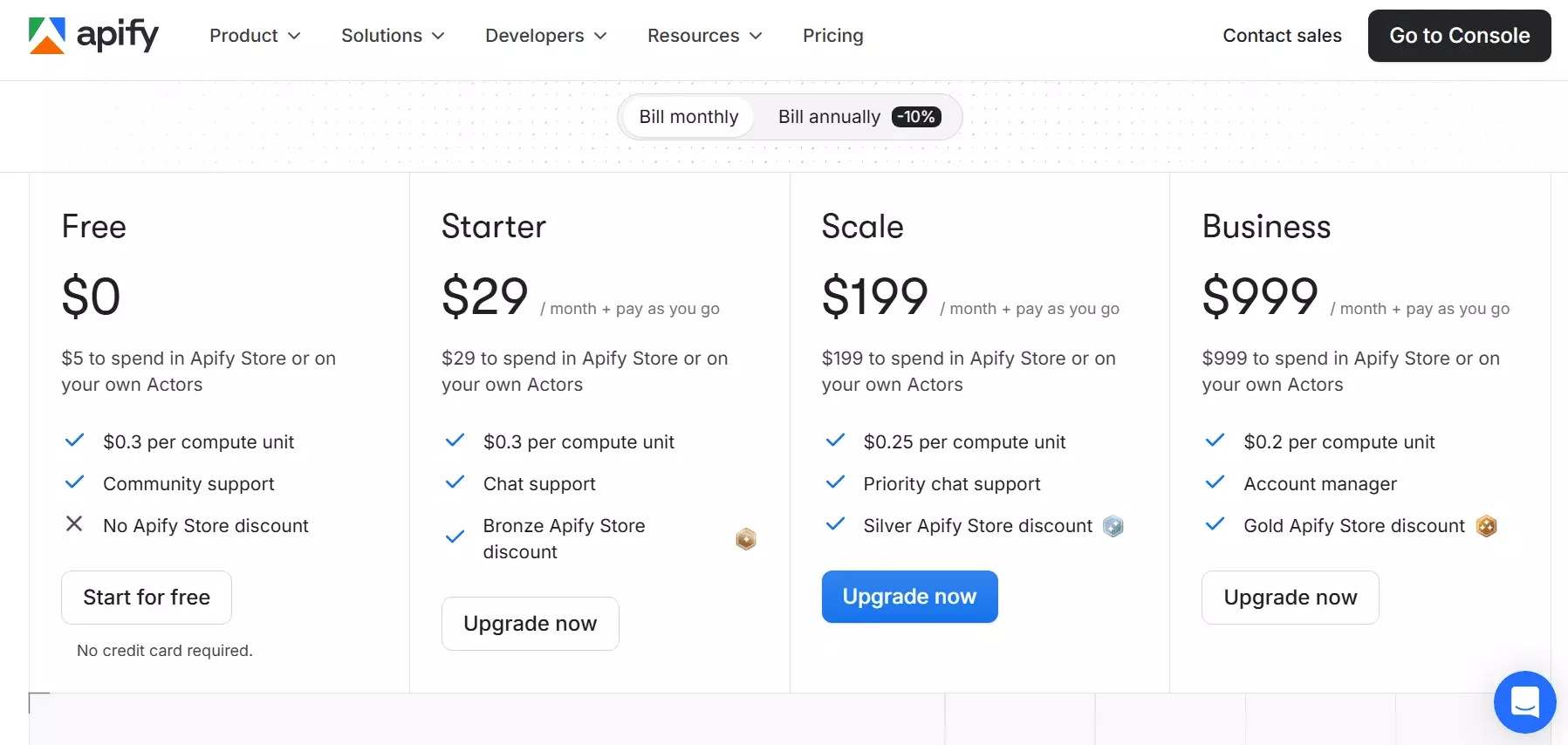
I also looked for volume discounts. The support bot confirmed there aren’t any.
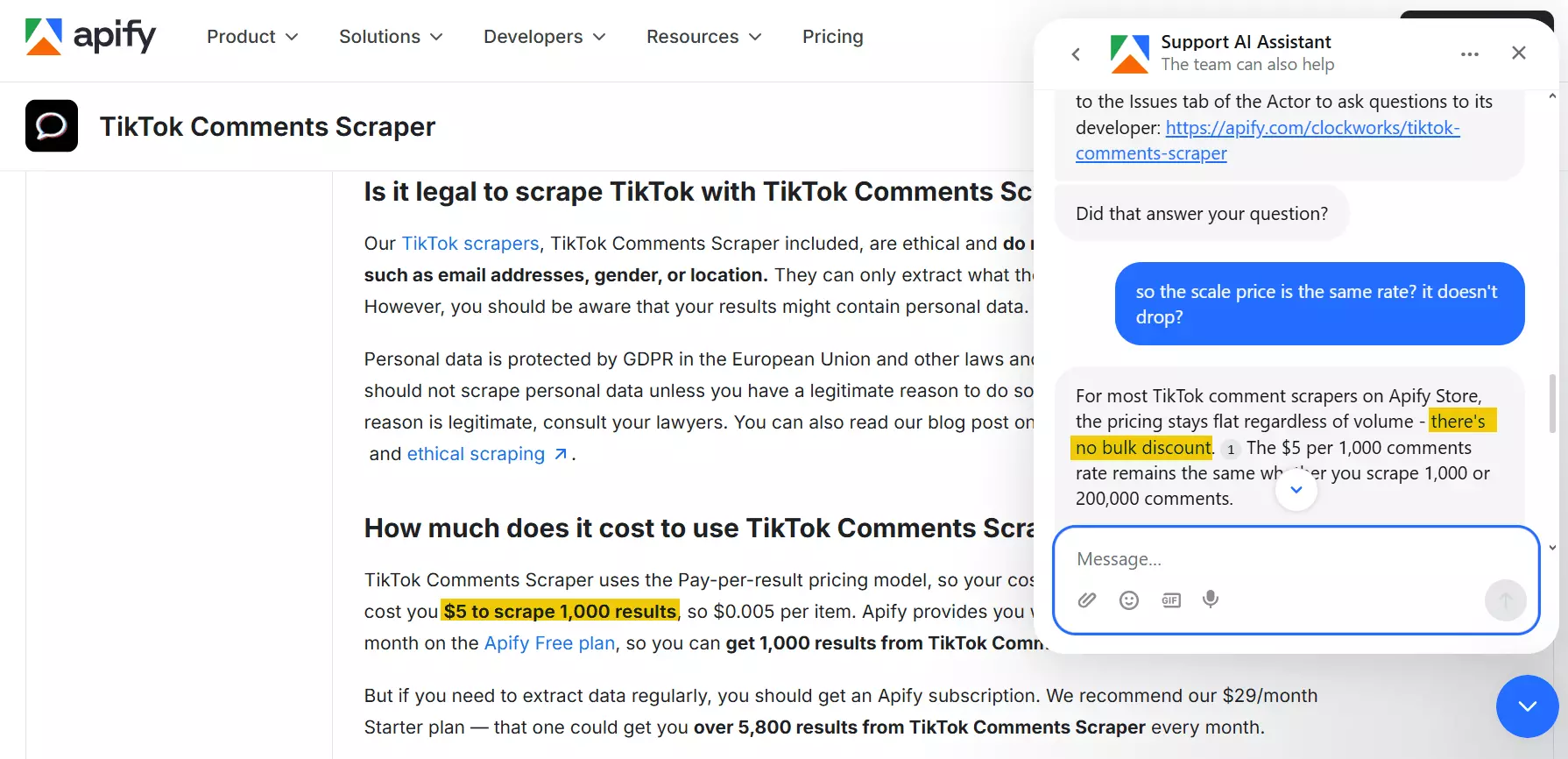
Now this is a bad sign. Good luck scraping at volume.
Scalability and safety
Apify handles scraping comments from one or multiple TikTok video URLs at once.
No CSV upload. Just copy, paste, repeat. A bit old-school, but it works.
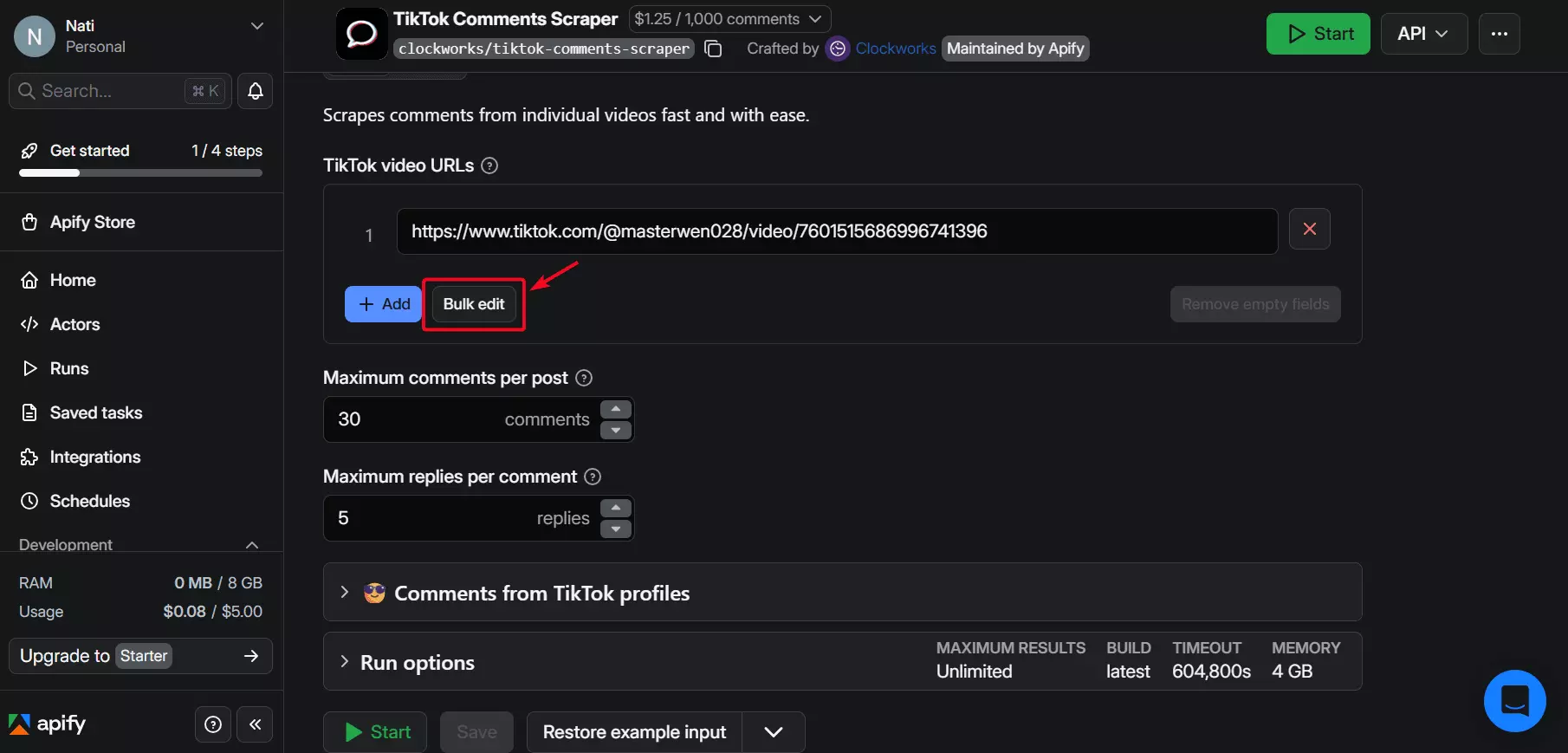
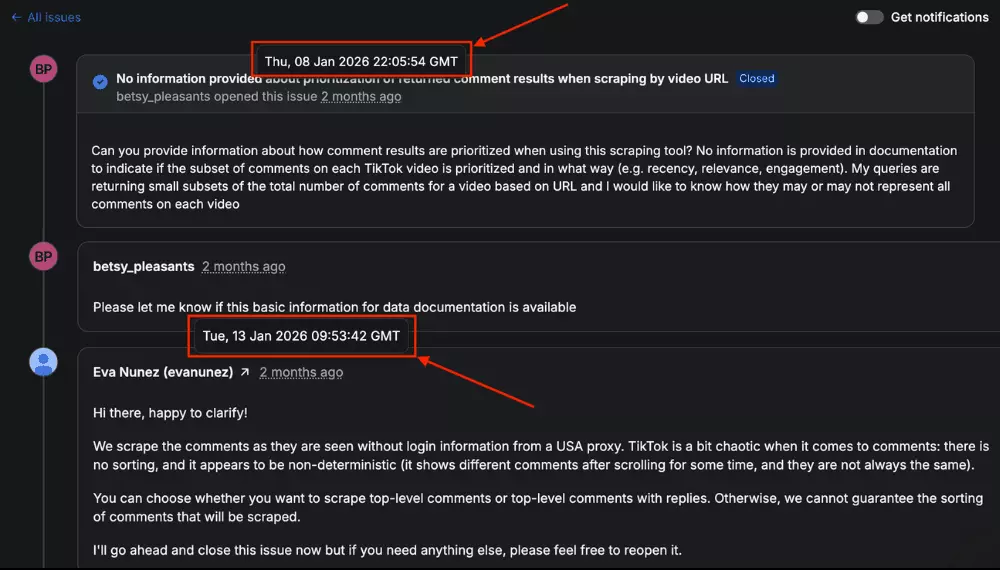
The real issue shows up at scale. Results tend to drop off when dealing with videos that have lots of comments.
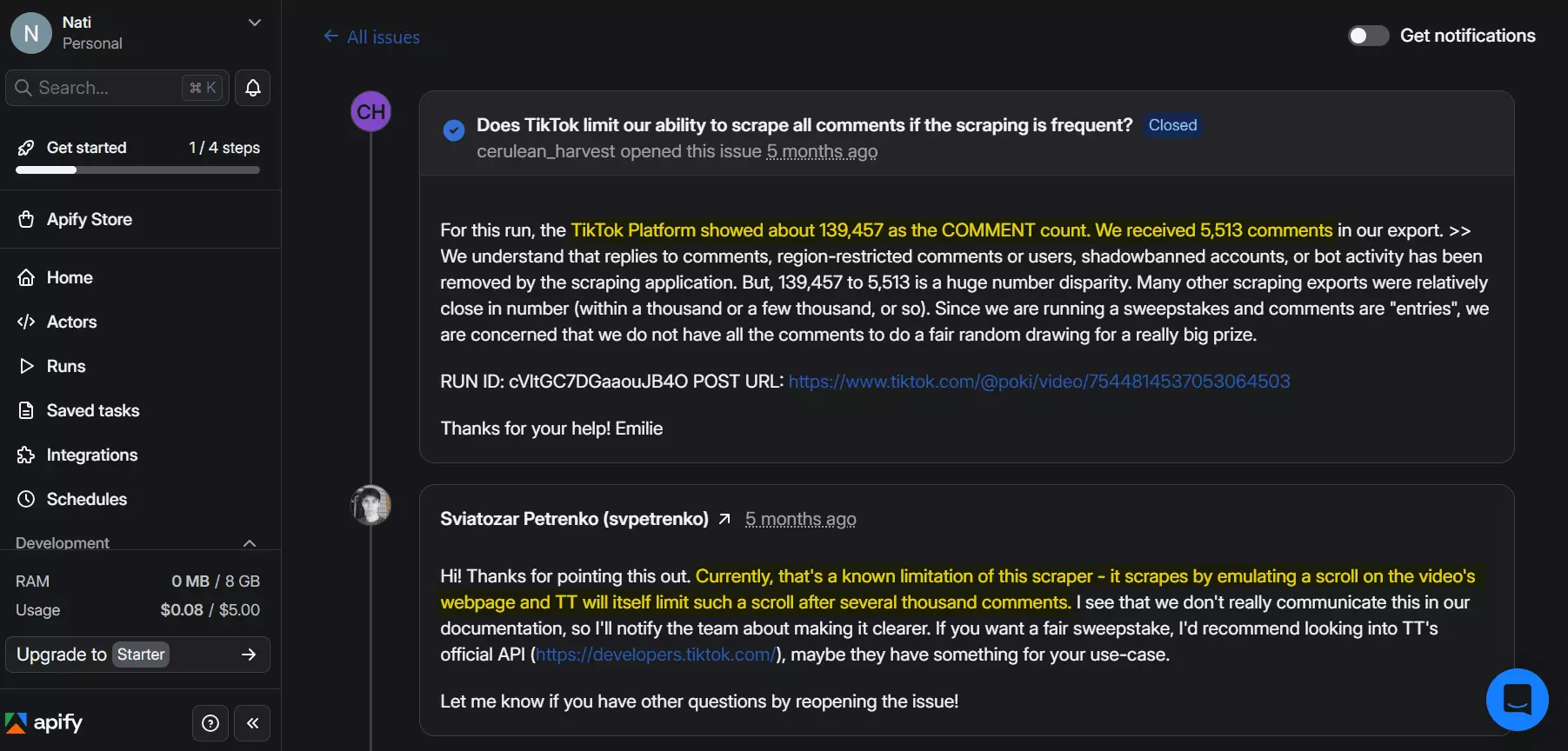
Even Apify admits it. Push it too far, and it quietly taps out.
On the bright side, it doesn’t ask for a login. So at least your TikTok account stays out of the… mess.
Ease of use
Apify’s dashboard is clean and straightforward, making it easy to launch a scraper with just a few clicks.
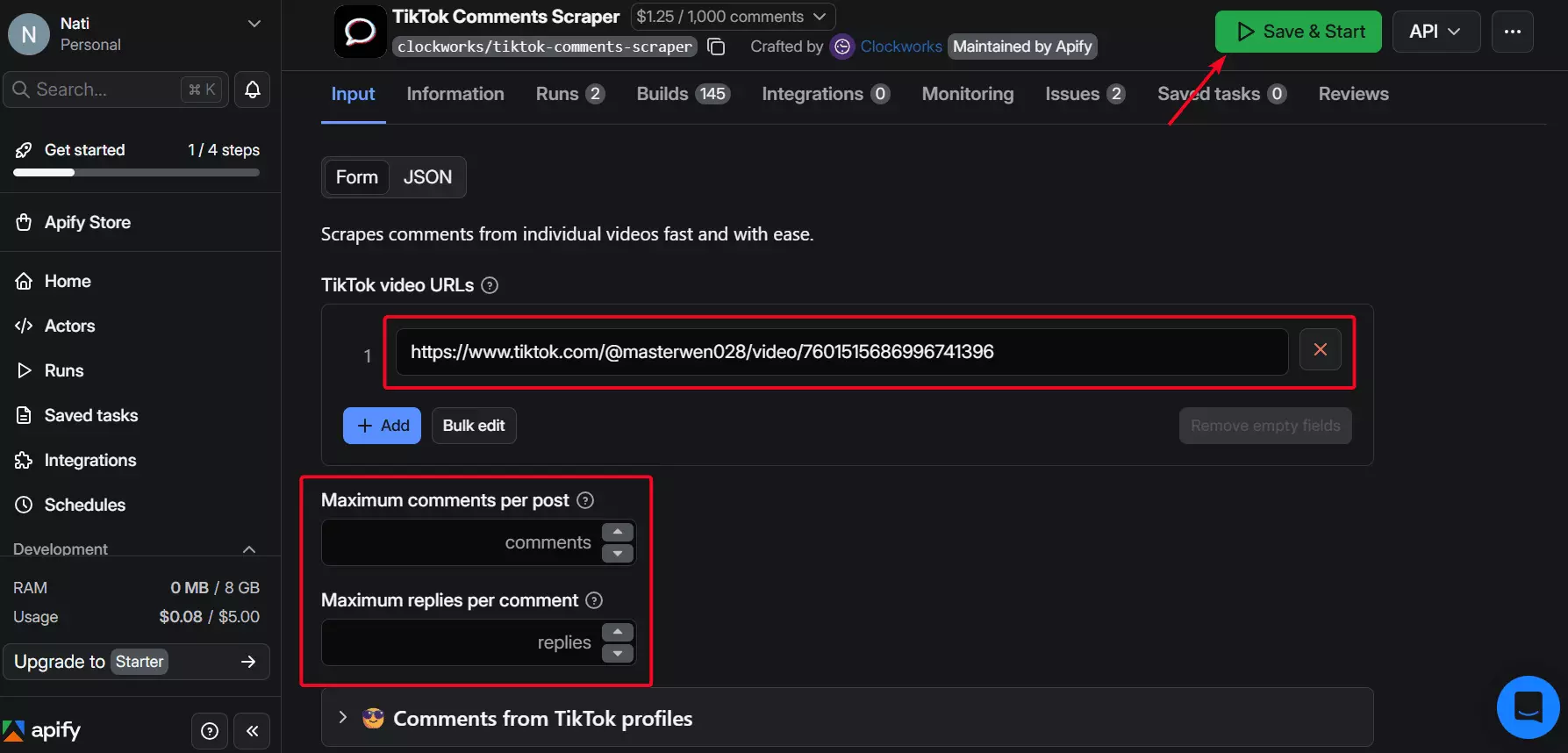
But not everything flows.
Some features feel tucked away, like scheduling, which lives in a separate tab.
I’m not saying this is hard to do though. Just saying you might miss it at first.
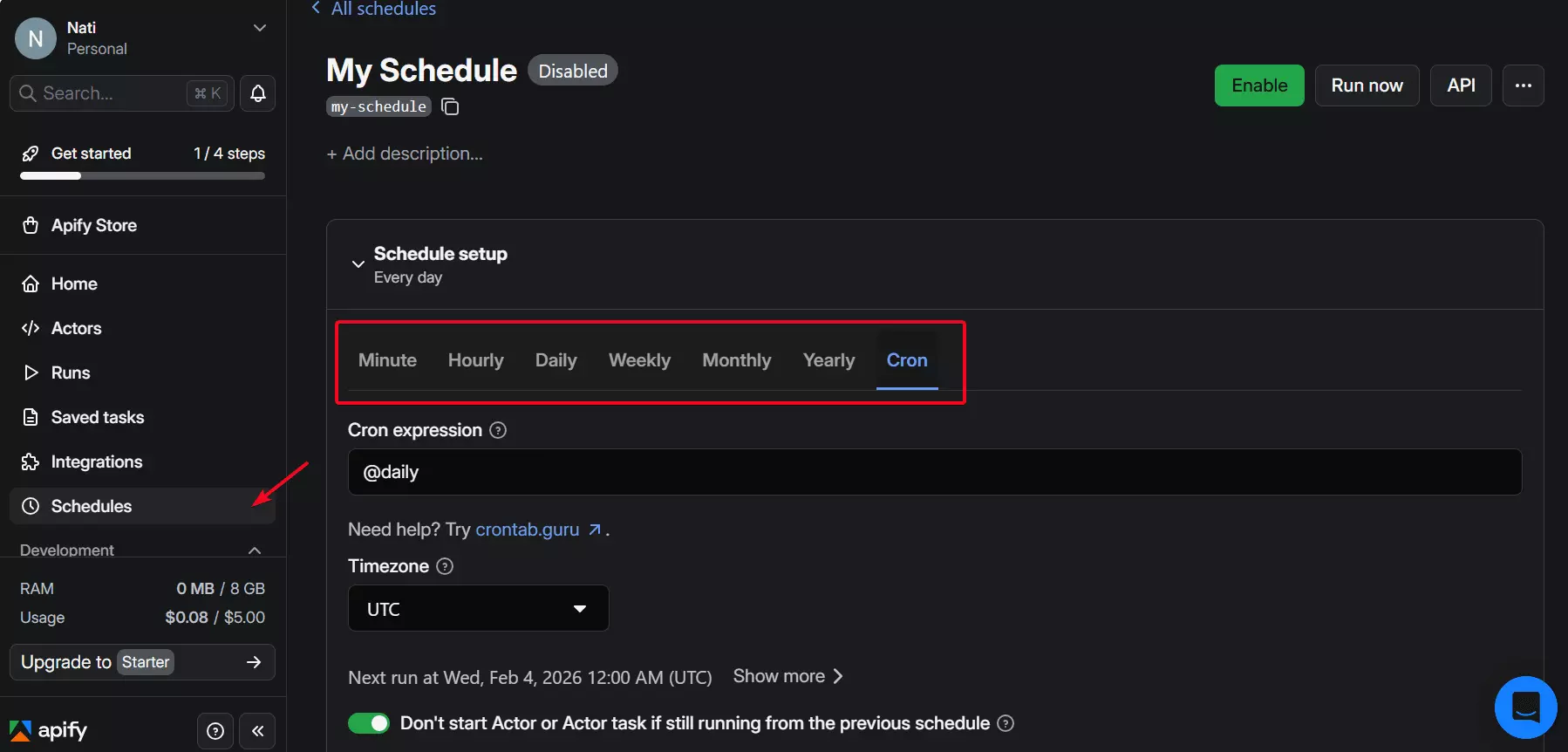
Once you do have results, getting them out is flexible. Apify supports exports in CSV, Excel, and more.
It offers more export options than lobstr.io. That part is genuinely nice.
It also plugs into tools like Make, Zapier, n8n and more — making it easy to connect your scraper to broader automations or AI workflows.
Speed
Speed is one area where Apify does a great job. On average, it can give you 200+ results per minute.
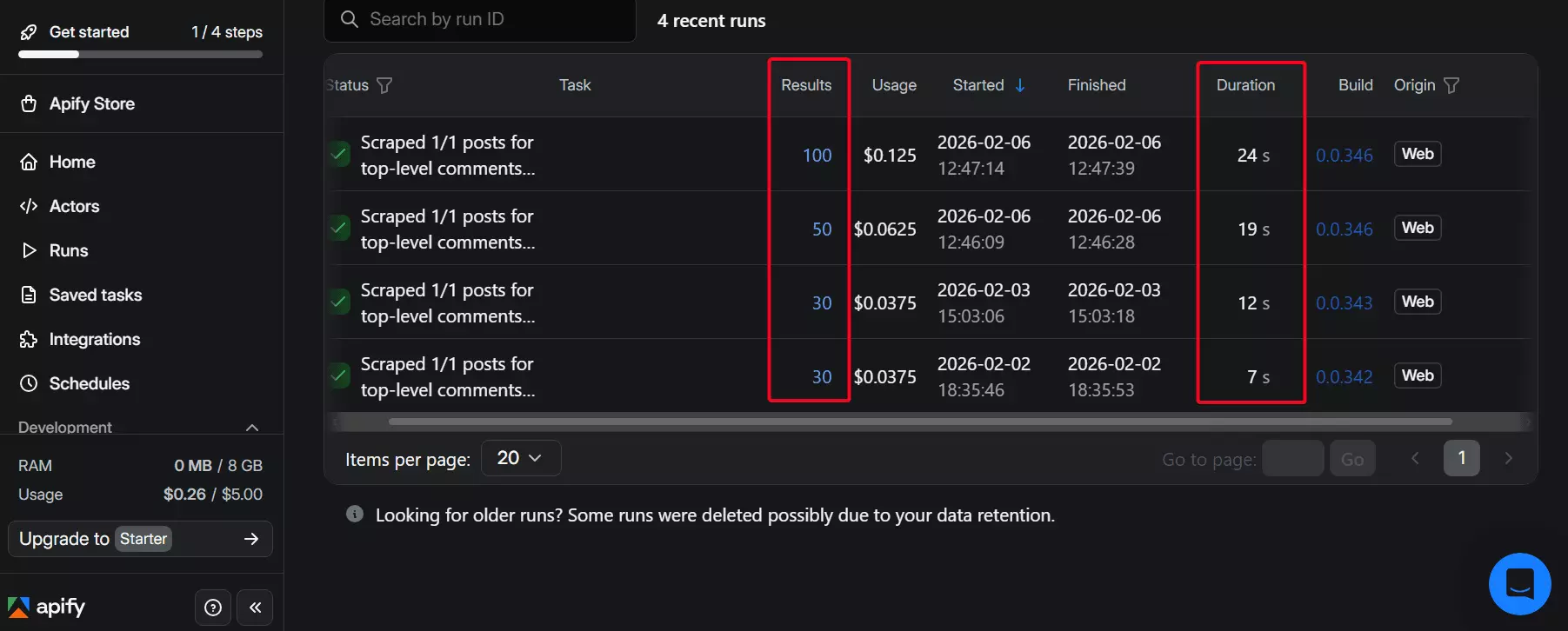
Even with the data limitations, it’s still one of the quicker tools in this lineup.
Customer support
Apify offers multiple support channels — live chat, ticketing, and a Discord community.
Live chat handles basic questions, but anything technical gets routed to a ticket.
Getting a real answer can take some back-and-forth, and responses can take days.
Best for
Apify is best for small to mid-sized scraping jobs where speed and integrations matter more than perfect data coverage.
At scale, results can drop off, especially on videos with heavy comment volumes.
Plus data completeness isn’t always consistent, and costs rise quickly.
It works fine for lighter use cases, but it’s not ideal for large, comment-heavy projects.
3. Bright Data
User rating: 4.7/5
| Pros | Cons |
|---|---|
| Simple UI | Questionable data quality |
| CSV upload | Expensive |
| No login required | Not scalable at all |
| Multiple export options | No scheduling feature |
| Multiple integration options | Slow |
| Bad customer support |
Key features
- Scrape comments from 1 TikTok post or multiple posts
- 10+ meaningful data points for each TikTok comment
- No login required
- No-code friendly
- Cloud-based web app, no local install needed
- Export scraped data to JSON, XML, CSV, Excel, or HTML
- Automation via Make.com, n8n, Zapier, and other integrations
Data
Bright Data returns a moderately sized dataset, covering comment text, likes, reply count, user details, URLs, and more.
Just for context, these are the fields you get back:
| 🆔 Comment ID | 🔗 Comment URL | 🔗 Video URL | 🧾 Video ID |
|---|---|---|---|
| 📝 Comment text | ❤️ Like count | 💬 Reply count | 🧑 Commenter username |
| 🆔 Commenter user ID | 🔗 Commenter profile URL | 💬 Replies (if collected) | 🧩 Collect replies flag |
| 🕒 Comment created at | 🕒 Video created at | ⏱️ Collected at |
It’s not as rich as lobstr.io, but it’s a step up from Apify in terms of field coverage.
But the real headache is completeness. Some fields are there, but the actual data doesn’t show up.
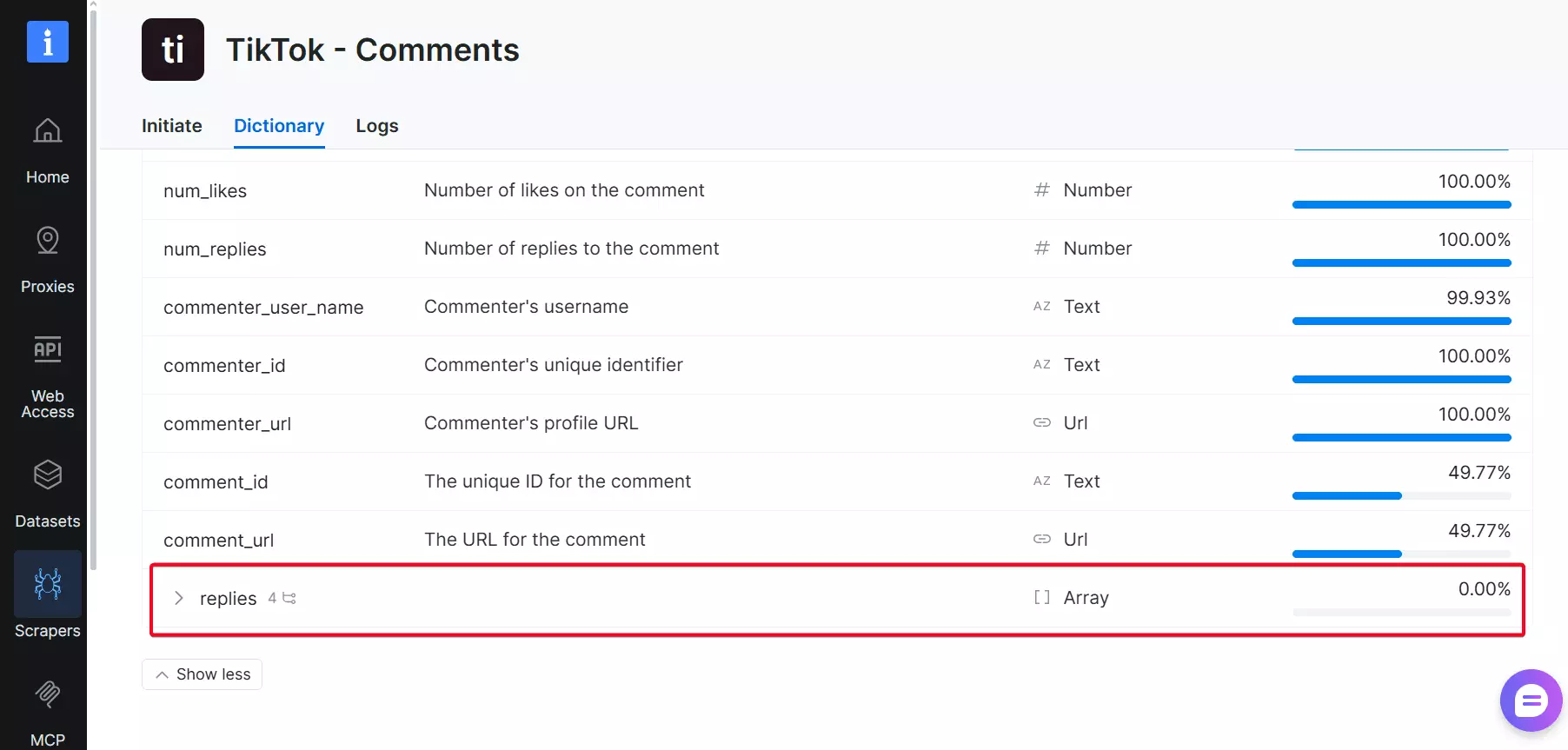
The reply fields were present, but the fill rate still came back 0%.
Pricing
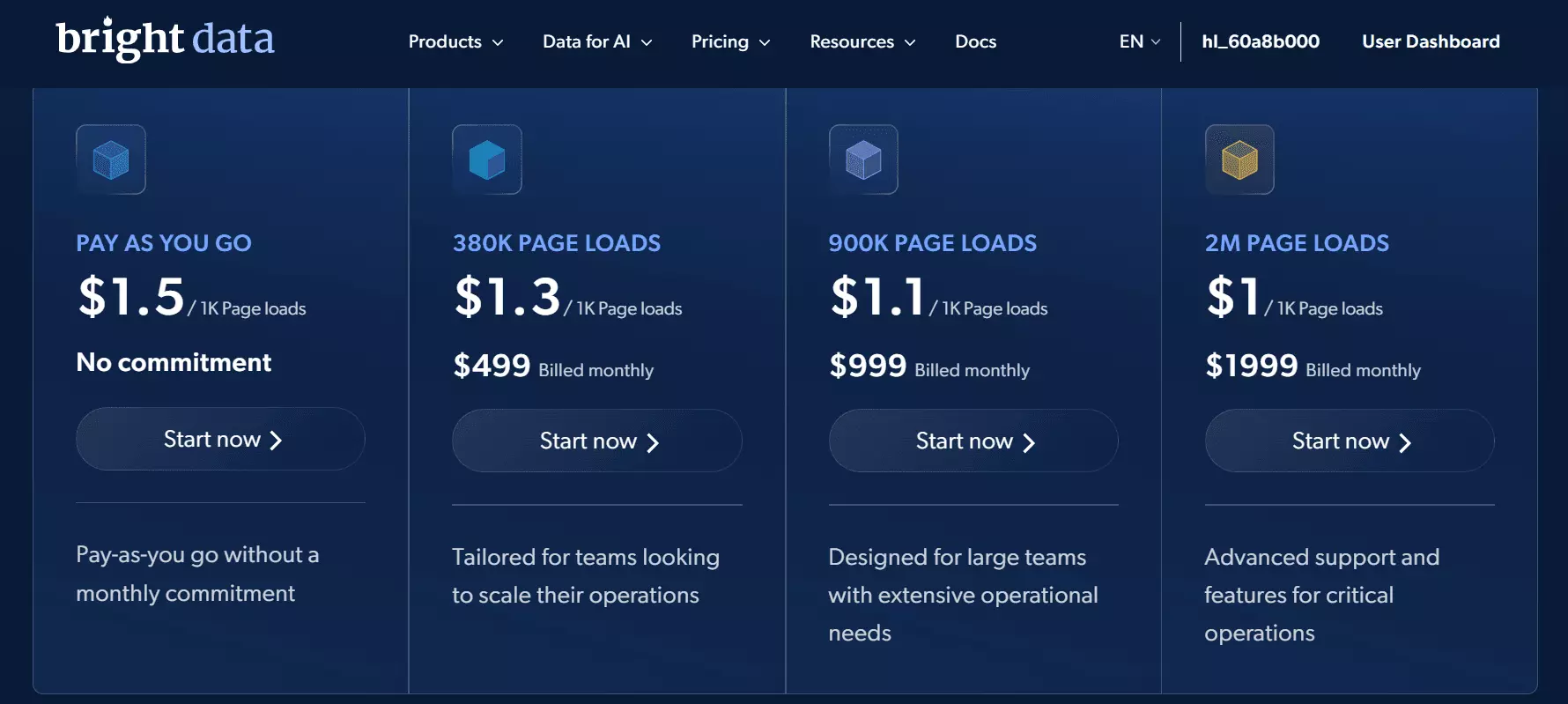
Bright Data offers flexible pricing with a pay-as-you-go option.
You can also choose a monthly plan for lower per-unit rates.
- Free trial includes 1,000+ comment data extractions
- Starts at $1.50 per 1,000 comment data
- Drops to $1.00 per 1,000 comment data at scale
Scalability and safety
Bright Data lets you scrape comments from one post or many, and yes, CSV uploads are supported.
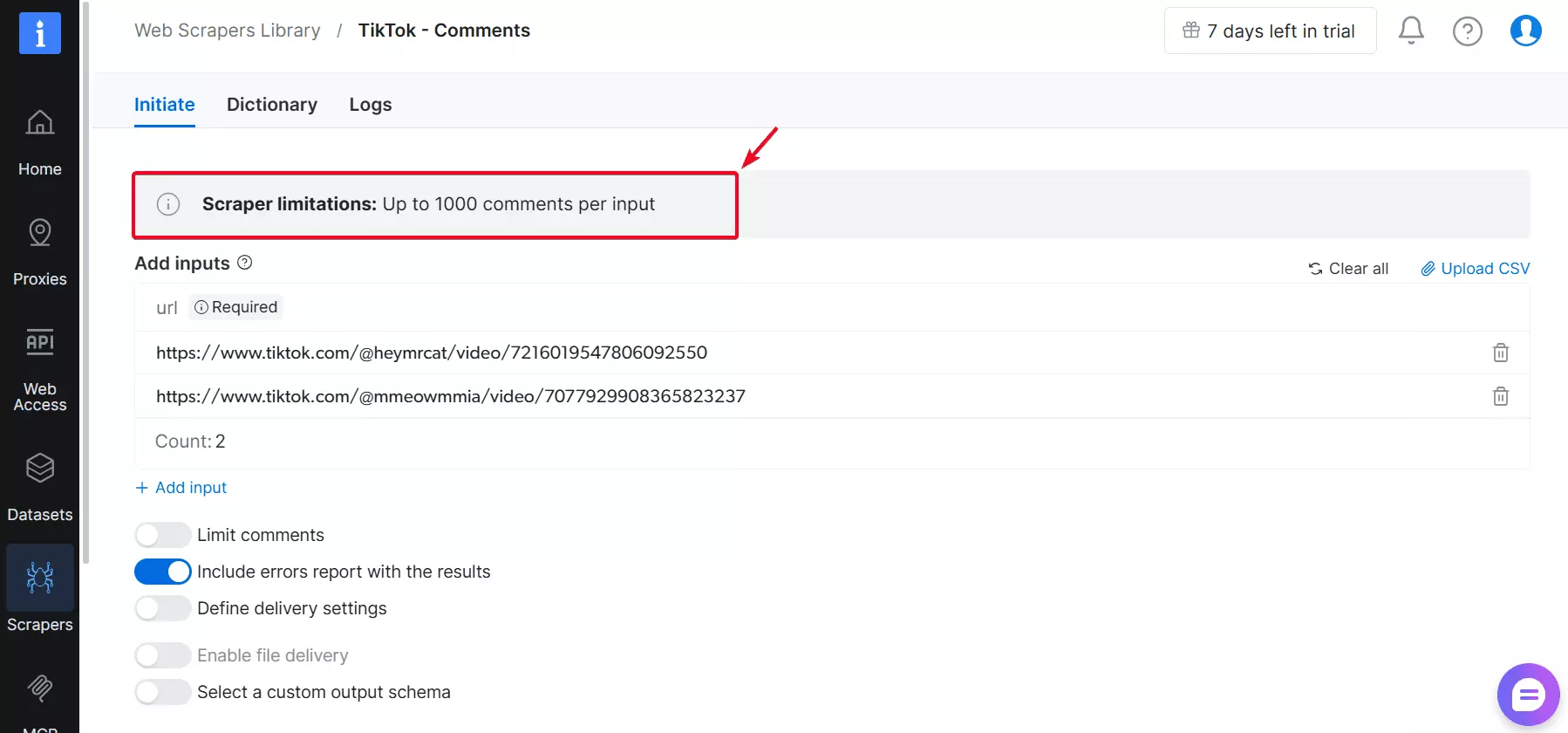
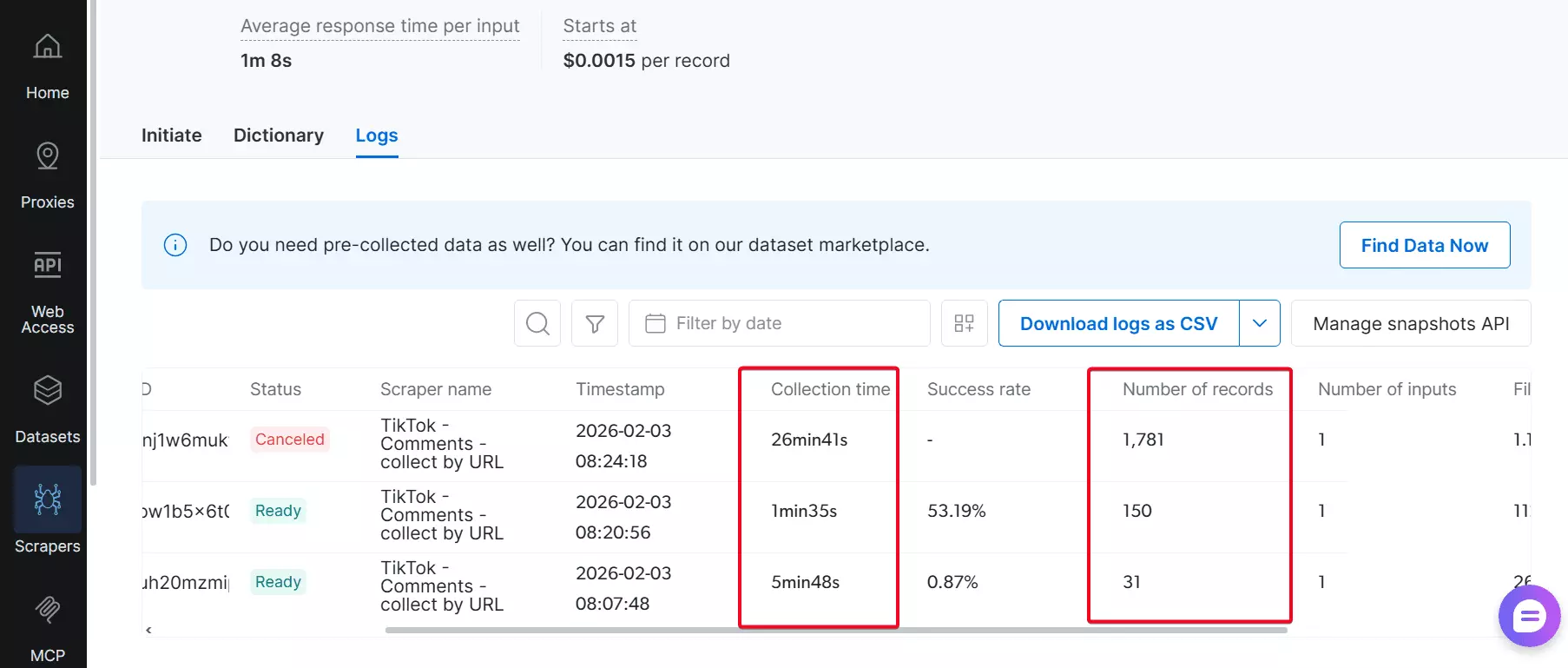
But… you're capped at 1,000 comments per post. I know… that’s insane.
What happens if you throw in a post with more than 1,000 comments?
Cancel. Just don’t do it.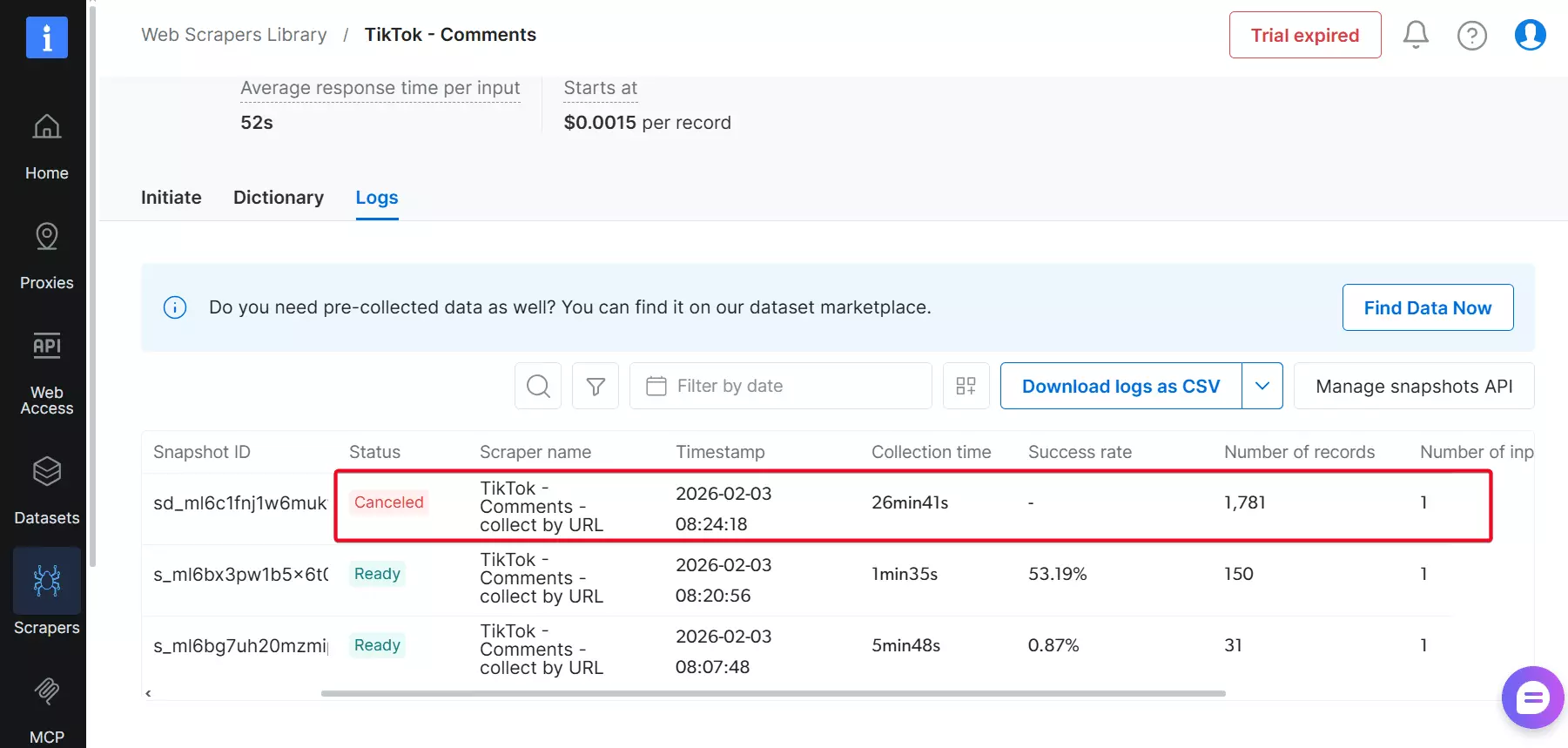
Safety-wise, no login is needed. So your TikTok account stays untouched.
But that 1,000 limit raises eyebrows.
Ease of use
Bright Data’s dashboard is clean and easy to navigate at first glance.
However, some controls are not intuitive. You can limit the number of comments, but there’s no option to limit replies.
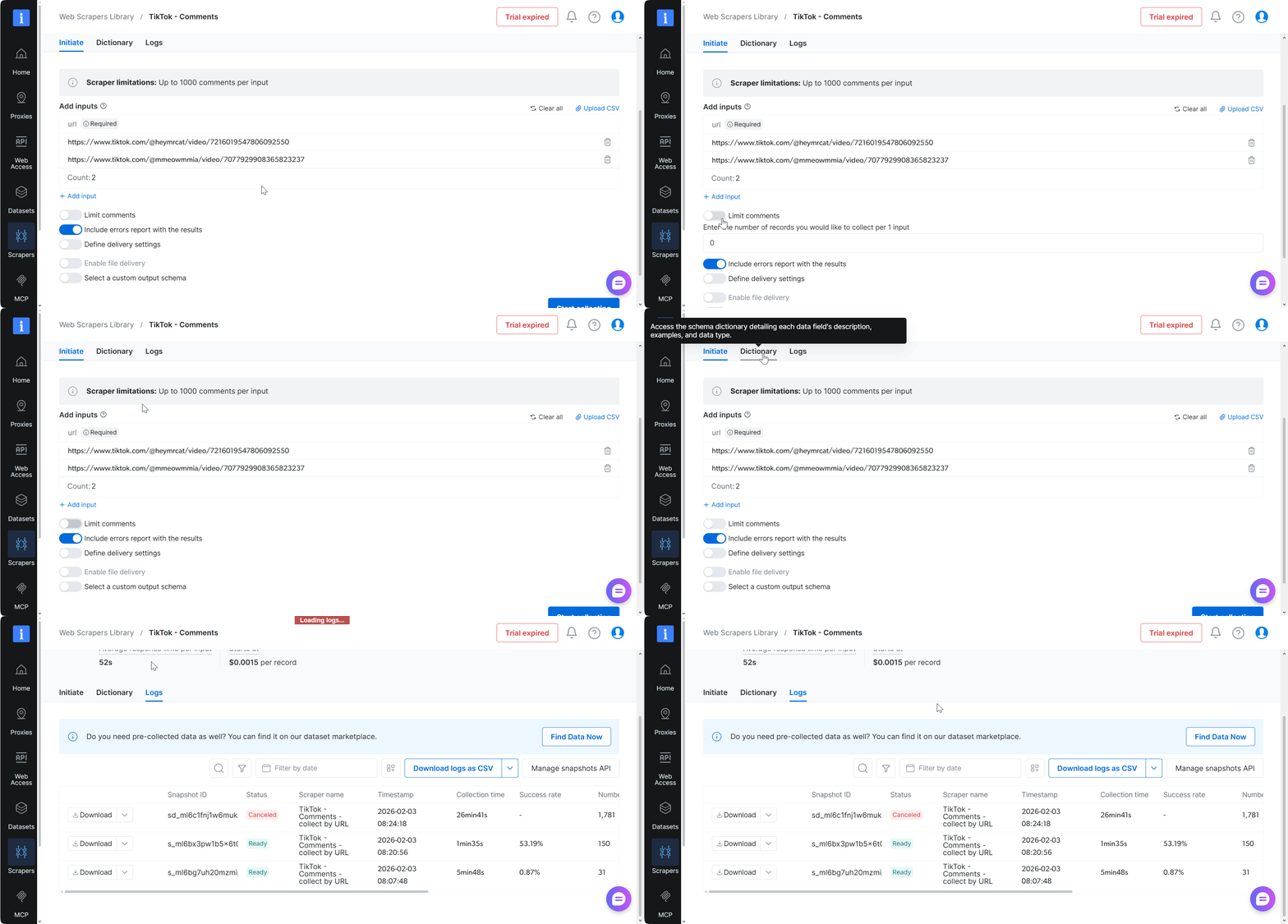
Scheduling isn’t just hard to find, it doesn’t exist. I looked everywhere. You’ll need to trigger each scrape manually.
The best thing about Bright Data is that it offers multiple export formats, including CSV.
You can set up automatic delivery to platforms such as Amazon S3.
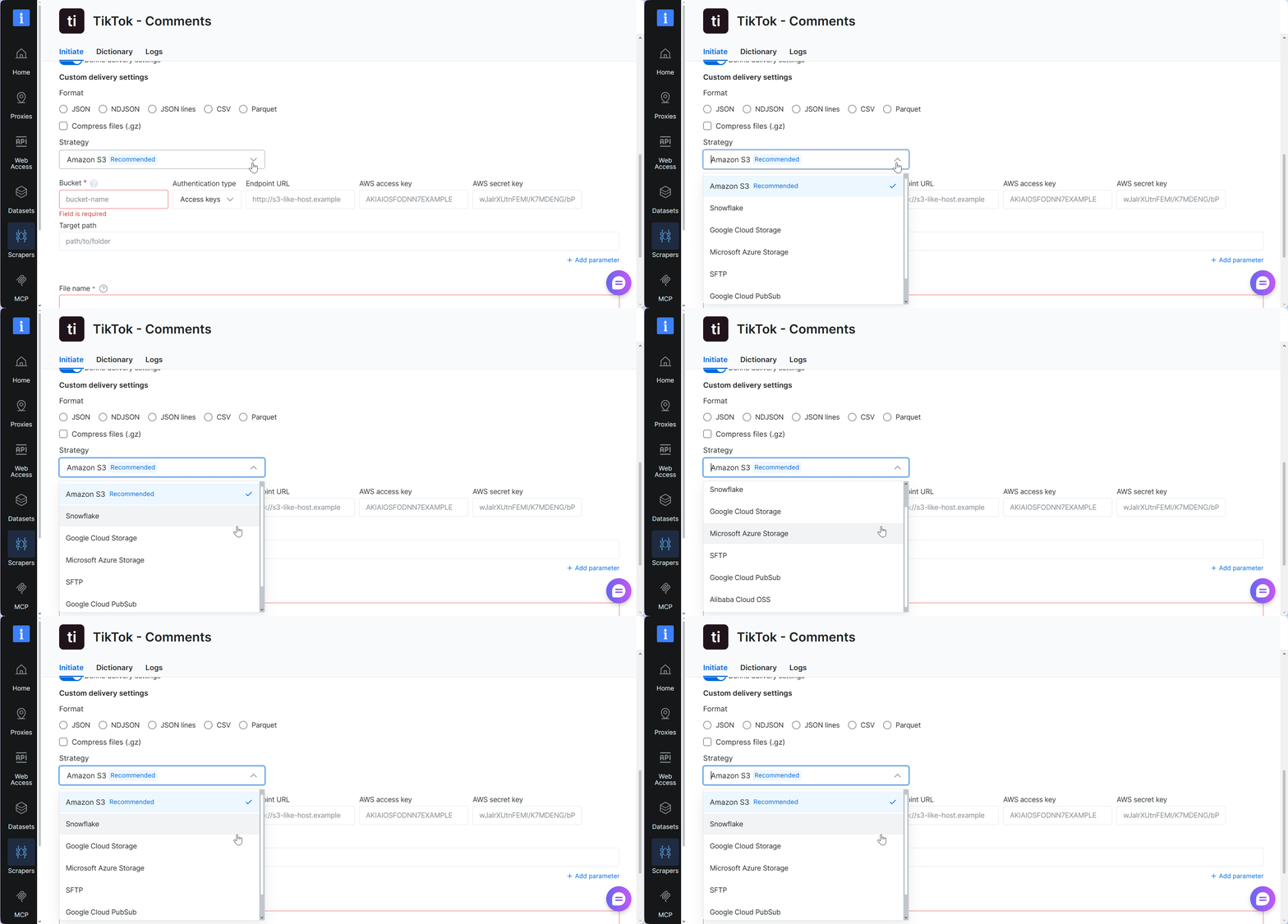
It also supports advanced workflows through Make.com, n8n, Zapier, and other integrations.
Speed
Bright Data’s speed tends to be on the slower side, averaging around 50+ results per minute.
More importantly, performance is inconsistent and hard to rely on.
Customer support
Customer support is available through a live chat window on the platform.
I contacted support after spotting missing data in my export using their “request missing data” option.
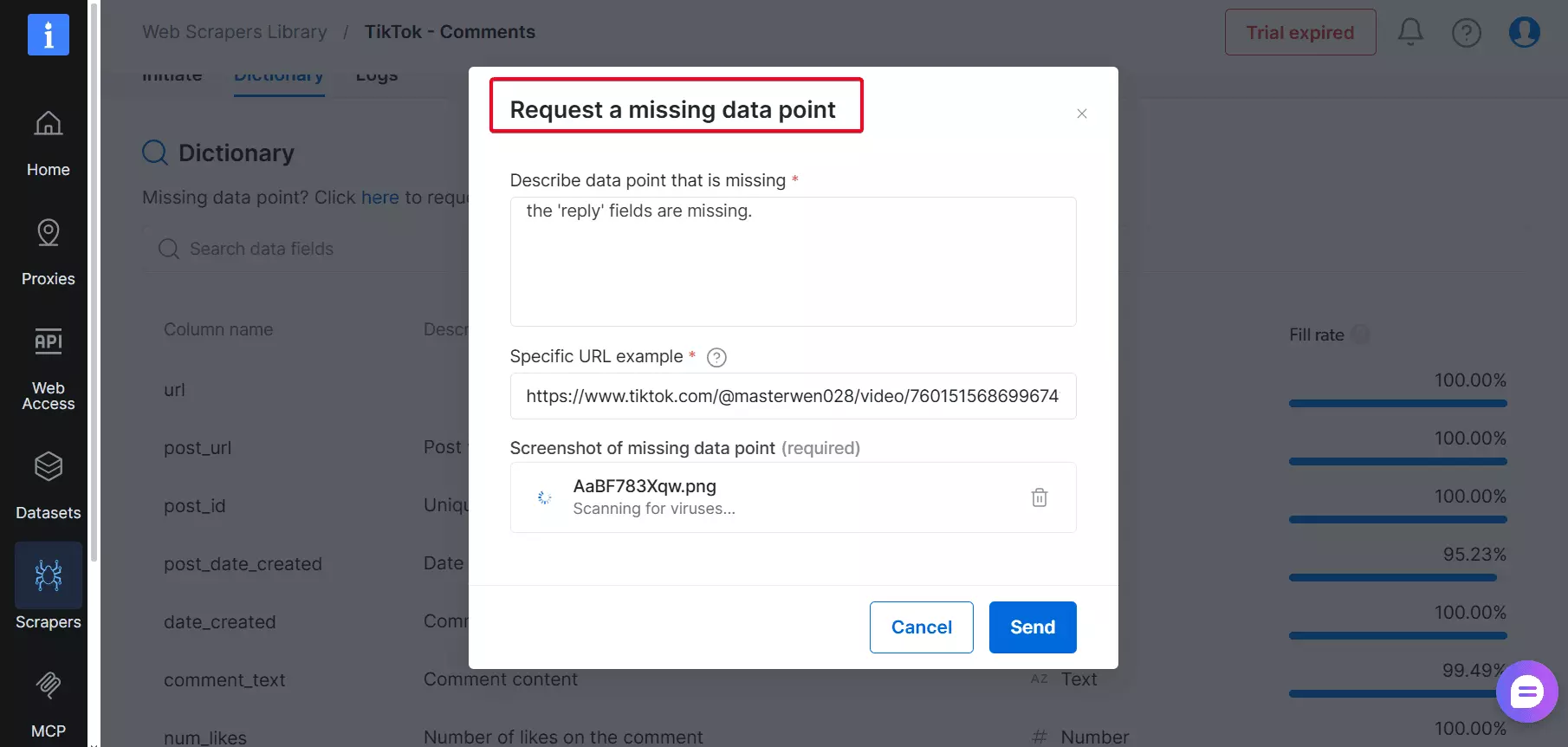
They said they’d follow up, but I haven’t heard back since.
Best for
Bright Data is best if you need access to infrastructure, not necessarily clean or complete datasets.
It’s expensive, capped at 1,000 comments per post, and performance can be slow and unpredictable.
Plus data completeness also isn’t guaranteed.
In short, it's not ideal for large-scale, reliable comment analysis.
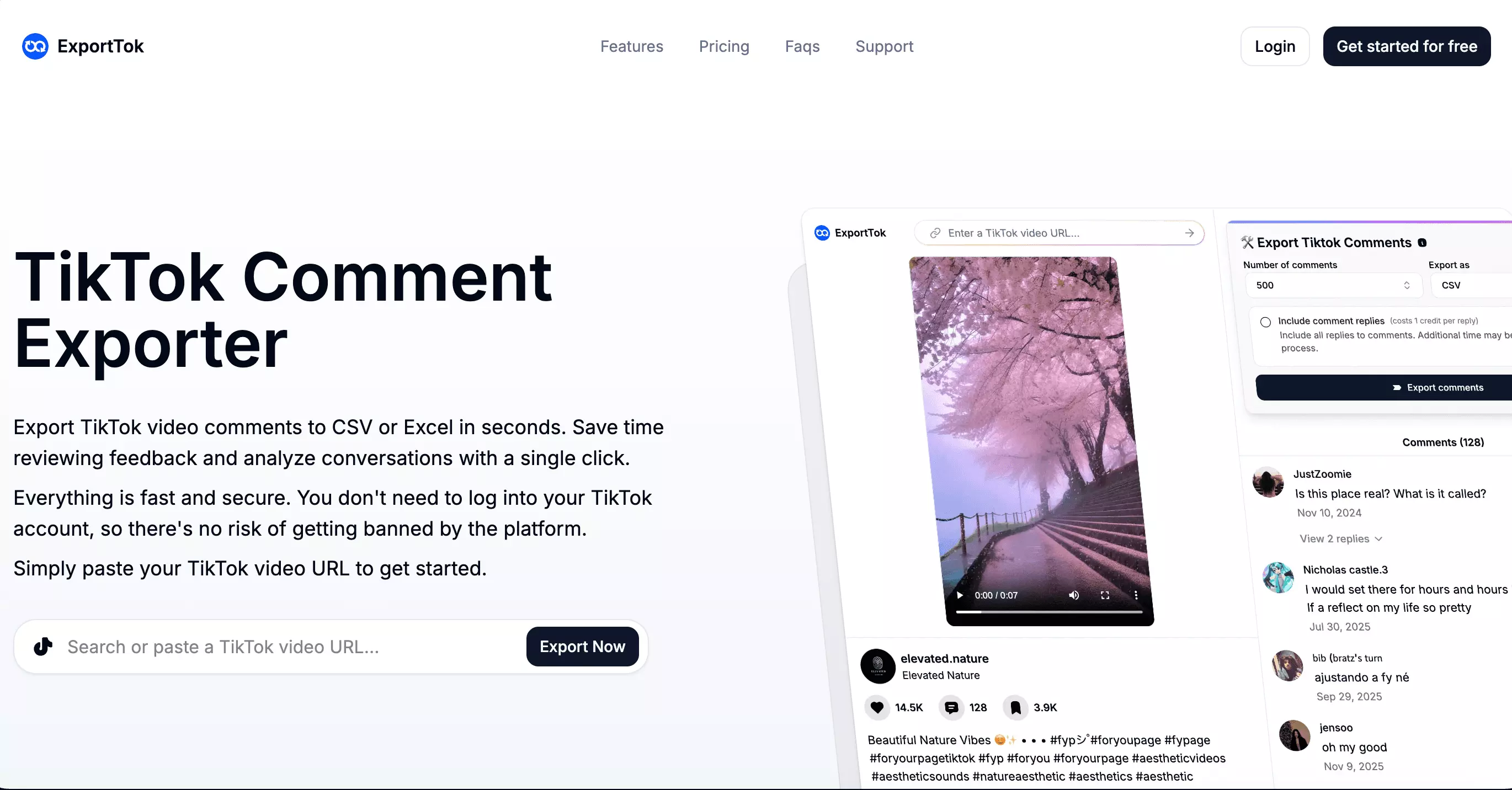
4. ExportTok
User rating: N/A
| Pros | Cons |
|---|---|
| Data quality | No CSV uploads |
| Affordable | No scheduling option |
| Speed | No integration option |
| Simple UI | Limited export options |
| No login required | Not scalable |
| Customer support takes time |
Key features
- 10+ data points
- Lightning fast
- No login required
- Beginner friendly
- CSV or Excel export options available
Data
ExportTok returns a small dataset covering all core comment fields, including comment text, likes, replies, user details, reply relationships, author engagement signals, and a few more.
Here’s what you get:
| 🆔 Comment ID | 🔗 Reply to (parent ID) | 📝 Comment text | 🧑 Nickname |
|---|---|---|---|
| 🧑 Username | 🆔 User ID | 🔗 User homepage | 🕒 Comment date |
| ❤️ Like count | 💬 Reply count | 📌 Is pinned | 👍 Is author digged |
| 🖼️ Image list | 🧾 Video ID |
It’s slightly richer than Apify in terms of data points, even if it’s still not in lobstr.io territory.
The bigger win is consistency. The fields it claims to export actually come back filled, without the usual blanks.
It’s reliable for clean comment exports when you need accurate data and basic author engagement signals.
Pricing
ExportTok uses a monthly subscription plan.
To keep it easy, here's a simplified look at the costs:
- Free plan includes 2,000 comments only per month
- $0.015 per 1,000 comments
- Drops to $0.006 per 1,000 comments at scale
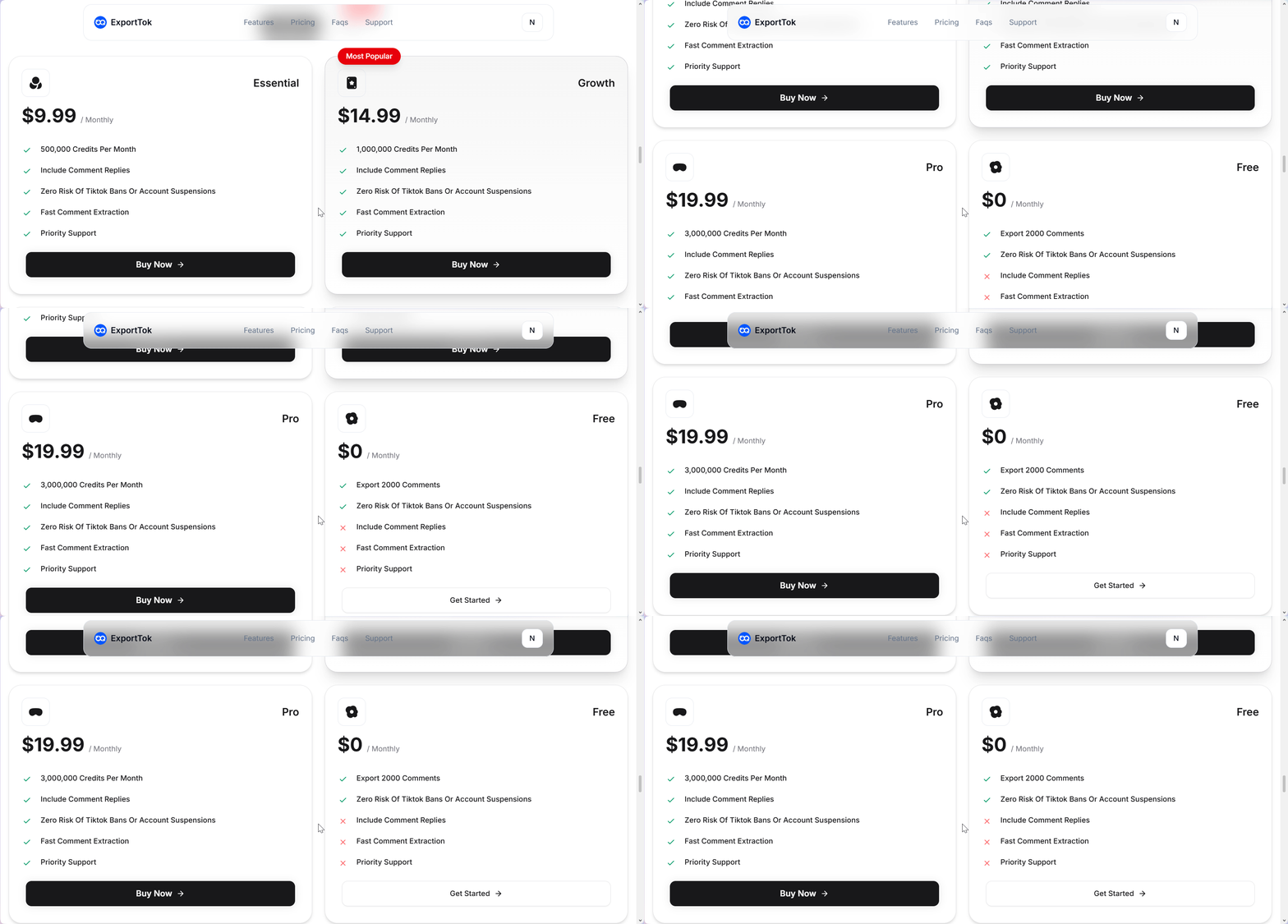
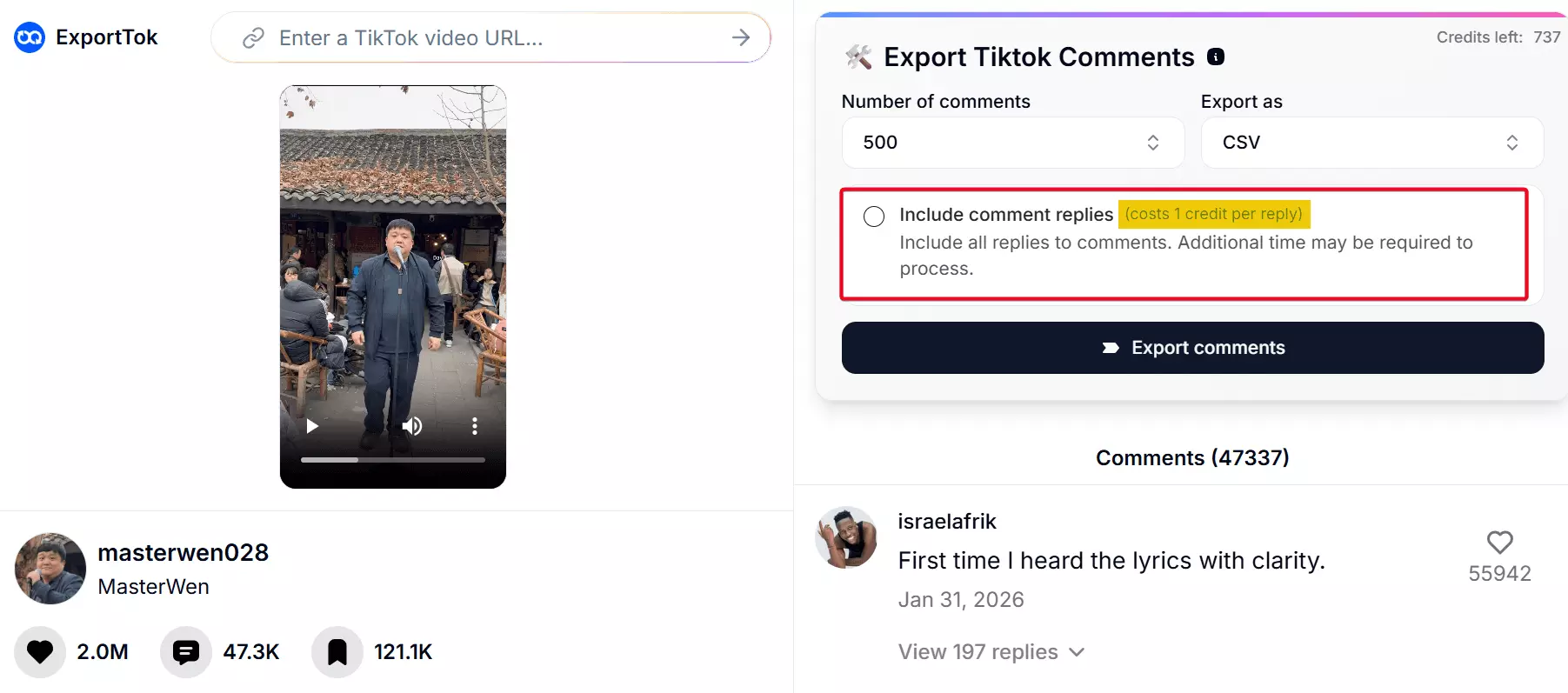
It looks cheap at first. The catch is that replies also consume credits.
If you’re extracting full comment threads, the cost adds up quickly.
Scalability and safety
ExportTok lets you scrape comments from only one post at a time.
No CSV upload, no bulk mode, just you and the copy-paste grind. (Even worse than Apify.)
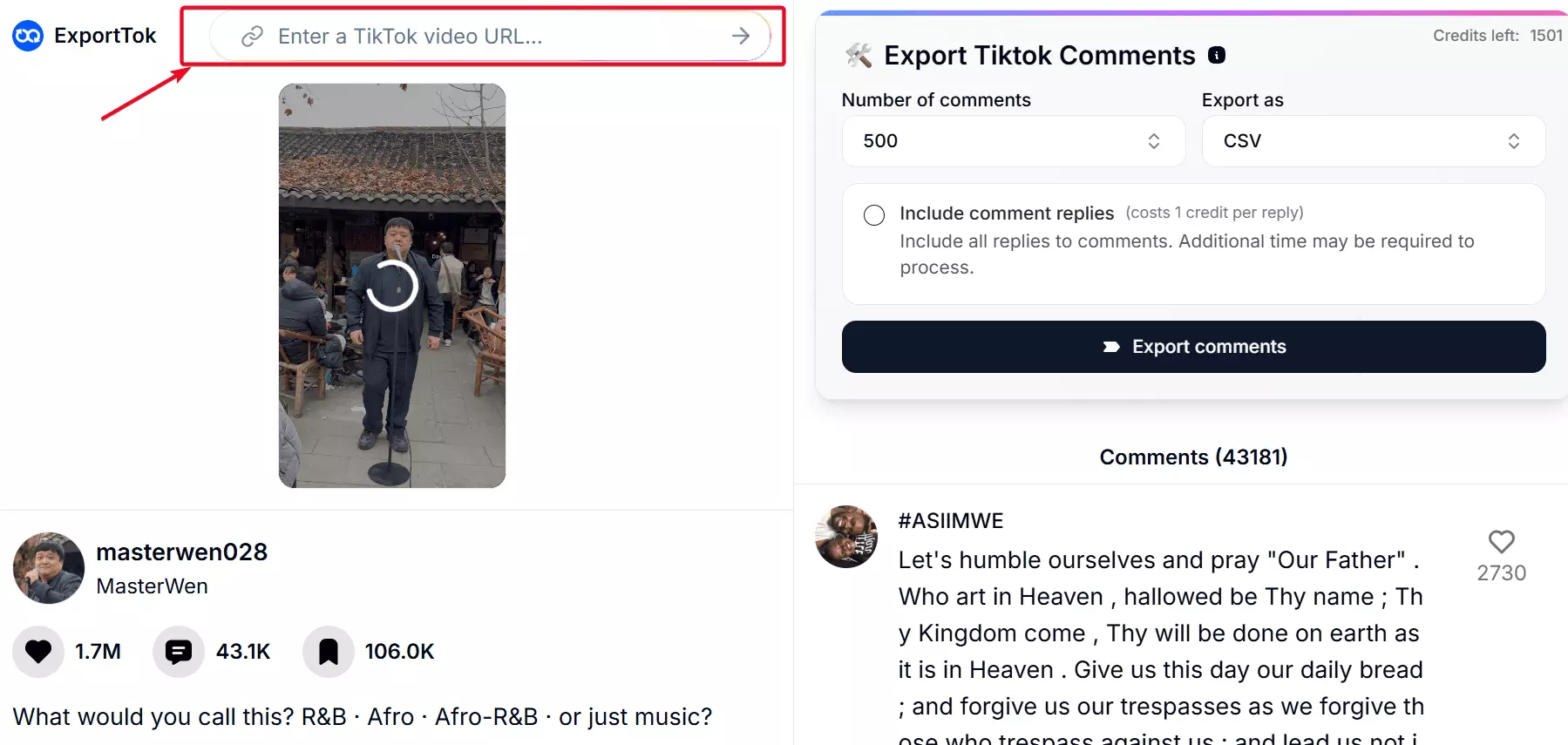
For the small scrapes, it’s fine. But if you’re aiming for thousands of posts, the copy-paste grind will break your spirit.
The silver lining? No login needed. Your account stays safe.
Ease of use
ExportTok has a very simple dashboard and feels more like a download tool than a traditional scraper.
The interface has only a few controls, which makes it easy to use but also limits flexibility.
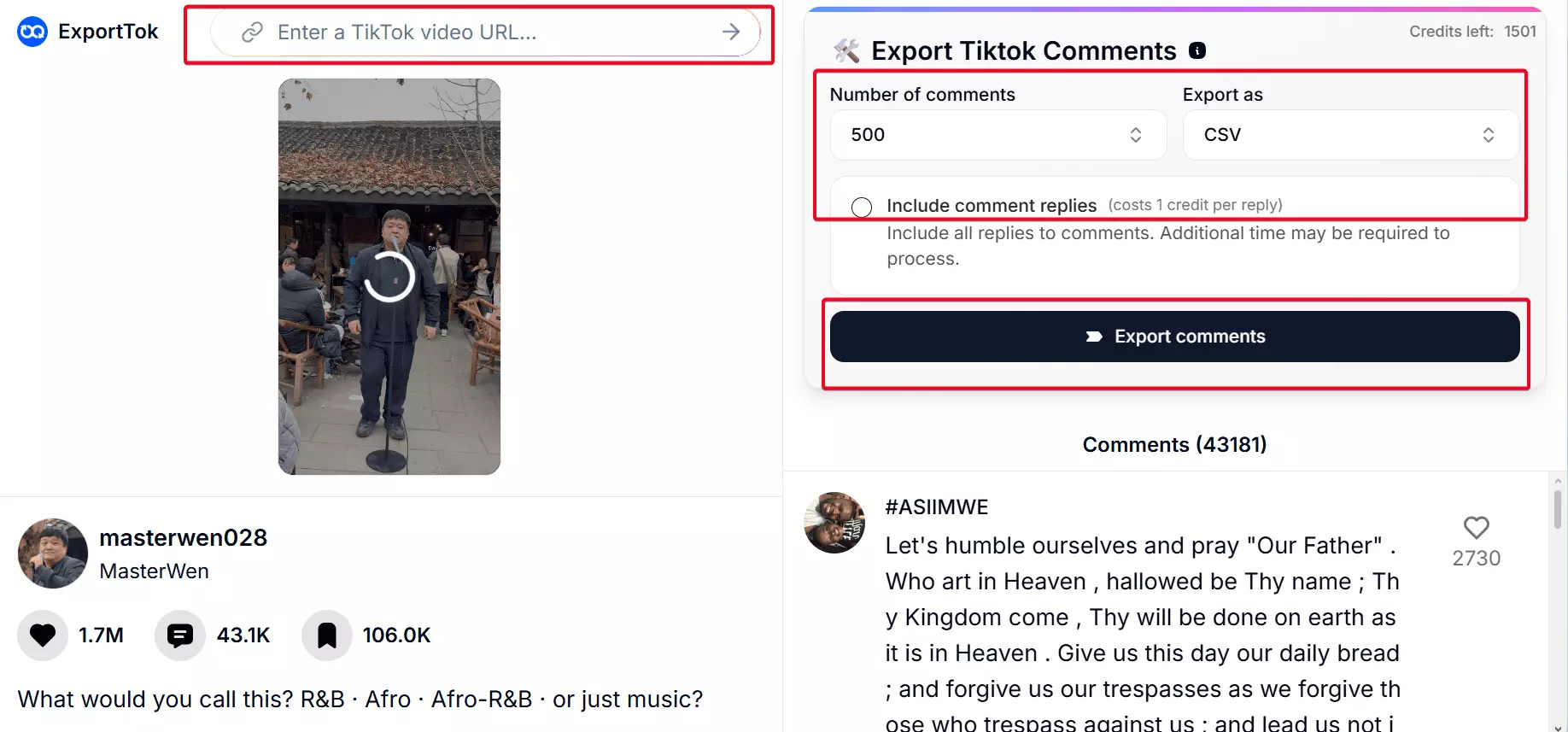
There is no scheduling option, so each scrape has to be run manually.
You can download the results as a CSV or Excel right away.
But there is no integration option. Like I said… it seems like a downloader.
Speed
Speed is where ExportTok stands out. It’s the fastest tool I tested on this list.
Even if I’m being conservative, you’re getting over 1,000 results per minute.
Unfortunately, there’s no log showing what was processed.
Customer support
ExportTok relies on email-based support through a simple contact form.
There’s no live chat or real-time help.
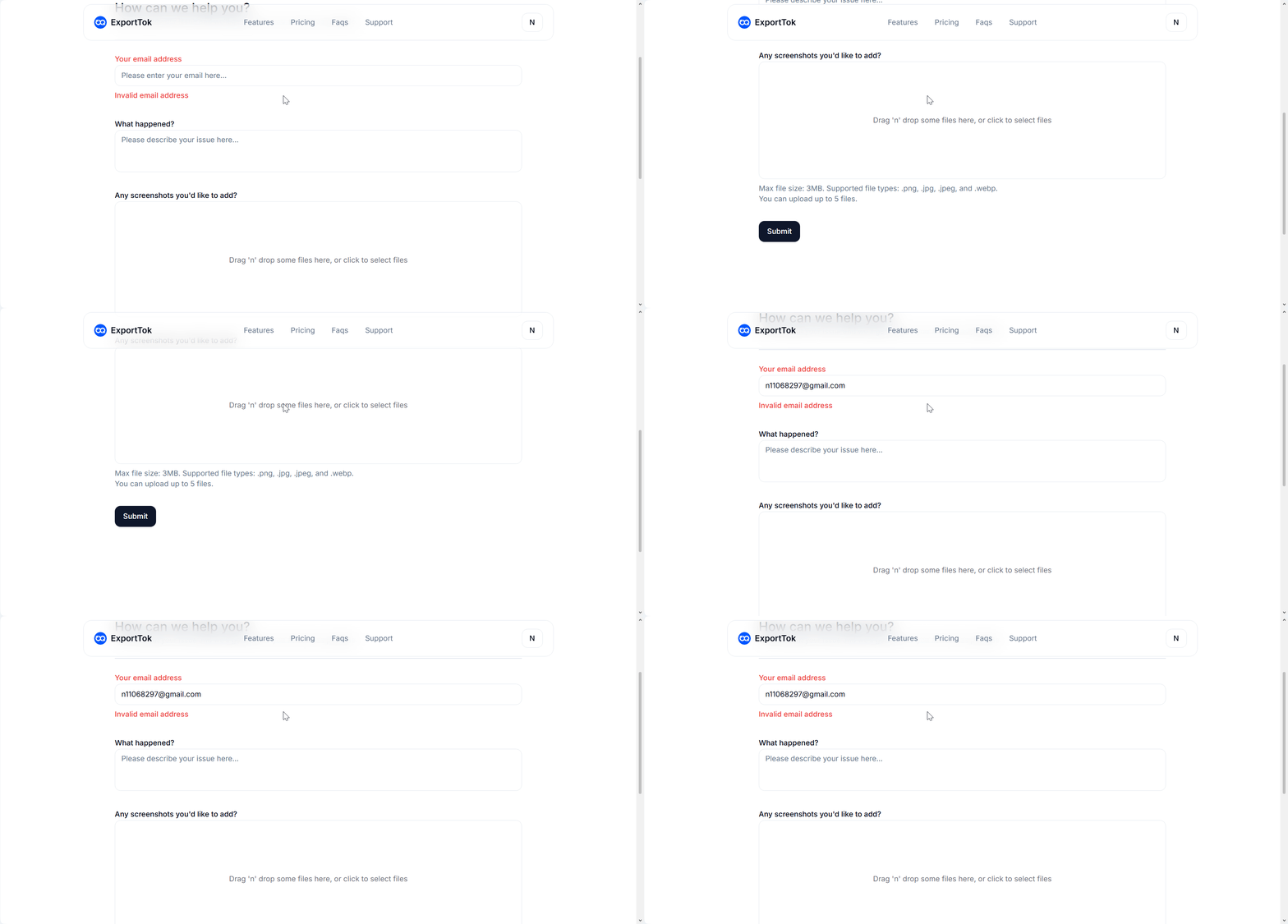
You can submit an issue, but responses aren’t immediate, and follow-ups can take time.
Best for
ExportTok is best suited for quick, manual lookups. Think casual digging, not serious analysis.
It doesn’t scale, doesn’t handle thread-level conversations well, and isn’t built for automation or integrations.
So yeah, it’s fine for light snooping, but not for structured research or large datasets.
Which TikTok comments scraper is right for you?
If you need scale and data you can trust, lobstr.io is the pick.
It's the most affordable option at volume, handles bulk input via CSV, and returns more data fields than any other tool on this list.
If speed matters more than completeness and your runs are short, Apify works.
At 200+ results per minute, it's the fastest tested. But results drop off on comment-heavy videos, and there's no CSV upload for bulk jobs.
If you're already on a Bright Data plan and only need light pulls, it's usable.
CSV upload is there, but the 1,000-comment cap per post makes it a poor fit for anything with serious volume.
If you just need a fast one-off export from a single post, ExportTok gets it done.
Fastest on the list, and the data is consistent. But there's no bulk mode, no scheduling, and no integrations.
FAQ
Why isn't Phantombuster on this list?
Phantombuster doesn't have a TikTok comments scraper. So it didn't qualify.
Can I run sentiment analysis on TikTok comments using lobstr.io?
No, lobstr.io doesn’t run sentiment analysis natively.
But you can automate it with Make.com: send each comment to ChatGPT, then write the sentiment label back to Google Sheets.
Can I scrape TikTok comments without coding using only browser-based tools?
Yes, but most browser-based no-code scrapers get fragile at scale.
If you’re scraping a high number of comments, they’re more likely to crash, freeze, hit captcha, or break on deep pagination.
Is lobstr.io more cost-effective compared to building your own scraper?
Yes. It avoids upfront dev time and ongoing maintenance you’d deal with in a Python/Node.js scraper.
lobstr.io stays updated for TikTok changes (captcha, pagination), so your workflow doesn’t break.
Can I monitor TikTok comments automatically over time?
Yes — lobstr.io and Apify both support scheduling.
Set a recurring run every few minutes, hours, or days and new comments roll in automatically.
Bright Data and ExportTok don’t have scheduling, so every run is manual.