How to Scrape Yelp Reviews at Scale Without Coding in 2026
15-Second Summary
This article explains how to scrape Yelp reviews at scale without coding.
It covers why Yelp's official API is useless (3 review excerpts, truncated to 160 characters), why building your own scraper is a graveyard in 2026, and why a ready-made no-code scraper is the only sane option.
You'll see how to scrape Yelp reviews using Lobstr.io step by step, including filtering by rating, keyword search, sort options, and how to automate exports to Google Sheets.
It also covers the legal side of scraping Yelp and how to chain it with the Yelp Search Export for a complete listings + reviews workflow.
So you finally made it here? 🙂
Well, I have the solution you're looking for (as always 😉).
In this article, I'll walk you through the step-by-step process of scraping Yelp reviews at scale, affordably, and without any nerdy workarounds or coding.
But why do you need to scrape them if you can get them from the official API?
Why scrape Yelp instead of using Yelp's API?
If you're here, you probably already know why you need Yelp reviews.
Reputation monitoring, sentiment tracking, competitor analysis, lead generation, fake-review detection… I'm not gonna bore you with the obvious.
The real question is: why can't you just use the official API?
Does Yelp offer an official API for reviews?
You get up to 3 review excerpts per business. And each one is truncated to roughly the first 160 characters.
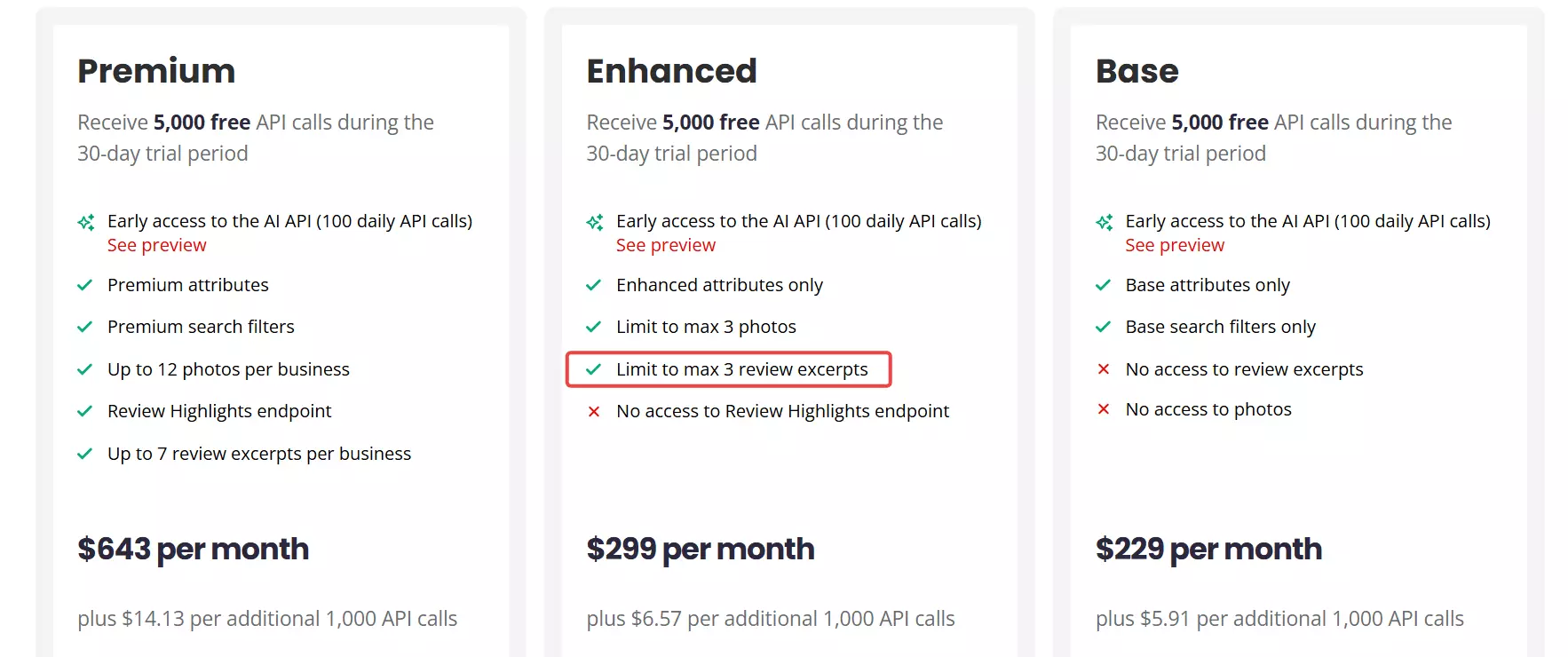
limit parameter that goes up to 50. Ignore it. Yelp's own FAQ confirms what you actually get: 3 excerpts, 160 characters each. That's the deal.A 3-star review that explains exactly why someone gave 3 stars? Cut off mid-sentence at character 161. The rest of the review you actually need? Gone.
If you're analyzing a restaurant with 1,000 reviews, the official API gives you access to 0.3% of the data, truncated. Good luck drawing any meaningful insights from that.
And it gets worse:
- No filter for date, rating, language, or keyword. You get whatever Yelp's default sort decides to show you.
- It's paid-only. The free Base plan gives you zero reviews. You need at least the Enhanced plan to get the 3 excerpts.
- The Premium plan bumps you up to 7 reviews per business. Still no full text. Still capped at 160 characters per excerpt.
That's exactly why you need a scraper.
But is it even legal to scrape Yelp reviews?
Is it legal to scrape Yelp reviews?
Disclaimer
This section is for general informational purposes only. It's based on publicly available sources and practical interpretation, not legal advice.
Laws vary by country and change over time. If compliance, contracts, or platform risk matter to you, talk to a qualified legal professional.
Let me break this down into two parts:
- Does Yelp allow scraping?
- Is it actually legal?
Does Yelp allow scraping?
They ban the use of any robot, spider, retrieval application, or automated means to access, scrape, copy, or index any portion of Yelp's content.
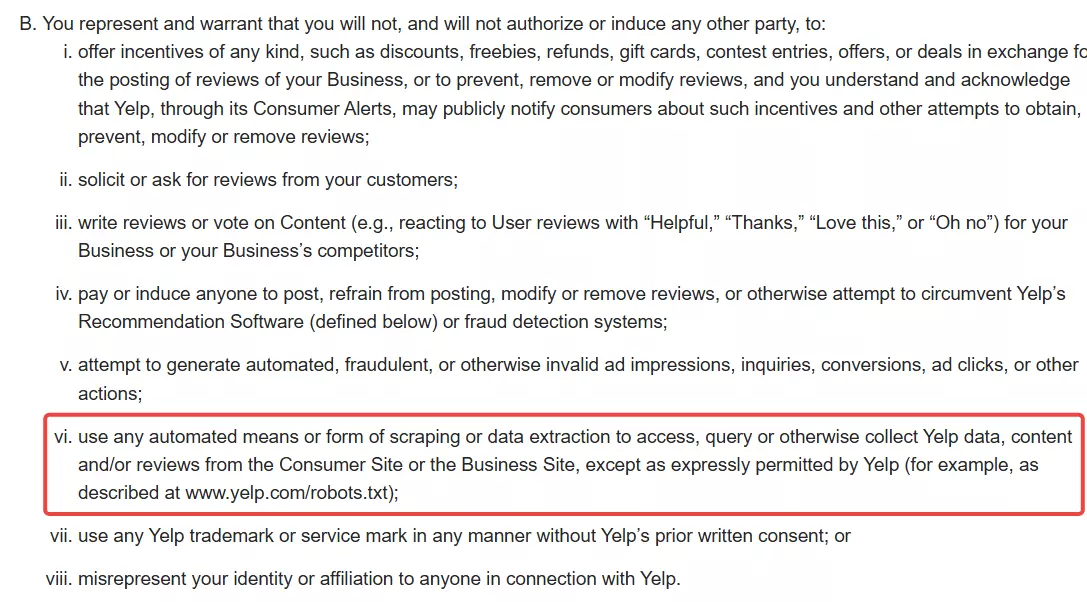
/user_details, /biz_photos, and /writeareview.Yelp really doesn't want you scraping their data.
But does that make it illegal?
Is it legal to scrape Yelp reviews?
Absolutely yes! It's generally legal.
Yelp reviews are publicly accessible. You don't need an account to read them. Anyone can view them in a browser.
Courts have consistently ruled that scraping publicly available data is legal.
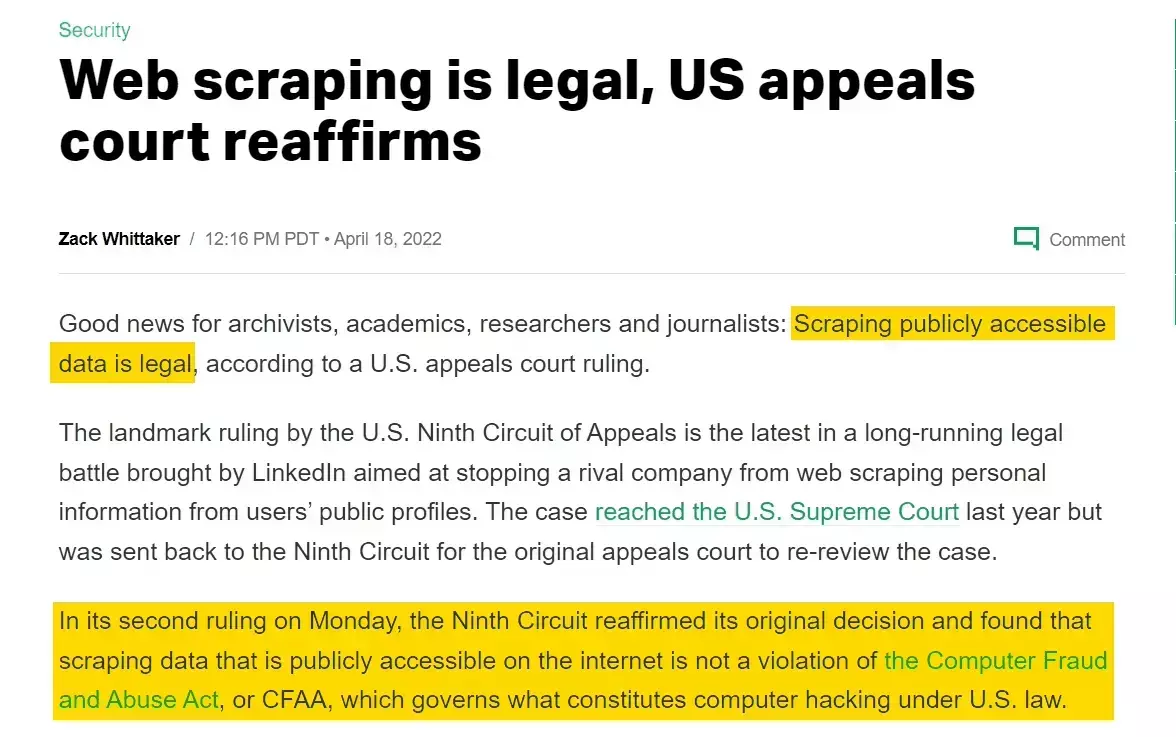
Subsequent rulings have reinforced that.
Violating a Terms of Service is a civil matter (breach of contract), not a criminal offense. The worst Yelp can do is ban your account.
I've covered the legal landscape of web scraping in detail, including key court cases and regulations, in our legal series.
But legal doesn't mean reckless. You still need to:
- Respect rate limits and not overload Yelp's servers
- Comply with GDPR if scraping data involving EU citizens
- Avoid republishing reviews as your own content (that's copyright infringement)
- Use the data responsibly with no harassment, impersonation, or shady stuff
Scraping for internal analysis, sentiment tracking, reputation monitoring? You're fine.
Republishing scraped reviews on your own website? That's where you get into trouble.
But how do I actually scrape Yelp reviews at scale?
2 ways to scrape Yelp reviews
Practically, you've got two options:
- Build your own scraper
- Use a ready-made scraper
Build your own scraper
This one's for the nerds. But even if you're one of them, good luck.
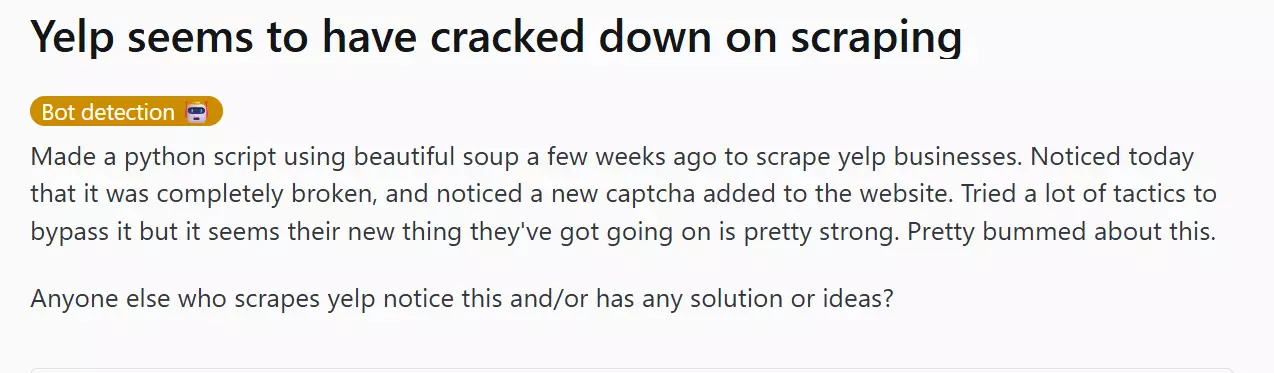
Yelp has cracked down hard on scraping over the last couple of years. Their anti-bot mechanism is constantly evolving. Fingerprinting, rate-limiting, JS challenges, sudden blocks.

You'll need rotating proxies, headless browsers, fingerprint spoofing, retry logic, queue management, and a maintenance schedule for when Yelp ships a UI change overnight and breaks your selectors.
Painful, costly, and not sustainable at scale.
Use a ready-made scraper
This is what smart people do.
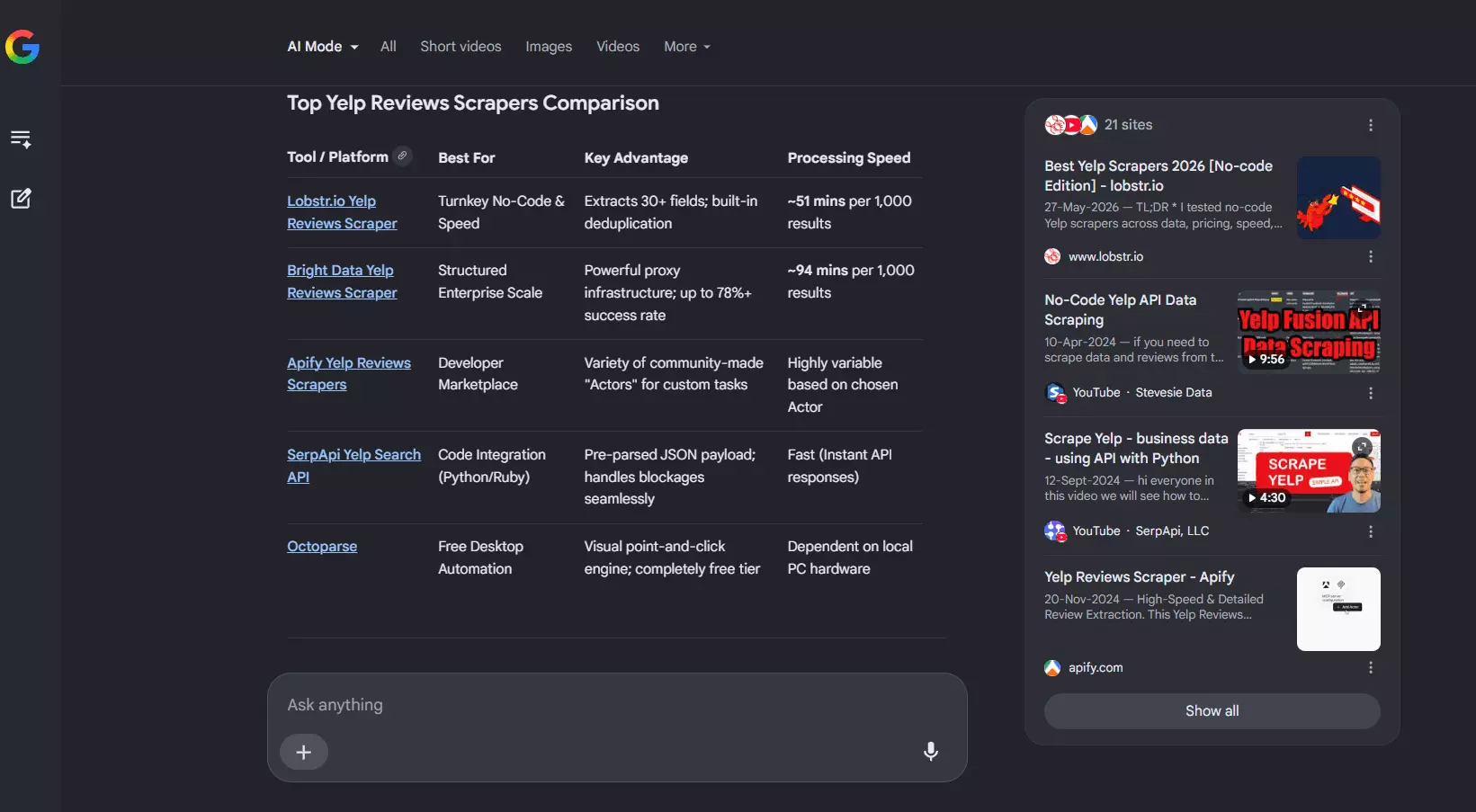
Even in ready-made tools, you've got APIs and no-code options. Since this article focuses entirely on no-code, I'll skip the nerd stuff.
I'll do a full comparison of the best Yelp reviews scrapers right after this article. For now, let me tell you about the absolute best i.e. Lobstr.io.
Best Yelp reviews scraper: Lobstr.io
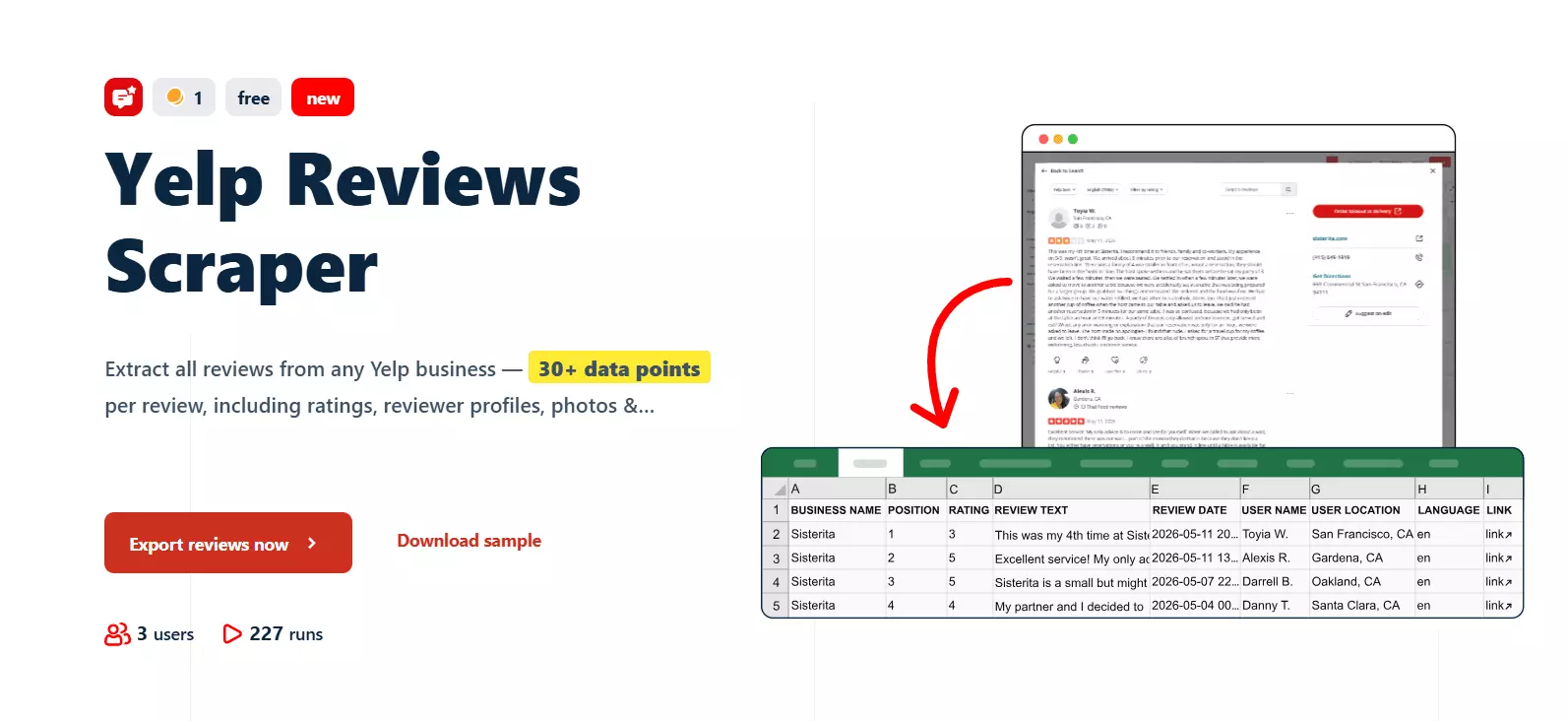
Features
- 27+ data points per review including full review text, rating, reactions, photos, business metadata, and unique reviewer trust signals
- Unique fake-account trust signals no other Yelp scraper has:
user_member_since,user_check_in_count, andhas_user_paid_through_yelp(verified ad-spender flag) - Full reviewer profile data: friend count, photo count, total reviews, location
- Full business metadata included with every review: business ID, average rating, review count
- Filter by rating (1 to 5 stars) to uncover the praises or the dirt
- Keyword search inside review text — pull only reviews mentioning "great service", "rude staff", "vegan", or whatever matters to your job
- Sort by Newest First, Oldest First, Highest Rated, Lowest Rated, Elites, or Yelp's default
- International Yelp support — works on yelp.com, yelp.fr, yelp.co.uk, and any country variant
- Companion Yelp Search Export for collecting business listing URLs before scraping reviews
- Schedule recurring runs for review monitoring
- Export to CSV, Google Sheets, Amazon S3, SFTP, or email
- Cloud-based, no installation required
- API access for developers
- 3000+ integrations via Make.com
Data
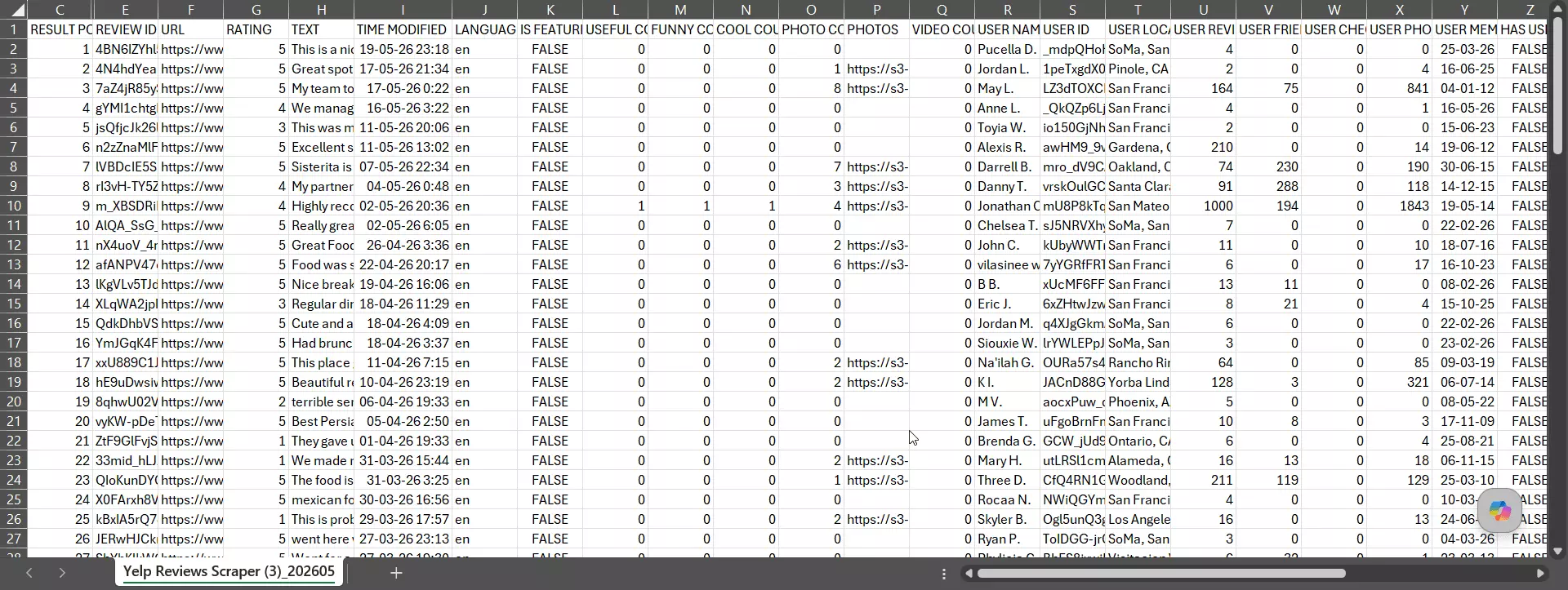
| review_id | rating | text | language | | is_featured | time_modified | url | useful_count | | funny_count | cool_count | photos | photo_count | | video_count | user_id | user_name | user_location | | user_review_count | user_friend_count | user_photo_count | user_member_since | | user_check_in_count | has_user_paid_through_yelp | business_id | business_name | | business_url | business_avg_rating | business_review_count | scraping_time |f
Pricing
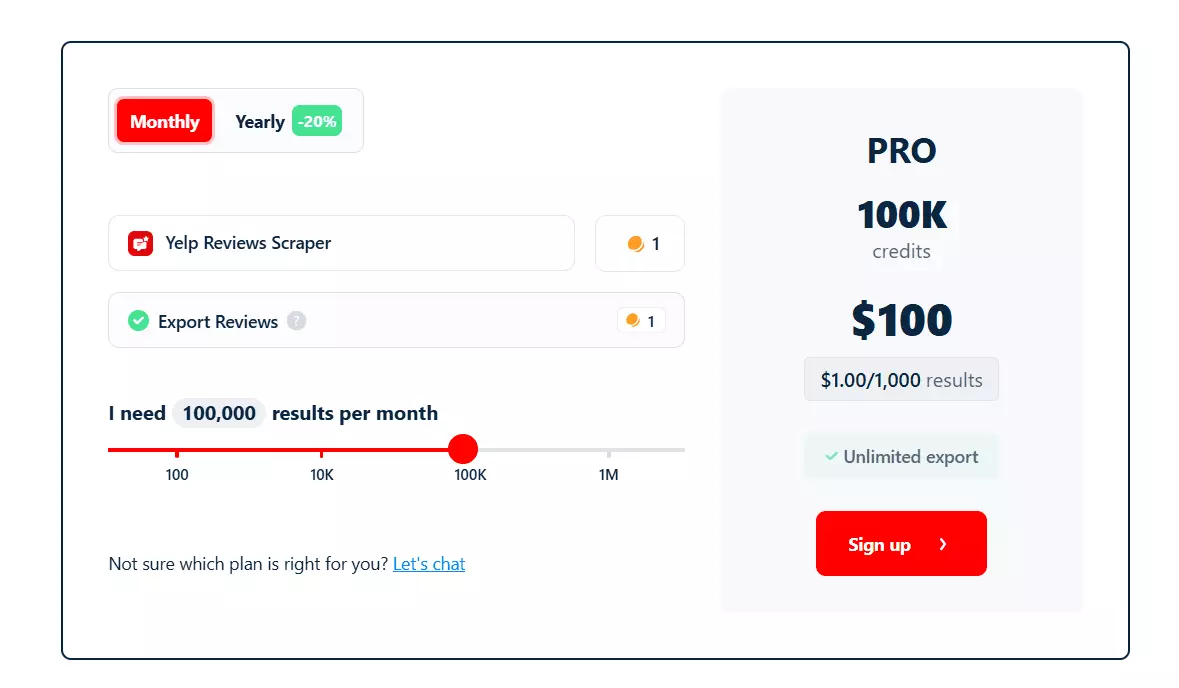
- 100 reviews free every month
- Starts at $2 per 1,000 reviews
- Drops to $0.5 per 1,000 reviews at scale
How to scrape Yelp reviews using Lobstr.io [Step by Step Guide]
Scraping Yelp reviews with Lobstr.io takes less than 2 minutes. Here's the process:
- Create a Squid
- Add tasks
- Adjust behavior
- Launch
- Enjoy
Step 1: Create a Squid
A Squid is just a scraper instance. To create one:
- Log in to your Lobstr.io dashboard
- Click the red "New Squid" button
- Type "Yelp" in the search bar
- Select
Yelp Reviews Scraper
That's it. Your Squid is ready to configure.
Step 2: Add tasks
A task is simply your input. In this case, it's a Yelp business URL... could be a restaurant, hotel, salon, bar, whatever.
The URL must contain /biz/ on yelp.com or any country variant (yelp.fr, yelp.co.uk, yelp.de, etc.). Anything else won't work.
Add+ button. Paste the URL, click add, done.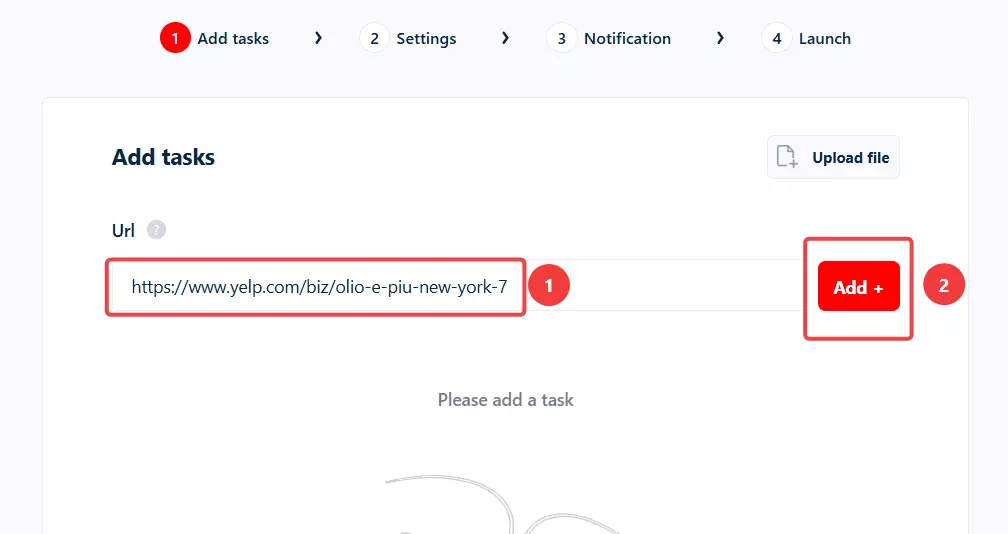
But if you've got hundreds or thousands of businesses to scrape reviews from, adding them manually is a waste of time.
TXT or CSV file and upload it using the Upload file button.But where do I get hundreds of Yelp business URLs in the first place?
Glad you asked. Here's what I personally do.
I usually scrape restaurant reviews. And I hate manually browsing Yelp and copy-pasting business URLs one by one.
Yelp Search Export instead.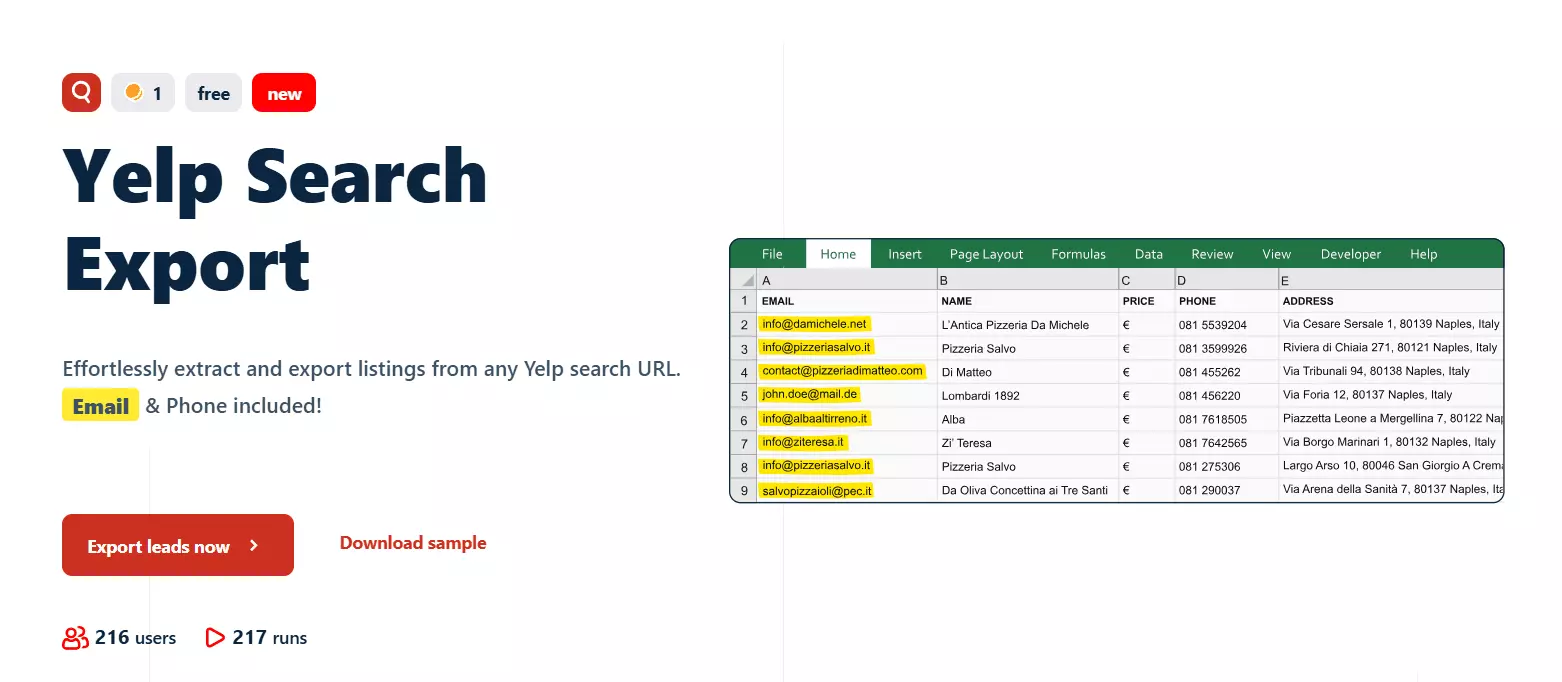
It collects all listings from a Yelp search along with all the data about each business... including the business URL we need for the reviews scraper.
Once that run finishes, I simply upload the output file to the Yelp Reviews Scraper. It automatically extracts the business URLs from the file.
Save to move to the next step.Step 3: Adjust behavior
The Settings tab controls how your scraper behaves. There are two sections here: Basic and Advanced.
I'm not gonna bore you explaining every option including the unnecessary ones for this scraper. Let me cover the ones you'll actually use.
Basic settings
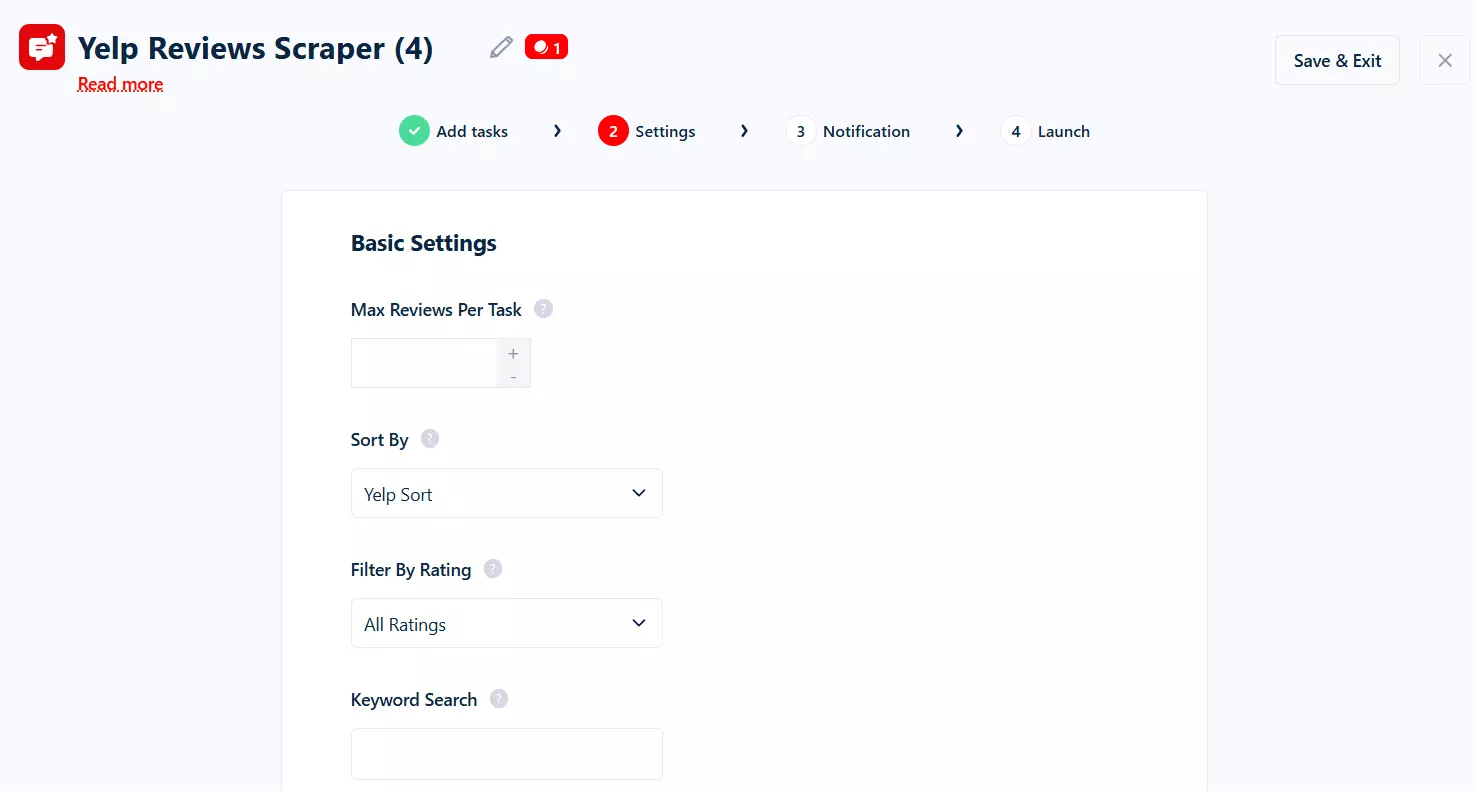
Max Reviews Per Task... caps the number of reviews per business URL. Leave it empty to scrape all reviews on the page. Set a number if you only want, say, the most recent 50 per business.
Sort By controls the review order. You've got six options:
Yelp Sort(the platform default)Newest First— perfect for monitoring workflowsOldest FirstHighest RatedLowest RatedElites— only reviews from Yelp Elite members
1 Star and you'll only get the angry customers. Set it to 5 Stars and you'll see only the love. Or leave it on All Ratings to get everything.Keyword Search is the underrated killer feature. Type "great service" and you only get reviews mentioning that. Type "rude" or "wait time" or "vegan" or "gluten free"... whatever your analysis cares about. The scraper searches inside the review text and returns only matches.
⚠️ One thing to know: when you set a Keyword Search, the Sort By and Filter By Rating settings are ignored. Keyword Search runs Yelp's keyword filter, which has its own sort.
When to end run has two options:
End run once no credit left— if your credits run out, the run is marked DONE and stops. Restarting begins from scratch.End run once all tasks consumed— if your credits run out, the run is PAUSED instead. Add credits and resume from exactly where it stopped.
For one-off jobs, the first option is fine. For long monitoring runs, the second one saves you from losing progress.
Advanced settings
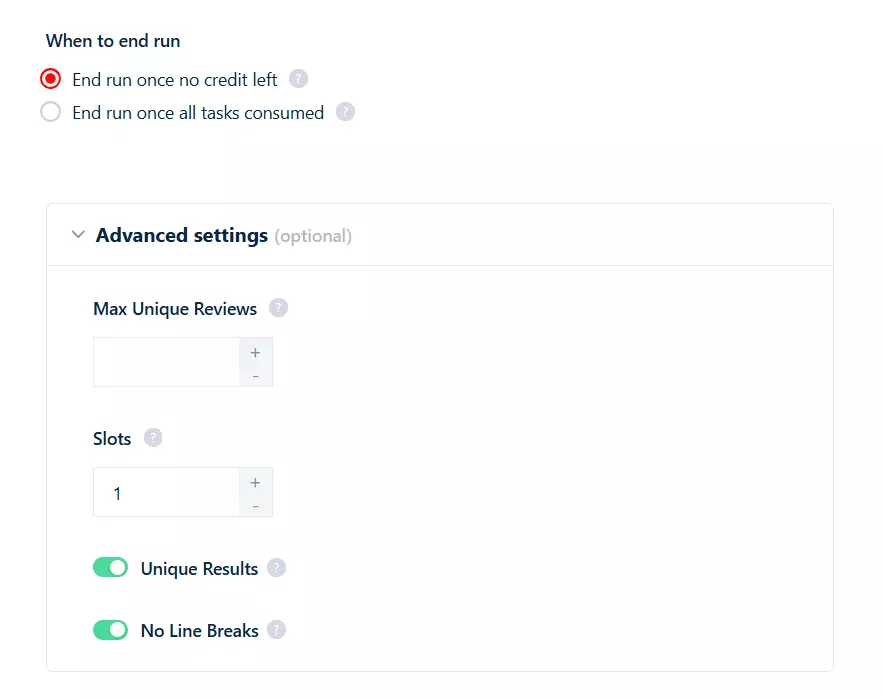
Max Unique Reviews caps the total number of unique reviews retrieved across all tasks in the run. Leave it empty for unlimited. This is the global cap... vs Max Reviews Per Task which is per-business.
3 and you've got 3 bots consuming tasks at the same time. Default is 1.Save. Next is the Notifications tab where you can choose to receive email alerts when a run completes or pauses due to an error.Step 4: Launch
In the Launch tab, you've got two options:
- Manually
- Repeatedly
Manually means instant launch. Keep it selected and click Save & Extract. The scraper starts collecting reviews immediately.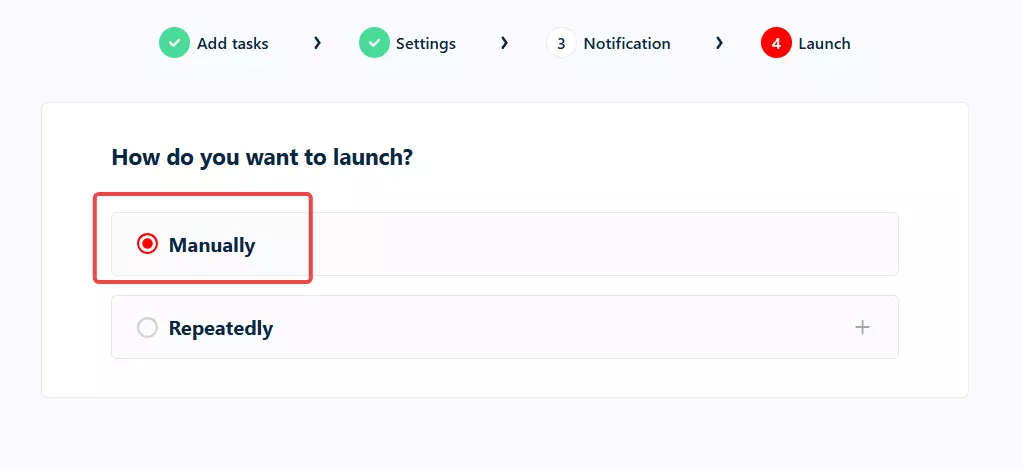
But what if you want to monitor reviews over time?
Repeatedly comes in.Repeatedly and set how often the scraper should run. You can schedule it to run every few minutes, hourly, daily, weekly, or monthly.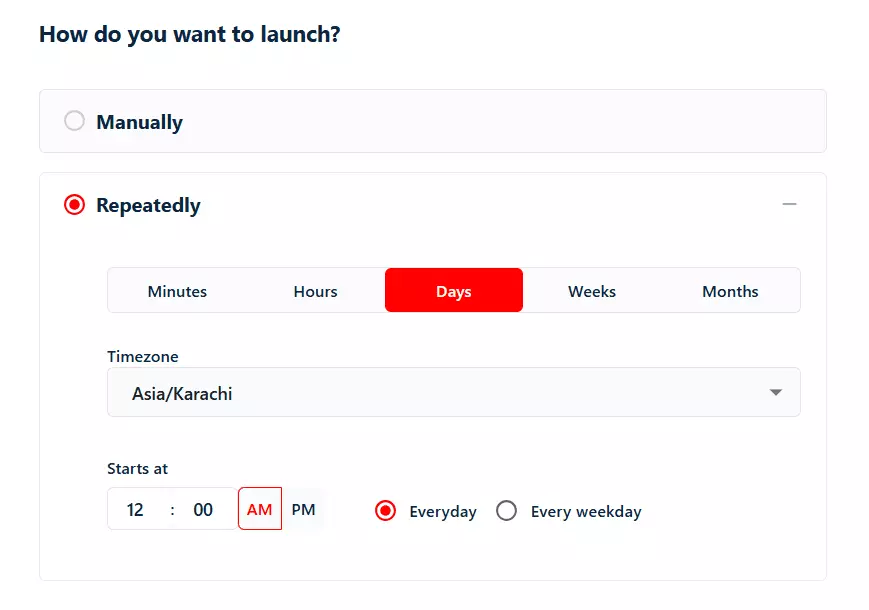
Sort By: Newest First and Max Reviews Per Task set to a small number (say 20)... and you've got yourself an automated Yelp review monitoring system that only pulls fresh reviews on every run.Step 5: Enjoy
Download button to export your results as a CSV file.Open it in Excel, Google Sheets, whatever you prefer.
But downloading files manually every time? I don't like doing it.
Delivery icon in the top right corner and set up your preferred export method.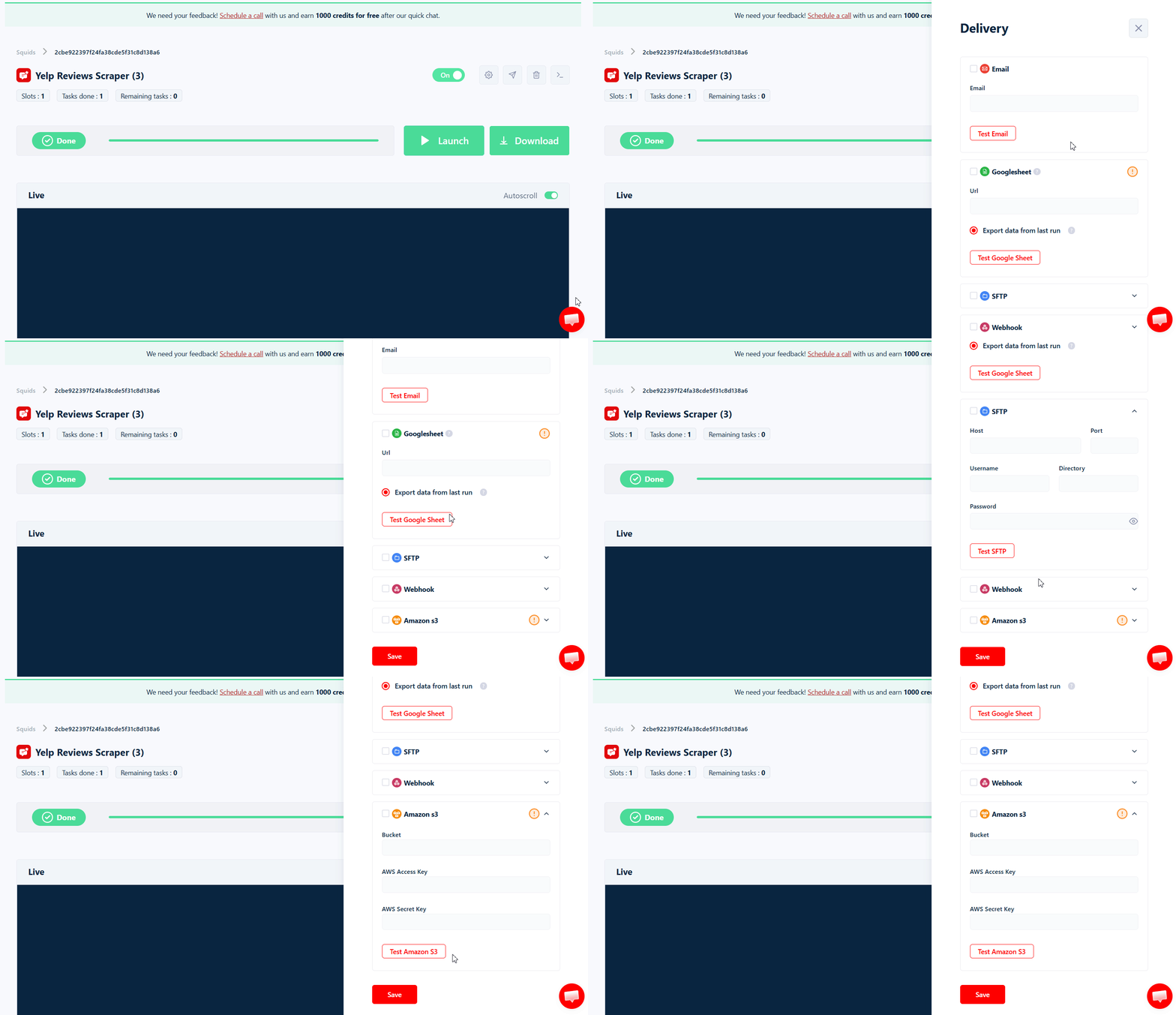
Google Sheets is my personal favorite. You can also use SFTP, Amazon S3, or simply add an email address and receive a CSV file right in your mailbox after every run.
And if you want to plug this data into your CRM or any other tool, Lobstr.io's official Make.com integration connects you to 3000+ apps.
What can you do with scraped Yelp reviews?
You've got the reviews. Now what?
A few concrete things you can build:
- Reputation monitoring system... schedule recurring runs on competitor businesses, alert your team on Slack the moment a new 1-star review drops
- Sentiment analysis pipeline... pipe reviews into an LLM, score sentiment + extract themes, dashboard the output
- Fake-review detection... Lobstr.io's unique trust signals (
user_member_since,user_check_in_count,has_user_paid_through_yelp) feed straight into a fraud scoring model. A 5-star review from an account created 2 weeks ago with 0 check-ins is a flag. - Local market research... chain the Yelp Reviews Scraper with the Yelp Search Export. Pull all restaurants in a neighborhood, then their reviews. Track cuisine trends, opening sentiment, neighborhood shifts.
- Lead generation... identify businesses with growing complaint volume in your niche. Reach out with your service.
- Multi-location chain analysis... compare review consistency across a chain's locations. Spot the underperformer before HQ does.
- Crisis monitoring... keyword search filter on terms like "food poisoning", "lawsuit", "rude" — instant alerts when a brand crisis is brewing.
Chain the Yelp Reviews Scraper with the Yelp Search Export and an AI agent and you've got a complete Yelp intelligence system... business discovery, review collection, sentiment + theme extraction, all automated.
FAQs
How many Yelp reviews can I scrape per run?
Max Reviews Per Task to cap per business or leave it empty to scrape all reviews on each page.Does Lobstr.io work on international Yelp sites?
/biz/.Can I scrape only negative or only positive Yelp reviews?
Filter By Rating setting. Set it to 1 Star for negatives, 5 Stars for the praise, or any specific rating you want.Can I search Yelp reviews for a specific keyword?
Keyword Search setting. Type "great service", "rude", "vegan", "gluten free"... whatever you want to filter on. Note that this disables the Sort By and Filter By Rating settings (Yelp's keyword filter has its own sort).What if I run out of credits in the middle of a run?
Set When to end run to "End run once all tasks consumed" before launching. If you run out of credits, the run pauses instead of stopping. Add credits and it resumes from exactly where it stopped.
Is it legal to scrape Yelp reviews?
Yes for public review data, per the hiQ Labs v. LinkedIn precedent (9th Circuit, 2022). Yelp's ToS prohibits it on their end (a private contract issue, not criminal), but US law permits scraping publicly accessible data. Don't scrape behind logins, don't abuse PII, don't republish wholesale.
Where do I get hundreds of Yelp business URLs to scrape?
How do I monitor Yelp reviews automatically?
Manually to Repeatedly. Schedule the scraper to run hourly, daily, or whatever frequency you need. Pair with Sort By: Newest First so each run only fetches the latest reviews.Conclusion
That's a wrap on how to scrape Yelp reviews at scale without coding or dealing with broken tools.